How to update KMPlayer

KMPlayer is a well-known video and audio player that supports a wide range of formats. However, updating this program to its latest version is not that obvious. In this video tutorial we’ll show you how to update KMPlayer.

How to update KMPlayer por softonic-en

  1. First, open KMPlayer. If you don’t have it installed yet you can download it on Softonic or from the developer’s website.
  2. Right-click on the program, go to Options and click on About.
  3. A pop-up windows will appear, and you’ll find an Update button at the bottom. You just need to click it in order to update the program.
  4. If you go back to Options, you’ll see that there’s a Check Updates options where you can check if your KMPlayer is up to date.

And that’s it! You’ll never have to worry about having an outdated version of KMPlayer again!

5 geeky Google secrets that will change the way you search forever!

It’s no secret that Google is an indispensable tool for finding information on the web (it even saved a baby’s life – remember?), and although you may use it numerous times a day, there are still loads of secrets you are yet to discover.

Here are five awesome geeky secrets you didn’t know about the world’s favorite search engine! Enjoy!

1) Watch out for the ghosts!

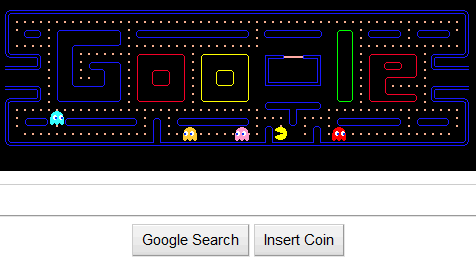
google-pacman

Back in May, 2010, Google paid tribute to Pac-Man for the game’s 30th anniversary, by allowing users to play the game from inside the Google logo while searching the site,although Google disabled the feature. The good news is that you can still play it within the logo on Google’s official blog! Click here to enjoy this classic game with a Google twist!

2)   Navigate using Klingon or pirate jargon!

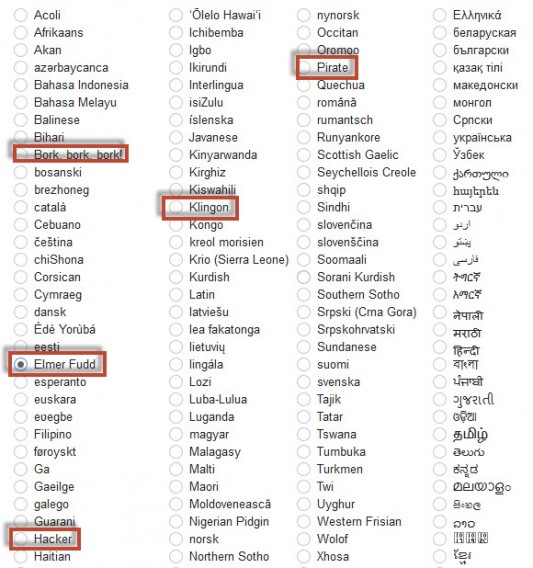
pirate-533x568

Sure, you’ve probably played around with the language options on Google now and again to practice another tongue, but did you know Google has many other, alternative languages to choose from? Check out the alternative options (including Elmer Fudd and Klingon) in the Language options in Google Settings!

3) Break the image search

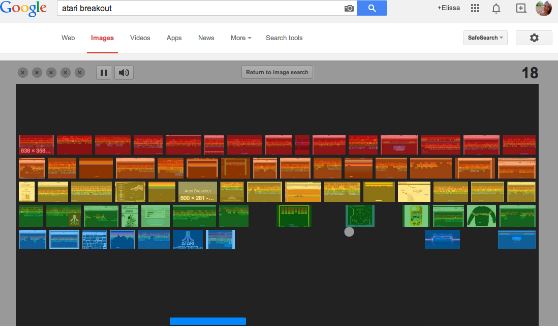
4646464

Simply by typing “Atari Breakout” in the search bar and clicks “Images”, your screen will suddenly be transformed into an awesome Atari video game! Use the arrow keys to slide the bar left or right, breaking as many images as possible without the ball touching the floor!

4) Do a Barrel Roll

Did you suddenly get all excited when you read this title? No? Well, it’s a famous phrase from Starfox – a Nintendo spacecraft videogame in which you had to make your ship do a spin in order to confuse your enemies. How about doing the same with Google? Simply type “Do a Barrel Roll” into the search bar and see what happens!

5) Build with Lego!

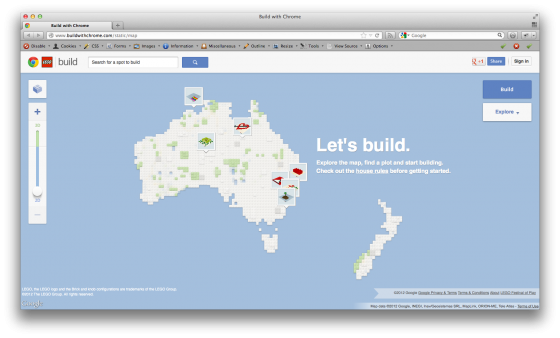
Screen-Shot-2012-06-27-at-13.49.04-560x338

In order to use this function, you have to be using Google Chrome. Here, you’ll see that Google and Lego have joined forces so you can create your own virtual inventions with the legendary pieces and share them with everyone – all with Google Maps technology. Click here to get creative!

Has Tinder gone one swipe too far with its latest feature?

The world’s most famous “dating” app has recently thrown a spanner in the works with the introduction of a new feature, that just about epitomizes how much online dating has evolved in recent years.

What started off as a normal dating app (albeit its fairly groundbreaking and ruthless swiping functionality), Tinder is now seen as more of a “hook up” or “brief encounter” app, and this latest function certainly doesn’t do anything to tarnish its global reputation.

So what are we talking about?

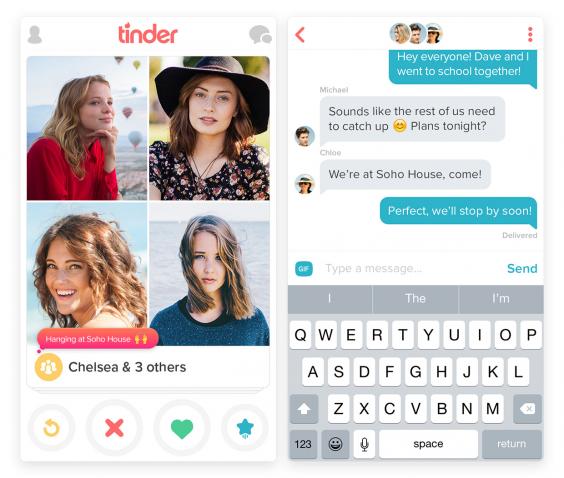
Well, we’re talking about a new “group dates” feature that the company is currently testing. Yes, although they may be making a smashing attempt to make this feature appear innocent, you need little imagination to work out what’s probably lying at the very heart of their intentions.

But wait – there’s more. This particular feature requires you to invite your Facebook friends along to these “group meetings”, so if it was discretion you were looking for – you can just forget that right now.

While the company insists that this new feature is really just to take “an average night out with your friends to the next level” – whatever that means – they’re certainly being ambiguous with their marketing ploys.

0034627157212d8f65f4e764de18a2d0

If the Facebook privacy is something that worries you, you can opt out of the test feature quite easily within the app’s Settings.

The company is currently testing this in Australia, but it is presumed to be launched on a global scale shortly.

Is your job attractive on Tinder? Find out which ocupations get the most right-swipes!

Related articles:

Dating apps: the worst things that can happen on a first date

Eight apps you don’t want to explain to your parents

Facebook declares war on Snapchat!

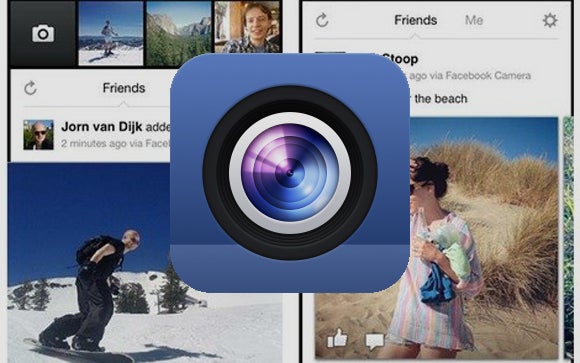
As a way of increasing user activity, Facebook is apparently in the process of creating their very own “Snapchat”- style camera app. This may not come as a big surprise seeing as though they recently acquired the hugely popular selfie-hit MSQRD for just short of $120 million.

The company’s “friend-sharing” team, based in London, is rumored to be developing a platform, which is expected to be very similar to the likes of Snapchat and Periscope.

facebook-camera

And the reasoning behind developing an app like this?

Well, according to The Wall Street Journal, the social media giant has seen a significant fall in the number of users sharing photos and updating their status – therefore creating something that could encourage them to start sharing again only makes sense.

With 1 billion users, and 100 million active users, a platform like this could prove extremely lucrative, and we all know that Facebook never misses a chance to earn a buck or two. You won’t believe their rumored plans for the future of Messenger!

The app is believed to only be in its early stages of development, and Facebook hasn’t confirmed whether or not it will eventually be released.

Related articles:

Facebook’s hidden feature you definitely don’t want to think about

Sharing files with your friends on Facebook Messenger for iOS is now much easier!

The app with more downloads than Facebook – and it’s only 1MB in size.

WhatsApp for PC: are we closer than we thought?

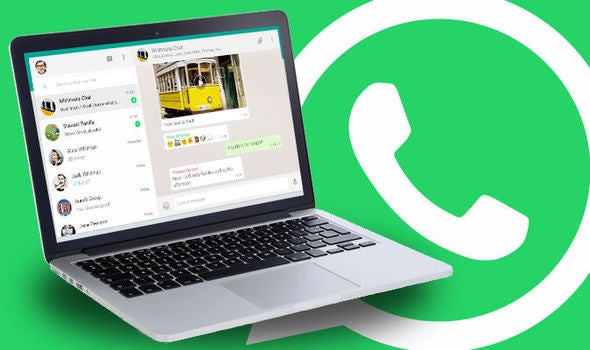
Big news! It seems that very soon, we may be able to enjoy chatting with the world’s favorite messaging app straight from our desktops!  That’s right – WhatsApp is rumored to be creating a native WhatsApp app for Mac and Windows operating systems.

WhatsApp-Desktop-App-Client-Mac-OS-X-Desktop-WhatsApp-Native-Client-Windows-10-App-Store-WhatsApp-Wrapper-Whats-the-Different-Be-666272

It was just last year when WhatsApp launched its web-based app, allowing users to chat from their browsers, which uses a QR code that users scan to access the app from their desktop. By introducing this new interface, users can gain quick and easy access to the messenger, which could eventually rival other popular platforms such as Slack and Skype.

So, where are we getting this information? Well, you guessed it – just the same as we get any new future features for the app – from the official translations page (which has never proved us wrong so far!).

Although there are a great deal of unofficial desktop alternatives for using the app from your computer, an official one (that presumably will boast the end-to-end encryption) will no doubt be a huge hit with users who value their privacy and data security.

Stay tuned for more updates

[UPDATE: WhatsApp for PC is finally available to download!]

Related articles:

How to use two WhatsApp accounts at the same time on Android

How to try new WhatsApp features before anybody else

How to use two WhatsApp accounts at the same time on Android

Did you know there was a way to have two accounts on WhatsApp? As in, using the app with two different telephone numbers on the same telephone?

Many people have various devices and more than one telephone number for their own reasons, so being able to have access to two WhatsApp accounts simultaneously from the same device can be extremely useful (particularly if you don’t want to always leave the house with two different handsets).
While there is no official method of being able to do this, we have discovered two unofficial ways/tricks that work – so let’s take a look!

Method 1: The Guest user trick

To use this method, you just have to use the “Guest mode” on your phone, available on Android Lollipop. By using this method, you’ll have a parallel handset (but on the same mobile), as if it were another user connected to the same device (with different apps installed, different email address and a different WhatsApp, etc). In order to set this up, just follow the instructions below:

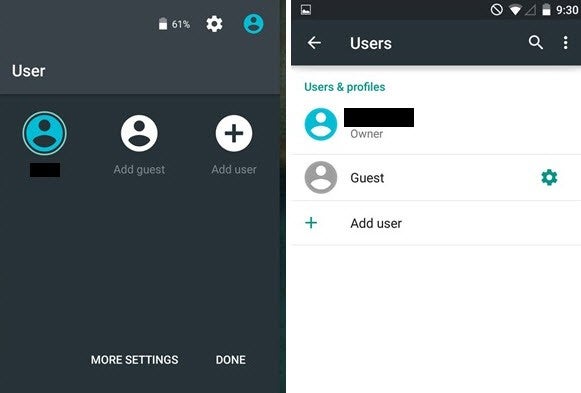
1) Create a “Guest” user. To do this, go to the drop-down menu from the top of the screen and tap the photo for the user. Then select Add Guest. (Please note that this option in not available on all phones running Android Lollipop)
jghhjgh1

2) Download WhatsApp while using this profile.

3) Follow the configuration process while installing WhatsApp, entering your other number when the app prompts you for it. If you are not using a dual SIM card, you will receive a message from WhatsApp with the confirmation code on the device containing the other SIM.  Once you have registered, your WhatsApp account will have been set up. You simply have to switch between users from within Android settings to gain access to each individual WhatsApp account.

Method 2: Using the Parallel Space app

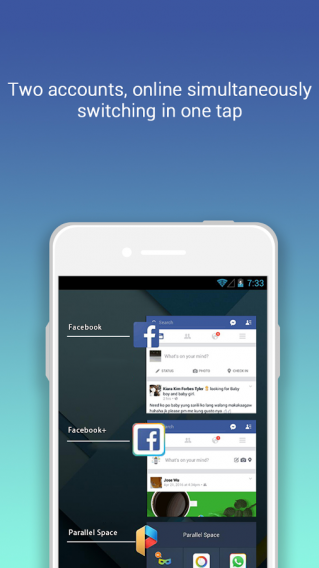
The alternative trick is to use an app called Parallel Space. This method is particularly useful if your mobile is not running on Android Lollipop, or if your device is a Samsung.
paraelel

Parallel Space lets you set up a duplicate account on the same handset for almost any application, including social networks, games and of course, WhatsApp. Here’s how to get it working:

1) Install Parallel Space on your device.

2) Start up the app and select WhatsApp from the option list.

3) WhatsApp’s usual configuration process will begin on the app.

4) Follow the process while installing WhatsApp, entering your other number when the app prompts you for it. If you are not using a dual SIM card, you will receive a message from WhatsApp with the confirmation code on the device containing the different SIM.  Once you have registered, your WhatsApp account will have been set up.

5) Select whether or not you wish to import the backup of your previous conversations for that number. Your second WhatsApp account is now ready! In order to access it, simply go to the notifications bar. All you have to do is click the icon to use the app!