Facebook’s Controversial News Feed Change

Facebook is conducting a somewhat controversial test: dividing the News Feed into two sections. A section dedicated to the updates of your friends and another section, called Explore, which contains posts from Pages.

For now, the test, which will last a few months, is taking place in six countries: Bolivia, Cambodia, Guatemala, Serbia, Slovakia and Sri Lanka. It is a Facebook response to users needing to view messages from friends and family more easily.

The controversy here comes from the data: in the six countries where the test is being conducted, the interaction with the Pages has decreased between 60 and 80% and many companies have Facebook Pages that they use to communicate with their audience or to promote themselves. This is controversial because if nobody is interacting with company Facebook pages there is only one-way for them to promote their businesses on Facebook. Paid advertising. A large company would have no problem funding these advertising campaigns but small companies, with tight budgets, would be in trouble.

Facebook has had to clarify a few things. For now, there are no plans to permanently divide the Feed into two sections; there are also no plans to extend the test to other countries or a plan to force Pages to pay to gain visibility.

“The objective of this test is to understand if people prefer to have separate spaces for personal content and public content,” explains the Facebook executive. “We will listen to what people say about this experience to know if it is an idea that deserves to be developed in more depth.”

Although this clarification will calm some, we have forgotten that the companies in these six countries, however small, are already suffering economically because of this test.


What changes would you like Facebook to make? Leave us a comment!


Via: BetanewsTelegraphZdnet

The Amazon Cloud Has Not Been Hacked but Two Companies Have Been Affected

EDIT: Amazon Web Services have contacted us to confirm that their service was not affected at all. The companies that were affected suffered due to a poor password protection policy on their AWS cloud infrastructures.

According to the security group RedLock, a group of hackers managed to breach Amazon Web Services, on the Amazon Cloud. Specifically, hackers broke into the infrastructure belonging to two companies on the Amazon Cloud: Aviva and Gemalto.

The hackers’ aim was to use the two companies’ resources to mine Bitcoin cryptocurrency. RedLock is surprised that the hackers didn’t want to steal any important company info. They only used their servers to generate cryptocurrency to get rich at their expense.

“The instance had effectively been turned into a parasitic bot that was performing nefarious activity over the internet,” explains the RedLock report.

This is shocking because usually hackers go to great pains to break into company databases to steal social security numbers, credit card numbers, passwords, emails…

Amazon, Aviva and Gemalto have all been informed about what happened. At the time of writing this article, none of the three companies have made statements. It would be interesting for Amazon to reassure both its clients in the business world as well as personal users. Otherwise, one can’t help but wonder if another hack could happen again on other Amazon services including its virtual store.

We’re facing yet another case that shows how hackers are becoming increasingly interested in infecting their victims so they use their resources (computers, infrastructures) to mine for cryptocurrency. Virtual money is generated by solving complicated mathematical problems that require a great deal of resources. Hackers, instead of paying to buy or build the computers and servers capable of solving these problems, infect their victims so that their computers do the hard work for them. Obviously, only the hackers benefit from this.

Just yesterday I reported that a large number of popular webpages had been infected with a code that installs malware on their users’ computers. This malware turns the infected PC into a cryptocurrency “miner.” You can read all about it, and find out the first steps to take to prevent an infection infection like this, by clicking on this link.

Sources: Business Insider, Bitcoinist, Mobile Marketing Magazine, Genbeta

A WhatsApp Web Error Allows Spying on Contacts’ Habits

WhatsApp Web has an error that allows anybody with certain a computer know-how, to partially spy on you. By partially I mean that he/she can find out when you go to bed and when you get up.

Engineer Rob Heaton has discovered this error and shared it on his blog. The error is the legendary “online” status that is visible when you’re connected. You can disable the time you were last online so it no longer displays, but the “online” status can’t be removed.

Rob Heaton demonstrates, on his blog, how easy it is to create a Chrome extension in order to monitor every time a contact from your WhatsApp appears “online.” Then, you leave your computer turned on with WhatsApp Web enabled, get on with your life and within a few hours, or even a week, you can come back and see the results.

The code that the extension needs to collect everybody’s connectivity times is very straightforward:

By knowing the last time that a WhatsApp contact was “online” the day before and the first time that he/she was “online” the next day, you’ll know more or less how many hours they slept. This way, a jealous person could find out if his/her partner has a busier nightlife than they’re letting on, so to speak.

Heaton goes one step further and even explains that with this info it would be easy to know when two people are talking to each other. Their connectivity times would just have to match.

The danger here isn’t just that an ordinary person could use this, but also somebody with more malicious intentions could gather all this info and sell it to third parties.

It’s unclear if Heaton has passed along his findings to WhatsApp to prevent this info from being given away by WhatsApp Web.

Do you think this is a huge mistake or no big deal?

Sources: Robert Heaton’s blog, El Confidencial

Trendy New Malware Infects Popular Websites

Popular web pages could be infecting your computer with a new type of malware. This malware uses your computer’s resources to “mine” for cryptocurrency such as the ever-popular Bitcoin.

This is bad for your computer for two reasons: first, it bogs down your PC, making it run very slowly and even burning out components in extreme cases; and second, the hacker uses your PC to get rich at your expense, while you get nothing.

So what is cryptocurrency mining? Cryptocurrency is virtual money that is generated after your computer has worked hard to solve a complicated mathematical problem. The solution to this mathematical problem generates digital money. This task is known as “mining.”

The issue is that a run-of-the-mill computer can’t mine cryptocurrency alone. This is why networks of computers have been made to mine cryptocurrency together at high speeds.

There’s nothing illegal about it. Anybody interested can get into virtual mining and reap the benefits with their fellow miners. There are even legal and easy-to-get programs so that your computer can “work” within these communities.

What is happening with this new type of malware, however, is another thing altogether. This malware doesn’t notify its victims. The only one who gets rich off the mining process is the hacker who, obviously, doesn’t share his profits with anybody.

Now here comes the interesting question: Is a hacker behind this malware?

A security researcher has found malware in the code of several high-profile websites. The British media outlet BBC has access to the list of popular pages infected and contacted those located in the United Kingdom. Some have removed the malicious code and updated their security system.

Some of the affected pages, however, won’t explain what malicious code was doing on their site. This has spurred some to wonder if certain pages have added this malware on purpose to find a new way of generating profits.

A few weeks ago, it was revealed that the Pirate Bay torrent site used a similar code to convert its visitors’ computers into “miners.” Pirate Bay said it was a 24-hour trial and then uninstalled the malicious code. Was it really a temporary trial, or was TPB’s plan to cross their fingers and hope that nobody noticed what was happening while they benefited from this new source of income?

Regardless of who is behind this malware, several security experts have already predicted that this type of virus will become increasingly more popular.

If you’ve noticed that your PC is running slowly, you may have already been infected. A quick patch is to install an ad-blocker. If you want a more effective and lasting solution, we recommend installing a good antivirus. There are plenty to choose from in the Softonic catalog, such as the new 2018 version of Avast.

Via: TechRadar, BBC, Futurism

5 Warning Signs You’re Getting Scammed on Refurbished Gadgets

Refurbished gadgets can seem appealing when you look at their price tag. At a lower price than their brand-new counterparts, these devices typically have been donated or returned by a previous owner.

With e-waste making up more than 70% of the toxic waste found in landfills, opting for refurbished tech can keep some of that waste on the market and out of the ground. But, as the saying goes, no good deed goes unpunished, and there are certainly some risks that come with seeking out refurbished tech.

Ideally, refurbished gadgets will work just as well, though that can be difficult to determine just by looking. The item could be heavily damaged on its interior or was never refurbished properly.

Even beyond the risk of the gadget not working properly, it can be a stolen item, which can cause future legal hassles. So it’s prudent to look for potential warning signs when buying a refurbished gadget, to help separate the scams from the legitimate deals.

1. Verify the Seller’s Reputation

When looking for refurbished gadget warning signs, consider the person selling you the item. Gauge the seller’s reputation by asking for details on the gadget, specifically on the refurbishment process. If they are vague about the specific item or their dealings in general, you should be wary. A reputable dealer should have information on the refurbishment process as well as the previous owner.

Additionally, be wary of sellers who do not allow you to use the gadget for at least a few minutes prior to purchasing it. They may be concerned that the gadget will start malfunctioning due to a defect.

2. Be Wary of Odd Meeting Places

If a seller is asking to make the transaction in an alleyway or requesting iTunes gift cards or some other unconventional form of payment, it’s not worth pursuing.

Odd meeting places or payment requests can signal a seller with a questionable item, one for which they do not want to be held legally responsible. For something as universally known as gadgets, there’s no need to be discreet.

3. Avoid Western Union Requests

Western Union payment requests, in particular, are a favorite payment source for Chinese scammers.

If a seller only accepts Western Union instead of typical payment options, it’s likely he is a scammer. Western Union reminds consumers not to use their service for selling purposes.

4. See How Patient the Seller Is

It’s important to analyze the seller’s reaction if you mention you will need to think over the purchase.

If they’re aggressive or overly pushy, it can show an urge to get rid of a potentially stolen item or one that’s unlikely to sell quickly.

5. Do Not Use an Unsecured Site

Many websites also sell refurbished gadgets. In most cases, the safest method to purchase a refurbished gadget is to use the manufacturer’s site directly. For example, Lenovo and Dell have a section for refurbished products in their online stores.

Large, trusted companies have secure websites. You can tell by looking for HTTPS rather than HTTP at the beginning of their URL when you visit the site. If you’re purchasing refurbished tech from a non-manufacturer and their site simply begins with HTTP, you can be at risk of having your personal information stolen, including your credit card information.

Any trusted seller will be operating a secure website, especially in the tech sphere. Legitimate sellers in the tech niche will be very aware of security in this regard, as well as the other red flags for refurbished gadget scams.

Image by Negative Space

8 Ways to Protect Yourself Against KRACK

The internet went into crisis last week when a group of researchers unveiled a hacking system that threatens Wi-Fi access points around the world.

What is KRACK? How much damage can it do you? To what extent is your Wi-Fi in danger? And most important, what can you do to protect yourself from these types of attack? Read on for answers.

What is the KRACK vulnerability?

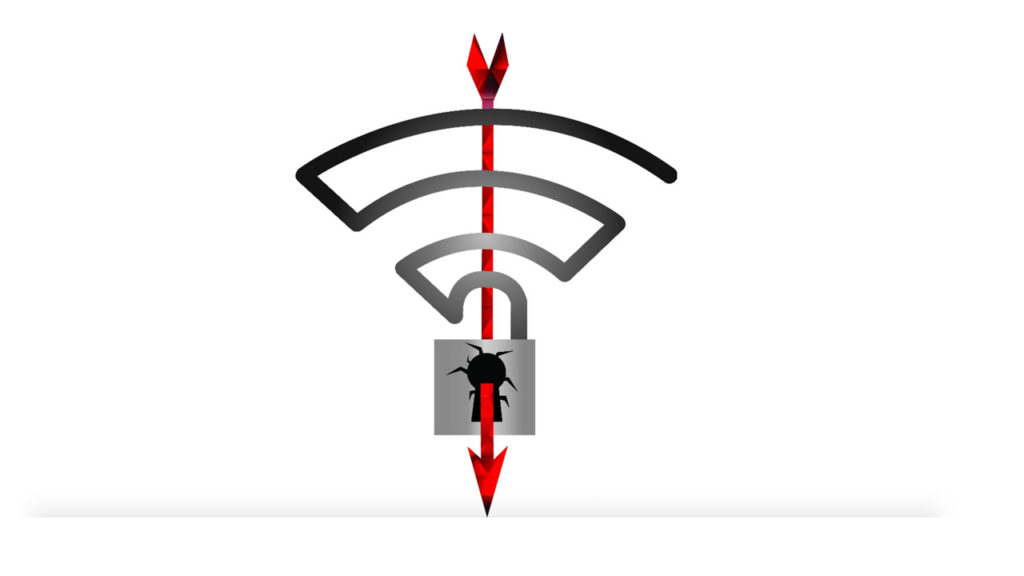
Nicknamed KRACK by the cybersecurity researchers who discovered it, the vulnerability opens up a gap in WPA2. This encryption system is the standard security option for most Wi-Fi networks around the world.
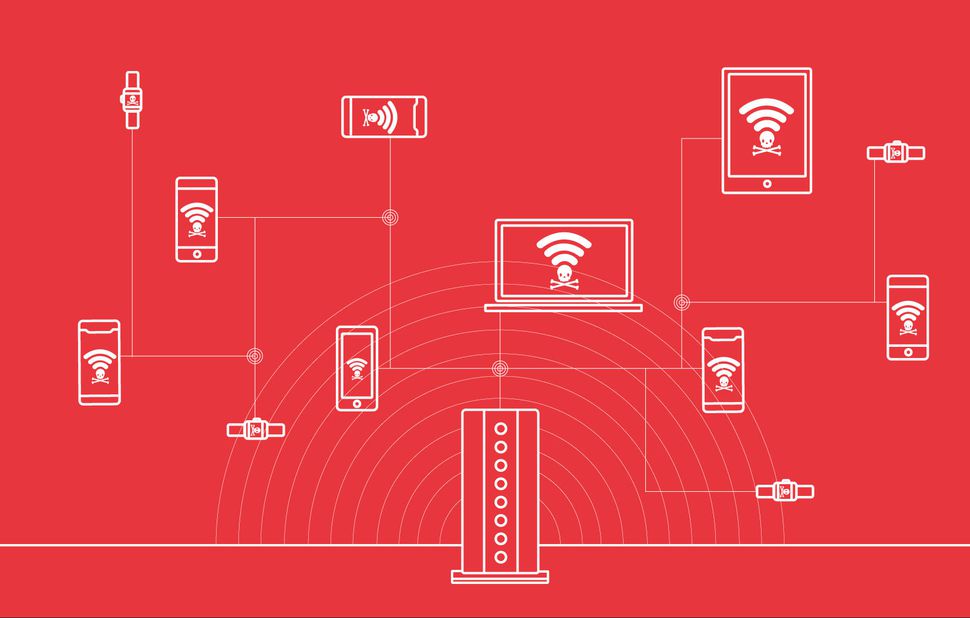
This discovery has triggered alarms due to the proliferation of WPA2 around the world and our increased dependency on Wi-Fi. WPA2 replaced the older security protocols for similar reasons.

“In 2001, the WEP security protocol was cracked. It was immediately considered unsafe to use and unable to keep networks safe from malicious eyes, “said Mark James, a security specialist. “And here we are, 16 years later. And it looks like WPA2 will continue down the same path. ”

What can and can’t KRACK do?

An attacker using KRACK can intercept some of the traffic that travels between your Wi-Fi access point and the devices connected to it. This means the attacker can steal critical information like your mail, your credit card number, passwords, and phone numbers.

However, if the traffic is encrypted using the HTTPS protocol, the attacker can’t access that information. The attacker also can’t steal your Wi-Fi password, although the password isn’t needed to access non-encrypted data.

With certain tools, the attacker can perform a packet injection, a process that allows them to install malware on all the devices connected to the Wi-Fi network. This is a more complicated effort, however, so there is less chance that it will happen to you.

KRACK has other limitations as well. The attacker must be in the range of the Wi-Fi network, or else be able to take control of a computer within range of the Wi-Fi network, which requires a lot of sophistication on the part of the hacker. It is also possible that companies will release patches that will prevent the possibility of a remote-control attack.

Some have proposed the possibility of using the exploit as a worm–a type of program that tries infects a computer and quickly spreads to the devices to which it is connected. So far, this possibility is no more than conjecture.

What can you do to protect yourself against KRACK?

1.Getting started: Changing the password does not help you

Remember, the attacker does not need to know your Wi-Fi password to intercept your traffic. The attacker will be able to steal data such as your credit card number and the content of your messages in chats without the password … but they won’t be able to access your actual Wi-Fi without the password.

2. Update, update, update

Manufacturers are releasing updates that patch the KRACK (pun intended). Update all your routers and devices that connect to Wi-Fi like computers, mobiles, and tablets. You can also enable the auto-update option, so that you don’t have to keep worrying about whether or not the anti-KRACK update has been installed or not.

Prioritize updating your router. You can tell if it has been updated by accessing your admin panel. If you have further questions, contact your company to ensure they have already prepared the countermeasure. In case they don’t answer or you do not like the answer, you have two options: get a new router or buy a Wi-Fi access point from a responsible company that has already updated their software. At this link you’ll find a constantly updated list so that you know which companies have updated the firmware.

3. Plan B: Use Ethernet

If your router is not on the list of updated products and you can’t buy a secure access point, consider disconnecting the wireless connection and betting on Ethernet for the short term. This means that you would be stuck using devices that are literally connected to the router via a cable, so it might necessitate buying additional Ethernet cables.

4. The time of the data

Of course, you can’t connect your phones or tablets using an Ethernet cable. So if you really want to feel safe, consider disconnecting the Wi-Fi from your mobile or tablet and using cellular data. It is not an ideal solution, and I only recommend it if you suspect that someone is accessing your data. Android users should be especially careful in this regard, as Android 6.0 devices are more vulnerable than other devices.

5. Install the HTTPS Everywhere extension

Remember that attackers can’t access HTTPS encrypted traffic. That’s why it’s important to use an extension such as HTTPS Everywhere. This way, when browsing with Chrome, Firefox, or Opera, you will automatically visit the HTTPS version of a webpage. The only exception is when the webpage in question does not use HTTPS. You can check to see if a webpage uses HTTPS by looking at the URL: If the start of the URL is http instead of https, it is advisable that you avoid visiting the page because all the information you share will be vulnerable.

6. Avoid public Wi-Fi hotspots

The attacker can only access your Wi-Fi if it is within range, so let’s put ourselves in the mind of a criminal for a moment. Which is easier: to enter the range of a private Wi-Fi network or enter the range of a public Wi-Fi network (like, say, a coffee shop)? Be careful with the public Wi-Fi: yes, you save data when you use it, but until there is a more definitive solution the KRACK problem, trying to save your data might put you in danger.

7. What about the Internet of Things?

IoT devices such as Amazon Echo and Google Home are the most at risk from KRACK. Disconnect devices from your network that have not yet been updated by their companies.

However, be selective. Imagine that an attacker manages to access the traffic that manages your smart light bulb (yes, there these things actually exist) and your router. So what? This information might not put you at risk. Instead, focus on devices like Google Home that are distributors of very private and valuable information about your life and habits.

8. VPN: A good solution, with caveats

Your other option is to use VPN. On the plus side, with VPN you protect yourself KRACK. But on the negative side, you might expose yourself to VPN companies that sell all the information they get from your browsing to third parties. Before using VPN as a solution, make sure the provider is legit.


Via: TechcrunchChargedCnetNewsweekABC

How to Find Out if Your Device is Vulnerable to KRACK Attack

Since the KRACK vulnerability that endangers WPA2 WiFi security protocols was discovered a few weeks ago, alarm bells have been blaring as the vulnerability gives cyberattackers the chance to access all of the information that your device communicates with your Wi-Fi (credit card numbers, password, emails, and so on) and, in certain cases, even insert false information or viruses. There are ways to avoid the dangers of KRACK; if you want to bring yourself up to speed, check out our article on 8 Ways to Safeguard Yourself Against KRACK.

The latest development is that the researchers who first discovered KRACK have created a script that enables you to find out if your Wi-Fi is hackable or not. The script simulates the re-installation of the key that enables KRACK (KRACK stands for Key Reinstallation Attacks). If the access point does not process the request, it means your Wi-Fi is secure. If it accepts the request, that means your Wi-Fi is vulnerable to attack.

The bad news is that the script is little complicated to run. For starters, you’ll need to know your access credentials. Even more complex, you’ll need to run the script from Kali Linux, a Debian GNU/Linux based OS that is designed primarily for auditing PC security.

If you want to give running the script a try, you can find it here. May the force be with you.

Fortunately, the internet has plenty of cyber-Samaritans, so there is a good chance that somebody will decide to create a more user-friendly version of the script. When they do, we’ll let you know.

Although some of the big companies, like Microsoft, have begun releasing patches for their devices, the researchers who discovered KRACK are concerned that the vulnerability is just the tip of the iceberg, and that it will eventually lead to further breakdowns of security in WPA2-enabled devices. They believe that the only solution is to create a new and upgraded security protocol: WPA3.


Via: ADSLZone

WhatsApp’s Grouptastic Update, coming soon to a beta near you

In the next few months, WhatsApp will get a new feature that might appeal to many users: Group Calls. This feature promises to set WhatsApp apart from apps like Telegram, which don’t offer group calls, but it will still be playing catch-up with the king of group calls, which of course is Skype.

This news comes straight from WABetaInfo, which is usually on the money when it comes to reporting on upcoming WhatsApp features. Although this feature has yet to surface in the beta version of WhatsApp, WABetaInfo has it on good authority that WhatsApp plans to release the feature in 2018.

Group calls represent a future investment for WhatsApp. Along with this feature, the team is focusing on bringing the Delete for Everyone feature to the full version of the app as soon as possible.

Speaking of cool features, did you know that you can create a private WhatsApp group with yourself, which you can use for all sorts of purposes? Check out how in the video below.

How to Create a Poll in Instagram Stories

Story Poll is a new Instagram feature that will help you get input from your followers in no time at all. By now, you have probably seen a lot of them in your Instagram feed. If you want to try creating one yourself, here’s how.

How to Create Polls on Instagram

When you start creating your Insta-Story, you will see a happy face icon at the top of your screen. This is where you start.

Once you click it you’ll be able to start creating your own little survey by selecting the Poll option towards the middle of your screen.

After that, it’s up to you what kind of poll you want to create. It could be a simple yes or no question, or you could ask questions that are more complicated, like favorite movies, for example. You can customize the poll however you want.


Do you want more followers? Get Followers Pro for Instagram now!


Once your poll is live, your followers can instantly start interacting with them. Live stats are available by swiping up on your poll.


The poll will disappear in 24 hours, just like any other Insta-Story, and it doesn’t matter how many followers you have. These can be useful for regular users and for brands as well. Polls allow big brands to ask their audience what they think of a new product, what changes they’d make to it, and ask for constructive feedback… The possibilities are endless. You just need to get creative!

WhatsApp Now Has Live Location Sharing

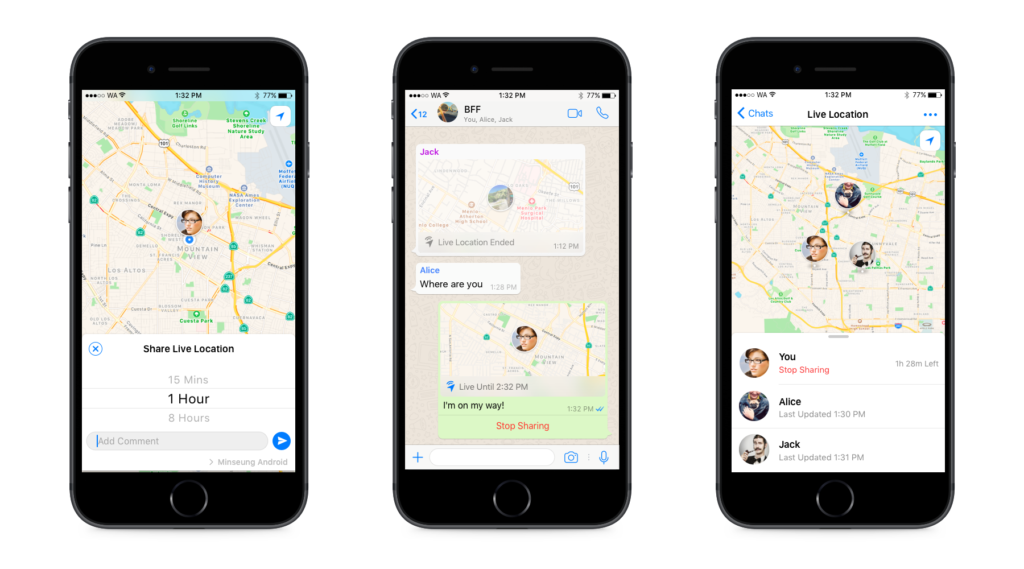
WhatsApp has announced a rather controversial new feature: the ability to share your live location with people in your contact list.

Up to now, we’ve been able to share our location with others, but only using a static pin for a one-time update. WhatsApp’s new Share-Location improves on this by adding the ability for us to share our live location and continuously update it in real-time.

Privacy experts might shriek in horror at the thought of live locations being beamed out in real time, but the rest of us might actually find the feature quite useful.

If you’re running late, for example, or if you feel unsafe walking home alone at night, this feature will allow others to always know where you are. You won’t have to keep explaining that you’re on your way, and you’ll feel a little safer knowing people who love you know exactly where you are.

If you are worried about privacy, you’ll be pleased to know that you’ll be the one who decides who can track your whereabouts and for how long. You’ll also be able to cut off your live location broadcast at any moment.

As is always the case with WhatsApp, this update will be rolling out gradually. If it hasn’t found its way to your phone yet, don’t worry, it will. In the meantime, check out this guide to how and when to send your live location safely.

Via: WhatsApp

Follow me on Twitter: @PatrickDevaney_