How to Delete a Gmail Account Completely

So you created a bunch of Gmail accounts for what seemed like a good reason at the time, but now you want to get rid of them? Perhaps you’re worried about privacy and security or you just want to tidy up your online footprint.

Whatever the reason, you’ll be happy to know that it is actually possible to delete a Gmail account completely. Most people aren’t even aware of this because they’ve never tried it before or thought to look into the possibility. You’re different, however; so let’s have a look at how it’s done.

How to Completely Delete a Gmail Account

  1.  First,  open your Account settings.
  2. Under account preferences, you will find a Delete your account or service option.
  3. From there, click Delete products. It’s good to know that you can also delete your Google account completely. That would remove your search history, YouTube account, and anything else related to Google.
  4. Select the Gmail address you want to delete.
  5. Type in the password.
  6. Press Next.
  7. Find the trash can icon next to Gmail. Click it.
  8. Enter an alternative email address. This address will be your new Google username, so be sure not to use an email that you can’t access.
  9. Click Send verification email.
  10. You will now get an email from no-reply@accounts.google.com, which will give you the link you have to click in order to delete your Gmail.
  11. If necessary, log into your Gmail account.
  12. From here, you will just have to follow the instructions. Once you click Yes, I want to delete youremail@gmail.com, the email account will be completely deleted forever. This step can’t be undone.

Once you complete all of these steps, your Gmail inbox and outbox will be wiped. People who send you emails will get a delivery failure message every time. If you want to save your messages before you delete your Gmail account, you can do so with Google Takeout.
Adobe Launches Lightroom CC: Editing Your Photos Anywhere and on Any Device

Adobe has just released the latest version of its Lightroom photo-editing program. Adobe Lightroom CC is already available for all platforms.

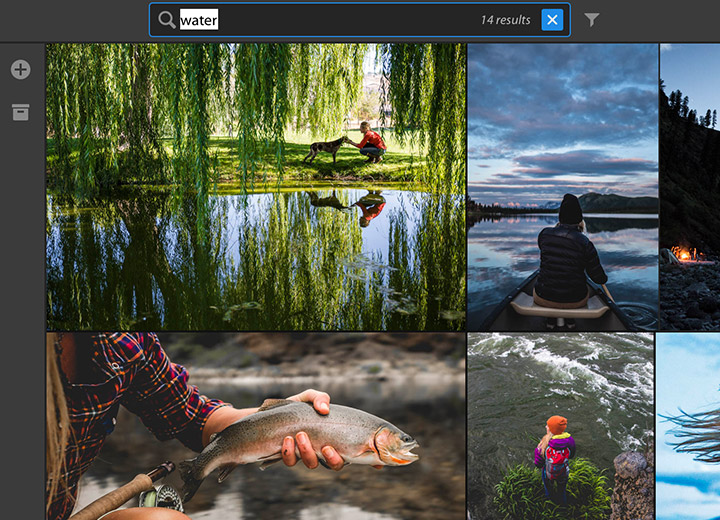
Adobe Lightroom CC is more than a program; it is an ecosystem that allows you to edit your photos on any platform, be it PC, mobile/tablet, or web. By saving everything in the cloud you can start editing an image in one place and finish it in another. The good thing is that if you are away from home and don’t have your mobile in hand, you won’t need any specific software to continue editing; you can simply enter the Adobe website.

Lightroom CC is really easy to use, which means you don’t need to have a professional background in photo editing to get the most out of it. In addition, the consistent interface across all of your devices means that once you’ve mastered it on one of your devices, you’ll know how to use it on all of them.

Adobe Lightroom CC also allows you to easily share your photos and to import images from any source (PC, camera, mobile …) to your Adobe account, so that you can edit them wherever you want.

If you’re worried about whether Adobe has kept the feature set of the old Lightroom you know and love, don’t be. Adobe hasn’t turned its back on the traditional Lightroom; rather, Adobe has given it a facelift. From now on, it will be called “Lightroom Classic CC”, and it will still work in the same as it always has.
Try Adobe Lightroom CC Now

The Best of Opera 48 (Day 5): Improved O-Menu

Opera recently released the 48th version of its world-famous web browser for Windows and Mac. This latest update incorporates many new features that will improve your browsing experience, and this week we’re going to go through some of these highlights. You won’t have seen some of these features in a web browser before. Check them out and then, if you like, you can try Opera 48 for free.

Improved O-Menu

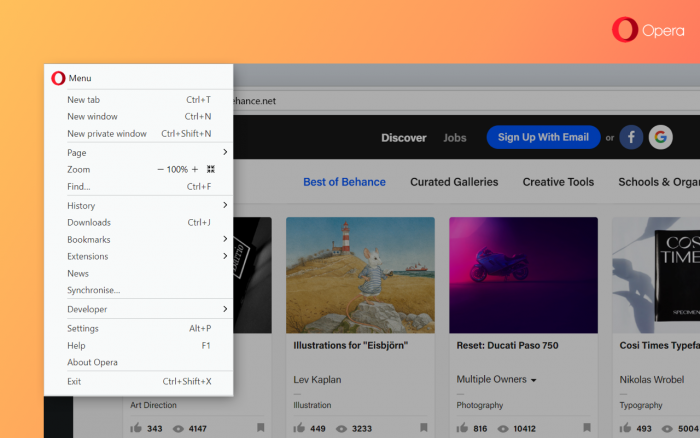
Opera 48 has a much better organized O-menu. The sections are much cleaner and more logical. You can easily access your bookmarks and even quickly import your bookmarks should you decide to make the leap to Opera from another browser. Another improvement to the menu is easy access to recently closed tabs.

Download Opera 48 for Windows

Download Opera 48 for Mac

On top of the improved O-menu, Opera 48 has a bunch of other great new features, which we have been reviewing all week. If you haven’t already seen the other articles in the series, take a look:

Snapshot Mode

The Everything Converter

The Easiest Way to Search

The Best of Opera 48 (Day 3): The Easiest Way to Search

Opera recently released the 48th version of its world-famous web browser for Windows and Mac. This latest update incorporates many new features that will improve your browsing experience, and this week we’re going to go through some of these highlights. You won’t have seen some of these features in a web browser before. Check them out and then, if you like, you can try Opera 48 for free.

The Easiest Way to Search

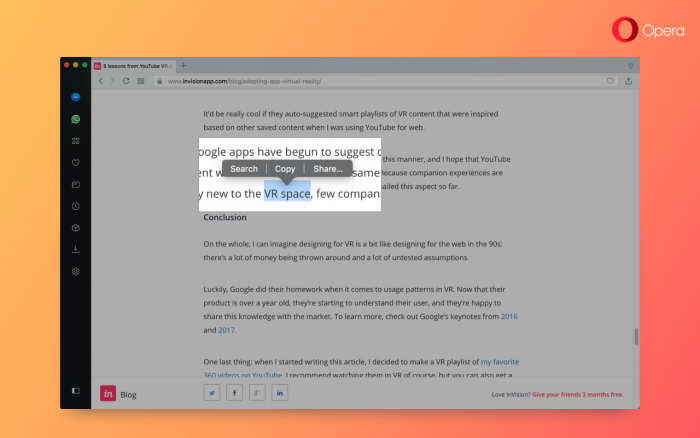
How many times have you found yourself reading something on the internet, found yourself wanting to know more, and then typed in your search query into the browser bar? Opera 48 makes this process simpler than ever, as it adds an option for making searches faster.

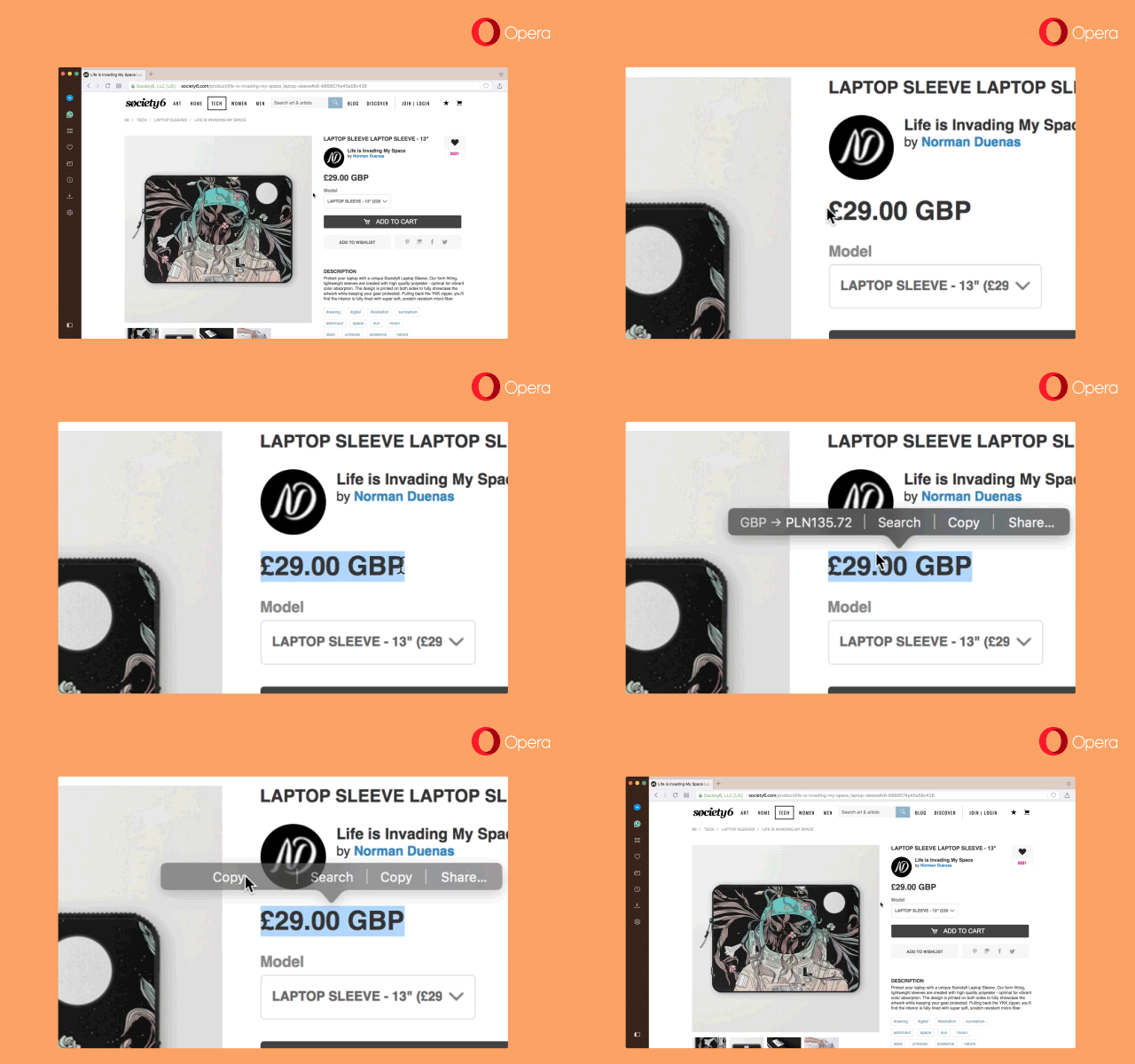
To search, simply highlight the word or phrase that you want to know more about and click. A context menu will open; choose the Search option. This will search for the highlighted text on your browser’s default search engine. To change the default Opera search engine, go to Settings > Browser > Search and select the search engine of your choice.

Download Opera 48 for Windows

Download Opera 48 for Mac

This is only one of the great new features of Opera 48. We’re covering a new one each day this week, so check in tomorrow for a new tip. Previous Opera tips:

Snapshot Mode

The Everything Converter

Google Maps: Now With More Planets, Moons

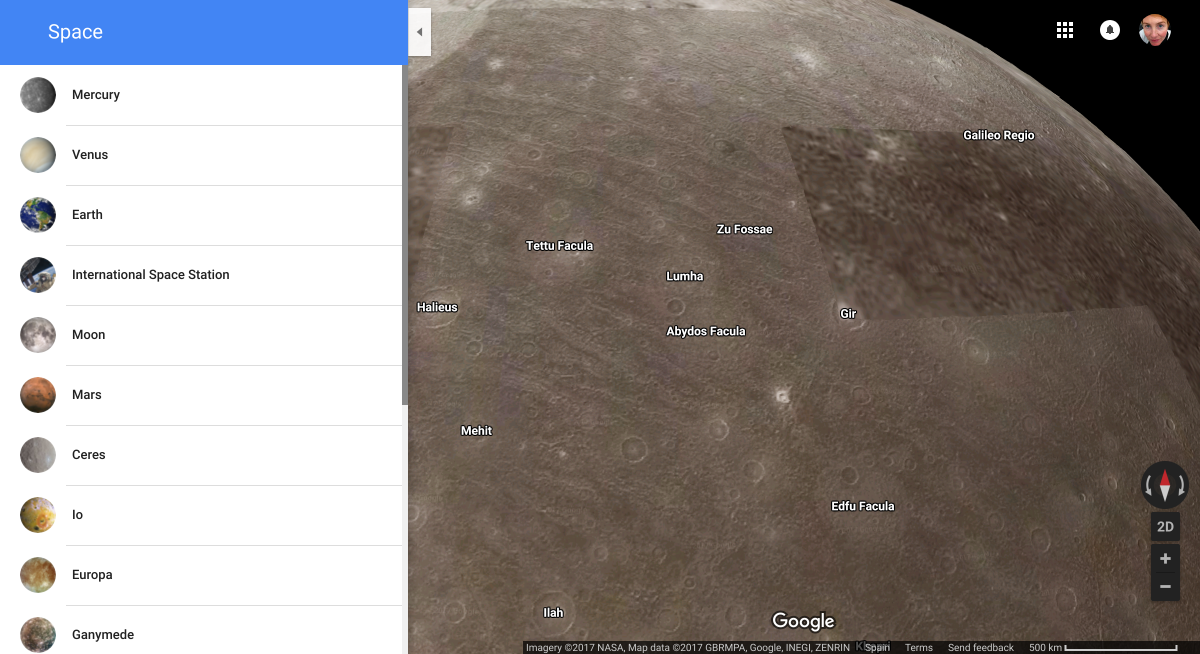
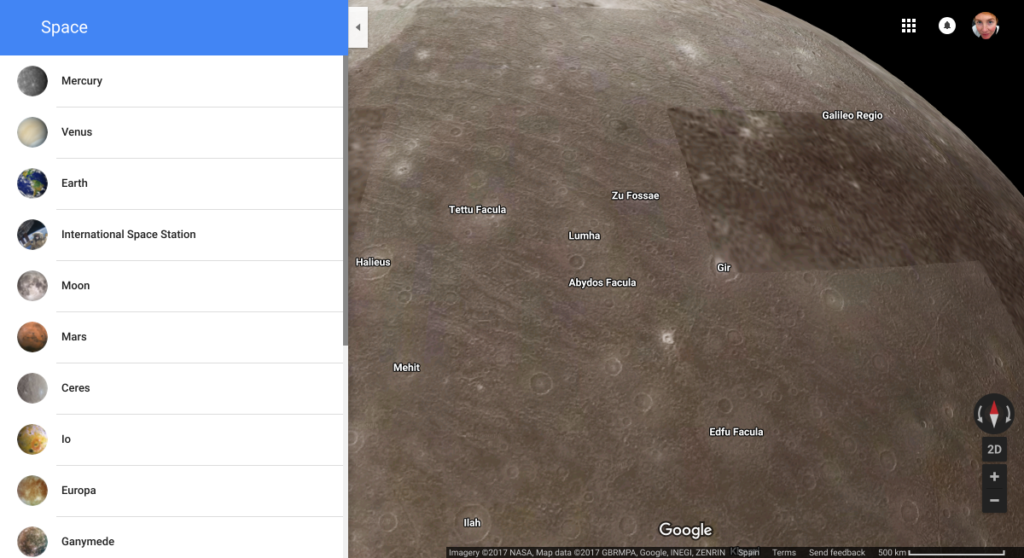
This week Google added a cool feature to Google Maps. Now you can explore 16 moons and planets in our solar system, using nearly half a million images gathered from the Cassini probe and other spacecraft.

To view these planetary maps, just go to the Google Maps website and make sure you’re in Satellite mode (click the box in the lower-left corner of your screen). Then zoom out until you can see the entire planet Earth. A menu will appear, giving you the option of browsing other planets and moons. You can then zoom in and look at the terrain of the planets in greater detail.

Source: Google

Don’t forget to stop at the International Space Station while you’re there–Google has added a Street View of the space station, so you can look around the station and gaze out the cupola at Earth. Bon Voyage!

Google Eartch Download Google Earth
7

The Latest WhatsApp Update Solves An Annoying Problem for Mobile Users

The new beta version of WhatsApp for Android includes an interesting new feature: the ability to notify your users when you change your phone number. Users can decide the contacts they want to alert if this change of phone number occurs.

In this way, WhatsApp saves us the cumbersome process of notifying our contacts separately that we are going to change our phone number. The app itself will send you a message with the new number to be added immediately. Incidentally, if we want, we can also get rid of undesirable contacts.

The new WhatsApp beta includes other smaller updates such as a smaller app size. Now WhatsApp is only about 6MB. Another 473 elements of the application have also been modified.

As always, these changes will arrive in the stable version of WhatsApp once they have been tested by the beta participants. Do you want to try the beta and its new features? Here is the link you need to sign up.


Via: FirstPostHindustanTimesGoAndroid

Chrome Browser Adds Antivirus Protection

Google wants to guarantee safe web browsing. To do this, it has added three new security-focused Chrome features: a detector that senses external attempts to alter our configuration, a simplified Chrome Cleanup tool, and a much more powerful Cleanup engine. All in all, these new features add new antivirus protection to its flagship browser.

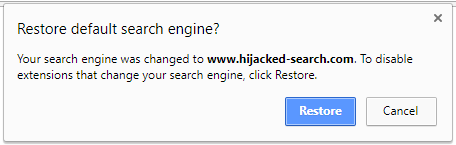
Lately, many fake extensions have appeared on Chrome that can change the configuration of your browser without your knowledge. For example, they can change your default search engine or force you to visit a page infested with malware. Now, however, Chrome will alert you whenever an extension tries to change your settings and will allow you to restore your default configuration with a single click.

You can also reset your configuration by visiting the following address:

chrome://settings/resetProfileSettings

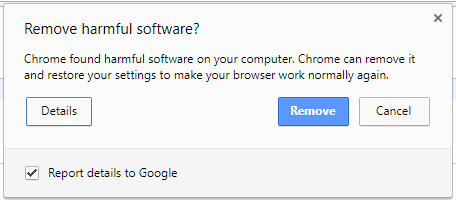
Chrome Cleanup is an upgraded Chrome feature that alerts you whenever you’ve downloaded software that includes an unexpected component (such as a virus). While a version of this feature existed before, Google has made its alert system much more obvious, and it now allows you to eliminate the potential threat in a simpler way.

Finally, the Cleanup engine has been upgraded to become a kind of light antivirus. It now detects potential threats that have stealthily downloaded themselves, and are trying to run without your permission.

Google warns that this is not a complete antivirus solution, but it does prevent you from entering malicious pages, installing malicious extensions, and downloading malicious files. This will make your browsing experience more secure, but if you want to protect the rest of your computer, you will have to download a reputable antivirus program.

For comprehensive antivirus protection, we recommend the improved Avast Premier, which now includes protection for your webcam. Click here to download Avast, or browse dozens of antivirus programs in our download catalog.

Via: Google

The Best of Opera 48 (Day 2): Convert Measurements, Currencies and Time Zones

Opera recently released the 48th version of its world-famous web browser for Windows and Mac. This latest update incorporates many new features that will improve your browsing experience, and this week we’re going through some of these highlights. You won’t have seen some of these features in a web browser before. Check them out and then, if you’d like, you can try Opera 48 for free.

Convert Measurements, Currencies, and Time Zones

Is this gadget they’re selling in Hong Kong dollars cheap or expensive? What size shirt should I buy if this measurement chart is in inches and not in centimeters? Will this Russian vendor answer me now if I write to him at 6 o’clock?

If you buy anything on the internet, you’re probably familiar with these kinds of questions. The internet is a global market, so it is very common for us to buy things in a foreign currency, to consult measurements in an unfamiliar system, or to contact someone from a foreign country.

Until now, we had to install widgets or type “convert dollars into euros” into Google to find the answer. But with Opera, this is all history. Opera’s latest browser update includes an intelligent engine that will detect foreign units and convert them into something more familiar.

This GIF shows just how easy it is:

At the time of this writing, this new Opera feature has 16 units of measurement, 14 time zones, and 32 currencies. The measurements and time zones for your region will be detected automatically by Opera. If you want to select a different default currency, simply go to Settings > Browser > User Interface and select one of the currencies in the “In the text to convert currency to” menu.

This is just one of the great new features included in Opera 48. Click here to discover another great improvement: the Snapshot mode.

Windows 10 Fall Creators Update: Fluent Design

Today Microsoft began distributing the new update for Windows 10, the Fall Creators Update. Little by little, it will reach everybody, so don’t worry if you haven’t gotten it yet. Today we’re going to look in depth at a new feature that you’ll notice the most: Fluent Design.

Windows 10 Fall Creators Update Main Features

Fluent Design is the new interface that comes with the Windows 10 Fall Creators Update. Microsoft’s idea for FD is to create a unifying design that looks the same on all computers, a bit like Android’s design philosophy.

Fluent Design gives Windows 10 a more vivid appearance, which will change when you move the mouse over its various elements. This design will apply to all Microsoft apps and many Windows Store apps, as well as the Microsoft apps that exist for iOS and Android.

Below is a video where you can see the best features of Fluent Design more clearly.

Not all of Fluent Design’s features are available yet. Some features will roll out with the arrival of Win 10 Fall Creators Update, but we’ll have to wait for the next major update in April 2018, Redstone 4, to get our hands on other Fluent Design features.

5 Tricks to Speed up Windows 10 Start Time

Download Windows 10

#BlizzNow: Why Intellectual Diversity Is the Key to Developing Your Company’s Creativity

For all businesses growth is a key success factor but this often requires creative thinking to stay ahead of the competition. In fact, a recent study by Adobe and Forrester found that 82 percent of companies believe there is a strong connection between creativity and business results, with companies that actively foster creative thinking outperforming their rivals in revenue growth, market share and competitive leadership.

But generating creative ideas that add value to a company is much easier said than done. So how do you go about promoting creativity in your organization? Creativity is very often seen as a “gift” or innate capacity that only some possess. However, the truth is we can all be creative if we’re given room to be.

When it comes to harnessing this creativity, businesses need to consider their employees’ differences. We all have individual abilities, strengths and weaknesses and it’s only by embracing intellectual diversity that we can tap into these resources.

Embracing intellectual diversity

We know and have come to accept that people learn in different ways. So why do we treat the creative process any differently? Some people are at their most creative when they’re working alone, whereas other people need the stimulus of a team to come up with creative ideas. Given that creativity is a broad concept covering different types of creative ideas and styles, the combination of a group of people with different levels of experience and ways of thinking will generate an environment of intellectual diversity.

Fostering creativity doesn’t just consist of bringing together a group of people with creative traits, but bringing together representatives from different departments who can each bring different knowledge, capacities and perspectives to the table and designing a collaborative approach which maximizes the skills and the experience of each member.

According to research by Psychology Today, creative individuals are remarkable for their ability to adapt to almost any situation and use whatever is at hand to reach their goals. In this sense, online collaboration programs are the perfect tool for brining together different individuals – no matter where they are located – and encouraging their intellectual diversity, as employees from different departments, subsidiaries or business lines can join “brainstorming” meetings and contribute new innovative ideas.

New tools and new ways of working

New technologies allow teams to conduct long-distance meetings the same way they would if they were in the same location, thanks to high quality audio, image and chat features found on these new platforms. Some tools also allow advanced functions such as screen sharing and white boarding among others, which facilitate communication and create a trusting environment wherein everyone can share creative thoughts. It also provides the participants with better insight by enabling them to interact more personally than a traditional phone conversation.

In addition, employees from multinational companies with different affiliates globally can get in contact with their co-workers in real-time and from any part of the world. Meetings can be initiated instantly and recorded, so that participants are able to keep a record of every word said for later review, or share with other members who could not attend to the meeting to gather their input.

In short: Even if a workforce is distributed across different areas around the world, heterogeneous working groups can be the key ingredient for the best creative ideas to fuel business growth, market share and competitive leadership.

Download Blizz now