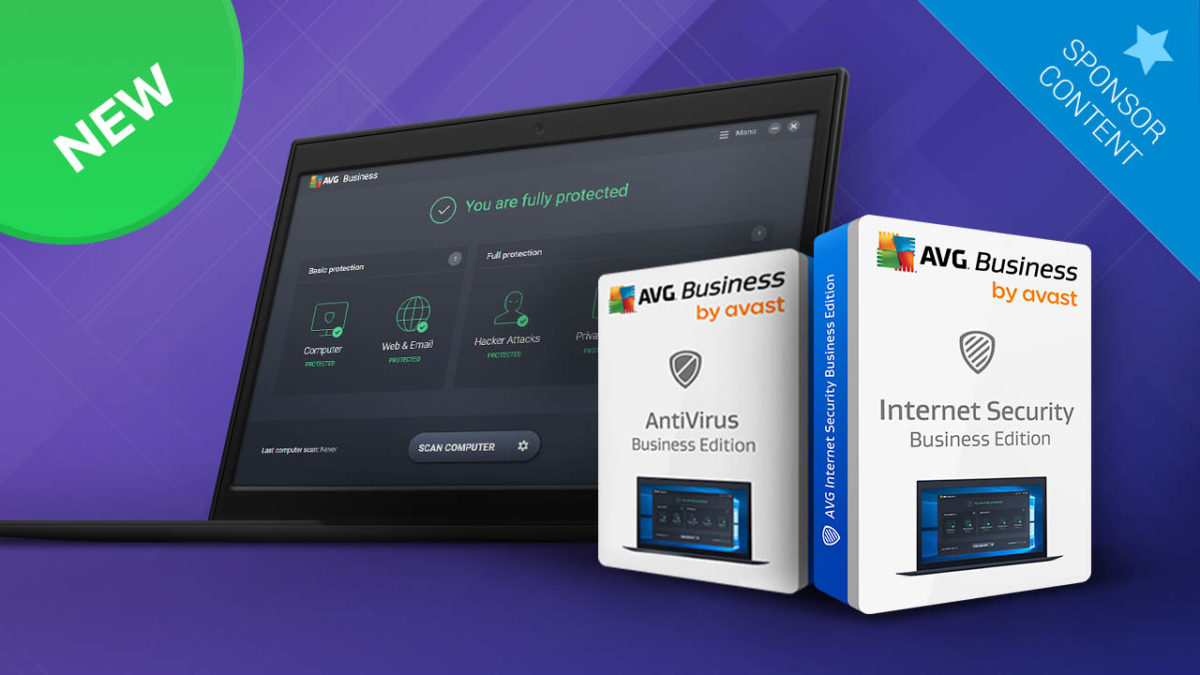
From individual free versions on smartphones to enterprise level protection of thousands of machines at the same time, AVG stands at the front line in the ever-evolving battle against hackers and cyber-criminals. As threats have evolved so, have the defense mechanisms designed to protect against them. Year after year, we hear about new threats like ransomware or advanced phishing scams and year after year AVG update their line of antivirus and security products to counter them. Not all antivirus evolution is born out of threat prevention, however, and this year AVG has added an impressive array new technologies to keep them ahead of potential future threats. Let’s have a look at AVG’s latest versions of antirust products aimed at Business and Enterprises.
A history that adds up to now
It’d be doing AVG Business Edition a disservice if we only spoke about the latest features added this year. As we’ve mentioned, the AVG Antivirus and Internet Security software that protects millions today is made up of years’ worth of updates on top of its core programming. Whereas the new additions to this year’s AVG Business edition give it an edge in the antivirus and security market, it is the program as a whole that keeps your company safe.
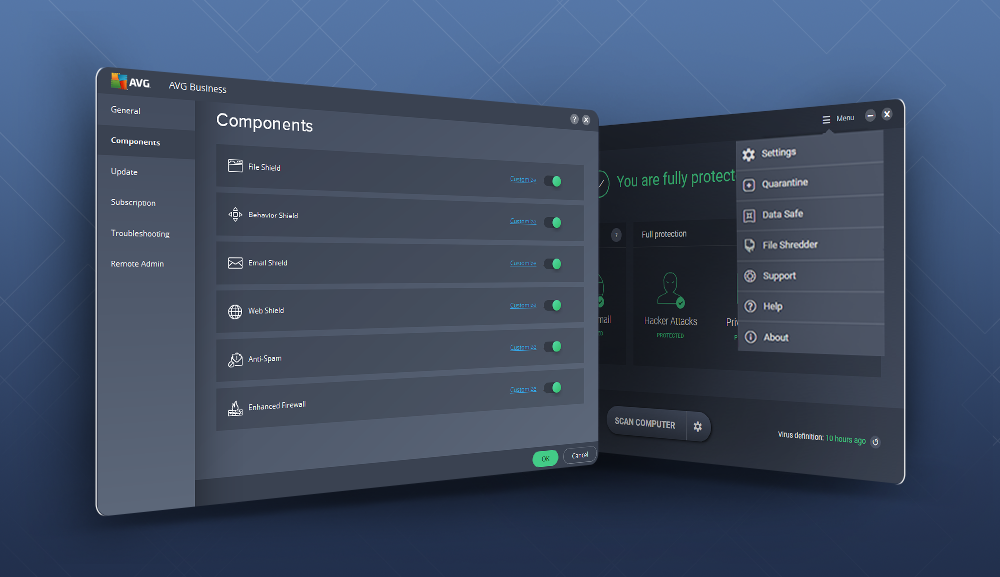
AVG now offers, as standard, business protection features like identity protection that prevents spyware and adware from tracking personal information; file server security to keep company files out of hackers’ hands; data encryption; and a file shredder to ensure files are deleted forever and are unrecoverable. Other, now standard, AVG Business Edition features include real-time protection against dangerous websites, proactive AI network protection, and a dedicated firewall that offers added protection against threats like spam, viruses, hackers, and malware. Remote management also gives administrator’s the ability install, configure, and update AVG across an entire computer network from one location while the smart scanner function offers fast and reliable scanning of individual PCS, that won’t get in anybody’s way.
With high-profile ransomware attacks spending so much time in the news recently;, and with a high percentage of attacks coming against business and enterprise, AVG’s ransomware protection is almost like a jewel in the crown. To protect your business’ data from being held for ransom, AVG Business Edition runs multi-stage ransomware analysis and combines static and behavioral tests, and sandboxing.
What’s new?
Each year AVG adds new and improved features to its Business Edition and this year has been no exception. Brand new CyberCapture utilizes cloud-based technology to help stop virus and malware outbreaks in real time. As soon as AVG encounters an unknown threat, which could be on any of the millions of AVG enabled devices, it is immediately uploaded to ThreatLabs. There the threat is analyzed, and an adequate defense protocol is then sent out to all devices protected by AVG, via an update.
Real-time protection against individual threats, via CyberCapture, means AVG can offer much-improved malware detection to all AVG users. A huge step forward that uses the power of the cloud to ensure that not only are threats dealt with in a timely fashion but that all AVG users are protecting each other from potential attack.
As well as CyberCapture and improved malware detection this year’s AVG Business Edition adds an enhanced web shield. AVG’s web shield now sports specific URL website blocking and URL scanning, as well as giving the power to take actions after viruses have been found, like scanning archives upon extraction, script scanning, and script exclusions. An updated user interface rounds off an impressive update to an already impressive antivirus program. If your business is looking for a robust and easy to administer antivirus and internet security solution, then AVG Business Edition could be the answer you’re looking for.
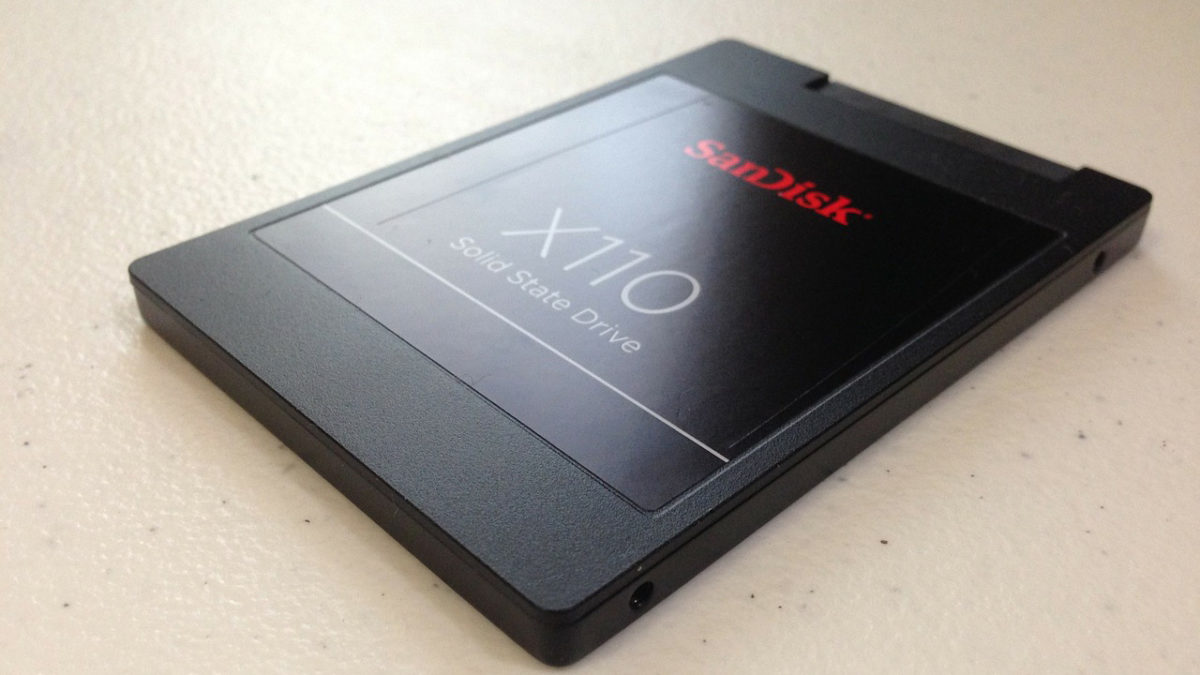
No matter which device you use – computer, tablet, or phone – you’d be lost without its hard drive. This is the component that stores all your electronic data – from music to software – and without it, you’re left with a shiny, expensive brick.
While it’s true the cloud is changing how we store data, there are some drawbacks. For example, storage space is limited (unless you pay for more), your data is at risk from hackers, and without internet access, you’re locked out. So there’s still a big need to store data on your device.
Traditionally, this was done using a hard disk drive (HDD). A mechanical arm inside the HDD traces across stacked disk platters, reading and writing data using magnetism.
Now, a new type of storage is taking over: the solid state drive (SSD). An SSD has no moving parts, and stores data using electronic circuits. If you’re due an upgrade, an SSD offers a number of big advantages over their older cousins. We’ve outlined the main ones below.
Because there are no moving parts, an SSD doesn’t generate as much heat as an HDD. This is particularly important if you work on lots of programs at the same time, or if you live somewhere that has a higher than usual ambient temperature (the sunny climes of Florida, for example), as it means your drive is less likely to overheat.
2. SSDs are quieter
Again, no moving parts means no more clicking and whirring from your computer or drive housing. You’ll probably still hear your fans going, but less frequently because of point one above.
3. SSDs last longer
According to this report, 4-10% of SSDs fail every four years. But 2-9% of HDDs fail every year. That makes SSDs a far more reliable choice for storing your photographs and other digitised memories.
4. SSDs are faster
SSD write speeds can reach up to 3,200 MB/s, while HDDs max out at around 160-250 MB/s. For most people, read/write speeds aren’t an issue, but if you’re doing heavy video editing or musical composition, an HDD might not be able to keep up. In that case, choose an SSD.
How to encrypt your hard drive and keep your folders and files safe
No moving parts mean fewer things to break. There’s a reason your smartphone can stand a fair amount of abuse and still function – they use SSD storage (flash) for reliability.
An HDD needs the power to spin its many platters, but an SSD only for its internal circuitry. The result? An SSD draws substantially less electricity than an HDD. While this might not save you much money, it does make an SSD the more environmentally-friendly choice – especially when you multiply by the number of households storing data.
An SSD is one of the best storage technologies available, but it’s not perfect. To be truly safe, always back up your data in various ways – cloud, drives, physical media (like CDs for photos, for example).
Thursday 8th March is Women’s Day. To celebrate, we want to share some of the greatest female minds of our time, whose discoveries and inventions have the changed the world in positive ways.
Many of the women on this list fought prejudice and other adversity during their careers, and it’s testament to their determination and extraordinary talent that we can recognise their achievements today.
Patricia Bath invented the Laserphaco Probe in 1981 – a device for quickly and painlessly removing cataracts while simultaneously lubricating the eye. Cataracts are a common ailment of the elderly, causing confusion and stress. In 2000, Patricia received another patent for her invention, this time for the use of Ultrasound in cataract treatment.
As a black woman growing up in Harlem, she fought a predominately white, male-dominated field to help provide eye-care to racial communities, returning independence to their lives.
Grace Hopper revolutionized early computing. She programmed one of the first computers (IBM’s Mark 1), which helped solve mathematical problems for The Manhattan Project (subsequently ending WWII), and created the first compiler – a system for converting English into machine code. Her work also inspired COBOL, one of the first programming languages which are still in use today.
As a woman who favored new ideas and approaches, she was often challenged and discouraged by her peers. But through skill and ingenuity, “Amazing Grace”, as she came to be known, shaped modern computing into what it is today.
Francis Crick, James Watson, and Maurice Wilkins have largely taken credit for the discovery of the double-helix structure of DNA. But without Rosalind Franklin, who contributed vital image data (specifically image 51) to the project, the trio might never have won the Nobel Prize.
Franklin only received recognition for her contributions after she passed away. Since then, it’s been argued that Wilkins showed image 51 to Crick and Watson without Franklin’s permission and that she might’ve deduced the structure of DNA on her own. Controversies, aside, there’s no doubt that Franklin’s work on DNA has helped to underpin a whole new branch of science. It’s just a shame that Nobel doesn’t allow posthumous awards.
As the first woman to win a Nobel Prize, and the only woman to have been awarded one twice, Marie Curie has left an indelible mark on the world of science. She has been pivotal in our understanding of radioactivity, invented mobile X-Ray machines for use in the field during WWI, and discovered Polonium (named after her home country of Poland) and Radium.
Having been denied a place at Krakow University because she was a woman, Marie Curie overcame incredible odds to become one of the most important scientific figures in history.
Caresse Crosby improved the comfort of women everywhere by inventing the modern bra. Sick of the lung-crushing restriction of whalebone corsets, she strung together some handkerchiefs and realized the potential of a lighter, more flexible design. She was awarded the patent in November 1914, and women have been breathing easier ever since.
While it’d be impossible to list all the women who’ve changed the world in this post, I hope these five have inspired you to celebrate the many others who overcame incredible odds to make the world a better place for all of us.
A series of serious security flaws has been discovered in the uTorrent web and desktop versions. These flaws may open the door to an attacker to infect victims with malware or to collect data.
The discoverer of these flaws is Project Zero, Google’s security group that scans the most relevant websites and programs for errors. More specifically, Tavis Ormandy, one of its members, found this flaw.
The bug in question is easy to use. In the case of the web client, for example, it’s enough to trick the user into accessing a specific page that helps the hacker get the server’s secret authentication key. With this key, the attacker controls the server and with it, the victim’s uTorrent.
Project Zero’s policy is to give those in charge of the affected program a grace period of 90 days before making the problem public. In theory, this process allows many flaws to be resolved before the user has to worry about them.
Sometimes, the error is so difficult to sort out that the grace period ends and Project Zero decides to reveal the problem. This happened a few days ago with Microsoft, for example.
60 infected apps removed from Google Play Store for displaying pornographic ads to children
If you’re curious, Ormandy has created two pages that emulate an attack from the uTorrent web version and the uTorrent desktop version. Keep in mind that if you start the demo, your uTorrent will pause. So, you won’t be at risk.
BitTorrent, the company behind uTorrent, has released a fix for the beta version of the uTorrent desktop version. The problem is, according to Ormany, this fix isn’t convenient and doesn’t resolve the entire bug. BitTorrent doesn’t feel the same and in few days will move this fix to the regular version.
Here’s his tweet, complaining about it:
Hmm, it looks like BitTorrent just added a second token to uTorrent Web. That does not solve the DNS rebinding issue, it just broke my exploit.
There are still no patches for the web version, so you should avoid it until further notice.
Until it’s clear if uTorrent for desktop has the problem solved, and until the uTorrent for web is solved too, it’s best you don’t risk it and avoid those pages. Just a friendly warning…
If you use uTorrent regularly and you’re worried about being infected or getting infected, we recommend you install leading antivirus programs such as those recommended here:
WhatsApp just added an interesting feature to its Android version: now you can add a description to any group. This way, you’ll have space to define the subject of every group you’re in.
To enable this feature, just go to any group, tap on its name and then “Add a group description.” You’ll only have 500 characters, including emojis, to define the group. Click OK and the info will be saved and visible to all members of that group.
Unlike other features that only admins can edit in WhatsApp groups, the group description can be written by any member.
Needless to say, it’s best to play it safe and avoid phrases in bad taste or other descriptions that may be misinterpreted by other group members. And, of course, you should never share private info in this space, such as addresses, third-party phone numbers and other sensitive info.
Keep in mind that if you send the link of your group to a third party, he/she will also see the description, so you and your friends should be careful when sharing info using this new feature.
Do you like this new Whatsapp feature or is it a letdown?
If you are reading this, I will take a wild guess that someone just introduced you to cryptocurrency and told you that this is a great time to invest. If that is the case, I completely agree with that person, but keep in mind that the cryptocurrency market is extremely volatile and still very young. It is hard to tell which project is worth investing in and who is trying to scam you for your money. This guide should help you understand the risks of investing in cryptocurrency and where to start.
What to invest in?
Before we start, I just want to point out one thing. If you are the type of person who is looking for “the next Bitcoin” you will probably be disappointed. All those stories that you read online where people became millionaires by investing $100 in Bitcoin 5 or 6 years ago are based on simple math. The number of people who made that much money with Bitcoin is probably a single-digit so don’t be too optimistic.
Now that we are over with that part, let’s see where you should start. If you have no initial idea what coin you want to invest in, then it would probably be best to take a look at coinmarketcap. This website will give you all the info you will need. Pick a coin or token and start by looking at their website. Read their whitepaper and take a look at the roadmap. If everything looks good, do a quick check on the team behind the coin. Most of them will be listed on the website and will have LinkedIn profiles. Checking their portfolio will give you more information than you think.
This should be the very first part of your research. If you like what you see and their idea sounds good to you then move on to social media. If they are serious about their project, they will have active social media profiles and should be open to answering questions. Look at what other investors are saying about them and join discussions on Diskord and Reddit, follow their Telegram updates and make your own decision.
How to buy?
Once you decide on your coin, you will have to buy some. This is done on exchanges, but not every exchange will have what you want to buy. This is where coinmarketcap will come in handy once again. On the coin page, click on exchanges and see what exchange offers trading for your coin. Before you go with the first one on the list, check if they accept FIAT currency. A lot of them only offer trades with popular cryptocurrencies like Bitcoin, Ethereum, Litecoin… If no exchange accepts FIAT, do some research on exchanges that you can access from your region. Some will have high deposit fees, some will have high transfer fees, and some will have long verification times. I know that this sounds like a lot, but it will save you a lot of money in the long run. If you can’t buy your desired coin with FIAT, there will be a three-step process that can eat up a lot of money if you aren’t careful.
First, you will need to buy BTC (or any other tradable currency), transfer that to the exchange that has your coin, exchange BTC for your desired coin and then transfer everything to your wallet. This is why you should always keep an eye on the exchange and transfer fees. Robinhood, for example, offers trades with no fees but it isn’t available in every country right now. Other reliable exchanges that accept FIAT are:
Every cryptocurrency has a supported wallet. If you check the website of your desired currency, there should be a list of wallets that support it with download links. Download it and transfer funds from the exchange to your wallet. Under no circumstances should you keep your cryptocurrency on an exchange. More often than not these get hacked, and you can lose everything. You are your own banker here, and you are responsible for the safety of your coins. The best practice is to store everything in an offline wallet known as [cold storage](https://en.bitcoin.it/wiki/Cold_storage).
How to sell?
If everything went according to plan and you made a profit on your investment, it is now time to sell it for cash and enjoy your earnings. This is easier than you think. If you bought your coin on an exchange that accepts FIAT, you should be able to sell it there as well. The only thing you should keep in mind is withdrawal fees. Make sure to choose an exchange that has the lowest fees for your withdrawal option. For example, some will have higher withdrawal fees for direct bank transfers than others but will have lower fees for other options. Be sure to read everything carefully before you make a withdrawal request. Also, keep in mind that every FIAT withdrawal will require an ID confirmation. This is standard procedure when moving money online. Usually, you will need a picture of your passport, ID card or driver’s license with any other document that confirms your residential address. These checks may vary from exchange to exchange, but you won’t be able to cash out without them.
Resources
The time between buying some cryptocurrency and making a profit can sometimes be very long. It is best if you make a long-term investment and don’t expect too much too quickly. Right now there are more people invested in cryptocurrency because they believe in the technology and the long-term effect than people who want to make a quick buck and cash out. If you are in it for the long term, you should be up to date with news on your cryptocurrency but don’t overdo it. Almost every cryptocurrency has a subreddit on Reddit; this is a great place to talk with other community members and get news updates when they come out. Telegram groups are also great sources of information. All of this info should be available on the cryptocurrency’s official website. Check the info once a day and continue with your daily activities. You don’t want to spend too much time on price checking and long discussions. It will lead nowhere, and you may end up spending your whole day talking about cryptocurrencies, which won’t make the price rise or fall.
I will have to mention that the market is very volatile one more time. Investing more than you can afford to lose can leave you broke or drive you crazy. When you make a huge investment, you will be emotionally affected by every price fluctuation. Long-term price surges will raise your expectations, and sudden drops will have a really bad effect on your mood and daily life. Just remember that cryptocurrency is young and you are an early adopter. You may be witnessing history so just sit back, relax and enjoy the ride. When you think you’ve had enough, cash out and don’t look back.
Never panic sell
Huge price drops are very common right now. This is because almost every coin is still very dependant on Bitcoin and every Bitcoin price drop will cause the whole market to go down. When this happens, remember why you bought your coins in the first place. Panic selling won’t solve anything. You will probably end up with a 50% loss, and in a month everything will be back to normal. If you only invested what you can afford to lose there is nothing to worry about and remember, you are only locking in a loss if you sell.
Common terms
When interacting with any cryptocurrency community, you will run into some terms that you won’t have seen before. Here are the most common ones:
FUD – Fear, uncertainty, and doubt. This is a very popular word when the prices start going down and the “I told you so” people get their 5 minutes of fame.
HODL – Hold on for dear life
FOMO – Fear of missing out. When a price starts going up, it has to come down at some point. On the way up if you get a feeling that you have to buy or you will miss the boat, you are getting affected by FOMO.
Moon or Mooning – huge price surges that will bring in big gains for investors.
ATH – All time high. When looking at the price chart, this would be the highest price a currency reached in its lifetime.
Bag holder – This is an investor or a trader who has been holding for too long on a particular cryptocurrency and now has to face the consequences of that decision.
Knowing the potential of a cryptocurrency
If you think that every single cryptocurrency can reach prices of $10k per coin you need to redo your math. There are a few key things to keep in mind when looking at the potential price ranges for a particular cryptocurrency; circulating supply, max supply, and market cap.
The circulating supply determines how many coins are being traded right now. If a coin has a low circulating supply the price is probably higher due to high demand and low supply. If you are looking at a coin’s long-term potential then max supply is what you should be interested in. If a coin has only 1000 units in circulation right now and will release another million units into the market in the future this would cause a huge drop in price due to huge supply and low demand. The market cap is simple math. Coin value times the circulating supply gives you the total market cap. So a coin can reach a market cap of Bitcoin but have a 10 times lower price because it has a circulating supply that is 10 times bigger than Bitcoin’s circulating supply.
Be careful who you trust
While you will mostly find a lot of useful information on the internet you are bound to run into scams. Don’t believe everything you hear or see, especially on Youtube. The cryptocurrency expansion brought in a lot of “experts” that are usually young and very rich. They will make you believe that they made all their money by investing into cryptocurrency but the story is often very different. The latest scam that left a lot of people without their life savings was the Bitconnect scandal. This platform was offering about 1% daily returns on investment but was actually a Ponzi scheme that had to fall apart eventually. It was mostly promoted by these Youtube “experts” who were making money on referrals. If something sounds too good to be true it is probably a scam.
That’s it for now. If you have some knowledge of your own that you would want to share be sure to leave it in the comments. Stay safe and always do your research before investing!
Google hides several mini-games and extras in its search engine, and now it has just added a new one, which will help you boost your language skills, Google Word Coach.
All you have to play is open Google on your smartphone and search for Google Word Coach. This will instantly open a widget with a quiz that measures your English vocabulary skills.
Each level consists of 5 questions, some of which come with images. If you get a high score, you can move on to the next level. If you fall short, keep trying.
If you currently have a PC that isn’t running the latest version of Windows, you probably want to update your device. So, do you know how to install Windows 10 cleanly?
The latest and greatest version of Microsoft's operating system.
In today’s article, we’ll give you some pointers on how to install Windows 10 on your PC cleanly and safely, i.e., without any hiccups. However, first, we’ll give you some advice.
Details to keep in mind
We don’t call it a “clean install” for nothing: all the apps that aren’t integrated into the operating system will be deleted. So, any program that you have downloaded, even those that belong to Microsoft but are secondary (such as Office), you’ll lose. Make sure you have the download keys to reinstall them later.
On top of this, you’ll also say goodbye to all apps, support programs, and drivers. This also refers to “digital licenses, digital content associated with apps and other digital rights relating to them.”
We don’t want to scare you with those last two paragraphs. We just want you to be aware that if you decide to install Windows 10 cleanly, this is what’s going to happen. Be mindful.
Little known Microsoft programs and services that are really useful
After this “disclaimer,” as we’re calling it, it’s time to install Windows 10. First of all: free up the necessary space on your hard drive. You need about 3 GB, though our advice is that you make more space available (in fact, a lot more space).
Once you’ve got the necessary space (delete files and programs if not) and made a backup copy just in case (not mandatory, but recommended), you have to download the installation tool. To do this, you only have to click here.
Once you start, the standard Licence terms will pop up. Read and accept everything to continue with the installation.
When you complete the previous step, a new message will show up on the screen. This is where you will select what you want to keep; if you want to save your personal files, click on Keep only personal files. Instead, if you want to delete everything, click Nothing.
Click the Ok button and start the installation. From here on, the process is completely automatic, though you can cancel it if you get scared. When can you do this? Well right before the computer restarts. If it does, your previous operating system will be completely wiped.
After a few minutes, you’ll have your Windows 10 cleanly activated. Remember to go to Settings -> Updates and security -> Windows update if you’re missing a driver (which we bet will happen at some point, we admit). Also, don’t forget to visit the company websites to install the latest drivers, especially having to do with those coveted graphics cards.
It’s very likely that you use the online office services that Google offers. Yup, we’re talking about the Word and Excel files that are available without even starting up Microsoft software, since they’re in the cloud thanks to Google.
If you’re an avid user of these tools, pay attention: here you’ve got the…
10 best templates for Google Sheets
From Google Drive, you can access your files on the cloud and create all kinds of new files: spreadsheets, documents, presentations and much more.
To make everything a little more organized, we’ve created five categories with two templates each. The first one has to do with “Chores,” something key to our daily lives.
Chore list: This is the most basic of all, but perhaps it’s increasingly necessary? With this template, we have a column for if the action has been completed, the second with the task to do and the third with additional info (for example, the date). Easy-peasy.
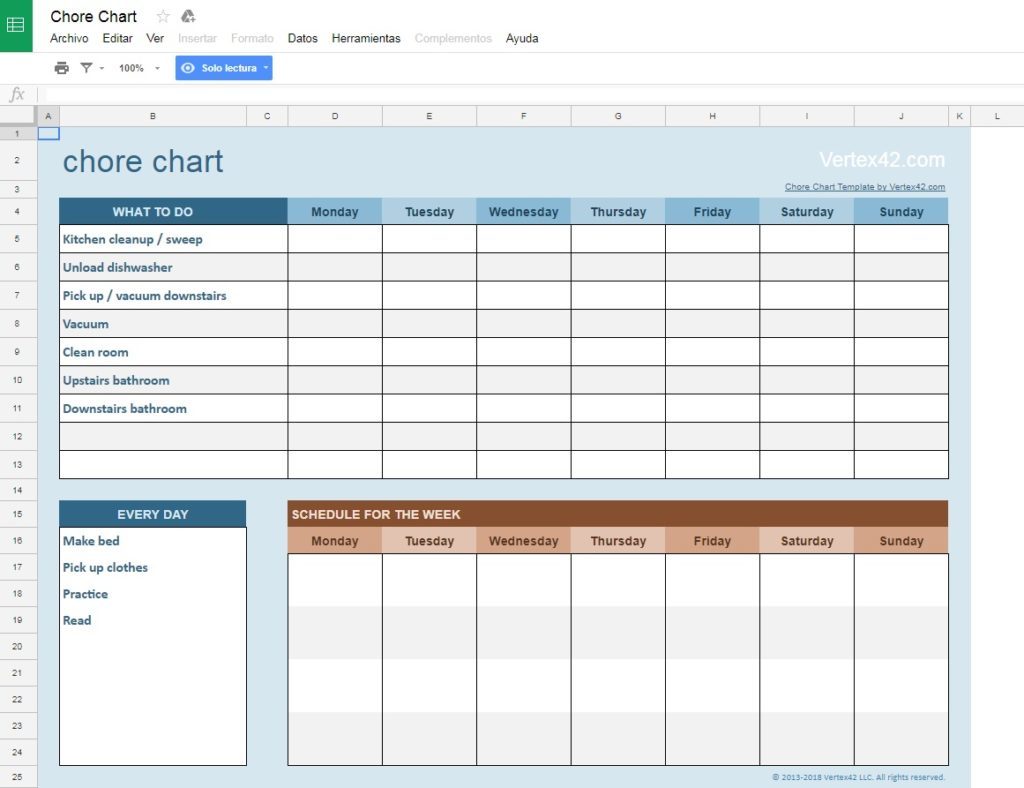
Weekly chores: If the previous template was simple, this one definitely isn’t. With this spreadsheet, we can write weekly tasks in a detailed fashion. It’s the template’s greatest virtue and greatest vice that you have to keep updating it every time you get to Sunday. Mind you; it’s great for the family.
Budgets
For trips: This is a spreadsheet designed for trips, i.e., to record expenses. It may be a little rough at first, but it serves its function well. For us, it’s a keeper.
For day-to-day life: This spreadsheet is key to having a well-organized household. Likewise, it’s also designed for those who are independent right now. Great for tracking income and expenses.
Exercise and sports
For exercise routines: If you love exercising and would like to track your habits accurately, this spreadsheet is for you. It’s basic from start to finish, but it will keep you well organized. It’s worth it, we promise.
For teams: We’re crazy about this template. Google has enabled this sheet by default, which keeps your team organized, no matter what sport you play. Soccer, basketball, tennis, sports clubs… It all fits into this simple, but effective, sheet.
Calendar
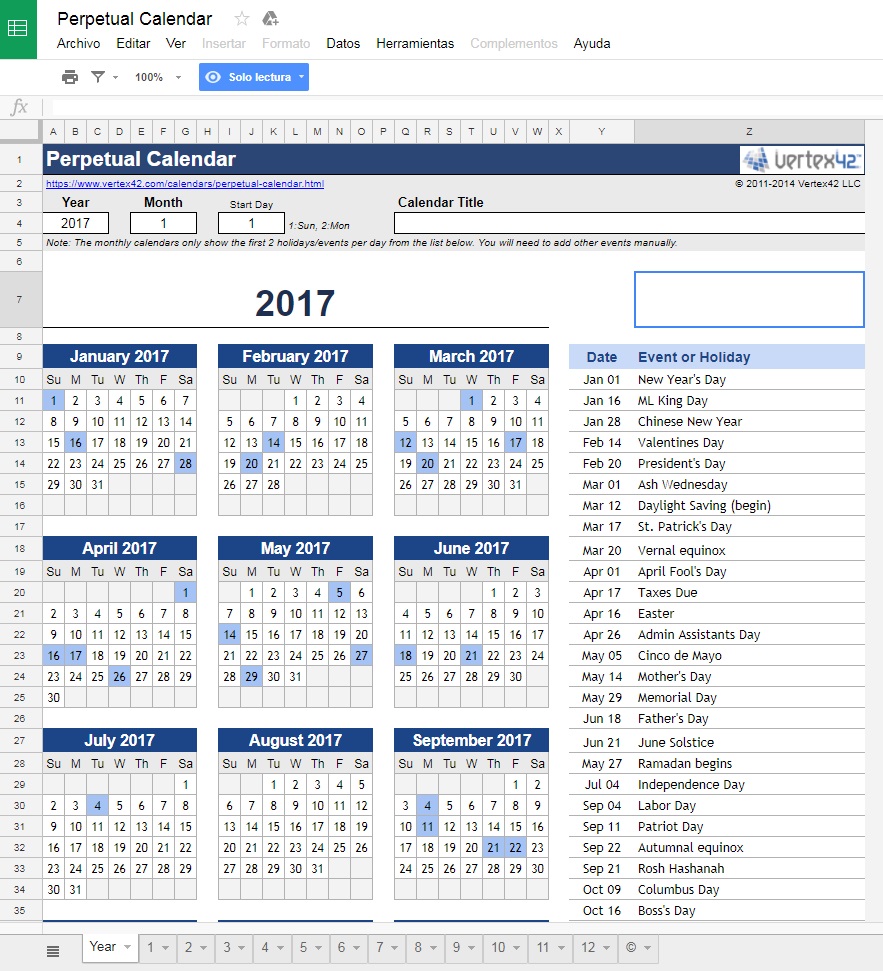
Basic: This is Google’s default template… and it offers exactly what we need. With this sheet, we have access to a yearly calendar. However, in the lower section, you can see months as well, so you can fill in the blanks in the same traditional style as a paper planner.
Complex: We call this one “complex,” but it’s not really. With this calendar, you have all the previous features, but with some of the most important events of the year added. Obviously, you can change them to put in your region’s holidays.
Random
Resume: We’ll wrap up with two “random” templates, i.e., those that don’t fit into a category. The first has to do with resumes. You can quickly and directly add your employment and educational history to this lovely template. Designed for those who need to share their resume online.
Health and weight: We’ll end the list with a template that works reasonably well if you want to track weight loss, sleeping hours, vitamins, etc. Give it a shot if you need to monitor your health.
You and I both know it: there’s nothing more annoying than your cell phone falling into water. Though many gadgets already have protection against liquids, it’s best not to put them to the test. In fact, we recommend adding an additional security layer to protect against liquids, so your devices last even longer.
Here at Softonic, we’re thinking of you: there’s nothing better than a series of tips about…
How to protect your devices from water
For iPhone
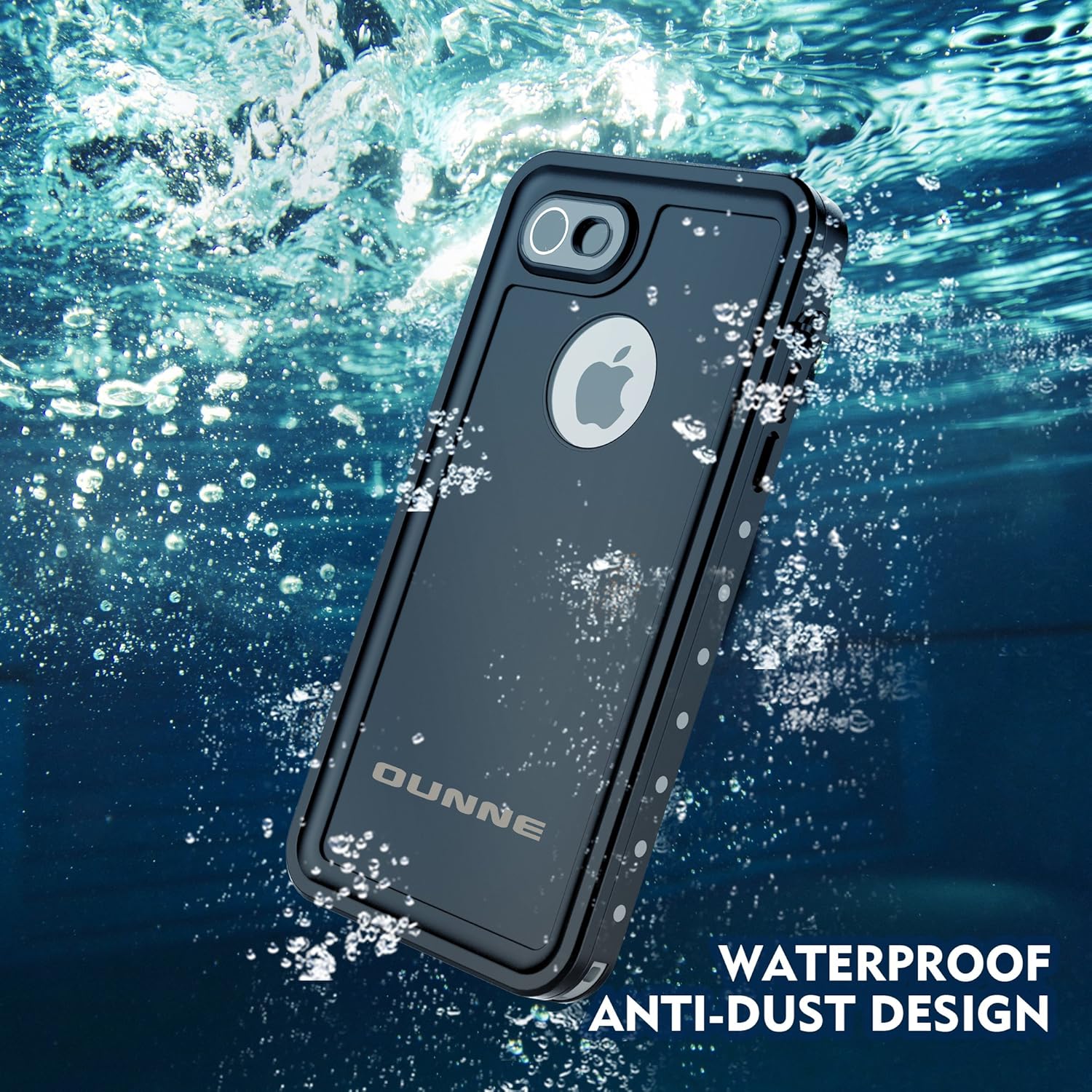
There are dozens of cases, and each one has a different size (just like the iPhone). However, we really like the Ounne brand. They usually come with IP68 certification, which guarantees industry standard quality. Also, the cases have excellent protection against dust, scratches, hits, lousy weather, spills, ice and even dirt.
Check out all the available models. Here, we’ll leave you with one for the iPhone 7.
In the previous section, we gave you the option to protect your iPhone; the Galaxy is no different. The waterproof Jaity case responds pretty well when it comes to protecting against water. Are there better ones? Yes, of course, but many of them aren’t designed to protect against liquids, but rather hits, scratches, etc. That’s why this waterproof case is a great option.
It also has IP68 protection, as well as a great design that lets you access all the smartphone buttons without any trouble. By the way, it’s also attractive and doesn’t usually clash with the device’s design, for which we’re thankful…
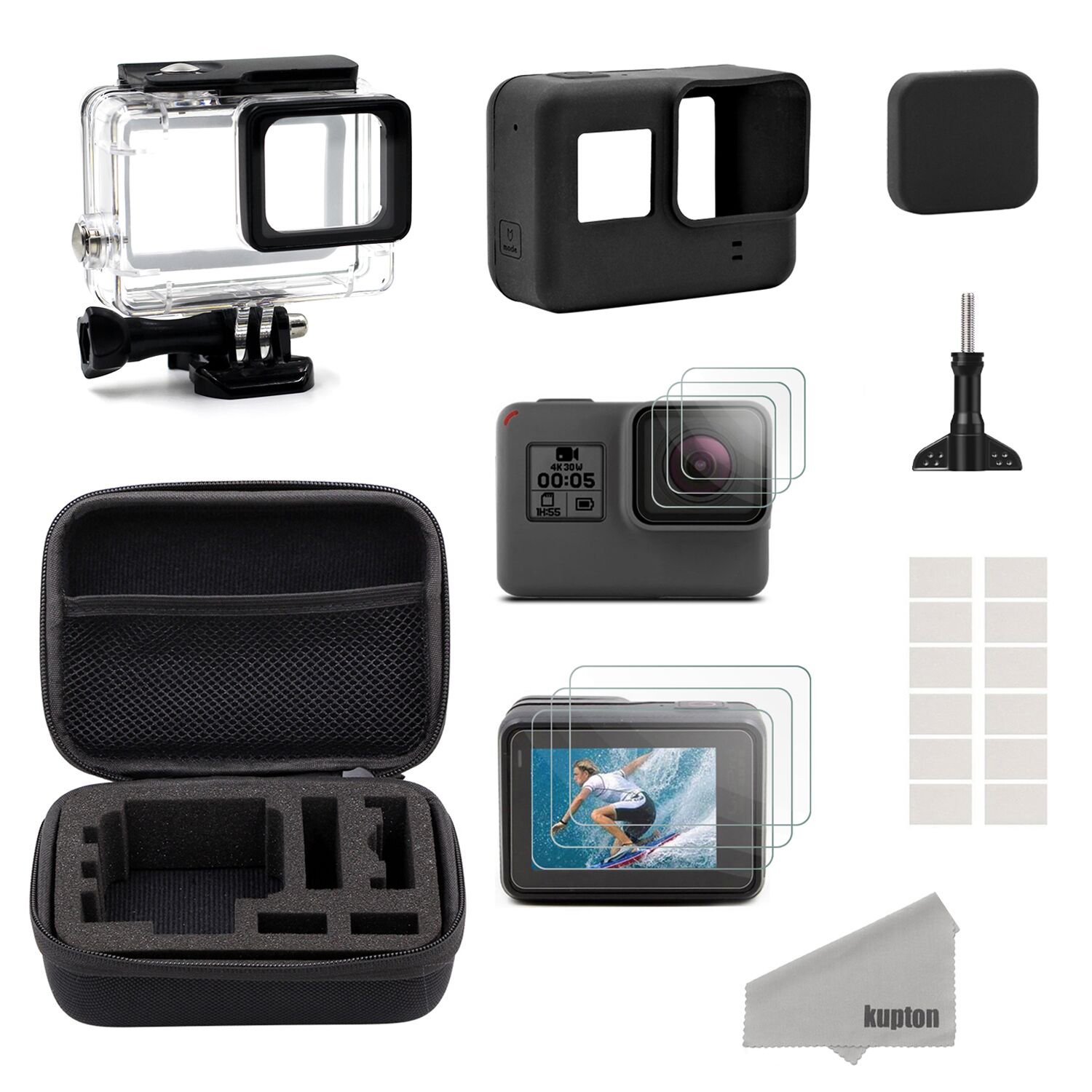
What’s a sports camera without the possibility of using it underwater? Though in most cases these gadgets already come with a standard case for protection, it’s convenient to have a backup or even to buy a better one. Here’s where the Kupton case comes in.
Considered one of the best by users, it can be submerged up to 45 meters in the case of scuba diving, i.e., pretty deep. Also, it’s designed for surfing or snorkeling, since the quality doesn’t change the image or video quality: it stays clear and crisp as if nothing it isn’t even there.
Do you have an iPad, a Samsung Tab or another popular tablet? The MoKo case fits the major market brands perfectly. And yes, it’s completely waterproof, so you can bring your device to the pool or the beach, for example, and not worry about its safety one bit.
The material of the case lets you maintain 100% control of the touchscreen. Likewise, it also has all the features of rear and front cameras. Though, we must note that it doesn’t protect against extreme temperatures, so use it carefully this summer.