
The 3 best apps for blocking spam phone calls

Block unwanted robo calls with these apps!

Robocall

Since 2014, spam calls have risen considerably, and the inevitable truth is it’s only going to get worse. Of all the nuisance call complaints in 2017, 62 percent were about robocalls.

Think about that: Millions of people suffering unwanted interruptions to their lives from … a machine. It’s all a bit too “Terminator 2” for our liking. Unless you find some way to block the calls completely, the robocaller will harass you forever (or until you disconnect your phone).

So what can you do? Get suited up like Sarah Connor and track the machine down for immediate termination? That’s perhaps taking it too far, and besides, there’s a much simpler solution: Install a spam call blocker on your mobile phone. Basically, if you get a call, protect yourself. If you want to get rid of unwanted robocalls, check out our list: 

3 best apps for blocking spam phone calls

1. TrueCaller (free)

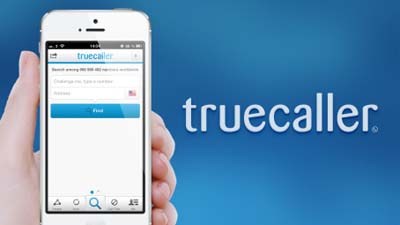
With more than 100 million daily users, TrueCaller is one of the most popular call blocker apps around. Promising to help you track and block spam, identify who’s calling you, and even tell you the best time to call your friends, TrueCaller is a powerful tool against the march of robo-spam. It’ll even block spam text messages, too.

stop the robocalls now!
Truecaller can identify fraud and robocalls before you even answer

TrueCaller’s strength lies in its community. Every time a member identifies spam numbers, it’s added to a list which is then used to block unwanted calls not just for that user, but all users. That means the occasional call might get through, but once identified it should, in theory, be blocked forever. That means no more pesky telemarketing calls. 

Since TrueCaller crowdsources contacts from its users, there’s been some controversy over privacy. The reverse look-up means you can find names from numbers (but not vice versa), even if they’re not in your address book. Sharing your friends’ contact info without them agreeing to it isn’t really fair, but the good news is you can opt out of this and still use the app. 

Truecaller Download Free ►
8

2. Hiya (free)

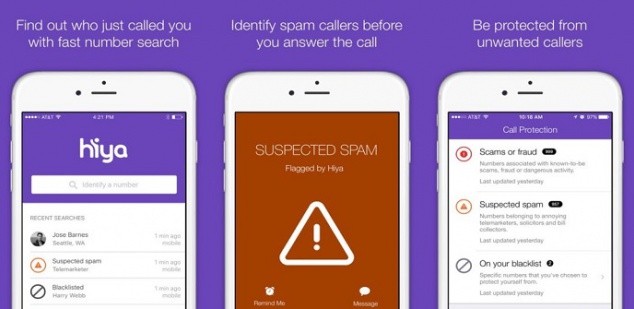
Hiya claims to have the “world’s most advanced phone spam protection engine”. While we can’t prove that’s true, the app does have a slew of 5-star reviews on the app store.

And it'll identify spam too.
Hiya provides context needed to confidently take or make calls.

Like other blockers, Hiya uses a spam database of over 1.5 billion phone numbers that it draws from to identify the source of incoming calls. It then filters unwanted calls, and you can create your own by adding numbers from your own contact list or call history. Basically, it automatically blocks calls. The free version identifies spammers, robots, and scams in real-time, and there’s a reverse-lookup feature so you can find out if you’re in the sights of some nefarious telemarketer.

To get their “premium caller ID” you need to pay extra, and again it means adding your contact list so you and others can “share” contacts and identify people not in your phone book. If you’d rather not share your contact list, you can ask Hiya to remove it.  

Hiya Caller ID and Block Download Free ►
7

3. RoboKiller ($2.99 per month) – iOS / Android
There's even a database of hilarious conversations.
RoboKiller answers spam calls and makes telemarketers’ lives miserable.

Oh, the sweet, sweet taste of revenge…

For just $2.99 per month, you can give the spammers a taste of their own medicine. RoboKiller doesn’t just block calls, it answers them for you.

Answer Bots (prerecorded voice snippets designed to simulate conversation) take your spam call and analyze voice patterns so even if your spammer is using a spoofed local number or an unknown number, they’re still caught. And the results are hilarious.

From drunken wasters to grumpy old men, Answer Bots make spammers’ lives hell while gathering the information RoboKiller needs to block even more nuisance calls. There’s even a RoboRadio where you can enjoy listening to the Answer Bots taking revenge.

Aside from the unbridled joy of vengeance, you’ll also get text blocking, and customizable block lists.

RoboKiller - Block Spam Calls & Identify Callers Download Now ►
8

So there you go – three powerful apps that can put an end to nuisance calls for good.
Netflix vs HBO NOW vs Amazon Prime Video

Which streaming service is right for you?

Streaming comparison

These days, getting your streaming fix is easy. There are lots of providers to choose from, and we’re going to look at three of the best. But while they all stream video, they certainly aren’t equal.

If you’ve got deep pockets, then joining them all will ensure you don’t miss out. For the rest of us, it’s worth exploring exactly what each has to offer.

We’ve put together a brief comparison below to help you choose. 

Netflix

Netflix

Netflix began as an online DVD rental service. Since streaming its first video in 2007, it’s grown to be the most popular streaming service on this list. But does that make it the best? That depends.

Expensive licensing means it offers a relatively limited selection of blockbusters, but it does feature great original content, such as “House of Cards,” “Stranger Things,” and “The Crown.” As competition grows, Netflix is investing more on developing its own movies and TV shows, hoping to stave off its rivals.

Netflix’s content matching algorithm is also pretty accurate, making it easy to discover new entertainment you’ll love.

Free trial: Yes

Contract: No

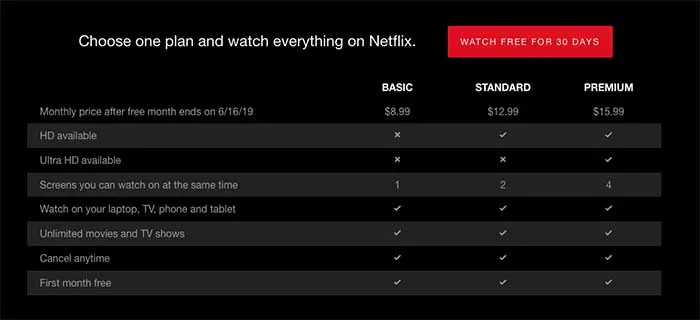
Monthly price: $8.99 (standard) – $16.99 (premium)

Subscribers: 154 million

Titles: 5,304

App: Yes

Multi-users: Up to 4 (depending on membership)

Quality: Up to 4K (depending on membership)

Offline viewing: Yes, support for downloadable content

Best for: People who travel / those looking for fresh original content

Netflix Plans

8

HBO NOW

HBO NOW

You could argue that HBO birthed the binge-worthy TV series. Since “Oz” came to the cable channel in 1997, and then “The Sopranos” in 1999, HBO has continued to produce the most critically-acclaimed TV shows in history. 

Three of the top 10 TV shows on IMDB are produced by HBO – “Band of Brothers,” “The Wire,” and “Game of Thrones.” So if you’re after shows that win big at The Emmys and Golden Globes, HBO NOW is the service for you. (Note: HBO GO is the exact same thing. The app you get depends on some other circumstances, like whether you’re going standalone or as part of a streaming TV package.)

Free trial: Yes

Contract: No

Monthly price: $14.99

Subscribers: 5 million

Titles: 986

App: Yes

Multi-users: Yes, though HBO doesn’t state exact limits

Quality: Most shows are in HD, no support for 4K yet

Offline viewing: No

Best for: Those looking for award-winning TV shows / existing HBO cable subscribers (who can get the app HBO GO and enjoy their content on-the-move)

Amazon Prime Video

Amazon Prime Video

Amazon began as an online bookseller, connecting suppliers with customers through an easy-to-use virtual shop-front. It started streaming video in 2006, called Amazon Unbox, and since then has produced original shows like “Transparent” and “Sneaky Pete,” as well as hosting classics like “Seinfeld” and “The Sopranos” (look out, HBO!). It also has the largest title selection of any service on this list.

If you pay the $12.99/month for full Prime membership, you’ll get fast shipping and unlimited access to Amazon Music, too.

Free trial: Yes

Contract: No

Monthly price: Free for Prime members, $8.99 video only, $12.99 full Prime membership

Subscribers: 100 million (Prime subscribers)

Titles: 34,485

App: Yes

Multi-users: Up to two under Amazon Household

Quality: Up to 4K

Offline viewing: Yes

Best for: Prime members / regular Amazon customers / those wanting best value

As a single source for entertainment, Amazon Prime is hard to beat. Unfortunately, their navigation is horrendous. Sorting through more than 34,000 titles to find a winner can be tough (and hard on your remote-clicking thumb). Prime is also home to some hardcore religious and conspiracy theory films, which is either a plus or a minus, depending on your temperament. Like Netflix, many titles will come and go at random.

The streaming landscape is about to get even more convoluted. Existing services like CBS All Access and Hulu are still in the mix. NBC is weighing its own streaming service. Disney+ is coming later this year to muddy the waters even further.

If you’re looking to save money, your best approach is to service-hop. Spend this month ripping through Netflix, binge HBO stuff next month, hit up Prime for a summer viewing spree. Also, remember there are lots of ways to see free movies online!

Why you should upgrade your browser to Opera

Why Opera browser is the right choice for you, both desktop and mobile. New free, unlimited VPN, crypto wallet and much more. Download Opera for free.

Opera Browser

The browser wars have been going on for years, bringing you better features, designs, and faster performance. But whether you’re a die-hard Chrome fan or a Firefox devotee, it’s time you had a rethink. Opera’s latest browser has a ton of new features designed for the internet of the future – an internet that puts your experience, privacy, and enjoyment at its core.

While most browsers have been improving through incremental upgrades, Opera has rethought the entire browser experience, setting a new standard. Why should you care? For the first time ever, you have all the tools to control your digital life in-browser, putting the world at your fingertips like never before.

You use your internet browser every day, so why settle for second best? Upgrading to Opera’s latest browser could be your best decision yet – let’s explore why.

Explore the Web of the future with Opera Reborn 3 Free Download
8
Install the browser and join our mailing list to get all the juicy tips!

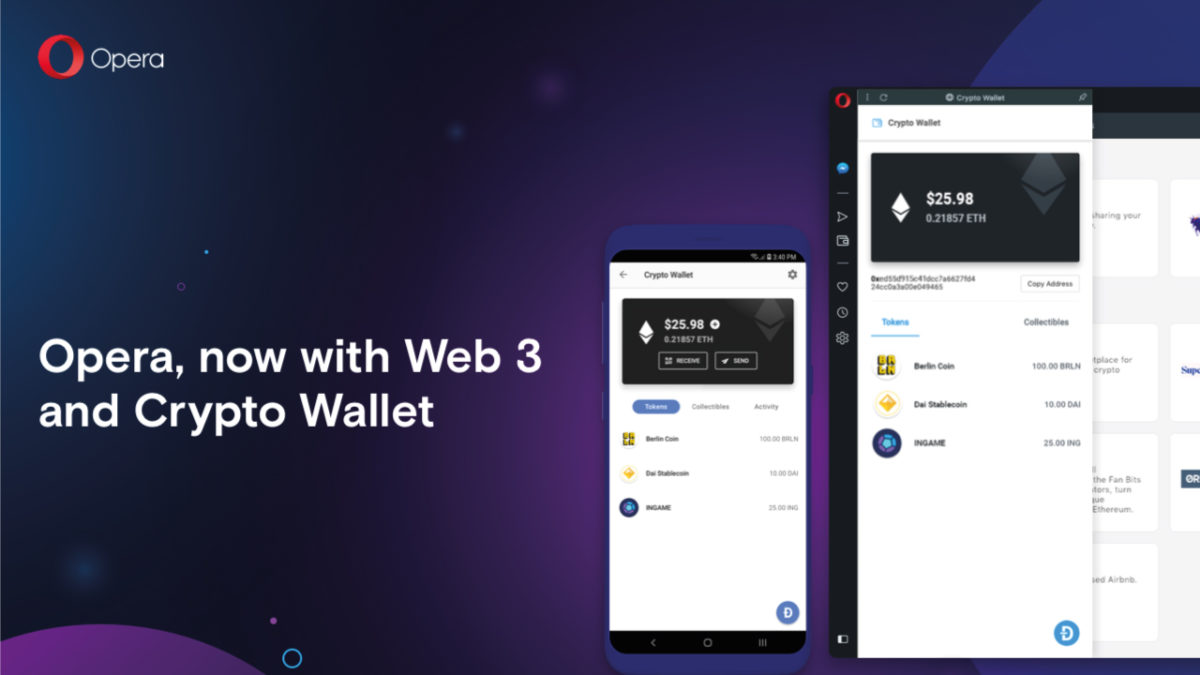
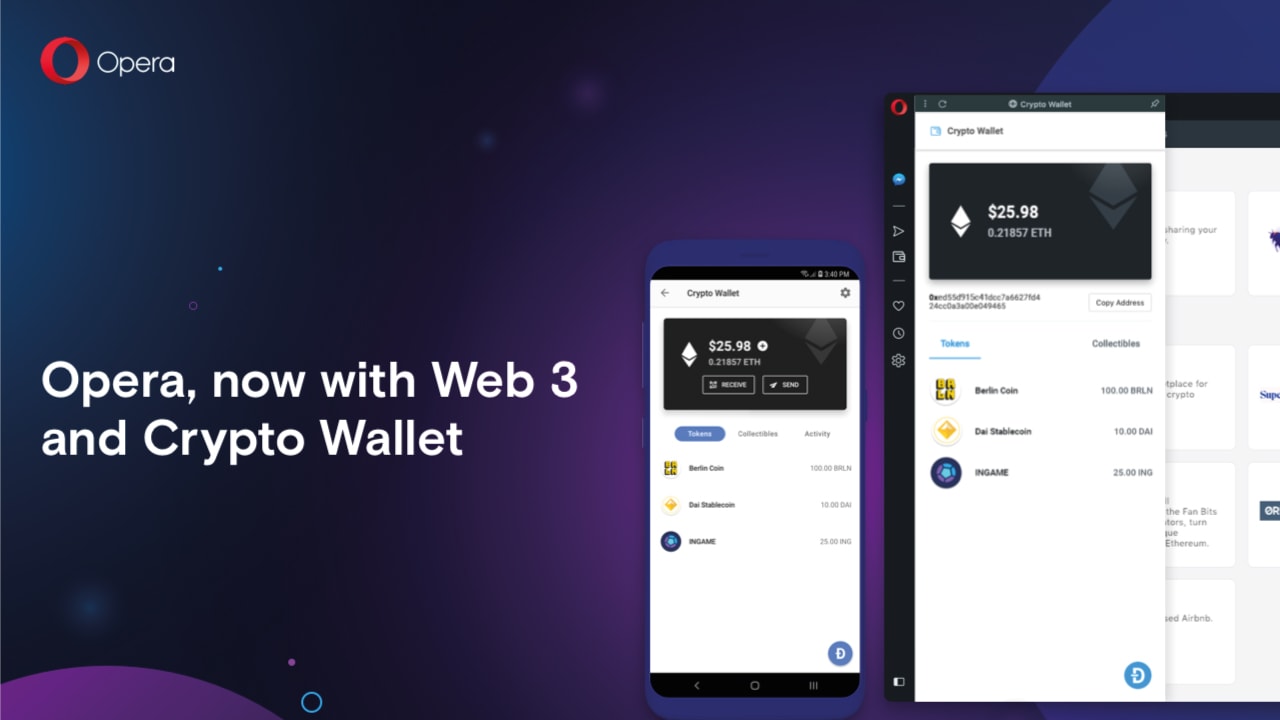
1. Opera is the first browser ever to support Web 3.0

Web 3.0 is an emerging technological trend that shifts control of the internet from centralized bodies – like governments, ISPs, and large corporations – to the public.

Powered by blockchain technology, a kind of decentralized, digital ledger, Web 3.0 describes a free and democratic internet that gives power to the people using it. So no more spying, censorship, or exploitation of users by elite groups or organizations.

Web 3.0 networks are run entirely by the people connected to them, and Opera is the first browser ever to let you browse and transact on these new networks. You will therefore enjoy all the benefits of Web 3.0 – such as decentralized applications, digital asset management, and more – before anyone else.

2. Enjoy a FREE and unlimited VPN

A VPN (Virtual Private Network) both protects you online and ensures you can access every website on the internet – even if they’re blocked in your country. It works by routing all your incoming and outgoing internet traffic through its servers, thereby masking your location and encrypting any data you share.

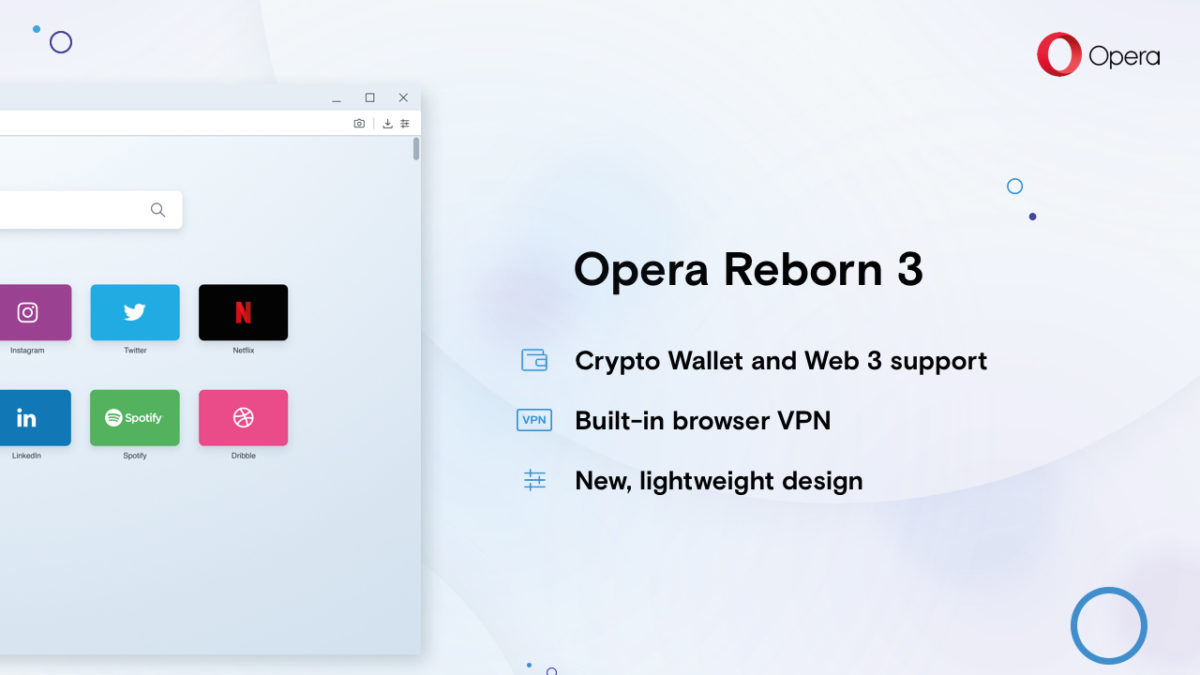
Most VPNs cost money, cap your usage, and require you to install an extension that’s potentially unsafe. Opera, however, integrates a powerful, unlimited VPN in-browser for FREE. Better yet, there are no usage limits, and you can toggle it on and off by clicking a button in the URL bar – no extra installations or extensions required.

Explore the Web of the future with Opera Reborn 3 Free Download
8
Install the browser and join our mailing list to get all the juicy tips!

3. Block ads and other unwanted content

Ads are a frustrating distraction, drawing you away from the content you love. With large gaudy images, spammy headlines, and a creepy knowledge of your interests, it can feel like having a pushy sales team inside your machine. But with Opera’s built-in ad-blocker, you can kick them out for good.
Some websites, however, rely on ad revenue to survive. They will often put content behind paywalls that require you to view ads before accessing the content. Luckily, Opera lets you whitelist certain websites to allow ads through, giving you full control over the content you want or don’t want to see.

4. Safely store your digital value with Crypto Wallet

Remember Web 3.0? Another benefit of blockchain networks is the ability to create digital value. Since digital assets are flexible, borderless, and efficient, they can help fix many of the problems of our existing economies as well as bring financial services to millions of the unbanked around the world.

Opera’s integrated Crypto Wallet lets you join the Web 3.0 economy. You can store, send, and transact digital value in-browser, secured by private keys stored on your smartphone. So whether you’re storing cryptocurrency, trading digital assets like Bitcoin, or using your favorite Ethereum dApp, you can do everything without leaving your browser.

5. Enjoy a redesign that emphasizes digital freedom

The internet is evolving faster than ever, but you don’t have to let others decide your experience for you. With Opera, you can personalize the web. Don’t like ads? Turn on ad-blocker. Can’t access censored content? Use the VPN. Want to explore Web 3.0? Explore blockchain networks and sign transactions through the integrated Crypto Wallet.

Opera’s redesign puts everything you need for a personal, tailored web experience. From the integrated snapshot tool to the battery saver, from the light and dark browser themes to the Messenger and Whatsapp integration – Opera is one of the most sophisticated and user-centric browsers available today. Download Opera now and enjoy a web made just for you.

Explore the Web of the future with Opera Reborn 3 Free Download
8
Install the browser and join our mailing list to get all the juicy tips!

Softonic is proud to partner with Opera. When you download from us, we may earn a commission.

How to use the free unlimited VPN included in Opera

Opera browser includes everything you need already built-in, including a battery saver, snapshot tool, ad-blocker, and better yet, a FREE and unlimited VPN. Download and install Opera browser for free.

Opera browser

Opera’s latest browser pulls out all the stops to give you the best web experience. All those fiddly extensions you have to download on other browsers? No longer necessary. Opera includes everything you need already built-in, including a battery saver, snapshot tool, ad-blocker, and better yet, a FREE and unlimited VPN.

Explore the Web of the future with Opera Reborn 3 Free Download
8
Install the browser and join our mailing list to get all the juicy tips!

What is a VPN?

VPN stands for Virtual Private Network. Instead of exchanging information directly with the internet, all your traffic goes through the VPN servers first, preserving your anonymity and protecting your data.

This means you can mask your computer’s IP address so websites don’t know your location. The VPN also encrypts your data, so anyone spying on your connection can’t view sensitive information, such as bank details and credit card numbers.

Why do you need a VPN?

VPNs are like the skeleton keys of the internet. They bypass censorship and other restrictions to ensure you get full access to the world wide web. They also prevent governments, agencies, criminals, or your ISP (Internet Service Provider) from spying on you, and potentially, using that data to persecute, extort, or steal from you.

A VPN protects you on public wifi, for example. Cybercriminals often exploit these unsecured connections to infiltrate bank accounts or steal sensitive data. A VPN, however, encrypts your connection, so even if someone hacks into the public wifi spot, they won’t make sense of your data. VPNs are therefore extremely powerful tools to keep you safe online.

Why use Opera’s VPN?

Most free VPN providers cap your data usage, limit bandwidth, or require you to log in and activate the VPN every time you want to use it. This leads to a slow, frustrating experience, forcing you to upgrade for a hefty price for the best service. And even then, many of these VPNs require you to install an extension that is potentially unsafe.

Opera’s VPN replaces your IP address with a virtual one, hides your location, and protects you on public wifi networks. Better yet, it’s completely FREE, has no bandwidth or usage limits, and never stores (or even views) your data. It’s therefore one of the easiest, most hassle-free ways to enjoy the internet – and as it’s fully integrated within the browser, once activated you won’t even know it’s there.

Explore the Web of the future with Opera Reborn 3 Free Download
8
Install the browser and join our mailing list to get all the juicy tips!

How to switch on Opera’s VPN (desktop)

If you’re looking for a safe, fast, and censorship-free internet, download Opera and turn on the integrated VPN. It takes just a few minutes, and full instructions are below:

  1. Download Opera.
  2. Install and start Opera.
  3. On the top menu, click Opera → Preferences…
  4. Go to Advanced → Features
  5. Toggle VPN on

Now, instead of communicating with third-party websites directly, everything goes through the VPN servers first to cover your tracks. This might slow your internet speed a bit, but you probably won’t notice, and it’s a small price to pay for the additional security and privacy.

Once enabled, you can toggle the VPN off and on by clicking the VPN button in the URL bar. You can also choose which location to present to the internet, but Opera is smart enough to choose the best one for the page you’re trying to access. Feel free to toggle the VPN off and on as you like.

How to switch on Opera’s VPN (mobile)

At the moment, you only get the integrated VPN on Opera’s mobile app for Android. To enable the VPN, download and install Opera for Android, click settings (the three vertical dots in the top right) and toggle the VPN on. Once enabled, you can toggle the VPN on or off from the URL bar in the same was the desktop version.

Opera has done an excellent job of pulling together the features you need for the best web experience. The integrated VPN is super useful, and being free and without usage limits, puts it at the top of our most recommended VPNs ever – the fact it’s preinstalled on one of the best browsers, too, is just the icing on the cake.

Explore the Web of the future with Opera Reborn 3 Free Download
8
Install the browser and join our mailing list to get all the juicy tips!

Softonic is proud to partner with Opera. When you download from us, we may earn a commission.

5 reasons why you should be using Brave

5 reasons why you should use Brave browser. Download and install Brave to browse safely.

Google Chrome and Safari are two of the most recognized browsers out there, but just because they’re popular doesn’t mean they’re the best. Brave is one of our favorite browsers, from the Co-Founder of Mozilla, Brendan Eich. It’s fast, private, secure, and offers a new way to reward websites without having to watch ads.

Here are five reasons you should be using it right now

Browse the web up to 8x faster on mobile and 2x faster on desktop Free Download
9
Enjoy private, secure and fast browsing with Brave

1. Safety

Cybercrime is a lucrative business – it’s expected to make criminals $1.5 trillion this year alone. Brave does several things to protect your security online. First, it blocks all malware, malvertising, spyware, phishing, fingerprinting, and also upgrades websites to HTTPS (a secure connection between you and a website). It also prevents scripts running on the page, so no-one can hijack your browser.

With Brave you can enjoy peace of mind without having to install countless extensions.

2. Speed

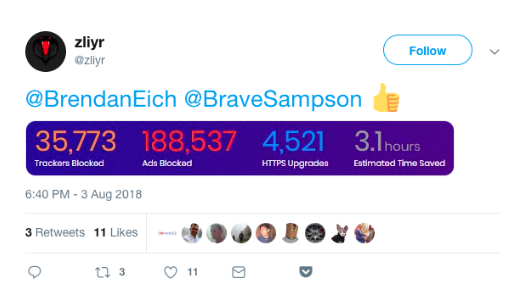
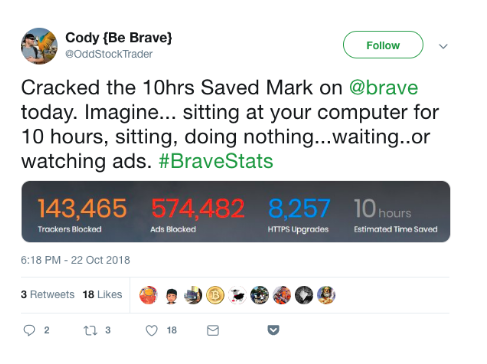
Brave is twice as fast as Chrome on desktop, and up to eight times as fast on mobile. The time you save using Brave quickly adds up. If you don’t believe us, check out these Twitter users’ stats:


Brave’s privacy and security shields also prevent a lot of unwanted or malicious content from interfering with your browsing. You get a clean page, lightning fast, every time.

3. Support your favorite sites

Brave blocks all ads by default, which normally harms your favorite sites since they’re no longer generating ad revenue.

Browse the web up to 8x faster on mobile and 2x faster on desktop Free Download
9
Enjoy private, secure and fast browsing with Brave

Brave Rewards changes all of that: Brave saves you from watching annoying ads, opting to instead let you reward websites through a cryptocurrency called the BAT (Basic Attention Token). You can buy BAT in the Brave browser using other cryptocurrencies, or you can also pay using fiat (GBP, USD, EUR, etc.) via an exchange like Uphold.

With BAT in your Brave browser wallet, you can tip any website you like. Eventually, you can even earn BAT by watching ads based on the content you enjoy the most. So load up your wallet and give back to your favorite content creators.

4. Stop corporations from spying on you

In our data-driven age, it seems every company from Facebook to Google knows where we eat, shop, and travel. Brave bucks this trend by making it extremely difficult for anyone to track you. It blocks all spyware, trackers, and third-party cookies. Brave never stores anything on its servers, so your data stays on your device until you delete it.

Brave has also partnered with Tor (The Onion Router) to give you an ultra-private browsing mode called Private Windows with Tor. Everything you do in a Private Window with Tor is relayed across the Tor network, effectively hiding your data through a complex web of servers so you can’t be traced.
If you’re concerned about your data, privacy, or simply want to reclaim control from big tech companies, Brave is your best bet.

5. Save on mobile data

Ads use as much as 79% of your data plan, according to a report from Enders Analysis. Brave estimates you lose around $23 per month on data charges, or around $276 per year. For unwanted content, that’s a steep price to pay.

Since Brave blocks all unwanted content by default – including annoying ads – you get more data for your money. That means fewer excess data charges and more money in your pocket.

Brave is fast, private, secure, and best of all, it could even save you money. So what are you waiting for? Download, install, and start using Brave today. We’re sure you won’t regret it.

Browse the web up to 8x faster on mobile and 2x faster on desktop Free Download
9
Enjoy private, secure and fast browsing with Brave

Softonic is proud to partner with Brave. When you download from us, we may earn a commission.

5 tips to get the most out of Brave

Brave is not only one of the fastest browsers on the market, but also offers unrivaled control over privacy, ads, and the content you see. If you don’t have Brave, you can install it right here. Once Brave is installed, take a look at these five tips to get you started off on the right foot:

1. Set Brave as your default browser (and get it on mobile)

Browse the web up to 8x faster than Chrome and Safari Download Now
9
Enjoy private, secure and fast browsing with Brave

Setting Brave as your default browser will keep your emails and messages safe behind Brave’s powerful security shields. Here’s how to do it.

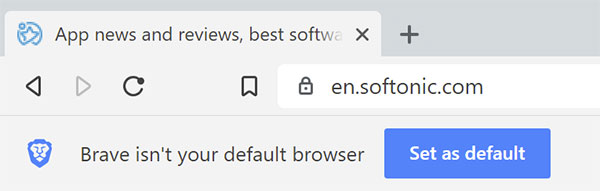
The easy way is to just click the button that appears under the address bar when you first launch the browser.

Brave Default Browser Button

From there, the instructions vary a little bit, depending on your operating system, regardless of whether you’re in the browser:

Windows 10

Settings > System > Default apps > Web browser tab > Select Brave Browser

OSX

System Preferences > General > Default web browser > Select Brave Browser

You can also do this in-browser through the Settings menu.

Android

Brave is crazy fast (and just as secure) on mobile. Close the loop by getting Brave on all of your devices. Brave makes it really easy to sync your browser preferences between devices.

2. Import your settings

Switching over to Brave is simple and seamless. You can easily import all your settings (bookmarks, saved passwords, browsing history) right over.

Inside the Brave browser, click the three horizontal lines in the upper right corner

  • Click Settings
  • In the new window, click Import bookmarks and settings
  • Select one of your previous browsers
  • Click Import

3. Customize Brave

Access all your settings by clicking the three horizontal lines in the upper right corner of Brave’s browser window. You can customize them a number of ways:

By default, Brave protects you from malware, phishing, fingerprinting, and plugins. It also upgrades all sites to HTTPS wherever possible. If you trust a site, however, you can lower the default shields. To do so, simply click the Brave icon in the URL bar and toggle settings for ads, cookies, scripts, and more. You can also access global shield settings.

4. Use Tor and DuckDuckGo for maximum privacy

While Brave protects you from pop-ups, ads, cookies, and similar intrusions, you’re still vulnerable once you open a search engine. “Search engines such as Google record what the user enters in the search bar,”explains DuckDuckGo, an alternative search engine. Google is so entrenched in targeting and cookies that Brave can’t offer its peak strength in its murkier waters. For search sessions that you want to keep private, open a private tab and DuckDuckGo takes over. Now searches won’t be tracked.

You can also use Tor (The Onion Router) and Brave together to make it more difficult to track which websites you visit. Websites also have a much harder time identifying or tracking user IP addresses arriving via Brave’s ‘Private Tabs with Tor’.

5. Enable Brave Payments and tip your favorite sites

Brave Payments lets you tip your favorite sites in BAT (Basic Attention Tokens) instead of watching tiresome, irrelevant ads.

When you enable Brave Payments, the browser creates a BAT wallet which you can link to other digital assets like Bitcoin, Litecoin, or Ethereum.

You can also buy BAT from cryptocurrency exchanges like Uphold. Brave gives away BAT for special promotions, too. To enable Brave Payments, click the triangle on the upper right of the Brave browser, and then choose how you want to top up your BAT balance.

What is BAT?

BAT is a token that lets you tip the people making the content you love, giving recognition for a job well done.

Once you’ve got some BAT in your wallet, you choose whether to tip sites, or let Brave divide your BAT according to how much attention you pay to each site you visit.

We hope these tips are useful, and that you’ll discover a few cool tricks yourself. If you’ve yet to start using Brave, download and install it now and enjoy one of the fastest, most secure browsers available!

Browse the web up to 8x faster than Chrome and Safari Download Now
9
Enjoy private, secure and fast browsing with Brave

Softonic is proud to partner with Brave. When you download from us, we may earn a commission.

How to write the perfect CV

When it comes to finding the perfect job, the right resume is crucial. Not only is it a record of all your skills, qualifications, and accomplishments, but it’s your first interaction with a potential employer. As first impressions are usually the most important, you want your resume to stand out from the crowd, and to highlight your talents in the best way possible.

There are three main ways to write a resume: functional (sometimes referred to as a skills-based resume), chronological, or a mixture of the two. Choosing the best one for the job you’re going for will ensure you’re resume highlights the most important things.

Functional resumes emphasise the skills and talents you have, rather than where you’ve worked. In most cases, people choose a functional resume in the following situations:

  • If you’re just out of university with little or no job history
  • If you’re changing career
  • If you’ve not worked for long periods of time (e.g. due to illness, pregnancy, or other life changes)

Chronological resumes emphasise your work history, but you should still emphasise your accomplishments within each described role. Chronological resumes are best in the following situations:

  • You’ve had regular, long-term work in the same industry
  • Your work history matches the job you’re applying for

Combination resumes are a good balance, and can be used if you want to highlight both your skills and your work history, especially if you perhaps worked in the industry you’re applying for but not for a long time.

Once you’ve picked the right resume structure, it’s time to start writing things down. In any resume, it’s most important to list your achievements, rather job responsibilities. For example, if you were an office manager, it would sound better to write, “Reduced office expenses by 15% in six months,” than “Responsible for managing office expenses.”

It’s also important to use statistics wherever possible. Numbers are particularly impactful for two reasons: one, they draw our eyes in, and two, they qualify your experience. A statistic demonstrates how well you carried out your duties, and that’s what employers want to know. It’s therefore important you keep track of your performance – if you’re stuck, ask a colleague (or boss, if you can do it discreetly) to get your performance data for you.

Once you’ve decided on the right format and have listed your accomplishments, describing them can still be a challenge. If you’re struggling to write down your ideas, we recommend using the award-winning Resume Maker Professional Deluxe 20.

As the bestselling resume-making software in the market, ResumeMaker has helped thousands of people find the perfect job. Not only does it guide you through building your resume, but it teaches you how to answer interview questions – and even negotiate a better salary.

Many of us spend hours stressing about what to put in our resume, usually because we don’t know what to say or how to say it. ResumeMaker guides you through the writing process by asking you a series of simple questions to draw out the most important details. If you’re still stuck, simply use phrases from ResumeMaker’s library of over 14,000 job types. You can then compare your resume with over 1,250 different samples to get the right colours, fonts, and designs to make your talents shine.

Once you’re happy with your resume, it’s time to start job hunting. ResumeMaker’s job finder searches all the most popular recruitment sites like Indeed and Dice, and you can post your resume on social networking sites like LinkedIn and Google+. Never want to miss a new job opportunity? ResumeMaker will send you push notifications every time a new job is listed matching your search criteria.

We’ve partnered with ResumeMaker to give you a 40% discount off the retail price of $29.99 – just enter the code BACK2SCHOOL1 at checkout to download it for $17.99.

Writing your resume can be stressful, but it doesn’t have to be. ResumeMaker does a lot of the hard work for you, helping organise and articulate your skills and experience in the best way possible. So download ResumeMaker Professional Deluxe 20 today and ensure you stand the best chance of landing your dream job.


The cheapest, safest way to back up your data? Try burning it

If you think physical media has had its day, think again. Netflix and DropBox might’ve lessened their appeal, but CDs, DVDs, and blu-rays are still some of the cheapest and most reliable ways to store data. Finding the means to create them hasn’t always been easy, though. 

In the past, it’d take at least an hour to burn a CD full of music, and  software bundled with your computer often seized up halfway through, forcing you to try again. The process was so boring and time-consuming, many just gave up (or went bald with frustration). Thankfully, burning software is so much better now, with support for more devices and formats than ever before.

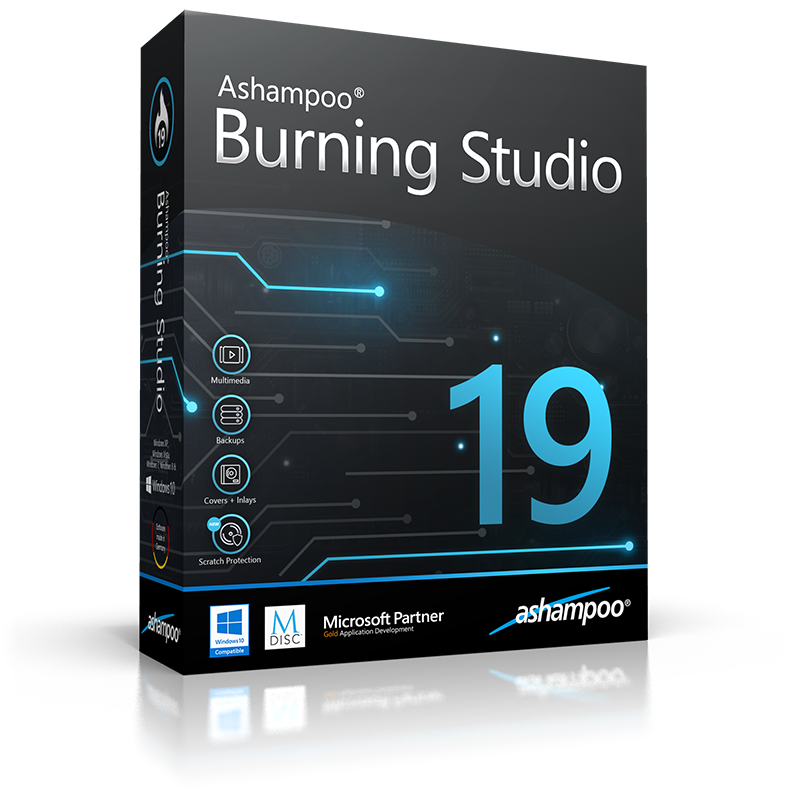
Take one of our favourite burning suites, for example. Ashampoo Burning Studio 19 records, backs up, and converts virtually any file in as little as three clicks. Whether you’re burning a music playlist for the car, converting your favourite movies to blu-ray, or backing up precious photographs, Burning Studio 19 does it all. Simply select the file, process, and destination and Burning Studio 19 will do the rest – even splitting your project across multiple disks.

As the name suggests, Burning Studio 19 has been around for a while, each upgrade bringing extra features and enhanced performance. Burning Studio 19 is the latest version, and includes an innovative new feature called scratch protection which saves damaged files and avoids the annoying skips and stutters of well-used disks. 

CDs, DVDs, and blu-rays store data in tiny grooves called pits. If scratches are deep enough to corrupt the arrangement of pits that make up your data, you’ll have trouble playing or reading files. Ashampoo Burning Studio 19 solves this problem by creating multiple copies of your data across the disk. So if your dog decides to use Michael’s Jackson’s Thriller as a chew toy you can restore the songs with the built-in recovery tool. 

Alongside scratch protection, Burning Studio 19 saves the last 20 projects, including all changes, enhancements, and file selections, so you can recover them quickly and easily. This is a real time-saver – especially if a relative or friend wants a copy of your home movies – and provides a useful log of longer burning projects, such as music or home movie collections. 

Speaking of movies, there’s also an easy video editor to cut and splice clips and add themes, titles, and transitions – even background music. You can work with a whole host of video formats, meaning you can record, edit, and burn in the same program.

If you’re looking to upgrade to more reliable, intuitive, and feature-rich burning software, Burning Studio 19 certainly fits the bill. Not only will you save time, you’ll also enjoy the peace of mind knowing your data is safely stored at home, under your control. For a limited time you can buy Ashampoo Burning Studio 19 for just $19.99 (original price $49.99), so download it now and give your data the protection it deserves.


A cheap, easy way to extend the life of your HDD

The hard disk drive (HDD) inside your PC might be cheap, but without regular maintenance, you could lose your data.

Gigabyte for gigabyte, HDDs are up to ten times cheaper than SSDs, making them perfect for tight budgets. But as they tend to fail more often, you need to keep an eye on your HDD’s health to ensure fast, reliable performance.

Modern operating systems will do basic maintenance for you, usually behind the scenes where you have little control. When there’s a problem, it’s usually too late to fix it or back up your data.

To ensure your HDD lasts as long as possible, without risking your data through unexpected failure, you should try HDD Control 3 from Ashampoo.

Here’s why. 

Extending the life of your HDD

To ensure your HDD lasts a long time, you need to regularly check its health.

If you catch a problem early on, you’ll be able to save your data, repair the problem before it gets worse, or even claim for a replacement under warranty.

Unfortunately, Windows bundled software doesn’t cut it – for the best HDD checkup, you need Ashampoo HDD Control 3.

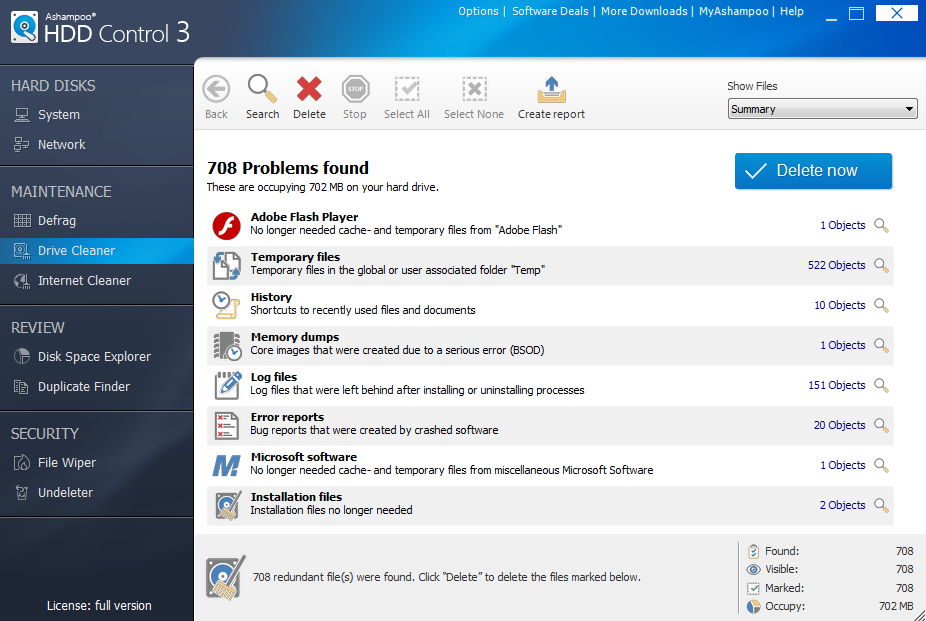
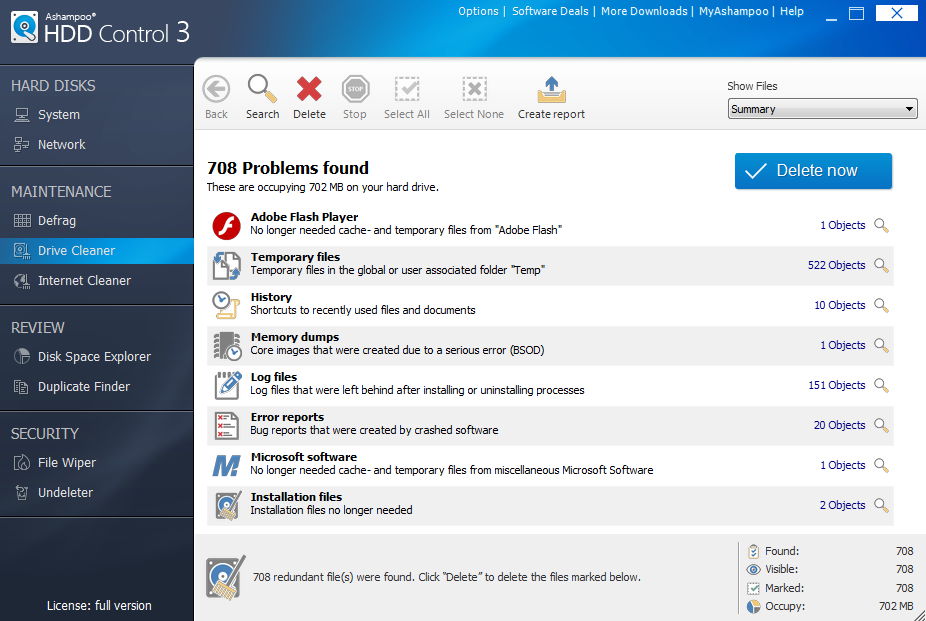
HDD Control 3 does more than just defragment your hard drive; it’s a complete diagnostics tool.

It monitors everything from temperature to memory usage, and alerts you by email if it finds any problems.

It can also free up disk space by searching for and deleting unwanted or duplicate files, slowing fragmentation and reducing wear and tear.

You can even benchmark your HDD’s read and write speeds to ensure you’re getting advertised performance.

The problem with HDDs

HDDs work by storing your data on mechanical platters. When reading or writing data, the platters spin past the disk head which then relays the information to your computer.

As you add and delete files, the platters become a patchwork of used and unused space. Eventually, the platters will lack spaces big enough for new files – especially large files like games or movies – and will instead split them across the drive, called fragmentation.

A fragmented HDD means the platters have to spin further and more often. Not only does this slow down your computer, but it increases wear and tear of your HDD’s mechanical parts – ultimately leading to failure and the loss of your data.

Bumps and knocks to your PC or laptop can also damage these mechanical parts, and unless you’ve an early warning detection system in place, you won’t know what’s wrong until it’s too late.

Why Ashampoo HDD Control 3?

With HDD Control 3 installed on your machine, there are no surprises. If your HDD isn’t working properly, you’ll be the first to know, and can repair, back up, or replace as necessary.

HDD Control 3 comes heavily recommended from a range of consumer tech experts, and we’re adding our name to the list. It’s a great piece of software, and for a limited time, you can save 40% off the retail price of $29.99. 

So download HDD Control 3 today and make sure your HDD is pulling its weight.


Never take a dull picture again with Aurora HDR

Lighting is one of the most challenging aspects of photography. Get it right and your pictures come alive, get it wrong and they can appear dull and lifeless.

As camera sensors are less sensitive to light than our eyes, it’s tough to recreate exactly what we see. This is especially true under difficult lighting, such as bright midday sun, backlit subjects, or hazy afternoons. 

Does that mean you can’t take great pictures under these conditions? No, but it does mean a little more work, and Aurora HDR can help.

The importance of dynamic range

Camera sensors have limited dynamic range, so when you expose for your subject, you’re choosing which light to favour. If you want to bring out shadow detail, for example, you have to increase the exposure, sacrificing highlights; if you want more highlight detail, you have to reduce the exposure, sacrificing shadows. Tough lighting only makes these trade-offs worse. 

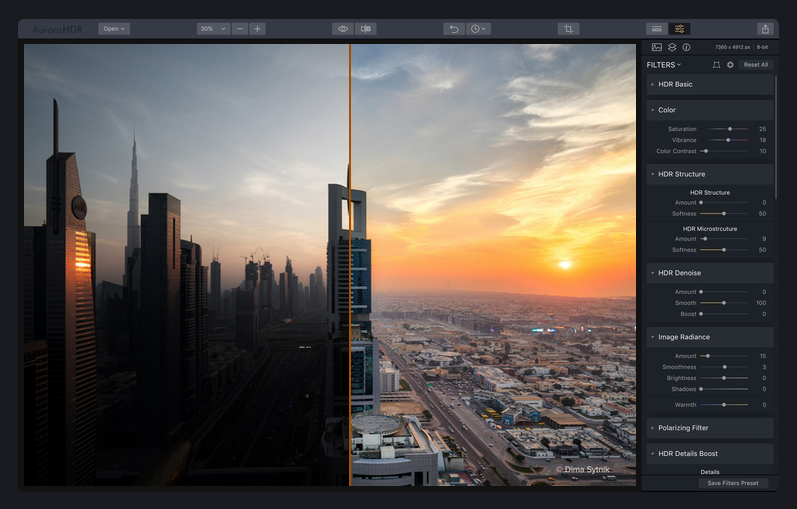
Photographers get around this problem by exposure bracketing – the practice of taking multiple shots of the same subject at different exposures, then combining them to create an image with a high dynamic range (HDR). Done carefully and with the right software, you can transform a flat, uninteresting image into one full of vibrance and realism. 

How Aurora makes HDR easy

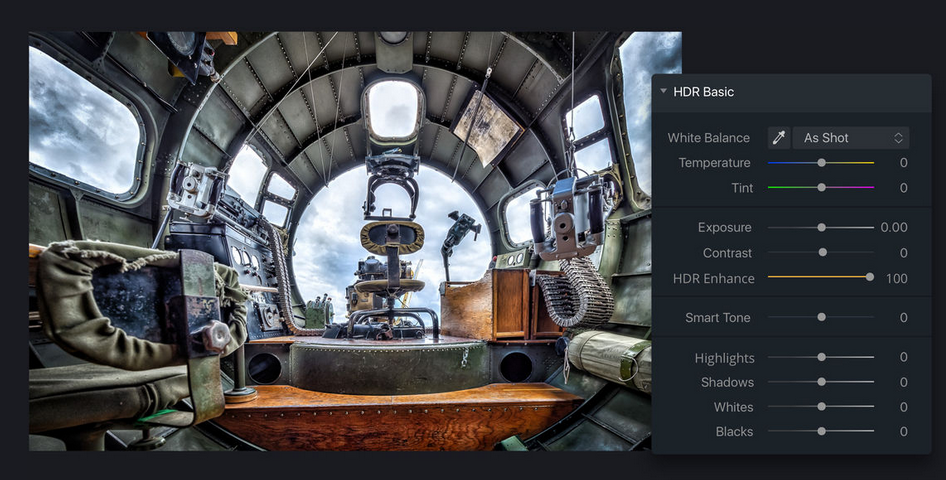
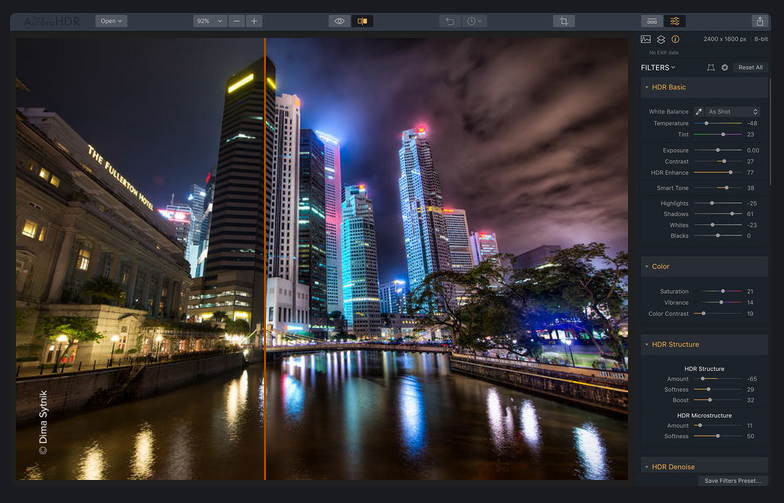
Aurora HDR takes the principles of HDR and applies them to both multiple and single images using a sophisticated tone mapping engine. The results are incredibly realistic, and you have control over the level and manner in which HDR is applied using simple sliders that anyone, regardless of experience, can master.

Aurora HDR was created with Trey Ratcliff, one of the best HDR photographers in the world, and it really shows. Aside from being extremely user friendly, Aurora HDR includes several powerful tools to pull greater depth, detail, and clarity from your photos.

From correcting vignetting and chromatic aberration to dodge and burn for selective HDR application, Aurora HDR is a cut above many other programs in the market today.

Why use Aurora HDR?

If you’ve never done it before, HDR photography is tricky to get right. Too much processing and your images lose realism, too little and you lose detail. Aurora gives you full control of HDR enhancement so you can quickly set the right level for all your images, saving those that might’ve ended up in the trash, and there’s a useful history panel if you get a bit heavy-handed and need to reverse your changes.

In short, Aurora HDR is the perfect application for learning how to create amazing HDR photos. Download Aurora HDR now for $10 off the usual price of $99 – just enter the code SOFTONIC at checkout.

Difficult lighting shouldn’t get in the way of great pictures. Download Aurora today and master the art of HDR yourself.