Star Wars IX: Carrie Fisher returning as General Leia

“Star Wars” fans everywhere were crushed when Carrie Fisher died in 2016. Imagine our surprise, then, when Lucasfilm announced their cast for Episode IX and it included everybody’s favorite princess-turned-general. Yes, Leia Organa will be back in action when the “Star Wars” saga returns.

But how?

According to Episode IX director J.J. Abrams, you’re going to get the real Carrie Fisher. “We were never going to recast, or use a CG character,” Abrams said. “With the support and blessing from her daughter, Billie, we have found a way to honor Carrie’s legacy and role as Leia in Episode IX by using unseen footage we shot together in Episode VII.”

That’s a relief, since the last time we saw a CG Leia, it didn’t exactly go well.

Welcome to the uncanny valley

The “Star Wars” franchise painted itself into a corner with its legends. In “The Force Awakens,” Han Solo was killed. In “The Last Jedi,” Luke died. So Leia was the last of the Big 3 whose story hadn’t concluded. Presumably, Fisher’s death blew up whatever was planned for the series finale.

To recap, the last time we saw Leia, she was flying away from Crait with the remnants of the Resistance after Luke’s sacrifice allowed them to escape. A disheartened Rey asks Leia, “How do we build a Rebellion from this?” Leia holds her hand and says, “We have everything we need.”

Given that Episode VII was about Ben Solo’s relationship with this father (Han), and Episode VIII was about his relationship with his Uncle Luke, it stands to reason that Episode IX was supposed to be about his relationship with his mother. Do they really have enough unreleased footage to tie up that loose end? Will they kill off Leia’s character? Given that Leia’s frozen corpse literally came back to life and flew through space after her ship was attacked, it’s hard to imagine a plausible death by conventional lasers or whatnot.

In any case, today’s cast announcement also confirms the rumor that Billy Dee Williams will return as Lando Calrissian. Will he end up with Chewie and the Falcon after all is said and done?

And there was another surprise: Mark Hamill will be back. Fans likely guessed that Luke’s Force ghost would reappear to guide Rey (or haunt Ben), and this announcement pretty much seals the deal.

Lucasfilm confirms that the returning cast includes Daisy Ridley, Adam Driver, John Boyega, Oscar Isaac, Lupita Nyong’o, Domhnall Gleeson, Kelly Marie Tran, Joonas Suotamo, and Billie Lourd.

The final film in the “Star Wars” saga will also feature newcomers Naomi Ackie and Richard E. Grant. Filming begins August 1, 2018. The final chapter will blast its way into theaters on December 20, 2019.

Here’s what’s going on with the Uncharted movie

The internet launched into a frenzy last week when, seemingly out of nowhere, this video appeared on Youtube:

8

Yes, that’s right: Nathan Fillion has taken on the role of Uncharted’s wise-cracking fortune hunter Nathan Drake. Fans will recognize Fillion as the star of the cult-classic TV series “Firefly,” where he played the similarly roguish Captain Malcolm Reynolds. Fillion has long been eyed as a fan-favorite for the live-action version of Nathan Drake, and for good reason. He bears more than a passing resemblance to Drake, and has Drake’s smarmy grin down pat. See for yourself:

In the fan film, Fillion plays Drake as he finds himself in typically dire straits. He’s been captured by a drug cartel and is racing against their leader to find the lost treasure of the Flor de la Mar. The short was conceived of and directed by Canadian director Allan Ungar. Also of note is a surprise cameo from actor Steven Lang as Victor “Goddamn” Sullivan, Nate’s cigar-chomping mentor. Lang is perhaps most well known for his role as Colonel Miles Quaritch, the villain of James Cameron’s movie “Avatar.” He’s an unexpected but note-perfect choice for Sullivan, and it’s clear that both actors gave their all for the production. Fillion even says he did many of his own stunts, and it shows. Everything from the gunplay to the fistfights to the dialogue feels like it came straight out of an Uncharted game.

So, with such a high caliber piece of work now on the Internet, many fans have been left asking: what exactly is going on with the Uncharted movie? Long story short: we aren’t sure. The story began in 2010, when Sony announced their plans to turn the franchise into a live-action film. The first iteration of the project had Mark Wahlberg playing Drake, with David O. Russell of “American Hustle” and “Silver Linings Playbook” fame tapped to direct.

It wasn’t long until the project fell into development hell, with scrapped scripts, changing directors, and swirling rumors of different actors signing onto the project. The most recent iteration of the project had “Spiderman: Homecoming’s” Tom Holland signed on to play a young Drake, and would apparently be based on the sequence at the beginning of Uncharted 3 that saw Drake meeting Sully for the first time.

However, Sony has been quiet about the project since Holland’s casting was announced in 2017, and with Holland wrapped up in the MCU, the future of the project has been decidedly murky. That is, until Fillion’s fan film exploded onto the internet. Since dropping last week, the film has attracted a lot of attention. As of July 23, the video has topped 3.3 million views and has received a huge reaction on Twitter. Amy Hennig, creator of Nathan Drake and writer for the first three Uncharted games, had this to say:

Neil Druckmann, Naughty Dog’s Vice President, writer, and game director, also weighed in, keeping things short and simple:

Actor Zachary Levi, also hopped into the fray, and it was clear he had some strong feelings about the role:

Levi would also be a solid choice to play Nathan Drake. Most famous for his role as Chuck on the NBC series of the same name, he’s also well known for voicing Eugene in Disney’s “Tangled” and playing Fandral in Marvel’s “Thor” movies. With two wisecracking rogues under his belt, it’s not hard to imagine Levi slipping effortlessly into character as Nathan Drake. Drake’s voice actor, Nolan North, had his own opinions on the mini-feud.

So, where does all this leave the official Uncharted film? Sony has yet to weigh in in any official capacity, but with more than one Hollywood star weighing in and positive reactions from Naughty Dog’s creative team, it’s safe to say that the fan film has caught their eye at the very least. Fillion himself isn’t shy about making his intentions known, either. He’s said directly that he’d like to take on the role in an official capacity, and Allan Ungar has also expressed interest in returning to direct.

With this flurry of activity, it’s hard to believe that Sony won’t make a statement at some point. After watching the fan film, we’re keeping our fingers crossed that the next thing we hear from Sony is an announcement that Fillion will be donning Drake’s trademark shoulder holster and officially taking on the role.

Complete beginner’s guide to Warframe

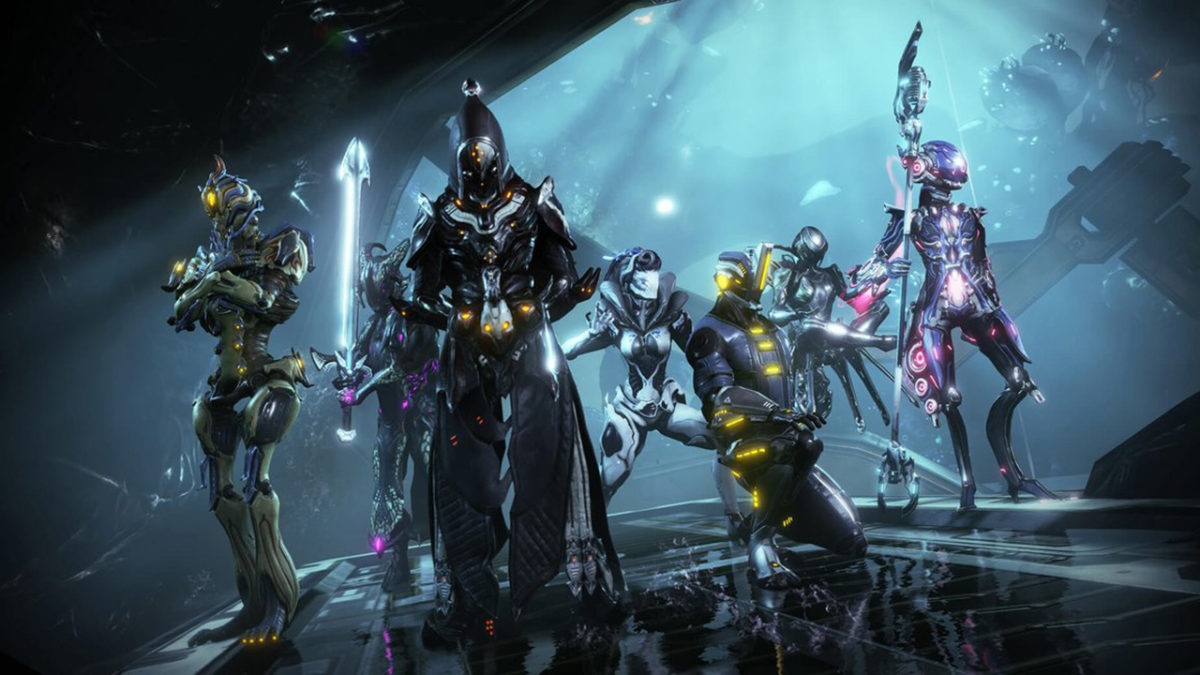
Warframe is something of a hybrid between an MMORPG and a co-op third person shooter. The game has stunning visuals, versatile gameplay, and so much content. Thankfully it does a great job directing you through most of the main quests, but you may find the gameplay a bit overwhelming at first, especially if you play with people online.

7

Choosing your first Warframe

The very first thing you’ll do when you open Warframe is to pick your starting frame. Your choices are Excalibur, Mag, and Volt. Each of them has their own unique benefits and downsides, so think carefully before making your decision. Here is how each of them work:

Excalibur
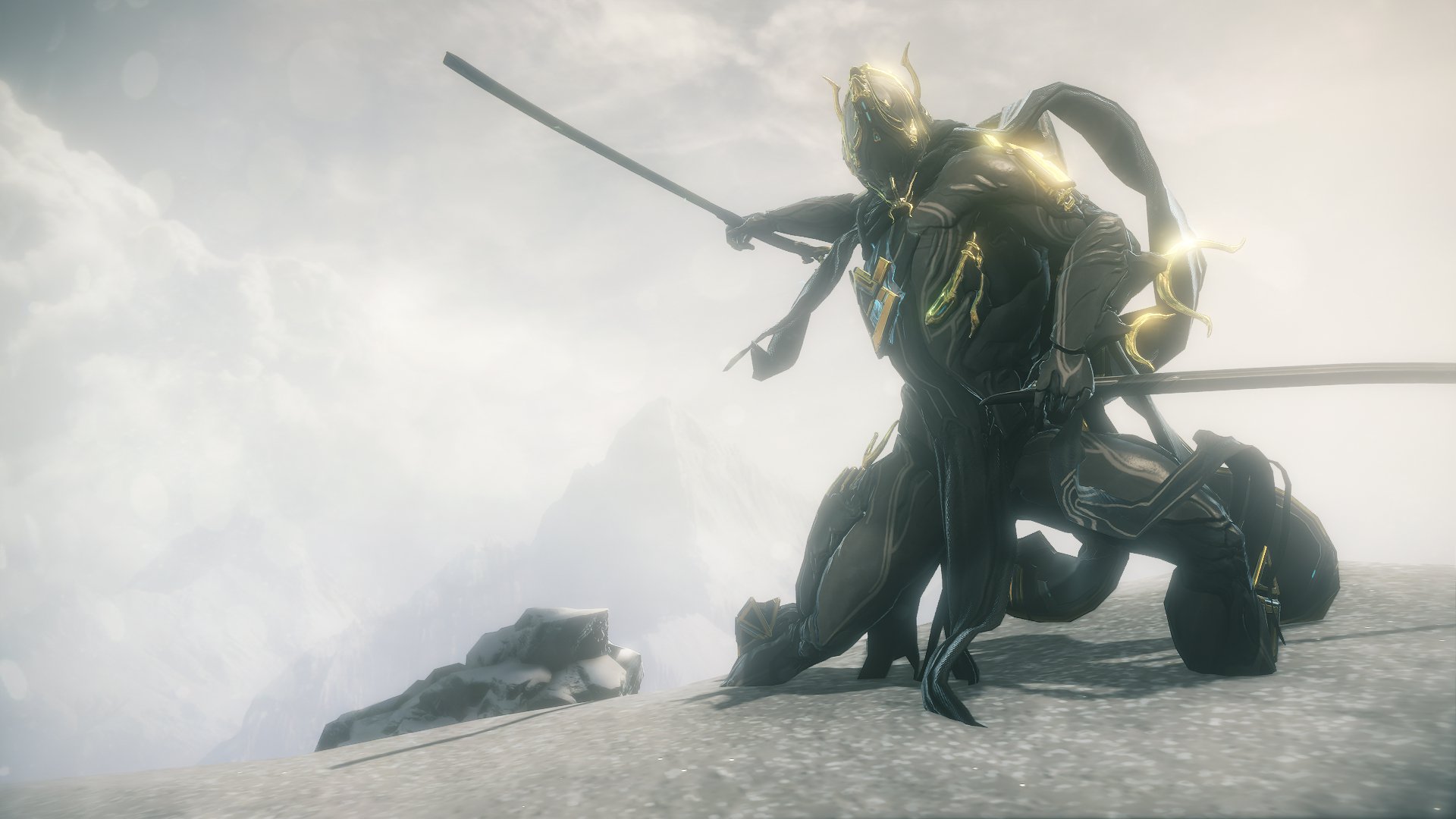
Excalibur is the most common choice, since the game itself recommends him to you. He is the more melee-focused choice, being a bit tankier than the other two and focusing on close range combat. He has good crowd control, and AOE damage, so he’s never a bad choice. Some people consider him to be a bit boring compared to the others, but if you like to play warrior-type characters then he is the perfect pick for you.

Mag
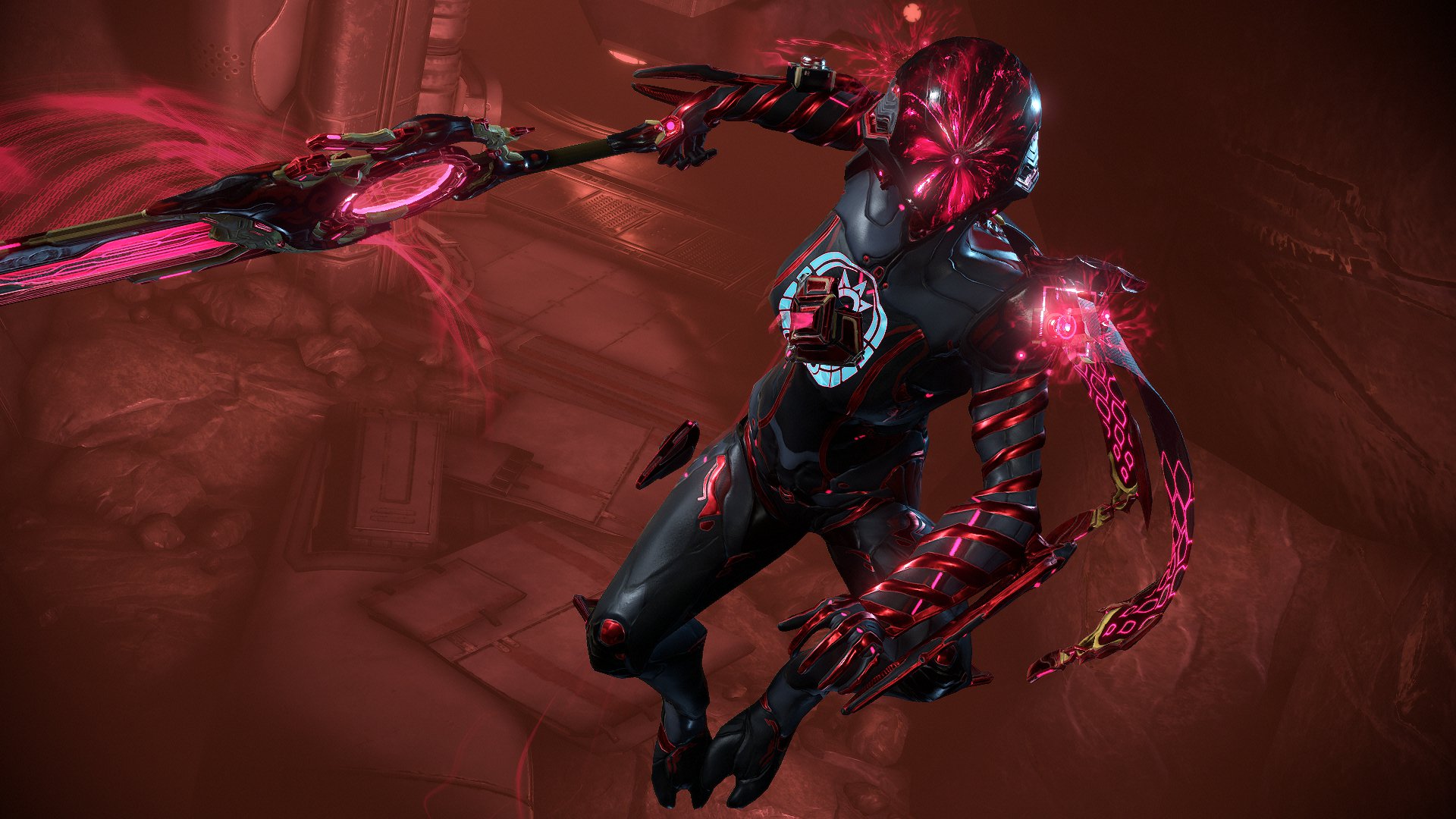
Mag is definitely the most complicated of the three, which is why she is typically less recommended for beginners. However, she can be just as good as the other two, and a great choice for those who like utility castors. She has amazing crowd control and debuffs, allowing her to take on large amounts of enemies by magnetizing them and making them easier for her to kill. Besides her Ultimate, her damage is a bit less than the other two choices, but she is still a great choice if you prefer offensive utility characters. She is especially good if you plan to play with your friends.

Volt
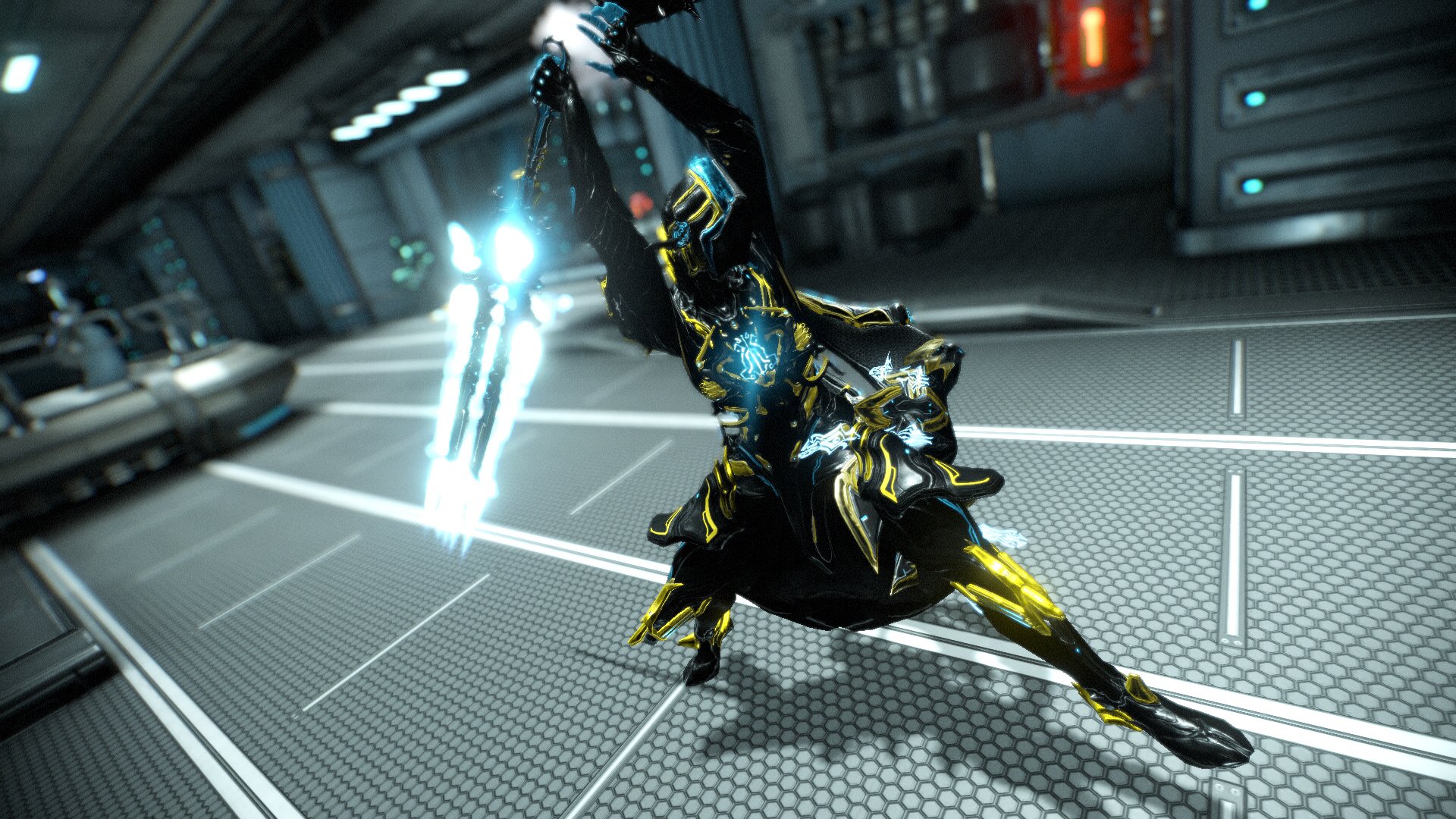
Volt is all about speed and damage. Like Mag, he is an offensive utility castor. Unlike Mag, who is focused mostly around debuffing and heavily crowd controlling her enemies, Volt is more focused on buffing and heavy AOE damage. His main benefit is his speed. Not only does he have a huge speed boost, but the longer he runs, the more damage his attacks do. He’s great if you prefer fast characters, or characters with high AOE damage. You will probably be doing more damage with his passive than with his abilities, however, since his starting energy total is pretty low. Definitely the best pick for those who want to go fast.

Note that all of these starting Warframes are pretty easy to get early in the game, with the possible exception of Volt. Excalibur can be obtained on Mars (he used to be on Pluto, which is why a lot of older guides claim he is hard to get, but this is no longer the case), with Mag being obtainable right after on Phobos. Volt is obtainable through clans, so if you plan to join a big clan early, then he’s the easiest to get. If you plan to join a small one or not join one at all, however, then he is going to be much harder. Either way, you will be playing with your starter frame for a good portion of the early game, so be sure to choose someone who seems like your playstyle.

Choosing your starting weapons

Most people think of the frames as main classes in Warframe, but the weapons are just as important as well! They each have their own stats and unique traits that set them apart from each other. You have three types of weapons: melee, secondary (ranged), and primary (ranged).

For melee weapons, you have the choice between the Skana and the MK1-Bo. This choice is basically fast medium damage attacks vs slow heavy AOE damage. Either is good; it is mostly based on which playstyle you prefer.

For secondary weapons, you have the Lato and the MK1-Kunai. The Lato is a standard pistol with high accuracy and decent damage. The Kunai features an arcing projectile, so you can kill enemies who are hiding from you. The Kunai is also a silent weapon, which means you can use it without worrying about the enemies sounding an alarm.

For primary weapons, you have the MK-1 Braton and the MK1-Paris. The MK-1 Braton is an assault rifle that has a decent rate of fire and is pretty accurate. It’s the standard gun option. The MK1-Paris is a bow, which has a low rate of fire, but is excellent for stealthier playstyles since it does high damage and is completely silent. If you don’t choose the Kunai as your secondary weapon, then you should probably take the bow as your primary, so you have a silent option for stealth-based missions.

Thankfully, this choice isn’t as daunting as choosing your Warframe. Not only are weapons easier to build, but you can immediately buy the weapons you didn’t choose once you have enough credits. So don’t worry too much about this choice.

Bullet jumping and parkour
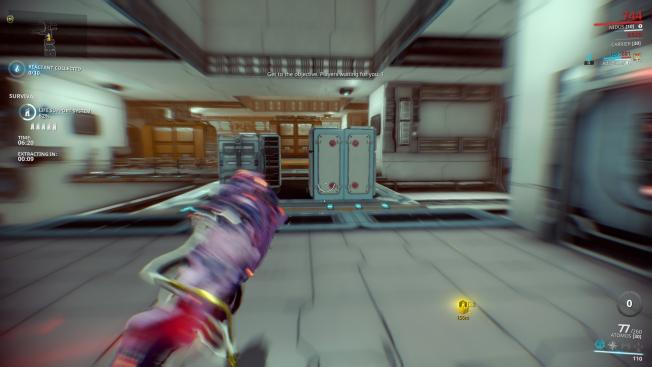
If you play on public with random players online (which you can shut off by pressing the globe next to your profile icon in the top left corner), you’ll probably notice how quickly they move. In fact, a common complaint from new characters is feeling like they aren’t able to play with everyone else because everyone travels so much faster than them, Warframe is one of the highest mobility shooters around, and this is usually surprising for new players since it doesn’t seem like a high mobility game at the start. However, you can continually slide, jump, roll, wall dash, and bullet jump (which you can do by pressing space while sliding), so you are rarely touching the ground. It will take you a bit to get used to this speed, but after a while, you will be moving just as fast as everyone else. Also note that you can glide in the air by holding right-click, and you can wall cling by doing this also. These can be very useful tools to have early in the game!

Gears and mods
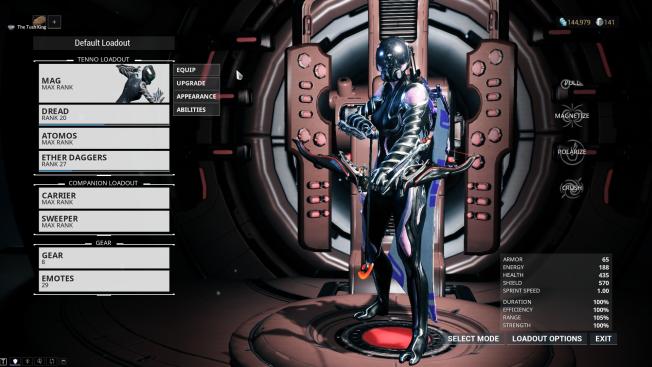
This is probably where the most confusion happens for new players, since the game does not explain mods or gears very well on its own. Basically, mods are upgrades to your Warframe and weapons that allow them to gain additional strength and abilities. You usually pick them up from enemies or by completing missions. You can equip them in the arsenal by pressing “Upgrade” next to a Warframe or weapon.

As you rank up your equipment, you’ll be able to equip more powerful mods. You can also upgrade the mods themselves by going to the mod station across from the foundry. Mods are incredibly powerful for customizing your character, so be sure to use them frequently. Some universally useful mods are Vitality, Redirection, and Flow, which increase your Health, Shields, and Energy respectively.

While gears are not always necessary, there are times where they are useful or even needed to progress through the game. The first time you encounter this will be on Mars, and it can be very frustrating to complete this early quest without understanding how the gear wheel works. You can make different tools and accessories and equip them to your gear wheel by going to the arsenal. You can access this gear wheel by holding Q while on missions.

Be sure to equip Codex Scanners as soon as you get them. They are necessary for progressing past Mars, a very early planet, and it can be frustrating for new players when they are trying to complete this quest, since the game doesn’t explain anything about gears. Ciphers are also useful tools to bring on your spy missions, just as a safety net for hacking quickly.

Don’t skip the story
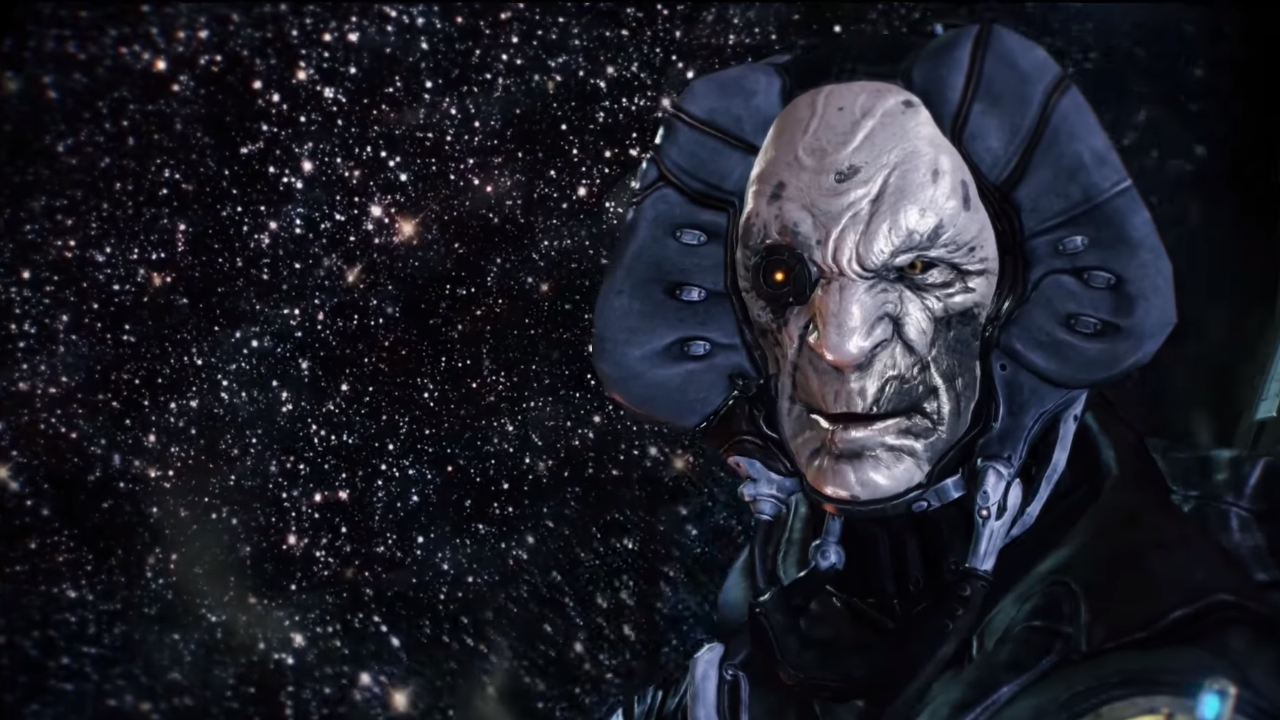
Not only do you have to play through the main story quests to get to continue unlocking new planets, but they are completely worth paying attention to. Frequent MMO players may feel the urge to skip dialogue, but this game isn’t like other MMOs. Most MMOs have the best parts of the game and story as endgame content. Because of this, players typically go through the rest of the story quickly, and don’t get a real feel for what’s going on until late in the game. Warframe takes a completely different approach to its storytelling. The story progresses as you do and it feels much more natural than other MMOs. Also, it’s beautifully written, and definitely worth listening to.

Choose your own adventure

The best thing about Warframe is how many options you have available to you. If you see a Warframe or weapon in the market that looks good, look up how to get it and go hunting for it! If you want to have a more MMO-type experience, then go to Cetus and try out fishing. Or any central hub. The options are unlimited with Warframe, so once you have the basics down feel free to do what you want! Experience the game the way you like it.


New Malwarebytes browser extension for Chrome and Firefox aims to keep you safe online

Strengthen your web security with this new Browser extension

The antivirus debate rages on. Since Microsoft added effective built-in security features to Windows 10, there is an argument that says third-party antivirus is redundant. A bit of common sense when you’re online will be enough to help Windows Defender keep you safe. To an extent, this is true and we agree. Common sense is the most vital component of your online security setup. There is no harm, however, in taking extra steps and setting up a multi-layered defense.

Maywarebytes browser extension for Chrome and Firefox

Security extensions for your web browser are a great way of adding more protection when you’re online, without causing conflicts between antivirus software. Fortunately, we now have one of the best programs for keeping your device safe available as a dedicated web browser. Malwarebytes is now available as a browser extension for both Chrome and Firefox.

Malwarebytes Download now
8

Malwarebytes claims its new web browser can make pages load up to three times faster by blocking malicious websites and filtering out unwanted content. Another key feature is the blocking of cryptocurrency miners, which have become a fashionable method of attack for the modern hacker. A full list of the benefits, as described by Malwarebytes is below:

“Benefits

  • Protection from tech support scammers: Blocks browser hijackers, and browser lockers, which are used by scammers to drive victims to call centers that use scare tactics to sell expensive technical support.
  • Faster web page load times: Popular websites download a lot of unwanted content in the background. By filtering out clickbait and ads, Malwarebytes Browser Extension BETA can speed up your webpage load time by up to 3x times, saving your sanity and bandwidth.
  • Prevents visits to malicious pages: Protects you from inadvertently visiting bad websites that host malware content, load bitcoin miners in the background, which slow down your computer, steal your identity (phishing), and a long list of other obnoxious behaviors that can make your online experience less than stellar.
  • Keeps your privacy private: Blocks third-party ad trackers that follow you around the Internet and target you with the same ads over and over again.”

At Softonic, we’re firm believers in taking rigorous steps to keep ourselves safe when we’re using the internet. It is important to employ robust antivirus and anti-malware programs, and browser extensions offer an added layer of protection. This new Malwarebytes extension is a good option, but there are different extensions available also, so make sure you check them out too.

7
Chrome is a young, fast browser that can browse any web page. It supports all major technologies and standards such as HTML5 and Flash.

7
Mozilla Firefox Quantum is a free, open-source web browser that offers numerous features and customization options. Its performance is excellent, and it's designed to protect your privacy.

Use the programs that work best for you, and always exercise caution when online. If you can follow those two simple steps you’ll have gone a long way towards protecting yourself from the myriad risks and vulnerabilities we face daily in our increasingly digital world.

Fortnite is coming to Android at last, but there is a catch…

Fortnite could be coming to Android in August but as a Samsung Galaxy Note 9 exclusive!

Fortnite could be coming to Android in August but as a Samsung Galaxy Note 9 exclusive!

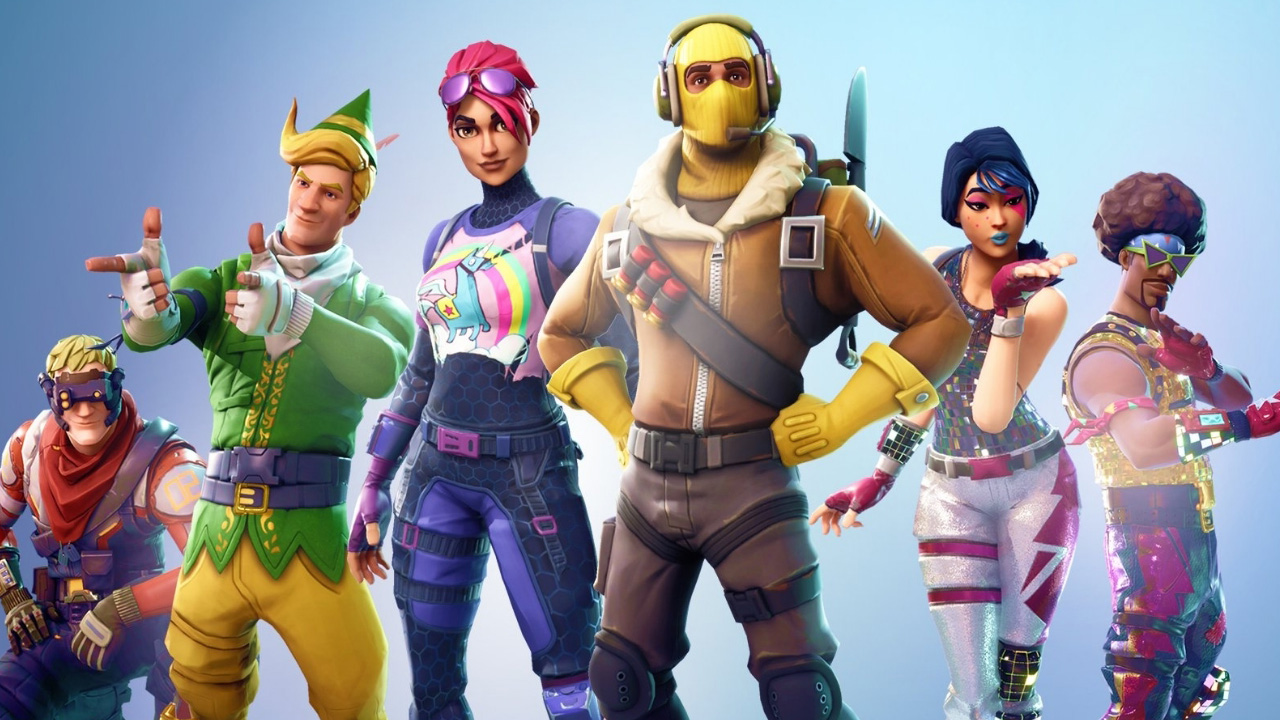
Epic told us that we’d be getting Fortnite on Android this summer. Android is the final destination for Fortnite: Battle Royale as it has already landed on PS4, PC, Xbox One, Mac, and iOS.

The lack of an Android Fortnite release has led to numerous scams propping up and plenty of people claiming they knew when Fortnite would come to Android, when they actually knew nothing.

Fortnite: Battle Royale Download Fortnite: Battle Royale
10

Well, news is coming in from through from the guys over at 9 to 5 Google that the release of Fortnite on Android should drop sometime around August 24. There is a massive catch, however. Fortnite: Battle Royale will be Samsung Galaxy Note 9 exclusive for the first 30 days after release. The plan is to release Fortnite on Android and Samsung’s latest Phablet together, with the game remaining exclusively available on the new Note for a month.

Fortnite on Android
Fortnite is already available on iOS and should soon be available on Android too

Rumors say that the Note 9 will be announced on August 9, will be open for pre-orders on August 14, and available then publicly on August 24. If we can take all of this to be correct, we should expect a general release of Fortnite: Battle Royale to all Android phones around September 23.

We’ve been here before, so we should still take this latest rumor with a pinch of salt. A tie-in with a major Android smartphone manufacturer does add a little extra weight to these rumors, however. A full month of Fortnite exclusivity will have cost Samsung a pretty penny, but it is precisely the type of thing that will drum up a lot of interest in its newest handset. We should know by August 9 if the rumors are true, and when we’ll get to be playing Fortnite on our Android phones.

What do you think of these rumors? How would you feel if Fortnite was Galaxy Note 9 exclusive for a full month?

Nintendo: The classic NES is still getting new cartridges. Yes, really!

In September, the NES will be receiving a new game in Japan. Yep, you read that date right: here we are in 2018 and the classic NES is still getting new games. Below you’ve got the latest game cartridge for the original Nintendo.

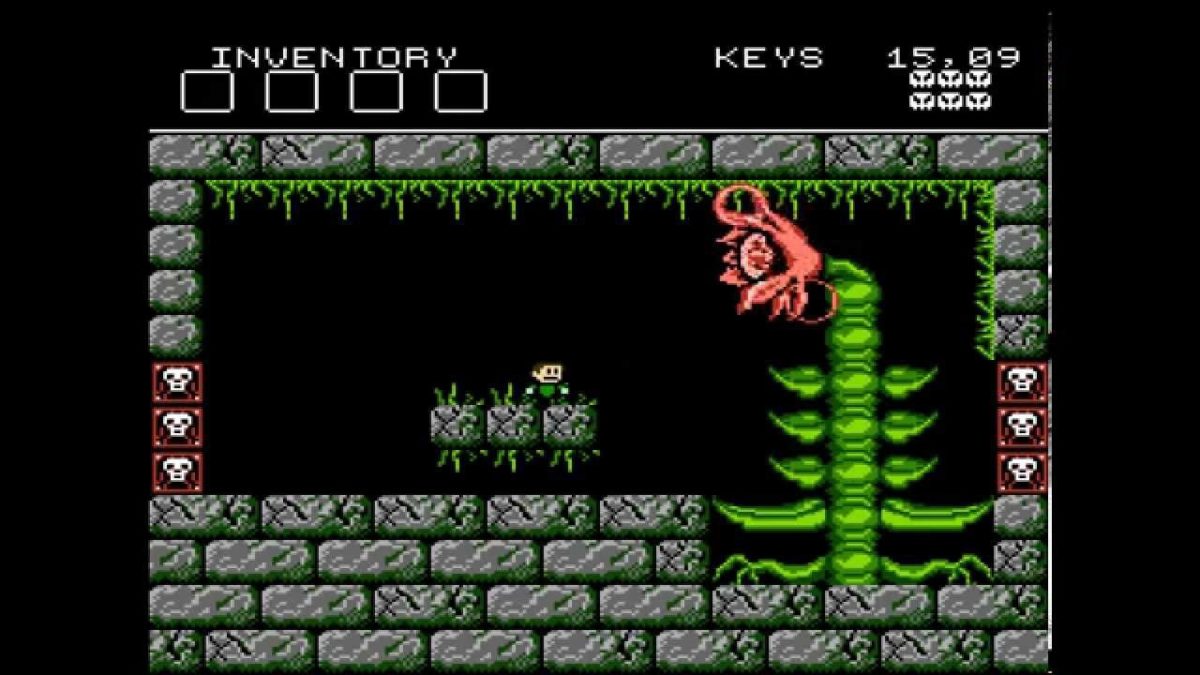
It’s the Japanese version of Battle Kid: Fortress of Peril, a game that some fans developed under the name Sivak Games. It came out in 2010 with an English version and even had a game cartridge.

Here’s the trailer in question:

Battle Kid: Fortress of Peril is a difficult game and it’s fairly old-school. Check out this legendary moment on the YouTube channel GameGrumps. One of them tried to beat one of the final bosses, a giant plant. All he got was outrage.

Here you’ve got a great animated version of his frustrating attempts:

At this rate, NES will still be getting new games in 2050!

This Chrome extension was spying on your private Facebook groups

A Chrome extension called Grouply.io has been discovered allowing third parties to get data from private Facebook groups.

The discoverer of this security breach was Andrea Downing, a moderator of a Facebook group that brings together women with BRCA, a gene associated with breast cancer. Downing explains that the theoretical privacy of a Facebook group lets women share their problems, stories and build strong relationships. For example, members posted images of their surgical procedures and experiences and advice about staying healthy.

Downing started to worry whether the group was safe from prying eyes after recent Facebook scandals. She checked it out and discovered that this Chrome extension Grouply.io, now defunct, had allowed downloads of names, jobs, places, emails and other personal data from anybody in a private Facebook group.

Downing contacted an expert in health data monitoring, Fred Trotter, to investigate the case. Trotter found out that closed (private) Facebook groups had a serious security breach.

Downing got in touch with Facebook. But neither she nor Trotter have been satisfied with the social network’s statements.

The good news is that since June 29, it’s no longer possible to get data from private groups. What a coincidence, just a month after Downing made her discovery and informed Facebook about it.

The bad news is that before then, there’s a chance that third parties had access to our data through private Facebook groups. In the case of this group of women, a health insurer could have used this extension to create their own database.

WhatsApp gets its own version of Facebook reactions

WhatsApp will soon have stickers for reactions. You’ll be able to use these stickers to show your reactions to specific messages. For now, the site WABetaInfo has posted four reactions: sad, love, happy and wow. It’s unknown if there will be more reactions or not.

WhatsApp Messenger Download WhatsApp ►
8

For a change, WhatsApp hasn’t confirmed the feature, but it was seen in the latest beta version. It’s unclear when it will be released to the regular version.

A few days ago, it was confirmed that Instagram will soon have Facebook reactions. In this case, they’ll only be available in the Stories section.

All the features on Facebook seem to be gradually getting adapted by other apps, at least in some way.

How to start screenwriting for free with Celtx

To create movie or television scripts, you need a screenwriting program. That’s it. Planning can happen outside on other applications, but the screenwriting itself shouldn’t be completed on a notepad or in a word document; it’s the difference between using a laptop and scratching words out on a stone tablet.
Okay, maybe not that bad, but still.
If you’re starting out, there’s no need to pay the starting fee of $250 for Final Draft 10 (Final Draft’s program is the industry standard for screenwriting and will essentially be required of all professionals). Celtx offers many of the same resources for free, the most important being the screenwriting environment itself.

The Program

Celtx has two formats: the online website and downloadable app. They work differently from each other in a few ways.

Website

If you want to work with others or have a greater range of capabilities, try the Celtx website.

Don’t be concerned when Celtx asks you to choose a plan: they simply offer more benefits with a subscription. Choose the basic, unpaid version, and you’ll automatically receive a free month with the full plan. Then, try out the note cards and story boards and decide whether you’d like to invest.

Now that you’re in the system, you get to create a project!

Projects are essentially file folders. Choose how to name your projects carefully: when the first month ends, you’re only allowed 3 projects at a time, and you can’t change the names. Therefore, it may be best to create categories like Drama, Comedy, and Mystery, and then fill those with individual scripts later.

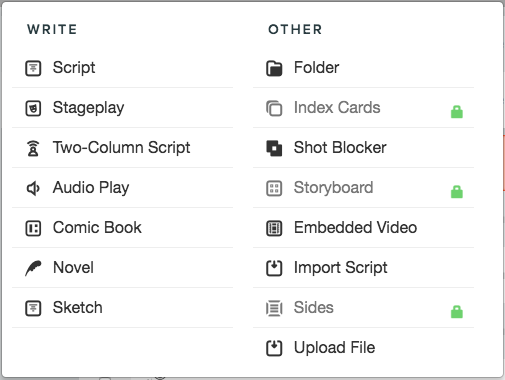
Within your project, you now create a new file. Most screenplays or teleplays will fall under the designation of “Script”.

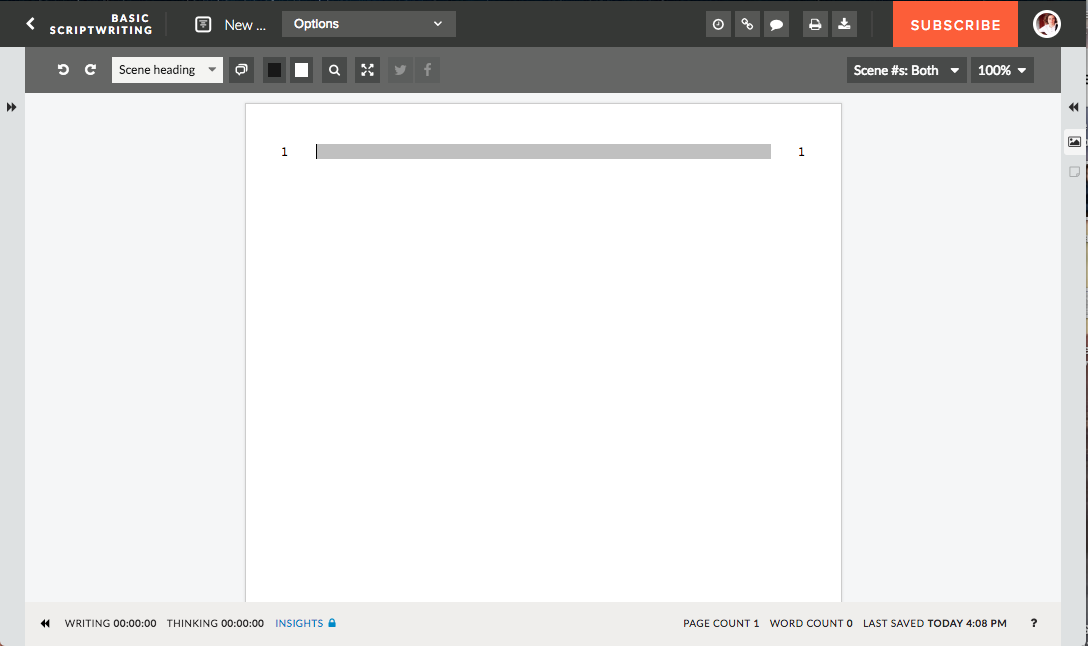
When you open up the new window, you’ve entered the work environment:

You can now get to writing! However, before we go on, there are a few things to notice here. We’ll go left to right, top to bottom.

1. The Top Bar: the arrow at the top left will take you back to your studio and the other projects. Clicking the “New Screenplay” slot allows you to rename the document. The other buttons allow you to share, comment, print the document, and visit your profile.

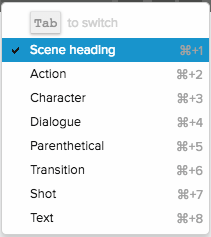
2. Lower Bar: your tool chest awaits here, much akin to any other Word processor. This is where you find the Undo/Redo buttons, font color, and page size. However, Celtx also offers some script-specific items: type mode, simultaneous dialogue, and scene selection (all shown below).

3. Side Bars: these allow you to see notecards and other functions. They will be unavailable in the free version.

4. Main Window: this is where you type! Celtx makes screenwriting easier with the ability to switch between type modes with the “tab” button, or the mode selector mentioned above. When you get used to system, you’ll be able to switch between scenes, dialogue, and action with ease. Just remember, it’s like an instrument: learn to work with it, and then you can start singing.

5. Lower Bar: here, Celtx shows how much long the document has been active/inactive, the page and word count, and when everything was saved last. Also, there’s a small question mark for help.

Now, your hard work as a screenwriter comes into play! Although Celtx makes screenwriting far easier, it’s up to you to learn how screenwriting itself works. Make sure to read other screenplays to improve your skills and understanding of how screenwriting works!

(NOTE: the website version requires a consistent internet connection.)

App

The Celtx app is free on mobile devices, but must be purchased on a laptop for $20. Unlike the Website, it can be used online or offline.

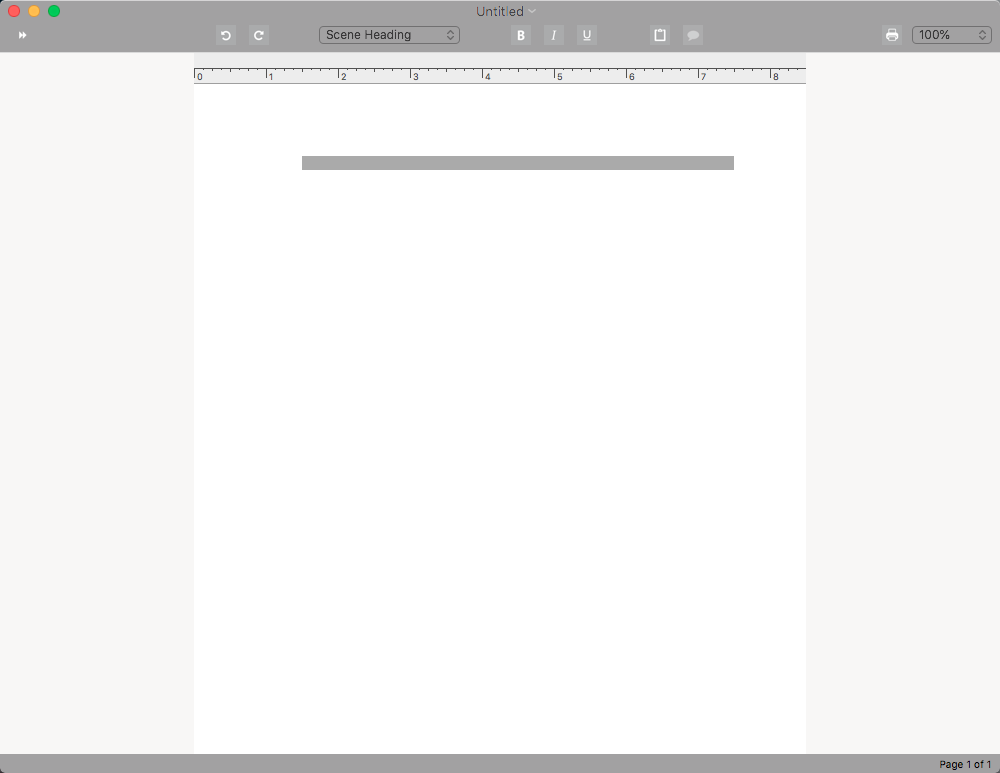
The main difference? Aside from a desktop folder with unlimited storage, the work window appears more sparse. A few functionalities, like simultaneous dialogue, have been removed:

Still, the clean environment may be perfect for some. It helps improve focus and still has the type mode functionalities required to make screenwriting an easier process.

Final Words

Remember that the most important requirement for finishing any long-term project is determination. Consistency also helps, so try to plan on writing for a minimum amount of time, at a certain point of the day. Celtx will help you move along easier once you get the hang of it, so keep working, and we wish you the best!

The 5 best Call of Duty games

With over 250 million copies sold worldwide, the Call of Duty series is one of the most well-known franchises in modern gaming. The first-person shooters are known for their action, gunplay, and thrilling plotlines and multiplayer modes that have provided endless hours of entertainment. The latest title in the series, Black Ops 4, is on the horizon with a multiplayer beta dropping next month. Whether you’re new to the series or looking to expand your collection, these are the five must-have games for every armchair soldier.

5. Modern Warfare

Call of Duty: Modern Warfare Remastered DOWNLOAD NOW ►
10

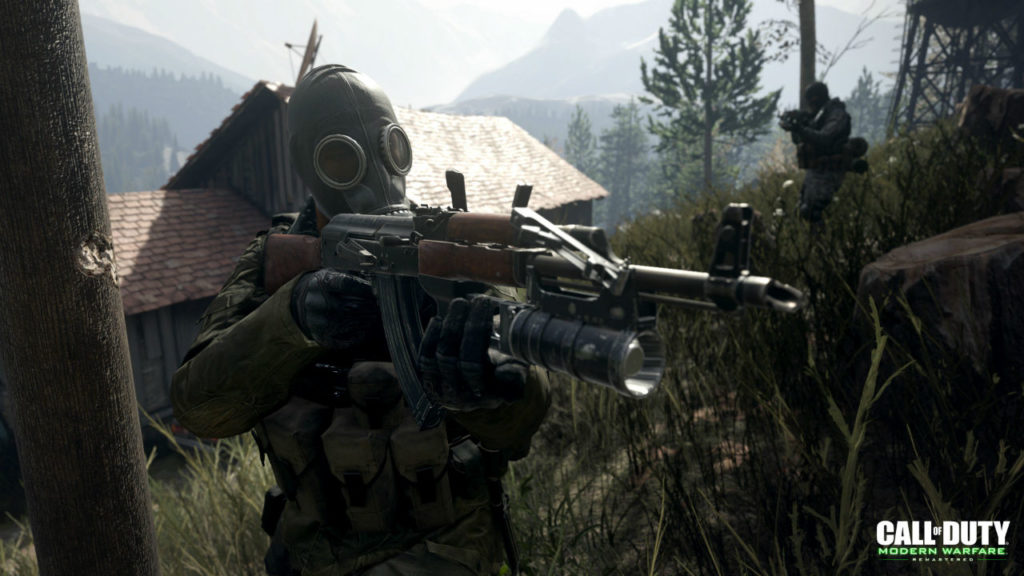
Modern Warfare didn’t just redefine the Call of Duty series: it changed the face of video games. Before Modern Warfare, Call of Duty had been limited to the World War II era. Modern Warfare took the franchise into the present day, introducing players to SAS soldier Soap McTavish and his commander, the surly Captain Price. The single player campaign in this title stands out, with players controlling McTavish as the SAS works to avert a nuclear war. The Pripyat sniper sequence is an iconic level and must-play for any gamer. Modern Warfare also introduced the fast-paced, arcade-style multiplayer that the series has become known for.

4. World at War

Call of Duty: World at War DOWNLOAD NOW ►
7

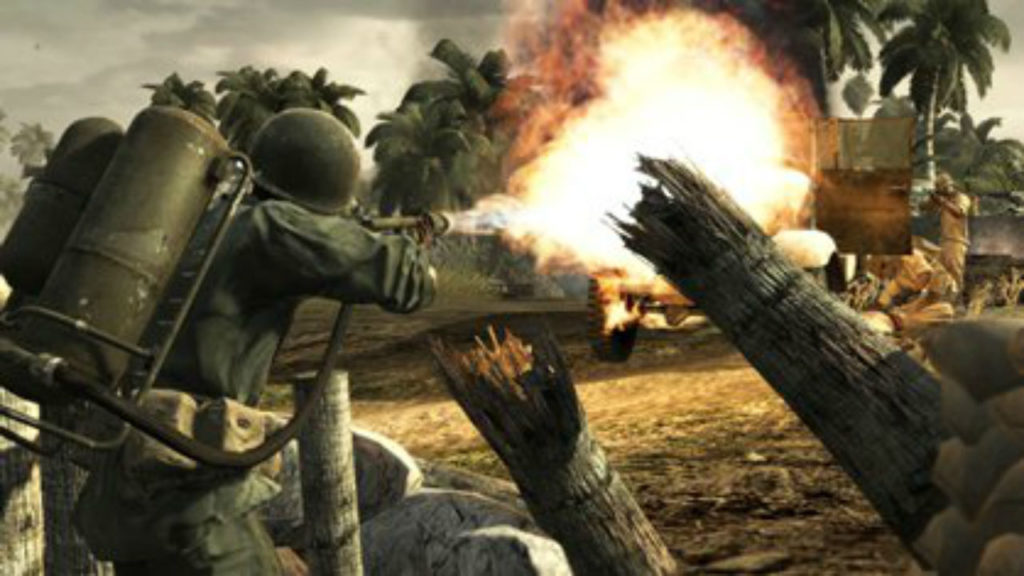
World at War brings the series back to World War II, but this isn’t the same World War II from previous Call of Duty titles. This game is gritty, dark, and violent, and doesn’t shy away from showing the horrors of war. Though it might not be obvious from the name, this title is actually the first installment of the Black Ops storyline, and features a star-studded cast that includes Kiefer Sutherland and Gary Oldman. The real highlight of this title? Zombies. This was the first Call of Duty game to introduce the classic game mode, with players defending a bunker from endless waves of Nazi Zombies using only the arsenal at their disposal. So grab a friend, grab a shotgun, and start killing zombies.

3. Advanced Warfare

Call of Duty: Advanced Warfare DOWNLOAD NOW ►
7

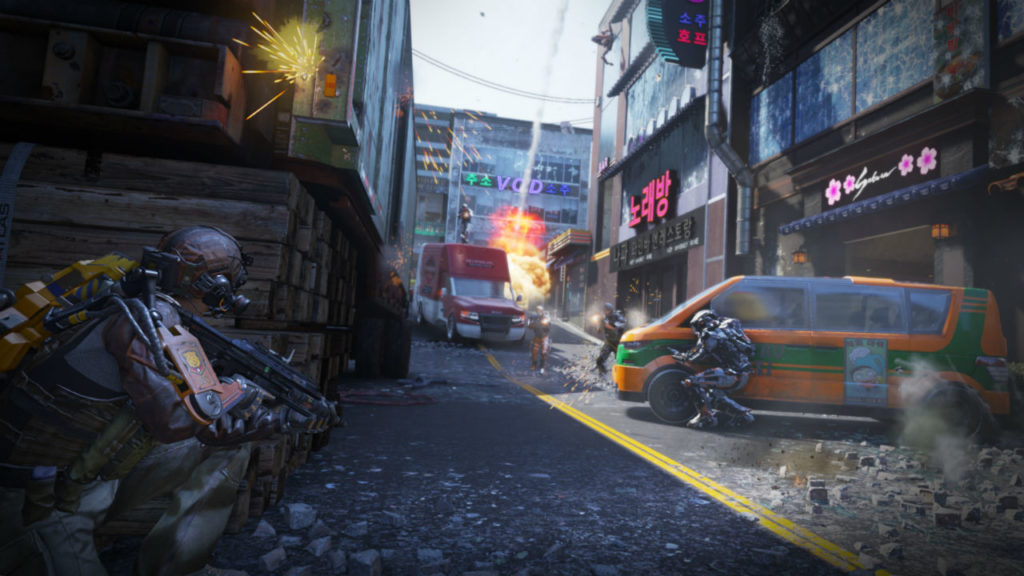
The Exo Suit is about to be your new best friend. Set in the near future, Advanced Warfare introduces the Exoskeleton, a sleek new set of power armor that makes the battlefield your playground. Sprinting, hovering, scaling walls – it’s all possible with the Exo Suit, and this makes for some cool new ways to fight your battles. The Exo Suit isn’t the only piece of new tech Advanced Warfare introduces: whether it be mechs, drones, or the futuristic arsenal at your fingertips, Advanced Warfare’s high-tech vision of the future of war is endlessly fun.

2. Black Ops

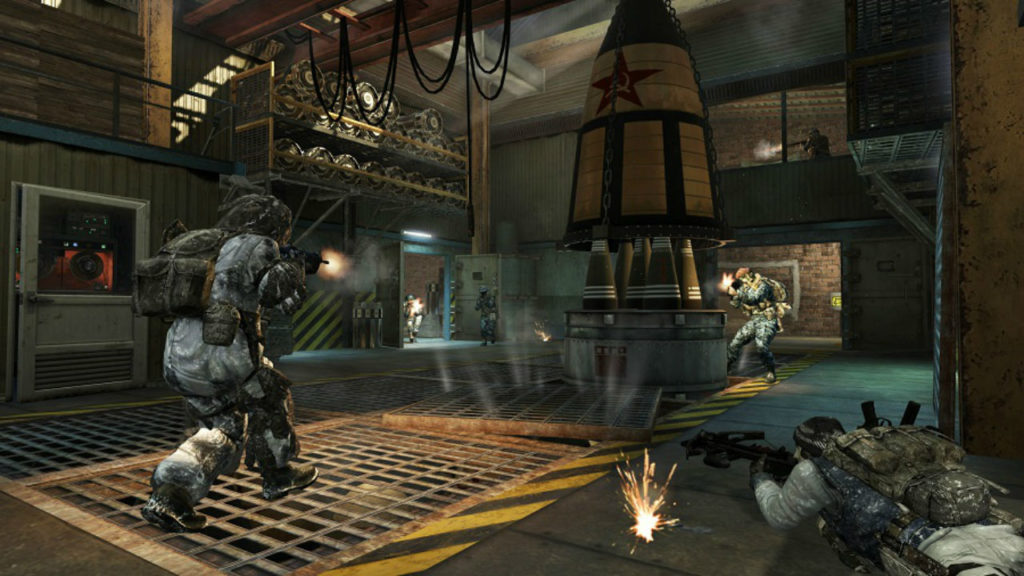
The Cold War heats up in Black Ops. The single player campaign is the highlight of this entry. The plot is straight out of a spy thriller, featuring returning characters from World at War and new characters played by Ed Harris, Sam Worthington, and Ice Cube. As the story progresses, players will find out exactly how Black Ops relates to World at War, a journey that includes some mind-blowing plot twists. Also of note is the way that the game makes old, Cold War era technology feel sleek and new. You can use a James Bond-worthy arsenal of guns and gadgets, including a brutal explosive-tipped crossbow.

1. Modern Warfare 2

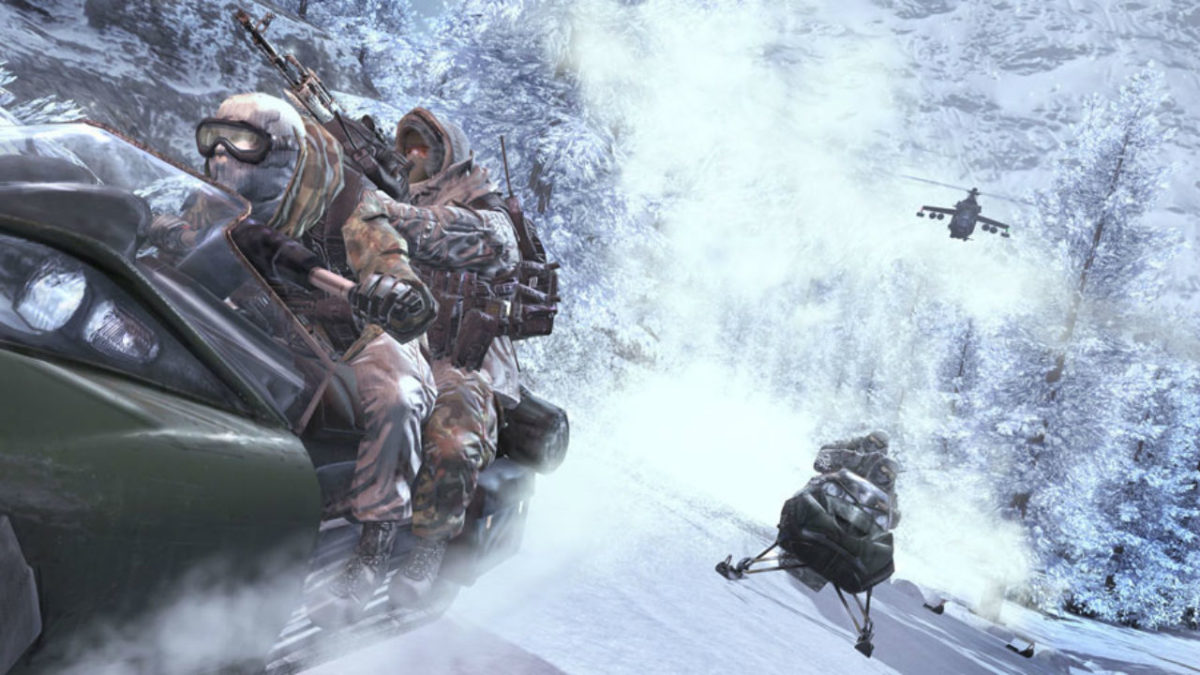
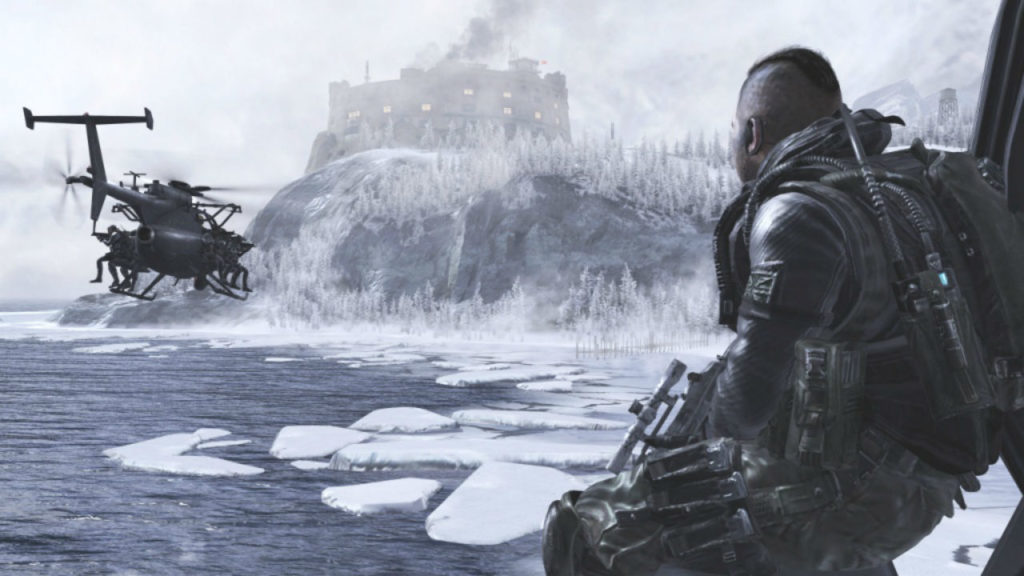
Modern Warfare 2 might actually be a perfect game. Every aspect of this title, from the campaign to the multiplayer to the cooperative Spec Ops mode, is a masterpiece. Picking up right where the original Modern Warfare left off, this game takes everything that made the first game great and makes it better. The multiplayer mode is a total upgrade from the first game and offers a much larger selection of weapons, maps, gadgets, and perks. Meanwhile, the campaign makes the stakes even higher and takes players from the favelas of Brazil to the streets of Washington D.C. as they attempt to avert a third World War. Finally, in Spec Ops, you and a friend can team up race snowmobiles, stealthily infiltrate enemy bases, and survive against waves of enemies. If you’re looking for the definitive Call of Duty experience, look no further than Modern Warfare 2.

Whether it’s the beaches of Iwo Jima or the snowy Russian tundra, the Call of Duty franchise has taken players through the wars of the past, the present, and the future. No matter what war you decide to fight, don’t forget to have a little fun.