How to play VALORANT with tips and tricks

Valorant is a shooting game for Windows in which the characters use multiple weapons and even bombs to gain an advantage and kill opponents. The game is all about teamwork. You have to communicate appropriately. It’s a tactical game, and you must plan your steps, carry out strategies, and not just rush in if you want to win. The weapons are excellent, the gameplay exciting, and the storylines interesting.

Riot Games, a leader in the industry, developed the title. There is a learning curve involved in playing it by mastering how to play Valorant.

Getting started

Before you get going, you will have to download Valorant and launch it.  You do this on the official website, where you can download the installer. You will need 8GB of free space. You also need to create a Riot Games ID. On the official website, you click on Create Account to go to the sign-up page. You’ll have to enter your date of birth, email address and password and username to register before you can play. 

How to play VALORANT

How to play Valorant

Two teams of five players use characters called agents to fight each other in Valorant. To win a match, teams must win 13 short rounds. One team begins on attack and the other on defence. After 12 rounds, they change sides. The attackers must plant a spike, which is a bomb, in the defenders’ base. The defenders must stop them.

If the attackers manage to plant the spike, they must protect it for 45 seconds before it explodes. While they’re doing that, defenders can defuse it to prevent it from exploding. There is another way for a team to win the game by killing all the other team members. But they have to do this before the attackers have planted the spike. 

Agents

Valorant has 11 agents with different styles of play, weaknesses and strengths. They each have four abilities. One is very powerful and is called their ultimate. You buy some abilities using credits at the start of a round while others are free. Each team can choose agents to build a team with strategies in mind.

When you start playing, there are five free agents available to you: Brimstone, Jett, Phoenix, Sage, and Sova. When you complete your player contract, you get two free vouchers for agents. For the rest, you’ll have to spend money or get experience points. There are four classes of agent who play different roles in the composition of a team. 

Initiators

Initiators have special abilities that make them formidable in combat. Breach and Sova are initiators. Breach has extreme crowd control abilities. He can shoot a flashbang that can blind his enemies or create an earthquake that will stun them. This makes them disorganized and vulnerable for his teammates to easily kill. Breach’s ultimate, Rolling Thunder, is a weapon that can be fired from a long distance and wipe out everything it’s aimed at. Sova is a master archer and information gatherer. His owl drone can identify enemies at a distance.  KAY/O is a powerful warrior.

Duelists

The duelists are by far the best fighters in Valorant. They are self-sufficient and highly skilled.  Phoenix is a duelist who uses flames from a flashbang that explodes on the ground and a wall of flame that can isolate enemies or kill them. Phoenix heals while standing in the flame.

Phoenix’s ultimate, Run it Back, allows him to take on an enemy. He’ll be’ resurrected’ healthy if he dies or time runs out, so he’s a formidable foe. Other duelists are Jett, who can boost jump and has a smoke grenade; Raze, an expert in explosives, Reyna a killer vampire; and Yoru, who knows where opponents are likely to be.

Sentinels

To play Valorant, you have to be able to attack and defend. Sage is a sentinel who can heal herself or her allies and build a wall to block attackers. She can produce orbs that slow down everyone moving through a field they create. She can delay the enemy by making a wall or shielding her while team members are planting a spike. Sage’s ultimate, Resurrection, can bring an ally back to life, a significant advantage. Cypher is a spy who gathers intelligence using a camera and tripwires. Kiljoy uses traps and mines to disarm opponents.

Controllers

Controllers have abilities that can advance their team’s plans. Brimstone is a versatile controller. , He reads the map and controls the battlefield. He can use smoke and napalm grenades and a Stim Beacon that gives agents benefits like an increased firing rate Brimstone’ss ultimate, Orbital Strike, shows how balanced his abilities areas he can use it in different ways.

He can shield a site from being attacked or use it to attack defenders. Astra is a controller who uses smokes, stuns, and black holes. Omen can get behind enemy lines with teleports. Viper is a poisoner. 

Weapons

Valorant features an extensive range of weapons for players to use. These include primary weapons that pack the most punch and secondary weapons, which are primarily sidearms. Valorant has 12 primary weapons: SMGs, Shotguns, Rifles, Snipers and Heavy weapons. There are five sidearms in Valorant, one the pistol players get when they start. You have to buy some of the weapons, and the cost depends on how potent a weapon is. They all have specific capabilities. Getting to know them will give you an advantage in the game.

Spike Rush

Spike Rush is the second game mode available for Valorant. It’s a faster mode designed for when you don’t have a lot of time. The attacking side is given five spikes (one for each agent) to speed it up. Players get identical guns, so you don’t need to shop. There are powerups on the map that give you benefits like upgrading to a better gun or allowing you to run faster. 

How to play VALORANT

Valorant Tricks and tips

Here are a few tips to help you play Valorant.

Place your weapon’s crosshairs at head level

Players tend to place the cross-hairs to the ground or the sky and struggle to move it up in time to shoot when they see an enemy.

Move sideways, not back and forth

Once your enemy aims at you, they can’t miss while firing if you move back and forth. Use the A and D keys to move sideways to avoid being killed.

Try to use the same character

Valorant characters all have different abilities. Pay with all of them first until you find the one that suits you best and stick to that one as you’lll know how to use it best. 

Use the training grounds

If you go into the practice area of the game, enemies will spawn and you can shoot at them using any weapon. By using the training grounds, you can learn how to use the weapons really well.

Learn the Maps

There are five maps in Valorant that are randomly generated for each game you play. They are Haven, Bind, Ascent, Icebox, and Split. You can familiarize yourself with the maps on the training grounds. 

How to play VALORANT

Become a tactical legend

Valorant is an extremely popular game that has legions of fans worldwide. If you enjoy tactical games that involve a loss of shooting and strategizing, it could just be the one for you to try next. It will certainly challenge you and provide many hours of fun. You can use Valorant Mobile to play it on your phone.

How to play Clash Mini

As an adorable spin-off of Clash of Titans, Clash Mini has appeared as a strategy board game for mobile devices and Android emulators. You have small figurines ready to battle at a tap of your finger, but you’ll need your wits about you.

In this guide, we’ll show you how to play Clash Mini, how to download it, and some of the main characters you’ll meet along the way.

What is Clash Mini?

Clash Mini is a strategy game that takes place on a small checkered board, but the movement and battles take place in real-time. There’s a line in the middle that limits where you can place your figurines at the start. When the game begins, the miniature warriors do what they can to win. The more you win, the greater prizes you collect.

How to play Clash Mini

How to download Clash Mini

To play this exciting game, you need to download Clash Mini to your phone. As it’s primarily an Android game, you’ll need to save the apk file on your device and install it. If you want to try it on PC, you can use Bluestacks as an emulator and follow the same process. 

Once installed, you can begin to play Clash Mini.

How to play Clash Mini

How to play Clash Mini

Now that you have a better idea of what the game is, let’s see how to play Clash Mini. There aren’t any advanced game mechanics, so it should be a walk in the… board.

Phases of battle

When you start Clash Mini, you’ll need to place your characters. There are elixirs that will dictate how many you can use. Once you’re done, the match begins. You’ll notice you can only place them on your half of the board, but the battle extends across all of it.

Levels of difficulty

As you level up or move to new battles, the game becomes more challenging. However, you’ll be able to place more characters and use stronger figurines in your fights. Each one has a specific weapon and attack, so you need to plan carefully who you will place where.

Victory in three battles

When you’ve won three battles against your opponent, then you achieve victory. See them as three rounds to accomplish your goal. The only way to win is to clear the opponent’s figurines from the board. 

How to play Clash Mini

Clash Mini main characters

You’ll discover two types of characters, namely, Heroes and Minis. They all have unique abilities, and you’ll have a catalog of which ones you’ve collected so far. It also contains the stats and levels so you can see how well you’re progressing.

You can obtain new Heroes and Minis in Clash Mini through chests in three ways:

  1. Finishing quests
  2. Working through the Season Road
  3. Buying them from the shop

How Minis work

Clash Mini lets you bring five Minis into a match. You’ll need two to four elixirs per character, depending on their levels and stats. The upgrading system uses stars to level them up, making them more powerful. You’ll start at 0 stars and progress to three. Each level has a specific requirement to unlock it.

How Heroes work

Since Heroes have unique abilities that can be powerful in a battle, you are only allowed to have one on the board. Therefore, you need to choose carefully. You can level them up to ten for the ultimate power.

Let’s get Clashing!

As you can tell, learning how to play Clash Mini is exciting! You’ll have so much fun in your tiny battles, working your way up the ladder to the top. If you’re like us, you’ll want to collect every Mini and Hero available.

How to play MASS EFFECT

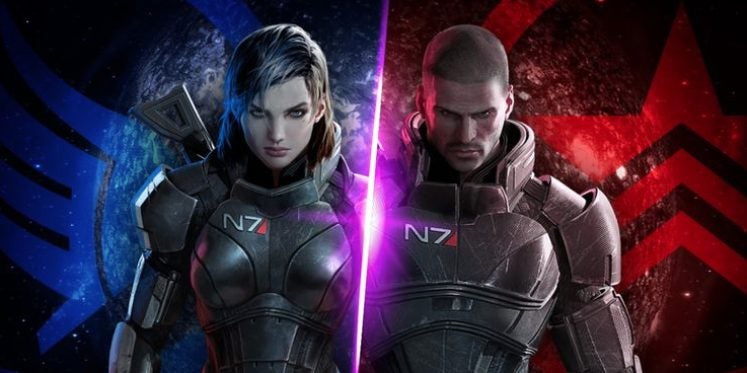
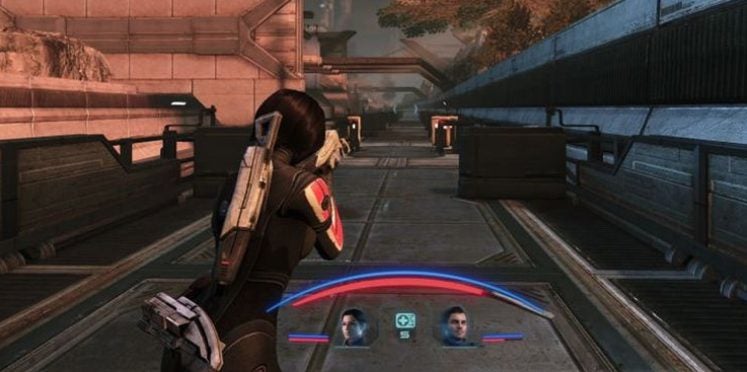
Mass Effect is an action role-playing game developed by BioWare and later EA Games as well. It’s based in a universe populated by many different species. In terms of combat, Mass effect is a third-person shooter similar to Gear of War. Since Mass Effect is very story-driven, there is a lot of dialogue in the game, and the more you talk, the more you learn about the world around you.

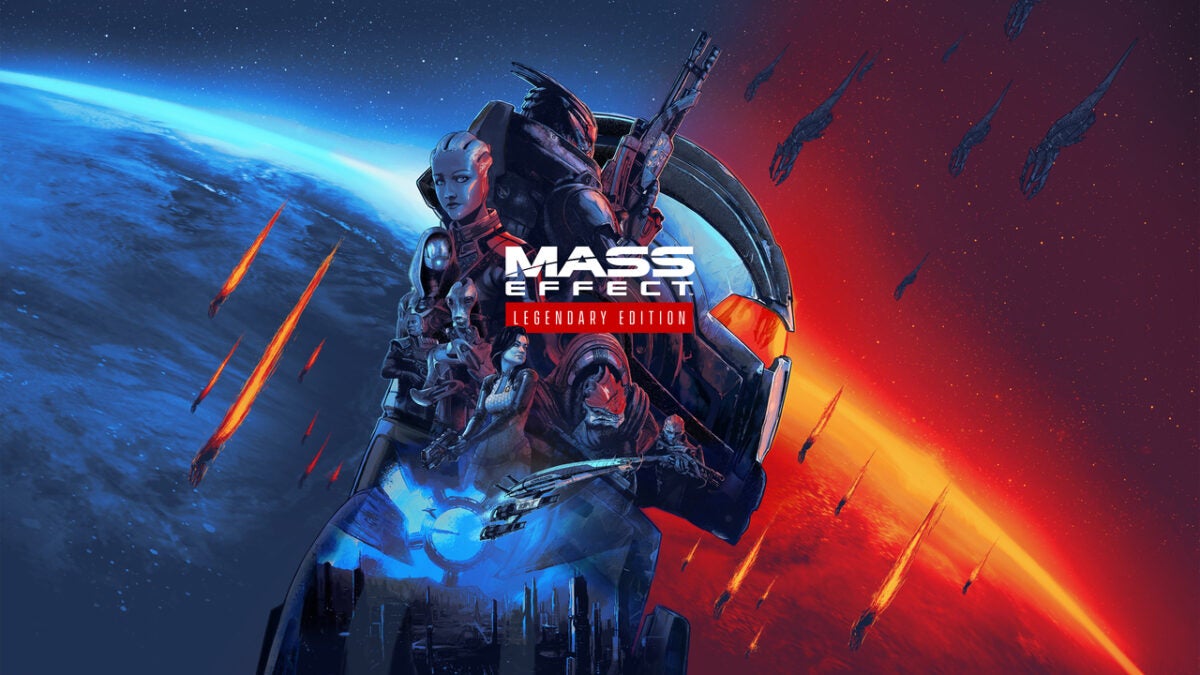
The game is so popular that there have been three releases, Mass Effect 1, 2, 3 and Mass Effect Andromeda. Recently the developers also released a Mass Effect remastered version that encompasses all three games in one pack known as Mass Effect Legendary.

It’s available on Xbox, Playstation, Windows, iOS, Android, and Wii U. The system requirements are: 64-bit Windows 10 OS, Intel Core i5 3570, or AMD FX-8350 CPU, 8 GB RAM, 120 GB hard drive space, DirectX. Let’s take a look at how to play Mass Effect.

What is Mass Effect?

The game is based in a beautifully created sci-fi/space world where the player, Commander Sheppard, navigates through space trying to get an edge on the antagonist, Saren, and his army of Geth to save the galaxy.

As with most RPGs, your character starts off weaker and becomes stronger as you gain experience throughout the game. The storyline is driven by the dialogue as well as the players’ decisions and interactions. You can either follow the paragon route or the renegade route.

How to Play Mass Effect

Mass Effect has linear gameplay where you can select your missions or side quests to complete, and during these quests, you can interact with various characters you encounter. Let’s take a look at how to start playing the game.

Understand the Classes

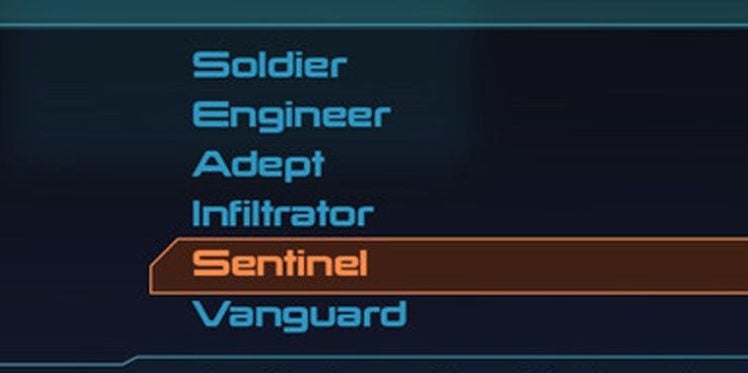
There is a range of different classes that you can choose from. The class of your character will determine your strengths, weaknesses, and specialties. The classes that are available are:

  • Soldier – Easy and straightforward class to play. A big focus on weapons and skill trees improves survivability. 
  • Engineer – This class focuses on tech powers such as hacking computers and opening locked crates. This is more of a supportive role, but you won’t have to add a tech specialist to your team. 
  • Adept – This class uses primarily biotic powers such as knocking enemies back, lifting them into the air, and even creating shields. There are more options for handling enemies than other classes, but the class requires some micromanagement. 
  • Vanguard – A combination of both soldier and adept.
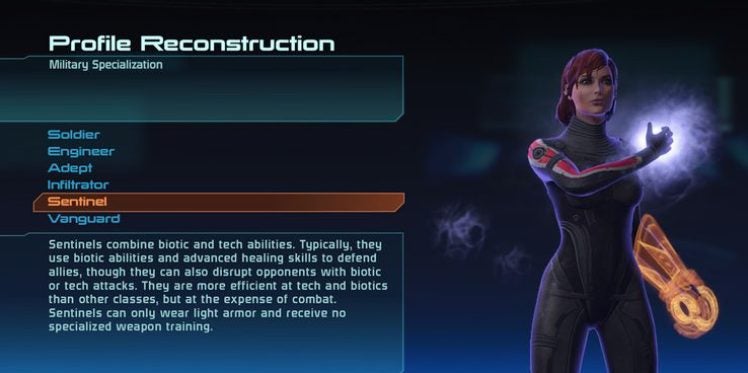
  • Sentinel – A combination of both engineer and adept. 
  • Infiltrator – A combination of both soldier and engineer. 
How to play MASS EFFECT

Pick the Right Class

Make sure that you choose the character class that best suits your playing style. It is also worth noting that players who enjoy earning trophies and achievements might want to go with the Adept class (or combination of adept) as most of the trophies and achievements are awarded for using different biotic powers.

How to play MASS EFFECT

Create Your Character

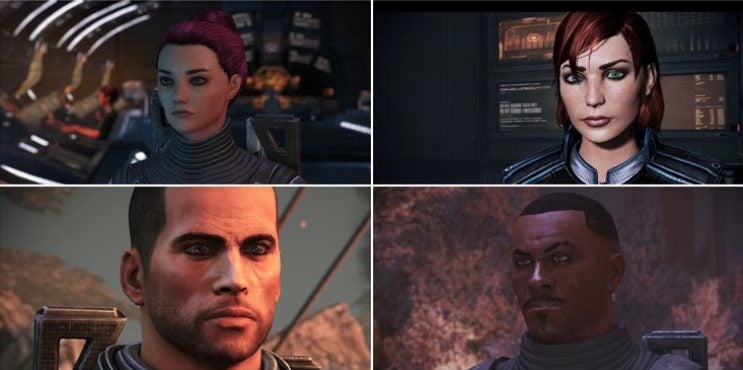
Mass Effect was one of the few games that introduced character customizations and the ability to use a female character. This came at a time when most of the main characters in RPGs were white males.

How to play MASS EFFECT

Learn the Game Lore

The game lore is an important part of the storyline. Although you can complete the game without learning all the lore, it is a much more fulfilling aspect of the game when you understand some of the history. Learning the lore also opens up more dialogue options and ways to interact with other characters.

Use All Your Dialogue Options

When interacting with characters, make sure that you use all the available dialogue options. By doing this, you learn more about the history and interactions between characters, which will open up more interactions down the line. This is also a great way to get more side quests.

Mass Effect Tips and Tricks

To get even more out of your Mass Effect gaming experience, here are some more tips and tricks that you can use.

Max Out Your Charm or Intimidation Skill

As we mentioned, talking is one of the main things in Mass Effect. There will be a lot of talking in between missions. To progress on the Paragon or Renegade path, you’ll have to become a smooth talker. The only way to earn points to max out your charm or intimidation skills is by completing dialogues with characters.

Don’t Get Caught up in the Renegade Vs. Paragon Battle

When starting the game, you might get caught up in taking either the Paragon or Renegade paths, but the moral decisions become much more complex as the game continues. As such, we recommend that you don’t focus too much on which side you’re on and go with the dialogue that makes the most sense to you. This will ensure that you enjoy the game more.

How to play MASS EFFECT

Talk to Teammates

Talking to your teammates in between missions is essential as well. By talking to teammates regularly, you will unlock more relationships and missions, and it will affect the game’s progression.

Complete as Many Side Missions as You Can

There are many different side quests, or assignments, in Mass Effect. By completing as many of these as you can earn experience points so that your character can get stronger. You will also learn more about the worlds, different characters, and organizations within the game.

How to play MASS EFFECT

Do as Many Loyalty Missions as You Can

It is very important to complete as many loyalty missions for your crew members as you can, especially if you’re attached to the crew you’ve assembled. This not only creates a sense of camaraderie but also has a significant impact on the final mission.

Get your space game on!

Mass Effect is a top-rated gaming series. This is not without reason, and the game has a very compelling storyline that’s complemented by excellent graphics, soundtrack, and voice acting.

If you enjoy action RPGs, then Mass Effect is a must-try for any gamer. And if gaming isn’t your thing but you enjoy sci-fi, there are also Mass Effect comics.

How to play Battlefield 2042

Battlefield 2042 is the latest game in the series by Electronic Arts and DICE, which launched today November 19, 2021. With so many gamers heading over to play Call of Duty: Vanguard for free this weekend, it’s going to be chaos deciding which one to try first.

If you’ve waited long enough for the game to appear, you’ll want to know how to play Battlefield 2042 and get straight into the action. Luckily, you have us to guide you.

How to play Battlefield 2042: a Gamer Guide

Since Battlefield 2042 launched on PC, PlayStation, and Xbox, we understand that the gameplay mechanics will be slightly different per platform. So, we’ll stick to general guidelines when playing this first-person shooter action game.

1. Find your Specialist

In previous games, the various classes of Recon, Engineer, Medic, and Assault has specific weapons and items only they could use. Moving more towards the latest Call of Duty operators, Battlefield 2042 now lets you choose Specialists that can use any weapons. They still retain unique gadgets, so you’ll have that chance to see which one works best for you.

How to play Battlefield 2042

2. Experiment with loadouts

Before you head into a game lobby, you may want to spend some time working on your loadouts. You can customize your weapons to ensure you have the best experience when in the arena. As you level them up, you’ll unlock more parts to attach for greater damage and firepower.

How to play Battlefield 2042

3. Prep your weapons for all scenarios

One new gameplay element we haven’t seen before is the ability to switch attachments and parts while on the battlefield. Sure, you can edit them and then wait to spawn before they change, but now you can do it while fighting. There’s a Plus system that opens a panel where you can quickly exchange one component for another.

How to play Battlefield 2042

4. Rely on vehicles for transport

If you need to quickly travel somewhere, you don’t have to wait until you respawn at HQ. There’s an airdrop system in place that will bring the vehicle you require to you. Of course, you’ll need to hold off any forces that may arrive by that time, but this new feature is incredibly convenient.

How to play Battlefield 2042

5. Remember bullet-drop aspects for long-distance shots

One realistic element that Battlefield 2042 brings to the war table is bullet drop. When you’re aiming from a distance, you’ll need to target slightly above your opponent’s head. What makes it more complicated is that this factor differs for each weapon, so you’ll need to practice when you have a new firearm in your hands.

How to play Battlefield 2042

6. Take the higher ground

There are many Battlefield 2042 maps that are overly complicated, and it can be challenging to get a handle on where the enemy is. Some operators have unique equipment that will get you to higher spots. You can also use ziplines in some locations. Just remember, there’s a good chance they’ll see you up there too.

How to play Battlefield 2042

7. Play the right role

When you’re playing Battlefield 2042 online with friends, it helps if you choose a role to fulfill. Your teammates may need ammunition, and it always helps to have a medic on the field. You may even have the opportunity to repair a vehicle in the midst of battle. If you have a mic, discuss which roles they need and see how you can help.

How to play Battlefield 2042

8. Try Hazard Zone with friends

One of the new modes to make an appearance in Battlefield 2042 is Hazard Zone. It’s a smaller map, but you’ll need all your skills to survive. It will test your wits, and you’ll need the best weapons and gadgets at your side. We recommend you take some friends with you at a chance to become the ultimate winner.

How to play Battlefield 2042

9. Discord is your friend

Since Battlefield 2042 doesn’t come with VOIP, you’ll need to find a different way to chat with your teammates. For PlayStation and Xbox, you can create parties on the console to talk over your mic. PC players can use the built-in text system, but it’s not the most effective method. Head onto Discord and use the mic there to discuss your strategies.

If you don’t have it yet, you can download Discord here.

How to play Battlefield 2042

10. Focus on the objective

While there are many players simply intent on getting as many kills as possible, you’ll earn more experience in Battlefield 2042 by completing objectives. If you need to capture sections, then focus on that instead of the next headshot. Your team will go up on the leaderboard the more you finish tasks.

How to play Battlefield 2042

Let your guns blaze with fury!

Now that you know how to play Battlefield 2042, it’s time to head out there and win! Remember, it’s best to work with your team towards obtaining as many wins as possible. We hope this guide has helped you towards an improved gaming experience.

Free access to Call of Duty this weekend from November 18

Ever since Call of Duty: Vanguard’s release on November 5, 2021, gamers have been shooting their way through the new multiplayer maps set in World War II. Since it’s still new and the price is heft, many have been hesitant to buy the new COD title.

Well, Activision has decided to provide free access to certain multiplayer maps and modes in Vanguard this weekend. Let’s take a look at what’s in store for those that decide to join the mayhem.

Shipment returns….again

One way to get fans to buy a new game in the series is with the return of a classic. Shipment was available in COD: WWII, Black Ops 4, and again in Modern Warfare and Black Ops: Cold War. We’ve enjoyed watching it change with the times and holiday themes, maintaining that small battlespace that’s made it so popular.

Of course, it does have a slight facelift. The containers have improved visuals, and there will be items to remind you that you’re in WWII settings. The action will remain the same, though, as you fight it out for top scores…and die a million times while trying.

So what’s different this time? Well, past versions of Shipment had you running along the ground only. Playing as a sniper was only possible from behind jeeps and fallen objects, which weren’t all that helpful. 

In Call of Duty Vanguard’s free access this weekend, there will be open containers higher up that you can access. It gives you the opportunity to take aim from higher positions for an advantage. Of course, everyone will be expecting you there, so be ready for some grenades.

Free access to Call of Duty this weekend from November 18

COD: Vanguard Free Access for Multiplayer this weekend

We’re bound to see plenty of mayhem this weekend with many players joining the warfront. Shipment will let you test all of Vanguard’s new weapons, which include the latest shotguns, assault rifles, snipers, tacticals, melee weapons, and launchers. As usual, we expect gamers to go to town with lethal equipment when they become frustrated at dying so many times.

The free access for Vanguard is from November 18 – 22, 2021. You’ll have the chance to level up weapons and use new operators, plus there are new playlists for you to enjoy. With Verdansk finally vanishing, it’s all in anticipation for Warzone: Pacific, where we’ll be able to see these new items in action. 

Are you ready?

While there are plenty of veterans already playing COD: Vanguard, some noobs may be intimidated to try the free access. We encourage you to give it a shot if first-person shooting is your element, as there’s bound to be loads of fun. We may even see a drop in price for Black Friday.

We’re also expecting to see a rise in activity on COD: Mobile and other titles in the franchise. If you’re new to the series, here are some guides to look at:

Free access to Call of Duty this weekend from November 18

GTA Trilogy tanks as a RockStar Games failure

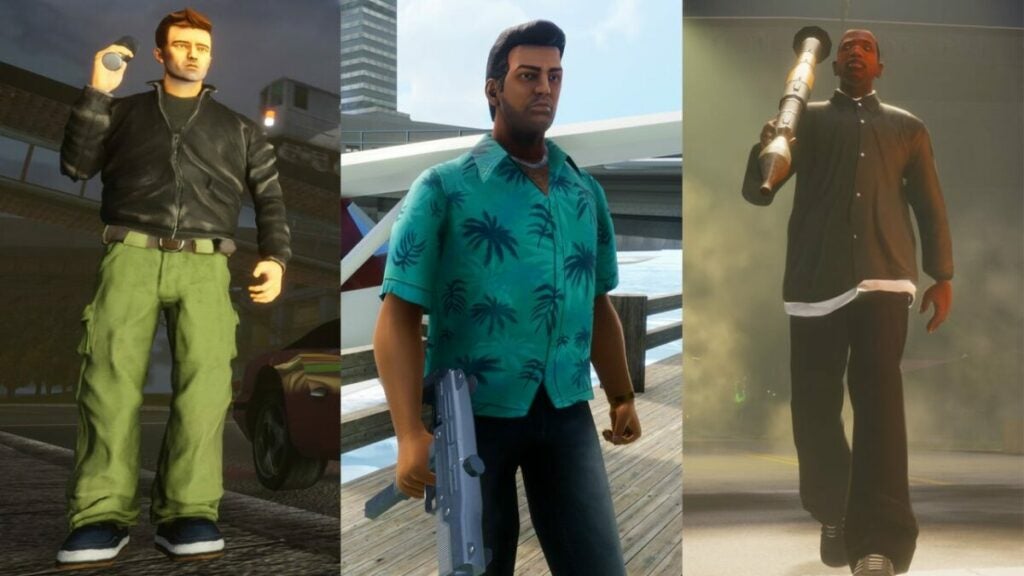
Not too long ago, we showed you how to play GTA The Trilogy: Definitive Edition so you could join in on the fun. While many were excited about the release, it seems there was disappointment in the air within the first week. With so much hype around the open-world action crime game, everyone expected a polished title that far exceeded the original versions.

So, what went wrong, and how did Grand Theft Auto fail its audience? Let’s take a detailed look at the problems.

Are the remastered graphics of GTA The Trilogy really that good?

There are two issues to address here. On the one hand, we have updated graphics that are meant to make the characters and environments look closer to modern visuals. While it may have made the streets and open areas look better, they also appear cleaner. Gone are the grimy areas that at least added to the mood of the game.

The character models don’t look so blocky anymore, but some of the proportions seem off now. Even rain has an impact on you when running around, which wasn’t really necessary as an addition to GTA The Trilogy. In comparison, it’s like replacing a torn pair of shoes with another pair that has fewer holes and is only slightly shinier.

Still, we have to give Rockstar Games some credit for putting in the effort to remaster the three GTA games, even if only to breathe life back into them.

GTA Trilogy tanks as a RockStar Games failure

Should you accept outdated gameplay mechanics in a remastered version?

There are a few new items added to the GTA The Trilogy games. For instance, you’ll now find radio stations and weapons on the selection radial wheel for easier access. Your map also has a GPS like the more recent titles. So, what’s the problem with the gameplay mechanics?

Do you remember how you had to drive back to the place where you accepted a mission after you failed it? It was a real pain. In the remastered versions, the games cut out having to do this. It definitely saves in-game time.

However, you still have to drive to the place where the mission starts. Sometimes, it can take a torturous two minutes while listening to your passenger speak or wading your way through traffic to the other side of the city. Fail enough times, and you’ll become frustrated at repeating these sections just to restart the mission.

GTA Trilogy tanks as a RockStar Games failure

Is GTA The Trilogy worth buying?

It’s not all doom and gloom. If you’re nostalgic for the games in GTA The Trilogy, you’ll still enjoy the main missions and a few extra quests added. For those of you who value the worth of money, you may become irritated paying so much for a title that wasn’t remastered all that well. 

Instead, you may want to wait until the price drops and the hype is gone. Xbox Games Pass announced that it will release GTA San Andreas: The Remastered Edition for members to enjoy for free. It gives you the opportunity to test the gameplay out before you commit any funds to the entire trilogy.


How did you find the experience? Did you enjoy GTA The Trilogy, or do you also feel it failed fans? Let us know.

How to change the background in Illustrator

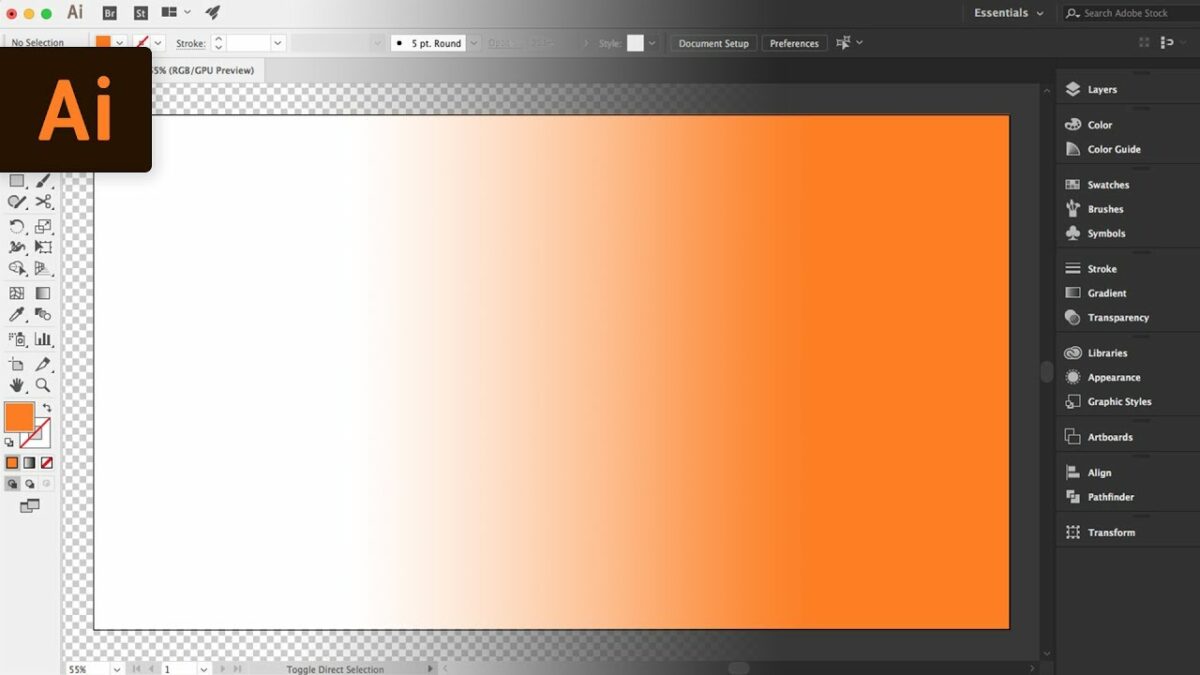
When working in Illustrator, you may feel the need to change the background to make it easier to develop layers and effects. A transparent one works well for PNG, while you may want a different tone to highlight the lines.

In this guide on how to change the background in Illustrator, we’ll focus on how to make the background transparent and how to change the color.

How to change the background

  1. How To Make Background Transparent In Illustrator

    How to change the background in Illustrator

    Transparent backgrounds help when you need to merge images together, but you don’t want the back colors to interfere with each other. You can quickly change the setup by following the steps below:

    – Head to the File menu option and select “Document Setup”

    – Look at the background settings and change Artboard to Transparent

    – Leave the other settings as default or change them as needed

    – Click on “Ok”

    – Go back to the File Menu and select “Export”

    – Save the image file as a PNG to retain the transparency

  2. How To Change Background Color In Illustrator

    How to change the background in Illustrator

    Instead of a transparent or white background, you can easily change the color to match the theme of the image. The process is almost the same, but there are a few tweaks you need to pay attention to.

    – Open the file where you want to change the color or create a new document

    – Head to File and Document Setup again

    – Under the Transparency section, click on the “Simulate Colored Paper” checkbox

    – You’ll see two color swatches on the right. Select the upper one

    – A color palette will appear in a new window. Choose the one you want, and make any adjustments in the panel on the right

    – Click on “Ok” and open the lower color swatch

    – You can choose the same hue for only one tone in the background or pick a second one if you want a checkered appearance

    – When you’re done, head out of the windows and open View > Show Transparency Grid

    – You’ll now see your new background color on your Illustrator project

Other Illustrator guides

We won’t leave you with only one guide, as we have a few more you can look at:

Set the stage with a brilliant background effect

Now that you know how to change the background in Illustrator, you can start working on your new projects. It’s a simple process, but it can be hard to work out when you don’t know where the functions are.

How to trace an image in illustrator

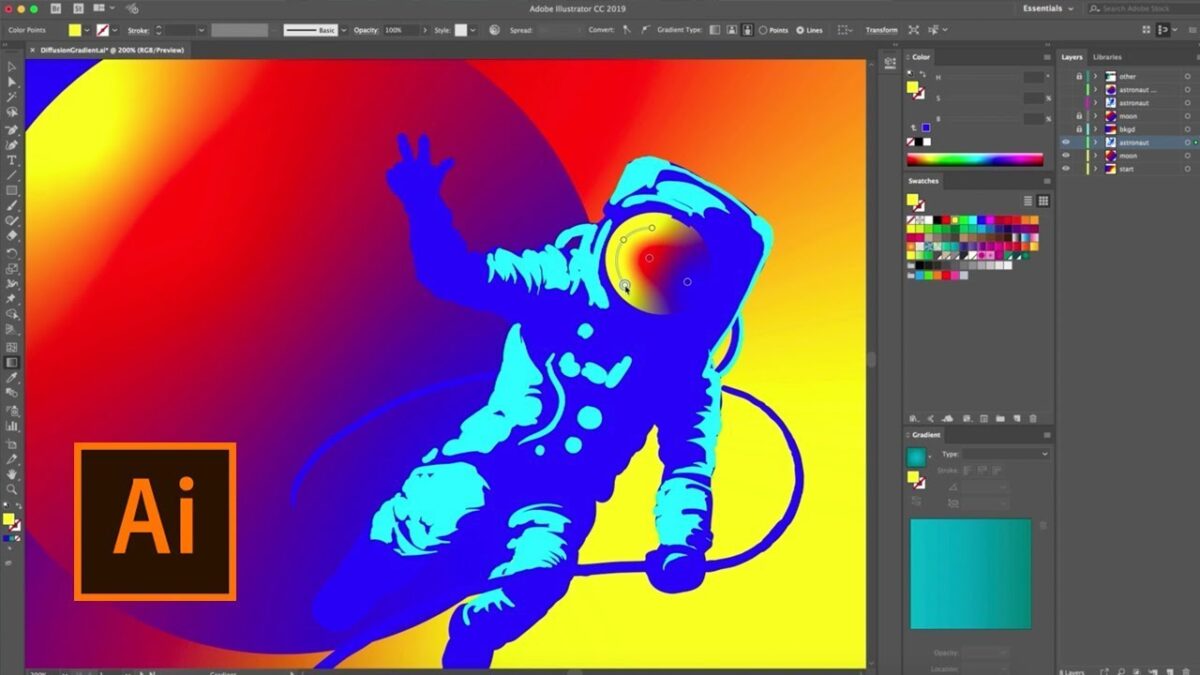
If you’re wanting to use another image for your own creation, you can trace it in Illustrator. It’s the easiest method for transforming a raster image into one that’s a vector. You can also edit it using layers and effects.
While it’s easy to perform, it may be challenging working out how to trace an image in Illustrator. We’ll show you the quickest way with the least difficulty.

How to trace an image in illustrator

  1. Import the source image

    How to trace an image in illustrator

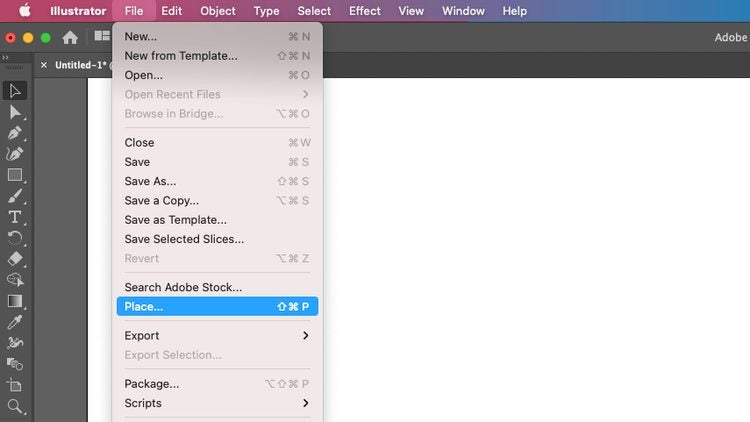
    Firstly, you’ll need the original image that you want to trace in Illustrator. Open the program and select “Create a new document.” You can click on File > Open, and then locate it on your PC’s storage. There are many formats available, such as JPG, PNG, and TIFF. Another way you can do it is to click on File > Place to insert the image directly onto your project.

  2. Trace the image

    How to trace an image in illustrator

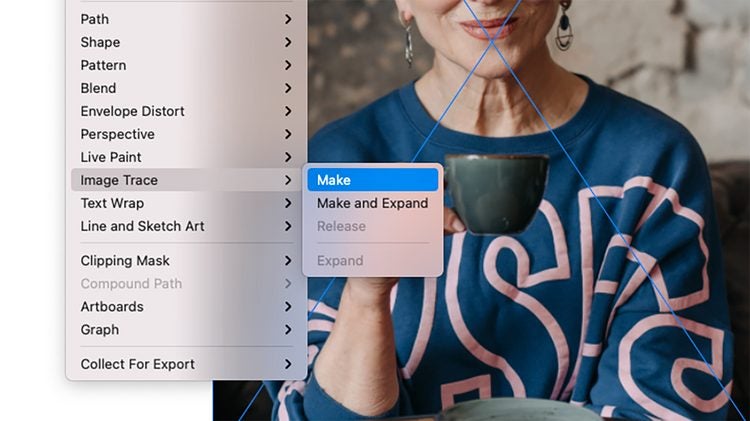
    When you have the source image in your file, you need to have the selection tool active. Press the V button on your keyboard to ensure it’s selected. You should click on Object > Image Trace > Make in the main menu to start tracing the image in Illustrator. You’ll notice that it becomes a black and white vector.

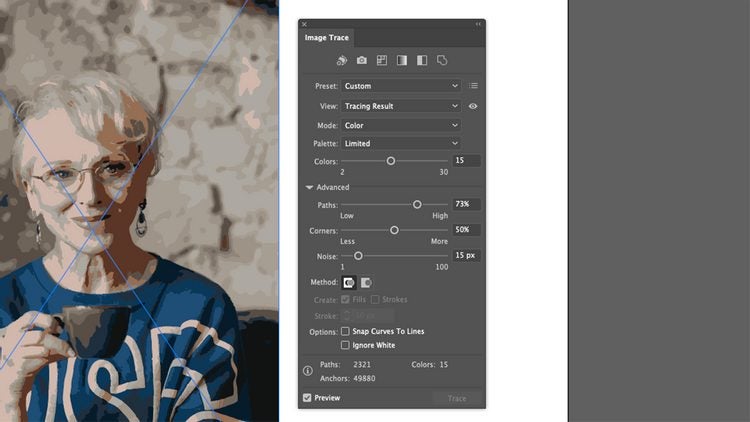
    When you select the Properties panel, you’ll see all the options you have for image tracing. Feel free to play around with them to see which one suits you best.

  3. Advanced tracing options

    How to trace an image in illustrator

    Once you’re in the Image Tracing mode, you’ll find an Advanced drop-down section. Here, you can set several parameters to adjust how the lines and hues appear on your screen. There’s a preview box if you want a taste of what it will look like. When you’re done, select Trace to complete the task.

Other Illustrator guides

If you need to know how to perform other tasks in Adobe Illustrator, we have a few more guides you can look at:

Tracing a masterpiece

As you can see, learning how to trace an image in Illustrator is easy! It only takes a few steps before you can edit and draw over it as a vector. You can quickly create your own masterpieces, taking inspiration from the original.

What’s coming to Disney+ this November

November is proving to be a very special month for all Disney Plus users. We didn’t just celebrate the service’s two-year anniversary on Disney+ Day, but we’re also adding a large number of releases and surprises to its already amazing catalog. With the holiday season around the corner, the streaming service has definitely decided to give us an early Christmas gift in the form of new series, movies and lots of Disney entertainment.

Still wondering what new content is coming this November to Disney+? Don’t worry, in today’s article we’ll share with you everything you certainly won’t want to miss.

Dopesick

Star welcomes to its catalog the award-winning mini-series Dopesick. Based on the bestselling book by Beth Macy, Dopesick will send the viewers into the mining community of Virginia, where a pharmaceutical company is responsible for the worst opioid epidemic in the USA.

Shang-Chi and the Legend of the Ten Rings

Embark on a new epic adventure from the Marvel Cinematic Universe (MCU) with Shang-Chi and the Legend of the Ten Rings. Here we’ll meet Shang-Chi (Simu Liu), a young man haunted by his past in the mysterious Ten Rings organization. Action, adventure and jaw-dropping martial arts meet in Marvel’s latest superhero movie.

Shang-Chi and the Legend of the Ten Rings

Jungle Cruise

The exciting family-fun adventure Jungle Cruise is finally available for free to all Disney Plus subscribers. Inspired by the classic boat ride from the Disney theme parks, Jungle Cruise invites us to meet Frank Wolff (Dwayne Johnsonn), a wisecracking skipper hired by Dr. Lily Houghton (Emily Blunt) to lead her in an exciting expedition down the Amazon river. Their quest is none other than to find the Tears of the Moon, a legendary tree with miraculous healing powers. However, the road will be full of dangers and ruthless rivals that will do anything to reach their goal first.

Jungle Cruise

Home Sweet Home Alone

With Christmas around the corner, Disney releases Home Sweet Home Alone, the long-awaited reboot of the classic 90’s film. In this movie, we follow the adventures of Max Mercer (Archie Yates), a playful and cheeky boy who ends up staying home alone after his family leaves on holiday. But no parents doesn’t mean no problems, since he’ll have to deal with a couple of intruders trying to break into his home to get to a family heirloom. How will they fare against Max’s homemade booby traps?

Olaf Presents

Frozen’s favorite snowman returns in Olaf Presents. This all-new series of animated shorts will bring you back to Arendelle, where Olaf will retell some of Disney’s classics such as The Lion King, The Little Mermaid, Aladdin and Tangled. However, we all know Olaf can’t stay out of the spotlight for long and he won’t just share a story… he’ll also take on the role of all the characters within it! Don’t miss this Christmas exclusive, only on Disney Plus.

Olaf Presents

The best Disney animated shorts

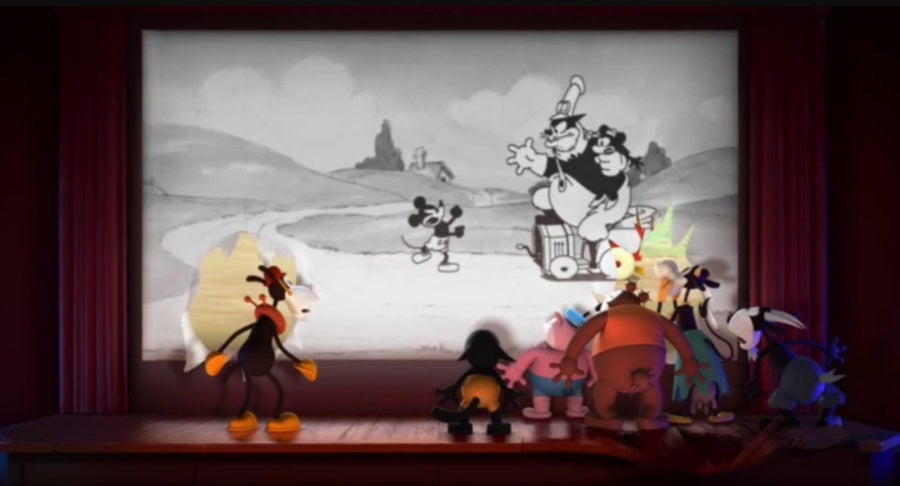
This November, we can enjoy some of Walt Disney Animated Studios’ most awarded animated shorts for the first time on this streaming service. Among them we can find Frozen Fever, Feast, Paperman, Get A Horse! and many more.

Get A Horse!

Ciao, Alberto

In this exclusive 8-minute animated short we’ll once again meet Alberto, Luca’s best friend, and find out how is he’s doing with his new life in Portorosso. Have fun following his adventures while he tries to prove himself to Massimo, his serious but always caring mentor.

Ciao, Alberto

The Simpsons in Plusniversary

Moe’s bar is hosting an amazing party to celebrate Disney+ Day and everyone is invited… everyone, but Homer. Join this crazy short story in which The Simpsons meet the most iconic characters from various Disney franchises for this special anniversary.

The Simpsons in Plusniversary

The World According to Jeff Goldblum

National Geographic proudly presents the second season of The World According to Jeff Goldblum. Enjoy its first five episodes and discover, week after week, the new connections between history and science brought to you by none other than Jeff Goldblum.

The World According to Jeff Goldblum

Under the Helmet: The Legacy of Bobba Fett

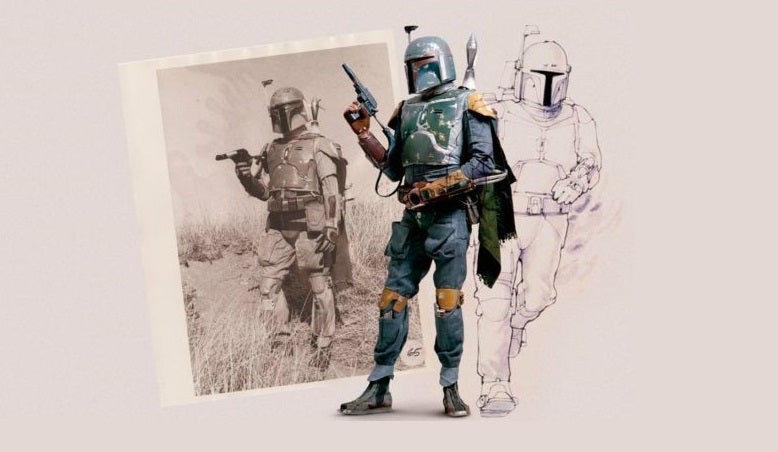
Star Wars fans, rejoice! This November you can finally enjoy the release of Under the Helmet: The Legacy of Bobba Fett, an all-new documentary focusing on the origins and legacy of the most loved bounty hunter in the universe.

Under the Helmet: The Legacy of Bobba Fett

Marvel Studios’ Disney+ Day Special

To celebrate Disney+ Day, Marvel Studios explores every MCU TV series available on the streaming service. The documentary also offers a preview into its upcoming titles, as well as many surprising Marvel reveals.

Hawkeye

On 24th November, the newest Marvel Studios mini-series premieres on Disney+. Hawkeye takes place after the events in Avengers: Endgame and follows the adventures of Clint Barton/Hawkeye (Jeremy Renner) and Kate Bishop (Hailee Steinfeld), a young archer he’ll mentor to be his successor.

Hawkeye

Make the most out of November with Disney+

Disney+ embraces November with an endless amount of surprises, releases and new additions to its fantastic catalog. Are you going to miss out on it? Join the streaming service today and you can enjoy a price reduction of 20% on the annual subscription!

Marvel Studios' Disney+ Day Special

How to Crop in Illustrator in 2 Different Ways

Sometimes, when designing new images, you want to use part of an existing image but not the whole one. Adobe Illustrator is a powerful vector-creating and editing tool that quickly crops both raster and vector images.  

This heavy-duty image creating and editing program for Windows and Mac has many valuable features that make it the industry standard in vector drawing. Among the features is the ability to blur backgrounds or crop only certain parts of the image in Illustrator.

How to Crop in Illustrator

  1. Crop Using the Crop Button

    This is one of the easiest ways to crop an image and is ideal for clipping the edges or changing the image’s shape.

    – Launch Illustrator and Open or Start a Project

    To start cropping your image, you have to launch Adobe Illustrator and either open an existing project by clicking on ‘Open’ or start one by clicking on ‘New’. If you want to crop a vector file, you will first have to embed the image in a new Illustrator file. To do this, start a new project, and then click on ‘File’ in the menu and choose ‘Place’ to add your vector image.

    – Select the Image You Want to Crop

    To crop an image using the crop button, you have to have something selected first. You can do this by simply clicking on the image you want to crop.

    – Select the ‘Crop’ Tool

    You will see a’ Crop’ option in the ‘Options’ menu that appears just below the main menu. By clicking on this button, you will be able to crop your selected image.

    – Click and Drag the Crop Marks

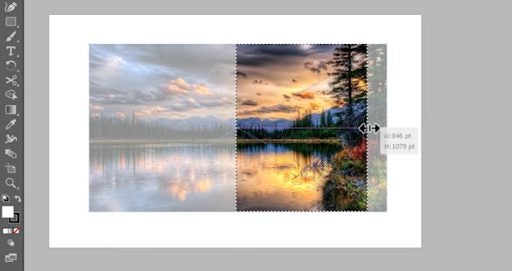
    The crop marks will be on the border of the image. You can click on the sides and drag them into your desired location. Once you drag the crop marks in, it will be shown with a dotted line and the parts outside of the crop marks will go lighter so that you can see your cropped image.

    – Click on ‘Apply’

    Once you are happy with the chosen cropped image, you can click on ‘Apply’ to make the crop final. However, it is essential to know that once you click on ‘Apply’, the rest of the image will be permanently removed, and there will be no way to see those parts again unless you upload the original image and crop it again.

  2. Crop Using a Clipping Mask

    How to crop in illustrator/

    Clip masking is a more accurate way to crop out a specific part of the image you need. This is an ideal tool if the section you need isn’t in a simple square/rectangular shape.

    – Launch Illustrator and Open or Start a Project

    Launch Adobe Illustrator and open an existing project or start a new one.

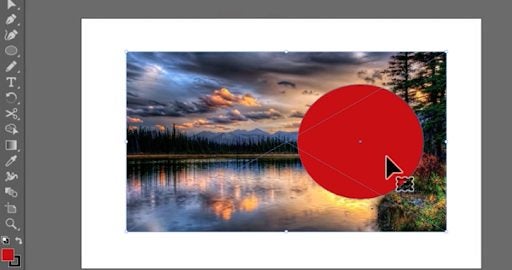
    – This is where using a clipping mask gives you more options. You can draw any object over the area you wish to crop. You can use the ‘Ellipse’ tool to draw a circle or use the ‘Rectangle’ tool for a square or rectangle. You can also use the ‘Pen’ tool to draw your own shape, which is ideal for those custom images. You will have to place the shape over the part of the image you want to keep.

    – Click on the Selection Tool

    Next, you’ll have to use the ‘Selection’ tool, which can be found in the toolbox and is represented by a black arrow.

    – Select Everything You Want to Crop

    Using the selection tool, drag over the entire image you want to select, including the clipping mask shape.

    – Make Your Clipping Mask

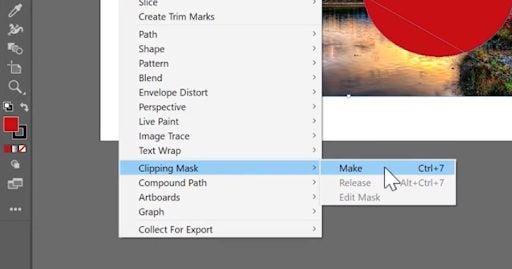
    Now, click on ‘Object’ in the top menu. Then, from the drop-down list, choose ‘Clipping Mask’. You will now see a side menu opening; here, you can click on ‘Make’. The clipping mask will now use the top object, i.e. the shape you drew, to crop all objects below.

Use Only What You Need

Cropping in Illustrator is a very useful feature. It enables you to select only specific parts of images for you to use to create a completely new one. Both of these cropping methods are simple enough to do and will work effectively, although a clipping mask gives you more freedom and flexibility.

If you need some more help with the basics of using Adobe Illustrator, why not take a look at our beginner’s guide?