Streaming service giant Netflix is apparently betting big on video games as it prepares nearly 50 video games for its subscribers by the end of 2022. It had previously offered mobile games for some of its hit shows—like Stranger Things: 1984 and Stranger Things 3: The Game—but now, more are slated to come after the company faced losses with its subscriber count.
Netflix is one of the most popular subscription video-streaming services around, but it still struggles to compete against rivals like Disney+, HBO Max, Hulu, and Paramount+. With its recent earnings report, the company’s announcement of entering the video game space last July 2021 will heavily come into play.
So far, Netflix has released only a handful of mobile game apps that are mostly either tie-ins to or adaptations of their shows. The streaming service is also well-known for creating TV show adaptations of popular video games, like League of Legends, Castlevania, and The Witcher. This time, with their plans to produce both a TV show and a mobile game for the popular tabletop card game “Exploding Kittens,” it’s becoming clear that Netflix intends to dip more into the video game industry.
This comes at an opportune time as Netflix’s stock had reportedly lost 200,000 subscribers after the first quarter of 2022. Now, the streaming service is planning to get serious with video games to attract new subscribers. It has already acquired three game studios: Boss Fight Entertainment, Next Games, and Night School Studio, which had developed Oxenfree. Next Games itself had released Stranger Things: Puzzle Tales last year before its acquisition.
While churning out 50 video games by the end of the year sounds ambitious for a company previously focused on streaming shows, the idea of providing adaptations to both shows and games vice-versa presents a whole new avenue for entertainment that Netflix could potentially earn from. Netflix is planning to stick to Android and iOS games for now—with only its subscribers having full access to them.
Microsoft’s recent Windows Powers the Future of Hybrid Work event turned out to be a powerful launchpad from which to release new revelations into the future of security on Windows 11. Microsoft announced innovations such as the increased use of AI, the development of brand new hardware, and the continued reliance on the Cloud to ensure that Windows 11 is even more secure going forward.
In addition to all the innovations discussed, Microsoft also took the opportunity to discuss the current infrastructure and how it would integrate with the future of Windows 11. One such piece of infrastructure is Microsoft Pluton, which the company has said will be used more commonly in their future computing. Microsoft Pluton is a security infrastructure that was first pioneered on Microsoft’s Xbox One. While it has been used in Xbox consoles almost exclusively, the infrastructure now has the ability to secure PCs. Pluton relies on various Windows 11 security features, such as TPM 2.0, identity protection, and firmware, and takes an absolute Zero Trust approach to PC security.
Pluton is able to integrate with CPU and operating systems and receives regular updates to better support PC security. Pluton, therefore, offers many benefits to PC manufacturers, but some have come out quite strongly against its integration in their builds. Two such companies are Dell and Lenovo, who have each opted instead to use Intel’s vPro technology. This cannot be used in conjunction with Microsoft Pluton. However, Pluton has only been in use since 2020, so it’ll likely take time for the infrastructure to reach the wider market of PC manufacturers.
The next build of Windows 11 will also feature Hypervisor-protected Code Integrity (HVCI) enabled by default. HVCI has the ability to stop threat actors from infecting PCs with code, a method employed in the WannaCry attack. Windows 11 will also now have a system in place that blocks any vulnerable drivers or those connected in any way to security threats.
This is, of course, a very limited list of all the discussion points addressed during the event, but the wider point is that Microsoft has essentially vowed to make Windows 11 as secure as possible and has laid out actual plans and infrastructure to achieve that goal. Through all of this artificial intelligence, infrastructure, and hardware innovations and integrations, Windows 11 is about to become much more of a challenge for even the most motivated threat actors.
Moving from an Android to a new Android is a relatively effortless endeavor. Your Android device and everything you use it for are linked to your Google account. All you need to do is sign-in on the new phone and import all of the relevant cloud-based information. You also have access to the Clone Phone app. Moving from iOS to Android is decidedly more complicated. Switch to Android hopes to make it that much easier to join Google’s smartphone OS ecosystem.
The app was first teased in July 2021. Reports surfaced that Google was developing an app to rival Apple’s Move to iOS app for Android devices. Switch to Android has now been soft-launched on the App Store, but you can only access it through a direct link as the app is within Apple’s new unlisted application feature.
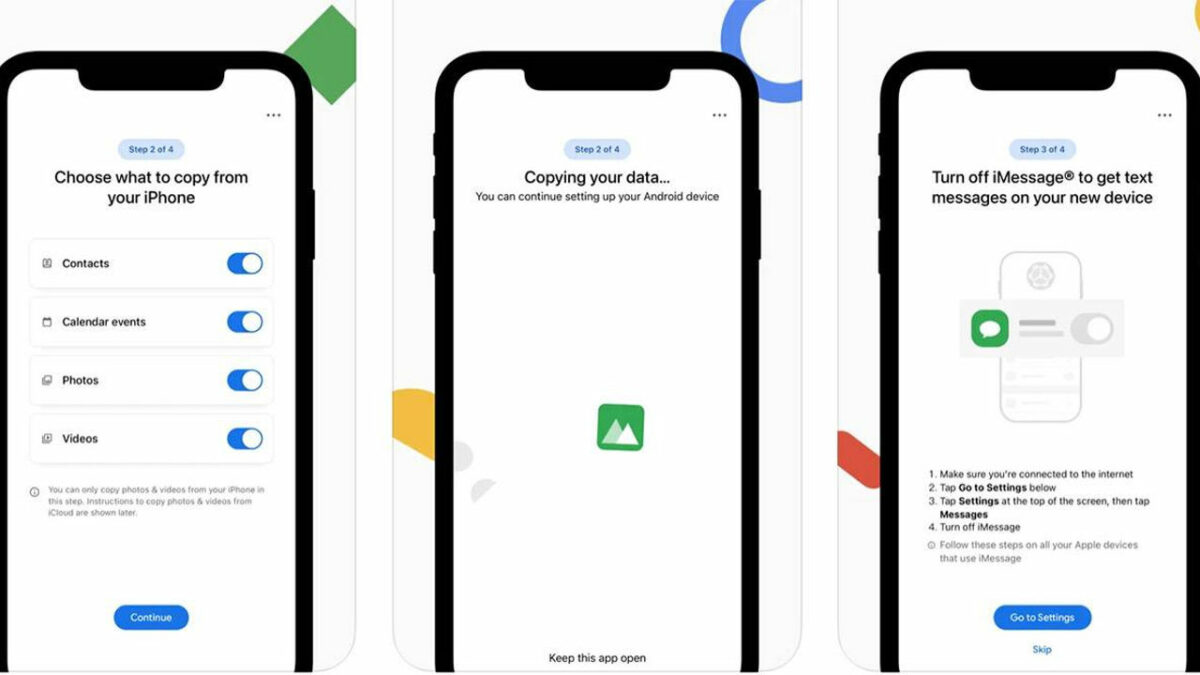
The app will ask you to scan a QR code visible on your new Android device during Google’s setup and restore process. Here things get a little messy. It isn’t possible, from what we’ve experienced, to get past this QR code step. The setup process stops there and needs a little more work, it seems. However, you can understand the basic idea behind the app. Essentially, your new Android phone is supposed to create a hotspot that your iPhone can connect to. Once connected, the iPhone is set to transfer data wirelessly to the Android.
The App Store listing gives a preview in images of what the finished process will look like, and it looks pretty seamless. Once setup is complete, the app kindly reminds you to disable iMessage. This is so that messages from friends with iPhones won’t be scattered to the quantum winds but will instead come to your Android as an SMS. Once that’s done, all that’s left is to get your iCloud data to Google Drive and Google Photos. Hit the blue Start request button, and the app will launch Safari and open an iCloud support page. From there, hit Request to transfer a copy of your data, and you’ll be good to go.
Google is actively marketing this new app and trying to motivate iPhone users to migrate to their new in-house Google Pixel devices. The operating system that the new Pixel uses, Android 12, makes it even easier to switch from iOS. Speaking of all things Google, they’ve recently given Google News a brand new look on Android. Why not check it out?
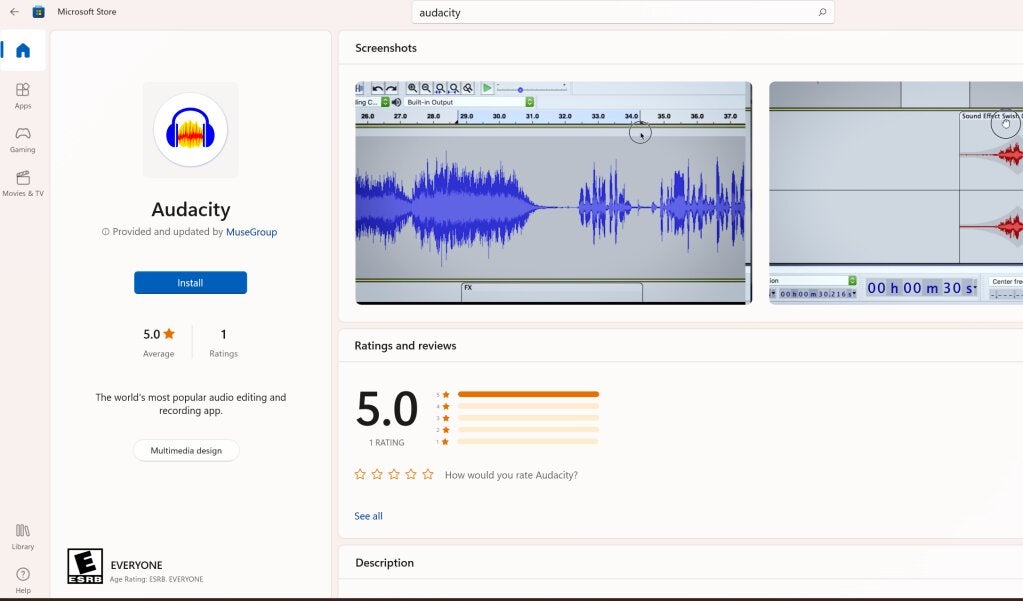
If you head to the Microsoft Store and search for Audacity, you’ll notice how many knock-offs there are of this popular audio-recording program. Some of them even charge you a price, which then heads to the pockets of the false sellers. Microsoft has finally put an end to this, offering the official software for free.
Martin Keary is the original creator of Audacity. While he provides the program for free on the official website, it bothered him that so many Windows users were heading to the store and paying for knock-offs. Keary decided to take the name back and give Microsoft users the proper version without charging a single cent.
To find the proper version, look for one developed by Muse Group & the Audacity Open-Source Community. If you check the official site, you’ll notice it’s the same team that created and published Audacity. Now you can edit your songs and podcasts with the authentic app on your Windows device.
For those of you who don’t know, Audacity has helped many musicians and audio editors in compiling music or tracks for various reasons. It can be used for games, short videos, and even podcasts. However, you don’t need to pay for it at all, no matter what the scam artists tell you.
One of the benefits is that you can merge uninterrupted audio tracks on Audacity. It entails a few easy steps where you combine two recordings into one with a simple drag-and-drop mechanism. It’s also simple to edit after that, especially if you want to clear some background noise.
It’s a pity the free version of Audacity wasn’t available before. It would have saved so many people money that unfortunately paid for it to be part of the Windows experience. Who knows? Maybe when Windows 11 finally receives the promised upcoming features, we will have an alternative option as a default app.
Activision and Infinity Ward have been teasing a new COD title for a few months now, and we’ve been waiting eagerly to see what it will be. There were some hints, but now it has finally been confirmed. The next game in the series will be Call of Duty: Modern Warfare 2.
Don’t confuse it with the original COD: Modern Warfare 2 we saw in 2009. It’s the sequel to the MW from 2019, which means it won’t be a remake. The reveal came as a logo on Infinity Ward’s official Twitter feed.
While there are no game details as yet, we can only assume it will follow the story of the previous title. There have been some rumors about Columbian cartels and U.S. special forces, but we’ll wait until there’s something more concrete from the developer and publisher.
Sadly, COD: Modern Warfare 2 will be a landmark for the end of annual releases. Ever since Microsoft acquired Activision Blizzard, there have been talks of halting the launch of COD titles every year. We believe this is a move in the right direction, and it will save our bank balances for a change. Then again, we’ll probably see more content in the seasonal Battle Passes for other Call of Duty games.
Of course, we’re still excited about the upcoming mobile release of Diablo Immortal. From June onwards, we’ll be playing our hearts out to see how it compares to Diablo 3 and the current seasonal challenges. At least it will keep us busy while we wait for the launch of Diablo 4, which we hope will appear in 2023.
Blizzard Entertainment keeps us on our toes with news and reveals for the latest WoW expansion, World of Warcraft: Dragonflight. It’s the ninth expansion in the series, and from what we’ve seen so far, there’s plenty arriving when it launches. At the moment, you can opt-in for the Beta to test some of the upcoming features.
Since the game publisher has already given us hints of things to come, we’ve pulled together a list of the top five features coming to World of Warcraft: Dragonflight. There will probably be more announcements throughout the year, but these elements have us excited the most.
What we know so far about World of Warcraft: Dragonflight
There was a mixed reaction with some negative views regarding the current expansion. The final major update arrived for WoW: Shadowlands in February 2022. Since then, fans have been waiting to see what the next installment would bring, especially after Microsoft acquired Activision Blizzard.
As soon as the publishing company announced World of Warcraft: Dragonflight, WoW gamers looked into every bit of information they could glean from various sources on the expansion. We’ll be heading back to Azeroth, but there are some new elements to enjoy. These changes come in the wake of players complaining that Shadowlands borrowed storytelling elements and power systems.
As for the story so far, we know that heroes will be summoned to the new location, which we’ll cover in our list below. The main plot revolved around reclaiming the Dragonflight citadel from enemies, and restoring power to the kingdom.
Top 5 World of Warcraft: Dragonflight features
We’ve teased you long enough, and we’re sure you’re hungry to know more about the upcoming elements in the MMORPG game. Here are our top five features for World of Warcraft: Dragonflight.
Dracthyr, the new hybrid class
We haven’t seen a new class for at least two WoW expansions prior to Dragonflight. The previous ones added to the series were the Demon Hunters and Death Knights, so we’ve waited patiently for a new character type. Blizzard Entertainment has announced that the new expansion will include the Evoker class.
What makes it unique is that only the new race, the Dracthyr, can use this class. They are humanoid in nature, being half human and half dragon. They can align with either the Horde or Alliance, and you can switch between a human or draconic appearance. Some specializations include Preservation and Devastation, calling upon renewal and destruction.
New zones on the Dragon Isles
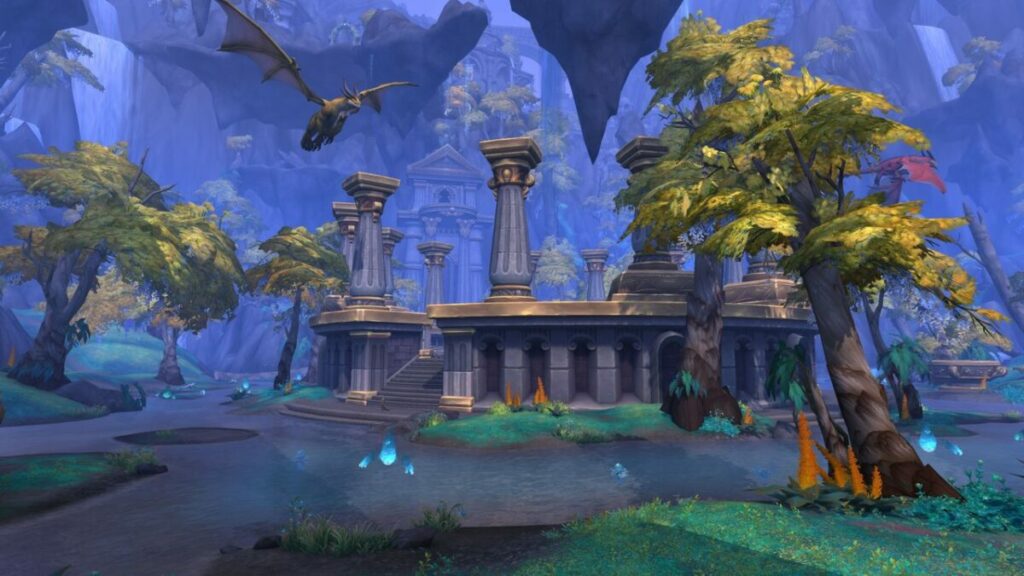
According to Wow lore, the Great Sundering that nearly destroyed the world caused magic to dissipate from the Dragon Isles, home to the Dragonflights that reside in Azeroth. The land is awakening in World of Warcraft: Dragonflight, but it also brings ancient feuds not easily forgotten.
According to Blizzard Entertainment, there are five zones in the playable area. One zone is reserved for the Dracthyr starting point if you want to play as the new race. The other four will have events and missions designed to help you level up and progress through the main story.
A flight of dragons
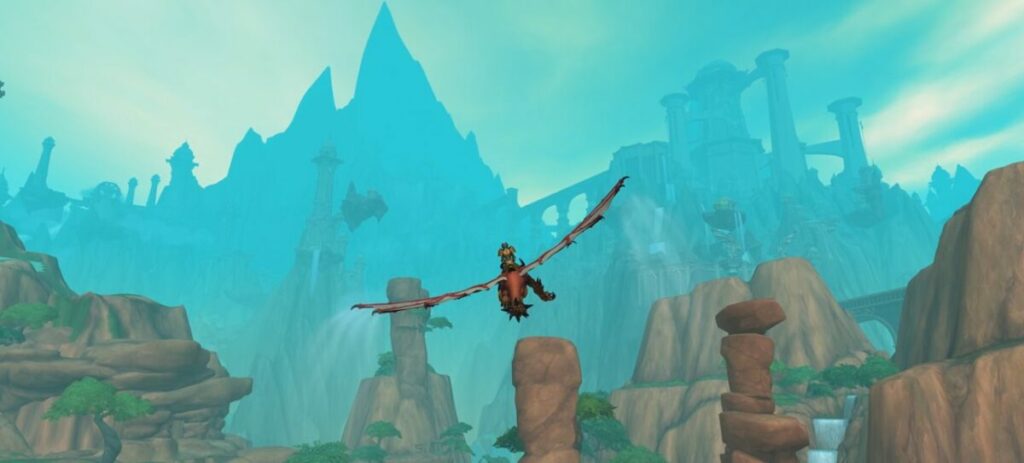
What would a new expansion with dragons be like if it didn’t include some draconic aerial mounts? Dragon Isles presents four new Drakes you can use as mounts, but you’ll need to learn how to fly them in World of Warcraft: Dragonflight. There will be glyphs to find in the zones that will max out your dragon-flying abilities.
Gravity will be your enemy while you practice new maneuvers that drain your mount’s energy. Reaching the max level is only the beginning, as you can still complete unique missions to unlock new drake customizations.
Revamped profession system
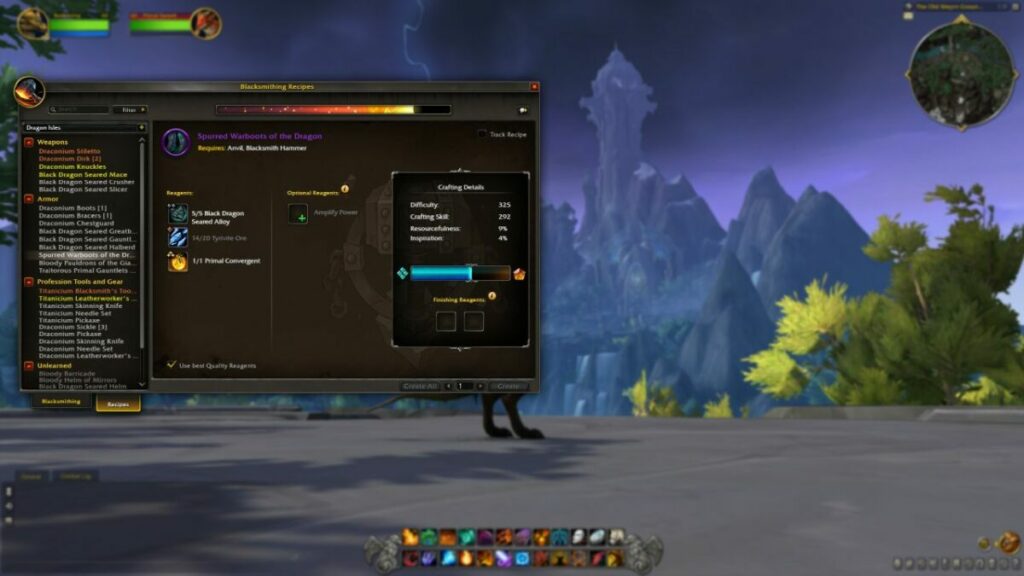
Since the dawn of WoW time, professions have existed to add more depth to the game series. Blizzard is aware that it has only added incremental changes for each expansion, but they felt it’s time to change. The developers are looking at how they can revamp the entire system for a massive improvement.
World of Warcraft: Dragonflight will not only add new elements but also change how you engage with other players. One example is the new system called Crafting Orders. If you don’t have the skill or profession to make something, you can request that another gamer with the requirements makes it for you. You’ll also have easier access to Soulbound items this way.
Return of the talent trees
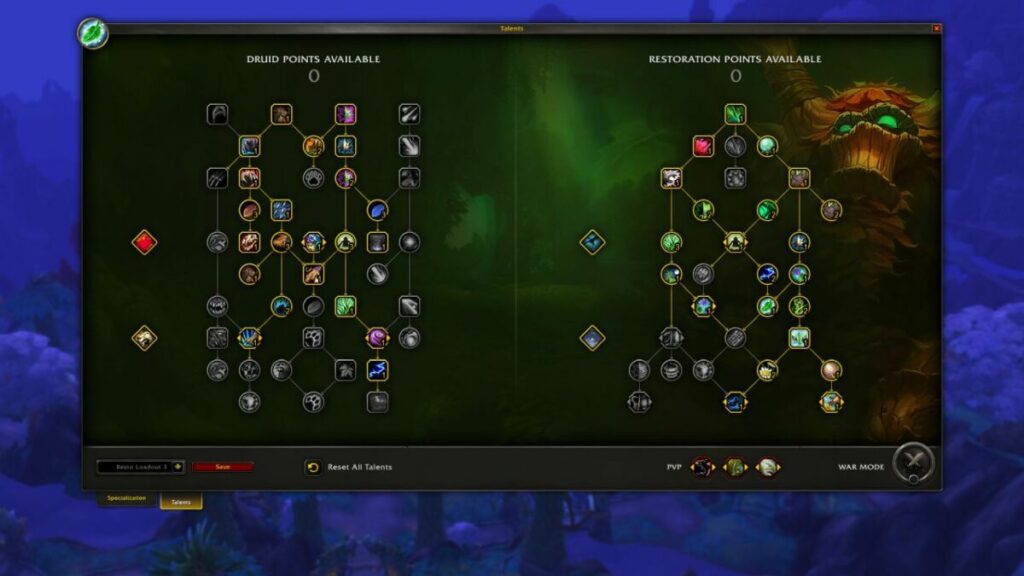
Once you see the new WoW expansion in beta form, you’ll realize just how much work went into the overhauled user interface. One of the massive projects included in this scope is the return of talent trees. We had them before Mists of Pandaria arrived, but Blizzard reworked and removed them, upsetting many gamers.
Fortunately, we have it back in an updated form. You’ll have more choices when shaping your character’s destiny, and there’s an improved progression system. While the talent trees are still divided between class and abilities, the system will change with every decision you make and point you allocate.
When is World of Warcraft: Dragonflight expected to release?
We don’t have an official date for when to expect World of Warcraft: Dragonflight. There are indications that the beta will begin in July 2022, and then it’s up to the developers to listen to the testers about discovered issues. While we’re hoping for the end of the year, we think early 2023 is a more realistic expectation in a best-case scenario.
Are you ready for the next WoW adventure?
While we’ve only highlighted five of the top features we’re excited about, you can read more about other elements on Blizzard’s page and news blog. We’re anxious to get our wings into flight, but it’s a long road ahead still. There’s also the new race/class hybrid in World of Warcraft: Dragonflight we desperately want to play as, especially when starting in the new zone. So much excitement!
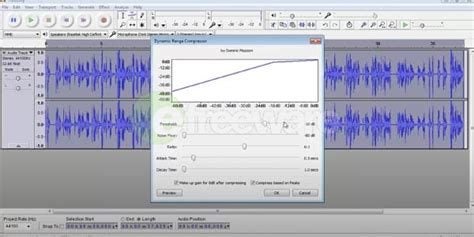
Audacity is an award-winning, free, open-source digital audio editor and recorder. It can run on Windows, GNU/Linux, macOS, and other operating systems. Even if you’re a complete beginner, you can do lots of things with Audacity. You can record live audio using a microphone or mixer and import, combine and edit sound files. You can digitize recordings from other media and export recordings in different formats. If you’re not happy with something you’ve recorded, you can undo and redo as many steps as you need to.
You can remove extra noises from your recording or filler words in a voice-over. And there should be no problem understanding anything in Audacity because it offers the interface in more than 30 languages!
Plug-ins and sound quality
Audacity supports many plug-ins to enhance your recordings, including LADSPA, LV2, VST and Audio Unit. Nyquist effects can be modified using a text editor.
When it comes to sound quality, Audacity supports 32-bit, 24-bit and 16-bit equipment. You can convert rates and formats using quality dithering and resampling.
File formats supported
Audacity supports many different file formats, including FLAC, OGG, MP3, AIFF, WAV, MP2, and more. Some plug-ins will also allow you to use MP4, M4A, as well as AC3. Audacity can also convert some file types.
How to merge tracks in Audacity
Merging different audio tracks into one is among Audacity’s best features. It’s not at all difficult. This is how you combine tracks.
Open Audacity
Open Audacity or download it if you don’t already have it installed on your computer.
Drag and drop audio files
Drag the audio files you want to merge into Audacity’s window. Each of them will show as a track.
Cut one track
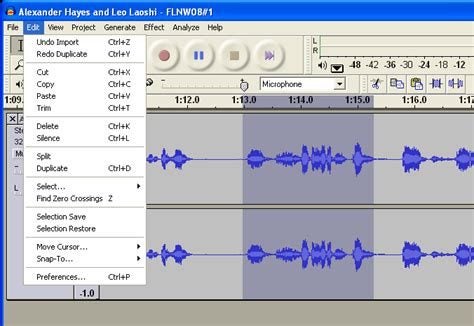
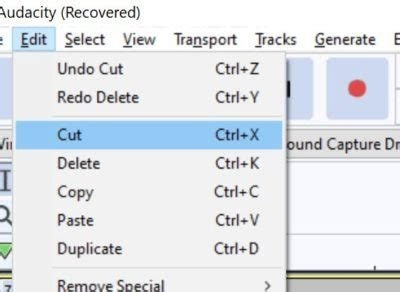
Select the track you want at the end of another one and choose Cut from the Edit menu. Or cut that track by using Ctrl+X.
Paste track
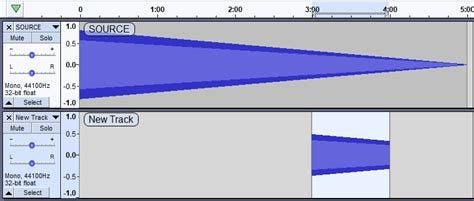
Click at the end of the track you want to run first when they’re combined, and click Paste. Or press Ctrl+V to insert the audio you’ve cut at the end of the other one.
Play the combined track and see if you’re happy with it. If you are, export or save it as you wish.
Creative uses of Audacity
Audacity can enhance any creative projects you might undertake. Here are some ideas:
Record music
Audacity’s multi-track music recording ability is legendary, and some professional musicians use it for all their recordings, including whole albums! It’s ideal for recording backing tracks for singers.
Record your ideas
You can record story ideas if you’re a writer or song lyrics if you’re a musician. You can even record a shopping list so you don’t forget what you must buy when you get to the store.
Make a karaoke backing track
If you’re into karaoke and want to practice at home, record some backing tracks and sing to them, so that if you decide to do it in public, you’ll know exactly how you’ll sound.
Practice a speechin Audacity
You can record yourself making a speech, giving a toast or making a presentation. Practice makes perfect, and by listening to a recording of yourself, you can ensure you sound perfect.
Record audiobooks
If you have a good voice, you can record audiobooks. You can do this for your family, friends, or children or offer them to groups that provide audiobooks for visually impaired people.
Learn a foreign language
If you want to learn a foreign language, Audacity can help. You can record yourself speaking or reading to practice and play it back to check your accent and pronunciation.
Create a podcast
Because of its multi-track capabilities, you can import audio, fade in tracks or add sound effects and music to enhance the dialogue in your podcast to make it really interesting.
Versatile Audacity makes sound easy
It’s hard to think of another software program that allows you to do as much as Audacity when it comes to recording and playing back just about anything. That’s why it’s so popular, not only with people playing around and enjoying audio but with professional musicians and writers. There’s so much you can do, so give it a try!
Following its multi-device feature update weeks ago, WhatsApp is starting to work on a second version that will allow users to link new mobile devices to their WhatsApp accounts. This will add a new section to the screen interface where you can register your other phone or tablet.
Among the instant messaging app’s numerous beta features in development, WhatsApp’s multi-device support is currently one of the best that’s finally been made available to the public. With it, users can link up to four desktop devices and one phone to their WhatsApp account and let them access the app’s services almost anywhere.
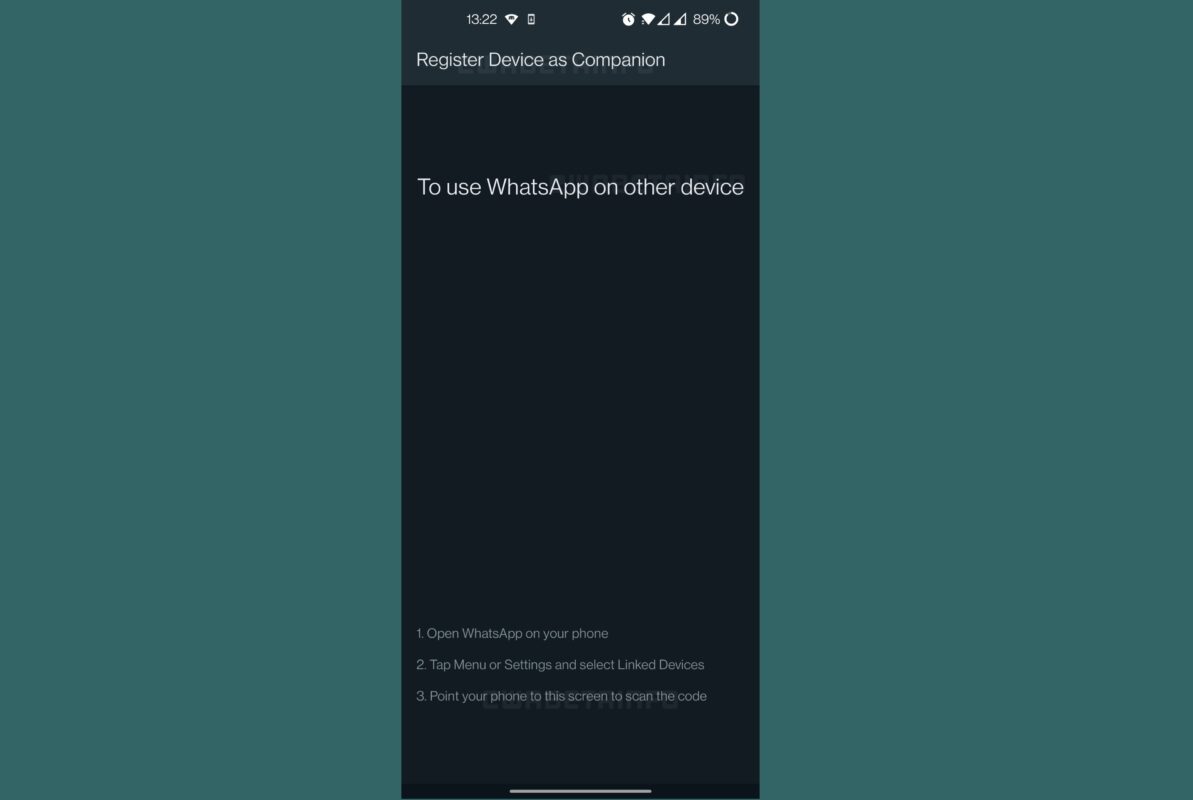
However, some users have more mobile devices so the limitation of only one phone per account can be stifling. Fortunately, WhatsApp Beta is already developing more of the feature and will be introducing a “second version” soon. This will let you add another phone to your supported devices via the “Register Device as Companion” feature.
This new section will only show up when you open WhatsApp on a different phone. It will display instructions on how to link up your new phone to your account and will require one of your linked devices to work first. Similar to how the multi-device feature works, it’ll display a QR code you can scan. For now, WhatsApp is working on supporting secondary phones but users will eventually be able to link tablets, too.
There’s no announced release date on the beta test for this just yet, but we can expect that it’ll eventually be available for all WhatsApp platforms. Regardless, this will be a great addition to the app’s list of handy features—especially for Business accounts since WhatsApp Business is developing an optional subscription plan that offers a bigger limit on supported devices.
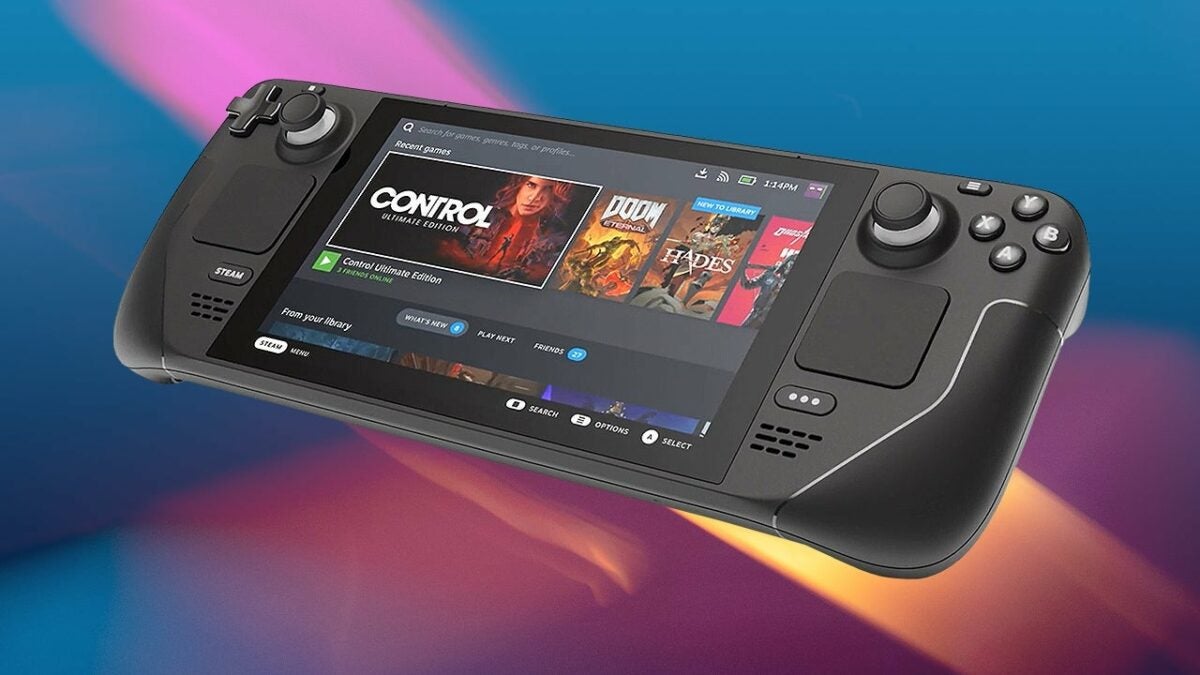
Valve has been testing a beta version of Windows 11 on its handheld console’s SteamOS for a few months now. It was mostly only available in test phases while the company ironed out some issues on Steam Deck. Whatever the problems were before, it appears to be sorted now with the official update release.
One of the most significant changes is support for fTPM. What this means is that the device can enable Firmware TPM on the small CPU. Those who can’t upgrade from Windows 10 to 11 on computers will know that it’s one of the top requirements for the new operating system.
A benefit of running Windows 11 on the SteamOS device is the improved touchscreen capabilities it brings to Steam games. The incompatibility issues with Valve’s anti-cheat system are also now a thing of the past. Sadly, there’s always something bad that comes with the good.
As with most migrations to new operating systems, not everything will run smoothly. The original interface was designed to run smoothly with Steam games. You’ll have to become used to how Windows 11 handles gaming and engagement with others on Steam Deck. If you’re not fond of complicated systems and transferrals, you may not enjoy the entire process of installing the new system.
Still, we’re looking forward to when Windows 11 DirectStorage becomes a reality. There’s no rush to install the new OS at this point if you want to wait until more features arrive for Steam Deck. It may be worthwhile seeing how many issues other gamers discover before making the plunge yourself.
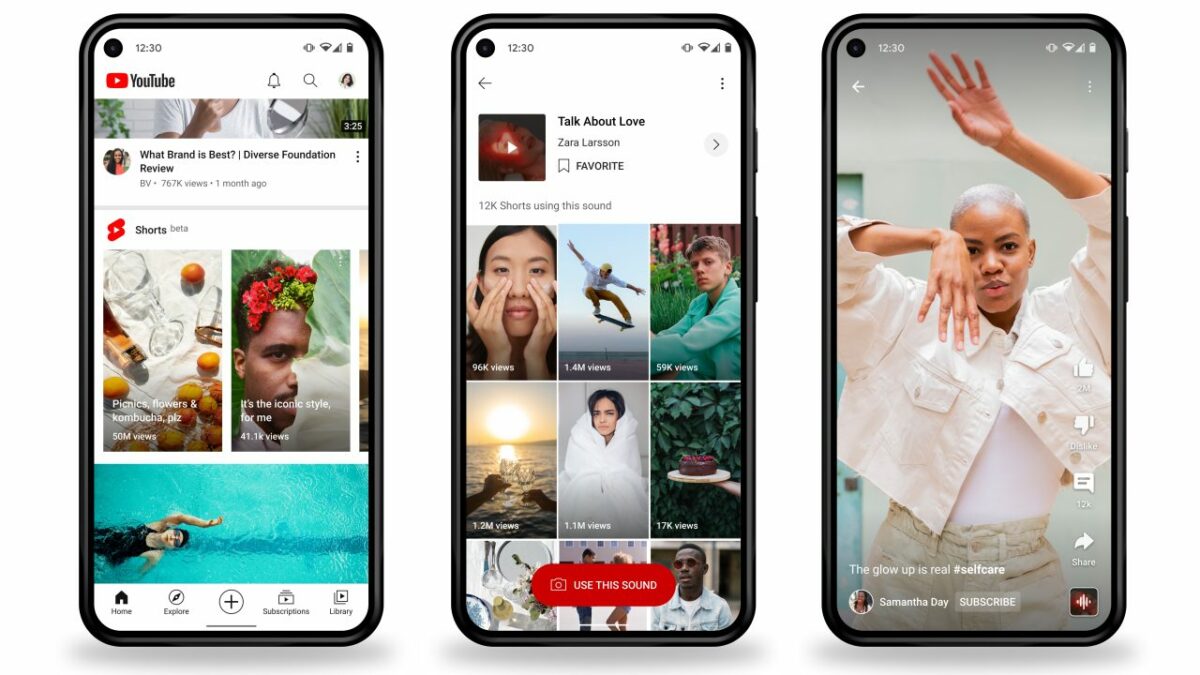
TikTok seems to have taken over the general public’s interest, but that hasn’t stopped YouTube from investing heavily in its own version of the short-form video platform, YouTube Shorts. Its investment is paying off, to the tune of 30 billion views a day. This massive increase in views has now prompted the platform to start introducing ads into the YouTube Shorts experience.
The announcement came at yesterday’s Alphabet earnings call for the first quarter of 2022. It was phrased as ‘testing’; YouTube’s Phillip Schindler has made it clear that ads are a sure thing where YouTube Shorts is concerned. ‘While it’s still early days, we’re encouraged by initial advertiser feedback and results.’
YouTube is currently focused on ads that promote app installs and various promotions. Typically, YouTube plays one to two ads before every video you watch, another at the end of the video, and usually a few ads in between segments in the video, depending on how long the video is. While this works fairly well for a long video where the ad takes up very little time in the grander scheme of the length of the video, how will the new Shorts ads be received by the public?
Is it really a good idea to cram ads into every single facet of your business strategy? How will the inclusion of ads in Shorts change the way people interact with YouTube? Unfortunately, all of this still remains to be seen. Objectively, it’s difficult to imagine how successful an ad campaign during each Shorts video will be, given that the videos are only a few seconds long.
We’ll have to wait and see how this decision affects the platform and whether its daily views will continue to rise. In the meantime, why not check out our guide to monetizing your YouTube channel?