Cloud storage solutions like Google Drive and Microsoft OneDrive make it easier than ever before to work from anywhere, but they also offer protection against cybersecurity issues like ransomware. The more you keep on your cloud storage drive, the less you have to rely on that single hard drive that is stuck in a single location. Looking at Google Drive, there are some shortcomings, however, when compared to using say, File Explorer on Windows 11. A new update is attempting to address one of the functional issues, so let’s go through it now.
As it has become cheaper and cheaper to have faster and bigger hard drives and hold larger and drives in the cloud, we have ended up with more and more files saved on them. Many of these files have similar-sounding names, which means when we go to retrieve them, we can end up confused as to which is which. This is particularly the case if you use Google Drive’s Search function to do so. This new update will help us deal with that confusion by adding file locations to all files.
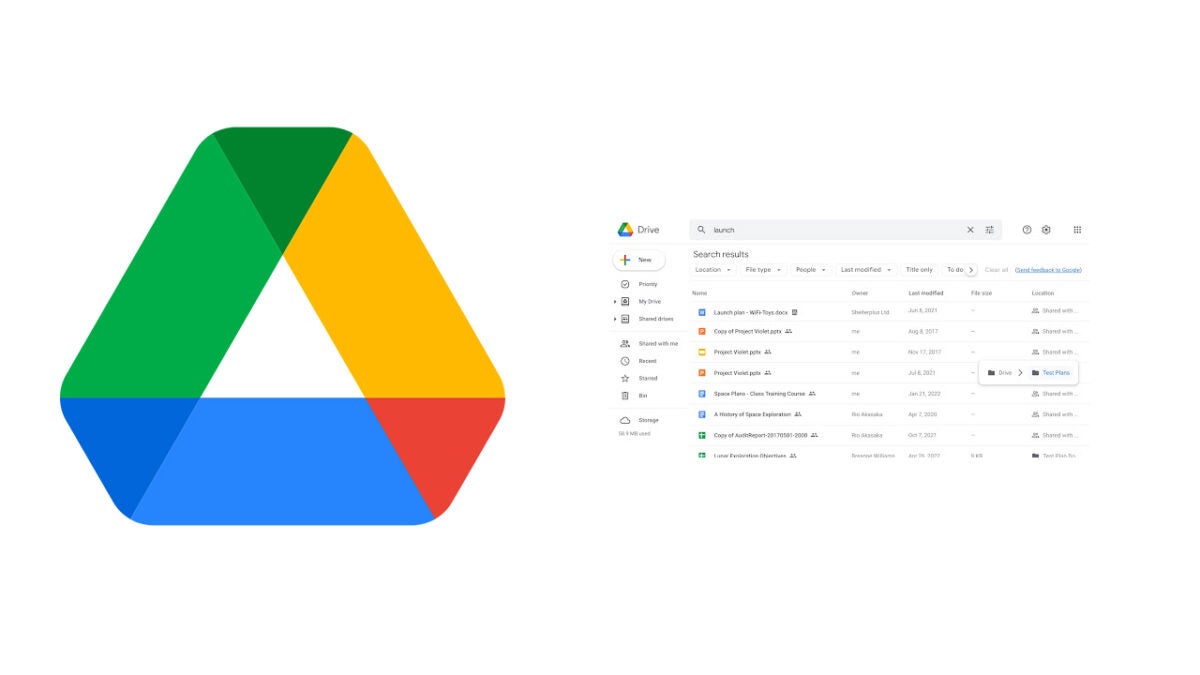
The new Google Drive featureworks by showing up the location of a file when you hover over it. This means when you have searched for a file using its name you won’t have to right-click on every result to check its location until you find the one you are looking for. All you will have to do is simply move down one by one until you see the location where you remember that the file you are looking for is stored.
This feature is rolling out to all Google Workspace users now and will be turned out automatically for all users. Google expects it to be available for all users by the end of the month.
This might only seem like a small update, but it adds to a number of updates Google has been adding to Google Workspace over recent weeks. These have included improved collaboration features and AI-powered productivity upgrades. All these little features, and more, together will add up to significantly boost Google Workspace’s offering as Google attempts to muscle in on Microsoft 365’s dominance of the productivity suite market.
Your Twitter timeline is a window into the world as you want to see it. You decide who to follow and then your timeline fills up with whatever they are saying. You can choose to view their tweets chronologically or you can give Twitter the chance to try and algorithmically serve up what it thinks is most relevant for you. Twitter has announced that it currently testing adding a similar choice to how you view Twitter Communities too.
Because of likes and retweets, when you follow someone on Twitter you are in fact signing up to see tweets not just from them but also, possibly, from the people they follow and even the people they follow too. Through these network effects, you get unofficial communities springing up, which is why you often hear people saying things like “Gaming Twitter can you help me with…” or “Lakers Twitter, how do you…”. As well as these unofficial Twitter communities, however, Twitter actually has an official Communities feature too.
Twitter Communities are created and managed by people, who moderate all community interactions. Anybody can see the tweets made by the community but only community members can engage with them and participate in community discussions. This is like a structured version of the bootstrapped community effects we all participate in when we follow another user.
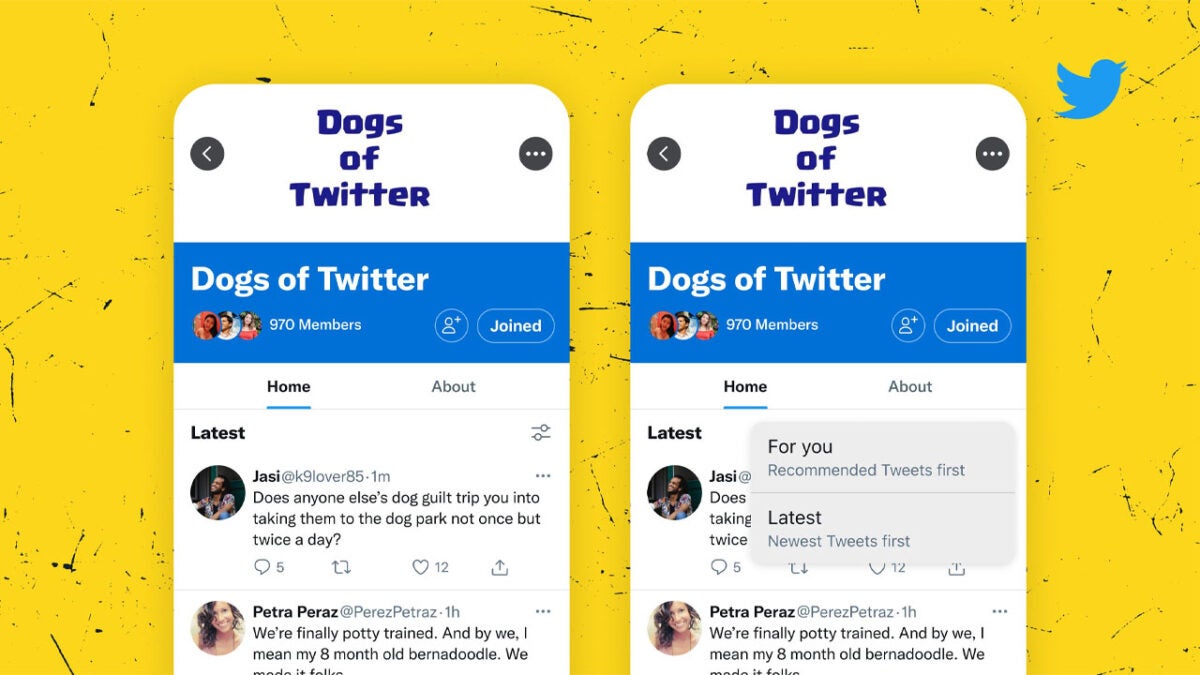
This new update allows you to consume tweets from these official communities in the exact same way you consume regular tweets. It allows you to open a Twitter Community and then select whether to view the tweets made by the community in chronological order or in an order that Twitter algorithmically thinks is more relevant to you.
At the moment, this new feature is just a test so it will not be available to all users. This means it is still not certain that it will receive a wider rollout or if it will when we can expect it. To make sure you don’t miss any Twitter updates, stick with us for all the latest Twitter news.
It was only last week when we used some visual clues for Call of Duty: Modern Warfare 2 that Activision might release more information on the FPS game on June 8, 2022. It seems like our deduction skills paid off, as a new trailer teasing a worldwide premier officially announces the date is correct. Next week Wednesday, we’ll be tuned to our screens as we finally receive some exciting details for the next COD: MW installment.
In this new Call of Duty: Modern Warfare 2 trailer, you see a group of soldiers called Task Force 141. They hail from the MW title that launched in 2019, so it could be that we’ll be seeing a sequel. Some leaks and rumors suggest they’ll be going behind enemy lines to take on the Colombian drug cartels. We’ll have the official details on this during the worldwide premiere on June 8th.
Joel Emslie, the art director for Call of Duty: Modern Warfare 2, gave a few more details on Activision’s latest blog post. To amp up the excitement, he stated that it will be the studio’s most ambitious project for the COD brand yet. He also mentioned that it’s the type of game he’s been waiting to be a part of for a very long time.
Many people are still playing the multiplayer modes of the 2019 Modern Warfare. We saw six seasons appear in the first year, action-packed with new weapons, items, and operators. Of course, we’ve also seen COD: Warzone and COD: Vanguard appear since then, and it will be fascinating to see how Call of Duty: Modern Warfare 2 will compare to these giants. We’re also waiting on any more details from the exciting closed alpha of COD Project Aurora.
Chatting about tanks and military vehicles in a virtual game environment is one thing. Revealing real classified military secrets is another. It seems War Thunder gamers take their gaming seriously, as one player tried to settle an argument on Reddit by showing official documents on Chinese armament schematics. It included a photo of a part of the actual weapon.
The game developer, Gaijin Entertainment, has removed the post from the War Thunder forum. That doesn’t mean people aren’t still talking about it. Tweeters have taken to Twitter to discuss it, while there’s a heated debate on Resetera. However, it seems this isn’t the first time something like this has happened.
So, what’s the actual deal here? Well, the gamer appears to have been upset about some of the stats regarding armaments in War Thunder. While trying to show Gaijin that they had made a mistake, the Chinese player leaked official classified information with an image of what the parts look like. According to the forum Community Managers, they removed it since China is still developing that shell, and releasing that type of information can cause massive trouble.
While trolls on social media are using this incident to state that the War Thunder forum is toxic, something like this has only happened twice before. In July 2021, a gamer presented the official schematics for Britain’s Challenger 2 Main Battle Tank as he was dissatisfied with in-game visuals. The UK’s Ministry of Defence then stepped in. The same thing happened three months later for France’s Leclerc Main Battle Tank.
While I certainly take my gaming seriously to some degree, this is a whole new level. Many fans on the forum wondered how these gamers managed to get their hands on those classified military secrets. Even more disturbing is how they got their hands on those parts. At least I can safely take out my Assassin’s Creed 2 hidden blade and outfit for cosplays without worrying about the government stepping in. Well, at least in a controlled, cosplay environment.
On a lighter note, we’re amping up for the end of Fortnite’s Chapter 3 Season 2 by tomorrow. There’s an exciting event happening this weekend as the big finale, and then into Season 3. We’re also excited that Fortnite is returning to in-person competitions.
Fortnite Plans to return to in-person competitionDOWNLOAD
It’s been less than a week since Ubisoft unleashed Roller Champions on the gaming world, and already the game has made quite a name for itself. In essence, Roller Champions is a simple arena-based skating game where you try to land balls into a goal. But like many esports titles, there is so much more to this game than what your first impressions may suggest.
There’s a distinct skill for tactical gameplay and intense competition that you need to hone in order to make it big in Roller Champions. There’s a deeper game at play here. Below we’ll break down the 5 top tips you need to follow if you aspire to become a Roller Champion and win Ranked Games.
Possession
This is one of the most important aspects of any ball-centred sport, digital or physical. It’s also one of the first things you learn in a discipline like soccer. Roller Champions is essentially an interpretation of soccer or another ball-playing sport, but with the added benefit of being on wheels. Therefore, the basics of games like soccer logically apply here.
Ensuring that the ball is within your team’s control is the first step to success. Your goal is to score goals. You can’t score goals if you don’t have the ball. Therefore, keeping possession of the ball is the best way to rack up those all-powerful points. You also want to be able to score points by lapping the arena without letting the opposing team touch the ball.
As soon as that ball falls into your opponent’s hands, your lap score resets. So work together on keeping possession of the ball and you’ll be on your way to the top.
The art of the tackle
Roller Champions takes a lot of inspiration from a lot of sporting disciplines. Roller derby and rugby are two sports that this next top tip has much to do with. Both of these sports involve a great deal of tackling, and you’ll need to get to grips with getting a little physical with the opposing team if you have any hope of winning Ranked Games. There’s a silent art to a well-executed tackle, and a skillful tackle may be just what you need to employ to get the ball away from your competitors.
You don’t even have to reserve a good tackle for exclusively when you’re on the offensive either. A good offense makes the best defense. If you spot someone attempting to tackle you, beat them to it and send them off balance. Better yet, run interference on anyone trying to tackle the ball carrier on your team. Tackling can save your lap score, bolster your possession and even protect your team.
The perfect pass
If you’re up against a team who knows its way around a roller arena, you’ll need to pull out all the stops. This is where the perfect pass comes in. The opposing team is going to have eyes on whoever is carrying the ball for your team at all times. You best believe that they aren’t just going to watch either; they’re going to tackle. The best way to avoid this is with a well-timed and skillfully-executed pass. Moving the ball frequently between your team makes it more difficult for the opposing side to zero in on a target. Keep the ball moving and you’ll rack up those points in no time.
Executing the perfect pass is relatively straightforward in Roller Champions. All you need to do is watch the other team’s players. When you deem it safe to take possession of the ball from a teammate, hit the pass button, and it’ll indicate that you’re ready to receive. The golden rule of passing is if there are opponents in front of you, pass to a teammate behind you.
The turnaround
I remember the days of Need for Speed Most Wanted, where hitting the handbrake and turning to face police cars or other racers head-on, if perfectly timed, was an invaluable manoeuvre. All you needed to do was pump the gas and hit that nitrous button like your life depended on it. It was easily the best way to land a critical hit or knock a racer out of a knockout. A similar technique can save your skin in Roller Champions.
There is, however, a time and place for such rollerskate histrionics. The rule of thumb is to never turn around once you’ve completed a lap. However, if you’re falling behind, you could take another player down a peg by turning to face them head-on and ramming them at full force. This is also a brilliant tactic when trying to get the ball from the opposing team. Few players expect such brazen actions.
Bank your points in Roller Champions
Making a lap is all good and well, but those points only count if you get the ball through the goal. If you’ve played a few rounds, you’ll know that the goal only opens once you’ve made a full lap. Doesn’t make sense to be able to bank points you don’t have yet, right? The good thing, however, is that once you’ve made your lap, you can bank your points.
This is sometimes even better if you lap the arena a few times between goal attempts. This way, you can bank more points at once and shoot a little less often. However, if you see you’re a target and close to being body-slammed by a competitor, don’t wait to rack up laps before you bank your points. Bank smarter, not harder, wherever possible.
With the productivity suite battle between Microsoft 365 and Google Workspace hotting up, the last thing either of these tech giants will want is news of cybersecurity vulnerabilities affecting their flagship programs. Unfortunately for Microsoft, however, that is exactly what has happened as a new zero-day vulnerability found in Word is giving hackers a way to take control of victims’ computers. Let’s dig in a little deeper.
The vulnerability was first discovered on May 27, by cybersecurity research team nao_sec, who tweeted about it that day. They identified a strange Word document that had been uploaded from an IP address in Belarus and identified it as a zero-day vulnerability in Office.
This new zero-day vulnerability allows third-party actors to execute code from within Office. It has since been called Follina by Kevin Beaumont, a subsequent researcher who has been looking into it. Basically, according to Beaumont, “Historically, when there’s easy ways to execute code directly from Office, people use it to do bad things.”
In his long investigation into Follina, Beaumont highlights some of the victims that have been exploited by the bug. Shockingly, these even include attempts at extortion through the use of false sexual misconduct allegations. Other exploits include downloading malicious software and sharing private documents and files.
Unfortunately, Microsoft still doesn’t have a patch for this vulnerability, but the company has released a workaround, which includes disabling the Microsoft Support Diagnostic tool (MSDT). Unfortunately, however, that isn’t really very helpful for the majority of Word users who don’t even know what that is.
If you feel comfortable following the instructions laid out in the link above, do it. If not, the main things you need to do right now then are to make sure you are only ever downloading files from safe and reputable sources and if you are unsure about any files you have downloaded recently, switch to using an alternative Word processing program like Google Docs until we learn that Microsoft has pushed out a bug to the problem. It isn’t a perfect solution but until Microsoft releases the patch it is the safest way to protect yourself. As always, keep yourselves safe by checking out our guide to avoid phishing scams, which will help you avoid downloading dangerous files.
Amber Alerts are a nationwide system for alerting the population to cases of missing children, that were first set up in the United States 26 years ago. Back in 2015 Facebook launched Amber Alerts across its main social network. Meta, the new umbrella corporation that owns and runs Facebook as well as all other apps that previously fell under the Facebook umbrella, claims that since then those alerts have helped and assisted in hundreds of successful child endangerment cases in the US and around the world. The company has announced that it is now launching Amber Alerts on Instagram too.
The idea behind Amber Alerts, which stands for American’s Missing: Child Broadcast Emergency Response is quite simple. The chances of finding a missing child increase the more people know about it, particularly in the first few hours after the child goes missing. Traditionally, these alerts have been spread via TV, radio, signs and posters, and SMS messages but recently social networks have been lending a hand too.
Once this update drops, Amber Alerts will also be broadcast out to relevant Instagram users too. The way the Instagram Amber Alerts feature will work is when law enforcement sends out an Amber Alert, it will appear in the Instagram feed of all users who are present in the designated area. As shown above, the alert important details about the child including a photo, a description, the location of the abduction, and any other information law enforcement can provide.
The feature has been developed in conjunction with, “National Center for Missing & Exploited Children (NCMEC) in the US, the International Centre for Missing & Exploited Children, the National Crime Agency in the UK, the Attorney General’s Office in Mexico, the Australian Federal Police and more.” It will be rolled out over the next couple of weeks to Instagram users in the 25 countries (Argentina, Australia, Belgium, Bulgaria, Canada, Ecuador, Greece, Guatemala, Ireland, Jamaica, Korea, Lithuania, Luxembourg, Malaysia, Malta, Mexico, the Netherlands, New Zealand, Romania, South Africa, Taiwan, Ukraine, the UK, the United Arab Emirates and the US) with Instagram looking to bring it to more countries in the future.
It is good to see social networks making moves that can help society and we have celebrated Instagram’s efforts before, particularly as the app has tried to wrestle with mental health concerns in the past. If you’re with us on that one, you may be interested to learn about the best apps for living a healthy lifestyle.
Discord has grown beyond being just a way for gamers to chat online and now sits as the main communications hub for many different types of online community, from sports fans to crypto enthusiasts. As the app has gone from strength to strength, picking up all sorts of new users, the company behind it has also been hard at work developing its technical offering. That’s what we’re reporting on here, a new feature that is bringing text chat to all voice channels. Let’s dig in a little deeper.
The way Discord works is that communities set up servers and inside the servers, the community admins or mods can set up channels that serve as the bases for certain types of conversations or announcements. In this way, thousands of members can join the servers but, if the channels are well structured, they can all converse with each other meaningfully and without too much confusion. Usually, these channels are text channels, but Discord also offers voice channels too and this update relates specifically to voice channels.
Voice channels on Discord run a little bit like Twitter Spaces. There is a stage where the hosts can talk away and then there are guests who can raise their hands and be brought up onto the stage to talk with the admins in front of the rest of the channel. They work really well in this regard and allow Discord to keep this interactive voice chat element on its own servers rather than losing them to other services like Twitter.
One of the main gripes relating to voice channels though relates to sending text. At the moment, there is nowhere to send text on Discord voice channels. Imagine you are talking about a new service or product, for example, and you want to send everybody the link, or imagine somebody is taking notes from an AMA session so that everybody who missed it can bring themselves up to speed. Up until now, the only way these types of things could happen was by nominating another channel on the server where the text would go. Once there it could easily get lost in the midst of whatever that channel is actually there for. Now, however, this is all changing thanks to this new update, which will add dedicated text chat for all voice channels.
If you haven’t already, you really should check Discord out as it is an incredible tool for the modern internet era. If you are unsure about where to start, check out our ultimate guide to Discord.
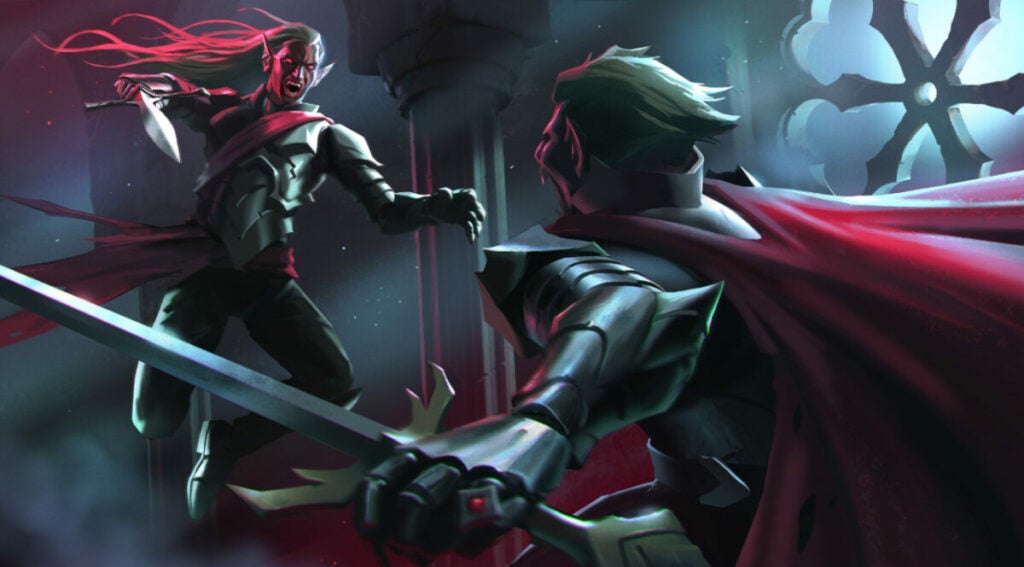
V Rising tips don’t end with “stay out of the sun” or “don’t carry silver“. The surprising indie hit has captured the attention of many people thanks to a successful Early Access and backing for Stunlock Studios from Tencent. While the game mayfeel familiar for fans of titles like Diablo and Valheim, we could all benefit from a road map sometimes.
Beyond following the quest guide and objectives, here are some V Rising tips for things you should always be doing. Or, at least, you may find yourself always doing it whether you like it or not.
Always be farming
Like any game with a resource system and base building, you’ll always need to be farming materials for building and crafting. The exchange rate can be especially brutal and take a long time. But, that just gives you more time to go out and farm more materials!
The biggest of V Rising tips here is to use the right tool for specific jobs. Swords are great for vegetation while axes are great for chopping wood. When harvesting stone, copper, or other hard materials, use the mace instead.
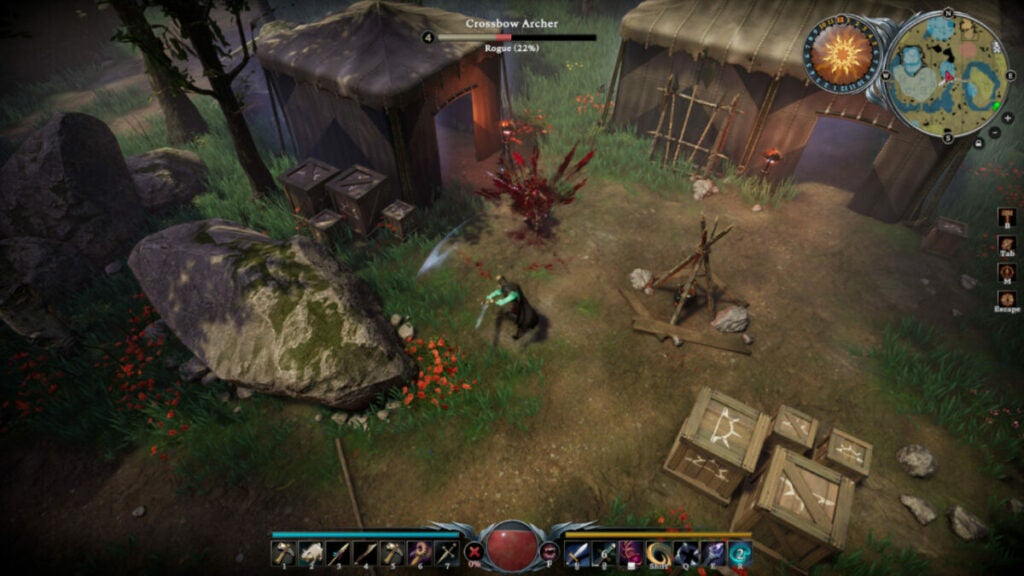
Loot all enemies and camps
As with games such as Assassin’s Creed, players can find materials and items as they attack bandit camps and other locations. Early on, this is especially necessary as you may not know all of the recipes needed to craft certain items such as new armor or building materials.
Just be careful that you don’t handle Silver too much; it sucks away your health as you carry it.
Track V Blood carriers
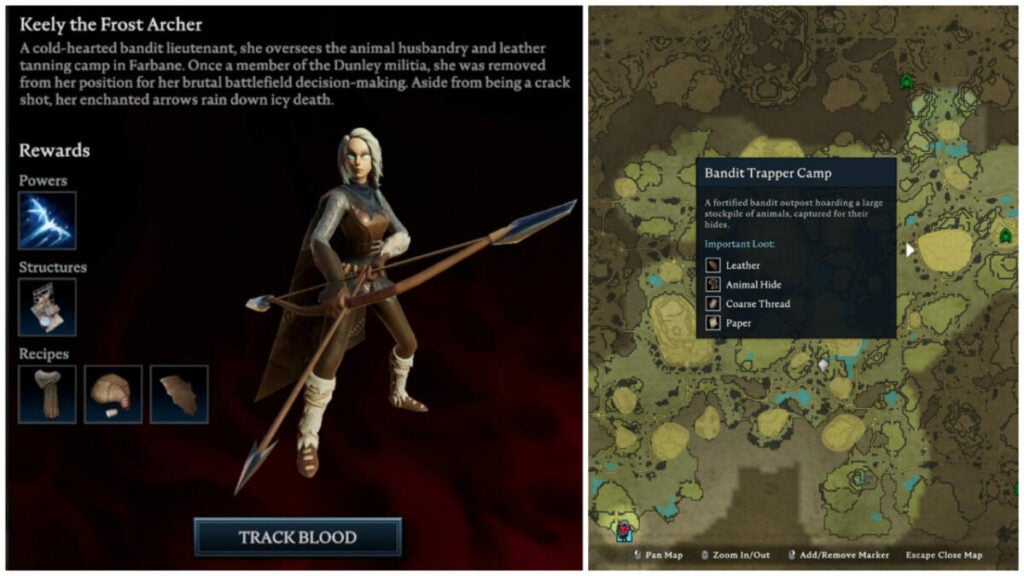
Not only are V Blood carriers integral to completing quests, but you also need the helpful abilities and recipes you get when you take them down. For instance, Keely the Frost Archer provides your first unique ability: Frost Bat. This is especially useful against brutes and warriors who charge you head-on as it slows them down.
Moreover, being able to craft more and more items will help you improve your castle. And that’s really the whole point of the game, isn’t it?
Hide from the sun
It goes without saying that, as a vampire, you should avoid the sun at all costs. Even with things like sun potions or additional sun resistance, you can quickly die from sun exposure.
When you need to travel in the daylight hours, utilize tree shade in wooded areas or hale bales in villages. If you are working on your base before you can craft roof tiles, utilize a mist brazier to block out the sun. It’s a life saver of an item in the early game.
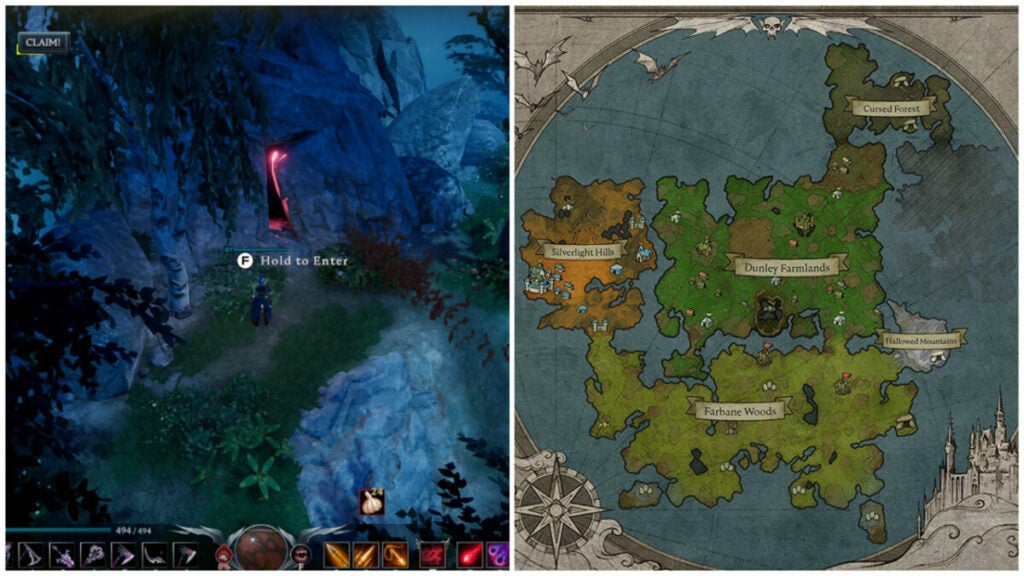
Use cave passages to travel distances
Waygates require you not to have any resources in your inventory. That’s difficult in a game where resource gathering is a core mechanic. So, cave passages represent a useful shortcut that helps you get from one area to another — especially during daylight hours.
Try out new ability combos
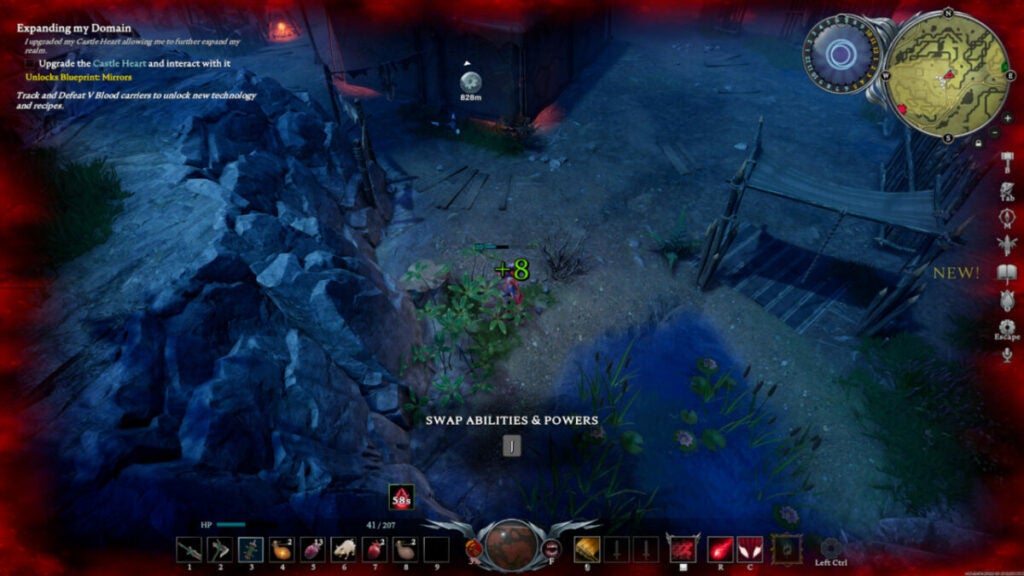
Games like Diablo are all about creating unique builds and load-outs with armor and abilities. V Rising trades in this, as well, offering players many avenues to become a dominant nightstalker once again. So don’t be afraid to switch things up as often as you want to — especially early on.
In addition, certain abilities may be extremely effective against one V Blood carrier or boss, but useless against another. Keep that in mind as you traverse the world of Vardoran.
Keep an eye on your blood type
Feeding on different creatures or types of humans can alter your blood type. For instance, at the beginning of the game, you are set to “Frail” since you’ve only had rat blood so far. This quickly changes once you feed on a human or wolf. Different characters have different purity percentages, as well, which dictate the level of stat boosts you get.
In total, there are 6 blood types including:
Creature – think bears, wolves, or other animals. This type boosts your health regeneration and movement speed initially. At higher levels, it provides damage reduction and sun resistance.
Rogue – archers and thieves provide this blood type. You’ll get buffs to critical hits, crit chance, cooldown reduction, and movement speed from it as you level it up.
Brute – this type initially provides life steal when you drink from bandits. You’ll eventually get attack speed, movement, and health recovery boosts, as well.
Warrior-armored bandits and militia soldiers provide physical power boosts at level 1. At higher levels, you’ll get weapon skill cooldown increases, damage reduction, and chances to parry incoming attacks.
Worker – non-violent or weak NPCs qualify as the “Worker” blood type. This increases your resource gain, horseback speed, damage against resources, and more.
Scholar – scholars provide spell power, spell life leech, and spell cast cooldowns.
Bonus V Rising tips: different forms & DLC
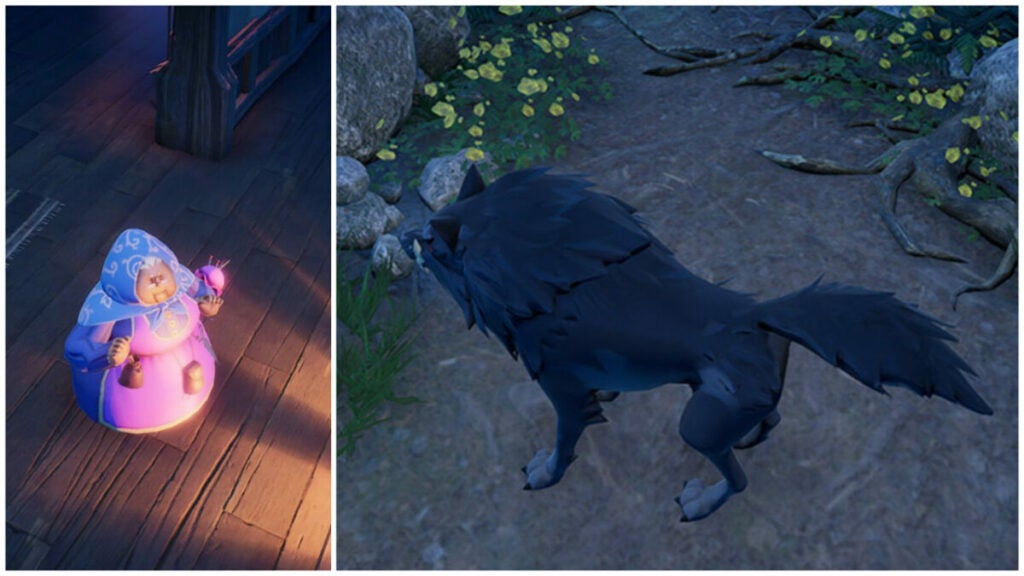
The various forms you acquire by collecting V Blood carriers include the very first one: wolf form. This has many perks such as faster movement speed to help you traverse land more quickly. However, other animals like bears will not attack you while in wolf form. Don’t forget to use all the various forms to your benefit.
The optional DLCs are also a great way to support the developer further while picking up some unique cosmetic items along the way. The cheaper option provides Dracula’s regalia while a more expensive option includes unique cosmetic items and new forms including that cute, unassuming grandmother you see above.
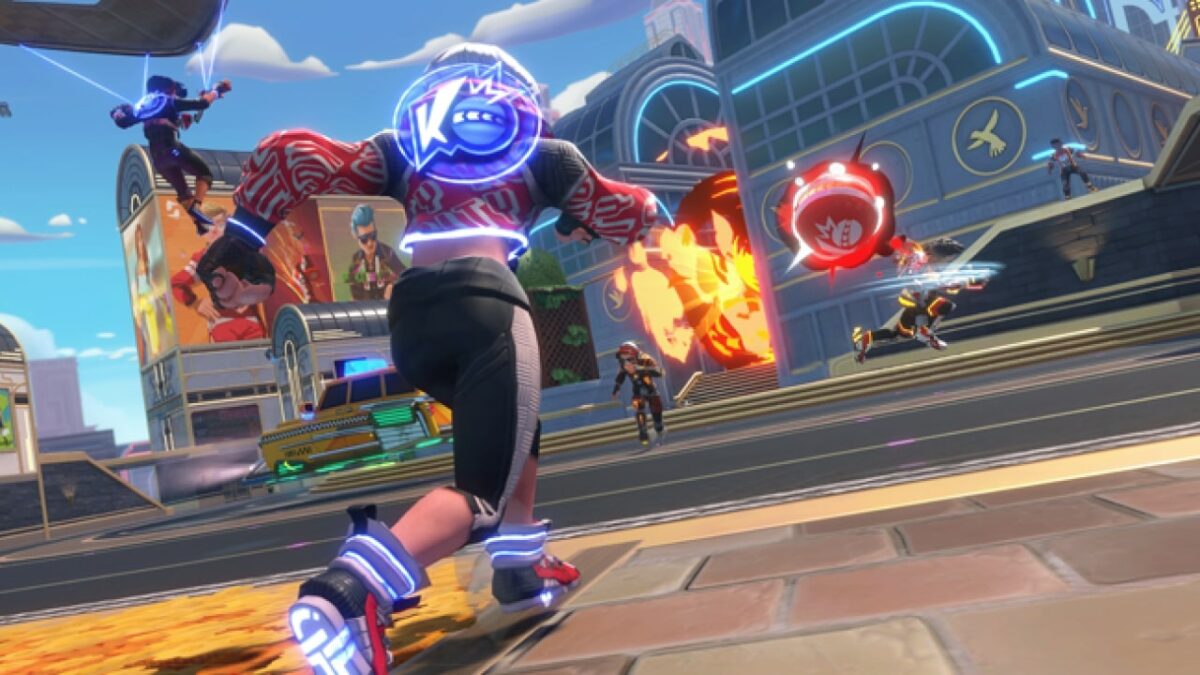
Knockout City, the EA Originals ‘dodgebrawl’ sensation, is preparing for its sixth season. To celebrate, the game’s new publisher, Velan Studios, has decided to release the game as a free-to-play title. EA Originals first released Knockout City in 2021, but earlier this year, Velan Studios took over the publishing role for the game.
Season six of Knockout City, titled City of Tomorrow, is available for free download right now, and fans of the game can expect a whole lot of new additions to get their blood pumping. According to the game’s patch notes, some of the most exciting new additions are the Starfruit Special energy drink, a new Boomerang Ball spanning numerous playlists, the new Sci-flyer crew vehicle, and a permanent new career gig. You can also expect to see numerous improvements to the map this time around, as well as an expanded hideout area.
More new additions come in the form of a free and premium battle pass. As far as the premium tier goes, you can expect to see some new outfits and a few unique poses. You’ll also get an expanded selection of trophies and a good deal of Holobux which will definitely help you in the next season.
The version seems to be just as good, if not better, in terms of gear and loot. Here, fans of Among us will be delighted to see the fruits of a new crossover! Included in this crossover loot between Among Us and Knockout City are a bunch of legendary items such as the Note 2 Self glasses, Emergency Meeting taunt, In Electrical defeat pose, and the iconic Mini Crewmate hairstyle. Rest assured though, that there are many more exciting additions under both of these battle passes.
You can download the new free-to-play version of Knockout City for PC today via Steam. If you’re a console gamer, you can also play the new version of the game on PlayStation 4 & 5, Xbox Series X|S, Xbox One, and, of course, the Nintendo Switch. Velan has also assured players that because the game is switching to a free-to-play platform, you won’t need any of the subscription-based console platforms to play it.
If you’re a fan of EA Originals or the partnership between EA and Maxis, you may be a fan of The Sims. In which case we have just the article for you. We’ve ranked the 10 best expansion packs for the Sims 4.
The 10 best expansion packs for The Sims 4READ MORE