Microsoft has taken several actions to protest the Russian invasion of Ukraine since March this year when it announced that it was suspending sales of its new products in the country. This was followed earlier this month with news that the software giant was scaling back operations in Russia, which resulted in hundreds of Microsoft workers losing their jobs. Now, those actions are continuing further as Microsoft has pulled the ability to download Windows 10 and Windows 11 from internet users in Russia.
The news of this was first announced by Russian news agency TASS who put messages out across its Telegram channels explaining what had happened. Attempting to download Windows 10 or 11 in Russia leads to a 404 file not founderror. This news has since been confirmed by other news outlets including Bleeping Computer.
Bleeping Computer reports that the error message above is what shows whenever you attempt to download the Windows 11 ISO in Russia. There is further bad news for Russians looking to get around this new ban as although the Media Creation tool may seem to work at first, going down that route to download and install Windows 11 in Russia will eventually fail too.
As of yet, Microsoft hasn’t made any particular announcements about this move, so we don’t know for sure whether this a part of a concerted anti-war effort or if it is merely the result of a technical glitch. We will have to wait and see.
Either way, this is bad news for people in Russia who no longer have access to Microsoft’s flagship operating system. However, there may be some hope as Russia’s Ministry of Digital Development has said that there is a good chance that using a decent VPN service could bypass these restrictions.
If you would like to learn more about VPNs, you should check out our guide to the best VPNs for Chrome.
Chrome extensions offer you, the user, the ability to customize and control your web browsing experience. Arguably they are one of the main reasons that Google Chrome is the biggest web browser in the world by a long way. Unfortunately, however, new research indicates that some Chrome extensions may also be helping nefarious third parties track your online activity. Let’s explore this further.
A web developer named z0ccc has released details on how Google Chrome extensions can help with ‘fingerprinting’ devices so that they can then be tracked online.
These device fingerprints, or tracking hashes as they are also known, are made up of various device characteristics including GPU performance, screen resolution, hardware configuration, installed apps, and can even go down to different installed fonts. Once they have been established it is possible to use them to track a particular device’s web activity across different sites.
Unfortunately, z0ccc shared details of a new type of fingerprinting that is able to create device tracking hashes based on the different Chrome browser extensions that are installed on the device.
He reports that installed extensions cause difference in behavior that can then be recognized and tracked.
“Resources of protected extensions will take longer to fetch than resources of extensions that are not installed. By comparing the timing differences you can accurately determine if the protected extensions are installed,”
The researcher, z0ccc has created a website called Extension Fingerprints that will check all of your installed extensions against his newly discovered vulnerability. The tool is able to check against 1,170 popular extensions that are available on the Google Chrome Web Store. The more extensions a user has installed on their version of Google Chrome, the more unique their fingerprint will be, with z0ccc saying, “Having 3+ detectable extensions installed seems to always make your fingerprint very unique.”. Interestingly, however, this method does not work with Mozilla Firefox extensions as Firefox extension IDs are unique for every browser instance.
Ironically, if you are worried about privacy, Chrome has a number of extensions to help you. We can’t talk to their efficacy in combatting this particular privacy issue, but these 13 Chrome privacy extensions will offer relief to the more privacy-minded of you out there.
WhatsApp voice notes have grown in popularity in recent years as they offer a hassle-free way to get your message across to somebody, even when you are unable to type out a message. Voice notes do have certain issues, however, such as being unable to search for particular parts of a voice notelike you can with text messages, and you always have to start a voice note again from the beginning if you need to stop recordingfor some reason. It now looks like WhatsApp is moving to address that second issue and give you more control over your voice notes.
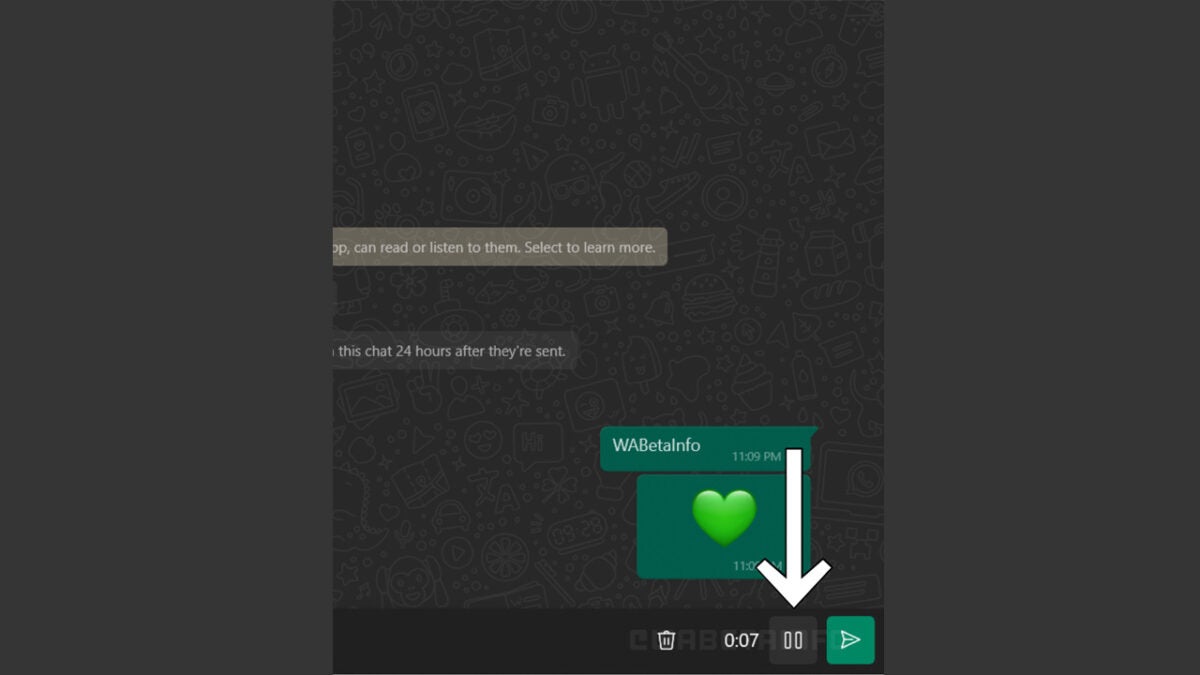
It has become clear that WhatsApp is working to build a pause and play button into the voice note feature on iOS, Android, and Desktop. This feature has been spotted in the latest beta version of WhatsApp for Windows 2.2223.11.70 while having already been previously spotted on other beta versions of the app.
The update is a simple one but offers a significant increase in voice note usability. The new pause and play button will show whenever you are recording a voice note meaning you will no longer have to record your voice notes on an ‘all or nothing’ basis. When the feature rolls out you will be able to pause your voice note while recording it and gather your thoughts before carrying on again, rather than having to delete your note and start again, if you forget what you’re trying to say.
Voice notes have grown in popularity considerably with people often sending voice notes that might better be described as podcasts because of their length. Often in these longer voice notes you will find long periods of hesitation and filler words as it is clear that the sender has lost their train of thought. This new update should put an end to this by giving these ‘private podcasters’ the ability to take more control over their recordings. It will be interesting to see if any impressively produced voice notes end up making it onto social media.
If you like the sound of this update helping you to get more out of WhatsApp you should also check out our WhatsApp productivity guide which is full of tips and tricks.
In a move poised to end a massive copyright infringement lawsuit, a company responsible for developing cheat codes used in Destiny 2 has agreed to pay games developer Bungie 13.5 million dollars in damages. Bungie has further filed a permanent injunction against the creation of any new software used for cheating in destiny 2 and any other title they’ve developed.
Anti-cheat technology is a valuable commodity for game developers to invest in. However, the wheels of justice may be called upon to begin turning in the event that one threat actor lies behind a developer’s decision to implement rigorous strategies for mitigating cheating within their games. According to court documents and a recent report from TorrentFreak, this is the exact course of events that transpired between Elite Boss Tech, a cheat creation company based in Canada and Bungie.
According to Bungie, Elite Boss Tech violated the terms of Destiny 2’s end-user licence agreement by creating cheats for the game. Elite Boss Tech also stands accused of threatening the game’s commercial viability by disrupting player experiences and therefore damaging Destiny 2’s reputation. In addition, bungee also claims that it has had to spend ‘exorbitant amounts of money’ in developing anti-cheat technology to combat Elite Boss Tech’s actions.
Elite Boss Tech has claimed that it has never copied the code of Destiny 2 and that numerous claims made by Bungie are based on inoperative statements from its Limited Software Licence Agreement. Even so, the company has agreed to the settlement of 3.5 million dollars in damages, a number that was calculated on the frequency with which Elite Boss Tech’s cheating software was downloaded. In total, the software has been downloaded 6765 times, and each download carries a penalty of $2000.
As stated in the settlement: ‘This permanent injunction is binding against Defendants worldwide, without regard to the territorial scope of the specific intellectual property rights asserted in the Complaint and may be enforced in any court of competent jurisdiction wherever Defendants or their assets may be found.’
While Bungie bleeds the manufacturers of cheating software dry, Call of Duty’s #TeamRICOCHET is going after those who use it. In a highly amusing recent development, this anti-cheater task force has decided to disarm, and de-fist any players caught cheating in Call of Duty.
Most of us that run websites and online businesses have a keen focus on SEO. We spend so much time seeing what’s ranking well and which keywords to use, that there’s almost no time left to produce the articles. SEO Chrome extensions increase productivity and efficiency by doing half the work for us.
We’ve extracted a list of the best Chrome extensions for SEO beginners and experts. Some of these are ideal for drawing reports or seeing SEO details for a page. If you’re looking for a collection of tools, other extensions help with those.
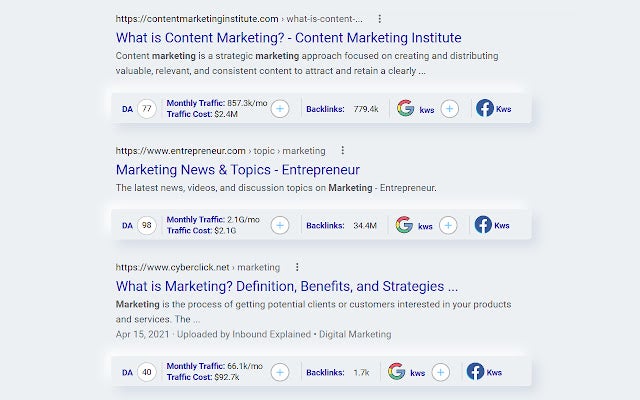
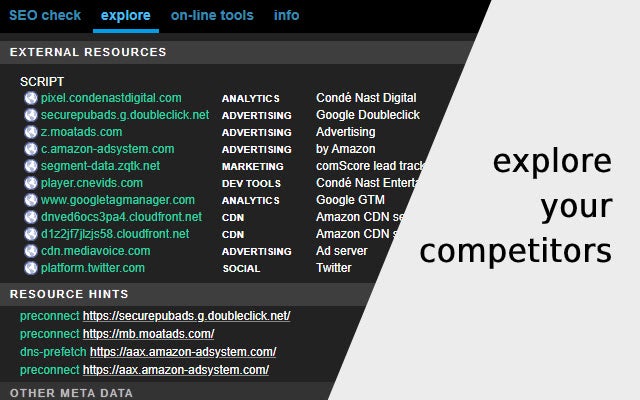
Why bother with a tool like SEMRush when you can install SeoView for Chrome? The extension alters the default information you see on Google Searches. Instead of only seeing the results, you’ll have plenty of details on your competition. You’ll see how they rank globally, what their monthly traffic is, and how they stack up with domain authority.
There are also data on the keywords, such as the keyword competition and monthly search volume. However, the free version is limited, and you’ll have more advanced tools with a lifetime license.
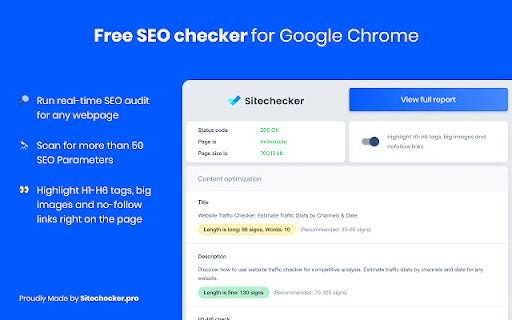
Are you wondering how well your page is performing in terms of search ranking? Website SEO Checker: Free Audit & Analysis is a comprehensive tool that analyzes all the SEO aspects on your site’s page and delivers a complete report. You can see how to optimize the content, if there are no-follow links, or if there are any backlinks.
The best part is that you can use it on someone else’s website to see the SEO elements that helped them rank so well. It assists with viewing their outline and link structure, inspiring your team to develop better content.
Website SEO Checker: Free Audit & AnalysisDOWNLOAD
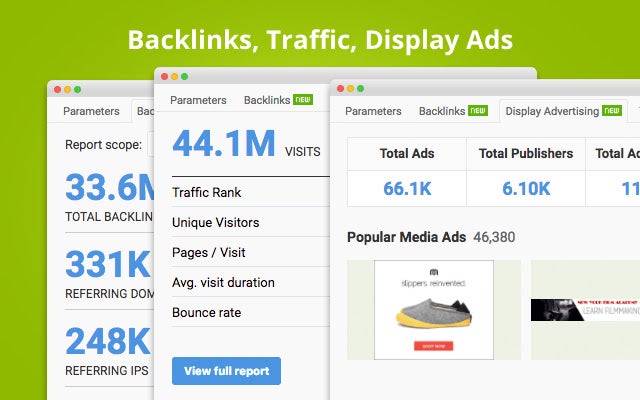
This Chrome extension also provides an overlay on search results to show you key metrics for competitors or pages that appear. What’s more, SEOquake also provides details on social media statistics, such as views, likes, and comments. There are various reports you can draw, such as internal and external links or keywords details.
One of the other top features is checking the mobile compatibility of a page. You’ll receive warnings if something doesn’t look or perform correctly for proper page ranking. You can also run a comparison across several domains, which is as easy as supplying the URLs.
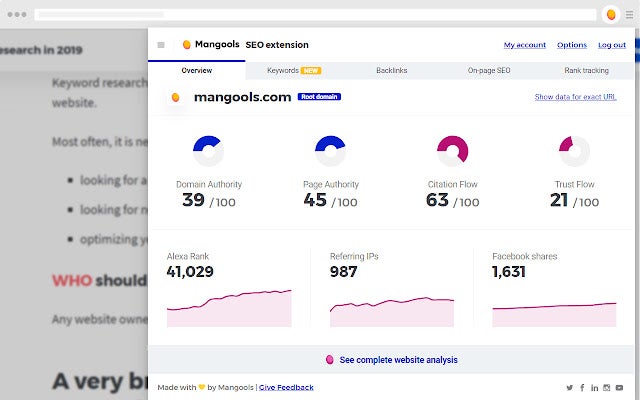
Here’s an on-page SEO analyzer with plenty of tools to save you time and increase productivity. SEO Extension [Metrics, Backlinks, On-Page] checks all the meta details of a page and shows you the outline. It also checks all links to ensure that none are broken, while you can quickly see how many backlinks there are.
When you search for specific keywords, the Chrome extension will reveal all the SEO properties beneath each result. You can see how much volume there is and how much traffic a site receives. Using these details, you can determine your content plan around that keyword.
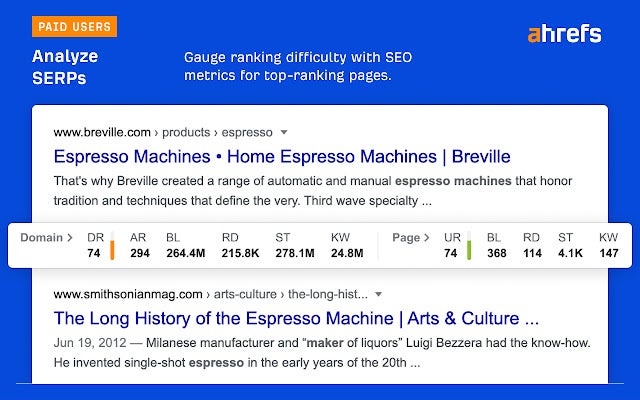
If you have an Ahrefs account, you can link it to the official Ahrefs SEO Toolbar Chrome extension. There’s a free version even if you don’t have an account, but then you’re limited to the basic on-page SEO details. Unlocking and registering for one may be costly, but you’ll have more metrics to use than standard browser add-ons.
Besides keyword information for searches, you can also see if your page can be indexed on the Google Search Console (GSC) or if there will be errors. You can draw many different types of reports for specific data, such as internal and external links, headers and overall structure, and social tags.
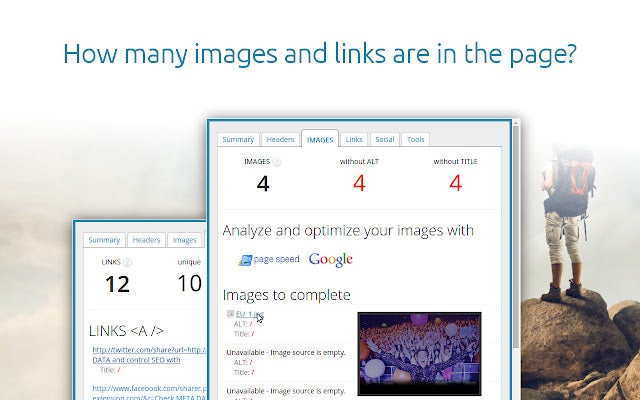
I personally use SEO META in 1 CLICK as an extension on my Chrome browser. It’s excellent when you’re a content writer or agency and want to see what a page’s outline is like in terms of SEO. There are various tabs you can browse, each one delivering different details. For instance, you’ll see an overall summary of all elements on the page, or head to the Headers tab for the outline.
The extension also shows you details on the images, such as which ones have alt text with keywords. On the final tab, you can check several tools for optimizing your page. There’s a page speed analyzer and CSS validator, to name a few.
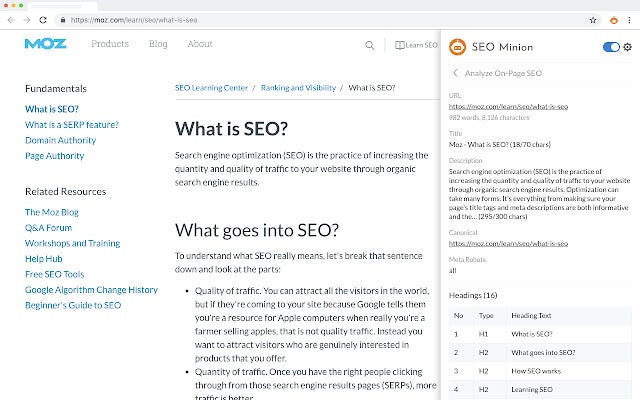
SEO Minion is an exceptional SEO tool that displays all the key aspects on a side panel but the extension icon. It may not be as visually appealing as other Chrome add-ons, but it does the job. It lets you analyze a website’s page, delivering the essential SEO details about it.
There’s also a handy link analysis that breaks the links into various categories. For instance, it will show broken, valid, empty, and redirected links. You can also preview your draft post to view how it would actually look on a Google search page.
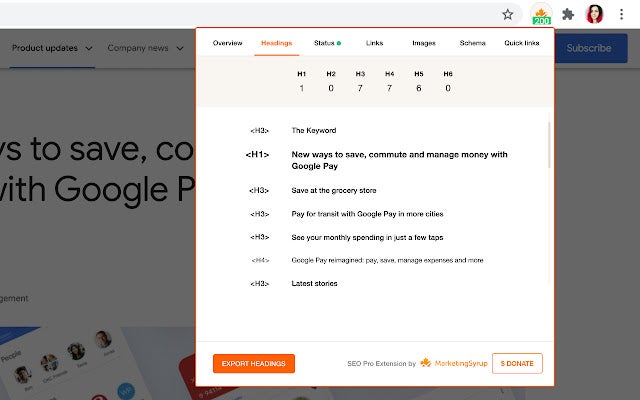
This SEO Chrome extension works in a similar way to SEO META in 1 CLICK, but there are a few more functions. When you activate SEO Pro Extension, a window will appear to show you the outlines, keyword analysis, links, and social tabs. It also checks your images to make sure you have all the necessary SEO aspects.
The latest update included features connected to Core Web Vitals. You can also see if your new page can be indexed or if there are any HTTP error codes without needing to head to the GSC. If you need all of the SEO information in a spreadsheet, simply export the CSV file.
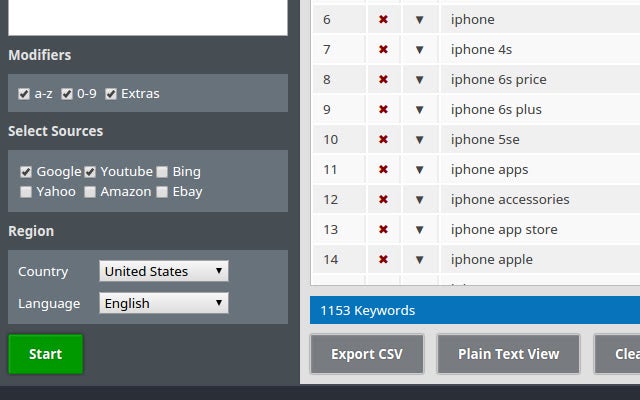
Are you looking for a longtail keyword for your next article that will rank well due to low competition? SeoStack Keyword Tool is a basic tool that will show you the best keywords to use once you insert the main term. Once you press enter, you’ll see the list appear in the primary panel.
You can also export all the keywords in CSV form. The only downside is that you can’t see search volumes for the listed terms. When you click on the button for volumes, it simply takes you to Google Ads campaign mode for your account.
Instead of providing you with SEO details for a page, Essential SEO Toolkit (SEO Analysis Tool) has a wide collection of tools that will assist you. You can use Copyscape to check for plagiarism or Pingdom to test page speed. When you click on one of the links, it will open the website page so you can use it.
This Chrome extension is ideal if you’re starting with SEO and have no idea which are the best tools to use. Even experts will benefit from having all these items and links in one safe space.
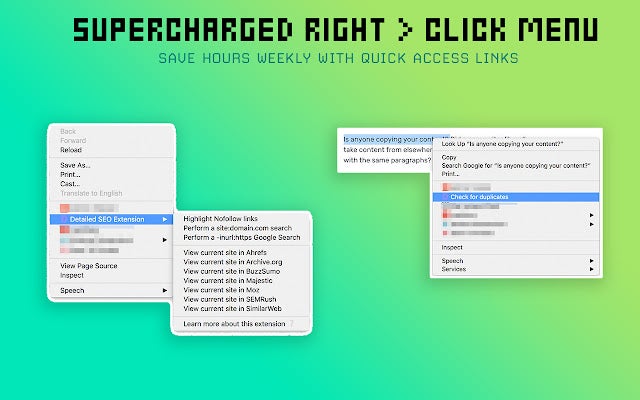
You can access SEO details with Detailed SEO Extension in two ways, which is what makes it unique. The first option is open the Chrome extension panel by the icon and see all the SEO elements as with the other add-ons on this list. The second option is what sets it apart, letting you right-click anywhere on the page for specific details.
A context menu appears with several options, such as checking for duplicate information, opening the page on Ahrefs or other SEO sites, or viewing the performance. It saves time having to go into the actual extension icon on your browser.
Web developers that work with CSS will love META SEO inspector. You know how you right-click on a website and select “Inspect” to see all the background elements? This Chrome extension does the same thing but in the SEO hemisphere. It’s helpful when you want to see if there are any errors in the programming or codes.
The other tools are similar to what the other SEO Chrome extensions on this list offer. You can view your competitors and their rankings, or head over and see what other SEO tools you can use by following the links.
Starting your journey with SEO can be daunting, and you’re never really sure which tools will help you the most. The SEO Marketplace is a shopping ground for businesses looking for the best SEO freelancers and utilities at affordable prices, if not free.
You’ll be able to see descriptions of the services or products companies offer in the marketplace. There’s also a keen focus on PPC services.
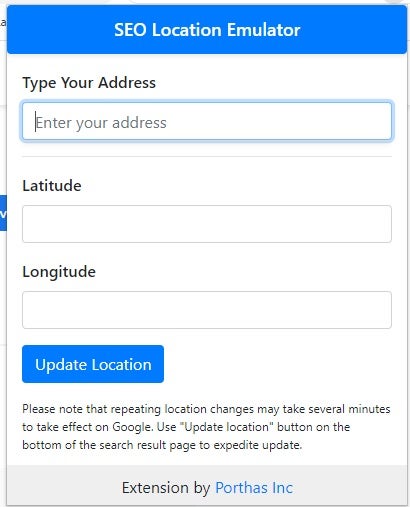
Do you regularly enable your VPN when you want to check keywords and ranking performance in a different country? Precise Address Location Emulator for SEO PPC takes away the hassle by letting you insert your address in a small window pane. Once the scan is done, you’ll receive SEO and PCC details for the specified location.
The issue is that Google Maps doesn’t always work with the Chrome extension. Also, it will ask you if you own the business, which is where you can change the business details on Google.
Precise Address Location Emulator for SEO PPCDOWNLOAD
Nothing is more frustrating than clicking on a YouTube video only to find that you can’t watch it because it’s unavailable in your country. Geo-restrictions, IP bans, and more can make watching all the videos you want very difficult. So, how can you unblock YouTube so that you can watch any videos you want? Unblocker for YT has the solution.
In this article, we’ll look at how to use the Unblocker for YT extension for Chrome and Chromium-based browsers. Keep reading to discover how to unblock videos with this handy add-on.
Why can’t I see YouTube videos?
There are a few different reasons why YouTube videos could be blocked. The first is that the poster has placed an age limit on the video to protect younger viewers. As such, if your Google account states that you’re younger than the allowed age, you won’t be able to watch the video. Another reason is that some YouTube videos are restricted in certain countries, known as a geo-restriction.
To overcome this, you’ll often need a VPN or proxy to make it look like you’re in another country to unblock certain content. Another reason is that restrictions have been set by your ISP or even the person controlling the network (such as your parents or school governing body). These restrictions are set directly on the network or device, meaning that you won’t be able to connect to restricted sites from this network.
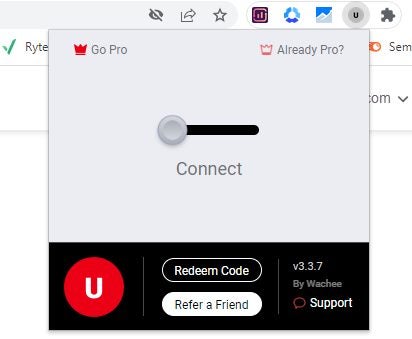
Once the extension is installed in your Chrome browser, it’ll show in your top right extension toolbar. If it doesn’t show, you can click on the extension icon represented by the puzzle piece. Here you can pin your extension to the toolbar. Click on the extension to open it, and flip on the toggle for ‘Connect.’
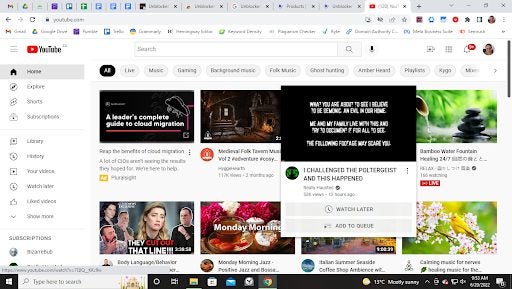
Go to YouTube and watch any video
Next, open YouTube and search for your desired video. The videos should be unblocked, and you can start watching them. Be aware that the free version of the add-on includes ads, but you can upgrade to the premium version to remove ads.
How do YouTube unblockers like Unblocker for YTwork?
Most of these unblockers work by rerouting your request through their servers which have access to all of YouTube. Doing this can bypass any geo-restrictions or other limitations as you only connect to the service’s server instead of directly to YouTube. As such, your browsing history on YouTube is also more anonymous.
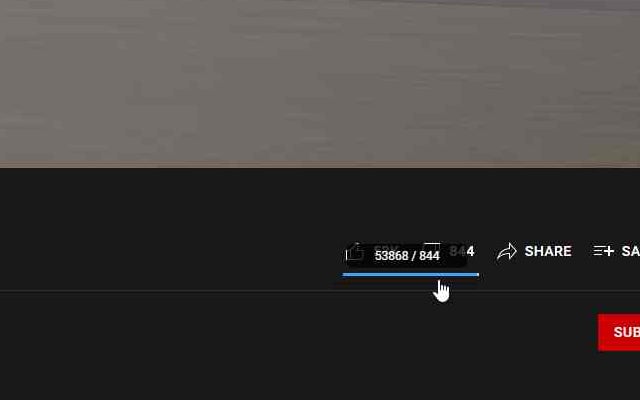
YouTube made a shocking and frankly disconcerting change on the 13th of December 2021; it prevented users from being able to see dislikes. With the dislike ratio missing, there’s no reason to remove the video from the platform even though the dislikes outweigh the likes due to only the likes being visible to the public. Take power back with Return YT Dislike.
We have a quick overview of how to use Return Yt DislikeChrome extension so you can view those dislike numbers again. You’ll have it back in no time.
Get Return YT Dislike
We love extensions that put the power back into the hands of the average user. Return YT Dislike does exactly that. Because we’re such a fan of this extension, we’ve placed it on a list of our favorite YouTube extensions for Google Chrome.
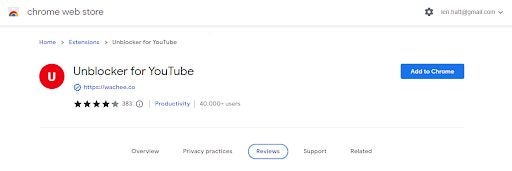
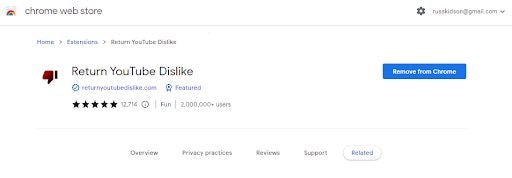
All you need to do to get this extension is click on the link in our listicle and you’ll be taken to a direct download link. Once on the download page, simply hit the Add to Chrome button, and your browser will automatically begin downloading and installing the extension for you.
Open Return YT Dislike
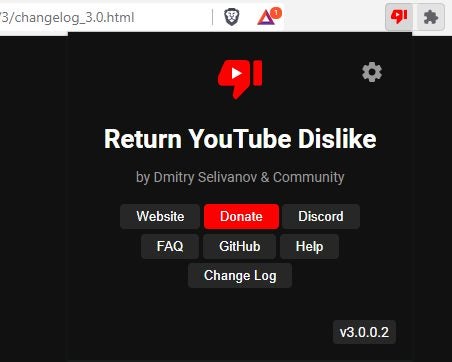
The extension works like any other extension for Chrome does; all you need to do is head up to the toolbar at the top of your browser window and hit the icon that looks like a puzzle piece. From here, a drop-down list of all your extensions will pop up and you’ll be able to click on the extension to open it.
Configure the settings
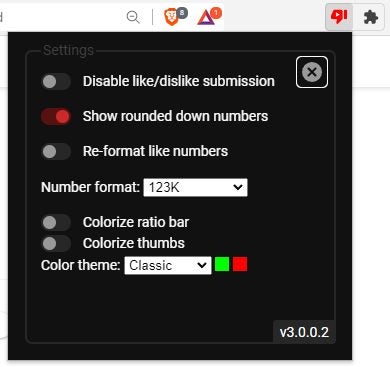
If you click on the gear at the top of the extension interface, you’ll open up the settings panel. From here, you can control various aspects of what the extension looks like within YouTube and how it works. You can even choose what kind of format and color scheme you’d like the likes and dislikes to be in. The utility is incredibly easy to use and set up, and it provides an essential service for free. If you’d like to, the creator does accept donations in order to be able to create more content like Return Yt Dislike.
Have you ever tried watching a YouTube video, and the sound was so low you couldn’t hear anything? Even when putting your device’s volume at the maximum? We’ve all been in these infuriating situations where your in-built speakers, external speakers, or headphones limit the sound, and in many cases, the videos or audio we want to watch is just too soft. What can we do in these situations? Volume Booster extension for Chrome can help.
Volume Booster is an extension for Chrome browsers that allow you to maximize the sound of video and audio files by up to 600%. Now, we’ll see how to start using this add-on to maximize the sound quality on different platforms such as YouTube, Spotify, Vimeo, and more.
What influences sound quality and volume?
There are a few different factors that affect the sound quality and volume of videos and audio. One of these is the format that the files are uploaded in. Some formats support higher quality audio, whereas others compress the file size to make it easier to share, which affects the content’s quality and volume.
Another contributor that affects volume is the volume of the video or audio recorded. YouTube and other platforms usually have a handy tool to show you if your audio is within an acceptable (good quality) range before uploading.
However, if you record at a very low volume, it can be difficult to change, and many individuals end up uploading videos with soft audio quality. The hardware you’re using can also affect the volume. Cheaper devices and headphones often have a much lower volume than their more expensive counterparts.
Open platform where you want to play music or videos
Once the extension is installed, you can navigate to your favorite music or video platforms such as YouTube, Spotify, Vimeo, TikTok, Twitter, Facebook, Instagram, or others.
Click on the extension and adjust the volume
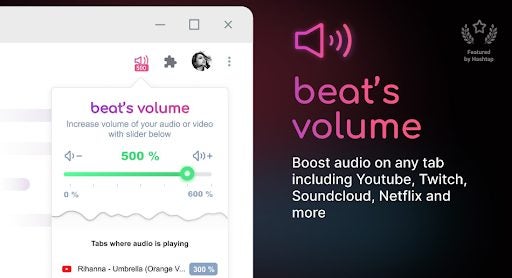
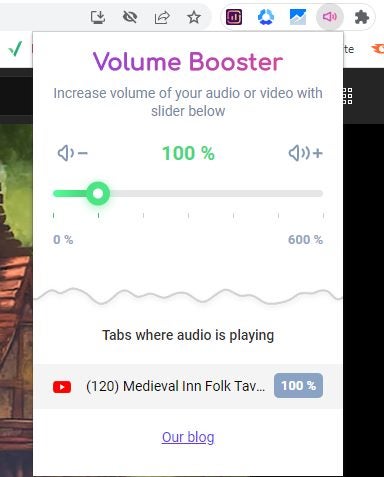
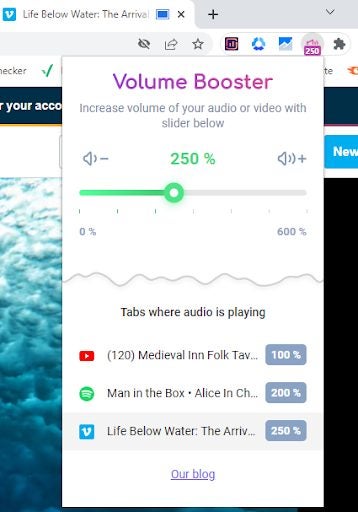
To adjust the volume, click on the extension icon, represented by a pink speaker, in your extension toolbar. A small window will open showing your current volume and any tabs where audio is being played, including that tab’s volume.
Adjust volume to multiple platforms
You can also open multiple platforms and adjust the volume for each individual tab according to your preference.
Why use a volume booster extension?
There are a few reasons why you’d want to use the Volume Booster extension for Chrome. Some of the reasons include:
Easy to use
Works directly on the page; no need to open sound settings
It’s no secret how crucial the SEO health of your website is in the digital age, but SEO tools are more often than often overpriced for the most basic functionality. Luckily, we’ve found Website SEO Checker: Free Audit and Analysis. This extension for Google Chrome and other Chromium-based browsers gives you free access to a relatively in-depth analysis of your website’s SEO health, as well as the option to upgrade to a paid option for access to even more tools and deeper analysis.
Website SEO Checker: Free Audit & AnalysisDOWNLOAD
If you’re ready to take a step in the right direction, we will show you how to useWebsite SEO Checker for Chrome.
Get Website SEO Checker: Free Audit and Analysis
Because the market is so saturated with SEO checker extensions, navigating the Chrome Web Store in search of a good product can sometimes be a little daunting and time-consuming.
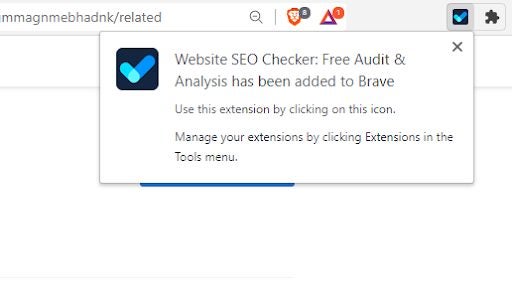
Once you’re on the download page, you simply need to hit the blue Add to Chrome button, and the extension will download and install to your browser.
Review Preliminary Report
I’ve tested so many extensions that they’re all I dream about at night, and I can tell you that this is the easiest extension to use that I’ve ever come across. Once the extension has been installed in your browser, all you need to do is head to the puzzle piece icon in your browser’s toolbar.
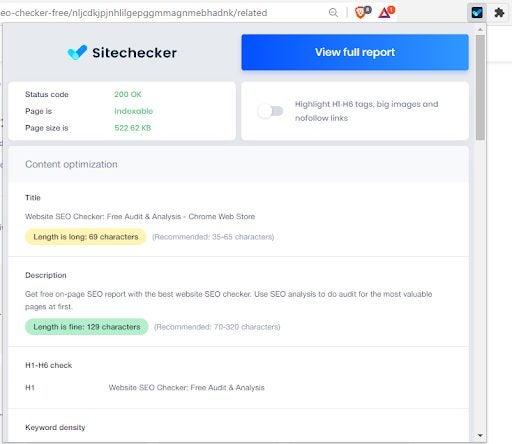
From there, click on the extension, and you’ll immediately see a preliminary report on whichever website you’re on.
The preliminary report is quite comprehensive and highlights numerous different aspects of the website’s SEO health that you’d usually be expected to pay for. You don’t have to enter card information or even log in to anything to access this report.
Full Report
The full report is locked behind a paywall, but as far as extension functionality this doesn’t even make me as mad as pay walls usually do. If you click on the Full Report button, the utility will show you a comprehensive and incredibly detailed analysis of the current web page. You’ll be able to view any and all errors that bring down the website’s SEO score, as well as any warnings you need to attend to in order to improve the SEO score. This is merely a preview of what the paid software looks like and how it behaves.
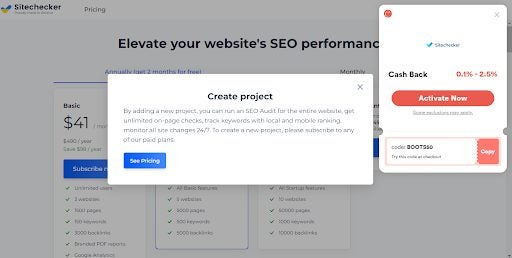
While you’ll need to sign up for a premium account to access the full functionality of the extension, the ‘basic’ report is comprehensive enough for you to make an informed decision on how to increase your website’s SEO health. If you do end up needing the full package, I suggest using another extension such as Honey or Coupert to find coupons and discount codes. As you can see in the screenshot, Coupert found a cashback code for Sitechecker, and Honey presented me with a coupon code for a discount.
Werewolves were a massive part of the Sims 3 Supernatural. Ever since the team brought out the Vampires Game Pack for The Sims 4, we’ve been baying at the moon periodically and waiting patiently for werewolves to join the list of occult species we can play with. Finally, it’s happened. Introducing the Werewolves Game Pack! Why combine two occult species often affiliated with one another in one pack when you can sell each separately?
The Werewolves Game Pack introduces a brand new world; Moonwood Mill. We know how it goes with new worlds in The Sims 4, though, and this one doesn’t deviate from the norm either. Expect the usual five-lot layout with tons of unroutable terrain and gameplay logistics that make absolutely no sense.
Yes – by this, I mean you should fully expect to see Judith Ward strolling confidently through the ‘hidden’ dimly-lit world of Moonwood Mill. Let’s face facts, you know this new secret location where you’re supposed to be fully immersed in the fantasy of getting to grips with your Werewolf nature is definitely on Nancy Landgraab’s morning running route.
Whereas werewolves in The Sims 3 were a life state and not much else, The Sims 4 has put a refreshing spin on this latest occult species. Picture the wolf pack from Twilight, complete with loads of denim and the occasional gingham or chequered fabric. Add in a few really edgy haircuts and piercings reminiscent of a modern gothic movement, and you have Moonwood Mill.
Even though the werewolves themselves look more feline than canine, the ability to paint their fur like you can with pets is game-changing. The new werewolf interactions are also really immersive, as long as random townies don’t saunter past while you’re raging and running wild.
In terms of CAS, the masculine frame has once again been somewhat overlooked, but the few items of clothing we did get are perfect for the rustic, edgy vibe of the new world. The same can be said for the build & buy mode items, which all scream shabby-chic.
If you have sorely missed werewolf-based gameplay in The Sims, this is the pack for you. If not, check out our list of the ten best Sims 4 packs to get the most gameplay bang for your buck.