Google and Apple have worked really hard to make Android Auto and CarPlay as unintrusive as possible. It is important too because you do not want to be distracted and tapping on a screen when you are driving a vehicle. It’s not just the user interface that is important either, keeping bugs to a minimum is also important as you don’t want to be frustrated about something insignificant when behind the wheel. That is why this Android Auto bug fix is an important one. It removes a common point of frustration that has been felt by many users.
For some reason, Android Auto has been launching Google Maps in dark mode. This has been happening for a while and even when users have had dark mode deactivated in the personal settings on their mobile phones. This update fixes that problem.
Dark modes definitely have their merits. Not least, because they are easier on the eyes, but they can also help you save battery life on your phone. If, however, you are not expecting to see dark mode activated it can cause confusion, and that confusion can cause problems and possibly be dangerous when you are driving.
Fortunately, the latest update to Google Maps fixes this issue. This is a general update too, that has moved beyond beta testing, meaning if you have already updated to the latest version of Google Maps you should already have the fix on your app. However, if it is not there already don’t worry, Google is rolling out the latest update in stages.
The interesting thing here is that Google has never actually accepted that there was a problem in the first place or responded to any of the comments that were coming up about it on official forums. In fact, the search giant has already removed the discussion thread that was discussing the issue from its forums.
If you do use Google Maps for auto navigation, you may be interested to read about a brand new feature for the app that shows live estimated toll prices.
Many companies and freelancers use Google Meet to have meetings on their browsers. It’s a simple solution that integrates with several other Google products. While it has several features already, there are plenty of Chrome extensions that add more functionality, making you more productive or protecting your privacy.
We’ve browsed the collection of Google Meet Chrome extensions and made a list of our favorite ones here below. They all have different functions and purposes, so look for the one that meets your needs the most.
If you’re bored of the standard background options, Virtual Backgrounds for Google Meet has more you can use. Once you install it as a Chrome extension, you’ll notice more images to select from in your library. The only issue is that you’ll need the meeting host’s permission to activate it during the call.
Another handy feature is the push-to-speak setting. When you activate it, your microphone will be on mute until you press the space bar to talk.
While Google Meet already has plenty of features, Meet Extension for Chrome offers more. You can record any of your meetings, as long as the participants are aware of this action. Other features include toggling captions on and off, switching between meetings, or instantly starting a new one.
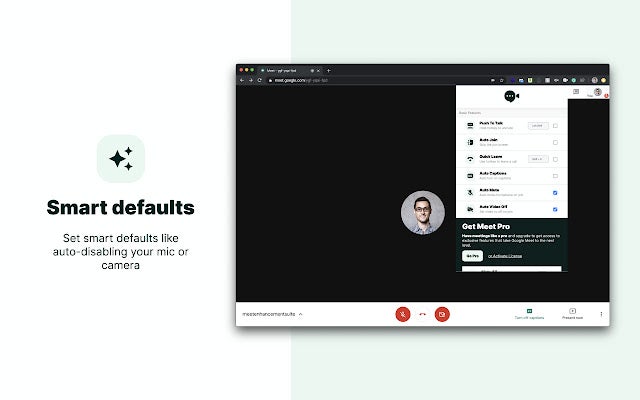
The extension also integrates with Google Calendar so that you can schedule your meetings. There are also default settings to set, such as having your video off when you start a call.
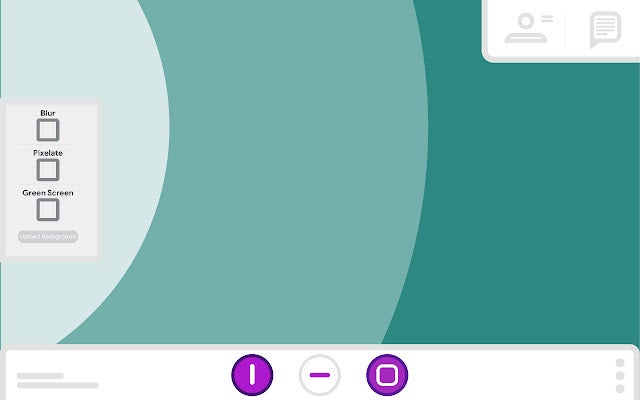
Imagine having Photoshop for a live call, and that’s what you’ll get with Visual Effects for Google Meet. The Chrome extension lets you blur the background, add a green screen, or apply filter layers. You can even set off bubbles around you if the meeting isn’t professional.
There are also options for augmented reality settings, such as AR Halo and AR Sunglasses. Other effects you can play with include freeze, pixelate, screen text, and flip. However, there do appear to be compatibility issues with Windows in some instances.
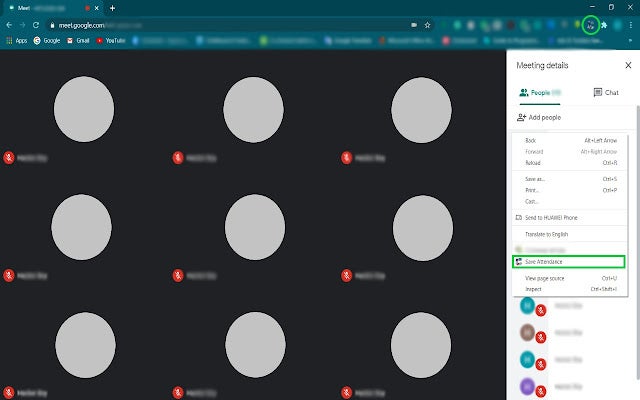
Are you responsible for taking notes of everyone who attended the meeting? Perhaps you’re a teacher and you don’t want to waste the online class time by first doing roll call? Google Meet Attendance is a Chrome extension that records all the names for you and then exports them to a spreadsheet.
You can configure various settings. For instance, there’s a timer so you don’t go over the time limit. A timestamp and name of the meeting are included so you know when you held the meeting. It’s also easy to make changes to the attendance register on the spreadsheet within a few steps.
Many companies pay a fortune to have transcribers listen to videos and write the main notes or minutes of the discussions. To save money and time, you can give Record & Transcribe Google Meet meeting for Chrome a try. The extension records the call while making transcriptions at the same time.
You can also place timestamps for key moments in the meeting. In this way, your colleagues can see a timeline of what happened while only focusing on the main points. They’ll also be able to search the text of the minutes for specific phrases.
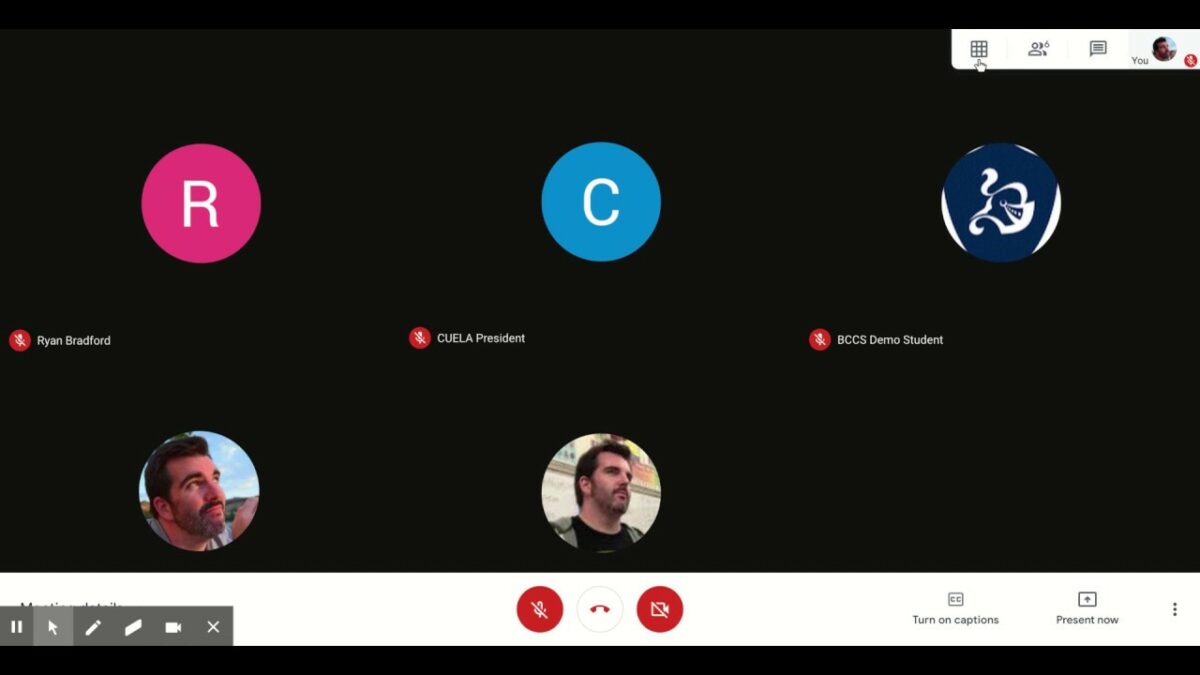
Hosts of meetings, such as the organizer or teachers, usually need to see all the attendees of meetings in one space. It also helps when you’re holding a silent meeting, especially if writers are doing writing sprints for NaNoWriMo in November. Grid View for Google Meet lets you quickly show all recording cameras in a grid view to see everyone in the same space.
If members don’t have their cameras on, the extension will exclude them from the grid. It includes push-to-speak functionality, which means you won’t have to hunt for that mute button all the time. You can also enable the feature to highlight anyone that’s speaking.
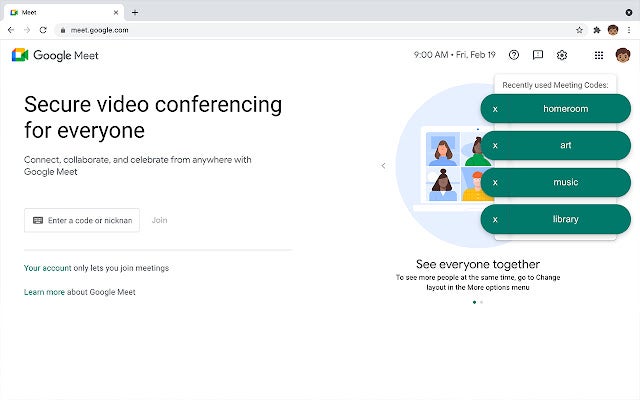
People in the education industry sometimes use Google Meets instead of Google Classroom to hold meetings or meet with their students. There are meeting codes you usually insert so that you attend the right meeting or start a new one for the same topic. Recent Meeting Codes places buttons on the side for any repetitive codes, saving you the time of searching for them.
It’s a handy feature if you use the same meeting codes daily, such as an online school staff meeting or the daily roll call. You’ll just need to make sure everyone uses the same meeting codes every day; otherwise, you’ll be back where you started typing in the codes again.
Here’s another Chrome extension that provides more functions to the standard browser app. Google Meet Enhancement Suite has more than 40 features you can use, most of them with the free version. The list of tools includes push to talk, auto join, leave confirmation, quick leave, playing chimes, and changing the background color.
If you’re willing to pay for a subscription, you’ll unlock the advanced features. They include options such as automatically recording, auto-unmute, taking meeting attendance, highlighting speakers, and so much more. It basically combines the functions of most of the Chrome extensions on this list into one comprehensive package.
This Chrome extension goes beyond simply changing to a new background. Google Meet Virtual Backgrounds lets you swap images while you’re live in a meeting, which is handy if the group doesn’t like the one you placed. There’s also a hotkey function to alter the images whenever you feel like it.
Besides uploading images from the internet, you can also load custom backgrounds you created. It’s an excellent way to stick to the topic in question, like having a T-Rex at the back while discussing the latest fossil discoveries. The Chrome extension has a few other features, such as picture-in-picture mode and blurring the background.
Do you want more fun features for your meeting? Meet Plus for Google Meet stacks up so many tools in this Chrome extension, you won’t know which one to use first. The most entertaining update is adding a host of emojis to the chat bar, but you can also buzz other members to get their attention.
There are two main downfalls. The first is that everyone in the meeting needs to have this extension installed to experience the features. Buzzing someone else that doesn’t have it will result in nothing on the recipient’s side. Also, most of the advanced features are in the PRO plan.
Organizing meetings can be a pain in the head when you have a massive list of clients or colleagues. Meeting Scheduler for Gmail by cloudHQ strives to make your task easier by inserting a link inside your email. When the recipient sees it, they view your calendar and indicate what time suits them best.
Once accepted, all members will receive a meeting schedule in their calendar with the Google Meet link. Also, you’ll have a list of who you sent the link to and who responded. You can even activate SMS notifications if you supply your phone number.
Meeting Scheduler for Gmail by cloudHQ for ChromeDOWNLOAD
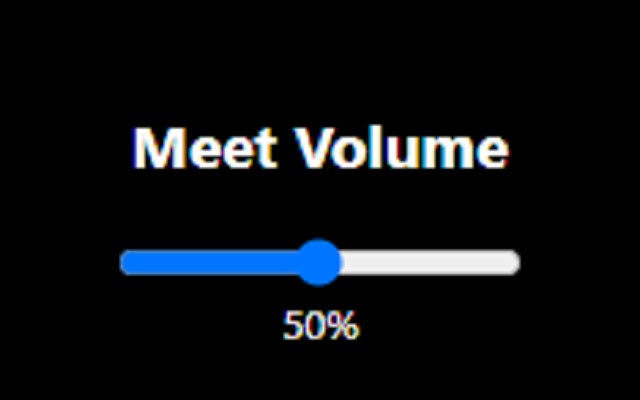
There aren’t many features in this Chome extension, but it does come in handy. Google Meet Volume Control lets you change the volume for all participants in the meeting, which helps when no one can really hear what you’re saying. It’s ideal for hosts who have bad connections or poor voice recording equipment.
Sure, you’ll be spending some time asking, “Can you hear me now?”. It’s still perfect for making sure everyone has the same sound quality. It also helps when someone has a screeching sound in the background, or you want to mute everyone.
If you simply want to mute and unmute at the touch of a button instead of hundreds of other functions, try Google Meet Push-To-Talk. Once installed, you’ll hold the space bar when you want to speak. After you’ve had your say, you release it again to go into mute mode.
That’s as simple as it gets. If you don’t like the space button, you can change it for another one. It works for both Zoom and Google Meet, despite the extension’s name.
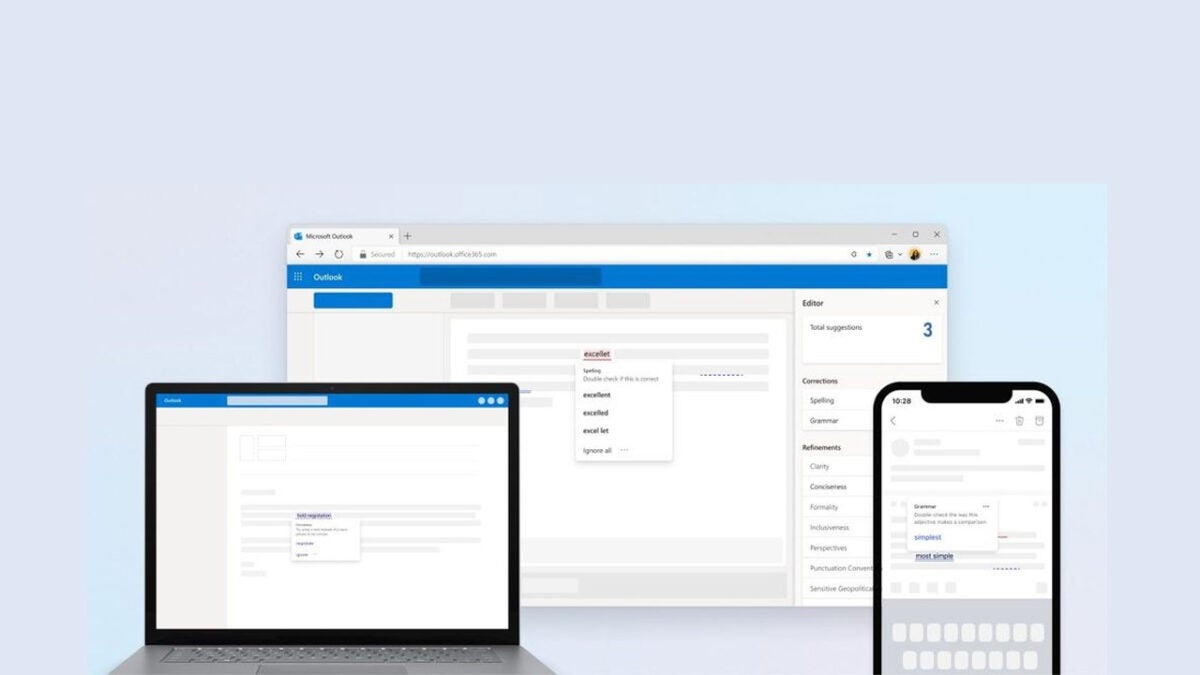
If you’ve ever typed anything out on Microsoft Word before, you will know all about those little squiggly red lines that tell you every time you’ve made a spelling mistake. Word does also offer some other basic grammar functions but nothing like that offered by standalone services like Grammarly. That is why last March Microsoft released the Microsoft Editor Chrome and Edge extensions. Today we bring you the news that Microsoft Editor is now moving to other Microsoft apps too.
According to the software giant, Microsoft Editor helps users improve their grammar by offering spelling, grammar, and style suggestions. It is free, and now, as well as being available as an extension on Chrome and Edge it is also rolling out to Microsoft Outlook apps too.
In the blog post announcing the news, Microsoft said that Editor is now available for Outlook for Windows, Mac, Web, iOS, and Android for users based on the type of Microsoft account they have. The post said:
“Microsoft Editor spell checking, advanced grammar checking and writing refinements are available for accounts with a consumer, education, business, or enterprise Microsoft 365 subscription. Microsoft Editor spell checking, and basic grammar checking are available for Outlook.com accounts. Microsoft Editor is not supported for all other account types.”
Impressively, Microsoft Editor’s features are available in over 90 languages but there is a caveat. Microsoft can only promise basic functionalities for all of the languages with more advanced suggestions only being available in 20 languages.
According to the announcement, if you have a suitable subscription to Microsoft 365 and your primary working language is supported by Microsoft Editor you will have it automatically enabled in Microsoft Outlook. This means if you don’t want it active you will have to disable it yourself.
Microsoft Editor marks a nice addition to the Microsoft 365 ecosystem, and we will be waiting to see when it will arrive on Microsoft Word, which is arguably the most logical place for it to be. For now, though, it is here to help you with web and email editing. If you are looking for more ways to boost your email productivity you should check out our guide to the best keyboard shortcuts for Microsoft Outlook.
Microsoft continues to shape and evolve Windows 11 adding and refining new features all along. We recently brought you news of the first major Windows 11 update, which we expect to see sometime after the summer, but today we are bringing you news of a smaller tweak to the operating system that will add new features to Windows 11’s search feature that will likely land on your version of Windows 11 at some point over the next few weeks. Let’s take a deeper look.
In the latest version of the Windows Insider build, a new Search Highlights feature has been spotted. The feature is there to automatically display interesting and time-relevant content that is both local to users and from around the world.
In the Windows Insider blog post announcing details about the build, Microsoft said:
“Search highlights will present notable and interesting moments of what’s special about each day—like holidays, anniversaries, and other educational moments in time both globally and in your region. To see search highlights, click or tap on the search icon on your taskbar […] Search highlights will roll out to Windows 11 customers over the next several weeks. We are taking a phased and measured approach.”
Search Highlights sounds like an interesting feature that will help users stay on top of the important dates and events they have coming up as well as notable community dates and events too. This seems more like a calendar feature than a search feature but maybe the point is to put these important reminders in a place where we are much more likely to see them. Many people barely even check their calendars these days but almost everybody searches for something at least once a day.
Interestingly, this update has been live on Windows 10 since March so if you still haven’t taken Microsoft’s offer of a free upgrade you should notice it when you open up the Windows 10 search function.
If, however, you don’t like the sound of random global events invading your Windows search feature you can disable it by going to the Privacy and Security settings menu, hitting, More Settings, and then deselecting Show search highlights.
Microsoft has been pushing out a lot of updates recently, so it is more important than ever to stay up to date with all the latest Windows 11 news.
It’s been a long time since the Final Fantasy franchise has been as formidable as it is right now. Post-revitalization, Final Fantasy XIV has gone on to become one of the most beloved and critically acclaimed titles in the MMO franchise. Previously, it had been a severely struggling title. In a similar way, the Final Fantasy VII remake shattered expectations and became a stunning modern interpretation of the iconic Japanese title. Rightfully so, then, expectations are high for the upcoming release of Final Fantasy 16 in 2023.
Numerous interviews with Naoki Yoshida, the game’s producer, have shed new light on the upcoming title and its place at the forefront of what the Final Fantasy franchise stands for.
The first thing to note about the new game is that Yoshida has taken the game into a much grown-up, mature realm. We see this very clearly within discussions about lore and character development in the new game. In an interview with GameSpot, Yoshida spoke about a new direction for the interpersonal relationships between characters and that which they experience within themselves.
‘One of the main themes explored in Final Fantasy XVI’s narrative deals with the inevitable clash of values and ideals when you get multiple different people with different ideals in the same room; what is truly right and what is truly wrong?’
This emphasis on ideals and values during a time where both of these aspects of human existence are up in the air and are no longer governed by morality is a really refreshing approach in terms of gaming.
On the more literal side, Final Fantasy 16 is also going to be marketed toward a more mature audience. When asked about whether implied nudity in the game’s trailer is a prelude to the title being M-rated, Yoshida expanded on the difficulties of creating compelling content with modern restrictions. ‘When trying to tell a story with difficult adult themes, these ratings can end up becoming somewhat of a hindrance.’
He continues the interview by saying that the team wanted to be ‘sure that we could tell the story that we wanted in the way that we wanted to, we decided to pursue a mature rating in most of the regions that will be releasing the game. This is because we felt it was necessary to allow us to explore those more mature themes that the game tackles.’
We look forward to seeing what the final product looks like and how Yoshida and the rest of the team manage to negotiate the potentially problematic themes that the game intends to address. In other Final Fantasy news, Ever Crisis is gearing up for an early release date!
Final Fantasy 7 Ever Crisis gearing up for early releaseREAD MORE
Blizzard Entertainment announced the release of the next World of Warcraft expansion Dragonflight in April with a release-window-free unveiling. The gaming studio just announced that pre-orders for the expansion are now available, with three digital copies available.
The Dragonflight expansion will give players of the MMORPG game access to the Dragon Isles, which have long been hidden. While exploring the ancestral home of dragonkind, players can explore four new areas, the Walking Shores (starting zone), Ohn’ahran Plains, Azure Span, and Thaldraszus. These new areas will also have their dungeons and raids.
Along with the expansion, we’ll also see the Dracthyr Evokers, a new playable race-class hybrid. There will also be many different ways to customize your character when choosing this race to play with. Depending on your customizations, your character can wield fierce damage-dealing or healing magic. Blizzard has also confirmed that this new race will feature a new skill-based flight system.
Alongside the new content, the Dragonflight expansion will also include improvements to the existing World of Warcraft mechanics. These improvements include revamping the talent system, improved professions, and updates to the UI.
Dragonflight can now be pre-ordered and is released with three digital versions alongside a physical release. The digital copies are the base game, Heroic, and Epic versions. These all include the base game and a different selection of cosmetics. The physical copy includes an Epic edition game code, Drakks pet, hardcover art book, mousepad, and five collector pins.
This confirmation of the release comes alongside many announcements made by Blizzard in the last week, including the long-awaited release date of Overwatch 2. This is also amidst terrible allegations that the studio allowed sexual harassment, assault, and inappropriate behavior to thrive in the workplace, creating a toxic environment. After investigating these allegations, Blizzard announced that they found no evidence of any wrongdoing. We’ll see how they handle this situation in the future.
If you want to get a headstart on Dragonflight, why not read this article on five interesting features coming to the expansion? We look forward to hearing more about the expansion as its release approaches.
Top 5 features coming to World of Warcraft: DragonflightREAD MORE
For those of you who didn’t see Doctor Strange in the Multiverse of Madness in the cinema, we’re sure you’re dying to watch it at home as soon as possible. Well, we’ve received an exciting announcement that the Marvel movie will appear on Disney+ on June 22, 2022.
Benedict Cumberbatch fans will be able to view the magical mystery of the Marvel hero as he takes on one of his greatest challenges yet, trying to restore order across the multiverse while dealing with his own pain. If you don’t have a subscription yet, register for a Disney+ account as soon as possible so you don’t miss out!
Doctor Strange faces his darkest fears on Disney+ in June
If you’ve watched Spider-Man: No Way Home (spoiler alert), you’ll know that Doctor Strange recently had to deal with a multiverse mess when trying to help Peter Parker. With the dilemma that everyone discovered he was the marvelous Spidey hero, the magical doctor attempted to put things right. Unfortunately, it brought villains from other timelines, creating a disaster.
With Doctor Strange fixing the mistake, it wasn’t the end of his woes, it appears. A Marvel character by the name of America Chavez has the ability to open portals across the multiverse. When our Stephen Strange meets her, demons are hunting her for her abilities.
In an effort to understand the witchcraft involved, Doctor Strange consults with Wanda Maximoff to seek a solution, but not all is as it seems. The Scarlet Witch holds secrets that will put all of them in danger, not to mention that he’ll need to face other versions of himself after opening the door to the multiverse.
If you’re ready to see how the rest of the plot unfolds, tune in to Doctor Strange in the Multiverse of Madness on Disney+ when it appears on June 22, 2022.
What if….?
When we first saw the trailer for Doctor Strange in the Multiverse of Madness, the first thing that came to mind was the What If series from Marvel that’s also on Disney+. The series investigates various scenarios of what could have happened if small elements had changed in some heroes’ lives.
One of the episodes had a key focus on Doctor Strange. It looked at what would have happened if Stephen tried to go back to the past to save Christine Palmer, his girlfriend that had died when he lost the ability to use his hands in an accident. It’s called “What If… Doctor Strange Lost His Heart Instead of His Hands?”
What unfolds is a series of events that shows various versions of Doctor Strange, even as Sorcerer Supreme in a dark way. Some of the visuals from the Doctor Strange in the Multiverse of Madness trailer have the same imagery, and we recommend you watch this episode before the movie appears on Disney+.
Brilliant cast for Doctor Strange in the Multiverse of Madness
Doctor Strange in the Multiverse of Madness has a stellar cast of actors. Besides Benedict Cumberbatch and Elizabeth Olsen reprising their MCU roles, you’ll also see Chiwetel Ejiofor, Benedict Wong, Xochitl Gomez, Michael Stühlbarg, and Rachel McAdams.
Of course, McAdams was Christine Palmer in the first Doctor Strange movie, so we’re bound to see the character’s return, just like in the What If series. Will temptation make him want to save her? We’ll have to see when the movie comes to Disney+ on June 22nd.
Is this a new era for the Marvel Cinematic Universe?
With Doctor Strange meddling with the multiverse for a second time, it may set the stage for what’s to come in the MCU. We’ve been hearing talk for a few months now that everything is leading to the Secret Wars, which should be the next massive Avengers storyline after Endgame.
It may be that his actions in Doctor Strange in the Multiverse of Madness may lead to that movie, and we have a suspicion that Spider-Man will be meeting Madame Web soon….
Are you ready to face Marvel madness on Disney+?
With so much excitement on Disney+ and the connection to all the latest Marvel movies, you don’t want to miss out on any of the action. Doctor Strange in the Multiverse of Madness is bound to be linked to what’s coming in the MCU. So grab your seat at home for an exhilarating adventure.
If you don’t have a Disney+ account, there’s an offer for the annual subscription of 12 months at the cost of 10 months. The savings are calculated as the sum of each month over the 12-month period. It’s the best way to enjoy entertainment at the best price, so claim the Disney+ offer today!
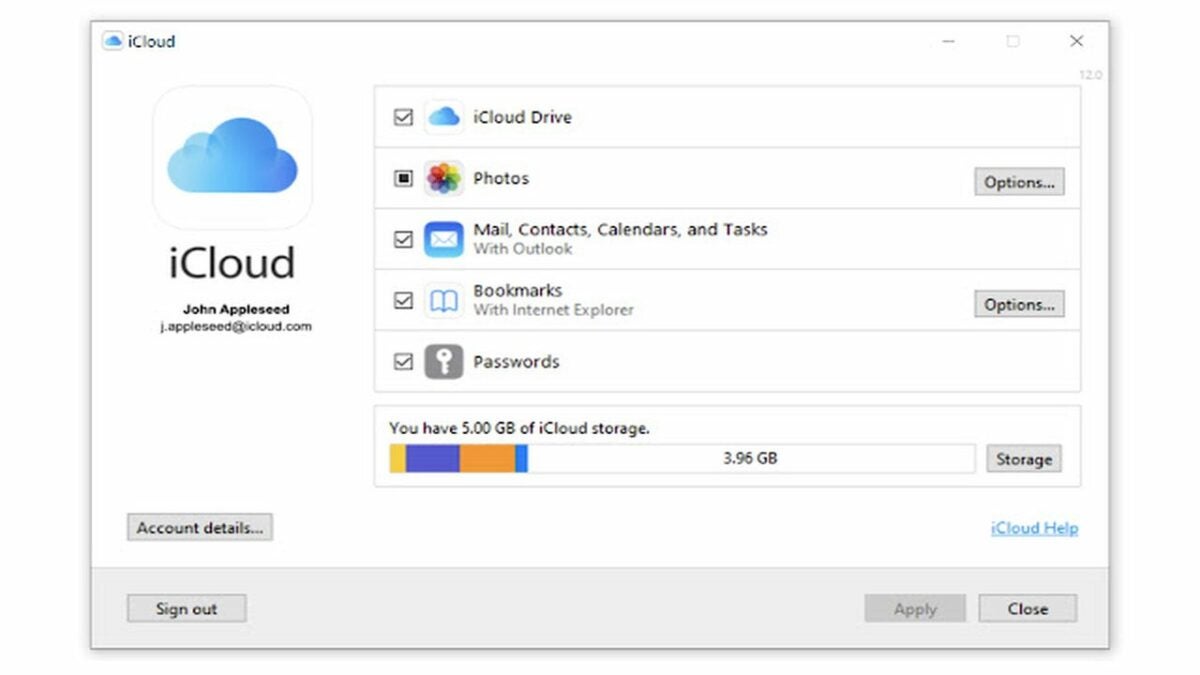
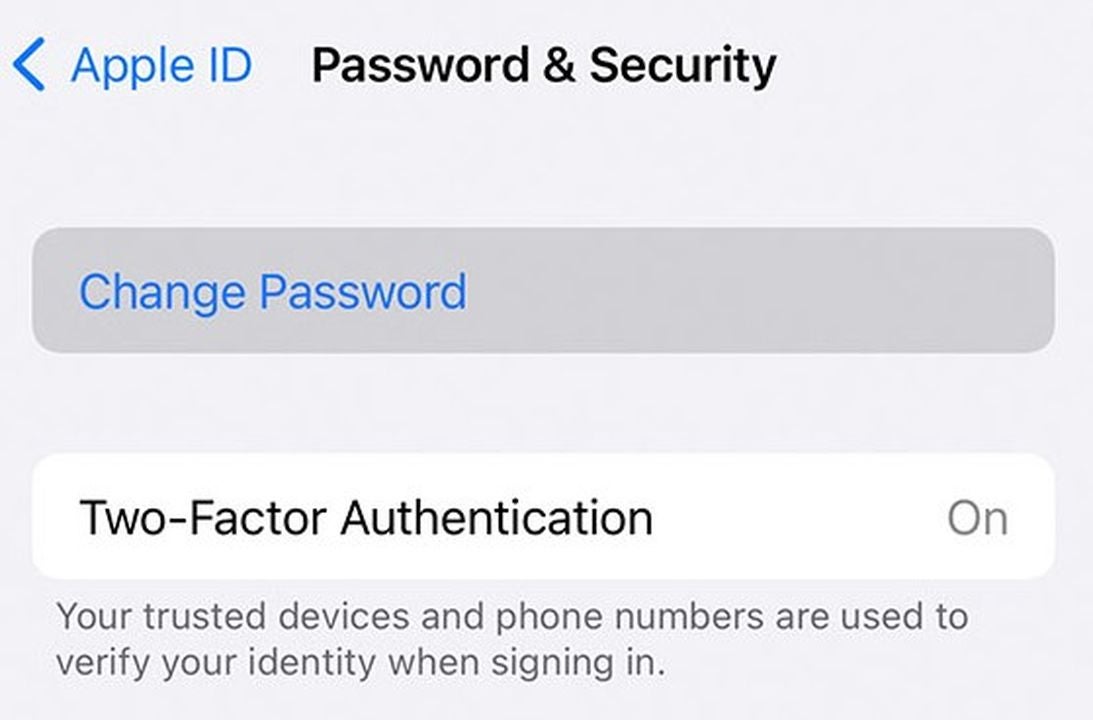
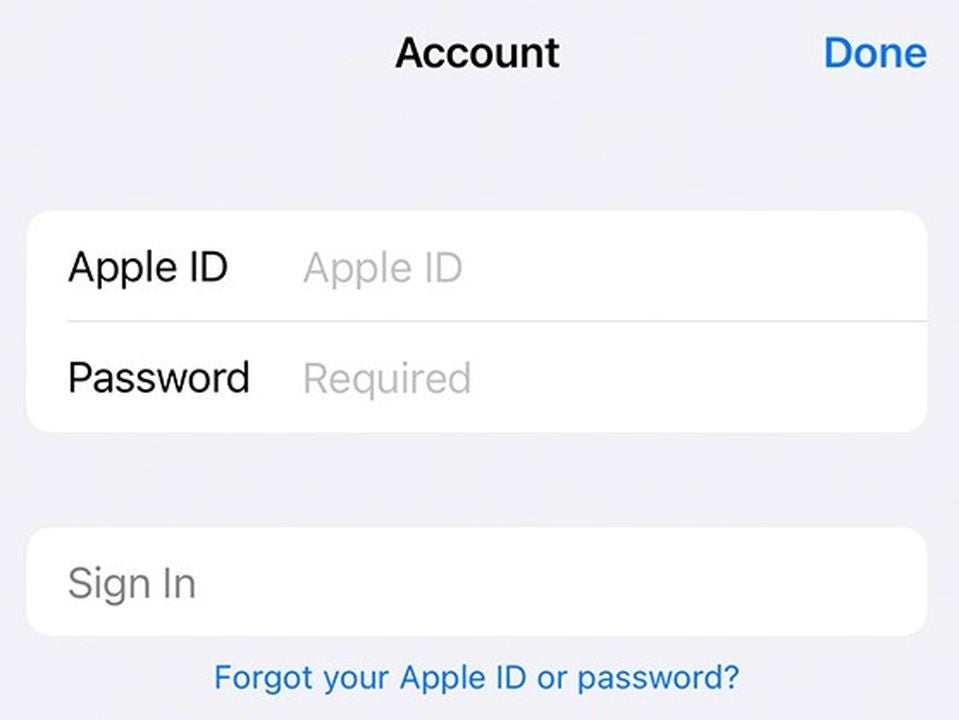
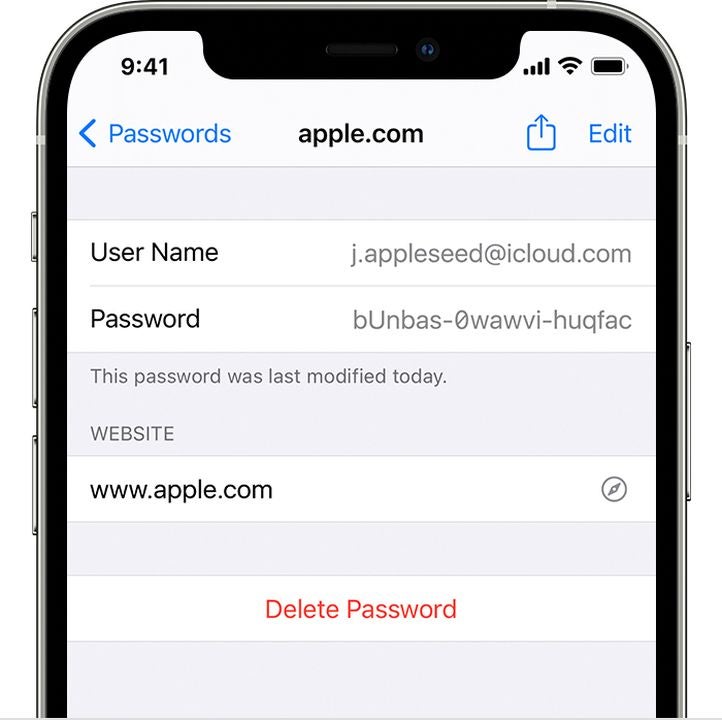
Apple makes it easy to use your iCloud passwords in Chrome. All you need to do is download the iCloud Passwords extension. This helpful add-on lets you browse online without having to remember tons of passwords.
To start using the same passwords for Apple and Windows, just follow these steps.
Verify your identity in the extension
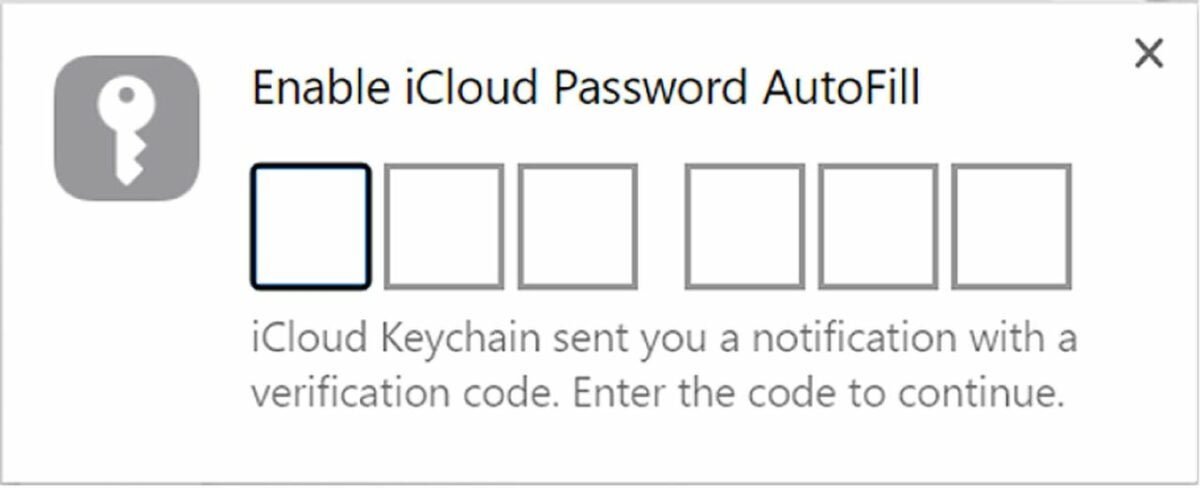
To use the extension, you’ll need to start by enabling its connection to your iCloud account. Look in the toolbar for a small gray and white icon. Click this icon to open a pop-up window asking for your Apple verification code. iCloud Keychain will then send you a six-digit verification code you’ll need to enter in the browser.
Access your saved passwords through Chrome
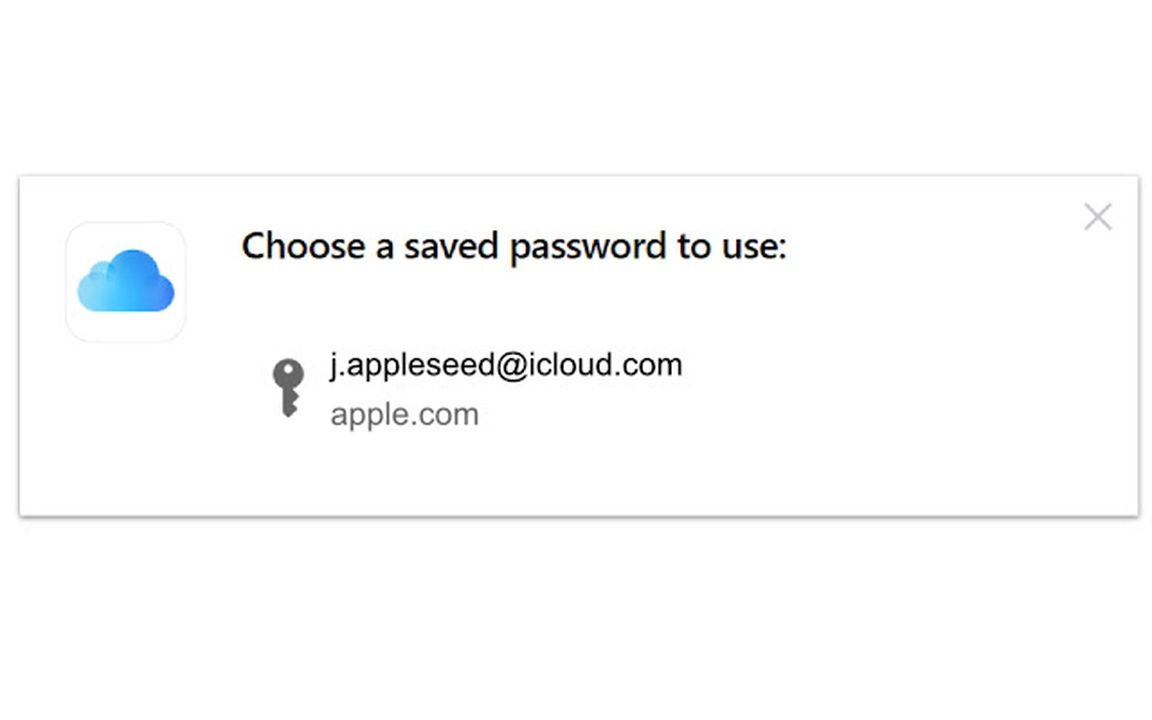
If you plan on visiting a website with a password already stored in your iCloud account, the process is simple. Go to the website and begin to log in normally. When it is time to enter your password, click on the iCloud passwords button in your browser toolbar. Select the account you want to log in with, and it will automatically fill in your password. You can use this process to fill in both saved passwords and verification codes.
Update your existing passwords as needed
In some cases, there’s a chance that the password stored in iCloud is outdated. In these cases, you’ll need to update your password before logging in. To do this, start by visiting the website and entering your account name. When it asks for your password, don’t use the iCloud Password extension. Instead, type your new password manually into the password box. The extension will create a pop-up asking if you want to save your new password. Clicking the Update Password option will automatically store your new password in iCloud.
Enter new passwords into the iCloud Passwords extension
When you’re creating a new account, you can use the extension to automatically add it to your saved passwords. Select a username and password for your new account, and enter them into the page normally. Depending on the website, the extension may go ahead and ask you if you want to save the password. If it doesn’t, log out of the site and log back in with your new password. Click the Save Password button to store your new password in the iCloud.
Use your saved passwords on Apple products
The great thing about the iCloud extension is that it has backward compatibility. In addition to adding iCloud passwords to Chrome, it also updates your iCloud based on Chrome usage. You don’t even need to download any add-on to use the extension on Apple devices. When using an Apple device, you can use saved Chrome passwords just like you would use any other iCloud password.
The Summer Games Fest 2022 and related events have come and gone, and we’ve had a taste of all the upcoming titles for the next year. In case you missed it, we presented a list of all the PC and mobile games announced this past month.
All PC and Mobile games presented at Summer Game Fest 2022READ MORE
We’re excited about so many top selected titles on that list, but we decided to narrow down the most anticipated ones in this detailed article. Bear with us as we provide a short overview of each one.
Games from the 2022 Summer events we’re excited about
The new title in the series has many gamers excited, with a new visual style and a few more combos to enjoy. Street Fighter 6 is set for release in 2023, but CAPCOM has already released a few teasers. The latest one from the Summer Games Fest 2022 revealed that Guile is making a return, heading the lineup with the likes of Ryu, Chun-Li, and Luke.
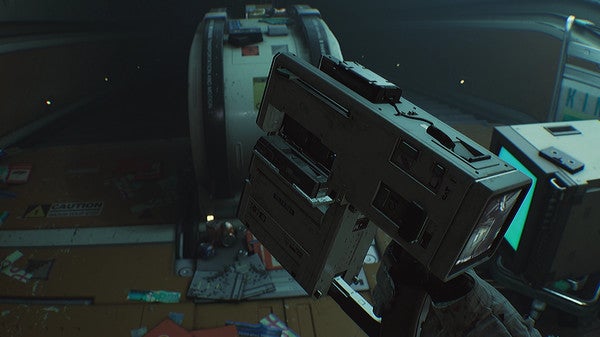
Science Fiction and horror usually go well together, as we’ve seen from the Aliens movies and games. As another interesting mixture, you’re on a Jupiter moon in a maximum-security prison when your fellow inmates start mutating. Imaging Resident Evil meets Jailbreak.
The Morphs are back, the aliens that threatened humankind in the first game 30 years ago. Conrad is back in Flashback 2, with his allies by his side. You’ll still have similar sidescrolling platform mechanics, but the visuals have been updated with 3D environments.
The mother of demons has arrived on Earth, vowing to destroy the planet. When Lilith possesses Venom, you know all hell is about to break loose. You play as a demon hunter, gathering superheroes like Spider-Man and Wolverine to fight by your side and defend all that you love.
The criminal underworld is about to take over the city unless you can do something about it. Midnight Fight Express features Babyface as the main character, alerted to the upcoming danger by a drone. The game has a top-down perspective, and you’ll need to battle your way through every level until you can prevent complete disaster.
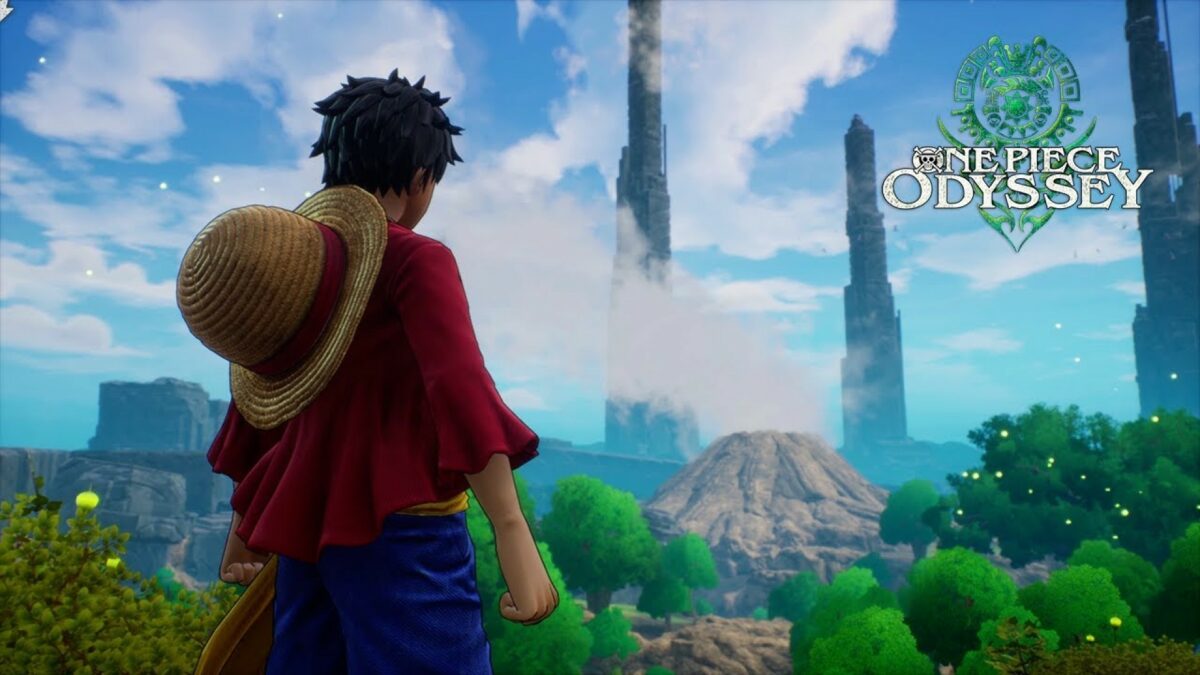
Are you ready for an epic RPG adventure with plenty of action? One Piece Odyssey is an upcoming Bandai Namco title where you and your crew become stranded on an island after a storm. While meeting the locals and finding resources, you need to make your way back to sea by completing tasks.
From Marvel to DC. Meet a world where Batman dies, and the city of Gotham succumbs to the scum of the streets again. Following in the Dark Knight’s footsteps, the Gotham Knights decide to take their city back and protect the residents. Featured characters include Nightwing, Batgirl, the new Robin, and Red Hood.
It’s been a few years since we embarked on the original game when it came to console. During the latest Summer Games Fest 2022, the developers finally announced that a remake is in progress. What’s more, it will be coming to PC with updated graphics and gameplay elements. Hopefully, we’ll see it on Xbox Games Pass, too.
While Forza Horizon focuses more on street racing, Forza Motorsport will take to the tracks in 2023. Some of the advanced features teased during the Summer Games Fest 2022 included better vehicle physics, a more realistic time of day, and new pit mechanics. You can also expect breathtaking visuals and effects.
This brand is expanding more and more into other genres. What started as a sandbox crafting game will become an RTS feature with Minecraft Legends. The Piglins are attacking, and you and your friends need to join forces to craft buildings and defend against these villainous mobs.
Xbox Games Studios has gone in an interesting direction with Pentiment. You play in medieval times, with a 2D side view and well-designed scenes. There are mysteries you need to solve, specifically murders occurring over a 25-year period. The visuals play out like a graphic novel, so expect a lot of reading.
Out of all the games discussed at the Summer Games events, this one from Blizzard is the one I enjoyed the most. Diablo Immortal may be feeding our appetites for now, but I can’t wait for the release of Diablo IV. We’re heading back to the dark fantasy world of Sanctuary, where we once again need to face the hordes of hell to stop the prince of darkness from winning.
While Persona 5 Royal released for consoles in 2019, it’s finally coming to PC in October later this year. It’s a massive expansion on the original 2017 title, so you can expect better visuals, gameplay, and characters. You’ll also be able to customize your very own Thieves Den!
ARK: Survival Evolved is still an incredible game to this day, so you can imagine how excited we are about the launch of ARK 2 in 2023. It will feature Vin Diesel as one of the main characters, so we’re sure he’ll be fast and furious on the T-Rexes. I can’t wait to see how the graphics and gameplay will be, as well as which dinosaur species we’ll be able to tame.
Are you ready to join Hornet on a new adventure in this sequel, Hollow Knight: Silksong? You’ll travel to a new world where danger awaits you at every turn. The game features a cartoon art style with 2D platform mechanics, and you’ll have to face more than 150 enemies along the way.
Despite being another 2D platform game, this 2023 title looks outstanding so far. The visual effects of the weather and environment are gorgeous. As far as the plot goes, you’ll need to investigate clues and battle enemies while searching for a cult causing murders. Can you stop them from performing their rituals?
Having just won the F1 2021 championship on PlayStation, I can’t wait for the release of F1 2022 at the end of June 2022. However, F1 Manager 2022 is expected in August later this year, and I’m wondering if I should wait. The teaser shows more car performance and statistical options, while the gameplay looks outstanding. It’s the first time I’ll be torn between two F1 games.
You may know the developers miHoYo from the incredible anime game, Genshin Impact. The company is back with a bang with Honkai StarRail coming to PC and mobile devices. It’s a tactical fighting game where you’ll need to create teams to take on the monster hordes attacking your home.
The Lunar Base has gone quiet, and scientists on Earth want to know why. You head on a mission to discover what happened when you realize you’re not alone. As you investigate the base further, you’ll need to find innovative ways to escape and survive against an enemy that views you as the actual threat to its existence.
An alien drug cartel has started using humans as a new narcotic, but you aren’t having that on your watch. While trying to save the day in this FPS action-comedy adventure game, the weapons actually talk to you when you’re not gunning down your enemies. Some of them don’t have nice things to say.
Fans of the Netflix show The Queen’s Gambit will know Beth as the ultimate chess player. If you ever felt that you may be able to beat her, you’ll be able to prove it with one of the upcoming Netflix Games. There’s a stunning 3D environment where Beth will show you the ropes and teach you some tricks, but can you trust her?
Money Heist
Here’s another Netflix Games title that’s based on one of its shows. While there’s not much information about it as yet, we’re guessing you’ll play as the team holding people hostage during a bank heist. It will be interesting to see if you can play as the Professor or any of the famous characters.
Reigns: Three Kingdoms
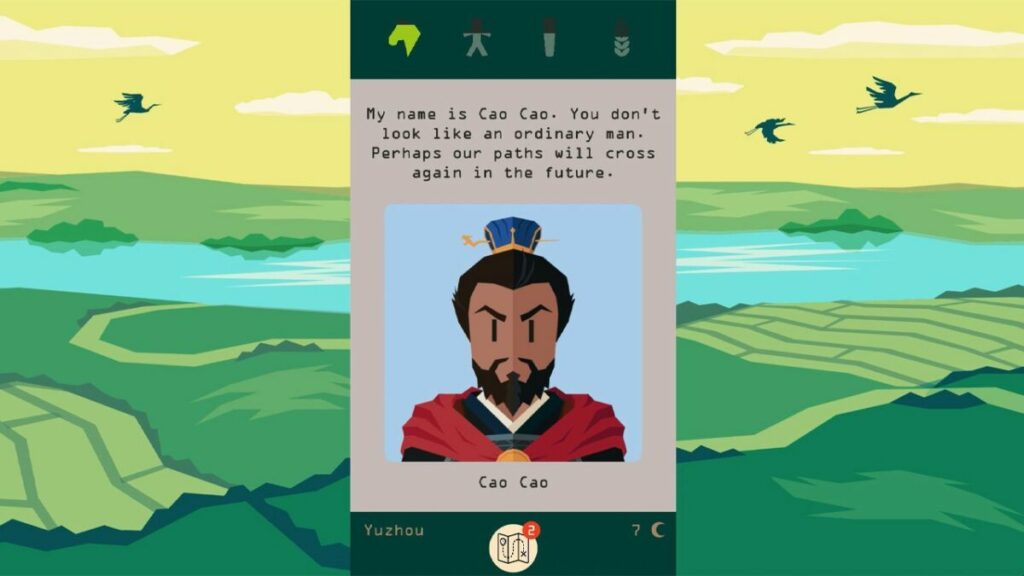
The final Netflix Games title worth mentioning is Reigns: Three Kingdoms. It has a mixture of tile and card games as you fight against factions in the Han Dynasty. It mainly uses a swiping mechanic, even on PC, while there will be plenty of mini-games.
A new Monster Hunter adventure arrives on June 30, 2022. CAPCOM has so much new content in this DLC, but you’ll need the base game installed if you want to enjoy the new adventure. There will be deeper character development, and you can be sure of plenty more monsters to hunt and battle.
The Elder Scrolls and Fallout games have kept us busy for many decades. We’ve been fans of these Bethesda titles for so long that it’s exciting to finally see a new universe. You’ll travel to new galaxies among the stars as you make your own story on your missions. I don’t know about you, but I can’t wait to see what planets and stars will be available.
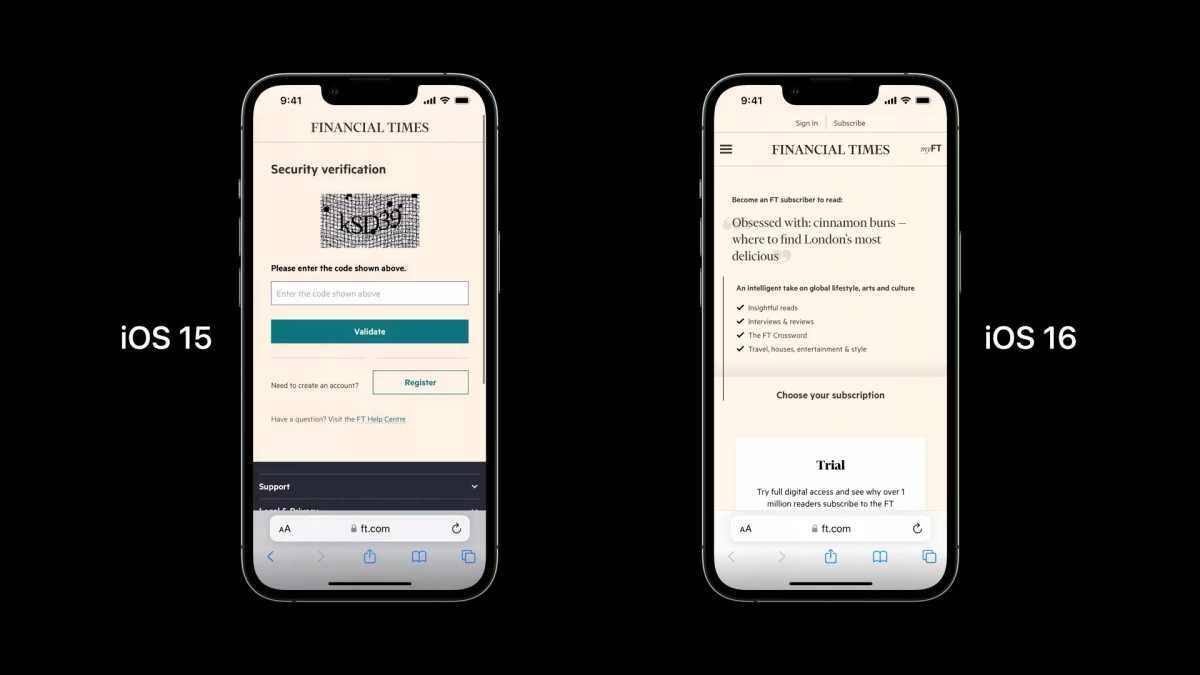
We’re sure many of you are familiar with the annoying CAPTCHAs that appear to verify that it’s really you and not a bot trying to get into a website. A new iOS 16 feature will apparently verify your profile in the background with private access tokens and your Apple ID. You won’t need to look for fire hydrants, boats, or buses anymore.
In an announcement and video on the Apple developer’s blog, CAPTCHAs cause as many issues for the company as for the user. There’s IP tracking involved, which creates several security issues for iOS devices. The most significant issue is with the user experience, causing many of us to become frustrated visiting sites we enjoy.
The new iOS 16 feature will be able to bypass CAPTCHAs by verifying users with private access tokens and the Apple ID. With the new operating system expected to launch in September 2022, you won’t be able to test the new function just yet. However, it will be great if they manage to succeed in getting rid of this irritating verification process that sometimes doesn’t work.
Of course, we need to consider the impact on other parties with this new iOS 16 feature. How quickly will website owners or CAPTCHA developers accept this new verification system? Also, should we expect hackers to find new ways to bypass the private access tokens so they can steal Apple ID information? Still, this is almost as exciting as iPhones receiving a free Photoshop-like upgrade.