More malvertising attacks hiding in Google ads for GIMP image editing software

We’ve covered a series of innovative cyber attack methods recently, from hiding malware in fake job offers to ‘malvertisers’ pushing fake ads across advertising networks in a bid to trap unsuspecting victims and infect their devices with malware. Unfortunately, today we bring you news of a particular malvertising scam, that has been able to break into the Google ads network and is pushing malware in fake ads for the Photoshop alternative program GIMP.

According to a report on BleepingComputer, which cites a Reddit post by ZachIngram04, up until just last week, Googling the popular and free photo editing tool GIMP, widely seen as a reputable open-source alternative to Adobe Photoshop, would serve up fake ads that would take you to a fake version of the GIMP homepage.

Once the victims land on the fake homepage, they are shown a fake Download button that will install malware onto their computers and cause a wide variety of security issues and problems.

What is interesting to note is the innovative ways the scammers have been able to bypass the security features of the Google ad network, which included bulking out the malware file to 700 MB in size so that it more closely resembles the true size of the real file.

The main problem here is that the scammers have been able to serve up a malicious site that very naturally points you to a malicious download in one of the most common internet settings, the results of a Google search. Here, you are highly likely to just thoughtlessly go through the motions and download the file, but there are key aspects to look out for that could give away the dangerous nature of the site you are on and the file you are about to download.

In this case, the actual URL of the fake site is gilimp.org, which is different to the real address, which is gimp.org. It even sounds strange when you read it, which is a real red flag. The other red flag in this instance is the download domain gimp.monster. Again, this domain is fake with the giveaway being that it goes to a .monster domain instead of a .org domain. Often scammers will try to trick users by serving up a fake root domain.

To learn more about these two detection methods as well as a wide variety of other red flags to look out for, check out our phishing scam detection infographic.

Image via: BleepingComputer

Are AI text-to-image generators pushing racist and sexist stereotypes?

We’ve been covering a lot of interesting AI innovations recently including the increasingly popular text-to-image generators, impressive text-to-video generators, and a brand-new translation protocol from Meta. However, as we rush head-first into the future, it is important to consider the challenges and consequences that come with new technologies. We only have to look at the chaos that has been wrought by Facebook all over the world to know that we need to take care to use new technologies safely. A new report by AI researcher Dr. Sasha Luccioni shows that this is even true for seemingly innocent tools like AI text-to-image generators such as DALL-E. Let’s check it out.

DALL-E Download Now

In her report for Hugging Face, Dr. Luccioni pointed out that AI text-to-image generators are reproducing harmful stereotypes related to gender and race. As you can see from the two images presented side-by-side, created by the Stable Diffusion image generator, different adjectives have strict gender associations attached to them with ‘compassionate’ resulting in generated images of women and ‘ambitious’ resulting in generated images of men.

To help further disseminate awareness of this issue, Dr. Luccioni has created a tool that users can use to explore other reproduced stereotypes attached to certain professions and adjectives. These stereotypes relate to both gender and race. The tool has a list of 150 professions and 20 adjectives to choose from.

This tool is an important step toward developing a wider understanding among society of the types of bias and discrimination found in AI and machine learning protocols that often go unseen and unconsidered. These algorithms can only make decisions and take actions based on the data that is used to train them, which means active steps need to be taken to ensure that data are truly representative and not merely reflective of the biases that have long existed in the cultures and contexts in which the data were collected. If we consider that AI algorithms are being given control over decisions affecting our lives and opportunities in all sorts of areas from education to healthcare, it is clear just how important it is to get this right.

In other recent AI news, Meta has just handed over the governance of a prominent AI framework to the Linux Foundation.

Modern Warfare II is the most successful CoD release despite launch issues

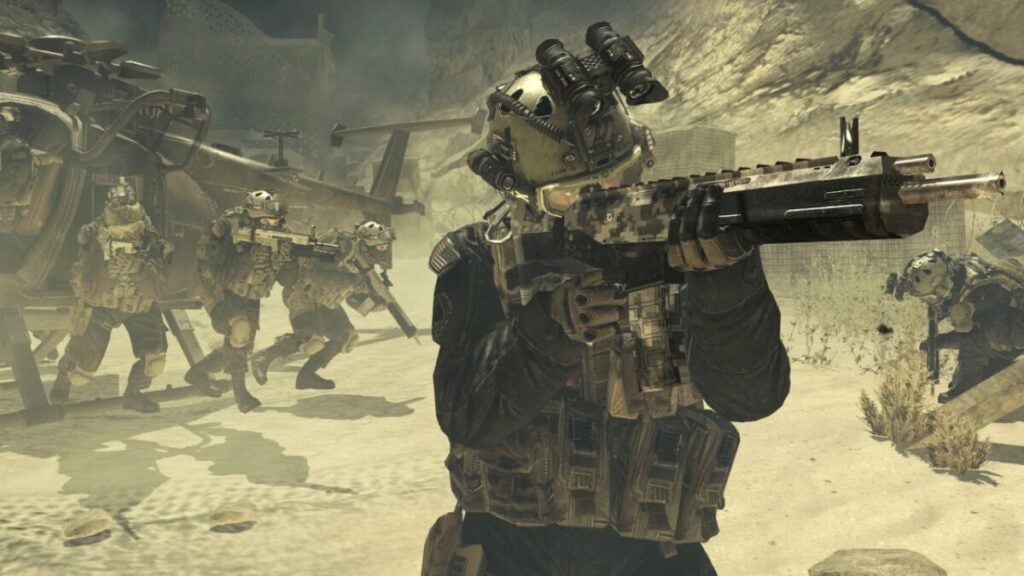
Call of Duty: Modern Warfare II is the most successful CoD release that Activision has seen to date. The game has not been without its issues, though. In the following article, we’ll briefly explore the problems that players faced upon launch, the success that the game has since achieved, and how these two aspects relate to other notable launches. 

Call of Duty: Modern Warfare II DOWNLOAD

There are several issues pertaining to the launch of CoD: Modern Warfare II. To make this article as concise as possible, we’ll simply list them below:

  • Players experience connection issues on PC and Xbox that display the error code ‘HUENEME CONCORD.’ According to Windows Central, this is simply ‘due to the way Call of Duty performs connections’ on these devices. 
  • Players have also frequently been unable to connect to servers, resulting in them being catapulted back to the lobby. 
  • On occasion, parties will crash the game entirely, leaving players temporarily unable to play together online. 
  • The game may also have issues starting up in the first place. 

These issues have clearly not had much of an impact on the dedication of CoD’s loyal player base, as the game generated over $800 million worldwide within the first three days subsequent to its global launch. To put this into perspective, that’s more than what Top Gun: Maverick and Doctor Strange: Multiverse of Madness grossed combined. For even more perspective, these are 2022’s biggest movie releases, yet, somehow, MWII surpassed their revenue by leaps and bounds.

Modern Warfare II

One factor that likely played a role in Call of Duty’s success with Modern Warfare II is the fact that Activision, the publisher behind the Call of Duty franchise, poured so much time, effort, and capital into the game’s marketing pre-release. This was by far 2022’s biggest, most publicized, and most highly-anticipated launch. You couldn’t go onto YouTube without seeing an ad for MWII, and what ads they were. Seeing celebrities endorse a game so proudly really goes a long way toward garnering public interest. 

Feel free to read more about the issues that Call of Duty: Modern Warfare II and Overwatch 2 are facing.

God of War: Ragnarok – Armor system upgrade, game leak and unique trailer

With just a few days before its release, God of War: Ragnarok has already been making headlines. As one of the most anticipated games of 2022, fans have been patiently looking forward to its release on November 9th, but there have been a few unsuspected surprises along the way.

God of War Ragnarök DOWNLOAD

The first was the unfortunate game leak that will have many fans avoiding social media over the next few weeks. While the game is only set to be officially released next week, a particular retailer jumped the gun and shipped copies of pre-ordered games ahead of schedule. 

This means that the game is already out in the open, and social media might already be flooded with gameplay footage. So, if you want to enjoy the game fresh without any spoilers, you might want to steer clear of social media for a while. The developers, Santa Monica Studio, are notably upset by this unsuspected leak and have taken to Twitter to apologize to fans and vent their own frustrations at the situation. 

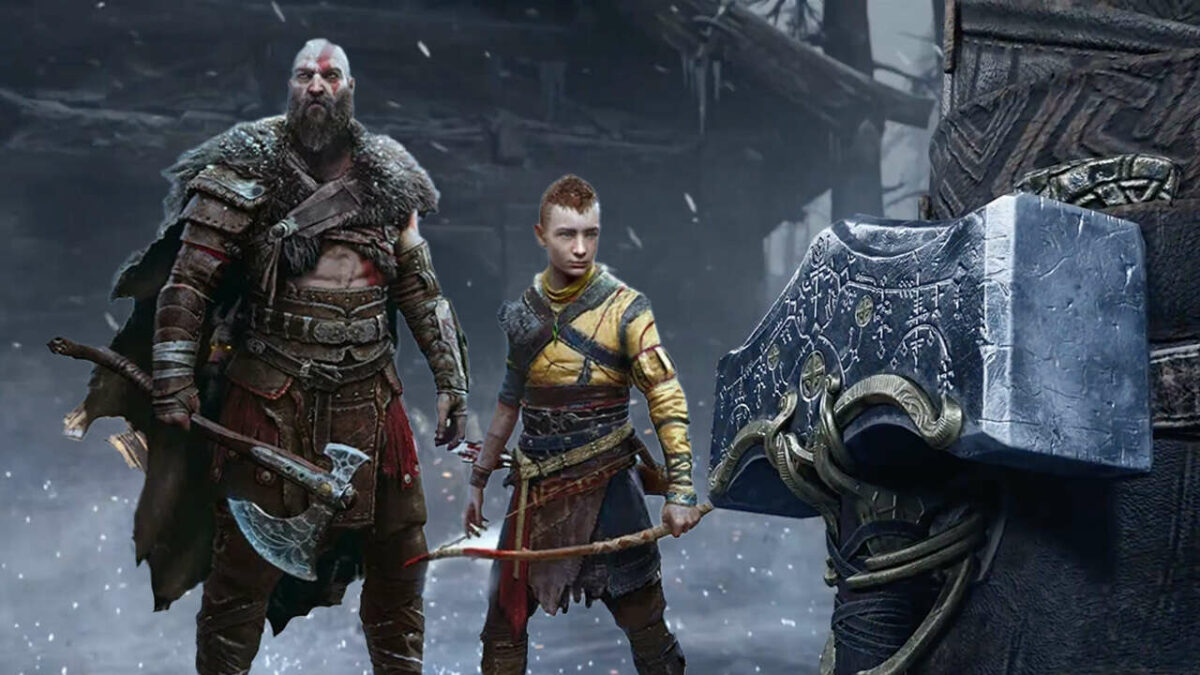
In other news, the game’s combat design lead, Mihir Sheth, revealed that an armor transmogrification system will be introduced in God of War: Ragnarok. This means players can equip armor with unique perks and bonuses and change it to make Kratos look the way they want.

This is becoming a popular request across RPG games and has already been implemented in games like Marvel’s Spiderman and Cyberpunk 2077. Although we don’t know exactly how this feature will work, it’s great to know that there will be a way to give your armor a more personalized twist while still keeping the perks.

The newest quirky official trailer featuring Ben Stiller, John Travolta and LeBron James is enough to keep us entertained while we count down the last few days to the release. This will be the final entry in Kratos’s journey through Norse mythology. We saw how vital the lore of a game is with Elden Ring, and we hope the developers got it right with God of War: Ragnarok.

How to use the latest effects on your TikTok Videos in 4 steps

The popularity of the social media platform TikTok keeps growing. With this growth, the developers continually add more features to the platform. Effects are one of these features and can be a great way to enhance your TikTok videos. Unlike filters which only change the color and feel of your videos, effects give you much more freedom.

TikTok DOWNLOAD

Using effects, you can teleport yourself to a whole new world, manipulate your facial features for hilarious results, or create an entire synchronized dance crew with copies of yourself. In this article, we’ll be looking at some of the best effects TikTok has and how you can add effects to your videos.

What are the best TikTok effects?

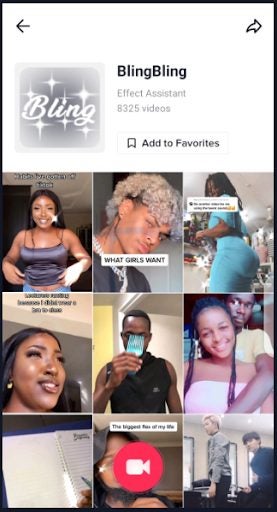
TikTok has many different effects that you can add to your videos. From disco light effects to super bling ones and even effects that manipulate and elongate your face. There are so many different effects to choose from, but here are five of the most popular.

Green screen

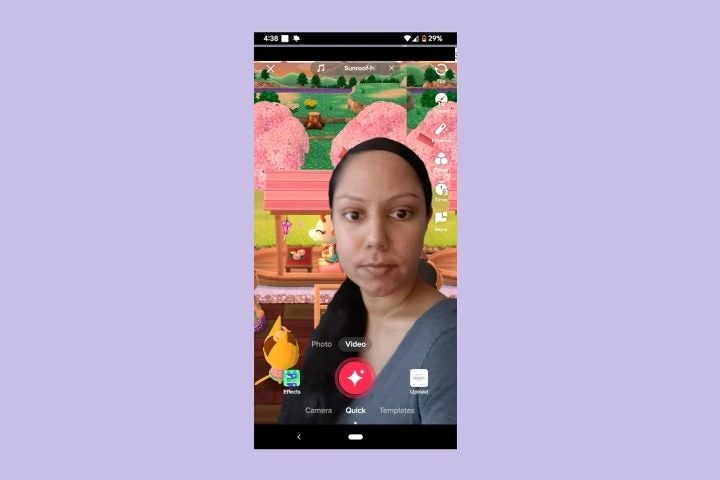
This is by far one of the most popular effects on the platform and is used frequently. The TikTok green screen effect lets users completely change their background – instantly transporting them anywhere in the world. Users can use any of the platforms’ backgrounds or upload a background image from their camera roll. 

latest effects on your TikTok Videos

Trio

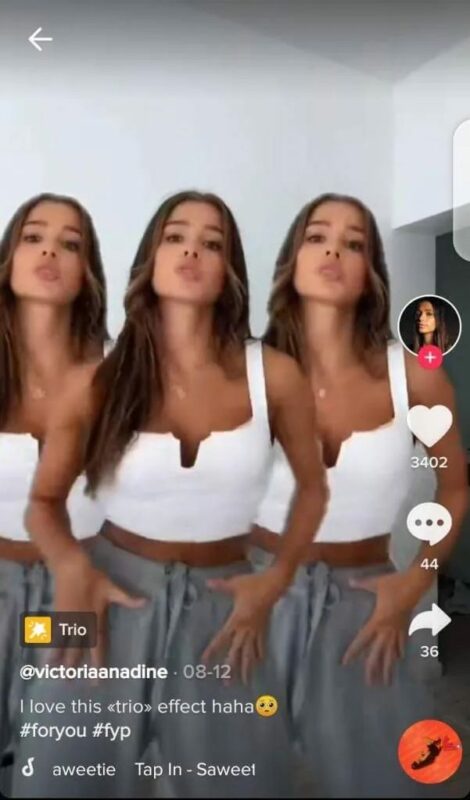
This fun effect lets users create three clones of themselves. All the clones will be mirroring exactly what the user is doing. This effect is excellent when used for TikTok dance challenges, as you can easily create a choreographed dance routine with all members being completely in sync with one another.

latest effects on your TikTok Videos

Double screen effect

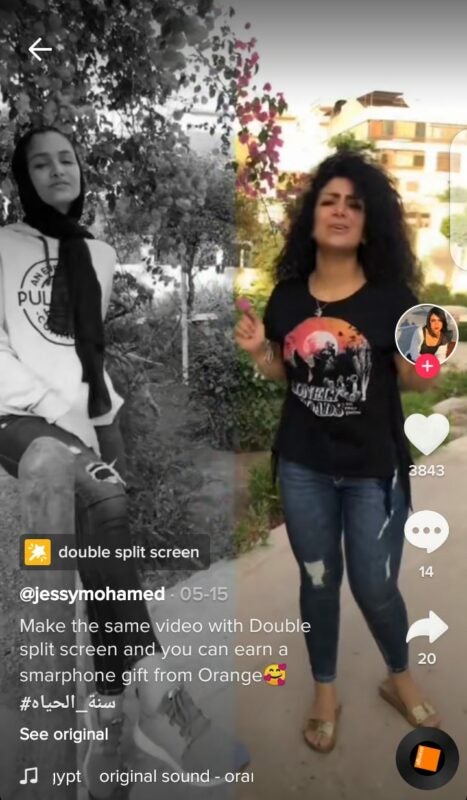
This interesting effect lets the user split their screen in two. It can be used to record two different outcomes to similar situations, which will then play simultaneously side-by-side. Unlike the Trio or Trisection 2 effects, each side will be able to perform different activities instead of mirroring the original. The user simply moves from one side to the other, which is great for showing two different ways to handle a situation.

latest effects on your TikTok Videos

Tear

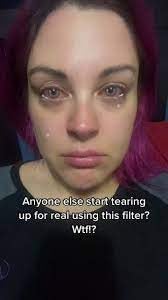
This feature has become very popular recently and is one of the most dramatic effects on TikTok. When used, it will make it look like the user is crying – not just eyes glistening over but tears and all. When activated, the effect will make it appear that the user’s eyes are welling up with tears, and when the user blinks, the tears will start streaming down their face. This effect is best used for creative storytelling videos, but make sure to keep some tissues nearby to complete the effect.

latest effects on your TikTok Videos

Color customizer

The color customizer effect is one of the most useful, if a little boring, effects on TikTok. If you want to create great TikTok videos, you need to understand lighting and the effect it has on the colors in your video. While it’s easier to create the ideal lighting conditions when filming in a studio – it’s much more difficult to achieve at the moment.

The effect lets you increase the quality of your videos by enhancing and sharpening the colors. You can also use the slider to adjust particular hues or saturation and even use it to dull the colors of your video if that’s the look you’re going for.

How to use effects on TikTok?

Let’s take a look at how you can use any of the effects mentioned above, or the others available, to improve your own TikTok videos.

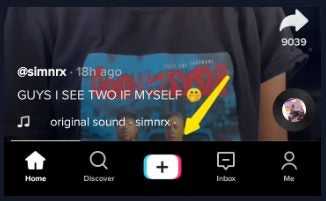
  1. Start recording your video

    Start recording your video by tapping on the ‘+’ button at the bottom center of your screen.

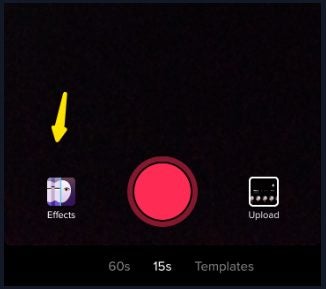
  2. Click on the ‘Effects’ tab

    latest effects on your TikTok Videos

    Before you start recording, tap on ‘Effects’ located to the left of the record button to choose from the available effects for your video.

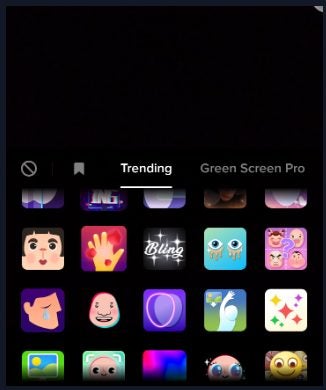
  3. Scroll through the tabs

    latest effects on your TikTok Videos

    After tapping on ‘Effects,’ you’ll see all the available options on the screen. They are also arranged according to categories to make it easier to find what you’re looking for.

    Tip: The available categories include trending, green screen pro, new, special effects, beauty and comedy.

  4. Tap on the effect you want

    latest effects on your TikTok Videos

    In the list of available options, tap on one to add effects to your video. When you’re ready, tap on the record button, and the effect will immediately be added as you record your video.

Create eye-catching videos easily with TikTok effects

As a platform that revolutionized short video content, TikTok provides users with many different ways to create fun, creative and exciting videos. Whether your focus is on humor, professional or entertainment – there’s an effect to take your video to the next level. By following the steps above, you’ll be using effects in no time.