Opera has released Opera One R3, a new update to its flagship browser that focuses on making everyday browsing easier to manage, especially for users who juggle dozens of tabs at the same time.
The update puts the spotlight on organization and productivity, reflecting how browsers have become central tools for work, research, communication, and entertainment. Instead of introducing radical design changes, Opera One R3 builds on existing features and refines them to better match real-world browsing habits.
One of the key improvements affects Tab Islands, Opera’s feature that automatically groups related tabs. With the new update, users can rename and color-code these groups, making it easier to keep work, personal tasks, and research sessions clearly separated. The goal is simple: help users stay oriented when multiple projects are open at once.
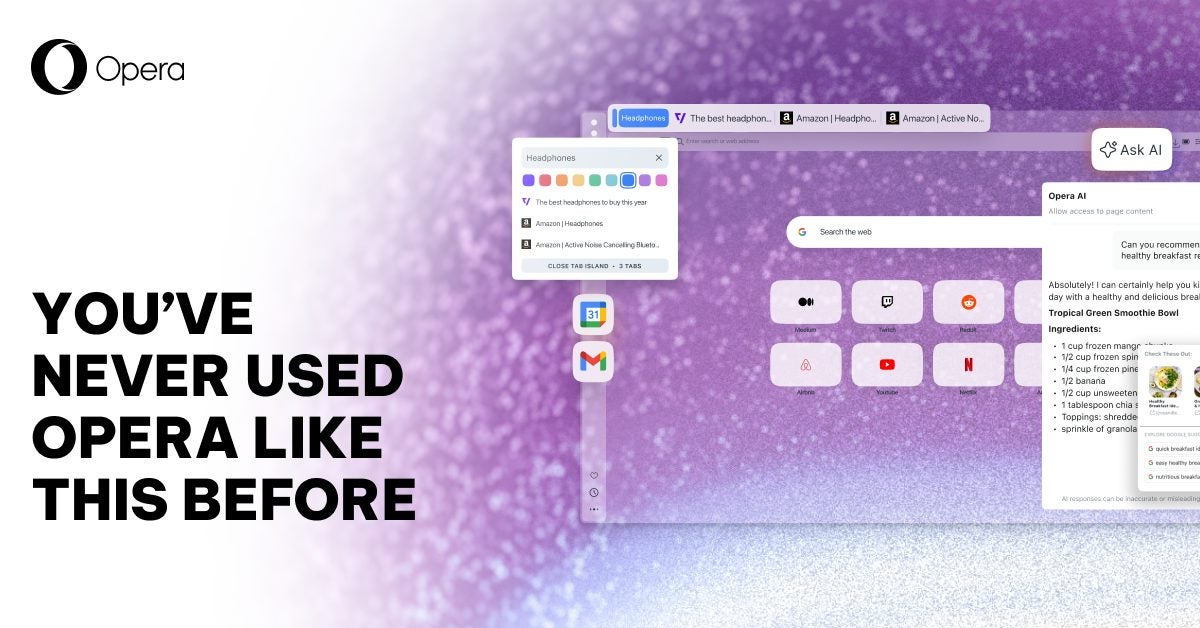
Artificial intelligence also plays a bigger role in this release. Opera has rebuilt its built-in AI assistant so it can better understand what the user is currently doing in the browser. By considering the active tab or tab group, the assistant can provide more relevant answers instead of generic responses.
The AI can also analyze online videos, including YouTube content, allowing users to briefly summarize long videos or jump to specific sections. The assistant is available directly inside the browser and does not require users to sign in.
Opera One R3 also brings several practical interface updates. Split Screen mode now supports up to four tabs displayed at the same time, which can be especially useful on larger monitors. The browser’s sidebar has also been expanded to include quick access to Google services such as Gmail and Google Calendar, reducing the need to constantly open new tabs.
Other additions include a built-in page translation tool and improvements to features like Easy Files and the music player, continuing Opera’s approach of offering useful tools without relying on extensions.
Finally, Opera has changed how experimental features are delivered. Instead of a separate beta browser, users can now enable an “Early Bird” mode within Opera One to try upcoming features directly in the main browser.
With Opera One R3, Opera continues to refine its browser around organization, multitasking, and built-in assistance, aiming to make heavy web use feel more manageable and less cluttered.