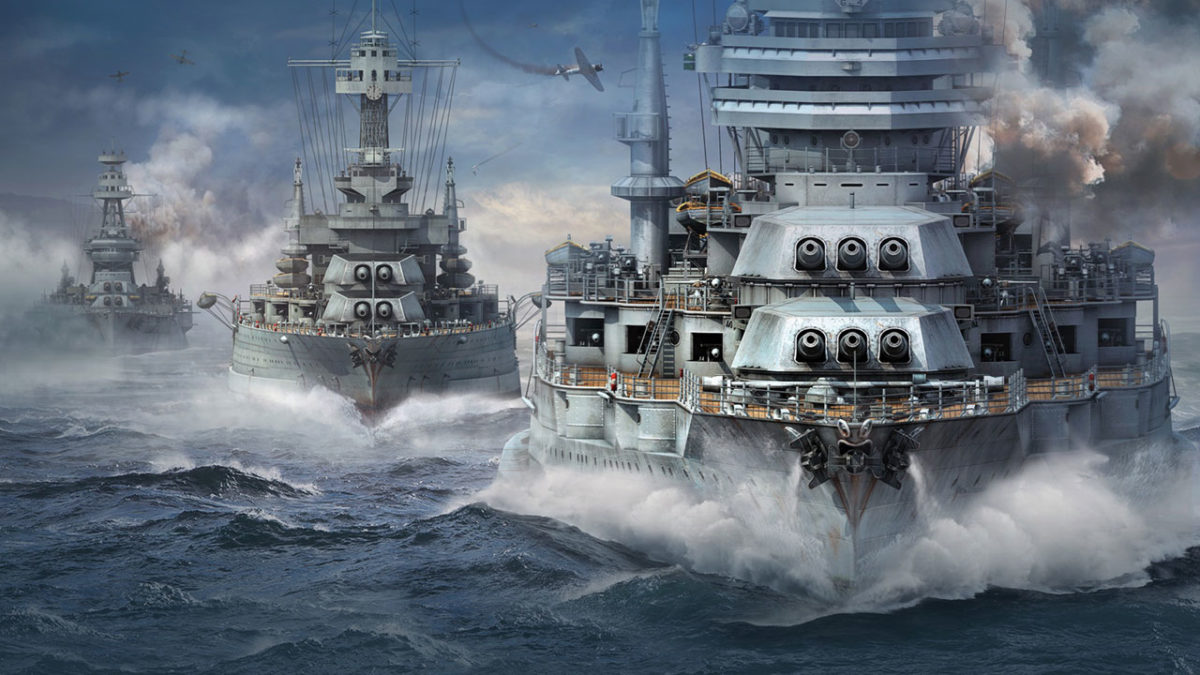

Top 10 naval battle games for PC

Sail the seven seas and battle scurvy dogs in these naval adventures!

NAval battle

Disclosure: Our team is always looking for things we think our readers will value. We can receive compensation for publishing this article.

Although naval battle games are something of a niche genre, there are plenty of awesome games out there that focus mostly or entirely on naval battles and naval action ships. Whether you have to manage your fleet of aircraft and battleships to beat your enemy, defend your base, ports, and fleet, or launch raids to cut off naval routes and invade enemy territory, there are nautical warfare games for every scenario. These games take the Battleships board game to a whole new level.
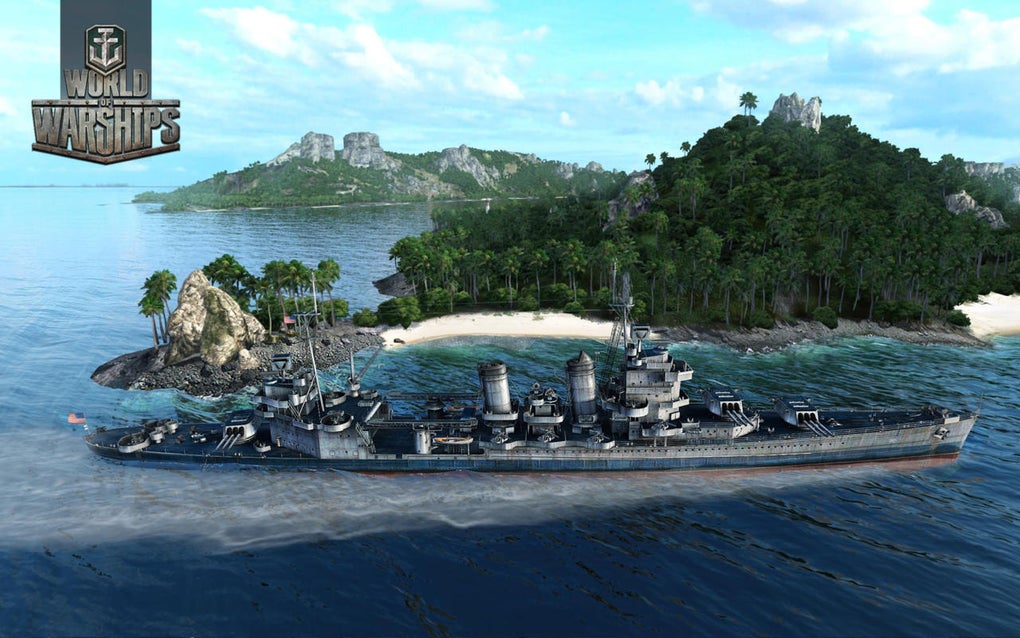
World of Warships

Whether you’re an aspiring modern naval tactician or looking to sail the high seas as an adventurous pirate in search of plunder, there are countless choices in the naval battle PC gaming genre. If you’re fascinated by naval military history this is your new video game wishlist.

Below are some of the best naval battle games on the PC Desktop, taking you from WWII and Modern naval combat to the 17th Century high seas, and a lot of different ship games in between.

Top Ten Naval Battle Games

1. World of Warships

Taking the incredible free-to-play formula that WarGaming.net perfected with World of Tanks and World of Warplanes, World of Warships has you take command of the bridge of a modern military warship and fight in epic sea battles. As Captain, you don’t have the same direct control over your craft as you do in other games in the series. Because of this, the action is comparatively paced as you exchange powerful barrages with other players in a strategic experience that often feels like a first-person game of Battleships. There is also a very active World of Warships Reddit should you want to mix with other dreadnought captains. Play World of Warships free.

2. BattleStation: Midway

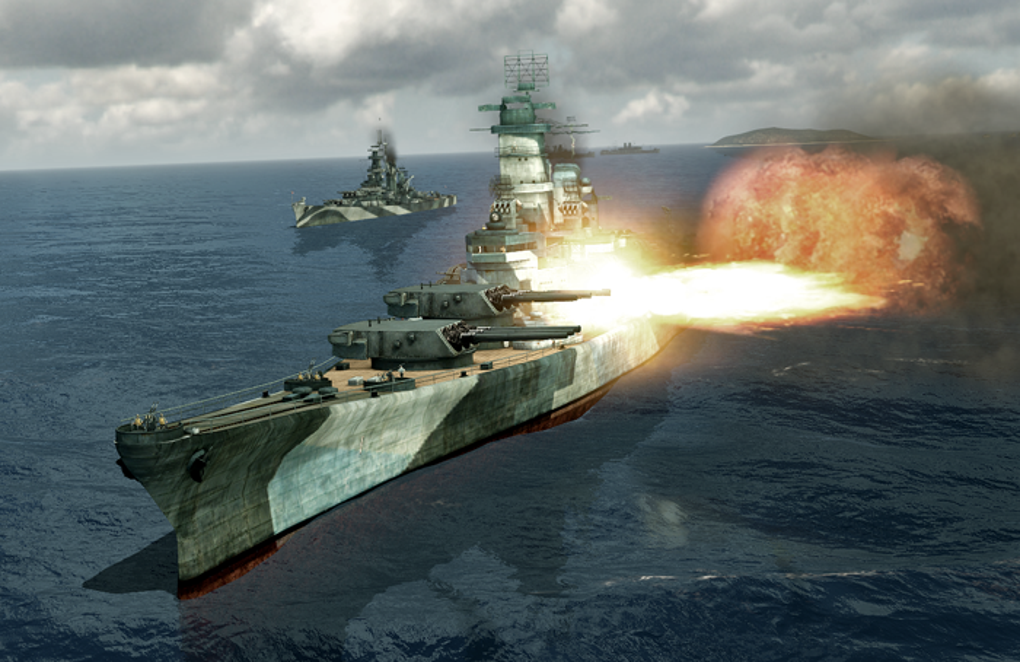
BattleStation: Midway

One of the classic games in the genre, BattleStation: Midway is a strategy game that takes place in the Pacific Ocean circa WWII. Using real-time tactics, you can control each individual ship or plane in your fleet, with the hope of defeating your enemy. While BattleStation: Midway may be an older game, it still has decent graphics, offers both single and multiplayer mode, and is truly a staple in the genre.
BattleStation: Midway Download now
7

3. BattleStations Pacific

Battlestations: Pacific

The sequel to BattleStations: Midway, takes place in the wild, cold waters of the Pacific Ocean. BattleStations: Pacific expands on the previous title by adding new features including new weapons and ships, different kinds of combat–namely, more advanced submarine battles– and the ability to play either an United States or Japanese campaign. It also has 5 extra multiplayer modes, including Island Capture, Duel, Competitive, Siege and Escort.
Battlestations: Pacific Download now
7

4. Silent Hunter IV: Wolves of the Pacific
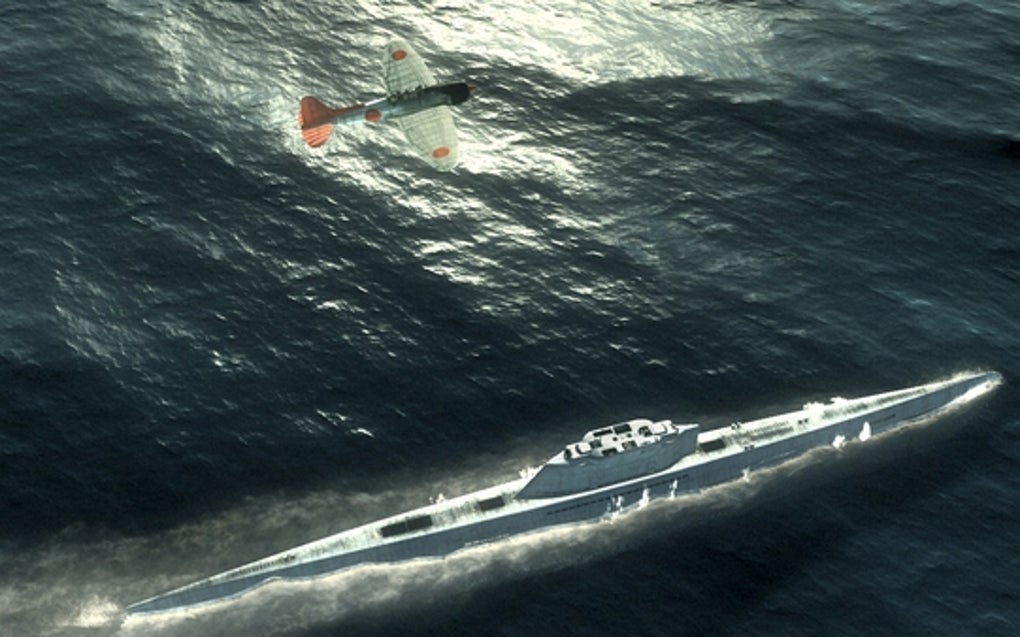
Silent Hunter: Wolves of the Pacific

If submarine warfare is more to your taste, try Silent Hunter IV: Wolves of the Pacific, a game from Ubisoft that also takes place in the Pacific during WWII. The ​u-boat​​​ simulator uses really intricate graphics to literally immerse you in the depths of the Pacific Ocean, with everything from launching torpedo attacks, to using radar and sonar, to managing your crew. Different game modes make it easy for both beginners and more advanced players to master the game.

Silent Hunter: Wolves of the Pacific Download now
10

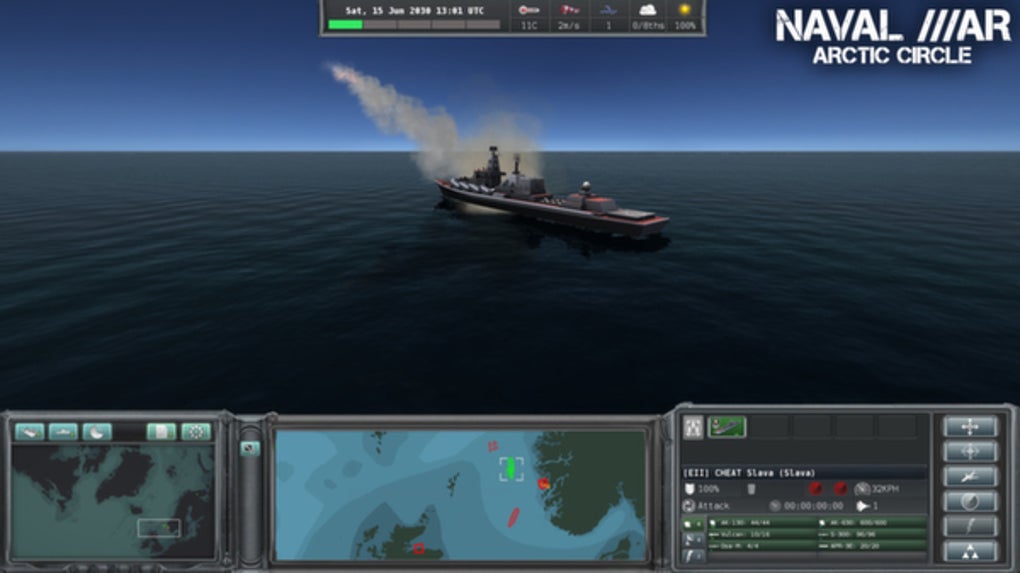
5. Naval War: Arctic Circle

Travel a bit further north in Naval War: Arctic Circle, a real-time naval strategy game that, unlike some of the previous games, takes place in the distant future during a fictional war. The game has everything from submarines, aircraft, and helicopters, to in-air refueling tankers and onshore airbases. It also features navies from many different countries – including the UK and Scandinavian – that can be battled in both single and multiplayer modes.

Naval War: Arctic Circle Download now
6

6. Dangerous Waters

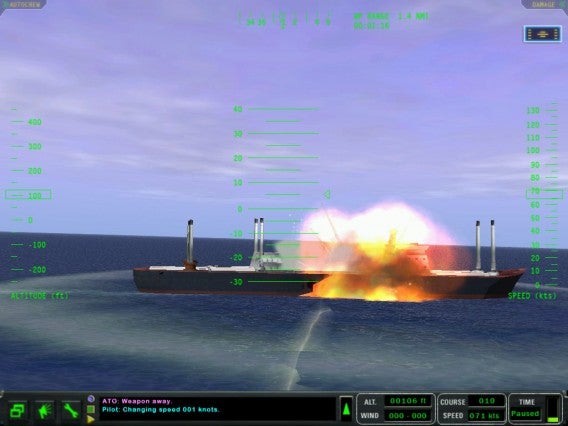
DangerousWaters

As a modern-day naval game, Dangerous Waters lets you control all aspects of air, surface, and submarine warfare, simulating over 250 real-life naval units. Aside from the fact that you can work cooperatively in Multi-Station Mode to operate various crew stations as a team, one of the coolest thing about the game is the AI of the crew members, which lets you hand off tasks so that you don’t have to worry about actively managing specific aspects of the game.

7. Battle Fleet 2: World War 2 in the Pacific

A game of tactical naval combat, Battlefleet 2 puts you at the helm of Japanese or US fleets during WW2. Trying to make your way across the Pacific Ocean, you’ll get zoomed in on the action once you engage in battle. You’ll be engrossed in the game as you move from macro strategies to micro tactics, and with a great range of units, the game is perfect for any WW2 enthusiast. If you want to take gameplay on the go, you can even download a mobile version for iOS and Android.
Battle Fleet 2 Download now
6

8. Fighting Steel

Fighting Steel, from Strategic Simluations Inc, is a 3-D game that takes place in the Atlantic and Pacific Oceans during the biggest naval battles of WWII, between 1939 and 1942. Battling against American, German, Japanese, and British warships, you’ll use real-time strategy and an in-game camera to control multiple ships at once. You can play online multiplayer with up to four people, and with a super detailed instruction manual, getting started is easy.
9. Naval Action

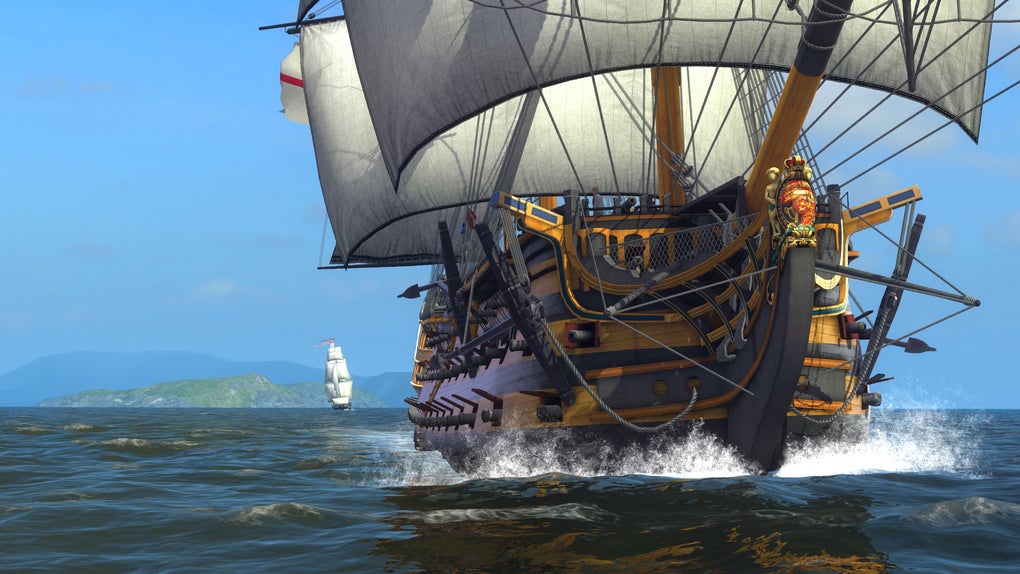
Naval Action

Giving you the helm of an 18th-century vessel, Naval Action sees you take to the open seas in a huge online environment with other players. With battles of up to 50 ships, realistic damage physics, and navigation that demands you use landmarks and the stars, this game not only doesn’t hold your hand – it cuts it off and replaces it with a hook.

Naval Action Download now
6

10. Windward

Windward

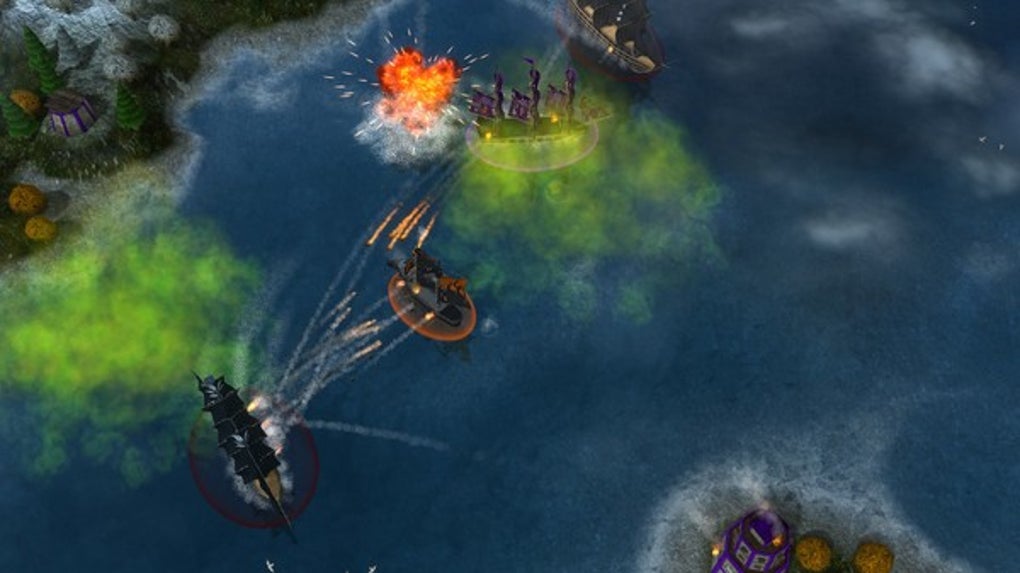
If you’re a fan of 17th-century ships but prefer a bit more small scale naval action, try Windward, an online open-world game from developer Tasharen. In Windward, you play in teams of four, using your ships to take over as many structures as you can on the map. It’s not as graphically advanced as some of the naval battle games on the list, but it’s still pretty impressive.

Windward Download now
10

The above games are all limited to naval battles, but here are a few honorable mentions of games that feature great naval warfare in some way or form.

Bonus: More War Games that Feature Naval Battles

War Thunder

War Thunder

War Thunder is a great option which, although not exclusively containing naval battles, definitely has some great naval content. The focus is on flight, but no air combat game is complete without naval battles. You can experience War Thunder naval warfare with aircraft carriers, warships, and naval aviation units. For a free game, it’s a great option.

War Thunder Play now
8

Battlefield 4 Naval Strike (expansion pack)
Battlefield 4

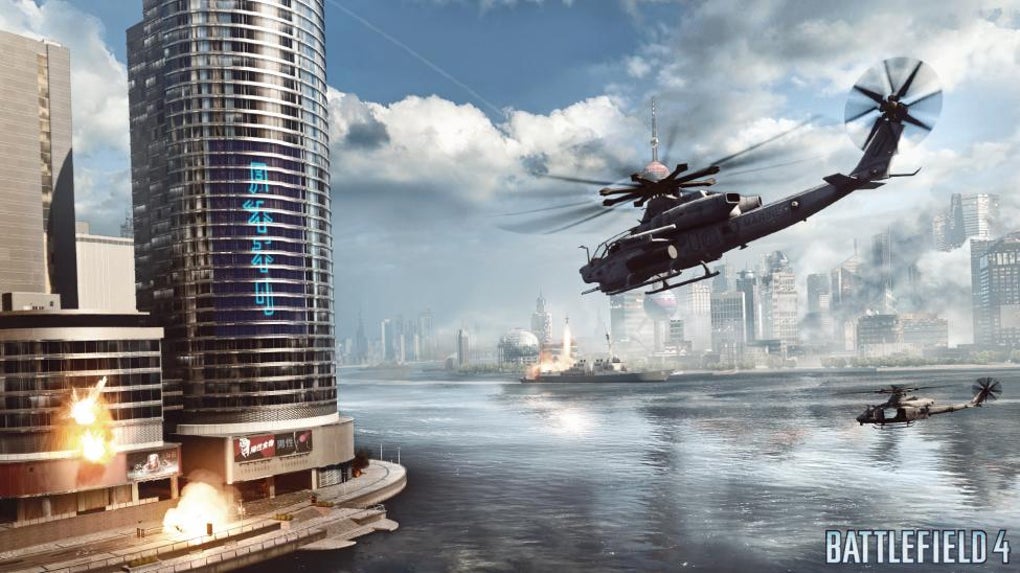
The Naval Strike expansion pack for Battlefield 4 brings naval warfare to the 21st century. Taking place in the South China Sea, the DLC pack brings multiplayer maps, new gadgets and weapons, and most importantly, a hovercraft. In the new Carrier Assault mode, you’ll be battling to sink the enemy’s aircraft carriers.

Battlefield 4 Download now
7

Assassin’s Creed IV: Black Flag

Assassin's Creed IV: Black Flag

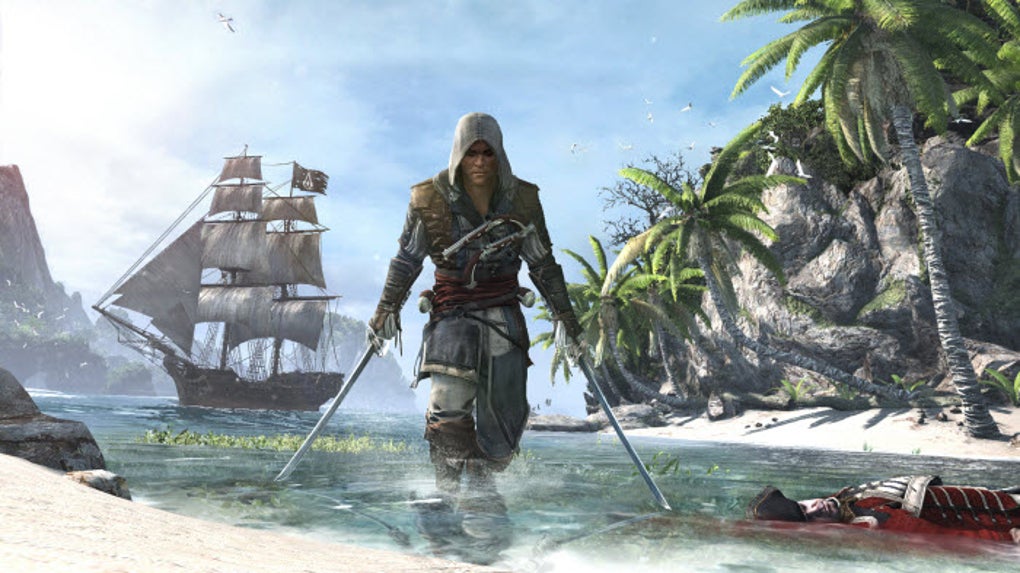
For a series about climbing over rooftops and stabbing Templars, Assassin’s Creed IV: Black Flag’s ship-to-ship combat is surprisingly complete and satisfying. Sailing across the Caribbean taking direct control of your ship – The Jackdaw – you can attack different navy vessels with your vast armory to get money and supplies for upgrades. But, if you would rather board an enemy vessel for some cutlass based action, you can capture it and add it to your fleet.
Assassin's Creed IV: Black Flag Download now
8

Bonus: Top Mobile Naval Battle Games

The thrill and excitement of a good naval battle game should not be limited to just the PC Desktop experience. For naval battles on the go, try one of these mobile naval battle games:

Pacific Fleet Lite
Pacific Fleet Lite

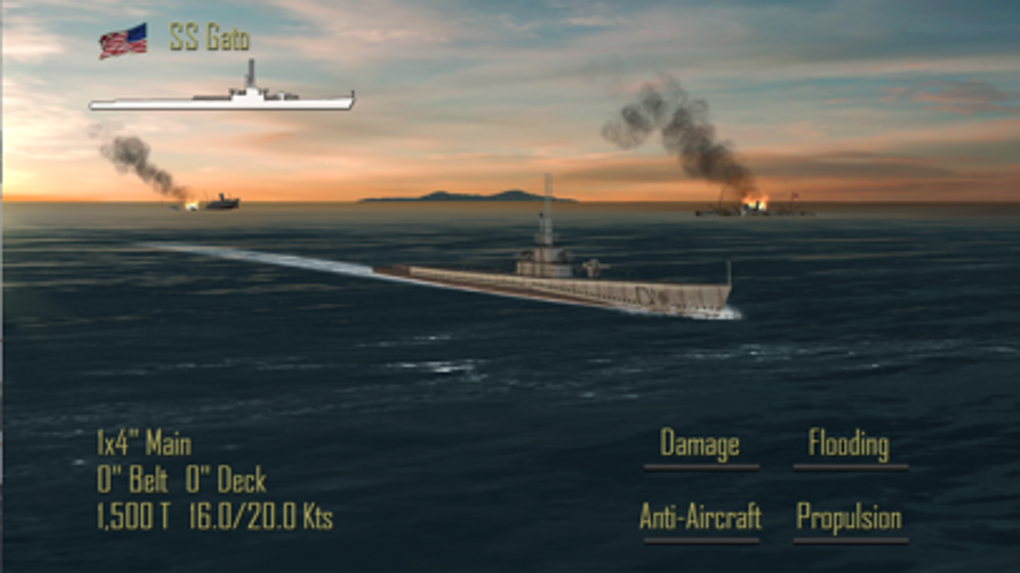
Pacific Fleet Lite is the free version of a popular and detailed turn-based World War II naval battle simulation. It contains a lot of simulation data and logic-based gameplay that will appeal to a hardcore naval strategy enthusiast, but its lack of fast-paced action means arcade/action lovers will probably want to take a pass.

Pacific Fleet Lite Download now
9

Assassin’s Creed – Pirates

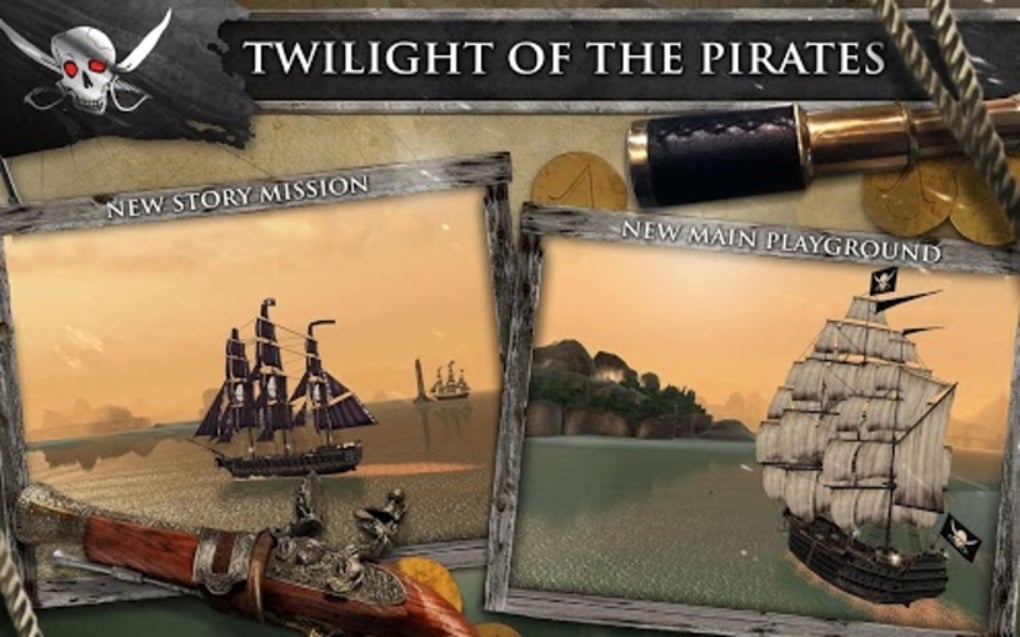
This mobile installment of the Assassin’s Creed franchise from Ubisoft features fast-paced 1 on 1 naval battles in an adventure storyline. The game was recently updated to be free-to-play (it used to be a $4.99 paid download).

Assassin's Creed Pirates Download now
8

Wrapping up

What’s your favorite naval battle game? What about Atlantic Fleet or Steel Fleet? Let us know in the comments section below.
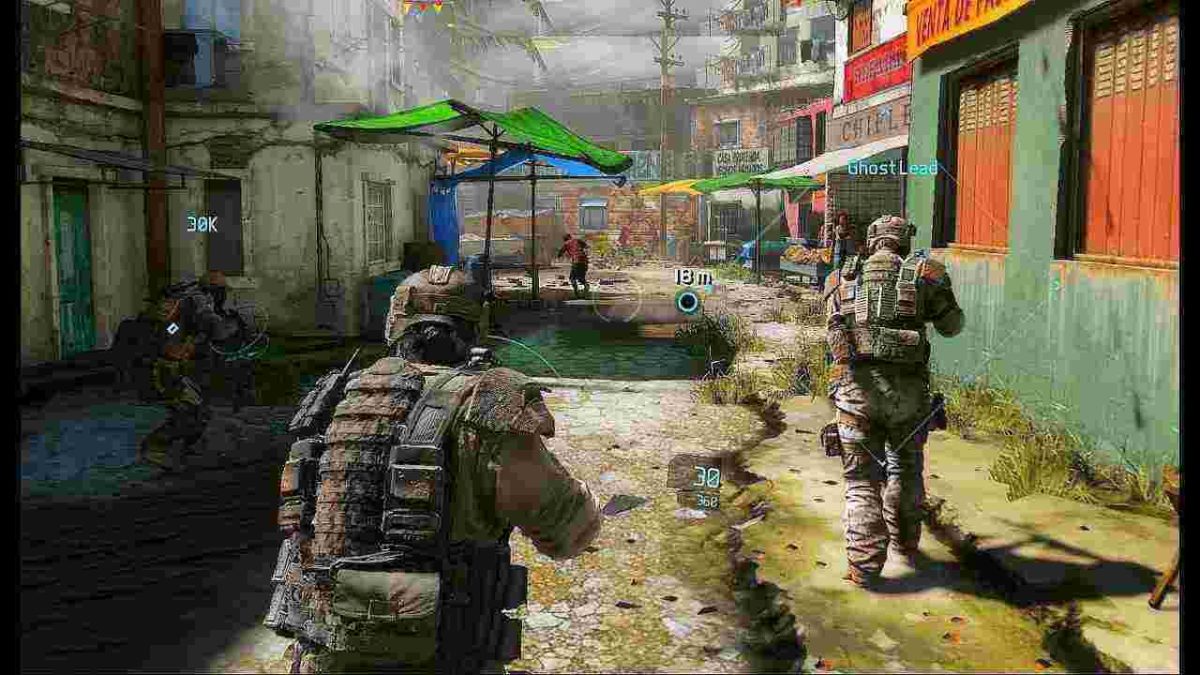
How to use military tactics in shooter games

We all like to play the lone wolf, running into an enemy outpost like Rambo and swinging a chain gun around while yelling “Leroy Jenkins!” It’s the way shooter games may play in our head, but unfortunately it’s not going to net you many wins (and if it does, thank your teammates). The best shooter games take inspiration from actual squad-based combat, and even if at the end of the day you’re still just playing Fortnite or Battlefield, some strategies and maneuvers still bleed into the experience. Here’s our selection of squad-based military tactics that will give you an edge over players, even when the odds are stacked against you.

1. Location, location, location

If you’re a fan of shotguns in video games, you’ll need to stay out of wide, open fields. Likewise, you’ll want to keep far away from close quarters if you’re playing a sharpshooter. Where the fight happens is up to you; avoid running into a place where you’re outnumbered, outmaneuvered, or have poor mobility. Before Napoleon Bonaparte sent off his invading armies, he hired cartographers to sketch maps of enemy settlements and terrain.

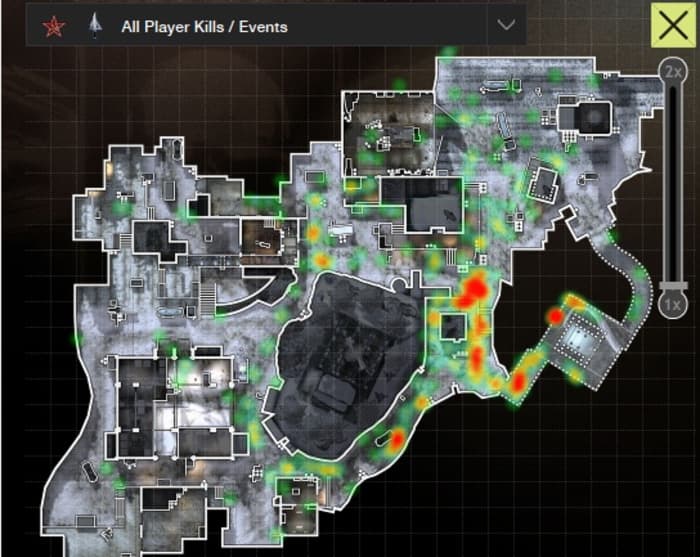
Call of Duty Modern Warfare 3 Outpost heat map
Studying this heat map of Outpost from Modern Warfare 3 can shed light on areas to avoid.

Instead, keep to familiar territory where you have a clear advantage. If you’re not sure where that is, look up the map online. Check your loadout. Plan where you want to make your stand. This tactic also works great in games that offer gadgets like thermal vision, smoke grenades, or trip mines. Keep your entrances covered, and outlast your opponents.

2. Use team chat

You know how people like to scream and hurl insults about your mother over game chat? While this is charming you can also use this tool to coordinate a team (provided you can establish the ethos for them to take you seriously). Don’t just use it to call out enemy locations either. In an actual military situation you’d be doing a lot more communicating than shooting, and it’s this way for a reason – knowing is half the battle. Which of your teammates can offer cover fire with a sniper rifle? Does anyone have eyes on the objective? How many enemies are converged over x position? If you know what you’re up against you won’t be understaffed.

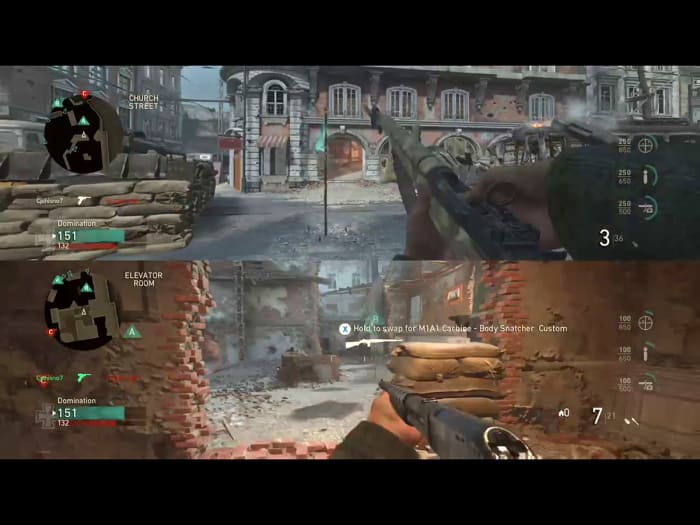
Splitscreen shooter
“Who needed a carbine? There’s one by me.”

If you’re on a team with some outlandishly good players, but you find you’re still having trouble capturing a territory or completing an objective, it’s probably because your team’s talents aren’t being put in the right places. Stop banging your head against the wall and coordinate an effective push. Take a second to rethink your strategy. There could be a weakness you were too frustrated to see. Re-evaluate and exploit it, this time with numbers behind you!

3. Move in formation

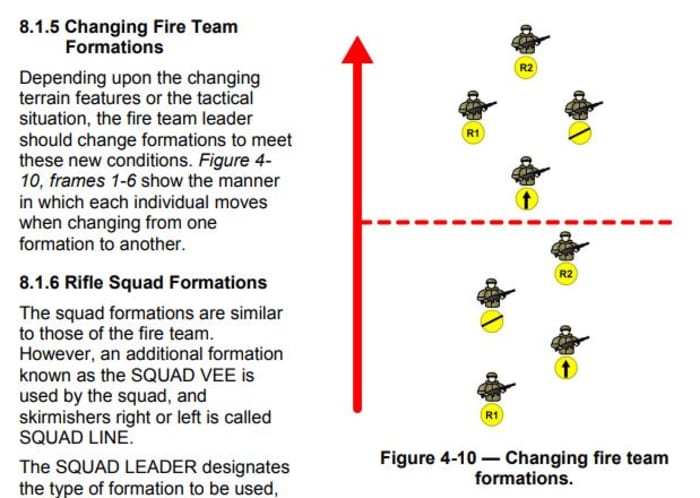
The military deploys its units in small squad formations, and it’s not just because it looks cool. The way your team is positioned can make all the difference once a firefight erupts. Where are you positioned? Where are your teammates positioned? Can you effectively move, react, and shoot as one cohesive unit, or could one well-placed grenade take you all out at once? Know the best time to employ the best shape.

One of the most effective formations in a game like PUBG or Battlefield is the Fire Team Column which positions your squad mates in a parallelogram (the bottom formation pictured below). This is a great shape for controlled mobility in any direction, and also allow for an immediate, reactive counter in case you get ambushed. If you move together and keep moderately spread out you’re forcing your enemies to pick a single target. Once they do, communicate and retaliate as one cohesive unit. It’s also great because you can easily and intuitively switch formations from the Fire Team Column:

Changing fire team formations

4. RTR

RTR stands for React, Take Cover, Return Fire. If you find yourself separated from your team for whatever reason, this is an effective defensive strategy should the enemy gets the drop on you. In a more realistic shooter experience you’re not going to have health bars a mile long, or shields made out of magic. Your best defense is to threaten with your own firepower, and retreat to a more advantageous position. That’s what RTR is all about:

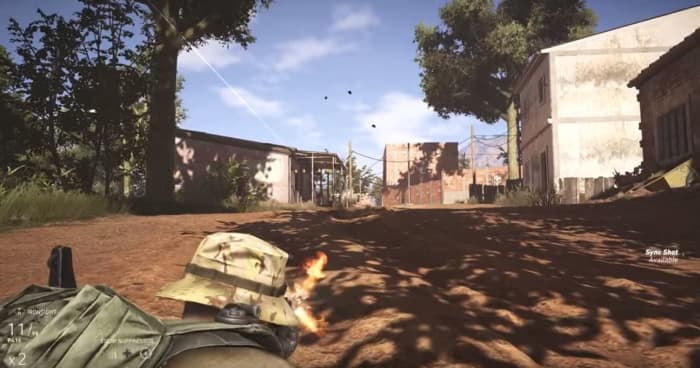
Battlefield
No one likes getting shot at. Go prone and return fire. See how they like it.

When you get shot at, your first reaction may be to run or hide, but it’s actually better to shoot back at the enemy – even if you know you can’t kill them; that’s not what you’re trying to do. You’re trying to get them to stop shooting at you. If you lay down suppressive fire (React) you can buy yourself enough time to do step two (Take Cover). If there isn’t a decent cover to duck behind, crouch down, drop to the ground, or at least zig-zag back and forth. It’s better than standing there doing nothing, and jumping around isn’t as helpful as you’d think. Once you’re in a better spot for avoiding enemy shots, you can take proper aim (Return Fire) from a safer position.

5. Flank

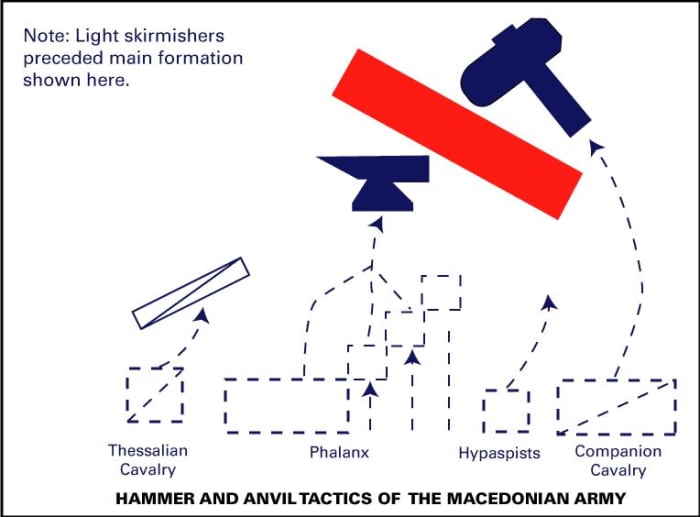
This is a classic ‘hammer and anvil’ tactic employed by the Alexander the Great and the Macedonians. The idea is to keep your opponent preoccupied with an unbreakable force in front, while you’re circling around to hit them with a hard-hitting elite force from behind. It looked something like this:

macedonian hammer anvil tactic alexander great

Flanking is such an overused, obvious tactic that it’s often discarded as a something overly predictable. The whole point of a good flank is that it is unpredictable. If you’re just attacking from two directions at once, you are technically flanking an enemy, but there are ways to do so more effectively: Surrounding and pincering, misdirecting, or attacking from a wholly unexpected angle.

You may have noticed that most of these strategies involve working with a team. Yes, that’s the point. Even if you’ve spent the entire match bad-mouthing your teammates for a having bad K/D, at the end of the day even bad players can group up and at least hold the advantage of numbers – they just need to be properly coordinated. Hop on team chat and start playing the macro game! If they won’t listen and just keep shouting insults about your mother … at least you tried.

10 tips to become a better gamer

Games are hard. That’s the not-so-secret reason a YouTube channel like LetsPlay has 3 million subscribers, or why Fortnite tournament champions can bring home millions of dollars. Sure some games are easier than others, but you can usually tell the difference between a novice and a veteran gamer no matter what title they boot up or what controller is in their hands.

Fortnite: Battle Royale Download Free ►
10

Even if you can win every Fortnite match, dominate the Mortal Kombat leaderboards, or build Minecraft castles in the sky, you still might not be the greatest when it comes to beating Riddler in Arkham Knight, winning races in Forza, or leading a nation in Civilization 6. Gaming has grown into a huge umbrella, and it covers a lot of ground. No matter what game you pick up, though, there are some universal tips that will always start you off on the right foot. Here’s our list:

1. Save often, use different slots

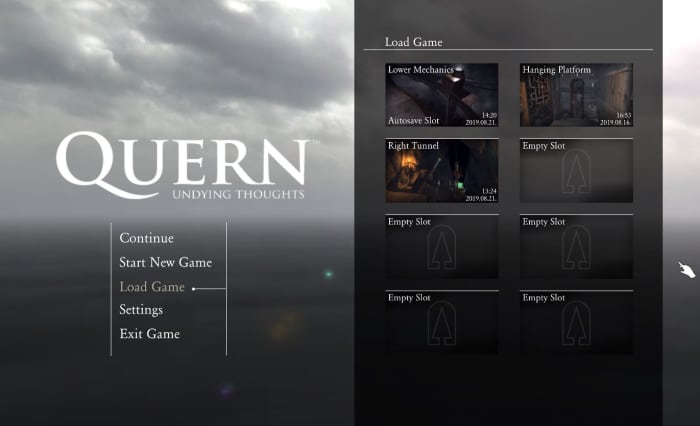
Mostly gone are the days of classic Sierra-style point-and-click adventure games like Quest for Glory or Gabriel Knight. You know, games that punish the crap out of you for forgetting to save your progress. Most games use auto-saves or checkpoints nowadays, but take it from a guy who grew up with the classics: If there’s an option to manual save, do it often. It can save you hours of having to replay the same territory.

Quern Undying Thoughts save game menu
Use multiple save slots to set up a safety net

Saving in different slots is also smart. You may make a decision that you regret, like overspending your resources, killing a character, entering a place before you were ready, choosing a poor team for the job – the list goes on. We recommend having at least three saves that you go between. That way you have a safety net in case you royally screw something up.

2. Everything is rock, paper, scissors

Rock, paper, scissors is the most basic game of all time (besides maybe Pong) and yet it permeates everything. Hilariously enough, it’s usually even praised for making games complex. The idea is that for everything there is a counter. We can’t stress how important it is to take that into consideration no matter what game you’re playing. It’s the foundation for RTS titles like Total War or Battle for Middle Earth (spearmen –> horses –> archers –> swordsmen –> spearmen), but rock-paper-scissors can apply to practically any genre.

Look at fighting games (who’s the best match for Braniac in Injustice 2?), RPGs (when should you use ice spells instead of fire in Skyrim?), and even shooters (when will an SMG beat a shotgun?). If you find that your usual tactic, your favorite character, or your best weapon isn’t getting the job done like you expected, it’s time to consider a new tactic.

3. Read the manual

We know what you’re thinking. ‘I don’t need to read a manual! That’s for wimps!’ Well then it’s time for a personal story: One of the first games I ever played was Jedi Knight: Dark Forces II. In the sixth level (ugh, I still remember every detail of this game) there’s a room with a bridge that has to be manually extended in order to progress through the room. The catch is that the extension controls are quite far from the bridge itself, and the bridge doesn’t stay extended long. Bottom line: You have to run across the bridge really quickly before it pulls back in again. It went something like this:

I was stuck at this part of the game for seven months because I kept trying to walk across it as fast as possible. Because I didn’t know there was a ‘run’ button. Call me dumb, but since this was one of my first games I didn’t know that was standard practice. If I’d read the manual I would have known this right off the bat and saved myself months of frustration. It pays to know the tools in your toolkit. Read the manual. Don’t be like me.

4. Hotkeys are your friends

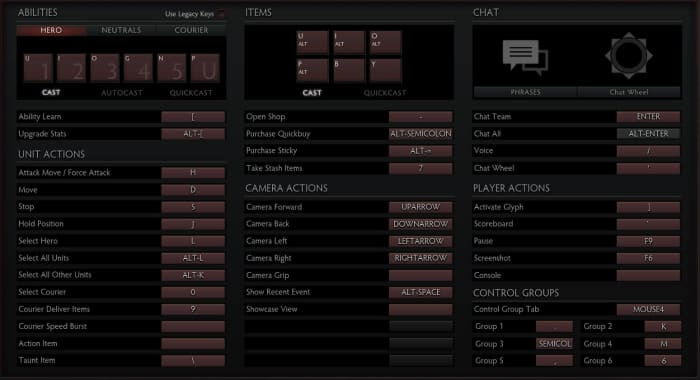
If you’re a console player this tip isn’t quite as important, but for all you PC players looking to up your game this is huge. Any level where you’re on the clock (and we’re not just talking about racing games like Need for Speed. If you’re playing a shooter you need to react quickly.) you need to be able to do a lot of things in a short amount of time. Hotkeys might take some extra memorization, but trust us; it’s worth it. You’ll be able to do so much more, so much faster.

DOTA 2 hotkey menu
With a bit of practice and the right hotkeys set, you can operate as fast as you can think.

Some games let you set the hotkeys yourself, which means your experience will play as intuitively as you choose. You can even look at a new console game like Marvel Ultimate Alliance 3. If you’re having trouble adjusting to the gameplay (like we did) you can change the control scheme right in the Options menu. You can also re-assign powers to different buttons if you don’t think it makes sense where they are. If the controls don’t make sense to you, look to see if you can change them.

5. Re-position, reacquire

If it feels like you’re running into a brick wall, it might be because you are. How could the game designers be so cruel? Why would they make a level unwinnable?? Odds are, that isn’t the case; you’re just not approaching it the right way. Attacking from a different angle can make all the difference. A melee brawl with a tough opponent might spell death, but a sniper shot to the back of the head? Can’t argue with that! Sometimes it’s like Sam Fisher instructs, you’ve got to “re-position and reacquire:”

This doesn’t just go for single-player games either. If another player in an FPS game seems untouchable, try and undermine him. Go at him with strategies he doesn’t expect. Use equipment that your teammates discarded. Get around the obstacles, flank him, and hit him where he least expects you. Be patient and, to quote Napoleon Bonaparte, “never interrupt your enemy when he is making a mistake.”

6. Everything is min/max

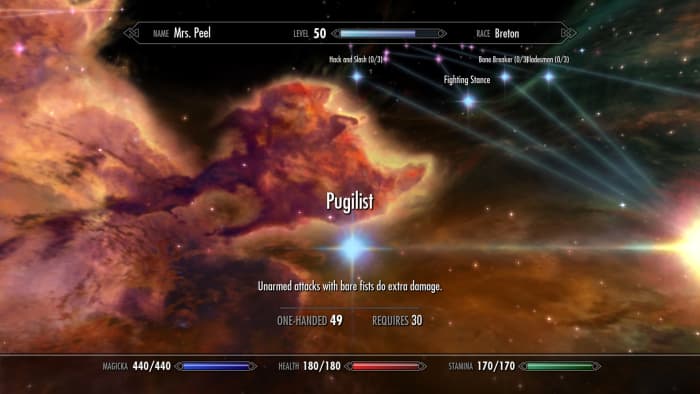
Remember when we said that everything is rock, paper, scissors? That only works if your rock is heavy, your scissors are sharp, and your paper is … uh, it’s not a perfect metaphor. The point is that when you’re trying for an specific build, strategy, or angle in a game you need to push it to its fullest extent. There’s an important balance you need to consider: Do you want to create a loadout or character that’s a jack of all trades? Or would you rather make a specialist who’s unmatched in one category, but vulnerable in another (a la rock, paper, scissors)?

Elder Scrolls V: Skyrim Pugilist perk unarmed
Don’t even TRY an unarmed Skyrim playthrough without investing in this perk.

While it may be tempting to raise the HP of a weak character, or beef up someone who’s not doing much damage, remember that teamwork makes the dream work: Operating as a cohesive unit of properly min/maxed characters ensures that no matter what you go up against, you have a solution for it. In RTS games that means moving units with stacked bonuses. In shooter games that means teammates are covering all the angles in a firefight. In an RPG that means leveling up the right skills and traits.

7. DODGE!

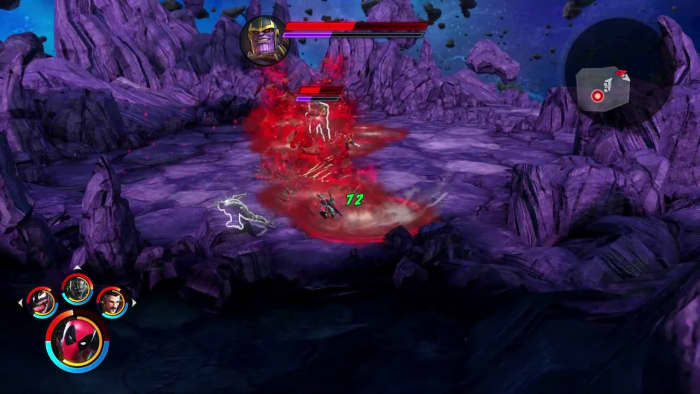
A good player can roll with the hits, but a pro player doesn’t get hit to begin with. In the words of Piccolo, the most valuable skill you can learn is to dodge. This applies to literally every game: When you’re under fire there’s a spot where you’re safe and there’s (usually many) spots where you are decidedly not safe. Dodging in video games is an art, but it’s also a test of patience. Defensive playing can keep you alive long enough to get that coveted weapon in Halo, elude that persistent zombie horde in World War Z or outlast that infuriating Dark Souls boss.

Marvel Ultimate Alliance 3 Thanos fight
It’s usually clear where to stand and where NOT to stand.

This tip also extends to using cover properly in a game like Mass Effect or Dragon’s Dogma. Silly as it may seem, trees, pillars, and rocks are usually indestructible, so dipping behind them will shield you from mightier aoe attacks and buy you valuable time to heal or plan your next move.

8. Retread old ground, but remember your current objective

Going back to explore old territory might sound boring if you’re itchy to move along in a game’s plot, but it’s often worth doing. Sometimes a place you’re stuck actually is unsolvable unless you go back to investigate earlier ground with a little more scrutiny. This is especially true in puzzle games like The Room or Myst where being observant is half the battle. Maybe there’s a subtle clue you overlooked. In RPGs like Dragon Age backtracking is a good way to save characters who would otherwise have died or complete easier quests, and in shooter games it’s a great way to hone your skills in a controlled environment.

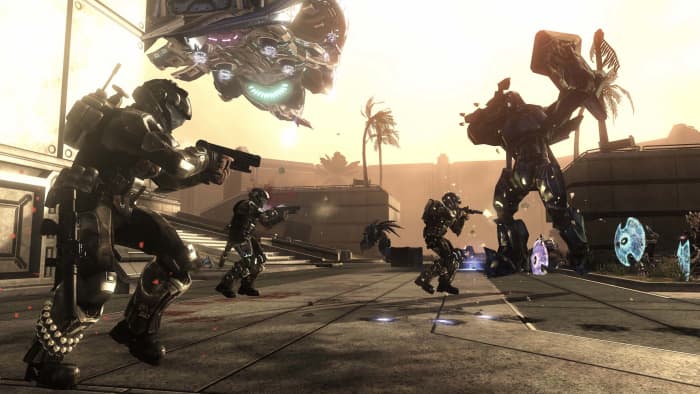
Halo 3: ODST firefight
Having trouble winning online Halo matches? Practice in Firefight.

On the flip side of the coin, if you’re stuck at a difficult juncture in a game don’t just endlessly replay easier points. It may not be fun to hammer away on a tough boss in Street Fighter 2 for hours, or sit there stumped trying to beat a difficult stealth section of a game like Shadow Tactics, but we promise – you’ll beat it eventually. You just have to keep grinding away. Never give up, never surrender!

9. Tinker

If a game has a place to tweak your equipment and tools, it’s always worth doing. Whether its smithing your weapons and armor in an RPG like Kingdoms of Amalur or Witcher 3, managing your ISO-8 in Ultimate Alliance 3, upgrading your Mother Base in Metal Gear Solid V: The Phantom Pain or memorizing those multi-hit juggle combos in Injustice, practice makes perfect and every little bit counts.

If you’re really trying to fine-tune your experience, the same goes for the often-ignored Options menu. Small tweaks here can have a huge impact on your gameplay, like raising your joystick sensitivity. In Call of Duty that will open a ton of doors. Even something as small as changing the reticle color in Apex Legends could make an unexpected difference in your performance. Trial and error might lead to an adjustment you didn’t know you needed.

10. The Internet already did it

Last but probably most obvious: It’s 2019 and “if it exists, it’s on the Internet.” That goes for strategy guides, tips and tricks (like this article!), video walkthroughs, Twitch streaming, and even Facebook groups or companion apps for certain games. If you’re struggling with a point in a game, we swear you’re not the first. Look to the gigantic network of players and you’ll undoubtedly find someone who’s gotten past where you’re stuck.

Hopefully these tips will help you up your gaming skill in whatever franchise you’re currently enjoying, and that you’ll tackle the next milestone with a bigger bag of tricks.

Let us know in the comments below if there are any universal gaming strategies that you’ve used, and stick with Softonic for more gaming tips and tricks!

10 beginner tips for Marvel Ultimate Alliance 3

Since Marvel Ultimate Alliance 3 hit the shelves last month, we’ve barely seen the sun. It’s been a decade since Ultimate Alliance 2, so we were understandably thrilled when we heard the title was making a comeback, and that Koei Tecmo’s Team Ninja was at the helm, and the game was being published by Nintendo.

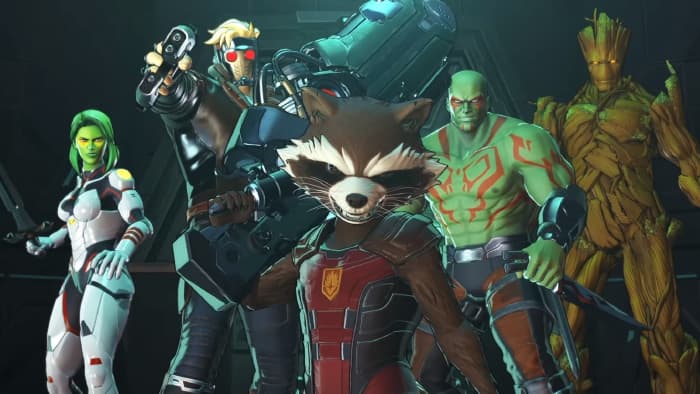
Marvel Ultimate Alliance 3 Guardians of the Galaxy
This time the story kicks off with the Guardians of the Galaxy!

While the game is fairly intuitive (especially if you played the earlier games in the series) there are still a number of things we wished we’d known going in, like the best way to prioritize leveling up characters, manage the complex ISO-8 system, or minimize grinding before tackling the game’s tougher encounters. There are definitely a couple of spikes in difficulty, so we put together a list of 10 tips to help get you started off on the right foot. If you don’t own the game yet, you can buy it here.

1. Adjust the camera and controls

First things first, the game’s an isometric top-down hack n’ slash. You’re going to spend a lot of time trying to keep track of the character you’re currently playing amidst a screen full of enemies, colorful explosions, and walls and objects that the camera likes to get stuck behind. Needless to say, navigation is difficult. Angry Joe explains it best in the vid below (and he explains angrily, so NSFW warning):

If you’re playing couch co-op with your friends you’re going to be fighting over control of the camera often; it’s inevitable (cue Thanos’ “I am inevitable”).

There are two things that can help: If you’re playing the game by yourself you can switch over to “heroic camera,” which keeps closer to the character you’re playing instead of hovering in top-down. The second thing you can do is play the game online, since that allows you and the other players to move further apart before the camera gets confused.

Marvel Ultimate Alliance 3 rift nebula
Wait, where’d my character go?

If you’re new to the Nintendo Switch, there might also be a learning curve for using the controls. The Options menu has three different configurations you can cycle between, though, so at the start of the game find the one that feels most intuitive.

2. Use multiple save slots

This is a really general video game tip, but it’s one that bears repeating here: There are five save slots available in Ultimate Alliance 3, and you should be cycling between at least two of them.

“But the game auto-saves, like, all the time,” you might say. This is true, but it might also auto-save after you’ve made a really, really bad decision. Trust us, you don’t want to be stuck with a save where you accidentally deconstructed the wrong ISO-8 crystals or spent your limited resources on the wrong upgrades or characters.

Additional save slots provide you with the opportunity to experiment. Is it worth enhancing this ISO-8 crystal? Will giving Wolverine ALL of our XP cubes really get us through this harder fight? If it wasn’t worth it, this way you’re not 100% committed to risky decisions.

You’ll thank us later.

3. Use synergies. Like, a lot.

Right after the prologue mission, the game teaches you about using synergies, Ultimate Alliance 3’s take on the fusion system introduced in Ultimate Alliance 2. Essentially this involves two characters using their abilities in tandem to enhance the damage, increase the effective radius, and/or reduce the cost of their abilities.

Marvel Ultimate Alliance 3 synergy star lord storm
As you unlock more abilities, you character can perform more synergies off of more teammates.

You can activate these abilities in two ways. You either initiate (by performing an ability with ZR instead of R) and the AI joins you, or you can respond to a synergy request by pressing B when the option arises (it’ll cue you in with a flashing button, visual, and a sound effect). Synergies fill up the extreme meter quicker, deal more damage, and stagger larger targets more effectively, so don’t be shy to use them often. Characters can also use synergies to open certain blocked paths or secret doors, so keep your eyes peeled.

Marvel: Ultimate Alliance 2 Download
9
Like synergies? Play the game that introduced them!

4. Beating the stagger meter

One of the new features implemented in the series is the stagger meter – that purple bar under a boss or mini-boss’s health meter. You can do damage to the boss even if they aren’t staggered, but you’ll do way more if they are. Take down that purple bar and then hit ’em with the best stuff you’ve got to drop them more efficiently.

Marvel Ultimate Alliance 3 Ultron fight extreme
You can still hurt bosses even if their stagger meter is full; it’ll just damage them less.

While the most intuitive tactic is to use your synergies or extreme attacks when the meter is down, you might actually be better off using them just before the stagger bar depletes. Some bosses regen their stagger meter really quickly, so in order to maximize damage and hit them before they can escape, trigger these moves just a hair early. Later on in the game, you might also find ISO-8 that does extra damage to this meter, so outfit your team with that in mind.

5. Throw something at it

While we’re on the topic of beating the stagger meter, nothing does the job quite like a forklift thrown at the bad guy’s head. For whatever reason, thrown objects dish out a ton of damage to enemies, especially to their stagger gauge. If you spot an object you can throw, it’s there for a reason.

6. Time your extreme attacks

Extreme attacks are the strongest move in your character’s bag of tricks, and they can only be done once your attack momentum reaches a peak threshold. It may be tempting to use it right away, but the smart move might be to save it for when you really need it (like that boss fight around the corner).

Marvel Ultimate Alliance 3 ultimate alliance extreme
Ultimate alliance extremes are the most powerful tools in your arsenal

Extreme attacks (even when just one character does it) are usually enough to topple the stagger meters of a crowd of mini-bosses, so don’t spend all four needlessly (unless you’re trying to maximize your damage for a rift challenge or something). Maybe try one or two at a time and see how much damage you can dish out. The only time you’ll really need all four is when you’re up against a tough boss. Then every bit of damage counts.

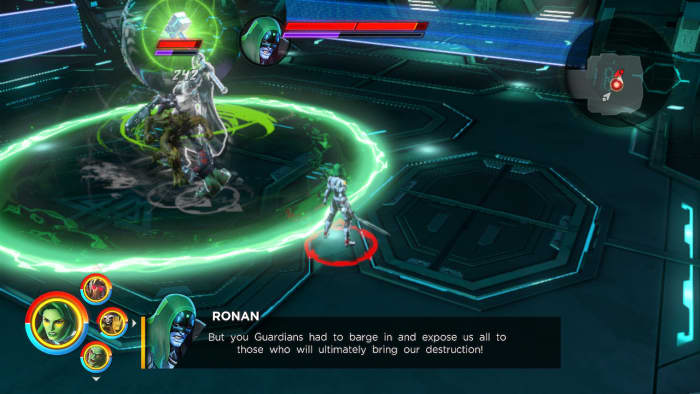
Lastly, boss fights are often split into multiple stages. If you look carefully at an enemy’s health bar you can see where the partition hits. Don’t perform your extreme attacks if they’re about to bump to the next stage of the fight; all that damage will be wasted.

Marvel Ultimate Alliance 3 Ronan boss fight
See the partition in Ronan’s health bar? Wait until phase 2 before you hit him with the best stuff!

7. Manage your team bonuses

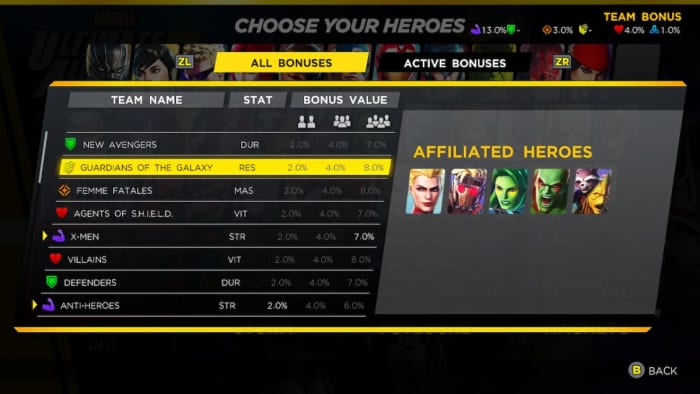
Earlier games in the series would put in fun names for specific teams of four (‘bruiser brigade,’ ‘energy corps,’ ‘femmes fatales,’ or ‘classic avengers.’). Ultimate Alliance 3 altered the formula a bit and made it both more flexible and more approachable.

First off, now it only takes two characters with matching affiliations to provide a bonus for your team, and the specific percentage increase it rewards is displayed at the top of the screen.

Second, you can press L to see the affiliations every character has on the hero selection screen. That way you can stack your bonuses more efficiently.

Marvel Ultimate Alliance 3 team bonuses
See which heroes are in which teams. Stack your bonuses accordingly.

This opens up two avenues of play: You can either put together a team that’s weak in one area, but stack them with team bonuses to make up the difference; or you can stack one specific bonus really high, providing a really noticeable change to, say, your energy output or your durability. Don’t forget ISO-8 bonuses stack on top of that!

8. Use the Lab

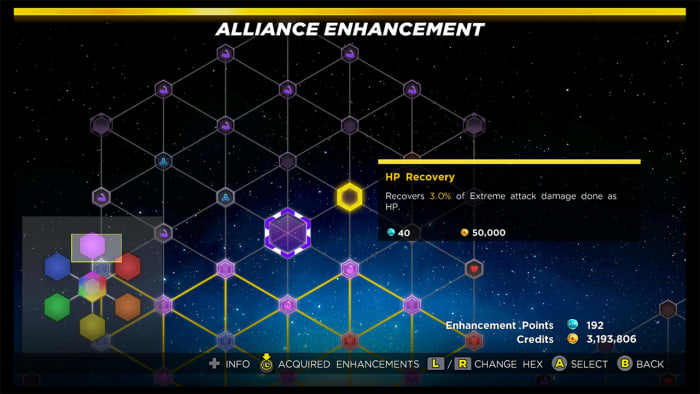
A lot of your team’s success will take place behind the scenes. The Alliance Enhancement network and ISO-8 management are key components towards buffing your characters, negating weaknesses, and even unlocking entirely new facets to your game, like extra revives, faster XP gain, or health regen.

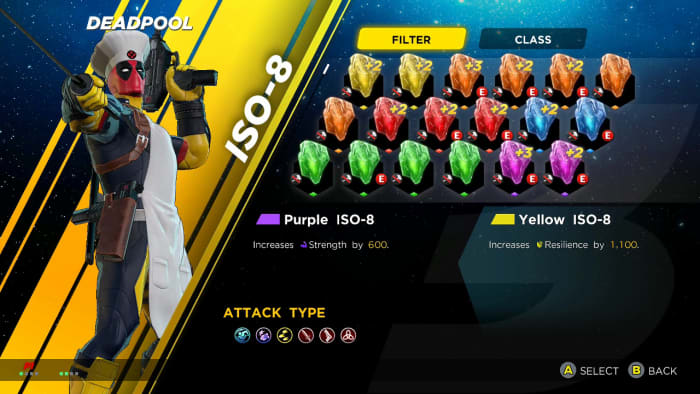
Marvel Ultimate Alliance 3 ISO-8 management screen
ISO-8 can add wholly new effects to your character

If you’re finding a particular juncture of the story is suddenly way harder than expected, it’s probably time to check out the lab (accessible from a SHIELD point once the feature is unlocked) and pick some upgrades. Once you’ve stretched the first portion of the Alliance Enhancement network out to the edges of the shape, it’ll unlock entire new sections to explore, each one with a focus towards one attribute (strength, mastery, durability, energy, health, and resilience). Max out a section and you’ll unlock a powerful unique bonus.

Marvel Ultimate Alliance 3 Alliance Enhancement
Every section caps out with a special shared bonus. Decide which ones to prioritize.

9. Manage your ISO-8

ISO-8 is probably the most complex part of this game, so we’ll spare you the nitty gritty details. If that’s what you’re after, check out this in-depth video.

Fundamentally, these are crystals of varying rank and color, and they can be slotted into your characters on the Team menu (accessible via SHIELD access point or even just the base game menu). As you level up you’ll unlock more ISO-8 slots per character, and the fourth slot is unlocked by filling out all of the 100,000-cost ticks in the Alliance Enhancement menu, which will probably take a few playthroughs.

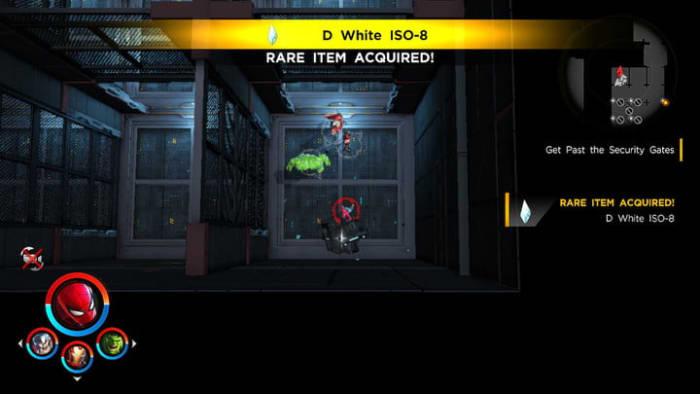
Marvel Ultimate Alliance 3 ISO-8 acquired
D level ISO-8 is probably better off deconstructed than equipped.

What’s important to know right up front is that you can swap ISO-8 between team members any time you like, so we recommend giving your team a once-over every time you bring out new characters. This also means you can keep swapping them between characters whenever you switch up your squad.

When it comes to deciding which ISO-8 to give to which team member, check out specific strengths and weaknesses on their character screen. Does this character use mostly strength-based attacks? Then give them a purple strength ISO-8 to boost their damage. Does this character have health regen? Then give them a red ISO-8 to synergize with that trait so they passively heal even faster.

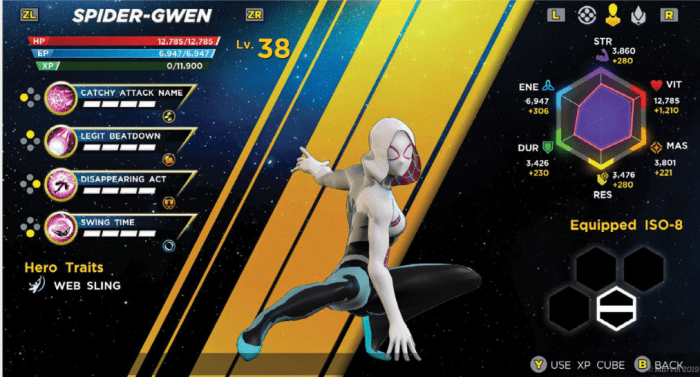
Marvel Ultimate Alliance 3 Spider-Gwen
Look carefully at a characters’s stats before you decide which ISO-8 is best for them.

Lastly, we recommend deconstructing any ISO-8 below C grade. It takes a LOT of ISO-8 to build a crystal towards any noticeable bonuses, so these weaker crystals are better ground up and fused with crystals that are already powerful.

10. Leveling up

Keeping your characters at a comfortable level is one of the most challenging aspects of the game, and it can be discouraging when the game hands you a new level 30 character that blows your current team of level 14 characters out the window. There are a few things you can do to keep your team strong enough to tackle the game’s increasingly difficult scenarios.

Marvel Ultimate Alliance 3 Infinity Rift
Infinity Rifts are challenging, but optional

Rifts can be grindy, but there’s no better place to level up your characters, especially in Wave modes. The caveat is that you have to beat the challenge for the rewarded levels to stick, so be sure you don’t bite off more than you can chew. Rifts are also great places to find the second best way to level up quickly – XP cubes.

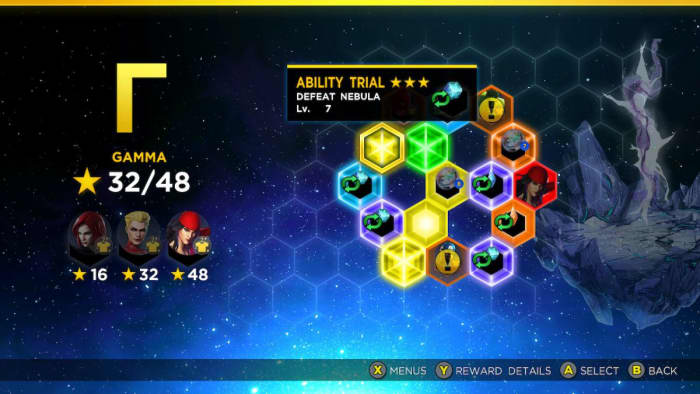
Marvel Ultimate Alliance 3 Infinity Rift Gamma
Complete Infinity Rifts to level up, earn XP cubes, costumes, and even new characters.

XP cubes can be found in scattered boxes throughout the game (usually hidden behind breakable synergy walls or secret panels), but they’re more frequently obtained through rift challenges – especially the harder ones. One trick we found was to take a powerful team (comprised of the higher-level characters the game rewards you with around mid-game) and sending them to complete the harder challenges in the first rift. Then we went back and distributed all the XP cubes to our weaker characters to balance out our team.

We hope these tips help you get a strong start in Marvel Ultimate Alliance 3. Let us know if there are any other strategies you’ve found, and stick with Softonic for the latest in tactics, guides, and upcoming DLC for the game!

Apex Legends intermediate tips

Ready to take your game to the next level?

Apex Legends

Apex Legends has been out for less than a month and it’s already taken the battle royale crowd by storm. With over 50 million players in just a few short weeks, the title has had an incredible launch, and people are quickly getting the hang of how the game plays and how it differs from other battle royale titles such as PUBG or Fortnite.

Apex Legends Free Download
9
Don't have Apex Legends yet? Get it here ►

This guide is for players who already know the ropes, but are looking for new tips to keep a step ahead of the competition and survive longer than the other malicious teams roaming Kings Canyon. If you are brand new to the game, we recommend first checking out our beginner guide below. Without further ado, let’s jump in:
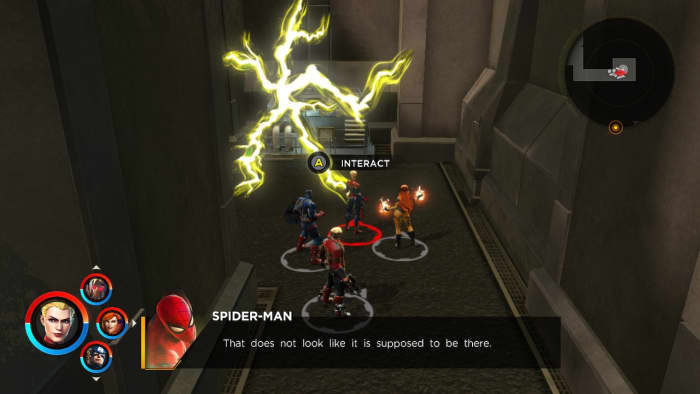
10 tips to keep you ahead in Apex Legends

1. Down, but not out

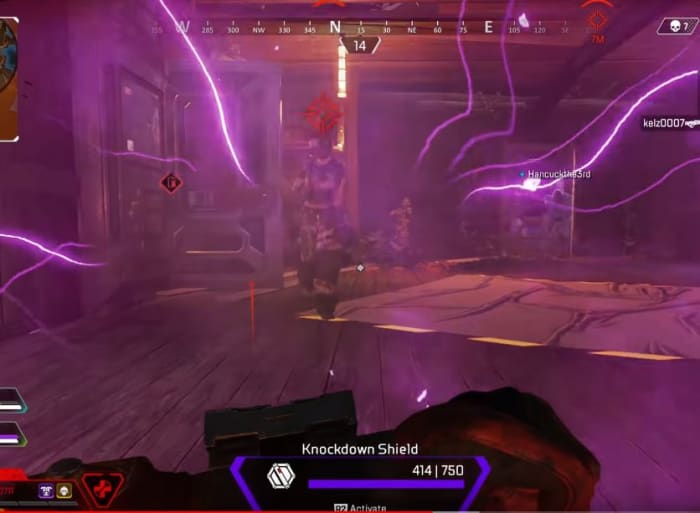
Apex Legends isn’t Fortnite. When you get downed by an enemy player, you’re not out of the game. First off, you can throw up a knockdown shield to repel enemy shots. This can keep you from being completely finished off, and dissuade opponents from taking that extra time now that you’re not as much of a threat.

Apex Legends knockdown shield
You can be an irritant to enemy players even when downed.

Second of all, you can still help your team even when you’re on the ground. You can still ping locations, targets, give tactical feedback over your mic, and even open and close doors. Prove your worth, and they’ll be more likely to revive or respawn you!

2. Outfit your squad

It’s pretty instinctual to gear up for a fight as soon as you hit the ground, so there’s no need to go over that. However, just because you happened upon that blue armor or that purple stock doesn’t mean your teammates have gotten as lucky. Remember that you really need to move and fight as a team to win a match, and giving that Ultimate Accelerant to Lifeline might end up saving your own life later on.

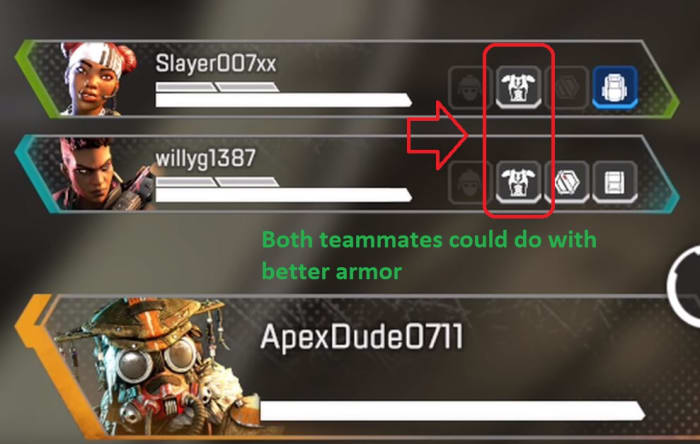
Apex Legends team inventory HUD
Already have a blue helmet? Give the next one to your squad.

At any time you can peek at the bottom-left of your screen and see what your teammates are equipped with. If you chance upon higher-tier loot than they have, give it a ping and they’ll make a beeline for it. This is especially useful early in the game when not everyone has a helmet, backpack, or armor.

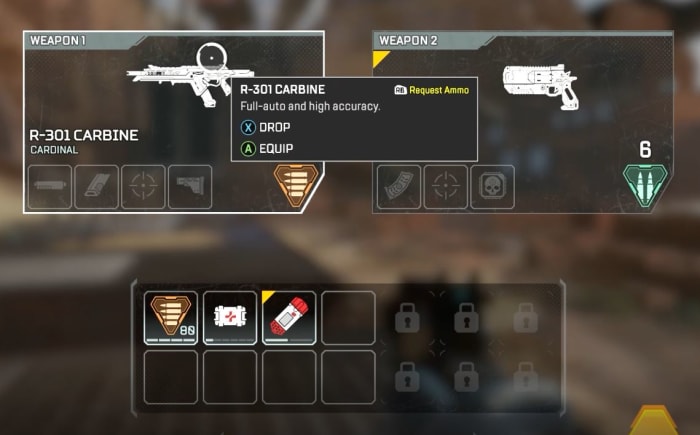
3. Know what inventory stacks

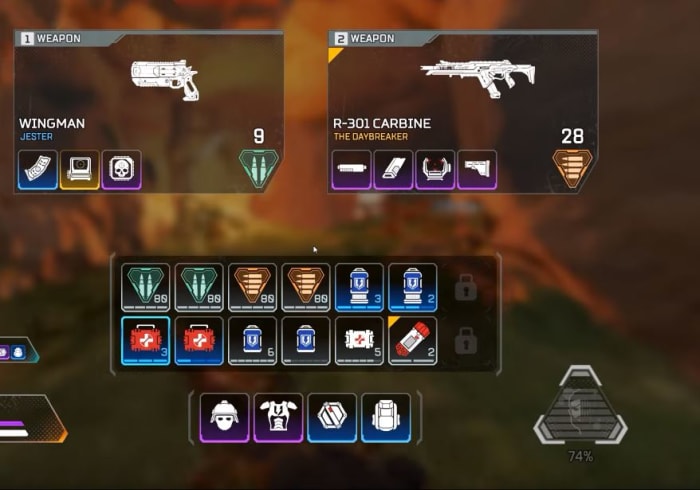
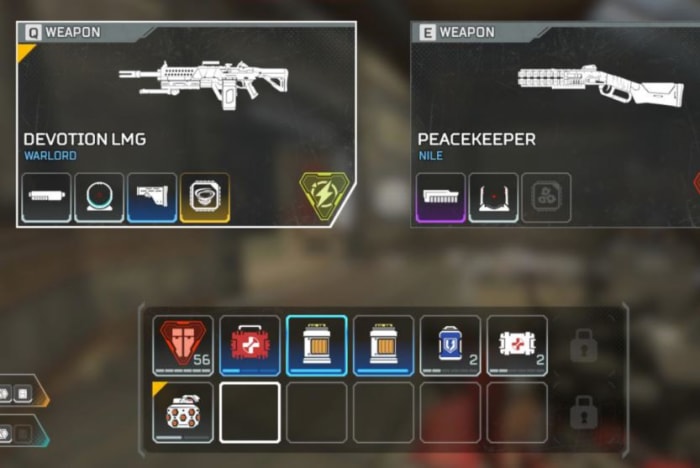
A lot of inventory items in Apex Legends stack, so you may well be able to carry more than you’d at first think, glancing at your backpack space. You can carry two grenades in one slot (as long as they’re the same type), six shield cells per slot, four ammo packs per slot, three medkits per slot, and six syringes per slot.

Apex Legends inventory
You can only carry one armor, but you can carry a lot of syringes

Try and maximize the number of health and shield kits you can carry, while still keeping a couple of slots open for extra grenades, accelerants, or rare upgrades. If you wind up switching guns later on, you might also consider dropping useless ammo or attachments in favor of more space for shields or medical supplies – especially late in the game. Don’t forget to ping dropped items that your teammates might want!

4. High-tier areas

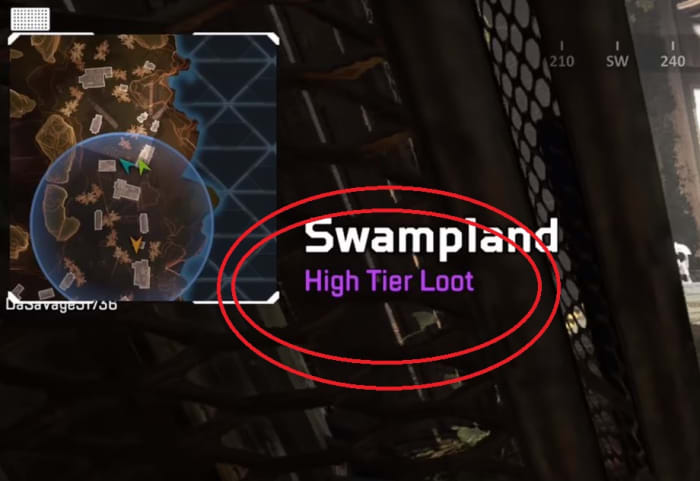
By now most players know to follow the gun ship or land in the blue circle to get the best loot right off the bat (or to avoid those areas, depending on your play style). What some players do forget, however, is that whenever you enter a new location, the name of that location appears on the top left of your screen, and beneath it, how good the loot is.

Apex Legends high-tier loot area
Don’t ferret through areas if there’s nothing there worth taking!

If you walk step into Water Treatment and purple “High Tier Loot” comes on-screen, you might consider lingering here and opening up a few crates before moving on. If you’re playing Bloodhound, this is also a good time to scout out the area and see who’s already been here, and what they took with them.

5. There is no friendly fire

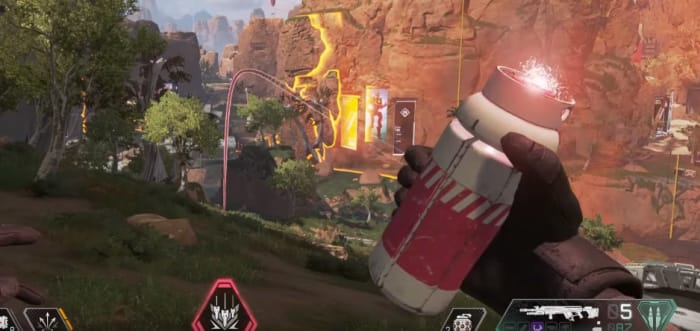
Obviously, there is no friendly fire in Apex Legends, but that also extends to your ultimate abilities. While you probably weren’t actively trying to bombard your teammates from orbit, you may not have considered dropping that bombardment on your own location when you get ambushed.

Apex Legends Bangalore Ultimate Rolling Thunder
You can rat out enemy players while your teammates run right under the bombardment

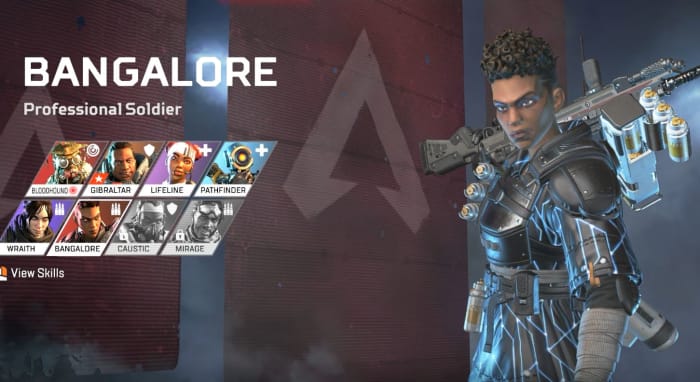
This is an especially good strategy if you’re playing Caustic, Bangalore, or Gibraltar. If you’re playing Gibraltar, you can also put up your shield to lure enemies out of the bombardment – and right into the barrel of your Peacekeeper.

6. Drop faster

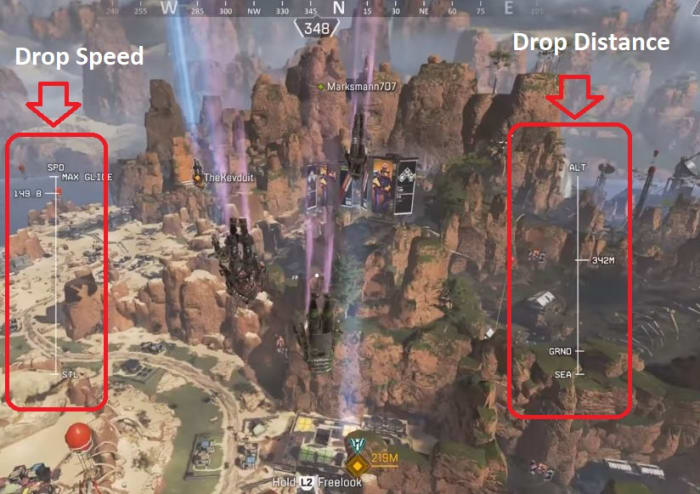
If you already know where you want to land, or if you want to hit those high-tier spots before your enemies, the only way to do that is to hit the ground before they do. Flying straight at the spot you want is counter-intuitively not actually the fastest way to get there.

Apex Legends drop strategy
Zig-zag as you drop to maximize speed and distance, and keep other players guessing.

If you nosedive it will increase your fall speed. Then level out and go horizontal again towards the intended area. The zig-zag pattern this creates will get you where you’re aiming as fast as possible. Careful not to aim down too much, though; you might hit a wall or miss your target.

7. You can heal while sliding

Like we covered in our beginner tips, sliding is hugely important for traversal in Apex Legends. Experienced players will use it to get around more quickly and safely, while minimizing their time exposed and out in the open.

Apex Legends heal while sliding
Take care of your health and shields while you’re on the move!

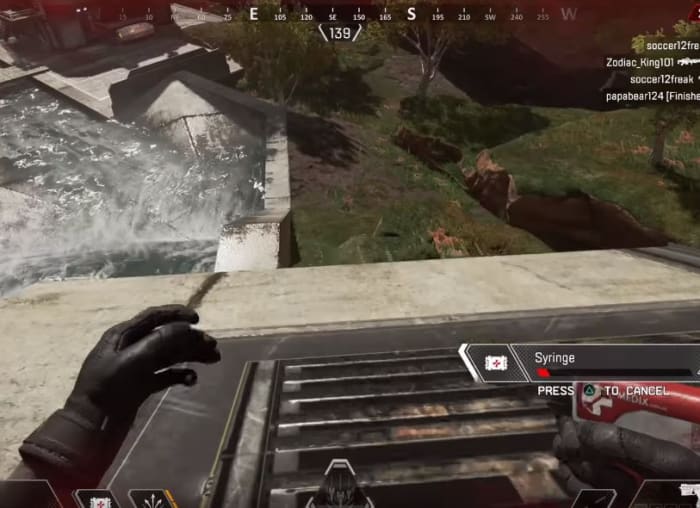
To encourage sliding, Respawn also decided to let players reload guns, heal, use shield cells while sliding. Instead of sitting there out in the open or crouched behind cover, healing while moving is a great way to flank and recharge at the same time, getting to the next fight quicker and stronger. This is especially good for Lifeline since she can use these items faster.

8. Keep spare supplies for revived teammates

Apex Legends lets you respawn dead teammates at beacons, but when they show up they’ll be without any items, just like they were at first drop. Now that it’s later in the game, they’re really poorly equipped to fight the better-outfitted competition.

Apex Legends inventory
Respawning teammates also gives away your position, so get them re-equipped to fight ASAP!

More forward-thinking players might stock up on extra shield cells, med kits, syringes, and ammo so that re-entering teammates can quickly snatch it up and get back in the action. You can also ping supply crates, dropped weapons and items, or player boxes to give them a heads-up.

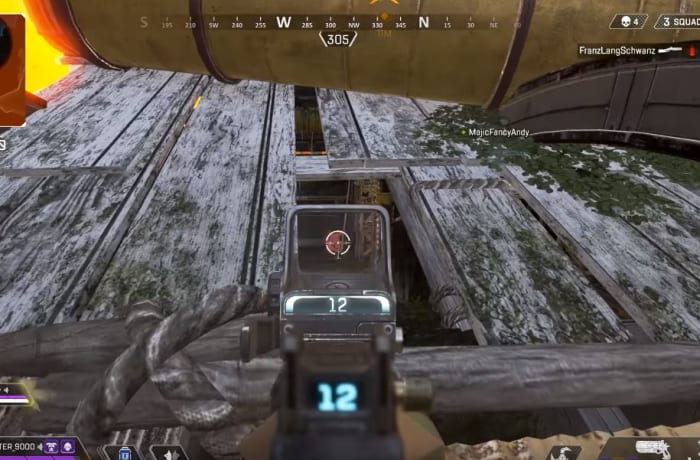
9. Shoot through rooftops

For whatever reason, housing in Kings Canyon isn’t great and the roof is in serious need of extensive repairs. Many of the structures in Apex Legends have missing shingles on the roof, and besides just a neat aesthetic, it’s a clever way to get the drop on enemies who thought they were behind cover.

Apex Legends shoot through roof
Poor Lifeline thought she was safe.

This is a great approach for any players skilled in parkour, but is much easier to employ if you’re playing as Pathfinder. Just use the grappling hook to get above your enclosed targets, and open the fight by tossing in a few arc stars or a thermite charge.

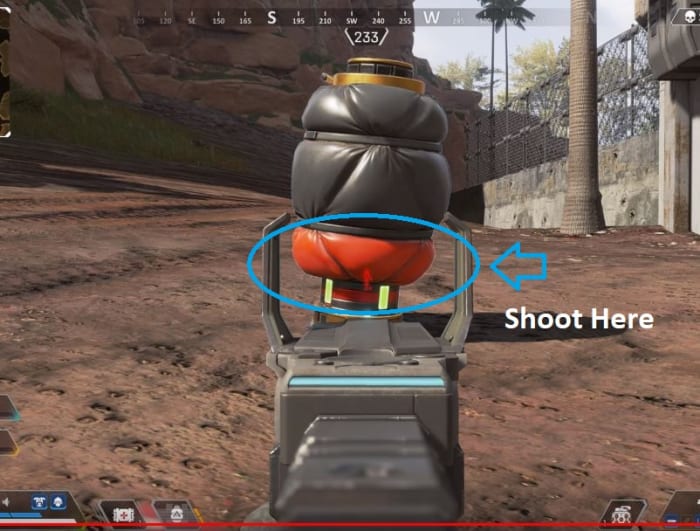
10. Break Caustic’s traps

Fighting a good Caustic player can be harrowing, especially late in the game when there’s not much space to maneuver in. His Nox Gas Traps can damage you, blur your vision, reveal your location, and slow you; all around not a good look for you. Luckily there’s a way to sabotage them so they don’t burst on you.

Apex Legends Caustic Nox Gas Trap red
Shoot the red segment and the bag won’t burst.

If you shoot Caustic’s traps on the red marks towards the bottom, you’ll break Caustic’s trap without triggering them and debuffing yourself. Not only does this keep you safe from his debilitating effects, but it also might surprise him; some player set up an ambush for you, and you’re walking right through it without setting it off. Don’t be surprised if you catch Caustic off-guard shortly after.

Hopefully, these tips will keep you alive and in the match longer! Let us know in the comments below if there’s any strategies you’ve found, and we’ll see you in Kings Canyon!

Apex Legends beginner tips

Ready to jump into Apex Legends? Here’s all you need to know.
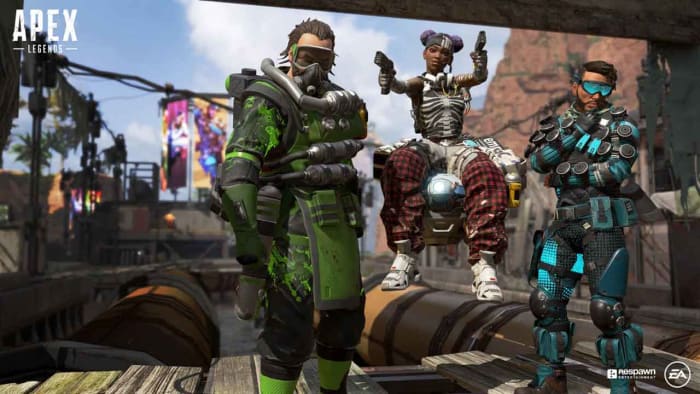
apex legends

Unless you’ve been living under a rock the past few weeks, you’ll have heard about Apex Legends: Respawn Entertainment’s new battle royale game published by EA. During the company’s development of Titanfall, the sudden success of battle royale games like Fortnite and PUBG, the dev team decided to take the genre into their own hands and the concept of Apex Legends was born. Like Fortnite, Apex Legends is free and can be downloaded with an Origin account literally right now. Get the game here, join the crowd of over 5 million gamers, and see what the buzz is about!

Apex Legends Download FREE ►
9

Apex Legends is a new take on the battle royale genre, so it’s got a lot of familiar elements if you’ve played a game like Fortnite before. It’s a king-of-the-hill, one-versus-many, survive-to-win type deal where the battlefield shrinks as the match goes on, forcing players into an inevitable confrontation for that elusive top spot. Games start with the typical free fall into a vast map filled with varying tiers of loot and gear, and your success is not dependent so much on your killstreaks and aim, but more on your ability to survive and to know when to strike.

Apex Legends drop
Fortnite players will be familiar with this view

What’s different from Fortnite?

Apex Legends Bangalore
Bangalore uses smoke grenades and airstrikes to root out enemy teams.

The biggest difference between Apex Legends and Fortnite is that Apex Legends requires you to play on a three-person squad. While Fortnite’s battle royale mode allowed for this as well, Apex Legends endeavors to start you off with a full trio each drop. This is to emphasize the second biggest change from Fortnite: Apex Legends has a class system with eight different playable “legends.”

We’ll get more into their unique skills a little further down. Other broad differences include basic movement, pinging, respawning (which has limitations). Fortnite fans will also immediately notice the building mechanic has been removed entirely from the experience. Will some master builders will be sad to see the element gone, others will be happy to see a more classic FPS experience.

Now that the basic differences are out of the way, let’s dive in.

10 tips to get you started in Apex Legends

1. Know your character, know your team

Like we mentioned before, Apex Legends features eight different classes, each of which is unique and plays very differently than the others. If you play Pathfinder the same way you play Gibraltar you’re going to do poorly against more experienced players. For the patient players, the best way to find your favorite class is to simply play the game a lot. Get the feel for each, then decide which are your favorites.

Apex Legends Bloodhound
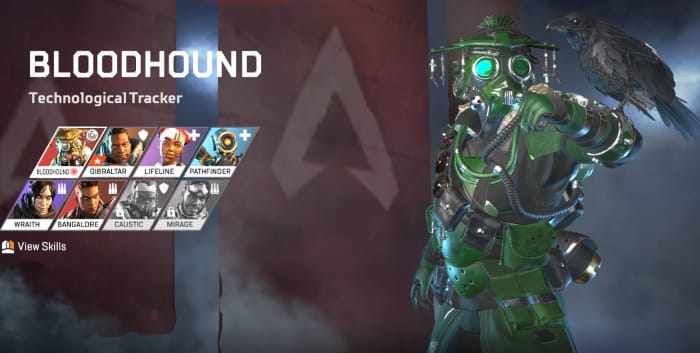
Bloodhound excels at recon and tracking.

For the less patient, you can get a quick overview of each character’s three abilities (as well as their aesthetic customizations) under the “legends” tab on the main menu. Once you’re familiar with the characters and their abilities, try and think a little more macro as your team chooses their classes: How does your character benefit from theirs? How can you enhance their play style? What items should you prioritize, and which ones are better given to someone else?

Bangalore, for example, can use a sniper rifle, but she’s probably better off with a shotgun or SMG. Save the sniper rifle for Pathfinder and the Ultimate Accelerant for Lifeline.

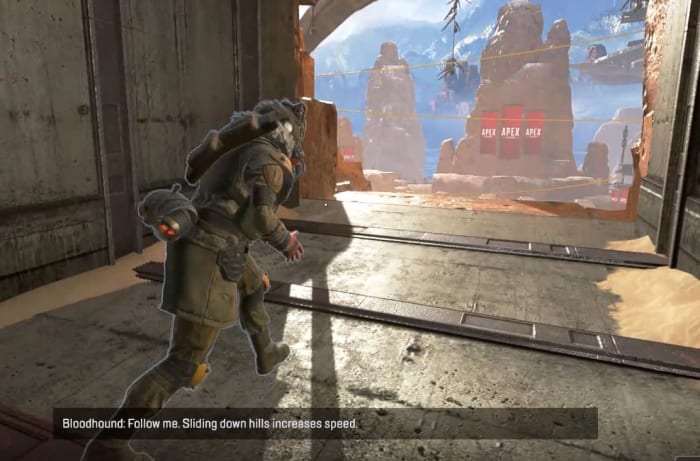
2. Slide

Movement is huge in Apex Legends, and the difference between a stationary target and one that is moving and sliding is night and day. If you tap “crouch” while sprinting, you’ll begin to baseball slide along the ground. This is a great way to evade gunfire, but more importantly is a way faster way to get around, particularly in more vertical areas of the map.

Apex Legends tutorial slide
Experience players spend more time sliding than shooting.

You can also slide way further than you’d think at first glance, which pretty much ensures that Respawn wanted this to be an integral part of the game. Next time you’re in a hurry or are under fire, stop sprinting and start sliding!

3. Holster your guns

An unusually realistic aspect of Apex Legends is that your characters can sprint much faster if their weapons are unequipped. As long as you’re not in a firefight you’re probably better off leaving your gun in its holster. You’ll move significantly faster, and as we said before, you’ll spend way more time moving during a match than you will firing your gun.

Apex Legends sprint weapon away
If you’re going to be running for a while, holster your weapon.

It’s also worth mentioning that while putting your gun away will increase your speed, all characters move and sprint at the same speed. You wouldn’t think it at first glance, but Caustic and Gibraltar can run every bit as fast as Bangalore or Lifeline.

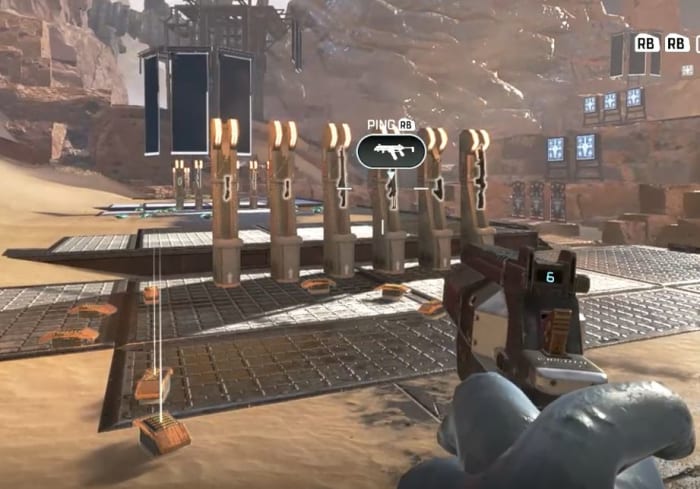
4. Ping

Since Apex Legends capitalizes on teamwork and communication, the ping system is a huge component to your team’s success and survival. You can ping practically anything in the game – locations, enemies, weapons, armor, supply crates, and drop spots. If there’s something you see that’s worth mentioning, you’re always better safe than sorry. If you see it, ping it. This is especially true if you don’t want it or if you see that your teammate needs it.

Apex Legends ping tutorial
Ping items, enemies, and locations so your teammates can see them.

You can help yourself out by doing this, too. If you open up your inventory you can ping a bunch of different components, such as shields, health, ammo, or armor – even weapon attachments. This will alert your teammates that you’re actively searching for something. If they see it while scavenging, they might just ping it to let you know it’s up for grabs.

Apex Legends ping inventory
Open your inventory and ping items to tell teammates you’re searching for them.

5. Relocate with balloons

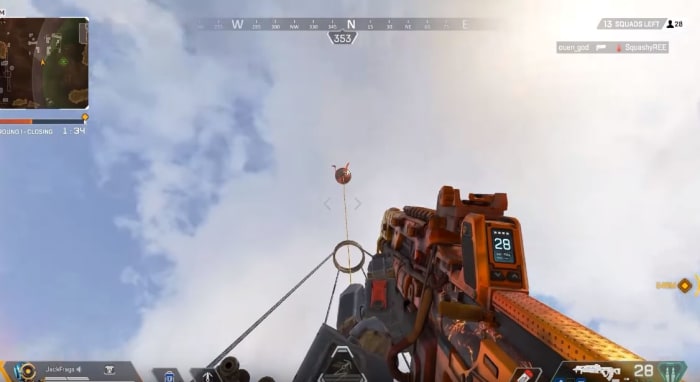
Scattered around the map are big red balloons. At any time you can go up to one, zip up the rope, and propel yourself back into the air, just like you did at the start of the match.

Apex Legends balloon
Activate these to launch yourself back up into the air.

This is handy if you’re trying to relocate quickly, or if you suddenly find yourself outside the ring. Be careful, though; you’re a pretty obvious target to anyone looking up.

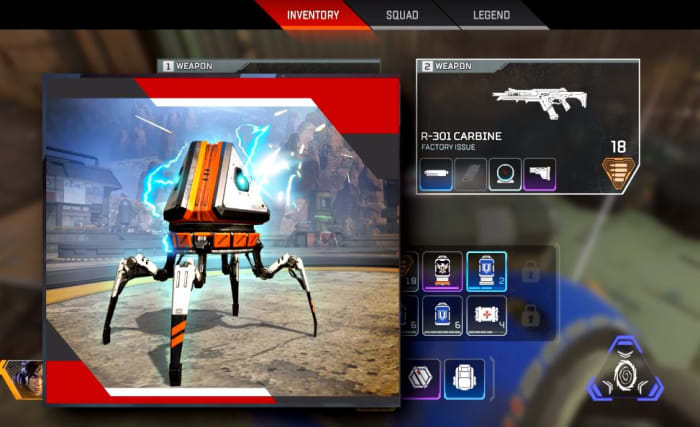
6. Break the loot bots

While you’re scrambling for loot, you should also be on the lookout for loot bots. They’re typically found indoors tucked away in corners or behind staircases. Strike them with your melee attack and watch the leveled goodies burst out.

Apex Legends loot boxes
These are the piñatas of Apex Legends

7. Stick with your squad

Everything is awesome. Everything is cool when you’re part of a team. Apex Legends is meant to be a team-based battle royale, as opposed to the typical free-for-all. Character abilities work best in conjunction with each other, and pinging objects that are nearby is far more useful than pinging something across the map.

Apex Legends squad
Don’t play the lone wolf in Apex Legends. It means no one has your back.

Let’s also state the obvious: If you get surrounded by three enemy players with higher-tier loot than you, you’re probably going to die. Having teammates available to flank enemies, revive you when you’re downed, or trade supplies with you is a huge help.

8. Mod your weapons

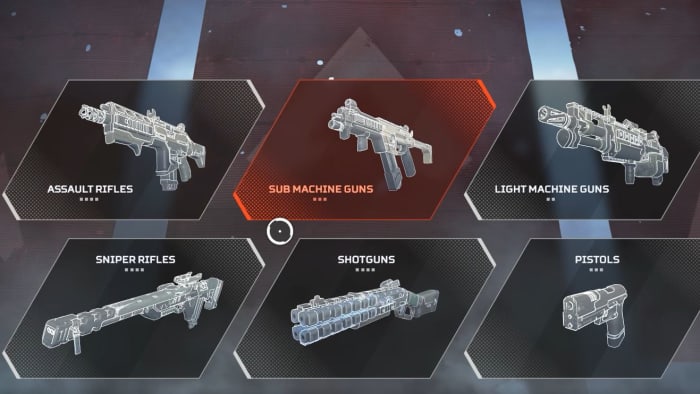
There are dozens of weapons in Apex Legends, and all of them support modifications that you can find lying around the map. Sometimes they’ll alter the way your scope looks, sometimes it’ll extend your clip size, sometimes it will even completely change the way your gun fires. Before you throw away an upgraded gun for one that you just like better, weigh your choice carefully.

Apex Legends weapons
Modifications lying around the map come in different tiers too.

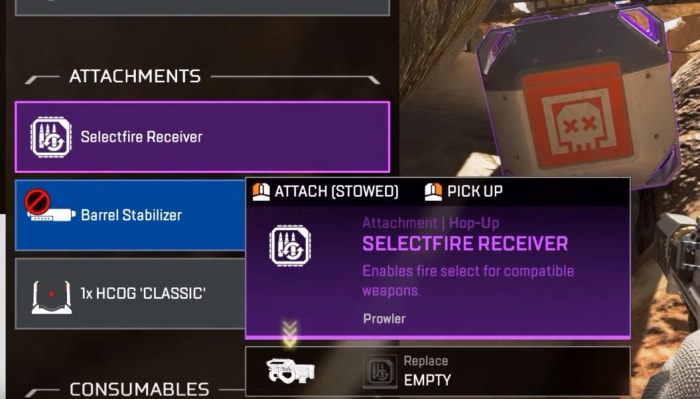
Some attachments like the Selectfire Receiver can even transform a burst-fire gun into a fully automatic weapon, which opens up entirely new possibilities for tactical weapon pairings.

Apex Legends Selectfire Receiver
The Selectfire Receiver allows you to select different firing options

9. Damage is color-coded

By default, Apex Legends has hovering numbers over enemies as you shoot them. These numbers obviously indicate how much damage you’re doing to them, but it actually tells you more: The color of these numbers indicates what tier of armor they have equipped – white, gold, blue, or purple. If the numbers are gold it means you’ve scored a headshot.

Apex Legends colored fire indicator
Switch ‘stacking’ to ‘floating’ under the Settings menu for a accurate damage output reading.

The higher-tier shields do not offer superior damage negation, by the way; it just means the shield will last longer. If you see purple, go for it.

10. Crates are color-coded, too

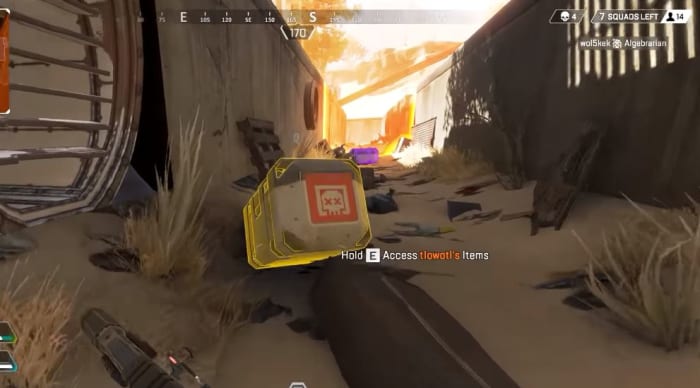
Lastly, when you defeat an enemy the color of their crate will match the level of the highest-tier loot they were carrying. If the crate is blue, for example, it means they were running around with that some form or other of gear at that level.

Apex Legends legendary crate
If you see a gold crate it means this player had a legendary item you can take.

If you’re in a hurry, prioritize searching crates that are purple or gold first. You can always ping these crates to return to them later, or so your teammates can find them.

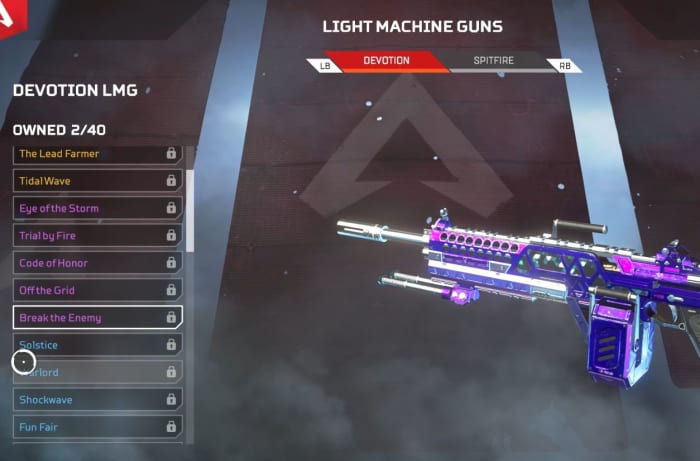
As a final word, don’t be afraid if you end up head-to-head with high-level players. Their banners might show outrageous killstreaks or rare armor, but this actually has no bearing on their combat efficiency; it simply means they’re more experienced players. With the exception of Mirage and Caustic, the only unlockables in Apex Legends are aesthetics for your character, guns, finishers and emotes – none of which have any effect on how much damage your weapons do, or how much health you have on the battlefield.

Apex Legends Devotion LMG weapon skin
Weapon skins are nothing more than aesthetic changes.

So there you go! Hopefully, our beginner guide will help ease you into Apex Legends, and let us know in the comments below anything you’ve found helpful in your matches. Stay tuned, and we’ll see you online!

5 best party games for PC

While there are still plenty of real-life party games to enjoy (e.g. Cards Against Humanity), video games have opened up a whole new realm of possibilities. If you’re ever with a group of friends looking for something to do, these games are an excellent choice. Some are cooperative, some are competitive, but all of them are goofy and fun.

1. Speedrunners

Imagine a platform version of Mario Kart, and you’ll begin to get an understanding of Speedrunners. The goal is to survive by outracing your opponents and knocking them off-screen. Use grappling hooks, mines, and other weapons to get rid of the competition. This game is perfect for competitive game nights, and is a refreshing spin on racing games.

Speedrunners Download NOW
6

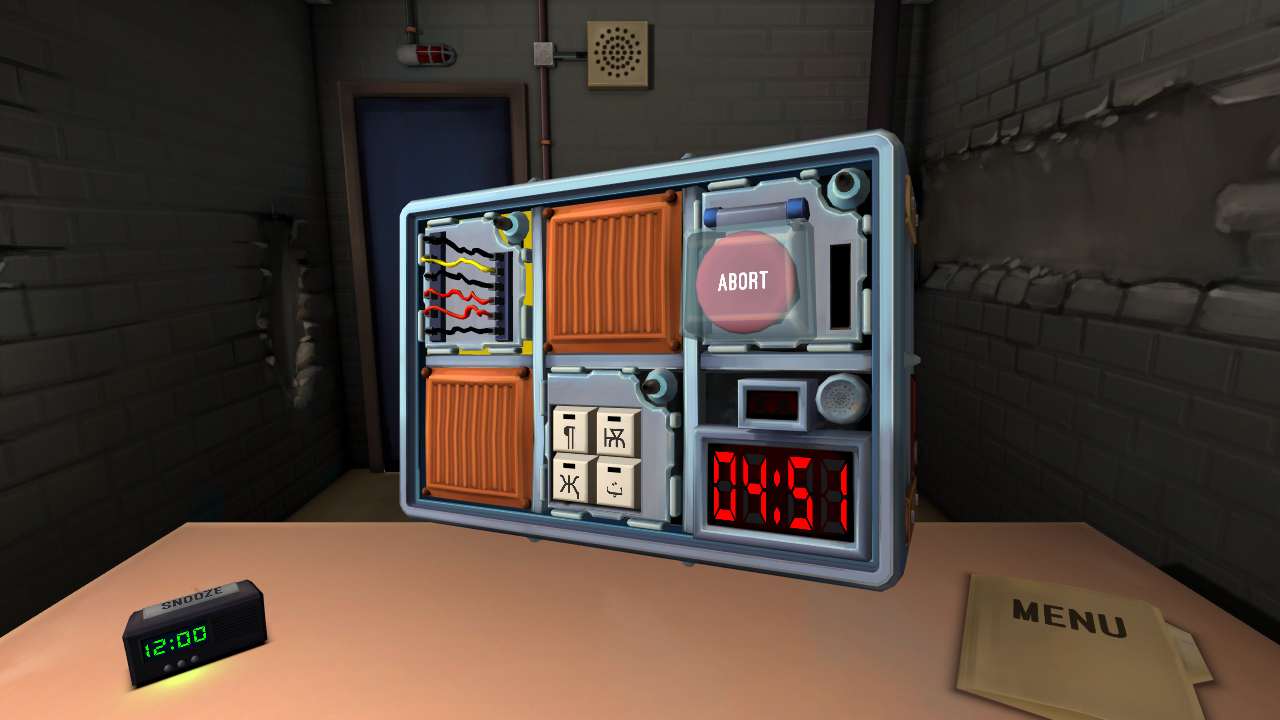
2. Keep Talking and Nobody Explodes

Despite only needing two players, Keep Talking and Nobody Explodes can liven up any game night with friends. One player has to defuse a bomb, while the other player(s) instruct tell them how to. It’s a cooperative game that still has the heightened excitement of competition, as you race against the clock. The game is also VR compatible, which creates a more immersive gameplay.

Keep Talking and Nobody Explodes Download NOW
6

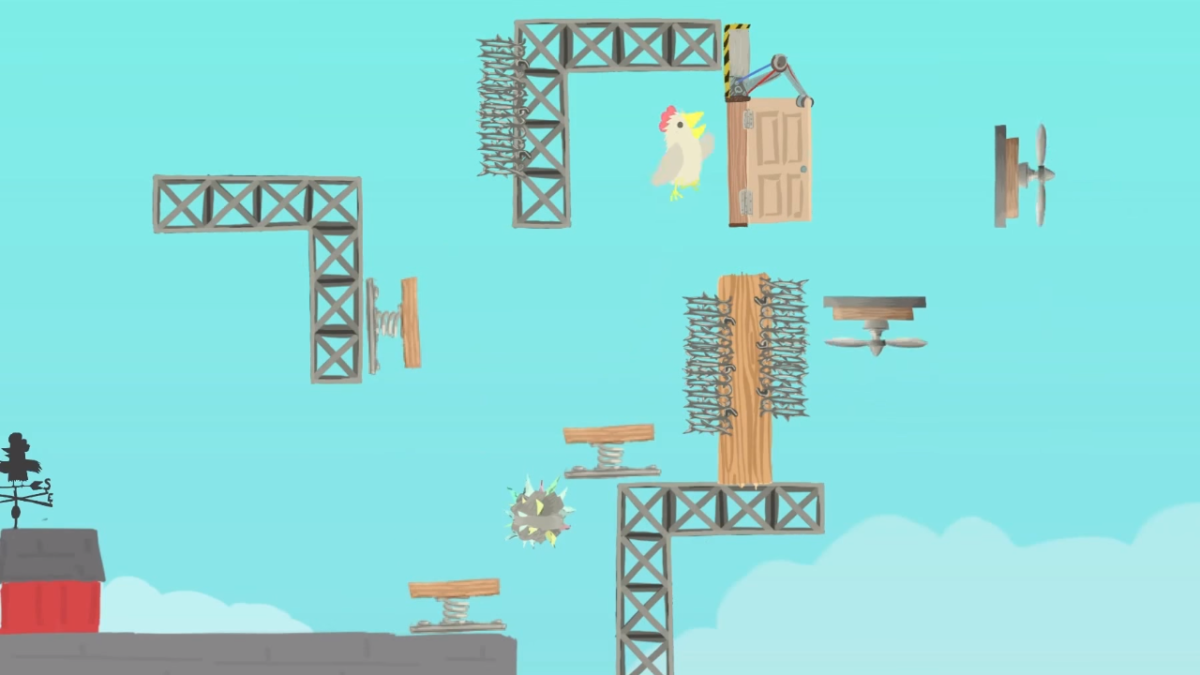
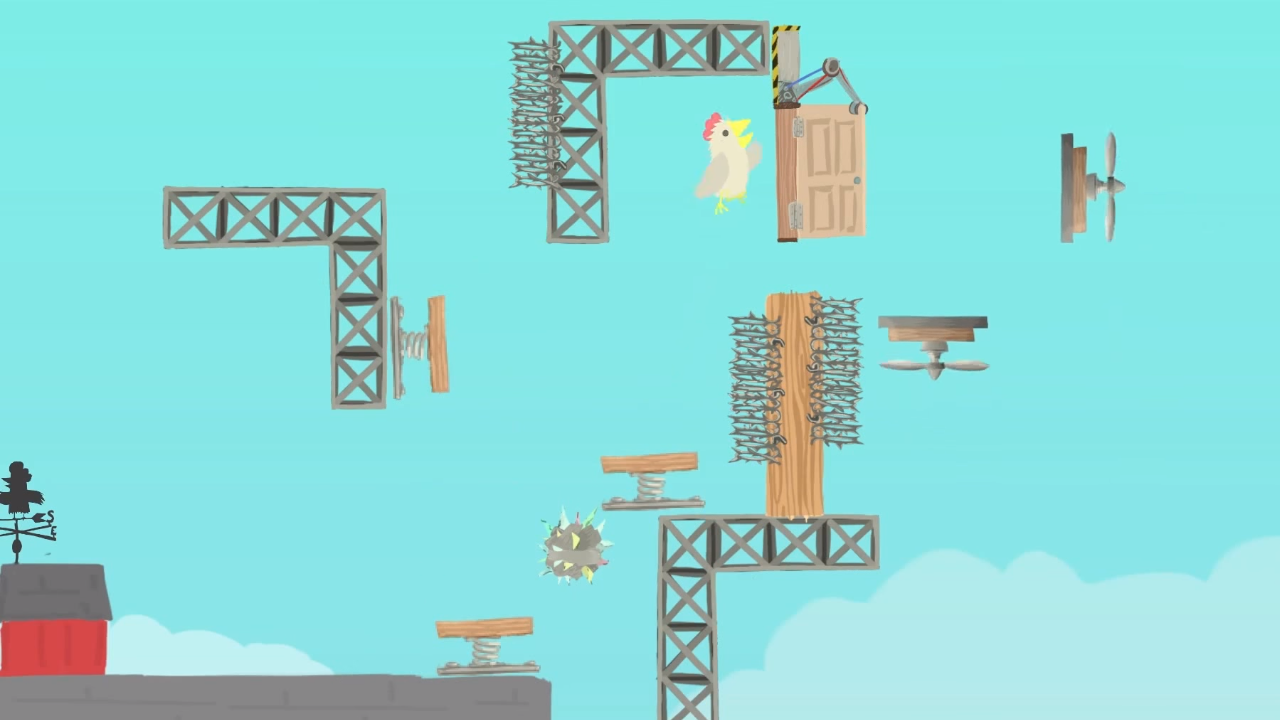
3. Ultimate Chicken Horse

With a name like “Ultimate Chicken Horse,” you know this game is going to be a wild ride. The goal is to get to the flag before any other player does. This makes it seem like a simple obstacle/racing game. The real challenge, however, is in stopping your opponents without stopping yourself. Like a multiplayer Mario Maker, each player has the opportunity to create their own obstacles before the race starts, to try and stop the other players from reaching the goal. Then, the player has to figure out a way to traverse their own platform maze before the other players do.

Ultimate Chicken Horse Download NOW
8

4. Tabletop Simulator


While the previous games only feature one type of gameplay, Tabletop Simulator features a huge variety. With thousands of games to choose from, Tabletop Simulator has practically every board game imaginable. The base game only has a few basic modes, like chess and checkers. However, you can download any number of game mods, including games like Betrayal at House on the Hill, Exploding Kittens, and Boss Monster. You can even create your own games to simulate with your friends. 

Tabletop Simulator Download NOW
7

5. The Jackbox series

Like Tabletop Simulator, the Jackbox Party Packs are a variety of games to play with your friends. Each pack features around four or five different game modes, each with its own objectives. All of them are hilarious and allow for amazing amounts of replayability. One popular mode, Quiplash, features similar gameplay to Cards Against Humanity. The main difference is that players create their own answers to the prompts! Another mode, Monster Seeking Monster, lets you text other players to try and woo them. There are dozens of game modes between the series, so you’ll never get bored. If you ever need a game to bring to a party, or just want to do something fun with your friends, Jackbox is the best answer.

The Jackbox Party Pack Download NOW
10


Civilization Revolution: 10 secrets to win the series’ most streamlined experience

Sid Meier’s Civilization series is best known for two things: Addictive one-more-turn gameplay; and lengthy matches. Civ 6 is the newest installment in the franchise and when asked how long a game might take the answers were … telling.

Civilization Revolution, on the other hand, was released in 2008 and can be played on console or mobile. Sid Meier explained that the aim of this title was “to recreate the Civ experience in an afternoon,” effectively halving the length of the infamously long matches. Despite shortening the games, Civilization Revolution boasts an astounding level of complexity and strategy, particularly for players new to the game series.

Civilization Revolution 2 Download
5

For our part, we’ve sunk hundreds of hours into Civilization Revolution, and it might be our favorite game in the franchise. This guide will be going over beginner and intermediate tips on how to succeed in this game and truly craft a civilization “to withstand the test of time.”

Beginner tips

1. There are four ways to win

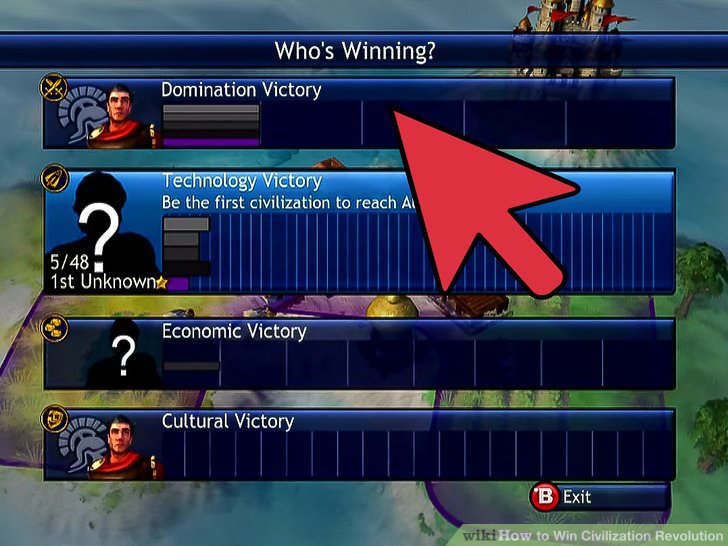
There are four ways to win a match in Civilization Revolution: Domination; Technology; Economy; and Culture. The first thing to remember is that while all matches can be won in any of these ways, you’d be wise to form a game plan as the match progresses. There’s typically a path of least resistance.

https://www.wikihow.com/Win-Civilization-Revolution

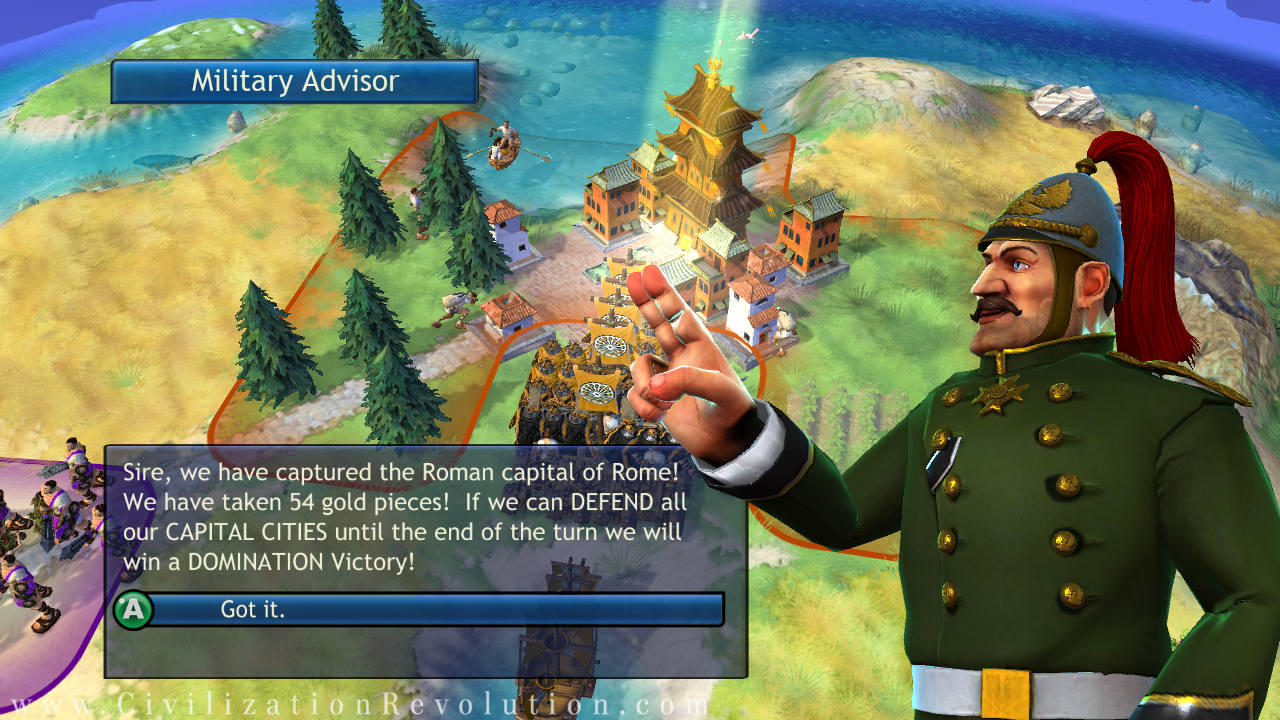
Domination: Capture all enemy capitals OR have the highest score by the time the year 2200 rolls around.
Technology: Be the first to build a spaceship and arrive on Alpha Centauri
Culture: Acquire a total of 20 wonders, great people, or converted cities
Economy: Acquire enough money to build the World Bank

2. Don’t neglect the other three paths

Probably the most useful tip we can give is to keep your bases covered. Don’t laser focus on one victory path so much that you’re leaving the other paths in the dust. A civilization steeped in culture can be cut down by one with a heavy military in the mid-endgame. And a civ that focuses on domination can be stopped in their tracks when the come face to face with a more technologically sophisticated civ.

https://www.youtube.com/watch?v=v5PbYLh2YkU

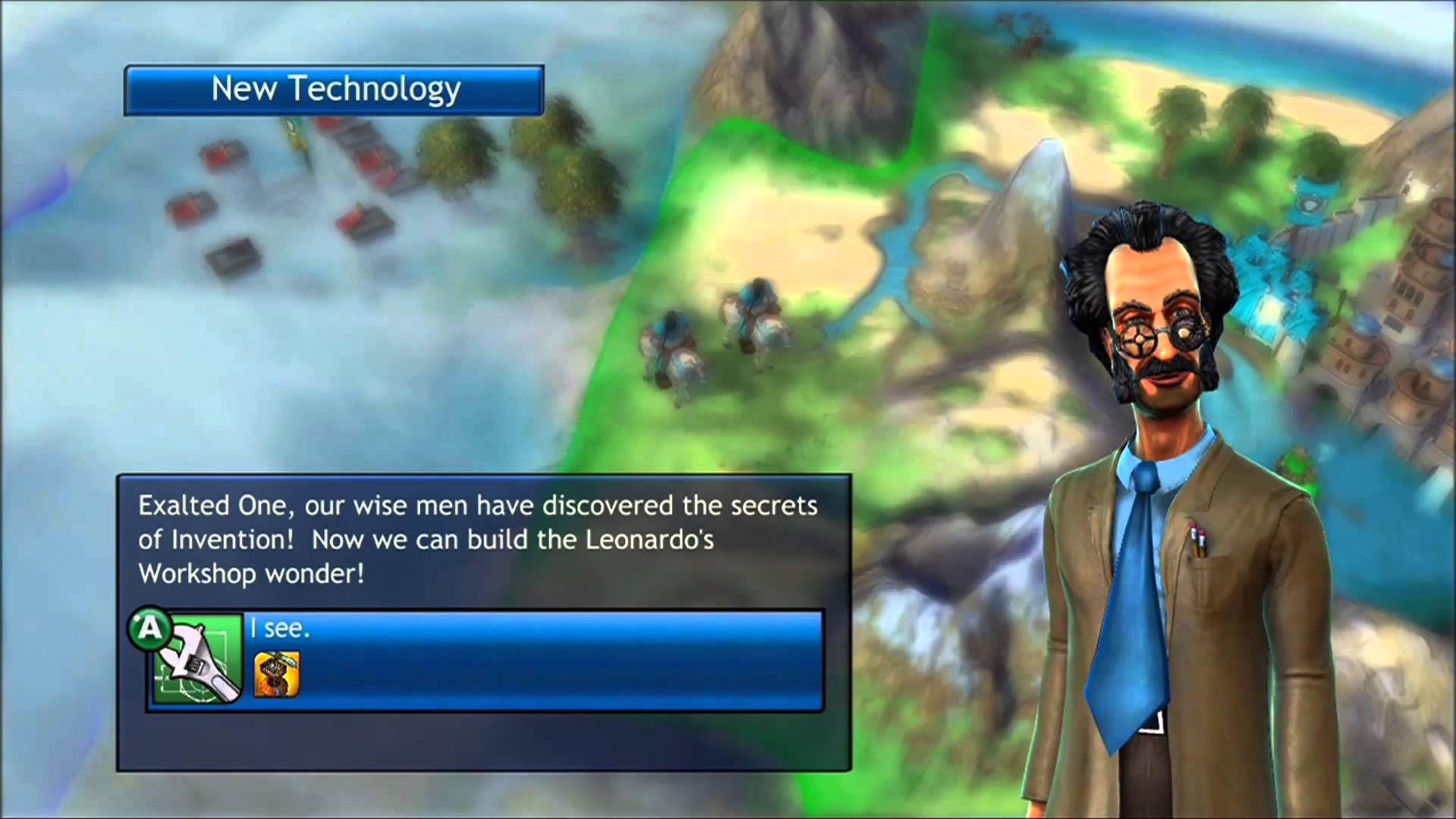
Researching techs means unlocking new wonders for culture and new units for domination. Wonders upgrade your units (Leonardo’s Workshop) and increase your research speed (East India Company). Great people can instantly build wonders, convert cities, or level your troops. Money can buy you techs from other civs, or to rush build both wonders and units. Every road connects with the others in some way.

3. Stack your units into armies – all of them!

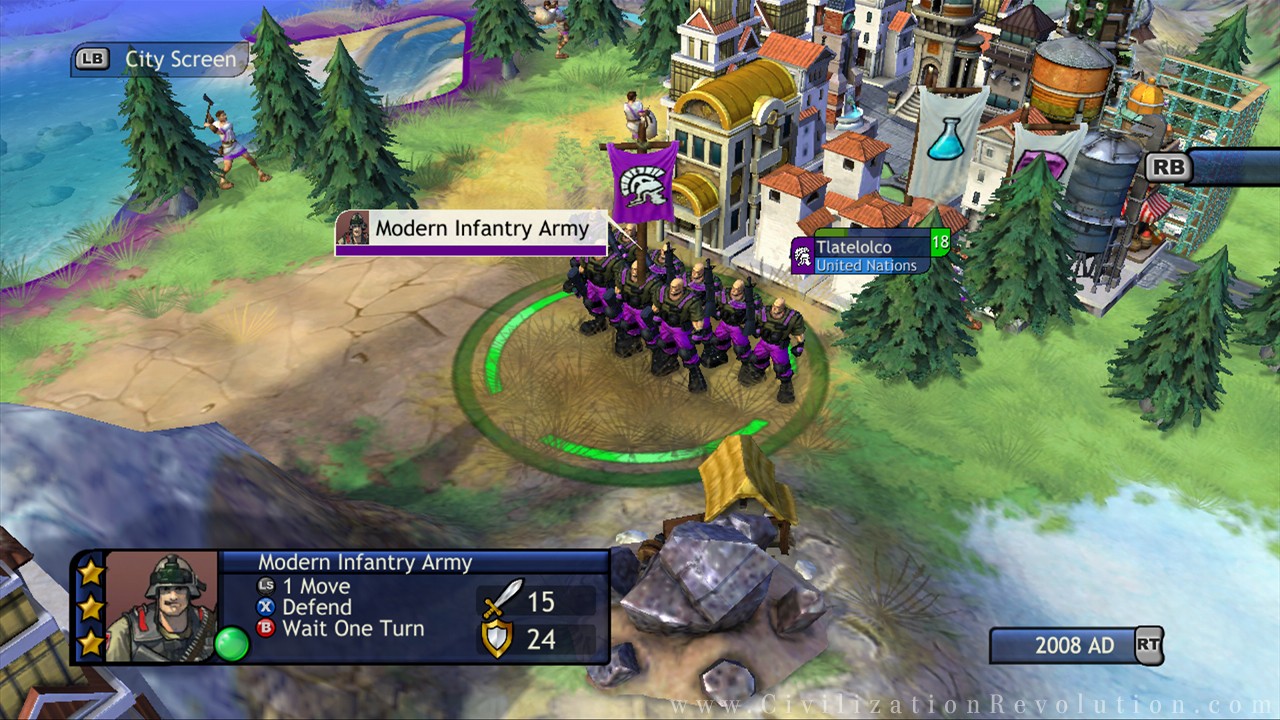
Unlike Civ V, in Civilization Revolution you can place multiple units on one tile. Place three of the same unit type (ie three cannons) in one tile and you can lump them into an army, tripling its attack and defense scores.

http://civilization.wikia.com/wiki/Modern_Infantry_(CivRev)

A great way to do this quickly is to build the same unit type in three different cities. Then they can travel to the same spot and become an army much faster. Roads help with this, too.

4. Plan according to your civ’s strengths

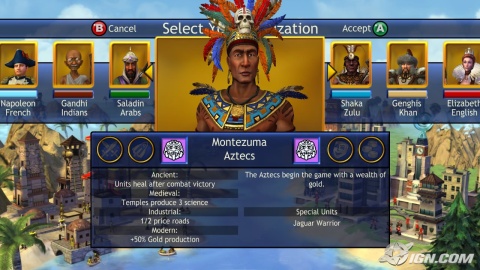
Everything we’ve said so far applies to all civilizations equally. Who you are playing as and who you are fighting are huge factors in the game, though. Each civilization begins with two (mostly) unique bonuses, unlocking more every time they reach a new era. Many of these bonuses encourage a particular angle or style of play, even the most likely victory type.

http://www.ign.com/articles/2008/06/02/civilization-revolution-era-bonuses-revealed?page=4

We find that most civilizations are best suited for two kinds of victory. While that is not to say they’re incapable of winning in other ways, there’s a typical slant. For example, France and England both excel at culture/domination, while Spain and Egypt might be better suited for tech/economy.

5. Research with a goal in mind

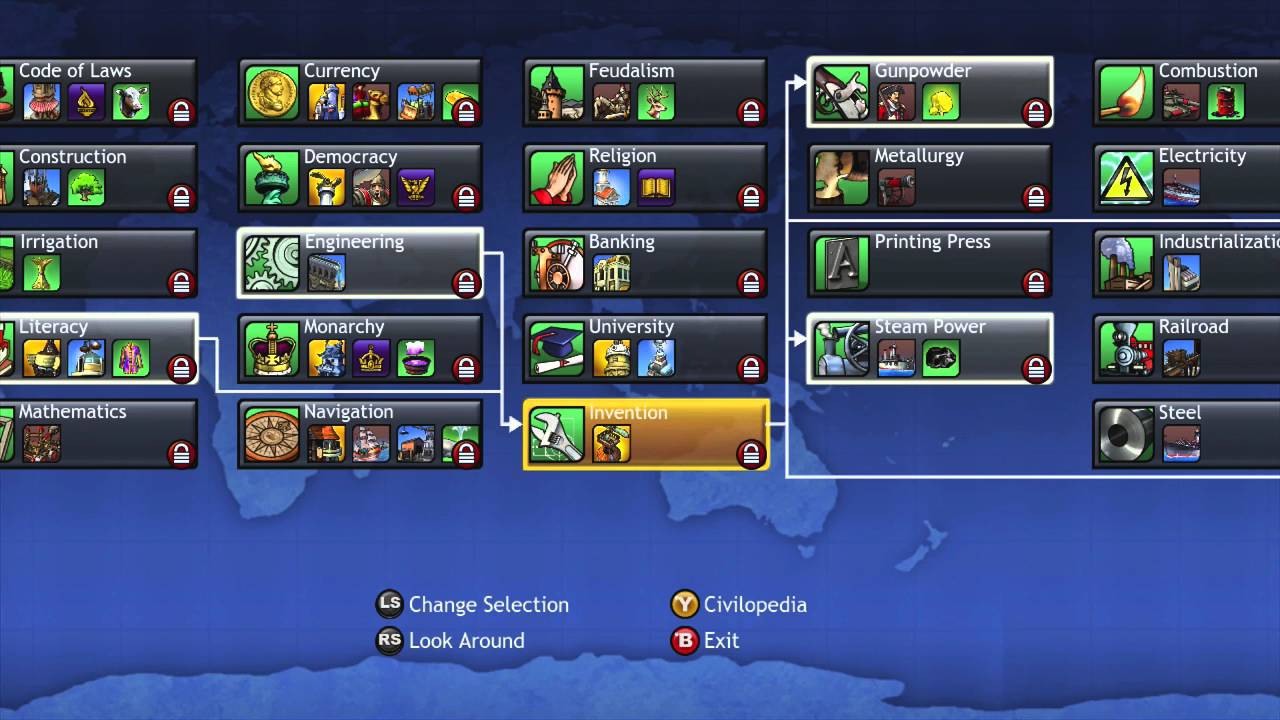
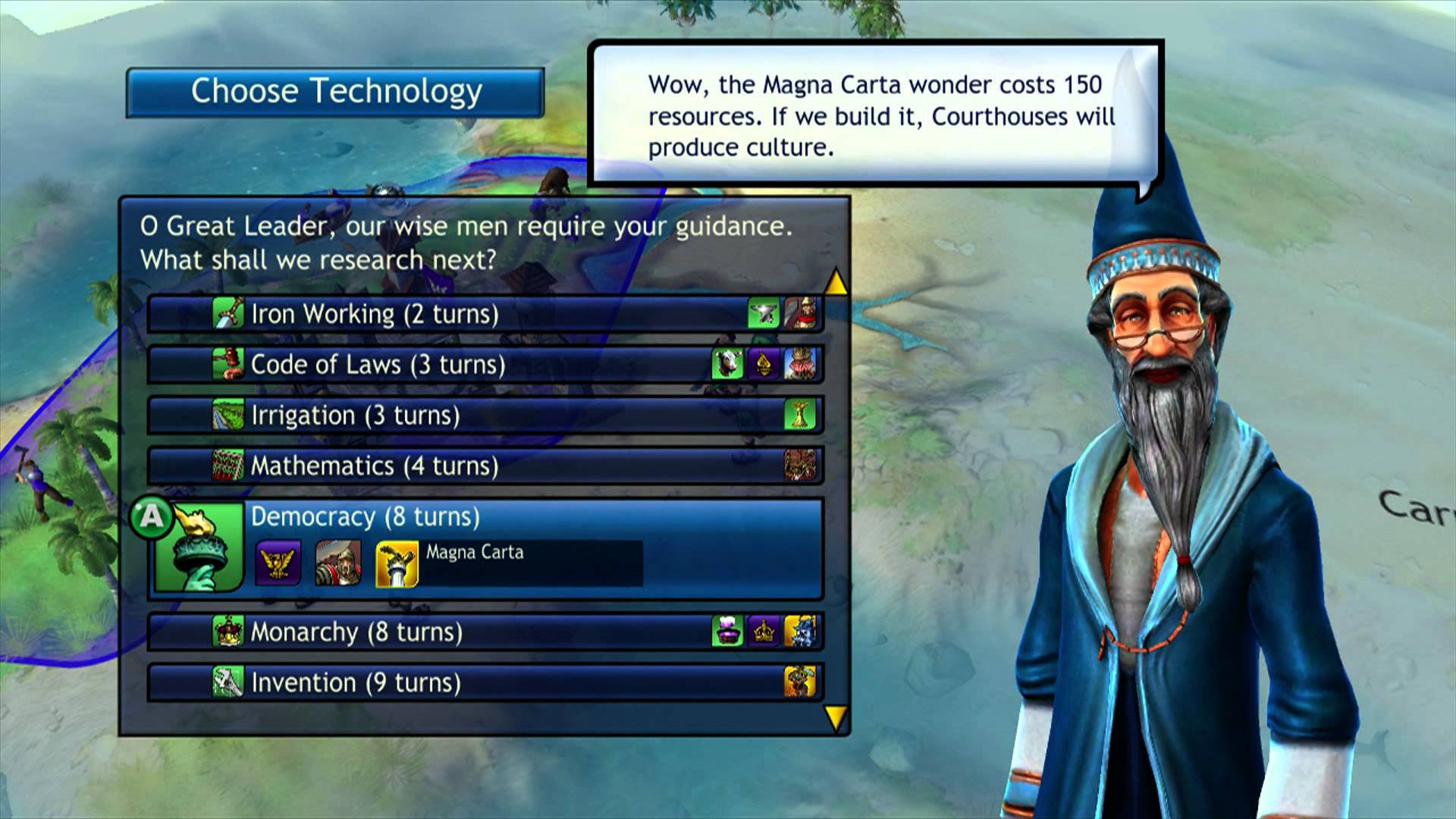
Technology in the Civilizations series is all about researching the prerequisite techs. Crawl before you walk. You can’t learn masonry unless you know pottery; you can’t write without an alphabet.

https://www.youtube.com/watch?v=qHNxzQ2IwHo

Does your civ have a special unit or bonus that’s dependent on learning a tech? The Arabs have bonuses for knights, for example. If you want to take full advantage of that, you’d better chart a course for feudalism, hitting all those prerequisites on the way. Don’t forget that certain buildings and wonders can only be built if you’ve researched their corresponding techs!

Intermediate tips

6. Specialize your later cities

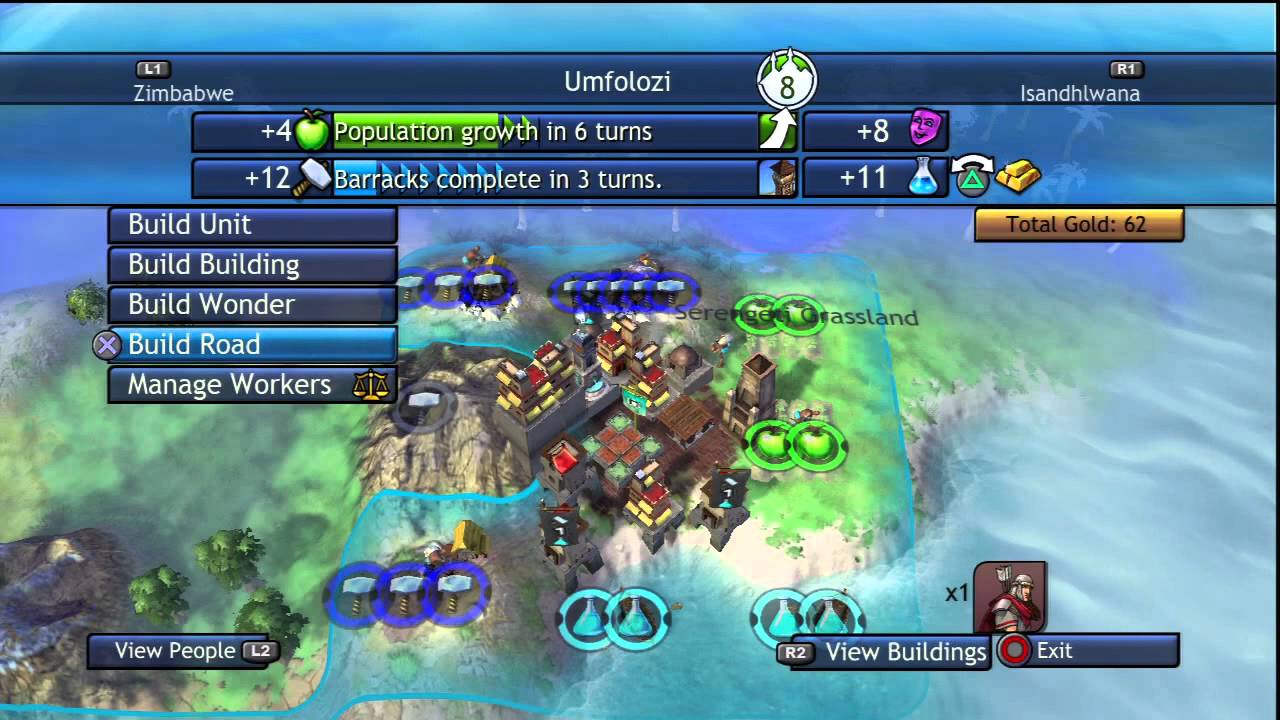
The first two or three cities you build should be largely well-rounded. That means they’ve got a good balance of trade (money and science), food, and production. This will ensure that your early game doesn’t leave you lacking in any area.

https://www.youtube.com/watch?v=xaFDNx12BzQ

As the game gets going, though, it’s good to build a “tech lab” city or a “gold mine.” These cities have a specific focus, providing you with unparalleled research, gold, or even production. Settle on an island, slap on a harbor and a courthouse, then choose between a library/university or market/bank and you have a city churning out tons of science or money. Don’t forget to manage your workers accordingly.

7. Attack an enemy’s capital first

If you’re going for a domination victory, or if you’re just trying to get an annoying enemy civ out of the way, be sure to attack their capital city first. If it’s behind a bunch of other cities, no worries. Simply pile up your armies onto your most defensible naval unit(s) and sail around and surprise attack them from behind.

http://www.civilizationrevolution.com/community_features_victories.html

Slogging through an enemy’s cities means that you’ll arrive at the capital weakened and that you’ll be giving the enemy civ extra time to fortify his defenses by the time you get there. In short, you’re lowering your chances of winning that fight. It’s rare that an enemy civ holds their own once you take their capital city, too.

Usually, your new palace culture emanating from their stolen capital will be enough to flip their nearby cities. Remember, too, that all you need to win the match is to hold all the capital cities! The others aren’t needed for a domination victory.

8. Save the game, try from a different angle

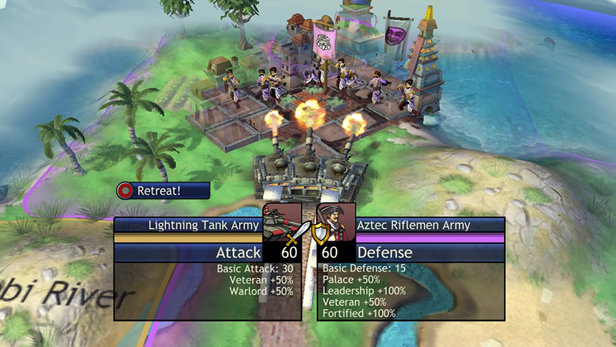
One weird tactic we found especially useful in the early game is to attack from different tiles. The battles that we lost again and again from one angle we then won when we attacked from a different side. Sometimes it’s because you’re attacking from a hill or defending from a forest, but other times the terrain was the same.

https://www.bit-tech.net/reviews/gaming/xbox/civiliszation-revolution/2/

Before any battle with a questionable outcome, save your game. If you fail the attack, it might be worth reloading and trying again from a different adjacent tile. You might be surprised to find you win now.
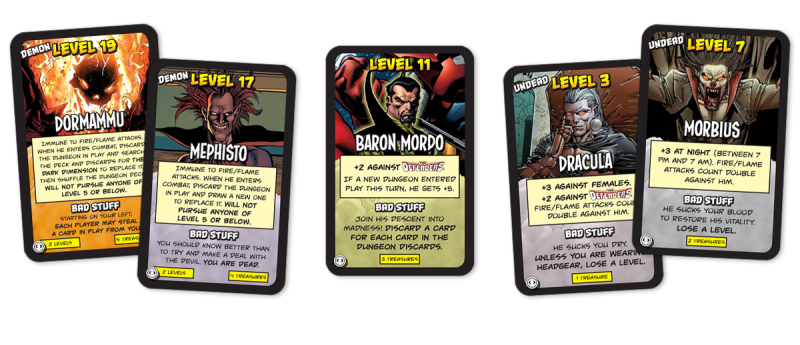
9. “Walk-in” on one Civ at the start of the match
At the start of the match, rather than planting your city, try instead running with your settlers to the nearest enemy capital. If you rotate the map just right you might even catch a glimpse of where they’re located. You can see this in action here:

Once you spot the enemy civ, plant your city right next to it, then rush build (set your city to custom production) a warrior unit and attack before he can get his defense up.

Congrats! You now have two capitals right from the start. Be sure to dodge barbarians if you try this, though.

10. Change your government to suit your current objective

The last tip we can give is to make sure your government type best suits your immediate goal. That one turn of anarchy that occurs when you switch really isn’t as scary as the game makes it out to be. If you’re playing as India or China it won’t even affect you at all. As you unlock new government types, be sure and switch to them to get that little extra advantage:

https://www.youtube.com/watch?v=5pPfuWKCPi0

Despotism: No bonus, but switch to this when using nukes
Republic: Switch to this when you’re trying to expand
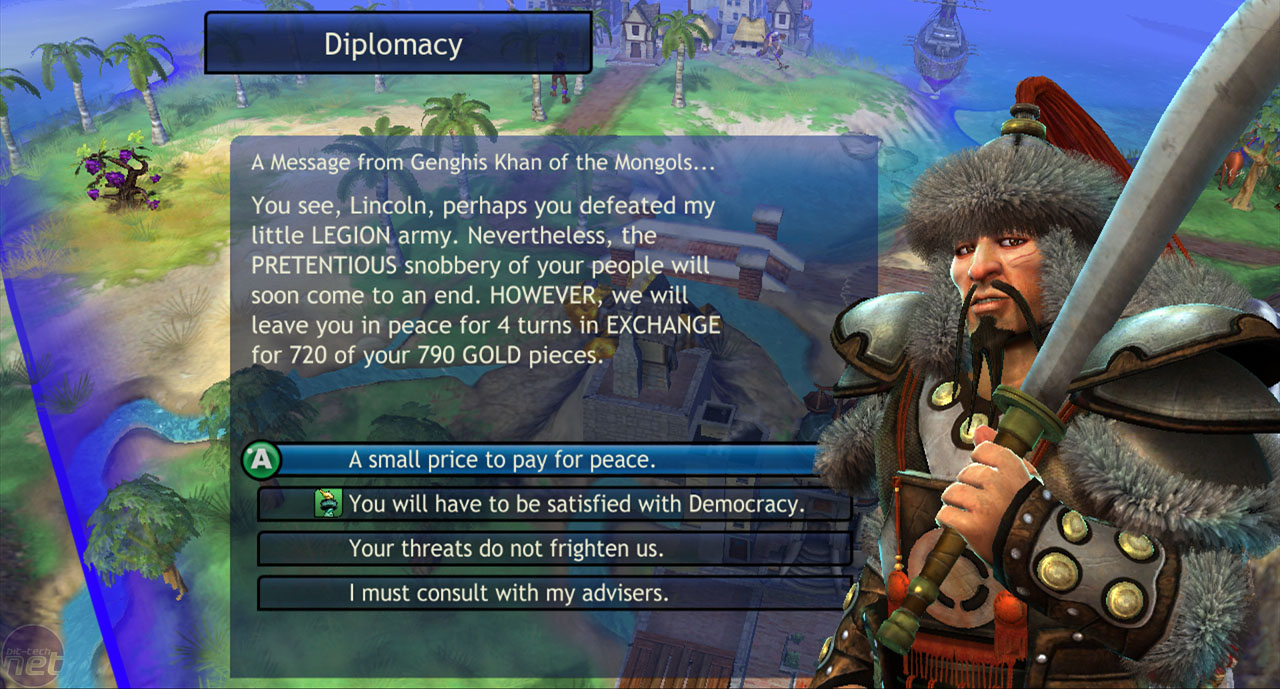
Democracy: Our favorite. Use this when you’re pushing tech or economy
Monarchy: Use this when you’re trying to culture flip cities close to your capital OR when trying to attract more great people
Communism: Use this when you’re trying to build quickly
Fundamentalism: Use this for an extra edge in a battle. Trust us, it does make a difference – especially when you’re up against units that are the same as yours.

http://www.mobygames.com/game/sid-meiers-civilization-revolution/promo/promoImageId,129958/

There’s a lot more we could talk about – unit upgrades, wonders, naval blockades, spies … but these ten tips should keep you alive long enough to do some experiments of your own. Let us know what’s worked for you!


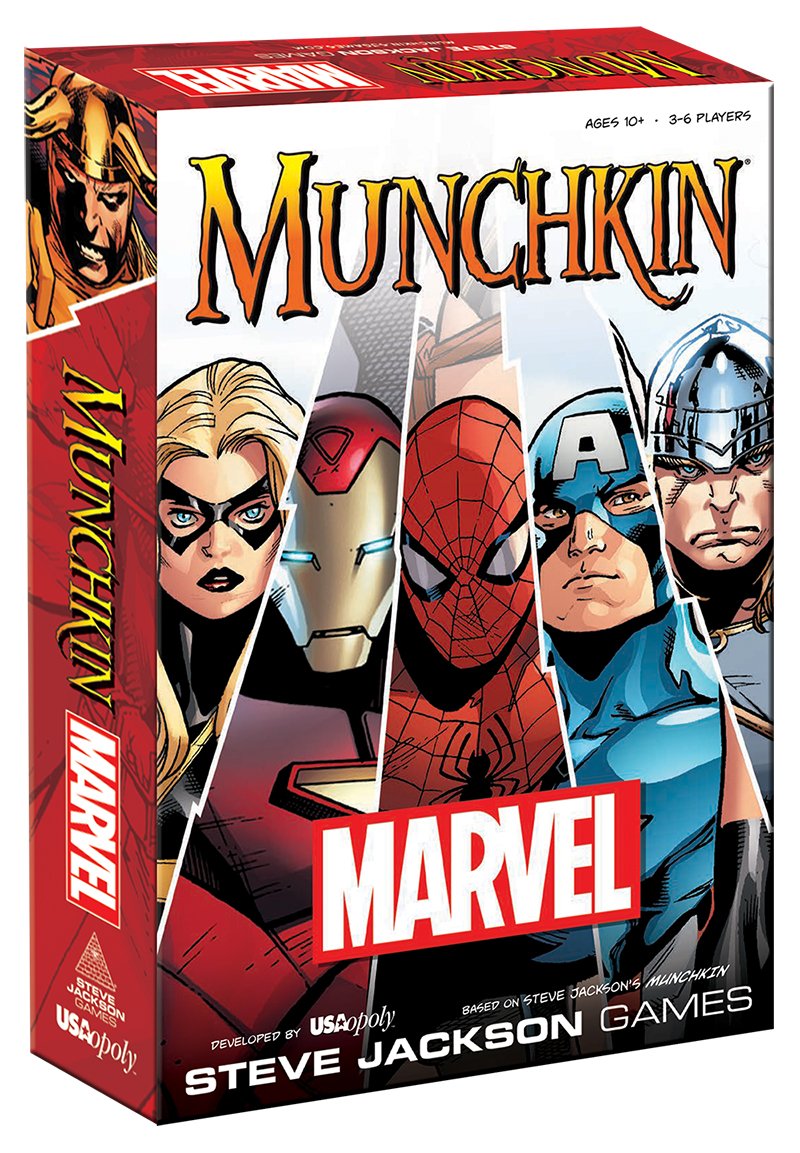
Marvel Munchkin is the card game every superhero fan needs

Looking for a new card game to play? Look no further than Munchkin. In the fast-paced original, players go toe to toe with zany, punny fantasy monsters while backstabbing each other in a mad scramble to the final room of the game’s dungeon.

It’s like speed-running Dungeons and Dragons, with all the traps, betrayals, alliances, character classes and races.

Munchkin: Marvel Edition is a variant of the original formula, but is set in the beloved Marvel Universe. If you’re anything like us, this year’s progress for the MCU has left a thirst for more content and interactivity, especially with the shortage of video games coming from the studio.

If you’re already familiar with Munchkin, a lot of the content here will sound familiar. If you’re totally new to the game and are looking for a fun way to sate your Marvel cravings with some friends, then this crash course is for you:

https://www.ludopedia.com.br/topico/7164/uma-analise-munchkin-marvel

Objective

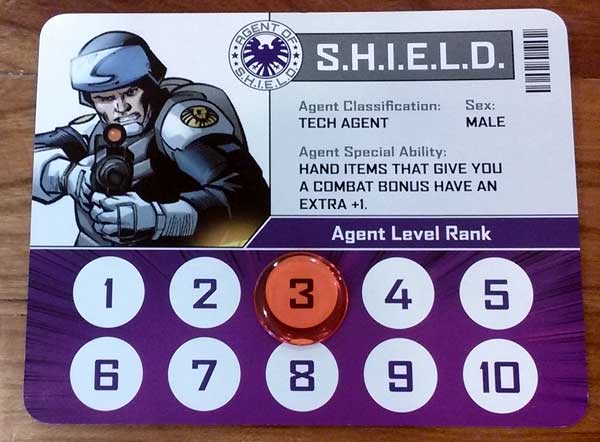
First things first, every player begins with an ID card like the one pictured above. All players begin at rank one, with the goal of the game being to reach level ten and become the new director of SHIELD.

These levels are (almost always) earned by defeating monsters, most of which will bring you one level closer to your goal. Of course, the other players are trying to accomplish the same thing. That means that the closer you get to reaching level 10, the more they’ll start gunning for you as well as the monsters.

Things can get pretty intense.

Setup

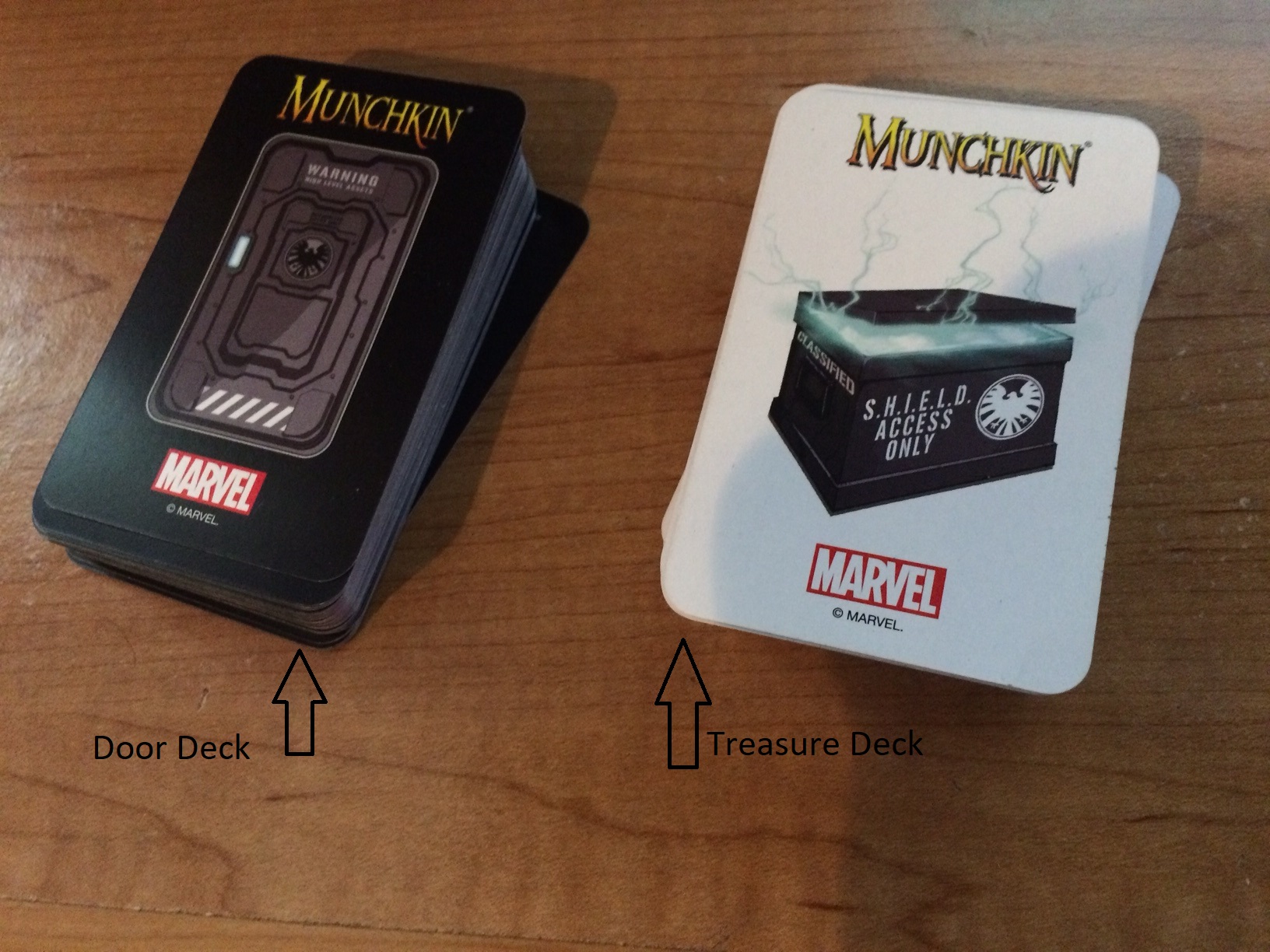
Aside from the ID cards, Munchkin: Marvel Edition has two decks: The Door Deck (black); and the Treasure Deck (white). Shuffle them and keep them separate from each other. Start the game off by giving each player four cards from both decks, totaling eight cards per player.

How the game works

At the start of your turn, draw a Door Card face up. No matter what you draw, you are immediately affected by it, be it a monster or a trap. (If it’s anything else, like a Wandering Monster or Illusion, then simply add it to your hand.)

If it’s a Monster:

If you draw a monster then you are immediately “in combat.” Combat in Munchkin: Marvel Edition is quick and dirty. It’s done by comparing your overall point total with that of the monster(s) you’re currently fighting.

Your score is as follows:

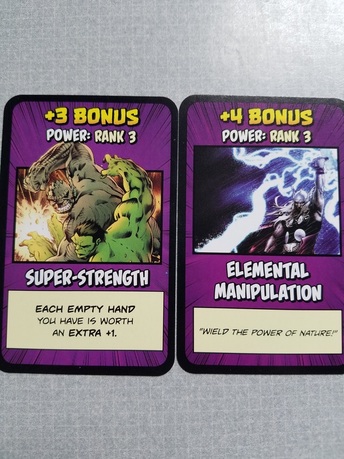
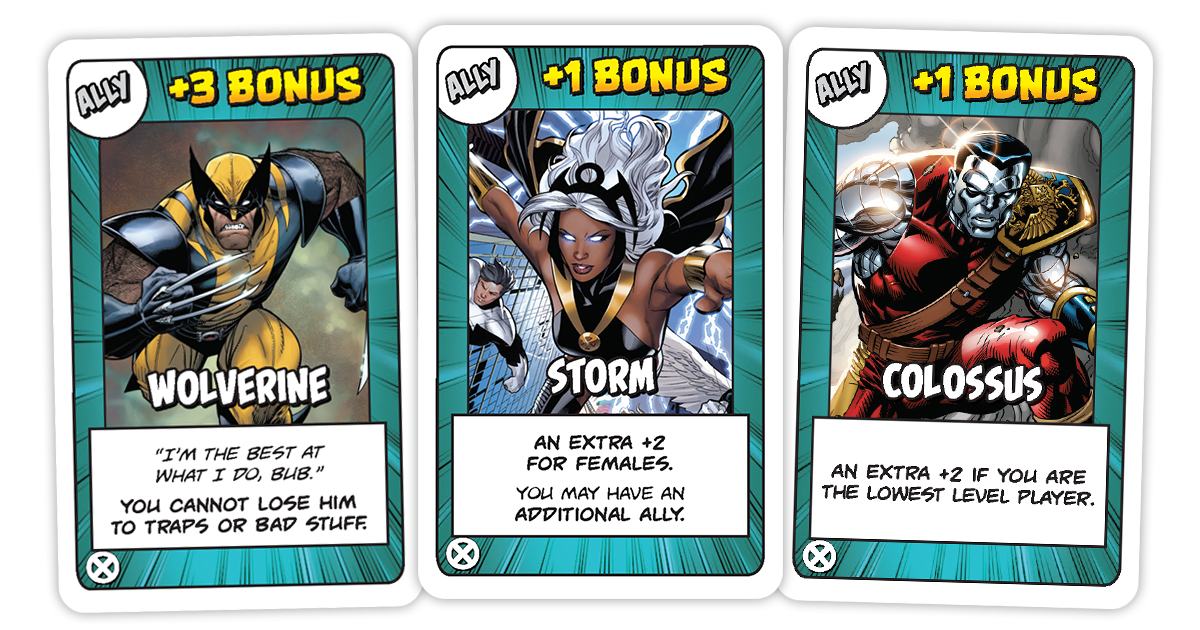
Your rank (the current number you’re at on your ID card) + gear (any hand, foot, helmet, or armor you have equipped) + Allies (you can have one ally of your choice unless specifically stated otherwise) + any powers you have (the purple cards like ‘telekinesis’ or ‘super strength’).

http://usaopoly.com/blog/add-new-level-madness-your-gameplay-munchkin-marvel-2-mystic-mayhem

You only win the fight if your total number is higher than the monster’s level. In the case of a tie, you still lose. If you win, you get to go up one rank and pick however many treasures the monster awards you with (it will say on the bottom of the monster card). And that’s the end of your turn!

If it’s not a monster

If the first card you pick is not a monster, then after adding it to your hand (or suffering the trap) you now have two choices:

1. Loot the room: Draw another door card to add to your hand

-OR-

2.  Look for trouble: You can instead choose to fight a monster that you already have in your hand. If you choose this, combat plays out exactly as it would have had you drawn a monster for your first card.

Charity

But wait; there’s a catch. At the end of your turn, you MUST have only five cards in your hand (unless a specific card or ability says otherwise, like the Utility Belt).

That means you must either sell the excess cards or give them to “charity.” Charity, in this case, refers to the lowest-ranking player in the game. Pick what you give away wisely; you’re probably not getting it back!

Selling cards

http://www.therobotspajamas.com/munchkin-marvel-edition-review/

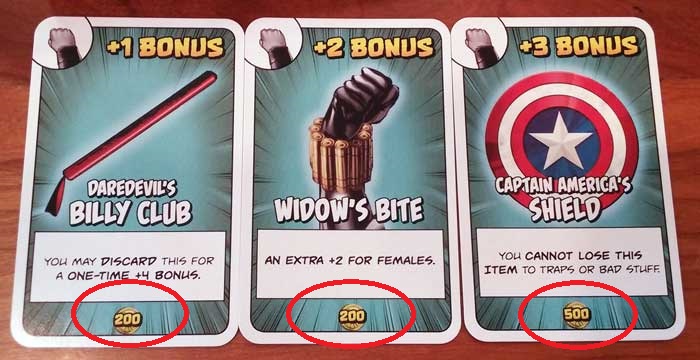
Some cards in the Munchkin: Marvel Edition treasure deck have a value at the bottom. Players can sell increments of 1,ooo gold in exchange for a level. You only go up one level at a time, and anything more or less than 1,000 will not do you any good.

Gear

https://www.beastsofwar.com/featured/munchkin-marvel-edition-review/

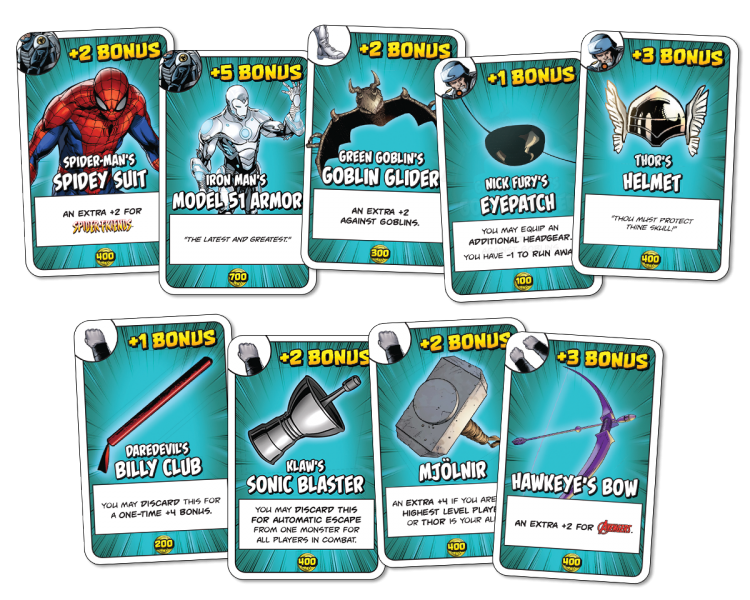
Marvel Munchkin’s gear system differs a little from the original game. Here we have five different options: One-handed; two-handed; helmet; armor; and boots. You can have only one of each type, but are allowed two one-handed items (you’ve got two hands).

Two-handed items have a bigger bonus, but will take up both of your hand slots.

Carried items

Since you can only hold five cards, you can also “carry” any amount of gear that you’re not currently wearing. This is effectively a face-up pile where anything you’re not currently using is piling up to be eventually discarded for a level up, or traded with another player. You can only carry gear, though, so this pile won’t allow allies, powers, or anything like that.

Traps

http://usaopoly.com/blog/add-new-level-madness-your-gameplay-munchkin-marvel-2-mystic-mayhem

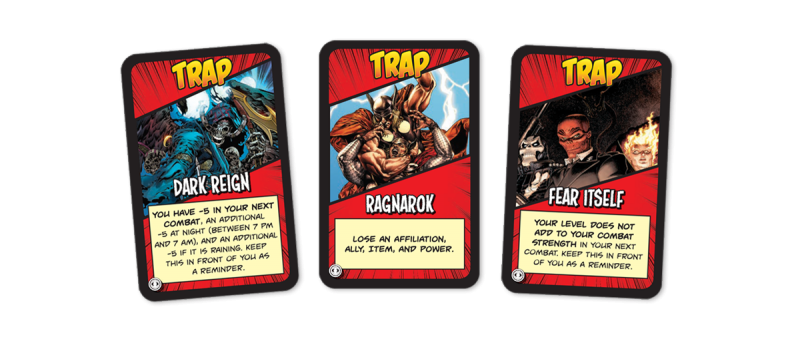
Traps in Marvel Munchkin are nasty. If you’re so unlucky as to draw one face-up at the start of your turn, then you are the one affected.

Otherwise, you can hold onto traps to throw at other players. You can do this any time, but so can they. Be careful who you pick on! Traps have a wide array of effects, ranging from combat penalties to skipped turns, to losing levels or gear.

One-shots

http://www.therobotspajamas.com/munchkin-marvel-edition-review/

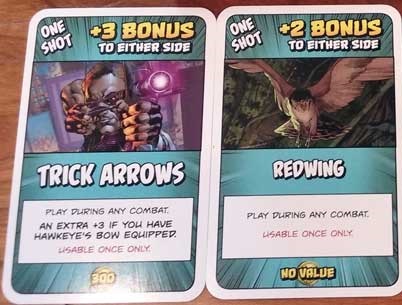
Many treasure cards are “one-shots.” These are one-use items like Super Soldier Serum or Vibranium that can be played on either your side or the monster’s. Play them against a monster you’re fighting to get that last edge you need to win the fight, or tack them on to a monster that another player is fighting to make their fight tougher.

When the monster is too tough

If it looks like you’re not going to be able to beat a monster, don’t fret. The first thing you should do is ask other players if they’d be willing to help you. They may agree, but likely won’t do it for free.

Remember that even if you accept their help and have to give them some treasure, they’re not going to level up just for helping. You, on the other hand, will.

https://www.beastsofwar.com/featured/munchkin-marvel-edition-review/


If no one wants to help you, then you can try to Run Away. That means rolling the die and leaving your fate up to chance. If it lands on a 5 or 6, then you successfully evade the monster. You don’t get treasure or levels, but you live to fight another day. Roll a 1-4 and the monster catches you. Then you’ve got to suffer Bad Stuff.

Bad Stuff

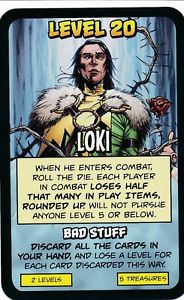
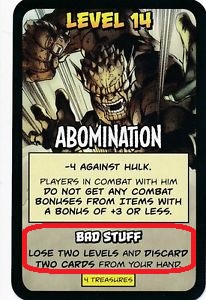
Every monster has its own Bad Stuff, and it’s never pleasant. A monster’s unique Bad Stuff is written at the bottom of their card.

https://www.ebay.com.sg/itm/ABOMINATION-Marvel-Munchkin-card-BAD-STUFF-/291745842037

Should the monster win the fight and you fail to run away, then you’ve got to suffer it. Sometimes it’s just losing a turn or getting a combat penalty, but other times you’ll lose cards, affiliations, or even die.

Death

Death in Marvel Munchkin is rather rare, but it can happen if other players are out to get you or if you have inordinately bad luck. Dying means that all other players get to take their pick of one item from your collection, even if it was in your hand. The rest is discarded except for any affiliation or power cards you have. Your rank will also remain the same.

Powers

http://www.so1ks.com/tacos-take-reviews/tacos-take-on-munchkin-marvel

When you draw from the Door Deck, you might get a Power. These useful cards serve as bonus points to your overall score. The catch here, though, is that each power card has a rank. That rank can never exceed your current rank on the ID card. So if your total rank on the card is four, you could only have one of the above cards equipped.

You might have to hold on to that Super Strength until later when you’re strong enough to use it.

Affiliations

http://www.therobotspajamas.com/munchkin-marvel-edition-review/

Lastly, you might get an Affiliation card, which means you can choose to be a proud member of a team like the Avengers or the Inhumans. It’s a category of its own and does not count as powers, gear, or allies. Each affiliation provides two unique abilities that will remain with you as long as you stay with them.

If you enjoy the game, there’s also a handful of expansion decks (Mystic Mayhem, Deadpool, X-Men, and Cosmic Chaos) which will add tons of crazy mischief like extra infinity stones, dungeons, and magic, as well as more gear, powers, and allies.

http://usaopoly.com/games/munchkin-xmen-edition

That wraps up the basics! Kick down a door, fight an infamous Marvel villain, and try to keep ahead of the competition. Succeed and you just might be the next Director Nick Fury. So get out there, True Believers, and start climbing the ranks.

Excelsior!


5 Game Boy Advance games to revisit on your iPhone

If you’re anything like us, you spent countless hours of your childhood on your Game Boy Advance, straining your eyes and spraining your thumbs in search of the next secret level. With emulation, revisiting those classic games on your iPhone is now easier than ever. (Curious how to play retro games on your iOS device? Here’s how.)

The following list will highlight some GBA games that deserve your attention, whether it be for a nostalgic throwback or a fresh new experience. We made this list following two simple rules. First, no Pokémon games are included, because they are too obvious, and we wanted to delve deeper into the GBA library. Second, the games featured do not generally rely on fast button presses or quick reflexes. This is because the touchscreen controls of the iPhone can make action games difficult, hence slower paced games are much easier to play. Without further ado, here are 5 GBA games you should download for your iPhone:

1. Mario & Luigi: Superstar Saga

This quirky RPG stands out from its contemporaries through its unique gameplay and ridiculous story. Building off the foundation laid out by Super Mario RPG and Paper Mario, the game puts a fresh twist on the RPG formula. Players can use carefully timed button presses to both add extra oomph to Mario and Luigi’s attacks and protect them against their enemies. Speaking of enemies, the game features a lot more than just Goombas and Koopas. The game pushes the craziness of Mario’s world to its limit, most notably with bosses like Fawful, a neurotic, Engrish-spouting bean whose villainous monologues include such gems as “I HAVE FURY!” and “And this battle shall be the delicious mustard on that bread! The mustard of your doom!” This is a must play for fans of Mario or offbeat RPGs.

2. Kingdom Hearts: Chain of Memories

The first of many portable entries into the megapopular Kingdom Hearts series, Kingdom Hearts: Chain of Memories is a must play. The game combines card collecting with action and RPG elements to create a wholly new experience for the franchise. Players control Sora, who fights enemies in real time using a deck of cards that controls his actions. Decks are composed of Keyblade attacks, spells, and summons, which call upon famous Disney and Final Fantasy characters to aid in battle. Players travel between iconic Disney worlds, such as Neverland, the Hundred Acre Wood, and Agrabah. Taking place between Kingdom Hearts and Kingdom Hearts II, the game features the series’ trademark nonsensical and over-the-top storytelling. If you’re as massively hyped for Kingdom Hearts III as the rest of the world, don’t skip over this game.

3. Advance Wars

This criminally overlooked gem is one of the finest games to grace the Game Boy Advance. Players take control of various CO’s (commanding officers) and lead their armies to victory in this turn-based tactics game. Featuring a cartoonish story that is lighthearted without being corny, the game combines charm and accessibility with depth and replayability. A hallmark in strategy game design, the game is very easy to pick up but difficult to master. The game can be enjoyed in short bursts or extended sessions, making it a perfect fit for your iPhone.

4. Fire Emblem

This beloved strategy series was first released in America on the Game Boy Advance, and has since become one of Nintendo’s most popular franchises. Similar to Advance WarsFire Emblem features strategic, grid-based gameplay. However, Fire Emblem distinguishes itself with its greater emphasis on story. The stories featured are grand in scope, with fully realized characters and plots. Through the course of your adventure, you’ll probably become attached to the likable and varied cast of characters. Make sure you keep them safe in battle, however, as Fire Emblem features permanent character death. If a character falls in battle, they will actually permanently die, affecting the rest of the story and preventing them from being used in future missions. This unique, heartbreaking feature adds an element of urgency to an already stellar strategy game.

5. WarioWare Inc: Mega Microgame$

WarioWare is probably the most bizarre series we have ever played. The game features hundreds of “microgames”, minigames with simple objectives like “Dodge!” or “Jump!” that only last a few seconds. While we mentioned earlier that action games are not typically suited for the iPhone’s touchscreen controls, the simple and quick nature of the microgames work well with the touchscreen. The microgames range from straightforward to hilariously bizarre, giving you little time to process the lunacy before being thrust into the next game. Combine this endless variety with an insanely colorful and memorable cast of characters, and you get one of the GBA’s most unique and entertaining games.

Any classics you think we missed? Leave a comment below!