Samsung surprises with the specifications of its Galaxy S23 FE

Samsung has taken its position as the leading smartphone manufacturer and aims to win in terms of power and brand reach very seriously. It has already achieved this with its foldable phones like the Z Fold and Z Flip and plans to do the same with the upcoming Galaxy S24, which will have features we didn’t expect until the iPhone 16. However, this time, it’s not with an entirely new smartphone but a revision of the Samsung Galaxy S23: the Samsung Galaxy S23 FE. This phone has skipped a generation, as the Galaxy S22 FE never existed, and for a moment, many believed there would be no more after the Galaxy S21 FE. However, they were wrong.

Not the best, but indeed an improvement

Samsung tends not to reveal upfront what chipset will be inside, but it’s safe to assume that the heart of the smartphone will be a first-generation Snapdragon 8 or the Exynos 2200, depending on the buyer’s geographical location. This might not be impressive compared to other chips, but it’s a significant improvement over the Snapdragon 888 or Exynos 2100 that the Galaxy S21 FE had. Similarly, this year’s configuration has confirmed 8 gigabytes of RAM, completely abandoning the 6 gigabytes versions, which are starting to become outdated. Could it have more? Yes, but this critique could also apply to the Galaxy S23.

Regarding storage, users can choose between the 128-gigabyte version or the 256-gigabyte version. When it comes to the camera, that’s where the conversation becomes intense: in the context of this device, a 50-megapixel sensor is a vast improvement over the 12-megapixel sensor that the S21 had. However, this doesn’t mean that the photographic performance can match that of the S23 versions, or even the S22, but it’s still a significant improvement.

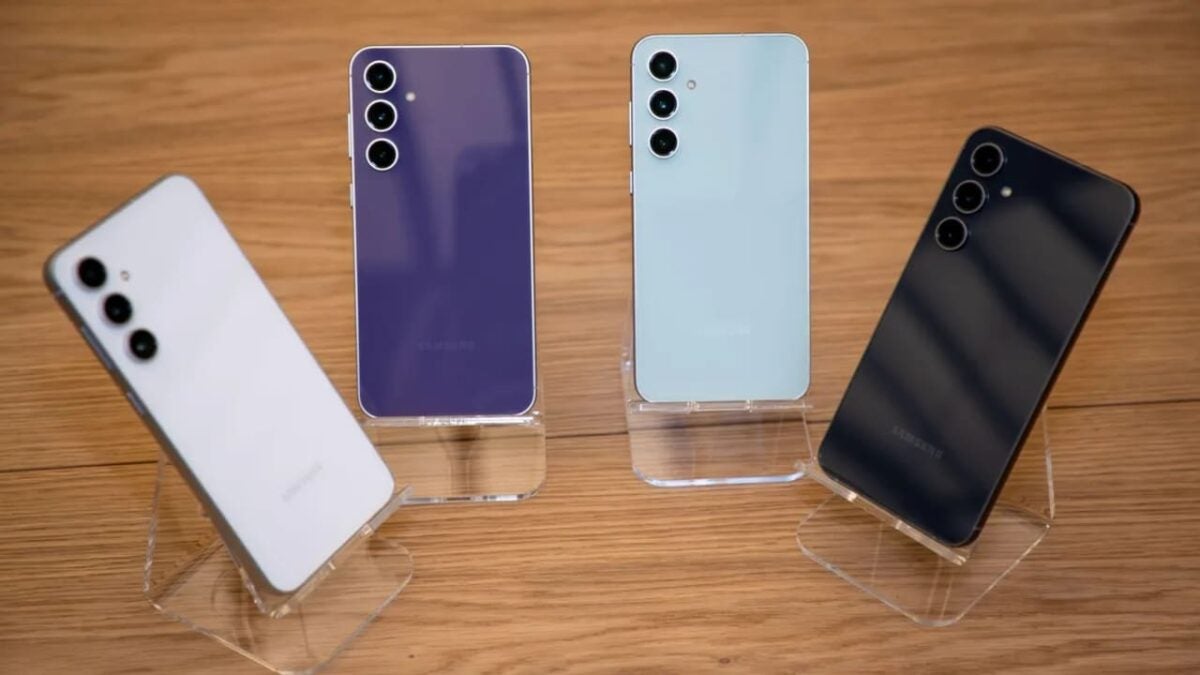
The Samsung Galaxy S23 FE is launching on October 5th at a relatively affordable price and is available in a total of six colors, including bergamot, which is exclusive to the Samsung Store.
Microsoft Copilot lands in OneDrive 3.0… And it doesn’t come alone

After promising it weeks ago, Microsoft seemed to be resisting its implementation, but it appears it was just a matter of time while they finalized preparations for artificial intelligence to fully integrate into most of the company’s applications. Following the improvement of Microsoft Paint, new features in Edge, and the integration of Python into Excel, it’s finally OneDrive’s turn. OneDrive is rolling out a more comprehensive update than ever before with its version 3.0.

What can we expect from OneDrive 3.0?

According to Microsoft’s development blog, the first thing to emphasize is a new, more eclectic and transparent interface to reduce “the time it takes to find your files so you can spend more time doing.” By adding a new area called “For You,” powered by artificial intelligence, it can provide personalized file recommendations for you, bringing the most relevant or urgent content to the top of OneDrive. It also provides contextual organization such as favorite files, for example.

OneDrive also introduces a new shared items page so you can see which items are being shared, with whom, and in what way. There is also a new “People” page where you can view files shared with different individuals, along with a third page that shows files shared during meetings, filtered by their specific type.

Overall, OneDrive 3.0 incorporates a myriad of new features, such as the ability to customize your interface with different colors and favorite file tagging. And that’s not all: in the coming months, new functions will be added, such as the ability to open files directly from OneDrive to a desktop application, as well as media previews to further enhance the user experience. Not to mention a complete integration of Copilot.

All these features are available in OneDrive 3.0 with a Microsoft 365 subscription for work and studies.

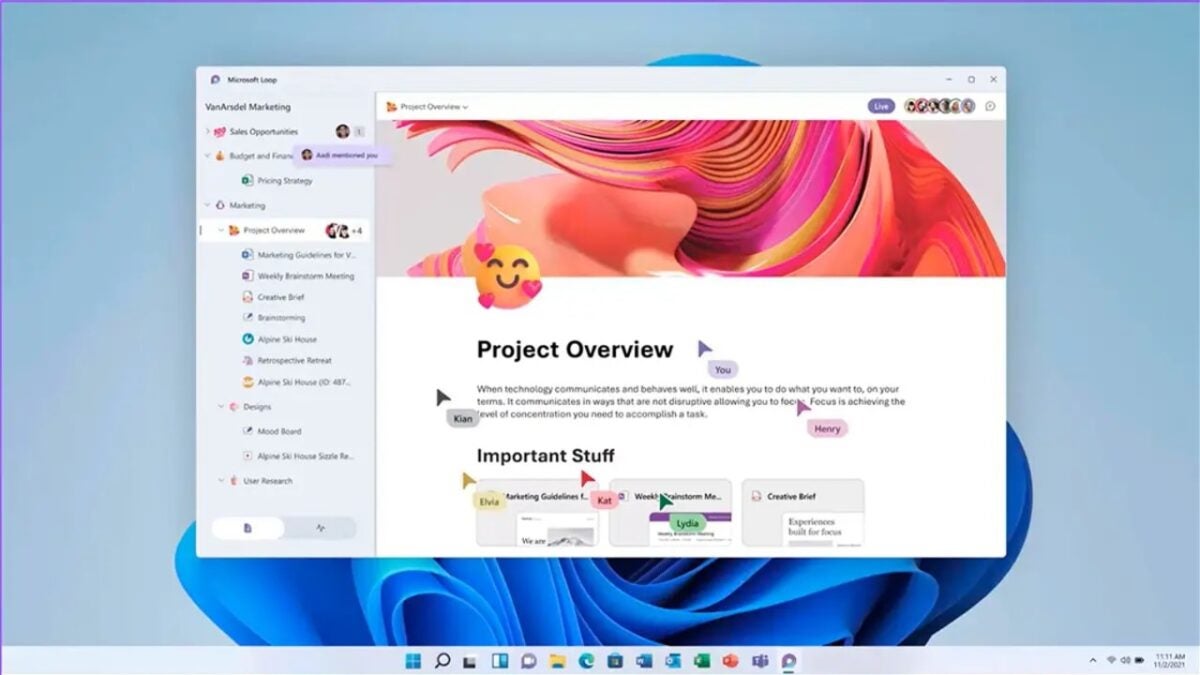
Microsoft insiders can now add Planner boards to Microsoft Loops

Insiders are some of the most enthusiastic computer users, at least among those who dedicate themselves to testing updates for Windows or other Microsoft programs. Specifically, Microsoft 365 insiders tend to have the opportunity to test a myriad of innovations related to the company’s major office classics, such as Word or Excel, among others. Occasionally, however, they have the chance to try out some new features in lesser-known applications, such as Microsoft Planner and Microsoft Loop.

The first one emerged in 2016 and is essentially a planning manager for organizations and businesses, while Loop, which is less than a year old and also geared towards the business world, allows employees to create workspaces and import documents into them. Both are relatively recent and not very well-known, but that doesn’t mean they are forgotten applications. Microsoft is looking to provide them attention and manage a better integration between the two. Thus, Microsoft has outlined in its development blog a series of updates that involve both applications, including the fact that Microsoft Loop workspaces can now include support for Microsoft Planner.

A quite useful novelty

This way, the process is quite straightforward: Planner users can create or open an existing plan on the web and copy its link. With this link, it’s only necessary to open the Microsoft Loop website and open (or create) a workspace. Once this is done, the copied link can be pasted into the workspace. With this step completed, any changes made to Planner from Loop will also reflect in the original Planner, and in general, all changes made will function as usual, allowing for easy sharing with other users and even moving tasks between different containers.

This is part of Microsoft’s comprehensive strategy, which not only involves strengthening all its applications through Copilot but also aims to achieve seamless interaction between them.

The leaks of Google Pixel 8 continue… And they give a very bad feeling

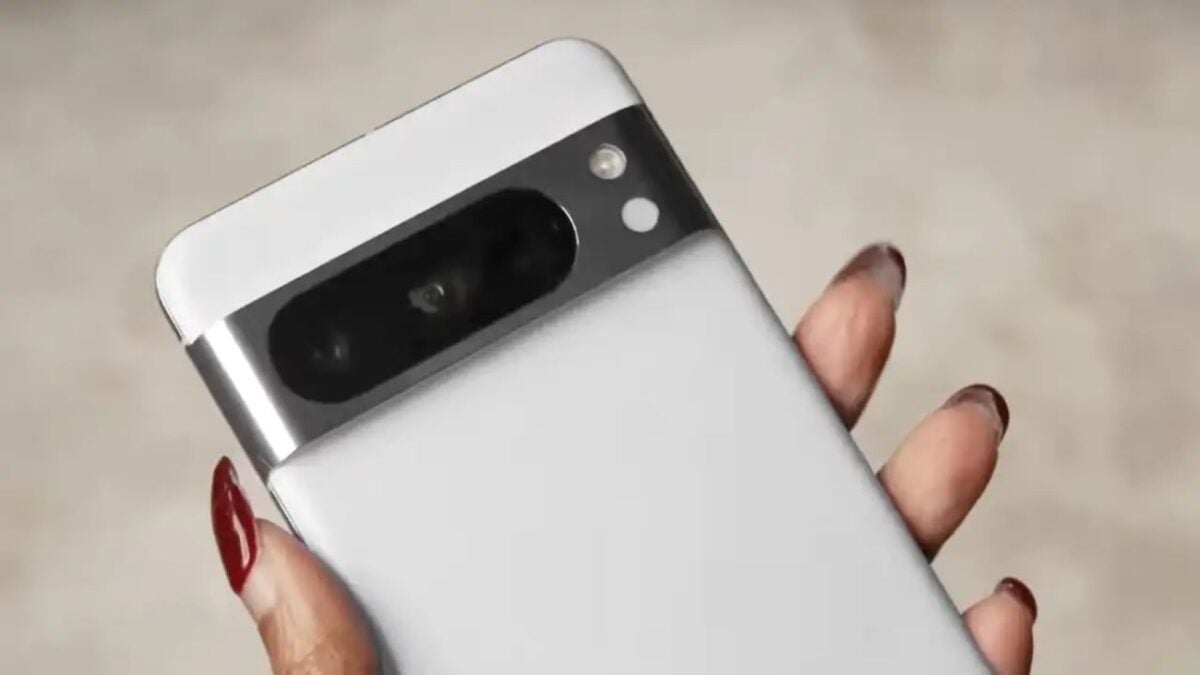
The leaks regarding Google Pixel 8 have been present since a “slip-up” by the company showcased the new model to the world in an image from Google’s services and has continued to accidentally reveal it to the world since then, even temporarily activating a link that allowed viewing the device in great detail. It was clear that Google had something to be proud of with its Pixel 8 and wanted it to be on everyone’s lips. However, as the launch date gradually approaches, doubts begin to arise around the phone, which seems to be less capable of competing with the top-of-the-line flagship phones.

Both the Google Pixel 8 and the Google Pixel 8 Pro, along with the Pixel Watch 2, will be launched on October 4 during the Pixel Event 2023. Both phones will debut with a third-generation Tensor chipset that, however, seems to be proving incapable of meeting the performance expectations that both experts and users had set for it. At least, that’s what the latest leaks are saying.

Disappointing performance

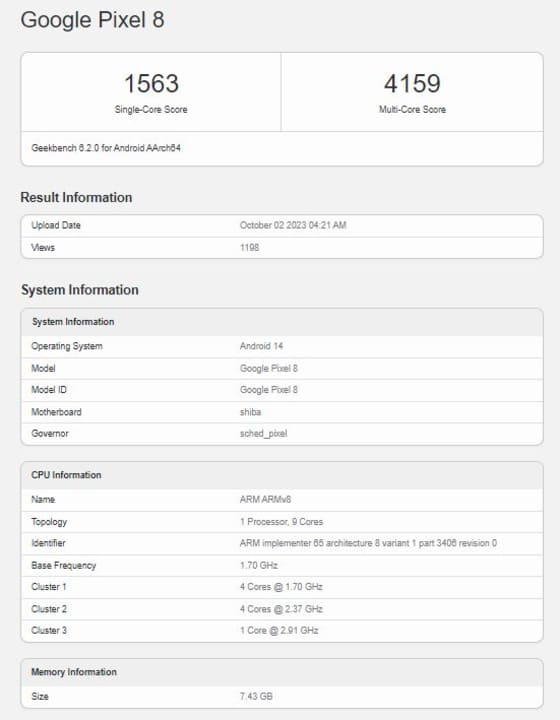
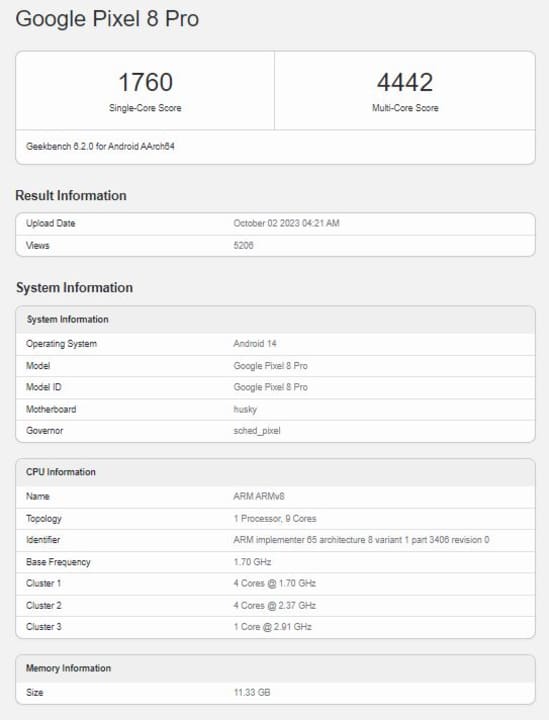
According to data obtained from Geekbench, the figures obtained by both versions of the smartphone fall short of what the public understands as a flagship; in fact, they lag far behind in this competition. The Pixel 8, with a single-core score of 1563 and a multi-core score of 4159, and the Pixel 8 Pro with only 1760 and 4442 respectively. To give an idea of the comparative terms, the second-generation Qualcomm Snapdragon 8 scores 1976 and 5149; moreover, the Tensor 3 would be on par with a first-generation Snapdragon 8+.

Nevertheless, these numbers are quite consistent with Google’s proposition, offering a high-end phone at a relatively affordable price. Despite trailing behind flagship models, it still improves its performance by 20% compared to the Pixel 7 Pro.

Google Contacts implements a new individual contact widget

For anyone accustomed to using a smartphone, widgets are part of their daily routine: these small home screen applications that accompany users in their constant use have been very useful for many people and have been vital to some extent for the Android operating system. However, widgets were the ugly duckling from the beginning until at some point Google decided to pay them a bit more attention. Around 2021, with Android 12, Material Theme gave way to Material You, and with this change, these small applications gained relevance. Perhaps the most notable one, Google Contacts.

Originally, Google Contacts looked nothing like what is understood today: a selection of three widgets that occupied 1×1 squares and appeared as Contact, Direct Dial, and Direct Message. However, in 2022, a new 3×2 widget called Individual Contact emerged, offering a more dynamic visual experience for users. Thus, Google promised not only functionality for users but also a visually appealing experience. It must be acknowledged that, considering how Android used to be, this promise was quite up-to-date at the time.

A loss of identity in exchange for functionality

The application has continued to change over time, but it seems to have reached the peak of its metamorphosis. Its circular form has now been replaced by a square with rounded edges, which takes on a pill shape when its size is enlarged. For some users, this change might not be comfortable as it loses its iconic shape, but it allows for new functionalities such as modifying the contact displayed in the widget, for example.

These changes are introduced gradually but consistently. Each of these innovations is seamlessly integrated into the application to achieve not only a more coherent visual appearance with the system but also to add new features to the application.

Guns arrive in Minecraft with its latest free DLC

After everyone was surprised by Palworld at the Tokyo Game Show, the game about cute magical animals that the world has dubbed “Pokémon with guns” It seems that Minecraft joins this trend of adding ranged weapons to its gameplay. On this occasion, Mojang has chosen to incorporate this possibility into its game through a completely free DLC, although it is still striking that they lean towards this type of ideas.

Minecraft is used to surprising, and since Mojang was acquired by Microsoft, constant collaborations with different brands have not ceased at any time, sometimes for the better and other times causing a colder reaction among players, but always bringing a proposal for integration original of different type. On this occasion, the Bedrock edition of Minecraft has incorporated the free NERF World DLC, which allows access to a series of scenarios in which players will be armed with toy NERF blasters and must face multiple challenges that will test their precision.

The DLC will take you to a central room that can be used as a practice tool to accommodate the use of toy guns, and then enter the different terrains and obtain “NERF bucks”, which are used to purchase different types of weapons, including the legendary Ender Dragon blaster.

In this way, players will be able to explore a total of four rooms through the dimensions of Minecraft, three of them being the Overworld, Nether and End arena and with a fourth called the NERF world.

Guns are just one of the many novelties

However, this is just one of the offerings, as in September, Minecraft introduced a DLC based on Dungeons & Dragons, likely influenced by the success of the movie “Dungeons & Dragons: Honor Among Thieves” and the game “Baldur’s Gate 3,” one of the biggest surprises of 2023.

In addition to this, it is expected that on October 15th, Minecraft will announce a plethora of new features during Minecraft Live. What will it be this time? Hopefully, capybaras.

Meta has an emu drawing stickers for its chats

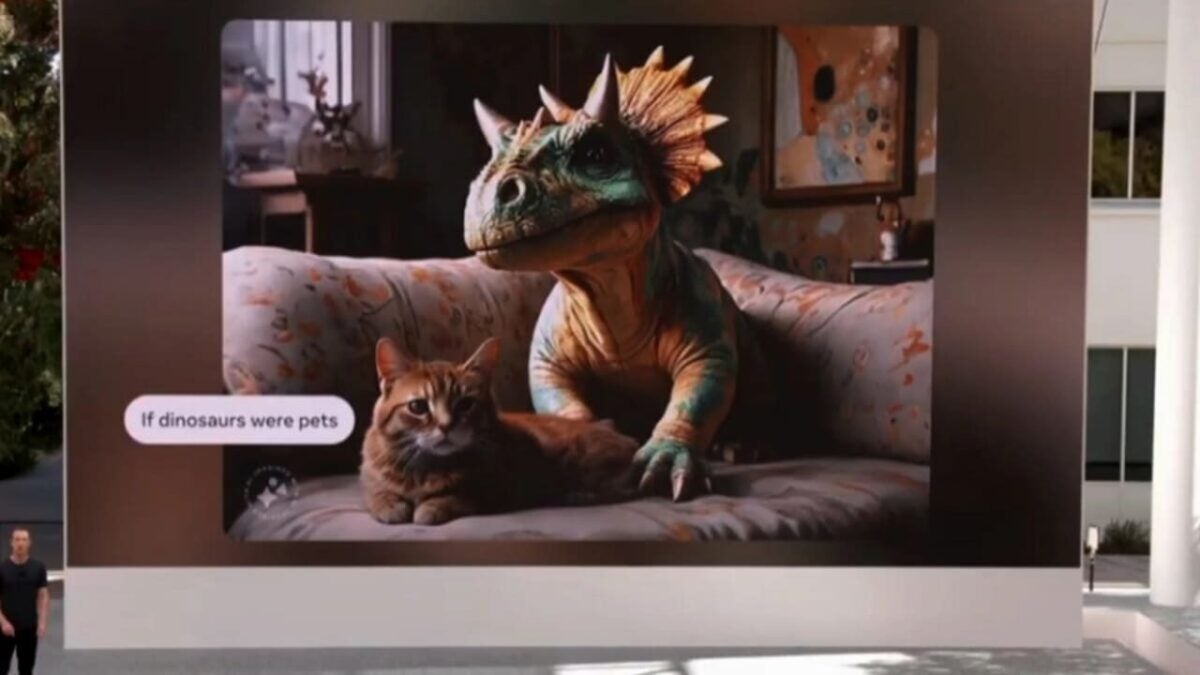
Meta is paving its own way in the world of generative AI. From choosing to make Llama 2 the standard for AI developers to allowing users to chat with Snoop Dogg, Mark Zuckerberg’s company has been achieving significant milestones in the realm of generative AI, each time taking bigger leaps. Meta has now made a huge stride by introducing its new AI, this time in the form of an image generator called Emu. In Zuckerberg’s words, it stands for “expressive media universe.” Emu, affectionately known as Emú, continues the animal-themed tradition of Llama and aims to integrate into Meta’s other products such as WhatsApp, Instagram, and Facebook.

Emu searches for stickers using real-time AI

The purpose of Emu is to integrate into all Meta applications, providing access to generative artificial intelligence and real-time image creation for all users. Users can create personalized stickers for their chats whenever they want and however they prefer.

Zuckerberg has stated, not without pride, that Emu takes just 5 seconds to create an image, although he has also acknowledged that it’s not fast enough for his children. Nevertheless, Meta intends to integrate Emu into Meta AI, its basic assistant currently in beta, allowing users to generate images and bot responses. This integration is not a straightforward task, but the company is working on it with a long-term perspective, a process that could unfold over the coming months or years.

Zuckerberg has admitted that Meta’s deliberate, gradual approach to artificial intelligence, especially in the realm of generative AI, is intentional. He remains optimistic about the results Meta is achieving in this field. Thus, he has indicated that what users have seen so far is just the beginning.

The new chatbots from Meta allow you to ask questions to Snoop Dogg

As artificial intelligence becomes more common, the competition among big tech companies to differentiate themselves is becoming increasingly challenging. Dominating the sector without a distinguishing element that makes an AI stand out from the rest is getting more complicated. While OpenAI and Google have their own approaches, Meta is taking a different path by opening the code of Llama 2 to developers and assimilating the personalities of various individuals for their chatbots.

Different AI for different purposes

The concept under which Meta presents this idea is the motto “Different AIs for different things.” Its purpose is to allow users to access different AI-based chatbots that adapt to the task they need help with. Currently, it is not possible for each user to personalize their own chatbot. Instead, a series of bots with different personalities have been made available to assist in specific tasks. For example, users can chat with chefs, personal trainers, or literary editors.

The most interesting part is that these bots will represent the personalities of certain celebrities, at least during the beta phase of this feature, which is already underway. For instance, the personal trainer is named Victor, but he will have the personality of retired basketball player Dwyane Wade. This means that a professional athlete (at least seemingly) will design a training plan for users and motivate them to achieve their goals.

There are also bots representing American football star Tom Brady, Paris Hilton, Kendall Jenner, MrBeast, and Snoop Dogg. The latter has sparked particular curiosity, and many people have started to wonder in what specific situation they might need assistance from the rapper; the topic is generating a lot of interest.

At the moment, these AIs do not have access to real-time information from Meta, but they serve the purpose of familiarizing users with this type of technology and making these kinds of applications increasingly appealing.

Microsoft removes dragging files to the taskbar from the new File Explorer

On September 26, Microsoft released one of the most ambitious updates for Windows 11, featuring a plethora of new tools based on artificial intelligence and more. Among these improvements, there is a new utility for Microsoft Paint, an enhancement for the Photos application, a biometric-based self-saving key system, and many other utilities aimed at making life easier for users. However, one of these features, despite the initial promise, has shown to be less useful than anticipated – the new file explorer.

An incredible tool with some design issues

The new file explorer offers a myriad of new features to simplify the user experience, including a modernized interface, support for multiple compression types including RAR, and a gallery section reminiscent of what was available in Windows XP. However, what initially seemed like a great idea has demonstrated some noticeable seams, especially in terms of performance issues with the updated application. Additionally, a notable change is that files dragged within the file explorer can no longer be placed in the address bar to create a file path.

Microsoft has already commented on this change, explaining that this functionality is no longer available, and they will be closely monitoring the feedback this decision generates. Nevertheless, the company has observed that this specific feature had limited use and did not significantly contribute to the user experience.

In any case, such changes are not uncommon, and regular Windows 11 users have seen Microsoft make such alterations before. In 2021, they overhauled the taskbar and menu, redesigning them significantly and eliminating various functionalities that users were accustomed to. However, Microsoft has clarified that this particular feature will return to Windows 11.

Apple defends its deal with Google in court

Apple has finally appeared in court during the US antitrust trial against Google, and instead of attacking the search giant, Cupertino’s company has highlighted how vital the deal has been for Google to become the default search engine on Apple devices. During the testimony, Eddy Cue, Apple’s vice president, defended this strategic alliance.

Based on two main points, the first of which was Apple’s commitment to user privacy, a feature that Cue stated is fundamental for the company. In fact, this deal required Google to allow users to perform searches without requiring a login, ensuring greater privacy for consumers. The second point is purely technical: according to Cue, Google provides the best search engine, which is a more than justified reason to choose it as the default browsing tool. Apple strives to provide the best user experience in line with the high quality it aims to convey, so choosing a third-party search engine as the default without the corresponding quality assessment would be, at the very least, reckless.

Cue’s answers raised more questions

Nevertheless, Cue’s testimony raised questions that the executive had to answer. Perhaps the most critical was related to the revenue-sharing agreement, a contentious issue that required a clear response. For Cue, the agreement, regardless of the economic implications for both Google and Apple, would have been sought even without a firm agreement on this matter. After all, this deal is not limited to monetary considerations but is about providing users with the best user experience that both Apple and Google strive to offer.

Another fundamental question regarding the choice of Google as the default search tool came in the form of whether it would have been possible to have a tool selector during setup. Cue responded that the main goal during setup is to get the user up and running as quickly as possible.

We will soon find out if Cue has been convincing, but for now, everything surrounding the case remains uncertain.