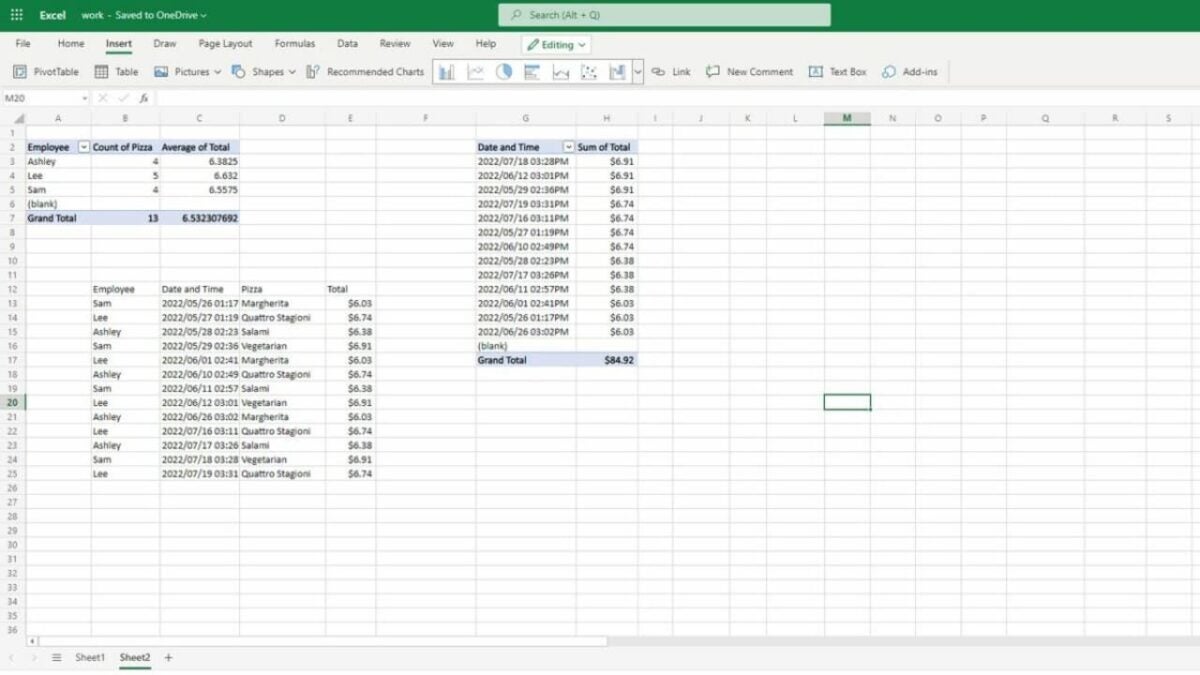
Python Integration Transforms Excel into a Powerhouse for Data Analysis

It’s currently only a test, but many Excel users have already begun experimenting with manipulating Python files thanks to this new functionality. It arrives at a time when Microsoft is striving to renew its entire suite of applications, from the calculator to Microsoft Paint, leveraging the benefits of artificial intelligence.

In fact, the company is convinced that this represents a significant advancement and will be greatly useful for advanced users. They’ll be able to manipulate data and libraries to refine their results. This facilitates the handling of large amounts of data and their analysis in a more user-friendly and familiar environment, such as Excel spreadsheets.

Without additional installations

To use it, you won’t need to install new software or configure an addon to provide the functionality, as it will be part of the core of the application itself. Similarly, Microsoft intends to add a new feature to the program that allows displaying data from any Python document in a spreadsheet to make it more user-friendly. They have also partnered with Anaconda, a major Python repository, to include the most popular libraries of this language in Excel.

However, it won’t be Excel itself running on your computer for advanced and complex Python calculations; this will be done through Microsoft’s cloud, comfortably returning the results as a spreadsheet.

The Python community has shown as much interest in this intriguing cross-over as Microsoft, theorizing and getting excited about the incredible synergies that can arise between both communities to maximize the optimization of their resources and outcomes.

Very soon, Python in Excel will be available during its preview for anyone with a Microsoft 365 subscription, although for now, it can only be used on Windows operating systems. Additionally, once the preview is over, some of the features will be paid.
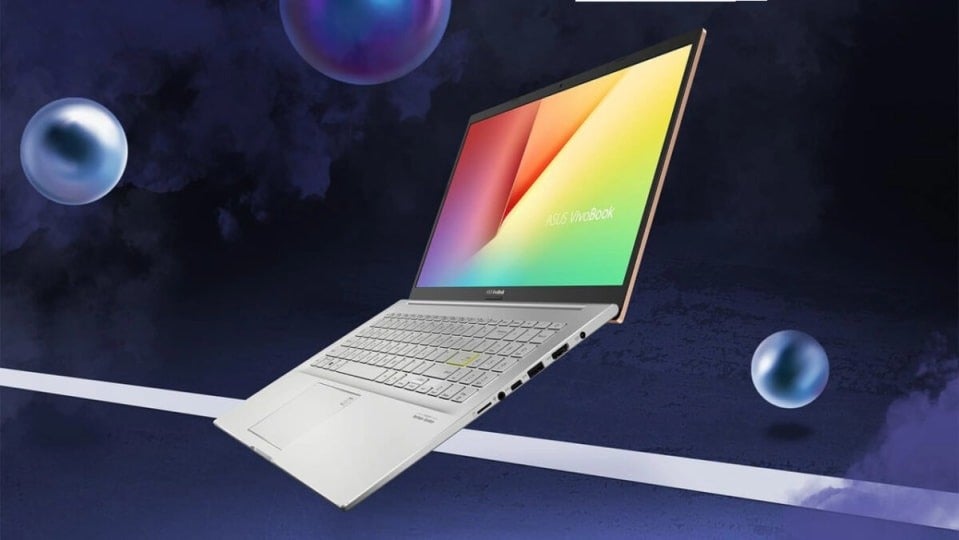
Powering Your Creative Journey: The 4 Key Attributes of Asus Vivobook Pro 15 OLED

Asus is a company that never ceases to amaze us, and in 2023, they are determined not to fall behind. Their ROG solutions are among the most intriguing in gaming laptops, but they also excel in creating computers that cater to a wide range of needs, from office use to demanding creative tasks that require high performance. That’s precisely what the Asus Vivobook Pro 15 OLED offers us.

The first thing that might surprise you about this laptop is that it doesn’t look like the powerful tool it is. Unlike the brand’s flagship models, the exterior doesn’t resemble the ProArt series with its aluminum finishes; instead, it’s mostly made of plastic. It’s unusual for a device of this kind to pay so little attention to its exterior, but apart from this detail, everything about it competes in the highest leagues.

Once you power it on, the magic begins: with an simply astonishing display that reaches a brightness of 600 nits and a 120Hz refresh rate. We could say that with this, its performance is already well above that of most, but the Pantone certification ensures that we can rely on color quality that meets the highest demands of anyone with work of this nature.

I9, RTX 40XX and DDR5

But such a computer wouldn’t be anything without its core. To make the most of its display and meet expectations, the Asus Vivobook Pro 15 OLED features an Intel Core i9-13900H and an Nvidia RTX 4050 with 6 gigabytes of dedicated VRAM. It might not reach the level of an RTX 4090, but it’s more than suitable for nearly any task you might need. Furthermore, with 16 gigabytes of DDR5 RAM and a terabyte of storage (both expandable), it’s hard to believe it won’t provide solid performance for the years to come, which is always something to consider.

In real-world usage, it demonstrates that both its battery life and performance are up to par with expectations. Running Lightroom, Photoshop, or Premiere doesn’t bog it down, although there’s a slight temperature management issue during more demanding moments.

With all of this, if you’re in need of a new laptop and you’re hesitating, this is a rather compelling purchase.

A New Era for Microsoft Paint: Major Transformations on the Horizon

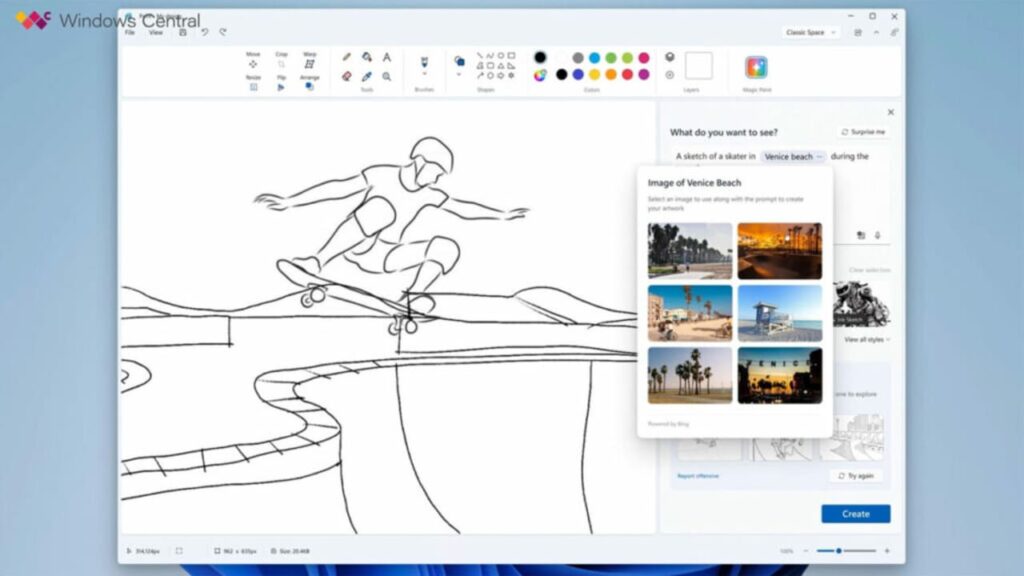
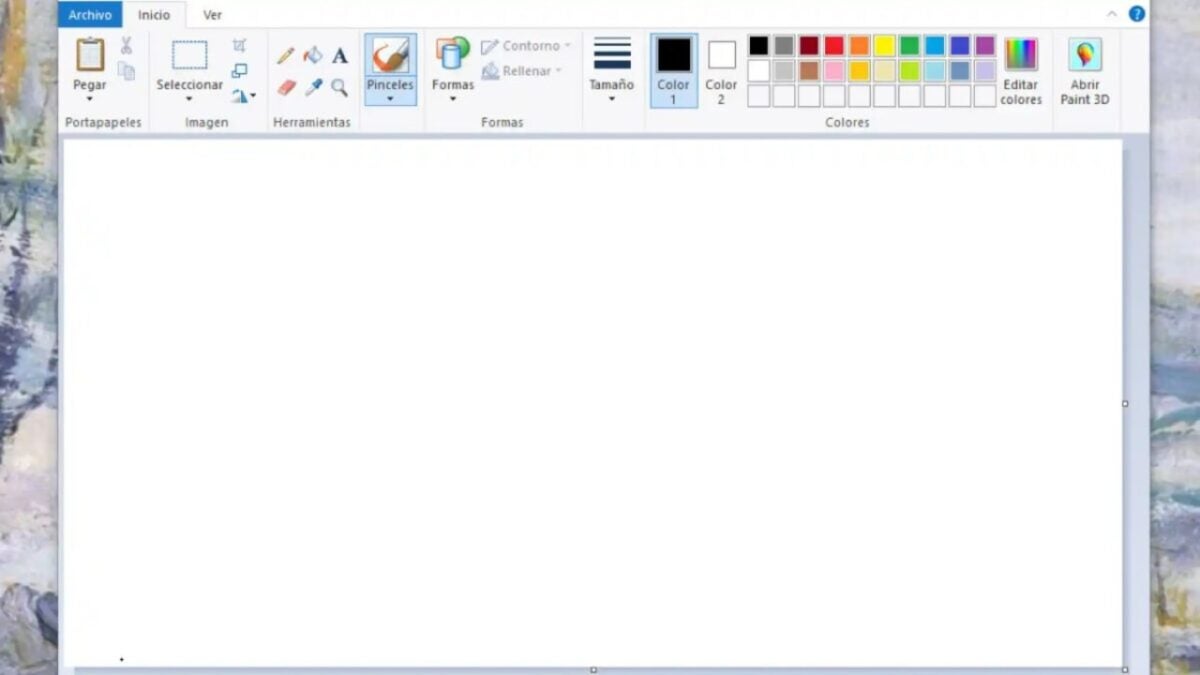
Paint is one of the most famous applications by Microsoft and has been part of the Windows operating system nearly since its inception (though it has given us a scare). It has remained mostly unchanged over the years, but it has been updating some of its features, and this could come to a climax soon as Microsoft is considering implementing significant AI-based innovations. One of these could be, similar to DALL-E, the ability to generate images from given text.

MS Paint DOWNLOAD

This artificial intelligence tool would be powered by the same technology found behind Bing’s image creator, which possesses features quite similar to the OpenAI tool. As seen in images from Windows Central, which was the first to report the news, this integration would be introduced through a “magic paint” button.

Image sourced from Windows Central

This tool would display a sidebar to enter the description of what you want to generate. Although it’s too early to speculate on what it will be or how it will work, but it seems to integrate several layers of complexity and different ways of going from your sketch or text to the image and vice versa.

Paint won’t be the only application reinforced by AI

Similarly, the Photos tool, the camera application, and a few others are also in line to receive AI-based enhancements. Specifically for Photos, these improvements might primarily focus on identifying faces, backgrounds, and specific structures to manipulate them more easily or for the purpose of management and organization. As for the camera, it could incorporate OCR (optical character recognition) capabilities to aid in identifying and transcribing text in photos or screenshots, making the copying and pasting process simpler.

MS Paint DOWNLOAD

In this way, Microsoft aims to transform its Windows 11 operating system and all its tools into a standard for the future. By adapting various applications in its ecosystem to artificial intelligence, the company intends to outperform its competitors. However, as always, it’s important to mention that none of this is definitive for now.

Keeping Pace with Technology: Microsoft Upgrades Its Virtual Machines Once Again

Microsoft likes to stay up-to-date, and that’s why it doesn’t rest when it comes to updating its systems. This also applies to the virtual machines of Windows 11, which have once again received an update. This time, it corresponds to build 22621.2134 of the operating system, a recent update that has been released not long ago.

First of all, as I’ve cautioned you before, virtual machines are intended for IT professionals, developers, specialized students, and – to a lesser extent and always at their own risk – software enthusiasts. Therefore, I strongly recommend being extremely careful when handling them, as you could cause significant issues. Remember that it’s a powerful tool that can access the development environment of Windows 11, with all that implies.

Setting precautions aside, Microsoft offers you four ways to access the environment, each with its peculiarities: VMWare, Hyper-V Gen2, Parallels, and VirtualBox. Whichever you choose, you just need to visit the official Windows Developer Center portal to download it, unzip it, and install it like you would with any other program. Once it’s up and running, you can access the development version of Windows 11 for enterprises, Visual Studio 2022 Community edition, Azure, and many other things.

Developer mode and pre-installed Linux Subsystem

Similarly, you’ll have the Windows Subsystem for Linux with pre-installed Ubuntu and the Windows terminal. Developer mode, as expected, will come enabled by default to access all hidden functionalities and options that aren’t available to the average user.

Furthermore, accessing this virtual machine is completely free, although it has a limited time. Essentially, there’s a 90-day usage period for this version, which starts with the release of the update, and the next one will also have three months starting from then. This way, the system remains fresh and without incompatibilities or issues stemming from an outdated version.

The Windows virtual machine is also a very useful tool for understanding how the system works in-depth or for testing the performance of any application, whether it’s still in development or already finished.

Enhanced Capabilities: Adobe Express Introduces AI-Powered Tool

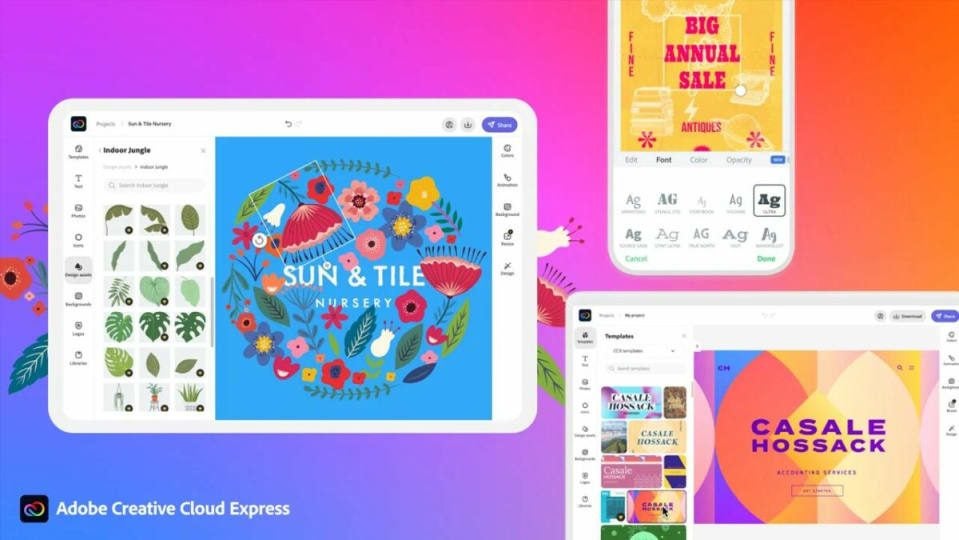
Adobe Express is a tool that has saved the life of anyone who has flirted with graphic design more than once. As a web application, it’s compatible with most browsers, capable of creating everything from PDFs to videos, and it’s free. It also provides access to a bank of freely usable images and, in general, greatly facilitates the creation of content of any kind. However, it’s about to become an even more powerful product thanks to the integration of generative artificial intelligence.

This new version won’t be available in the mobile version

However, the Firefly artificial intelligence, similar to what Microsoft might be integrating into its Paint tool, won’t be available in the mobile browser versions of Adobe Express. It will only work on desktop browsers (try with Edge, as it doesn’t function in Opera). Yet, this isn’t by any means the only new feature. With the new implementation, the aim is to achieve greater AI capability and access to the entire library of media and fonts from Creative Cloud. It also enables real-time collaborative editing. This approach seeks to establish a smoother and simpler workflow for repetitive or daily tasks while enhancing creative work to some extent.

Likewise, Adobe has considered businesses by designing an Adobe Express version exclusively for this sector, with the intention of streamlining creative processes. This not only includes Adobe Creative Cloud integrations but also the Experience Manager, a solution for content management through the cloud.

Furthermore, Adobe Express introduces new video and design templates, review and comment functions, various animation and transition options that can be handy for creating TikTok videos or content for any social media platform. New quick functions and shortcuts have also been implemented, significantly expediting the work process.

And you know the best part? Adobe Express Premium, with its new powerful artificial intelligence, is available for free to any Creative Cloud user.

Experience the New: Microsoft Edge 116 Launches with Exciting Upgrades

Every day, there are more browsers in the market: Google Chrome, Opera, Mozilla Firefox, Brave Browser… But there’s one in particular that we’ve all grown fond of after so many years with it: Microsoft Internet Explorer. It stopped receiving support a while ago, but its spiritual successor, Microsoft Edge, has carried on its legacy with much smoother performance, aiming to stay one step ahead of its competition.

Microsoft Edge DOWNLOAD

This achievement hasn’t come about by chance. Like many other browsers, Microsoft Edge has to fight for its market share, and apart from providing fast and efficient service, it has been known for striving to include a few innovations in each of its major updates that progressively enhance the quality of life for its users and offer them a gradually more pleasant experience.

Edge for Business, the major novelty

To cater to the needs of the numerous professionals using its browser, Microsoft has included in its 116th edition (the latest stable version) an option that, in their own words, is a tool that allows organizations to maximize their productivity and security, and provides the ability to separate work from personal searches with an automatic switch between the personal and professional browser windows.” Among other things, it adds a small briefcase icon to identify the professional window and incorporates an identification system that will provide Edge for Business capabilities to anyone who logs in through their Azure account (currently known as Entra ID).

In addition to this, there’s a significant user experience enhancement: the Edge sidebar, which has always proven highly useful, can now be pinned to the Windows 10 desktop by simply clicking the “unpin” button. This way, the sidebar will be available at any time without the need to keep the browser open. Considering that this sidebar can be customized with the user’s desired utilities, it becomes an even more powerful tool.

Microsoft Edge DOWNLOAD

These are not the only novelties that Microsoft Edge brings, but they are certainly the most interesting ones and, undoubtedly, the ones we will appreciate the most in our daily lives.

Unveiling the Powerhouse: Samsung Galaxy S24 Set to Boast 10-Core Processor

We are fully immersed in the race for dominance in the high-end mobile phone segment, and after a 2023 that ended with Samsung’s defeat in its battle against Apple, both companies are preparing their flagship devices for the next showdown. The Korean company already surprised by revealing that its upcoming smartphone would feature a functionality that nobody expected until the iPhone 16. Following this, there have been discussions about the Galaxy S24 featuring a new Exynos chipset in some of its models, a trend we had already seen with the S23.

Improved Exynos 2400, that’s the key

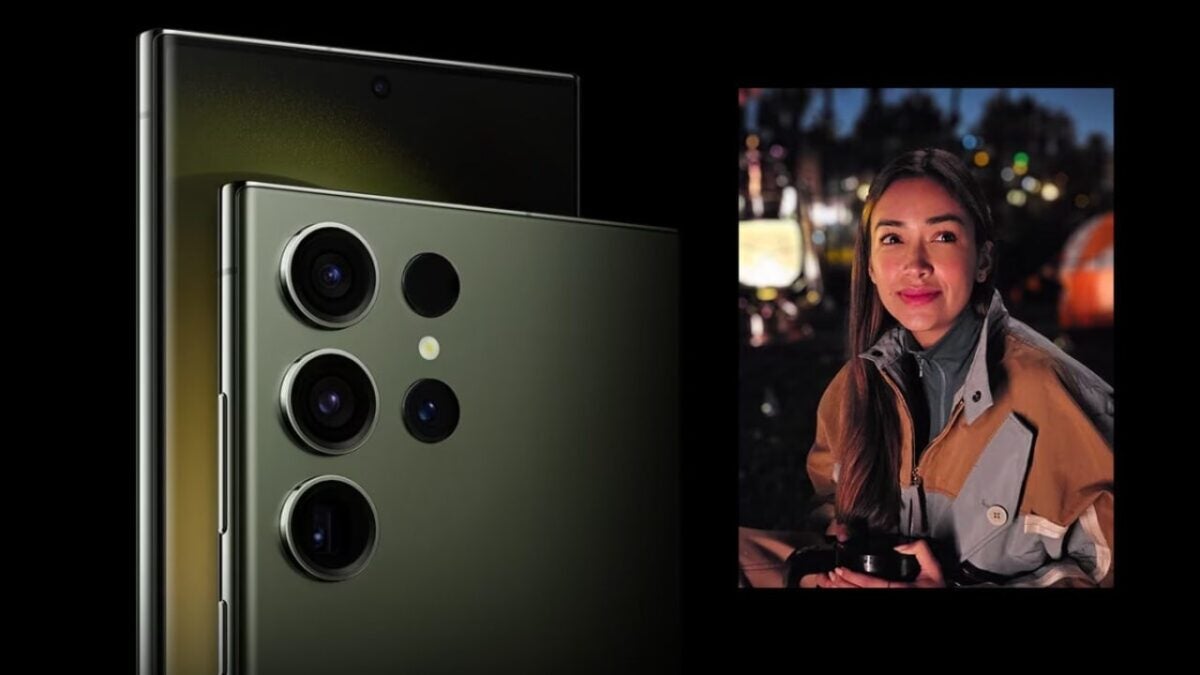
A version of the Exynos 2400 chip customized directly by Samsung could make its way to Europe, Africa, and certain parts of Asia. However, this isn’t the most intriguing part: rumors suggest that the Samsung Galaxy S24 will feature a 10-core CPU configuration of 1+2+3+4 clusters, with a main cluster rumored to reach up to 3.1GHz in frequency. The other clusters wouldn’t be as powerful, of course, but they are expected to handle less demanding tasks effortlessly and easily tackle more significant challenges.

But that’s not all. Alongside the advanced CPU, there’s a notably powerful GPU in the mix: an upgraded Xclipse 940 with twice the compute units, equipped with RDNA 2 technology. Given that the original Xclipse had three separate units, this modification would have six, totaling 12 cores.

It’s not clear whether this combination can compete with Qualcomm’s Snapdragon 8 third generation, although some voices suggest it will achieve twice the performance of the Exynos 2200. This, in reality, wouldn’t be a significant feat, as it’s widely known that processors under this brand have consistently lacked significant graphical power.

In any case, while this information is reliable, it’s far from definitive, and no one can guarantee that the specifications of the Samsung Galaxy S24 will be as described before the official announcement. Nevertheless, if they turn out to be true, it would be quite exciting.

Game Changer Alert: Motorola Unveils Weapon to Outshine Samsung Galaxy Z Flip 5

Motorola is a brand with the bad habit of doing things a bit differently. Many times it works for them, other times not so much, and occasionally we come across prototypes that we don’t know if they’re brilliant or will give us nightmares – like, for example, the Motorola Rizr with its rollable screen. Yes, rollable. At a time when screens are getting larger and companies are tackling this in imaginatively diverse ways, Motorola aims to always be at the forefront. It’s no wonder that while Samsung flirts with its Galaxy Fold and Z Flip, the American company is also immersed in revisiting simpler times of foldable phones and clamshell-type devices.

No, this time I’m not here to talk to you about feature phones like the Nokia 150, but about the Motorola Razr+. The foldable smartphone that the company released to the market at the end of June and could challenge the delicate situation Samsung finds itself in. The Korean company has erred on the side of conservatism with its Z Flip 5, and Motorola has not missed its golden opportunity.

Optimal Quality-Price Ratio

While the Motorola Razr+ doesn’t feature top-tier technology with a first-generation QualComm Snapdragon 8, it does come equipped with a powerful processor that has demonstrated almost optimal performance across multiple devices. Its 8 gigabytes of RAM might be one specification where the device falls slightly behind, but it boasts a main display of 6.9 inches with a 165Hz refresh rate, complemented by a 3.6-inch secondary display with a 144Hz refresh rate. It surpasses the screen quality of the Z Flip 5, offering better responsiveness and more accurate color representation.

However, its camera is a somewhat challenging aspect to defend. It won’t deliver professional-grade performance, but it’s not aimed at that segment either. It will serve you well for occasional photography, as it captures high-quality images in various lighting conditions, albeit with a few limitations.

What’s truly striking isn’t just that it boasts specifications that compete with the Z Flip, but that it comes at a lower price point, with a difference of over 300 euros, and performs in a very similar manner. This unique combination makes it a solid alternative to other foldable phones.