Hands on with the new Google Maps

google maps updated

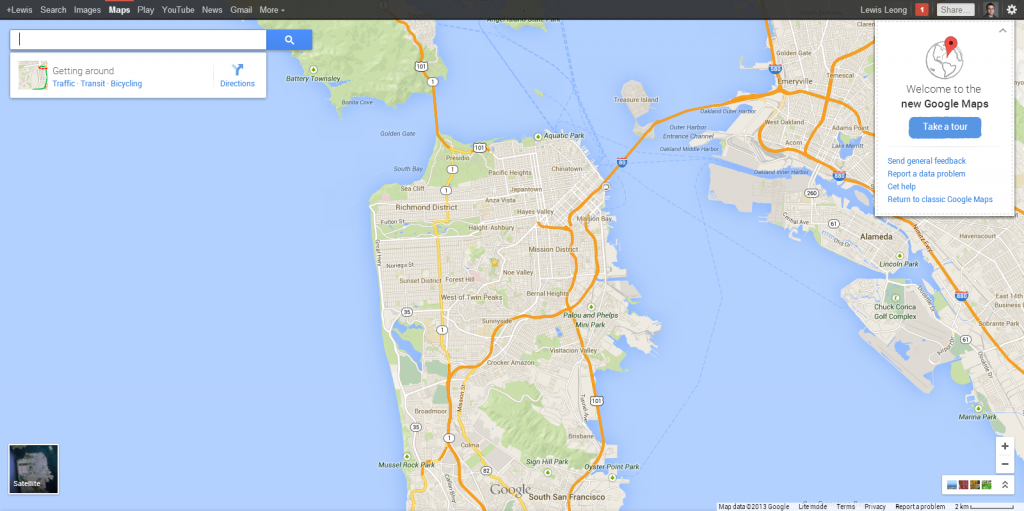
Images of the new Google Maps leaked shortly before the keynote at Google I/O, but a preview is available. I’ve received an invite and tested the new features. The most noticeable difference is the removal of the sidebar and old navigation interface. Google Maps doesn’t just have a new appearance, there are also new services and more personalized maps.

User Interface
chicken

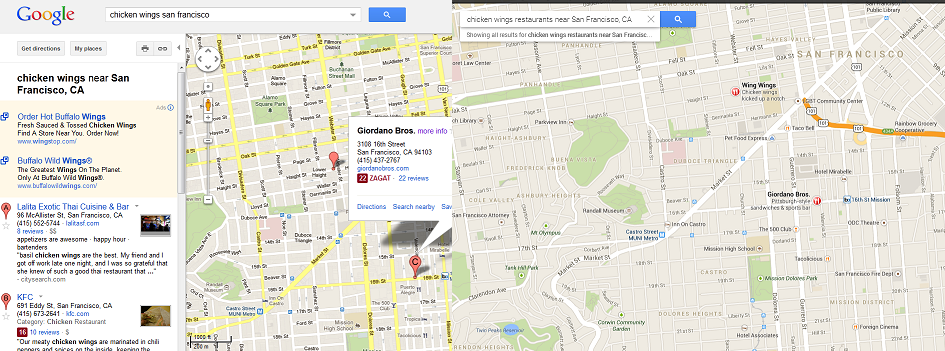
The new design uses the entire browser, allowing for a greater focus on the map. The search bar sits discreetly in the top left of the map. When you find a location, additional information will appear directly under the search bar. This may include links to building interiors, Street View, directions, public transit routes, nearby restaurants, details on retail stores, and more.
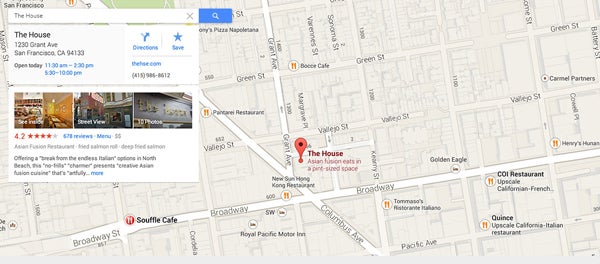
San-Francisco-AFTER

Compared to the previous version of Google Maps, zooming and movement is much more fluid and responsive, allowing you to explore faster. The redesign includes new icons, colors, and text that make landmarks and major street names more noticeable. The interface is minimal, which I find aesthetically pleasing and easy to use.

Visual Exploration

google earth

Google Maps has integration with Google Earth, allowing 3D exploration of satellite photos. Note that your web browser will need WebGL to display such graphics. As mentioned previously, viewing these satellite images can bog down performance. You can also zoom out to get a full view of the entire globe, complete with real-time clouds and solar cycle. This might not be practical for many users, but it is stunning to explore.

geospheres

What I see as a more commonly used feature is photo tours inside buildings and around neighborhoods. Mobile phone users can submit geospheres to Google, allowing a unique perspective similar to Street View. This will let you explore far off tourist destinations from the comfort of your seat.

Smart and personal maps
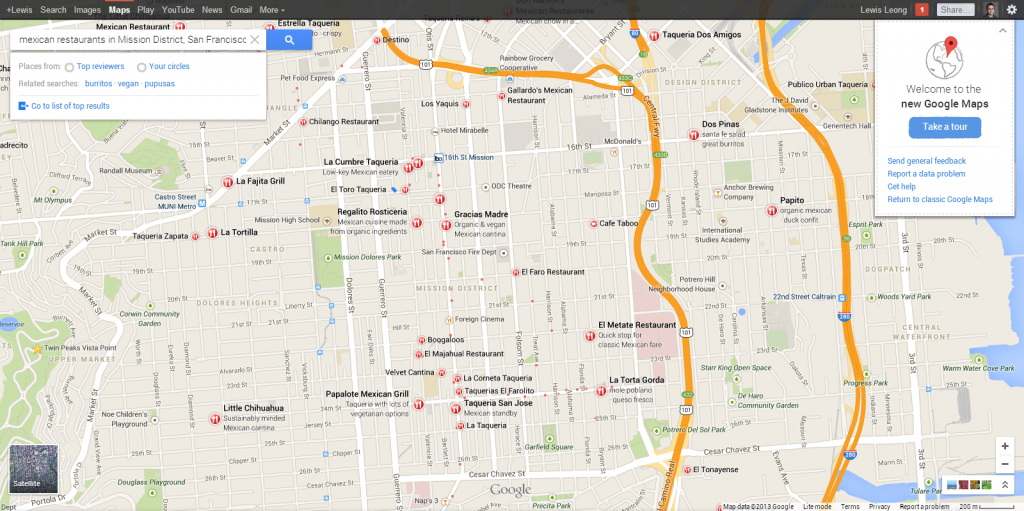
personalized map

The new Google Maps continues to integrate data from other Google services. You can quickly filter between top user reviews and reviews from people in your Google+ circles without having to switch services. Reviews may also include a professional Zagat review in supported countries, which is very useful in the United States. My Places are also easier to add and find, placing more distinctive icons for home, work, and starred locations. I have yet to run into any of the loading errors that the My Places previously had, which makes me hopeful that those issues are a thing of the past. These features makes it much simpler to populate your map with locations that are important you.
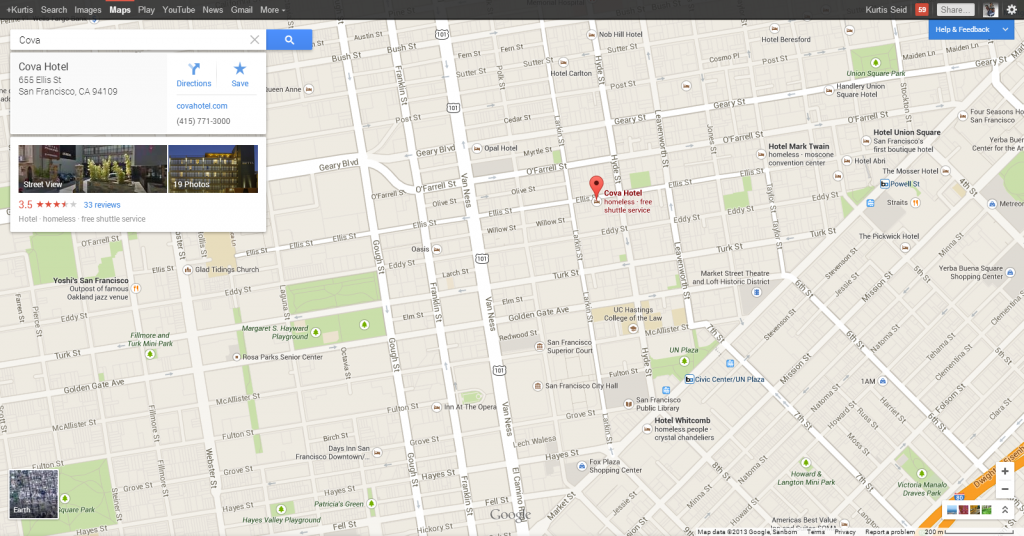
hotels

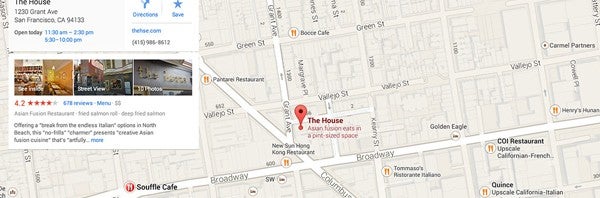
My favorite aspect is that when you pick specific locations, nearby streets and related business will be highlighted. When I click on a hotel in San Francisco, other hotels are stressed with bold text and streets outlined with a thicker edge. Even smaller unnamed streets will suddenly become labeled to help guide you to the location.

Simplified directions
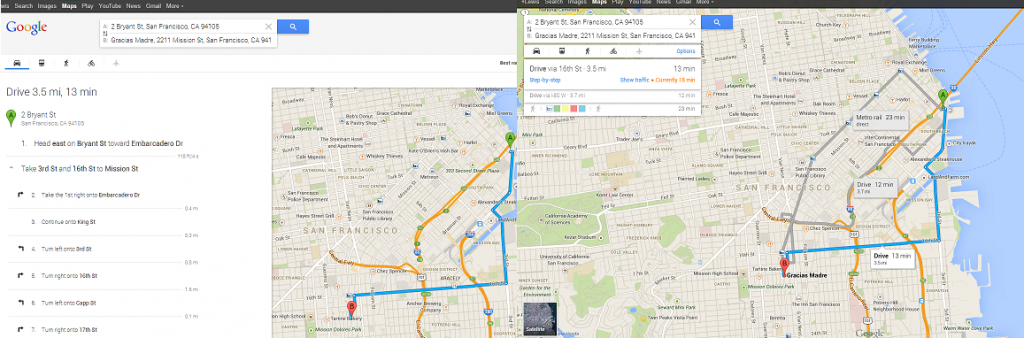
directions

Planning out a trip or simply finding directions is much easier. The new interface allows you to click on the map to see the best route between two locations. The map displays several alternate routes, along with estimated times, potential cost, and mode of transportation (driving, public transit, or walking). There is even an option check travel by plane via Google Flights. When these tools are combined you can easily avoid traffic or navigate through places you’ve never been to.

Final thoughts

The update to Google Maps is very impressive. Nearly all of the new features make an already excellent service even more powerful. The interface is fluid, loads fast, and provides a wealth of information. There are some minor issues with the update, but they can be smoothed out with a few easy updates. I eagerly look forward to the final release and corresponding versions for other devices.

Rumors: What could be announced at Google I/O 2013

Google I/O 2013 is taking place next Wednesday in San Francisco. This developer-focused conference is where Google features highly advanced session about topics such as Android, YouTube, Chrome, and other Google services. The ‘I’ and ‘O’ stand for input/output and ‘Innovation in the Open’.

The conference has been going strong since 2008, enough that all $900 tickets to the 2013 event sold out in 49 minutes. This is because I/O isn’t just for developer workshops, but where Google announces many of their future plans to the international press. Google remains quiet about what exactly will be presented, so there are plenty of rumors. We definitely have our ideas about what Google will announce, such as updates to Android OS, Google Now, Google Babel, and much more.

We’ll look at the likely (and a few wishful) announcements that Google could show off over the next week:
Continue reading “Rumors: What could be announced at Google I/O 2013”

How to prevent iTunes making backups on your computer

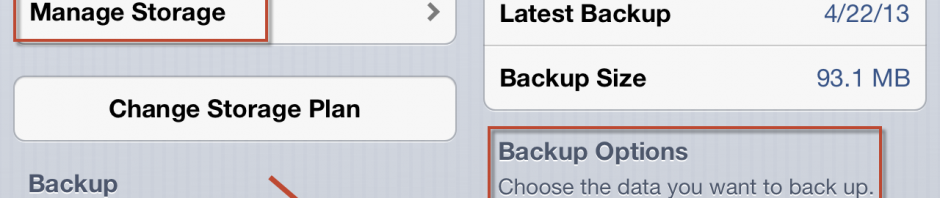
itunes 11 iconEver notice your hard drive filling up after syncing your iPhone, iPad, or iPod Touch? iTunes copies files during a sync and there can be a whole lot of them if you’ve been using the iTunes Store for a long time. All these files take up room on your computer and the problem can becomes even worse if you own multiple iOS devices, as each one makes a copy when synced.

On iOS 5 and later, it’s possible to back up your device to iCloud instead of your computer, storing settings and apps online. iCloud doesn’t back up music, though, so you’ll need to use iTunes Match instead. Note that the first 5 gigabytes of storage of iCloud are free, while a maximum of 55 gigabytes has a subscription fee of $100/year.

We’ll show you how to switch from backing up to your computer to backing up with iCloud…
Continue reading “How to prevent iTunes making backups on your computer”

How to hide Instagram tags

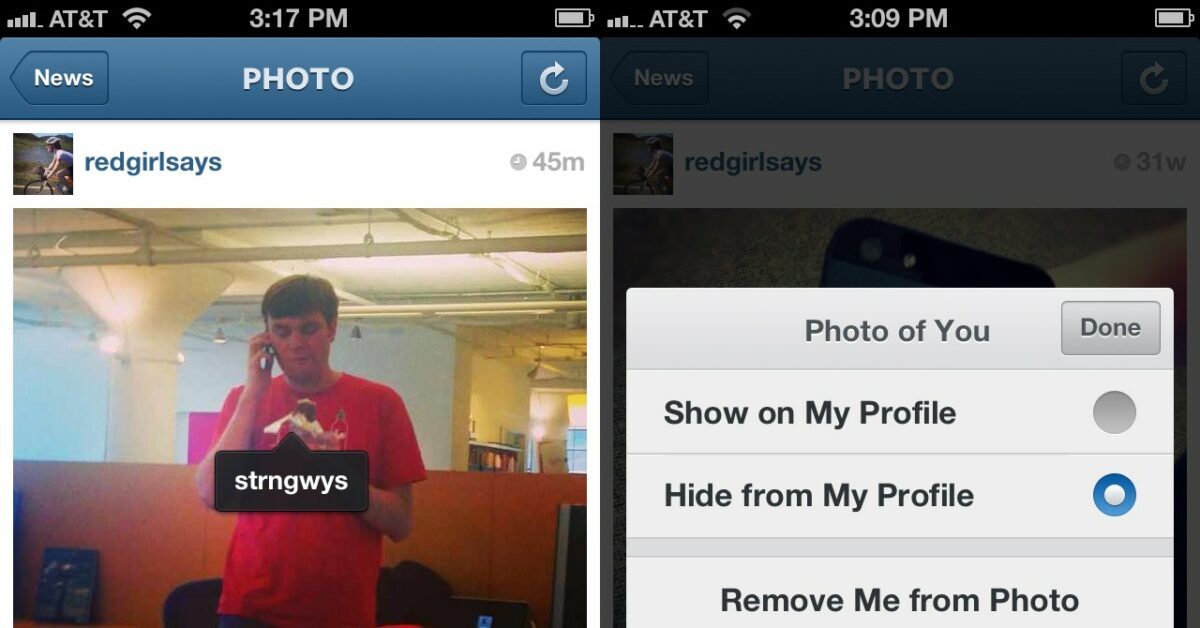
Instagram iconInstagram’s latest update on Android and iPhone now allows users to tag photos. This new feature works like Facebook’s photo tagging, allowing you to tag other users in an image. Whenever someone takes a picture, they can tag you anywhere within that image, and you’ll receive a notification that they’ve done so. Additionally, images you’re tagged in will appear in a new “Photos of You” section. As with Facebook, you may eventually find yourself being tagged in an image you don’t want. Thankfully, there are two new options that will let you automatically hide new photos others tag you in and remove ones that are already visible on your profile. We’ve used a Samsung Galaxy Nexus for our testing, but the steps are compatible with other Android and iOS phones.

We’ll show you how to prevent those embarrassing photos from appearing on your feed…

Continue reading “How to hide Instagram tags”

How to prevent Google Now battery drain

An update to Google Search featuring Google Now was recently released for the iPhone, iPad, and iPod Touch. Originally for Android, Google Now is a tool that provides information on sporting events, weather, and travel. However, many reviews on iTunes have complained about the absurd amount of battery life Google Now saps up.

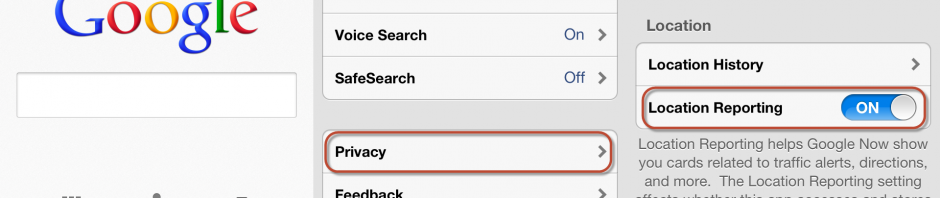
To get up to date information Google Now turns on your iOS device’s Location Services, gathering data from nearby cell towers and Wi-Fi hotspots. Google’s intention was to prevent battery issues by not completely relying on GPS, but this hasn’t worked for everyone. Thankfully, there is a way to disable Location Services while still using most of Google Now’s features.

While you may lose out on live traffic reports and nearby restaurants, we’ll show you how to save your device’s battery. Continue reading “How to prevent Google Now battery drain”

Guide to the Angry Birds saga

It’s amazing to think about how popular Angry Birds has become, gaining 1.7 billion downloads across different devices and €152.2 million in franchise revenue during 2012. The gameplay is simple and addictive, but catapult physics games aren’t even original. In October 2008 Castle Clout was among the first free flash games to use the mechanic, and was quickly followed in April 2009 by Armor Games’ Crush the Castle. There was something special about Angry Birds that made it stand out against similar games that came before and after it. Many have cited that Angry Bird’s massive following comes from the humorous character designs, which have spawned an ocean of merchandise. The series’ lighthearted appeal has allowed Rovio to bring Angry Birds to over 68 countries and stage live events in places such as Barcelona and Kuala Lumpur. The rampant popularity has garnered seven iterations across multiple devices, including tie-ins with other properties like Star Wars and Rio. There are down sides from such success, such as blatantly offensive imitation games like Angry Prophets, which may be pulled from the Google Play Store.

Seven different games is a lot of in less than four years. Are you an Angry Birds expert that knows all of them? Don’t worry if you aren’t, as we’ll recap the franchise below.

Continue reading “Guide to the Angry Birds saga”

Guide to using two-step verification

Locks imageIdentity theft and account hackings have been rampant the last year. In April, WordPress sites were continually bombarded by a massive botnet, an infected computer network, that relentlessly tried to take control of websites. To increase security, the creator of WordPress urged users to change their admin name, create stronger passwords, and enable two-step authentication. Companies such as Google and Facebook have been quick to enable two-step verification for its own users.

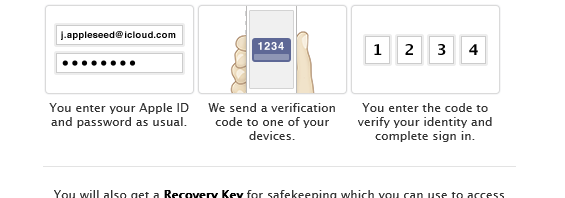
But what is two-step verification? It has different names (such as “login approvals” or “two factor authentication”) but what it does is adds an extra layer of security by requiring a randomly generated code along with your password. This code is typically sent to your phone, either as a text message or with a code generator app.

Below we’ve rounded up our posts about two-step verification, including how it works (both its strengths and weaknesses), and how to enable it for specific services. Check back regularly as we will continue to update this page with more two-step verification posts.

Continue reading “Guide to using two-step verification”

Alternatives to TweetDeck

tweetdeck iconTwitter purchased TweetDeck in 2011 in an effort to halt third party Twitter clients,  but by March 5th 2013 the company announced plans to cull TweetDeck’s features.On May 7th, Twitter will end support for TweetDeck on Android, iPhone, and Adobe AIR altogether. The Mac and Windows versions will continue to be supported for the time being, but their futures are uncertain. While TweetDeck will still remain a web app, this closure is a giant inconvenience to Android and iOS TweetDeck users.

One of the major advantages of TweetDeck is the ability to log into multiple accounts and display multiple feeds at once. It also has support for connecting to Facebook. There are of course no TweetDeck clones, but there are plenty of potential replacements (some even have superior features). We’ll compare and contrast various Twitter clients on different platforms against TweetDeck to help find the best one for you.

We’ll walk through some alternatives and help you choose the best one.
Continue reading “Alternatives to TweetDeck”

How to use Messenger Reviver 2

App iconAre you displeased about Microsoft’s transition from Windows Live Messenger to Skype? On April 8th, all Messenger users (except those in mainland China) were forced to migrate to Skype. Thankfully there is a solution for those yearning to use Messenger again. Messenger Reviver 2 allows you to patch or reinstall fully functional versions of Windows Live Messenger.

Note that this is not a permanent solution as Microsoft still plans to fully discontinue Messenger and all of its services at a later date (estimated around March 2014). Messenger Reviver 2 is also an unofficial app, so it is possible that Microsoft will block this workaround in the future. In any case you should also check our complete guide to moving from Messenger to Skype. Also consider other alternatives such as Google Talk and Facebook Messenger.

We’ll show you how to use Messenger Reviver 2 and get Windows Messenger running again.
Continue reading “How to use Messenger Reviver 2”

How to enable Facebook Two Step Verification

facebook iconFacebook is one of the largest social networks in the world. It consumes the attention of over a billion users across the web and for many, it has become a necessity. The company even created its own Android launcher. It would be disastrous to have your Facebook account hacked; in affect, your online identity would be hijacked. Thankfully, there are ways to protect your account from would-be hackers.

Google, Dropbox, and Apple have already implemented Two-Step Verification to protect their users. Facebook has followed suit with their own version of Two-Step Verification, which they have dubbed “Login Approvals.” Login Approvals work on both the Facebook website and on mobile devices.

The process of setting up Login Approvals is very straightforward as Facebook provides clear instructions. You will need an actual cellphone number to use Login Approvals, as Facebook cannot send confirmation texts to landlines or Google Voice. Facebook also recommends upgrading to the latest version of your app to guarantee a flawless setup.

Find out how to secure your Facebook account with Login Approvals with this guide.

Continue reading “How to enable Facebook Two Step Verification”