YouTube kills gaming app, launches new gaming destination

YouTube’s first attempt to overthrow Twitch failed. Here’s what they’re trying now.

The fact that YouTube has a standalone gaming app probably comes as news for most.
youtube gaming screenshot

In 2015, YouTube Gaming was launched in an effort to become like Twitch, one of the world’s largest game streaming platforms. Like Twitch, the app has sections where you can watch creators live stream and stream your own games, a tab that separates videos by game, and an area for top channels. Even with these similarities, YouTube struggled to gain a dedicated community largely due to the lack of opportunity to monetize videos or actively tip streamers while they are live.

YouTube Download Free
8

Even with the consistent viewership on the gaming app, YouTube recognized that isn’t what it could be. According to a post on the official YouTube blog, the YouTube gaming app will close in March of 2019.

Let’s try this again

But YouTube isn’t throwing in the towel. A new video hub has been introduced. The new YouTube gaming destination will have all of the features of the app and more. The main reason for the switch is that YouTube recognizes just how large their gaming audience is, clocking in at over 200 million viewers per day. Only a very small fraction of those views are through the app, relocating to the main site will help viewers have better access to the gaming community.

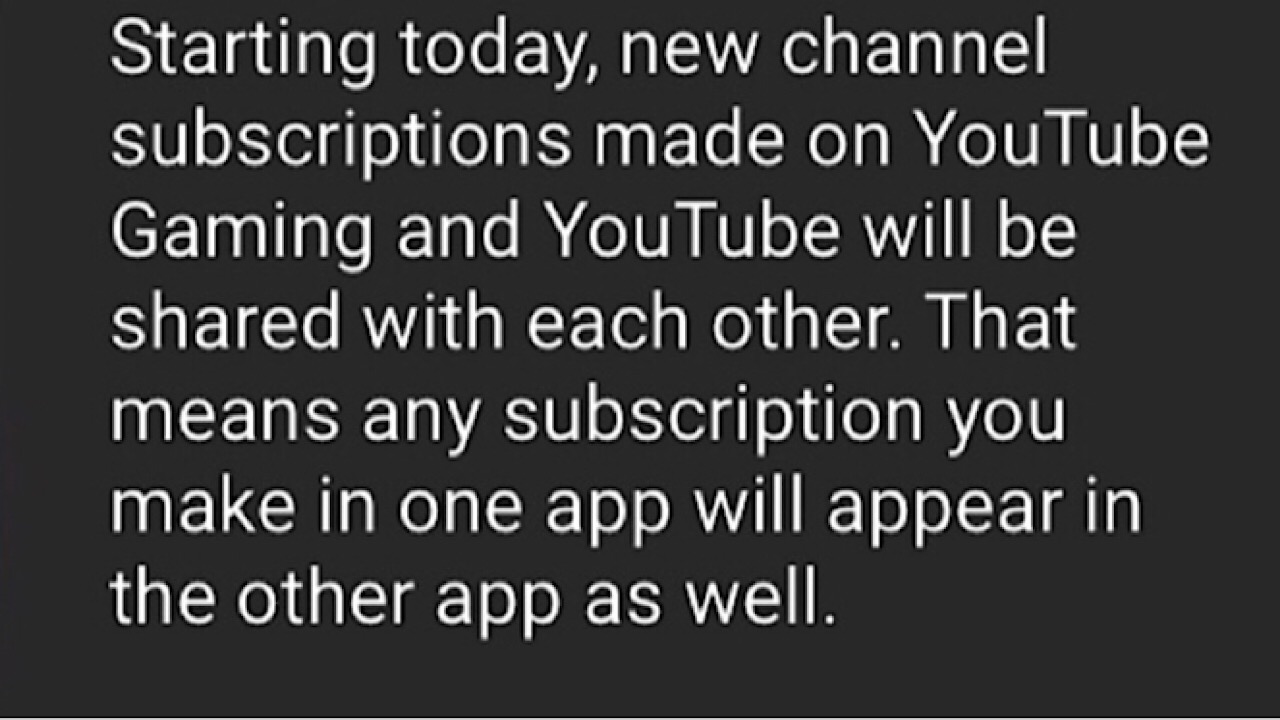
If you liked the app, don’t worry! Now when you log in, you will be prompted to grant permission to share existing subscriptions.
youtube gaming pop up

You won’t have access to the standalone app once March rolls around, but you won’t lose track of anyone you subscribed to. Happy watching!


Google Family Link allows parents to monitor teens

Parents might be happy about Google’s new initiative. Teens? Not so much.

For many parents, the thought of their children having total access to the internet can be scary. With the increase of easy to use technology and mobile devices targeting a younger audience, kids have more access to social media.

Google’s answer to this problem is Family Link, a free service for iOS and Android launched last year that allows parents to control their children’s devices. Kids have access to all the apps on their device, but parents get notifications for every move that they make and can set parental controls for which apps and services a child can view. They can approve a child’s downloads and purchases, manage SafeSearch and restrict internet browsing, and review permissions to access the camera and mic as well.

Google Family Link DOWNLOAD FREE
5

Recently, parents have expressed that they would like access to their older children’s accounts as well, and soon they’ll be able to manage accounts for ages 13 and up according to an announcement on Google’s official blog.

Parents can log in to a Chromebook that has an account tied to Family Link and view activity, and Google is working on more features, like setting a screen time limit and manage website restrictions. The difference for teen accounts is that both the parents and the teen have to consent to the monitoring feature, and the teenager can turn off the parental control function if they would like. If this happens, the device will be locked for 24 hours and the parent will be notified.

This isn’t the most exciting update for teenagers, but parents can rest easy knowing that everyone is a bit more safe.

How to turn off your iPhone’s automatic subscription renewal

We’ve all had that moment when we’re charged for an app because we forgot to cancel it after the free trial ended, or you just want to end a subscription. Luckily for iPhone users, we have a way to keep that from happening ever again.

How to turn off your iPhone’s automatic subscription renewal

1. The app store
apple store screenshot

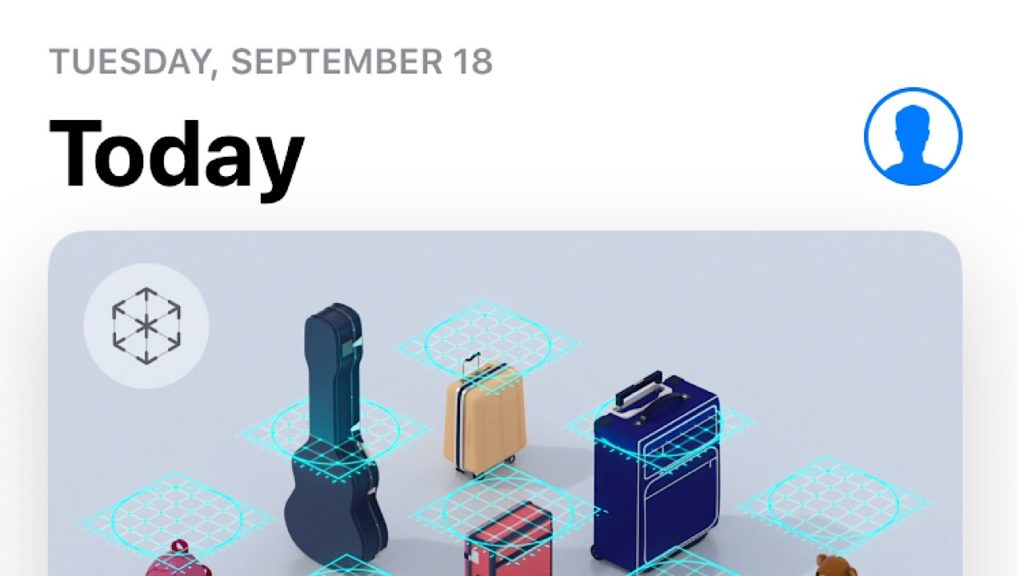
Tap on the app store. Once there, tap the little blue headshot icon in the top right-hand corner, which will take you to your account information. Select the button with your Apple ID.

2. Account settings
account settings screenshot

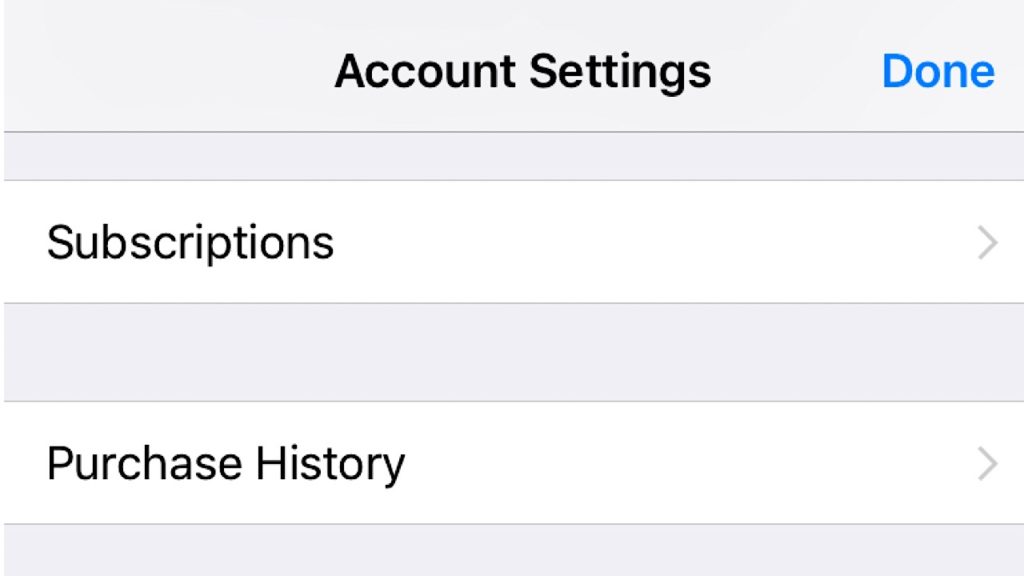
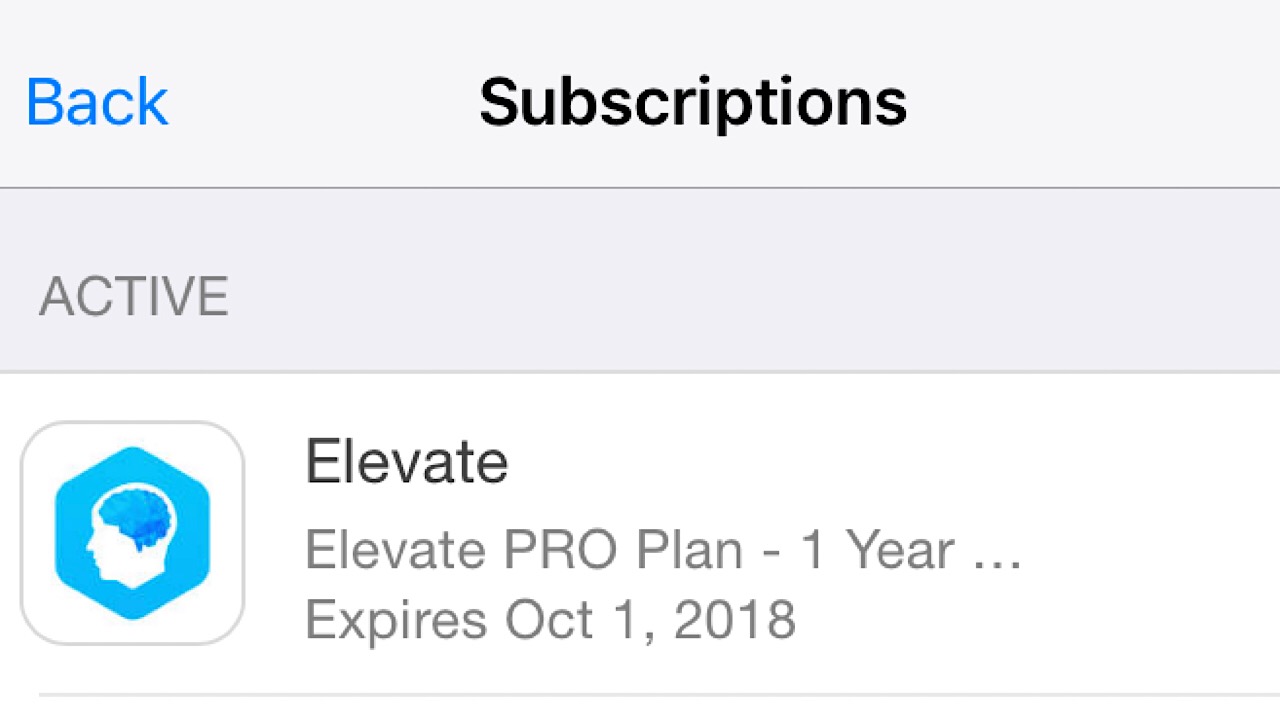
Once in account settings, scroll down to the button that says subscriptions. Tap it, and you’re in your subscriptions where you’ll see all of them that are currently active.  Tap on the subscription that you want to cancel.

elevate cancel screenshot


Spotify Download Now
8


3. Canceling the subscription
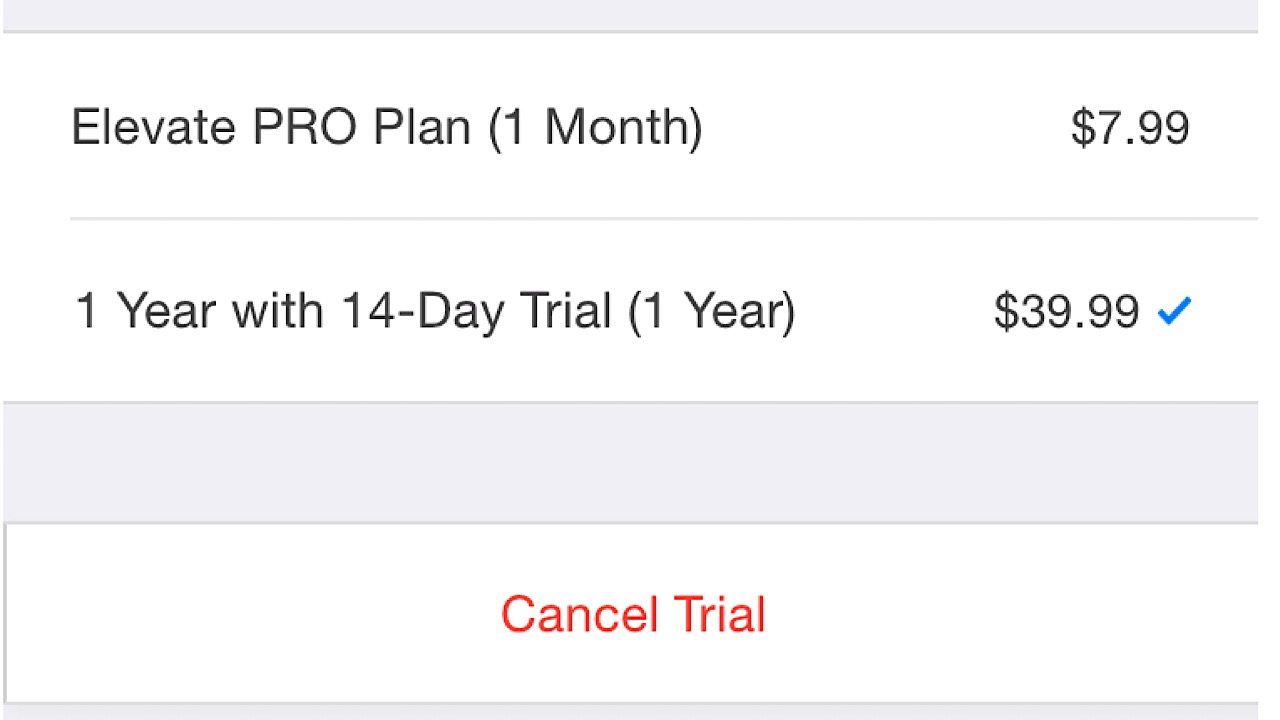
cancel trial screenshot

On the page of the app that you want to cancel, scroll down to the cancel trial or cancel subscription button and tap it. A confirmation window will pop up, and most times, you’ll have the option to continue using your subscription until the end of the free trial or the rest of the time left that you’ve already purchased. Tap confirm, and you’re finished.

Apple Music update includes Android Auto support

Apple music comes to Android Auto. Here’s what that means.

The moment many Android users have been waiting for has finally arrived.

A few days ago, Apple Music officially updated the Android version of its app for music to support Android Auto. With this, Apple Music users can now control music through their car’s infotainment system. It will allow them to use their car like the mobile app to switch songs and search through playlists. The private Apple Music beta version for Android was rolled out at the end of August, but with the new iOS 12 release, a new search function was introduced as well.

Android Auto DOWNLOAD FREE
7

Previously, the Apple Music app was limited to searching by song title, artist, or album on the iOS version. Now, if you are having a hard time remembering that and just have that one line from a song stuck in your head you can use the new feature ‘search by lyrics’. Just type in that line and the app pulls a number of songs from Apple’s database with that lyric and a few that are closely similar.

Apple Music Download Now
7

Other cool features in the update include an improved design for the new artist page, ‘friends mix’ – a playlist made up select songs that your friends have been listening to, and the top 100 songs from countries all over the world.


Google battles Shazam with Sound Search app

Google fires up an impressive Shazam competitor. Give it a try!

In 2017, Google released the Pixel 2 and included the Now Playing software. With Now Playing, you can speak to your phone, even with no internet connection, and ask it to tell you what song is playing. The software was such a success that Google decided to improve one of its older apps: a new and improved Sound Search.

Sound Search DOWNLOAD FREE
7

On September 14, Google announced on its AI blog that the updated Sound Search incorporates a lot of technology used in Now Playing. Now Playing uses neural networks collect a few seconds of a song, turning them into a fingerprint for that specific track. All of these fingerprints are added into a song database which allows offline use. The database holds tens of thousands of the most popular songs and removes songs that have had their 15 minutes of fame.

The new Sound Search system has 1,000 times more songs than Now Playing and uses a two-phase algorithm to find good matches from the entire database, and then, more accurately analyze those matches. Quadrupling the size of the neural network  also cuts down on the number of false matches it generates. All in all, Sound Search is now faster and more accurate than Now Playing with a vastly larger library.

Google says that it still needs to improve, as both Now Playing and Sound Search still have some difficulty honing in on songs that are playing when you’re in a loud area, or if the music is too quiet. Even with that, we tested the new Sound Search and it was impressive.

So, the next time want to know the name of a tune that you don’t recognize, just ask Google.


Google brings Android to cars

Are you ready for Android to be built into your car? Google is making its move.

If you’re an Android user who spends a lot of time in your car and on your phone, we have great news for you. On September 19, Google announced a partnership with auto manufacturers Renault, Nissan and Mitsubishi to install Google Maps, Google Play Store, and Google Assistant in cars.

Rolling out in 2021, you’ll be able to access these apps on the road, and other apps already on your Android device. This makes things a lot easier for people who drive a lot for work. With Google Assistant, you can stay in the loop with breaking news and developments, make calls, and send texts hands-free.

Google Maps Download Google Maps
7

The auto industry has struggled with whether or not they should hand over the keys to their tech rivals over concerns about the likelihood of digital dashboards and complex car systems becoming buggy. If our phones get glitchy, most times it’s an easy fix, but if a car’s GPS or speedometer has issues it poses a bigger risk.

Another worry was exactly how much control Google would have once given access to cars. To curb the fears, Google offered their services for free.  As for the question of the safety of personal data collected from the apps you access, Google will ask your permission first before using or storing the data.

Google Assistant Download now
8

In the golden age of technology, most people expect our modern devices to come with the ability to keep us connected. With the launch of this partnership, Google is happy to meet the demand.


Twitter gives you the option to go chronological again

Twitter goes back to the good ol’ days. Will users approve?

Twitter is bringing your timeline back to the old days and reverting to chronological order.

Twitter got rid of chronological tweets two years ago, and replaced that with a special algorithm designed to show a user tweets that they might like. The way this works is that Twitter takes a few tweets from the people you follow during each visit and scores them with a relevance model which is supposed to rank them by what would be most interesting to you. The highest ranked tweets are shown at the top, with the remaining and slightly less engaging tweets coming after.

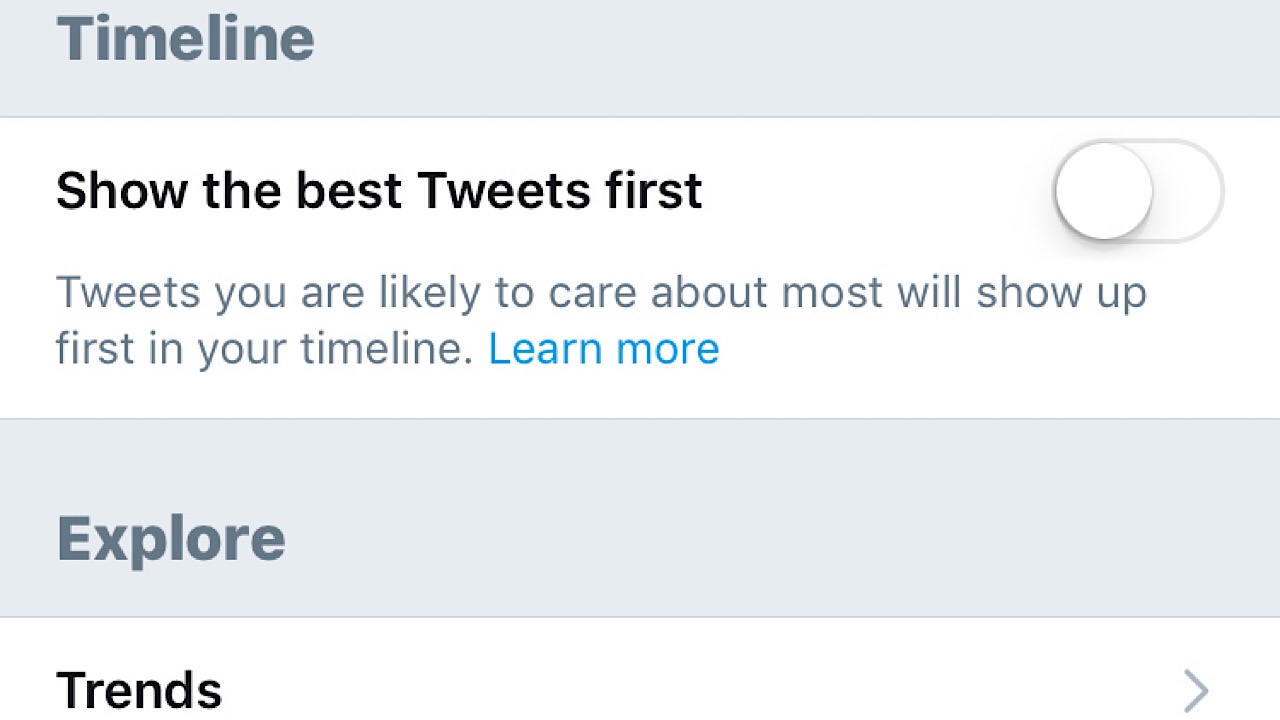
Since the ranking method has been active, users have had the option of turning off the function that shows these ‘curated’ tweets first – sort of. In the settings menu, you can switch off  “show the best tweets first,” but timelines still weren’t in true order. You’re still first shown tweets in clusters labeled “in case you missed it,” displaying tweets from an hour ago up to a few days past, and popular tweets from people that you don’t follow.

Twitter screenshot

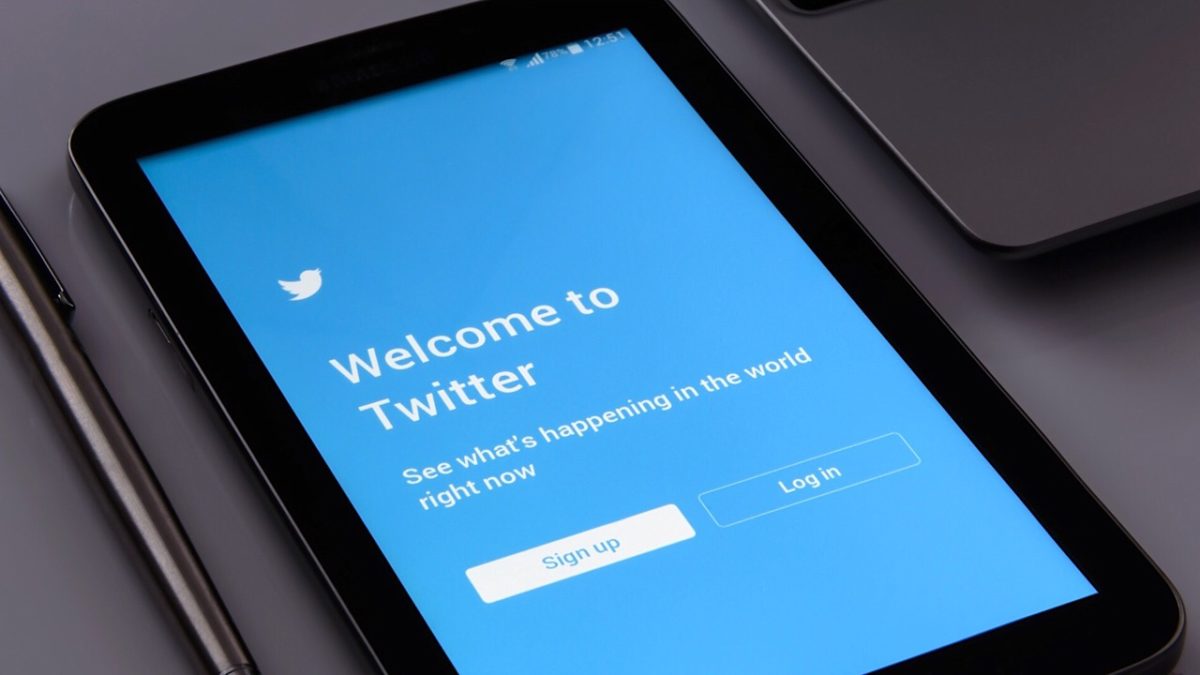
This frustrated many users, as most thought chronological order shouldn’t have been removed in the first place. Curated tweets brought “top ranked” tweets to the top, when the main point of Twitter, as shown by the slogan on the website, is to see what’s happening right now.

twitter screenshot

Every once in a while, a talented Twitter user would tweet out some help to others in the form of work-around codes or tips to help people avoid what Twitter chose for us to see first:

Promoted tweets are another addition to the pesky features that irritate users. Many of the tweets voicing issues with Twitter ask that they are included in the timeline revamp  – if not removing them completely. Limiting their appearances would be a great change.

Hopefully with these changes and the increase in characters per tweet that happened last year, Twitter will continue on the road of hearing the true voice of its audience.


YouTube Kids adds greater control for parents

YouTube now offers greater control for parents.

Just shy of six months ago, YouTube Kids, a branch of YouTube with services geared toward children, expanded its functions by allowing parents to edit controls so only videos screened by humans will be displayed instead of filtering through the algorithm.

If content is human-reviewed, this means that a YouTube moderator has watched a few videos on a channel and decides whether it is generally appropriate for children. Once opted in, the filtered content includes not only the videos that a child is allowed to watch, but the related videos as well. Before this, YouTube relied solely on its algorithm to choose which content would be appropriate for the Kids app, but because technology isn’t perfect, sometimes a video would slip through and it was up to parents to flag it for review.

YouTube Kids DOWNLOAD FREE
6

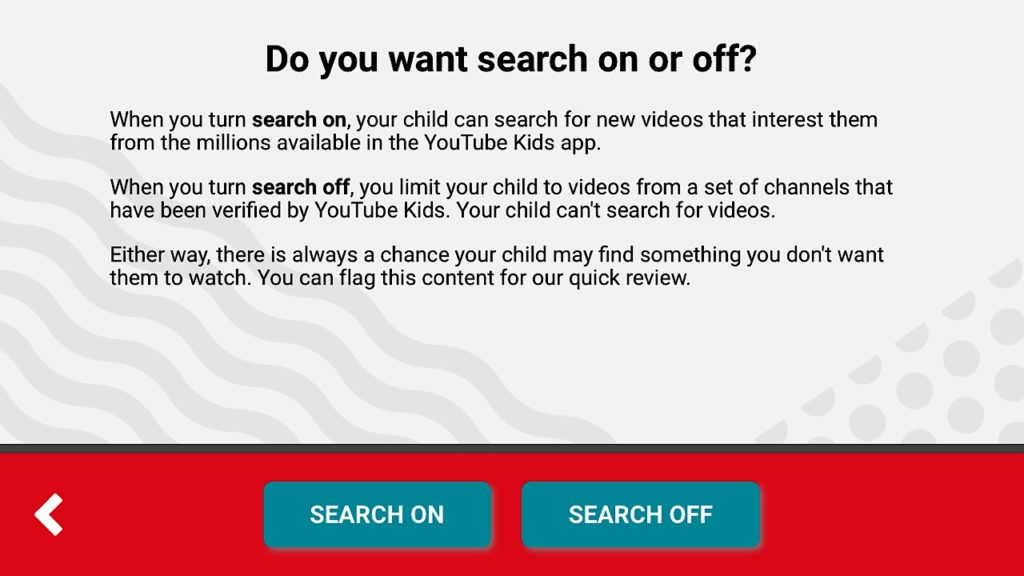
In a message on YouTube’s official blog, it was announced that YouTube Kids added another helpful feature – the ability for parents to whitelist. In the settings, parents can turn on the ‘approved content only’ option, the child will only be able to watch content chosen by the parent. This content includes specific videos or a creator’s entire channel. Once whitelisting is turned on, kids cannot search for videos or channels on their own.

youtube kids screenshot

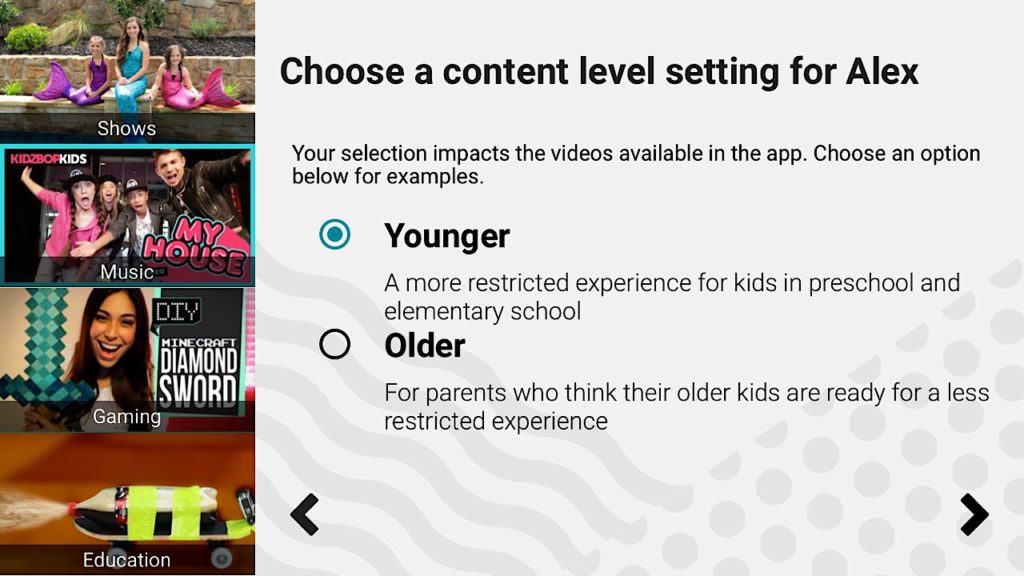
Adding to the whitelisting feature, there is also something for the older kids as well. The update brings a slightly more mature aesthetic to the app so kids 8 – 12 won’t feel as though the app is meant only for children much younger. Parents can also opt to choose the ‘older’ setting which makes videos available geared to the 8 – 12 age bracket, like gaming and music videos.

youtube kids screenshot

At the moment, whitelisting is only available on Android devices but iOS access will soon follow. Now, parents can feel more comfortable with children watching YouTube on their own.


Google admits to altering settings remotely on Android phones

Google may have been tinkering with your phone without your knowledge. Here’s why

Recently, Android users running 9.0 Pie have noticed that even though they had switched off the battery-saving function that it was back up and running, seemingly on its own. Most noted that on top of the feature running on its own, the phones were even at full power. Google hadn’t notified users of any changes due to occur, so what happened exactly?

Google admits fault

According to an answer by Google’s Pixel team on a Reddit post, it was caused by an internal experiment. Google was testing battery-saving features and accidentally turned it on for quite a few more users than they had intended. Google said that they had reversed the action and that users were again able to reconfigure their phones to the previous settings.

Reddit: The Official App Download Now
8

Pandora’s box

Even with the problem apparently solved, many Android users were still concerned about the incident, with a lot of people asking the big question; if Google is able to access battery power remotely, what else do they have access to? Is there reason to worry about the privacy of other information stored on mobile devices?

On a support page for updating Android apps, it says: “If Google determines an app update will fix a critical security vulnerability, we may make certain app updates regardless of update settings in the app or on your device”. Google then goes on by including that, relating to Google Play, if you agree to the terms of service you are also agreeing to receive updates automatically. They don’t specify what those updates are outside of bug fixes, enhanced functions, and new versions of some apps; only that some of them are necessary in order to continue to run apps smoothly and download new content.

Well, at least the battery-saving problem has been solved.


4 best cooking game apps

Want all the fun of cooking without the clean-up? Try these 4 games!

Summer’s almost over, and with Fall comes delicious home cooking. For those who can’t cook, we have the top cooking game apps that will help to fill that hole in your heart.

4 best cooking game apps

1. Cooking Mama – Let’s Cook!
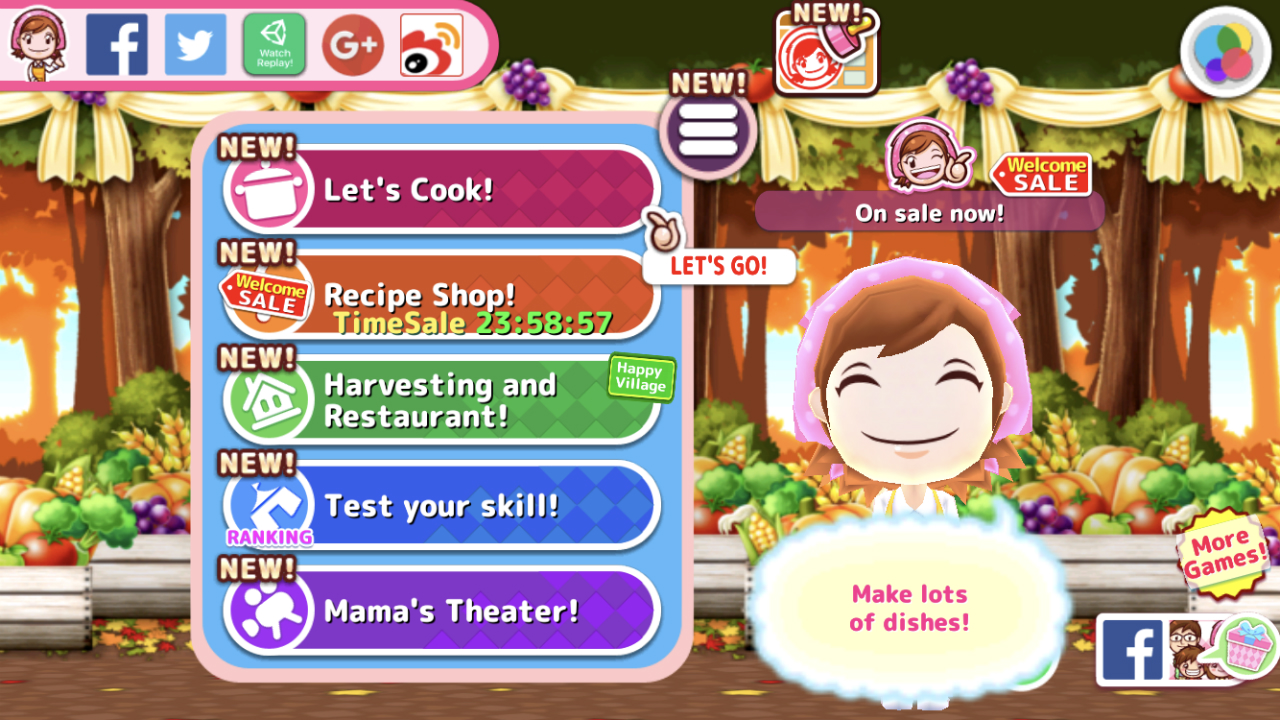
cooking mama app screenshot

Cooking Mama is familiar to most who like cooking games. You start by playing with the Let’s Cook option, and after you’ve completed your first step-by-step dish, you’re able to build and play in your own restaurant. In order to expand or play with more than the five recipes that you start with, you’ll have to purchase more. Available on iOS and Android.

COOKING MAMA Let's Cook! DOWNLOAD FREE
7

2. Restaurant Dash – Gordon Ramsay
restaurant dash app screenshot

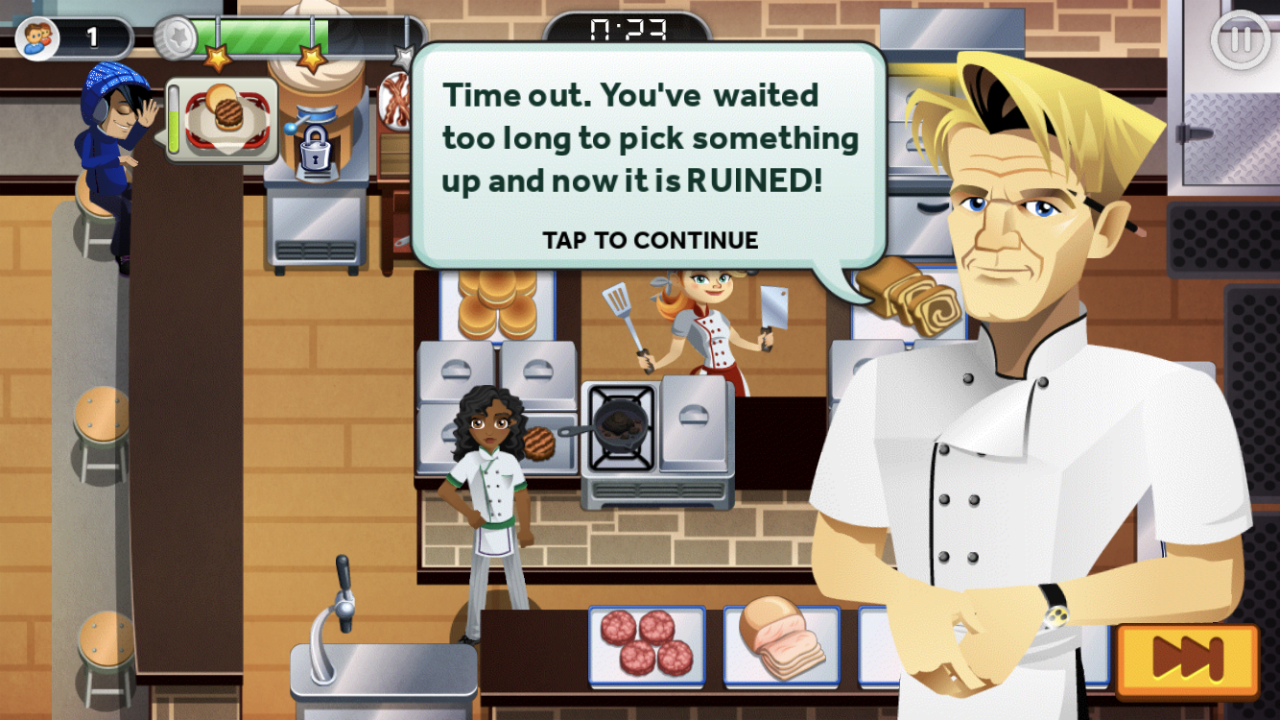
In Restaurant Dash, you’re a contestant on one of Gordon Ramsay’s cooking shows. Narrated by Ramsay himself, you start with American cuisine and prepare ingredients to cook for up to three customers at a time before the timer runs out. Burn an ingredient or fail a level, and you’ll be scolded with one of Ramsay’s infamous burns. Available on iOS and Android.

Restaurant Dash - Gordon Ramsay DOWNLOAD FREE
6

3. Cooking Diary
cooking diary app screenshot

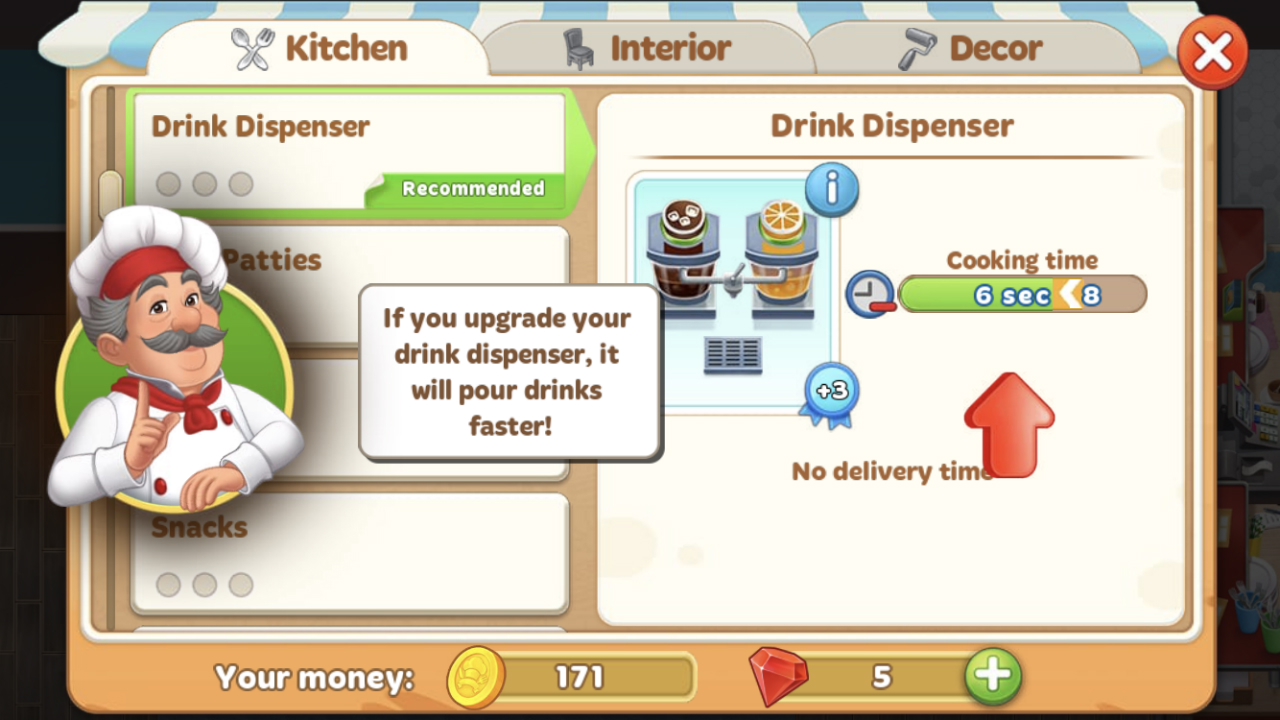
Cooking Diary: Tasty Hills is one of our favorites. What makes it stand out is that you can fully customize your character – a feature that most cooking game apps don’t have. Also, some food items don’t need prepping and never run out. You can hire assistants and increase their prep speed over time, and if you need more than one, the game allows you to join guilds with other online players. In the guild, you can request help and players can join your restaurant and help out for level. Available on iOS and Android.

Cooking Diary: Tasty Hills DOWNLOAD FREE
8

4. Cooking Fever
cooking fever app screenshot

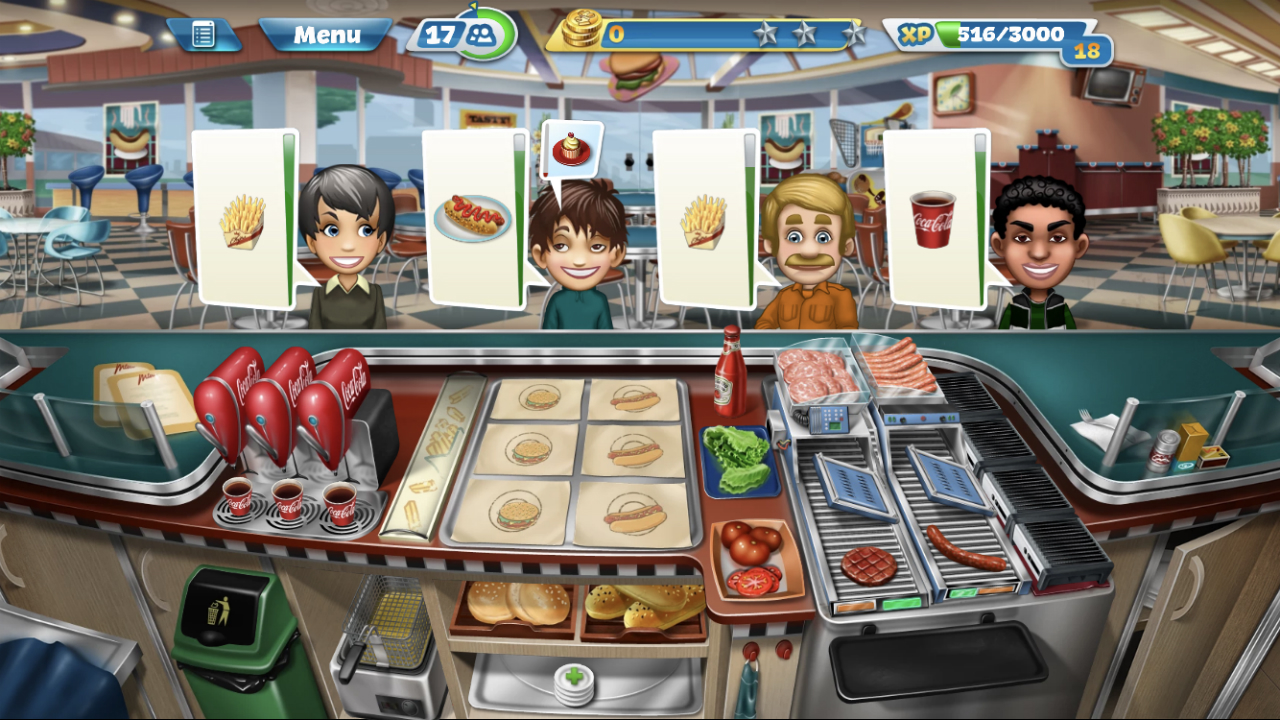
If you love cooking games, you’ll definitely recognize Cooking Fever. It’s a classic, and one of the most difficult once you reach higher levels. It has the widest variety of different cuisines that we’ve seen, and many recipes per restaurant. Newer apps have ditched the drag-to-drop function from the cooking area to the customer, but that feature is what makes this app exciting. Available on iOS and Android.

Cooking Fever DOWNLOAD FREE
9

Now that you’ve seen our favorites, it’s time to get cooking!