Open Office 4.0 released

Open Office 4.0 has been released, a major update to the popular free office suite for Windows, Mac and Linux. It has new interface features, enhancements and bug fixes, and also a new logo.

The most notable change is the sidebar, introduced to take advantage of wide screen monitors with more space. The side bar is editable – you can collapse parts you don’t use often. The sidebar can also be adjusted by width, right down to a thin tab bar.
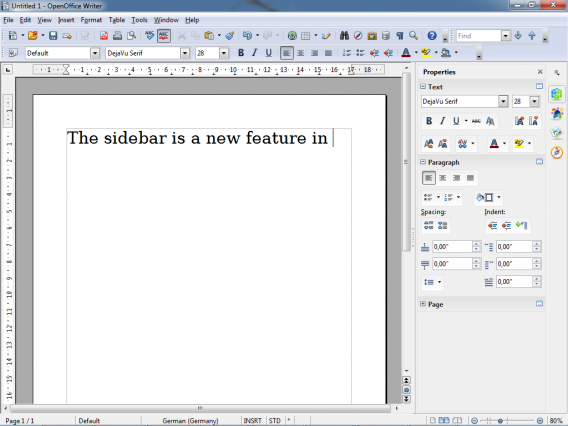
There are lots of small improvements in the spreadsheets, and new color and gradients palettes. You’ll also find new galleries and a better print preview. The new logo was chosen from 40 alternatives that were rated by 50,000 users, but it’s hardly a radical departure from the old one!

Open Office 4.0 still doesn’t look as polished as Microsoft Office, but it’s far and away the best free alternative.


LinkedIn to put ‘Sponsored Updates’ in your news feed

Following in the footsteps of Twitter and Facebook, LinkedIn has announced that they will be putting “Sponsored Updates” in your LinkedIn news feed. LinkedIn underwent a huge redesign for profile pages to make them more visual, as well as creating a news aggregator to bring users updates from influential people like Richard Branson.

The Sponsored Updates should be rolling out now and will make their way onto the mobile versions of LinkedIn in the future. While the updates will appear alongside your other content, they are clearly marked with a “Sponsored” heading. The ads will also be targeted, meaning you’ll only be served ads that are relevant to you, based on the information you’ve provided in your profile.

LinkedIn Sponsored Updates

Google has started putting advertisements into the “Promotions” inbox of Gmail, sparking some negative feedback. More and more companies are attempting to make ads more relevant and less obtrusive so that users won’t be annoyed that they’re seeing ads.

While it was easy to ignore banner and ads to the side of a page, putting ads directly in front of users can be a bit of a shock. Only time will tell if the users take to the idea of Sponsored Updates.

Source: LinkedIn

New official screenshots of Assassin’s Creed IV: Black Flag released

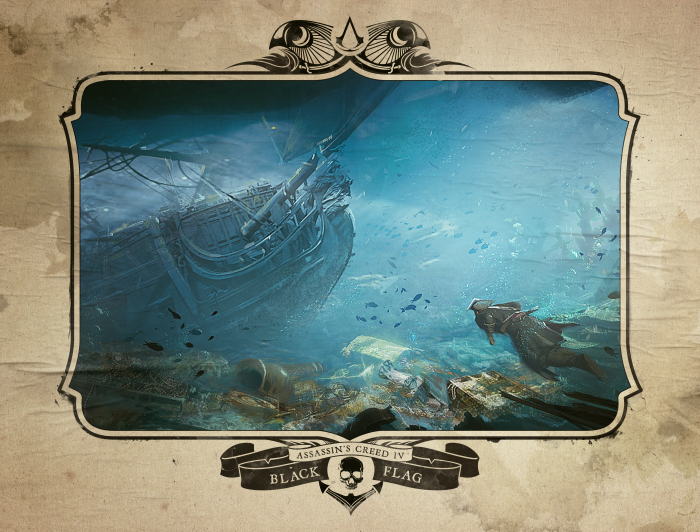
Ubisoft have released a slew of new screenshots for Assassin’s Creed IV: Black Flag to celebrate Comic-com in San Diego, that show more naval battles, sharks, looting and a mysterious artifact.

The screenshots are dramatic, especially those showing shark combat. The ocean will clearly be a dangerous place, with as much danger under the sea as floating upon it. Earlier this month we saw the naval combat trailer, which gave us a good idea how well developed life on the high seas will be.

These new images and documents show us the classes of ships you’ll meet, including the huge Man Of War. There are also ‘activity vignettes’, which describe some of the things you’ll be getting up to in the Golden Age of Piracy.

See the all the new Assassin’s Creed IV: Black Flag screenshots and images below.

Chrome App Launcher released for Windows

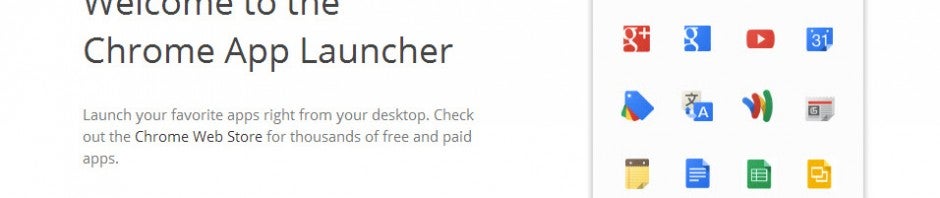
Google has taken the wraps off of its App Launcher for Chrome. The extension puts a button on your Windows taskbar so you can quickly launch Chrome apps without having to launch the browser first.

Previously, the App Launcher was only available to users of the developer preview of Chrome. It’s now stable enough that Google has released it for all Windows users. Mac and Linux users will have to wait a bit longer but Google is working on bringing the Chrome App Launcher to the platforms.

Using the App Launcher is simple; just install the extension and you’ll notice a new icon in your taskbar. Click on it and it’ll give you pages of apps you have installed for Chrome. There’s a search bar up top if you want quick access to an app. There’s also a settings menu where you can log into your Google account, change advanced sync settings, and switch user profiles.

To try the Chrome App Launcher yourself, hit up the download link below.

Download: Chrome App Launcher

Rovio Accounts launches for Android and iOS, lets you save progress across devices

Rovio announced Rovio Accounts back in May of this year but it was limited to a few countries and only worked with a couple of games. Today the company announced that Rovio Accounts is available worldwide for Android and iOS users.

The new service will allow users to sign up for a Rovio identity, which will sync your game saves to their cloud so that your progress will be consistent across all of your Android and iOS devices.

To create a Rovio Account, all you need to do is launch the Angry Birds game on your device, tap the account button, and follow the instructions on the screen. After registering for an account, you’ll have to confirm via email that you created the account. That’s it!

Rovio Accounts is only currently available for the original Angry Birds game as well as The Croods game. The company promises to add more titles in the future so stay tuned.

Download Angry Birds: Android | iOS

Download The Croods: Android | iOS

Source: Rovio

Digisocial releases on Android, offering VoicePhoto for image and voice sharing

Six months after launching on iOS, Digisocial is finally on Android.

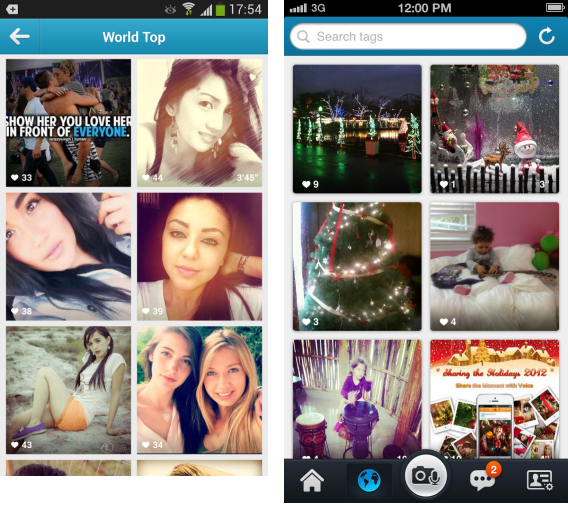
The core feature of the app is the ability to communicate with friends and other users by sharing photos with audio. The features in Digisocial combine photo sharing with communication providing a different way to interact.

Released for free on both Android and iOS, Digisocial allows you to see other user’s posts as well as create customized chat groups.

The potential for posts expands beyond simple chats with the ability to create creative posts that can be seen around the world. A great added feature is region-specific search so you can see relevant results from desired regions or cities.

Digisocial is focused on privacy for your content, but be aware that sensitive content exists in the ecosystem.

Download: Android, iOS

Could Google’s July 24th event be about Android?

Google just sent out press invites to an event on July 24th in San Francisco, California. The mysterious invite only provides the time, location, link to the live stream, and the message, “Please join us for breakfast with Sundar Pichai.”

Google Invite

Image credit: CNET

Pichai is Google’s Senior Vice President for Android, Chrome and Google Apps. Next week’s event could yield information about Android, Chrome, or even both.

This year’s Google I/O conference left many fans disappointed that there wasn’t a new version of Android. Instead, Google chose to update major first-party applications on Android to create a better experience. This is a sound strategy as these updates brought new features to older phones without having to wait for carriers to update to the latest version of Android.

On the Chrome side of things, Pichai may announce the integration of Google Now into the browser. This would bring Google’s digital assistant app to all Chrome users, who make up over 17% of the browser market.

We won’t know the full details until next week. There is a livestream planned for the event for those who want to follow along as the event happens.

[Source: CNET]

Google Maps 2.0 released for iOS with iPad support

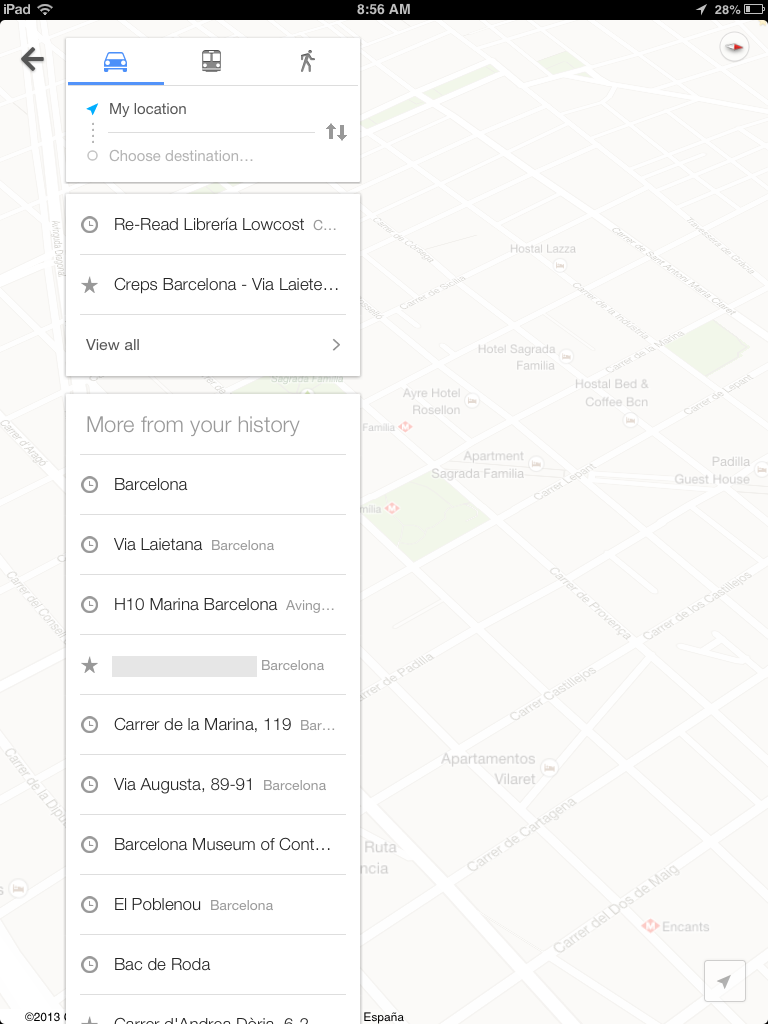
Google Maps 2.0 is out for iOS and brings iPad support alongside all the changes that were announced at Google I/O in June, with an all new interface and huge improvements across the board.

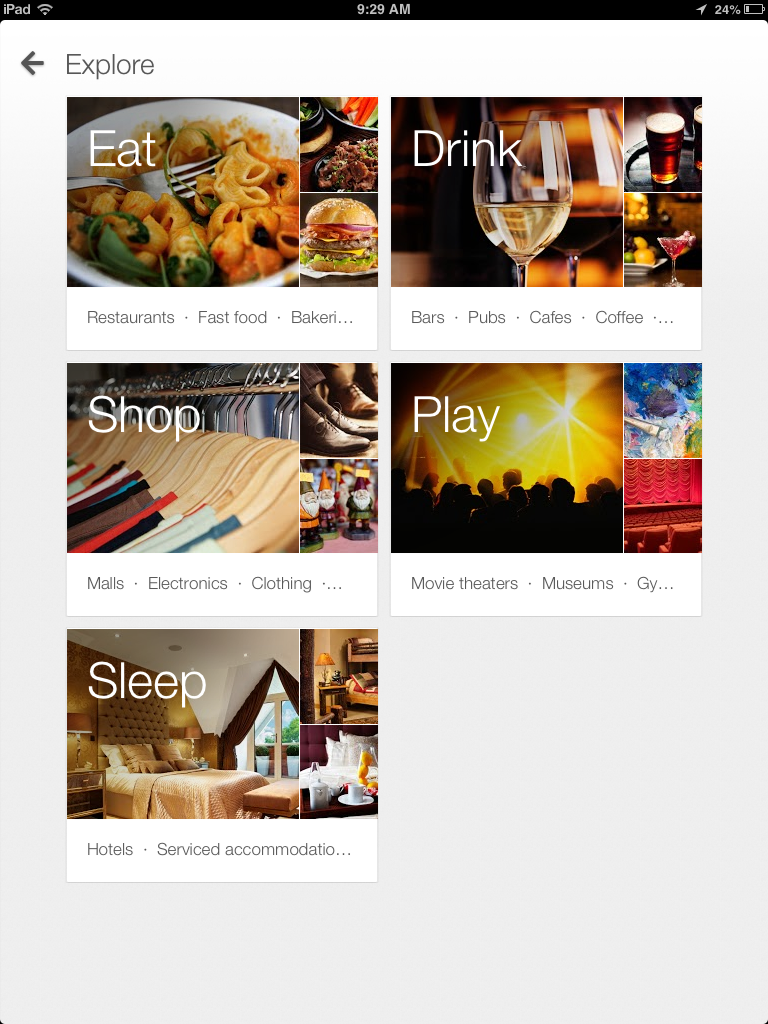
Search results now appear as cards on top of the maps, just as they do on Android and the web, and the new explore view for results is much clearer and better looking than the old results.

Your maps history is now easy to see – on previous iOS versions this was not the case. You can easily find where you’ve been, what you’ve searched for, and see your saved locations.

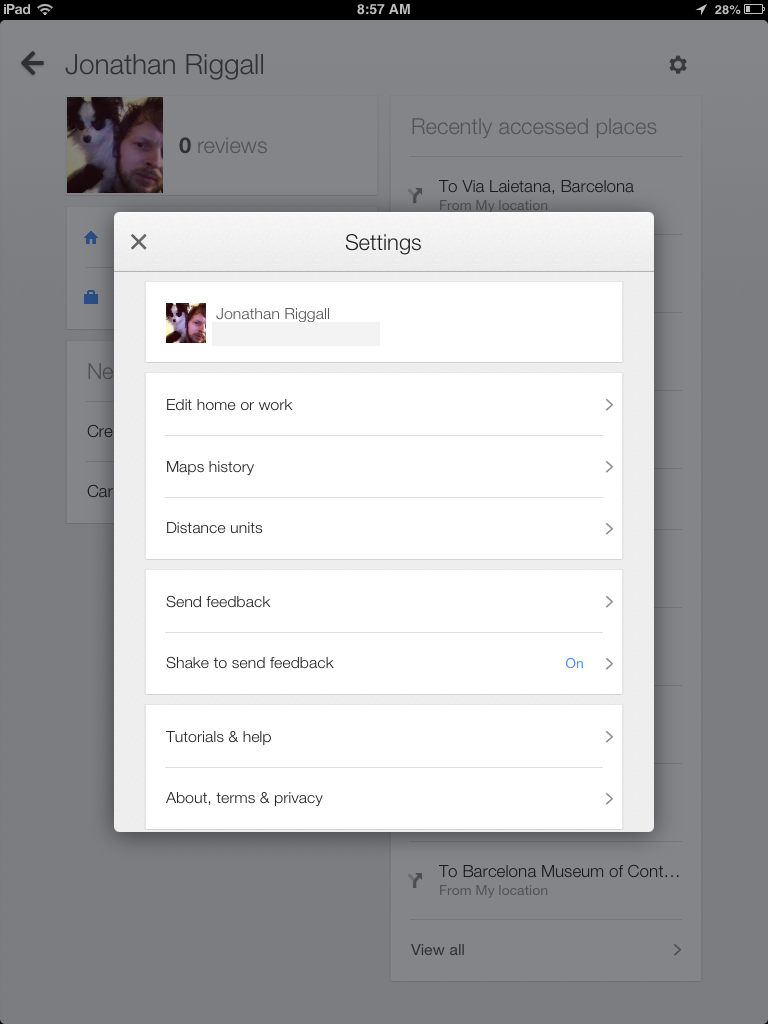
The settings tab is also cleaner and easier to use, with excellent tutorials, and editable history. You can add Google accounts and sign in, or use it without being signed in. If you are signed out, you don’t benefit from smarter personalized searches, friends addresses that can be pulled from your device contacts or view locations you have shared. Signing in also means you can add your home and work address, so you can easily navigate from anywhere right to your door.

Google Maps 2.0 is the first version with iPad support, and it’s an excellent app, with all the same features you get on the iPhone version, but with much more space!

Download Google Maps 2.0 for iOS.

Microsoft launches Outlook Web App for iPhone and iPad

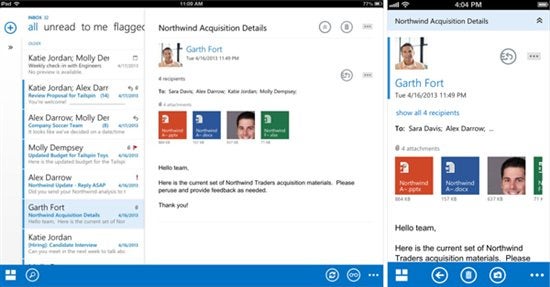
Microsoft released a set of native Outlook apps for Office 365 subscribers using iPhones and iPads. While a full-blown Microsoft Office suite is still missing from Apple’s devices, Microsoft is bringing each application slowly to iOS.

The new Outlook Web App is based on the browser version of Outlook, which isn’t a bad thing. The app looks like a native Windows 8 application with a flat design and blue and white theme consistent with Office 2013. Users will be able to access their email, calendars, and contacts from within the app. The Outlook Web App even supports Bing integration to provide directions to a meeting.

owa for iphone and ipad

There are even more advanced options for power users like changing time zones, modifying email signatures, and sending out-of-office reminders. Here are the other features that are only possible with a native app:

  • Stored credentials so you are automatically logged into the app
  • Push notifications that actively notify you of new email
  • Meeting reminders that pop up even when the app is closed
  • Voice activated actions like scheduling a meeting or sending email
  • Contact sync so that OWA contacts are recognized by the iPhone’s caller ID function
  • Remote wipe capability that allows IT to delete email and calendar data in the app from the device in the event that the device gets lost or the user leaves the organization

Outlook Web App requires an Office 365 subscription in order to use it. If you meet this requirement, you can get the app at the download links below.

[Download for iPhone and iPad]

[Source: Microsoft]

Tango launches new social-networking features

Tango recently released its API and SDK, allowing developers to integrate the mutli-platform chat service into games and other apps. Today, the company has updated their apps for Android and iOS with new social-networking features.

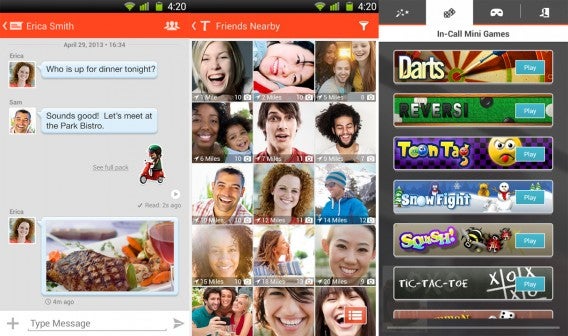
Starting today, Tango users can find friends nearby, personalize their profiles, and share pictures during voice or video calls. Profiles can be customized with profile pictures, status updates, and uploading photos to share with friends. These additions make Tango more Facebook-like than ever, though they’re concentrating their efforts solely on mobile.

tango combined

“With this update, Tango becomes the first company to have truly blended together the best of messaging, social and entertainment into a single platform,” said Uri Raz, Tango co-founder and CEO.

If social features aren’t enough to convince you to give Tango a try, there are built in games as well as integration with a few Gameloft games that should entice those who want social gaming.

[Download Tango: Android, iOS]