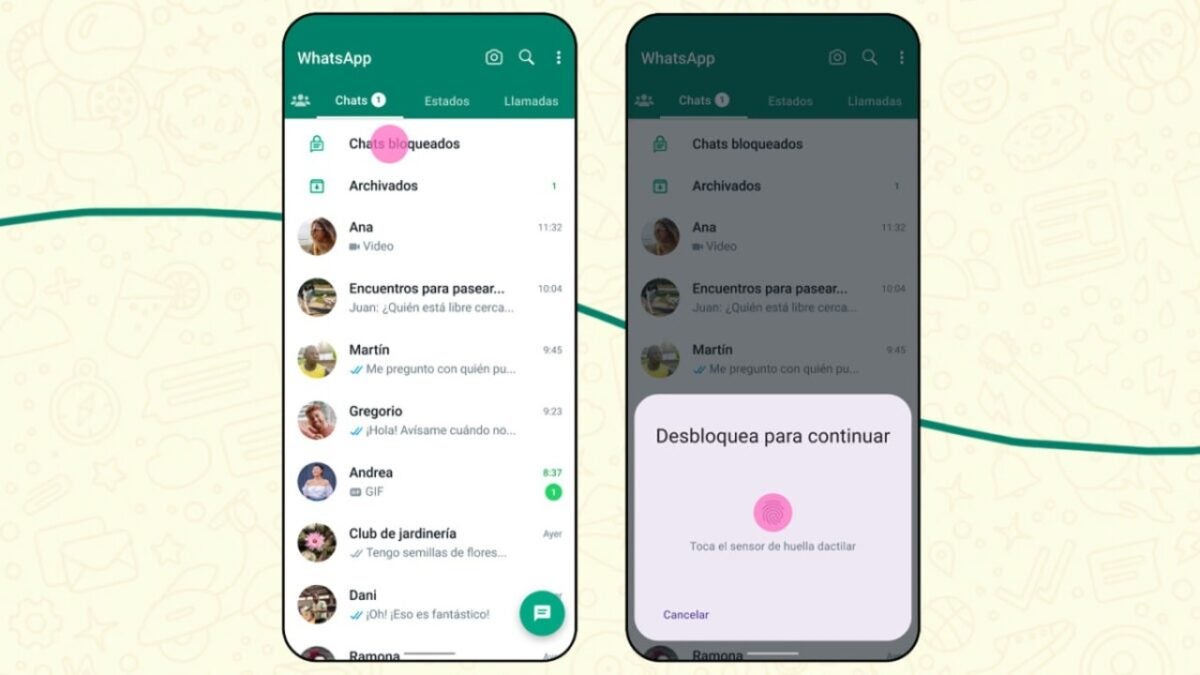
Over the years, maintaining the privacy of conversations on WhatsApp has become a priority for many users. The messaging application has improved over time, introducing features like Screen Lock. However, now we have a new alternative, Lock.

Thanks to Lock, we can protect selected chats from prying eyes. These chats will then be available in a new section called ‘Locked Chats.’ Additionally, notifications for these chats will also be hidden.
If you want to lock certain chats on your WhatsApp and hide them, just follow these steps:
- First, locate the conversation you want to hide and enter it.
- Tap on the name or photo of the contact. In the contact information screen, look for the option ‘Lock Chats.’
- Choose the protection method you want to use (it can be biometric, your face, or a code).
Now, the chat will be in its own folder, accessible only with the security method you chose earlier. If you don’t see them within WhatsApp, don’t worry: just slowly swipe down the chat screen, and there you will find them under the name ‘Locked Chats.’
As mentioned in the official WhatsApp blog, in the coming months, we will see new additions and improvements related to Lock. One of the features mentioned is the ‘ability to lock them on linked devices’ and ‘create a custom password for your chats different from the one you use on your phone.’
If you can’t find this feature on your phone, make sure that WhatsApp is up to date. You can check for the latest version available on the Play Store or the App Store.
