As if it were a Pokémon Go, those from Niantic have returned to lend their location technology and augmented reality, but now with monsters.
For all those who want to battle monsters in the middle of the street, there’s great news! In less than two months, Niantic and Capcom’s Monster Hunter Go will be arriving.
Just like Pokémon Go, Niantic has once again lent its location-based and augmented reality technology to provide an adventure now centered around the Monster Hunter franchise.
Niantic’s next big release is just around the corner this summer
Today, the studio has announced that Monster Hunter Now, a collaboration with Capcom, will be available worldwide on September 14th for both iOS and Android.
The announcement was made during a lengthy presentation detailing how the game will function, including the weapons available at launch (sword and shield, greatsword, longsword, hammer, light bowgun, and bow), as well as the hunting and equipment progression.
Monster Hunter Now also features a clever function called paintball, allowing players to mark monsters they encounter for future battles against them.
The release comes at a crucial moment for Niantic, as the company has faced significant challenges in replicating the success of Pokémon Go, which remains their biggest hit.
In June, the company announced staff layoffs, including the closure of their Los Angeles studio and the cancellation of two games: NBA All-World and the in-development Marvel Heroes. This occurred shortly after the launch of Peridot, an original property from Niantic in the form of a virtual pet game.
As for Monster Hunter Now, interested players can already pre-register on both iOS and Android to receive some in-game bonuses upon launch, as is customary.
Assassin’s Creed: Codename Jade is going to have a closed beta in early August and we’ll explain what you need to know to be able to play it.
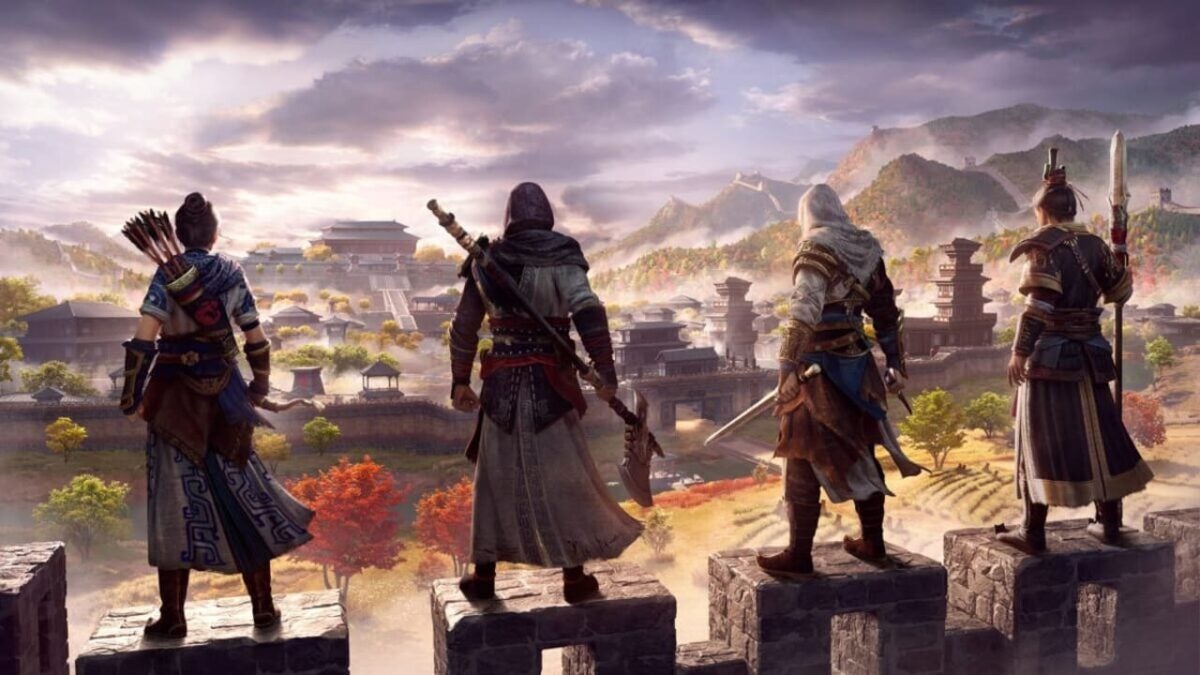
Ubisoft doesn’t plan on slowing down with Assassin’s Creed, as the famous franchise that pits assassins against Templars in different historical eras has announced eight games in the series to be released at some point in the future, although only one of them has a confirmed release date. While we previously believed that the next major installment in the franchise, Assassin’s Creed Mirage, would be the first one we could try, it turns out that’s not the case. We’ll be able to try a smaller mobile release first. However, there’s a catch: it will only be available for a limited time.
Ubisoft has announced that Assassin’s Creed: Codename Jade will have a closed beta starting on August 3rd. To sign up, you need to register on their website between July 17th and July 27th. If you are randomly selected from all the registrants, you will receive an invitation via email between July 27th and July 31st, provided you are located in Europe or the United States. The beta will begin on August 3rd, as mentioned before, and will conclude eight days later on August 11th. This timeframe will give us more than enough time to get an idea of the game’s features and qualities.
Assassin’s Creed: Codename Jade is a game set in Ancient China, during the time of the Qin dynasty, chronologically positioned between Assassin’s Creed Odyssey and Assassin’s Creed Origins. By experiencing the origins of the first Chinese empire, the attacks from the Xiongnu invaders, and the flourishing of the imperial capital of Xianyang, this game has the opportunity to depict a lesser-known but vibrant and highly significant historical moment for humanity. Combined with the foundations of all Assassin’s Creed games, it becomes an enticing prospect that has captured the attention of many players. The game will be released on iOS and Android devices, although at this time, no further information regarding the official release date is available.
Some of the links added in the article are part of affiliate campaigns and may represent benefits for Softonic.
The Chinese company has just announced the name of its new folding phone and it is something so simple and so intelligent that we did not see it coming. We introduce you to…
We are in the era of foldable phones. And it’s a good thing because they are amazing and a true revolution in an industry that had been stagnant for too many years. That’s why almost every brand has its own foldable model.
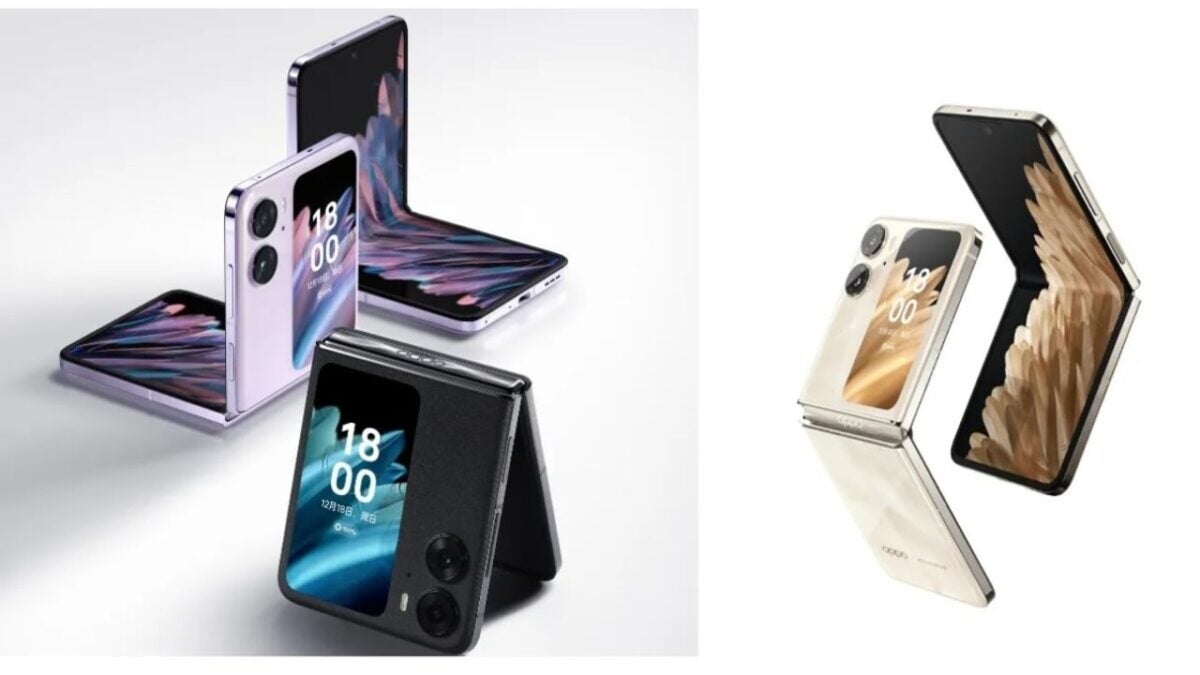
However, we have been eagerly awaiting OnePlus to unveil its foldable phone, and while we know it will be released this year and we have seen renders of it, the name has been somewhat of a mystery until now.
OnePlus is taking a different approach on the name for it’s very first foldable Smartphone! Let me introduce it to you: OnePlus Open ? pic.twitter.com/srXw35UC8j
It seems that OnePlus has decided to name its foldable device OnePlus Open, which is somewhat unusual considering previous rumors suggested it would be called OnePlus Fold or OnePlus V Fold. However, the company has apparently opted for a different and unique name.
The information comes from Max Jambor, who has been accurate with OnePlus-related leaks in the past, and he also has some evidence to support this claim. It appears that the company has filed trademarks for several names, including OnePlus Open.
At the moment, nothing is confirmed, so we could see a change in this narrative, and OnePlus might opt for a simpler naming convention compared to other companies.
As for the release date, the OnePlus Open is scheduled for the second half of 2023, so we should expect to learn more about the device in the coming months and weeks.
These are what we consider to be the best mystery games for PC, mobile and consoles of 2023. Download one of them now and solve the crime!
Are you looking to download mystery games? You’ve come to the right place. “Whodunnit” games are one of the most celebrated and popular genres among gamers who prefer a good story, puzzles, and investigative scenes over shooters, beat ’em ups, or action games.
Whether you’re on PC, console, or mobile, there’s an endless array of mystery games at your fingertips that will test your mind, creativity, and powers of deduction. Are you ready to download some of them? Put on your Sherlock Holmes hat because here are the best mystery games of the moment. We hope you enjoy them!
1. The Phoenix Wright Saga
If you enjoy mystery games, you’ll love Phoenix Wright. Also known as Ace Attorney, it is one of the most well-known and celebrated investigative video game series on the market. Created by Shu Takumi, the Phoenix Wright games put us in the shoes of this spiky-haired lawyer and his successor, Apollo Justice, on a crusade to solve the most bizarre cases.
Packed with humor and unforgettable characters, the Phoenix Wright series stands out for its excellent gameplay. Each case features a superb investigation and interrogation system that culminates in a final act where we must combine everything we’ve learned to defend our client and accuse the true culprit in the courtroom.
Regardless of whether you’re on PC, console, or mobile, you have a wide range of Phoenix Wright games at your disposal. If you’re new to this series, we highly recommend downloading Ace Attorney Trilogy, where you can enjoy the first three cases of the saga. If you get tired of Phoenix, you can also try your luck with Apollo Justice, his young successor. Personally, I highly recommend The Great Ace Attorney Chronicles, a fantastic game where you take on the role of Naruhodo Ryunosuke, an ancestor of Wright who must unravel the most intricate mysteries in feudal Japan alongside Sherlock Holmes (or Herlock Sholmes).
With its remaster just around the corner, Ghost Trick: Phantom Detective climbs to the second spot on our list. This brilliant mystery and investigation game from Capcom comes once again from the mind of Shu Takumi (Phoenix Wright). In this game, we’ll leave the courtroom behind to become an amnesiac ghost seeking answers about our own death. Sounds intriguing, right? Brace yourself, because twists and turns are coming!
Available for Android mobile devices and soon also for PS4, Xbox One, Nintendo Switch, and PC, Ghost Trick: Phantom Detective puts us in the shoes of a ghost detective right after his death. He has lost his memory, so he doesn’t remember who he is or what led to his untimely demise. That’s when our ghostly investigation begins, where we must solve puzzles and navigate through all sorts of ingenious situations by possessing objects. But that’s not all, you can also control time, rewinding and jumping back to the past whenever you want.
The main Danganronpa saga always follows a similar storyline. A group of elite students has been trapped against their will by Monokuma, a teddy bear with a sinister death game. To escape, one of them must murder a fellow student, and then a trial must be held to uncover the culprit.
If the killer is discovered, they will be subjected to a cruel and often gory execution. If, on the other hand, nobody finds out, the killer will escape while the rest of their classmates perish. While the first installment may be predictable and somewhat disappointing, the second and third entries are excellent.
For all Danganronpa fans, it’s worth noting that we will soon be able to enjoy Master Detective Archives: RAIN CODE. This new mystery and investigation game will feature the sinister and fantastic touch that characterizes the creators of this series.
You may not be familiar with the name Tex Murphy if you’re a novice gamer, but he was one of the most beloved detectives in PC games during the 90s. Mean Streets, Martian Memorandum, Under a Killing Moon, Overseer… there are plenty of Tex Murphy games to choose from. But why do I add them to this list? Thanks to a Kickstarter project, Tesla Effect arrived on our computers, a new title in the series that benefits from all the advantages of new technologies while retaining the charm of classic games.
In this game series, we step into the shoes of Tex Murphy, a detective in the year 2040 who, besides not being very good at his job, is obsessed with the golden age of private investigators like The Maltese Falcon.
What usually starts as a seemingly trivial case, like finding a lost cat, ends up turning into a scenario more akin to a James Bond saga. Only the sarcasm of the clumsy detective and, of course, your investigative skills will save the planet. Highly recommended for lovers of comedies and the film noir genre.
One cannot talk about mystery games without including a title featuring the most famous detective of Baker Street. From the hands of the Ukrainian developer Frogwares comes Sherlock Holmes: The Awakened, an excellentremake of the classic 2006 game. This project, born out of an exceptional Kickstarter campaign – in which I myself participated – brings back one of the most iconic titles in the Holmes game franchise. And this time, the detective isn’t facing a simple case, but the very myths of Cthulhu.
Set during the war against Russia, Sherlock Holmes: The Awakened is a faithful portrayal of the original game but with cutting-edge graphics, a new soundtrack, and new cases in the form of DLC. One of the most notable enhancements is the revival of the appearance, voice, and personality of Holmes that we saw in the superb Chapter One, paving the way for a possible resurrection of the detective’s remaining adventures. It’s a must-play for those seeking a great game, and especially for lovers of the stories by Sir Arthur Conan Doyle and H.P. Lovecraft.
While we eagerly await news about The Wolf Among Us 2, its first installment is undoubtedly a game that deserves to be on the list of the best mystery games. It is based on the DC Comics series Fables and its charm lies precisely in the fact that well-known characters from fairy tales are living among humans incognito… but not quite as we remember them.
In The Wolf Among Us, we take on the role of Bigby Wolf (based obviously on the Big Bad Wolf) and find ourselves involved in a series of murders where the victims are all these characters from fables and children’s tales. The Wolf Among Us is a thrilling title that will keep you glued to your screen until you solve the mystery across its five episodes. However, be mindful of your decisions because, as is typical in TellTale Games’ titles, each choice and path you take will have repercussions on the story’s development.
Fans of visual novels have a must-play experience with PARANORMASIGHT: The Seven Mysteries of Honjo. This true gem developed by Square Enix immerses us in a story of mystery and terror set in late 20th century Japan. In this game, we take on the role of different characters involved in strange deaths where there is a common factor: deadly relics, vengeful spirits, and a mysterious resurrection ritual.
Although at its core it is a visual novel, PARANORMASIGHT is a game where we can interrogate, use objects, employ logic, investigate thanks to its brilliant 360-degree environments, and even curse and kill our enemies. However, where the game truly excels is in its story. It is intricately woven with so many twists that you won’t be able to stop playing until you unravel its mystery. In short, it’s an incredible game that no one should miss out on.
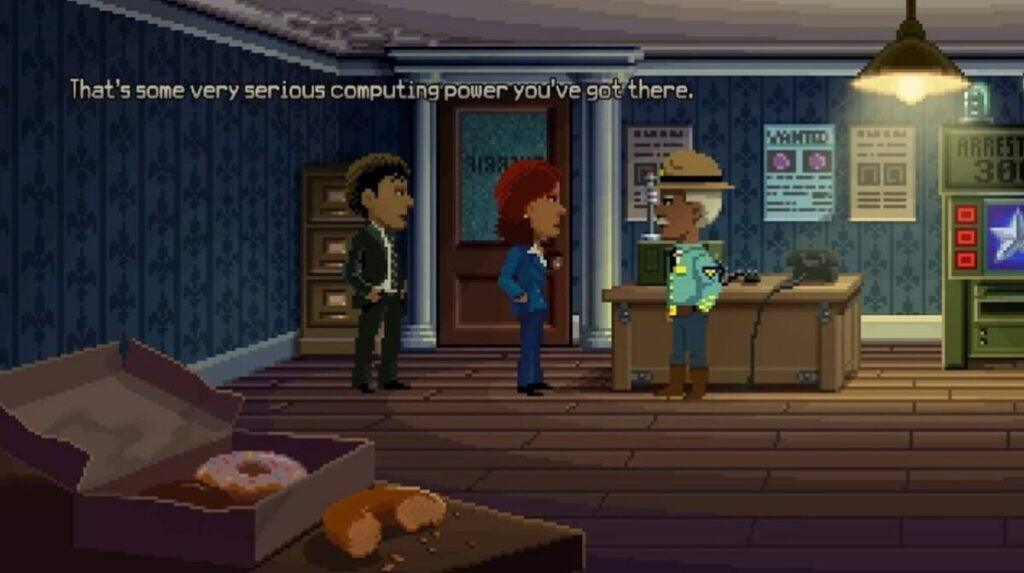
Created by Ron Gilbert, Thimbleweed Park is a love letter to the old point-and-click games of the era of Maniac Mansion, The Secret of Monkey Island, and Indiana Jones and the Last Crusade. In addition to being a true gift for nostalgic players, it is a truly entertaining mystery game where we must investigate a strange murder on the outskirts of the bizarre town of Thimbleweed Park.
Fun like few others and with humor that surpasses the absurd, Thimbleweed Park is a marvel. The game perfectly manages to make you laugh at all times while keeping you glued to your seat until you uncover the killer in the quirky town specialized in pillow sales. A special mention goes to its sheriff-a-reeno, a character that once you meet him, you will never forget him. It is a must-play for fans of graphic adventures and, unlike the controversial Return to Monkey Island, it provides a gratifying experience from beginning to end.
Gabriel Knight: Sins of the Fathers marked a before and after in Sierra Online’s graphic adventures. The fantasy stories of the King’s Quest series were left behind to immerse ourselves fully in a title not recommended for minors, conceived by thriller writer Jane Jensen. In this game, we travel to New Orleans, where we step into the shoes of an egocentric and opportunistic writer on his quest to solve a series of murders related to voodoo.
Gabriel Knight: Sins of the Fathers is a surprising, mature, and complex game with a storyline worthy of the best film. It’s not surprising that to this day it is considered one of the best graphic adventures for PC and mobile devices. The game even received a remake with updated HD graphics and 3D characters, further enhancing its appeal.
We conclude the list with AI: The Somnium Files, an excellent mystery game created by Kotaro Uchikoshi, the mind behind the superb Zero Escape series (if you haven’t played it yet, you’re missing out). In this game, we take on the role of detective Kaname Date, a special agent tasked with investigating the serial killings of the so-called Cyclops. The killer’s modus operandi is to disembowel their victims and steal one of their eyes. To aid us in our investigation, we have the assistance of Aiba, an artificial intelligence located in Date’s eye, and the ability to enter the dreams and memories of the characters.
As is customary in Uchikoshi’s games, The Somnium Files features a gripping story that combines moments of comedy with more serious and even gruesome ones. The end result is a surprising plot full of twists and an exceptional conclusion. If you enjoyed AI: The Somnium Files, don’t miss its sequel, AI: The Somnium File – NirvanA Initiative, which, while not quite reaching the same heights as the first installment, is still highly entertaining.
Tired of always having the same wallpaper on your phone? Create stunning static and dynamic wallpapers with our selection of free apps.
“Tired of Always Having the Same Wallpaper on Your Android Phone? The image we choose as our wallpaper and lock screen says a lot about us, even if we don’t realize it. If you’re someone who customizes every detail of your phone, why not create your own Android wallpaper? It’s much easier than it seems, especially with the many free apps available on the Play Store.
In today’s article, we’ll provide you with a selection of the best apps for creating wallpapers on Android. With these apps, you’ll be able to personalize your favorite images and turn them into exclusive wallpapers for your phone. All of this can be done quickly, easily, and completely free. Are you ready? Let’s get started!”
1. Canva
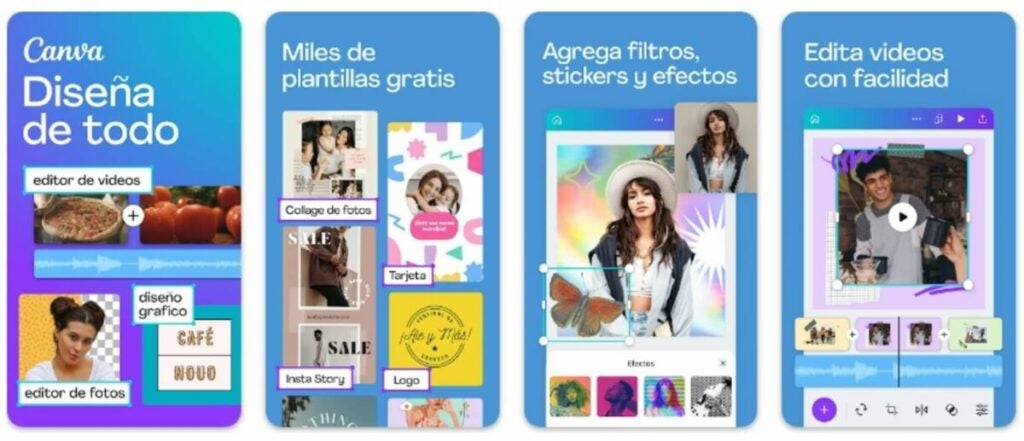
We begin our list with Canva, an all-in-onephoto and image editor that also has a free mobile version. With Canva, you can do it all, from fixing photos from your phone’s gallery to editing them or, if you prefer, creating all kinds of compositions or collages.
One of Canva’s strong points is that, unlike other similar programs, it is very user-friendly. From the app, you can create your wallpaper using one of its free templates or, if you prefer, start from scratch using an image from your gallery. Once you’ve done that, you can edit it, crop it, add effects, stickers, or write your favorite text. Still not convinced? With Canva, you can also edit videos in a matter of seconds! It’s essential for creating unique wallpapers.
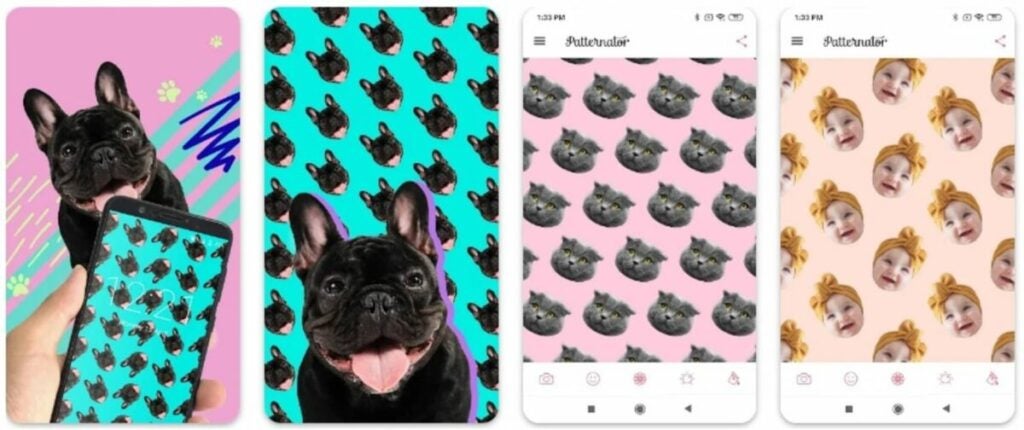
Next up is Patternator, a simple and easy-to-use app that allows you to create fun wallpapers for your mobile phone. With Patternator, you can create original animated wallpapers using your favorite patterns. Simply choose an image from your gallery, crop it, and select a plain background to paste it on over and over again. Trust us when we say that the results are worth it.
Patternator offers many options to give a special touch to your mobile phone wallpaper as well as your Android lock screen. In addition, you can also create fun stickers to share on social media platforms like TikTok or Instagram. Its only drawback? It is not compatible with all versions of Android. Nevertheless, it’s worth a try. And it’s free!
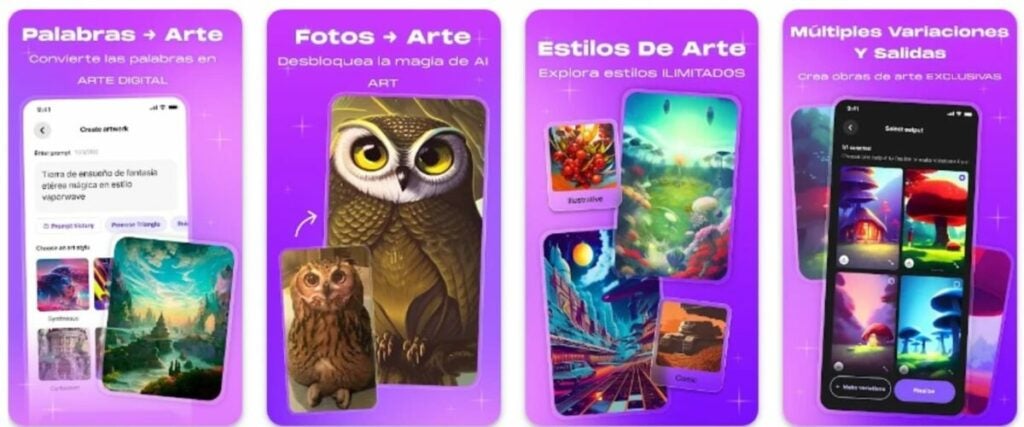
Do you want to create a unique wallpaper from scratch? You’ll love WOMBO Dream, a new app that uses artificial intelligence (AI) to allow you to design the wallpaper of your dreams. Its operation is as simple as accessing the app and describing what you want to appear in your background. Don’t forget to choose the artistic style you desire – or choose none – and wait for the perfect wallpaper to be generated. Then, save it to your gallery. It’s that easy!
A really interesting feature of WOMBO Dream is that, in addition to being able to create our own wallpapers through a description, it is also possible to upload our own images. These will be used as a reference to create the wallpaper we desire. It is also worth noting that, despite being in English, the app recognizes any description in Spanish. So whether you master the language of Shakespeare or not, you have no excuse not to try it out.
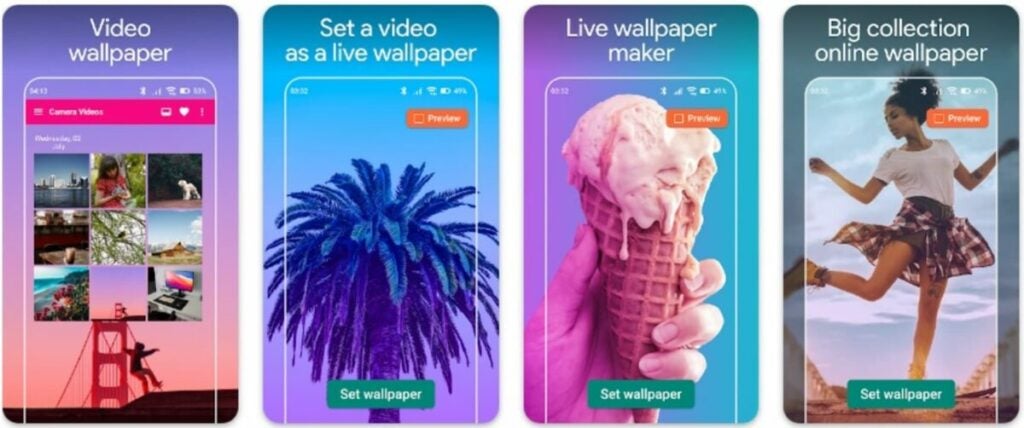
So far, we have shown you apps to create wallpapers for your background and lock screen, but… How about creating dynamic wallpapers for Android? It’s easier than you think! You just need to download Video Live Wallpaper Maker and a bit of creativity. Don’t worry, like all the apps on our list, it’s completely free.
Creating an animated wallpaper with Video Live Wallpaper Maker is very simple. Just open the application and, once inside, you will have access to your device’s gallery. Now choose the video you want to use as a wallpaper and select whether you want to keep the audio from the file and scale it to the size of your device’s screen. After that, choose the “Set as Wallpaper” option and select whether you want the video to be displayed on the home screen or the lock screen. Wasn’t that easy?
You can download Video Live Wallpaper Makerfor free below.
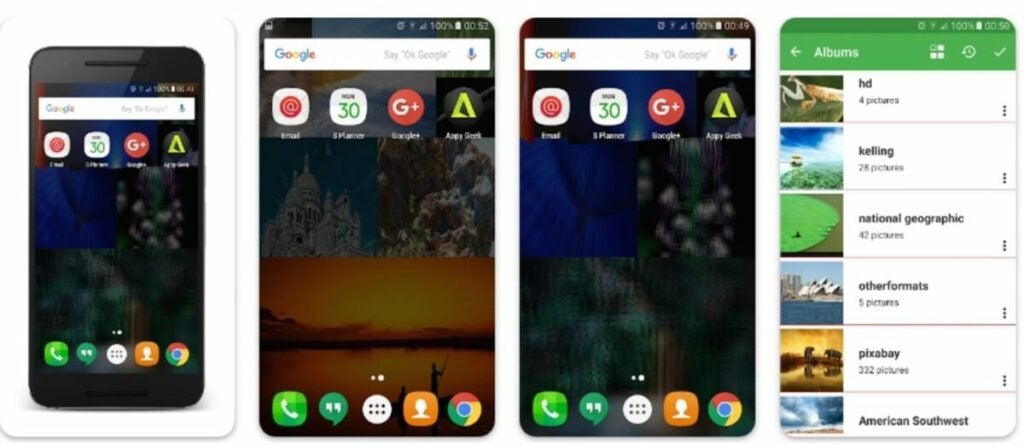
We continue our selection with PhotoPhase, a comprehensive free application that allows you to create animated wallpapers for your Android mobile device. Unlike Video Live Wallpaper Maker, PhotoPhase doesn’t create a simple video to set as wallpaper. Instead, it allows you to select multiple images from your gallery that will rotate throughout the day. This way, you can have a different wallpaper every time you look at your phone.
The application is very simple to use. Select your favorite photos from the gallery, choose a layout, the way they will be displayed, and edit them by adding various effects. Throughout the day, the images displayed on your home screen will alternate, surprising you every time you turn on your phone. Additionally, the application is completely free and does not contain any in-app purchases or annoying ads. It’s a real gem to beautify your mobile device’s wallpaper.
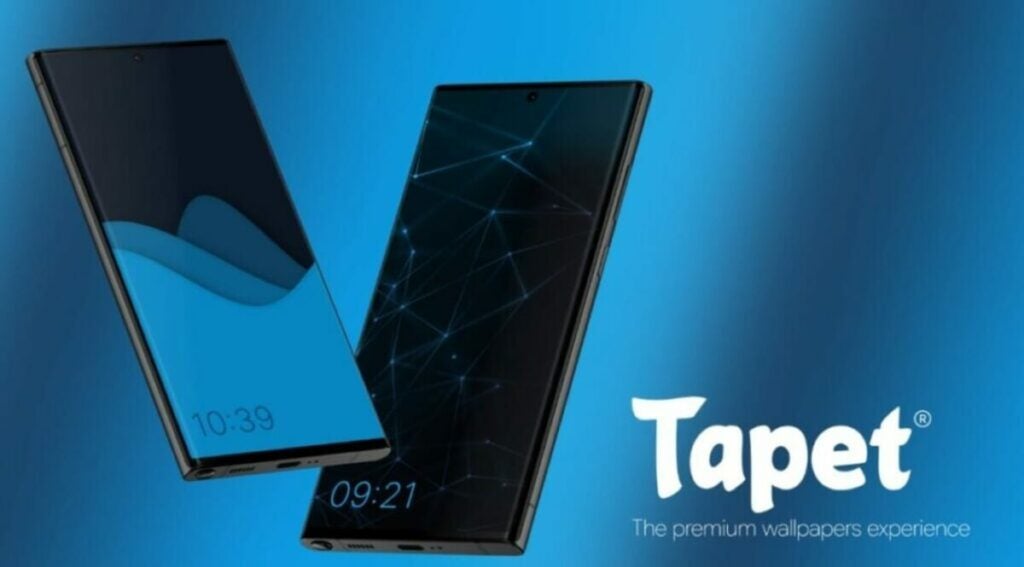
We conclude our list with Tapet Wallpapers, a slightly different app from all the ones we’ve shown you so far. With Tapet Wallpapers, we won’t be creating a wallpaper from an image, but rather the app itself will generate them based on our requests. This makes it an excellent option if you want your own phone to surprise you with a different wallpaper at every moment.
Creating a new wallpaper with Tapet Wallpapers is really easy. You simply need to choose the color combination for the background and select the filters and elements you want to appear on it. Each of the app’s wallpapers is generated according to your mobile device’s screen resolution, ensuring that each wallpaper is of high quality and incredibly beautiful. Additionally, Tapet Wallpapers includes an option that changes your wallpaper every hour, so you’re likely to see a different wallpaper every time you look at your phone throughout the day. Highly recommended!
This is how easy it is to create your own wallpaper
As you can see, creating a unique wallpaper for your Android phone is much simpler than you thought. You only need a good idea, a few minutes, and to download one of these free apps. We hope we’ve been able to help you!
Did you like what you read? Don’t forget to share it with your friends on social media!
Learn how to back up your phone and store photos, videos and files in the Samsung cloud.
Samsung Cloud announced the permanent closure of its doors at the end of 2021. This popular cloud storage service allowed users to safeguard photos, videos, calendars, agendas, and even information from installed apps on their Samsung devices. However, over time, the company reversed its decision and has kept part of the service still active. Would you like to know what you can do with Samsung Cloud?
In today’s article, we will discuss what Samsung Cloud is and what it is used for, how to view your stored content on this platform, and what alternative cloud options are available to you. We hope to be able to assist you!
As we mentioned earlier, Samsung Cloud is the cloud storage service provided to all users of Samsung mobile devices and tablets. To use this service, you only need to have an active Samsung Account. Despite announcing the discontinuation of its service in September 2021, Samsung Cloud is still operational, and you can access its functions both from its official website and from the interface of any Samsung device.
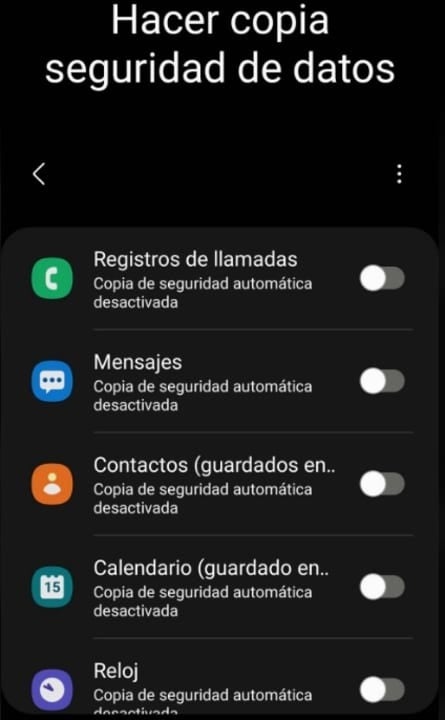
The main function of Samsung Cloud is to create backups of your mobile device data. This includes:
Call logs from your smartphone
Received messages and SMS
Contacts from your address book
Calendar events from your mobile device
Information and alarms from your smartwatch
Settings from your mobile or tablet
Home screen layout of your device
Data from your apps
Voice recordings
Is Samsung Cloud still working?
Despite Samsung announcing the discontinuation of its cloud service in 2021, you can still use Samsung Cloud. However, there are limitations: you won’t be able to back up any files from your gallery (such as photos and videos). But don’t worry, this doesn’t mean you can’t store these types of files in the cloud. You simply need to use another service.
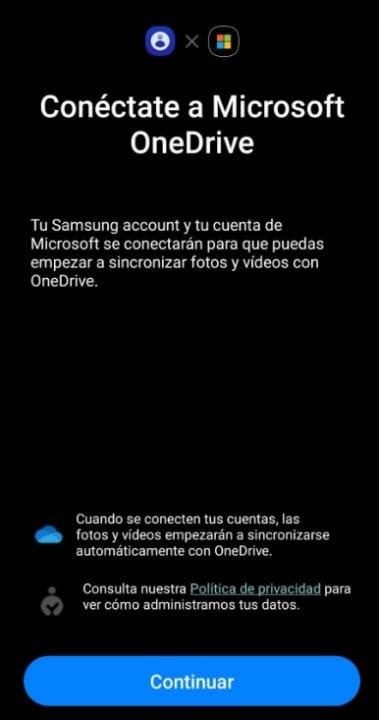
Samsung has implemented an option in the Samsung Cloud interface where you can back up all the images, photos, and videos stored on your phone to your OneDrive account. The only requirement is that you have a Microsoft account and it is linked to your Samsung device.
How can I back up with Samsung Cloud?
Backing up your data using Samsung’s free storage service is very simple. Just follow these steps:
Make sure your Samsung account is linked to your device.
Access the settings on your Samsung phone or tablet.
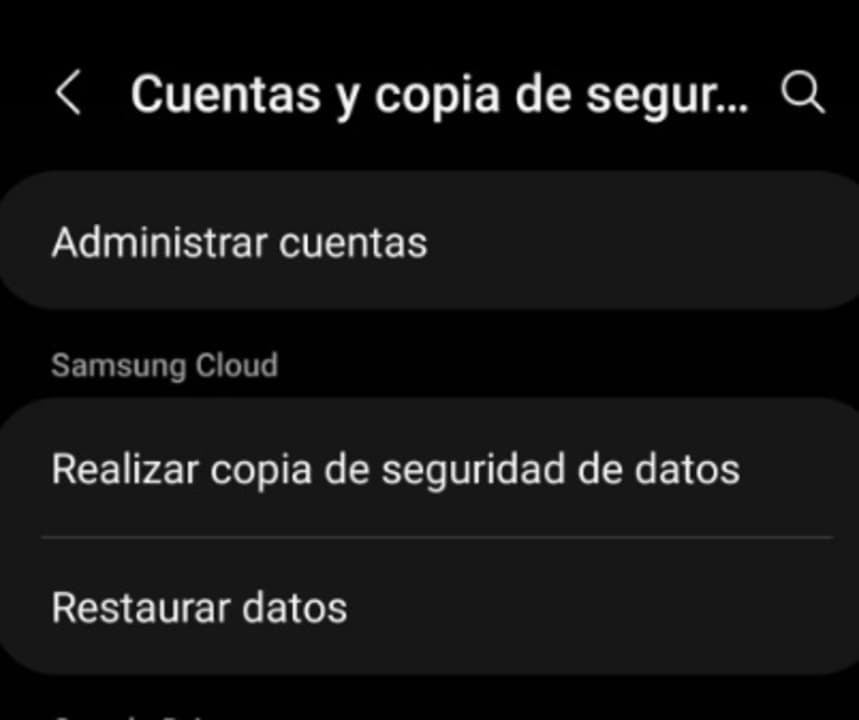
Tap on the “Accounts and backup” option (the name may vary depending on the model).
Under “Samsung Cloud”, select the “Back up data” option.
Choose which data you want to save and tap on the “Back up now” option.
How to see what I have stored in Samsung Cloud
If you have made any backup of your data to Samsung Cloud, you may want to take a look at what you have stored at some point. The process is straightforward and similar to the previous one:
Go to the settings on your Samsung device.
Tap on the “Accounts and backup” option (the name may vary depending on the device).
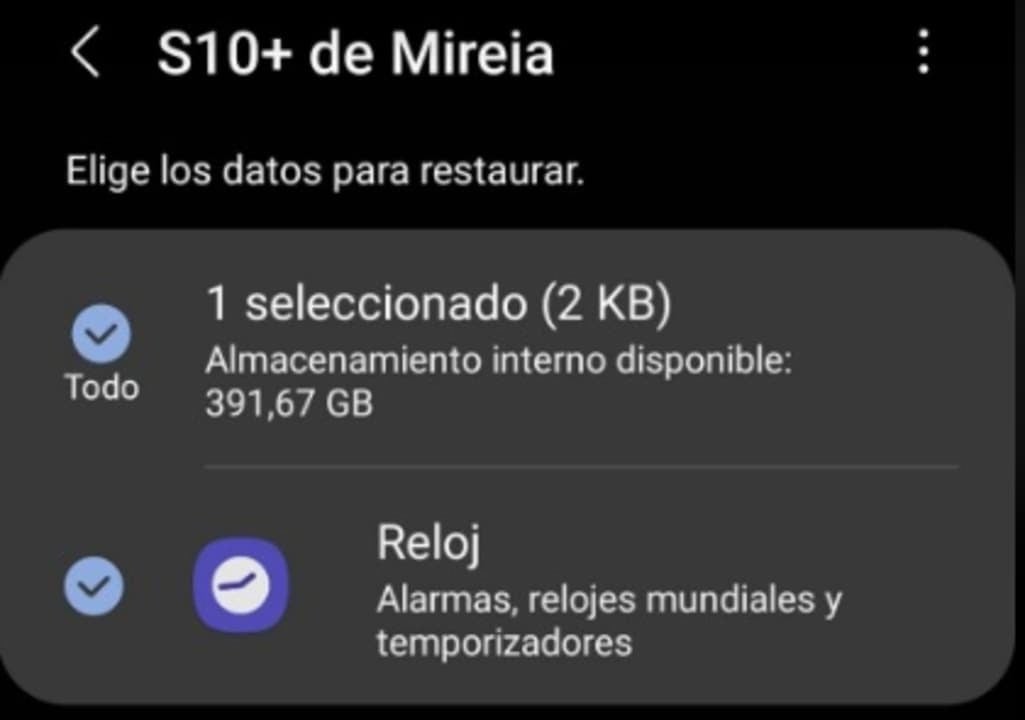
Select “Restore data” within the “Samsung Cloud” section.
Tap on the latest backup to see what you have stored in the cloud.
How to recover photos and videos from my Samsung Cloud
We regret to inform you that if you made a backup of your photos and videos before 2021, you won’t be able to recover them. As we mentioned before, Samsung decided to discontinue many of its Cloud services throughout that year, including the ability to store videos and photos in the cloud. As a result, all backups of galleries from Samsung smartphones and tablets were deleted from the cloud.
Currently, Samsung Cloud offers the option to backup photos and videos through the integration with OneDrive. If you have stored your gallery in the cloud using this service, you will be able to download your multimedia files using the Microsoft application.
Alternatives to Samsung Cloud
Since Samsung Cloud no longer offers the option to create backups of your mobile or tablet files, you are likely looking for a good alternative to safeguard your data. Here are the best apps to replace Samsung Cloud:
1. Microsoft OneDrive
OneDrive is undoubtedly the most convenient alternative to Samsung Cloud. The reason is that it is integrated into the same app of the Korean company, so you don’t need to do anything to backup your data. Simply open the Samsung Cloud app, create a backup of your device’s gallery, and once you enter your OneDrive credentials, it will upload your photos and videos directly to Microsoft’s cloud.
Google Drive is another compelling option to replace OneDrive. Google’s cloud not only offers 15 GB of free space but is also very user-friendly when using a mobile device with the Android operating system. The only requirement to use Drive is simple: having a Google account. Obtaining your own account is easy and completely free.
Dropbox is one of the pioneering cloud storage platforms on the Internet, making it one of the most widely used services. It is integrated into many popular applications such as Slack or Photoshop, making it an excellent choice for collaborative work online. However, its only downside is that the free account only provides access to 2 GB of storage space, which is often insufficient for storing files in most cases.
We conclude our list with Amazon Photos, an excellent application if you are looking for a secure place to store the photos and videos from your mobile phone. Unlike the other programs we have recommended, accessing the Photos service requires an Amazon Prime account. If you already have one, simply log in to the app with your credentials and you can enjoy unlimited storage for all the photos in your gallery. Backup can be automated, so your photos will be saved in the cloud whenever you are connected to a Wi-Fi network. However, for unlimited space for your videos, you will need to pay an additional fee.
We hope that our article has been helpful in providing you with information about what Samsung Cloud is, how part of its service is still active, and alternatives in the cloud to store all your data. Did you like what you read? Don’t forget to share it with your friends in the comments section!
Learn how to create your own Samsung Account and discover all the free benefits, apps and tools that you will have at your disposal from your free account.
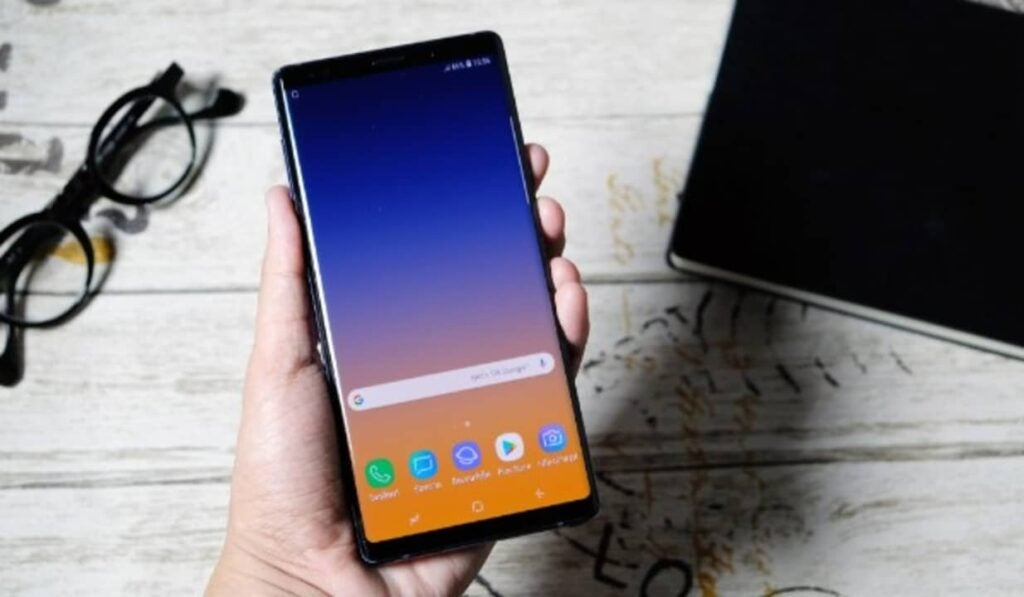
If you own a Samsung phone, you may have noticed that the first time you set up your smartphone, you will be asked to link it to your Samsung Account. As usual with companies like Apple, Sony, Google or Microsoft, you will need to create an account with them in order to access all the tools, exclusive apps and bonuses available for your device. Many of us skip this step because we don’t know exactly what a Samsung Account is or what it’s for, but… Did you know it’s really useful?
In today’s article we will answer all your questions and explain in a clear and simple way the advantages of opening a Samsung account. And without knowing it, it adds a lot of services and applications that make the most of your brand new cell phone. We hope it helps you!
What is a Samsung Account
A Samsung Account is a free personal account service, exclusive to all Samsung device users. It offers access to new tools, applications and services designed to improve the usability of your mobile, exponentially improving your experience not only with your smartphone, but also with its compatibility with the rest of the company’s products.
Thanks to your account you will be able to back up your device, use your mobile to make payments with Samsung Pay or even find it if you ever lose it. But this is just the tip of the iceberg. Samsung also offers a host of exclusive services such as its powerful Samsung Health, an app to create healthy lifestyle patterns very similar to Google Fit.
In addition to all this, having a Samsung Account allows you to have access to the Samsung Store, from where you will be able to download a wide range of applications for your cell phone. In short, your Samsung account unlocks the full potential of your new device, allows you to protect your data and makes it easier for you to transfer all the content of your smartphone to a new Samsung mobile or tablet in the future.
What is a Samsung Account for?
As we have already mentioned, the Samsung account offers a great number of exclusive services and tools designed for customers of this platform. The most important are the following:
Create backups – With your Samsung Account you will be able to create backups of your phone quickly and securely. Simply enter the account menu of your smartphone, click on Samsung Account and then on the Backup option. From there you can both create a new backup of your phone and restore an old one.
Transfer data from one device to another– Thanks to the backups mentioned in the previous point, you will be able to transfer all the content from one Samsung device to another just by bringing one cell phone close to another.
Samsung Health– Samsung Health is an application downloadable from the Samsung Store from which you can improve your health and stay in shape. It allows you to monitor your daily activity, keep track of calories ingested and propose challenges to ultimately lead a healthy life.
Samsung Pay– Samsung Pay turns your smartphone into a wallet so you can pay at most merchants by simply touching your phone to a dataphone. Using Samsung Pay is very safe, simple and practical, especially if you go running often and can’t carry your wallet with you.
Samsung Cloud– Another really useful service intended only for Samsung Account users is Samsung Cloud. This offers free storage space in the cloud so you can save and download files without needing space on your mobile.
Find My Phone – If you are a forgetful person and always lose your phone when you are in a hurry, you will love the “Find My Phone” application. Thanks to it, Samsung Account users will be able to know the exact location of their phone from any PC.
Samsung Themes– This service is designed so that all users with a Samsung Account have a phone made to measure. With Samsung Themes you will be able to choose from thousands of wallpapers and customize the call screen, send and receive messages, etc..
Samsung Game Launcher- Mobile phones have become the allies of gamers, being able to access the best titles on the market from the comfort of the smartphone. Samsung is aware of this and for this reason has developed Samsung Game Launcher, an app capable of accessing and improving the performance of the games stored on your cell phone. In addition, it also provides recommendations of titles related to your tastes as well as interesting game statistics.
Samsung Smart Home– If in addition to your phone you have a Samsung appliance at home, you will love Samsung Smart Home. Thanks to it you will be able to control your TV, tablet and compatible appliances from your phone.
How to create a Samsung Account
Do you want to open a Samsung account and don’t know how? Don’t worry, we are going to teach you how to do it step by step. There are two different ways you can create your Samsung Account. Both are really easy, just choose one of these two methods.
1. From your cell phone
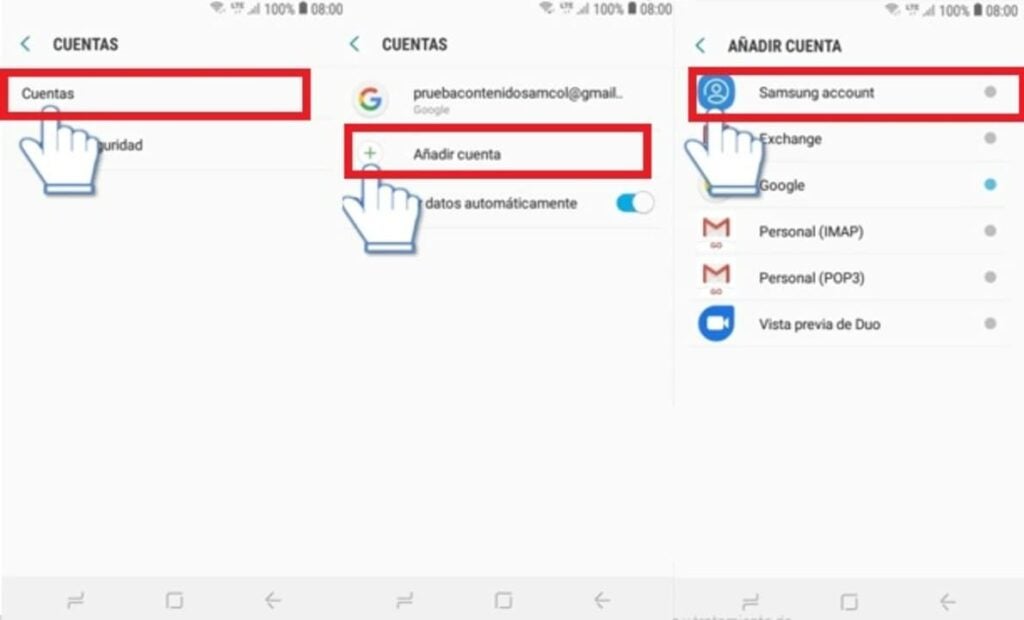
Creating an account from your Samsung phone is very simple. Depending on your phone model, simply click on the “Settings” or “Configuration” button and select the “User and backup” option. Then click the “Add” button followed by “Samsung Account”.
This will take you to a new window where you will be prompted to enter your Samsung account username and password. Click on the “Create Account” button and follow the on-screen instructions to open your Samsung Account.
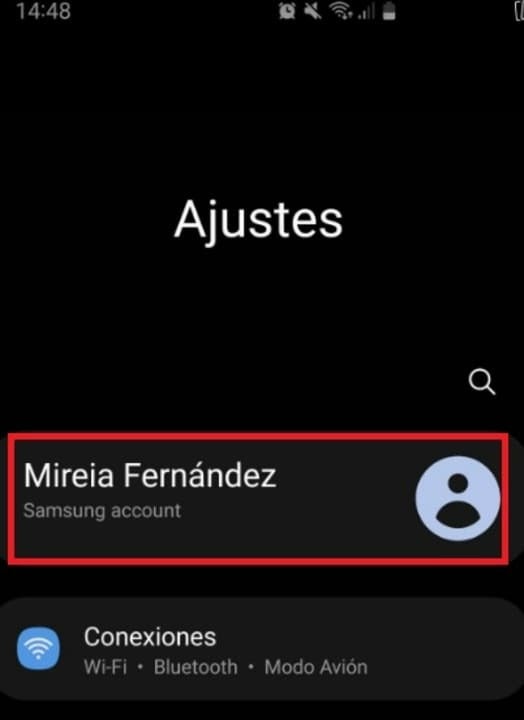
On newer phones, this process is greatly simplified by simply clicking on “Settings” (the gear icon) and the option to add the Samsung Account will appear at the top of the screen. Once there, you will be able to create your own account.
2. From the official Samsung website
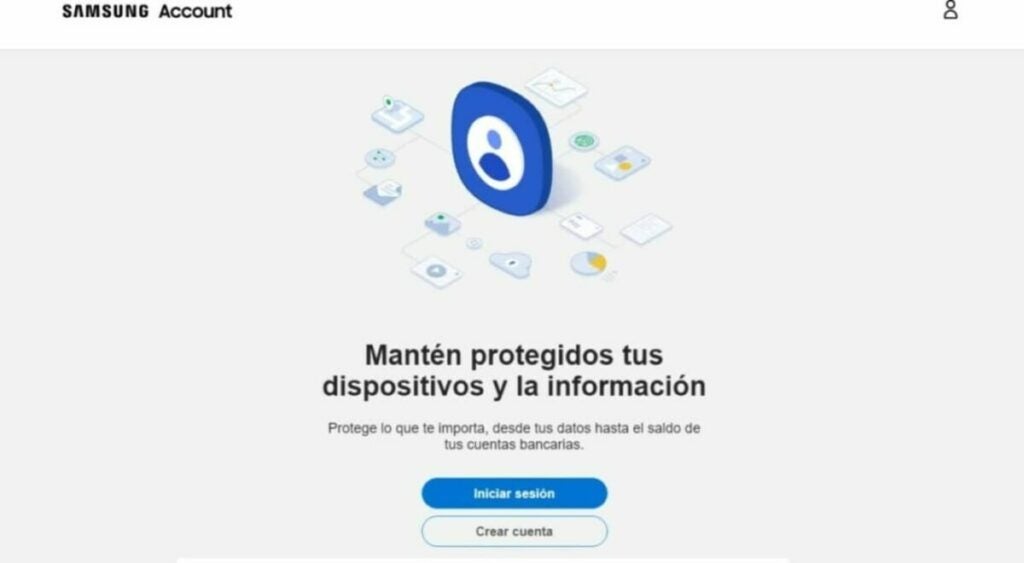
If you prefer to open your account in advance or from the comfort of your desktop computer, you will be happy to know that you can create your Samsung Account from your PC. The process is just as simple as with your mobile, but with the advantage that you can use a much more convenient keyboard. To create your account you will first need to visit the official Samsung Account page.
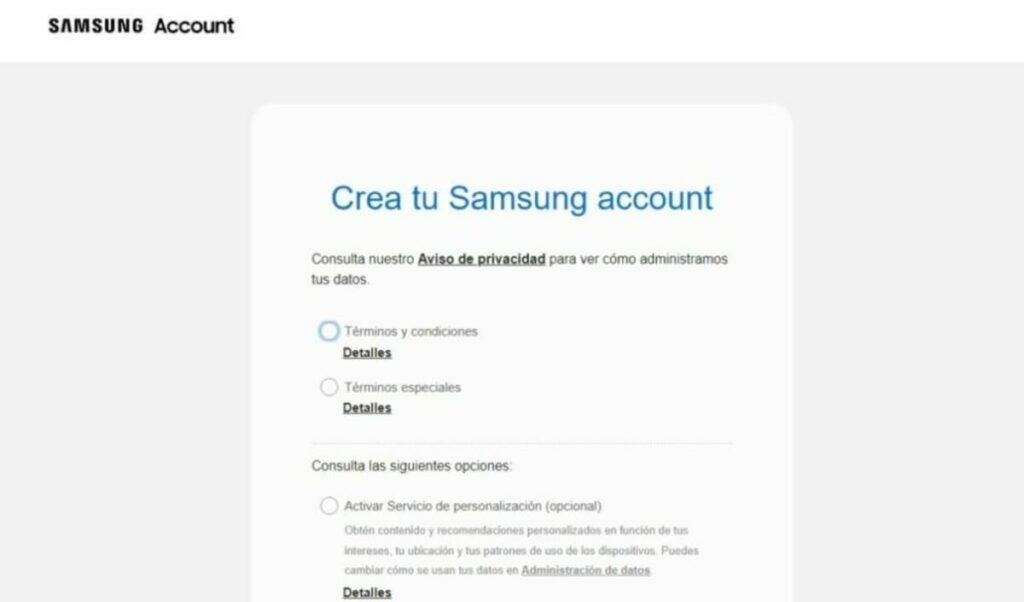
Then click on the “Create account” button. This will take you to a new page where you must first accept all the terms and conditions of a Samsung account. You will also be able to opt in for a personalized recommendation service, as well as receive news and commercial notifications from the company. Once you have checked the relevant boxes, click on the “I accept” button.
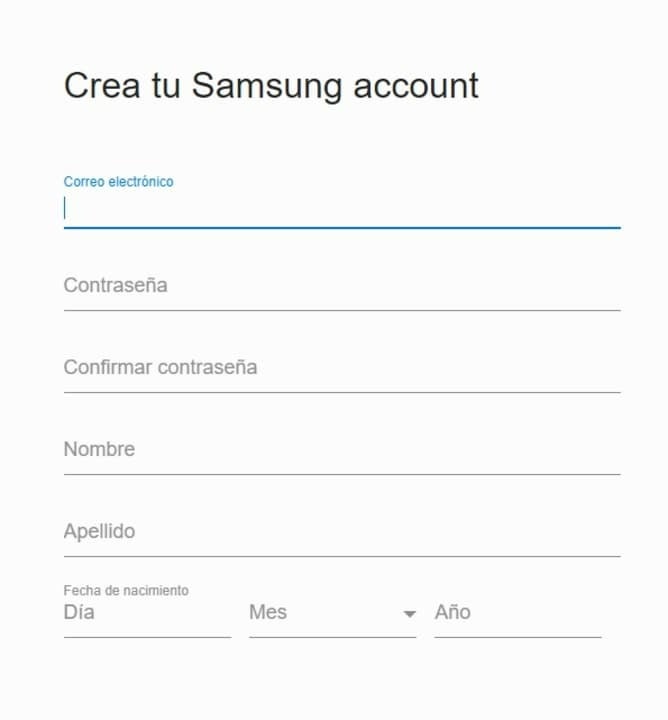
Once you have done this, complete the form by entering your email address, first name, last name, date of birth and password. After that click next to open your account. Now simply wait to receive the email to verify your data and you will have your Samsung Account activated.
How to delete your Samsung Account
Have you decided to retire your Samsung phone and buy an iPhone? It is likely that if this is the case, you will want to delete your Samsung Account. This will permanently delete all data and information stored on the platform, the company’s apps as well as Samsung Cloud.
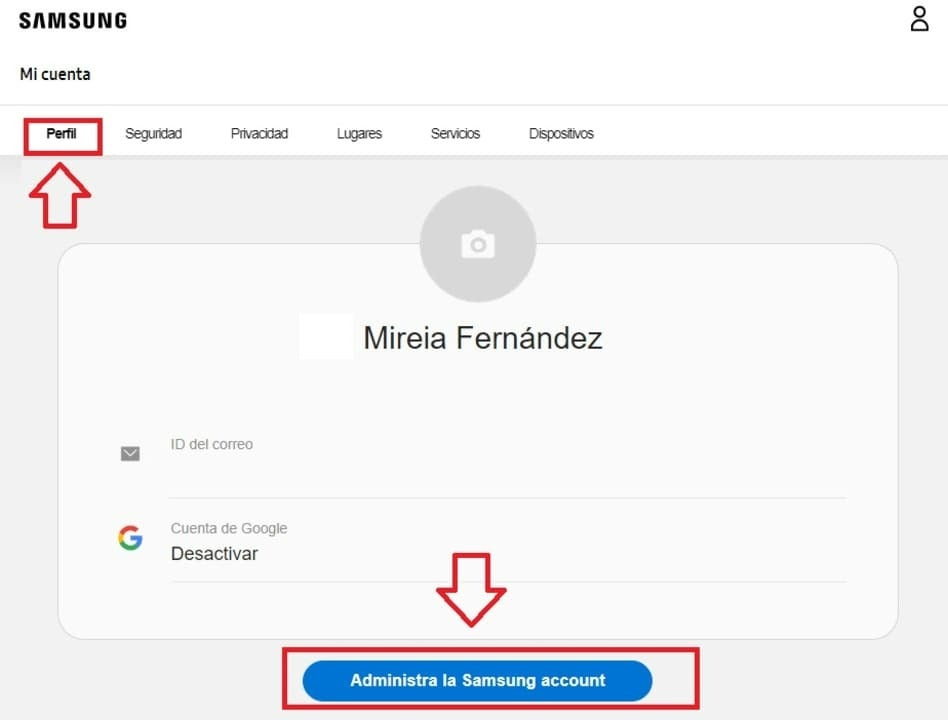
To delete your Samsung account, first of all visit their website and log in with your details. Once you have done this, select the “Profile” option from the top menu of the screen and click on the “Manage Samsung Account” option.
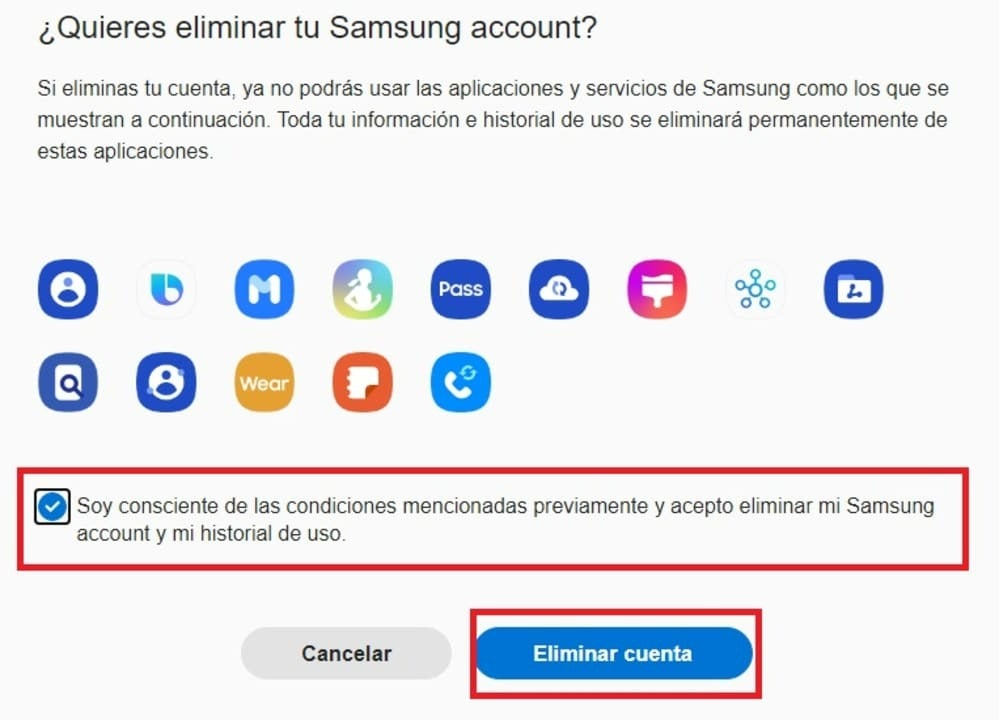
After that, click on the “Delete account” option and check the option “I am aware of the above conditions and agree to delete my Samsung account and my usage history“. Now just click on the blue “Delete account” button to close your Samsung Account forever.
Get the most out of your Samsung cell phone
We hope this article has helped you to know what a Samsung Account is, what it is for and how it works. As you have been able to see, this free service offers endless improvements and advantages for all Samsung users so… What are you waiting for to open your own Samsung account?
And remember, if you liked what you read… Don’t forget to share it with your friends on social networks!
Are you going to travel abroad and do not know the language? These are the best free apps to translate with the camera of your Android or iOS smartphone.
Whether we are going on vacation or preparing for a business trip abroad, it is likely that we are worried about not being able to speak a language that is not our own. The problem increases if, dazzled by exotic destinations, we decide to visit a destination where we don’t even know its writing system. In this type of case, the classic dictionaries will not be able to get us out of trouble because we will not be able to consult them.
For this type of situation there are apps capable of translating through the camera of our phone. Thanks to them we only have to focus our cell phone on the message in question and it will appear almost magically translated into our language.
Nowadays there are many applications that can perform this task, but not all of them offer results with the same level of quality.
Would you like to know which ones we like the most?
1. Google Translator
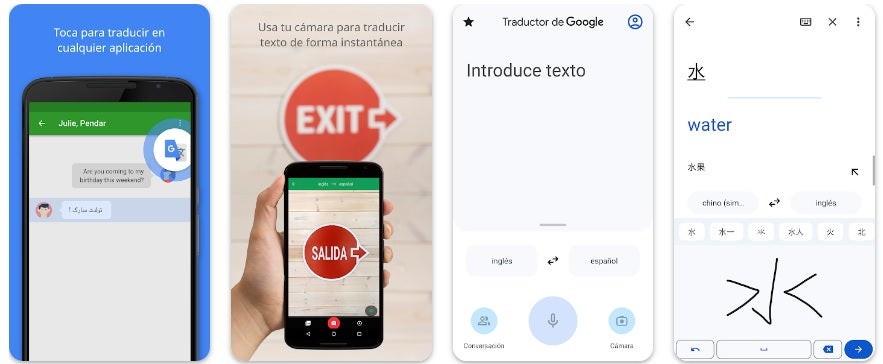
Google Translator was one of the pioneer applications when it comes to translating messages using the camera of our cell phone. It is completely free and offers versions for both Android and iOS. You can download it quickly and easily below these lines.
Google Translator offers the classic translation in which we write a message and it appears translated, the translation of voice messages and also two different ways to translate with our camera.
Firstly, it offers real-time translation where by simply focusing on the message with the camera, it will appear with the translation superimposed on the image.
Secondly, we can take a picture of the message and then point out with our finger which part we want to translate. After that, Google Translator will show that message underlined in the language of our choice.
One of the strong points of Google Translator is that, by using Google’s translation engine, it offers an endless number of compatible languages. This way you won’t have any problem translating anything you don’t understand regardless of the country you are visiting.
2. Microsoft Translator
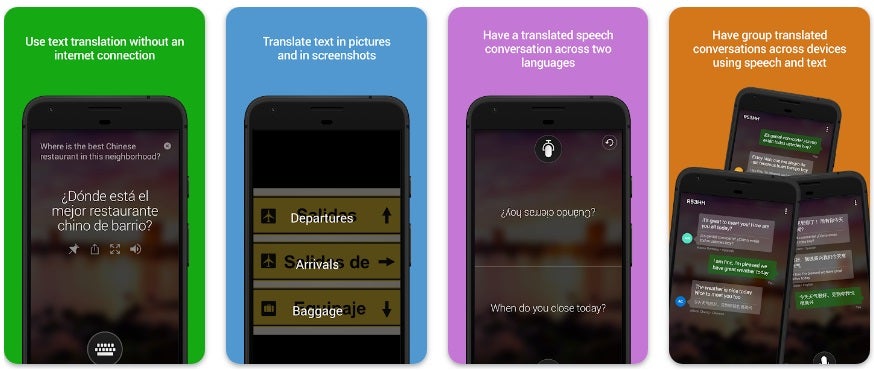
Microsoft Translator is the Redmond company’s bet to translate any message you don’t understand. In a similar way to Google Translate, this application allows you to translate both written text and text from your camera, but it also allows you to translate voice conversations. You can download the application for free and securely below these lines.
To translate a message with our camera using Microsoft Translator, we will first have to take a picture of the text in question and then upload it to the application. After that we will receive the message perfectly translated into the language we want.
As it does not have real-time translation, the application may be a bit slower to use than Google Translate, but it is still very convenient and useful.
3. Naver Papag
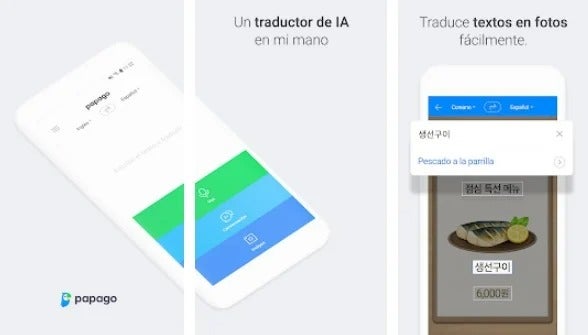
Naver Papago is an interesting application that will allow you to translate text, and audio , of course, image messages through our camera.
It is very easy to use and offers reliable results in just a few seconds, all without having to pay a single cent. You can download Naver Papago below.
Translating a text through an image with Naver Papago is really easy. Just open the application, click on the camera icon and take a picture of the text to translate. Naver Papago will recognize the text and show you the translated text instantly.
The only weak point of the app is that it has 13 languages: Korean, English, Japanese, Chinese, Spanish, French, Vietnamese, Thai, Indonesian, Russian, German and Italian.
4. Yandex Translate
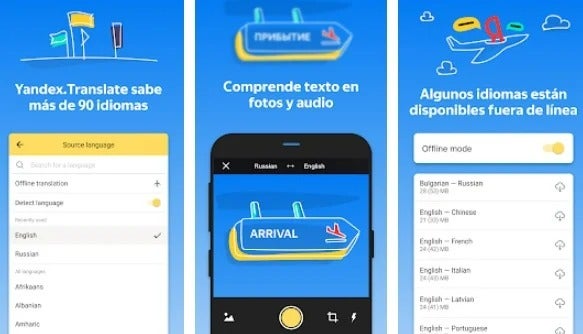
Yandex would be the Russian equivalent of Google and as such, it offers an excellent application with which to translate messages in the blink of an eye. With 95 languages at your disposal, you will hardly miss any of them, making it an excellent free alternative to the rest of the programs on the list.
Yandex Translate allows translation of text and audio messages both online and offline and, of course, translation through images.
To use this service, simply take a picture of the message to translate or upload to the application one that you already have in your phone’s camera roll. After that Yandex Translate will show you the perfectly translated message.
5. Camera Translator: Translat
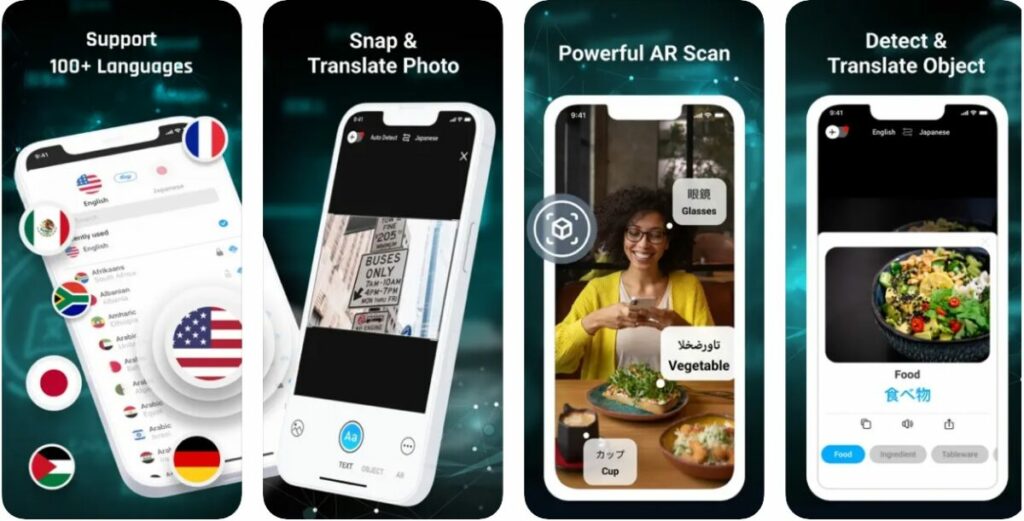
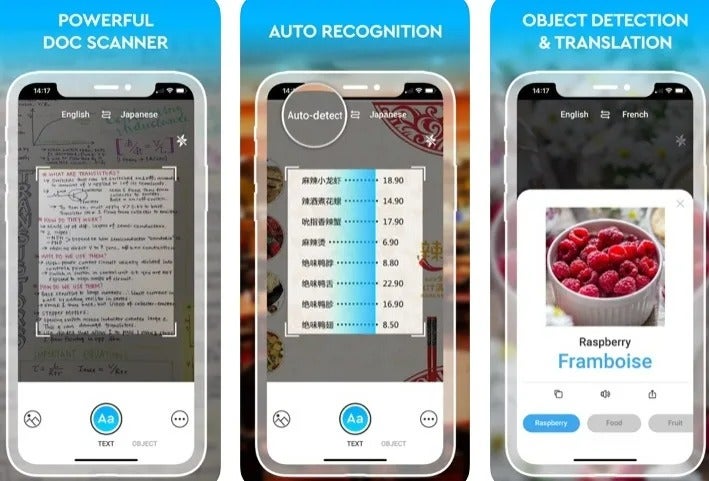
Finally, we would like to recommend Camera Translator: Translate+. This excellent application offers more than 100 languages with which to translate any text that you put in front of the camera of your cell phone.
Camera Translator: Translate+ is a powerful tool capable of translating images, photos and also documents. Just take a snapshot from your mobile camera and the app will not only automatically detect the language, but it will translate all the text respecting its format and even if there are images in it.
Its only disadvantage is that if we are Android users, we will not be able to use it. You can download the application for iOS below.
The operation of Camera Translator: Translate+ is very intuitive. Simply upload the image of the text to be translated and wait for the application to review and translate it.
Once the process is finished, Camera Translator offers interesting options such as sharing the translation with other applications on your cell phone.
We hope this list will help you when translating texts with your phone’s camera.
Tired of always having the same wallpaper or lock screen image? Dazzle your friends with this selection of free backgrounds for your Android mobile.
Today it is estimated that we spend an average of 5 hours a day using our cell phone. That’s a long time to be always looking at the same wallpaper! And in a very short time, the smartphone has become an inseparable accessory that says a lot about who we are. But … Who wants to spend hours looking for that perfect image to customize our Android device?
In today’s article we are going to offer you a selection with the best wallpapers for your mobile. These can be used both on the home screen, lock screen of your mobile and even applications such as WhatsApp, all you need to do is download them to the gallery of your smartphone. We hope you like them!
How to change the wallpaper of your cell phone
Before we start with our selection, let’s show you how you can use the wallpapers you download quickly and conveniently.
Home screen
To change the wallpaper of your cell phone, you first need to download the image you want to the gallery of your smartphone by clicking on it and then selecting the “Save image” option.
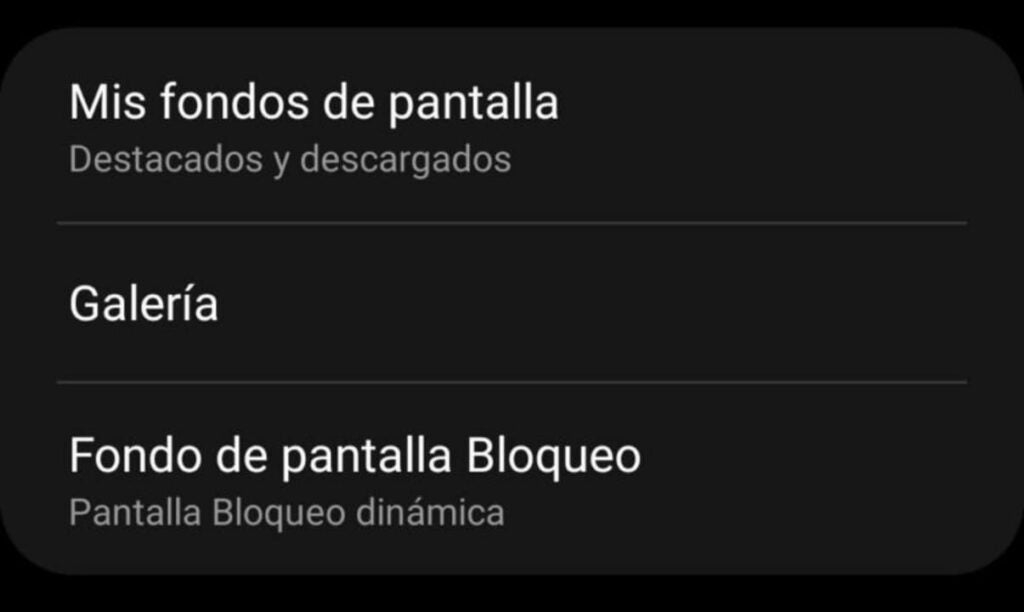
After this step, access the Settings of your cell phone and select the “Display” option followed by “Wallpaper”. If you are a Samsung smartphone user, you simply need to click on the “Wallpaper & Themes” or “Wallpaper & Style” option.
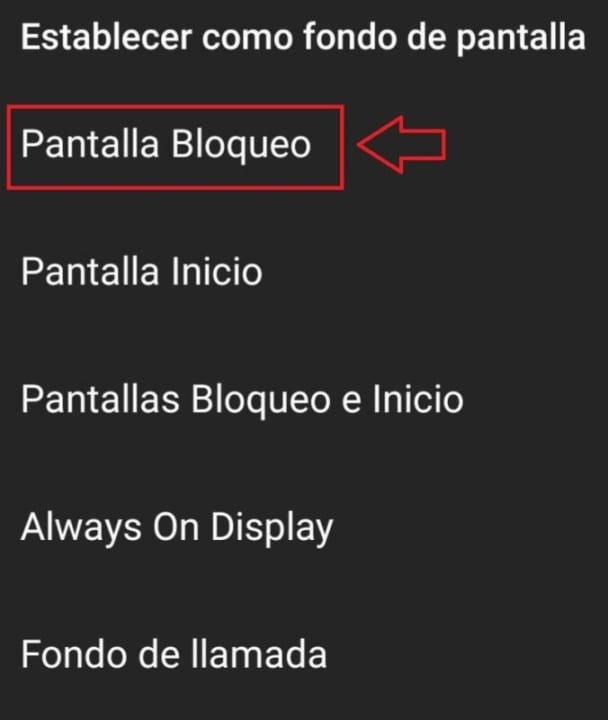
To finish, simply select the “Photos” option and click on the image you want and click “Set Background” followed by “Home Screen”. If you are a Samsung user you will reach the Galaxy Themes menu where you must click on the “Gallery” button followed by the image you want as background. After that a menu will appear where you should select the “Home Screen” option.
Lock screen
If there are several images that you like, you probably want to use both to decorate your phone. Why not set a different image for your lock screen? To make this change simply follow the steps in the previous point and, once you have selected the background image, click on the “Lock Screen” option instead of “Home Screen”. This is especially useful if for example we have a family member or our children as wallpaper and we do not want the whole world to have access to our private images.
In applications such as WhatsApp
WhatsApp is the star application of most smartphones. And for many, the cell phone has become a simple device to always have access to this messaging service. It is therefore normal that we want to customize the app and always have a nice wallpaper for our chats.
To change the WhatsApp wallpaper it is first necessary to have the application updated. To do this you can check its version through Google Play or if you wish, downloading it directly below these lines.
Once you have updated WhatsApp, open a chat and click on the menu button in the upper right corner of the screen (it has the appearance of three vertical dots). Once you have done this, click on the “Background” option followed by “Gallery”, WhatsApp will access the images saved on your phone and you can select the wallpaper you want.
If following these steps you have not managed to change the chat background, do not worry. We have an in-depth article that will explain step by step how to perform this process.
Animal wallpapers
If you are an animal lover you are sure to love these wallpapers. These are perfect to relax and enjoy a little bit of magic and majesty of the animal world. Ideal if you do not have a pet but do not want to give up having a beautiful animal as wallpaper on your mobile.
Whether you travel or enjoy seeing different cities and cultures, you will surely be interested in these wallpapers. In them you will find some of the most emblematic buildings of cities around the world as well as beautiful architectural motifs to give a sophisticated air to your mobile.
Fans of the world of motorsport not only enjoy it on the road but also on the screen of their smartphone. To make your life easier, we have compiled some nice images to bring your passion always on screen.
There is nothing more relaxing than admiring a beautiful landscape or letting your eyes wander over the horizon. If you live in the big city it is probably not very easy to find that beautiful picture you need so much, so… Why don’t you take it with you on your cell phone?
Sometimes we are not looking for a wallpaper full of images, but a nice combination of lines, colors and effects that we find attractive. What are you waiting for to download some of these minimalist wallpapers?
Whether for its beauty or its mystery, space images are always a perfect bet to decorate the screen of our cell phone. They are both relaxing and really sophisticated, so you will never worry if someone sees the wallpaper of your cell phone.
Flowers have the particularity to cheer up anyone who receives them and also fill our day to day with light and color. That is why they are also excellent to take as wallpaper for our Android phones.
If you don’t like any of the wallpapers we have selected, don’t worry. In Google Play you will find hundreds of free apps from which you can download and add the high-resolution backgrounds you want from its extensive gallery. These are the ones we like the most:
Wallhaven Wallpapers
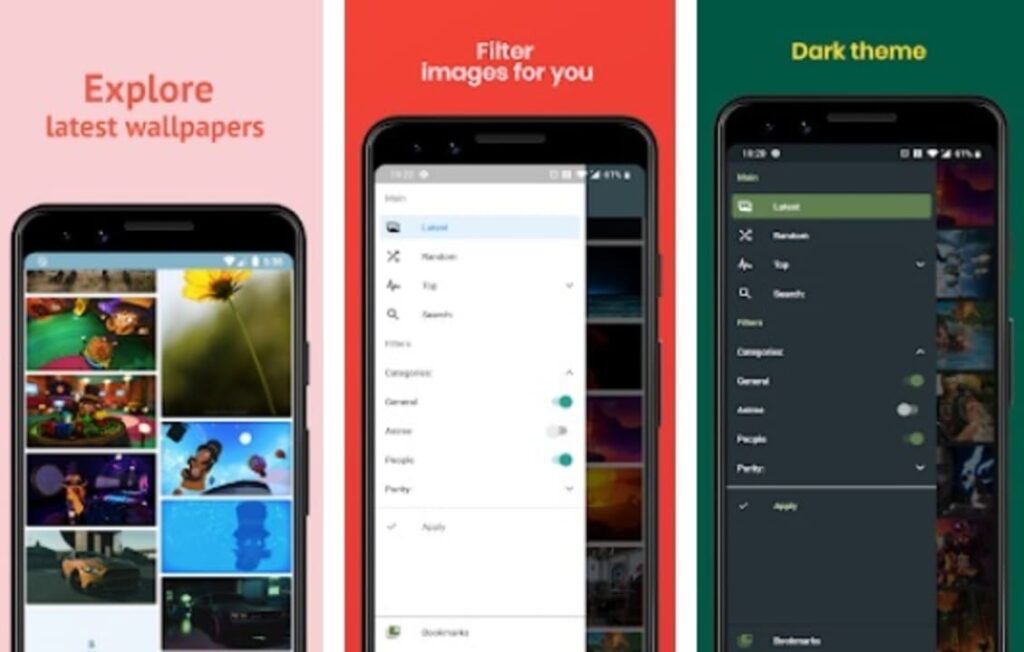
Wallhaven is one of the most popular and widely used applications to change the background of your mobile without having to spend hours and hours searching the Internet. It has a catalog of thousands of beautiful wallpapers of high quality (HD,QHD and 4K) plus a selection of resolutions to always fit the size of your screen.
Using Wallhaven is really simple, just search for the new background of your mobile within its extensive catalog, save the image on your mobile and set it as wallpaper. In addition to all this, if there is a background that has made you tilín you can also share it on major social networks. You can download Wallhaven for free and securely below these lines.
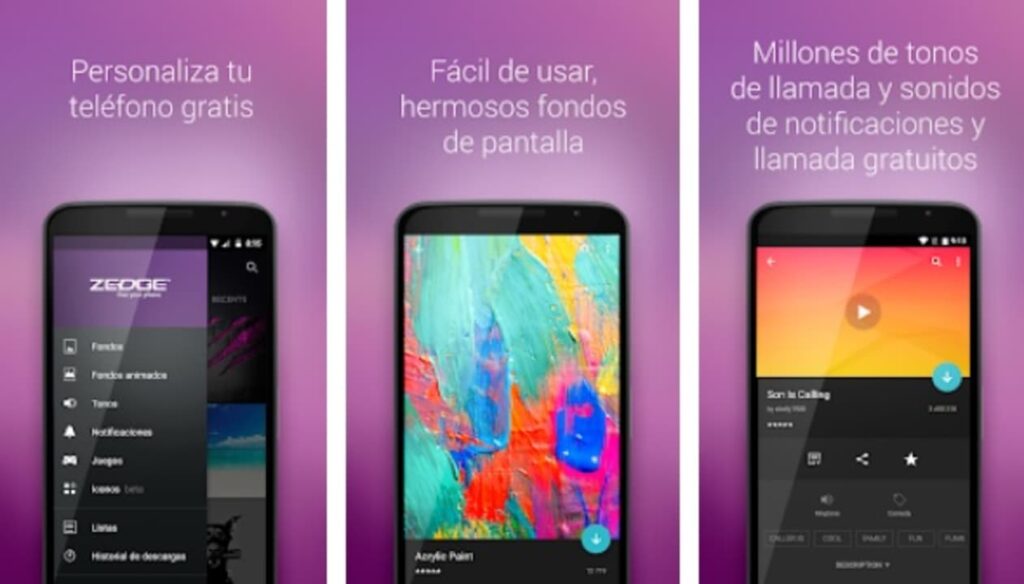
ZEDGE is a free app that not only allows you to change the background of your cell phone in a few seconds, but also allows you to customize your ringtone.
Overall, ZEDGE is a really complete application since in addition to having a huge catalog with new HD wallpapers, it also includes screensavers for your mobile. Its use is really simple, choose the image for the background of your cell phone that you like, preview the result and if you are convinced, and you have a new background for Android. In addition to all this, ZEDGE allows you to customize any image you select, so the possibilities are practically endless. You can download ZEDGE completely free of charge below these lines.
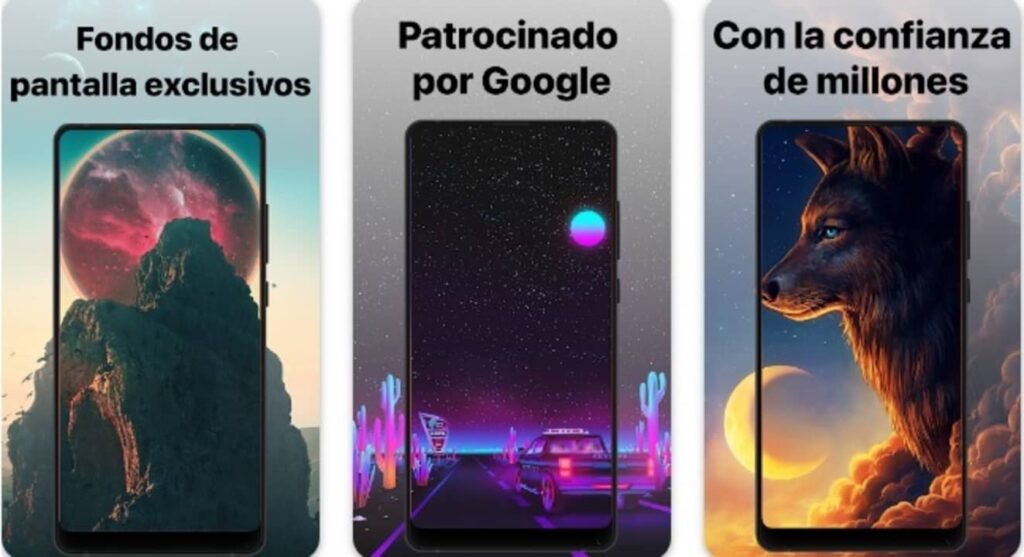
Finally, we would like to recommend Walli: Wallpaper 4K HD. This great application offers a wide selection of wallpapers created by one of the best communities of artists on the Internet. And as the application itself emphasizes, this is not just another program to download wallpapers, it is a selective and high quality collection of creative images.
As we have already mentioned, all the wallpapers included in Walli have been created by Internet artists. They not only receive credit for all the images they have created, but also receive earnings from the app in recognition of their work. It is, therefore, an excellent application not only to customize your cell phone, but also to reward the art and work of thousands of Internet artists.
If none of the apps we’ve offered here catches your eye, don’t worry. We have an article with the 5 best free wallpaper apps for Android.
Want more? Download more wallpapers on these pages
It is likely that after reading the article you have got the bug to find yourself the perfect wallpaper for your mobile without the need for apps or accommodate you to ready-made lists. There are countless sites on the Internet from which you can download wallpapers for your smartphone but be careful, some of them have a lot of ads that can eventually take a toll on your phone.
To make your life easier we are going to give you a selection of repositories of wallpapers compatible with Android.
We hope that our article on backgrounds for cell phones with Android operating system has helped you. And remember, if you liked what you read, don’t forget to share it with your friends on social networks.
Improve your memory and train your brain daily thanks to these 8 excellent free memory games for your mobile with Android or iOS operating systems.
Do you have trouble remembering things and often think that your memory is not what it used to be? This is normal. As we get older, it becomes more difficult to concentrate and even to learn the simplest calculation. And is that like any other muscle, the brain needs to exercise to stay agile and that is why it is so important to perform daily exercises to keep our mind young. But… How to do it easily? Very simple, using daily fun apps to exercise the memory.
There are many applications both in Google Play and in the App Store that will help us to improve our cognitive capacity. All of them have been designed to offer us daily exercises that get us hooked and gradually challenge our brain. Don’t know which one to choose? Don’t worry. In today’s article we are going to offer you a selection of the best memory games for your mobile, we hope you like them!
1. Lumosity
Lumosity is one of the most popular apps for exercising your brain. It offers a good selection of challenges for your mind, from puzzles and quick mental arithmetic to logic games that will keep you glued to your smartphone. The fact that year after year Lumosity is considered the best app to improve your memory is no coincidence. This powerful tool for your smartphone has been developed by more than 100 experts and is able to detect both your strengths and those factors in which your mind limps. From there it will create a personalized selection of exercises.
Among the activities offered by Lumosity we find the ability to solve problems, memory, attention span, speed and flexibilitywhen facing challenges. Sounds good, doesn’t it? The application offers both free and paid options. If you opt for the free version you will be able to play three of its games daily. If these are not enough, you can also opt for both monthly and annual plans to be able to fully access the rest of the exercises without any restrictions.
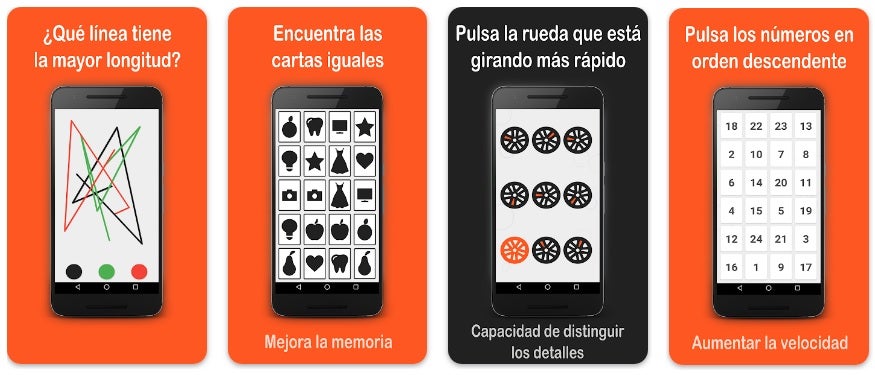
If you like puzzles and logic games, you’ll love Skills. This fun application for Android offers a collection of the best games to train your brain and improve your memory. Among them we find activities of coordination, precision and quick mental calculation to, ultimately, return to your mind the speed and agility of yesteryear.
One of the strong points of Skills is the simplicity and good results of all its activities. For example we find the classic game of “Memory” (find identical images), identify which figure rotates faster, be able to find the different figure within a group of identical drawings, etc.. In addition, many of these games have a multiplayer mode, so you can encourage some of your friends to train your mind with you.
Peak is an application to train your memory leaving aside the classic quick mental calculation problems to focus solely on fun mini-games. Thanks to its variety of activities, Peak is able to turn your smartphone into a real gym for your mind. And through this fun app you will find games related to memory, problem solving skills, concentration, coordination, language and much more.
With many awards behind it and designed by a large group of experts in neuroscience, cognitive science and education, Peak is undoubtedly one of the best apps to train your brain. So, if you are looking for a wide selection of free mini-games to rejuvenate your mind, you are already late in downloading it.
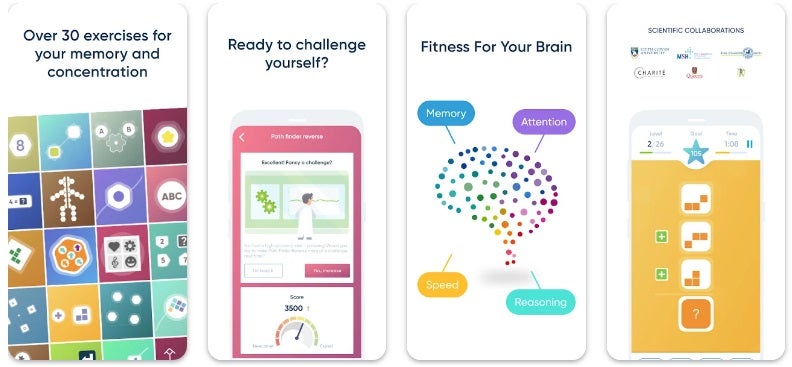
NeuroNation is an app designed to restore youth and agility to your brain. You will only need to dedicate 15 minutes a day to its more than 30 exercises and 250 levels of difficulty and you will see how little by little you will notice the results. NeuroNation has been developed especially for all those people who find it hard to concentrate on their activities. And thanks to this app you will slowly recover your cognitive abilities.
A strong point of Neuronation is that during all the time you use the app, you will not feel alone. The application has more than 23 million users with whom you can connect and share results just by tapping the screen. Ideal for those looking to exercise their brain slowly but steadily.
Elevate is an app designed to improve the mental processes of each person. These are not only limited to memory and mental arithmetic, but also to oral expression and reading comprehension. One of the reasons why Elevate is considered one of the most powerful memory apps on the market is that, instead of offering you exercises without rhyme or reason, it creates a personalized selection. In this way, this mental coach generates a unique exercise routine just for you and designed to bring your brain back to its maximum expression.
The free version of Elevate offers you a total of five daily games to train your gray matter, although you also have the option to pay for a Pro account and have access to more than 35 activities focused on memory.
CogniFit is the closest thing to installing Dr. Kawashima’s famous Brain Training on your Android phone. This app features an extensive selection of mental exercises that have been carefully formulated by scientific authorities with a single goal: to improve your mental capacity. The app features all kinds of challenges for your mind, from memory games to exercises to improve your mental capacity. The app even has a good selection of exercises designed to stimulate the brains of patients with dementia, brain damage, cancer or Parkinson’s disease.
Although CogniFit is fully functional in its free version, you can unlock all of its exercises with its monthly and yearly subscription model.
Mind Games is, as its name suggests, a collection of games designed to exercise your mind. It divides its exercises into two main groups: those designed to train the left side of the brain and those designed to make the most of the right side. Thus we will find challenges of all kinds: memory, mathematics, to recognize shapes and colors, concentration … All of them always at your fingertips in the same application.
In addition to its wide collection of exercises, Mind Games will generate a small report so that you know which areas and aspects of your mind you need to work on. With its free version you can play each of the Mind Games exercises up to a total of 3 times a day. For those who prefer to do longer training sessions, the app offers a Pro subscription that unlocks all of its restrictions. Still, it’s an excellent app for anyone who wants to exercise their brain without spending a single penny.
Finally we want to recommend Mensa Brain Training, an application to improve memory based on perception and logic games. This is a perfect application for all those who want to improve their mental capacity with fun games that always challenge their senses.
Perhaps of all the apps we have shown you, Mensa Brain Training is the one that has less support within the scientific field, but it is the most entertaining if we are looking for logic games to pass the time. This one is only available for iOS devices.
The application is free for 7 days during which it will make an assessment of your mental capacity and in what areas you need to improve. After this trial period you will need to pay to continue using the application.
We hope that our selection of free memory games for your cell phone has helped you. Train your mind daily and you will see how in no time, your brain will be as fresh and agile as it used to be. Did you like what you have read? Don’t forget to share this article with your friends through social networks!