Learn about 5 best alternatives to DuckDuckGo: search engines and browsers in 2023.
In a world where privacy concerns are becoming more prevalent, many people have turned to DuckDuckGo as their go-to search engine and browser. But what if you’re looking for a DuckDuckGo alternative?
Maybe you’re not satisfied with its search results, or you want more features. Whatever your reason, we’ve compiled a list of five browsers and search engines that you can consider as an alternative to DuckDuckGo. In this article, we’ve collected the 5 best alternatives, such as Tempest, Tor, Qwant, etc., so you can choose the perfect one.
DuckDuckGo is a search engine that focuses on user privacy. It doesn’t track your online activity or store your personal information. It’s also a web browser that blocks third-party trackers and provides encryption protection. DuckDuckGo has gained popularity in recent years due to increasing privacy concerns, but it’s not the only option out there.
Why Consider DuckDuckGo Alternatives?
While DuckDuckGo is a great option for privacy-conscious users, it may not be the best choice for everyone. Some people may find the search results to be less relevant than alternative search engines, or they may want more features in their browser. That’s why it’s always good to know what other options are available.
3 Alternative Browsers to DuckDuckGo
Alternative #1: Tempest Browser
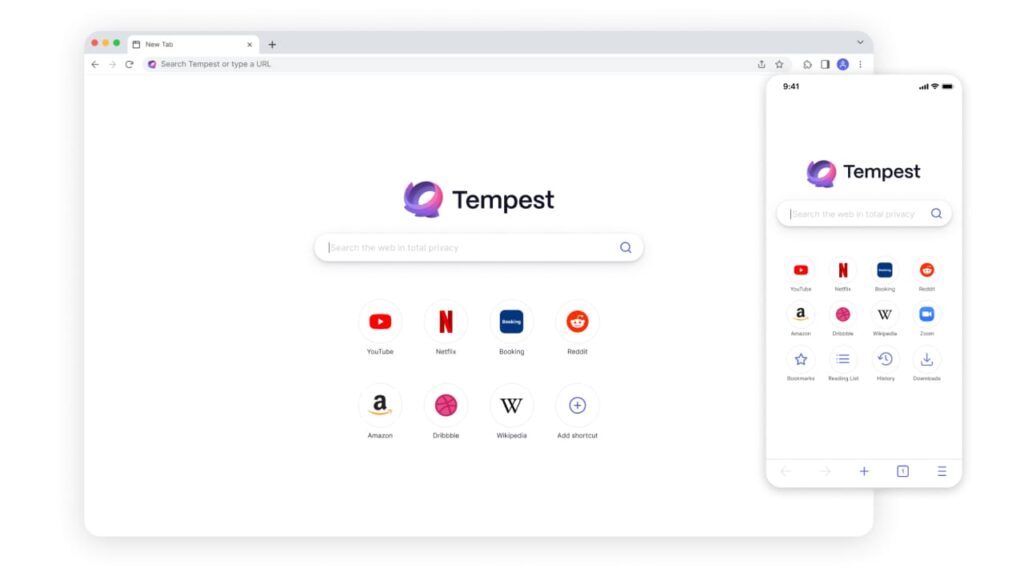
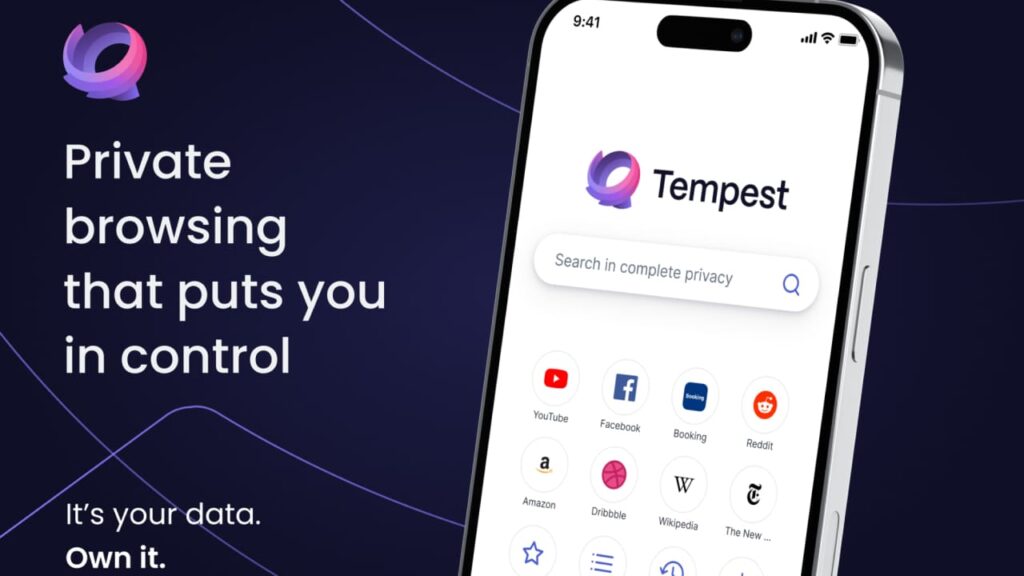
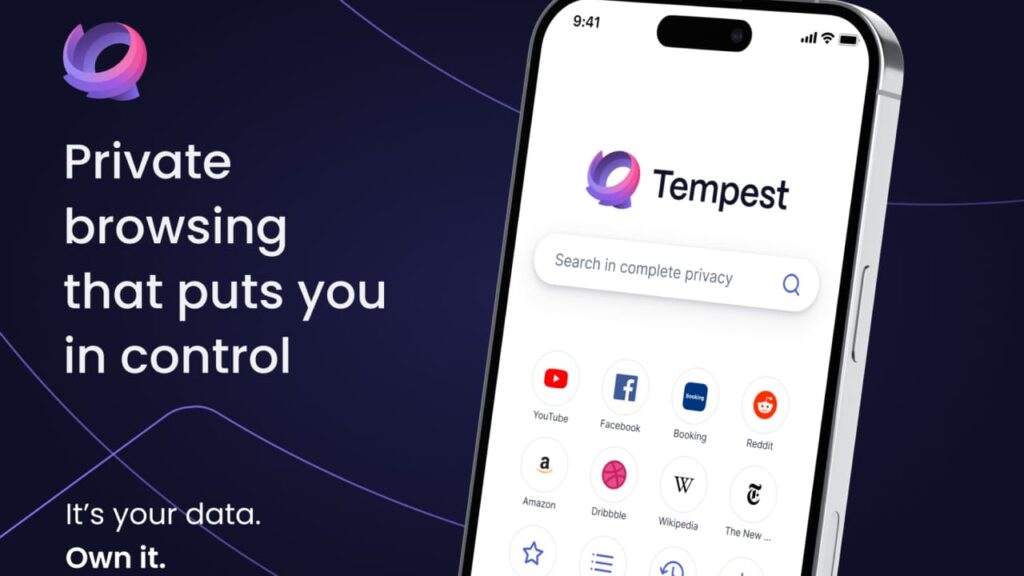
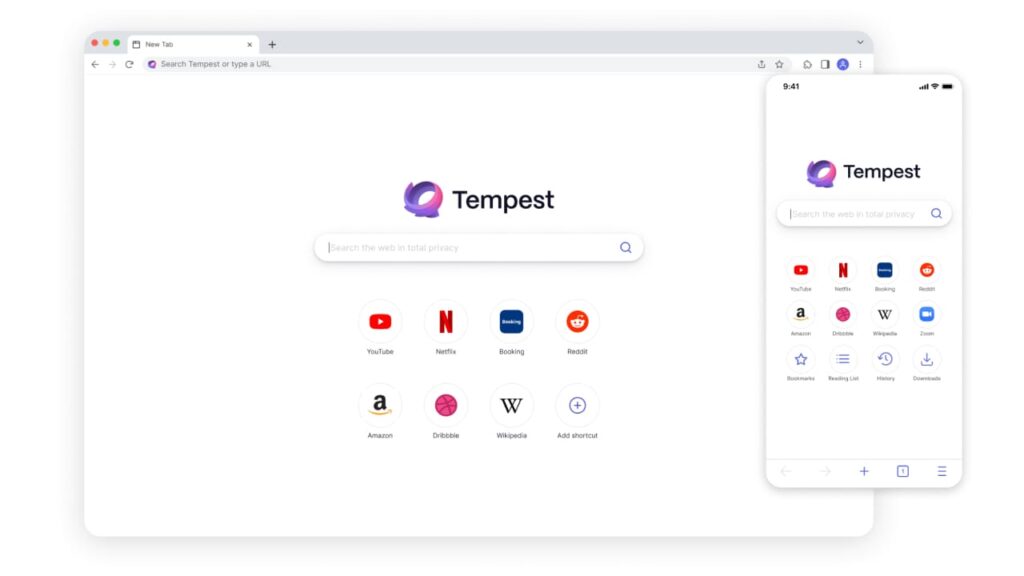
Tempest Browser is a great alternative to traditional search engines like DuckDuckGo. Here are some key features that make it stand out:
Privacy protection: It offers enhanced privacy features to keep your online activities safe and secure.
Personalization: The browser allows users to personalize their browsing experience by offering customized themes and layouts.
Ad Blocker: It comes pre-installed with an ad blocker and script blocking features to prevent annoying pop-ups and optimize web page loading speeds.
Tracker blocker: The software prevents the tracking of browsing habits and collection of personal data by malicious trackers.
Cross platform compatibility: The browser supports multiple platforms like Windows, Mac, Linux, Android, and iOS.
Pros
Enhanced security: It uses advanced security encryption to safeguard your online activities from prying eyes, malware, and malicious hackers.
Minimalist design: The browser’s clean and minimalist interface allows for distraction-free browsing, making it ideal for users who prefer a simple and intuitive browsing experience.
Advanced customization: It offers users the option to customize their browsing experience to suit their preferences, from choosing a unique theme to customizing tab positions and more.
High-speed browsing: The browser’s fast rendering speeds enable it to load web pages quickly and efficiently, making it an excellent alternative to traditional browsers that consume too much memory and slow down your device.
Low resource consumption: It is designed to consume minimal system resources, even when multiple tabs are open at the same time, resulting in less battery drain and longer battery life for mobile devices.
Open-source code: The browser’s open-source code allows users to access and modify the software as needed, making it a platform for innovative add-ons custom-made by developers.
Cons
Limited extensions catalog: The total number of extensions available is limited compared to other DuckDuckGo alternatives.
Less popular: It has a long way to go in terms of popularity, which may make users hesitant to switch from the more popular browsers.
Overall, Tempest Browser is one of the best DuckDuckGo alternatives for people looking for a more secure and private browsing experience. It offers many features like ad-blocking, cross-platform compatibility, and personalization without compromising on privacy.
If you are looking for a viable alternative to traditional search engines, Tempest Browser is worth exploring.
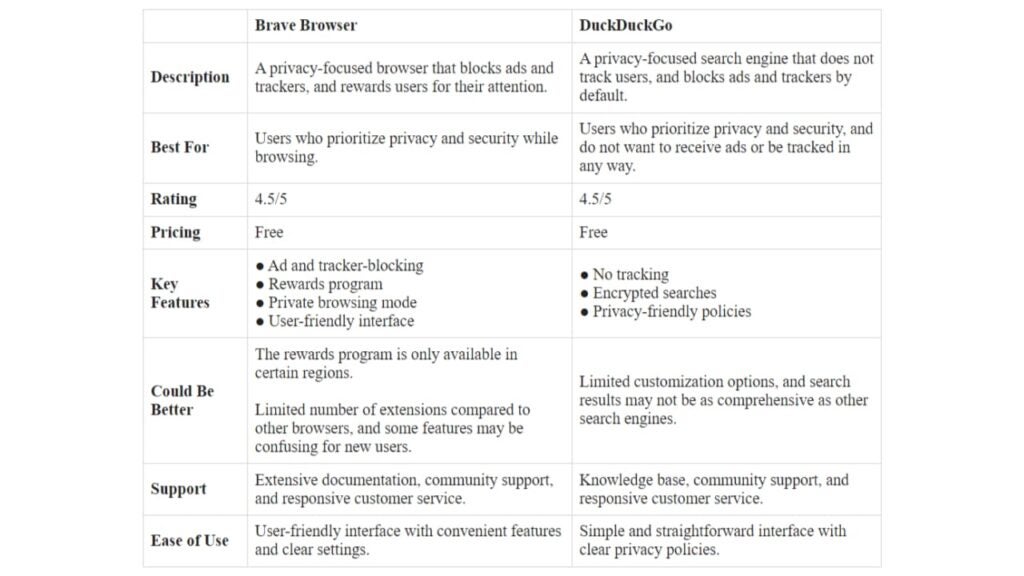
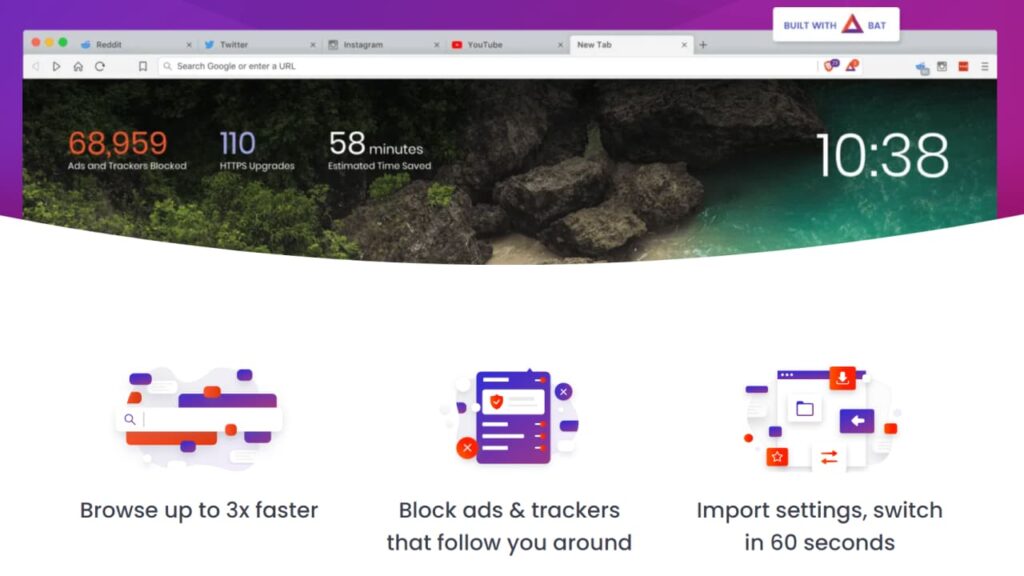
Brave Browser has gained popularity as a fast and privacy-focused web browser similar to DuckDuckGo. Here are some of its key features:
Ad and tracker blocker: It automatically blocks ads and trackers that monitor your online activity, protecting your privacy and improving your overall browsing experience.
Data saver: This feature allows you to compress data and optimize page loading times, which is especially useful when using mobile data plans.
Built-in VPN: It offers a built-in VPN for added security and privacy when browsing, which is not available on many browsers like DuckDuckGo.
Rewards program: It has a rewards program that pays users in the cryptocurrency BAT for watching ads, which can later be used to pay content creators or donated to charity.
Cross-platform compatibility: It is available on multiple platforms, including Windows, MacOS, iOS, and Android.
Pros
User-centric: It focuses on the user experience, offering faster load times, fewer distractions, and an overall smoother browsing experience.
Supports creators: It supports content creators by offering a rewards program that pays users in cryptocurrency for opting to see ads that these content creators put up.
Enhanced security: It has enhanced security features, including HTTPS Everywhere, which secures your connection to the websites you visit.
Simplified user interface: The browser has a simplified user interface that’s easy to navigate and does not distract from what’s important.
Efficient: It is designed to be more efficient than traditional browsers by blocking ads and trackers that use up system resources in the background.
Cons
Limited plugin support: It doesn’t support as many plugins as traditional browsers do, which may limit the capability of some users.
Smaller user base: Although Brave has been gaining popularity, it still has a smaller user base than other websites like DuckDuckGo.
Overall, the Brave vs DuckDuckGo comparison reveals they have common features like ad and tracker blocking, but Brave Browser offers a more versatile, secure and efficient browsing experience through its built-in VPN, data saver, and cryptocurrency rewards program, among others.
Although it still has a smaller user base, it is gaining popularity as a trustworthy and privacy-friendly DuckDuckGo browser alternative.
Alternative #3: Tor Browser
Tor Browser is a privacy-focused web browser that takes your online security and anonymity seriously. Here are some of its key features:
Onion routing: It encrypts and randomly routes your internet traffic through several servers, making it difficult for anyone to trace your online activity back to you.
Anonymous browsing: It hides your IP address, making it difficult for anyone to track your online activity or location.
No cookies or tracking: The browser blocks cookies and other tracking technologies that websites use to monitor your online behavior.
Multi-layered encryption: It uses multiple encryption methods to secure your internet connection and protect your privacy.
Cross-platform compatibility: It is supported on multiple platforms, including Windows, Mac, and Linux.
Pros
Strong security: It is designed specifically to keep your online activity private and secure. It employs cutting-edge encryption technologies and uses the Tor network, making it hard for anyone to track your online activity.
Open source: It is an open-source project, which enables the community to contribute to its development, update, and support.
Non-profit organization: The Tor Project, the organization behind Tor Browser, is a non-profit organization that is dedicated to privacy and digital rights.
Separated identity: The browser allows users to create a new, unique identity for each session, providing another layer of anonymity and making tracking you even more difficult.
Access without restrictions: Tor Browser allows people from countries with internet restrictions, censorship, or monitoring to bypass these restrictions and access the internet without any issues.
Cons
Slow speed: It can be slow at times due to the number of encryption layers it uses.
Websites may block access: Some websites may block access from IP addresses associated with the Tor network, which means you may not be able to access certain websites.
Overall, the Tor vs DuckDuckGo comparison suggests they both offer increased privacy and anonymity, but they work in different ways. Tor Browser relies on onion routing to keep your online activity anonymous and secure, while DuckDuckGo uses a combination of advanced encryption, privacy policies, and a no-logs policy.
If you’re committed to protecting your identity and online privacy, Tor Browser is one of the best alternatives to DuckDuckGo. While it may be slower than traditional browsers and some websites may block its access, it is one of the most powerful privacy-focused web browsers available today.
3 Alternative Search Engines to DuckDuckGo
Alternative #1: Tempest Search
Tempest Search is a privacy-focused and user-centric search engine that utilizes advanced technology to provide fast and accurate search results while keeping users’ information safe and private. Here are some of its main features:
Privacy protection: It prioritizes privacy and does not track or store user data, ensuring that users’ privacy is protected at all times.
Ad-free: It delivers search results without any ads, keeping the search interface clean and user-friendly.
Encrypted connection: It uses advanced encryption technology to secure your search queries and results when you are online.
User-friendly interface: It offers an easy-to-use interface, making it easy for users to find the information they need quickly.
Image and video search: It offers advanced image and video search features that make it easy to find and filter visual content on the internet.
Pros
Transparent: It is transparent about its privacy policy and data collection practices, ensuring that users can trust the search engine with their information.
Privacy enhancers: It provides privacy-enhancers like a VPN and secure proxy that adds to users’ privacy level.
Environmentally friendly: Unlike other search engines, Tempest Search is designed to reduce carbon footprint by being more energy-efficient.
Unique algorithm: It uses a unique algorithm that delivers highly relevant search results that other search engines may miss.
Cons
Limited search results: Since Tempest Search is a relatively new search engine, it may not have as many search results as other more established search engines.
Limited filters: Tempest Search currently has limited search filters compared to other search engines.
Overall, Tempest Search is a great alternative to traditional search engines similar to DuckDuckGo. Its privacy-focused features, advanced technology, and intuitive user interface make it a great choice for users who are looking for a more secure, ad-free, and user-friendly search experience. While it may have some limitations compared to other search engines, it has great potential to become a leading privacy-focused search engine.
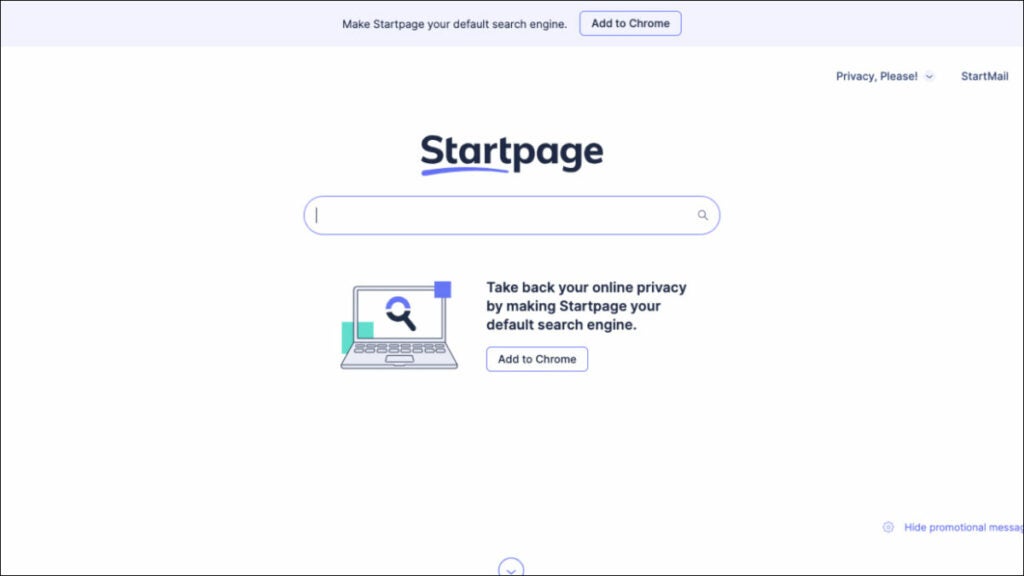
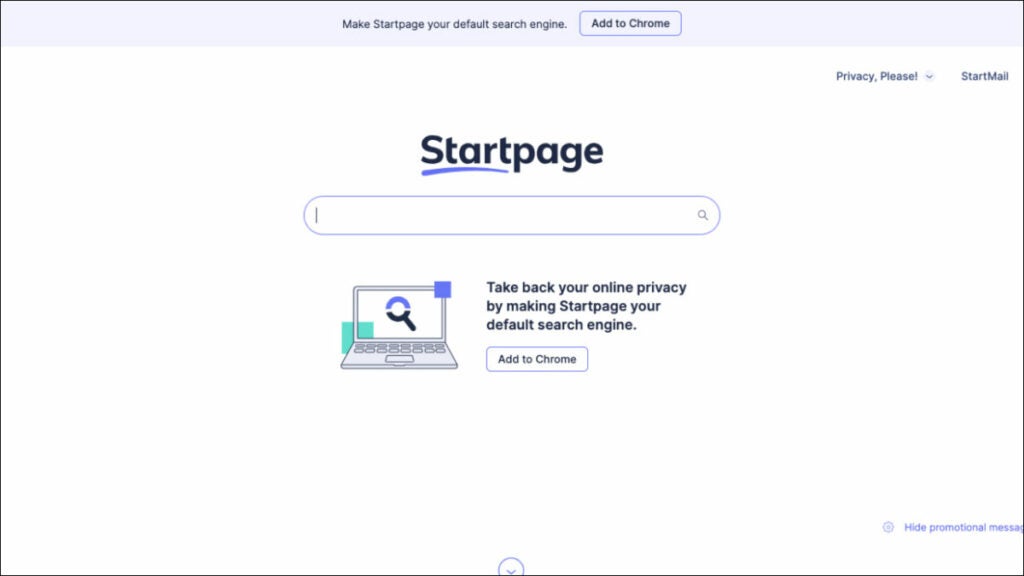
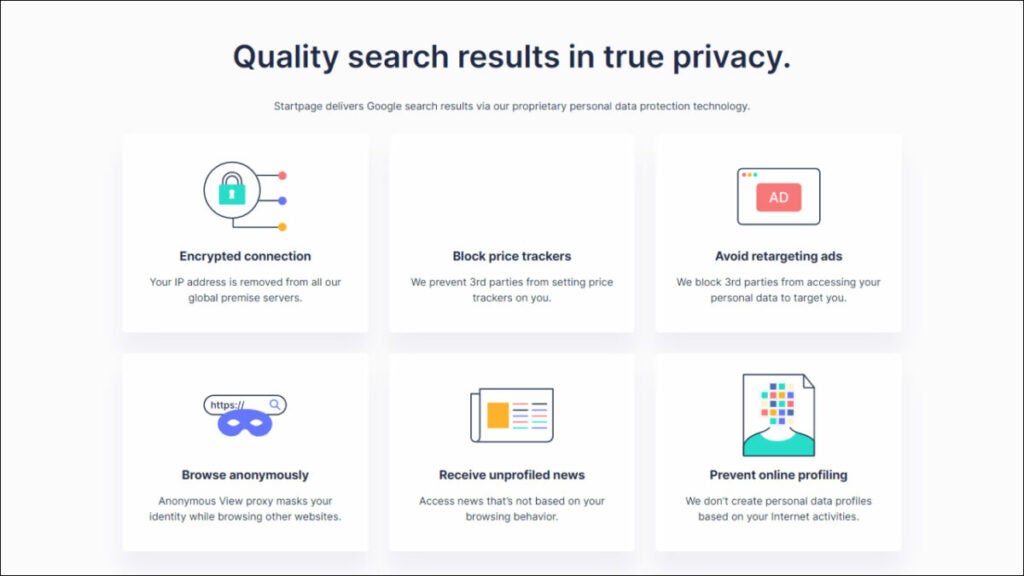
StartPage is a private search engine that offers privacy and anonymity to its users. The search engine is based in the Netherlands and uses Google’s search algorithms while not tracking any user data. Here are some of its key features:
Anonymous web browsing: It provides an anonymous web browsing experience to its users. StartPage encrypts your search queries and does not store any of your personal information, ensuring that your online activities remain private.
No personalized results: It does not use any personal information or search history to personalize the search results. It treats every user as an anonymous user, providing the same search results for everyone.
Proxy browsing: It offers a “proxy browsing” option that allows you to browse the web anonymously without being tracked by websites or advertisers. This feature can help to protect your privacy and identity online.
Advanced search features: It offers advanced search features that allow you to filter your search results by language, date, and location. This makes it easier to find the exact information you are looking for.
Easy-to-use interface: It has a user-friendly interface that is easy to navigate. You can use the search engine like any alternative search engine and get the same results while enjoying the added privacy benefits.
Pros
High privacy standards: StartPage is committed to protecting the privacy of its users. It does not collect any personal information, and all searches are encrypted for added security.
Fast search results: It uses Google’s search algorithms, providing fast and accurate search results to its users.
No ads: It does not display any ads on its search results pages, ensuring you can browse the web without any distractions.
Compatible with most browsers: It is compatible with all major web browsers, including Chrome, Firefox, and Safari.
Cons
Limited search results: It only displays search results from Google, which may limit the range of results you get.
No unique features: Unlike DuckDuckGo, StartPage does not offer any unique features, such as a password manager or an email protection service.
Limited customization: It does not allow you to customize the search results page or change the interface.
Overall, the StartPage vs DuckDuckGo comparison reveals many similarities, however, there are some differences between them.
DuckDuckGo offers unique features such as a password manager and email protection service, while StartPage does not. However, StartPage provides a proxy browsing option and advanced search features that DuckDuckGo does not offer. Also, StartPage uses Google’s search algorithms, providing fast and accurate search results to its users, making it one of the best DuckDuckGo alternatives.
Alternative #3: Qwant
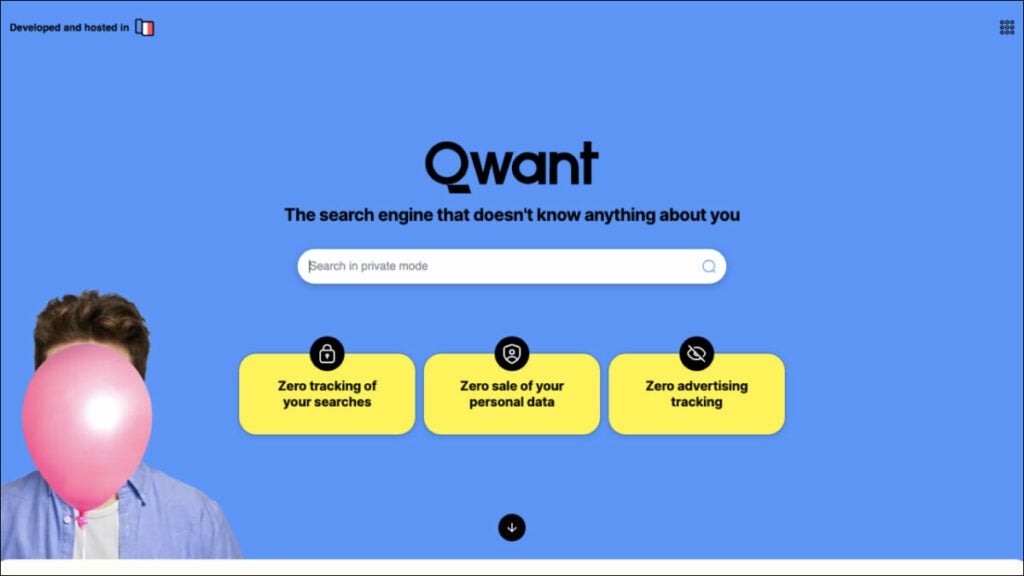
Qwant is a European search engine that prioritizes privacy and user data protection. Here are some of its key features:
Privacy protection: It does not track its users or collect personal information, and it uses end-to-end encryption to protect search queries.
Contextual search: Its “Cards” feature provides users with relevant information about their search queries, such as definitions, images, and related articles.
Social media integration: Qwant integrates with social media platforms like Twitter, allowing users to search for tweets and profiles without leaving the search engine.
News aggregator: Its “Qwant News” feature provides users with a curated list of news articles from a variety of sources.
Pros
Advanced search filters: It offers a variety of advanced filters that allow users to refine their search results based on various criteria, such as date, location, and file type.
User-friendly interface: It has a clean and simple interface that is easy to use, making it an ideal alternative for those who find DuckDuckGo’s interface too cluttered.
Localized results: It offers localized search results for various countries and languages, making it a useful alternative for those who need to search for content in a specific region or language.
Tailored results: It offers personalized search results based on the user’s search history, preferences, and interests. This allows for a more tailored and relevant search experience.
Cons
Limited results: Its search results may be limited compared to other search engines, particularly for more niche or specific searches.
Limited language support: Qwant supports fewer languages than some other search engines, which could be a drawback for users who speak languages that are not widely spoken.
Overall, the Qwant vs DuckDuckGo comparison shows they both prioritize privacy, but Qwant’s contextual search feature and social media integration set it apart. Some users, however, may find Qwant’s search results are more limited than those of DuckDuckGo.
Qwant is a great alternative to DuckDuckGo for users who are concerned about privacy and want a search engine that integrates with social media platforms. Its “Cards” feature makes it easy to find relevant information about search queries, while its strong privacy protections make it a secure option for users.
Which One Should You Try First and Why?
To choose the best DuckDuckGo alternative will depend on your personal preferences and priorities.
However, if you’re looking for a browser and search engine combo that offers strong privacy protection, advanced security features, and a clean user interface, Tempest is an excellent option to consider.
Tempest offers both a search engine and private browser, offering a range of advanced privacy features, including anti-fingerprinting and built-in tracker blocking, to keep your online activity private and secure. It also offers fast page loading speeds and a streamlined user interface that is easy to navigate.
Its search feature offers a private and secure search experience with advanced search filters and personalized results. It offers strong privacy protection by not tracking or storing user data, and its localized search results are tailored to your location.
Overall, Tempest Browser and Tempest Search make for a great combination for those seeking a comprehensive and private browsing experience. By using Tempest Browser, you can ensure that your online activity remains secure, while Tempest Search ensures your searches are private and tailored to your needs.
Find out which browser is better in our in-depth comparison of Startpage vs DuckDuckGo: speed, performance, CPU and RAM usage, and battery life on different devices.
Internet privacy has become a critical factor when browsing the web, therefore many people are now turning to privacy-focused search engines like Startpage or DuckDuckGo to keep their searches private.
Startpage and DuckDuckGo are two of the most popular private search engines in the market today. They both offer similar features, such as search anonymity, ad-blocking, and no tracking, but they differ in certain aspects.
This article compares differences between DuckDuckGo vs Startpage to help you decide which search engine is best suited for your needs.
Although we have found another excellent alternative for you – Tempest Browser; that you can read about at the end of the article.
DuckDuckGo and Startpage offer a variety of features to enhance users’ online privacy and both are great options if you’re looking for a more secure and private online experience.
Overview of Startpage
Startpage is a privacy-focused search engine that prioritizes user data safety and privacy over everything else. The search engine is designed to help people search the internet without collecting any personal data or browsing history. Startpage is committed to ensuring that each user’s search history is kept private and confidential, and this is achieved through an effective combination of security protocols, encryption, and anonymous search features.
If you’re wondering, is Startpage a good search engine, it’s helpful to know it presents search results from Google, but without tracking or logging users’ online activities. The search engine operates its private servers located in the Netherlands, thereby denying Google a chance to collect users’ data. Therefore, users get the best of both worlds; they have access to the powerful search results of Google, while maintaining a high level of online privacy.
Best Use Case
The best use case of Startpage is for individuals who want to search the web without being tracked or having their personal information collected by search engines or third-party organizations. This includes journalists, activists, and human rights advocates who need to do extensive web research while minimizing the risk of having their searches tracked or monitored.
Startpage is an excellent choice for businesses that handle sensitive client data and want to ensure the utmost client privacy. Such organizations include law firms, healthcare providers, financial institutions, among others who have a legal obligation to keep their clients’ data confidential.
Startpage is also an ideal search engine for people who travel frequently and use public Wi-Fi hotspots. Such individuals are at a higher risk of having their online activity monitored by third parties, especially when using search engines or sites that collect user data. The anonymity and privacy features offered by Startpage reduce the risks of unauthorized access while enabling them to browse safely.
Pros of Startpage
Provides users with a high level of online privacy and anonymity, which is the primary goal of the search engine. It does not collect or store users’ personal data, browsing history or IP address, which makes it an ideal option for anyone who wants to protect their online privacy.
Displays search results obtained from Google, which allows users to access powerful results without exposing their search history to Google. Users can search the web without having to worry about being tracked by Google or having their search data collected and analyzed.
Does not use any targeted ads or track user data, which means that users can search for topics without seeing intrusive ads that follow them around. Instead, Startpage displays generic ads that do not track users, helping to keep their browsing habits anonymous.
Provides users with an easy-to-use interface that is similar to Google search, making it easy for users to navigate and search for information. The search engine’s layout, interface, and features are familiar to Google users, which means that users do not have to learn how to use a new search engine.
Uses HTTPS encryption to ensure that all user searches are encrypted, and the data cannot be intercepted or read by third parties. This feature makes it more difficult for hackers, governments, or any other third party to access users’ search data or browsing activity.
Allows users to define their filter preferences, such as language, country, and date. Users can set their preferences according to their needs, resulting in more relevant search results that cater to their needs.
Does not share user data with any third-party organization, which reinforces its commitment to user privacy. Users do not have to worry about their data being sold to companies or organizations interested in users’ searches or browsing habits.
In summary, Startpage is an excellent search engine option for anyone who wants to enjoy the benefits of using Google search, while maintaining a high level of privacy and anonymity.
Cons of Startpage
Limits the number of search results displayed per page, which can be frustrating for users that require scrolling through multiple pages to find information. Users that need to quickly browse through numerous pages of search results may find Startpage’s limit to be an inconvenience.
Search results and interface are less customizable than Google, which may not appeal to users who prefer a personalized experience. Users cannot easily customize their search results view, and the search engine does not have features like Google’s “My Account” that allow personalization of the search history, preferences or even custom themes.
Search options are limited compared to Google, which may not appeal to advanced users who want to refine their search criteria further. Users who need specific advanced search functions like combining search terms, specific file formats or language filters, may find Startpage’s search options restrictive.
May be a slower search engine compared to Google, which can be frustrating for users that prioritize web page loading speeds. The search engine’s commitment to privacy and anonymity comes at the cost of reduced search speed.
Does not provide instant answers like Google, which can be frustrating for users who want answers to simple questions without having to click through numerous search results. This lack of instant answers also affects the search engine’s functionality when using voice search.
Provides limited options for filtering and refining image and video searches compared to Google. Users who heavily rely on image or video searches may find Startpage’s search options insufficient.
In summary, Startpage may not appeal to users who prioritize quick search results, advanced search functions, or personalized search experiences. However, for individuals who prioritize online privacy and anonymity, these limitations are worth the trade-off for increased privacy and data security.
Overview of DuckDuckGo
DuckDuckGo is a privacy-focused search engine that prioritizes user security and data privacy over targeted advertising and personalized experiences. The search engine prides itself on providing users with an anonymous browsing experience that does not track or collect personal data or browsing history.
DuckDuckGo uses a variety of sources to deliver search results, including Bing, Yahoo, and its web crawler, known as the DuckDuckBot. The search engine has features like Instant Answers that provide users with quick results from sources, such as Wikipedia, without having to open a separate page.
The search engine is also known for its strict no-tracking policy that ensures that user data remains secure and private while using the search engine. This policy extends to its mobile apps, browser extensions, and other products that are designed to help users maintain their privacy online.
Best Use Case
DuckDuckGo is for individuals who prioritize their online privacy and want to avoid targeted advertising and data collection. The search engine is extremely useful for users who want to browse the web without having their online activity tracked or monitored by search engines or third-party organizations.
The best use case of DuckDuckGo is for individuals who want a secure and private search experience without compromising on search results. This can include individuals who work with confidential information, intellectual property, or who are legally required to maintain absolute client or patient confidentiality. Lawyers, healthcare providers, journalists, and business executives are among the users looking to minimize the risk of data exposure or breaches and who find DuckDuckGo an appealing option.
DuckDuckGo is also perfect for individuals who feel restricted by the personalized and targeted advertisement features of other search engines. If you’re wondering what’s better than DuckDuckGo, just know it is an ideal search engine option for users that want to browse and search for information without having their data shared or their web activities monitored by third-party sites.
Users who enjoy browsing anonymously, particularly those concerned about harmful online biases, can enjoy unbiased search results without fear of having their data profiled or shared.
Pros of DuckDuckGo
Known for its strict no-tracking policy, which ensures user privacy and anonymity. It does not collect personal data, browsing history, or IP addresses. The search engine also blocks advertising trackers and other third-party tracking systems, which help to protect user data even further.
User interface is straightforward and clean, making it easy for users to navigate the search engine. The search results are well-organized and easy to read, allowing users to find what they are looking for quickly and efficiently.
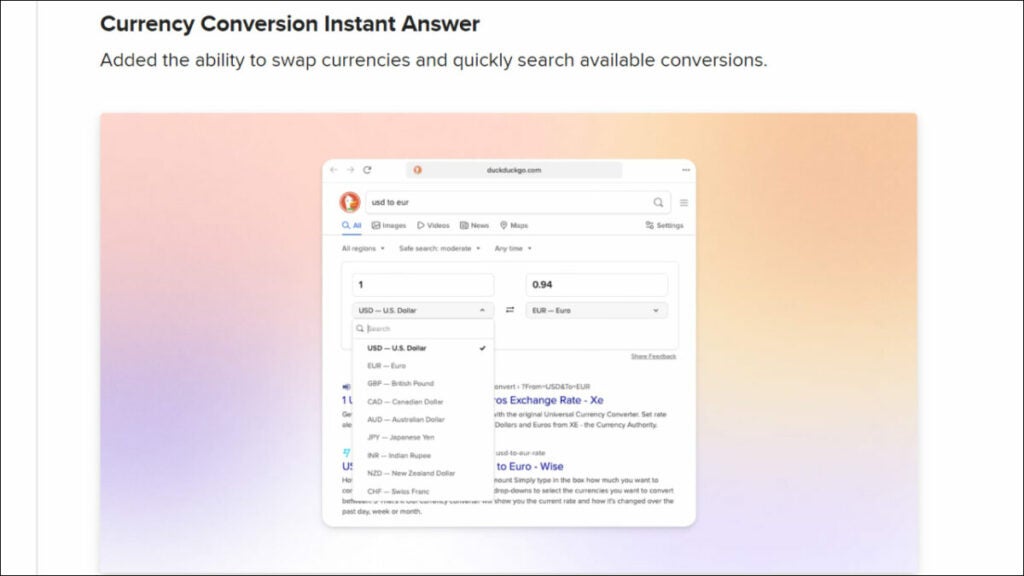
DuckDuckGo’s Instant Answers feature provides users with quick and useful information without having to visit another website. Users can get information on a variety of topics, such as calculators, weather forecasts, and even stock prices.
Uses a variety of sources to provide search results, including Bing, Yahoo, and its web crawler, known as the DuckDuckBot. This means that users can search for information across a broad range of sources, providing comprehensive search results.
Has several built-in security features, including HTTPS Everywhere, a feature that encrypts searches and web traffic to ensure a more secure connection. The search engine also blocks malicious websites, providing an added layer of security for users.
Does not personalize search results based on the user’s search history or previous searches. This ensures that users receive unbiased search results that are not influenced by their past browsing habits.
DuckDuckGo’s Bang commands allow users to search specific websites or categories quickly. Users can type a Bang command (with a “!” sign) and the name of the website they want to search to go directly to that website’s search results.
In summary, DuckDuckGo’s focus on user privacy and anonymous browsing, along with its clean interface, Instant Answers feature, and a wide range of sources, make it an excellent search engine option for those who want a secure, comprehensive, and unbiased search experience.
Cons of DuckDuckGo
Search results may be limited compared to other search engines, which may be frustrating for users who want more comprehensive search results. The search engine may miss some information that is available on other search engines, which may be a disadvantage for users looking for specific information.
Does not offer as many customization options as other search engines, which may not appeal to users who prefer a more personalized experience. Users cannot customize their search results view or the search engine’s language and region settings, making it less user-friendly for non-English speakers.
Lacks some advanced features found in other search engines, such as combining search terms or the ability to search for specific file types. This may be a disadvantage for users who rely on advanced search options to find the information they need.
May be slower than other search engines, which can be frustrating for users who prioritize web page loading speeds. The search engine’s focus on privacy and anonymity may come at the cost of reduced search speed, which might not be appealing for some users.
DuckDuckGo’s search algorithms may not be as advanced as other search engines, which can result in less comprehensive search results. This may particularly affect users who seek specific or rare information.
Although DuckDuckGo’s Instant Answers feature is generally useful and convenient, sometimes it cannot provide instant answers for specific queries. For more complex searches, users may have to click through multiple search results pages to find the information they need.
In summary, while DuckDuckGo’s focus on privacy, security, and unbiased search results is admirable, the limitations of fewer search results and customization options may make it less appealing to advanced users. However, for individuals looking to maximize their online privacy and security, DuckDuckGo remains a powerful and reliable search engine option.
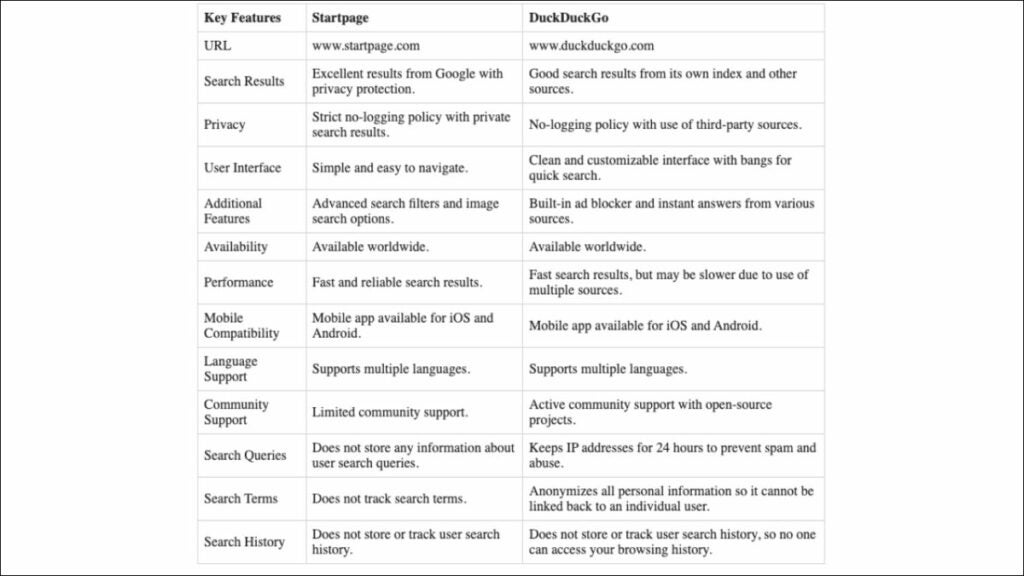
Key Features Comparison: Startpage vs DuckDuckGo
When comparing Startpage app vs DuckDuckGo, it’s important to consider their key features. Both prioritize user privacy and offer similar features, however, there are a few key differences to note.
1. Privacy
Here’s a comparison between Startpage and DuckDuckGo based on their key privacy features to determine which one is better.
Search Data Privacy
Both prioritize user privacy and anonymity as they do not store users’ personal data or browsing history, and they employ encryption technologies to protect users’ searches.
Both use the HTTPS protocol to encrypt users’ searches and ensure that search data is not intercepted by third parties.
Startpage goes further to encrypt all website connections to ensure that users’ online activities are entirely secure.
Data Sharing
Both do not share users’ data with any third-party organizations. This reinforces their commitment to user privacy and assures users that their data is entirely safe.
Startpage is headquartered in the Netherlands, a privacy-friendly country that has strict data protection laws.
DuckDuckGo is an established company certified at industry standards.
Search Results and Reliability
Startpage uses Google as its search partner, which provides users with reliable results.
DuckDuckGo uses a combination of sources, including Bing, Yahoo, and its web crawler, which can result in somewhat less predictable results.
In most cases, both Startpage and DuckDuckGo provide search results that are reliable and relevant.
Winner: Startpage takes things further by encrypting all website connections, which ensures a better, more complete online privacy environment. Therefore, Startpage has better privacy features when compared to DuckDuckGo.
2. User Interface
Here’s a comparison of the user interface of Startpage and DuckDuckGo to determine which has a better layout and design.
User Interface Design
Both have simple and clean user interfaces that are easy to use.
They have a similar design and layout to traditional search engines, which makes them intuitive and easy to navigate for users.
Customization
Startpage allows users to set their filter preferences and provides users with options to customize the font size and theme of the search engine.
DuckDuckGo offers users the option to customize their search preferences and choose from different themes, including dark mode.
Search Suggestions
Both offer similar search suggestion features, providing users with real-time suggestions for their search queries as they type them.
This helps users to refine and clarify their search terms and provides quicker access to commonly searched terms.
Advanced Search
Both provide users with more advanced search options to refine their search results, including date range filters and language preferences.
Startpage’s advanced search options are more extensive, providing users with more control over their search results.
Winner: Startpage provides users with the most extensive range of customization options, even though DuckDuckGo is the simpler and easier to use of the two.
3. Performance
Here’s a comparison of the performance of Startpage and DuckDuckGo.
Search Speed
DuckDuckGo has a reputation for being a slower search engine than most others because of its focus on privacy, security, and no tracking policy.
Startpage has a reputation for being a faster search engine, mostly because it uses Google for search results.
Therefore, in terms of search speed, Startpage may have an edge over DuckDuckGo.
Search Results
Startpage delivers its search results through Google, which provides it with the most extensive index of websites and the most comprehensive search results in the industry.
DuckDuckGo sources its search results from multiple partners, including Bing, Yahoo, and its web crawler.
While it may provide unbiased search results, Startpage’s use of Google may give it an edge on search result accuracy.
Instant Answers
DuckDuckGo’s instant answers feature provides a fast and convenient way to search for information by displaying the information within the search results.
Startpage does not have an instant answers feature.
Therefore, in terms of providing instant answers to queries, DuckDuckGo may have an edge over Startpage.
Winner: Both search engines provide reliable and accurate search results, but in terms of performance, Startpage has an edge because of its use of Google for search results.
4. Mobile Compatibility
Here’s a comparison of the mobile compatibility of the Startpage app vs DuckDuckGo to determine which one is more compatible with mobile devices.
Mobile App Availability
Both offer mobile apps for Android and iOS devices, allowing users to perform searches on their mobile devices.
The mobile apps for both search engines are available for free download from the Google Play Store and the Apple App Store.
Browser Compatibility
Both are compatible with most mobile browsers, including Chrome, Safari, Firefox, and Brave.
Users can use these browsers to access the search engines’ mobile sites or use the search engine’s mobile app.
User Experience
Both provide a similar user experience on mobile devices, with easy-to-use interfaces that are optimized for smaller screens.
Both offer fast and smooth search results, and they are optimized for touch input.
Mobile Features
Both offer similar features on their mobile apps, including the ability to perform voice searches, easily switch between different languages and regions, and use filters to refine search results.
Winner: Both Startpage and DuckDuckGo are highly compatible with mobile devices, with comparable features and user experiences. Therefore, it’s a tie as both search engines have strong mobile compatibility.
Here’s a comparison of the additional features of Startpage and DuckDuckGo.
Ad-Blocking
Startpage’s ad-blocking is more robust than DuckDuckGo’s, as it is designed to block more ads and trackers across websites.
Instant Answers
DuckDuckGo offers an Instant Answers feature that provides users with quick answers to various search queries. The feature provides relevant information without having to click through multiple search results pages.
Startpage does not offer this feature.
Customizable Settings
DuckDuckGo offers more options for customization compared to Startpage.
With DuckDuckGo, users can customize the interface’s appearance to suit their preferences, choose a default search region, and set up custom search filters.
Winner: DuckDuckGo edges out Startpage in additional features. DuckDuckGo provides an Instant Answers feature and many customization options that Startpage lacks. However, it’s worth noting that Startpage’s ad-blocking feature is more robust than DuckDuckGo’s.
6. Language Support
Startpage Language Support
Supports a wide range of languages, including English, Spanish, French, German, Italian, Dutch, and Portuguese.
Users can set their preferred language in the search engine settings to ensure that all search results are displayed in their language of choice.
DuckDuckGo Language Support
Supports a wide range of languages, including English, Spanish, Portuguese, German, French, and Italian.
Has an option to automatically detect the user’s language, which helps to provide relevant search results.
Winner: Startpage offers support for more languages than DuckDuckGo, which could provide an advantage for users who prefer less commonly spoken languages. Therefore, Startpage is the winner in terms of language support between the two.
7. Community Support
Here’s a comparison of Startpage and DuckDuckGo based on their community support features.
Support Documentation and Resources
Both offer detailed support documentation and resources to help users learn how to use the search engine effectively.
Both provide FAQs, tutorials, and user forums to help users navigate the platform.
User Forums
Both offer user forums where users can ask questions, discuss search engine topics, and get help from other users.
DuckDuckGo’s forums are more active and have a larger user base, which can be an advantage for users who seek active and interactive community support.
Social Media Presence
DuckDuckGo has an active social media presence on platforms such as Twitter and Facebook, where users can engage with the team and other users, learn about updates, and other topics related to the search engine.
Startpage has a more limited social media presence, which can be a downside for users who prefer communication via social media.
Winner: While both search engines offer similar community support features, DuckDuckGo edges out Startpage with a more active and engaged user forum community and an overall stronger social media presence. Therefore, DuckDuckGo wins in terms of community support.
8. Availability
Here’s a comparison of Startpage and DuckDuckGo based on their availability to determine which one offers better accessibility.
Availability in Countries
Startpage is available in over 60 countries worldwide, with servers located in the Netherlands, Germany, and the United States.
Startpage also supports multiple languages spoken in different parts of the world, so it has a broad global reach, making it accessible for users worldwide.
DuckDuckGo is also available in over 60 countries worldwide, with support for multiple languages.
DuckDuckGo has servers located in several countries, including the United States, Germany, and the Netherlands. Like Startpage, it has global reach, making it accessible for users worldwide.
Search availability and Speed
While both search engines provide reliable results, Startpage is often faster than DuckDuckGo. Startpage’s speed is due, in part, to its use of Google’s search algorithm, which has advanced features that help to deliver search results more quickly.
DuckDuckGo’s algorithm prioritizes user privacy over search speed, which can sometimes result in slower search results. However, DuckDuckGo’s speed can vary depending on the location and connectivity. In most cases, DuckDuckGo’s speed is good enough for web browsing.
Winner: Startpage is the winner in terms of availability and speed, as it often delivers faster search results than DuckDuckGo.
Which One Should You Use: Startpage or DuckDuckGo?
Choosing between Startpage and DuckDuckGo depends on several factors, such as individual needs and preferences. Both search engines prioritize their users’ privacy and anonymity by avoiding tracking and not collecting personal data, but they do have their differences.
Startpage
A great search engine for users who prioritize their online privacy and security.
It offers robust security features like HTTPS encryption and ad-blocking that help maintain a completely anonymous search environment.
Its user-defined filter preference feature makes filtering through search results according to one’s specifications a breeze.
It’s ideal for users who need advanced search options, access to reliable search results, and who heavily deal with confidential information.
However, Startpage limits users to 10 search results per page and does not provide as many customization options as DuckDuckGo. It also lacks instant answers feature in some cases, resulting in the need for clicking through many search pages for specific queries.
DuckDuckGo
Though not as secure as Startpage, it is also an excellent search engine option for users who prioritize their online privacy and security.
It offers its users an easy-to-use interface and multiple capabilities like Instant Answers that provide quick search results, providing a hassle-free search experience.
It allows customization of the user interface, including dark mode preference and search filter settings, which cater to the varying preferences of different users.
DuckDuckGo’s Open Source policy means that users can audit the source code, making the search engine transparent and trustworthy.
Its strict no-tracking policy, which incorporates tracker blocking and ad blocking, ensures user data privacy and protects them from malicious sites and malicious advertisements.
DuckDuckGo’s Bang commands are especially useful for users that need to quickly access specific search results for popular websites like Amazon or Wikipedia.
In conclusion, to determine which is better: Startpage vs DuckDuckGo, the choice between the two may come down to your personal preference and needs. Both Startpage and DuckDuckGo offer excellent privacy features and are easy to use, so it comes down to which features you need most.
Still Can’t Choose? Here’s Another Alternative: Tempest Browser
The Tempest Browser is a chromium-based browser that includes privacy features like ad-blocker, tracker blocker, making it a good choice for those who prioritize private browsing. Unlike many web browsers, Tempest loads all websites without saving any cookies or browsing history to the device. This makes it difficult for third parties to track a user’s online activities.
The browser easily routes all web activities through remote servers, which means that the user’s IP address is never revealed to websites they visit. Tempest also functions like a virtual machine, which isolates browsing data and system information from the device. It also uses HTTPS encryption and malware/virus detection, making it a powerful private browser for those who prioritize online security and privacy.
Find out what are the best browsers like DuckDuckGo in 2023 in this in-depth comparison of the top market players: Tempest, Brave, Vivaldi, Opera, and more.
Are you looking for the best private browsers like DuckDuckGo? With growing concerns over internet privacy, many users are turning to alternative browsers that prioritize security and anonymity over data collection.
This article provides an in-depth comparison of some of the best private browsers that are similar to DuckDuckGo in terms of privacy features.
Discover the top alternative browsers to DuckDuckGo in 2023 through an in-depth comparison of market leaders such as Tempest, Brave, Vivaldi, and more. Uncover the best options for your browsing needs.
The importance of internet privacy has become increasingly apparent, leading to the rise of DuckDuckGo like browsers and search engines that are privacy focused. While the search engine does not track or store user data, its extension does not provide a full browser experience, sparking a need for alternative options.
By not tracking or storing user data, DuckDuckGo allows users assurance of privacy when conducting web searches. However, DuckDuckGo’s extension only focuses on privacy and security, lacking additional features and functionalities that other browsers may offer.
To achieve complete privacy, it may be necessary to consider alternative browsers that can provide added benefits such as ad-blockers, tracker-blockers, and encrypted connections. Due to these additional features, alternative privacy-focused browsers or mobile apps may better suit the needs of privacy-conscious users than DuckDuckGo’s extension.
Best Private Browsers Like DuckDuckGo: A Quick Summary
With online privacy concerns on the rise, many users are looking for alternative browsers to use that provide greater privacy and security compared to mainstream browsers like Firefox or Chrome.
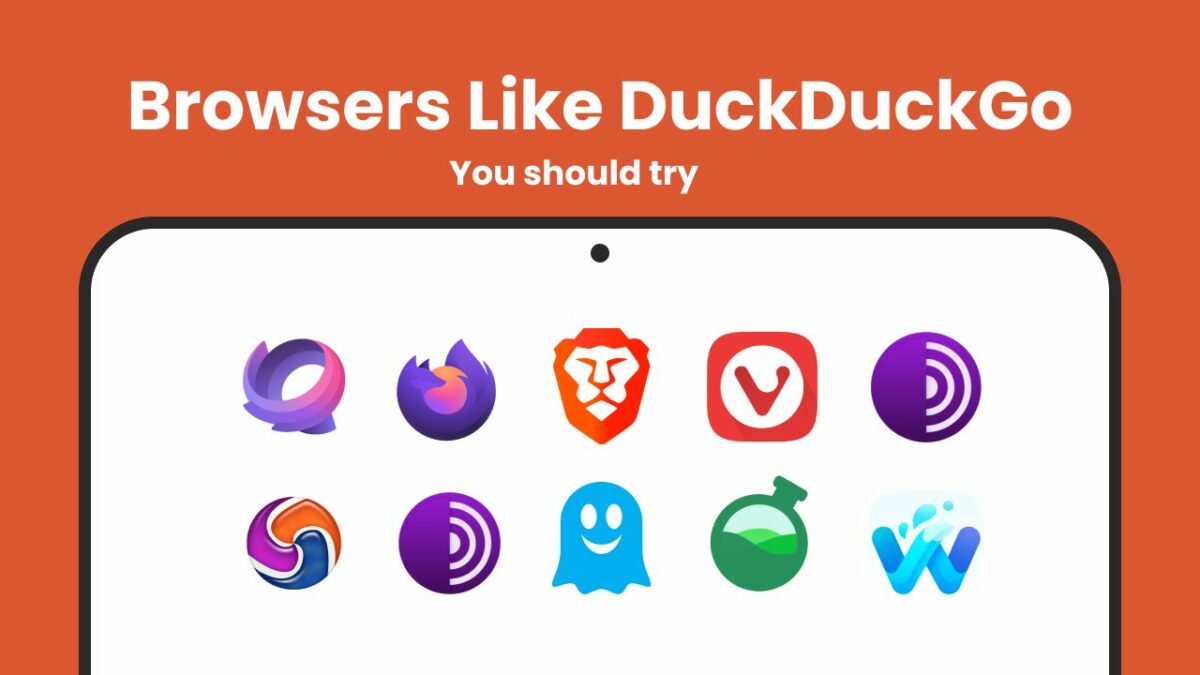
Here’s a quick summary of the 10 alternative browsers that offer similar privacy features to DuckDuckGo.
1. Tempest Browser
Tempest Browser is a privacy-first browser that ensures that their users’ searches and browsing activity remain private and cannot be tracked. Tempest Browser blocks ads, and has other in-built privacy features like encryption, which makes it one of the most secure web browsers available. Overall, Tempest Browser prioritizes user privacy while providing a fast and reliable browsing experience.
2. Firefox Focus
Firefox Focus is a privacy-focused browser designed for minimalist browsing. It automatically blocks ads, trackers, and erases browsing history and cookies to enhance user privacy. The browser is easy to use, thanks to its simple interface and customizable settings. Firefox Focus is also available as a mobile app, making it a good option for users who want to protect their personal data and search history while using their mobile devices.
3. Brave Browser
Brave Browser is a secure privacy-focused browser that puts user privacy at the forefront. With built-in ad blocking, tracker blocking, and HTTPS Everywhere, users can enjoy a seamless browsing experience without being tracked by third-party advertisers. One unique feature of Brave Browser is its “Brave Rewards” program, which rewards users with cryptocurrency for viewing privacy-respecting ads. This innovative approach to advertising allows users to earn rewards while still maintaining their privacy. Brave Browser also offers a user-friendly interface and customizable settings, making it a top choice for users seeking a private and personalized browsing experience.
4. Vivaldi Browser
Vivaldi Browser is a highly customizable web browser that offers some privacy-focused features. It has an intuitive interface and allows users to customize everything from the layout of the browser to the individual icons on the interface. Vivaldi Browser puts a strong emphasis on user privacy, providing features like tracker blocking, ad-blocking, and a built-in screenshot tool. It also includes a unique “Notes” feature that allows users to take and save notes directly in the browser. Vivaldi Browser is a great option for users who want a fast, customizable browser with robust privacy features.
5. Onion Browser
The Onion Browser is built on the Tor network, providing anonymous browsing and privacy for users. The Tor network is a decentralized network that routes internet traffic through several servers located around the world to make it difficult for anyone to track a user’s online activity. Onion Browser blocks ads, trackers, and browser fingerprinting by default, ensuring that a user’s online activity is kept private. This makes Onion Browser a good option for mobile users who want to protect their personal data and search history while using their devices.
6. Epic Browser
Epic Browser is a privacy-focused web browser that blocks ads, trackers, and third-party cookies to protect user privacy. It features a built-in proxy, allowing users to browse the web anonymously and encrypt their data. The browser is customizable, with options to remove browsing history, cache, and cookies. Epic Browser is available for both desktop and mobile platforms, making it a good choice for those who prioritize privacy and security while browsing the web.
7. Ghostery Browser
Ghostery Browser is a privacy-first browser that puts transparency at the forefront. Ghostery blocks trackers by default and provides users with detailed information about each tracker it blocks. The browser also has a feature called “Enhanced Anti-tracking,” which utilizes artificial intelligence to improve tracking prevention. Ghostery’s UI is sleek and easy to use, providing a seamless browsing experience while protecting user privacy.
8. Bromite Browser
Bromite Browser is an open-source browser based on Chromium, which is known for its robust privacy features out-of-the-box. Bromite blocks ads, trackers, and malicious scripts by default, making it one of the most secure browsing options available. It’s designed to prioritize user privacy and security, with features like encrypted DNS and prevention of unnecessary contact with Google servers.
9. Waterfox Browser
Waterfox is an open-source browser based on Firefox, with extra privacy features baked-in. It’s especially speedy and lightweight, with a minimalist design. Waterfox blocks ads, trackers, and other common privacy invaders by default, making it a secure browsing option for privacy-conscious users. It’s also customizable and has a range of add-ons and extensions to help users tailor their browsing experience to their needs.
10. StartPage Browser
StartPage is a private search engine that allows users to search the web anonymously without leaving a digital trail. It doesn’t track user data or store personal information, and it also allows users to use HTTPS encryption to hide their searches from ISPs and governmental spying. StartPage uses Google search results, but strips out all identifying user data before returning the results. It’s a good option for anyone concerned with online tracking and privacy violations.
Here is an analysis of each browser mentioned, highlighting why it serves as a good substitute for those seeking a browser similar to DuckDuckGo.
Browser 1: Tempest
The Tempest Browser is a web browser that provides users with private browsing and data protection. Instead of relying on centralized servers, Tempest technologies ensure that user’s searches and other data remain private. Tempest also provides users with a range of security features, including ad and tracker blocking, DNS over HTTPS, and automatic HTTPS upgrades.
Best Use Case
The Tempest Browser is a great choice for anyone who is looking for a browser like DuckDuckGo that emphasizes privacy and online security. It’s also an excellent choice for users who are concerned about their data being tracked and monetized by advertising companies. It’s well-suited for those who want a fast and reliable browsing experience that is free of ads and trackers.
Pros
Offers comprehensive private browsing and data protection, ensuring that users’ personal data and online activities remain secure and anonymous.
Comes with built-in ad and tracker blocking that eliminates ads and third-party trackers, preventing them from collecting and sharing user data.
Supports DNS over HTTPS, which encrypts users’ DNS requests and enhances their privacy by preventing third-party snooping and manipulation of their browsing data.
Automatically upgrades websites to HTTPS, providing users with a more secure and private browsing experience.
Provides users with extensive customization options to personalize their privacy preferences, including the ability to block or allow specific cookies, scripts, and site permissions.
Boasts a user-friendly and intuitive interface that makes it easy for users to navigate and access various features and settings.
Cons
Configuration settings may be limiting for advanced users who want to customize their browsing experience beyond the available options.
Device Performance
The Tempest Browser is designed to be lightweight, so it won’t consume a lot of memory or processing power. It works well on multiple devices, including Macs and PCs. However, its performance may not be as good on older or less powerful devices.
Other Factors to Consider
Tempest Browser is based on the Chromium engine, which is optimized for speed and efficiency. It allows users to customize their browsing experience by disabling JavaScript, blocking third-party cookies, or using incognito mode regularly. Its fast and reliable performance makes it ideal for anyone looking for a great browsing experience without any ads or trackers.
Overall, the Tempest Browser is a great alternative for those looking for private browsing similar to DuckDuckGo. Its architecture ensures that user data remains secure and private, while its range of security features make it an ideal choice for users who are concerned about their online privacy.
Firefox Focus is a privacy-focused browser designed for minimalist browsing that automatically blocks ads, trackers, and erases browsing history to enhance user privacy. The browser is optimized for speed and minimalism, providing a simple yet effective browsing experience that prioritizes user privacy.
Best Use Case
Firefox Focus is best suited for privacy-conscious users who want a simple and efficient browsing experience. Its automatic blocking of ads, trackers, and browser history makes it ideal for users who prioritize their privacy and security. It’s also a good option for users who want to save battery life and reduce data usage while browsing the web.
Pros
Has an intuitive and streamlined user interface that is easy to navigate.
Automatically blocks ads, trackers, and browsing history, ensuring a high level of privacy and security.
Has a fast page loading speed, making it a convenient and efficient browsing experience.
Saves battery life, allowing for longer browsing sessions without the need for constant charging.
Offers customizable ad-blocking, tracking protection, and cookie control options, allowing you to tailor your privacy preferences to your needs.
Cons
Limited features compared to other browsers.
No support for add-ons or extensions.
Limits your ability to enable cookies.
Device Performance
Firefox Focus is optimized for speed and minimalism, making it a lightweight and fast browser. Its simple user interface and automatic blocking of ads and trackers reduce the browser’s workload, making it less taxing on your device’s memory and processor.
Other Factors to Consider
Firefox Focus is a great privacy-focused browser, but it’s limited in terms of features and customization options. It doesn’t have any add-ons or extensions, and its ability to enable cookies is limited. However, these drawbacks are outweighed by the browser’s focus on privacy, which makes it an ideal option for users who prioritize their security while browsing the web.
Overall, Firefox Focus is a good choice for users who want a simple and efficient browsing experience that prioritizes user privacy. Its automatic ad-blocking and tracking protection make it a great alternative to DuckDuckGo.
Browser 3: Brave Browser
Brave Browser is a privacy-focused web browser that offers an extensive range of privacy and security features. Brave is unique in that it offers users the ability to earn cryptocurrency for viewing ads. It’s available on all major operating systems like desktop and mobile, and is based on Chromium, which allows users to enjoy all the benefits of the familiar browser interface while enjoying enhanced privacy and security features. Brave’s mission is to give users control over their internet browsing experience while protecting their online privacy.
Best Use Case
Brave Browser is a great option for anyone who is looking for an alternative to mainstream web browsers and prioritizes privacy and security. It’s a fantastic choice for people who are focused on speed, as Brave has built-in ad-blocking and other features that make it one of the fastest browsers available. Brave is effective for users who are concerned about online tracking and want a browsing experience that protects their privacy.
Pros
Has a built-in ad and tracker blockers which help enhance user privacy and security.
Offers more privacy and security features compared to other browsers like DuckDuckGo or similar alternatives.
Offers Brave Rewards, a feature that allows users to earn cryptocurrency for viewing privacy-respecting ads, providing an incentive for users to support their favorite websites without sacrificing privacy.
Users have access to a wide range of privacy controls, including fingerprinting protection and the ability to clear browsing data on exit.
Supports extensions and other add-ons, which enables users to customize their browsing experience.
User-friendly interface is intuitive and straightforward to navigate, making it easy for users to switch to Brave without a steep learning curve.
Cons
Rewards system is still being developed.
Privacy settings can be confusing for some users.
Not popular as mainstream browsers.
Device Performance
Brave Browser features a modern engine that makes it fast and reliable. It also has an integrated ad-blocker and tracker blocker, which makes loading webpages faster as they don’t have to load any ads or trackers. It’s optimized for battery life on mobile devices, so users can expect long browsing sessions without worrying about their device’s battery dying.
Other Factors to Consider
Brave offers users an array of privacy and security features that many other browsers like DuckDuckGo do not offer. It also has add-ons and extensions that allow users to customize their browsing experience. The option to earn cryptocurrency for viewing privacy-respecting ads gives Brave some unique advantages.
Overall, Brave Browser is a great choice for anyone who prioritizes privacy and security while browsing the web. It’s fast, reliable, and has a number of features that make it an ideal alternative to DuckDuckGo or other private browsers.
Browser 4: Vivaldi Browser
Vivaldi is designed for power users who want a browser that is fast, customizable, and secure. It was created with the goal of providing users with a browser that is “intuitive, fast, and lets you do things your way.” Vivaldi can be seen as an alternative to other browsers like DuckDuckGo, with a focus on privacy and security.
Best Use Case
Vivaldi is ideal for users who want a customizable browsing experience. Whether it’s through its user interface, tab management, or built-in features, Vivaldi allows users to fine-tune their browsing experience to their liking. The browser is best suited for users who are looking for more control and flexibility over their browsing habits, and want a browser that is privacy-focused.
Pros
Highly customizable user interface with various options to adjust the browser’s appearance, including themes, tab position, and more.
Good tab management features, such as tab stacking, tab tiling, and the ability to group tabs into separate sessions.
Built-in features for privacy and security, including ad and tracker blocking, a built-in VPN, and a privacy-focused search engine.
Reader view mode and screenshot tool for better reading and sharing of web content.
Good performance on both desktop and mobile devices, with syncing available between them.
Supports a wide range of extensions from the Chrome Web Store.
Keyboard shortcuts for most functions, allowing for faster navigation and control.
Cons
May have a steeper learning curve compared to other browsers.
Lack of third-party extensions.
Interface can be overwhelming for new users.
Device Performance
Vivaldi runs smoothly on most devices, requiring only a minimal amount of resources. The browser is available on Windows, Mac, and Linux operating systems, as well as iOS and Android mobile devices. Performance is generally good on all platforms, although it may take longer to load pages on some older or slower devices.
Other Factors to Consider
Vivaldi has many features that are designed with privacy and security in mind. It includes a built-in ad blocker and tracker blocker, secure HTTPS connections by default, and an option to disable third-party cookies. However, these features are not enabled by default and must be configured manually by the user.
Overall, Vivaldi is an excellent alternative to DuckDuckGo for users who want a highly customizable browser that offers enhanced privacy and security features. Although it may have a steeper learning curve than other browsers, it offers a wide range of features that make it an attractive alternative for power users.
Browser 5: Onion Browser
Onion Browser, which is based on the Tor network, offers anonymous browsing and enhanced privacy protection to users. The Tor network encrypts and redirects internet traffic through a series of servers to mask a user’s IP address and prevent online tracking.
Best Use Case
Onion Browser is best used when a user needs to access the internet privately and anonymously. It can be used to visit websites that may otherwise be blocked by a user’s ISP or government, or to search the web without leaving a digital trail.
Pros
Offers top-level anonymity and privacy protection to its users, thanks to its ability to route traffic through the Tor network.
Users can browse the internet securely with encrypted connections, making it harder for others to intercept their communications or steal their personal data.
Blocks ads, trackers, and browser fingerprinting, which are techniques used by third parties to monitor user behavior and collect data.
Easy to use and does not require any configuration. Users can simply download and start using it right away without having to worry about complicated settings.
Cons
Not available for desktop operating systems, only for iOS devices.
Can slow down browsing speeds due to the routing of internet traffic through several servers.
Some websites may not work correctly when using Onion Browser due to the level of privacy protection.
Device Performance
Onion Browser has been designed specifically for iOS devices, and overall performance is quite good. The Onion Browser app doesn’t require a lot of system resources, and it’s not known to cause lag or slow down other app performance. Speeds can be somewhat slower than average due to the routing of internet traffic through several servers.
Other Factors to Consider
Onion Browser is a great way to gain the privacy and anonymity benefits of the Tor network without having to configure anything. However, its limited availability on iOS devices and the potential for slower speeds are important factors to consider.
Overall, Onion Browser is a reliable option for users who want to browse privately and securely while using an iOS device. It offers enhanced privacy protection thanks to its encryption and routing of internet traffic through multiple servers, but speeds may be somewhat slower than average.
Browser 6: Epic Browser
Epic Browser is a privacy-focused web browser that offers a secure and anonymous browsing experience. The browser is based on the open-source Chromium project and offers a range of features aimed at protecting user privacy.
Best Use Case
Epic Browser is ideal for users who are concerned about their online privacy and want a browser that offers robust privacy features. It is especially suitable for those who are looking for a browser similar to DuckDuckGo and other private browsers.
Pros
Blocks ads, trackers, and other online tracking tools to protect user privacy.
Offers a built-in VPN to encrypt internet traffic and hide user IP addresses.
Includes a feature called “Epic Search” that protects user search queries from being tracked.
Provides a “one-click” data deletion feature that allows users to easily clear browsing history and other data.
Allows users to create encrypted proxies for extra privacy and security, which makes it difficult for anyone to intercept or steal sensitive information.
Cons
Some users may find that the browser’s security features slow down browsing speed.
Doesn’t have as many customization options and lacks some of the advanced functionality of other web browsers.
Some websites may not work properly with the browser, and users may need to switch to another browser to access certain sites or applications.
Does not support cross-device syncing, which means that users cannot sync their bookmarks and browsing history across different devices.
Device Performance
Epic Browser runs smoothly on most devices, including desktop and mobile platforms. However, users may experience slower performance when using the browser’s privacy features, such as the built-in VPN.
Other Factors to Consider
Epic Browser’s privacy features are designed to provide users with a high level of security and anonymity while browsing the web. However, some users may find the browser’s user interface to be less intuitive than browsers like DuckDuckGo or other popular web browsers.
Overall, Epic Browser is a solid option for users who prioritize online privacy and security. Its robust privacy features, including ad and tracker blocking, built-in VPN, and data deletion options make it a strong contender among other browsers like DuckDuckGo. However, its slower browsing speeds and occasional bugs may be a drawback for some users.
Browser 7: Ghostery Browser
Ghostery is a privacy-oriented mobile browser that is designed to block ads and trackers. It also prioritizes transparency with in-depth updates on the trackers it blocks. The browser, which is free to download and use, is based on a stripped-down version of Firefox, ensuring a fast and streamlined browsing experience.
Best Use Case
Ghostery is perfect for anyone who is privacy-conscious and wants control over the browsing experience. It’s especially well-suited for mobile users who are looking for an alternative to mainstream browsers like Chrome or Safari, both of which can be prone to collecting and sharing user data.
Pros
Blocks ads and trackers by default, ensuring a safer and more private browsing experience.
Offers detailed information about the trackers and ad services the browser has blocked, providing transparency into what’s happening behind the scenes.
Can be synced with the desktop Ghostery extension, allowing users to have a consistent experience across devices.
Customizable settings allow users to adjust their experience based on their preferences.
Cons
Limited options for customization, with only a few themes and font options available.
Not all websites are optimized for the browser, leading to some compatibility issues.
Device Performance
Ghostery’s performance is smooth and speedy. Users can expect fast page load times, even on mobile devices. It’s compatible with most Android and iOS devices, as well as Windows and Mac computers. It’s also known for its low memory consumption, which makes it ideal for those who have older or less powerful devices.
Other Factors to Consider
Ghostery offers a secure browsing experience without sacrificing performance or customization options. It provides users with detailed information about the trackers it blocks, ensuring transparency over what’s happening behind the scenes. Its ability to sync with the desktop extension makes it an even more attractive proposition for those who want seamless privacy protection across all their devices.
Overall, Ghostery is a great alternative browser to consider if you’re looking for a DuckDuckGo-like experience on mobile devices. Its combination of privacy features and performance make it an excellent choice for anyone in search of a secure and anonymous browsing experience.
Browser 8: Bromite Browser
Bromite Browser is an open-source web browser based on Chromium, offering a high level of privacy and security features. It is known for blocking ads, trackers, and malicious scripts by default, making it an excellent option for users who are privacy-conscious. This browser is similar to DuckDuckGo and other privacy-focused alternatives.
Best Use Case
Bromite is best used by individuals who are deeply concerned about protecting their online privacy from a wide array of advertising, tracking, and malicious sources of scripts. It is a great alternative for those who appreciate Chromium-based browsers’ speed and overall functionality, but require additional privacy features that Chrome doesn’t provide.
Pros
Blocks ads, trackers, and scripts by default, making it an excellent option for privacy-conscious users.
Has a robust ad-blocking capability that stops both traditional ads and new types of ads that have emerged.
Offers an easy-to-read privacy overview report on which websites are tracking or containing ads, making it easy for users to understand their privacy level.
Has an intuitive and user-friendly interface that is easy to navigate.
Upgrades are done frequently, which means that it is always up-to-date.
Cons
Browser speed may be slower than other popular browsers, such as Google Chrome.
Users who want to customize their browsing experience with a wide array of extensions will find fewer options than Chrome.
Device Performance
Bromite is designed for performance and efficiency, so it runs well on both desktop and mobile devices. It requires less memory and processing power compared to other browsers, making it an excellent choice for users who have older or less powerful devices.
Other Factors to Consider
Bromite Browser offers several features that make web browsing more secure, including a built-in ad blocker, script blocker, tracker blocker, cookie blocker, and HTTPS upgrades. In addition to its privacy and security features, Bromite supports HTML5 websites and has an intuitive interface that makes navigating the web easy.
Overall, Bromite Browser is a great choice for users who are looking for a secure and private browser similar to DuckDuckGo. Its combination of robust security features, performance improvements, and intuitive UI make it an ideal alternative browser.
Browser 9: Waterfox Browser
Waterfox is an open-source browser that’s based on Firefox, which focuses on providing extra privacy features baked-in. While Firefox collects user data, Waterfox has been designed with a focus on user privacy by default. The browser blocks ads, trackers, and other common privacy invaders automatically, making it a secure browsing option for those who prioritize their online privacy. It’s customizable and has many add-ons and extensions to help users obtain the best privacy-focused browsing experience.
Best Use Case
Waterfox is an excellent browser for those who are looking for a secure and private browsing experience. It is suitable for those who prioritize their online privacy and are looking for a browser with a minimalist design. It’s ideal for those who want to use browser add-ons and extensions to make sure their browsing experience is tailored to their needs.
Pros
Blocks ads, trackers, and unwanted data collection by default.
Fast speeds and highly customizable, with a wide range of add-ons and extensions available.
Based on Firefox, so it’s user-friendly and easy to use.
Not affiliated with any data collection firms, which is a plus for those who are privacy-conscious.
An open-source project, meaning anyone can contribute to its development and check the code for security concerns.
Cons
Not all extensions available for Firefox are compatible with Waterfox.
Compatibility issues with some websites, as it is not as widely used as other browsers.
Device Performance
Waterfox offers an impressive performance and is a fast browser with unique features that make it stand out from the rest. Its architecture takes up fewer resources compared to other browsers, which means it runs more efficiently and faster. With Waterfox, users can expect webpages to load quickly and with minimal lag time. It requires a relatively small amount of processing power and memory to run smoothly, making it an ideal option for users who have older or less powerful devices.
Other Factors to Consider
Waterfox also offers an array of other features that make it a great alternative browser. It supports HTML5 websites, so users can enjoy modern web experiences without having to worry about compatibility issues. It also has an intuitive interface that makes navigating the web easy and enjoyable. It also provides an array of customization options that allow users to tailor their browsing experience to their needs.
Overall,Waterfox is an excellent choice for users who want a secure and private browsing experience without sacrificing performance or usability. Its focus on privacy makes it an ideal alternative browser to DuckDuckGo, and its combination of robust security features, performance improvements, and intuitive UI make it a great choice for anyone looking to switch from their current browser.
Browser 10: StartPage Browser
StartPage is a privacy-focused web browser that was created by the same company that runs the StartPage search engine. The browser is similar to other private browsers like DuckDuckGo, offering features like ad-blocking, tracker-blocking, and encrypted connections. It puts a premium on user privacy, ensuring that user data is not shared with third-party entities.
Best Use Case
StartPage is best for users who want to browse the web with the highest level of privacy and security in mind. It’s a great option for people who are concerned about their data being collected and shared with third parties, as StartPage doesn’t track or store user data. Anyone looking for privacy-conscious or DuckDuckGo-like browser options would find StartPage a solid choice.
Pros
Has a simple and easy-to-use interface, making it ideal for users who want a no-nonsense browsing experience.
Offers ad and tracker blocking features by default, which means that users can browse the web without being interrupted by annoying ads or having their data tracked.
Is lightweight and fast, making it an excellent choice for users who are looking for a browsing experience that won’t slow them down.
Offers robust privacy features , such as encrypted connections and the ability to delete browsing history.
Cons
Does not support third-party extensions, which means users will not be able to add extra features or customize the browser to their liking.
No mobile version, so users will need to use a different browser when browsing on mobile devices.
Device Performance
StartPage runs smoothly on most devices, including desktops and laptops running Windows, MacOS, and Linux operating systems. Pages generally load quickly, although some older systems may experience slower performance.
Other Factors to Consider
StartPage offers a number of features designed to protect user privacy, such as encrypted connections and the ability to delete browsing history. However, these features must be enabled manually by the user.
Overall, StartPage is an excellent choice for users who want a private, secure browsing experience without sacrificing performance or usability. It’s both lightweight and fast, and provides strong privacy protection. Even though it does not have some of the advanced customization options available in other browsers like DuckDuckGo, it’s still a solid alternative for users who value their privacy.
A Summary of the Browsers Like DuckDuckGo
Here is a summary of the browsers discussed, along with their key features, to help you choose the best browser for your requirements.
1. Tempest Browser
Its proprietary architecture ensures privacy and security for users.
Data is protected by encryption and multi-factor authentication.
Compatible with popular web standards.
Provides a fast and stable browsing experience.
Blocks ads, trackers, and scripts.
Provides a customizable interface with support for extensions.
Available for multiple operating systems, including Windows and macOS.
Allows users to erase the cache and cookies with ease.
Provides a streamlined and minimalist interface.
Enables users to open links in other apps without closing the browser.
Offers a search suggestion feature.
Enables users to enable/disable the tracker blocking feature.
3. Brave Browser
Blocks ads and trackers by default.
Offers an option to earn cryptocurrency through Brave Rewards.
Has built-in HTTPS Everywhere to ensure all websites are loaded over a secure connection.
Includes a built-in Tor implementation to ensure extra privacy.
Allows for automatic conversion of websites into Tor Onion services.
Provides a private browsing mode called “Private Window with Tor.”
Offers a wide range of extensions and add-ons to customize browsing experience.
Provides a “Shields” feature that protects against fingerprinting and malware.
Implements strict no-logging policies to protect user data and browsing history.
Has a built-in privacy-focused search engine called “Brave Search.”
4. Vivaldi Browser
Customizable interface with multiple themes and color schemes.
Built-in ad and tracker blocker to protect user privacy.
Advanced tab management with the ability to stack, group, and tile tabs.
Notes feature allowing users to take notes on any web page.
Advanced keyboard shortcuts and mouse gestures for efficient browsing.
Speed Dial with customizable icons and folders for quick access to favorite websites.
Built-in screen capture tool for capturing full web pages or selected areas.
Customizable search options, including the ability to search multiple search engines at once.
Side panels for quick access to bookmarks, downloads, and browsing history.
Optional web panels allowing users to view websites in the sidebar while browsing.
5. Onion Browser
Built on the Tor network, providing anonymous browsing and privacy for users.
Blocks ads and trackers, ensuring privacy while browsing.
Provides options to disable scripts, images, and other content on web pages.
Blocks browser fingerprinting by default, further enhancing user anonymity.
Indicators show when a website is using an insecure HTTP connection.
Ability to bypass censorship and access websites that are blocked in certain countries or regions.
Password protection for added security and privacy.
Open source, allowing users to view the source code and ensure there are no hidden vulnerabilities or back doors.
6. Epic Browser
Blocks ads and trackers, making it difficult for advertisers to track your online activity.
Uses HTTPS by default to ensure that your connection is encrypted and your data is secure.
Includes a built-in VPN that encrypts your traffic and hides your IP address, providing an extra level of privacy and security.
Offers an encrypted proxy that enables users to access websites and content that may have been blocked in their country or region.
Includes encrypted instant messaging capabilities, allowing users to send messages securely and privately.
Offers built-in malware protection to help protect your computer from security threats.
Provides a built-in antivirus protection that scans downloads and warns users of potentially harmful content
Offers a private browsing mode that doesn’t save your browsing history or cookies, as well as a one-click proxy that allows users to browse anonymously with a single click.
Allows users to create multiple profiles, which can be useful for those who share a computer or need to manage different accounts or personas.
7. Ghostery Browser
Blocks trackers by default to prevent online tracking.
Includes detailed information on each tracker it blocks for transparency and user education.
Provides user control over which trackers to block and which to allow.
Includes a built-in ad blocker to ensure faster browsing speeds and increased privacy.
Provides multiple privacy settings that allow users to decide how much information to share with websites.
Allows users to whitelist websites to allow tracking if desired.
Provides auto-updates to ensure users have the latest security features for privacy protection.
8. Bromite Browser
Open-source browser based on Chromium.
Blocks ads, trackers, and malicious scripts by default.
Includes the Chromium engine and its speed and performance benefits.
Blocks WebRTC leaks, fingerprinting, and referrers.
Blocks AMP and Sponsored Search results.
Provides an optional DNS-over-HTTPS feature.
9. Waterfox Browser
Open-source browser based on Firefox.
Blocks ads, trackers, and other common privacy invaders by default.
Extra privacy features baked-in compared to Firefox.
Speedy and lightweight with a minimalist design.
Supports a range of add-ons and extensions.
Has customization options, including a choice of interface themes and color schemes.
Deploys several security features by default, such as anti-phishing and anti-malware protection.
Doesn’t collect or share any personally identifiable information with third parties.
Can import bookmarks, preferences, and other settings from other mainstream browsers.
10. StartPage Browser
Does not collect user data or retain any personal information.
Uses encrypted connections to protect users while searching the web.
Offers auto-complete features that speed up searches and reduce typing time.
Offers an anonymous view of web pages, making it possible to access content that may not be available in a user’s region or may be blocked due to censorship.
Does not store user data, which helps to protect privacy and prevent tracking.
Offers a privacy rating system for each website within the search results, allowing users to quickly see which sites are secure and which aren’t.
Offers an infinite scroll feature, which allows users to keep scrolling down through search results without needing to click through to the next page.
Features a clean and intuitive design that makes it easy to use, even for people who are not tech-savvy.
Uses a technique called tab isolation to prevent a user’s search history from being tracked by third-party cookies.
Does not show ads, ensuring that users are not exposed to targeted advertising.
Overall, the best private browsers like DuckDuckGo, like the ones reviewed here, prioritize user privacy and security by blocking ads, trackers, and malicious scripts to provide a safer and more secure browsing experience.
Find out which browser is better in our in-depth comparison of Brave vs DuckDuckGo: speed, performance, CPU and RAM usage, and battery life on different devices.
Are you looking for a private web browsing experience that offers more aggressive protection and safeguards your browsing data?
With two of the most popular options on the market, Brave Browser and DuckDuckGo, it can be hard to decide which one is right for you.
Both are designed with protection features that keep your browsing data private, but what sets them apart?
Reviewing only one protection feature, such an email protection feature is not enough if you want to maintain user privacy and have a private web experience.
In this article, you will find a comparison of Brave vs DuckDuckGo, which are two of the most popular private browser options for 2023. It compares all the features they offer to give you the best possible private web browsing experience.
When it comes to privacy focused browsers, users aren’t aware there are other search engines other than the major browsers, such as Google Chrome, Safari, or Firefox. The DuckDuckGo browser is considered a privacy browser and is one of the best private browsers.
Similarly, the Brave private browser has a lot to offer, from advanced options to protection features.
The Brave vs DuckDuckGo comparison here covers the significant differences between the two to help you decide which is better Brave or DuckDuckGo.
Speed and Performance
These are two key factors to consider when considering the difference between Brave and DuckDuckGo. When selecting a web browser, you need to ensure it’s a fast browser.
Brave Browser
Brave’s speed and performance are some of its defining features that set it apart from any other privacy browser, which can be attributed to several factors:
Architecture: It uses the Chromium open-source browser project, which is known for its fast and efficient web browsing capabilities. The optimized architecture and user interface provides users with a fast browsing experience.
Caching: It uses caching to store frequently accessed data for faster retrieval. With data saved, it reduces page loading times and provides a smoother browsing experience.
Minimalist design: Its minimalist design and user interface helps reduce clutter and distractions while browsing, contributing to faster website load times and a smoother overall experience.
Block third-party cookies: This will block ads and third-party cookies by default. The ad blocker reduces the number of resources required to load websites, resulting in faster page load times and improved performance. While its protection feature may not block all the trackers, it improves the chances of keeping your data safe from malicious sites.
Resource usage optimization: It optimizes resource usage by reducing the amount of memory and essential resources required to run the browser, resulting in a faster and more efficient experience.
Overall, Brave wins on speed and performance features, which makes it a great choice for many users who value a fast browsing experience.
DuckDuckGo
DuckDuckGo is a privacy-focused search engine and browser extension that prioritizes user data protection and fast search speeds.
Privacy-focused design: It prioritizes the protection of user data and fast search speeds.
Ad and tracker blocking: As a browser extension, DuckDuckGo blocks all ads and trackers to provide secure and private browsing.
No personal data collection: It does not collect or store any personal information, reducing the risk of data breaches and hacking attempts. This results in faster search speeds.
Encrypted connections: It uses HTTPS (encrypted) connections by default, ensuring that data transmitted between the user and the search engine is secure. This also helps to prevent data manipulation and interception, leading to faster search results.
Performance optimizations: It employs a minimalist design, caches frequently searched queries, and uses fast servers to reduce latency, resulting in fast and accurate search results.
DuckDuckGo’s focus on performance optimization has resulted in a fast and reliable search engine. Its commitment to user data protection and performance enhancements makes it a top choice for users who value fast search speeds.
When it comes to choosing the best privacy browser, DuckDuckGo vs Brave needs to be considered. They are two of the most popular choices because they offer better privacy. A convenient feature they offer is they both have their own search engine, making them attractive private browser options.
Brave Browser
Brave provides robust security and privacy features to ensure the protection of its users:
Script Blocker: Prevents scripts that could compromise user data from running, providing protection against malicious scripts and tracking scripts used by advertisers to collect data on user behavior.
Fingerprinting protection: Offers protection against fingerprinting techniques used by websites to track and identify individual users through a process called “torching.” It alters the browser’s configuration to make it appear as if multiple users are accessing the same website, even though it’s just one user.
Strict cookie controls: Allows users to control the types of cookies stored on their device, preventing the collection of user data by third-party entities without the user’s consent.
Commitment to security and privacy: With multiple key features in place, Brave provides a secure and private browsing experience, giving users the confidence to browse the web without worrying about their personal information being compromised.
DuckDuckGo
The DuckDuckGo search engine places a strong emphasis on protecting its users’ information.
Some of the key privacy features of DuckDuckGo include:
No personal data collection: Unlike other search engines, DuckDuckGo does not collect or store any personal information, such as IP address, search history, or any other data that can be used to identify users. This ensures that searches are completely private and cannot be tracked, monitored, or sold to third parties.
Encryption: DuckDuckGo uses SSL (Secure Socket Layer) encryption to protect users’ data and communication. When a user performs a search, the request is encrypted to prevent third-party intercepts and protect the information transmitted between the user and the search engine.
Malicious website protection: DuckDuckGo uses a combination of blacklists and human review to identify and block malicious websites, phishing attempts, and other online security threats. With trackers blocked, that helps to ensure users are protected from online scams and other malicious activities.
DuckDuckGo provides a high level of security and privacy protection, making it a good choice for users who are concerned about the protection of their personal information online.
Performance on Different Devices
Both browsers offer progressive web apps and stand out as fast and reliable options for browsing across multiple websites and platforms, including iOS devices.
Both Brave and DuckDuckGo offer excellent performance across various devices, making it difficult to answer is Brave better than DuckDuckGo.
Brave Browser
Brave’s performance is optimized across all platforms, including desktops, laptops, smartphones, and tablets.
On any desktop app and laptop device, Brave features include fast loading times, responsive tabs, and smooth navigation provides a seamless browsing experience. Meanwhile, on a mobile device like an Android phone, Brave’s app tracking protection and optimized performance make it a better option for Android users seeking privacy and speed.
Brave user interface has been optimized to make full use of the processing power and memory of these devices, resulting in an improved overall user experience.
The Brave mobile version works seamlessly with the smaller screen sizes and lower processing power of these devices, while still providing fast and secure browsing. Brave also has a lightweight design, which means it takes up less space on the device and uses less memory, which results in better performance and longer battery life.
The user interface Brave offers on tablets works well too. With its large screen size, the Brave web browser provides convenient features, allowing for easy navigation, quick load times, and minimal battery drain.
Brave works optimally on all devices, with its design optimized for each individual device’s unique specifications, resulting in an improved performance and user experience across all devices.
DuckDuckGo, being a privacy-focused search engine, doesn’t have a direct impact on device performance like a browser does. However, using DuckDuckGo can still improve overall device performance and privacy in indirect ways.
For instance, using DuckDuckGo can help reduce the number of trackers and ads that are loaded on websites, which can increase page load times and slow down devices. This can lead to improved performance on devices with limited hardware resources, such as older laptops or smartphones.
Since DuckDuckGo does not collect personal information or browsing history, it can help reduce the risk of data breaches, which can also have a negative impact on device performance.
DuckDuckGo has been optimized for use on different devices and platforms, including desktops, laptops, smartphones, and tablets. It provides a smooth user experience and fast search results, regardless of the device being used.
The DuckDuckGo app for iOS and Android has received positive reviews for its smooth navigation, fast search results, and easy-to-use interface, making it a smart choice for users who value privacy and performance on their mobile devices.
While DuckDuckGo is not directly responsible for device performance, using it can still contribute to improved performance and providing a smooth user experience on different devices.
Battery Life
This is an important aspect to consider in choosing a browser or search engine. Both Brave and DuckDuckGo have different features that affect battery life.
Brave Browser
Brave’s focus on efficiency and privacy has a direct impact on the battery life of devices it’s used on. Here are the reasons why Brave provides better battery life:
Lightweight design: It’s designed to be a lightweight browser, which means it uses less memory and system resources compared to other browsers. This results in less strain on the device’s CPU and GPU, which can directly impact battery life.
Ad and tracker blocking: It blocks ads and trackers by default, which reduces the amount of data that needs to be processed by the device. This helps to lower resource utilization and improve battery life, especially on devices with limited resources, such as smartphones and tablets.
Efficient resource management: Its efficient use of resources helps to extend the battery life of the device, which is important for users who are on the go and cannot easily recharge their devices.
Brave’s focus on privacy and efficiency helps to extend the battery life of devices, making it an ideal choice for users who are looking for a browser that can provide longer battery life.
DuckDuckGo
DuckDuckGo’s focus on security and privacy could lead to better battery life.
Privacy-focused: It’s designed to prioritize privacy and security, which may result in more secure connections and less data being transferred, which can positively impact battery life.
Minimal data transfer: It focuses on providing fast and secure connections, which results in minimal data transfer. This reduction in data transfer can positively impact battery life, as less data means less processing power is needed.
Efficient search algorithm: It has an efficient search algorithm that quickly returns results, which reduces the time spent on a website and minimizes power consumption.
Power saver mode: It offers a power saver mode that optimizes the search engine for slower connections, reducing the amount of data transferred and conserving battery life.
Automated resource optimization: It’s designed to be lightweight and efficient, which means that it uses minimal resources and optimizes performance for devices with limited resources, which contributes to longer battery life.
It’s difficult to say which one is the winner in terms of battery life as it largely depends on the device being used and personal browsing habits. Factors like screen brightness, Wi-Fi connectivity, and open tabs can also impact battery life.
While Brave may offer more features and a better overall browsing experience, it may come at the cost of reduced battery life. DuckDuckGo’s focus on privacy and security could lead to improved battery life, but at the cost of limited functionality compared to a browser.
Ultimately, it is up to the individual to weigh the pros and cons and make a decision based on their own preferences and needs.
Design of Browsers: How It Impacts Performance and User Experience
The design of a browser can have a significant impact on its performance and user experience. A browser’s design should be optimized for the device it is being used on, as well as the type of content being accessed.
Brave Browser
Sleek and minimalist design: Its interface is simple and easy to navigate, reducing visual clutter and distractions, which helps to enhance the overall user experience. This design style also results in faster page loads and quicker navigation.
Customization options: Provides users with the ability to personalize their browser experience through the customization of themes, extensions, and settings. This allows users to tailor the browser to their preferences and optimize performance for their specific use case.
Intuitive tab management: Its tab management system is easy to use, intuitive and efficient, helping users to switch between tabs quickly, which can improve overall performance and productivity.
Faster load times: Uses a fast and efficient engine that helps to load pages quickly, resulting in a better user experience and improved performance.
DuckDuckGo
Lightweight design: As an extension, it’s lightweight and does not require significant system resources. This results in fast and smooth performance, even on low-end devices.
Privacy protection: Its design emphasizes privacy protection, which can improve the overall user experience by reducing the likelihood of tracking and data breaches.
Simple and user-friendly interface: It’s straightforward and easy to use, providing users with a nice browsing experience. This helps reduce distractions and improve performance.
Integration with other browsers: Integrates easily with popular browsers such as Chrome, Firefox, and Safari, allowing users to take advantage of its privacy-focused features while using their preferred browser.
Is There a Better Alternative?
There are several alternatives to Brave and DuckDuckGo, each with their unique features and benefits.
Tempest
It’s a search browser that prioritizes privacy, security, and speed. It blocks advertisements, trackers, and malware by default, and its design is optimized to reduce the amount of data transmitted to and from your device. Tempest is designed to be fast, with a lightweight interface that is simple to use. The browser is also built with privacy in mind, with a focus on preventing online tracking and data collection.
This is a popular browser that has a clean interface and is designed to integrate well with other Google services, making it a great choice for users who are already familiar with Google products. Chrome has a large library of extensions, themes, and add-ons, providing a great deal of customization options for users.
Mozilla Firefox
This is a highly customizable and open-source browser that’s known for its security, speed, and privacy features. It has a large user base, and its performance is reliable across different devices. Firefox also has a large library of add-ons, making it possible for users to customize their browsing experience to their specific needs.
Tor
This is a free, open-source browser that focuses on privacy and security. It works by routing user traffic through a network of servers, making it difficult for websites to track a user’s location or online activity. It also has a built-in security feature that blocks third-party trackers and prevents fingerprinting. Tor’s performance is slower because of the routing process, but the tradeoff is an increased level of privacy and security. It’s best for users who prioritize privacy and security over speed and performance.
Vivaldi
This is a browser that focuses on customization and performance. It has a wide range of customization options, including the ability to change the appearance of the browser and create custom keyboard shortcuts. Vivaldi also has features that help with performance, such as the ability to prioritize tabs and manage memory usage. Its interface is more complex than other browsers, making it more suitable for power users and those who want more control over their browsing experience. It’s best for users who prioritize customization and performance over privacy and security.
Ultimately, the choice between these alternatives will depend on the user’s specific needs and preferences. There is no one-size-fits-all answer to the question of which browser is the best. It comes down to personal preferences and what users value the most in their browsing experience, whether it’s speed and performance, security and privacy, or a combination of both.
DuckDuckGo Privacy Browser’s App Tracking Protection feature is now available to all users of the application. Previously only available to select testers, it is designed to block tracking of the majority of apps that users run on their Android devices.
DuckDuckGo Privacy Browser is a standalone mobile browser, created by DuckDuckGo. Most Internet users know the DuckDuckGo search engine, which promises private searches and better search results than Google Search or Microsoft Bing.
Android users may use the app as a privacy-focused browser and search engine. DuckDuckGo Privacy Browser supports features such as tracking cookies and website trackers blocking, automatic upgrades to HTTPS and fingerprinting protections.
The app includes additional privacy features that users may activate, including the aforementioned App Tracking Protection.
Google Play lists over 10 million DuckDuckGo Privacy Browser app. downloads. It has a rating of 4.7 and is free to use.
App Tracking Protection
DuckDuckGo’s App Tracking Protection feature
App Tracking Protection is now available to all Android users who run the DuckDuckGo Privacy Browser app. Previously, it was only available to testers.
Android users run an average of 35 applications, according to DuckDuckGo. Many of these apps include tracking functionality; DuckDuckGo observed between 1000 and 2000 tracking attempts per day on average.
App Tracking Protection blocks many of these tracking attempts, when enabled. The protective feature does not change how users interact with their devices. All activity, including using applications, browsing the Internet, playing games, making purchases, or using messaging apps remains the same.
In other words: DuckDuckGo promises that the privacy feature has no negative consequences for Android users.
Many Android users who read this may wonder how this works. DuckDuckGo uses a trick, which has been used by other apps in the past, to block trackers. The app configures itself as a VPN, so that all traffic flows through it. This gives it control and the ability to block the trackers. Unlike traditional VPNs, traffic does not leave the local device; this is excellent for privacy.
The local solution, on the other hand, does not provide features associated with VPNs. Most importantly, the user’s IP address remains the same.
How to configure App Tracking Protection on Android
Setting up and configure the privacy feature is a simple process. Android users need to download the latest version of the DuckDuckGo Privacy Browser app to their devices.
The following steps are required to enable the new feature:
Open the DuckDuckGo Privacy Browser app.
Select the Menu icon at the top right corner, and then Settings from the menu that opens.
After that, scroll down to the More from DuckDuckGo section.
Activate the “App Tracking Protection” option there.
Follow the onscreen wizard, which explains how the feature works.
Accept the prompt to allow DuckDuckGo to set up a VPN connection (by selecting OK); this is a requirement.
The protective feature works automatically from that moment on. While most users may run the app without any issues, some may run into issues.
Most apps run fine if their trackers are blocked. Some apps, however, may refuse to open. Furthermore, some functionality may be limited in applications.
App Tracking Protection excludes several apps from the blocking. These apps include mobile browsers such as Chrome or Firefox, Google Play Store, and a handful of other apps.
Users may enable the protective feature for these apps. The number of apps that have the tracker blocking feature disabled is listed in the App Tracking Protection settings.
All it takes is to change the state to Enabled. DuckDuckGo recommends that users keep the defaults, as problems may arise otherwise. The app features an option to exclude certain apps on the Android device from tracking protection; this is useful, if an app does not work properly anymore after enabling the feature.
Another new feature of the app highlights the types of data that the trackers collect. The information may be an eye opener for Android users, especially those who were not concerned about tracking before.
Verdict
DuckDuckGo’s App Tracking Protection feature works well out off the box. The app includes options to whitelist certain apps, which is necessary as issues may occur.
Android users may notice that battery drains faster when the protective feature is enabled. This may be addressed in due time by DuckDuckGo, or at least reduced.
In conclusion, App Tracking Protection is a useful feature that runs system wide on Android devices. There are comparable options available, such as Netguard.
If you are a privacy-first company like DuckDuckGo, then you are only as good as your privacy-protecting credentials. It is no surprise then that recently the privacy-focused search engine faced a backlash from users following an agreement it made with Microsoft that allowed Microsoft trackers to work on third-party websites on the DuckDuckGo browser. It now looks like that backlash has become too much for the company to take as DuckDuckGo has decided to overturn the agreement and block all Microsoft trackers. Let’s take a closer look.
DuckDuckGo struck a syndicated search agreement with Microsoft back in May, which allowed Microsoft trackers to work on the company’s own web browse despite the company’s long-standing history stating that it worked hard to block all hidden third-party trackers.
Although the browser was found to be successfully blocking trackers from Google and Facebook, the DuckDuckGo user base was not happy when security analyst Zach Edwards discovered that the browser was allowing Microsoft trackers to work unimpeded on LinkedIn and Bing domains. This is not surprising when privacy is the number one reason people use DuckDuckGo.
The company has now announced that it is rolling out an update that will block all Microsoft trackers most of the time. In the announcement unveiling the move, DuckDuckGo said:
“Over the next week, we will expand the third-party tracking scripts we block from loading on websites to include scripts from Microsoft in our browsing apps (iOS and Android) and our browser extensions (Chrome, Firefox, Safari, Edge and Opera), with beta apps to follow in the coming month.”
Some tracking will remain, however, as DuckDuckGo relies on Microsoft advertising for revenue generation meaning that limited tracking from Microsoft will be allowed whenever users click on ads when using the browser. The solution is not perfect, but it does seem good enough for Microsoft at least with a spokesperson telling BleepingComputer that improved privacy for DuckDuckGo users as well as the ability to track ad performance is a good enough solution for the software giant.
DuckDuckGo has finally released their privacy browserfor beta testing on Mac. The formerly mobile-based privacy browser seems to be making a play for other platforms too, but for now, Mac is the guinea pig for the company’s desktop-based privacy browsing. Because it’s still in beta, though, you’ll need to join a waitlist for the chance to test it out for yourself.
DuckDuckGo for Mac uses the company’s titular DuckDuckGo search engine and, happily, incorporates its famous ‘Fire’ button capable of burning up all your tabs and entire browsing history with just one click. The browser also claims to be capable of automatically blocking web trackers and, now, cookie consent pop-ups. You’ll know, and likely hate, these pesky little notifications that basically ask you how much tracking you’d like to allow.
DuckDuckGo claims that they can clear cookies on 50 percent of the websites you visit while also being able to automatically select the option to block or minimize cookies wherever possible. In an interview with The Verge, Allison Goodman, Senior Communications Manager at DuckDuckGo, stated that the company has plans to significantly increase this coverage as the beta testing for Mac continues.
By signing up for the beta, and (hopefully) being able to put DuckDuckGo’s private browsing experience to the test, you’ll also be able to access the DuckDuckGo homepage privacy feed. This interface looks a lot like Safari’s Privacy Report feature, so it’ll be a familiar space. Here, you’ll get a breakdown of all the trackers that have been blocked while you were browsing. DuckDuckGo says its browser also blocks content that contains embedded trackers and instead brings up a notification to inform you of the trackers before asking whether you’d like to proceed.
A few other features that DuckDuckGo’s new privacy browser for Mac boasts are a built-in password manager, a Smart Encryption tool, making it easier to locate websites that use encrypted HTTPS connections, and the ability to import data from other browsers. This would be your history, bookmarks, and passwords. Interestingly, DuckDuckGo hasn’t simply forked an existing browser, such as Chrome. Instead, it’s built using the same rendering engine as Safari. It’s for this fact that DuckDuckGo claims their browser is faster than Chrome on ‘some graphics performance,’ having measured its speed with the MotionMark 1.2 benchmark.
We don’t know yet how DuckDuckGo’s privacy browser for Mac will compete against the likes of the Chromium-based Brave browser, which boasts similar anti-tracking measures, but it’s always good to have a choice where private browsers are concerned. As of yet, there are no plans to bring DuckDuckGo’s browser to Linux, but the company has taken steps towards an app for Windows, which will be ‘coming soon.’ Whatever you do, remember to stay safe online with any browser you use.