Has Chrome been working terribly for you for a while and slowing down your PC? You're not alone, and Google says they have fixed it

A few weeks ago we said it: Google Chrome had started to malfunction on many computers. Mine included, where all the tabs opened and closed with a lot of lag. And until I found the culprit, the user experience was disastrous. By the way, it was solved by removing an extension. Well, if you’re tired of your Chrome browser working poorly, Google is introducing new measures to help optimize Chrome’s resource usage and make the browser run more smoothly, including updates to existing features. Google has announced the new measures, which are already […]

A few weeks ago we said it: Google Chrome had started to malfunction on many computers. Mine included, where all the tabs opened and closed with a lot of lag. And until I found the culprit, the user experience was disastrous. By the way, it was solved by removing an extension.

Google Chrome DOWNLOAD

Well, if you are tired of your Chrome browser performing poorly, Google is introducing new measures to help optimize Chrome’s resource usage and make the browser run more smoothly, including updates to existing features.

Google has announced the new measures, which are already in place, in a blog post, and the centerpiece of the changes is a new “performance detection” tool.

A tool to search for bugs in Chrome

This feature proactively seeks performance issues and offers an immediate solution to the user. So, if you are browsing a demanding website and things slow down a bit, Chrome might suggest that you close the bunch of tabs you have open to free up system resources.

Google indicates that you will be offered a “performance issue alert” and that this notification will come with a “fix now” button, so it is essentially a one-click solution for any resource hoarding problem. In theory, at least.

Google has also enhanced its memory-saving feature, which frees up RAM from inactive browser tabs. It now has three settings: moderate, balanced, and maximum.

With the moderate mode, Google claims that Chrome disables inactive tabs based on “your system’s needs,” while the maximum mode disables them more quickly when you leave a specific tab.

The balanced mode achieves a balance between your system’s needs and your browsing habits, so, as expected, it is a middle ground (tabs that become inactive take longer to come back to life when you return to them, so the maximum setting is aggressive, and it is not ideal in this regard).

Mozilla Firefox DOWNLOAD

Finally, Google has introduced some new options to adjust Chrome’s performance controls, so that if there is a website you don’t want to be inactive with the Memory Saver, you can specify it (if it’s a site that works in the background, for example). It is also possible to disable parts of the interface related to this functionality, such as the icon that shows a tab is inactive and the details about a tab’s memory usage.

Google is making some useful enhancements here in terms of achieving better performance with Chrome, but of course, all these features are optional, you don’t have to enable them. If you don’t like the idea of your browser sending you performance alerts, you can disable the new performance detection tool. Or try other browsers, like Mozilla or Opera.

Google has made the 'Where's Wally?' definitive of 2023… with its particular Taylor's version

Google has launched a gigantic, playable Doodle in the style of ‘Where’s Wally?’ where your challenge will be to find the 25 most searched terms of recent years

In 1998, Larry Page and Sergey Brin, co-founders of Google, designed a special logo in honor of Burning Man to indicate to users if the servers were down. It was just the first, as you know, of many: the Doodle became a whole institution. In fact, it’s estimated that 4.8 million working hours in May 2010 were spent playing the Pac-Man Doodle. And that was just the beginning.

Google Chrome DOWNLOAD

Search Google on Google

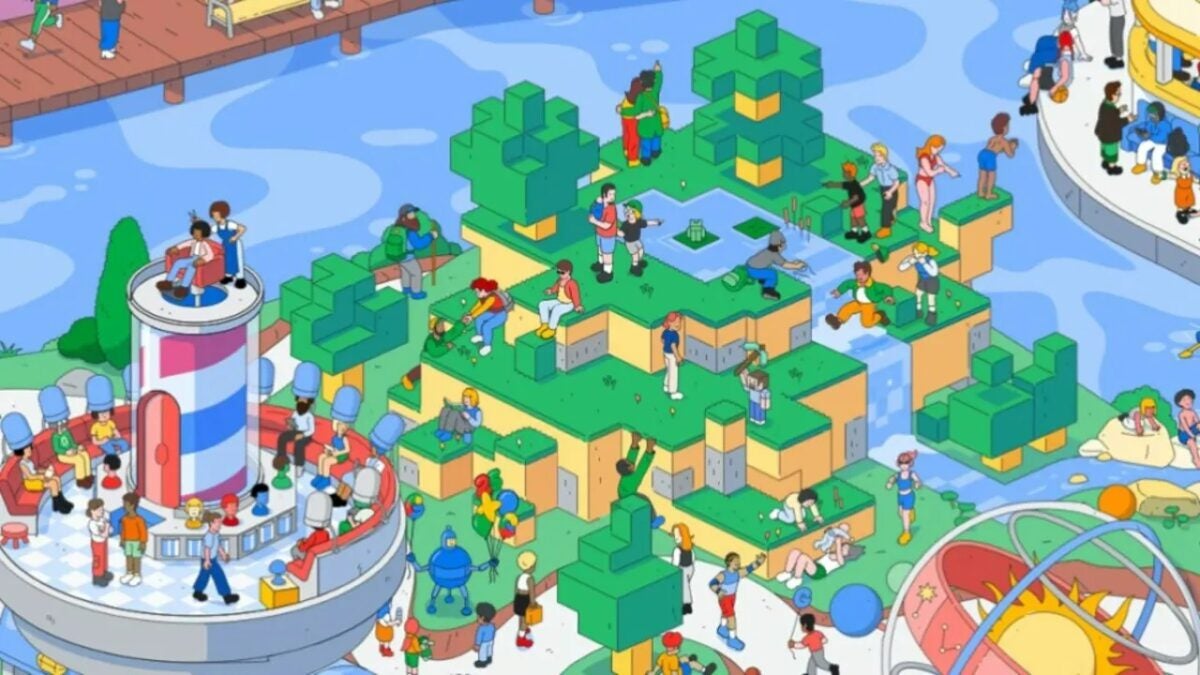
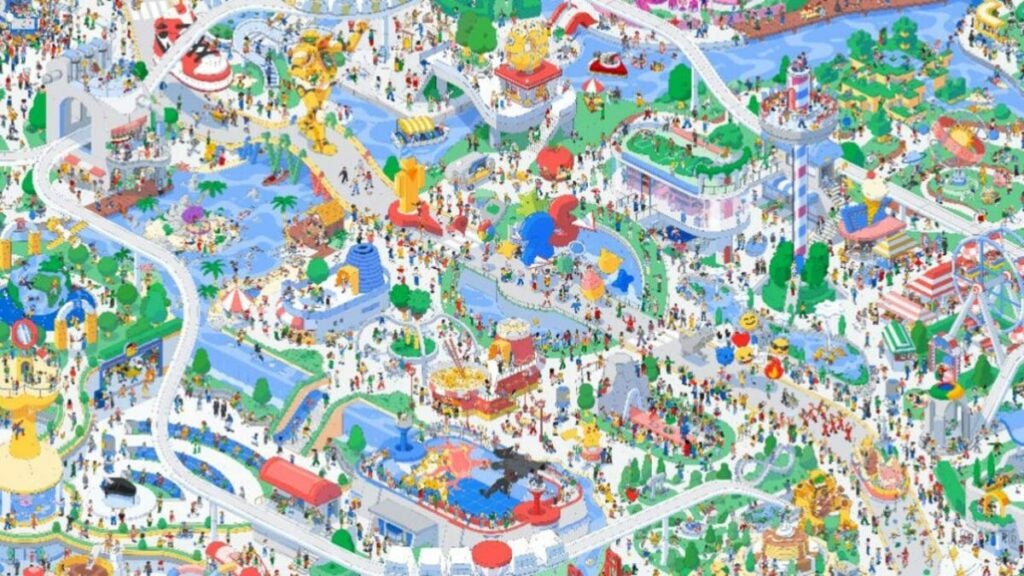
Google has launched a gigantic and playable Doodle in the style of ‘Where’s Waldo?’ where your challenge will be to find the 25 most searched terms of recent years, from Pikachu to Cristiano Ronaldo, including the heart icon or the city of New York. So you don’t start clicking randomly, there’s a tab with clues, of course. You can play it right here, by the way.

On the map, you can find jokes and references to this quarter-century in the best Martin Hanford style: there are battles between wizards and giant robots, huge slides, and even a miniature Earth with Albert Einstein floating around it. If you spent a couple of hours with Pac-Man, here you have much more because, on top of it, there’s an additional added game.

By now, there’s no doubt that Taylor Swift is the most famous artist of today. Google knows it, and that’s why you can also search for the 10 albums of the singer throughout the drawing, in case you want to do the Taylor’s Version of the Doodle. It’s a true marvel where you can reminisce about the most iconic moments (and beyond: Beethoven appears playing the piano) of these last 25 years. A widespread applause. They’ve done it again.

Google Chrome DOWNLOAD

We already know what has been the most searched on Google in 2023: actors, musicians, movies…

Tell the truth: you’ve Googled a few of these names so far this year. We also. The most searched television series or actor is…

Few things we enjoy more than knowing what people have been searching for on the internet. Looking at the search rankings makes it easy to get an idea of what the year has been like… and maybe even be surprised along the way.

Google Chrome DOWNLOAD

Google has released its annual list of top searches for the year, and if you’re thinking Taylor Swift tops another chart, think again. This list allows us to demystify certain trends we see on social media.

For instance, the second most searched person of the year was Jeremy Renner, who had a serious accident earlier in the year when he was hit by a snowplow. If you’re not familiar, let me help you: Hawkeye.

A meaningful list of searches

Taylor Swift not even making it into the top 10 most searched musicians might be because no one in the world needs Google to tell them who she is.

Meanwhile, Jason Aldean, long a favorite in country music, found his way into a much broader audience when his controversial single “Try That in a Small Town” made headlines last May and was denounced by many as racist and reactionary.

Jeremy Renner led the “Actors” category, followed by Jamie Foxx (hospitalized for a mysterious illness last April), and Danny Masterson, the actor from That ’70s Show, who was sentenced in September to over 30 years in prison for two counts of rape.

In the “Movies” category, Barbie took the top spot over Oppenheimer, and “The Last of Us” was the winner in the “Television Shows” category.

Under “Deaths,” Matthew Perry saw the biggest surge in traffic after his tragic passing at 54 in October. Tina Turner claimed the second spot on the list, followed by Jerry Springer in third. Other deaths that sparked searches included those of Jimmy Buffett, Sinéad O’Connor, and Lisa Marie Presley.

Google Year In Search: the main trend data of 2024

People

  • Damar Hamlin
  • Jeremy Renner
  • Travis Kelce
  • Tucker Carlson
  • Lil Tay
  • Andrew Tate
  • Carlee Russell
  • Jamie Foxx
  • Danny Masterson
  • Matt Rife

Deaths

  • Matthew Perry
  • Tina Turner
  • Jerry Springer
  • Jimmy Buffett
  • Sinéad O’Connor
  • Ken Block
  • Nicholas Shot
  • Lisa Marie Presley
  • Suzanne Somers
  • Bob Barker

Actors

  • Jeremy Renner
  • Jamie Foxx
  • Danny Masterson
  • Matt Rife
  • Peter Pascal
  • Jonathan Majors
  • Sophie Turner
  • Russell Brand
  • Ke Huy Quan
  • Josh Hutcherson

Films

  • Barbie
  • Oppenhiemer
  • Sound of Freedom
  • Everything Everywhere All at Once
  • Guardians of the Galaxy Vol. 3
  • The Super Mario Bros movie.
  • Creed III
  • John Wick: Chapter 4
  • Five nights at Freddy’s
  • Cocaine Bear

TV series

  • The Last of Us
  • Ginny and Georgia
  • Queen Charlotte: A Bridgerton Story
  • Daisy Jones and the Six
  • Wednesday
  • That 90’s show
  • Kaleidoscope
  • Carne
  • The Idol
  • The Fall of the House of Usher

Okay, okay, you caught me! I’ve definitely looked up some of those names on Google this year. Can’t resist the temptation sometimes, right?

Google just launched a domain just for memes

Forget .com or .org, you can lean straight into jokes and get a meme-focused domain. According to Google, the .meme is…

If there’s something worth saving on the internet, we’d all agree to point out and say it loud and clear: memes. Memes are the modern way of making jokes and graphical humor, used by millions of people worldwide.

Google Chrome DOWNLOAD

Now, it might be even easier to access and create them, thanks to Google Registry launching a new top-level domain: .meme.

That’s right, forget about .com or .org; you can now lean directly into jokes and get a domain focused on memes. According to Google, “.meme is intended to spread humor, ideas, style, and culture. Use it to show your audience that you’re in the present.” The whole idea brings back memories of the early days of Tumblr… what a great time that was.

How will the .meme function?

Google has partnered with six companies and individuals to show options for using .meme. These include Know Your Meme (which highlights trending memes and their history) and Tenor (for finding and creating new memes).

Additionally, there are four other sites dedicated entirely to cat memes, including domains dedicated to both Nyan Cat and Grumpy Cat. Basically, if you want to create a light-hearted website full of memes, this is your chance.

The Early Access Period (EAP) to register a .meme domain has started, but it includes an additional one-time fee. This additional cost will decrease every day until December 5th at 11 in the morning when .meme domains will be available at a base annual price.

If you’re interested in purchasing a domain, check the availability of the name at get.meme. If it’s available, Google will display a list of partners from whom you can buy the domain, such as GoDaddy.

Google Chrome DOWNLOAD

Google Chrome limits extensions like Adblock

Google is moving forward with its plans to transition to Manifest V3 and will consequently limit adblocks.

Are you one of those who use ad blockers while browsing? If so, we have bad news for you: Google is moving forward with its plans to transition to Manifest V3 and consequently will limit ad blockers.

Adblock DOWNLOAD

Although the new extension API of Google Chrome, Manifest V3, was announced in 2019, Google halted its deployment last year due to the massive amount of criticism it received. Manifest V3 aimed to improve Chrome’s security and performance, but its implementation also disrupted the functionality of many extensions. Specifically, the most affected were going to be ad blockers and VPN extensions, which would lose some of their essential functions along the way.

With things settling down, Google is restarting the gradual withdrawal of Manifest V2. Starting from June 2024, the company will definitively deactivate it in the Beta, Dev, and Canary channels of Google Chrome. From that moment on, Manifest V2 extensions will completely cease to function, and they won’t be installable from the Chrome Web Store if you’re on those beta channels.

However, the arrival of these new changes to the stable version of Chrome (the one available for download from Google) still remains somewhat unclear. Google explains that they will wait at least a month to “observe and stabilize the changes” in the beta channels before rolling them out to Chrome definitively.

Why is Manifest V3 so controversial?

Adblock DOWNLOAD

Browser extensions have never been exempt from controversy. With Manifest V3, Google essentially aims to limit extensions’ access to the personal data stored within Google Chrome. Another reason they cite in favor of the change is that Chrome would use fewer resources and, consequently, perform better.

However, these limitations result in extensions like the famous Adblock being much less effective. Furthermore, the shift to Manifest V3 wouldn’t only affect Chrome but all web browsers based on Chromium, such as Microsoft Edge, Opera, or Brave. Firefox, on the other hand, will also implement Manifest V3 but with far fewer restrictions than those imposed by Google.

Google will delete accounts that do not meet these requirements next month

Google gives the final blow to inactive accounts and starting in December they will begin to be eliminated.

Google has taken a dislike to abandoned accounts. This is quite normal, especially considering that it poses a significant security risk to the user and an extra maintenance cost for their servers. To address this, Google got to work and updated its policies last May; now, if an account hasn’t been used in at least two years, it’s most likely to be completely deleted.

Google DOWNLOAD

Although Google’s policies were changed months ago, it will be during the next month of December when they will start to be implemented. In addition to the accounts, the company owned by Alphabet will also delete all content associated with the inactive account, such as Gmail emails, Google Docs documents, Google Drive data, and even Google Photos pictures.

The deletion will only affect personal accounts, so business-type accounts (such as those for schools and businesses) will be spared, at least for now. The process will be gradual: initially, accounts that have never been used since their creation will be deleted. Afterward, Google will send the user several warnings to both the email being deleted and the recovery email.

How do I prevent my Google account from being deleted?

Google DOWNLOAD

The answer is as easy as it is obvious: don’t leave the account to chance. If you have a Gmail address that you want to keep for its data or for a specific use, all you have to do is log in from time to time. With this simple gesture, Google will consider that the email is still active.

Plus, you don’t have to sign in to all Google services. The moment you use the account in one of them (Gmail, Google Photos, Google Drive, etc.) is more than enough. And most important of all: don’t forget to do it before December.

Google has just opened a new type of domain: .ing

Early buyers can expect to pay more than a million dollars. Because? For the same reason that current domains can…

The world of the internet is much more complex than it seems to most people. Behind your favorite website, there is an infrastructure that would amaze even Leonardo Da Vinci himself. Today, we’re talking about a piece of news that internet enthusiasts are going to enjoy.

Google Chrome DOWNLOAD

Google Registry (also known as Charleston Road Registry, a company owned by Google) has announced the launch of its latest top-level domain. This is none other than .ing.

Registrations for the new domain have already been opened, but those who sign up early will have to pay a substantial amount of money to gain early access to the new suffix.

What companies or websites can be hosted on the .ing?

In light of the launch of these new domains, Google has partnered with a handful of companies to demonstrate how names can be creatively registered.

Canva has registered draw.ing and design.ing, while Adobe has added edit.ing and sign.ing to its list for Acrobat.

Throughout the month of November and part of December, Google has introduced an Early Access Period (EAP), allowing customers to pay a one-time fee of over 1 million dollars for the privilege of having the first choice of the domain they desire.

The company 101domain has shared the details of the pricing structure for the EAP fees, starting at 1.1 million dollars in the first week and decreasing weekly to 340,000, 115,000, 35,000, and 11,999 dollars.

From there, daily reductions will be made, lowering the fee to $3,599, $1,299, $399, $379, $169, and $149.

General availability – without the exorbitant fee – starts on December 5th, by which time some of the most popular domains may have already been sold.

Earlier this year, Google announced it would be shutting down its Google Domains business, selling it to SquareSpace, with most customers already transferred. These moves are nothing but an attempt to shed the monopoly label, a practice heavily scrutinized in the United States.

AI might organize our Chrome tabs very soon

Google is reportedly working on bringing a new AI-powered feature that will organize messy Chrome tabs to improve productivity by maintaining a tidier workspace. It was first announced by Leopeva69 on X and you can find its images and everything you need to know about it below!

Google Chrome DOWNLOAD

This exciting addition will soon sit at the top left corner of your browser, right alongside the tab search function. It’s a natural progression from the existing Tab Groups feature, promising a more organized and user-friendly web experience.

The “Organize Tabs” function seeks to elevate automation by automatically reorganizing your tabs and guiding them into specified window groupings. But that’s not all; as your tabs are sorted, it may also introduce automatic tab group generation. For those who are unfamiliar with Tab Groups in Chrome, consider it your digital desk organizer, assisting you in decluttering your web space for simple access.

Why are tab groups important in terms of productivity?

Consider your computer screen to be a crowded and messy wardrobe and in these kinds of situations, it becomes very hard to find what you are looking for. When you finally organize your space, it is a lot easier to find what you are looking for. Consider those clothes you have in your wardrobe to be an open internet browser tab. You know the agony of navigating this digital chaos if you’ve ever had too many tabs open.

This is where Chrome’s “Tab Groups” functionality comes in. Just like you would organize your documents into folders on your actual desk, you can do the same with your tabs by using “Tab Groups.” It’s a simple yet effective tool for grouping related tabs based on their content or function. “Tab Groups” provides a structured digital workplace for organizing your recipe tabs, grouping your shopping-related tabs, or categorizing your work-related tabs. To make it even more user-friendly, you may give your group names and colors to make it easier to discover what you need.

With the upcoming “Organize Tabs” feature, Chrome is taking tab management to the next level. Imagine a digital environment where your tabs are as well-organized as documents neatly placed in color-coded folders on your physical desk. It’s all about enhancing your online experience and simplifying your web navigation like never before.

Google has suffered a bug that prevents it from doing what it does best

Google suffered a problem in content indexing that prevented the correct display of new articles in the search results.

Today, anything that isn’t on Google Search practically doesn’t exist. Yes, there are plenty of other search engines on the Internet, including Microsoft’s Bing, but Google is for all intents and purposes the Coke of the search engine world. Who wants to drink Pepsi when you can drink something that tastes better? (No one paid me to say this, let’s be clear).

Google Chrome DOWNLOAD

But for something to exist in Google, the company must first index it, a process that adds or updates the search results of all the websites you see every day. But even the great and almighty Google is not spared from occasional glitches.

During the night of October 6, several news publishers reported that their content was not being indexed correctly in Google, something that greatly affected the visibility of their articles on the Internet. Shortly after, Google confirmed that there was indeed a problem with the indexing of content.

“There is an issue that is delaying the indexing of recently published content,” Danny Sullivan, a liaison agent in Google’s Search division, explained on Twitter. “We are working to identify the root cause. You can track progress here in the Google Search status dashboard.”

Throughout the night, several websites continued to experience problems with the new content they published. According to Search Engine Land, the problem did not lie in the indexing, but rather in the search service itself, since certain links to new articles that did not appear in the search did appear as indexed by Google Search Console.

Google Chrome DOWNLOAD

Fortunately, the problem is now fixed, and content posted as of this morning should appear without issue in Google search. “On October 5, 2023 we encountered an issue that slowed the indexing of some content from 10:30am to 4:20pm PDT. We believe this issue is now resolved,” stated the Google Search Console Twitter account at 8 a.m. today, October 6.