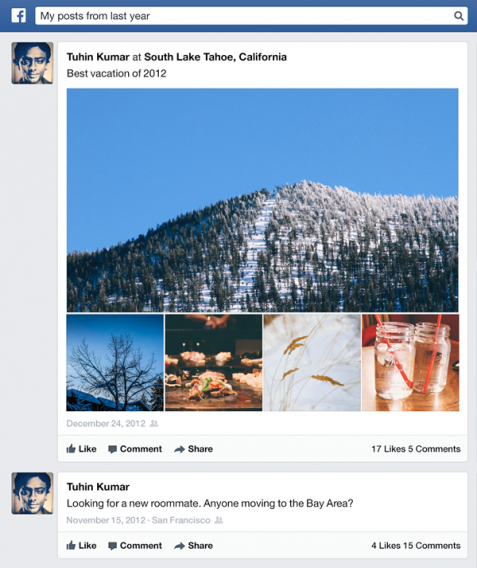
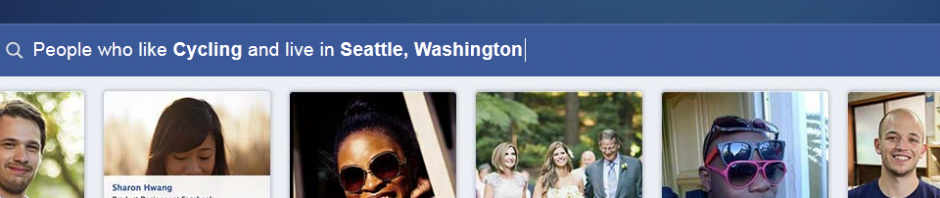
Facebook Graph Search released to everyone earlier this week. Previously in beta to a limited number of users, Graph Search allows users to search through Facebooks’ database to find people’s interests, photos, and likes. This makes it much easier for those in your network to search for Facebook activity you’ve made since creating your account, even if it’s not visible on your own timeline.

Graph Search raises possible privacy issues if your status, photos, likes, and tags are marked as public, especially if your friends have not properly set their own privacy settings. If you’ve ever liked or commented on something embarrassing on Facebook, now is the time to hide or delete those incriminating posts. We’ll show you a few steps to maintain your privacy against unwanted Facebook Graph Searches.
Adjust your profile
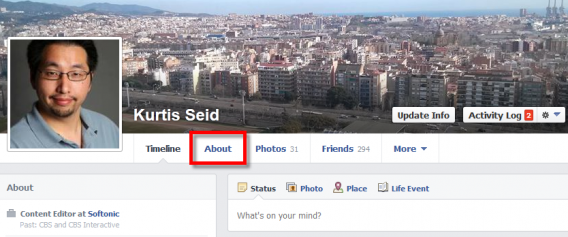
The first thing you will want to change is what’s visible on your own profile. It is possible that some of your privacy settings are set to public view, allowing anyone to see your information. The first step to change this is to go to your own page and hit the “About” button.
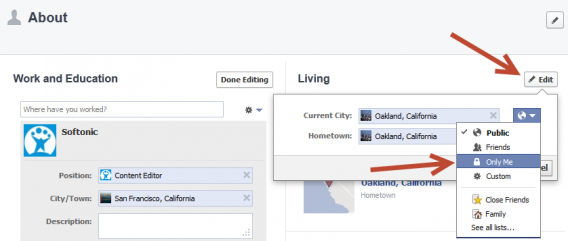
Edit your personal information such as Work, Education, Location, and relationship status. First hit the “Edit” button marked with a pencil icon. Underneath you can select the drop down menu to toggle between if the information is visible to the public, friends, only you, or a customized option.
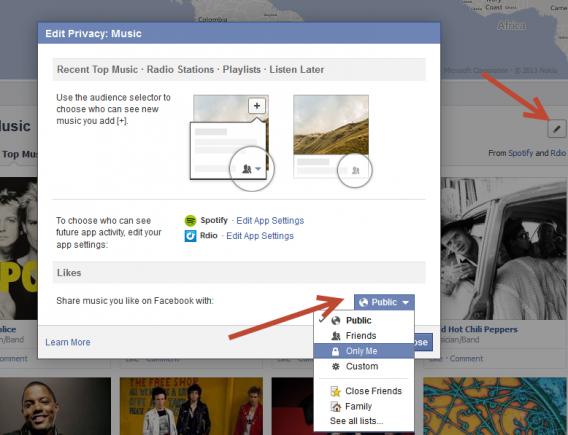
Next scroll down to your Music, Books, and Movies. Hit the Edit button here and select “Edit Privacy”. You will see a separate overlaid menu that will allow you to set who sees your likes. Hit the drop-down menu and set the desired visibility.
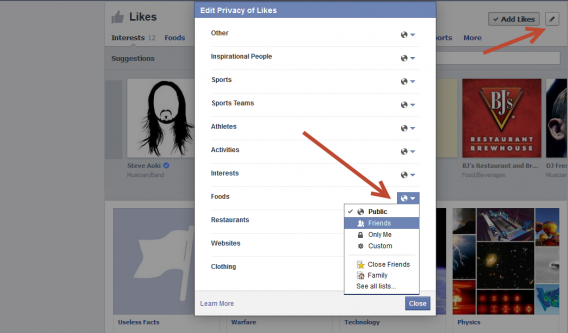
Even further down is your “Likes” section. Once again hit the corresponding Edit button to bring up a new menu. Here you can select the privacy for individual categories such as Sports, Foods, and Websites. Adjust which you want to be found on your profile and through Graph Searches.
Your Activity Log
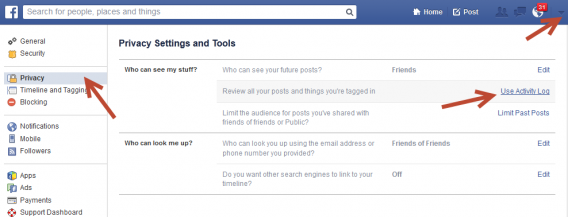
The Activity Log shows what you’ve liked, posts you’re tagged in, and comments you’ve made. It’s very important to audit your activity and see what is being shown to friends and the public. To access this menu first select “Settings” from the drop-down menu in the upper right of the header bar. Enter the “Privacy” tab and select “Use Activity Log”.
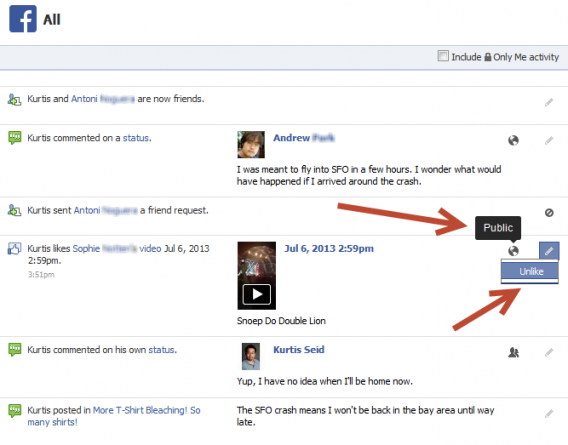
Enter the “All” category to see every bit of Facebook activity you’ve made. When you hover over the privacy icons (globe for public, two-heads for friends) you can see just who can view a status. Unfortunately you cannot adjust the privacy of your friends’ statuses; if they have public posts you commented on or liked they will show to anyone. Your best option is to hit the Edit button and “Unlike”, as well as inform your friend that their updates are public.
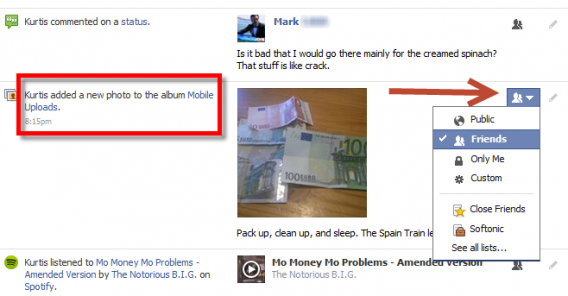
However, you can change the privacy of your own updates. Click on the privacy icon and set who can see your update. You have to do this with each post, comment, photo, and like which can be frustratingly laborious.
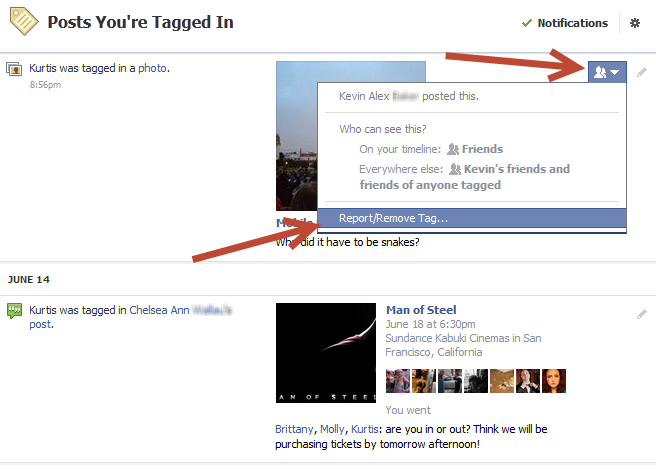
If you’ve been tagged in another user’s post you can request to be removed. Hit the privacy icon and hit the bottom option “Report/Remove Tag…”
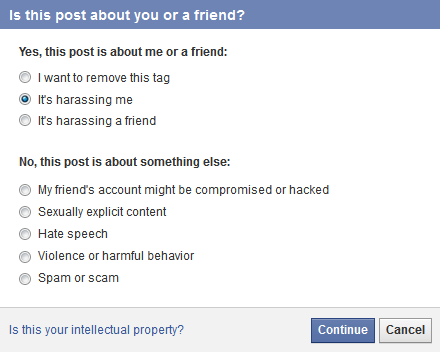
For status updates you’ve been tagged in you will need to give a reason why you should be removed.
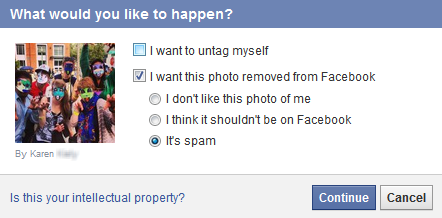
For pictures you’ll have a limited selection of options for why you want to be untagged.
Limit your future updates
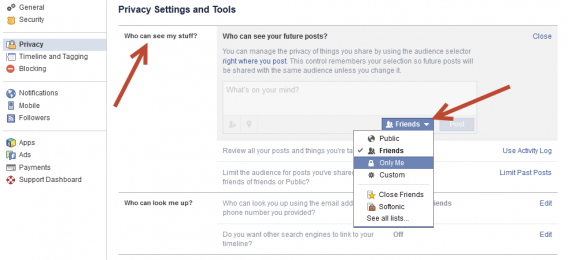
There are two more important options within your Privacy settings that will allow you to stay hidden. Both are under “Who can see my stuff?”, which will let you first set “Who can see your future posts?”. Set this to friends or whoever you want to see your status.
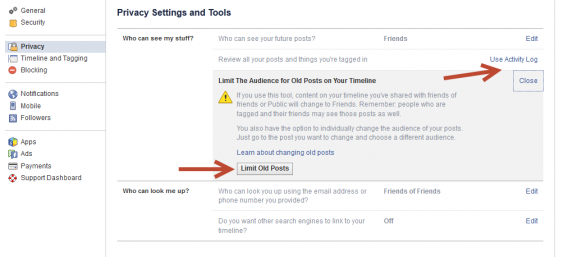
The second option is “Limit The Audience for Old Posts on Your Timeline”. Hit the “Limit Old Posts” button to turn content shared as public or friends of friends to friends only. This will greatly reduce the chance of your information showing on Graph Searches.
Check how others see you
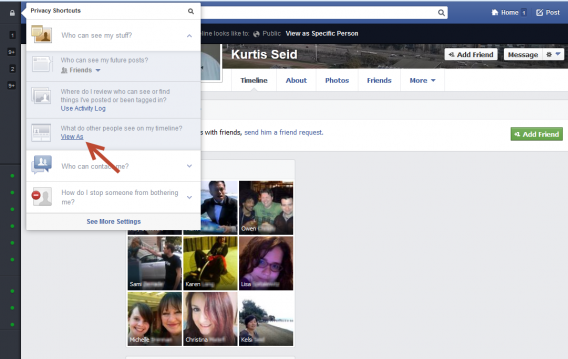
Now that you’ve made these adjustments to your profile and privacy it’s time to test out how you appear to the public. Hit the lock icon in the sidebar to show your “Privacy Shortcuts”. Select “What do other people see on my timeline?” and you’ll be taken to the public instance of your profile. If you made sufficient changes to your privacy your profile will look rather barren.
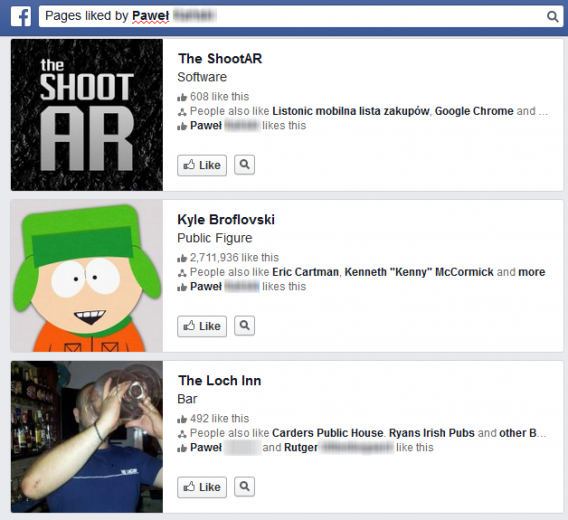
It’s also a good idea to Graph Search your own likes and photos to make sure nothing strange is showing up. If you are dissatisfied with what appears, you may need to unlike a few more pages.
Now you know how to retain your privacy and protect against unwanted Graph Searches. Still, Facebook is a social network and Graph Searches does have the power to connect you with people with similar interests so it might not be bad to share some things about yourself. In the right hands it can be a great tool to meet new friends, but if abused it can be used to spy and stalk others’ activity.
What are your feelings on Facebook Graph Search, do you want more discovery or less personal exposure?

 Facebook