How Nintendo can make 2D Mario fresh again

Is Nintendo stuck in a creative rut? Here’s how they can break out.

How Nintendo Can Make 2D Mario Fresh Again

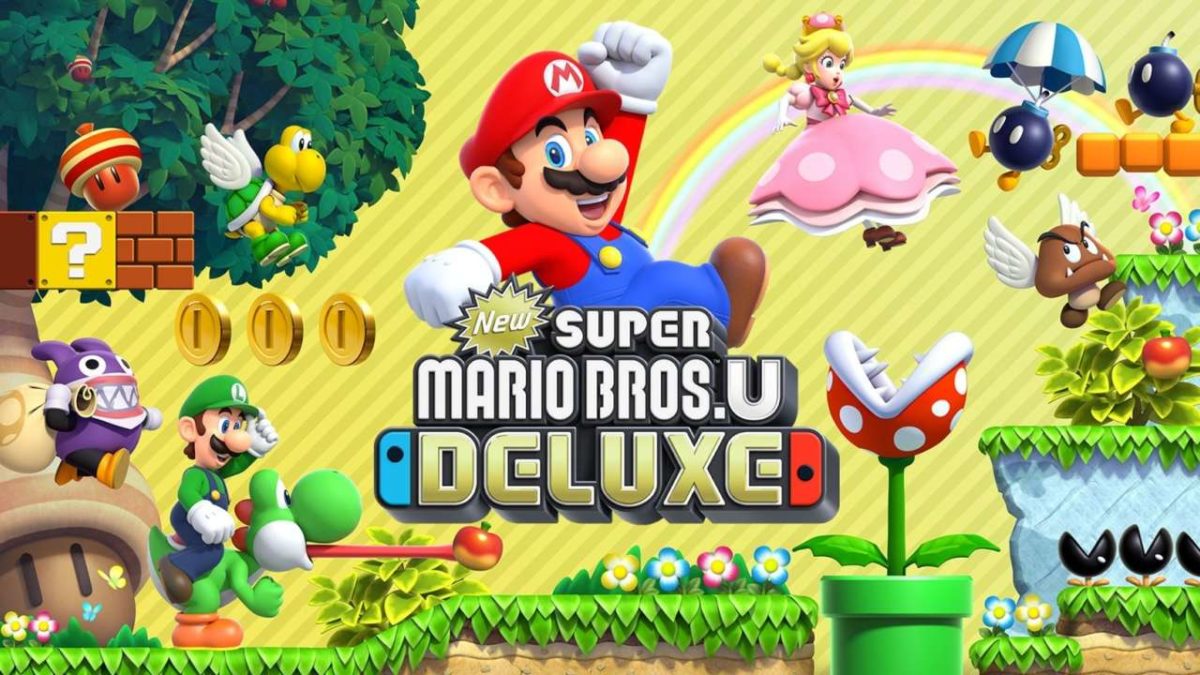
Nintendo just released New Super Mario Bros. U Deluxe to critical praise and high sales. The game is an enhanced port of the Wii U’s New Super Mario Bros. U that includes the game’s New Super Luigi U expansion. The game is the latest installment in the New Super Mario Bros. series, meaning it’s a well-made 2D Mario platformer. The game is a perfectly serviceable 2D Mario game, offering tight, challenging gameplay and a large amount of content. Something just feels missing from the whole package, however. If New Super Mario Bros. U Deluxe is fun and well-made, then why is it not exciting? Why is the release of a new Super Mario Bros. game, arguably the most iconic and successful franchise in all of gaming, not a bigger deal?

A problem with packaging

There are four games in the New Super Mario Bros. series: New Super Mario Bros., New Super Mario Bros. Wii, New Super Mario Bros. 2, and New Super Mario Bros. U. Without looking it up, I’d like you to try and point out which game is which on the screenshot below:
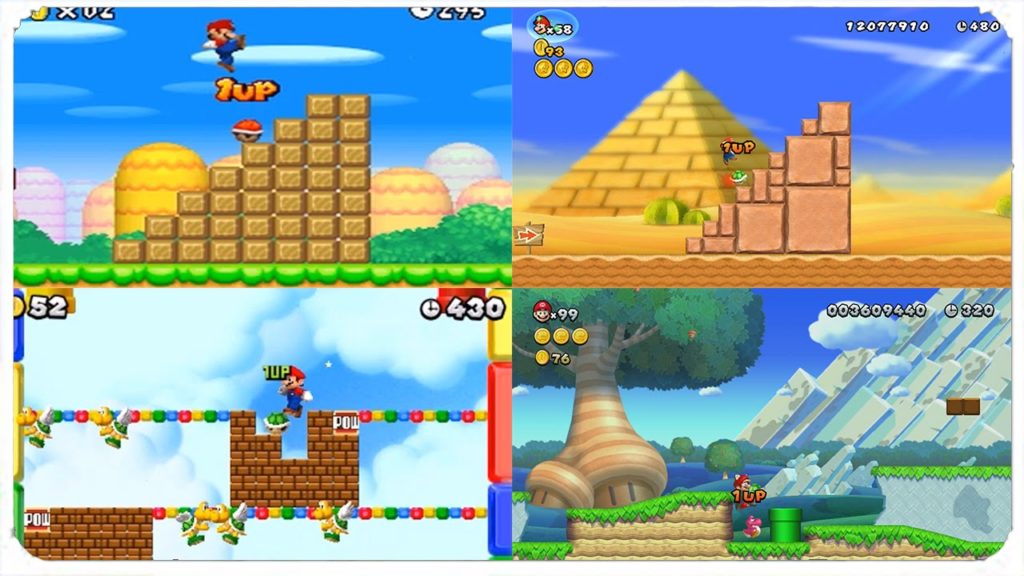
New Super Mario games

Pretty hard isn’t it? That’s what happens when four games come out with the exact same art style. When the original NSMB released for the DS in 2006, it was legitimately “new.” It was the first time we saw a 2D Mario game with 3D models and the streamlined modern Mario art style. This quickly wore thin as three more games were released with the exact same art style within six years. Sure, the games look nice and colorful, but they look absolutely sterile in comparison to series’ like Donkey Kong Country, Wario Land, or Rayman. Take a look at how the classic 2D Mario games looked in comparison to each other:
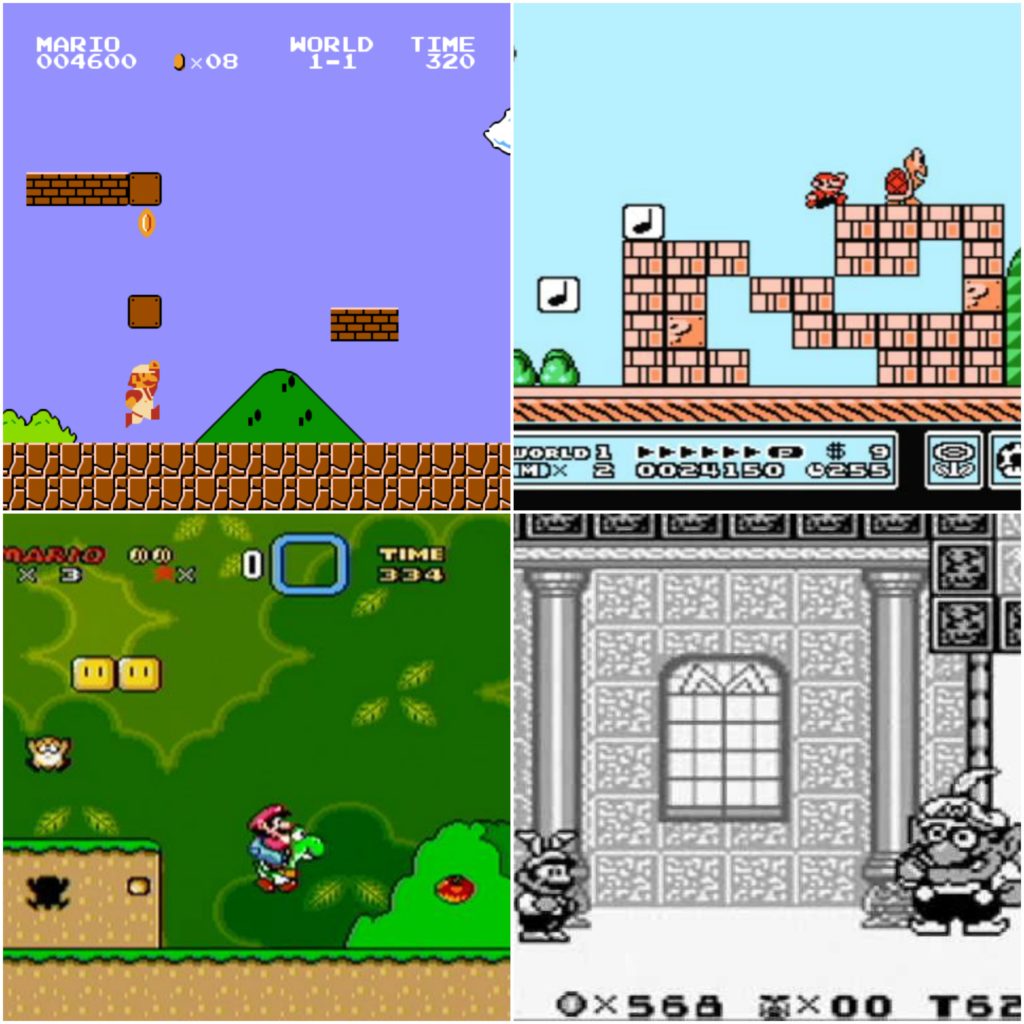
Classic Mario games

These games were much, much more distinguishable from each other. Like the NSMB games, they appeared on different consoles, but they remained distinct by having different art styles and a degree of stylization in each. By stylization, we mean creating an art style that differs from the standard Mario fare, telling the player instantly that they’re in for a brand new and different experience, with a great example being the Paper Mario series’ storybook aesthetic. Back then, it was exciting to have a new 2D Mario game come out because it was a wholly different experience than the last one. Even the music of the NSMB series has remained very similar throughout the years. Compare the overworld track from the original NSMB to one from NSMBU.

While the upbeat guitars and cheerful “BAH!” sounds that made up NSMB’s soundtracks were different and cute at the time, the style has worn far past thin when it’s still in use over six years later. Aesthetically, the NSMB is comparable to the Madden franchise in how little it evolves throughout the years. It’s highly disappointing that the series shows so little growth and creativity, as other recent Mario games show that Nintendo is still able to make masterful and creative worlds.
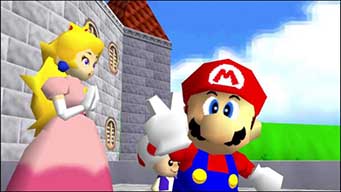
Last year’s Super Mario Odyssey saw Nintendo taking plenty of risks with the Mario formula, and with a huge payoff. The game saw Mario exploring a city with realistic humans, exploring an ancient waterfall complete with dinosaurs, bouncing around on stylized polygonal food, and invading Bowser’s samurai castle. The theming of Odyssey is a far cry from NSMB’s standard formula of plains-desert-ice-lava. Even within NSMB, Nintendo has shown flashes of creative brilliance, like with the painted world in NSMBU, but these levels are extremely few and far in between.
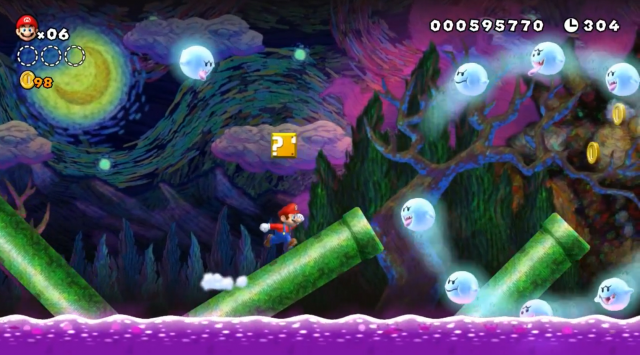
Painted World

How to shake things up

In this writer’s humble opinion, a nice way Nintendo could shake up the 2D Mario series is with a 2D hand-drawn art style. While making a game like this is extremely time-consuming, the end result is a fluid and detailed looking game that clearly had a lot of passion put into it. Take a look at Wario Land: Shake It! below, as it uses hand-drawn animation and looks absolutely gorgeous.

Wario himself has hundreds of different animations, giving him tons of character and personality. Over the years, Mario has lost a distinct personality, becoming a sanitized and quirkless entity that serves more like a mascot than a character. 2D hand-drawn animation could go a long way in giving Mario and the crazy world he lives in the personality it deserves. Making levels feel like a cohesive, lived-in world as opposed to a series of tiles would add significantly to the atmosphere and theming of the game.

Honestly, gameplay-wise, the 2D Mario series doesn’t need to change much. Throughout the NSMB series, Nintendo has proved that they are still masters of level design and fluid controls. The additional moves like the triple jump, wall jump, and mid-air spin are also all welcome inclusions to Mario’s moveset, and they should definitely stay.

The problem lies more in the gameplay being hampered by safe theming, leading to uncreative level design. Nintendo has also shown that they’re capable of making memorable characters in the Mario universe, as shown by spinoff games like Paper Mario and Mario & Luigi. Including these wackier characters as playable characters, allies, enemies, and bosses would give the game a more unique feel. Ditching the Koopalings and replacing them with original bosses alone would go a long way. Instead of just Mario, Luigi, and a couple of Toads, let players choose Wario, Waluigi, Donkey Kong, or some of the more obscure Mario RPG characters like Geno or Fawful. It’s a shame that NSMB only showcases the blandest and safest side of the Mario universe because the Mushroom Kingdom is actually a rich and colorful world full of interesting characters.
By revamping the aesthetics and exploring the more surreal side of the Mario universe, Nintendo can start getting people excited about 2D Mario games again. The New Super Mario Bros. series, while solid games in their own right, have stifled the Mario series creatively and should be totally revamped. Hopefully, Nintendo switches things up, and the announcement of a new 2D Mario game can be the big deal that it’s supposed to be.

What do you think of these suggestions? Have any of your own? Let us know!

3 fun Amazon alternatives for fun stuff delivered to your door

Need a gift idea or just want to treat yourself? Try these fun options!

The holidays may be over, but that doesn’t mean you can’t still treat yourself to something nice. Though most retail stores are overrun with shoppers trying to snag post-Christmas sales from barren shelves, you don’t even have to leave the comfort of your home to snag some new clothes or other goodies. Check out these sites to find the perfect way to treat yourself.

3 great sites for fun stuff delivered to your door

AliExpress

aliexpress logo
Image courtesy AliExpress

If you can think of it, you can probably find it on AliExpress. Beauty products? Check. Phones and accessories? Check. Tools? Check. The real highlight, though, is the huge selection of clothing and jewelry with a variety of unique brands and styles. It’s all meticulously sorted into categories so you can easily find whatever you’re looking for… or maybe stumble on a little something extra.

The best part, though, is the ridiculous deals. Look for frequent flash sales, coupons, and other promo offers on a regular basis. That’s on top of their already absurdly low prices. You’ll even get $3 off your first order just for signing up, and downloading their app will net you even more deals. Fill up your cart now and snag that new outfit you’ve been wanting.

Cratejoy

cratejoy logo
Image courtesy Cratejoy

One of the best parts of the holidays is getting to open presents. Nothing beats the joy of being totally surprised by a unique gift. Even though the holidays are over, you can still experience the fun of opening gifts all year long with Cratejoy. You might be familiar with box delivery services like Blue Apron or Loot Crate, but Cratejoy aggregates every different type of subscription box under the sun on their easy-to-navigate site.

No matter what you’re looking for, you can find a subscription box for that. Snag an Escape Room box for the puzzle solver in your life or get a bouquet of fresh flowers each month. The best part? You’ll get a whopping 50% off your first monthly delivery.

Bokksu

bokksu promo image
Image courtesy Bokksu

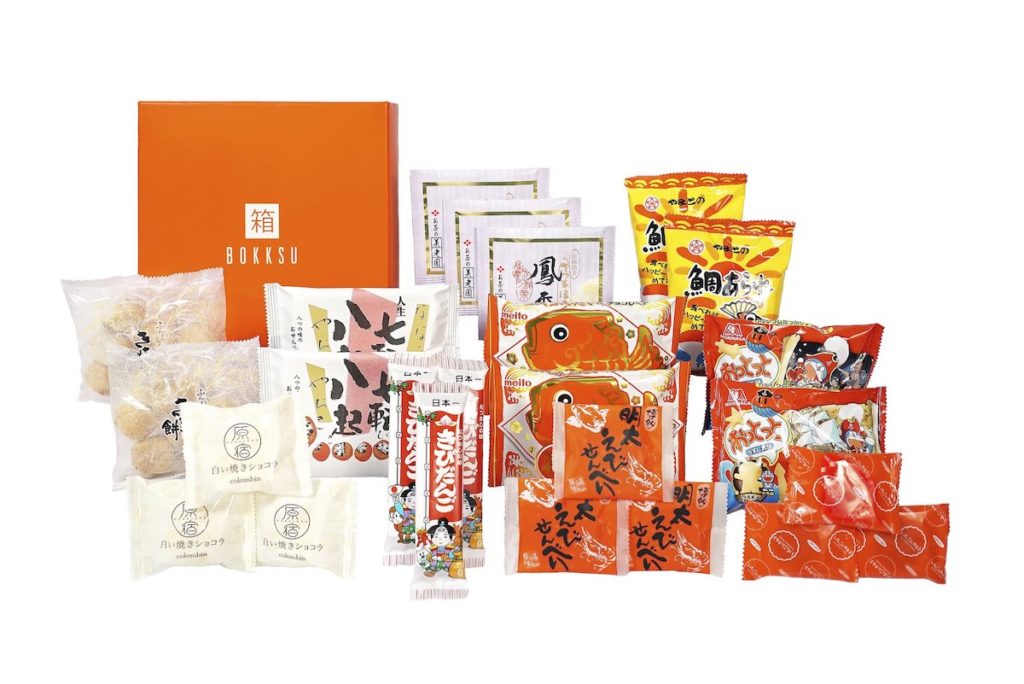
Got a case of the munchies but don’t feel like heading over to the grocery store? Bokksu will deliver snacks straight to your door. Just pick your box of carefully curated Japanese snacks and other treats and you’ll get a month’s supply of snacks delivered directly to you. Snacks, candies, teas, cookies… you’ll get a selection of new snacks to try. If you’re not familiar with an item, you can consult the handy tasting guide included in each box for a quick rundown, and even a list of common allergens. If this is enough to get you salivating, just head over to the site, select your box and payment plan, and start snacking.

2019 is here, so why not try something new? These sites make it easy to get new experiences delivered straight to your door each month, so you can keep the joy of the holiday season rolling all year long.

11 cool ways to take Frontback photos

Frontback, the social app that lets you take dual perspective photos, is now available for Android. Here are 11 great, original ideas for creating awesome photos for the mobile app specialized in selfies.

To keep even the most creative users happy, Frontback has introduced a few handy features to keep your selfies fresh. The best addition? If you’re not happy with your photo, you’ll be able to change it as easily as tapping the image. But that’s not all– a slide up or down will let you swap images, moving them from the bottom to the top, and vice versa, with a single touch.

Jump straight into the world of Frontback and get inspired with these 11 original ideas to create your own great Frontback photos.

Clone yourself

What better way to surprise people than by messing with the rules of nature? Frontback invites you to take a picture of what’s in front of you in the first image, and a selfie with the second, so why not put yourself on display twice? You can even spice things up by changing the orientation of the camera.

Clone yourself

Extreme selfies

Sometimes you need to take a risk to really impress people. Thinking about scaling a mountain or going bungee jumping? It’s probably a good idea to take a selfie of it. Frontback will let you capture the special moment – just try not to risk your life for that perfect picture too often.

Extreme selfies

The kiss

Your moment of tenderness deserves more than just an average selfie. Frontback lets you take images that are both funny and touching – all you need to do is cook up a unique scene.

The kiss

An upside down Frontback

Photos of feet are huge on Instagram. The hashtag #fromwhereistand, indicating a first person POV, is one of the most popular on the network. With Frontback, you can take the concept a little further and add a photo of your surroundings too.

Heads and toes

Shadow and light

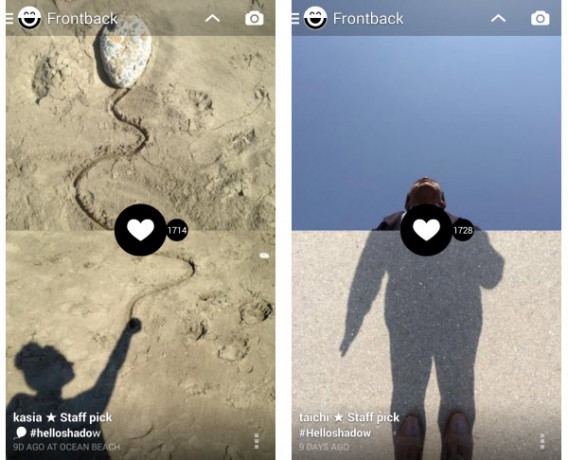
The interplay of light and shadow in photography add an element of mystery to the objects in your image. As you can see in the two examples below, the possibilities are practically infinite, as are the number of likes your photo could get!

Shadow and light

Benjamin Button, the Frontback version

If you’ve got your baby photos hidden away somewhere, now’s the time pull them out. Publish an image of yourself at two different ages, and show the young-at-heart side of your personality.

Baby/adult

Somewhere between photography and art

How would you like to recreate a famous artwork or painting, this time, starring you? The more famous the original, the better. At the moment, people are trying to “emojify” themselves– in other words, imitate emoticons from messengers. Can you do better than this?

Art or photo?

Man’s best friends

Maybe you’ve got the heart of a lion, or the cunning of a fox. Perfect – take a photo and complete the image with your face. Even better, copy the faces your pets pull, and create a really funny photo.

Animals and people

The two-in-one mashup

A new take on Frontback is to try and create complete images by using both cameras on your phone. Even harder, try to merge two different shots to give the impression of unity and flow. We’ll warn you now – it’s harder than it looks.

Photo montages

Before and after

Time travel by capturing two different moments in the same shot. Be careful though: like you see in cheap ads, before and after pics can give some pretty crazy results. Furniture assembly, recipes, haircuts, home improvement– the possibilities are endless.

Before and after

Symmetry

It seems that nature likes symmetry. Surprise your Frontback followers by taking totally symmetrical images, without a mirror. A handy tip: you can return to an image you’ve already taken by sliding your finger to the left or the right.

Symmetry

Be creative!

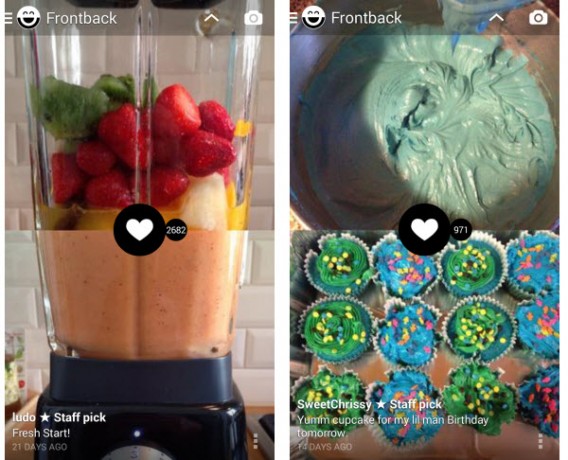
Now that you’ve got a few tips for creating Frontback images that’ll stand out from the crowd, you might even be chosen as one of the Frontback team’s famous Staff picks.

Of course, don’t be afraid to mix up these 11 ideas to create even crazier and more creative Frontback pics.

Article co-written by Samuel Marc

Follow me on Twitter @bbrassart

RELATED ARTICLES:

Tips and ideas to create your own Christmas cards

Christmas is one of the best-selling seasons for holiday card manufacturers. However I still prefer handmade cards: they’re cheaper, you have fun while creating them and they imply a personal effort – which is always better than a standard card you can buy at the nearest mall.

You don’t need to be a computer whiz or have highly artistic skills to create your own customized Christmas cards. Some basic Photoshop knowledge is more than enough to come up with a nice, unique design. You could start by a simple text-based card with an original snow effect on it.

Tips and ideas to create your own Christmas cards

If you feel more daring, you could try to design a Christmas card in Photoshop. We’ve published a couple of tutorials on the blog to help you out. The first one is the easiest: a simple question of taking advantage of Photoshop’s custom shape brushes (a tree and some snowflakes) and repeating them on different layers.

Tips and ideas to create your own Christmas cards

The second one is a bit more difficult, but looks great. Create a tree made of stars and add your personal message to it! It may take a bit longer, but it’s worth the effort. Just think about the face of the card’s recipient when they get something created by you.

Tips and ideas to create your own Christmas cards

Finally, don’t forget the internet is full of resources to create your own Christmas card.  A quick look at DeviantArt, for example, will reveal dozens of wallpapers, icons and other eyecandy to easily make your custom cards more attractive.

Ideas for a well planned summer

The problem about working during August is that it seems that the whole world is on holiday except for you. Yes, we had a busy week with some exciting announcements, starting off with the new World of Warcraft expansion pack (can’t wait to lay my hands on it!), a trial version of the new iWork suite for Mac and even some rumours about the first service pack for Windows Vista.

We know most of you are on enviable holiday trips, so we couldn’t help dedicating some posts to helpful software apps for safe travelling. Tom put together a list of the best GPS mobile tools, while Tony hunted down some useful programs for tourists and Cyril made trips abroad easier with an excellent collection of translation apps. If you don’t feel like getting up from the couch you can always follow James’s adventures in Google Sightseeing – this week’s chapter covers Australasia.

But travelling is by no means the only activity for summer. It’s a perfect time for some home refurbishing as well, conveniently helped by these decorating software apps. Summer is also the time of the year where you tend to spend more time with your family, like it or not. Luckily enough, Tony found some games to make these family meetings more bearable.

Last, but not least, I’d like to mention Tom’s great list of free alternatives to Adobe products. It may help me save a lot of money, so hopefully next August I will be on a happy holiday instead of working!

Organize your ideas with Mental Case

Mental CaseDon’t lose your head over your ideas and thoughts. Mental Case is a different way of storing and organizing all the ideas that come in your head. Take snapshots and screencaptures of your screen, jot down a note and schedule viewing times. While not purely a productivity app, Mental Case can help you work better, especially if you use the slideshow feature to get a quick look at all your ideas. Think of it as a brainstorming tool to keep those new thoughts in one place.

Record your ideas online

braincast_logo_lg.jpgIt’s sometimes strange to think that phones were once intended for speaking into. Now that so many people use their mobiles to text, access the Net or play games, it’s refreshing to see a new technology that embraces your own voice. Braincast is designed to allow you to manage your thoughts by adding voice notes to an online service.
The web app is free to use, allowing you to sign up via a relatively painless registration process, before enrolling up to three of your telephone numbers with Braincast and assigning an email address to each one. The service then assigns your own toll free number and your own RSS feed for you to check your saved messages at any time. For instance if you’re in the city, and a thought crosses your mind that you want to remember for later, speed-dial the Braincast number and leave yourself a message. By the time you get home, you’ll find an email and an RSS item waiting for you. Both will have a link back to a recording of your message (in .wav format) on the BrainCast site.

The service also provides you with a web page for managing your messages. Features include the ability to tag messages, take notes on them, send copies to any email address and remove those you don’t wish to keep. You can even schedule delayed delivery to any phone number you like, allowing you to set up voice reminders on your own phone.

It’s an interesting take on a note-making application, but it’s difficult to see the service really taking off. After all, most new mobile phones allow you to record voice messages and store them on the device itself, meaning there’s no need to access an additional source. What’s more, there are plenty of notes programs that help you keep your tasks, ideas and appointments organized with ease, many of which allow you to synchronize your thoughts via the web.

Clearer ideas with ConceptDraw MindMap

conceptdraw.jpgMany work tasks involve brainstorming sessions and sharing ideas with each other in order to achieve the final goal. However, having too many people involved in a project may lead to confusion and failure. It’s essential to stay organized and follow a clear road, knowing exactly at which stage of the process you are, what other people’s tasks are and what lies ahead of you all.

This is exactly what you can do with ConceptDraw MindMap: capture ideas and create handy, colourful diagrams with them that help you organize your team, your projects and your work.

After a very easy installation, we face the toughest part: getting to use the program. In fact, ConceptDraw has a quite steep learning curve and takes time and effort to be managed properly. But you shouldn’t take this as a downside, as you can count on the program’s thorough help system and a series of really helpful video tutorials available on ConceptDraw’s website, which we strongly recommend you to watch.
Continue reading “Clearer ideas with ConceptDraw MindMap”