The impressive redesign of YouTube Music on iOS and Android

After conducting several tests in July, YouTube Music has launched a redesign of artist pages in the Android and iOS apps, as reported by 9to5Google. Although the new design was scheduled to be released on September 4th, it was postponed with no official explanation, but it finally started rolling out on September 8th.

One of the most notable changes on the artist page of YouTube Music is the reorganization of the artist’s name and the number of subscribers. Previously, the name was located in the upper center, with the follower count just below. Now, the name has been moved to the left side of the screen, followed by the number of subscribers. Additionally, the new font used is much smaller and denser compared to the previous design, giving a more compact appearance.
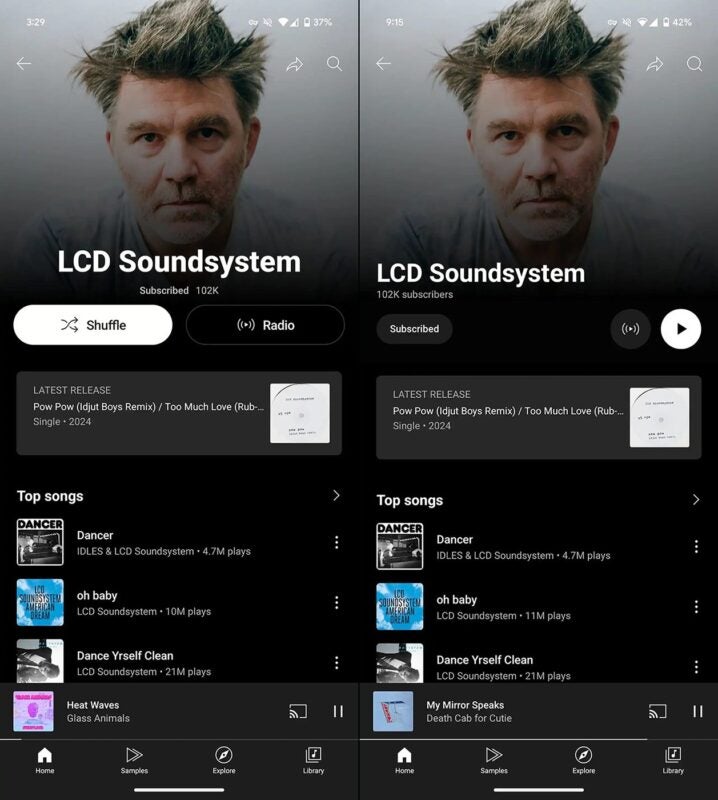
Old design of YouTube Music artist pages (left) vs. current design (right) – 9to5Google

A subscription button has also been added below the number of subscribers, making it easier for users to subscribe or unsubscribe quickly. Finally, the “Radio” and “Play song” buttons are located on the right side of the screen; the button to play a song is slightly larger, with a white background, while the radio button is black.

YouTube Music DOWNLOAD

Good and bad news for Spotify users

In the world of music streaming, Spotify has long been a benchmark, leading with a vast library and interesting features. However, their latest announcement at the recent shareholders meeting has left many with mixed feelings. The good news is that, according to Spotify CEO Daniel Ek, the company is still working on its highly anticipated Hi-Fi support, a project first announced in early 2021, which is still in its “early days”. The bad news? The price of Spotify could skyrocket.

Apple Music SUBSCRIBE

High-quality audio yes, but at an even higher price

According to EK, Spotify will launch an ultra-premium level. This “deluxe” version aims to be an enhanced version of the current service “with more control and higher quality in all aspects”, although at a considerably higher cost. The expected price would be around $18 per month, approximately $5 more than the current premium fee.

This move may seem like a natural evolution in the service offering, but it raises an inevitable question: what about the price increase? The direct competitor, Apple Music, has been offering lossless audio and spatial audio with Dolby Atmos since June 2021, and it does so at no additional cost.

With Apple Music costing $10.99 per month, Spotify’s decision to charge extra for these enhancements could be a significant point of friction for its subscribers. While YouTube Music costs $11.99 per month, the premium plan of Disney+ costs $11.99 per month, and Amazon Prime, which gives us access to Prime Video and Amazon Music, costs $14.99 per month, the price of Spotify Deluxe is considerably high.

Apple Music SUBSCRIBE

For now, we will have to wait for an official announcement, but with an increasing offer in the music streaming market, raising the price for features that other services offer for free can be a risky decision. We will see how the news unfolds, but for now, we are in between bad and good news for Spotify.

YouTube Music will allow you to generate playlists based on your preferences

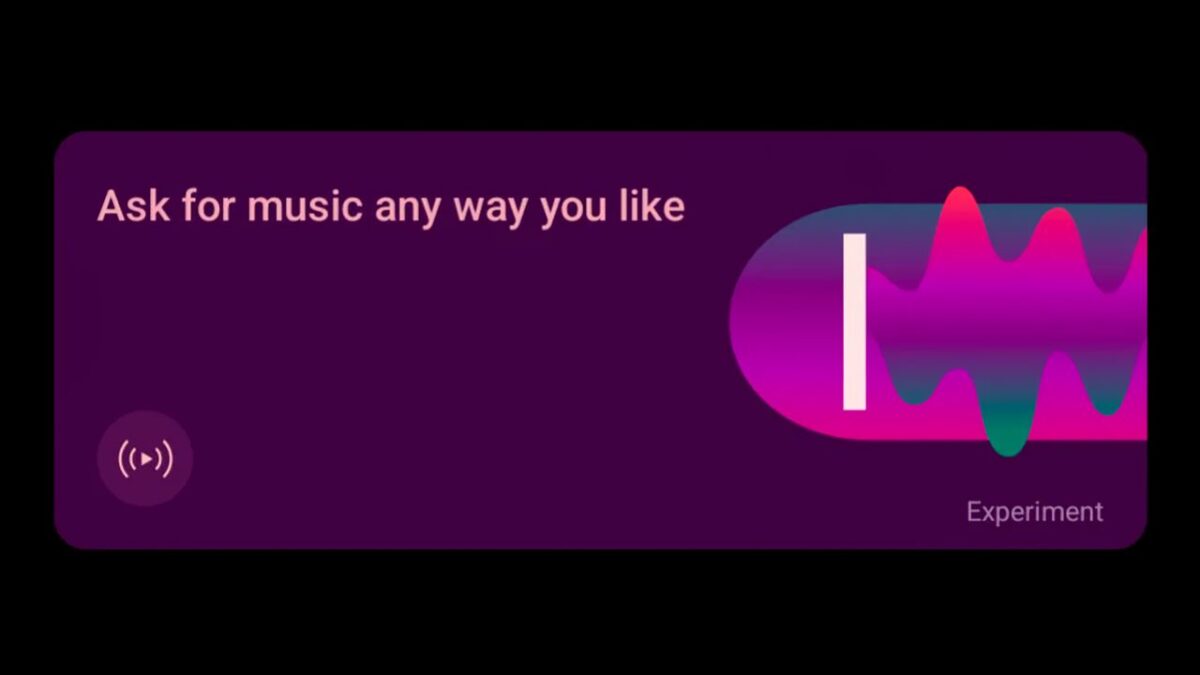
YouTube Music is preparing to offer a new artificial intelligence radio feature, following in the footsteps of its rival Spotify. The leading music streaming platform already integrates AI into its service, allowing users to create playlists and stations through text requests. Now, YouTube Music is also experimenting with a similar feature, called Request Music.

YouTube Music DOWNLOAD

A user from Reddit reported having accessed this new experimental feature of YouTube Music. When clicking on the “Request music as you like” option, a chat window opens where the user can enter their musical preferences. From there, YouTube Music creates a personalized playlist.

The function is reminiscent of Spotify’s AI DJ, an AI DJ that generates a personalized radio station based on the user’s preferences. However, unlike Spotify, the YouTube Music version does not include an AI voice that comments on the music selections.

After generating a custom playlist, the YouTube Music feature provides more suggestions to refine the selections at the bottom of the screen. If the user is satisfied with the generated list, they can save it to their personal library. Google points out that the quality and accuracy of the AI may vary as it is an experimental feature.

The “Ask for Music” feature was initially discovered in a teardown of the YouTube Music app for Android (v7.06.53) carried out by Android Authority. Although it is currently not available for all users, it is expected to start rolling out in the next few days, probably exclusively for YouTube Premium subscribers.

Google has been integrating AI into various services such as Gmail and Drive, and now it seeks to do the same with YouTube Music. Additionally, the company has been working in recent months to improve the user experience on the platform, including a feature that allows you to hum a song to find out its name.

YouTube Music DOWNLOAD

Don’t you remember the name of a song? Try humming it on YouTube Music

YouTube Music has launched an innovative feature in its Android app to find songs by humming them. This long-awaited tool allows users to easily search for those songs they have on the tip of their tongue, even if they don’t remember the name or lyrics of the songs (a quite common problem nowadays, it must be said).

YouTube Music DOWNLOAD

The humming search function sets itself apart from similar applications, such as Shazam, as it does not require knowing the lyrics or listening to the song in the moment. This new feature is integrated into the YouTube Music app, offering a quick and effective solution to identify songs based on simple humming.

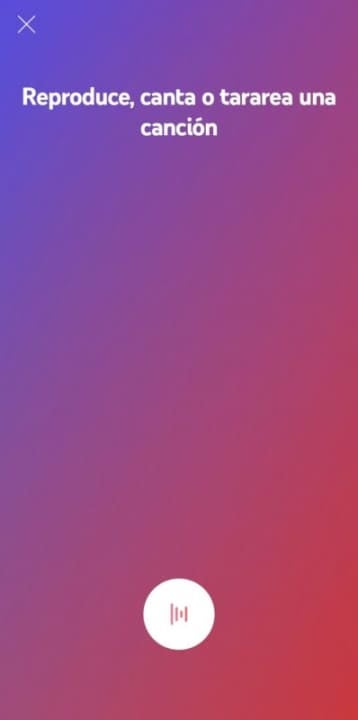
The usefulness of this function, which we have known about since August of last year, is evident for those who try to remember the name of a melody they heard a long time ago, but only remember its sound. In addition to humming, users can choose to sing or play the music themselves if they have it at hand, thus increasing the likelihood of correctly identifying it.

Screenshot of the humming feature in YouTube Music – Softonic

Although Google Assistant already offered a similar functionality, its direct integration into YouTube Music provides a more complete and convenient experience. To use this feature, users must open the app, select the search icon and then the icon in the shape of a sound wave. With just a maximum of ten seconds of humming or audio sample, the application can identify the song and play it directly on YouTube Music.

YouTube Music DOWNLOAD

How to use filters on YouTube Music to customize filters in 5 simple steps

The popular music streaming service, YouTube Music, has filters that make it easier to customize your recommendations, find what you’re looking for, and add new music to your playlist or queue. However, it could sometimes be challenging to understand just how these features work and how to get the most out of them.

YouTube Music DOWNLOAD

Let’s take a quick look at how to use filters on YouTube Music to customize your music suggestions.

Using filters on YouTube Music to customize content

Scrolling through hundreds of results just to find that one perfect song is not a great way to spend your time. We understand that you’d rather be listening to good music than scrolling through lists of songs. Here is a step-by-step guide to help you use filters on YouTube Music on mobile to narrow down your searches and quickly find what you’re looking for. The steps are very similar in the desktop and browser versions.

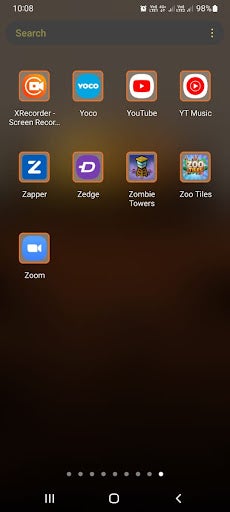
  1. Launch YouTube Music

    YouTube Music to customize filters

    First, you need to launch YouTube Music. You can do so by tapping on the app icon on your home screen or in your app drawer.

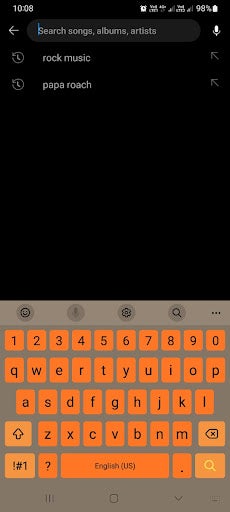
  2. Tap on the search bar and type in a request

    YouTube Music to customize filters

    Tap on the search bar found in the upper section of your screen. Next, type in what you’re looking for. It can be as specific as a song or artist’s name, or it can be more vague, like a genre. What you search will depend on what you’re looking for.

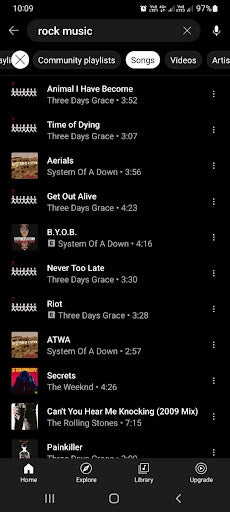
  3. Choose how to filter content

    YouTube Music to customize filters

    Once you’ve tapped on the search bar, a long list of suggestions will appear. Above this list will be a few filter options to help you narrow down your results. Some of the tabs include ‘Featured Playlists,’ ‘Community Playlists,’ ‘Artist,’ ‘Albums,’ and more. The types of filters you see are based on what you’re searching for. As such, you may see different filter options for different searches.

    Tip: After tapping on a filter, a new queue will be generated according to the filter selected. Bear in mind that since your queue completely regenerates after tapping on a filter, you might not see the exact same lineup when going back to a previously selected filter, so if you like a song or playlist, make sure to add it to yours.

  4. Play your chosen result

    YouTube Music to customize filters

    Once you’ve filtered your suggestions and you find something you want to listen to, you simply need to tap on it. Once tapped, the selected song or playlist will start playing

    Tip: You can immediately start playing a song or playlist if you find what you’re looking for and finish the process here. However, if you’d like to see even more options, you can continue on to the next step.

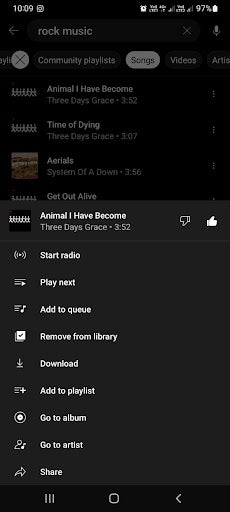
  5. Tap on settings for more options

    YouTube Music to customize filters

    However, there are even more options that you can choose from if you don’t want to start listening quite yet. Tap on the three horizontal dots to see more options. Now you can choose to add the song to your playlist, queue, or you can like the song to get more suggestions similar to it.

Filtering explicit content on YouTube Music

YouTube Music has another useful filter, but unlike the others, this one is buried in your app settings. This feature is especially useful for parents as it filters out explicit content such as bad language. Having it hidden in your settings also means children won’t be able to disable it accidentally.

To enable this feature, you simply tap on your profile and navigate to settings in the drop-down menu. The cog icon represents your settings. Here, under the general tab, you’ll find the toggle to enable or disable explicit content.

However, it should be noted that while every measure is taken to make this feature effective, it doesn’t capture all the songs with explicit content every single time, and some might slip through the cracks.

Enjoy your favorite tunes seamlessly with filters

YouTube Music filters make it much easier to customize the results you see. This means you can easily find what you’re looking for without scrolling through hundreds of results. Following our simple instructions above can make using YouTube Music much easier, and finding the right songs, playlists, or artists will be more convenient.

YouTube Music is getting a handy ‘Downloads’ button on Android

YouTube Music annoyed many Android users when they removed the ‘Offline Mixtape’ app in July 2021. What made this even worse is that this feature is still available on iOS. However, YouTube Music has just released a feature that will make Android users very happy.

YouTube Music is introducing a new ‘Downloads’ shortcut to all Android users. This will make it much more convenient to access and play all your downloaded content from your home screen, even while you’re offline.

If you long-press the YouTube Music icon on your Android device, you’ll reveal the new ‘Downloads’ option just above the ‘Search’ option. You can tap on this directly, and it will start a shuffled play through all of your downloaded music. Alternatively, ‘Offline Mixtape’ only plays a playlist from Smart Downloads.

This new ‘Downloads’ button can be placed directly on your home screen. This makes it an extremely convenient shortcut as you can tap on it and immediately start listening to the music you’ve downloaded. This includes full albums, playlists, or individual songs that have been downloaded. This is much easier than opening the YouTube Music app and then navigating to downloads, and it works offline.

We see this new ‘Download’ shortcut feature on versions 4.63 and 4.64 of YouTube Music for Android operating systems. It seems to have been released in an automatic server-side update. If your YouTube Music hasn’t received the automatic update, make sure to check your app version and manually update it if necessary.

Despite this new release, the ‘Offline Mixtape’ is still available on iOS. It has also received an update that released outline-styled icons, a ‘Library’ tab, and a ‘Now Playing screen.