Most of us enjoy our favorite music on mobile phones and MP3 players. But every now and then I still need CDs to listen to music – for example, when I’m in my car. Ands this is when ImgBurn comes in handy: a free, easy CD and DVD burning tool that lets you perform all sort of disk burning related tasks. Here’s a short tutorial on how to use ImgBurn to create custom audio CD:
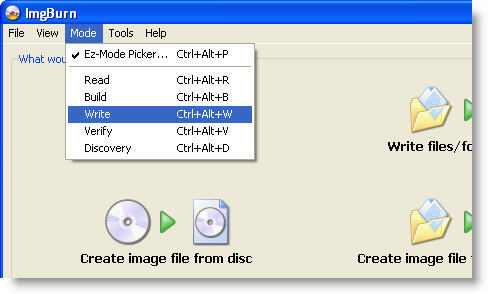
1. Open ImgBurn, go to Mode and select Write.
2. On the next window, click the icon with a CD and a musical note, so that ImgBurn knows you’re creating an audio CD.
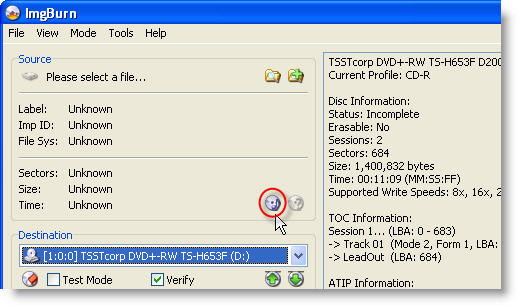
3. Click on the top right button to browse files in your hard drive and add them to the recording queue for the CUE file. Continue reading “How to: Burn an audio CD with ImgBurn”
 Drawing applications are a dime a dozen and can go from the professional 3D drawing tool to just fun brush and pencil sketching programs. More serious users will go for advanced solutions with animations, layers and advanced drawing tools while normal users will look to a simple solution to scribble around. Let’s take a look at the some of the top drawing software and what you can do with them: