Angry Birds celebrates 2nd anniversary on iOS

Angry Birds has remained on the top of iOS lists since its first release. Each title under the Angry Birds series has added new elements and puzzles.

Recently the original Angry Birds celebrated its second birthday. To celebrate, Rovio are giving fans a gift with the newest Angry Birds 2.0 update:

All episodes unlocked

300 levels now available

New expanding orange bird

News menus and graphics

Special achievements

Read Softonic’s reviews and download the games here: Angry Birds and Angry Birds HD.

Google Currents launches for iPhone and Android

Right on the heels of Flipboard’s release on iPhone, Google has launched its own social reading app called Currents.

[youtube]http://www.youtube.com/watch?v=5LOcUkm8m9w[/youtube]

Released for iPhone and Android smartphones, Google Currents aggregates content from online feeds and individual sources like blogs and compiles it in an easy to read magazine format. You can browse stories, and when you find one you like, importing it is a one touch snap. Once imported, you can come back to the article later, even if you happen to be offline.

You can read content with Google Currents in either landscape or portrait views, and the app scales to the size of your mobile device in impressive fashion. The service also syncs across multiple devices so you can take your content virtually anywhere you happen to go.

While Google Currents requires some initial customization to set up the publications you want to subscribe to, the eventual benefits of being able to take your content with you on the go will likely outweigh the minor inconvenience of set-up.

Guide to the new Twitter

Twitter has had a major re-design, so I thought it would be a good opportunity to explain the changes.
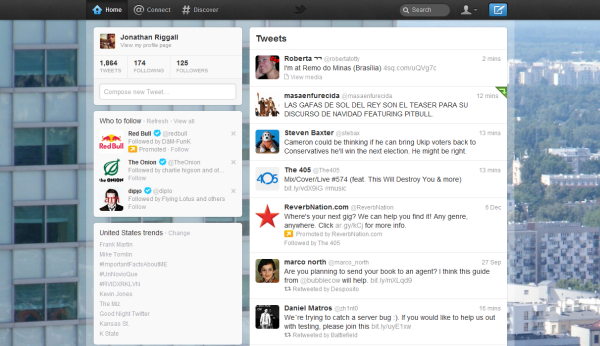
The new Home

When you log in to Twitter, the first thing you’ll notice is the feed and info bars columns have been swapped round. Otherwise it’s business as usual. What has changed are the buttons at the top. We have Home, Connect and Discover.

Connect


The obtusely named ‘Connect’ is where you will find ‘Interactions’ and ‘Mentions’. Interactions shows you recent followers, plus a feed of people who mentioned you or re-tweeted you. Mentions strips this back to simply any tweet with your Twitter name in it.

Discover

This is the world of the # (hashtag). It’s Twitter’s news center, collecting the stories people are talking about on Twitter. What you see will change depending on the region you choose for Trends, although this doesn’t feel quite finished yet (if you’re outside the US, Discover will currently look very US centric). More personalization and speed are needed.

The Me button
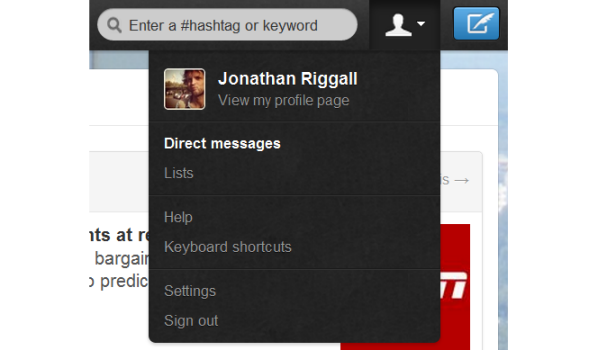
Over on the right, there’s the symbolic ‘Me’ button. This opens a drop-down menu, where you’ll find your Direct Messages and Lists, plus settings etc. Hiding DMs and Lists here makes me think these are increasingly unpopular, and with DMs I’m not surprised at all.

Overall impressions

Change is hard to deal with, as Justin Bieber pointed out on Twitter, but I think the redesign is sensible. Keeping the home basically unchanged is right, and I like the Connect page, although I think the separate Mentions and Interactions are unnecessary. The Discover page is an interesting development, but I’ll have to wait and see if it becomes something I check like my my Twitter feed for news stories. The aggregated approach based on trends makes Discover seems slow – it’s still the individual users that I follow where I’ll see news break before it has trended.

Twitter has rolled out these changes everywhere, so there are new mobile apps, and an updated TweetDeck too. What do you think of the changes?


Ten great Windows 7 themes

The built-in desktop themes in Windows 7 are quite attractive, but they are very generic and lack originality.
If you really want your Windows 7 computer to stand out from the rest then you can download new Windows 7 themes to add personality to your desktop. Downloadable themes normally include wallpapers, icons, sounds, and personalized cursors.

Here are ten popular Windows 7 themes on Softonic that will transform your desktop into a thing of beauty.

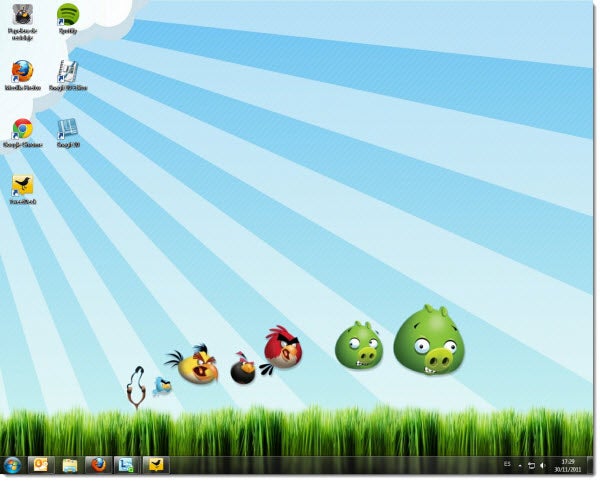
Angry Birds

Angry Birds is one of the most successful video games of the last few years. In it, you need to catapult birds at the constructions in order to kill their arch enemies, the noisy pigs.

This Angry Birds theme pays homage to the popular mobile game, and is the perfect option for those millions who are hooked on the game. The theme includes 21 wallpapers, five icons, and three personalized sound files.


Continue reading “Ten great Windows 7 themes”

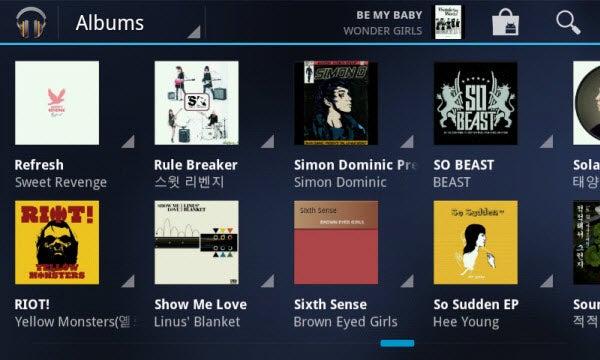
How to setup Google Play Music

Google Music is more than just a standalone music player for Android devices. It’s also a personal streaming service for users. Currently only available in the United States, Google Music could prove very popular in other markets.

Google Play Music’s support for 20,000 tracks is excellent. Defining storage by track rather than disk space is great, but how does you get your library into Google Music’s cloud storage?

Continue reading “How to setup Google Play Music”

Microsoft releases My Xbox LIVE for iOS

For Xbox LIVE players, communicating outside the service is usually achieved via email.

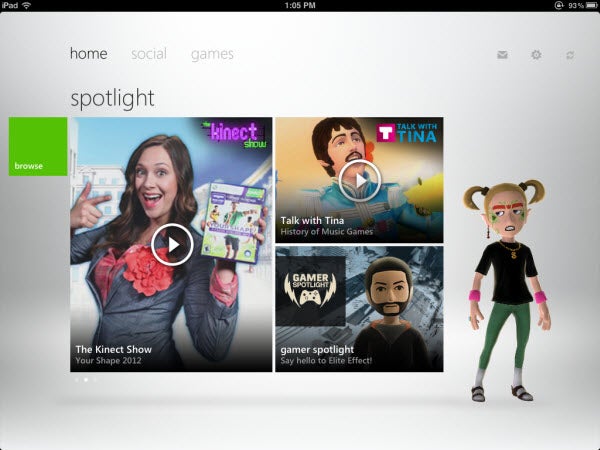
Now Microsoft has released My Xbox LIVE, allowing subscribers to perform most of the same functions on their consoles and web browsers on their iOS devices.

My Xbox LIVE gives players the options of viewing their friends and comparing games. The app also includes the ability to edit player profiles and avatars and send messages to LIVE friends.

While the app is simple, it covers most of the major uses for subscribers right now.

Read our review for My Xbox LIVE.

The best Minecraft tools

Minecraft has spawned a huge community of developers making all kinds of complimentary Minecraft programs. Here is my pick of the best, and most useful Minecraft tools available today:

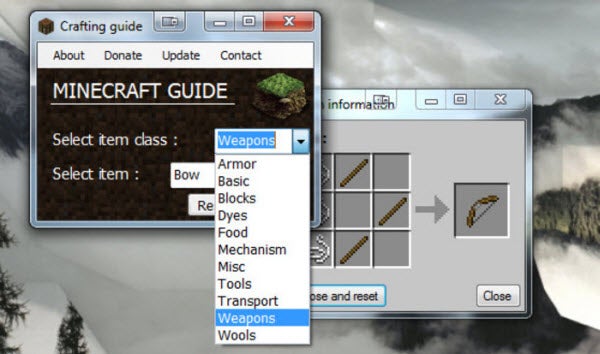
  • Minecraft Crafting Guide. This is a neat little app, an encyclopedia of crafting. Newcomers to Minecraft will find the concept of crafting difficult, and in ‘survival mode’, you don’t have time to mess around experimenting with recipes! This is a comprehensive guide to how to make everything in the game, from food to weaponry to portals to another dimension!

  • Mineviewer. Has hours of mining not got you the minerals or resources you were looking for? Load your world into this app and you can zoom around, and see exactly where rarer things like diamond are hiding. Then you can mine straight to what you need in Minecraft.
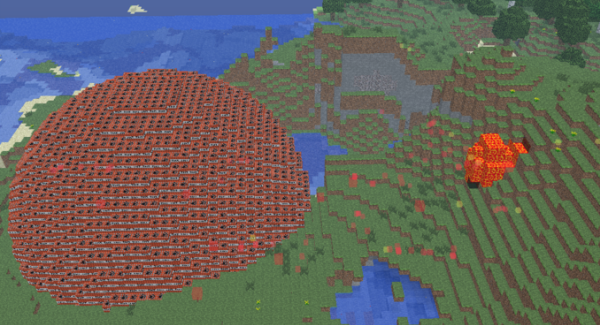
  • MCEdit. Like Mineviewer, this app lets you see and explore your Minecraft world, but also lets you edit it. It’s easy to use, and allows you to make some enormous changes in seconds! I made a ball of TNT so big it crashed the game – so be warned!

  • MCPatcher. Minecraft is constantly being updated, but if you find you want to play an older version, MCPatcher makes it easy. It features a library of past versions, and allows you to backup your current games, so you don’t have to worry about losing any progress!

What Minecraft applications do you use? Or do you think this is all cheating?

Personalized magazine Flipboard comes to iPhone

Flipboard, the free ‘personalized magazine’ has been updated and now works on iPhones as well as iPads! For me, Flipboard was the first killer app for iPad so it’s great news that it’s now universal.

Flipboard is a ‘social magazine‘. Essentially it collects Twitter, Facebook, partner publishers and RSS feeds together to make a very attractive way of browsing articles on an iOS device.

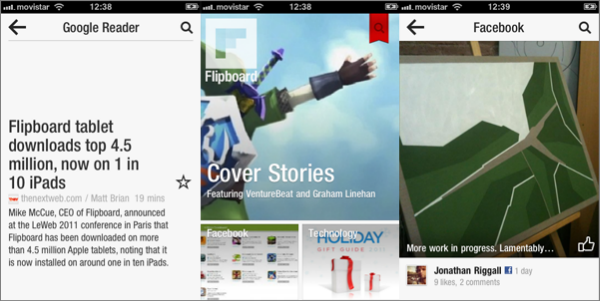
The new feature for iPhone is ‘Cover Stories‘, which selects the most interesting stories of the moment based on what you most commonly read. You can alter this by muting some authors (or Twitter users, Facebook friends, etc.), and adding other content to Flipboard. I’ve been using it for a morning, and it’s already feeling much more personal. I would like the option to mute whole services for Cover Stories as, for example, tweets are rarely pretty enough.

Once you’ve personalized Flipboard, you’ll get the stories and social media you want collected in Flipboard’s excellent interface. Although there is a search, it’s not always the easiest application to find your way around. However, it’s worth getting used to as it really is a lovely app for reading. Read our review, and download the free universal iOS app here.

Minecraft-style FPS Ace of Spades updated

Back in October I came across Ace of Spades, a neat little online FPS that mixed Minecraft mining with fast competitive action. The game was recently updated to version 0.7, with a raft of new features that make it much easier to get into. Watch the video below to watch me getting shot over and over again!

The game now asks for your name, so you don’t have to open the configuration file and manually change it, and in game you are notified about headshots. The other big improvements are that enemy locations have now been removed from the radar, while bullet tracers are now shown. This makes it easier to find the action, while making it possible to hide from the opposition.

Ace of Spades is tons of fun. Despite still being in beta it’s really playable, and the mining aspect makes for an unusual FPS game. You can host your own server, or play on one of the many public ones. The environments are really varied – there are some tight maps for intense fighting and other strange ones, like the huge monolith riddled with tunnels mined by players. You’ll never see that in Call of Duty!

Firefox to drop support for Leopard?

Mac users still using OS X 10.5 Leopard may not be able to use newer versions of Firefox much longer. Mozilla engineering manager Josh Aas has proposed dropping support for Leopard from June 2012 onwards.

Aas quotes figures that show only 6.6% of Firefox users are on Macs and estimates that around 20% of these are using Leopard. He adds that this figure is only likely to go down when the next final version of Firefox is released:

Mac OS X 10.5 users have been declining by 1-2% per month (as a share of our total Mac OS X users). This means that when Firefox 13 ships, Mac OS X 10.5 users will likely make up about 13% of Mac OS X users across all versions of Firefox. This number should be around 9% for users of the most recent version of Firefox.

It’s unlikely that Leopard users will lose sleep over this news though. Many Firefox users have preferred to stick to Firefox 3 anyway due to various bugs, memory hogging issues and add-on in compatibility problems since Mozilla moved to a Google Chrome-like faster release cycle. The problem with this though is that older versions of Firefox no longer receive security updates and fixes.

If you are a Leopard user and rely on Firefox it looks like you’ve got two options. Either stick with any Firefox version that’s released up until June 2012  or take a look at Google Chrome, Safari or Opera which all plan to keep supporting OS 10.5. Also, check-out our Firefox to Chrome switchers guide if you’re considering Google’s browser as an option.