What is Android 4.4 KiKat? It’s the latest version of Android and it’s available right now. Representing a true refinement of Google’s mobile operating system, KitKat is designed to make Android a more familiar experience across devices. Google hopes that this update will help more users enjoy the very latest that Android has to offer, on whatever device they’re using. That said, KitKat is currently only available on the Nexus 5.
Recently, the OS was streamlined even more with Google Play Services, a behind-the-scenes app that allows for background updates to add and improve functionality in devices running Android 2.2 Froyo and higher. With Android 4.4 KitKat, the operating system is even more integrated with Google Search and your Google account.
Android 4.4 KitKat is currently only available on the Nexus 5. The operating system is expected to land on other Nexus devices soon, but Google hasn’t revealed any release dates. Unfortunately, it won’t be available for the Samsung Galaxy Nexus, the phone that shipped with Android 4.0 Ice Cream Sandwich, because its chip maker (Texas Instruments) has discontinued support for the necessary chipset.
This is the first time I’ve had a smartphone that used the stock Android. Previously, I owned a Samsung Galaxy SIII with TouchWiz and a Nexus 7 tablet (2nd Generation), running Android 4.3 Jelly Bean. Although Android 4.4 requires less RAM and is the first OS that can be developed for older devices running 512 MB, it’s still questionable if older devices will ever see KitKat.
Streamlined user interface
The stock Android launcher is tied into all your Google services. If you’ve come from another Android device and have backed up your Google account, then importing your user data and apps is as simple as logging in. Other than waiting for all your apps to download to the device, setup is quick. If you have two-factor authentication set for any of your apps, then it’s a little more time-consuming, but you should be able to reset access without any problems.
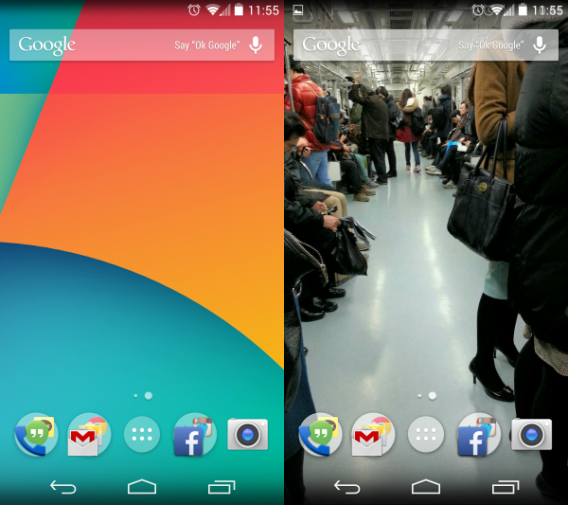
Android 4.4 KitKat is less of a direct update to the operating system and more a way for Google to surround users with its products and services. The Google Search bar on the launcher is a permanent widget and can’t be removed from home screen. If you enjoy Android, but don’t use Google services, you may be overwhelmed with the persistent nature of search throughout the device.
Full screen experience
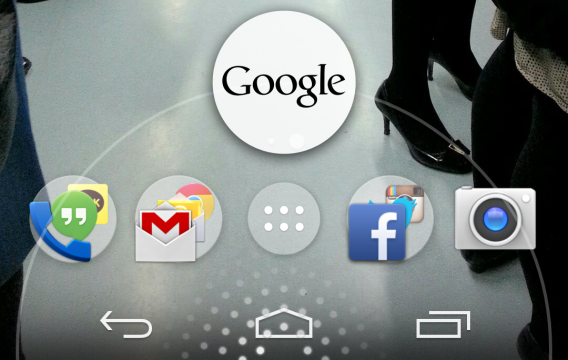
Like previous versions of Android, the quick launcher sits at the bottom and notifications are at the top. An improvement to Android 4.4 is the ability to set full screen wallpapers, which flow behind the notifications bar and soft menu buttons. These wallpapers can also be applied to apps, but most apps aren’t updated to use the feature right now.
Swiping to the right will load Google Now. Google Now, the Google Search extension, will always sit on the left-most home screen in the stock launcher. If you install a third-party launcher like Nova Launcher, you lose the Google Now home screen. You can still use the old swipe vertically from the bottom to launch Google Now.
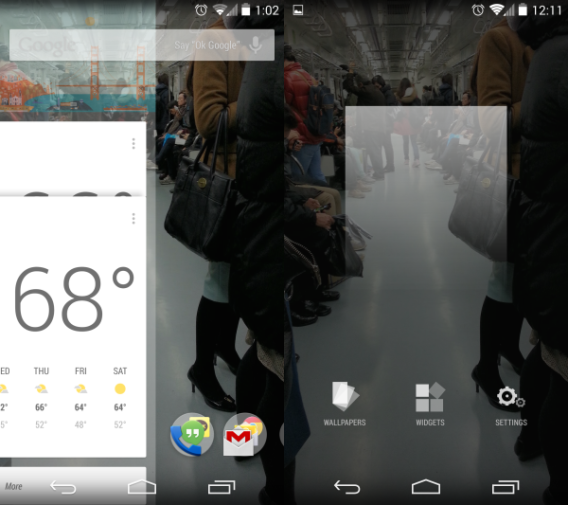
Holding the screen will load options for changing the wallpaper, adding widgets, and accessing Google account settings. Widgets are only accessible through this menu and not through the app drawer like in Android 4.3. This cleans up the interface in the app drawer by only displaying apps.
There haven’t been any third-party manufacturers who have announced new smartphones that will support Android 4.4 but HTC announced that its existing devices will receive an update to Android 4.4. It’s still unknown how companies will adapt Android 4.4 with their own skins and launchers.
A phone app with search
The phone app is more than a simple dialer in Android 4.4 KitKat. It’s attached to Google Search so you can search for contacts or places like restaurants and stores.
The phone app can’t search for general locations, but it can find places with relevant keywords. One developer discovered that the phone app could display ads, but these could actually be Google Offers rather than generic ads.
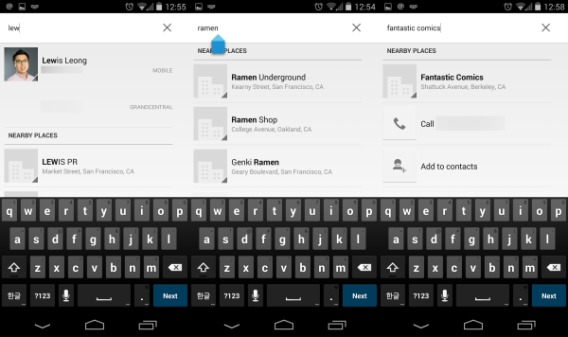
Connected with other social accounts like LinkedIn or Google+, the phone app will search through all synced contacts. Strangely, Android 4.4 wouldn’t sync Facebook or Twitter contacts when we tried, even though it supports the option. One annoying aspect of the app is that you can’t see a person’s profile when looking through all contacts and some phone numbers have no associated name and so just display a number.
Hangouts is awkward
Using Hangouts to talk with friends is great, but using Hangouts to chat through text is only ok.
Testing Hangouts with a friend on an iPhone and exchanging emoticons and sharing my location through Hangouts, the app works with no problem. It translates emoticons to the corresponding one on iOS and shared my location with a Google Maps link.
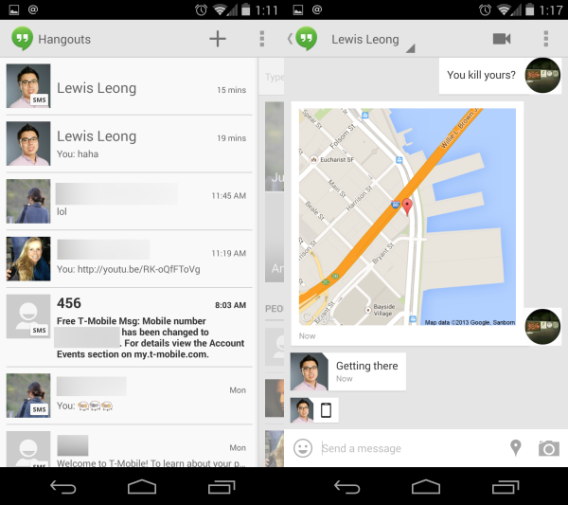
The problem with Hangouts is that it separates SMS and Hangout chats into separate conversations. When talking to Lewis with Hangouts, I have one conversation for his Google account and texts in another. Rather than combine Hangouts and SMS into one window, Android 4.4’s separation can create confusion. This is one area where Google needs to work on unifying Hangouts and the SMS interface.
A photo editor for the casual user
Android 4.4 adds a photo editor to the Gallery app, allowing you to add filters, frames, crop, and adjust finer settings. The filters aren’t much different from what you’d find on Instagram or other photo editing apps. Other options include cropping, straightening, rotation, and mirroring.
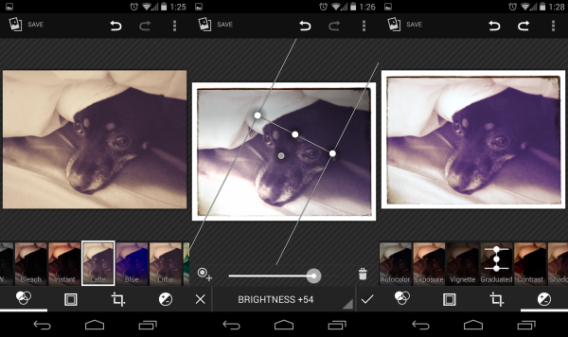
Options to fine-tune your images are a lot more interesting, though it does take some previous knowledge of what each setting does. The photo editor contains real-time previews of any change, though, so you can choose to accept or reject any changes. Even if you accept the changes, the editor also has a “step-back” function, so you won’t be forced to keep any unwanted edits.
While the camera on the Nexus 5 isn’t best-in-class, it does take relatively decent photos. Combined with the photo editor, you will be able to manipulate a lot of variables to improve your photos. Combined with the new HDR+ feature and the Auto Awesome feature in Google+, most photo corrections are covered. If you store photos in Google Drive, the service will scan your images and create Auto Awesome photos as well. If you want to upload your photos automatically, you can turn on Auto Backup in the Photos app.
Media controls on the lockscreen
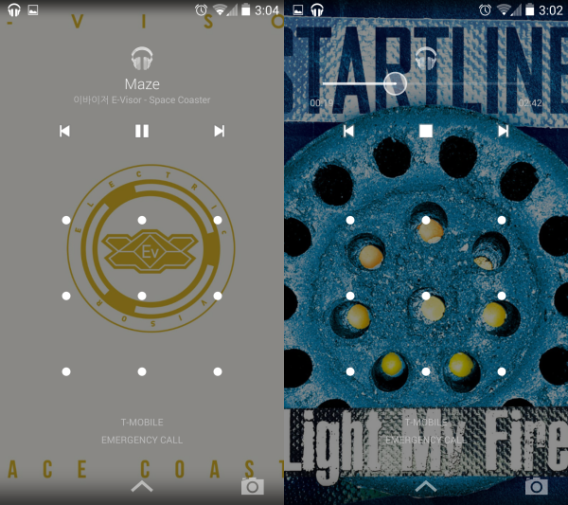
A smaller feature is the ability to control media on the lockscreen. In Google Play Music, streaming or local music will continue to play even if the screen is locked. When you turn the screen back on, the album art will take the place of the existing wallpaper and you can navigate through songs. The controls also allow you to scrub through the song by holding one of the music controls which will bring up the track preview.
See what’s happening in the background
The settings in Android 4.4 KitKat haven’t changed much from previous versions. The layout is identical, though users who are on a Samsung or HTC device may have more options. Options like Wi-Fi, Bluetooth, and Data usage still sit at the top, but the “More…” section opens “Wireless & networks” where you can choose the default SMS app. Generally, settings are the same except where Google has added more features.
Tap & pay, a system you’ll probably never use
NFC payments were supposed to be something that replaced credit cards when they were announced with Android 4.0 Ice Cream Sandwich. Many versions later, they still haven’t taken off. Google Wallet‘s update to remove the NFC requirement hasn’t changed usability outside of the Google Play Store.
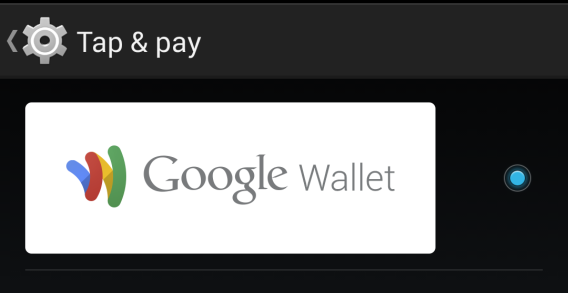
The option allows you to choose which NFC payment system you want to use and even though I set the option up, I don’t know if I’ll ever use it.
Customizable location options
In older versions of Android, you had limited options for location. Either you could allow or deny an app access to your location.
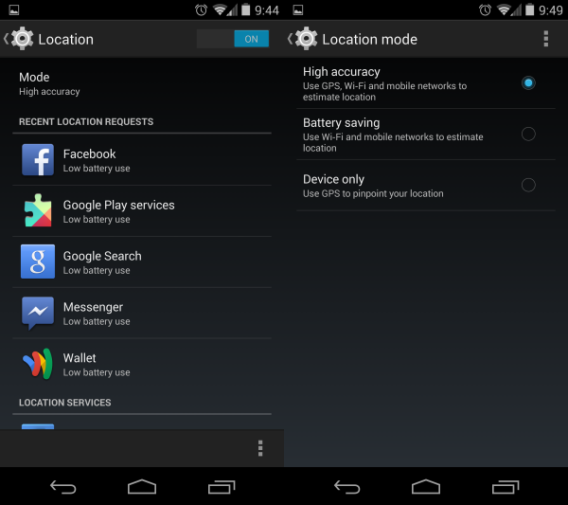
The options in Locations are now more transparent. You can select three different modes for location.
- High accuracy – a combination of GPS, Wi-Fi, and mobile networks
- Battery saving – Wi-Fi and mobile networks
- Device only – GPS only
The purpose of these different modes is to increase battery life. There are still options for Google Location Reporting which ties into Google+ and Hangouts, where you can send your location to friends. There is also a list of apps that have recently requested your location. The list may surprise you because it’s not just social networks that are searching – Google, for example, tracks location aggressively.
Wireless printing
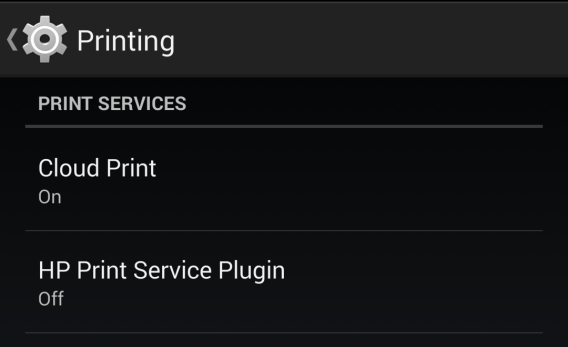
Android 4.4 adds the option to connect to printers as well as cloud print. If your printer has a corresponding app or Google Cloud Print support, you can connect to the device and see it in Printing Options. This allows you to print documents directly from your Android device without having to go to a PC or Mac to print.
Developer options add more stats
The first thing I do when get a new Android device is unlock developer options. This isn’t necessary if you don’t have the need or desire to change any in-depth settings, but it does offer extra features.
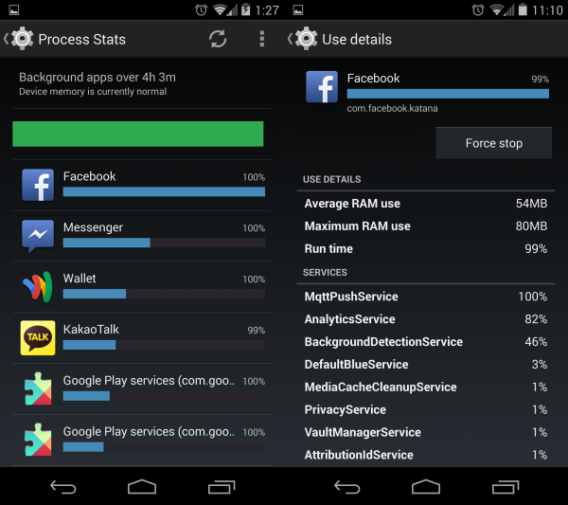
The most interesting option is the Process Stats page. This is a developers page that shows how an app is running on KitKat. It shows usage details and services that the app is accessing, along with a nice color gauge to indicate how device memory is being utilized.
It’s a great tool for both developers and power users, because you can see which apps may be devouring too much RAM and slowing down your device. This setting will be very useful on older devices, because it will show exactly what process or app is RAM-hungry.
In turn, this should create a better testing environment for developers who want to optimize apps before releasing them to the public.
A continued improvement of Android
What’s apparent in Android 4.4 KitKat is that Android is Google and Google is Android. When the Android 4.4 package is used and customized for different third-party manufacturers, the experience could change completely. Changes that have been implemented, like the lower RAM requirement, open possibilities for older devices to run the OS, but it’s unlikely that old devices, at least in the United States, will be updated with KitKat.
The front-end changes in stock Android show the depth of the connection that Google has set for the OS. The persistent Google Now home screen is an excellent feature, if you like using Google products.
Currently, the only apps following the new Android app design are first party apps and not all of them have been updated. Major popular apps haven’t updated for proper Android 4.4 support, but these apps should receive updates as more devices receive the KitKat update.
Android 4.4 KitKat is definitely a small, but important update. Also consider that while Android 4.4 is super-responsive on the Nexus 5, the real test is using the operating system on a device with 512 MB of RAM. If that old device can work as well as Android 4.4 on this new device, then Google has accomplished its lofty goal.
Google continues to improve Android with incremental steps and Android 4.4 KitKat is a significant improvement. It’s the first major step Google has taken to fight the fragmentation of Android operating systems that I talked about here. The future’s looking bright.
Read more about Android 4.4