Confirmed: Resident Evil remake coming in 2015

Update: Japanese site Famitsu.com appears to have confirmed that an HD remake of Resident Evil is indeed coming soon, publishing an image of ‘Biohazard HD Remake’, which you can see below. Resident Evil is called Biohazard in Japan.

Image from Famitsu.com

There could be a Resident Evil ‘remake’ or ‘rebirth’ coming out very soon, if a rumor seen on Twitter is to be believed.

Ahsan Rasheed (@isaparrot) has suggested that there will be a digital only Resident Evil ‘rebirth’ in 2015 for PC and consoles (except Wii U). He also said that anyone who owned a Nintendo Gamecube in 2002 would be pleased about the game. This suggests we could be seeing an updated version of the 2002 Resident Evil, which was itself a remake of the original 1996 game, but with greatly improved graphics. It is considered to be one of the best games in the long running survival horror series.

Another possibility is that the next game in the series, Resident Evil 7, could see a return to the slow pace and camera angles that typified the original game.

Rasheed has previously leaked correct information on GTA 5 for PC, and Scalebound, an Xbox One exclusive title, so he has some credibility. Resident Evil developer Capcom has not commented on the rumor.

Related Stories

Hands on with Destiny (Beta)

Revealed: The huge map for Assassin’s Creed: Unity

Bioshock coming to iPhone and iPad soon

Follow Jonathan on Twitter: @jonathanriggall

WhatsApp Android beta features voice replies on Android Wear

Popular messaging app WhatsApp will soon allow you to reply to messages using your voice on Android Wear. Currently in beta, the latest experimental build of WhatsApp lets users view messages and reply to them by voice.

Android Wear, Google’s smartwatch operating system, is still quite new but app developers are quickly updating apps to support it. Wear moves your Android phone’s notifications to your wrist, letting you quickly view, reply or dismiss notifications. You can even get turn-by-turn directions on your wrist. For more on Android Wear, check out our video where our editor Chris Park tests the operating system in Barcelona.

The WhatsApp beta for Android may be experimental but it’s close to being finished. Expect to see full messages and stacked notifications when it makes it to the stable version.

If you’re feeling brave and want to test out the latest version of WhatsApp, you can download the beta at this link.

Via: Android Police

Related Stories

XBMC media software rebranded as Kodi Entertainment Center

How Bomberbot is teaching kids to code

The best messaging app for Android – Sam’s choice

Flappy Birds (Family) is back, but only on Amazon Appstore

Subject 13 teases puzzles in gameplay video

Follow Lewis on Twitter: @lewisleong

iOS 8 beta 5 preps for OS X Continuity feature

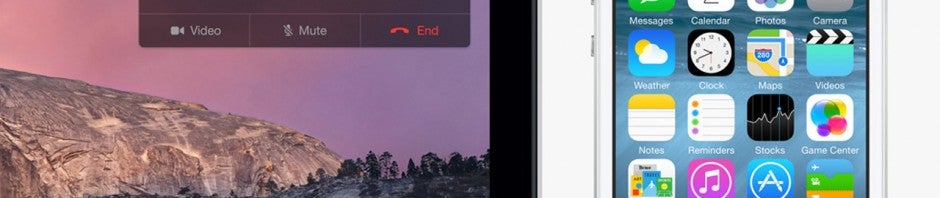
The fifth beta for iOS 8 is out today, bringing the upcoming iPhone and iPad operating system closer to reality. In this latest release, Apple is laying the groundwork for the much anticipated Continuity feature.

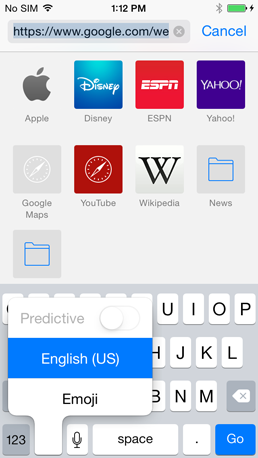
Predictive text option toggle in iOS 8 beta 5

Continuity allows users with iOS and Mac devices to pick up any of their devices to continue what they were doing. For example, you can be composing an email on your iPhone and find yourself back at your desk. Your Mac detects your iPhone is on the same network and shows an option to continue composing your email.

The feature will work for other features like answering calls, reading web pages, texting and more.

iOS 8 users running the beta will get a permissions notification asking if they want to “Enable SMS Relay.” Agreeing to this allows your iOS and Mac devices to communicate when you get texts, allowing you to reply from either operating system.

iOS 8 and OS X Yosemite are expected to arrive sometime this fall.

Via: MacRumors

Related Stories

XBMC media software rebranded as Kodi Entertainment Center

Bioshock coming to iPhone and iPad soon

How Bomberbot is teaching kids to code

Microsoft updates Office for iPad with export to PDF and other features

Subject 13 teases puzzles in gameplay video

Follow Lewis on Twitter: @lewisleong

XBMC media software is now Kodi Entertainment Center

Popular media management software XBMC has been renamed as Kodi Entertainment Center. The open source software, used to control your music, TV and movies, changed names to avoid legal issues.

XBMC originally stood for Xbox Media Center, since it was created by a group of developers to run on the original Xbox. In 2008, developers changed the name to XBMC to avoid legal trouble. Still, some users were confused by the fact that XBMC was not a Microsoft product.

Getting rid of the “Xbox” part of the name makes sense as the software hasn’t run on any Xbox console except for the original.

While the app now has a new name, the interface and features will remain the same.

XBMC won’t get a rebranded until the next update, version 14. For now, you can still download XBMC is available for Android, iOS (Jailbroken), Mac, Windows and more.

Also check out Plex (Android | iOS | Mac | Windows | Windows Phone), a fork of the XBMC project, if you want a simple cross-platform media streaming app.

Source: XBMC

Related Stories

iTunes 11.3 expands Extras content to Mac and Apple TV

Movies purchased from Google Play now show up in YouTube

The 7 most important announcements from Google I/O 2014

Follow Lewis on Twitter: @lewisleong

Hands on with Destiny (Beta)

Destiny, the upcoming game from Bungie, is slated for release in September for PlayStation 3, PlayStation 4, Xbox 360, and Xbox One. Bungie is best known for its work on the Halo series, and Destiny is the first game by the company after leaving its exclusive contract with Microsoft.

Bungie’s plan for the Destiny franchise is that it lasts ten years. With a budget set at $500 million from Activision, the developer has a lot to prove with this new title.
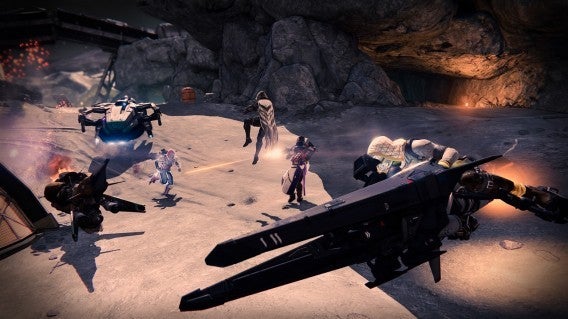
Destiny

How was the beta?

Destiny was available in beta for PlayStation and Xbox to allow Bungie to stress test servers and give players a chance to see a small section of the game.

After playing the beta and leveling each of the three characters to the maximum allowed in the game, exploring everything available, and playing co-op, I anticipate one thing: Destiny will be an instant hit.

Why do I think this? It’s because after playing the beta, you realize how much time Bungie spent in developing the game. There are so many small details that you may not immediately notice, but the attention to detail makes you feel like you’re in this futuristic universe.

Destiny is designed so that you can explore the world. It also works in co-op, given that you have a stable connection (I never had problems except for the occasional connection issue which is expected in a beta).
Destiny

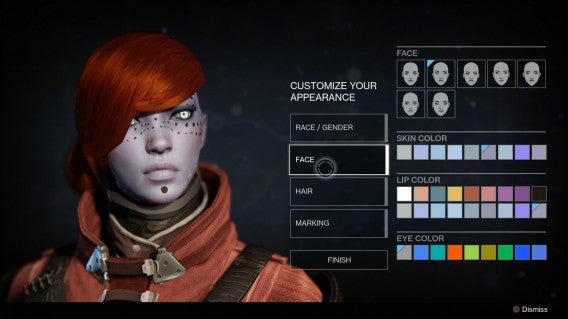
Who are you in Destiny?

In Destiny, you play as a Guardian. Bungie hasn’t revealed too much about the history of Guardians, but you play as a resurrected soldier fighting against evil in the universe. The main point is that as a Guardian, you have to fulfill missions throughout the solar system.

The first stage of the game is on Earth, specifically taking place in Russia. The final game will have more areas and missions that take place on the Moon, Mars, and Venus.
Destiny

Easy to understand

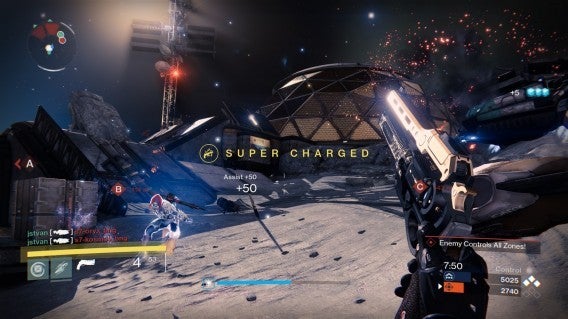
Destiny is perfectly playable as a single player game, but it’s always connected to other players online. Since it supports online multiplayer, you will see other Guardians roaming around levels. Occasionally, you can help other players if you want, but once you get to a mission area, you are alone. If you’re playing co-op with friends, they can also take part of missions.

What I liked most is the ability to quickly and easily create squads for co-op. It’s as simple as inviting someone nearby or joining a friend who is already playing a mission. This is one strengths of Destiny: co-op is easy to setup.
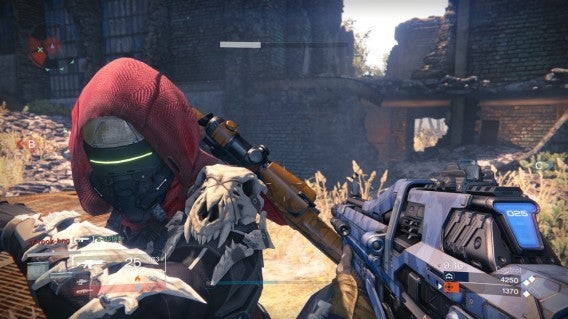
Destiny

Simple quests so far

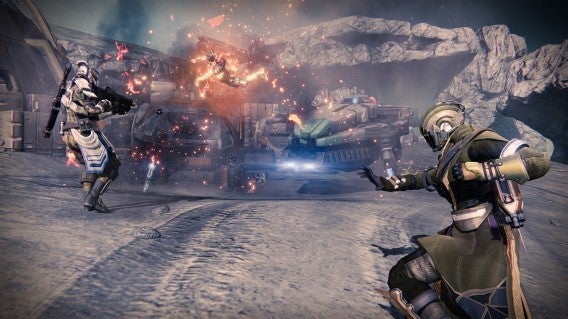
There were only six missions in the beta with one exclusively for co-op. The co-op mission was extremely challenging. In this mission, you face a mechanical tank that is heavily armored and has high-powered weapons.

Of all the missions, the co-op was my favorite. The other missions were simple with objectives being the standard: go here, defeat this enemy, or protect this object. I hope that the final game’s mission will have more depth because the game will need it.

Destiny isn’t like Borderlands. It’s not a game that can be strange and humorous all the time. Bungie’s game has more complexity and offers a much more mature experience.

Although there were some negative opinions, I think that you have to consider the fact that this was a beta and I haven’t even scratched the surface of the game yet. Until I experience the final game, I won’t make a concrete opinion of whether Destiny is good or bad. I’m convinced that the final game will have a lot more mission variety.
Destiny

What I think so far

I’m not going to address issues like the multiplayer combat system, weapons, or The Tower. I’ll leave that to the official release when I can play much more of the game. As of now, I think it’s worth repeating. From my beta experience, Destiny is a must-play. It can only get better before its release on September 9th.

Related Articles

Bioshock coming to iOS

How Bomberbot is teaching kids to code

Call of Duty: Advanced Warfare trailer warns of PMC Atlas

Follow me on Twitter: @raulprz

Update 2 for Windows 8.1 could be coming next week

The second update for Windows 8.1 is rumored to be coming on August 12th. Unlike the previous update, this one is unlikely to be mandatory, and won’t include any major changes to Microsoft’s operating system.

The rumor comes from ZDNet’s Mary Jo Foley, a credible source for Microsoft developments. It’s also been suggested that the new ‘mini’ Start Menu was originally meant to be included in this update, but Microsoft has decided to hold back on it until the release of Windows 9 (sometimes known as Threshold). Windows 9 could come as soon as Spring 2015, and Microsoft may make special offers to XP, Vista and Windows 7 users to encourage them to update to the latest OS.

The Windows 8.1 Update 2 will be delivered as part of ‘Patch Tuesday’, traditionally the second or fourth Tuesday in a month when Microsoft releases security patches for its products. Even if the update is not mandatory, we’d advise all Windows 8 users to apply it, as it ensures you get the latest features and the best stability.

Source: ZDNet

Related Stories

Yahoo! Finance apps redesigned with news and interactive graphs

Bolt is Instagram’s new Snapchat competitor

OneNote update for iOS and Mac adds file attachments

Facebook removing Messenger feature from main app this week

Follow Jonathan on Twitter: @jonathanriggall

How to stream music from YouTube on your iPhone

Anyone still not using Spotify (Android, iPhone and Windows Phone) or Deezer (Android, iPhone and Windows Phone) has another option for streaming music from their iPhone or iPad: YouTube.  The video portal has an extensive web music catalog that can be just as good as any other music streaming service. There’s just one problem: although the mobile app for iPhone and iPad is quite well designed, when you minimize it, the song you’re listening to stops playing.

There is, however, still a way to stream music from YouTube on your iOS device if you use YouTube through a browser like Safari or Chrome. The trick is to run the app in the background and replay the media from the control panel– I’ll show you how to do it below.

1. Open YouTube in your browser

Open your mobile web browser (in this case Chrome for iOS), then go to http://youtube.com.

2. Search

Run a search in YouTube for the artist of your choice (in this example, Michael Jackson).

Note that many YouTube users upload entire albums. To find them quickly, type the name of the artist or the album followed by ‘full album’. If you want more variety, you can do the same by searching for accounts which have playlists.

YouTube Michael Jackson

3. Select video

Select the video and hit play.
YouTube iOS

4. View running apps

Tap on your iPhone or iPad’s center button twice to view all apps running in the background. The sound will stop.

5. Access from Control Panel

Swipe through to the home screen, and open the control panel by sliding your finger from the bottom to the top. Where the Play icon is, you’ll see the video that’s playing. Tap on the Play icon to resume music.

Press play Chrome YouTube iOS

The music will start again, and when you swipe down to exit the Control Panel, you’ll still be able to hear the music. You can continue using your device and other apps, or you can put your device to sleep, and the music will keep on playing.

Just like that, you’ll be able legally and freely listen to thousands of songs on your iPhone or iPad. Once you get the hang of it, it’ll only take a few seconds to move to the next song and enjoy hours of music from YouTube.

Related News:

Follow me on Twitter: @bbrassart

Bioshock coming to iPhone and iPad soon

The classic first person shooter, Bioshock, is coming to iPhone and iPad soon, according to publisher 2K games. The company teased the release on Twitter recently, with a mysterious image saying ‘Come bite the Apple!’.

Bioshock for iOS will be compatible with iPad 4, iPad Mini 2 and iPad Air, plus iPhone 5, 5S and 5C. It’s the first major last-generation console game to be ported to iOS, and while it promises to be a faithful port, Eurogamer reports that there has been a drop in quality of some effects and textures.

Like 2K’s Grand Theft Auto, Bioshock for iOS will not feature micro-transactions, which will likely mean a relatively high price (GTA San Andreas is $6.99). As with all first person shooters on iOS, the biggest question is how good the controls will be. Even the best systems are a compromise compared to using a gamepad.

2K has yet to announce a release date for Bioshock on iOS other than ‘soon’, or confirm its price.

Source: Eurogamer

Related Stories

Follow Jonathan on Twitter: @jonathanriggall

Google Now Launcher available for all Android 4.1 and above devices

The Google Now Launcher has been released for devices running Android 4.1 (Jelly Bean) or higher. The launcher was originally released last year for Android 4.4 (KitKat), then for all Nexus and Google Play devices in February.

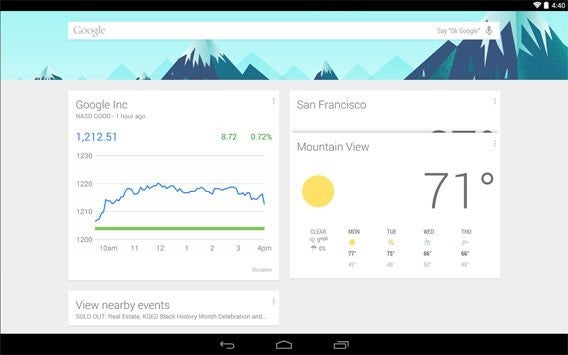
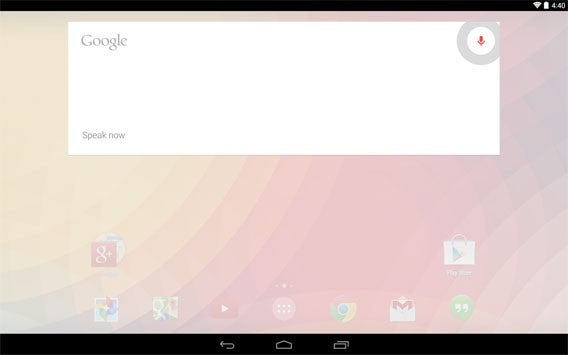
The Google Now Launcher gives you a new home screen, that Google describes as ‘clean, simple and customizable.’ Swiping the home screen brings up your Google Now cards, and you can search either by tapping the search or saying ‘OK Google’ to activate voice commands.

With voice input activated, you can search or tell your phone to send a text message, play a song, or other similar functions. Being a Google product, the launcher gives you easy access to services like Gmail, YouTube or Maps, so it’s great if you’re a big user of Google. The new launcher also features a new wallpaper picker, and translucent status and navigation bars so that your wallpaper is always visible.

Download Google Now Launcher for Android.

Related Stories

Follow Jonathan on Twitter: @jonathanriggall

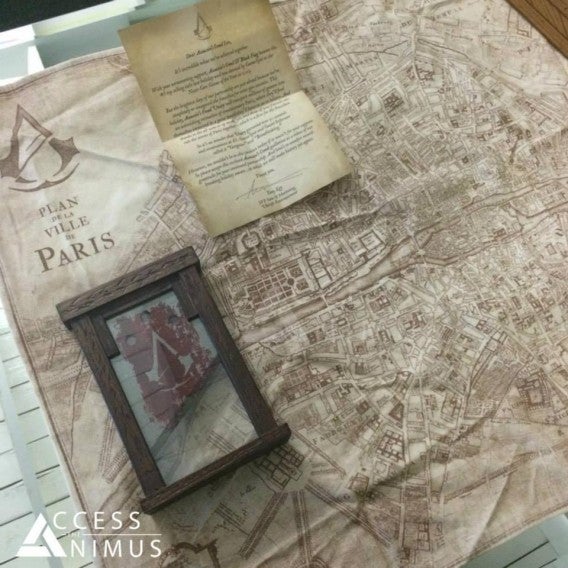
Revealed: The huge map for Assassin’s Creed: Unity

Ubisoft has revealed the full map for Assassin’s Creed: Unity, which confirms the game will take place in just one city, Paris, unlike the last game in the series with its multiple locations. Check out the photos below.

Fans shouldn’t worry about the size of Assassin’s Creed: Unity – Ubisoft is promising the game will be four times larger than the explorable areas of Assassin’s Creed IV: Black Flag. The Paris of Unity should be just like the Paris of 18th century revolutionary France. The protagonist, Arno, may only have one city to look around, but it promises an unprecedented amount to see and explore.

According to the developer, a quarter of the buildings will be explorable, and there will be a system of underground catacombs under the city.

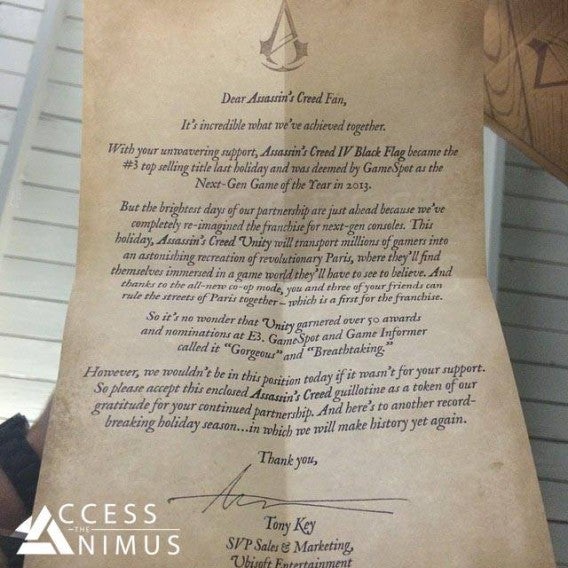
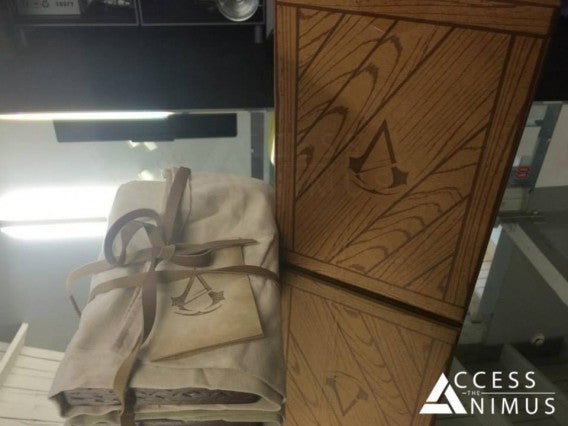
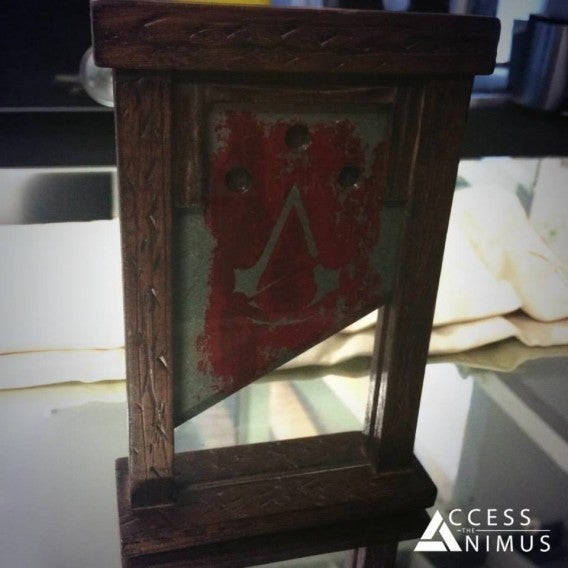
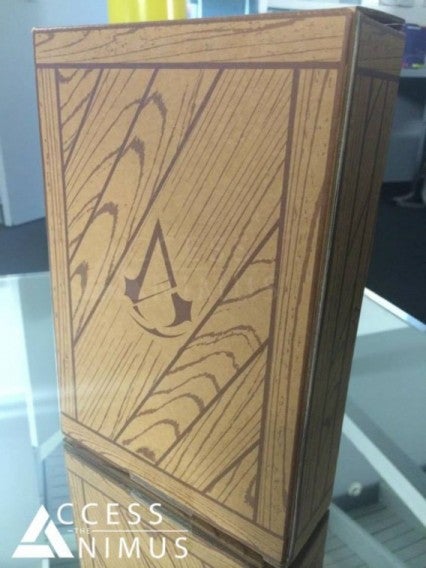
These details came to light after Ubisoft sent the map, alongside other gifts (like a guillotine) to various online Assassin’s Creed fan communities to thank them for their loyalty and enthusiasm.

Assassin’s Creed: Unity will be released for Windows, PlayStation 4 and Xbox One on October 28th.

Related Stories

Follow Jonathan on Twitter: @jonathanriggall