Five Apps to Try This Weekend: featuring Vainglory, Adobe Sketch, and Fallout Shelter

It’s getting hot here, so we are looking for something to keep us busy while we laze around trying to stay cool. Luckily, we found five apps to keep us entertained as we hide in the shade.

We kick off with Running Circles. This is a simple one touch game manages that pulls off that elusive mix of punishingly challenging but addictive as you try to add just a few more points to your best score.

Second this week is something to awaken your creative side, Adobe Sketch. This little app allows you to draw and sketch with its huge selection of tools. You can then share these through your social networks and open them in Photoshop.

Our third choice this week is the Tour de France 2015 (Android|iOS). This app offers comprehensive coverage of the cross nation cycling event, complete with: computer information, summaries of the stages, and videos to ensure you do not miss anything.

The fourth app this week is Vainglory. This is a fast paced multiplayer strategy game that has been out on iOS for a while, but which has finally made its way to Android. Vainglory keeps its action simple, fun, and fast paced – plus it looks fantastic.

Finally this week we have Fallout Shelter. This brilliant social management game has you controlling the lives of survivors of a nuclear attack as they hide in a bomb shelter. This game will have you hooked as you try to bring little light to the lives of your vaults dwellers and rebuild humanity.

That’s it for this week. Leave a comment if you tried and enjoyed any of our recommendations, and subscribe to make sure you never miss an episode.

Related Stories

Five Apps to Try This Weekend: essential holiday apps

Fallout Shelter review

App of the Week: Fallout Shelter

Follow me on Twitter: @DoFuss

App of the Week: Fallout Shelter

Occasionally a game explodes on to the scene and you feel that its appeal may not last. So, you wait. You wait to see if, a little while after launch, it will still feel as fresh and as fun as it did day one. Well, the dust has settled, and nearly a month after it launched on iOS we are happy to say that we still regularly find ourselves hiding in Fallout Shelter.

As the Overseer of a nuclear fallout shelter, known as a Vault, this society sim has you managing the lives of all those individuals lucky enough to have made it to safety. In their new subterranean home, you must care for all of their needs – supplying the basics of power, food, and clean water, while also attempting to fulfill them emotionally with a satisfying job and a family.

It is a system that has you carefully balancing your resources and micromanaging your Vault’s populous. This demands that you look at your dwellers skills to assign them the right roles, ensure you move people to areas when there is an emergency, and give them the right… partners (we are rebuilding the human race here people, free choice can wait).

To add a little more spice, your Vault can be stricken by a number of emergencies, such as invasions by raiders. These can easily damage your civilization at first, but – after sending your own raiding parties out into the irradiated wasteland a few times to scavenge for supplies – you will soon weapons and items to strengthen you against these attacks.

Fallout Shelter is a wonderful lightweight society management sim, with a great look and lots of hooks to keep you coming back for more.

Related Stories

Fallout Shelter review

App of the Week: Apple Music

App of the Week: Batman Arkham Knight

Follow me on Twitter: @DoFuss

Which Windows 10 version should I get?

Windows 10 is out on July 29th and the big news is that it’s going to be free for Windows 7 and 8 users for a a year. There are six (yes, SIX) different versions of Windows 10 that will be available. So much for Microsoft simplifying Windows!

Six versions of Windows 10 sounds pretty confusing but you won’t have to worry about the business versions of the operating system (your IT department will worry about that). To help you decide which version of Windows 10 is for you, here are all the different versions and how they’re different.

Windows 10 Home

For most people, Windows 10 Home is the version to get. This version will include all the new features of Windows 10 like Cortana, Microsoft Edge, Continuum tablet mode, facial recognition, and the ability to run “universal apps” that you download from the Windows Store.

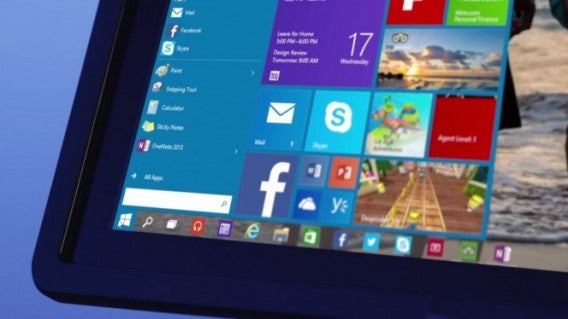
If you’ve been using Windows 8, expect a similar experience but with more polish and upgraded features. If you’re jumping from Windows 7, you’re in for quite a shock. Microsoft reworked the interface to be more intuitive for desktop users, creating a hybrid of the traditional Windows 7 Start Menu and the Windows 8 app launcher.

Users with 2-in-1 machines (laptops that can turn into tablets) can also use Windows 10 Home. Windows 10 will automatically switch from desktop to tablet mode depending on how you’re using your device.

Gamers are also going to want to upgrade to Windows 10 Home as it integrates with the Xbox One, allowing players to access Xbox One games from their Windows 10 laptop or desktop.

Windows 10 Pro

Windows 10 Pro is aimed at small businesses who want employees to bring their own device. Pro users will get all Windows 10 Home features of but also get powerful tools to help manage sensitive data and a group of devices. Windows 10 Pro gives small businesses access to Windows Update for Business, which means all the devices for your business will be automatically updated with the latest security patches.

Windows 10 Mobile (RIP Windows Phone)

Windows Phone is dead and will be rebranded as Windows 10 Mobile. The operating system will look and feel the same but with a lot of under-the-hood changes. All Windows 10 Mobile devices will come with a free version of Microsoft Office designed for touch.

One of the biggest announcements is Windows 10 Mobile will make it easy for developers to port Android and iOS apps to Windows 10 Mobile. If Microsoft can convince developers to port their apps, the company will fix the lack of apps that’s been plaguing its mobile operating system. However, this is a double edge sword as developers will be less likely to develop apps designed specifically for Windows 10 Mobile, leading to a subpar experience.

Editor’s note: The Windows 10 versions below will not be free upgrades.

Windows 10 Mobile Enterprise

This mobile version of Windows 10 will be for large companies who want to buy bulk licensing for its employees. This version will feature all the security and IT features large companies expect from a mobile operating system.

Windows 10 Enterprise

While Windows 10 Pro is more for small businesses, Windows 10 Enterprise is for medium to large sized organizations. Companies will be able to manage security, app deployment, and updates.

Windows 10 Education

No, this isn’t going to be a discounted version of Windows 10 for students and staff. Windows 10 Education will be for schools to deploy on their computers, featuring all the same abilities as Windows 10 Pro but with volume licensing.

Not as confusing as it looks

Yes there are six version of Windows 10 but most users will end up with Windows 10 Home and Windows 10 Mobile. The main differentiators between the versions are for businesses managing a ton of devices.

Windows 10 Home will support desktop, tablets, and convertible devices, which is a good thing. Microsoft imagines Windows 10 will be the last numbered version of the operating system, turning it into a service rather than something you have to buy.

Read our full Windows 10 coverage here.

How to upgrade safely to Windows 10 on your PC or smartphone

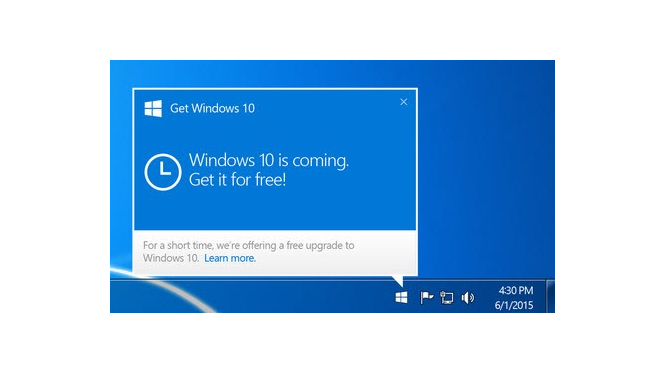
Windows 10 will be available on July 29th for all compatible devices. You may have seen a message on your PC asking if you wish to reserve it early. There’s nothing to worry about with this upgrade – it’s free for a year from launch, and installing the new operating system will be pretty much automatic.

Installing Windows 10 on PC

1: If you would like to install Windows 10 on day one, on a PC it’s best to accept Microsoft’s offer of reserving it. This will allow your PC to download Windows 10 a little ahead of time, so you can simply install it on July 29th.

Alternatively, you can not reserve it, and still download and install it for free for a whole year after July 29th.Whether you want to reserve Windows 10, or install it after its release, the process is simple. Simply click on the Windows logo on the task bar.

2: After July 29th 2015, you’ll be notified when Windows 10 is ready to be installed. All you have to do is say ‘yes’ to installation, and the process will be automatic.

You don’t need to worry about your files or installed apps – once installation is complete, you will still have all your things!

3: Find out more about your upgrade with our guide ‘all you need to know about Windows 10.’

Windows 8.1 Smartphones

It’s just as easy to update to Windows 10 on your Windows Phone 8.1 smartphone. But when you can install it unfortunately depends on your carrier – in theory it will be available from July 29th, but you will be at the mercy of your provider. Here’s how to check:

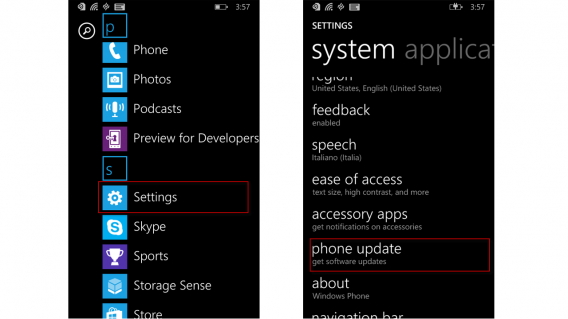
1: Swipe left to open the App list.

2: Tap Settings.

3: Scroll down to Phone Update and tap again. Here you can see if your phone is currently up to date, and whether there are pending updates. On July 29th or later, you should see the Windows 10 upgrade available.

Once you have Windows 10, Microsoft says it will control updates, so all phones will be updated at the same time, as happens with Apple and iOS. However, this does not apply to Windows Phone 8.1, and you will have to wait until your carrier is ready to push out the upgrade.

Related articles

Which Windows 10 version should I get?

No free Windows 10 for pirates and more

Windows 10 looks awesome at Build 2015

Follow Jon on Twitter: @jonathanriggall

App of the Week: Apple Music

Our App of the Week this week is a strange one. It’s not an app at all – it’s a service. Apple Music was released this week, as part of the latest iOS Music app and iTunes update.

You can sign up for a free three month trial – which puts the entire iTunes library of over 30 million songs at your fingertips, and much more. From then on it’s $9.99 per month, and there’s no free ad-supported option like Spotify has.

Default player


brightcove.createExperiences();

As you can see, Apple Music means a redesigned Music app and iTunes. There are new For You, Connect, and Radio tabs. These offer personalized recommendations, contact with artists, and the all-new Beats 1 Radio station, respectively.

It’s not coming to Android devices until the Fall, but Windows, Mac, and iOS users can all check it out right away.

Related Stories

App of the Week: Google Photos

App of the Week: Tysdo

First impressions: Apple Music

Follow me on Twitter: @DoFuss

Indie Spotlight: The Incredible Adventures of Van Helsing 3

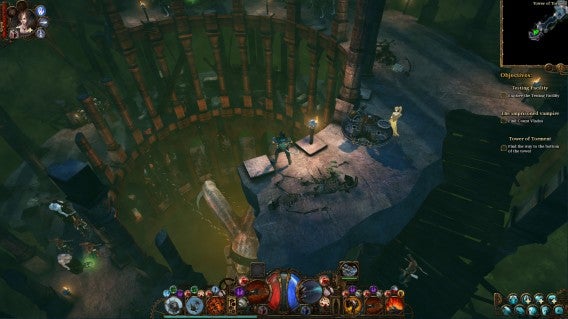
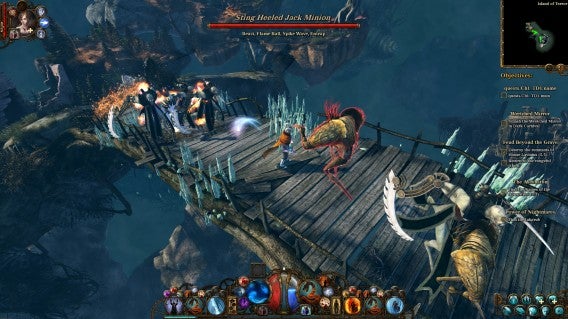
The Incredible Adventures of Van Helsing 3 is an action RPG that borrows heavily from the Diablo franchise’s brand of isometric loot collecting, and then gives it a Lovecraftian coat of paint. It was this aesthetic, stuffed full of monster killing action, that drew me to the game – and which also proved to be the thing that kept me coming back.

You are cast as the son of the original Van Helsing, a vampire hunter originally seen in Bram Stoker’s Dracula. There have been many interpretations of this family in popular fiction, but here they seem to have been turned into full-fledged killing machines. Indeed, nowhere have I seen the Bram Stoker fiction quite so dramatically re-imagined as in these Incredible Adventures.

This vicious tone is set from the opening as pick your Van Helsing. There are a total of six classes to choose from and, while each is significantly different, they all feel outlandish. They range from the towering steam-punk robot, Phlogistoneer, to the magical – but decidedly squishy – magic wielding Elementalist. All have an interesting and cohesive look that fits with the world’s ‘weird science’; blending mysticism and technology.

After selecting my hero (a gun-toting Bounty Hunter), the game began an explanation of the trilogy so far. This is where I first started to feel a little out of the loop, with events revealed through the emotionless voice Van Helsing. I was to be forced into the middle of a civil war after being betrayed by my once ally, the mysterious Prisoner 7. This character was to be my nemesis, a fact I divined from the narrator openly stating it, and then continuing to harp on about it at every possible juncture (and a few impossible ones).

Van Halen

Once the action kicks off, however, it is business as usual. You click where you want to move, click where you want to attack, and click on the power you want to use (until you learn the keyboard shortcuts at least). In keeping with the loot gathering genre, the game is one satisfying string of dopamine releases as you constantly level-up and discover new equipment. Despite this it lacked an elusive hook, resulting in it somehow failing to capture my attention for long periods in a single session.

Oddly though, The Incredible Adventures of Van Helsing 3 continued to play on my mind, constantly pulling me back to it. While improving my character was part of the appeal, the real draw came from the discovery of new locations and enemies – that and the B-movie grade script – to create something inexplicable entertaining.

Van Helsing’s spirit companion, Katarina, also helps in this. This ghostly woman not only helps you fight, but also provides an enjoyable back and forth as the two constantly goad each other. This means even that, when battling through empty dungeons, there is always a chance of some comic dialogue.

Luther Vandross

The environments also a good draw to continue playing. Each zone is distinct, and the ability to instantly warp to the hub area and then back out a zone of your choice keeps things fresh – be it the lair of a mad scientist, a fairy tale forest, or a Victorian city dripping in steam punk style.

With Torchlight and Diablo both on the market, it’s hard to imagine that The Incredible Adventures of Van Helsing 3 would be many people’s go-to loot game. Despite this, it manages to calve out a good spot for itself thanks to its world and humor. Also, at such a budget price, this is one that fans of this genre and setting should try.

Related Stories

The Incredible Adventures of Van Helsing III review

Indie Spotlight: In Verbis Virtus

Greenlight Spotlight: Will Fight for Food

Greenlight Spotlight: Tormentum – Dark Sorrow

Follow me on Twitter: @DoFuss

Five Apps to Try This Weekend: essential holiday apps

With summer almost here, we have hunted down the best apps to make your holiday get away all the more perfect. There are our five essential travel apps.

Our first recommendation is one that you will actually need before you head off on your holiday, PackPoint (Andriod|iOS). This app helps pick exactly what you should take with you to your destination of choice after asking you just a few, simple questions.

While we don’t recommend spending all your time online while on vacation, our second app this week is for those of you who need to stay connected while away. As its name suggests WiFi Finder (Andriod|iOS) helps you sniff out available local WiFi networks, essential if you need to upload pictures of every single meal.

Our number three is Foodspotting (Andriod|iOS|Win), an app that instantly recommends the best places to eat near you. To add a little spice to this foodie app, rather than just finding good restaurants, it focuses on each establishment’s specialty – meaning you can find the best calzone in New York, not just the best pizza restaurant.

The classic Google Goggles is our fourth app. Just take a photo of any building, poster, book, icon, or barcode, and within seconds, you’ll have information about it. This somewhat forgotten Google app is no longer available for iPhone, so iOS users may want to check out Phind.

Finally we have Trip Journal (Andriod|iOS), an app that helps you create beautiful memories of your vacation. With Trip Journal can visually relive and share your journey with all of your photos and videos mapped to their location thanks to some beautiful Google Earth integration.

That’s is for our holiday app recommendations, but if you can think of any more be sure to let us know in the comments. We will be back next week with another five apps, be sure to subscribe so you don’t miss it.

Related Stories

Five Apps to Try This Weekend: featuring Mucho Party and Simple Machines

Best apps for travelling on a budget

The best travel and transport apps of 2014

Follow me on Twitter: @DoFuss

Everything you need to know about Windows 10

Microsoft releases it’s new operating system Windows 10 on July 29 2015, and you can find all the articles we’ve published about it here.

Windows 8 was a huge change from 7, but Microsoft thinks that this new version so different that it’s skipping number 9 altogether. It’s also a free update for Windows 7 and 8 users. If you’re wondering whether you should make the change, you will find out below.

Which Windows 10 version should I get?

To help you decide which version of Windows 10 is for you, here are all the versions and how they’re different…

Continue reading…

What to expect in Windows 10

Here are some of the major changes you’ll see in the new operating system…

Continue reading…

Windows 10 will be free for Windows 7 and 8.1 users for one year

Microsoft will be following in Apple’s footsteps by offering its upcoming operating system for free for one year after launch.

Continue reading…

Internet Explorer is dead. Long live Microsoft Edge

Let’s take this time to say a proper goodbye to Internet Explorer with an abbreviated history of the most hated browser in the world.

Continue reading…

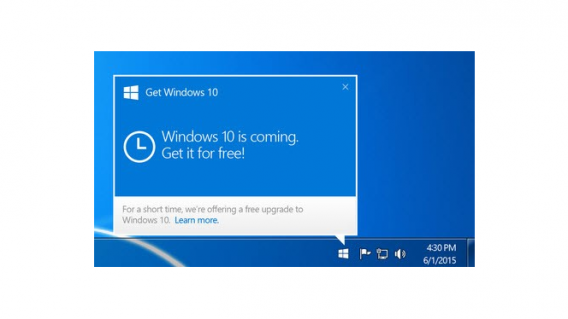
Removing the Update to Windows 10 icon from your Windows 7, 8, or 8.1 PC

You might be excited about updating to Windows 10, but less so about the constant reminders Windows is pushing. Here’s how to get rid of them.

Continue reading…

Windows 10 preview from Build 2015

Microsoft revealed more details about Windows 10 at its Build developer conference back in April. We took some time to check it out.

Continue reading…

Office 2016

What’s new in Office 2016?

Microsoft Office is still the company’s bread-and-butter product when it comes to revenue. We take a look at the preview build of Office 2016, and compare it to previous releases of the popular productivity suite.

Continue reading…

Cortana

How to get the most out of Cortana, the Windows 10 virtual assistant

Windows 10’s new assistant, Cortana has arrived and we are here to see exactly what she is capable of doing in this series of videos.

Watch the videos here…

How to get Windows 10 when the upgrade button is missing

For some users it seems that the icon needed to get the free Windows 10 upgrade is missing. But do not panic, because we are here to help you summon the “Get Windows 10” icon so you can update your system ready for July 29.

Continue reading…

LEGO Jurassic World: unlock secret characters (and dinosaurs)

LEGO Jurassic World is the first time that we’ve got to enjoy playing with our favorite characters from the four “Jurassic” movies. As you play through the game you can unlock the 100+ characters, but what if I tell you that you can play with some of these characters more easily?

As with the previous games in the series, LEGO Jurassic World gives you the option to enter codes to unlock extras without having to wait. All you have to do is follow the below instructions and you will have access to extra characters, dinosaurs, and other bonuses.

Entering the code

– The codes are entered by pausing the game and accessing the Extras / Enter code menu. You can also enter them from the cheat console located in the Jurassic World Innovation Center.

– Note that you will have to enter the codes each time you start a game of LEGO Jurassic World until you unlock them officially.

Enter the code!

Minifigure unlock codes

ACU Trooper (Female) — AU25GR

ACU Trooper (Male) — 28SPSR

Carlos — VK3TP3

Carter — 9GESXP

Cooper — 5BETZ5

Dennis Nedry (Costa Rica) in Hawaiian shirt — RAVKRT

Dieter Stark — EKCKLC

Dino Handler Vic or Bob — YQ6S7Z

Ellie Degler — AV9DTJ

Gyrosphere Operator Josh — 9NGZZQ

Henry Wu (Jurassic World) — A3HC7E

InGen Guard Jerry — QKBCWT

InGen Hunter — 38YWVR

InGen Hunter 1 — 8XL359

InGen Mechanic AKA InGen Hunter 3 — RMVVB8

InGen Mercenary AKA InGen Contractor — VZRSD3

InGen Scout AKA InGen Hunter 1 — 8XL359

Jimmy Fallon (from The Tonight Show) — 6MKHSG

John Hammond (Lost World) — PR2R6Y

Juanito Rostagno — XTH9A3

Jurassic Park Driver — 3FE78R

Jurassic Park Warden (Female) — 8WY3FV

Jurassic Park Warden (Male) — XJS7UY

Jurassic World Paddock Worker — BX9Z6R

Jurassic World Ranger — GW9TGH

Jurassic World Worker (Female) — L5AU6Y

Nash (Runway) — BRLNWC

Raptor Handler Jenny — SXZ7CC

S.S. Venture Crewman — 62539J

Scientist (Female) — XVXGXF

Scientist (Male) — SKKLWC

Udesky (Alt) — PFEBS6

Young Raptor Handler (Jurassic World) — 7VNLJT

Dino-roars

Dinosaur unlock codes

Ankylosaurus — PAAADT

Compsognathus — KAAAWV

Dilophosaurus — HAAAVW

Indominus Rex — GAAAAC

Pachycephalosaurus — IAAADT

Spinosaurus — MAAARF

Stegosaurus — FAAAVT

Triceratops — AAAADC

Tyrannosaurus Rex — CAAADT

Velociraptor — DDDFAC

Vehicle unlock codes

Jurassic Park Responder Vehicle — 3FE78R

Red Brick codes

Minikit Detector — JYJAFX

Studs Score Multiplier x2 — 5MZ73E

Play and discover even more secrets

Additional characters and improvements are just the start in LEGO Jurassic World. Remember this is a LEGO game, so it is stuffed full of special blocks and secret areas that will demand multiple attempts to reach.

Related Stories

LEGO Jurassic World review

App of the Week: LEGO Jurassic World

LEGO Worlds Preview

Follow me on Twitter: @mariabaeta