A new Communities feature is coming to WhatsApp

WhatsApp has been working hard on improving group chats recently. We have seen an increase in the number of users able to join groups, a controversial increase in group admin powers, and most recently we saw an update that will display user profile pictures right there in the group chat. Today we bring you news of an update that will further build on WhatsApp’s augmentation of group chats. Here is what you need to know about WhatsApp Communities.

WhatsApp Download Now

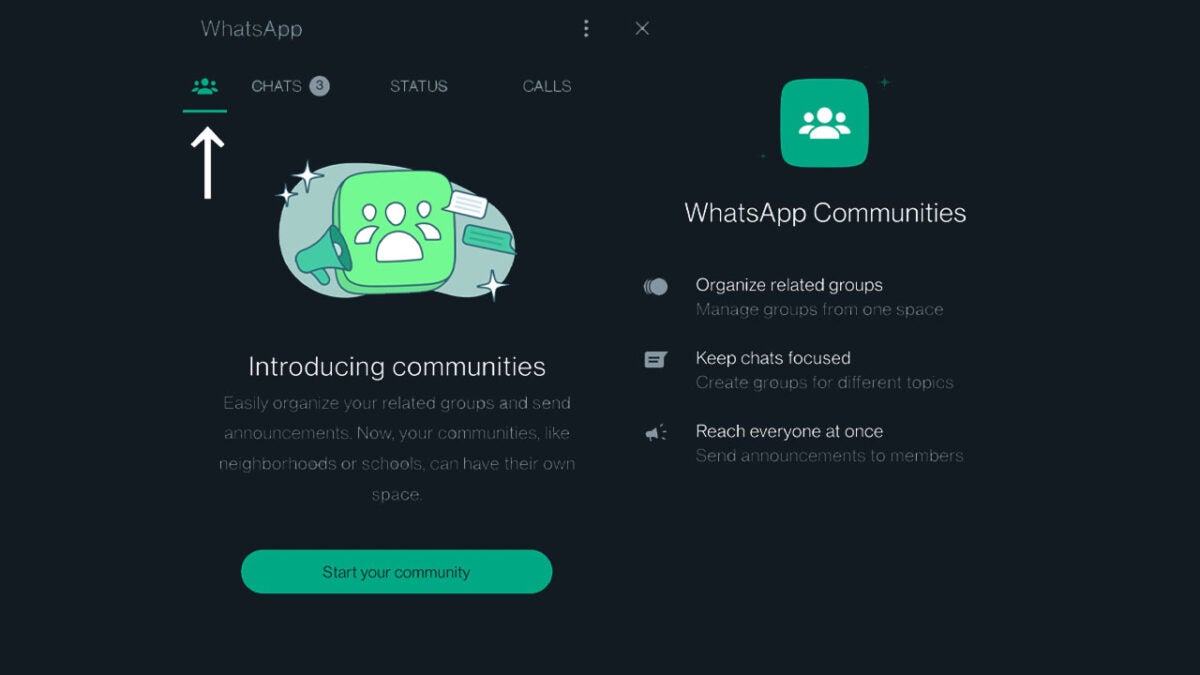
A WhatsApp communities tab has been found in the latest WhatsApp beta version for Android 2.22.19.3. This is the second time the new Communities tab has been spotted on a version of WhatsApp, but it is the first time it has been spotted on a mobile version of the app.

WhatsApp Communities will offer a way for you to “Easily organize your related groups and send announcements.” WhatsApp sees the feature as working like neighborhoods or schools. The idea is that Communities will allow group chats to remain focused as the larger community of users can remain connected via the Communities tab while individual group chats held within the community can focus on individual subjects.

If you have ever caused uproar in a family or friends group chat talking about certain subjects like sports or politics, then you will immediately see the value the new Communities feature will bring to WhatsApp.

The current version of the feature, which is in beta testing, allows communities of up to 10 groups, each with up to 512 participants. Users can join the subgroups they like within the community and can leave a community group while staying in the wider community.

This feature is still in testing so we can’t offer an insight into when we might expect to see it rolled out to all users any time soon. You will have to keep checking in with us if this sounds like a feature you want to see on your version of WhatsApp. As soon as there is an update on the feature, we will bring it to you. In other recent WhatsApp news, we have been discussing what these official new icons mean for the future of the app.

Image via: WABetaInfo

Windows 11 is testing animated settings icons

Windows, like most operating systems, isn’t supposed to be the most exciting piece of software you can buy. Instead, you just want it to work. That is why Windows updates are such a controversial issue as a lot of the time they don’t work. However, it is still nice to see some entertaining little elements added to the operating system now and then, which is why a new update bringing animated settings icons to Windows 11 has raised a little smile here in Softonic HQ.

Windows 11 Download Now

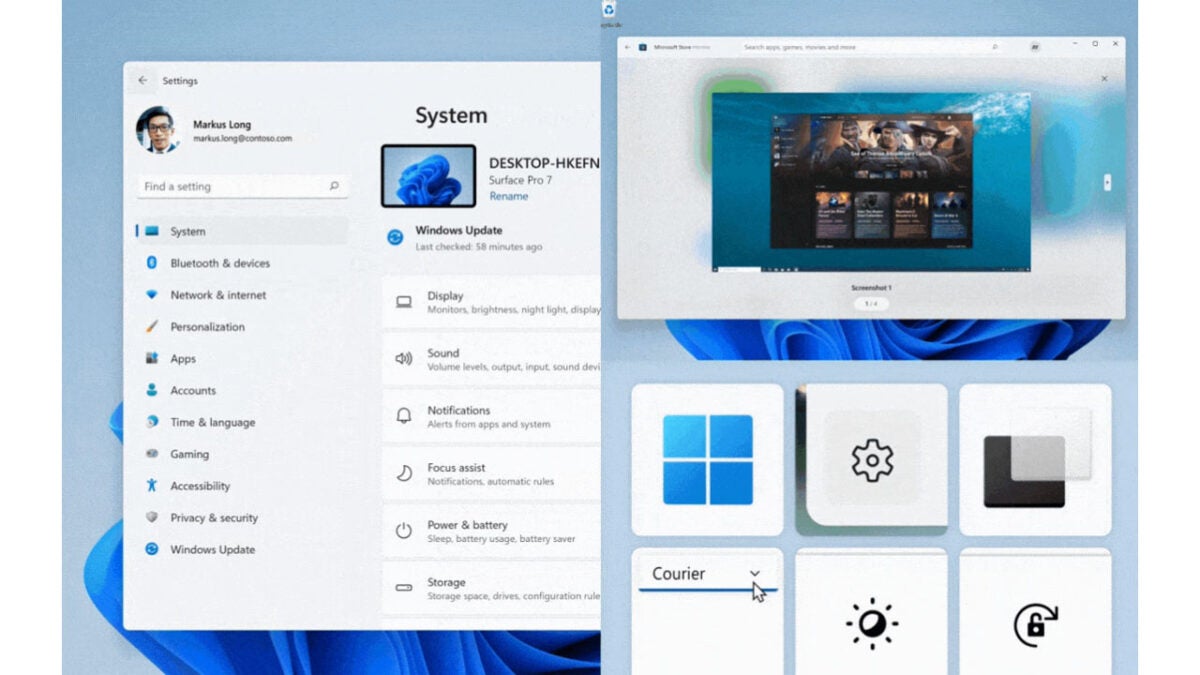
The new animated icons have been spotted in the Windows Insider Build 25188 by a Microsoft MVP called Rafael Rivera. If you scroll down a little further, you can see the animated icons in his tweet shared below.

The animations activate whenever you hover the mouse cursor over a certain icon. The icons getting the animations are the System, Bluetooth and devices, Network and Internet, Personalization, Apps, Accounts, Time and Language, Gaming, Accessibility, Privacy and Security, and Windows Update icons.

What is funny here is just how much hate this tiny little tweak has created in the comments to Rafael’s tweet. There are plenty of people asking for a toggle switch to disable them, should the update receive a general rollout to all users. This is despite Microsoft calling the new animated icons delightful and unexpected moments of joy. Fortunately, if you disagree with Microsoft’s flowery description of this minor update, Rafael also reports that there will be an off switch.

As to when this update will roll out, however, there is less concrete news to report. The feature hasn’t even been rolled out to all Windows Insider users yet, which indicates it is still in the early stages of testing.

In other recent Windows 11 news, there are already signs coming out that Microsoft has started working on Windows 12.

Diablo Immortal crests are changing for the better

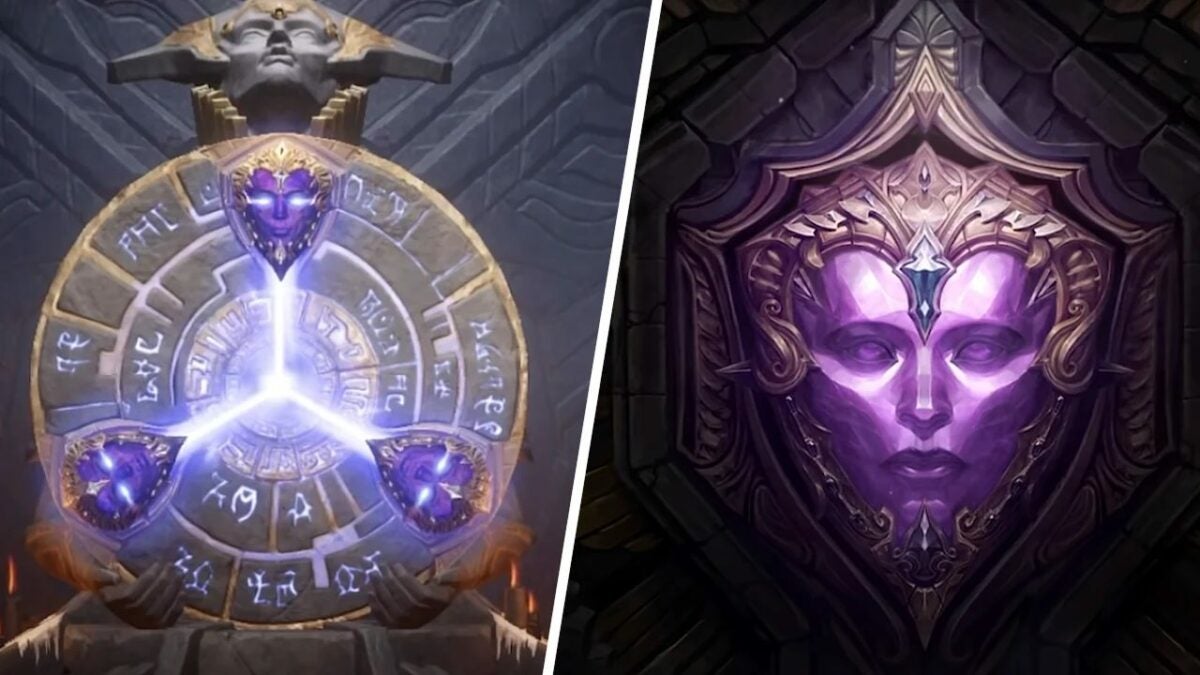
In an attempt to further differentiate between the legendary crests and eternal legendary chests, the crests are undergoing a redesign. Wyatt Cheng, the individual at the head of the redesign recently responded to a post in the Diablo Immortal subreddit. In his response, he stated that the team’s goal is to change the color and the shape of the crests so that ‘players know exactly what they’re getting when they make a purchase.’ 

Diablo Immortal DOWNLOAD

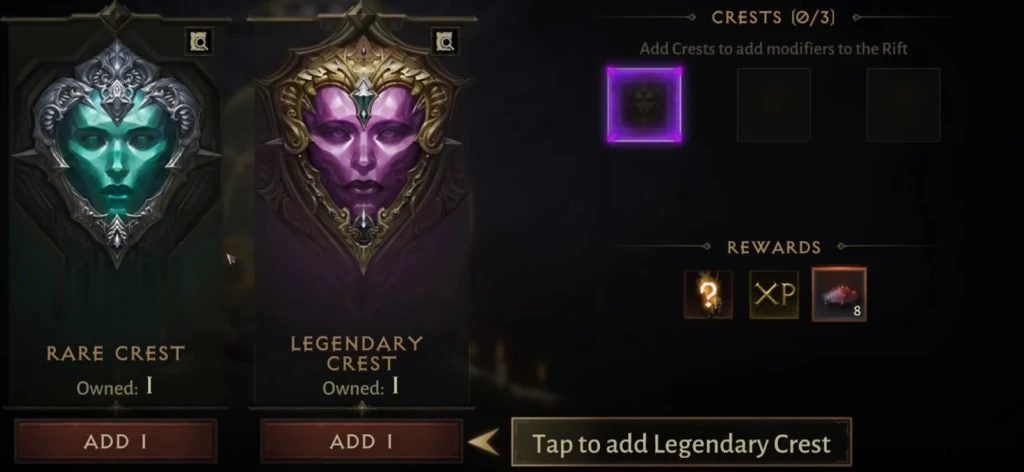
Cheng elaborated further ‘This is artwork that we’re working on to help differentiate the Legendary Crest (which will become [the] Orange one) from the Eternal Legendary Crest (which will remain the purple one in the middle, that yields gems that can be sold on the Market).’

‘Players should be able to distinguish the two quickly not only by color but also by shape (for color-blind accessibility). We did some usability tests earlier this month to ensure they can be understood clearly during normal gameplay, such as when shrunk down to small sizes or for new players. In addition, we’re adding the Market Icon to the item description of the Eternal Legendary Crest to reinforce the difference.’

In the last paragraph of the post, Cheng commented on the Elder Rift Entrance UI, confirming that this too will change in the new update. This is so that players can ‘choose which one you want to use (if you own both) as well as easily see how many of each you own from the entrance UI.’

Diablo Immortal crests are changing for the better

Diablo Immortal has had far from the smoothest or least controversial launch. However, despite fan outcry, the game raked in $24 million in just two weeks.

Diablo Immortal rakes in $24 million READ MORE

Top 10 games from Gamescom 2022

An exciting weekend has come and gone with Gamescom 2022 officially behind us. While not all of us could physically attend the event, there were plenty of live shows on YouTube and Twitch to enjoy. Of course, the height of excitement was the list of upcoming games we get to see into 2023 and beyond.

As I love to do, I’ve made our own list of the top games from Gamescom 2022 that I can’t wait to get our hands on when they finally launch. There were a few others I’m eager to play, but I had to draw a line somewhere. Otherwise, you’ll be here reading all day.

Dune Awakening

If you’re a fan of Elder Scrolls Online, you’re bound to enjoy Dune Awakening. It’s going to be an MMORPG in a massive open world featuring several Dune elements. The trailer shows you jumping onto one of the massive worms, which I hope becomes a mode of transport.

You may recall from my Dune: Spice Wars review that I’m a huge fan of Frank Herbert’s work. To be able to play in an open world within an MMO environment is so enticing that I’m going to be waiting for every bit of news on this game. Dune Awakening is bound to be a title that keeps us gaming for years to come.

Dune: Awakening DOWNLOAD

Return to Monkey Island

One of the Gamescom 2022 games to launch soon is Return to Monkey Island, with a release date set for September 19, 2022. Gamers from the 90s like myself will recall how much fun the initial Monkey Island was. Well, we’re heading back into the adventure with a new sequel.

While Guybrush makes a return, the islands aren’t as you remember them. There’s new leadership in play, which means new adventures and puzzles. Of course, he has yet to discover the secrets that await on the mysterious Monkey Island.

Return to Monkey Island DOWNLOAD

Park Beyond

Here’s a new entry by Bandai Namco that I only heard about through Gamescom 2022. It’s been an incredibly long time since I’ve played a theme park simulation game, and Park Beyond looks outstanding so far. I definitely can’t wait to try my hand at it when it arrives in 2023.

The trailer and screenshots for Park Beyond show massive theme park grounds with colors galore. There are rides you would never ever have dreamt of, many of which try to defy gravity as much as possible. The trick will be to lure as many visitors in as possible without them losing life or limb.

Park Beyond DOWNLOAD

Gotham Knights

Probably one of the most anticipated Warner Bros. games in 2023, Gotham Knights is an upcoming action RPG game with an open-world environment. With Teen Titans on Netflix already setting the scene for these heroes, you can now play as them after Batman’s death.

That’s right, the caped crusader or dark knight is dead. Criminals are taking over Gotham City, but the new Gotham Knights won’t let it stand. You’ll also have to deal with corrupt cops, which is just the nature of the doomed city. Are you ready to take back the night?

Gotham Knights DOWNLOAD

Hogwarts Legacy

Since we’re on the Warner Bros. train, here’s another open-world RPG set in the Harry Potterverse. Hogwarts Legacy already held high expectations before Gamescom 2022. You play as a character in the 1800s, long before Harry ever placed his feet in the school. 

While you’ll learn spells and ways to defend yourself, you also uncover an ancient secret that may threaten the wizarding world. There’s the promise of many magical creatures, potions, and spells. It may just be the largest Hogwarts game to ever grace our screens. It’s just a pity I won’t get to see Hermione.

Hogwarts Legacy DOWNLOAD

Destiny 2: Lightfall

Also known in some circles as Eclipse, Destiny 2: Lightfall is an upcoming DLC to the base game. The Witness is approaching, which is destined to end all things. There are new powers to discover in the campaign, and it will greet Season 20 when it launches at the end of February 2023.

I tried to play Destiny 2 once, but I was so involved with other online games at the time that I couldn’t give it the attention it deserves. The new DLC looks so outstanding that I wonder if I have enough time to catch up before the new pack arrives. There’s apparently also a new subclass coming.

Destiny 2: Lightfall DOWNLOAD

Goat Simulator 3

My nephew loves this series, and Goat Simulator 3 will be here in November 2022 according to Gamescom 2022. It has all the key ingredients you’ll want from being a goat. That’s right; for those who don’t know this franchise, you run around as a goat in this sandbox open-world game.

There’s plenty to do, though, such as completing missions for NPCs. For the most part, gamers simply want to cause as much havoc as possible as a goat. Goat Simulator 3 promises to give you as much fun with this animal as possible, even with some awesome skins. (No goat was harmed in the making of this article.)

Goat Simulator 3 DOWNLOAD

Dying Light 2 Stay Human: Bloody Ties

It’s so sad that I haven’t gotten my hands on this game yet, as I’m such a lover of the first one and horror in general. With the base game recently launched in Feb 2022, we already have Dying Light 2 Stay Human: Bloody Ties announced for October. I’ll have to make a plan to play it before the DLC arrives.

Interestingly enough, the DLC contains a massive story for Dying Light 2. While trying to achieve fame and fortune, you end up dealing with a plot for revenge instead. Of course, you can expect tons of the undead during your quests.

Dying Light 2 Stay Human: Bloody Ties DOWNLOAD

Deliver Us Mars

When I first heard of Deliver Us Mars during the Summer Games Festival, I was already excited. Gamescom 2022 revealed that we can expect to see it in Feb 2023, and it can’t come sooner enough. I love planets and exploring them, which this game will let us do.

The story revolves around one of the ARK colony ships going silent. You head to Mars to work out what went wrong. While there, you discover something sinister happening. Will you be able to find the answers before humans on Earth run out of time?

Deliver us Mars DOWNLOAD

Layers of Fears

The upcoming horror game announced at Gamescom 2022 is a mixture of the old with the new. We’ve already had Layers of Fear and Layers of Fear 2. It seems like Blooper Team went back to the drawing board, using both games as a base for the new upgraded version.

That means you’ll still explore the obsessions of artists but in a new light. There’s an extended storyline, and you’ll have a few more items to use in the horrific adventure. What makes it look so spectacular is the Unreal Engine 5 technology and the first-person horror perspective.

Layers of Fears DOWNLOAD

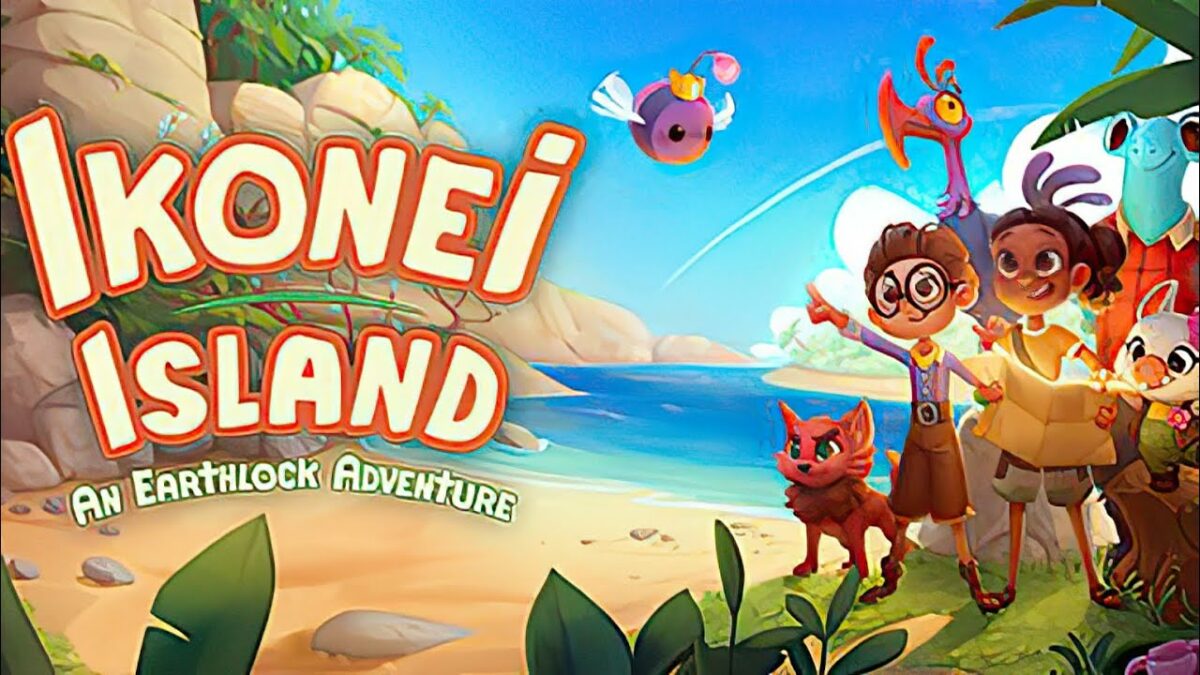
Ikonei Island: An Earthlock Adventure Review | Crafting fantasy tale

Ikonei Island: An Earthlock Adventure is a crafting adventure game by Snowcastle Games that went into Early Access on Aug 18, 2022. It entails you and your crew landing on an island where you’ll need to survive. However, there are strange creatures and pirates around, so you’ll have to form a base.

There are many aspects of Ikonei Island: An Earthlock Adventure you’ll love. It’s more than just a simple crafting game. With a touching story and adorable characters, it will have you playing for several hours. Let’s jump straight into the review so you can see what’s available during the current Early Access version.

Ikonei Island welcomes you to stay

Welcome to Ikonei Island: An Earthlock Adventure! Earthlock is an RPG title published by the same company that launched in 2018. There were also comic books made available on Steam as DLCs to go with the game, and you can purchase an entire bundle that includes everything, with Ikonei Island also in the mix.

Here’s what to expect with regards to the story in Ikonei Island: An Earthlock Adventure.

Save Ikonei Island

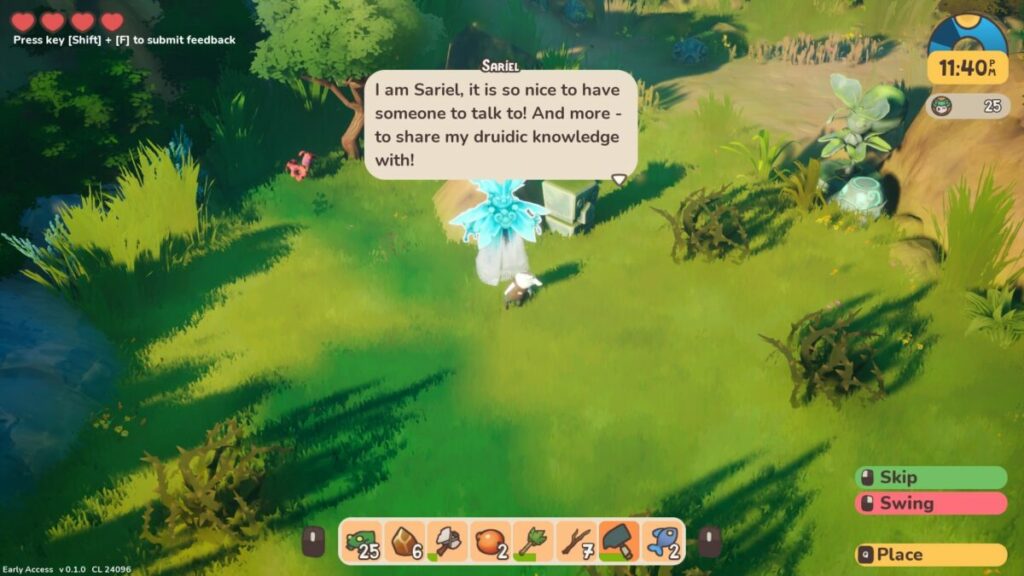
You and your friends are sailing on the ocean when, lo and behold, a storm causes you to crash on an island that you swore wasn’t there before. There are four characters you can choose between, but I stuck with the Hogbunny. Sadly, there’s no multiplayer available as yet during Early Access, so my children and I took turns exploring the game.

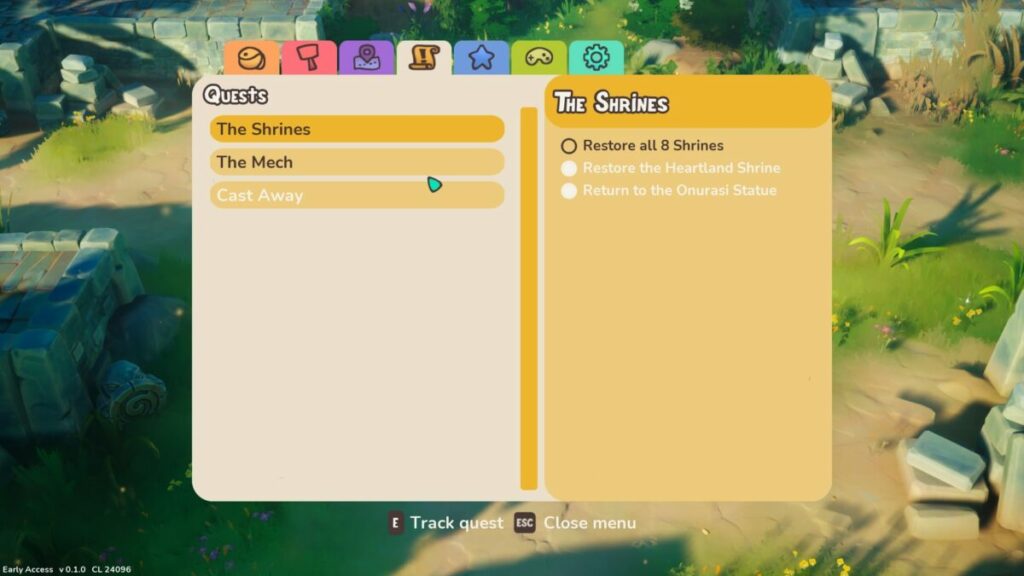
It won’t be long before you realize the reason you can see the mysterious island. Pirates and foul creatures have destroyed eight shrines, which hide the land and protect it from storms and villains. You’ll need to find a way to restore the beautiful Ikonei Island to its former glory.

Ikonei Island An Earthlock Adventure

Finding your way around the island

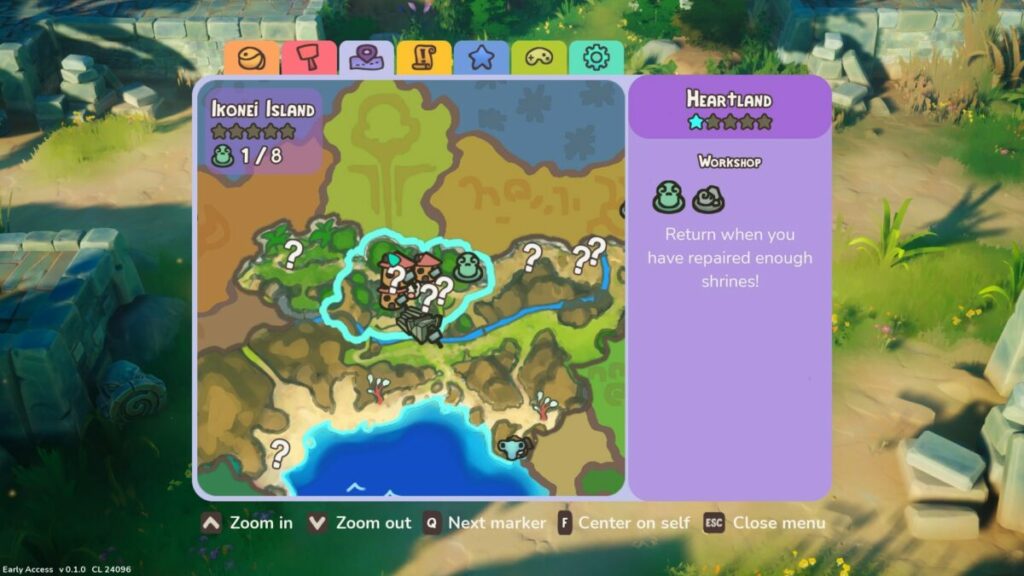
The first element of Ikonei Island: An Earthlock Adventure you’ll encounter is exploration. With nothing to help you leave the island, you need to find routes around the island that are safe. There are different zones, while you’ll start with the beach to gather essential resources. Fortunately, you have a stunning map to guide you.

The map updates every time you discover an important item that you’ll need to upgrade or repair later. There’s also key information on locations when you hover your pointer over them. You can see the name, what items are required, and the reward you’ll receive.

Ikonei Island An Earthlock Adventure

A froggy mission

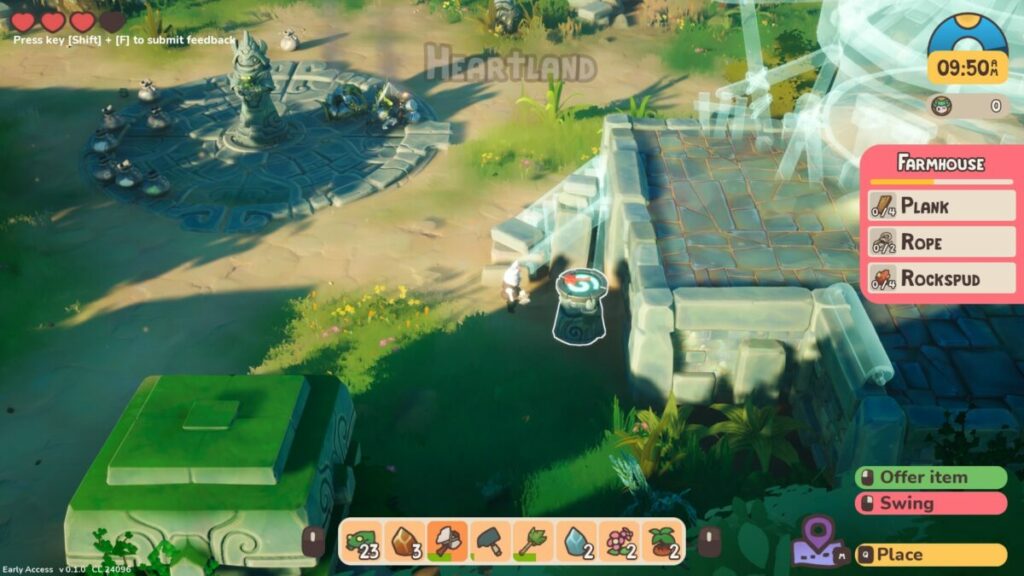
One of the earliest tasks you’ll have in Ikonei Island: An Earthlock Adventure is catching frogs and placing them on pedestals. When you do so, they’ll speak to you and explain what happened to their homeland. You’ll also receive missions to help upgrade the various zones with tips on how to succeed.

Ikonei Island An Earthlock Adventure

Meeting characters and creatures

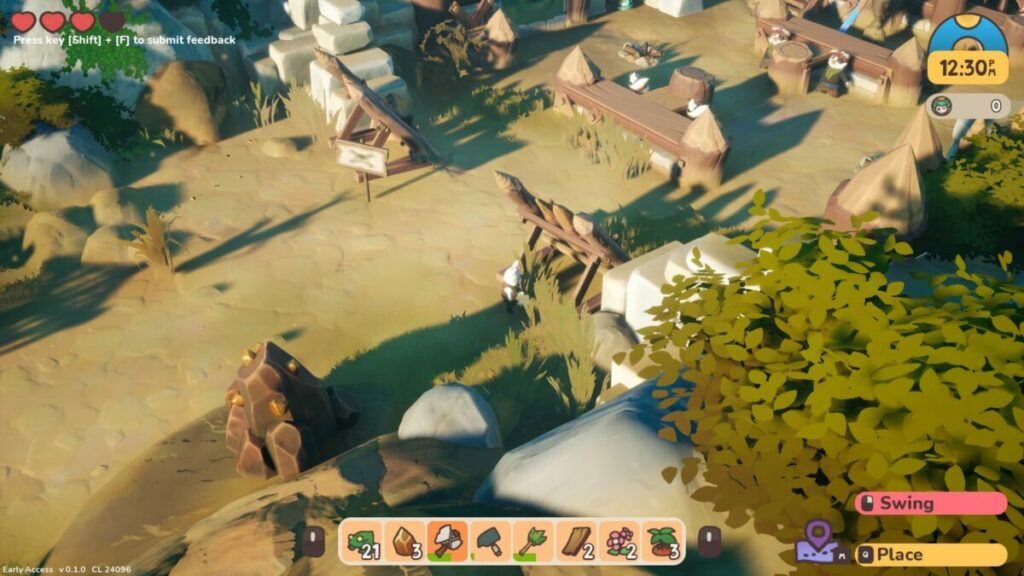
There are other helpful NPCs on Ikonei Island to meet. Some of them will join your camp and help you with crafting items. They have unique skills, but you’ll have to establish workshops for them at your base. However, you’ll need to complete an initial set of missions for them first before they’ll accompany you.

Ikonei Island An Earthlock Adventure

How long to play Ikonei Island: An Earthlock Adventure?

It’s surprising how much time Ikonei Island: An Earthlock Adventure takes from your day when you’re not paying attention. It took me about 8 hours to reach the final zone, and that’s not including repairing the shrine and unlocking the tameable creature. The game will easily take you somewhere between 8 and 15 hours to complete.

Making a home in Ikonei Island: An Earthlock Adventure

Running around Ikonei Island and meeting the locals is only part of the fun in this Earthlock adventure. While the game is easy to learn, there are some challenging puzzles along the way. Let’s take a look at some of the gameplay mechanics.

Learning how to play Ikonei Island: An Earthlock Adventure

Right off the bat, the game shows you how the basic controls work and what you need to do. While the frogs play an essential role with their in-game tutorials, you’ll also see tooltips and descriptions appear for items and buildings. Still, the frogs play key parts whenever there’s something new to learn.

Easy controls

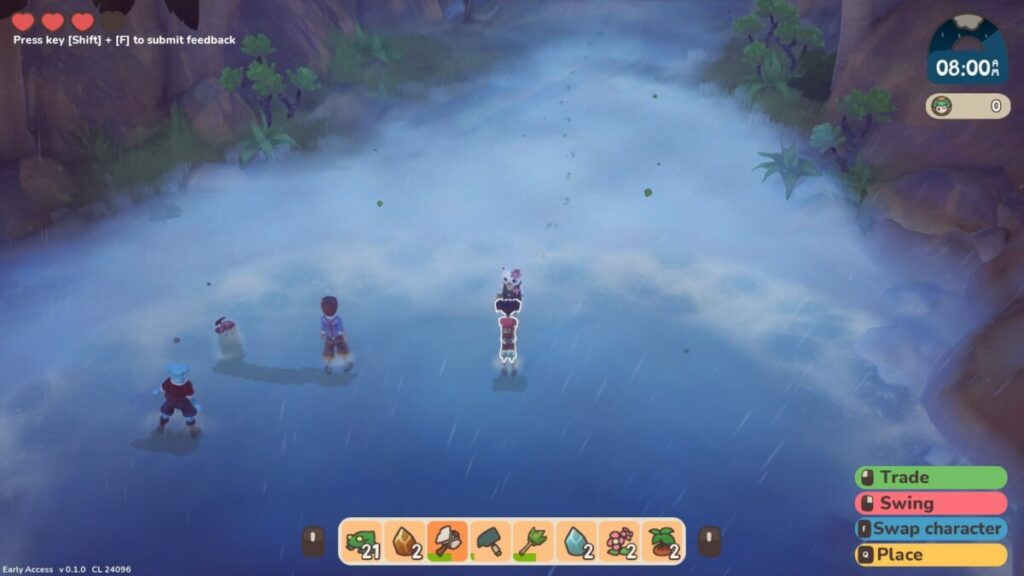
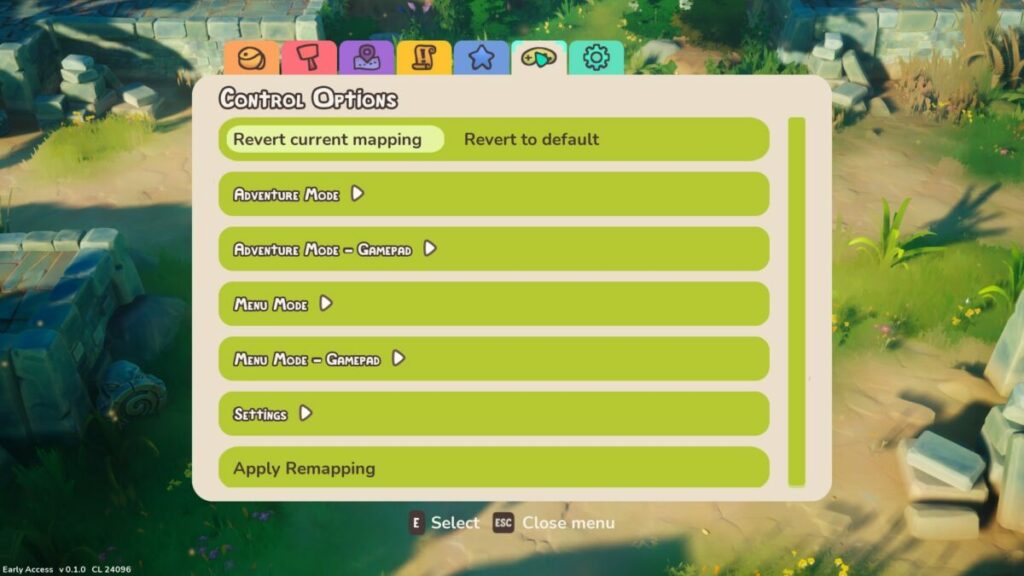
The controls for Ikonei Island: An Earthlock Adventure are easy to master. As the game suggests on the main menu, it works much better on a controller than keyboard and mouse. There are no complicated button combinations, and you can quickly switch between various items.

Ikonei Island An Earthlock Adventure

The inventory bar

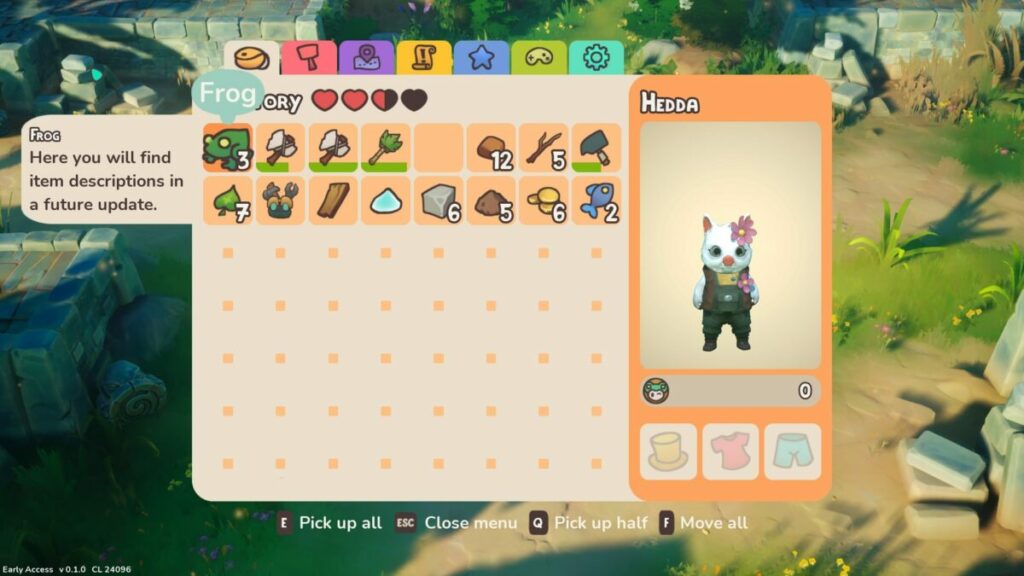
You’ll notice there’s an inventory bar at the bottom of your screen. Now, in most games that have this, you need to go into your inventory and swap items for what you’d like to see there. To save you time, you only need to press the triggers to toggle between each line in your bag. It’s a game mechanic I wish other developers had thought of.

Ikonei Island An Earthlock Adventure

Collecting resources and dropping items

When you first play Ikonei Island: An Earthlock Adventure, you’ll have limited space in your bag. Once you defeat pirate bases, you’ll discover chests that add lines to your inventory. It will help you collect more resources for later upgrades and farming.

If you need more space, you can drop items you don’t need on the floor or sell them at your base. The dropping mechanic asks you to choose where you want to throw the items. However, sometimes I wish there was a quick-drop system, especially when surrounded by enemies.

Ikonei Island An Earthlock Adventure

Buildings, crafting, and upgrades

Once you establish your base, there will be platforms to create workshops. You need them for the main NPCs you’ll meet who need the building for their crafts. They’ll provide you with blueprints, or you can buy resources you really need and don’t feel like finding them.

The blueprints are essential for crafting. With the resources you’ll find, you need to head to the crafting station, smelter, cutter, or loom to make items. Without the blueprints for these crafting tables, you’ll be stuck. At a later stage, you can upgrade the workshops for more plans.

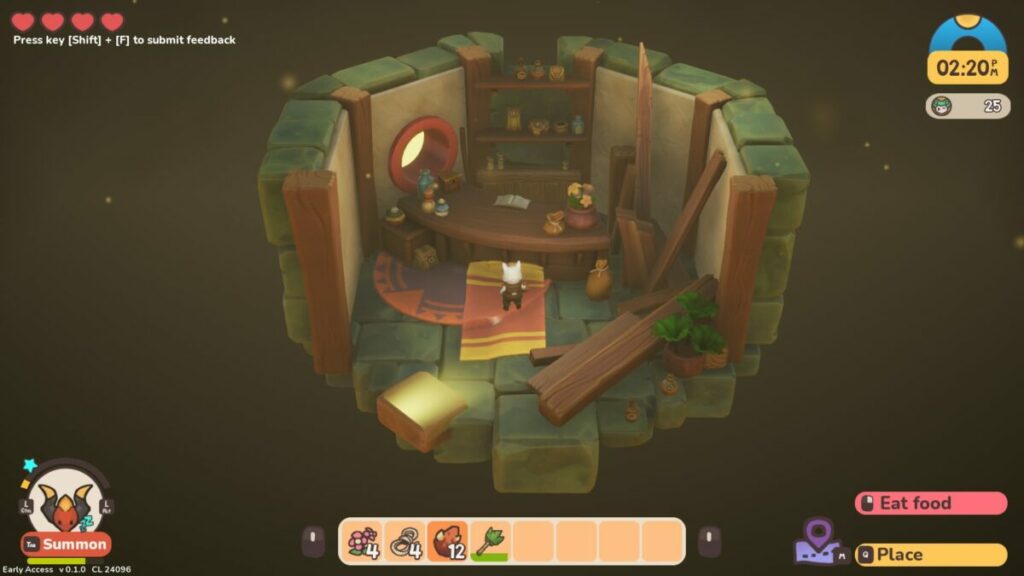
You also have access to a tent, which serves as your home. Once you enter, you’ll have a lovely space to place beds, sofas, and other furniture you unlock along the way. While it may not seem like much, I hope Ikonei Island: An Earthlock Adventure upgrades to include a more impressive building in the time to come.

Ikonei Island An Earthlock Adventure

A farmer’s life

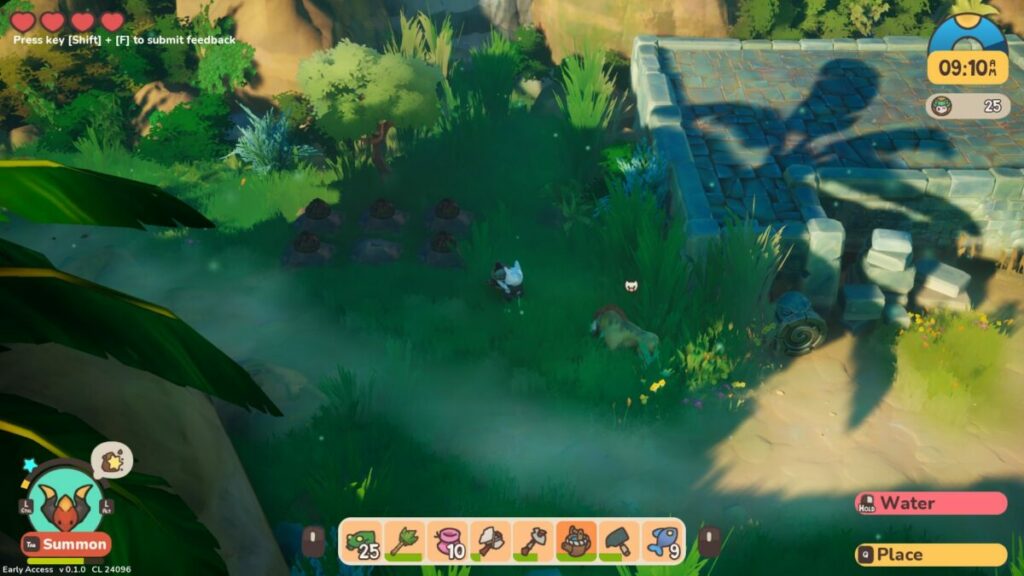
Another game mechanic you’ll need to become used to is farming. There are plenty of plants around Ikonei Island, which provide you either with seeds or resources. With the hoe in hand, you can basically farm on any fertile land you find. The process consists of planting, watering, pollinating, and then harvesting.

While you may not feel like performing these tasks, some of the crops are essential for upgrading buildings or completing tasks. It’s best to farm when you’re not out adventuring, though. The plants will need your attention, and they grow rapidly.

Ikonei Island An Earthlock Adventure

Making money on Ikonei Island

The blueprints and other items that the NPCs sell will cost you Frogboy coins. If you end up with doubloons or items you don’t need, you can drop them in a chest at your base. By the next morning, they’re sold for the price indicated, and the money ends up with you. Resources respawn eventually, so don’t be shy to sell them if you need some coins.

Time to fight

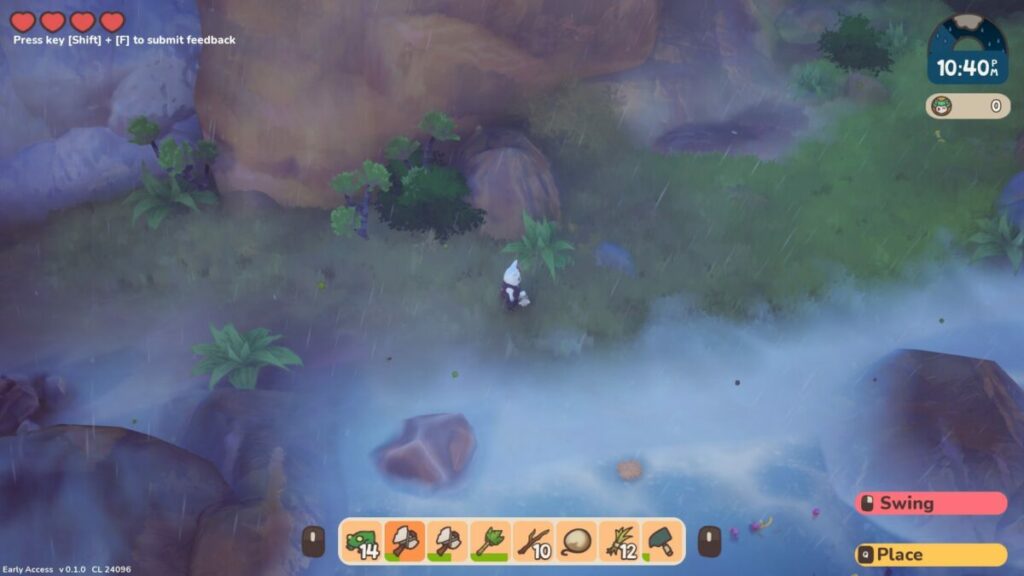
It wouldn’t be an adventure game without some pirates and fighting. There are two types of combat in Ikonei Island: An Earthlock Adventure. The first involves swinging your weapon at foul creatures you find along the way. For the second, you need to stealthily move past the pirate crew at their bases, find canons, and shoot the captain.

Creatures are usually easy to fight once you learn how they move and attack. You can hit projectiles back at them, or just keep slashing to hold everyone at bay. Just don’t be seen by the pirate crew, or you’ll have to start over.

Ikonei Island An Earthlock Adventure

Taming the wild

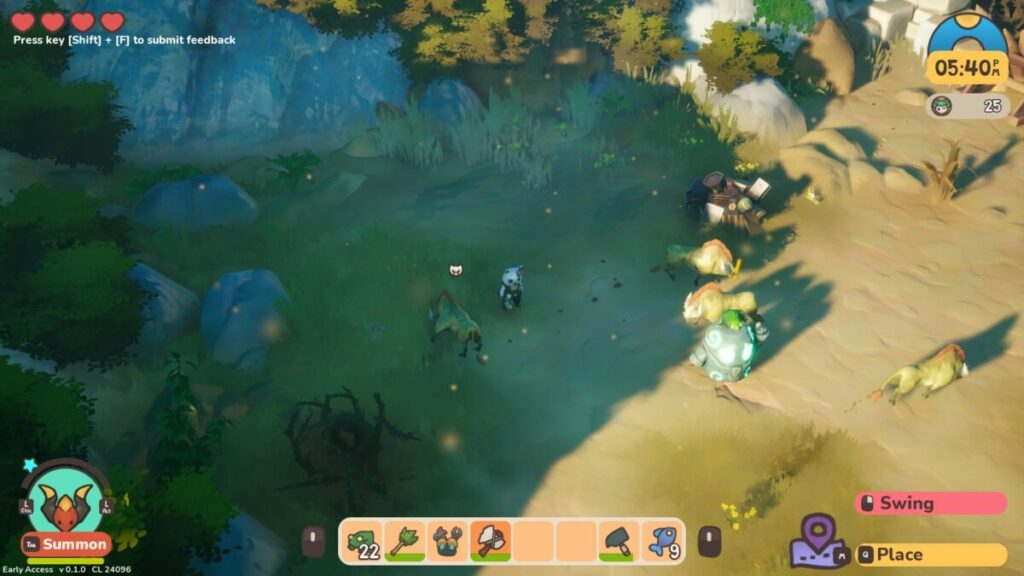
One of the most adorable aspects of Ikonei Island: An Earthlock Adventure (and the main reason my children wanted to play) is that you can tame specific creatures. Once you rescue them from the pirate base, you can tame one of them to join you. Each one has a unique ability that you’ll need, and you can upgrade them to make them more powerful. 

To tell you what each one does and where you’ll need them is an entire guide on its own. The only aspect I don’t like is that they sometimes get in your way when you want to collect an item. Sure, you can send them home, but then you need to summon them again when done. Still, being able to bond with them and then play as the creature is utterly entertaining.

Ikonei Island An Earthlock Adventure

Games like Ikonei Island: An Earthlock Adventure

While Ikonei Island: An Earthlock Adventure is incredibly unique in its own way, there are some games that share a few of the elements. For example, the inventory bar and crafting are certainly similar to Minecraft

With regards to the gameplay and visuals, you have something more akin to Portal Knights and My Time at Portia. I share the same fondness for these games as I now do with Ikonei Island.

PC requirements

Despite how many hours Ikonei Island takes with all the content, the requirements for this Earthlock adventure aren’t high. Also, I didn’t experience any lag or performance issues on Windows 11. Here’s what you’ll need as minimum requirements at this stage of Early Access:

  • OS: Windows 7 or higher
  • Processor: Intel i3
  • Memory: 4 GB RAM
  • Storage: 6 GB 
  • Graphics: NVIDIA GeForce GTX 750
  • DirectX: Version 10

The Roadmap for Ikonei Island: An Earthlock Adventure

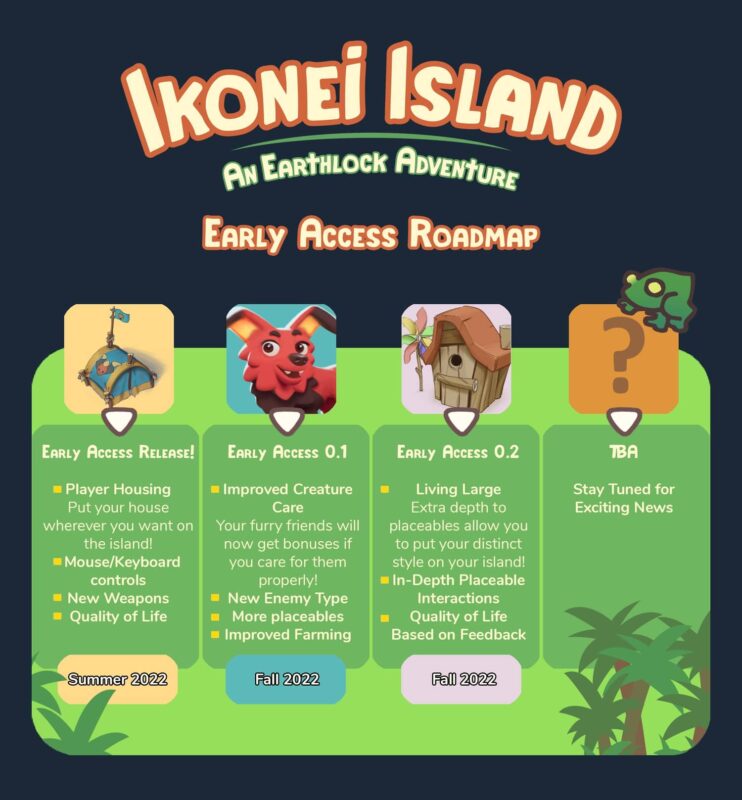
The Roadmap for further development of Ikonei Island has some promising upgrades. While you can only play solo at the moment, they’re working on a multiplayer mode where the entire family can play. There will also be upgrades to the buildings and creatures. While it’s available on PC and gaming consoles, I would love to see a mobile version of it in the future.

Ikonei Island An Earthlock Adventure

Stunning effects and environments

What would Ikonei Island be like with bad visuals or effects? I don’t know, as I found the graphics and sound to be outstanding in this crafting adventure game. Here’s what I liked the most about them.

Beautiful environments and biomes

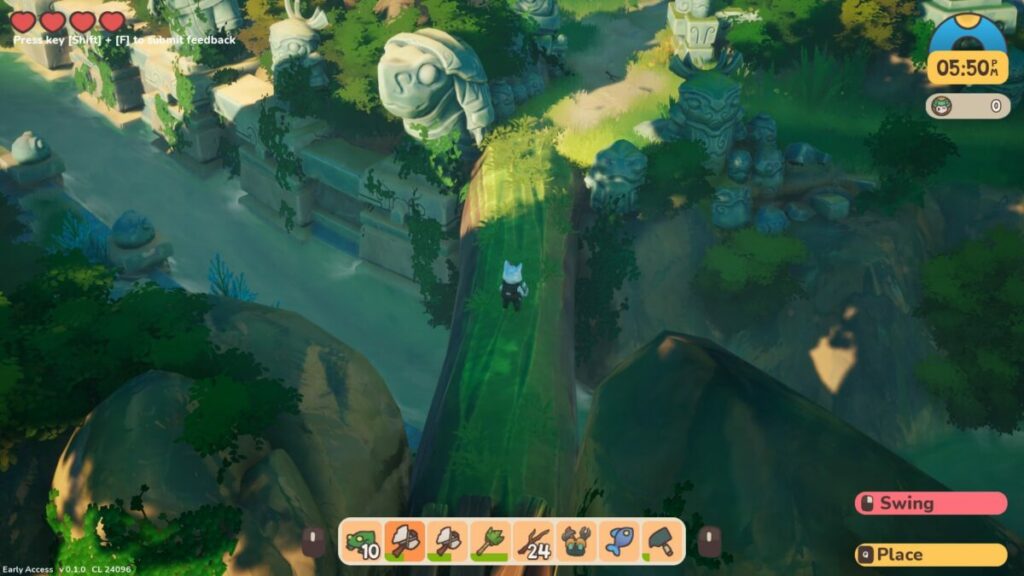
The various zones and biomes in Ikonei Island: An Earthlock Adventure are gorgeous. I love how the resources are linked to each region. Once you repair the shrine, you’ll feast your eyes on the beauty of the land. You’ll need to upgrade each zone to five stars to fully enjoy the view.

Ikonei Island An Earthlock Adventure

Gorgeous character and creature designs

Each character and creature has a stunning fantasy design that I loved. The hogbunny character is my favorite, and we need more like these during the Early Access development. I also enjoyed the effects of each tameable creature; they look so beautiful, especially when fully upgraded.

Ikonei Island An Earthlock Adventure

Soothing music and animated sounds

I can look past the lack of voice acting when I consider the soothing music in the background while adventuring on Ikonei Island. If I encounter trouble, the track changes to heavy drums and action. Each creature also has its own sound effects with every action. It shows how much effort the developers went to in making it a fun game to look at and listen to.

Ikonei Island An Earthlock Adventure

Final Verdict of Ikonei Island: An Earthlock Adventure

If I continue discussing features in Ikonei Island: An Earthlock Adventure, I fear this review will never end. It’s an outstanding game, and it’s a treasure hove for gaming guide writers like me. We could spend hours writing guides for a title like this, and continue playing for as long as our heart desires. Of course, once you save the island and built all there is to build, it’s probably best to move on to a new game. All in all, we need more games like this from Snowcastle Games.

There are some other titles I’ve enjoyed and reviewed. Be sure to check out Mirror Forge on the horror side of life, Dune: Spice Wars for fantasy RTS action, and Two Point Campus for casual strategy.

Pros

  • Incredible storyline
  • Plenty of fascinating creatures
  • Tameable animals
  • Impressive resources and crafting
  • Addictive gameplay
  • Gorgeous visuals and effects

Cons

  • Tamed creatures get in your way sometimes
  • Needs an easier item drop mechanism

Developer: Snowcastle Games

Publisher: Snowcastle Games

Game Modes: Single-player

Platform reviewed: Windows 11 – Steam
VirtualBox 7 adds official Windows 11 support

The free cross-platform virtualization software VirtualBox improves support for Microsoft’s Windows 11 operating system in its latest version.

VirtualBox 7 removes the incompatible hardware messages that user received when installing Windows 11, even on compatible systems.

VirtualBox is a popular program for Windows, Mac and Linux devices to create virtual operating systems. A virtual operating system functions in most regards similarly to regular operating systems, but it is fully separate from the main operating system of a device.
Windows 11 DOWNLOAD

Computer users use virtual environments for different tasks: these include testing new versions of an operating system to make sure the computer is compatible, as development environments, for software testing, or to run a different operating system, e.g., Linux on a Windows host.

Take software testing as an example; if you stumble upon a new program, you may not want to install it on your main system right away. Maybe you have downloaded it from a source that you don’t trust fully, and not from a trusted software repository such as Softonic, or you don’t want the installer to pollute the system with files and Registry entries.

Installing the program in a virtual Windows environment keeps it from interacting with the underlying system. Even if its malicious, it can’t read personal data, modify files, install more malware, or do other harm. Best of all; you may remove the entire virtual environment at any point and no traces are left on the computer.

Another example: say you want to test Windows 11 on a device with Windows 7 or 10 installed. You may have questions about compatibility, if your favorite programs run, or if you like the look and feel of the new Windows version.

It takes a couple of minutes to install a virtual Windows 11 system on any device. You may then install software, browse the Internet, configure the system and test it for as long as you want to.

Again, deletion is just a keystroke or mouse click away at any time.

VirtualBox 7 and Windows 11 compatibility

Oracle released the first beta of VirtualBox 7, and with it full support for Microsoft’s Windows 11 operating system.

The virtualization software supported Windows 11 unofficially only up to this point. While you could install Windows 11 using it, you’d inevitably run into hardware compatibility issues.

Microsoft changed hardware requirements when it launched Windows 11. The operating system requires certain features, including Trusted Platform Module (TPM) 2.0 and Secure Boot.

Windows 11’s installer displayed a “not compatible” prompt during installation of the operating system in a virtual environment, even if the underlying system supported all the required hardware devices.

Now, that message is gone and the installation happens unhindered, provided that the system is compatible with Windows 11.

Installing Windows 11 using VirtualBox 7

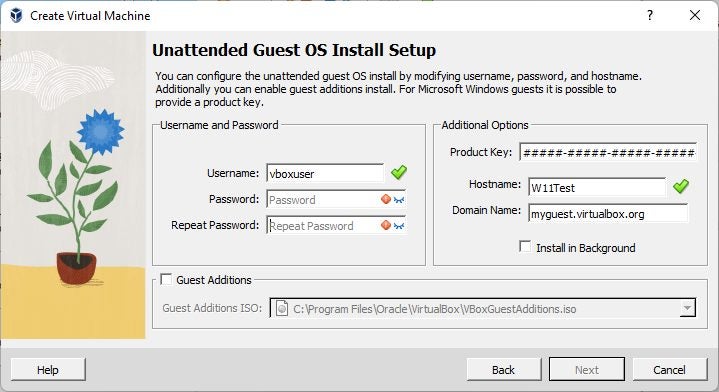
VirtualBox 7 improves the installation of Windows 11 in other ways. The virtualization software supports an unattended installation. The special type of installation skips most of the prompts that Windows 11 displays during setup; this includes entering the product key automatically and creating the first user account.

Here are step by step instructions:

  1. Download the latest version of VirtualBox from the company’s download server (it is VirtualBox-7.0.0_BETA1-153351-Win.exe at the time of writing).
  2. Install the application on the Windows PC.
  3. Download a Windows 11 ISO image from Microsoft.
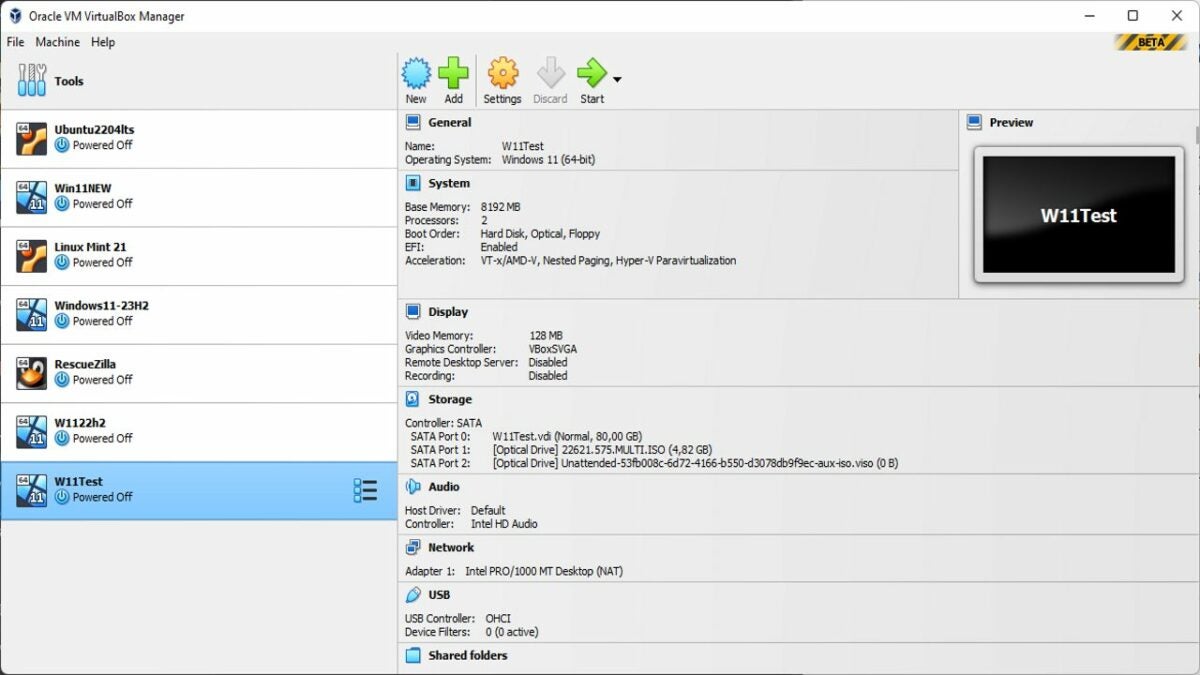
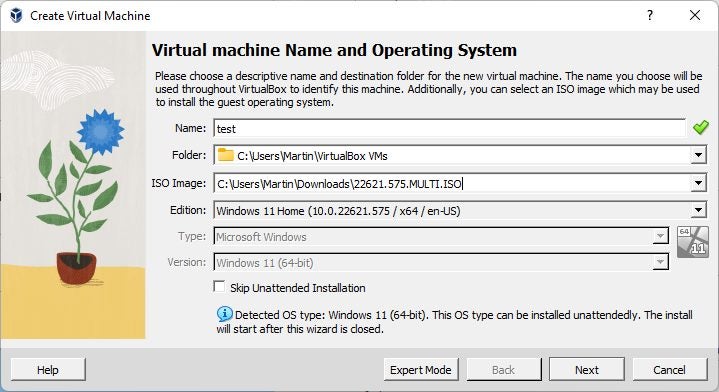
  4. Start VirtualBox and select New to create a new virtual environment.
  5. Select a name, folder and load the ISO image that you downloaded., and pick an edition, if available.
  6. Set username and password for the first user account.
  7. Add a product key (optional).
  8. Check “guest additions”, which help later on.
  9. Increase RAM, if the PC has enough, e.g., to 8192 MB. Make sure it is kept in the green range.
  10. Select next on the following steps and then finish to complete the setup.

Now, all that is required is to double-click on the new virtual machine to start it. Make sure you tap on a key when the “press any key” prompt is displayed in the program window.

Windows 11 installs automatically at this point and you can start using the operating system once the setup completes.

Closing Words

Virtualization may sound complicated, especially for new users, but the benefits outweigh the initial reservation that users may have.

Virtual operating systems are ideal for testing. Install a new version of Windows to find out if you like it, or a Linux distribution, or use the environment to test new programs and apps that you download.

Top tier tips to drive better in BeamNG.drive

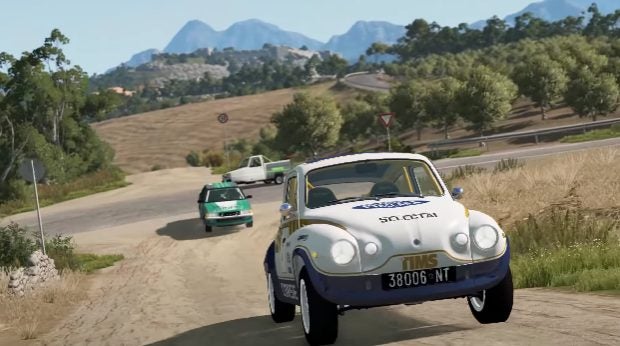
BeamNG.Drive is the most fun you’ll have behind the wheel of a virtual vehicle. You can go anywhere, do anything, and tune each to your heart’s content. Many people find their feet – or their wheels – quite easily with BeamNG.Drive, but for others, it takes a little bit more time.

BeamNG.drive DOWNLOAD

There’s nothing wrong with this. We all have games that we’re inherently good at, and not everyone feels that way about driving games. No matter your level of experience or your playing style, here are a few top-tier tips to drive better in BeamNG.Drive. 

Use a controller

Playing BeamNG.Drive on a keyboard is no joke. You have to contend with steering within the rigidity confines of a solid button, you don’t have a sliding pedal of any kind to work with, and you need to keep track of so many buttons. You could always change the control setup so that you can decide which button does what and essentially create the perfect keyboard layout, but that takes time, and you still can’t rely on fluid movements. 

The best way to mitigate all of these issues is to hook a console controller up to your PC setup. This way, you can control your speed better with incremental acceleration. You’ll also be able to steer better because you’ll likely have a joystick to work with. This will make the steering feel a lot more responsive and fluid. Lastly, you won’t have to contend with trying to remember infinite buttons. 

However, there’s an even better way. If you can afford it, because these rigs are rather expensive, invest in a steering wheel and pedals for your PC. Now, you can drive your cars in BeamNG.Drive exactly the way you’d drive any car in real-life. This definitely makes the game feel more realistic and gives you so much better control over the car. 

Top tier tips to drive better in BeamNG.drive

Roam free in BeamNG.drive

With so many driving games, especially those on Android, you need to do a number of missions and levels before you can unlock the free roam game mode. BeamNG>Drive is not the same in this respect. With BeamNG.Drive, you get instant access ro the free roam game mode, and we encourage you to use it.

Speaking from experience, tensions tend to run relatively high during a mission with a points system and a list of objectives. You’re stressed about finding a particular target on the map, driving without damaging your vehicle, or even just finding your way around the map.  

Therefore, we suggest starting in free mode. Here, you can mess up, you can smash your car a few times, and you can get lost. In fact, you probably will. But the only way to find your way is to become lost in the first place. Free roam gives you the ability and the freedom to do all the things you need to do in order to become more comfortable playing the game. Practice your cornering at different speeds so that you can develop a little bit of an instinct about how to judge a corner and how to negotiate it.

Practice your launch so that if you’re ever in a race, you know how to handle your car just right. To that point, free roam is also the best opportunity to get to know your car a little bit better. All of these things will help you become a better driver in the game. 

Top tier tips to drive better in BeamNG.drive

Try as many cars as possible

BeamNG.Drive gives you a decent selection of cars, especially if you count all the trim options that each car comes in. You’ve also got access to hundreds of thousands of mods that introduce real-world cars into the game. In fact, if you want to put that entire download process aside and just build your own cars from scratch, you can do that too with Automation

The point is, no matter which way you choose to play, you’re spoiled for choice when it comes to vehicles. Why would you stick to just one? Trying out as many cars as you can when you first start the game will give you the best idea of what your ideal vehicular match is. Maybe you love the look of the Civetta Bolide, but when it coms down to it, you find it doesn’t handle all too well. You can add that to the list of things you know about the various vehicles and base your decisions on that in the future. 

Top tier tips to drive better in BeamNG.drive

Take it slow

Don’t misunderstand me here, I don’t mean drive slow. We all know we want to go fast when we play BeamNG.Drive. By ‘take it slow’, I mean explore the slow motion feature. If you’ve played Need For Speed, you’ll be familiar with the slow-motion feature. Essentially this feature is designed to be used when you are going at breakneck speeds and need to negotiate a particularly tricky corner or other feature of the environment.

Hitting the slow motion trigger lets you move much slower, even though your car records the same speed on its speedometer. This is useful if you’re in a race and need to avoid an obstacle – especially in the case of a street race on an active stretch of road. 

Top tier tips to drive better in BeamNG.drive

Replay and reload

These two controls will be your best friends when you first start out. The first lets you retry a particular scenario. This is helpful if you can’t seem to get a scenario right or if you want to challenge yourself to do it better, faster, or more efficiently. The second control is to reload your vehicle.

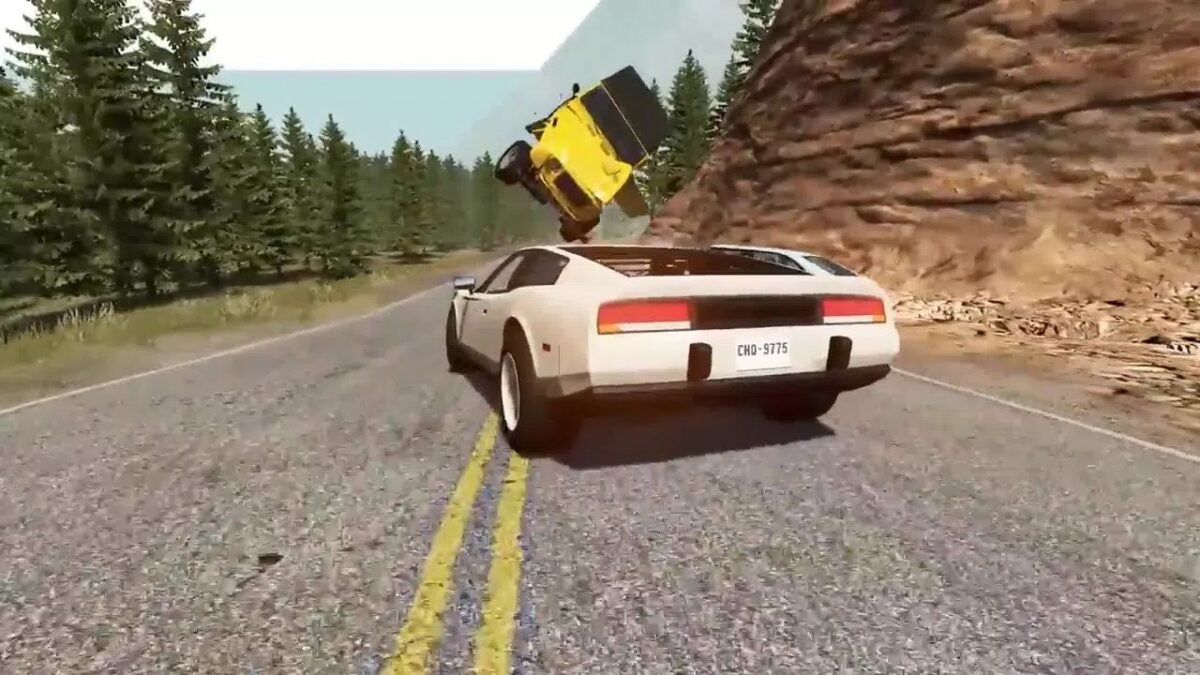
If you get into a little bit of trouble and end up upside down on the road – or worse, crushed by the force of your own collision – you’ll be able to reload your car, which will put you the right side up on the road. 

Top tier tips to drive better in BeamNG.drive

BeamNG.drive: Just drive

We can list options for you try till we are blue in the face. At the end of the day, the best way to gain competence in a specific task or area of experience is to practice. In BeamNG.Drive, practice loosely translates to go out there, get your game on, get into a vehicle, and tear up the streets. There’s no better advice than that. Just drive.

Speaking of vehicles, be sure to check out our list of the best cars in BeamNG.drive.

Duolingo can now teach you math as well as languages

If you have ever tried to learn a language or even just gone on holiday to another country, there is a good chance you will have downloaded Duolingo. The free app offers daily language classes on the basis of building up your skills little by little. Duolingo is now branching out beyond languages and into math, let’s check out what the new Duolingo math classes will have to offer.

Duolingo Math Ask for Early Access

Duolingo Math is going to be a brand-new app from the company that is going to focus on sending over math puzzles and challenges. Despite the obvious differences between learning a language and learning math, there will be lots of similarities between the two Duolingo apps.

You see, Duolingo is very much a learn-by-doing education app. That is why many of the sentences and phrases the language app has you learning seem to be so strange. When you are talking about polar bears eating apples or any other wild variation, the nouns that are the subject of the phrases aren’t very important, it is the grammatical structure that counts. Teaching in this way means that Duolingo can open use an almost infinite number of combinations and teach you a language in the same way you learn as a child. You see something and then you try to say it by thinking about what you said in a similar situation before.

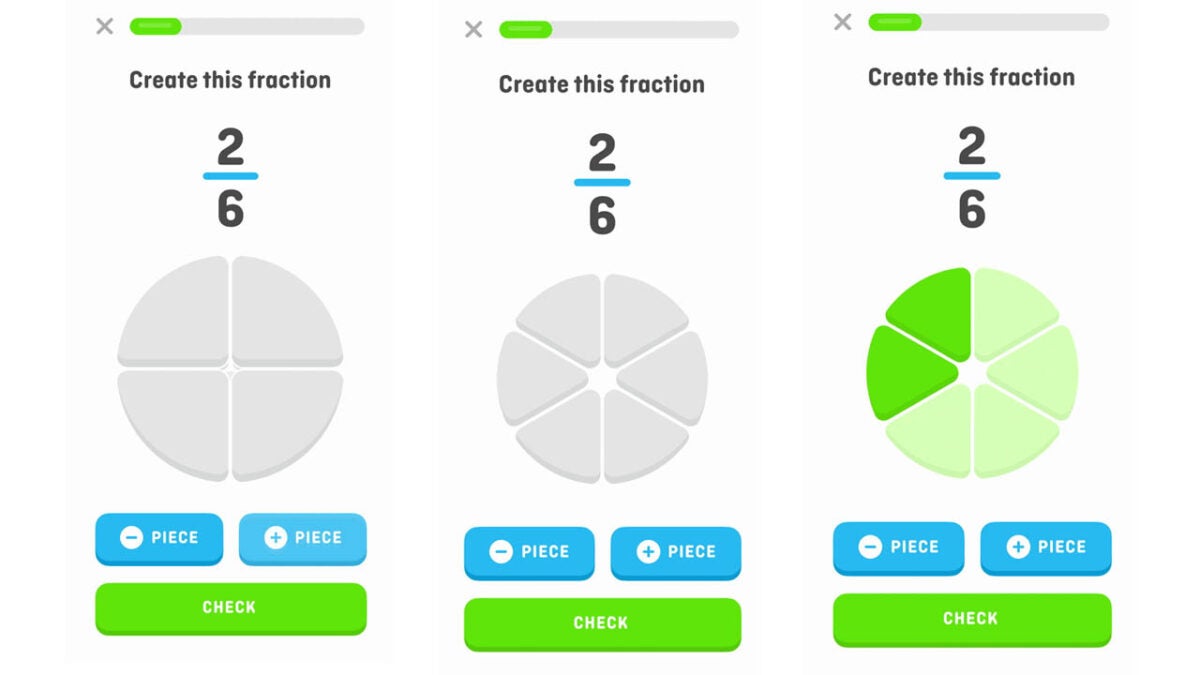
Duolingo Math will work in a similar way by showing you simple math puzzles and then asking you to move or interact with visual representations of the puzzle in the right way. The key to remember here is that Duolingo isn’t a puzzle app but rather an app to help users learn math and develop their math skills. Sammi Siegel who is the senior software engineer at Duolingo told The Verge:

“Whether it’s calculating the tip on a check or modifying the portions in a recipe, math is just really essential for our lives. We also know there’s this proliferation of math anxiety where people don’t feel totally comfortable with their math skills. We think with a fun and engaging app, we can cut into that and break it for folks.”

If you ever feel worried working out numbers and mathematical problems in your everyday life, then this could be the app to help you get past meth-related your problems more easily. Duolingo Math is currently available in an advanced beta test version for iPhone and iPad users and should see a full release later this year.

Did you know that you can learn how to speak High Valyrian with Duolingo? With the House of the Dragon now on TVs it could be the perfect time to start learning their language.

LastPass has been breached but the passwords are safe!

Yesterday we broke the news of a data breach affecting all users of the Plex multimedia service app. Unfortunately, today we have to bring you news of another data breach, but this time the breach has affected one of the main apps used to mitigate against other data breaches. The password managing app LastPass has confirmed it has been subject to a data breach. Let’s go through all you need to know.

LastPass Download Now

LastPass CEO, Karim Toubba has published a blog post explaining how the company detected unusual activity within certain aspects of the LastPass development environment. Unfortunately, the discovery unearthed a data breach that took portions of source code and other proprietary LastPass technical information.

First and foremost, LastPass is a security app, so a breach of this nature is a blow to the company’s reputation. As mentioned earlier, when data breaches affect other online services and user details are leaked, the smart thing to do is change all your passwords as many of us repeat the same passwords across many of our online accounts. One of the best ways to protect yourself against this type of event is to use a password managing app like LastPass.

In the blog post, Toubba makes it abundantly clear that user security details have not been compromised by this breach. This means that Master Passwords are safe, user data stored in vaults is safe, and no personal information has been compromised. In fact, Toubba recommends that users do not need to take any action in response to the breach. It is up to you, however, how you respond to the issue. LastPass will be taking some steps to try and prevent this type of breach happening again:

“In response to the incident, we have deployed containment and mitigation measures, and engaged a leading cybersecurity and forensics firm. While our investigation is ongoing, we have achieved a state of containment, implemented additional enhanced security measures, and see no further evidence of unauthorized activity. Based on what we have learned and implemented, we are evaluating further mitigation techniques to strengthen our environment.”

All-in-all then this does seem to be under control but nonetheless, it is worrying to think of all your passwords falling into the wrong hands. Despite this, however, we still highly recommend you use a password manager to generate and secure all of your online account login details. To help you pick the right one we have put together a guide to the 15 best password manager extensions for the Google Chrome web browser.

Zoom gets translated captions for video meetings but there is a catch

The digital transformation of the workplace has gone into overdrive ever since the pandemic forced many of us to work from home. To begin with, the mere fact of being able to carry on with meetings, etc. in such circumstances seemed almost unbelievable but now that the dust has started to settle, it is the interesting new possibilities that digitalization can offer us in our daily work and personal lives that are really starting to impress. This update from Zoom is a fine example of these incredible new possibilities.

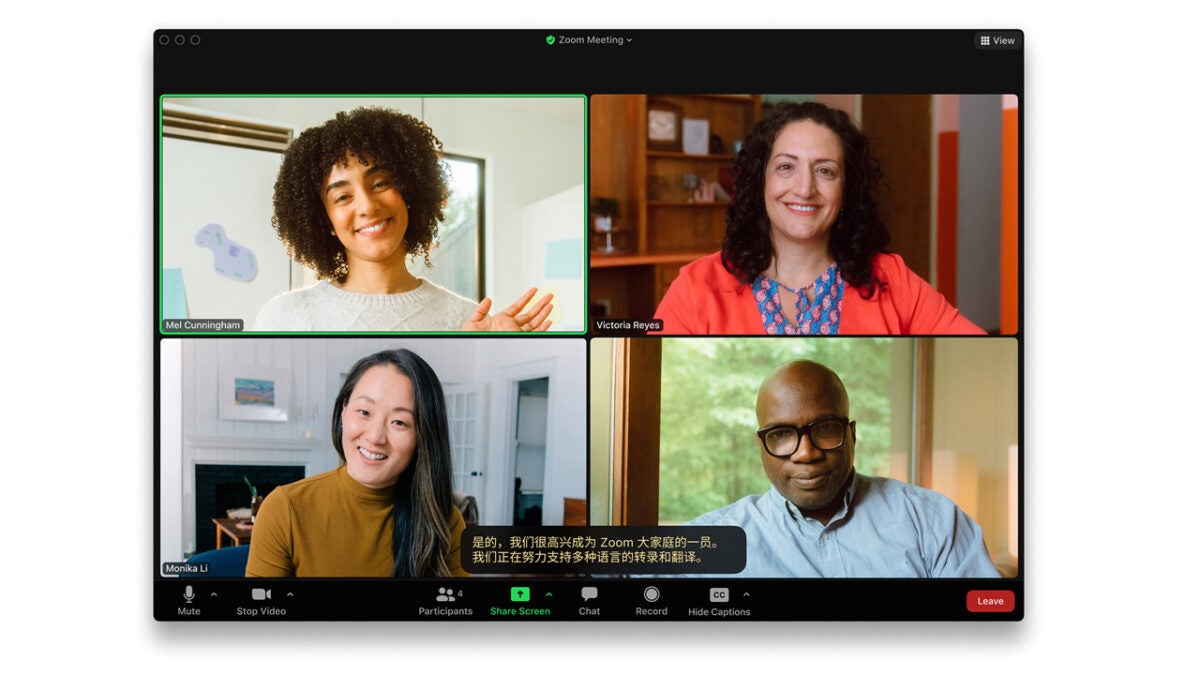
Zoom will soon start rolling out live language translation captions for video calls that will support 12 languages at the time of launch. This means that you will be able to have video meetings and conferences with users speaking in up to 12 different languages and you will be able to understand them, and they will be able to understand you. There is, however, a slight catch.

When this impressive update rolls out to Zoom users, it will only be premium users that will be able to access and take advantage of it. In fact, not even all premium users will be able to use it as there will also be an added premium payment required on top of the subscription fee to access the new translated captions feature. The price will be $5 a month per user, on top of the user’s subscription fee.

At launch, the translated captions feature will support Dutch, English, French, German, Italian, Portuguese, Russian, Spanish and Ukrainian. The beta version will also include Mandarin, Japanese and Korean . As well as displaying the captions in real-time to facilitate communication during the meeting, the captions will also be added to the transcript of the meeting too.

You can find the full instructions about how to use this interesting new feature over at the Zoom blog post the company published to announce the update. If you are a big Zoom user, you should check out our ultimate guide to using Zoom in 2022, which details all the latest features to come to the video conferencing platform.