Best tactics for Cult the Lamb

With Cult of the Lamb officially released on August 11, 2022, many of us are trying our gaming hands at this simulation, cult-building game. While the adorable creatures make it fun to play, it can become challenging the more you progress into it. 

Cult of the Lamb DOWNLOAD

If you don’t have the right strategy going into the game, you’ll find it too difficult to play later on. Here’s a detailed guide on the best tactics for Cult of the Lamb. After all, games are meant to be fun to play and possible to complete.

Choose your strategy

The one aspect that makes Cult of the Lamb exciting to play is that you have two approaches to the game. On the one hand, you’ll have to develop your cult, making them stronger with sermons and increasing experience (XP). The benefit of staying at home and powering up your following is that you’ll discover more powerful items on your journeys. 

The second element is heading out to crusades. There are tons of resources to find that will increase the speed of your cult development. While this may sound promising, you may want to wait until your followers are strong enough to handle the outside world.

Our next two tips will help you with both these aspects.
cult of the lamb tactics

Heading into crusades

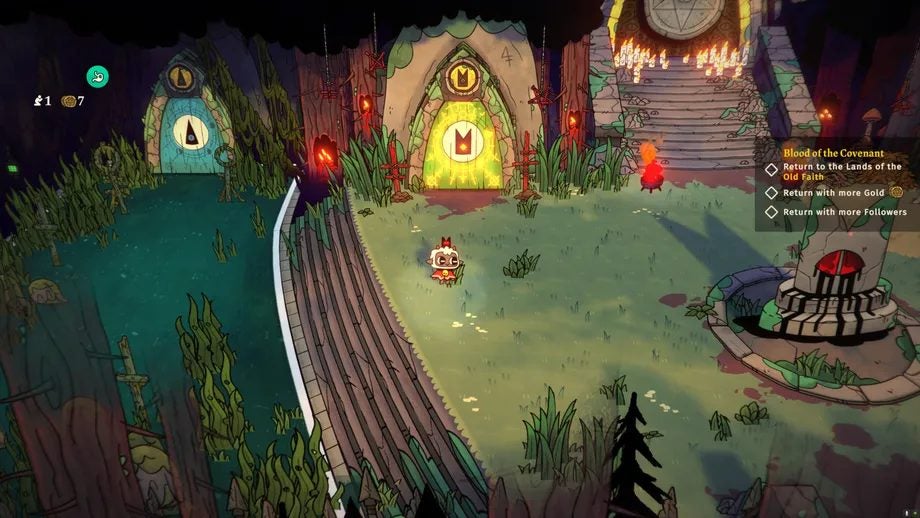
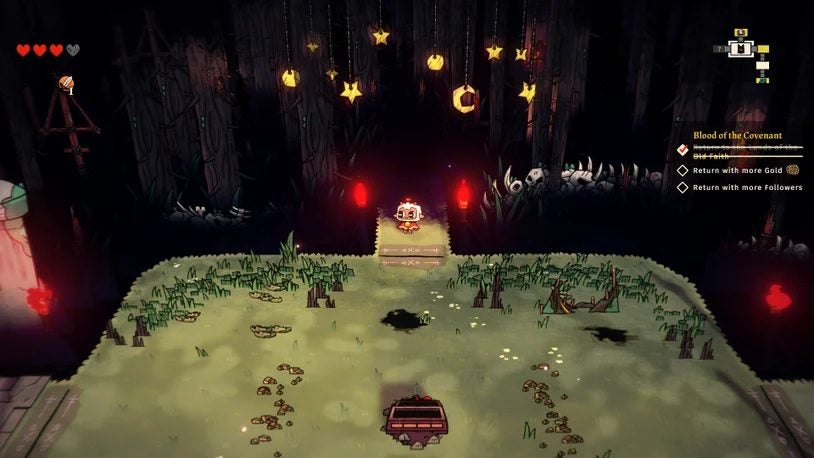
When you head out into crusades, you’ll inevitably run into combat zones where your Culf of the Lamb followers need to fight. It’s essential that you locate the boss of that region, specifically the statue. There’s Devotion you can absorb as well as stone when you chop it down.

Take some time to learn how different weapons work. Some are fast but deal less damage, while others are slow and deal more damage. Once you get the hang of them, you’ll know which ones are best for each scenario.

If you see a combat region with banners and icons, it means the enemies will have damage modifiers. They may have double damage applied or more health than usual. Be sure to prepare your cult members for each type of situation.
cult of the lamb tactics

Managing your Cult of the Lamb members

Since Cult of the Lamb has a sim aspect, you’ll need to make sure your followers are strong, healthy, fed, and well-rested. For the last element, they’ll all head to sleep when night approaches. You can still go search for resources and build while they’re resting, as long as you don’t summon an event.

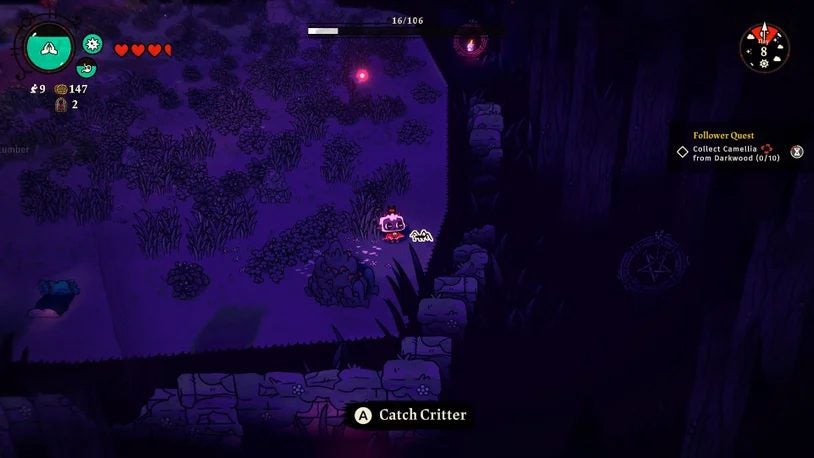
One lesson you’ll need to learn for the night is that spiders will appear to eat on resources lying around, similar to Minecraft. You’ll need to chase after them and kill them before they vanish. The benefit of this action is that you’ll score some meat that you can cook for your cult.

If one of your followers becomes sick, have a look around for any mess they’ve made. Any other Cult of the Lamb members who spot any vomit will quickly proceed to add to the mess. It can become chaos to clean. 
cult of the lamb tactics

Death is only the beginning

Do you have a favorite cult member that you love with every inch of your dark heart? Even Elder followers will eventually die, which means that you’ll lose the loyalty points they added. Also, there will be fewer Elders to add to the sermons every day.

Fortunately, you can use the Ritual of Resurrection to bring back your faithful followers. It returns them to active duty and brings back those loyalty points. It doesn’t matter how they died, even by sacrifice. You’ll easily be able to bring them back to the land of the living.

cult of the lamb tactics

Essential farming tips

Remember the part where you need to keep your cult well-fed? Cult of the Lamb has a farming mechanic that will aid you with this task. Once you establish a massive farm, you can automate tasks so that there’s always enough food for everyone.

When you head out on crusades, you’ll inevitably find seeds along the way. All you need to do is place them in the silo. Your followers you assign to the farm will plant them, and then you wait for them to grow. Once ready, you can harvest them to add food to your stockpile.

cult of the lamb tactics

A ruthless Cult of the Lamb mindset

Cult of the Lamb is definitely not a game for the sentimental player. You need to view your followers as a resource and nothing else. Unlike your horse in Skyrim that you love and cherish, the cult members are items you need to see as expendable.

The reason for saying so is that you can sacrifice the Elder followers to gain more resources. There will always be more members you can recruit or add to your tribe later. So put the soft side of your heart aside, preparing to kill them off when they’re served their purpose.

That’s it for our beginner’s tactics for the game. Please be sure to head to our detailed Cult of the Lamb review to see everything you’ll experience when you play it!

Cult of the Lamb review READ MORE
cult of the lamb tactics


System Mechanic: The only PC optimization utility you’ll ever need

Are you tired of having a slow, sluggish PC? Are you sick of companies that promise the world only to let you down when it comes down to keeping your PC free of junk and functioning at its peak? It sounds like you may not have heard of Iolo and their incredible System Mechanic app.

In the article that follows, we’re going to introduce you to the superior value and efficiency of the only PC optimization solution you’ll ever need.  Let’s show you what System Mechanic is and how it can help you.

What is System Mechanic?

System Mechanic is an incredible new PC optimization utility from Iolo. You’ve no doubt tried an app or two that promise to keep your PC in tip-top shape, but there is no utility more streamlined, user-friendly, and efficient than System Mechanic by Iolo.

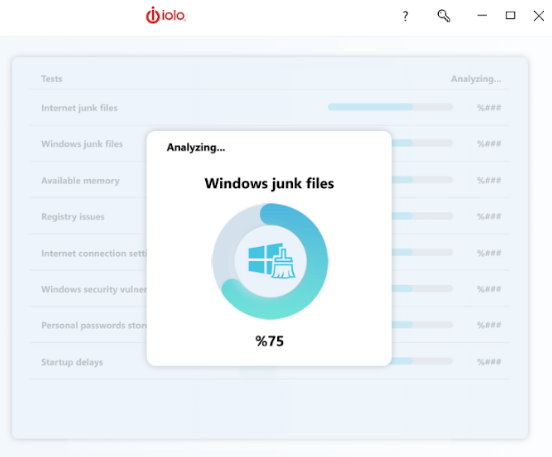
This utility was purpose-built to not only delete junk files that may leave your PC sluggish and unstable but also remove system-hogging bloatware, the existence of which you may not have even been aware. With System Mechanic, you’ll be able to work, create, play, stream, and download with the confidence and peace of mind that your PC’s health is being taken care of. 

System Mechanic GET IT NOW

No annoying plugs in System Mechanic

Picture this. You’ve just installed a ‘trustworthy full-service PC optimization utility’ and you’re excited to shift your focus back to what you love to do. Just as you’re immersing yourself in your passions again, your concentration is broken by a sudden pop-up that takes up almost half of your screen. It’s the ‘full-service’ utility that you’ve just paid for, using scare tactics to try and strongarm you into purchasing another of the company’s products. Not everyone uses the term ‘full-service’ in the same way. 

Here’s the System Mechanic promise: Iolo won’t flood your system with advertisements and promotional plugs. The reason we can say this with confidence is that when you invest in PC safety and peak performance with Iolo, you’re receiving an entire premium suite of PC optimization and safety tools. For instance, Iolo won’t try and push antivirus add-ons down your throat because you’ll already have it included. I won’t mince words.

System Mechanic is the most trustworthy and efficient of these apps that I’ve come across. Having a PC may be a privilege, but having the assurance and peace of mind that your PC is safe and remains effective shouldn’t be a lofty expectation. You have the right to safety and security – even online. 

Clean UI

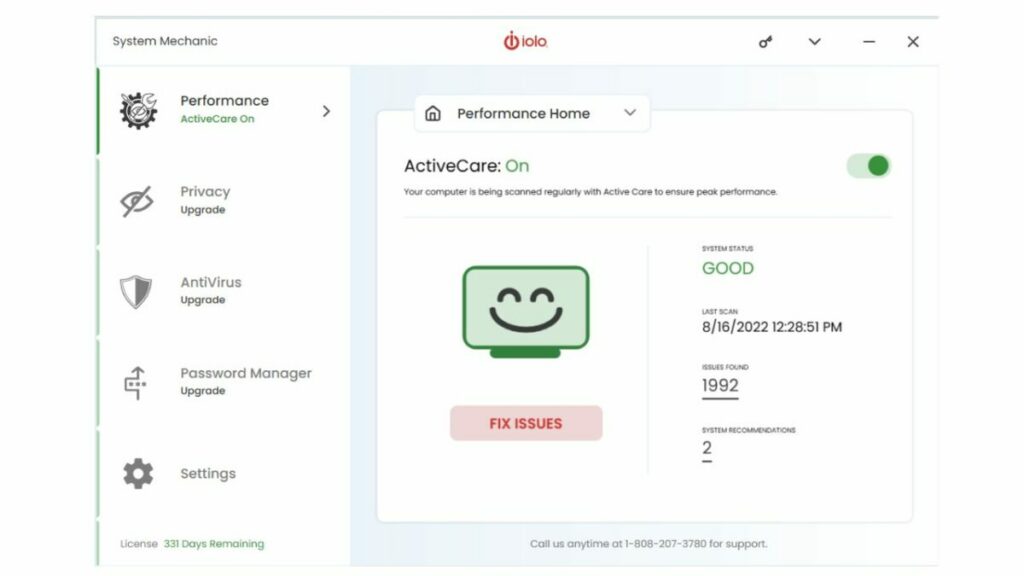
Even though they’re meant to clean and de-junk your PC, PC cleaners often look far too complex and messy to use effectively. With System Mechanic, you can rest assured that you’re getting one of the most user-friendly and cleanest user interfaces in the industry. Iolo prides itself on products that you can feel comfortable using, even if you don’t have all that much experience with PC diagnostics and repair. System Mechanic’s UI is a breath of fresh air. 

One-click optimization with ActiveCare

So you’re not a PC buff. That doesn’t mean you can’t keep on top of your PC’s health and well-being. On the contrary, not being a PC buff makes it even more important that you have a system in place to keep track of your PC’s condition. System Mechanic has you covered.

The app’s One-click ActiveCare feature makes it easy to essentially automate the management of your PC. With System Mechanic, you can set it and forget it. 

NetBooster

Is your Wi-Fi network being a little slow and sluggish? System Mechanic’s NetBooster makes inefficient wifi connectivity a relic of the past. Everyone deserves a fast and secure internet connection without it costing extra. 

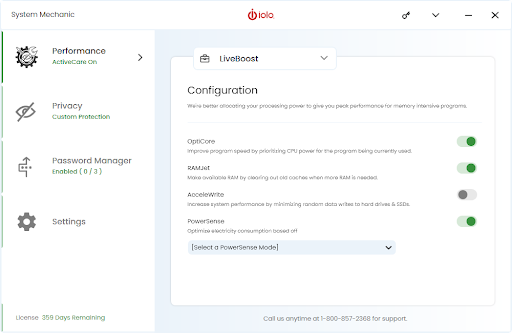
System Mechanic LiveBoost

If you’re a gamer, of any rank, inefficient RAM is likely the bane of your existence. Why not choose System Mechanic’s LiveBoost which will boost and optimize your RAM so that you can game without lag? 

System Mechanic by Iolo

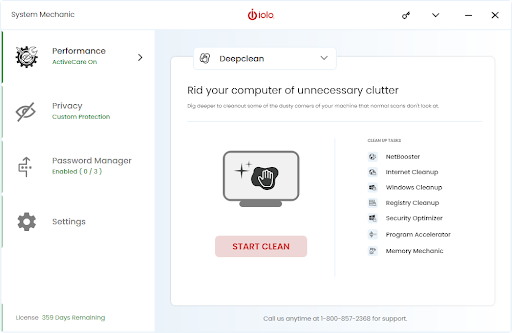
Deep Clean

This is by the far the most incredible aspect of System Mechanic. Your PC is full of junk. In some cases, you’ll be able to see it; the apps you downloaded by no longer use, duplicate files, documents you read once and have since forgotten about. All of these can slow down your PC, in great enough quantities. However, it’s usually the junk you can’t see that poses the greatest threat.

Bloatware is system junk that manufacturers and service providers install onto your PC, either before you buy it, or subsequent to updates or maintenance services. You don’t have to worry about bloatware or general junk with System Mechanic in your corner because this utility will take care of your PC’s storage for you. System Mechanic will even scan and remove verified junk automatically – without you having to so much as press a button. 

System Mechanic by Iolo

Better than the best

There are three names that have become regarded as the ‘best in the business’ in terms of device management, maintenance, and protection. I’m here to tell you that System Mechanic by Iolo is better. Clean deeper than you’ve ever cleaned before, stream and game faster than your rivals, and browse the wide-open virtual spaces of the internet without fear that you’re at risk of attack. Choose peace of mind and a comprehensive PC optimization solution. Choose System Mechanic by Iolo. 

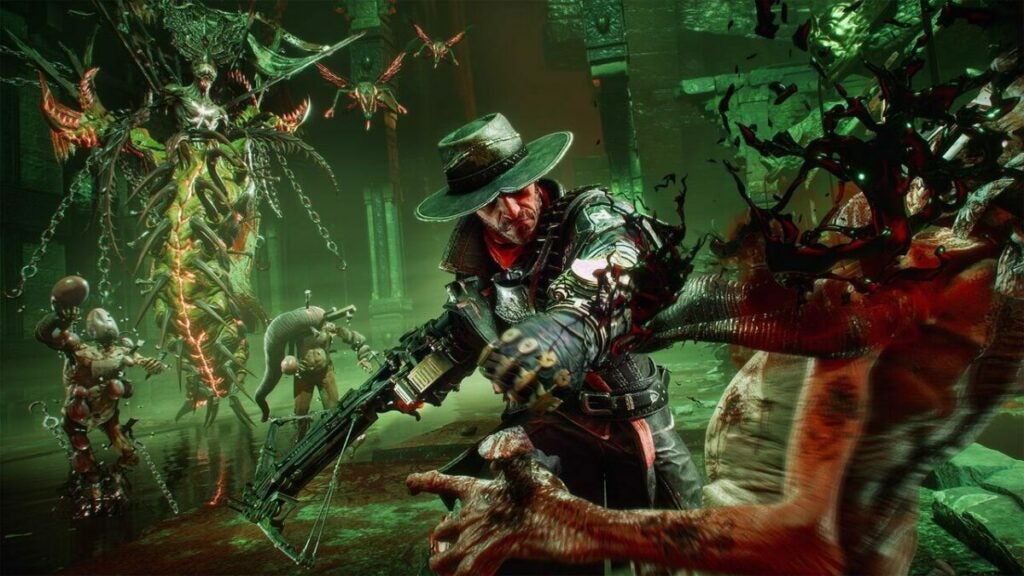
Evil West with its Wild West Doom flair is delayed

November is one of the busiest times of the year for game releases. With many 9-to-5 workers receiving their annual bonuses in that month, publishers push to make the most of it by launching games at the same time. Should it come as a surprise that Focus Entertainment is delaying Evil West until November 2022?

Both Focus Entertainment and Flying Wild Hog posted on their Twitter feeds to share news about the Evil West delay. You’ll notice the staple “to ensure good quality” line that most publishers copy and paste. However, I should just mention that it’s also due to being published across five different platforms.

If this is your first time hearing about Evil West (probably due to me using Wild West and Doom in the title), there’s reason to be excited. In all honesty, Focus Entertainment is probably trying to bank on the success of Red Dead Redemption 2. Here’s a gameplay video from the publisher showing you some of the features.

If you’ve read enough of my articles by now, you’ll know I love the horror and fantasy genres. Evil West is set to have a mixture of both with that Wild West flair. You can see in the video the many ways you can upgrade your weapons, but those creatures near the end are exciting.

evil west delayed


The concern is that Evil West won’t make the new November 2022 launch date, and it moves to Q1 of 2023. Lord of the Rings: Gollum also received a delay, but we have no new release date for the game. In my opinion, that’s probably the safer option than delivering more disappointment later down the line.

Lord of the Rings: Gollum delayed READ MORE

Amazon rushes to remove leaked images of a new Fallout series

Fans of Fallout 4 were all abuzz recently when new leaked footage of an Amazon Fallout series appeared on Reddit and Twitter. While the news spread on the internet like fire on a straw pile, Bethesda and Amazon quickly moved to have all traces of the images scrubbed. That doesn’t mean we don’t know about it, though.

Fallout 4 DOWNLOAD

The leak first emerged on Reddit, mentioning details of a farm and Vault 32 in the new Fallout series. Sadly, if you head to the subreddit now, the poster indicates that he decided to take it down. It seems they’re afraid that someone from Amazon or Bethesda will take action.

It wasn’t the end of the leak, thanks to us adoring Fallout fans. Hunter headed to Twitter to share the same footage of the Fallout series, receiving quite a few positive comments. Once again, if you head there, you’ll see that Twitter removed the images due to copyright issues. Well done, Bethesda and Amazon. Well done.

All these actions to take down the Fallout series footage may have been in vain. All of us waiting to see Fallout as a series or movie on TV will be speaking about this leak for many months to come. When they finally release a trailer or news about the launch, we can say we knew all about it months ago.

leaked images of a new Fallout series

Recently, we watched in amusement as Blizzard also scrambled to remove leaked details about Diablo IV. It seems like we gamers don’t know how to keep a tight lid on confidential information. Can you blame us, though? We’re just so excited about new developments that we can’t wait to tell the world!

TikTok bans influencer political ads for the upcoming U.S. elections

The U.S mid-term elections are only a few months away, which means we’re about to hear and see all about it on social media platforms. With this in mind, TikTok has reminded everyone that it won’t permit paid political ads. More specifically, it will ban influencers and content creators from posting similar content in favor of politicians with paid ads.

TikTok DOWNLOAD

The goal is to steer clear of misinformation. Any election event is bound to go crazy with chats and details online, and there’s always the opportunity for false information to spread on platforms like TikTok. To stop it completely in its tracks, you’ll receive a ban if you post any paid political ads. 

Members of TikTok and specifically the Head of U.S. Safety made sure that this proclamation is clear. Eric Han issued a statement that reinforced the company’s commitment to maintaining election integrity. That means ensuring that no misleading information is posted with paid political ads, including banning influencers.

To make sure you receive the message, TikTokComms made a similar post on Twitter. The Community Guidelines are being used as the platform to remind influencers of the rules, making sure they understand the consequences. If you still post about paid political ads and receive a ban, you were warned.

The platform will continue with its Election Center feature where U.S. members can keep track of everything pertaining to the mid-term elections. It will give details in more than 45 languages for anyone who needs to know what’s happening.

TikTok bans influencer political ads

With TikTok becoming a search engine for Gen Z, we suspect many younger members will be in need of the Election Center utility. We hope this new plan does indeed rid TikTok of any misinformation for their sake.

Color-coded categories on Google Calendar help you stay organized

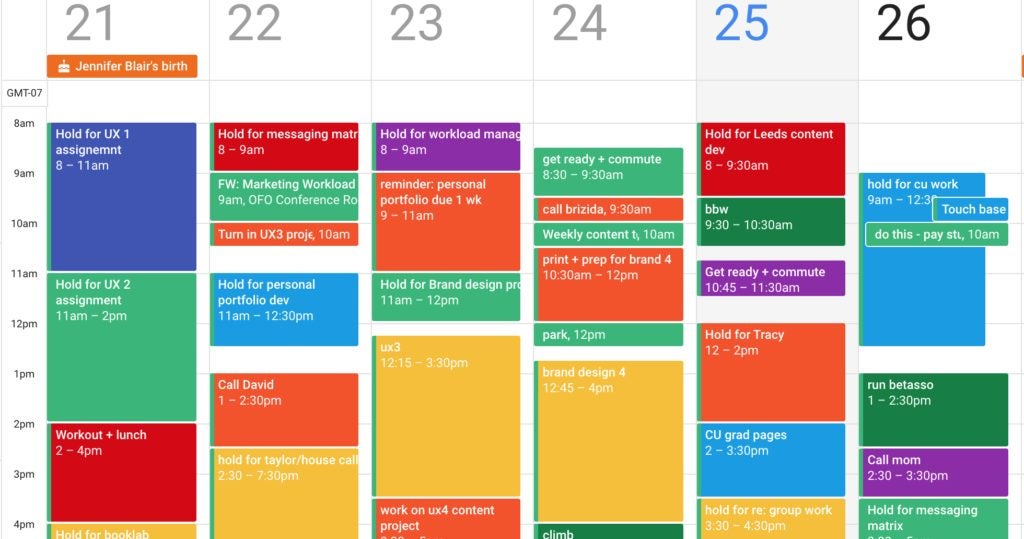
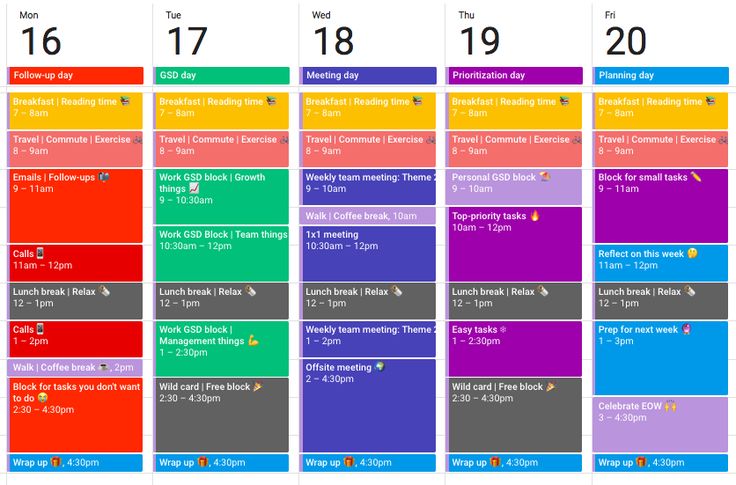
If you’re obsessed with planning and organizing your week, you’ve probably gone wild with color labels in Gmail. In an effort to mimic the success of that feature, Google Calendar will receive an update that includes color-coded categories. You’ll be able to see who and what gets most of your time.

Google Caldendar DOWNLOAD

Last year, Google Calendar introduce a Time Insights feature so you can see how you spend your time. It was an effort to help you organize your precious time better, making sure you focus on top-priority tasks. The problem is that many people spend more time in meetings than actually executing work.

Enter the new Time Insights update. Only available to top-paying members, you’ll be able to add colors to various meetings and tasks with labels. When you enter the insights menu, there’s a section that lets you organize the timeline by color. If you don’t have a label for one of the projects, you can quickly add one there.

The other option is going into the meeting details and adding a color and label. It will still show up on the insights menu. In this way, you can quickly see who or what is eating up all of your time, and then adjust accordingly. It’s an excellent way to improve productivity, especially when you want your focus on a specific task.

Color-coded categories on Google Calendar help you stay organized

This update is at least better than the last creepy Google Calendar update where colleagues can see where you are when you’re supposed to be working. If you’re sharing meetings or tasks with them, you’ll might be able to share the color labels too. The new feature is set for release towards the end of August 2022. Just remember, you need to be on one of the top subscription packages.

The ad-supported subscription tier of Netflix won’t allow downloads

We’re anxiously waiting to see what the new ad-supported and ad-free tiers of Netflix will be like. While many rumors have been flying around, the latest news is that the former won’t let you download videos for offline viewing. If you have the ultimate package, you’ll still be able to do so.

Netflix DOWNLOAD

This latest development is brought to us by Steve Moser on Twitter, who decided to look at the text within the codes for the new Netflix tier models. The statement implies that anyone who subscribes as a member with ads won’t be able to download videos. It’s interesting that they decided to take this stance now when the company previously used the feature to encourage people to join.

You won’t have to worry about paying more than you currently are if you already have the standard membership. The new ad-supported Netflix tier will be an entry-level package. The purpose is to show new members what they can enjoy, but only if they upgrade.

In some ways, it makes sense. I have many friends asking me if Netflix is worth it. No matter how much I explain that I enjoy it, they still have their doubts. Now, they can subscribe for a cheaper package to get a taste of what it’s like.

The ad-supported subscription tier of Netflix won’t allow downloads

The company hasn’t indicated how long before newcomers will experience commercials on Netflix. It will be interesting to see if any other streaming platforms will follow the same example, which will be utterly disappointing. We specifically watch these streams so we don’t have to worry about adverts. 

Let’s hope this new experiment doesn’t go viral. If it does, we’ll be waiting for new streaming platforms advertising that they don’t show commercials….until they do.

Tips for beating Poppy Playtime Chapter 2 on Android

We’ve just had the release of chapter two of this incredibly popular horror franchise – Fly in a Web. The first previews and trailers for Poppy Playtime Chapter 2 introduced us to a brand new big bad – Mommy Long Legs. The Android version finally released on August 15, 2022, so now you can play it on your phone and tablet!
Poppy Playtime: Chapter 2 DOWNLOAD

Believed to be based on the Betty Spaghetty toy, Mommy Long Legs is the adversary that we must vanquish in order to progress to the next potential chapter. However, the second chapter of the game is relatively tricky if you’re not used to this style of gameplay – especially for mobile players. Therefore, we’ve decided to give you a few tips and tricks for Poppy Playtime Chapter Two that will hopefully help you survive on Android.

Interact with everything in Poppy Playtime Chapter 2

Poppy Playtime is infamous for having multiple layers of mystery and intrigue, as well as numerous interesting game mechanics. The best way to give yourself a fair chance at beating the game, you need to interact with everything you come across.

In the screenshot above, you’ll see that the idea is to leave no stone – or barrel – unturned. If you don’t move these barrels, for instance, you won’t be able to access the door, and thus the key to Elliot Ludwig’s office will remain out of your grasp. There are artifacts in Ludwig’s office that are of importance that we’ll tackle in a short while.  

Achieving any measurable success in Poppy Playtime, chapter one or two alike, requires a keen sense of observation and the realization that the entire toy factory is riddled with interactive tools, grappling points, ladders, and buttons. It is your job to find them and uncover the secrets that they hide. 

Tips for beating Poppy Playtime Chapter 2 on Android

Use your grab pack

This might sound obvious, but the game is unbeatable unless you use your grab pack to the best of your ability. By chapter two you’ve already found and equipped the red hand, which you’ve also used in the later parts of chapter one. When chapter two starts, you should be well-versed in the use of your grab pack. Even so, not all players use the grab pack to its fullest potential.

By this, I don’t mean that there’s some secret use for the grab pack, I only mean that you need to extend those puppies at literally everything. There are some items you can pick up without your grab pack, but some will require it. 

Do you remember your first time playing Poppy Playtime Chapter 1? Remember how your first instinct when you saw the giant, not-at-all-terrifying statue of Huggy Wuggy was to high-five the son of a gun with your blue hand? You should treat the rest of the game like that moment and fire your extendable arms at everything you see. You won’t be able to defend yourself with them, but at least they’re good for grabbing grappling points and levers. 

Tips for beating Poppy Playtime Chapter 2 on Android

Artifacts in Poppy Playtime Chapter 2

This isn’t really necessary for the main storyline of the game. However, each artifact you collect gives you a great deal more information on the setting that the game drops you into. Earlier, we mentioned the artifacts to be found in Elliot Ludwig’s office. One of these is a sunflower statue, and the other is a note concerning one of the earlier experiments.

These artifacts will give you contextual clues as to what’s really going on in the toy factory. Although looking around at all the broken and bloodied toys scattered around the halls, it’s not much of a guessing game. Clearly, Mommy Long Legs isn’t all too fond of other toys. 

The videotapes were the main focus of everyone’s artifact hunts in chapter one, and these make an appearance again in chapter two. You’ll be able to collect these and play them for even more context as to the situation you find yourself in. Even more content can be found in the dialogue throughout the game. The way Mommy Long Legs talks to our character when she’s dragging Poppy Playtime up, up, up, and away gives me the impression that our character has come face-to-face with her before – and she isn’t a fan of us. 

Tips for beating Poppy Playtime Chapter 2 on Android

Watch the tapes

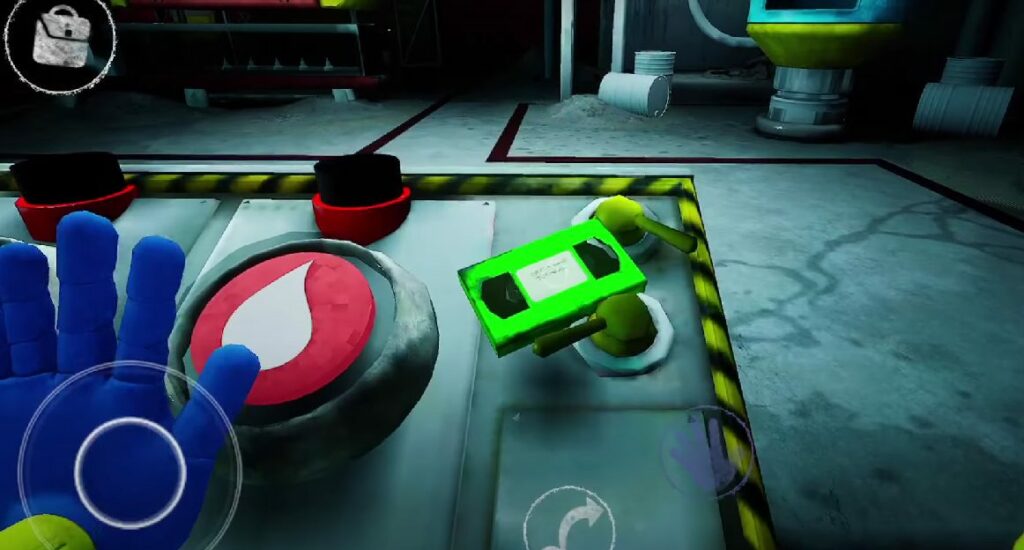
We’ve already addressed the VHS tapes as part of the numerous artifacts there are to collect. However, the green VHS tape is not just important to your collection of artifacts – it’s essential to your progress in the game. At some point in chapter two, you’ll lose one of the hands-on your grab pack. There’s no way to get out of this; it’s an inevitability.

Fear not, though. Picking up the green VHS tape and placing it into the green video player will introduce you to your next best friend – a green hand. The VHS tape will detail the particulars of this new hand, including the fact that it can hold an electrical charge for a short duration. Without this video, you’ll be ill-prepared to use the hand when you find and equip it. 

Tips for beating Poppy Playtime Chapter 2 on Android

It’s not over

There you have it. We’ve given you our best tips to make it out of Playtime Co. alive – for now. As one of the death screens stipulates, it’s not over. We anticipate more chapters, more mystery,  more jump scares, and more secrets to uncover. Hopefully, our character’s role in the strange happenings at the toy factory will become even clearer in time, and we can only hope that Poppy Playtime steers clear of locking secrets behind overpriced NFT purchases in the future.

That was a seriously off-color move on the part of the developer. Until we have more information about the future of the franchise, we’ll keep delving into chapter two. We’ll update this article as we find new tips and tricks to successfully beat Poppy Playtime Chapter Two: Fly in a Web. In the meantime, why not peruse our in-depth review of this latest phenomenon in the indie horror gaming genre?

Poppy Playtime Chapter 2 review READ MORE
Tips for beating Poppy Playtime Chapter 2 on Android

Beginner’s guide to using DaVinci Resolve

If you’ve ever wondered how top-quality movies are made, chances are that DaVinci Resolve was used. Now in its 18th edition, it lets teams collaborate while editing and making color adjustments to images and videos. At first, the post-production video editor can appear daunting, but you just need someone to show you how to use it.

DaVinci Resolve DOWNLOAD

That’s our lesson for today. We’ll give you a few steps for how to use DaVinci Resolve, and then the rest is up to you. We could produce an entire book with details on each tool, but for now, we’ll simply present the basics.

How to use DaVinci Resolve

Before we head into the steps, we need to add a small note about downloading and installing DaVinci Resolve. There are free and paid versions, depending on what you need it for. It doesn’t matter which one you use, you’ll have to register with Black Magic Design with some information before you can receive the video editor.

  1. Starting a project

    How to use DaVinci Resolve

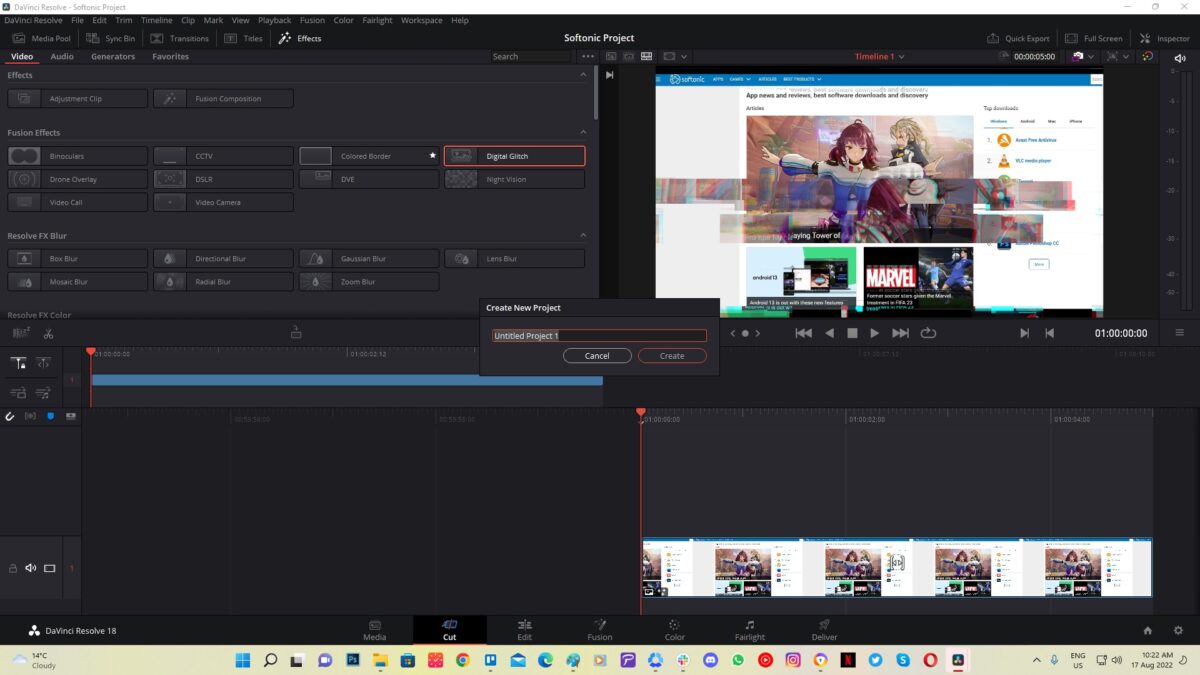
    Once you have DaVinci Resolve installed on your PC, it’s time to start your project. There are two ways you can accomplish this. The Project Manager screen appears when you open the video editor. You’ll notice Untitled Project to the right and New Project on the bottom right, and each one has a different result.

    If you select Untitled Project, you’ll get started with your video immediately while giving it a name when you try to save it. On the other hand, New Project will first ask you for a name before you begin. Either way works fine.

  2. Importing media

    How to use DaVinci Resolve

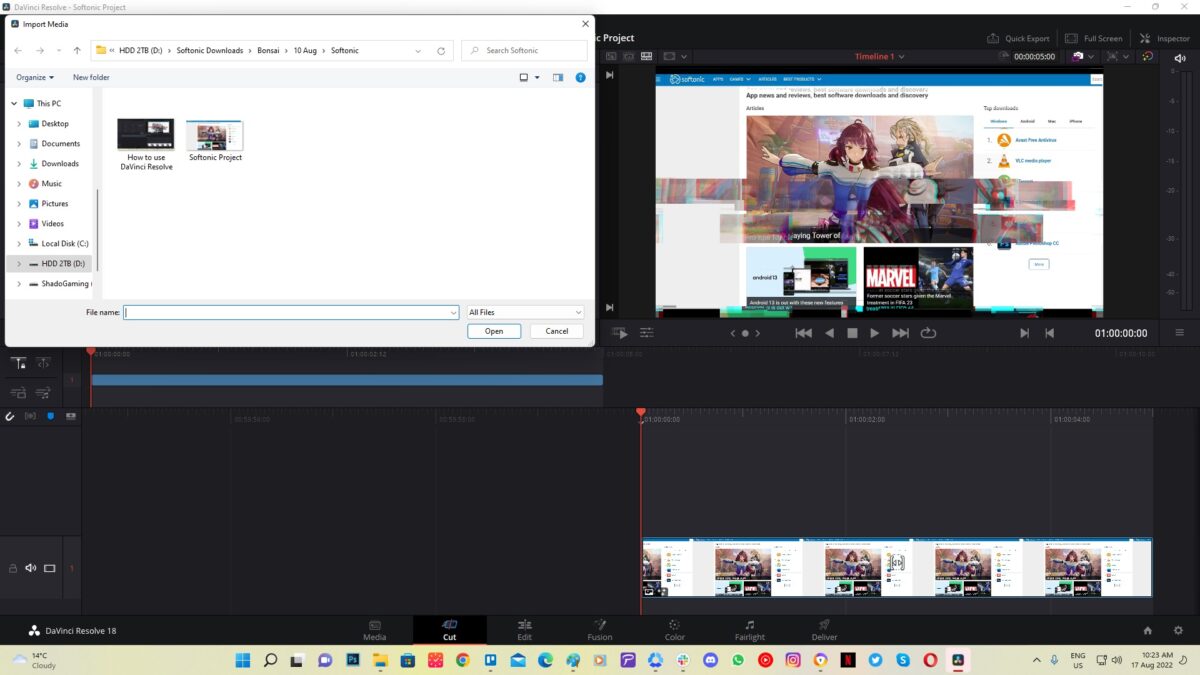
    It’s time to give DaVinci Resolve the media you want to use for the video. These can be in the form of videos, images, sounds, music, and many others. You’ll notice that there’s a Media Page that lets you drag-and-drop media from folders, or you can browse and click on the files directly.

    If you add videos, you may receive a message about changing the framerate for all videos to be the same. Explaining why this is essential and how it works in detail requires a more advanced guide. For now, all you need to know is that beginners should work with the same framerate to make video editing on DaVinci Resolve easier.

  3. Creating the timeline

    How to use DaVinci Resolve

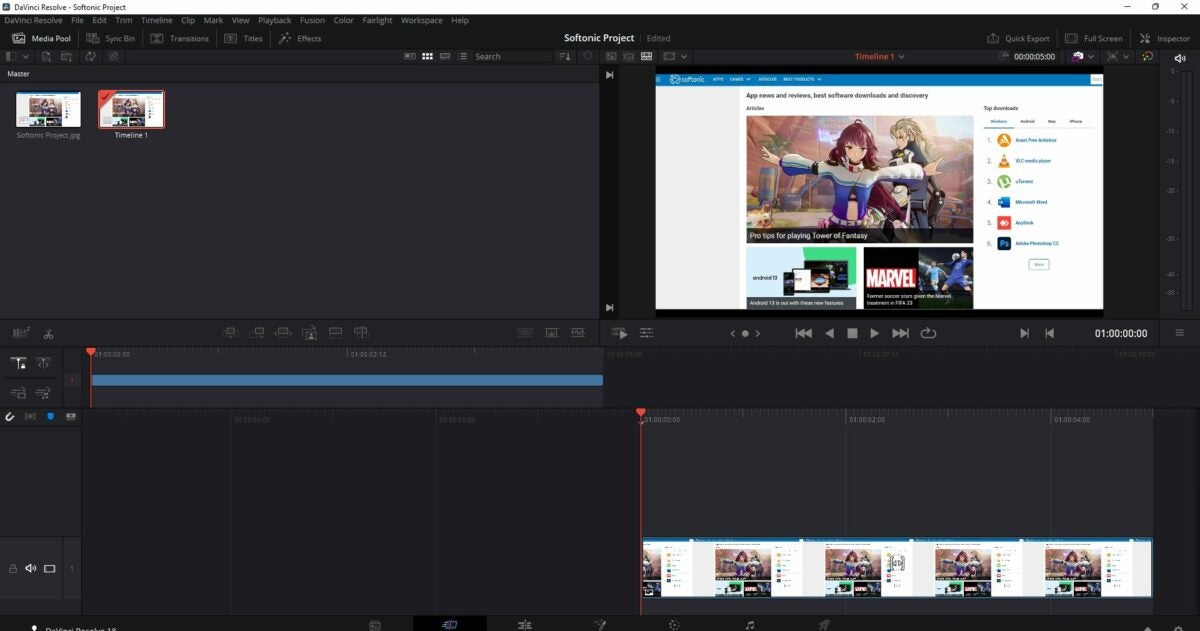
    Here’s where things get tricky. You’re entering the actual video-editing phase on DaVinci Resolve. We recommend entering the Editing Page, as the Cut Page is more for advanced users. As a beginner, the former has a more simplified process.

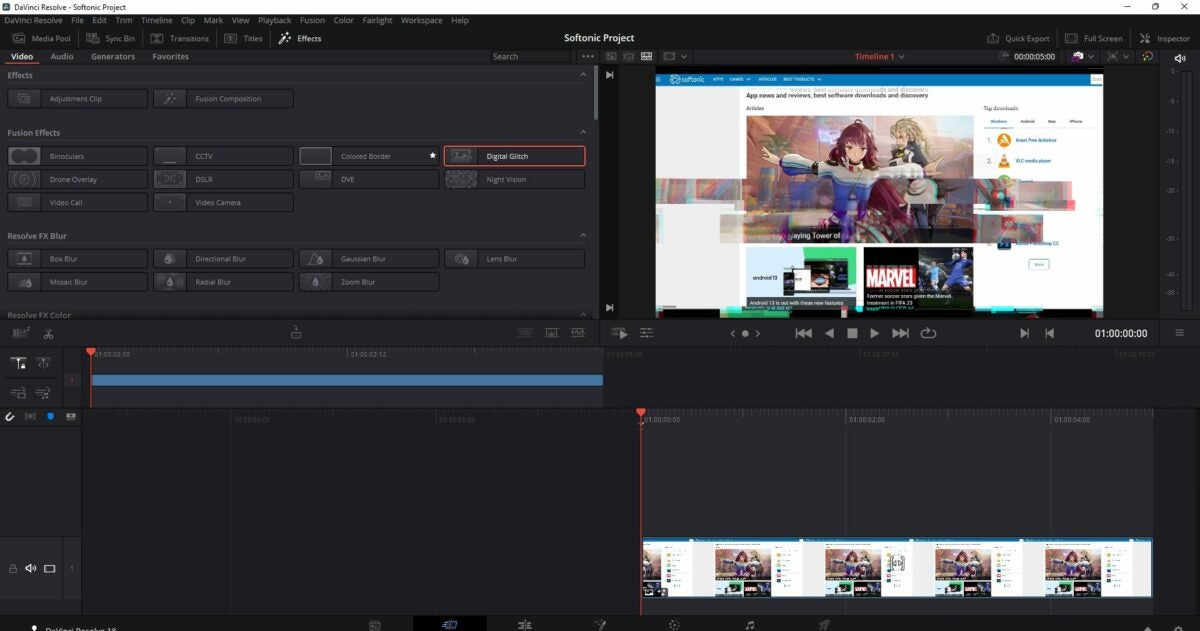
    On the Editing Page, you have several sections. The Media section has all your images and other content that you uploaded in the previous step. If you want to view videos or photos before you place them on the timeline, you can do so in the Source Viewer. The Timeline is where you’ll place all your items in the right order. 

    You’ll find an Effects Library where you can add transitions and other effects, which we’ll touch on a bit later.  There’s also an Inspector too, where you can fiddle with some of the content settings. Finally, the Mixer is where you can adjust and mix music and sounds.

  4. Performing edits

    How to use DaVinci Resolve

    It’s best to add some ins and outs on images or videos before you place them on the timeline. In this way, you can place them on the timeline with the end of one media touching the start of the next one. If you’re adding videos, you can trim them down to only show the portions you want. 

    We would have to make a more advanced guide that deals with all the editing tools available for making a top-quality video. The most important part is that you place the media in the right order. Feel free to play around with some of the effects and tools to get the hang of editing your content.

  5. The final touches: effects, transitions, and exporting

    How to use DaVinci Resolve

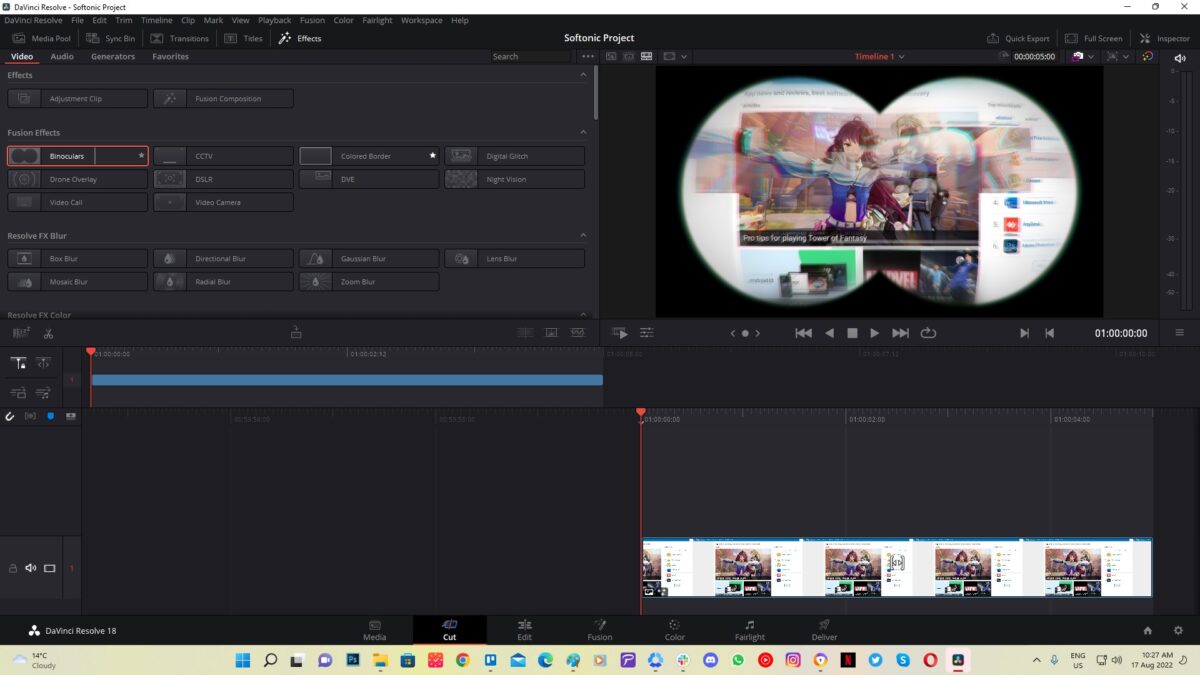
    You’re almost near the end of your first experience with DaVinci Resolve. You can now add any effects you want to your video from the library. You can also place titles over your images or within the video on the clips, or transitions between clips on the timeline.

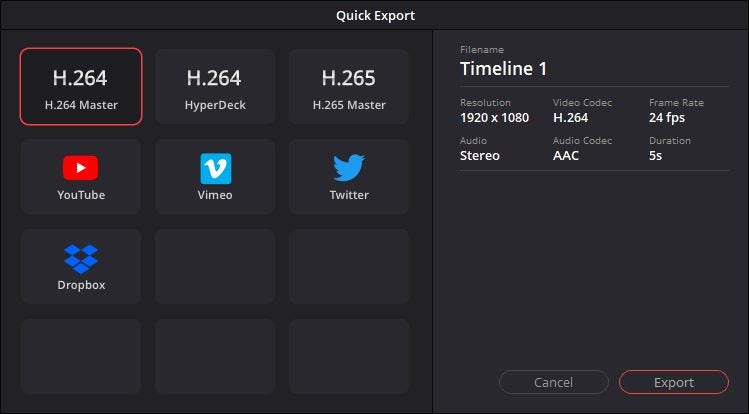
    When you’re ready to finalize your project, head to the Delivery page. The process of making the video is called Rendering. You might be able to work on a few settings, but you’ll be unable to edit the timeline in this phase. Be sure to check the requirements of the platform you plan to upload when changing the settings. In Da Vinci 18, you can also click on Quick Export.

Is DaVinci Resolve difficult to learn?

DaVinci Resolve has a stunning interface that makes it easy to learn, even for video-editing beginners. There are so many tools, it basically combines the functions of several apps into one. The trick is when you get to the more advanced clipping features where you may need to sit back and learn how to use them.

Microsoft plays catch up with Google for once with this neat update for Excel

With more and more people working from home these days, there is fierce competition between Microsoft Office and Google Workspace to capture the growing market. Normally, we report on Google Workspace updates that play catch up with Microsoft’s Office productivity suite. Today, however, it is different as Excel is getting a very useful update that Google Sheets has had for a long time.

Microsoft Excel Download Now

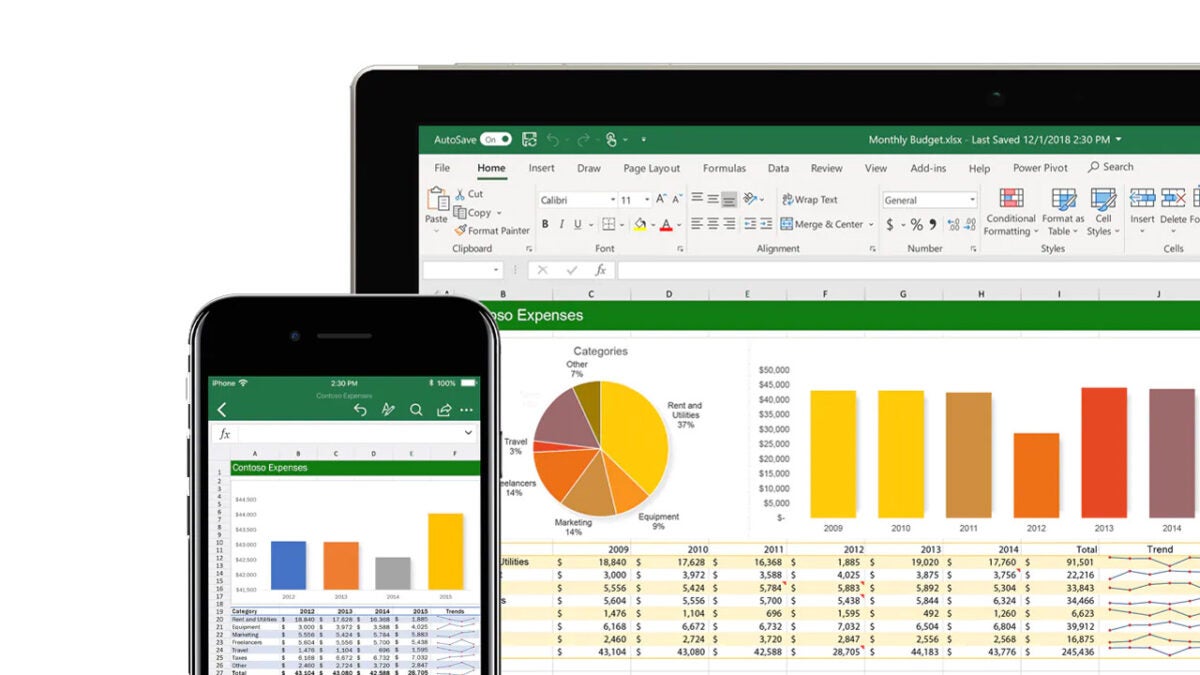
Microsoft likes to unveil updates to Office programs via its Microsoft 365 roadmap homepage. A recent update to the roadmap shows that Excel is going to get @ mentions, which will allow users to tag their colleagues in comments on their spreadsheets.

As is typical with these roadmap entries, this update is very brief and to the point. There are some details we can report, however. The first is that the feature will be released on a General Availability basis, meaning all Excel users will get access to it, the second is that it should start rolling out in October 2022 and the third is that it will be released on a Worldwide (Standard Multi-Tenant) cloud instance.

This minor teak for Excel should mark a major boon for remote Excel workers who collaborate on documents with colleagues, team members, contractors, and clients. Being able to tag colleagues both within your organization and also external collaborators offers a massive boost for teamwork productivity. Mentioning a specific colleague can call for direct action on a certain point, whether that be editing, explaining, adding, or deleting information.

It is easy to think Microsoft Office is the undisputed champion when it comes to productivity but as today’s news reminds us, Google has innovated the space a lot in recent years.

In other recent productivity news, Google Workspace is now more compatible with Microsoft Office files, and Microsoft is pursuing a campaign against malware wrapped up in macro files.