Is Fortnite crossing over with Breaking Bad?

Fortnite fans are excited at the possibility of seeing Gus Fring enter as an outfit in time to come, probably before Season 3 ends. If you head out to the desert area, there’s a 1986 Fleetwood Bounder that looks like the one from the Breaking Bad show. Also, we’ve seen some footage of concept scenes for characters should this rumor be valid.

Fortnite DOWNLOAD

Of course, a random trailer in the middle of the desert discovered by a Reddit poster doesn’t really promise much. Other signs include a chair and cooler box on the outside with sofas, beds, and other familiar items on the inside of the vehicle. Perhaps Epic Games and the Fortnite development team are simply fans of the Breaking Bad show. Or, maybe there’s more to this supposed Easter Egg. 

When fans were asked which crossovers they would like to see, many of them voted for Breaking Bad. As a matter of fact, one of them designed concept art for what the characters might look like on Twitter.

Many of us are still enjoying the DragonBall x Fortnite crossover that recently appeared. As a fan of both brands, I took to my PlayStation this weekend to complete all the DBZ quests and obtain all seven dragon balls. I finally summoned Shenron the dragon and made my wish, obtaining the glider. By completing all the other side quests, I also receive many of the other related items, playing as Goku in the first Super Saiyan form. 

Is Fortnite crossing over with Breaking Bad

While I’ve not seen Breaking Bad at all, I’m keen to see what Fortnite will do with it should it happen. Chapter 3 Season 3 is coming to an end in September, and I’m excited to see what more Epic Games can do with what is already a fantastic game.

Latest Redfall video shows more details on the open-world game

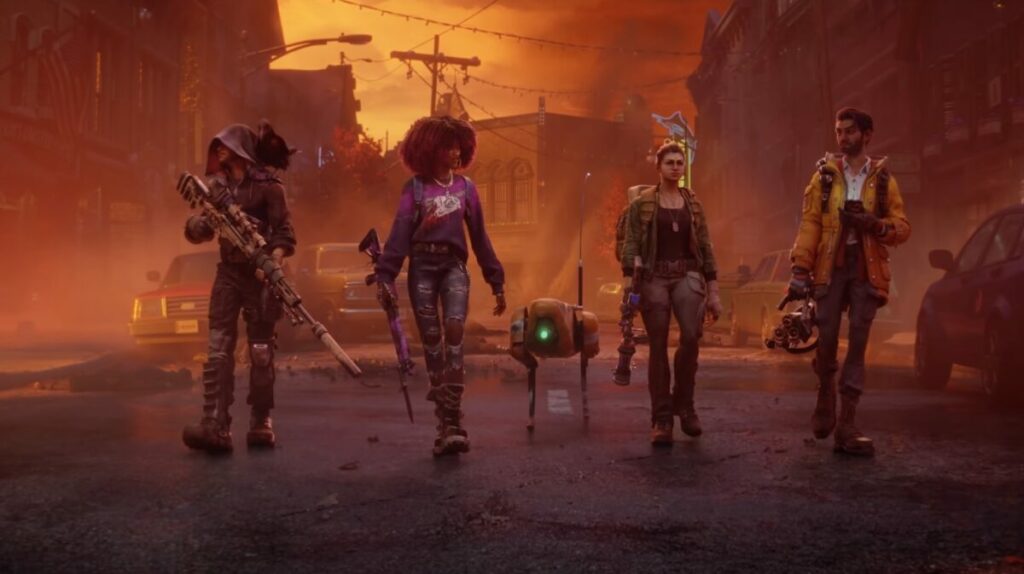
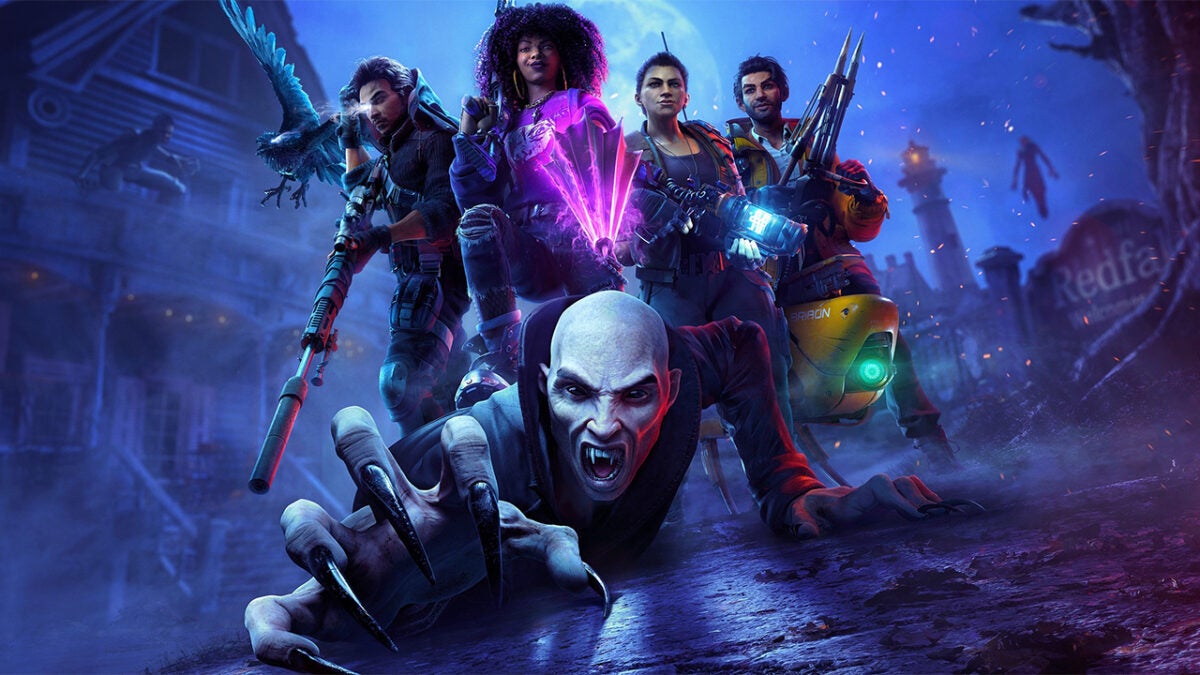
With QuakeCon 2022 come and gone this past weekend, Bethesda had plenty of news about upcoming and old games to share with us. We have our eyes on many exciting titles, one of which is Redfall. To our delight, the studio director of Arkane shared a deep-dive video that showcased an open world that feels similar to Dishonored.

Redfall DOWNLOAD

Harvey Smith from Arkane spent some time chatting to the Redfall team in the video. You’ll notice how much they elaborate on characters, skills, environments, weapons, and so much more. The main surprise from Arkane is that they’re venturing into an open-world setting, which isn’t something that they usually do. 

The Redfall team went all out to make a vast environment you can explore and investigate. It’s not simply about moving around and completing quests. You can enter stores and buildings, and you even have the chance to head to rooftops. Of course, there are also the shooting and horror aspects, which will make you jump at several points in the game. 

The best part of the Redfall video was seeing the various skill trees and weapons you can use to slay vampires in the game. There are interesting ways you can recover health and level up your character. It also seems like single- and multiplayer features will work together seamlessly.

Latest Redfall video shows more details on the open-world game

Bethesda shared some other news with me over the weekend with exciting news delivered at QuakeCon 2022. If you head to the Microsoft Store and Xbox Games Pass, you’ll see many of Bethesda’s titles now available for free and at discount. Some of the Games Pass games you can now play include Return to Castle Wolfenstein, Quake 4, Wolfenstein 3D, and An Elder Scrolls Legend: Battlespire.

Enhance marketing by making an infographic on Canva

When it comes to marketing your products or telling a story in a visual way that’s appealing to the eye, few tools work better than a Canva infographic. You can quickly organize your content, and it gives you the stimulus to be creative. However, we understand that it may be daunting if you’ve never used this feature before.

Design for everyone FREE TRIAL

You don’t need to be an expert to learn how to make an infographic on Canva with its templates. There are a few basic steps you can use, and after that, let your creative mind run wild. Learn how more than 85 million monthly active users in 190 countries are doing the same thing!

How to make an exciting Canva infographic

  1. Select a topic or category

    making an infographic on Canva

    Before you plunge headfirst into making a Canva infographic, you need to decide how you’re going to approach it. The topic or type has a key role to play in which template you’ll aim for. For example, are you wanting to show the results of a survey? Perhaps you want to show a timeline for your business or products.

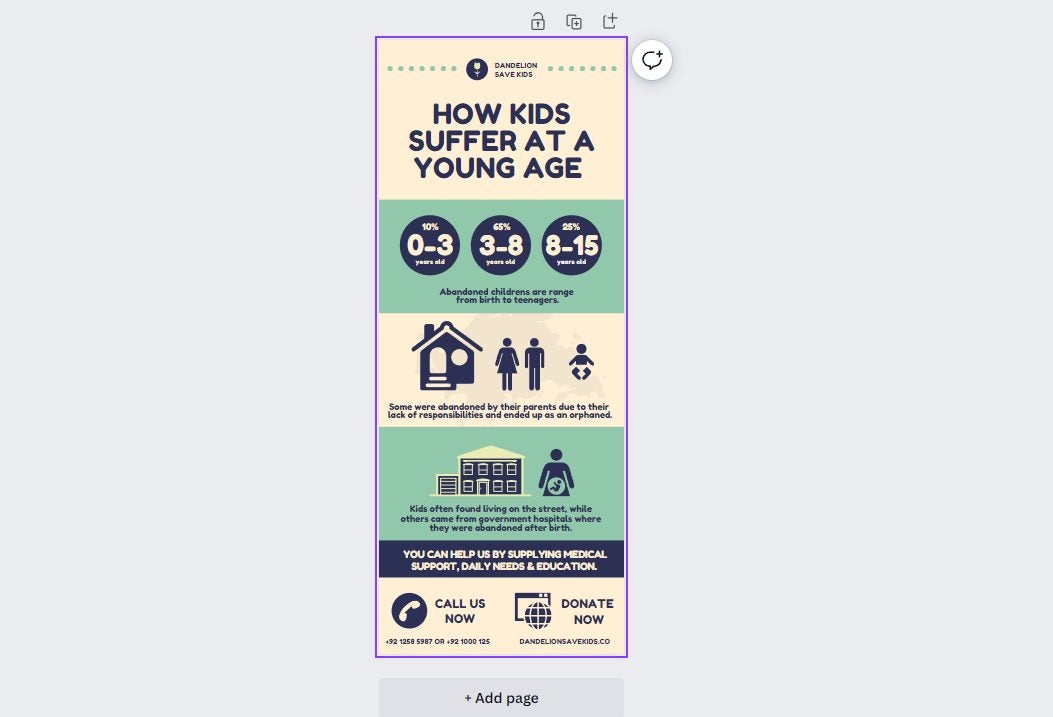
    Another type of Canva infographic template that may benefit your business is an annual report or the results of a campaign. The Charity template is a good example of how you can present statistics in a fun and educational way. You can also look at the Volleyball history infographic template to view how a timeline is done.

  2. Design a layout

    making an infographic on Canva

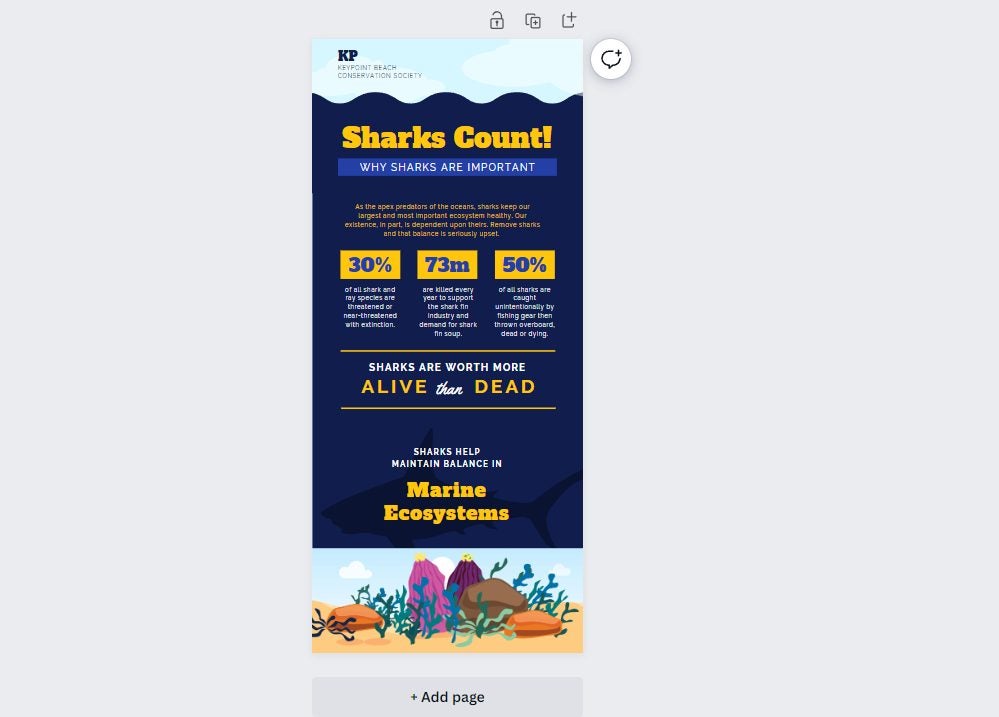
    While the Canva infographic templates give you a basis to work on, you still need to decide on the layout you want for your content. Some companies choose one that has a heavy focus on text, such as the Twitter Business template. The Charity template mentioned in the first step has more of a visual appeal, while the Shark Marine Conservation template has the best of both worlds.

    Twitter Business Canva Infographic

    It all depends on how much information you need to share with your audience and in what way you want to do so. If there are rich details you don’t want to lose, then the text-heavy option is the way to go. Should you feel that the infographic is too dull and you just want to share stats, you can opt for a more visual layout. Either way, Canva has several templates to meet your requirements!

  3. Organize the content

    making an infographic on Canva

    Have you ever visited a web page with loads of detail and text, and your eyes were drawn to big words with bright colors? This effect is called visual hierarchy. Simply placing the information on a Canva infographic isn’t going to do you or your audience any favors. 

    The best approach is to choose which of your content needs to stand out from the others. Look at this Brown Pitch Deck Canva infographic template, as an example. Notice how the headings stand out in various sizes, showing you what to focus on. If you want to know more information about a specific point, you can read the paragraph below.

    It helps when your audience is looking for something specific. Their eyes can scan the text to find the top points. You can also work on different color ranges, such as red, green, or blue. If there’s a specific color theme that matches your brand, it’s best to aim for that.

  4. Design the visuals

    making an infographic on Canva

    Can you see how well your Canva infographic is shaping up now, thanks to these outstanding templates?! You’re almost at the finish line. All that’s left now is to take all the aforementioned steps and design the visuals that will complement the data.

    The first aspect to consider here is what visual elements you need to include. For example, you can aim for charts, icons, graphs, smiley faces, graphical titles, or even custom images. 

    Next, you’ll want to decide on an exquisite font, which Canva has loads of. You need to strike a balance by capturing the audience’s attention without confusing them with text they can’t read. The font also needs to match the tone, as you can’t have comical text for a serious presentation. 

    Finally, don’t forget to add images. Canva has an extensive library of images that you can choose from, but you shouldn’t overdo it. Remember, an infographic has limited space, and you need to use it wisely.

  5. Sharing your infographic

    making an infographic on Canva

    You’re now all set to share your Canva infographic with the world! Once you’ve saved it, you can share it on any social media platform that accepts images in that format. If you’re going to post to Instagram, you may want to aim for a landscape infographic, instead. 

    It’s all up to you to make your infographic pop as much as possible. To help you get there, you have the remarkable tools that Canva has to offer.

The time to update your Apple devices is now

This article serves as a critical reminder to all Apple users; you need to update your devices as soon as possible. It isn’t the first time we’ve had to issue a warning to Apple users, and it likely won’t be the last. You don’t want to be caught off guard by not ensuring you have the latest iOS and macOS updates; not this time. Apple has made users aware of significant security threats ahead of the launch of iOS 16. 

iOS16 DOWNLOAD

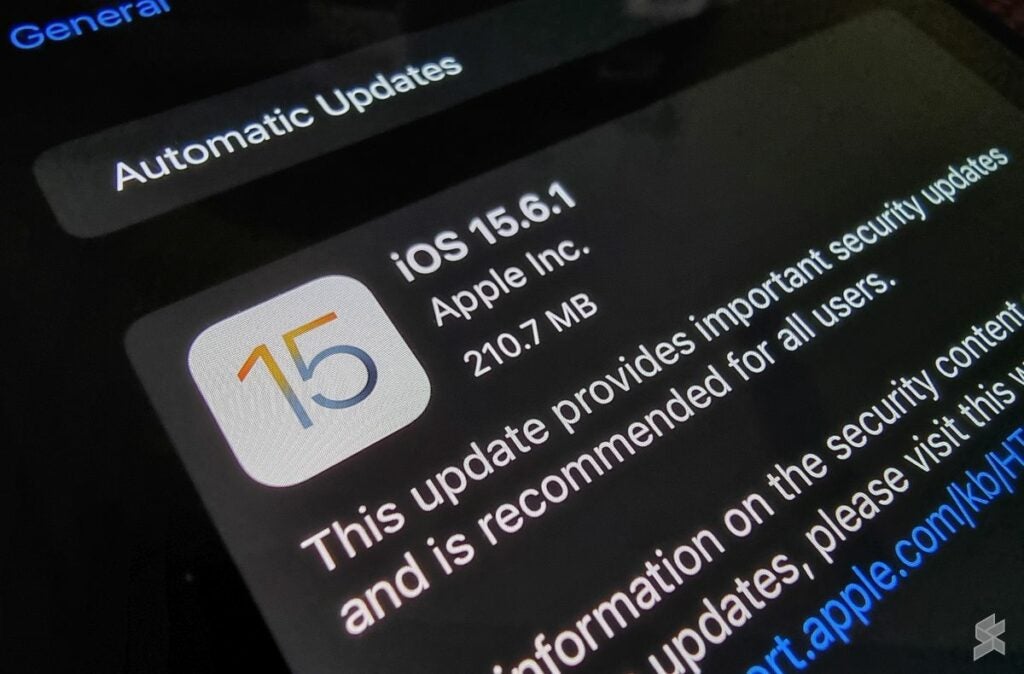
I know the tone of this article is rather serious compared to our primarily casually informative content, but this is no time for being casually informative. One look at the security notes issued for Apple device updates will make it clear that unless you want to put your device and everything contained within it at risk, you need to update your software. Here is the cliff notes version of the security notes for iOS 15.6.1, iPadOS 15.6,1, and macOS 12.5.1: 

First off, the security notes detail fixes for bugs that affect the operating systems’ kernel. The kernel, for anyone who isn’t clued up about the inner working of smart devices, is essentially the core of your device that controls every procedure, every operation, and every action that your device performs.

According to Apple, this kernel, the nucleus of your entire Apple experience and everything you do with your phone and all the private information that is currently saved on your phone, is plagued with a bug. Furthermore, the security notes talk of bugs plaguing your devices’ WebKit, which opens you up to threat actors and any malicious code they may want to run on your device. 

If that isn’t enough, the security notes also contain warnings for five of these crucial updates that read ‘Apple is aware of a report that this issue may have been actively exploited.’ What this terrifying statement boils down to is that there are security vulnerabilities within your Apple device right now that threat actors are most likely already exploiting. 

update-your-apple-devices-now

If you don’t see this as a massive issue, I want you to consider for a moment all the personal information that you have on your phone. You likely have passwords for various websites saved in your browser. I have no doubt you have banking utilities, investment utilities, and other apps that deal with confidential information.

You have an entire dedicated list of contacts who also use Apple devices, as well as potentially sensitive images, videos, and correspondence that you wouldn’t want out in the wider world. All of this is fair game to a dedicated threat actor. None of this information is safe unless you take the necessary precautions and update your device to the latest version. 

All you need to do this is head to Settings > General > Software Update. On Mac, head to System Preferences > Software Update.

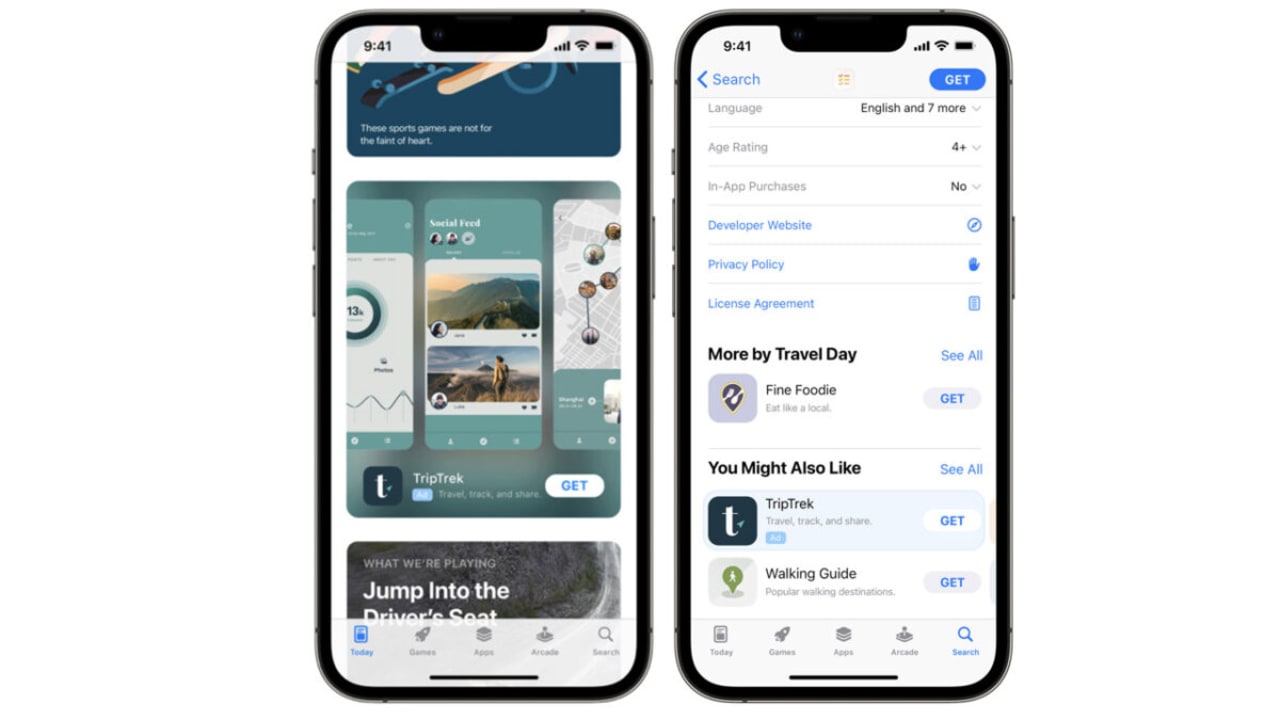
In other Apple news, the company would very much like to start pushing more ads to your phone. Is it possibly time to ditch the apple for an alternative?

Apple to show more ads on iPhone READ MORE

Quake Champions has quietly snuck out of Early Access

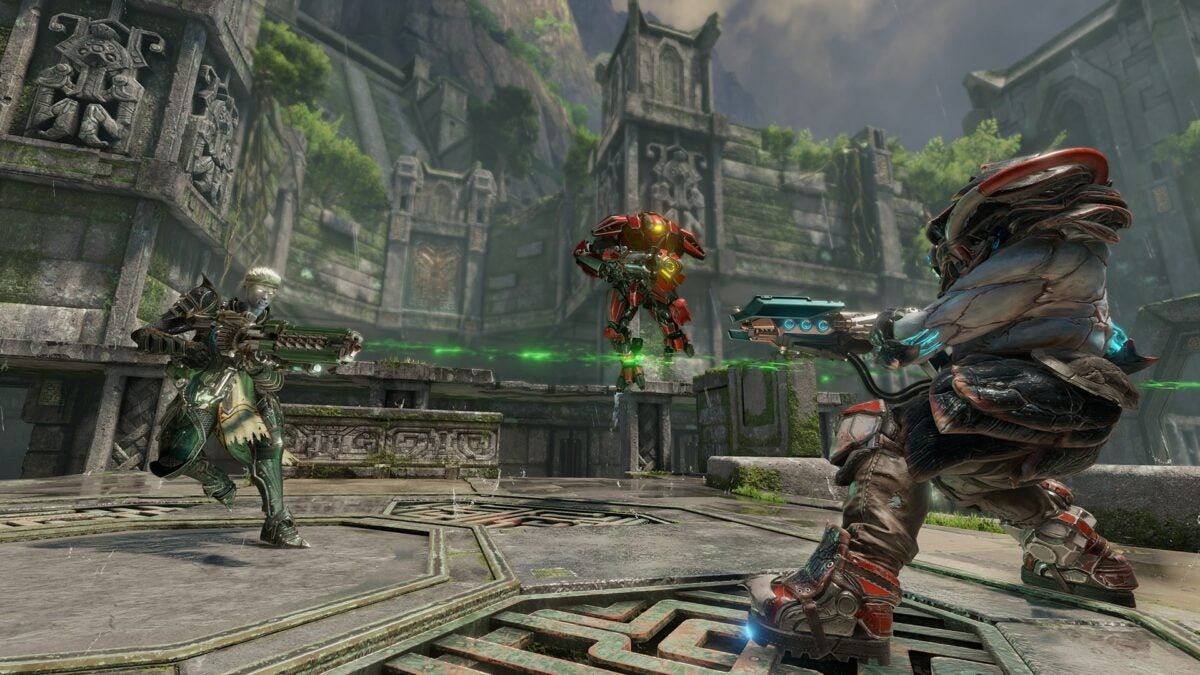
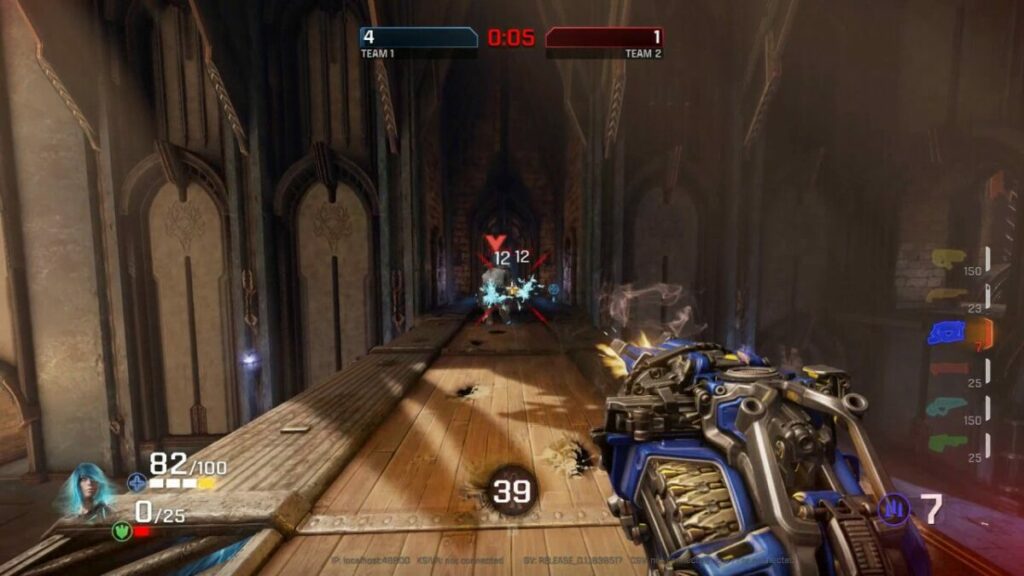
It may have taken five years, but Bethesda’s long-awaited first-person arena shooter Quake Champions is finally out of early access. The game was quietly released to the wider gaming audience on the same day that Bethesda announced the arrival of several other games on PC Game Pass at its recent QuakeCon event. 

Quake Champions DOWNLOAD

Quake Champions was first released in 2017. But since then, it’s been a year of rumors, supposed full release date leaks, and developers saying that the game simply wasn’t ready yet. These sentiments were echoed by community developer Joshua Boyle in 2018 when the game went free-to-play.

Fans were confused that the game was being made free but still wasn’t getting the full release treatment that Bethesda’s other titles did. In response to queries on the matter, Boyle simply stated that the game wasn’t ready. ‘I’d say we were at a crawl [at launch last year], and we’re at a walk now.’

Another reason that Quake wasn’t released fully until five years later may also lie in how the game was perceived on Steam. Even though the game received primarily positive reviews on the popular PC gaming marketplace, it never quite grabbed gamers’ attention the way other games had.

Quake Champions has quietly snuck out of Early Access 2

This was in relation to similar free-to-play shooters. Even with the addition of well-known faces such as Wolfenstein’s B.J. Blazkowics and Doom Slayer, the game failed to take the gaming industry by storm. 

If you’d like to try your hand at Quake Champions, it’s available for download at the moment. In the meantime, we’re waiting for more news on Starfield.

Google hopes to deliver higher quality search results with new update

As well as search feature updates, like the quotation mark search tweak we reported on recently, Google is also constantly working ‘under the hood’ playing around with the algorithm in a bid to ensure search results are as useful, reliable, and trustworthy as possible. Google has recently released details of a big update in this regard, so let’s go through the details now.

Google Download Now

Whenever you search for something on Google and then click on a search result, Google considers your visit to that site as a Google experience. This means that the search giant is actively trying to prevent Google searches taking users to poor websites. The latest Google update is trying to improve this situation by helping original content rank higher and pushing clickbait articles further down the pecking order.

Google announced the details of the update in a blog post yesterday and outlined the main details of the update as such:

“Next week, we’ll launch the “helpful content update” to tackle content that seems to have been primarily created for ranking well in search engines rather than to help or inform people. This ranking update will help make sure that unoriginal, low-quality content doesn’t rank highly in Search, and our testing has found it will especially improve results related to online education, as well as arts and entertainment, shopping and tech-related content.”

This means that sites that are simply copying information you can easily find elsewhere should start to drop further down the Google search rankings. Content, however, that offers unique, original, well-researched, high-quality content won’t be affected and may even see a rise in their organic search result positions.

To back this up, Google has also promised to continue refining the systems it has developed for finding and highlighting high-quality product reviews too. There is an understanding that these types of content are very common and also very important for shoppers who are looking for authentic content they can trust, to help them make valuable purchases.

This news follows last week’s report on the efforts Google is putting in to ensure that only the highest quality content makes it into Google Snippets.

What do these new official icons say about the future of WhatsApp?

WhatsApp Is an extremely popular app that has been around for a long time and during all that time the WhatsApp icon hasn’t really changed much. It is a bit like an old friend, always there and always recognizable. New images have leaked, however, showing official renderings of altered WhatsApp icons so we are going to look into it a bit further now and explain what is going on and what it could mean for the future of the app.

WhatsApp Download Now

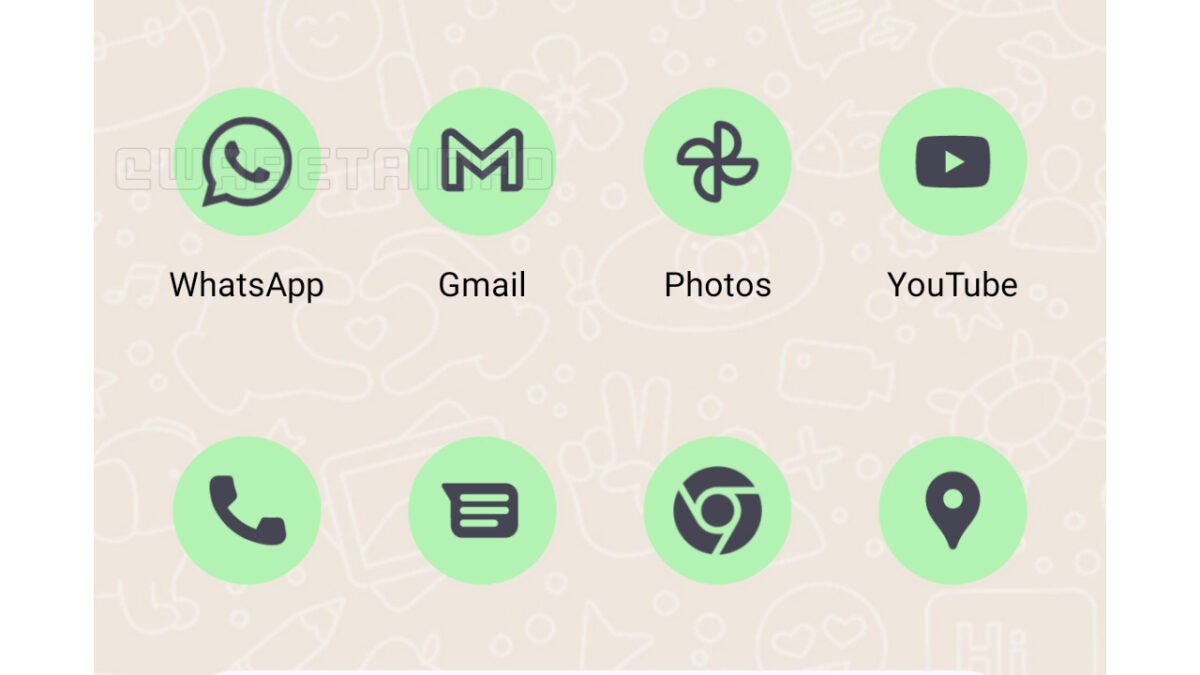
The screenshot below, which we can share thanks to the team at WABetaInfo, includes a set of themed icons on show in Android 13, which is the latest version of Google’s open-source mobile operating system, due to receive a general release soon. As the screenshot shows, WhatsApp has officially added a monochromatic icon that is already available to all beta users on Android 13.

This move seems to indicate that WhatsApp is moving in a more open way towards offering support to Android 13’s API. This is because the new icon fits with new theming options coming to Android 13, with the icon changing depending on the themed settings of the Android 13 device. Obviously, this move doesn’t have any direct bearing on iOS WhatsApp users, but it does indicate an interesting shift in perspective at WhatsApp HQ. Does this mean that further Android integration could be just around the corner? Could we be about to see WhatsApp chat bubbles finally coming to Android devices? We will have to wait and see.

The new icon is still only available to WhatsApp beta users and Android 13 is currently only available to certain Pixel 6 owners. This means most users will have to wait before they can access the new icon. It does certainly seem, however, that this is on the way and will be available for everyone to try soon.

With so many WhatsApp updates happening all the time, be sure to subscribe to our push notification service to ensure you are always up to date.

Image via: WABetaInfo

Screenshot blocker coming to WhatsApp

We’ve brought you news of a broad range of WhatsApp privacy updates recently including an official post from Mark Zuckerberg himself outlining the details of a big privacy push for the world’s biggest online messaging app. Today, we can give you more details of a big part of that privacy push as we have learnt more details about WhatsApp’s upcoming screenshot blocking feature. Here is what you need to know.

WhatsApp Download Now

WhatsApp is updating its view once feature for images and videos. The feature works a bit like Snapchat in that it allows users to send images and videos in their messages that the recipients will only be able to view once before they disappear. At the moment, however, recipients can grab these images using screenshots, therefore, overriding the utility of the feature. This is what WhatsApp is trying to address.

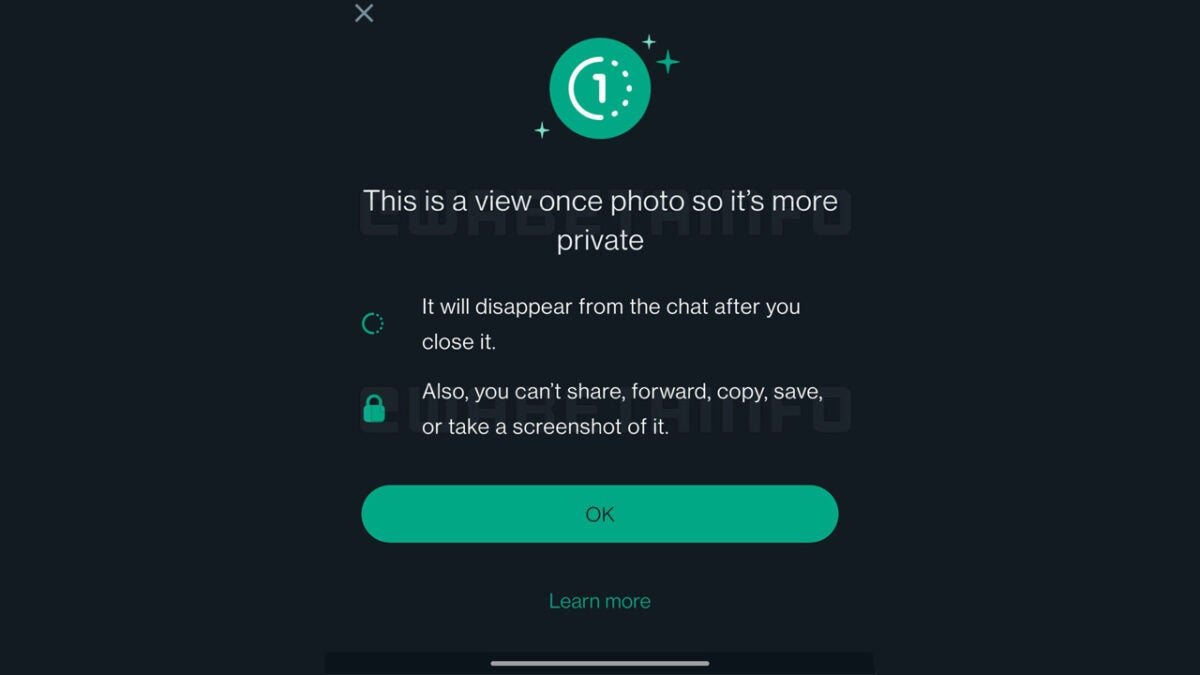
The new screenshot blocker is currently rolling out to WhatsApp beta users packaged into an updated view one feature. The screenshot above shows the feature introduction box, which will inform recipients that the photo they are looking at is private, and will disappear from the chat once they’ve viewed it, and that they won’t be able to share, forward, copy, save, or a take a screenshot of it.

This new and updated feature is still under development so we can’t give you any details about when it will receive a wider rollout to all users, but it is good to have an idea of what it will look like and how it will work when it lands on all versions of WhatsApp.

This news follows on from other recent WhatsApp privacy-related news stories including the incoming ability to hide your online status from other WhatsApp users and the ability to blur out elements in the images you share over the app.

Image via: WABetaInfo

How to use Line with new 2022 features

Line is Japan’s largest social network and a worthwhile competitor for apps like WhatsApp and Telegram. While the Asian market has embraced Line with open arms, the west has been a little slower to warm up to this social network and communication utility. But how exactly do you use the app to its full potential? 

Line DOWNLOAD

The following article will cover exactly how to use Line in addition to highlighting its newest features and innovations.

Tips for using Line with new 2022 features

  1. Installing Line

    How to use Line with new 2022 features

    The first thing you’ll want to do is install the app. You can do this through the link in the introduction. Hitting the link will take you directly to Line’s download page on our website. Once you’ve got the app in your downloads, simply hit the downloaded file to install Line to your phone. You can also use the desktop utility for macOS and Windows 10/ 11. 

    Once you’ve installed the app, you’ll need to sign up and log in, provided that you’re a new user. All you need to do is tap on Sign Up, and you’ll be prompted to enter your phone number and region of residence. The app will then verify your phone number with an OTP, and then you’ll be presented with the Line’s terms of service. You don’t need to accept these, but if you don’t, you won’t be able to use the app.

  2. Setting your profile

    How to use Line with new 2022 features

    Once you’ve gone through all the motions of the installation and initial setup, you can begin to personalize the app by setting up your user profile. The first step to this end is to select a profile picture. This is the image people will see when you message them. Therefore, it’s suggested that the image be of your face, and imperative that the image not be lewd or distasteful. A profile picture isn’t essential; you can leave yours blank. However, it does make it easier for people to see who they’re talking to. 

    Next, you’ll need to decide whether to allow Line to automatically add friends to your profile based on your contacts list. If you don’t want this and you’d prefer to add contacts manually as you go, click Deny. You’ll also now be able to choose whether people can add you to their in-app contacts the same way. 

    The finer points

    Like any other decent communication utility, Line lets you adjust the way other users see your profile. For instance, if you tap on More toward the bottom of the interface and then hit the little Settings icon, you’ll see a list of options that you can mess with. If you want to change your profile, head to Edit profile.

    Here, you’ll be able to change your profile picture, if, at any point, you’d like to do so. You can also change the name that people see when they click on your profile, and you can set a cover image to further set your profile apart from the crowd. If you’d like to set a status message, such as Do Not Disturb or Available, you can do this from the Edit profile interface too.

  3. Start a chat

    How to use Line with new 2022 features

    This is an incredibly easy step. All you need to do is navigate to the bottom of the screen and hit Chats. This is where you’ll find all of your conversations. If you want to start a new chat, you need to head to the top of the screen and click on the plus icon. From here, you’ll be able to select a contact and begin chatting.

  4. Using the new features

    How to use Line with new 2022 features

    Line wouldn’t be such a competitive and capable social media platform if it didn’t have a few special features up its sleeves. We’ll review a few of the most compelling below.

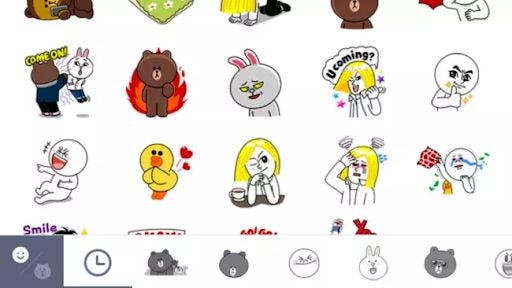
    Line has an enviable collection of stickers that come standard with the app. In fact, Line was one of the first such platforms to let users share stickers. Other platforms have imitated Line in this regard and come close, but no app has a bigger or more diverse sticker library than Line. If you’re artistically inclined, you can even make your own sticker pack. Stickers help users express their individuality and no app does it better than Line.

  5. Change up Line’s look and playing games

    How to use Line with new 2022 features

    Customization isn’t a new thing where communication apps are concerned. However, unlike most alternatives, Line has a built-in library of themes that users are able to download to truly give their Line experience a unique look. You can also change the background of your chats by heading to the top of the chat interface and hitting the Settings option, followed by Chat wallpaper.

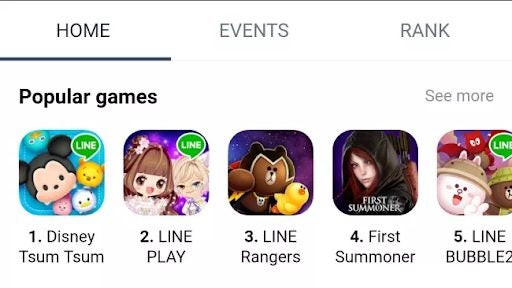
    How many communication utilities can boast a selection of games that users can download? Line can. You’ll be redirected to Google Play or the App Store should you find something that looks worthwhile, but it’s an interesting inclusion in the app interface nonetheless. These games are, however, exclusive to Line, and many of them feature Line’s mascots as the main protagonists.

Latest Diablo IV update: seasons, new content, and live events

A new quarter means new updates on the eagerly awaited Diablo IV. The developers over at Blizzard did not disappoint as they took the time to let us all know just what’s going on with the latest installment of the Diablo franchise set to release in 2023.

Diablo IV DOWNLOAD

This quarterly update confirms that we’ll see seasons as soon as Diablo 4 launches. Associate game director Joe Piepiora has confirmed that they are already starting to develop season content releases to shake up the box of Diablo IV with each new quarterly season giving players more unique experiences and ways to enjoy the game.

Each Diablo IV season will come with new content and unique questlines with new challenges, mysteries, and ways to earn experience and develop your character. These season questlines will be available within the first few hours of gameplay. The hope is that these directional seasons will provide more fun, excitement, and new ways to help your character progress. Each new season will reveal more of Sanctuary and new characters.

Diablo IV seasons will also bring along new live events for players to participate in. A few examples of live events given by Blizzard could be a warning of an invasion of Drowned, which will last a weekend, or the arrival of a strange peddler. These live events will feature great rewards and unique items. 

The developers also confirmed that there would be season tiers. Although players can enjoy the game for free and earn exciting rewards just by playing, tiers will be available to make progression easier. Players can access premium rewards such as seasonally-themed cosmetics and premium currency by purchasing a Diablo IV Season Pass.

Latest diablo iv updates

These Diablo IV passes can help boost your progress, but they won’t be able to simply upgrade boosts by buying the pass – there are still milestones they have to reach through playing the game.

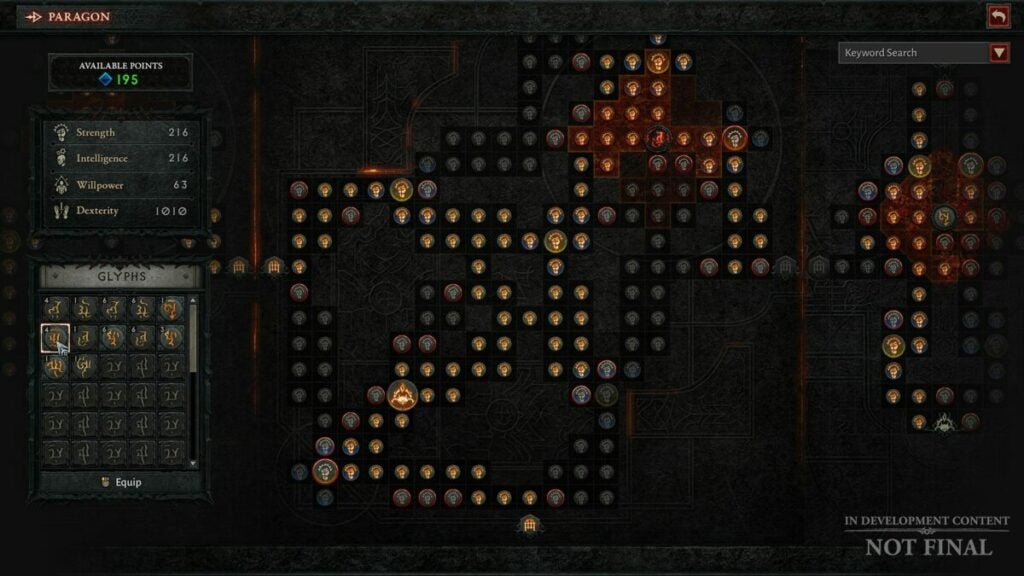
There is a lot of excitement surrounding the release of Diablo IV. Despite the recent leaks, it seems that development is progressing well. However, we can’t help wondering if the premium passes will have a similar effect as the monetization on Diablo Immortal?

Latest Diablo IV leaks READ MORE