
Law schools may provide a place where legal minds are nurtured, but one thing they don’t teach is how to run an efficient law firm.
Modern firms use software for law firms to address this shortcoming; however, so many choices on the market can leave companies feeling confused and imperil their firm’s time and finances.
This guide aims to streamline your search for a law practice management solution. We have taken into account law firms’ top needs and reviewed top legal software in three essential categories – legal practice management software, documentation and billing software.
We can assist your law firm in making the appropriate choices for your firm to improve efficiency, productivity and client management service. Let’s get going and revolutionize your legal practice together.
Legal management software
FuseBase (formerly Nimbus)
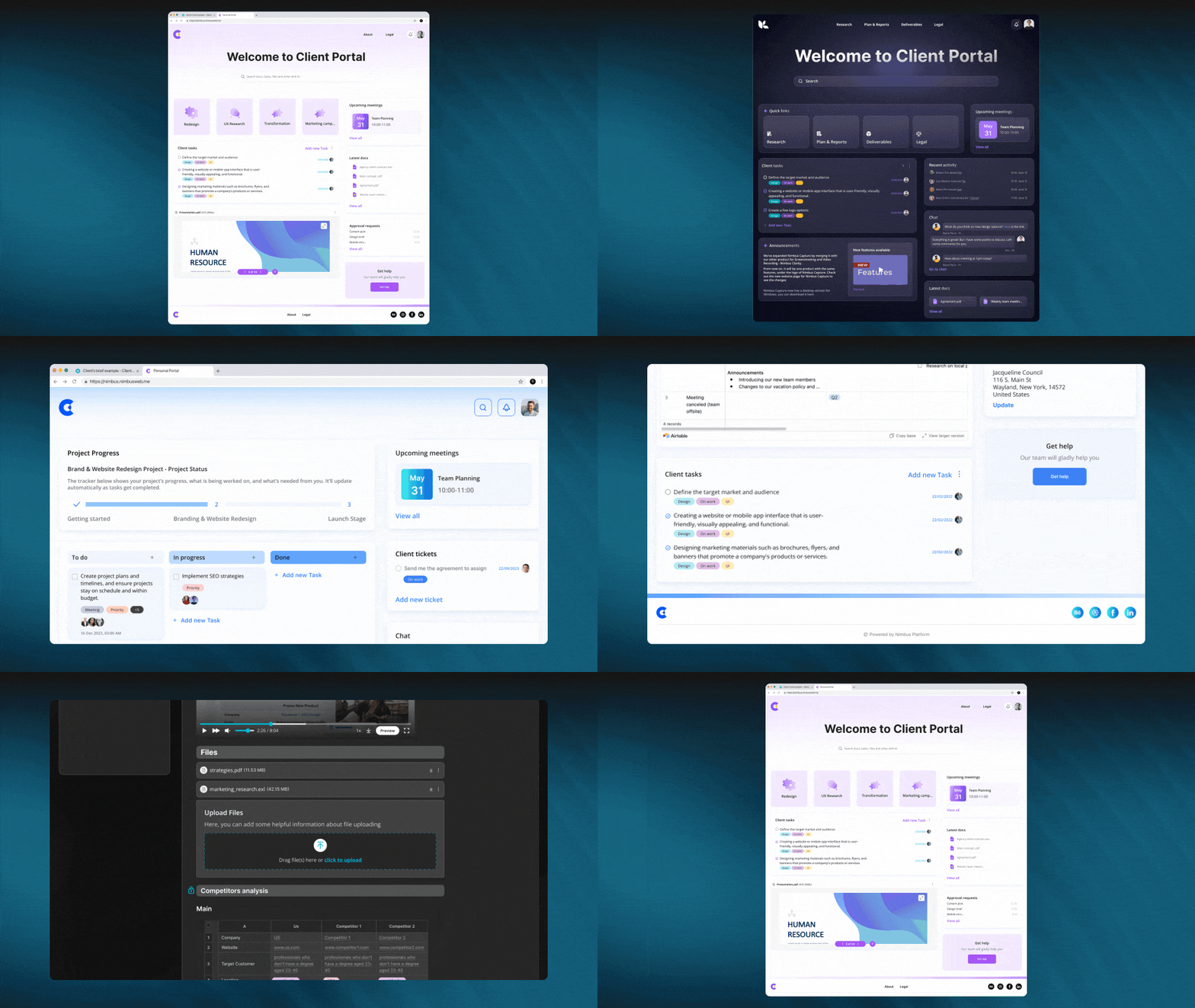
Looking for premier legal practice management software? You should pay attention to FuseBase (formerly Nimbus), a reputable online client collaboration tool for client-oriented businesses, law firms, and legal departments.
NFuseBase (formerly Nimbus) has earned itself an esteemed reputation as a premier legal practice management software, with numerous features that make it perfect for law firms.
The cloud-based FuseBase (formerly Nimbus) offers a comprehensive practice management approach. This legal software covers every aspect of the law firm’s daily operations, such as case administration, client management, automation of repetitive tasks, email management, and document storage management.
This law practice management solution allows you to streamline law practice processes, including task management in internal workspaces and client collaboration in portals, for maximum efficiency.
See FuseBase (formerly Nimbus) as a restaurant operating in two key zones: the kitchen and the dining room. The kitchen serves as a bustling hub where all the productive groundwork happens, while the dining room is a presentable and well-designed place to impress clients with top-notch experiences.
FuseBase (formerly Nimbus) is an easily customizable cloud-based law practice management software that gives you advanced online tools tailored to meet your unique needs and help optimize law practice operations.
This law practice software stands out with its user-friendly interface as one of its major selling points. Specifically designed to accommodate lawyers and staff alike, its intuitive navigation and layout enable a quick learning curve and increase its accessibility.
FuseBase (formerly Nimbus) supports 2000+ integrations and provides AI-driven features that will integrate seamlessly with your practice management systems, accelerate your creative process, and streamline projects so you can accomplish more with less effort and time spent.
Who uses FuseBase (formerly Nimbus)?
FuseBase (formerly Nimbus) is a popular all-in-one solution for client-oriented professional law services within the legal field, including law firms, business legal departments, and legal professionals who work with clients and require comprehensive practice management and document management solutions.
Key features
- White-labeled Client Portals. Set up cloud-based, no-code client portals under your legal practice brand to deliver exceptional client experiences and maintain a professional image. Dedicate separate workspaces for your clients, departments, and projects to optimize law practice management.
- All-in-one Solution. Create a pliable cloud-based administrative structure to streamline practice management processes. Make your own private, secure, and organized internal workspaces for better task management.
- Super Documents. The convenient doc builder brings the next generation of dynamic, interactive documents with advanced formatting and 2000+ integrations supported, tailored to optimize case management and help you win clients. FuseBase (formerly Nimbus) worked hard to ensure that it was accessible on a wide variety of platforms.
- Advanced Privacy Controls. This secure law practice management software offers granular permissions to maximize the safety of your files and lets you directly manage your public page’s privacy settings using Magic links and secure keys. Password-protect your workspace or make it exclusive to you.
Pricing
- Free plan and free trial available
- Standard – $9/month per user
CASEpeer

If your company specializes in personal injury cases, CASEpeer legal workflow software is the best law practice management solution available. This cloud-based software can be a game-changer for your law firm. Personal injury attorneys can take action on results like never before with 24/7 laptop or mobile access to case information and reporting. With the help of this law practice management software, you can put your attention where it belongs—on client management aspects—thanks to the case and practice management tools provided by this case management software.
Who uses CASEpeer?
Personal injury lawyers and law firms. With CASEpeer’s legal practice management software, companies can focus on results more than ever.
Best features
- Case management. From medical care to court proceedings, CASEpeer legal practice management software has you covered in a personal injury case.
- Practice management. Maximize productivity with scalable automation and centralized data storage for reports, marketing and finances.
- Contact Management. From initial contact to final payment, be there for your clients by keeping them informed and in the loop. Using a combination of texting, e-signatures, intake forms, a client portal and file sharing, you can transform every interaction into a positive one, including efficient email management.
- Financial and operational reporting. Turnkey reports, personal injury key performance indicators and performance monitoring will power your practice management.
Pricing
- Free trial available
- Basic – $69/month per user
- Pro (most popular) – $99/month per user
- Advanced – $129/month per user
Clio

Clio is the legal project management software with over 1,000 reviews on Capterra. All of your cases, contacts, bills, administrative tasks and schedules can be managed in one central location with this platform. A solution like this will serve as the central hub for your law firm’s remote employees, allowing them to store an unlimited number of legal documents and access case details from any location with an internet connection.
Clio Grow law practice management software is a simplified yet potent client intake system for legal practices. Streamlined client intake and legal CRM software program for expanding law practices.
Who uses Clio?
The legal practice management software’s flexible pricing plans and comprehensive set of capabilities for managing the whole client lifecycle (from intake to billing) make it a good fit for legal practices of all sizes and specialties.
Key features
- Task management. Take note of all the details in every case. Track and assign tasks in Google Calendar. Master your deadlines. Collaborate with your entire firm.
- Bill Efficiently. Billing week will be a breeze when you create branded invoices and customize bill plans in just minutes. Get paid faster with electronic invoices and secure links to pay.
- Contact Management. Utilize marketing tools, such as online scheduling, custom intake forms and easy-to-use electronic signatures, to attract new clients. A secure client portal software lets you stay in touch with your clients throughout the case and share documents and details.
- Manage Your Documents. Create and fill out complete sets of legal documentation without having to retype. You can also build a library with reusable templates and court documents.
- Additional Features. Clio’s cloud-based software gives you access to hundreds of integrations, excellent technical support services, security and reliability to deal with any type of legal matter.
Pricing
- Free trial available
- EasyStart – $39/month per user
- Essentials – $69/month per user
- Advanced – $99/month per user (most popular)
- Complete – $129/month per user
Legal documentation software
Loio
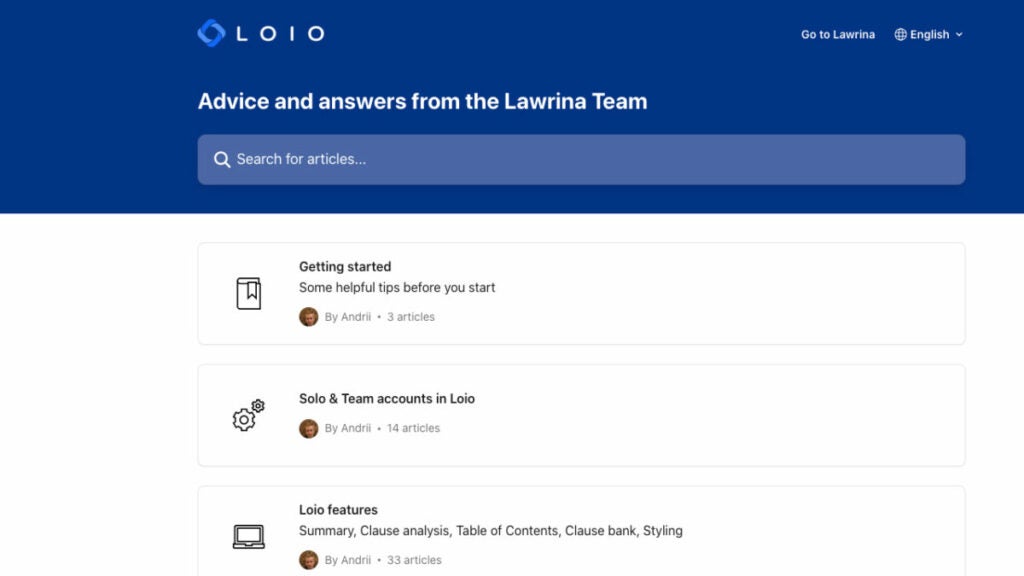
Loio is artificial intelligence-driven legal document management software built for Microsoft Word contract drafting and review. It can repair contract formatting issues and provide precise contract reports, an instantaneous overview of the legal file structure and a precise and up-to-date clause library. Loio law practice management software is a valuable tool for legal professionals seeking to streamline their document management processes alongside existing software.
Who uses Loio?
Legal firms that regularly conduct contract reviews and analyses are the target audience for this law practice management software. A great on-premise solution for small and midsize law firms that will benefit the most from it.
Best features
- Quick and Detailed Summary of Your Contracts. Loio will automatically review your contracts and give you a score. You can either accept or reject Loio’s suggestions for improving your legal files.
- Automated clause management. Create flawless agreements with clear and legally compliant clauses.
- Bilingual Contract Support. Loio simplifies the process of writing bilingual contracts. Compare the two parts and fix any errors instantly to avoid confusion.
Pricing
- Free – $0 per seat – Get a feel for Loio.
- Business – $59 per seat Great for solo pros and small teams.
- Enterprise – Customize bespoke plans for teams of 20+, which review hundreds of agreements monthly.
MyCase
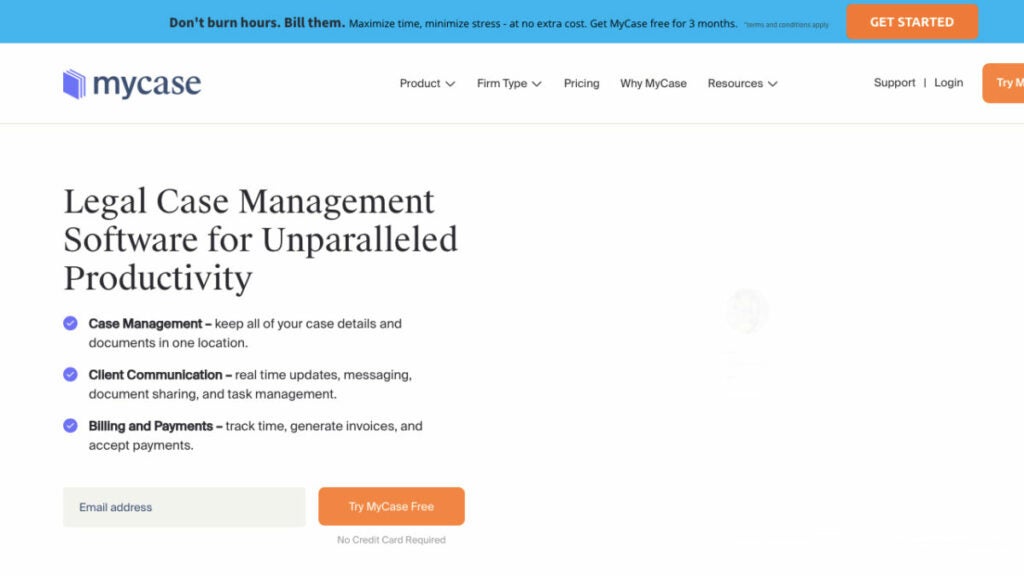
MyCase is a cloud-based legal case management and calendaring software that stores all relevant documents in one place where they can be easily accessed, edited and shared without worrying about losing any originals. With this management solution, you can build a repository of relevant files and folders inside each case and make the most recent versions available to your legal team and clients whenever they need them. You will always have access to the most up-to-date versions of your company’s document assembly files, regardless of where you are.
This holistic law practice management software allows you to optimize processes, including task management, for maximum efficiency in daily operations.
Who uses MyCase?
Easy-to-use practice management software for any law firm that wants to keep track of everything from client information and case documents to time spent on each matter and billing and invoicing.
Key features
- Client Intake and Lead Management. Create customized client intake forms to suit your specific practice. Sign important documents using eSignature. Build a website that is seamlessly connected with the MyCase management solution.
- Case Management. The law practice management software will ensure you never miss a deadline or a meeting. Automate the creation and management of documents, tasks and events. Your documents, case files and internal templates should be centralized, secured, collaborative and easily accessible.
- Billing & Payments. LawPay Payments (billing and invoicing), MyCase Accounting (financial reporting), Time and expense tracking. Has Quickbooks Integration.
- Communication with clients. Communicate with your clients anywhere using the Client Portal and built-in texting.
Pricing
- Free trial available
- Basic – $49/month per user
- Pro (most popular) – $79/month per user
- Advanced – $99/month per user
NetDocuments
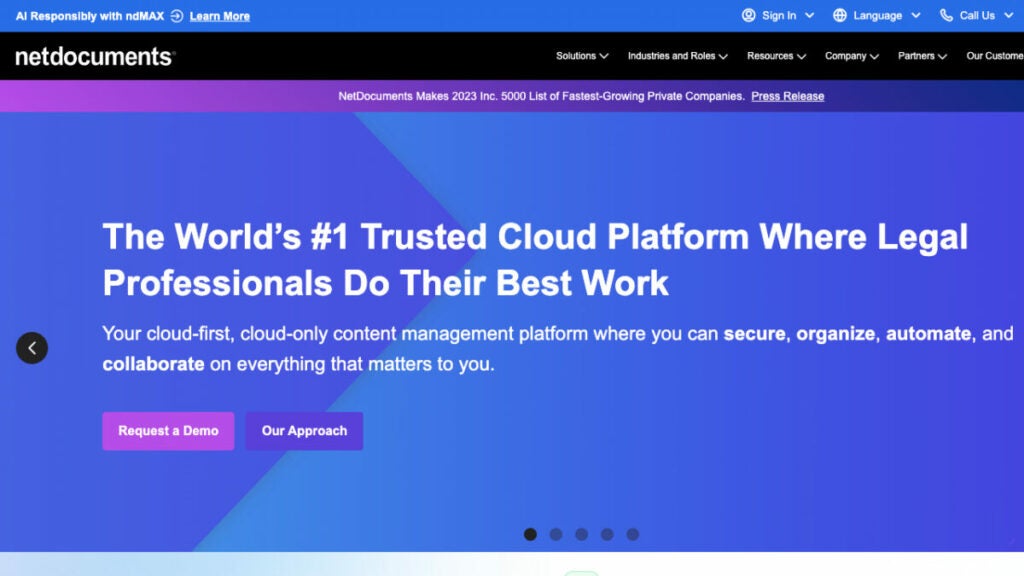
You can access your files from any device, including your phone, with the help of NetDocuments law practice management software. Make it easy for your team or clients to access documents by sharing them with a single click.
This document management software is compatible with popular legal apps like Clio, DocuSign, ActionStep, PracticeLeague and Legal Sense.
With NetDocuments, you can rest assured that your data is safe, your applications can work together and you can keep track of different versions of your files. The law practice management software disadvantages include not being compatible with Macs and being too complex or expensive for sole practitioners.
NetDocuments has recently acquired Worldox, another document management tool popular among law firms.
Who uses NetDocuments?
Law Firms and Corporate Legal Departments, Financial Institutions, Real Estate Departments, Healthcare and Insurance and Government Institutions.
Best Features
- Edit documents. Create, edit, store and locate documents using the cloud-based legal document management platform.
- Optical character recognition. Digitize content and index it to make your document searches more intelligent, faster and efficient.
- SetBuilder. SetBuilder’s tools allow you to organize documents and binders into sets or binders quickly, including document assembly. Distribute the compiled content securely.
- Data Loss Prevention. Protect your NetDocuments documents and sensitive data from unauthorized and improper use.
Pricing
- Free trial available.
- To get an accurate quote, you must schedule a consultation with NetDocuments’ sales team.
Billing software
CosmoLex
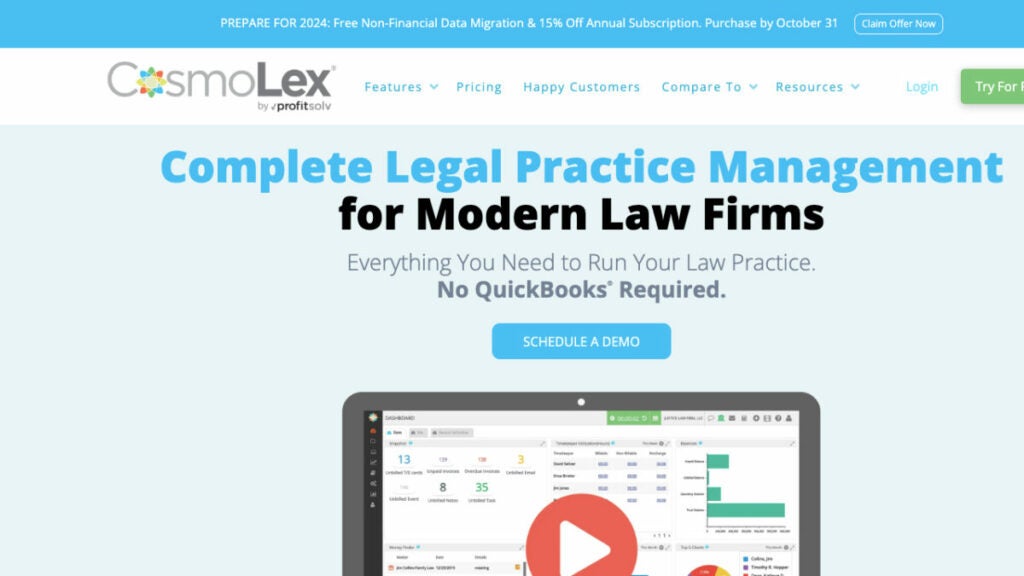
Numerous law firms switched to CosmoLex, the only cloud-based law practice management solution with built-in time and billing software tools, including basic bookkeeping (no QuickBooks required). This law practice management software can be used from the first day and is comprehensive enough to produce the financial reports and analytics you need to grow and maintain your law practice. CosmoLex management solution includes robust features like legal calendaring to help you manage important appointments and deadlines effectively.
Who uses CosmoLex?
This legal practice management software was specifically developed for use by legal professionals, particularly those working at law firms.
Key features
- Customizable Branded invoices. The billing software allows you to create legal-specific templates that include past payments, an itemized list of legal services, disbursements and the balance due for this billing cycle. Your law firm logo, financial data and other information can be included on all client dashboards and invoices.
- Smart Legal Electronic Billing Software. CosmoLex legal management software supports all UTBMS codes and actions.
- Customizable Invoices. Create invoice templates with details such as the last payment, a detailed listing of legal services, disbursements, billing for this billing period, alternative billing arrangements and the total due.
- Invoice Payment Processing. Manage your entire payment flow with our cloud-based legal billing system – from time tracking, expenses and billing to online payment processing and contact management – while automatically keeping up to date in real-time.
Pricing
- CosmoLexPay – $0 no monthly fees
- CosmoLex CRM – $147/month billed annually
- CosmoLex Websites – $149/month billed annually
- CosmoLex File Sharing and eSignature – $52/month billed annually for the first user for 200 envelopes, $60 month-to-month (as more users are added, the cost per user decreases.)
LawPay
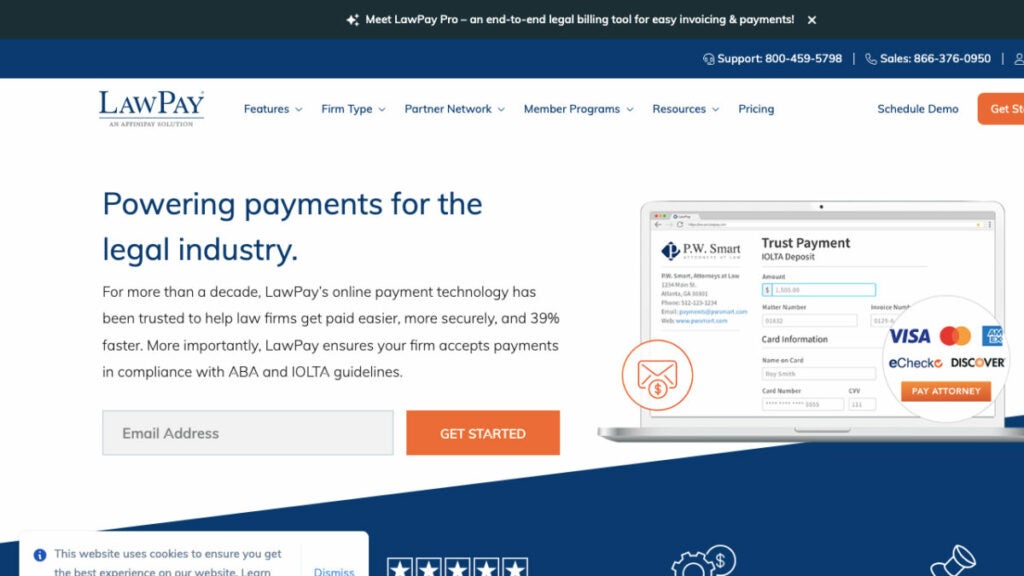
LawPay has empowered law firm professionals with its software for over 15 years. LawPay law firm software helps to accept payments and get paid in compliance with IOLTA.
LawPay Pro, which is backed by all 50 state bars, 60+ specialty and local bars, the ABA, ALA and other organizations, offers secure payment processing, billing, invoicing, expense and time tracking and a trust accounting system for a more profitable, efficient firm. LawPay law practice management software will also take care of your task management and won’t cause you to lose billable time, ensuring customer satisfaction with efficient payment processes.
LawPay is compatible with nearly every operating system, making it accessible to a wide range of users.
Who uses LawPay?
Cloud-based law practice solution for North American and United States legal firms to schedule payments, collect encrypted signatures & more.
Best Features
- Built-In Timers. Built-in timers allow you to track time and expenses and link them easily with cases. Moving from one case to another, you can stop and start up to three timers.
- The QuickBooks Online + LawPay Integration. It creates a simple process of payment for lawyers, from invoicing to collection and reconciliation.
- Scheduled Payments. To ensure clients pay, it is best to plan transactions in advance. Scheduled payments allow you to maximize your cash flow and ensure that invoices are paid on time. The accounting software securely stores all payment information and the Account Updater ensures that stored card details are up-to-date. This keeps your data secure and revenue flowing.
- Custom Payment Pages. With custom payment pages, a law firm can accept online payments at the office via email, website or mobile app. Customize your payment page with your business logo and information to provide a familiar payment experience for your clients.
Pricing
- Free trial available
- The pricing starts at $19/month
- You can also get a custom pricing
QuickBooks Online

QuickBooks is more than just accounting software. QuickBooks allows you to improve cash flow and track your income and expenses, including basic bookkeeping so that you can prepare for tax season.
QuickBooks Online law firm software allows you to run your small law firm from anywhere at any time. More than 4.5 million people use QuickBooks, which provides easy-to-use tools for small businesses. You can manage your docs, generate invoices, track inventory and streamline payment processing. You can save time and get paid faster by using the payment features of QuickBooks Online. If you prefer, you can also collaborate on documents using Google Docs for efficient document management.
Who uses Quickbooks Online?
Accounting and financial software for small law firms.
Key Features
- Tracking income. Match and record payments made by customers through QuickBooks law firm software. All your books are easily organized in one place.
- Payments. You can request payments through an invoice, or you can have your customers pay via a link.
- Reports. Export and run reports, including profit and loss, expenses and balance sheets.
- Invoicing. Add a button on invoices to allow customers to pay online using credit cards and debit cards.
Pricing
- Free trial available
- Simple Start – $30/month
- Essentials – $60/month
- Plus – $90/month
- Advanced – $200/month
Bonus: Software powerpack for small law firms
FuseBase (formerly Nimbus)
FuseBase (formerly Nimbus) is an exceptional client collaboration platform that embraces all the best from legal management software solution. It provides a holistic approach to practice management that includes case and document management as well as client communication. With its easy-to-use interface and adaptability features, this system makes a valuable addition to any law firm looking to streamline daily business operations while creating innovative content.
FuseBase (formerly Nimbus) facilitates easy access, editing and collaboration, giving your law firm total control of your documents, whether viewed on laptops or through mobile apps.
FuseBase (formerly Nimbus) stands as the leader among other legal software solutions, relied upon by legal law firms across the legal industry for features like organization console, data linking, super documents and privacy controls.
Loio
Loio is one of the best AI-powered document management systems created to optimize contract drafting within Microsoft Word. With features that include accurate contract reports generation, instant document structure overview, modern clause library selection and fixing contract formatting issues, Loio’s purpose is ideally suited for legal professionals working regularly on contract review analysis tasks at small to mid-sized law firms and enterprises.
Loio law firm software offers several key capabilities for contract management: rapid and comprehensive summarization, automated clause management for creating legally compliant agreements, document assembly and bilingual contract support to simplify writing and reduce errors.
A perfect choice for companies looking for reliable legal documentation software.
CosmoLex
CosmoLex is a cloud-based law practice management software distinguished by its integrated, compliant legal accounting. Easily used, its comprehensive capabilities for producing financial reports and business analytics provide powerful support for law firm growth.
CosmoLex caters specifically to law firms aiming to maximize practice efficiency as an all-in-one solution that encompasses practice management, billing and accounting responsibilities.
In addition to providing an advanced cloud-based solution that is compatible with UTBMS codes and actions, CosmoLex also includes invoice templates tailored to legal billing that include service listings and alternative arrangements for billing arrangements, as well as an effective invoice payment management system that handles everything from time tracking and expense tracking to online payments and financial reporting.
Wrapping up
By equipping your team with cutting-edge software for law firms, you can help your business reach new heights.
Please remember that there is no such thing as the best legal practice management software. With the help of our list, you can find a legal software solution that is tailor-made for your needs with some time spent researching the market and some critical thinking.
Good Luck!
Top 9 Software Choices for Consulting Firms in 2023
Find out more about the 9 best software for consulting firms in 2023: overview, use cases, key features, and pricing. Click here.
Consulting firms, like other businesses, must regularly manage a multitude of repetitive tasks and deadlines for various clients. Software for consulting firms can come in handy by streamlining processes, encouraging teamwork and keeping your company organized – we understand it may be daunting to select the ideal project management software from all available options!
Based on our research of the most urgent needs of businesses and management consultants today, we have identified nine of the most useful tools across various categories that you can use to take your consulting business to new heights.
Get ready to explore the top business consulting software tools that will revolutionize how you work!
Project management software
FuseBase (formerly Nimbus)
FuseBase (formerly Nimbus), a premier project management tool for client collaboration and project management with features tailored for client-oriented business consulting services. It offers integrated reporting, workflow management, AI-driven tools, and analytics features.
This software for consultants comes equipped with tools tailored specifically towards various industries and professionals who need to track progress, streamline project management, and provide impactful reports for multiple clients.
Building custom business consulting software solutions requires significant resources, while FuseBase (formerly Nimbus) offers a cost-efficient and sophisticated alternative to centralize project management, task management, and client collaboration in one place, all under your brand.
Think about FuseBase (formerly Nimbus) as a restaurant with two key areas: the kitchen, which is the back office for all the productive behind-the-scenes work, and the dining room, a presentable and well-designed place to impress clients with top-notch experiences.
FuseBase (formerly Nimbus) Portals will elevate your collaborative process and project management. No-code websites provide an ideal opportunity for businesses to showcase themselves while creating an exceptional user experience. With FuseBase (formerly Nimbus) Pages as their foundation, all interactions between pages run seamlessly.
Unlike other project management software options, FuseBase (formerly Nimbus) lets you remove all references to their company and customize the platform with your logo, name, colors, and domain to increase brand recognition. This can help increase your brand awareness and professional image.
Remove all references to FuseBase (formerly Nimbus) and customize the platform with your logo to increase brand recognition and brand awareness.
Who uses FuseBase (formerly Nimbus)?
FuseBase (formerly Nimbus) is one of the leading project management programs, providing businesses with a flexible solution for streamlining processes, optimizing task management, and reaching operational excellence, making it ideal for consulting firms or any other type of enterprise.
Best Features
- Client Portals. Apart from project management features, FuseBase (formerly Nimbus) offers no-code client portals that centralize client collaboration and communication, task management, and support team base. Using these portals, you will exceed client expectations by providing seamless experiences. FuseBase (formerly Nimbus) ensures top-notch safety of project details and other sensitive details with granular permissions.
- Super Documents. Combine data from multiple sources on one page: text, images, audio/video files, and PDF attachments. Its document builder supports 2000+ integrations, allowing you to craft engaging, dynamic documentation.
- Project Management. FuseBase (formerly Nimbus) offers kanban boards, dashboards, time tracking tools, and other task management features to help you manage client projects more efficiently, work transparently, and deliver results faster. Real-time collaboration features ensure everyone in your team is on the same page.
- White Label. Fully customizable workspaces and organizations will help build customer loyalty, maintain a unified professional image, and promote your brand without the extensive time, effort, and costs of building in-house business consulting platforms from scratch.
Pricing
- Free version is available
- Paid plans start from $9/user/month
Smartsheet
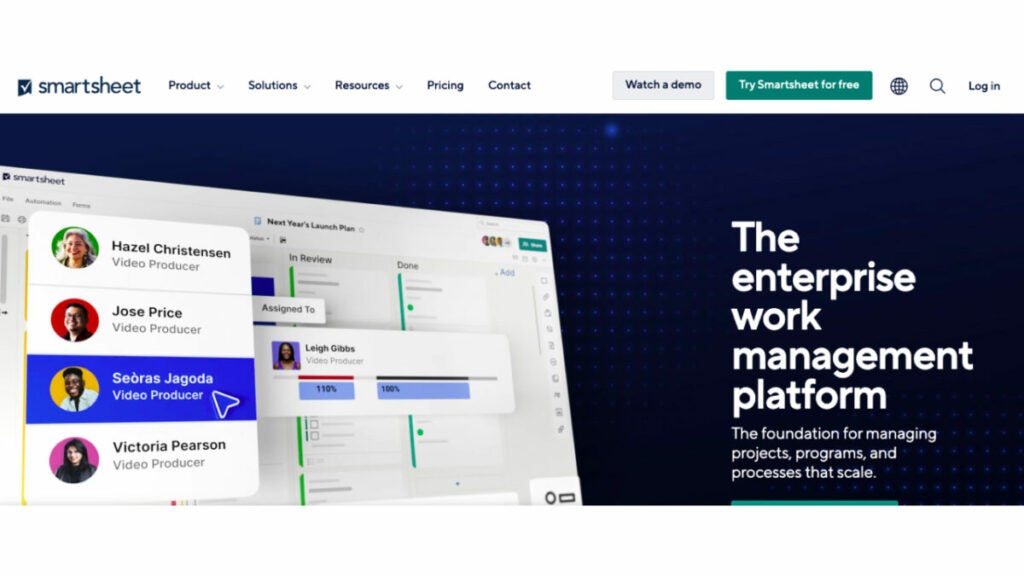
Smartsheet is a popular project management tool that over 80,000 companies use it to manage projects efficiently, including the entire proposal process. This is due to its easy-to-use interface, collaboration features, real-time dashboards, and Gantt charts. Smartsheet is a consulting management software that received several awards in 2018: Forrester Research named it a leader for enterprise collaborative work management, Deloitte Fast 500, and 451 Research recognized its technology innovation and vision.
Who uses Smartsheet?
Smartsheet is one of the best project management software for consultants. It’s used by business consultants, organizations of all sizes, SMBs, and enterprise firms.
Best features
- Digital asset management. Management and distribution of assets and their performance, including the ability to create comprehensive proposals.
- Secure request management. You can streamline requests and process tickets.
- Integrations. Share information between platforms to work smarter and more efficiently.
- Streamlined business apps. Create easy-to-navigate business apps within minutes.
- Portfolio management at scale. Delivering project consistency and transparency at scale.
Pricing
- Free plan – $0 (No cost for one user, up to 2 editors)
- Pro – $7 Per user/month, billed yearly (Max of 10 users, unlimited viewers)
- Business – $25 Per user/month, billed yearly (Minimum 3 users, unlimited editors)
- Enterprise – For large, established businesses that require robust security and management tools for their operations.
Asana
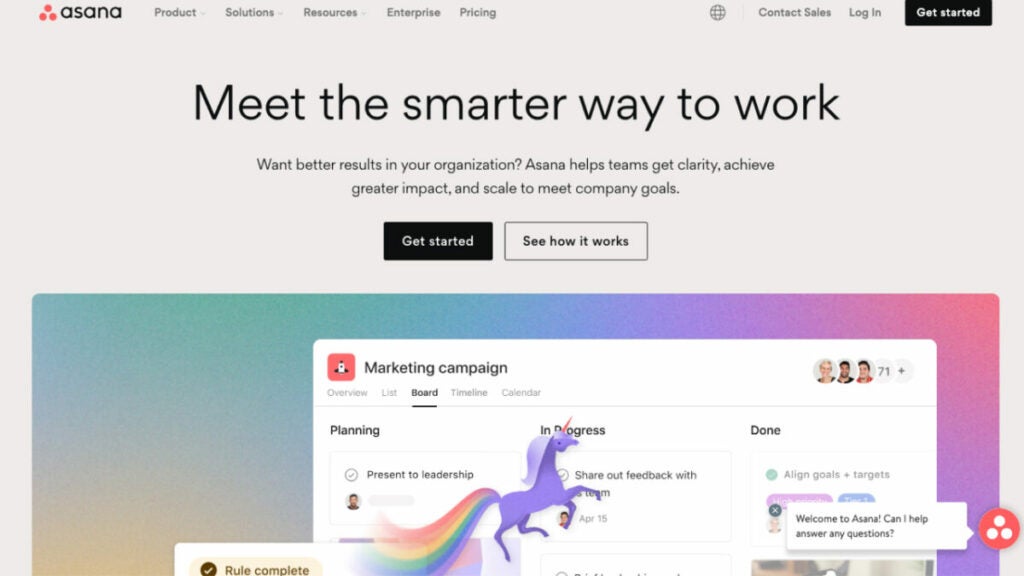
Asana is an excellent software for consultants that lets you manage projects, delegate tasks, and make task tracking a lot easier. Its project management dashboards and features make it perfect for coordinating work on a variety of client projects, regardless of their size.
It’s one of the best project management software tools that makes it team collaboration a lot easier. Whether it’s through the use of lists, boards, calendars, or Gantt charts, you will get things done in the manner most effective for you.
Who uses Asana?
Over 11,000 different users rate Asana 4.5 out of 5 stars. This software for consultants enables teams of any size to improve their productivity and quality of the work they do.
Best features
- Project Views. You can organize your work using a Kanban Board, List, Timeline, Calendar, or Gantt Chart.
- Kanban Boards. Track the progress of your team by visualizing your progress using a digital Kanban board.
- Team and project calendars. Asana’s team and project calendars are the best way to manage and plan your work as a group.
- Forms. Standardize forms so your staff has all the necessary information from the beginning.
- Goals. Connect the company’s objectives with the tasks that support them so your teams are able to get the job done.
- Workload. You can quickly rebalance your work by assessing the workload of each team member.
Pricing
- Basic – $0 For people or groups who are just starting out with project management.
- Premium – $10,99/per user/per month, billed annually for teams that need to create project plans confidently.
- Business – $24,99/per user/per month, billed annually for teams and businesses that need to keep track of work across multiple projects.
Transformation software
Miro
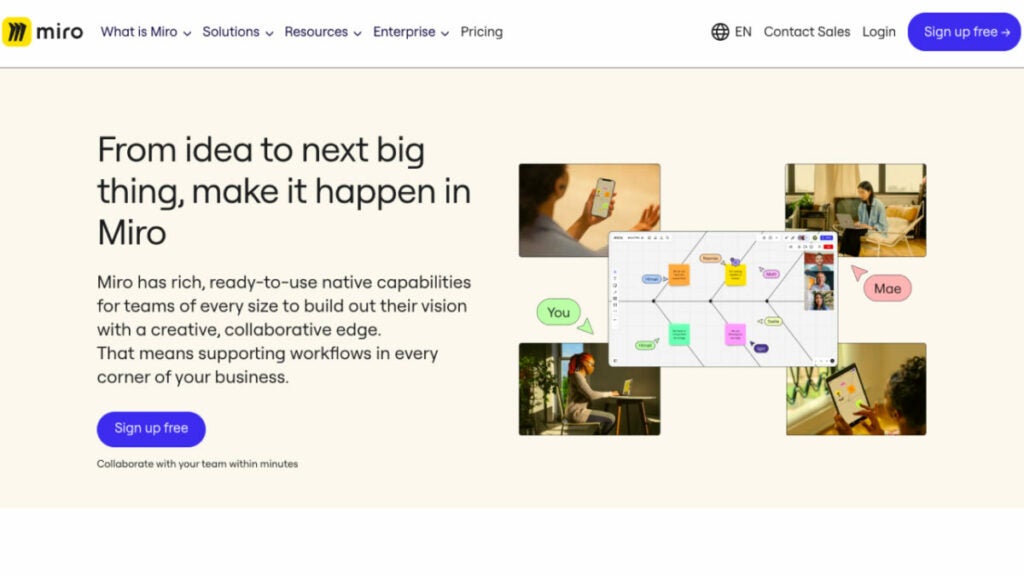
Miro is a visual innovation workspace for teams of any size, allowing them to visualize ideas, facilitate team collaboration, and create future projects together even when they are in different locations.
Its goal is to provide a space where distributed teams may collaborate effectively on multiple projects.
People around the world rely on Miro as one of their primary team communication platforms and visual workspaces, websites. Miro equips teams with the means to hold brainstorms, record ideas, and refine the most promising ones. Miro facilitates face-to-face online meetings with its 300+ prebuilt meeting templates.
Who uses Miro?
It serves a wide variety of clients, from the largest corporations to the tiniest startups, not to mention universities, advertising, and consulting firms.
Best features
- Engineering. More productive team planning conversations. No more vague handoffs and text-only needs; with Miro, you can concentrate on leading your team through essential activities like PI Planning.
- Scrum Events. Equip your hybrid team with cutting-edge tools that will help you work together and communicate better in the lead-up to, during, and after Scrum Events.
- Developer Platform. Create your own plugins and integrations using Miro’s developer platform to give your team (or the world, if you dare) the power of visual collaboration within their existing workflows.
- Process Mapping. Using tools like Flowcharts, BPMN diagrams, Value Stream Mapping, and Swimlanes, you may create a map of your company’s operations in order to pinpoint problem areas, track projects, and maximize efficiency.
Pricing
- Free – $0, Unlimited team members
- Starter – $8/per member/month billed annually
- Business – $16/per member/month billed annually
- Enterprise – Contact sales for pricing
Mural
Provide your team with Mural software for consultants, a tremendously user-friendly digital whiteboard solution that promotes productive hybrid and remote teamwork, and watch them rise to the challenge of producing extraordinary results. Mural serves as a hub for many different types of product-related activities, including but not limited to sales and consulting projects, design and research, workshop facilitation, and agile and design thinking workshop facilitation.
Who uses Mural
Mural helps enterprise, design, and creative teams, business consultants, and IT consulting firms with the skills and technologies that make remote and hybrid work that much easier.
Best features
- Infinite & resizable canvas options. You can choose from an infinite number of canvas sizes.
- Flexible permissions. Control the access to collaborative features by setting up view-only, editor, or facilitator options.
- Icons, GIFs, & images. Noun Project’s integrations with GIPHY and Unsplash allow you to create icons, GIFs, and images that help communicate complex ideas or engage your team in fun activities.
- Create and publish your own templates. This will save you time and allow your company to scale up methods.
Pricing
- Free – $0/ with unlimited members
- Team+ – $9.99/per member/month/billed annually
- Business – $17.99/per member/month/billed annually
- Enterprise – Contact Mural for pricing
Billing Software
NetSuite
NetSuite’s cloud-based solution equips businesses with the tools they need to handle expense management and accounting data to swiftly complete the closing step. Data inefficiencies and mistake rates are reduced thanks to automated processes, and real-time business monitoring and business intelligence are facilitated by incorporating customizable reports, dashboards, and metrics. This billing and invoicing software guarantees data is available safely around the world and works with a wide variety of currencies, languages, and compliance standards. More than 36,000 customers in 217 countries use this comprehensive system, which was initially tailored toward financials and enterprise resource planning. But today, it also covers inventory management, consulting, human resources, professional services automation, and omnichannel commerce.
Who uses NetSuite?
NetSuite accounting software is a perfect choice for all: from a small consulting business to a large enterprise. It’s a consulting software to manage resources, streamline critical business operations, and gain real-time visibility into key metrics like sales and project costs.
Best features
- Financial Management. Streamline daily transactions and close financials faster. Ensure compliance. You can get a real-time, complete view of your company’s financial performance at all levels, including individual transactions.
- Global Business Management. NetSuite’s cloud-based platform provides real-time visibility and financial consolidation to help companies run global operations. This includes managing multiple currencies and taxation regulations, comprehensive reporting functionality, and consolidating finances across subsidiaries and geographies.
- Order Management. Streamline the order process by preventing and eliminating bottlenecks and errors. This will ensure a seamless flow between sales quotes and order fulfillment. Invoices and payments are made on time.
- Balance Supply and Demand. Manage your supply chain, cost increases and changing buyer behavior.
Pricing
Contact NetSuite to get information about pricing.
Zoho Invoice
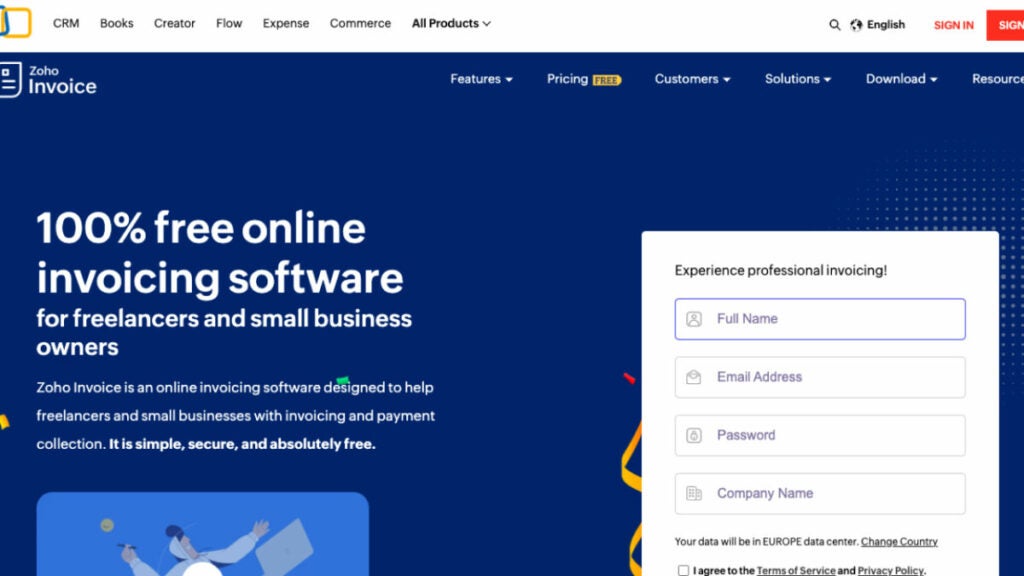
Easy to learn and use, Zoho Invoice is an online invoicing software that facilitates tracking expenses, invoice customization, rapid online payment, and efficient management of billable hours. It facilitates communication and cooperation between you, your clients, and your staff. Invoices, financial reports, payment reminders, and thank-you cards can all be automated to help save time and effort. Also, Zoho’s strong suit is data analytics and visualization. You can maintain contact with your company from anywhere thanks to the iOS and Android mobile apps.
Who uses Zoho Invoice?
Zoho Invoice is the perfect invoicing software for freelancers and small business owners. It caters to the needs of every size of business, especially small businesses.
Best Features
- Digital Billing. Invoices can be exported to PDF or other digital formats for more convenient storage and retrieval.
- Recurring Billing. Invoices are produced routinely at scheduled intervals.
- Batch Invoicing. The ability to generate a wide variety of different kinds of invoices.
- Accounting. Allow for seamless synchronization with your accounting and finance management programs.
Pricing
This accounting software is Free.
Enterprise Software
Monday
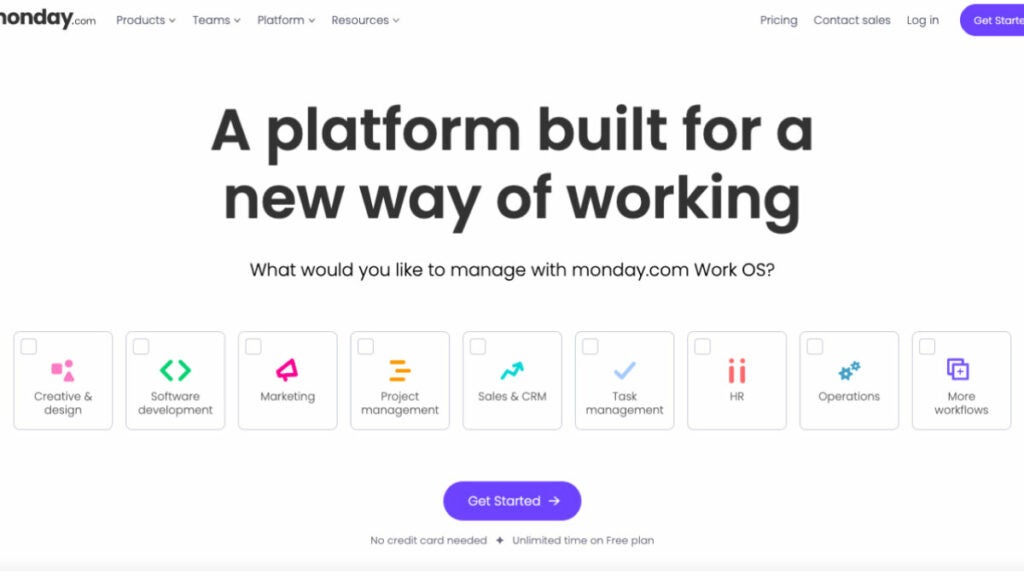
Monday.com is like a centralized platform that allows teams to create their own workflows with easy-to-use building blocks such as dashboards and automation. The platform offers various reporting features and is designed to be flexible, adaptable, and customizable. It can also scale with the organization’s growth.
The industry-specific products, including Monday Sales CRM software, Monday Work Management, and Monday Dev, allow organizations to quickly create solutions that are tailored to the exact needs of their organization and team size.
Workflows can be streamlined and accelerated with the help of no-code automation. You can also centralize your work and share it in context, in real-time. Monday.com’s intuitive interface helps track project progress so you can achieve bigger goals.
Who uses Monday?
There are many teams working in lots of different fields besides consulting all across the world. Thanks to its user-friendly interface, it may be tailored to fit the needs of any project or business.
Best features
- Customizable boards. It’s one of the core features that can be made unique for each user on Monday.com, allowing for more efficient management of tasks, projects, and workflows. Thus, consultants are able to maintain efficiency and concentration.
- Collaboration tools. Commenting, mentioning, and attaching files are just some of the collaborative methods available.
- Automation. If you’re a consultant looking to cut down on mundane, time-consuming duties, Monday.com could be the answer. If utilized correctly, this tool can boost efficiency and cut down on mistakes.
- Time tracking. Consultants can see the project progress, as well as keep track of how much time they devote to each project and job, thanks to Monday.com’s robust built-in time tracking facilities.
Pricing
- Individual – $0
- Basic – $8/month
- Standard – $10/month
- Pro – $16/month
- Enterprise – Contact Monday.com
HubSpot

HubSpot is a good CRM software designed specifically for managing interactions with customers. Tools for managing and communicating with your client base are housed within the platform. The use of content management, sales, marketing, and customer service software simplifies the customer relationship management process.
You can make your company a money-making machine by giving customers what they want. Use HubSpot’s best CRM software to track the progress of your company’s marketing, sales, customer service, content management and operations.
Who uses HubSpot?
HubSpot is a low-cost customer relationship management system suitable for enterprises of all sizes. Using these instruments, businesses will have an easier time managing their relationships with customers.
Best Features
- Pipeline management. Managing your sales pipeline is as simple as adding deals to your CRM, delegating activities to move them ahead, and checking in on your most promising leads via dashboards.
- Contact & lead management. Do you still have to sift through your email, spreadsheet, or LinkedIn contacts to find out what happened to potential clients or customers? HubSpot’s user-friendly CRM tool can be picked up in a matter of minutes and keeps track of all of your business contacts in one convenient location.
- Email marketing and Ad management. Free marketing tools from HubSpot include email marketing, ad management, and more ways to customize your customers’ online experiences. Create proposals that are simple, entertaining, and effective.
Pricing
- Marketing Hub’s marketing software price ranges between $50 per month and $3,200 per month.
- Sales Hub pricing starts at $50 per month and goes up to $1,200 per month.
- Service Hub’s pricing ranges between $50 per month to $1,200 per month.
- Content Management System (CMS) Hub pricing ranges between $270 to $900 per month.
Bonus: Software powerpack for small consulting firms
FuseBase (formerly Nimbus)
FuseBase (formerly Nimbus) is the undisputed leader among other tools mentioned in this article. But what makes this project management software important?
FuseBase (formerly Nimbus) is more than just a project management software. It is a client collaboration platform that offers analytics, integrated reporting, and workflow management. The platform is designed for professionals and industries that want to provide clients with impactful reports. FuseBase (formerly Nimbus) has powerful features for sharing and collaboration, and our no-code websites are a great way to showcase your services since they provide a fantastic user experience.
It can be customized with the user’s logo to increase brand awareness and recognition. FuseBase (formerly Nimbus) offers a flexible solution to optimize workflows and operational excellence for global corporations and start-ups.
Try FuseBase (formerly Nimbus) now and improve your business efficiency and productivity.
Monday
Monday, one of the intuitive project management tools that empowers teams to create their ideal workflow within a single intuitive workspace, also offers advanced analytics tools. It is adaptable, customizable, and flexible. Monday.com offers industry-specific solutions such as Monday Work Management, Dev Solutions, and Sales CRM software. These products allow organizations to centralize their work and collaborate in real time with customizable boards.
Miro
Miro is one of the most powerful consulting tools that enables visual collaboration with its array of visual elements. It’s a must for many small businesses. Miro’s digital whiteboarding features allow your team to brainstorm, visualize their ideas, and map out strategies wherever they may be. This is an excellent platform for workshops, brainstorming sessions, and designing processes. Miro encourages creativity and innovation to help your consulting firm stand out and deliver unique solutions.
Wrapping Up
It appears that at every step you make, a new piece of software or mobile application promises to make managing your consulting firm easier. We know it’s hard for any business owner to pick the right consulting software among the various platforms available on the market.
There is no disputing that choosing a specific software for consulting firms would, in fact, make your business process steady and your clients loyal and happy. We’re sure that among the nine best consulting software solutions we’ve discussed with you, the one you choose can become life-changing for your consulting business.
How to prevent our iPhone from charging above 80%
We now have an additional tool to ensure lighter and more efficient battery usage.

The battery life of our smartphone is a crucial aspect to ensure its performance and durability. Apple, aware of this need, has introduced a feature in its iPhone 15 and iPhone 15 Pro models that allows us to control how much we want to charge our device.
Continue reading “How to prevent our iPhone from charging above 80%”Contrary to what we have always believed: Gen Z falls more into online scams than Boomers
Knowing how the Internet works makes us, curiously, more trusting and clueless. Older people, on the other hand, only do what…

There may be a stereotypical image that older people are the most likely to fall for the Nigerian Prince scam. For us youngsters, only older people can fall for lifelong scams… we are very wrong.

The surprising truth is that Generation Z, those born between the late 1990s and early 2010s, suffer far more scams than their boomer grandparents.
A recent Deloitte survey shows that while 5% of Boomers reported having been scammed on the Internet, 16% of Generation Z users, more than three times as many as those of the previous generation, had been victims of the same crimes.
Generation Z also saw their social media accounts hacked more than Boomers (17% vs. 8%) and their location information misused more than any other generation.
Data that leave a generation of digital natives in a bad way
Cybercrimes such as phishing, identity theft, romance scams and cyberbullying affect younger generations more than older ones. When it comes to fraud, 44% of young adults aged 20-29 have been victims, compared to only 23% of those aged 70-79.
The situation seems to be getting worse for young people. Vox notes that online scam victims under the age of 20 lost an estimated total of $8.2 million in 2017. In 2022, that figure stood at $210 million.
Probably the main reason why younger people fall victim to these scams is that they are simply much more connected to the Internet.
But there are other, less obvious explanations. Their reliance on technology, for example, increases the chances that they will stumble upon a convincing email or ad that is actually a scam.
Being a digital native, the main handicap
Younger generations who grew up with the Internet tend to be much more comfortable with it, prioritizing convenience over security.
A 2020 study found that while Generation Z was very aware of Internet security, they fared worse than millennials when it came to actually implementing these practices.
In addition, the fact that Generation Z is more comfortable meeting people online also increases their chances of falling victim to a romance scam.
Tanneasha Gordon, a Deloitte director who leads the firm’s digital trust and data business, told Vox, “They [younger people] shop online a lot, and there are so many fraudulent websites and e-commerce platforms that literally cater to them, that will take them from the social media platform they’re on through a fraudulent ad.”
The influencer scam: what is it?
One type of scam that targets many young people is the so-called influencer scam. It usually involves a stranger asking someone with a social media account to be a brand ambassador and offering a free sample. The victim is asked to pay shipping costs and provide their address, but the item never arrives.
A UN report revealed last month that hundreds of thousands of people around the world have been trafficked and forced to participate in online scam operations, so this is not a minor practice, it is a real problem that affects people.
In short, knowing how the Internet works makes us, curiously, more trusting and clueless. Older people, on the other hand, are more wary of giving out their data on the net. Paradoxes of life.
How to hide the mute icon on the new iPhone 15 Pro
One of the many details that come with the new iPhone 15 Pro.

With the release of the new iPhone 15 Pro and iPhone 15 Pro Max, Apple has introduced a very interesting feature: a programmable physical button known as the Action Button. This button replaces the traditional mute/sound switch that used to be located above the volume buttons, and this change also brings a slight interface adjustment: a mute indicator.
Continue reading “How to hide the mute icon on the new iPhone 15 Pro”Superman once had a pet monkey: the unsuperheroic story of Beppo
Beppo appeared for the first time in a vignette in October 1959, during issue 76 of Superboy where his story was explained to us. Phew.

Superhero comics in the Golden Age, back in the 50s and 60s, were strange, being generous. Until Marvel came to make other types of characters with other types of problems, DC was content to make weird and unconnected stories that today serve us to throw a few laughs. One example is Beppo, the super-monkey, who came from Krypton to… make a fool of himself.

Do the super-monkey!
Superboy’ was born in 1949, eleven years after Superman, with his adventures as a child and teenager in Smallville, and became a real bestseller until the 70’s when the public began to ask for a different set of things. However, in this period of time, the scriptwriters of the time, imprisoned by the Comics Code, had time to make real barbarities that are as funny today as they are absolutely hallucinogenic.
That was the case with Superman’s mascots. It all started with Krypto the super-dog in 1955, who was sent to Earth in a test rocket before the explosion of Krypton (and, in fact, still appears from time to time, although without powers). After his success, it was time to create more animals: Streaky the super-cat, in 1960, Comet the super-horse, in 1962, and the icing on the cake: a super-monkey. Of course.

Beppo appeared for the first time in a cartoon in October 1959, during issue 76 of ‘Superboy’, where his story was explained. Phew. It turns out that the Kryptonian super-monkey snuck into the rocket that saved Superman from the explosion (how? You never know) and when he arrived on Earth he used his strength to escape to a jungle, the famous jungle of Smallville, and appear a few years later to make a mess.

In the end, after setting fire to the fireworks Pa Kent was saving for the Fourth of July, he flew off into space, never to return. Well, until two years later, when he became part of The League of Super-Pets. The character continued to come out regularly until 1969, when it was decided that the concept was absolutely ridiculous and everyone pretended it had never happened. Oh, Beppo the super-monkey, we carry you in our hearts. You did the best you could. Well, sort of.
One of the best movies of 2023 comes to Amazon Prime Video

Amazon Prime Video is giving us many surprises at the film level this year. While it already released Babylon a few months ago, one of the best films of 2023 that went unnoticed by many, it has now renewed its catalog with another one that had better luck and that, without a doubt, is placed in the annual top: The Fabelman.
Directed by Steven Spielberg, the film that took home the Golden Globe and made it to the top of the Oscars – despite being beaten by the majestic Everything Everywhere All at Once– is an incredible gem that everyone should see at least once. But what makes this film so special?
Discover The Fabelmen, Spielberg’s most auteuristic film
The Fabelman is Steven Spielberg’s most personal film, and he has directed a staggering 37 films to date. But while most of his previous works explore themes that are also addressed here, such as fatherhood, obsession with a passion and young love, this time he has taken his own story directly as the basis for the story.
Together with Tony Kushner (co-author of Munich), Spielberg has brought to life the most significant film of his career. In it, he recounts his childhood as a Jew, the drama of his parents’ separation (his mother left his father for his father’s best friend) and his evolution with cinema. In the film we observe his skill with the camera from an early age, first with his sisters and then with his friends, with whom he created amazing short films to win medals as a member of the boy scouts.

However, the film doesn’t just celebrate cinema as a passion, as Spielberg repeatedly insists. It is his way of understanding life: how he forges friendships, initiates love affairs and wins the respect of others. Even how he comes to alter the lives of his family. Through one of his home movies, he discovers the relationship between his mother and his father’s best friend… and that’s when everything explodes.
After being warned that the love of his life could become his undoing, Spielberg narrates how he almost gives up on his dream of making movies. However, love always prevails, and young Fabelman, also known as Spielberg, knows he must fight for it.

This declaration of love for cinema did not come by chance at this time, when Spielberg is already 76 years old. Although he had been considering directing The Fabelmans for a long time, he didn’t want to do it until his parents passed away, as they had suffered enough. His mother didn’t pass away until 2017, at 97, and his father passed away in 2020, at 103. This longevity delayed the making of The Fabelmans… but, finally, Spielberg was able to shed his emotional burden and direct the film of a lifetime.
The Fabelman is arguably one of the best-directed films of recent years, without a single negative aspect in terms of its pacing, camera movements or performances. Each frame is a masterpiece in itself, and Spielberg has masterfully applied all the knowledge he has acquired throughout his journey as a filmmaker.
Don Limpio has a name of his own thanks to the weirdest contest in history
What few know is that the pet has a name and “Limpio” is just his last name. The culprit, a contest that didn’t go well.

If you already have gray hair you probably remember a commercial where a female voice sang “Mister Proper was in the beginning, now it’s called Don Limpio”. It was 1996 and Procter & Gamble decided to give it the same name in Spain as in the United States (Mr. Clean) or in Mexico (Maestro Limpio). If you are homesick, Mister Proper still exists in Bulgaria, Russia or Kazakhstan. You will see if the nostalgia pays off.

Really Mr. Clean
Interestingly, in the UK and Ireland there is already another product called Mr. Clean, so there he has no choice but to call himself Flash, like the DC superhero. Of course, there are few who see the muscular, smiling man, who has usually been portrayed as a cleaning genius, and do not recognize Mr. Clean. What few know is that he is the mascot has a first name and “Clean” is just his last name. The culprit, a contest gone wrong.
Let’s go back to 1957, when an advertising agency in Chicago came up with the character a year before the brand went on the market. The character was so successful in the ads that in 1962 the brand decided to hold a contest to name him. In the advertising they suggested different names such as Maynard, Waldo, Baldwin or even Napoleon (literally, “because he conquers dirt”). People saw it and said “Yeah, see, no”.

And the prize was spectacular: a house with everything inside worth $30,000 or, if not, the full $30,000. To give you an idea, that’s the current equivalent, taking inflation into account, of $304,000. All for naming a pet. Oh yes, there were also 1000 second prizes consisting of a portable radio. Sorry if, seeing the house, I don’t get excited.
The winning name was “Veritably”. That is, “Truly.” “Mr. Veritably Clean. I hope, frankly, that the house was thoroughly enjoyed. Never was so much won with less.
Ideafix, Obélix's dog, could have been called Patracourcix, but the public saved him
The magazine where the weekly issues were published, decided to hold a contest so that the readers themselves could decide the name of the mascot. Because, deep down, it was a little bit of him too.

“The two enter a store with the sign ‘Charcuterie – Ultramarines’. A small dog is at the door.” Believe it or not, these were the words of the first script in which Goscinny introduced the world to a character who would later be key to the adventures of Asterix and Obelix. It was the Gauls’ fifth comic book, ‘The Return to Gaul’, and the little dog Ideafix had just been born.

A million bones!
At the end of that comic, in which Uderzo occasionally drew the little dog chasing the Gauls, Obelix decided to adopt him by giving him a bone. However, his name would not be revealed until the next issue, ‘Asterix and Cleopatra’. And there was a good reason for this: the magazine where the weekly issues were published, ‘Pilote’, decided to hold a contest so that the readers themselves could decide the name of the mascot. Because, deep down, it was a little bit theirs too.
From the call in issue 209 of ‘Pilote’, readers began to send in their own proposals. Uderzo himself recalls that they received fairly regular names such as Patracourcix or Papeurdurix, but four participants who did not know each other proposed the same name: Idéfix, which sounds like “fixed idea” (idée fixe), and which in Spanish had a simple translation: Ideafix. For the cartoonist, “It was perfect! It was an animal with a fixed idea: to find a bone.

Luckily, he was saved from other names that were proposed such as Trépetix, Paindépix, Toutousanprix or Minimix. It’s been 60 years since Ideafix’s debut and he’s still giving us something to talk about: in fact, in 2021 he was given his own TV series and accompanying comics. Ah! In case you’re curious, we have a dog for a while: in ‘Asterix and Latraviata’, from 2001, he was the father of a gigantic litter. Maybe one of his offspring could be named Patracourcix. Hey, who knows, it could be names!
We love teleworking, but it has tremendous security problems
A new study carried out by HP has revealed quite interesting data related to teleworking and cybersecurity. Apparently, many companies consider remote working problematic, especially when it involves the use of technological devices.

A new study conducted by HP has revealed some interesting data related to telecommuting and cybersecurity. Apparently, many companies view telecommuting as problematic, especially when it involves the use of technology devices.

However, it seems that companies want to go back to the office environment, as it were. For many of these companies, the return to face-to-face work means an increase in productivity, but at the expense of workers’ needs and desires. But does remote working really harm companies?
Through this study conducted by HP that we have been able to know in TechRadar it has been seen that up to 75% of current companies are facing new operational challenges, motivated by teleworking. However, it is IT administrators who suffer the most from this transition.

One of the main challenges they face is perhaps the most important: ensuring the security of the company’s data. This is closely followed by keeping software on remote devices that need to be used (such as computers) up to date and ensuring that databases are working properly. Research also found that only 42% of companies perform annual software updates. In fact, 12% only do so if it is “essential”.
HP’s Global Director of Personal Systems Security, Dr. Ian Pratt, said, “As the workplace evolves, so too must security. To deliver secure, efficient and easy-to-use IT experiences in the future, companies will need to put in place an infrastructure that can support this new way of working. It is clear that prioritizing online security will be vital for both the business and the employee.