Ubisoft has announced the closure of online services for several older games by January 2024, many of which are AC titles and more.
The downside of growing older is that the things around us age with us. While a tree can accompany us forever, a video game, after a few years, experiences planned obsolescence, a topic we often discuss.
Unfortunately, the list of titles that will cease to function includes iconic games like Assassin’s Creed 2, Assassin’s Creed Brotherhood, and Assassin’s Creed Revelations.
Although more recent titles like Assassin’s Creed Mirage will remain unaffected, it’s still saddening to witness the decline of these iconic games.
Indeed, we’re not just bidding farewell to Assassin’s Creed; there’s more to it
The Assassin’s Creed series isn’t the only one disappearing. Ghost Recon Future Soldier, Splinter Cell: Conviction, and R.U.S.E are also on the list and will go offline in the near future.
With all these games, players won’t be able to use multiplayer modes, link Ubisoft accounts in the game, or access any other online features. Additionally, Ubisoft Connect rewards will no longer be available.
While it’s sad to see these games slowly fade away, many of these titles are incredibly old and belong to last-generation platforms like Xbox 360 or PlayStation 3.
In an article published on Ubisoft’s website, the publisher discusses more about what it means to retire so many games from the market: “The dismantling of online services for older games is something we don’t take lightly. However, it is also necessary as the technology behind these services becomes outdated.”
This is not the first time Ubisoft has shut down online services for old games. Last July, the publisher announced the deactivation of 15 games. Among them were Far Cry 3, Splinter Cell: Blacklist, and Rayman Legends.
The only game that was spared was the economic and city-building simulator Anno 2070. However, the creators promised to “dedicate part of their development resources to updating Anno 2070’s online service infrastructure to a new system.”
The streaming platform releases a large number of new series and documentaries, while recovering some classic films.
Today is October 31st. In just a few hours, November arrives with us, loaded with novelties in all fields, including audiovisual content, as it couldn’t be otherwise. Among all the existing platforms today, it’s now HBO Max‘s turn, which has announced its releases for the upcoming month of November 2023.
Starting with the series, which are the most distinctive factor of platforms due to their seasons and attractiveness, this November we have a large number of new fiction series premiering on the platform. Yes, there are also some returning ones, of course, but the amount of new releases available is surprising. Here they are:
Gordon, Gino and Fred: Road Trip: Season 3 (November 1).
RAP SH!T: Season 2 (November 9).
The Teenage Kiss: Premiere (November 9).
Julia: Season 2 (November 16).
Candy Cruz: Premiere (November 23).
Las vidas de Fèlix: Premiere (November 24).
Aquateen Hunger Force: Season 12 (November 27).
Bookie: premiere (November 30).
As for movies, this November also brings some good additions, including an Adam Sandler classic like “Little Nicky,” a comedy where Satan wants to retire for good, but none of his children is evil enough to succeed him. The movies are as follows:
American History X (November 10).
Loreak (November 17).
Little Nicky (November 17).
Another Round (November 24).
To conclude, the documentaries. HBO has been producing excellent visual pieces for a long time, so the releases for this November won’t be any less impressive. They range from delving into religious cults with “Love Has WonCult” to stories like “TheMurder of Caroline Crouch.” Here are the documentaries:
The truth is, everyone knew Twitter wasn’t worth $44 billion when Elon Musk bought it a year ago. Now we know what Musk himself believes it’s worth today: $19 billion.
He bought them at $100 each, and now they are worth $45 per share
On Monday, X employees received company shares valued at $19 billion, or $45 per share, according to internal documents seen by The Verge.
This price represents a 55% drop from Musk’s original purchase price, as indicated by the documents, which state, “the fair market value per share is determined by the Board of Directors based on a variety of factors in compliance with applicable tax rules.”
Since taking over Twitter, Musk has expressed his intention to model the company’s compensation plan after SpaceX, which is also private but allows employees to regularly redeem a portion of their shares to external investors.
The type of shares that X offers its employees are called Restricted Stock Units (RSUs). These RSUs are granted over a four-year period from their grant date and require a “liquidity event,” such as an IPO or the sale of the company, to be taxed as income, according to internal documents.
Until now, X employees have been working there without knowing the company’s value since Musk bought it. This information about the stock allocation finally answers that question.
However, Musk’s valuation might still be overly generous; one of his major investors, Fidelity, believes X is worth 65% less than what he paid for it.
Explore the Top 8 Sales Software in 2023: Overview, Use Cases, Features, and Pricing
Staying ahead in modern sales is vitally important. From experienced inside sales representatives within companies to independent consultants and outside sales specialists, having access to the right tools makes all the difference. This is why we’ve embarked on our search for software for consultants explicitly tailored to each of your unique requirements.
We have carefully selected four categories of software: CRM, Commission tracking, Accounting and Route planning.
Why did we select these categories? Our decision was determined by a comprehensive examination of the essential requirements sales reps must fulfill. We took great care in investigating each aspect of your challenges. These categories serve as the cornerstones for success in sales.
Join us as we delve deeper into these invaluable tools for sales reps.
CRM software
FuseBase (formerly Nimbus)
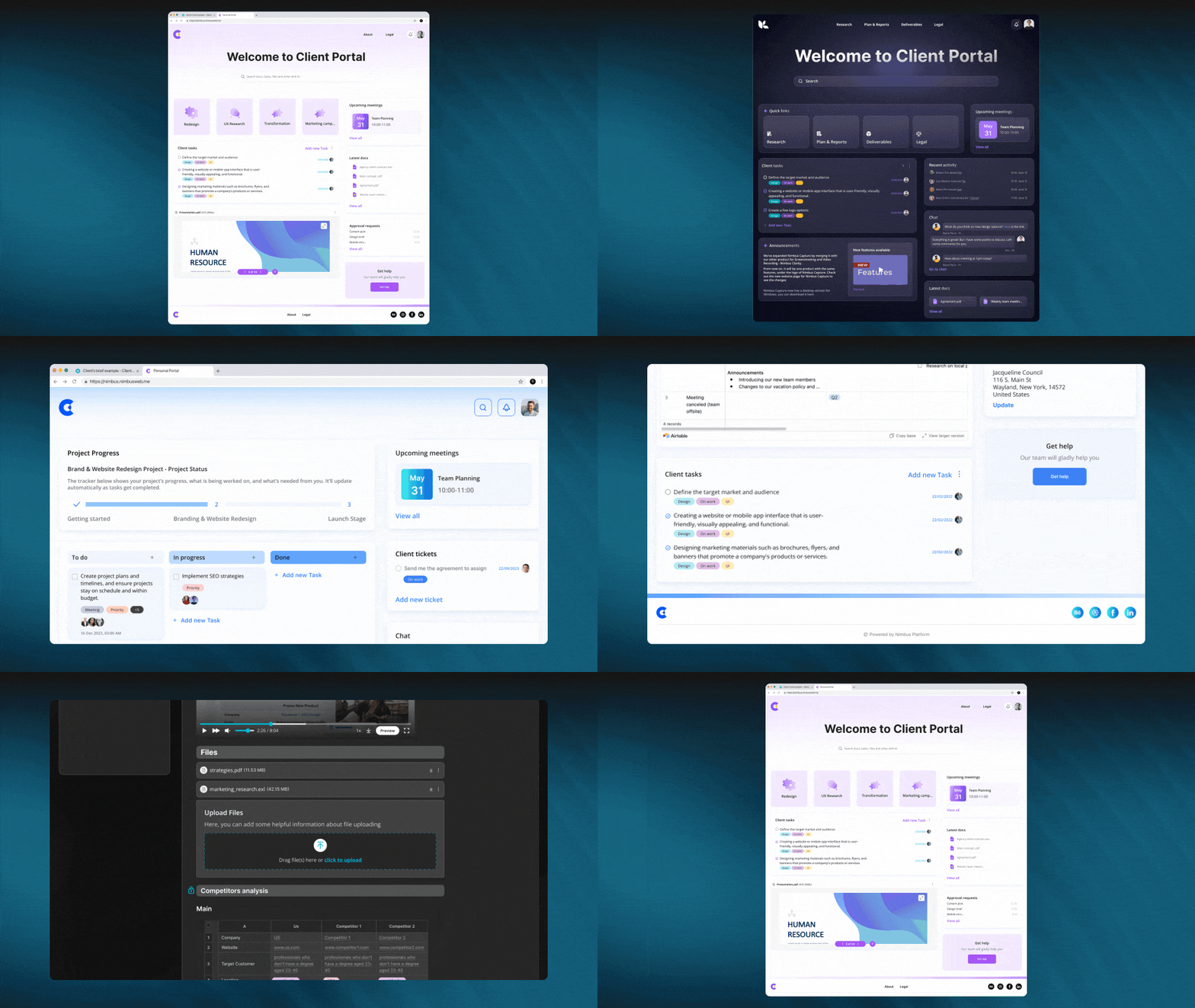
FuseBase (formerly Nimbus) goes beyond traditional CRM; it provides dynamic client collaboration software explicitly tailored for client-oriented businesses. FuseBase’s (formerly Nimbus) seamless incorporation of key CRM features within an effective collaborative hub environment sets it apart.
The platform gives sales reps the power to manage deals more efficiently, track sales analytics, and have safe and secure access to important information. Furthermore, users can create databases with lead information, while the FuseBase AI feature facilitates lead data analysis and the generation of personalized email chains based on this analysis. Client portals enable sales teams to keep records of meetings held with clients as well as track fulfillment of commitments, creating more transparent customer interactions while making sales teams’ tasks simpler and more effective.
FuseBase (formerly Nimbus) streamlines teamwork and client collaboration by making all content accessible to everyone, regardless of whether or not they have a FuseBase (formerly Nimbus) account.
Essentially, FuseBase (formerly Nimbus) is more than a CRM; it serves as your partner in elevating client collaboration while streamlining CRM functionalities.
Who uses FuseBase (formerly Nimbus)?
NiFuseBase (formerly Nimbus) has quickly become the go-to solution for consulting firms, independent consultants, sales development reps, and client-oriented businesses looking for a client collaboration platform with integrated CRM platform features.
Best features:
Client Portals. FuseBase (formerly Nimbus) Client Portal offers consultants an effective tool for creating professional yet branded client hubs to consolidate project details while streamlining updates, approvals, and communication between internal work hub pages and client access points. You can even integrate external tools like Google Docs, Calendly, or Figma for enhanced collaboration and project management.
Knowledge Bases. FuseBase (formerly Nimbus) Knowledge Bases is a reliable tool for consultants to store and manage critical data. By establishing a single authoritative source, you can rest assured that your organization’s most valuable assets—its expertise and experience—will be safeguarded while still being easily accessible to current and future team members. This can be accomplished by creating searchable wikis and documentation and using tags and nested folders. Say goodbye to worrying about losing internal expertise when team members change.
Streamlined Task Management. Simply attach tasks with details like descriptions, comments, files, and due dates to provide clarity and accountability. Progress bars allow easy monitoring, while task labels help prioritize workload efficiently. Additionally, you and your clients can view billing and non-billing hour reports at any time, allowing you to track and categorize any time spent, regardless of whether it was billable. This feature facilitates task execution for greater productivity from consultants while remaining organized and staying on target to deliver exceptional results!
FuseBase AI. FuseBase AI uses advanced AI capabilities and AI Customer Support Software to simplify lead data analysis and craft personalized email chains, increasing sales reps’ efficiency. With AI, teams can save a lot of time while still getting a lot done because the technology can speed up manual procedures, reveal insights humans overlook, and adapt material to new situations.
Data Collection. FuseBase (formerly Nimbus) makes data collection for sales reps easier with customized forms, approval processes, and video/audio recordings that improve communication. Collaborate efficiently using comments/chats/briefs and custom notifications, and manage tasks efficiently through the ticketing system; make each interaction count with FuseBase (formerly Nimbus) and elevate your sales process.
Pricing:
A free plan is available
There are multiple pricing plans to suit every need and budget, starting with just $9 a month.
HubSpot CRM
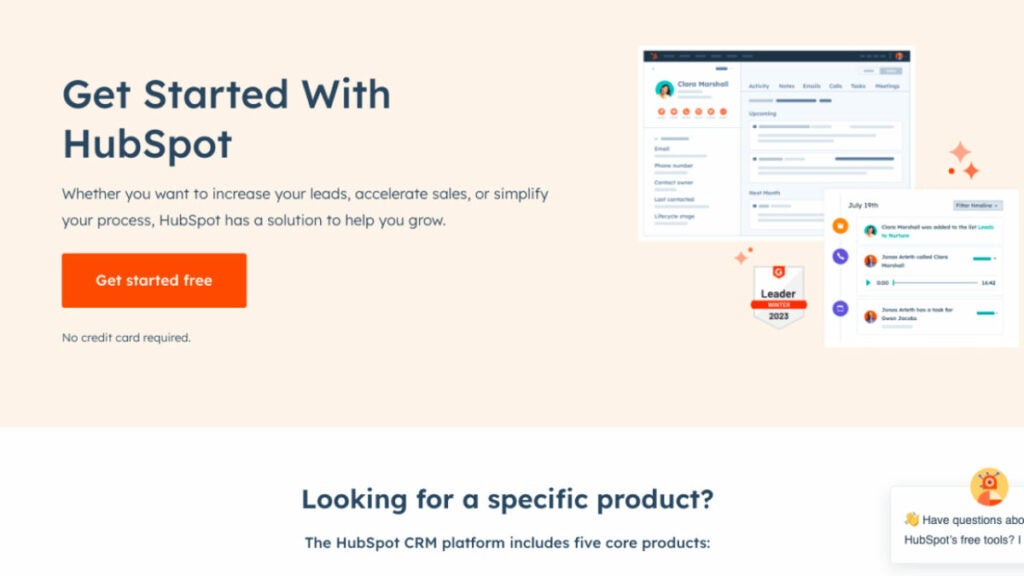
HubSpot provides flexible pricing and packaging based on your team size, from a small group of five to a large, skilled sales force of 500. HubSpot’s customer relationship management (CRM) platform was developed with efficiency in mind. All of your contacts will be stored in one easily editable location. No more searching through emails to get information. It’s all there in one convenient place.
The HubSpot CRM software for sales reps is the backbone of Sales Hub, providing a unified view of customers, sales teams, and the technologies they use. Users can maximize their productivity with the CRM platform’s access to more information, qualified leads, and unified training resources. You can use their extensive network of app and solution partners to create a unique and memorable journey for your customers from start to finish.
Who uses HubSpot CRM?
With HubSpot’s CRM, your team can expand as you do. Today, over 100,000 companies in more than 120 countries use HubSpot’s award-winning software to attract, engage, and delight customers.
Best features:
Prospect Smarter. Use HubSpot’s sales engagement solutions to easily convert leads with meaningful, contextual discussions. No more trying to second-guess what to do. To concentrate on creating a quality, high-converting pipeline and monitor your team’s performance with essential sales KPIs, it is essential to maintain your prospecting representatives well-organized, efficient, and productive throughout the day.
Accelerate Revenue Growth. With the help of HubSpot’s AI-enhanced deal management solutions, you can quickly and easily convert leads into paying customers, closing more deals in less time.
Scale Insightfully. HubSpot’s integrated reporting and analytics tools enable you to efficiently anticipate revenue and gain visibility and predictability in your pipeline, allowing you to set and accomplish realistic revenue objectives.
Document Tracking. Construct a repository of shareable sales information and keep tabs on which products actually result in closed deals.
Pricing:
Free plan and free trial available
Starter – $45/month
Professional – $450/month
Enterprise – $1200/month
Commission tracking software
Performio
The commission-based compensation mechanisms provided by Performio are indispensable. It provides flexibility in designing sales commission structures and incentive programs. Moreover, Performio commission tracking software offers a commission table that details all payments made and to whom they were sent. This tool can forecast values, results and achievement percentages related to commission compensation. Performio excelled in support and value and performed admirably in all other categories. However, this platform has a lengthy setup process and few available integrations with other services.
Who uses Performio?
Businesses that have elaborate sales commission structures and procedures use Performio. Performio was developed to provide in-depth insights that fuel robust sales performance for expanding businesses.
Best features:
Easily calculate sales commissions. Leave your spreadsheets behind. Take the guesswork out of sales commissions. Put an end to the hassle and expense of resolving payment mistakes.
Easily share sales commission information. With Performio, your sales representatives can access their own dashboard to see in real-time how much they’re being paid and why.
All your sales comp data in one place. Gain actionable insights into the efficiency of your incentive plan and the productivity of your sales staff thanks to robust reporting tools. Provide firm management with details regarding sales compensation.
Forecasting. Customers can use the What If calculator’s simulation and forecast capabilities to precisely predict commission charges and manage accruals.
Pricing:
Contact Performio to get info about pricing.
QCommission
QCommission can evaluate sales data and calculate commissions based on the performance of sales reps because it connects with numerous customer relationship management and accounting software. This tracking app has 150 reports, including yearly incentive summaries, compensation adjustments and payee incentive commission reports. It also has sophisticated commission calculating options, including splitting commissions or compensating at a variable rate. Additionally, it is the sole platform that explicitly targets compliance with ASC 606 and Sarbanes-Oxley. These features make it the best software for sales reps for commission-based staff compensation.
Who uses QCommission?
Companies that still use Excel to figure out their sales compensation plans and people who are tired of spreadsheet mistakes and how long it takes to change commission reports.
Best Features:
Tracking commissions. Users can customize their commission payout frequency (monthly, quarterly, semiannually, or annually) using the system’s commission processing calendar. The users can set up payees, items, customers, programs, incentives, and sales quotas in the system.
Contract storage. It’s the only commission-tracking software that provides a wide range of commission agreement samples across multiple sectors.
Reports. It has the most reports available (over 150). These include commission payouts, target attainment, salary changes, incentive commissions, commission due statements, and unpaid commissions.
Integrations. More than Performio, NextAgency, or Blitz, it connects with forty of the most widely used third-party programs, including Salesforce, Microsoft Dynamics, SugarCRM, SuiteCRM, QuickBooks, Xero, and PayPal.
Pricing:
Contact to get info about pricing.
Accounting software
FreshBooks
Because of its comprehensive project management and time tracking tools, FreshBooks was a top pick for accounting software for freelancers, offering them the ability to effectively manage their finances and track their earnings, including average commissions. It can assist you in figuring out if you’re over or under budget by comparing projected and actual project costs.
In addition, it enables you to set recurring invoices and accept online payments, both of which are advantageous to your cash flow. FreshBooks automatically calculates late fees and prints a list of invoices that must be paid. In addition to its user-friendliness, FreshBooks’ clean layout and straightforward design make it a breeze to use.
Who uses FreshBooks?
FreshBooks is a cloud-based accounting system made especially for self-employed people. Field sales reps can do the work that brings in the money and less of the paperwork.
Best features:
Invoicing. You may add a logo, write a unique note, set up recurring invoices, and all-powerful customization options in FreshBooks. Estimates can be transformed into projects, and the differences can be analyzed.
Time tracking. Automatic time tracking ensures you don’t miss any billable time and is a feature in FreshBooks. The smartphone app’s time-tracking features are beneficial for those who frequently work from home.
Mobile app. Invoices, expenses, online payments, client communication, and mileage tracking are some features of the FreshBooks mobile app.
Expense tracking. With FreshBooks, you can simply snap a photo of your receipt, upload it, and assign it to the appropriate category. You can also link your bank account so that transactions are imported automatically.
Pricing:
Lite – $17/month
Plus – $30/month
Premium – $55/month
Select – Custom pricing for unlimited billable clients and specialized features
AccountSight
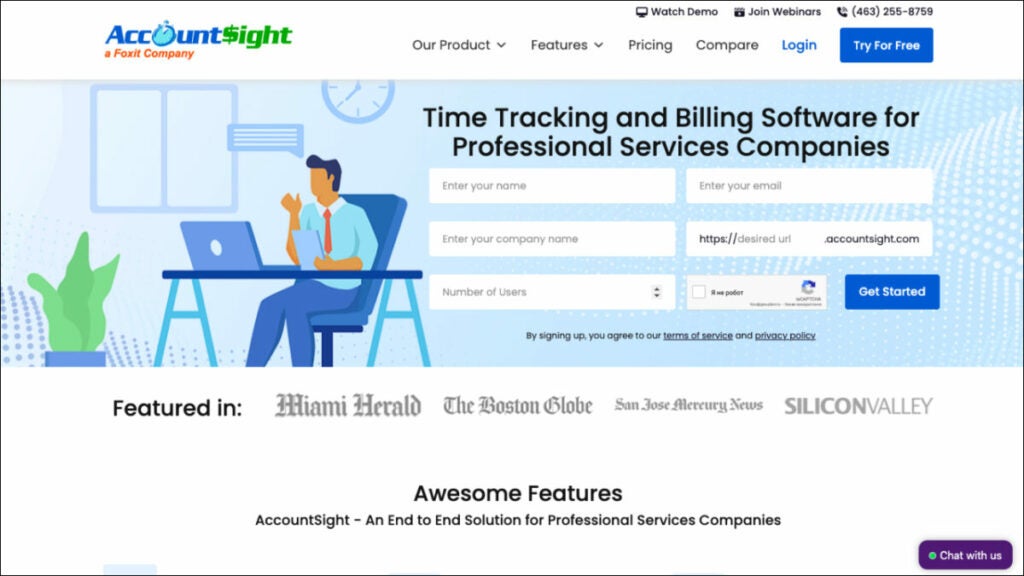
Due to its extensive time tracking and billing features, AccountSight is one of the finest accounting software for outside sales reps. It’s so good that it’s worth being included in a list of the top programs. It also provides many tools that may be used to improve the efficiency of a company’s time and money tracking. You may connect it to QuickBooks Online to gain access to additional accounting tools like bill tracking and individualized invoicing.
Who uses FreshBooks?
Businesses that focus on projects and require time tracking, reporting, analytics tools and consultants need robust accounting and client management resources.
Best Features:
Controlling time sheets. When you upgrade to a subscription plan in AccountSight, your employees can upload timesheets individually and in bulk via Excel. In contrast, the free plan only allows you to produce a timesheet for yourself.
Invoicing. Manual invoices, invoices based on billable hours and expenses, and invoices based on recurring costs are the three types of invoices that can be generated in AccountSight. You can bill at standard rates or make reductions and pricing modifications on the fly, and you can even get notified when payments are overdue.
Reporting. AccountSight’s in-depth reports give you a bird’s-eye view of project performance in real-time, letting you make more precise predictions. All weekly timesheet data is available for inspection and analysis and a comparison of billed and unbilled project expenses.
Keeping tabs on costs. Before filling out online expense sheets, users can keep tabs on and manage all project expenses and assign expense forms with charge rates or per-unit costs.
Pricing:
Free – $0 for one user, five clients, and five projects
Basic – $10/user/month; comes with a 2- to 5-user pack
Small Group – $9/user/month; comes with a 6- to 20-user pack
Enterprise – $8/user/month; comes with a 21- to 100-user pack
Route planning software
Route4Me
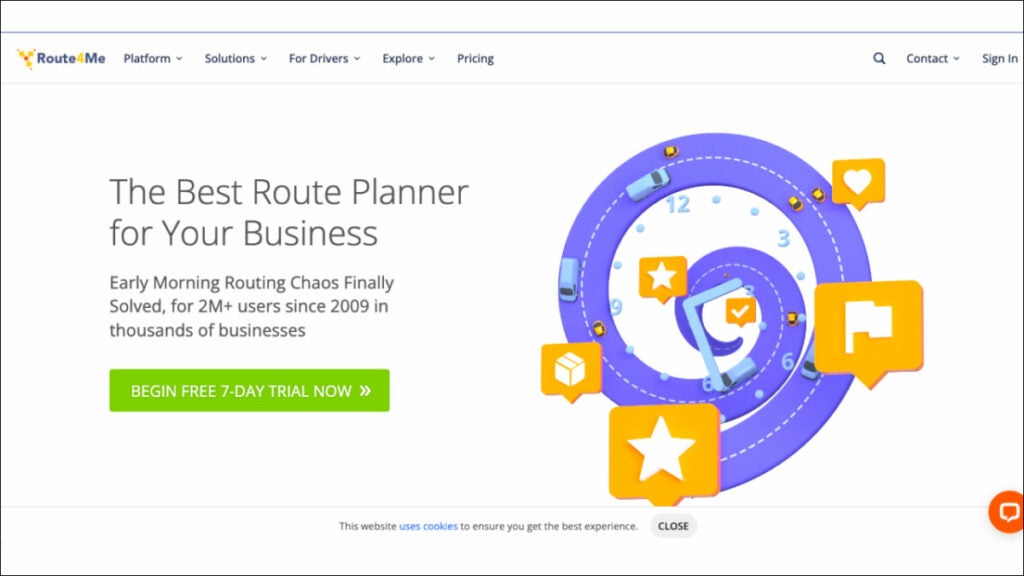
The routing problem has been resolved. Route4Me is a highly user-friendly route planning software that automatically generates routes for your business and sends them to a mobile app with in-built navigation. This is the ideal solution for any organization that needs to optimize its last mile of service, including field service, field sales, field marketing, territory management and more. More than 40,000 businesses and organizations worldwide rely on Route4Me’s route sequencing and optimization software.
Who uses Route4Me?
The Route4Me Web Platform was built to be a flexible, all-purpose platform that can serve as the backbone for various industries, including sales that rely on routing and logistics services and teams.
Best features:
Don’t waste money and time. This tried and true route planning and scheduling software will save you time and help you get more done across the board. Simply enter your desired stops and limits, and you’ll be presented with optimized routes on highly interactive maps.
Maintain Total Control. The Route4Me Operations Matrix provides you with complete, real-time transparency. Scheduled versus real times for each route are presented graphically in an easy-to-read table with arrivals and departures color-coded according to how early, late, or on time they were.
Optimize Order Fulfillment. Add orders manually or automatically sync them. Orders may be quickly sorted, loaded, sent and delivered using the Route4me mobile app.
Maximize Fleet Utilization. Routes can be planned according to the number of parts, the shipment weight or the amount of money the route is expected to generate.
Pricing:
Route Management – $199/month
Route Optimization – $249/month
Route Optimization Plus – $349/month
Badger Maps
Badger Maps is a mapping software that helps outside and field salespeople work more effectively. With Badger, sales reps can better manage their area from their mobile devices or laptops by integrating Google Maps, CRM data, route optimization, schedule planning and lead creation. Additionally, Badger may upload field data to your CRM. The platform provides reporting and insights to help sales managers better manage their teams in the field.
Who uses Badger Maps?
Badger Maps is a perfect software for sales industry professionals.
Best features:
Lasso. Make new paths in record time by tracing a circle around a set of coordinates on a map using your mouse or finger. You can rapidly and regionally reassign accounts for your team.
Optimizing Travel Time. With the push of a single button, you can quickly and easily reach any destination on your list.
Transport Mode. See and control your entire day’s plan with ease. Nothing but the essentials for getting the job done uninterrupted.
Check-ins. Make personalized check-ins with attached images to get the correct information from your field reps. Weekly reports are emailed out automatically and you can also make reports manually if you’d like.
Pricing:
Business – $49/user/month, billed annually
Enterprise – $95/user/month, billed annually
Bonus: Software powerpack for sales reps
FuseBase (formerly Nimbus)
FuseBase (formerly Nimbus) is a client collaboration tool that goes far beyond mere CRM; it provides dynamic client collaboration software tailored to client-oriented businesses. Integrating essential CRM features into an effective teamwork hub, it serves as an all-in-one solution for sales reps.
The platform allows for effortless collaboration among teams and clients by sharing various forms of content, available even for those without FuseBase (formerly Nimbus) accounts! FuseBase (formerly Nimbus) has quickly become the go-to choice of consulting firms, independent consultants and client-oriented businesses alike, providing them with client portals for efficient project communication, a central knowledge base to preserve key insights, effective time management capabilities and task management – helping consultants bridge the gap between ideas and execution. FuseBase (formerly Nimbus) serves as an indispensable tool in client collaboration while streamlining CRM features.
Performio
Performio excels as a commission management solution, giving users all the essential tools to easily customize and calculate sales compensation plans with Performio’s intuitive tools for quick calculation and customization. It provides a detailed commission table outlining payouts to recipients as well as an ingenious forecasting tool capable of forecasting values and achievement percentages. Performio’s comprehensive support and value offerings stand out despite an extended setup process and limited third-party integration capabilities. Organizations with complex sales commission plans and processes can benefit significantly from Performio’s in-depth insights, making it the perfect option for rapidly expanding companies looking to drive strong sales performance. It offers hassle-free commission calculations, user-friendly communications of sales compensation plans, centralized comp data storage capabilities and unique forecasting abilities through its “What If” calculator.
AccountSight
AccountSight stands out as an exceptional accounting software choice for consultants due to its advanced time tracking and billing features, making it one of the market’s best free time tracking solutions. This time and expense management software includes many features to facilitate time and expense administration processes more efficiently, including integration with QuickBooks Online for extended accounting functionality such as custom invoice creation and bill tracking. Consulting firms seeking advanced time-tracking capabilities, project-based businesses needing reports and analytics features and consultants requiring effective client management tools are among its target users.
The platform offers notable features of timesheet management with multiple approval levels and invoicing options, comprehensive project performance reporting for real-time insights and expense tracking with customizable expense types and comments.
Wrapping up
In this article, we looked at a few software choices that are made to meet the specific needs of sales reps. All of these tools provide powerful options for consulting professionals.
You will find solutions that streamline your consultancy, boost productivity, and raise client and customer satisfaction, whether you need efficient route planning or thorough time monitoring. All these software for consultants have advantages and features that make them ideal for industry professionals. The best software for you may vary depending on your specific needs, but these choices are excellent starting points for investigating other programs to see if any of them seem like a good fit.
It’s a small change, certainly, but one that will undoubtedly liven up our conversations.
Emojis have become a fundamental part of our daily interactions, offering a fun and expressive way to communicate emotions and thoughts. Recognizing this trend, Apple has taken a step forward in iOS 17, transforming the way we use emojis in the Messages app. Now, emojis are not just characters we can insert into our texts, but they also function as stickers, providing us with more flexibility in our conversations.
Yesterday the new Apple processors and computers were presented. And, to everyone’s surprise, the company showed us numbers and data that make no sense.
Last night was the Scary Fast, an Apple event that surprised us all. In it, the company unveiled its new processors and new computers, both laptops and desktops. Now, it’s time to talk about the M3 Pro, the star SoC of this year.
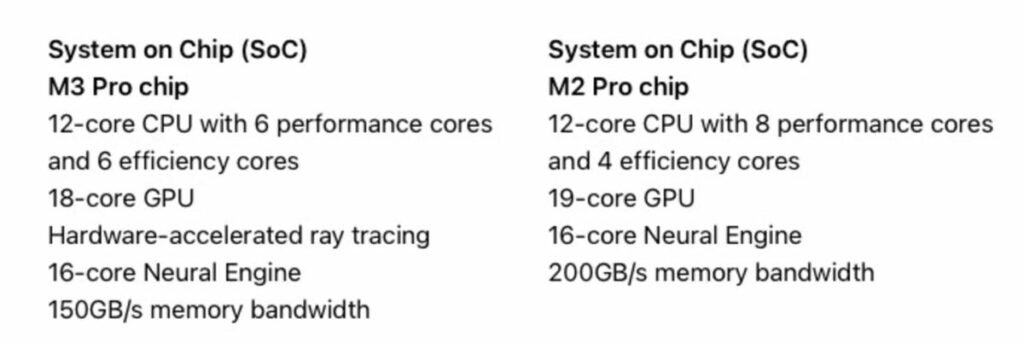
However, despite these improvements, we have observed in the specification comparison with the M2 Pro that Apple has reduced certain features in some aspects, especially in the number of performance cores and memory bandwidth.
Fewer cores and less bandwidth in the M3 Pro: What happened?
A variant of the M2 Pro with a 12-core CPU and a 19-core GPU offers better specifications than the M3 Pro, at least on paper. On one hand, the latest chipset features an 18-core GPU, one core less than the M2 Pro, but that’s not all that has been downgraded.
Apple may have maintained the number of CPU cores in both chipsets, but their configuration has been slightly altered. While the M2 Pro has eight performance cores and four efficiency cores, the M3 Pro actually has fewer performance cores, with six of them, along with six efficiency cores.
This reduction in performance cores could be one of the reasons why, during the Apple event, the marketing slides only showed a 10% difference between the M2 Pro and the M3 Pro.
It’s possible that Apple intentionally lowered the performance budget of the latest SoC to offer more in terms of battery life, although we’ll have to wait for more tests to provide a more definitive answer. We have also noticed that the memory bandwidth of the M3 Pro is 25% lower than that of the M2 Pro.
The previous specification comparison reveals that the M3 Pro has a memory bandwidth of 150GB/s, whereas the M2 Pro has a memory bandwidth of 200GB/s.
How much this reduction influences real-world usage will be determined once official performance tests arrive. If Apple has deliberately reduced the capabilities of its latest SoC, it could be to improve the battery life of the new 14-inch and 16-inch MacBook Pro models.
Unfortunately, there’s no way to confirm it, so we’ll have to wait for the tests to surface, and as always, we will keep you informed.
If you don’t know what to do for Halloween, the perfect retro FPS has arrived on PlayStation 4 to spend a whole day of incredible shots and scares
Few dates have as much significance as Halloween. The terror. The scares. The sense of community. Everyone celebrates it in their own way, and that makes it even more special: the absence of a standard way to celebrate makes it more genuine and authentic. More interesting. And for many, celebrating Halloween means staying at home with their headphones on, controller in hand, and playing as many horror games as possible. For them, for all of you, we have great news.
New Blood Interactive has announced the release date of DUSK on PlayStation 4, and the date is today, October 31, 2023, Halloween. Priced at €24.99, it is now also available on Sony’s console. However, you might have already enjoyed this game before. Dusk was originally released on PC in December 2018 after spending nearly a year in Early Access, and on Nintendo Switch in October 2021.
If you’re not familiar with it, Dusk is a retro first-person shooter developed by David Szymanski, the creator of games like Chop Goblins and Iron Lung. Set in the fictional rural town of Dusk, Pennsylvania, players must navigate through cultists, demons, and the possessed to prevent the rise of an ancient entity that could potentially end humanity.
Heavily inspired by Doom and Half-Life in terms of gameplay, Dusk aesthetically aims to replicate the visual style of Quake, with a low polygon count. Similarly, each of its episodes draws inspiration from different references. While the first episode draws more from The Texas Chainsaw Massacre and Redneck Rampage, the second episode is clearly inspired by S.T.A.L.K.E.R., creating its own unique approach in the third episode.
If you haven’t played Dusk yet, or if you want to replay it on your PlayStation 4 for Halloween, there’s no better opportunity. And if not, you can always wait until December when it will receive a major update on PC, adding completely optional HD textures. However, these textures somewhat take away the Halloween charm of the original version with its crispy polygons.
Insomniac has managed to resurrect a PS5 that, despite its hardware sales, was almost in a coma, and has opened the door on speculation about its new approach to Marvel with ‘Wolverine’.
Despite the success of the Marvel Cinematic Universe (MCU), Marvel-themed video games that have tried to accompany the movies have never quite achieved both success and cohesion. Both ‘The Avengers’ and ‘Guardians of the Galaxy‘ as well as ‘Midnight Suns’ took place in different universes, allowing players to engage in one without any need to try the others. But now, all of that is about to change.
It is well known that Insomniac’s ‘Spider-Man 2’ has been a huge success: it has quickly become the fastest-selling original game from PlayStation Studios. Insomniac managed to revive a PS5 that, despite its hardware sales, was almost dormant, and has sparked discussions about their new approach to Marvel with ‘Wolverine‘.
Regarding the game featuring the Canadian mutant, all we know for now is what was said in September 2021: it is in development and will not have any connection with other games… Or maybe it will? Bryan Intihar, the creative director of ‘Spider-Man 2‘, has stated that “both games take place in the 1048 universe.” Earth-1048 is known not only from the three Spidey games but also from the comics and novels that adapt them. Yes, those exist too.
However, no matter how much you search in Peter Parker and Miles Morales‘ New York, you won’t find any references to the X-Men or the adamantium-clawed mutant. They have deliberately kept them apart: “Let them cook. Let them make the game they want to make. Who knows what awaits us in the future, but for now, let them do their thing, and let that game be great.”
So, years after the MCU introduced shared narratives beyond the comics, it’s now time to explore them in video games. How far will it take us? For now, it’s best to sit back and enjoy the journey because it’s going to be a long one.
Explore the top 8 software for consultants in 2023 with comprehensive details on overview, use cases, key features, and pricing.
Technology developments in fields like finance, human resources and marketing have trickled down to the sales floor in recent decades, resulting in a digital transformation makeover for the sales industry. The process of making decisions is made easier for sales directors and managers now that they have access to a variety of snazzy reports, predictions and artificial intelligence data analysis.
A sales representative’s responsibilities extend far beyond simply making transactions. Salespeople also need to be experts in teamwork and leadership.
And this is where they need the help of modern best software for sales reps.
For this matter, we’ve compiled a list of 8 software for consultants to help sales reps win more business and work smarter.
Project management software
FuseBase (formerly Nimbus)
FuseBase (formerly Nimbus) is an efficient client collaboration tool incorporating key project management software features, which makes it the go-to choice for business consultants in search of effective project management tools. This flexible project management software simplifies collaboration by consolidating various content types on one accessible page that can then be shared via a link with anyone. At the same time, our popular project management tool offers customizable no-code client portals to create seamless user experiences and promote your brand. You can integrate professional email addresses, super documents, customizable interactive tables and external content seamlessly—giving business reps everything they need to streamline workflow and boost productivity effectively!
Who uses FuseBase (formerly Nimbus)?
FuseBase (formerly Nimbus) is a client collaboration software that embraces project management software features and is widely utilized by sales teams, managers and professionals seeking to streamline project management, collaborate more closely with multiple clients and enhance overall productivity.
Best Features:
Super documents. FuseBase (formerly Nimbus) project management software lets you consolidate multi-format information onto the same page (a super document), including text, images, audio/video files and PDFs. Various FuseBase (formerly Nimbus) objects like buttons and hints toggles can assist teams & clients in navigating your pages more smoothly while increasing conversion rates as they highlight/sort information while increasing conversion rates overall and beyond!
Client Portals. FuseBase Portals allows you to quickly build no-code websites to enhance client experiences and manage projects, providing your clients with a superior user experience and keeping project info updated.
FuseBase AI. This feature makes your work simpler! Leave all the tedious, menial tasks to our AI assistant—FuseBase AI will assist in writing original and revised content from scratch or editing existing material. One key advantage of choosing FuseBase AI over competing tools like ChatGPT or Claude is its ability to generate and store responses directly in place—no need for switching tools when everything works seamlessly together.
Kanban boards. These boards provide an efficient method for monitoring multiple projects’ workload. By allocating resources efficiently and preventing task overloads, Kanban boards allow you to visualize and track progress while quickly pinpointing bottlenecks effectively; you can customize workflows according to any given project while organizing tasks by assignee, status, or initiative.
Pricing:
Free plan is available
Paid plans start from $9/user/month
Trello
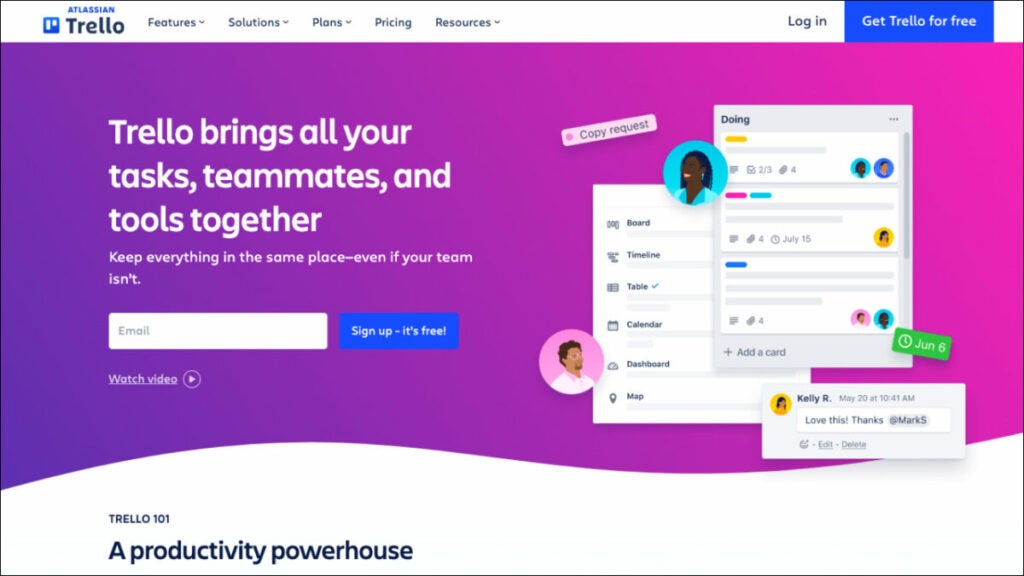
Trello project management software is one of the best consulting tools that facilitates team collaboration by providing a central location for weekly meeting agendas, employee progress plans, document storage and the ability to delegate tasks. This project management tool is the nerve center that links together everything you’re working on and displays deadlines, progress and team comments in one convenient location. You can connect Zoom for video calls, Jira, Slack and Google Drive tickets and files to keep everything in one place and maintain an open line of communication with clear and understandable expectations. Trello stands out for its ease of use and visual elements. Business consultants can create boards, lists and cards to manage projects efficiently, track progress and collaborate with team members—it’s ideal for those who prefer an effortless solution!
Who uses Trello?
Sales managers and consulting business professionals have long used this project management software to effectively organize pipelines, improve team communication, track leads, coordinate sales efforts and oversee sales pipelines.
Best features:
Templates. Give your team an easy roadmap for success with expert-developed and community-sourced Trello templates that you can utilize immediately.
Automation. Butler Automation makes task management and workflow automation simple, helping you efficiently track projects! Use Butler to create tasks and streamline processes.
Integrations. Find mobile apps your team already uses or discover innovative new methods of accomplishing work through Trello.
Power Up Your Teams. Energize your teams’ work processes by linking their favorite tools with Trello plugins.
Pricing:
Free trial available
Standard – $5/user/month
Premium – $10/user/month
Enterprise – $17.50/user/month
Client management software
Salesforce Sales Cloud
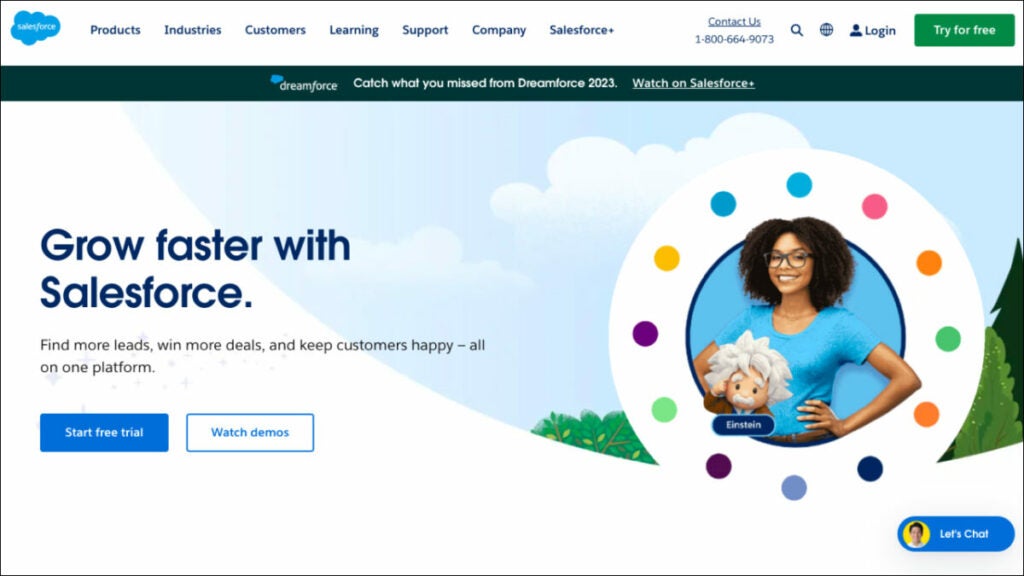
Sales Cloud 360 software for consultants is an industry-leading solution that also offers strong marketing software features. It has powered top sales organizations worldwide with the most popular customer relationship management (CRM) tool. Sales Cloud 360 helps businesses of all shapes, sizes and sectors across the globe to quickly and easily increase their ROI. Boost sales team efficiency through data-driven selling by rolling out industry-specific tools and best practices in record time, including the ability to create comprehensive proposals.
Salesforce is the best CRM software that offers robust client management and collaboration features to assist sales reps in tracking leads, managing contacts and overseeing sales activities.
Who uses Salesforce Sales Cloud?
Salesforce’s multi-tenant cloud-based platform may accommodate the requirements of any business consulting firm operating in sales or any other sector.
Best features:
Activity Management. Get a 360-degree perspective of your customer knowledge base by centralizing your email marketing and other customer engagement operations on a single platform and automating their synchronization.
Forecast Management. Control your projections in a timely manner. Adjust key performance indicators on the fly to maximize precision and modify KPIs so they better reflect your company’s needs.
Workflow & Process Automation. Build processes easily using drag-and-drop simplicity. Streamline time-consuming sales procedures. Control and oversee all territory-related matters.
Lead Management. You can access your to-do list from anywhere in Salesforce, allowing you to stay on top of your day and respond to customers wherever they may be.
Pricing:
Starter – $25/user/month
Professional – $80/user/month
Enterprise – $165/user/month
Insightly
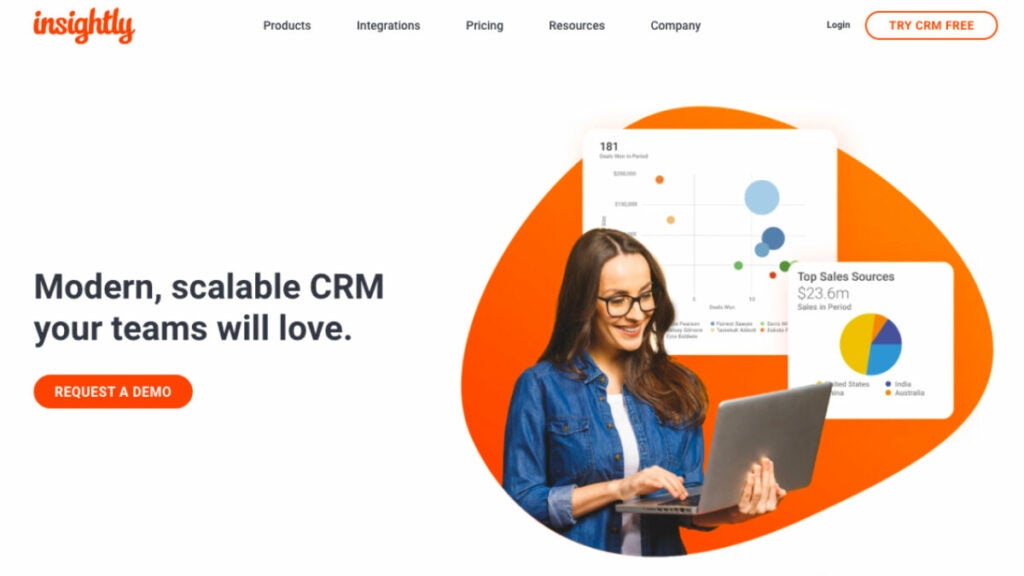
Nowadays, many consultants choose Insightly because it is a cutting-edge CRM software that doesn’t break the bank. It’s user-friendly, flexible and scalable, meaning it can accommodate businesses of all sizes while addressing the problems that traditional CRMs face. Insightly is a software for consultants that improves sales teams’ ability to generate leads, close deals and retain customers while offering robust features for task management and the entire proposal process. It provides customer relationship management (CRM) and project management features, making it an excellent solution for management consultants who must oversee client relationships and projects simultaneously.
Leads, contacts, emails, events, quotations, projects, tasks, opportunities and business reports can all be managed in a single, secure, scalable CRM that is simple to use.
Who uses Insightly?
Good CRM software for any rapidly expanding company needing a scalable, robust and inexpensive cloud-based system.
Best features:
Opportunity and Lead Management for Sales. Gain speed in your sales procedure and get the most out of your pipelines by using them to monitor, handle and cultivate business deals, including the business management and proposal process. Find out what’s driving success and what could go wrong for your company.
Validation Rules & Advanced Permissions. Maintain accurate records, collect useful information and provide satisfying services. Adding validation rules to all of your CRM’s most important fields and objects can greatly increase its usefulness to your company.
Products, Price Books & Quotes. Make it simple for customers to buy from you by keeping detailed records of all the services you offer. Facilitate process enhancement and clarity by ensuring that the appropriate goods are being added to the appropriate opportunities at the appropriate cost. Get direct access to deal velocity, configuration and pricing quotes.
Customizable CRM. Every company is different. Adjust the CRM settings and data to fit your company’s workflow. You can save money by avoiding the need for costly outside developers thanks to Insightly’s straightforward and intuitive customization features.
Pricing:
Plus – $ 29/user /month
Professional – $49/user /month
Enterprise – $ 99/user /month
Time tracking software
Toggl Track
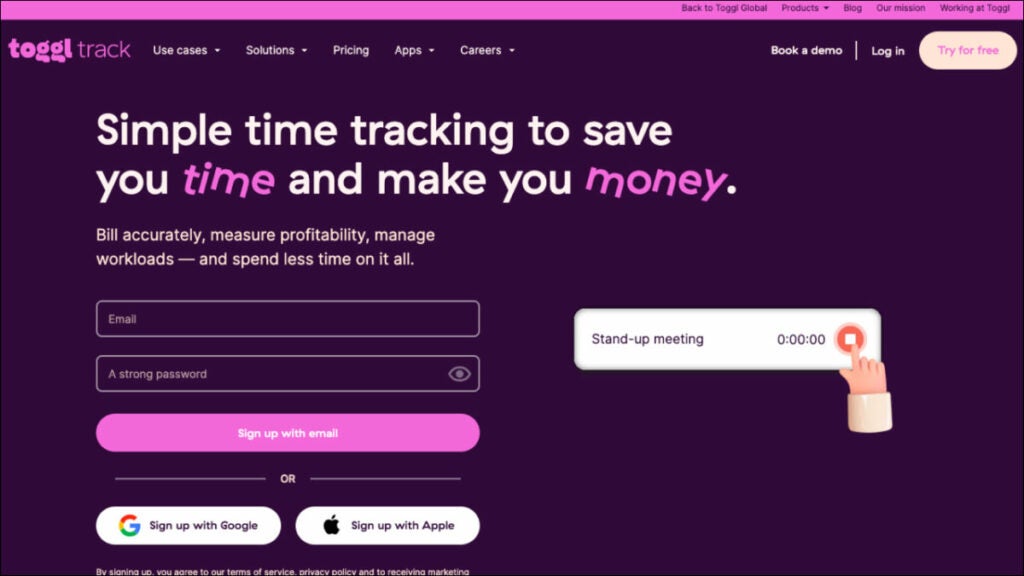
Toggle is an adaptable time-tracking tool suitable for teams of any size. Multiple devices can be tracked simultaneously using a simple and straightforward timer. In order to be more open with your clients, you can generate client-ready time tracking reports, export time logs as spreadsheets, receive reports via email and share saved reports via public links. Toggl Track works with hundreds of other billing and project management apps on the web, desktop (Windows, Mac and Linux) and mobile (iOS and Android).
Toggl is an intuitive time tracking solution designed specifically to assist sales reps in accurately recording time spent on tasks and projects, including an easy-to-use interface that makes time tracking straightforward, as well as comprehensive reporting functionality that provides instantaneous updates on progress made towards various tasks and projects. Plus, it integrates easily with multiple channels and apps.
Who uses Toggl Track?
Sales professionals, consulting firms and sales managers frequently utilize this best software for consultants.
Best features:
Second-nature time tracking for employees. The user is at the center of our employee time-tracking system. Their native calendar integrates with your favorite project management software to make keeping track of time a breeze and the browser extensions allow you to connect with 100+ other apps.
No employee surveillance. And the workers agree with you. Accurate data relies on employee buy-in; therefore, the platform is dedicated to tools that give workers greater autonomy.
Eliminate time-consuming payroll tasks. Get rid of confusing time codes and time cards. Any member of your team can track time and monitor project-wide billable hours from any gadget. With a few clicks, admins can export payroll timesheet information.
Easy payroll calculation. Employees can be paid on time. Assign team members with billable rates and total up their contributions to chargeable work. Keep tabs on the ratio of billable to non-billable hours.
Pricing:
Free plan available
Starter – $9/ per user per month
Premium – $18/ per user per month
Enterprise – contact to get custom pricing
Clockify
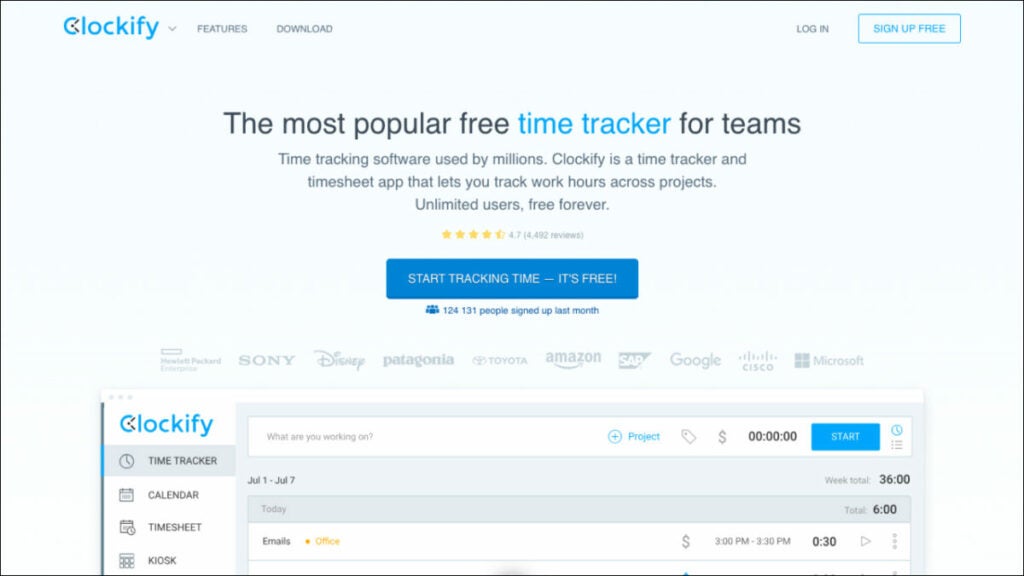
Clockify is an easily usable free time tracking and invoicing software ideal for smaller sales teams. Providing time monitoring, reporting and team collaboration features, it’s a valuable tool for tracking project costs. Clockify is a free business consulting software that helps teams monitor the time they spend on different tasks, simplifying the task management process while offering advanced analytics capabilities to generate reports. You may manage billable and non-billable time spent on activities by staff for an unlimited number of users, projects and clients. The information gathered can be utilized for various purposes, including but not limited to payroll and invoicing, employee performance analysis and report generation. Since data is stored and synced in the cloud, Clockify may be used on any device to keep track of time.
Who uses Clockify?
The best business consulting software for freelancers, teams and companies in all fields who want to improve their workflow, boost their productivity and make more money with a productive, stimulating and stress-free work atmosphere.
Best features:
Time tracker. You can either start and stop the timer as needed or manually enter the hours. With a single click, you can keep track of time and then bill for it.
Timesheet. In less than a minute, you can record your weekly actions. Choose an action and choose a duration. You can schedule the week’s events quickly, send and accept timesheets, and send a reminder when timesheets are due.
Calendar. Make a schedule and use time blocks effectively. Check out the schedule for the day; simply click to block off time, change the size of blocks and import schedule items from Gmail/Outlook.
Dashboards. This is the one tool to determine how you spend your time and what your team is up to. Track your time and money to see exactly where it’s going, view the results of your team’s efforts and find out what people are currently working on and who is doing what.
Pricing:
Clockify is free.
Accounting software
Xero
Online accounting and business consulting software for small businesses that have won multiple awards. Accessible from any internet-enabled computer or mobile device, Xero streamlines data gathering by bringing in monetary dealings from several accounts, instantly reflecting cash flow and other financial data for a business, helping users manage resources and supporting a limitless number of registered users.
Xero connects to over a thousand other business programs and accepts various currency types. Its centralized ledger makes it possible for sales reps and their clients to work together on financial matters.
Who uses Xero?
Small businesses and freelancers involved in sales, accounting and bookkeeping.
Best Features:
Collaborate online. If you and your staff, bookkeeper or accountant are spread across the globe, Xero will make it easy to collaborate online.
Customize and integrate to suit your needs. Add features like Xero Expenses to track expenses and Xero Projects to your base subscription and integrate with other services like Stripe and Venmo. The Xero App Store makes it simple to discover, evaluate and acquire third-party apps that work with Xero.
Don’t let your bills pile up. Monitor your company’s cash flow and never miss an invoice again. Review your invoices, costs and purchase orders in one place; look at bills that need work, have been approved or are due, and stay on good terms with your vendors.
Schedule payments. Schedule forthcoming payments and pay vendors in bulk to save on administrative work. Make a single payment to numerous vendors simultaneously; plan ahead to ensure timely payments.
Pricing:
Early – $13/month
Growing – $37/month
Established – $70/month
Wave
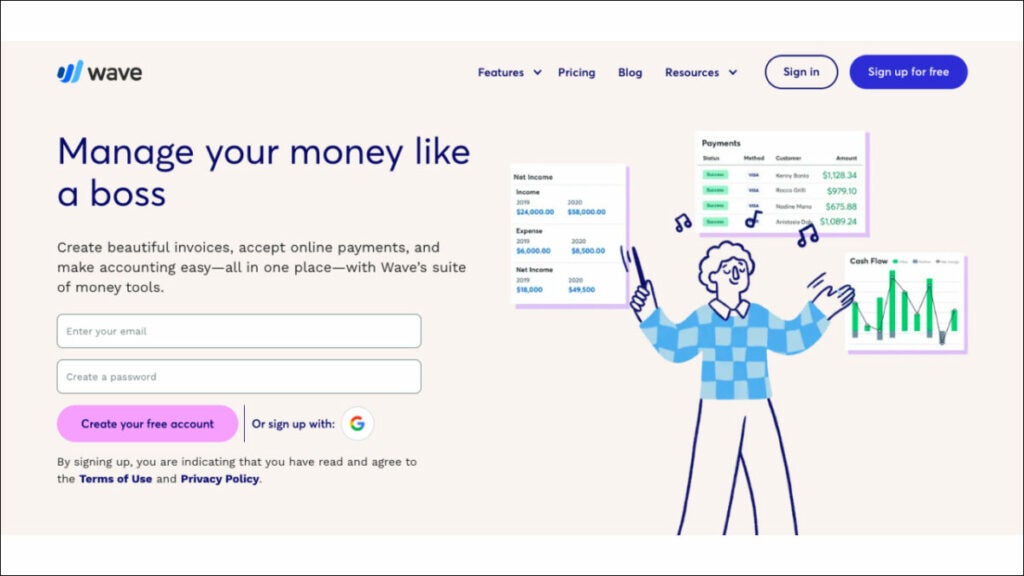
Wave business consulting software stands out for its cost-effective nature, making it an excellent choice for managing your business process, including tracking expenses. You can create and customize professional invoices, use the expense management feature and easily reconcile bank and credit card transactions using Wave. While its core features are free to use, fees associated with payment processing (if accepting online payments via credit cards or bank transfers) need to be considered when accepting online payments through Wave. It provides freelancers, small business owners and self-employed sales reps the basic accounting functionality without incurring subscription costs for basic accounting software solutions.
Who uses Wave?
Wave is the right consulting software for small businesses and freelancers alike.
Best features:
Invoicing. Do not constantly harass your customers for payment. Reduce overdue invoices, monitor cash flow and accelerate payments for zero dollars with this billing and invoicing software.
Payments. Get paid more quickly. Wave consulting software values ease of use above all else. Make it possible for customers to pay with a credit card, bank transfer, or Apple Pay with a single click.
Accounting. Easily keep tabs on your earnings and outgoings. Keep an eye on your finances, be methodical and stop worrying about tax filing.
Payroll. Quickly and easily pay yourself and your employees. This Payroll system was designed with the needs of sole proprietors in mind; it is intuitive and provides on-the-fly training.
Pricing:
Invoicing and Accounting are free
Mobile receipts – $8/month
Payroll – $40/month
Advisors – $149/month
Bonus: Software powerpack for consultants
FuseBase (formerly Nimbus)
FuseBase (formerly Nimbus) is an effective client collaboration tool featuring key project management features. FuseBase (formerly Nimbus) is widely recognized among client-oriented sales representatives who want an efficient project management solution. This client collaboration tool incorporates essential project management features into an accessible platform that streamlines collaboration and increases productivity. FuseBase (formerly Nimbus) stands out by providing multi-format documents, no-code client portals and seamless AI integration—making it the go-to choice for sales teams and managers who wish to manage multiple projects simultaneously and collaborate effectively on client projects.
Insightly
Insightly is a strong contender among businesses seeking an economical, modern CRM system that efficiently unites customer relationship management with project administration. Insightly stands out by providing user-friendliness, scalability and the capability to meet challenges that legacy CRMs cannot. Teams using Insightly can easily centralize and manage customer, sales and business data efficiently. Notable features of Insightly include sales lead tracking, opportunity management, validation rules, advanced permissions management, product and price book management and extensive customization options. As the go-to solution for fast-growing businesses across multiple industries that need an accessible cloud CRM, it enhances productivity while cultivating lasting customer relationships—standing out as an exceptional option!
Toggl Track
The premier time-tracking software, Toggle offers teams of all sizes a practical, user-friendly timekeeping solution that’s both flexible and user-friendly. Offering seamless timekeeping across devices for sales reps and increasing productivity. Toggl Track’s key features include an intuitive interface, robust reporting features and extensive app integrations—making it the ideal way to monitor how much time you spend on tasks or projects. Toggl Track provides businesses looking for an upgrade from traditional timesheets with an effortless solution that monitors work hours and gives insight into productivity and profitability. Its employee empowerment capabilities and efficient payroll administration further solidify its status as the premier time-tracking solution available today.
Wrapping up
With the right software for sales reps, any business owner can significantly boost productivity while optimizing sales process elements and improving overall performance. Start by identifying what benefits you require from a sales management solution, then review our professional services recommendations above to choose one that fits you best.
Remember: the ideal software solution will fit perfectly into your goals and workflow, helping to drive sales management success.
Discover the top 9 financial advisor software in 2023
Every financial advisor knows having a plan for your funds is essential. A complete financial plan may include budgeting, saving, investing, paying off debt and retirement planning. But how do experts handle all this planning, and what platforms do they use?
Well, you have many choices and they all offer a unique set of benefits. As a financial adviser, you have access to various financial planning tools to assist you in managing your customers’ money.
To help streamline your operations and make your services more appealing to today’s wealth management clients, we’ve compiled a list of some of the best software for financial advisors, broken down by category.
Practice management software
FuseBase (formerly Nimbus)
FuseBase (formerly Nimbus) is a client collaboration tool that embraces a few key practice management software features. It stands out among financial planning software programs as an exceptional client collaboration software and Practice Management tool, boasting two functions in one streamlined tool. FuseBase (formerly Nimbus) recognizes the necessity of team collaboration for success in financial advising. We take an integrative, client-centric approach with FuseBase’s (formerly Nimbus) suite of products.
FuseBase (formerly Nimbus) offers advisors efficient means of building strong client relationships by encouraging open dialogue, data sharing and presenting a holistic overview of each client’s financial journey. By prioritizing client needs and interactions, this management software streamlines administrative tasks and enriches client experience—setting it apart as the go-to option for client-oriented businesses.
Who uses FuseBase (formerly Nimbus)? FuseBase (formerly Nimbus) is primarily a platform for client collaboration businesses, which makes it one of the best financial planning software solutions (used by financial advisors, advisory firms and client services teams in financial advisory services) to streamline practice management, enhance client collaboration and maintain brand consistency.
Best features:
Super documents. Even though FuseBase (formerly Nimbus) is not primarily a document management software, it offers great document management features. Converge multiple types of information onto one page—text, photos, audio/video files and PDFs. Organize page content, while buttons/tips/toggles help guide clients through pages and highlight crucial information, helping improve productivity.
Client Portals. FuseBase (formerly Nimbus) offers no-code client portals that improve client experiences while simultaneously helping financial advisors promote services and keep project information current with clients.
Permission management. FuseBase (formerly Nimbus) provides a clearly laid out hierarchy for access control and permission management, so setting workspace and folder editing privileges with fine-grained permissions ranging from complete editing to viewing is simple and enables employees to focus on their work without worrying over critical data security concerns.
Kanban boards to Keep Track of Project Workload. By allocating resources and avoiding task overloads, kanban boards allow you to visualize progress effectively while pinpointing bottlenecks as quickly as possible—customizing workflows per any given project and organizing tasks according to assignee, status or initiative.
Pricing:
Free plan is available
Paid plans start from $9/user/month
Morningstar Office
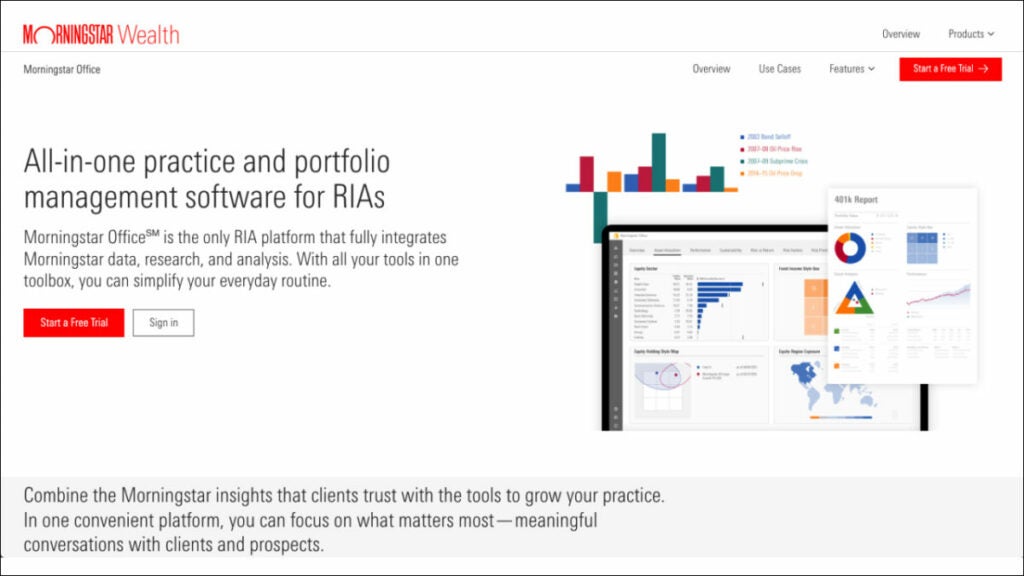
Morningstar Office is one of the advanced financial planning software programs designed exclusively to serve Registered Investment Advisors (RIAs). Utilizing Morningstar’s vast data, advanced analytics and ratings as a basis for portfolio management software and practice management, Morningstar Office helps RIAs maximize client reporting capabilities by using research analytics in managing portfolios efficiently. Also, Morningstar Office provides powerful document management software with tools for organizing and accessing financial documents as part of its core advanced planning features. Any financial advisor can significantly benefit from having Morningstar Office financial planning software at their disposal!
Who uses Morningstar Office Cloud?
This portfolio management software is excellent for financial advisory firms using specialized practice management software to benefit from account analysis, security screening, tax-aware rebalancing, portfolio development and what-if analysis.
Best features:
Financial goal planner. All clients have financial goals, even if they don’t need complete financial planning services. Morningstar’s Goal Bridge allows you to have conversations about goals with your clients and then connect these goals quickly to a plan that is easy to understand and that clients prefer for portfolio management.
Reduce time spent on back-office tasks. Outsource daily data imports to Morningstar. Automated basic tasks allow you to focus on selecting investments, marketing and relationships.
Accessible Reports. The most popular report for clients shows the impact of taxes on households over a specified period.
Drill-Down Analysis. Look deeper into your models for more details on the tax implications of a proposed open trade. You can view the current, target and post-trade values for each subclass and all the trades necessary to reach your goal.
Pricing:
Contact Morningstar Office to get info about pricing.
CRM software
Creatio
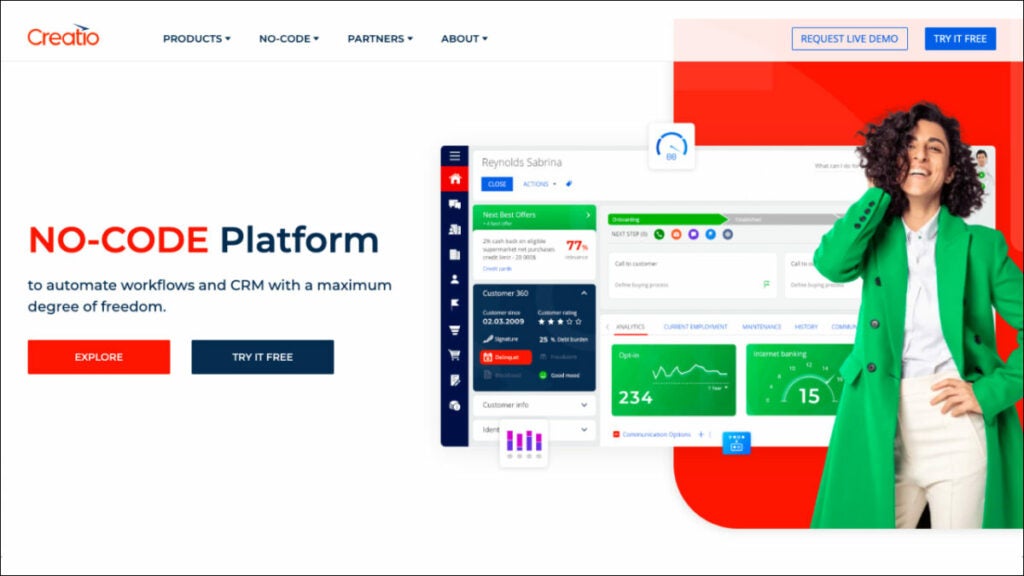
The financial industry can benefit from Creatio’s software for financial advisors solution by improving customer service and retail sales and creating and executing multichannel marketing campaigns. The platform’s adaptability in client segmentation across multiple dimensions enables targeted client communication via the most appropriate channels at optimal times.
You can buy Creatio products alone or as part of a complete Customer Relationship Management (CRM) Software that automates customer-facing and internal business processes with zero programming. This is the right financial planning software for organizations to digitize workflows, enhance customer and employee experiences and increase productivity across all business divisions with the help of Creatio’s products, packed with powerful no-code tools and out-of-the-box capabilities. Non-technical users can make robust business apps using Creatio’s drag-and-drop visual design tools and no-code UI builder.
Who uses Creatio CRM?
Creatio financial planning software applications are highly adaptable and easy to use, allowing businesses of any size and industry to manage client-facing activities better and provide a superior customer experience.
Key features:
Marketing. The platform is one of those digital tools that requires no coding and gives you complete control over automating your marketing campaigns and lead management processes.
Sales. A code-free, fully customizable, end-to-end platform for automating all aspects of the sales process, particularly in personal finance.
Infinite, no-code personalization. CRM Creatio provides a robust collection of no-code tools for UI/UX development, workflow automation, data modeling, integrations with other software and more, allowing users to build their own custom business applications on top of the platform.
End-to-end workflow automation. Create and automate complicated workflows for various customer relationship management (CRM), operational and industry-specific use cases and channels.
Pricing:
Sales Creatio – starts from $25/user/month
Service Creatio – starts from $30/user/month
Marketing Creatio – $916/year
Studio Creatio – starts from $25/user/month
Junxure
You won’t find a better CRM for a young business in the financial services industry. In terms of strengthening ties with customers, it’s hard to beat. Junxure is useful for keeping track of activities and collecting financial data. As a result, automated financial plans and advice are provided in real-time. You can use it to keep track of your tasks and set reminders. Junxure financial planning software provides several personalization possibilities to help users expand their client base. You can customize themes for social media posts and email marketing and easily acquire customer data in a short amount of time.
Who uses Junxure Cloud?
One of the best financial planning software options for Wealth Managers, Financial Advisors and Registered Investment Advisers.
Best features:
Workflow Automation. With these customizable workflows, they can automate routine tasks and processes for greater efficiency by eliminating manual data entry while making sure no key steps in managing client assets and financial plans go overlooked.
Document Management. Junxure provides every financial advisor with excellent document management solutions to securely store and organize client-related documents, accounts, compliance regulations and more. It enables easy document retrieval as well as compliance with record-keeping requirements.
Compliance Tracking and Reporting. Assist advisors with managing compliance-related tasks and reporting, from tracking deadlines and meeting regulatory requirements to creating custom report templates as needed.
Junxure’s Integration Capabilities. Junxure has earned recognition for its seamless integration capabilities, seamlessly interoperating with various third-party financial planning and reporting tools, custodian platforms and other financial advisory industry software applications.
Pricing:
You can schedule a demo
$65/user/month, billed annually
Ugru CRM
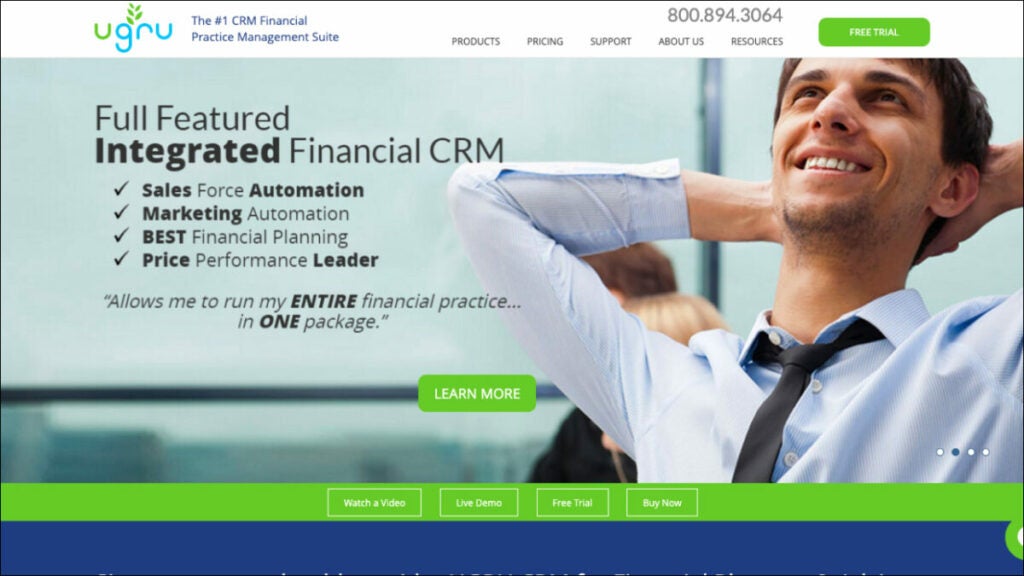
It is a CRM system for financial planners. This is one of the financial planning tools that works well with existing sales force automation and forecasting systems. In addition, it manages pipelines effectively. Ugru can help automate your email marketing and bring in more clients. The search and filter functions in the CRM are beneficial. It’s easy to import data in bulk and takes very little time. You can use the available features like lead retrieval and lead referral routing to get more potential customers interested. Pipeline activity and campaign effectiveness data are obtainable. Ugru is one of the best financial planning software that keeps integrating more and more features. Tools for managing personal finances are also included and numerous tools exist to facilitate budgeting and other related calculations.
Who uses UGRU?
With a particular focus on the Financial Services industry, UGRU provides its services to all multi-advisor firms and SMEs.
Best features:
Data Management. All of the client information can be stored in one place, where it can be easily created, retrieved, updated and managed, including information related to client portfolios.
Lead Management. Track potential and new clients from their initial contact to purchase. As a result, the sales staff can follow up with prospects and increase the deals they close.
Territory Management. Accounts can be assigned to specific people, teams, or regions and those people’s responsibilities, calendar events, tasks and status updates can be readily reallocated to other people or groups.
Sales Forecasting and Pipeline. With UGRU CRM for Financial Advisors, it is easy to predict your sales and cash flow with its handy tracking of contacts, their stage in the sales cycle, the amount of opportunity presented by each contact, whether this sale would be one-off or repeatable, etc.
Pricing:
CRM Plus – $59/month, includes three users
Performance – $139/month, includes three users
Professional – $179/month, includes three users
Advisor Pro – $324/month, includes three users
Financial planning software
MoneyGuidePro
MoneyGuidePro is an advanced financial planning software platform used by numerous professional advisors worldwide and trusted by their clients alike, providing access to comprehensive plans developed using different models, scenarios and capital market assumptions—MoneyGuidePro makes creating them effortlessly! In addition, MoneyGuidePro gives advisors tools for goal-based planning that take investment performance as well as risk tolerance into consideration while creating comprehensive plans with ease and accuracy for their clients.
Who uses MoneyGuidePro?
Financial advisors who wish to use this financial planning software for risk management purposes. It allows them to customize portfolios, generate net worth statements, analyze life insurance policies and much more.
Best features:
Advanced Planning. MoneyGuidePro takes an outcome-focused approach to the financial planning process. Advisors work directly with their clients to identify financial goals such as retirement, college savings and significant life events they would like to attain. They then create detailed plans that outline steps necessary to accomplish these objectives, considering the client’s risk tolerance and tax loss harvesting.
Retirement Complex Planning. It helps advisors project and optimize retirement income sources like Social Security, pensions and other investments for optimal retirement planning.
Scenario Analysis. MoneyGuidePro offers advisors the capability to run scenarios to evaluate potential outcomes of various financial decisions and market conditions on clients’ plans, providing advisors and clients alike with more informed decision-making abilities based on potential scenarios.
Tax Planning. The software equips advisors to use various tax strategies to decrease tax liabilities while increasing after-tax returns for their clients.
Pricing:
You can request a demo
Contact MoneyGuidePro to get pricing info.
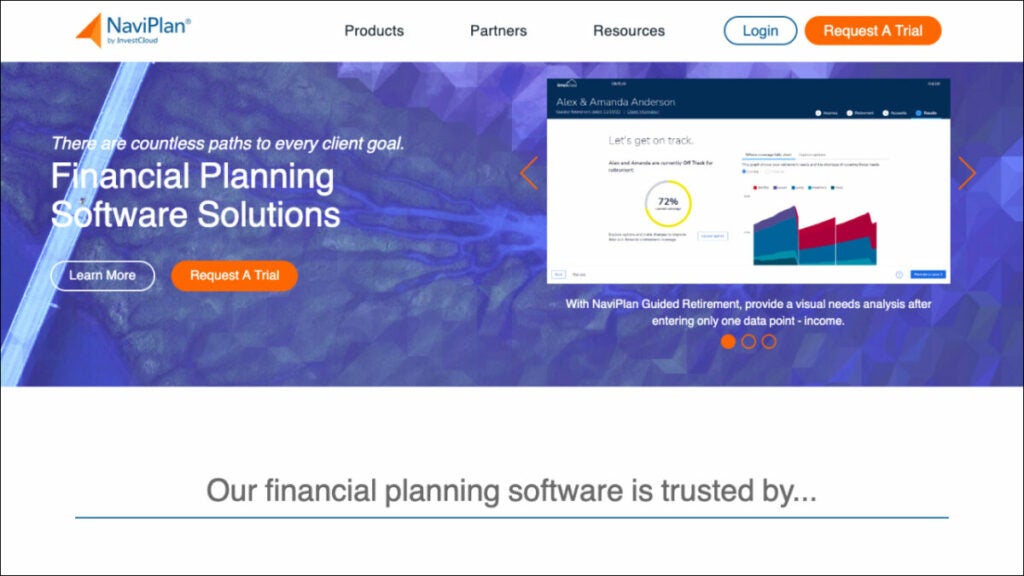
NaviPlan
NaviPlan by Advicent provides comprehensive financial planning software programs used by financial advisors to create personalized plans for their clients, including in-depth and holistic stress testing.
NaviPlan’s highly accurate calculation engine equips firms to meet client needs, ranging from goal-oriented assessments to complex cash flow planning analyses.
Who uses NaviPlan?
All Sized Registered Investment Advisors and Broker-Dealers Serving Clients of Any Size.
Best Features:
Monte Carlo simulations. Use this to assess the likelihood that clients’ wealth management and financial goals can be reached, helping advisors and clients understand the range of potential outcomes as they make necessary adjustments and adjust as required.
Client Collaboration. NaviPlan offers a client portal designed to facilitate collaboration between advisors and their clients, giving clients access to their plans, tracking progress and uploading relevant documents—increasing transparency and increasing engagement with advisors and clients.
Secure Data Management. With secure storage, monitoring compliance status reports and reporting, advisory firms meet regulatory standards more easily. This solution ensures firms meet compliance obligations effectively.
Integration Capabilities. NaviPlan offers seamless integration capabilities with other financial planning software that make it possible for advisors to work effectively within their existing software stack, increasing both efficiency and data accuracy during planning processes.
Pricing:
Contact NaviPlan to get more info about pricing plans.
Billing software
QuickBooks Online
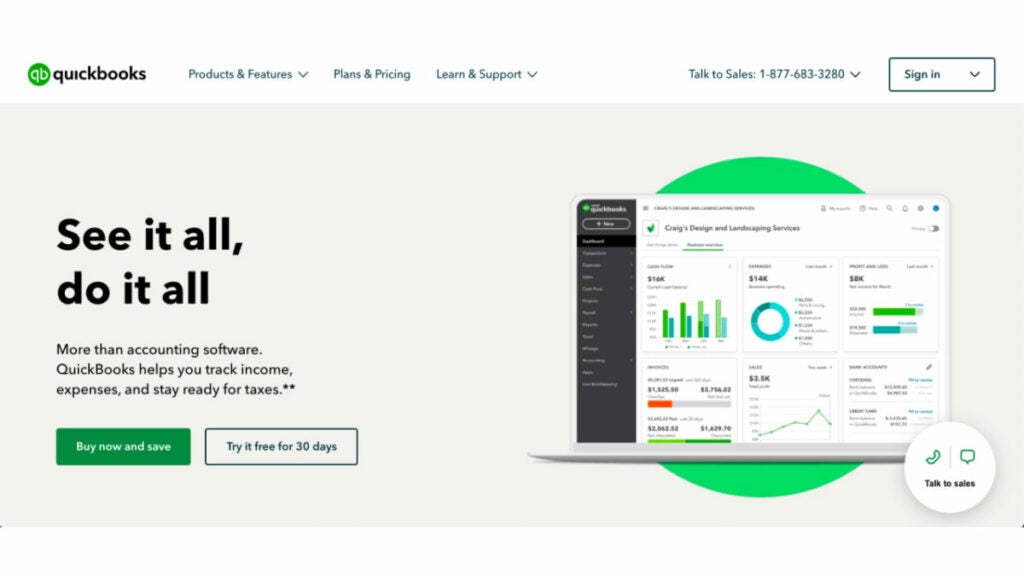
Intuit’s QuickBooks is an all-encompassing accounting and money management program widely utilized by organizations of all sizes to streamline bookkeeping, accounting and other financial operations. QuickBooks Online financial planning software makes keeping up with small businesses easy whether on the move or sitting behind a desk, offering both intuitive and powerful capabilities such as invoicing customers for services rendered, monitoring stock levels and processing payroll—keeping track of small business finances from any location! It will streamline processes while saving time during expediting payment.
Who uses Quickbooks Online?
This software program stands as one of the top financial planning solutions and serves as the industry standard in small business accounting and financial management.
Best Features:
Invoicing and Payment Processing. QuickBooks cash flow-based software enables professional invoicing and payment processing by creating professional invoices electronically for clients to review and supporting regular billing cycles for recurring billing cycles, helping businesses create efficient financial plans.
Track Expenses. QuickBooks integrates directly with bank and credit card accounts so transactions can be automatically imported for reconciliation purposes.
Financial Reporting. QuickBooks’s various financial reports offer insight into any company’s finances’ health.
Tax Prep and Reporting. QuickBooks makes tax prep simpler by organizing financial data efficiently, offering features such as sales tax tracking and calculation, as well as supporting filing tax reports and returns.
Pricing:
Simple Start – $15/month
Essentials – $30/month
Plus – $45/month
Advanced – $100/month
FreshBooks
The time spent on client projects and the efficiency with which you reconcile your bank and manage your financials may be gauged by using FreshBooks. Advisors can use this system to keep tabs on bills and charge customers correctly.
FreshBooks is a web-based financial planning software specially made for sole proprietors, independent contractors and consultants. Its intuitive design and powerful features make managing customers’ personal finances and communicating with customers much more effortless.
Who uses FreshBooks?
Any company would benefit from using FreshBooks’s great financial planning software because it is a cloud-based solution tailored specifically for small businesses and advisers.
Best features:
FreshBooks can be easily integrated with online transactions. Customers can use the FreshBooks Payments solution to pay directly from their bills, and the service will log the transaction automatically. It’s quick, easy, safe and well-integrated.
Make Instantaneous Payments Online. Credit card payments can be accepted on invoices with the press of a button. After entering a few details, FreshBooks will electronically transfer funds to the designated account. As would be anticipated, the process is quick and easy to understand.
Know Your Metrics. You can check your progress without bothering your accountant. With FreshBooks, you can see at a glance how much it costs to run your business, make educated decisions based on data and track all of your expenses.
Pricing:
Lite – $8.50/month
Plus – $15/month
Premium – $27.50/month
Select – Contact FreshBooks to get a custom quote
Bonus: Software powerpack for financial advisors
FuseBase (formerly Nimbus)
FuseBase (formerly Nimbus) is a client-oriented platform specifically tailored to address the needs of business consultants, including financial advisors. FuseBase (formerly Nimbus) stands out among other tools as an outstanding choice of client collaboration software and practice management tool, prioritizing building stronger client relationships through Client Portals, Super Documents, robust permission management capabilities and Kanban boards that streamline project management—making FuseBase (formerly Nimbus) an exceptional option. This comprehensive set of capabilities makes FuseBase (formerly Nimbus) an outstanding selection when seeking to grow clientele for financial advisors.
Junxure
Junxure stands out as an exceptional CRM solution for small financial services, particularly for strengthening client relationships and streamlining processes. It excels in collecting financial information such as real-time advisor tips and task management reminders; providing customization options for email marketing and data segmentation for more efficient searching; automating workflow processes such as document management with full compliance tracking reporting as well as seamless integration capabilities—not to mention providing a 30-day free trial period making this interactive tool one of the top choices among its category!
MoneyGuidePro
MoneyGuidePro is a top financial planning software tailored specifically for financial advisors. The program excels at goal-based planning for income strategies by optimizing income sources while considering tax efficiency strategies, scenario analysis and robust tax planning tools—helping financial advisors craft customized, comprehensive plans explicitly tailored to client’s goals and objectives, making MoneyGuidePro an undisputed leader among its counterparts in the software landscape.
Wrapping up
Financial advising is rapidly developing and choosing financial planning software tools can make all the difference in its evolution. From comprehensive financial planning to efficient client relationship management, top software for financial advisors offers various features and benefits tailored specifically for them—FuseBase (formerly Nimbus) excels with client collaboration features. At the same time, Junxure Cloud shines at workflow automation and compliance tracking and MoneyGuidePro helps professionals provide goal-based financial strategies explicitly tailored for advisors. These tools demonstrate how technology has revolutionized the financial advisory landscape as it continues transforming into today’s professional landscape.