
Top 7 mental health YouTubers

Educate yourself and learn coping skills with these great mental health YouTube channels.

mental health

There are a number of reasons to get invested in learning about mental health. Maybe you’re suffering from some mental disorder or stress. Maybe a friend or loved on is having a hard time. Or maybe you just find abnormal psychology interesting and want to learn more about it. Regardless, there are many people who have taken to YouTube to explain what it’s like to have mental illness, and to spread awareness about mental health in general. These can be incredibly informative, while also giving the same connection that many viewers feel when they grow attached to watching a YouTuber and learning about their life. Below are some of the best channels to learn about mental health.

Best YouTube channels for mental health

Depression to Expression (Depression and anxiety)

Scott is a very candid YouTuber, detailing his depression and anxiety, along with how they affect his life. He provides tips on how to deal with these issues while also explaining the topics of mindfulness, meditation, and other common coping techniques. He tends to focus on the ability to motivate yourself and get in touch with your own body, something people with depression and anxiety often struggle with. He is a great YouTuber to learn from, as these illnesses are far more common than we give them credit for.

EDucating Shanny (Eating Disorders)

Not many people like to talk about what it’s really like to have an eating disorder. Some people don’t have any sympathy for those suffering with an ED, because they don’t understand how difficult it is to deal with that kind of disorder. There is much more to it than just “I don’t eat because I want to be skinny,” which is often how people explain it.

EDucating Shanny takes the time to explain how it feels to actually have an eating disorder, what the side effects are, and what you can do to help others who are struggling with an ED. She also explains the differences between the variety of disorders that fit under the umbrella of ED. She should be the first YouTuber you turn to when trying to learn about bulimia, anorexia, body dysmorphia, or any other weight-related mental illness.

Emily Rose (Anxiety and self-care)

If you’re feeling down about yourself or the world around you, Emily Rose has a great channel to help you get into a better mental space. Not only does she talk about her own struggles with anxiety and stress, but she carefully details helpful coping mechanisms for any kind of stress you’re dealing with. Whether it be from mental illness, personal problems, or even work-related stress, Emily Rose will take you step-by-step down the road of self-care and self-acceptance.

MedCircle (General mental health)

This channel may not be quite as personable as other mental health YouTube channels, but it makes up for this by being one of the few professional channels on this subject. They have expert psychologists discussing some of the most serious topics and even interviewing patients just to spread awareness on some of the least represented mental disorders.

Kiera Rose (Dermatillomania)

Kiera is actually more of a vlog and lifestyle YouTuber, rather than a mental health one. However, she suffers from a rare disorder and has made many videos talking about it. Dermatillomania is an obsessive compulsion to pick at your skin even past the point of wounding yourself. It is a dangerous and painful disorder, and Kiera’s efforts to spread awareness by telling her story are not only admirable, but also really helpful to others who are suffering with something similar.

Kati Morton (General mental health)

You may recognize Kati Morton as the licensed therapist from Shane Dawson’s famous Jake Paul series. In this series, she explained what it’s like to be a sociopath and spot someone with sociopathic tendencies. On her personal channel, however, her mental health videos are much broader than simply explaining sociopathy. As a licensed therapist, she has made many videos on all kinds of mental health subjects.

The Entropy System (Dissociative Identity Disorder)

While this channel may not be the most popular, The Entropy System are a colorful group who do an excellent job at explaining what it’s like to have Dissociative Identity Disorder. You may know this disorder by its former name, multiple personality disorder. The group of “alters” that make up The Entropy System cover all areas of DID and other dissociative disorders in their highly educational videos. This disorder is one that almost everyone knows about, but very few people actual know the details of what it’s like to have this DID. This channel presents the perfect opportunity to learn about the myths that surround this disorder from someone who actually has it.

While most videos feature the system hosts, Wyn or Kit, almost every member of their 10+ system has created a video introducing themselves or explaining some fact about DID.  We particularly recommend Wyn’s videos on DID in media.

Each of these YouTubers present a unique perspective on what it’s like to live with mental illness. They’re all worth checking out if you have the time.


How to become a mystery shopper

Looking to make some extra cash while remaining undercover? Here’s your guide to the world of mystery shopping.

If you’ve ever worked in retail or the food industry, then you have probably heard of secret shoppers. These are customers who have been hired by a company to inspect select stores to make sure that the employees are following the guidelines the company has set. While secret shopping doesn’t typically pay much, you often get reimbursed for your shopping experience. This means you can get a lot of free perks without spending any money on them. However, the job works a little differently than a normal full or part-time position. Instead of being hired by a specific company, secret shoppers are independent contractors that typically work for a group of companies. So how do you become a contractor for these organizations? Here’s a little guide explaining the process:

How to become a mystery shopper

mystery shopper

Where to start

Signing up to be a mystery shopper is far easier than one might expect. In most cases, you simply go to a reputable mystery shopper site and make an account. Once there, you’ll be able to browse shops and choose the ones that bear suit you.

The important thing is finding a site that is legitimate. There are a few scam sites that pretend to be mystery shopper sites just to get your information. This is pretty easy for them to do, since the process of applying to become a mystery shopper is far easier than other jobs. Not to worry, however, as we’ve created a list of reputable companies for you to check out right here:

If you’re ever in doubt of a mystery shopping site, be sure to check out the MSPA, which helps manage many of the major mystery shopping sites on the web. You can also check out this site if you’re a business owner looking to allow mystery shoppers are your store.

Also note: no mystery shopping site will ask you to pay in advance for their services. They will also never require you to wire money to them. These are the work of scam sites, so be wary of them.

Market Force

This is Market Force’s explanation of how you earn money through mystery shopping. It shows each step typically observed during a mystery shop experience.

Is the job right for you?

Mystery shopping requires high levels of self-motivation and discipline. You have to actively seek out shops, as well as prevent yourself from being an obvious mystery shopper. Even if you have the skills to accomplish this, however, mystery shopping isn’t always the best choice for everyone.

The biggest concern is money. While someone may be able to successfully live almost exclusively on perks (every meal coming from shops, oil changes coming from shops, even internet routers coming from their shop perks), there are no perks that will pay all your bills. That being said, it is possible to make enough money to pay off your additional bills, assuming they are not excessive and you’re careful with the money you earn.

While there is some money to be made in mystery shopping, the real value is the perks. These can range anywhere from a free meal to a free cruise. Like any job, these perks come with experience. The higher value shops are restricted to mystery shoppers who’ve been working with a company the longest. So that free cruise won’t be accessible without a few months of work. This also means that the job tends to get easier the more you invest into it. If you are serious about taking advantage of the extreme perks you often see advertised by mystery shopping sites, then you should make sure to prioritize frequently mystery shopping.

There are three primary groups secret shopping works best for. The first are college students and young adults who still are supported by their parents, since the lack of consistent income isn’t a hindrance and this is a relatively easy job to get with no experience.

The second are stay-at-home parents looking to get some extra dinners and goodies since they don’t earn their own income.

And the third are unemployed and disabled individuals looking for something to help them get by while they try to figure out their employment situation.

Of course, you don’t need to fit one of these categories to become a mystery shopper. But if you do fit into one of them, then chances are it might be a great opportunity for you.

7 best mobile coop games

Download these great games and start playing with friends!

Whether you already have a dedicated group of gamer friends to play with, or you’re looking to make new friends through a mutual game, cooperative play can be a great way to build these friendships. But most of these games tend to be for PC, instead of on a mobile or handheld platform. This can be troublesome for those who aren’t home all the time. Thankfully, there are a few coop games that are great for playing wherever you are. Here are some of these games that you can get directly on your smartphone.

7 best mobile coop games

Zynga With Friends games

You’ve probably played at least a few of these games already on Facebook. Zynga is the creator of all the “with Friends” games. Words with Friends, Draw with Friends, Gems with Friends, etc. All “with Friends” games created by Zynga can be found on their Zynga with Friends site, and will link directly to your Facebook. You can invite friends from your Facebook to join the game even if they don’t have the app on their phone. These are definitely the easiest apps to play with people you talk to regularly online.

Words with Friends Free Download ►
8

Clash of Clans

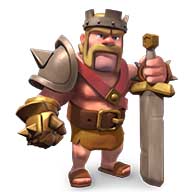
Probably the most popular coop mobile game there is, Clash of Clans is an intense strategy game that focuses on clans working as a team to rise to the top. This game is a combination of city builder and battle management. While many army-based city builders will feature clans or guilds, none are as important to the player as CoC’s clans. This game has also started to venture into esports territory, which is incredible for a mobile game to do.

Clash of Clans Free Download ►
8

Spaceteam

While Clash of Clans is probably the most popular coop game, Spaceteam will usually be one of the first games to come up if you are looking for a coop mobile game on Google or the App Store. This game is a lot like Keep Talking and Nobody Explodes. You and your friends have to work together to keep your spaceship running properly. Each player controls a different part of the ship and end up instructing the others on what to do. This is a perfect game for parties.

Call of Duty: Legends of War

Any fan of first-person shooters knows about COD, and they’ll be excited to have the chance at playing it directly from their phones. All the games in the series allow for multiplayer games, so you have the opportunity to play with your friends in each one. Their newest game, Call of Duty: Legends of War, is their first mobile game, and still being released in select locations. But it promises to bring a new perspective on one of the most famous franchises in history, so it’ll be absolutely worth the time to check out. It will also feature a zombie and story mode, like most other COD games.

Call of Duty: Legends of War Free Download ►
9

Vainglory

In the world of Battle Royale games, MOBAs aren’t quite as popular as they used to be. But Vainglory’s fanbase has stayed strong as one of the few remaining mobile MOBAs still active. This game provides a great chance for you and your friends to fight alongside each other. The goal of the game is to destroy the enemies team before they destroy yours. You get to choose from a big cast of characters, and the game itself can feel incredibly rewarding to master. It is also a great opportunity to make new gaming friends, if you don’t have many to play new games with right now.

Vainglory Free Download ►
10

The Alchemist Code

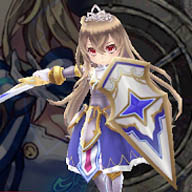
If you’re a fan of SRPGs or JRPGs then The Alchemist Code will be a great choice for you and a group of friends to get into. This game is constantly expanding with weekly updates, and features incredibly difficult challenges for you and your friends to complete. The story is as complex and interesting as you would expect any JRPG to be, while having the sophistication and difficulty of classic SRPG gameplay. You can tackle most challenges with your friends in their multiplayer quests. They even have a few limited events that can only be done through coop play.

The Alchemist Code Free Download ►
7

Minecraft Pocket Edition

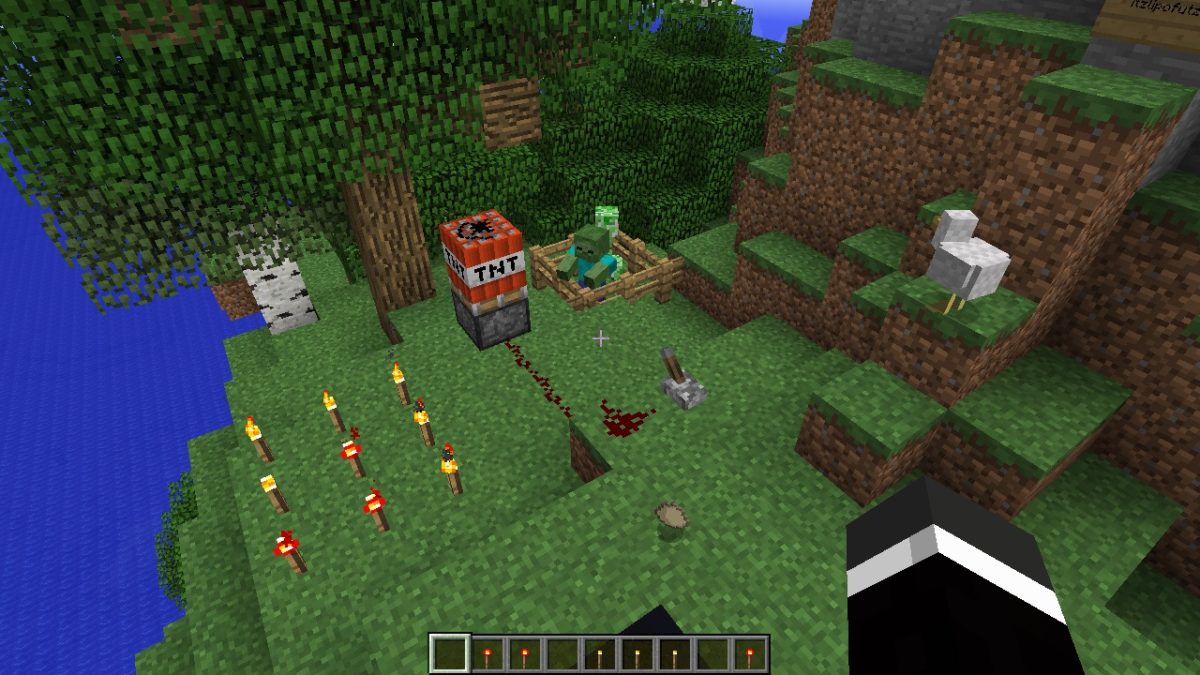
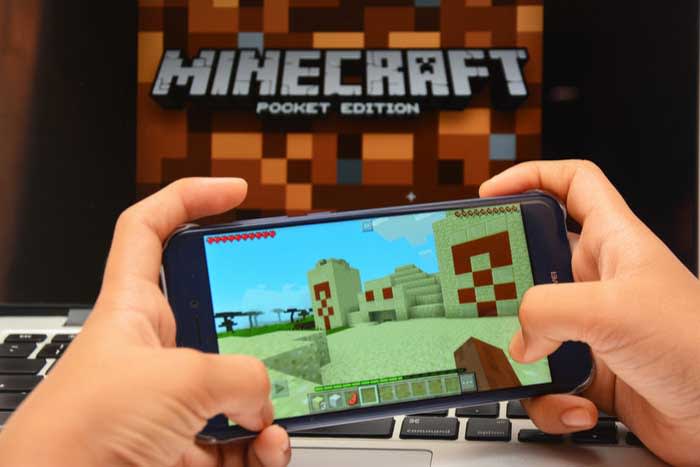
Minecraft is one of the most popular games in the world, and its mobile version supports many of the same features that the PC version has. You can build and create your own world with your friends, and even apply mods to experience a large variety of gameplay options. Having Minecraft on your phone will make sure you always have a great coop game to play.

Minecraft - Pocket Edition Download now ►
9

If you’re looking for games that are more party-oriented, then you may want to check out our Softonic Solutions forum on the best family game night mobile games.

Which Minecraft edition is best for you?

PC, Pocket, or console? Which Minecraft is best for you?

minecraft

Minecraft is one of those games that is timelessly appreciated by all ages. It has stayed incredibly popular since its creation, and has evolved into a large and diverse community.

As the game has grown, it has branched into a few different versions. Players are primarily familiar with the PC edition, as it was the only one for a long time. However, the console and pocket editions are surprisingly different compared to the PC version of the game. Deciding between these three can be a difficult choice if you’re trying to consolidate which platform you’d prefer to play games on. Here are the main differences between each one.

Which edition of Minecraft is best for you?

PC edition

The original edition of Minecraft, it often is the first to receive new content. The graphics are more advanced on the PC edition, and there are hundreds of third-party mods that can be used on your servers. Along with these mods, you can get third-party addons for UI changes to really customize your gameplay. The multiplayer is diverse, and you can play with any community members who share their servers and realms online. It also has the easiest controls of any edition.

Minecraft Download
7

On the downside, the PC edition is obviously not portable. It also isn’t very friendly to new players. The other editions feature some easily accessed tutorial information, and often allow the player to start with a map. There is also very little support in terms of parental control without using some type of third-party application.

Pocket edition

As the most popular versions of Minecraft, it’s clear that the Pocket edition has some appeal to it. Primarily, people play this version for the obvious convenience of having it on the go. Other than the Nintendo Switch, there are no other editions of Minecraft that are quite this portable. It does provide add-on and mod support, although not quite to the extent of the PC version. There are easy parental control settings, and the multiplayer is just as extensive as the PC edition.

Minecraft - Pocket Edition Download
9

There are, unfortunately, quite a few factors working against the Pocket edition. Third party mods are discouraged by the program, so you can only reasonably use the ones provided by Minecraft. The controls are probably the worst of any edition, and they can be incredibly difficult to adjust to.

Console edition

minecraft

All of the major console retailers (Xbox, PlayStation, and Nintendo) have Minecraft adaptations for their main consoles. They also continue to put Minecraft on each console that has come out since its creation (such as the PS3, PS4, Xbox 360, Xbox One, Wii U, and Nintendo Switch). Unfortunately, the console edition is the most limited in terms of functionality. The main benefit of each console is the ability to have local co-op capabilities. While there are some local co-op options for PC and Pocket editions of the game, the console version is much easier to access. In fact, the console version is a pretty great option for new players, since every aspect of the game is easily explained, the controls are intuitive, and it’s easy to play with offline friends.

The local co-op features are really the only thing the console editions have over the other two. All worlds on console editions of the game are finite, unlike the other editions, and there is pretty much no mod support for any version. The Switch is the only portable console you can use, and the multiplayer on it is far more limited compared to the other editions (though thankfully the Xbox One and PlayStation 4 have some decent multiplayer options). There is just far less customizability and options when it comes to the console edition, and the only real major benefit is how easy it is to use.

Bottom line

Of course, the right edition to use all comes down to preference. We suggest using the PC version if you want to use third-party mods, and want the newest features right away.

The Pocket edition is great for young gamers, who parents wish to monitor their gameplay, and gamers who want to play on the go and don’t mind the touchscreen controls.

Finally, console versions are ideal for local co-op, and those who prefer using a controller. No matter which version you choose, Minecraft is an excellent game and we’re sure you’ll enjoy playing it on any platform.

7 best wedding planning apps and websites

Planning a wedding can be scary and expensive! Try these apps to make the process smooth.

Putting a wedding together can be scary. There are hundreds of factors to consider, and it’s often on a time crunch. It’s suppose to be the most important day of our lives, yet the planning alone can make the whole experience a nightmare. Thankfully, there are some apps out there that can really take away the stress of planning a wedding, and help you to enjoy the build up to your special day. Here are some of the apps you can use so you have a stress-free wedding.

Best wedding planning apps and websites

wedding

Put A Ring On It

If you haven’t bought your wedding bands yet, or maybe even your engagement ring, Put A Ring On It is a great app for helping you decide what to get. The app lets you virtually try on different rings so you can see which one looks the best on you. It’ll digitally insert the ring onto a photo of you, making the entire experience much easier. This can save you a lot of money and frustration in the long run.

Put A Ring On It DOWNLOAD FREE ►
7

Azazie

There aren’t as many websites dedicated to wedding outfits as one may think. Finding the best wedding dress out there can take weeks, but this app really takes all concerns out of the equation. Not only does it help you find wedding dresses, but you can also use it to find bridesmaid and flower girl dresses as well.

Pinterest

The only social media site specifically designed for brainstorming ideas, Pinterest is the perfect place for wedding inspiration. It doesn’t matter what aspect of the wedding you are struggling with, someone has created a useful pinboard for you to check out. Dresses, venues, floor plans, etc, Pinterest has it all.

Pinterest Download free ►
8

Zola Registry

Probably the most popular wedding registry, Zola’s app is a great way to add things to your wedding registry on the go. This can make the experience quick and easy, and also turn it into a leisure activity, instead of forcing yourself to sit down and go through everything you may want. It can turn a somewhat stressful activity that involves money, into the exciting experience it’s supposed to be.

wedding

Wedding Spot

The ideal website for finding your perfect wedding venue. The Wedding Spot features thousands of venues across the U.S., with pictures and prices for all of them. You can filter your search settings to find a place that fits your exact needs. You can even use the site to contact venues, so you don’t have to do any external research. Whether you want a small wedding in a park, or an extravagant castle, Wedding Spot features a venue for anything you could imagine.

Wedding Planner by The Knot

This is probably the first app you’ll find if you search “Wedding Planner” in the app store, and for good reason. While the primary use for this app is to create a well-organized checklist for your wedding, the app is able to help you take care of some stuff on that list all by itself. For example, you can create a guest list, budget, and even create registries for various wedding sites through the app. It really is the closest thing you can get to an all-in-one app for your special day. And TheKnot.com is one of the biggest names in weddings, so it’s a reliable source of information.

Wedding Planner by The Knot Download Free ►
8

Appy Couple

Similar to the Wedding Planner app, Appy Couple is useful for a variety of things. It is best used for creating designs for your wedding. Whether that be the invitations or the floor plan, anything visual can be put together with this app. Along with this, it can help you get connections with photographers, designers, and even other useful sites and registries. This is a great app to check out for the creative types who want intricate designs for their wedding.

Appy Couple download free ►
8

For more wedding apps, you may want to check out our Softonic Solutions page. You can even suggest your own wedding apps there, if you feel we left any out.

Best geek conventions of New England

The New England area offers tons of fun for geeks. Here are the conventions you should add to your calendar.

Conventions are a great way for like-minded fans to enjoy celebrating their interests together. They can even provide a way for you to meet some of your favorite voice actors and comic book creators. Conventions also typically have showcases for new products, as well as fan artists selling their work. But with so many conventions out there, it can be difficult to choose the right ones to go to. Thankfully, we’ve looked over dozens of northeastern conventions to find you the best eight. Each one of these conventions is well worth checking out.

8 best geek conventions of New England

cosplay

PAX East (MA)

Dates: March 28-31, 2019

Location: Boston Convention and Exhibition Center in Boston

The Penny Arcade Expo is one of the most well-known gaming conventions all over the world. There are multiple different locations for PAX events each year, and the east coast one happens to be in Boston. PAX East features new game announcements, tons of free games to try, and crowds of excited gaming fans wondering its halls. Tickets sell out within days of them going up, so you’ll have to act fast if you want to get a ticket to the best gaming convention of New England.

Anime Boston (MA)

Dates: April 19-21, 2019

Location: Hynes Convention Center in Boston

AB is by far the largest anime convention in New England, and one of the largest in North America. If you’re looking to see big anime announcements, popular Japanese bands, and tons of celebrity guests, then AB is one of the best conventions you can attend. They also have more merch and panels than probably any other con on this list, so be ready to come home with lots of goodies.

PortConMaine (ME)

Dates: June 27-30, 2019

Location: The DoubleTree in Portland, ME

One of the few successful and fantastic general geek conventions, PortCon has a little of everything. From anime to games, there’s nothing you can’t find out of a PortCon experience. They are a four-day convention, which is a little longer than most, and has given them the opportunity to really expand how many panels and events they have. There’s always something to do, somewhere to go, and something to see at this unforgettable con.

PopCult Anime Con (MA)

Dates: August 3-4, 2019

Location: Sheraton Framingham Hotel and Conference Center in Framingham, MA

Despite being a relatively new convention, PopCult Anime Con offers just as much excitement as the decades-old conventions it competes with. Whether you’re a vendor or an attendee, the PopCult staff make sure everyone leaves with a smile. The convention is entirely run by well known members of the New England anime communities, so you know the staff is there to have a good time just like you. Plus, their mascots are adorable. Make sure not to miss out on this delightful convention if you ever have the opportunity to attend.

RetroWorld Expo (CT)

Dates: September 8-9, 2019

Location: Connecticut Convention Center in Hartford, CT

One of the few conventions specifically dedicated to celebrating the past. This is the ideal con for gaming collectors, as RetroWorld features some of the rarest games available. No matter what decade of gaming you’re into, RetroWorld has something unique and exciting for you. The convention is mostly merchandise-based, but their selection is incredibly wide. Some dealers even come with bucket-loads of old and rare retro games that are a wonder to see.

Another Anime Convention (NH)

Dates: September 27-29

Location: 2019 venue is currently unannounced but most likely in Manchester, NH

This convention used to be pretty small, but has grown to become a sizable and popular New England con. A great convention for cosplayers to attend, as your elaborate outfits will not go unnoticed by the attendees or staff. Even though they have grown to become one of the more popular conventions in the area, the community surrounding AAC still resembles that of a smaller convention. This means many of the staff has a high emphasis on being kind, helpful, and approachable compared to other medium-to-large conventions.

Rhode Island Comic Con (RI)

Dates: November 1-3, 2019

Location: Rhode Island Convention Center and Dunkin Donuts Center in Providence, RI

Probably the biggest comic convention on the east coast, Rhode Island Comic Con features some of the most popular and famous guests in comic book history. They also have many up-and-coming comic book artists just starting to make a name for themselves. It is the perfect place to discover comics old and new, and lose yourself in the world of graphic novels.

Carnage 21 (VT)

Dates: November 1-3, 2019

Location: Killington Grand Resort in Killington, Vermont

A tabletop gaming convention in Vermont, Carnage can be a great convention to go to when trying to increase your gaming circle. There aren’t many conventions in the area that focus primarily on roleplay-based games like D&D and LARPs, so Carnage is the perfect place to build new relationships with members of the community. There is also a lot to do at this convention, and it caters heavily to all ages, which can be really refreshing for conventions in this area.

These conventions are typically held at different times in the year, with a few overlaps, so you’ll be able to attend multiple if there are a few that interest you. Each one has their own forums you can look into, and use to plan meetups with like-minded fans. They often have cosplay events that you can prepare for by checking out those forums! Definitely worth looking into if you want a group to meet up with at these conventions.

Best apps for teens and new drivers

Looking to help your teen become a safer driver? These apps will do the trick!

teen driver

It can be difficult getting your license if you don’t go to a driving school beforehand. Some teens don’t even have family members that they can practice with regularly before their test.

The past decade has helped with this a lot, though. There are now so many more resources for new drivers, including online state permit tests, and even websites dedicated to helping you past the regulations of your state’s driving test. Along with these are apps that provide similar information that can help you gain the abilities and confidence to successfully become a good driver. Many of these apps can also help parents learn about what they should be teaching their teen about the road. Here are some of the best apps for this:

Best apps for new drivers

8. Waze

Considered by many to be the best navigation app, you may not be using it much before you actually obtain your license, but once you have, it can become an essential part of your driving experience. Other GPS apps are considered somewhat inferior to the traffic tracking abilities of Waze. It is worth adjusting to this style of GPS use as early as possible.

7. Drivers Ed App

If you don’t plan on taking a Drivers Ed class, then this is your next best chance at preparing yourself for a road test. It takes everything you would learn in a class and reorganizes it into an easy-to-read mobile app. This makes it useful for teens who are struggling with only a specific part of driving. You won’t have to go through everything in Drivers Ed, and instead and just focus on the subjects you are having a hard time with.

6. DriveSafe.ly Pro

Unlike most helpful apps of this nature, DriveSafe.ly actually does cost a monthly fee. However, if you’re someone who needs to text/call and drive, then this app is a far easier and safer application for it than Siri or Google Assistant. It minimizes phone interaction, while still letting you text hands-free. While you shouldn’t make a habit of doing this, it can be useful in emergency situations.

DriveSafe.ly Download Free ►
8

5. TrueMotion Family

Formerly known as Canary, this app is definitely more for the parents of a new driver than the driver itself. It’s helpful if you don’t think your teen will be able to limit cell phone use or stick to the speed limit when you’re not in the car with them. This app is mostly dedicated for parents with children who have already obtained their license but may be unsure of how well they plan to use it. TrueMotion Family will alert you how often your teen is distracted while behind the wheel.

TrueMotion Family Safe Driving download free ►
9

4. DMV Genie Permit Practice Test

If you don’t have your permit yet in a state that needs one, then this is the perfect app for getting you started. It uses your specific state’s permit questions as a basis for the questions it uses. It is the best way to learn about your state’s road laws and get you on the right track to getting your permit.

DMV Genie Practice Test: Permit & Driver's License download free ►
6

3. DMV Practice Test 2019

Similar to the previous app, this practice test app focuses on preparing you for written exams, as well as the actual road test you will be taking in order to get your license. No matter what state you live in, it will provide detailed information on everything you need to know to pass your test so you can get your license with worry. This works especially well in conjunction with Drivers Ed.

DMV Practice Test download free ►
7

2. Do Not Disturb

In Europe, Toyota has released a special Do Not Disturb app for driving called Safe & Sound. Until this app is brought to America, however, you can use the regular Do Not Disturb app to schedule your driving time and prevent you from using your phone while you’re driving without having to mess with the actual settings in your phone. This is good if you often forget to put your phone on silent when you’re at driver’s ed.

DoNotDisturb download free ►
6

1. DriveSmart

This app will give you a detailed analysis of how well you are driving. It records data as you drive, keeping track of your speed and braking skills to give you a report on how well you are doing. It can also keep you less distracted by alerting you to various changes in your surroundings, such as speed limit changes.

DriveSmart download free ►
8

Once you’ve succeeded in becoming a better driver with the help of these apps, you’ll surely want to check out our Softonic Solutions page where we’ve listed the best apps for car management. These apps can help you find your car in a parking lot, and even navigate you through city traffic. Definitely worth checking out for both new and experienced drivers.

How to create and connect to a local Minecraft server

Looking to set up your own Minecraft server? Here’s how to do it.

minecraft

Considering how popular Minecraft is, one can expect it to have some of the best co-op features of any mainstream game. And while it does definitely hold up in this department, it can be a bit tricky getting your own private server up and running. Realms are Minecraft’s easy solution to co-op play, where you can pay to have Minecraft take care of hosting and creating your server for you. However, some players prefer to have a free local server that they host themselves. Here is how to make that server and how to have your friends connect to it once it’s up:

How to create and connect to a local Minecraft server

Step 1: Make sure you have the newest version of Java installed.

Step 2: Download the Mojang Minecraft server software (you’ll need to keep track of whatever folder you download this to, as there will be multiple programs from the software you’ll need to access. You should create your own folder to keep all of these in).

Step 3: Run the .jar file from the software you downloaded

From here the instructions branch off depending on whether you have a PC or a Mac.

For PC:

Step 4: There will be a text document created called “eula.txt”. Open this in a text editor like Notepad, and change “eula=false” to “eula=true”.

This is you accepting the terms and conditions of Minecraft.

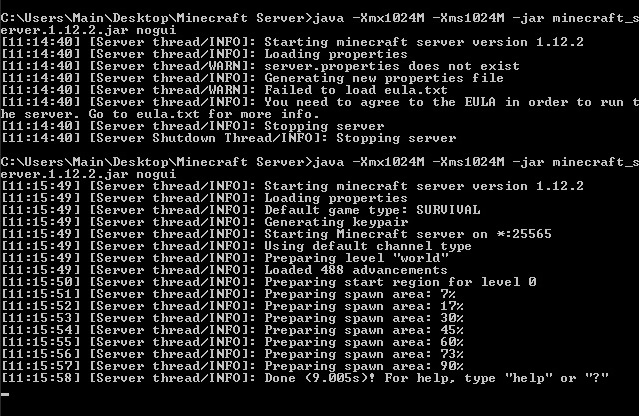
Step 5: Go to your computer’s command prompt and type the following

java -Xmx1024M -Xms1024M -jar {server file name}

Replace server file name, with the name of your server’s file (this can be found by copying the file location of the .jar program). If you want to disable the graphical user interface (GUI), you can add “nogui” to the end of this command line. Players have reported this lowers CPU and memory usage.

Minecraft

Step 6: While this is optional, you may want to create a .bat file with the same command used above, in order to quickly access the server, instead of needing to open the command prompt each time. For the .bat file you can use the command:

@Echo Off

java -Xmx1024M -Xms1024M -jar {server file name}

If you’ve completed step 5, then your server should be fully functional. Other players connected to your home network will be able to connect directly to the server.

Notepad++ Free Download
8

For Macs:

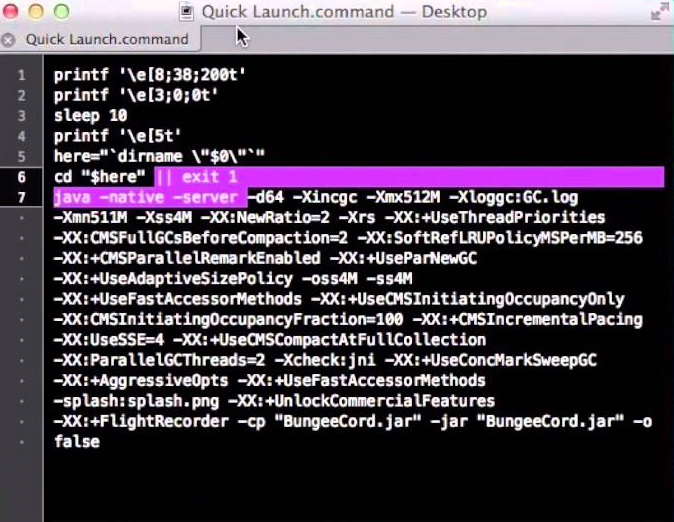
Step 4: Open a text editing program like TextEdit and input the following:

#!/bin/bash
cd “$(dirname “$0″)”
exec java -Xms1G -Xmx1G -jar {server name}

Server name should be replaced with the file location of the .jar file. You can choose to add nogui at the end if you’d like to remove the graphical user interface (GUI). Players have reported doing this used less memory and CPU.

Step 5: Save this document as “start.command” in the same folder as the .jar file.

Step 6: Open the Terminal program, and type:

chmod a+x 

And make sure there is a space after the x. Then drag the start.command file into the Terminal window. This will give executive permissions to the start.command program. Once done, you can simply click start.command to open your Minecraft server.

Minecraft

Hosting a Minecraft server can take a bit of a toll on your computer. We recommend you avoid trying this on a laptop, unless it’s a high-end gaming laptop, and even then you may prefer hosting on a desktop instead.

These instructions work for hosting a Minecraft server on your local network with other devices connected to that network. If you wish to host a server online, you’ll have to PortForward your router. It will take a bit of programming knowledge and your router information to PortForward your Minecraft server.

Simple Port Forwarding Free Download
6

Note: PortForwarding a server will also make your home network more vulnerable for strangers to access. If that’s something you’re worried about, you could pay a third-party hosting service to host your server instead, or you could create a Minecraft Realm. Realms are similar to local servers, but require a monthly payment and are hosted by Minecraft itself.

Top 4 pregnancy apps

These four apps can make your pregnancy easier, safer, and more fun!

pregnancy

Pregnancy is maybe the biggest game-changer you’ll ever experience. Even for parents who have had children before, every pregnancy is different and comes with its own challenges. No matter the case, you’ll often find yourself looking up new symptoms and safe alternatives to your unique cravings. Instead of searching all over the internet to find your answers, a handy app is usually all you need. Many apps let you track your symptoms and read up on what you can expect in the coming months. Here are some of the best apps for helping you throughout your entire pregnancy:

4 best pregnancy apps

WebMD Pregnancy

WebMD is one of the most reputable medical sites on the internet, and their pregnancy advice is top notch. Besides answering any medical questions you may have, this app comes with a variety of tracking tools. You can track baby kicks, contractions, and a large selection of pregnancy symptoms. You can also create checklists with this app for baby preparations.

WebMD Pregnancy Download free ►
8

Mind the Bump

Pregnancy can be stressful in ways you never expect it to be. Mind the Bump is a great app for helping relieve some of this stress. It walks you through various meditation techniques while giving you advice for dealing with any mental health problems you may be having while pregnant. While most apps focus on helping you with your body through this process, Mind the Bump is all about your feelings and mental space. These areas are often neglected, so having an app remind you to self-care can be a big help.

Mind the Bump Download Free ►
7

Ovia Pregnancy Tracker

The use of this app starts before pregnancy even begins. It lets you track your ovulation cycle so you know the perfect times to try and conceive. Once pregnant, the app gives you helpful tips on what is and isn’t healthy. It also gives advice on relieving pregnancy symptoms throughout each trimester as you experience them.

Ovia Fertility Download Free ►
8

If you’re specifically looking for an ovulation tracker, you may want to check out My Days as an alternative. It tracks both your period and your ovulation cycle, and it lets you create helpful reminders regarding both of these.

My Days - Period and Ovulation Free Download ►
7

Hello Belly Pregnancy Tracker

Facebook is often the place we turn to when we want to find something relatable. Your Facebook friends are often around your age, so they’ll be sharing memes that you can relate to. However, not all your friends will be getting pregnant when you are, so you may feel alone when you open up Facebook and aren’t able to relate with your peers as much. This app gives you a daily dose of pregnancy memes so you don’t feel alone in this process. The memes also relate to your current stages of pregnancy, as the app tracks how far along you are.

Hello Belly download free ►
8

You can find more pregnancy apps at our Softonic Solutions page, and you can even add your own app suggestions if you feel we missed any.

Best online tools for helping you move

Moving to a new home? These apps will make your move far less stressful.

moving into a new home

Moving can be really stressful. It often requires intense planning that can be overwhelming, even for the most skilled planners. But times are changing, and with new advancements every day, moving has become much simpler than it used to be. All that stress can be taken away by that little device you carry every single day. Here are the best online tools to help me you move, stress-free.

Best apps and websites to help you move

Nextdoor

This app is particularly useful when moving to a new neighborhood. It’s a social media app that groups you together with your neighbors. This makes it easy to contact them and get to know them a little better. It can also be useful for asking for help if you haven’t received your neighbor’s numbers yet.

Nextdoor Free Download
7

MagicPlan 

With a simple picture, you can redesign your entire living space. This app helps you plan out your interior design ideas without actually needing to move stuff around yourself, which can really help cut down on the heavy lifting. You can digitally move furniture however you want within the app. You never have to worry about needing to move something a second time because you didn’t like where it was after the initial move.

MagicPlan Free Download ►
7

OfferUp

An excellent app for getting rid of old furniture, or looking for something new, OfferUp provides a community for anyone looking to sell their old possessions. If you’re trying to find a couch for your new home, or trying to sell your old one, you’ll have tons of people to help you do just that.

6

Alternatively, Facebook Marketplace can be a good option for finding cheap or free furniture, or getting rid of your own. Since Facebook has such a large community, things can often be sold on the same day they are posted.

Sortly

Despite being primarily made for businesses, Sortly can be perfect for helping you move. Sortly keeps track of all your possessions so nothing gets lost in the move. It can also make unpacking much easier. It organizes your belongings with pictures, and puts them into categories based on how you decide to pack them. This means you’ll know exactly what is in each box while you’re unpacking, and you’ll have a checklist to go through and make sure all your belongings have made it to their new home safely. 

Sortly inventory app for business home inventory Free Download ►
7

KeyMe

No more keys under the welcome mat! KeyMe’s app scans your keys to be reprinted at any KeyMe kiosk. This is great for moving into a new home, since it lets you avoid the hassle of getting extra copies of your key made. And if you ever get locked out of your home, you have an easy solution, so you never have to stress out if it happens.

Unpakt

An all-in-one website for any moving needs you might have. You can compare moving company rates, create a detailed inventory of your furniture, and find useful advice on how to properly keep your stuff while in storage. Anything you might need help with while moving can be found on this site.

Hopefull,y these apps can help your moving experience be less stressful than it normally would. Of course, these apps are dedicated to helping you through the actual moving process itself. If you’re still trying to find a new home, then you may want to check out our list of apps for helping you find one.