Top photo editing apps for your phone

These are the best mobile photo editing apps for Apple iPhones and iPads, and Android smartphones and tablets.

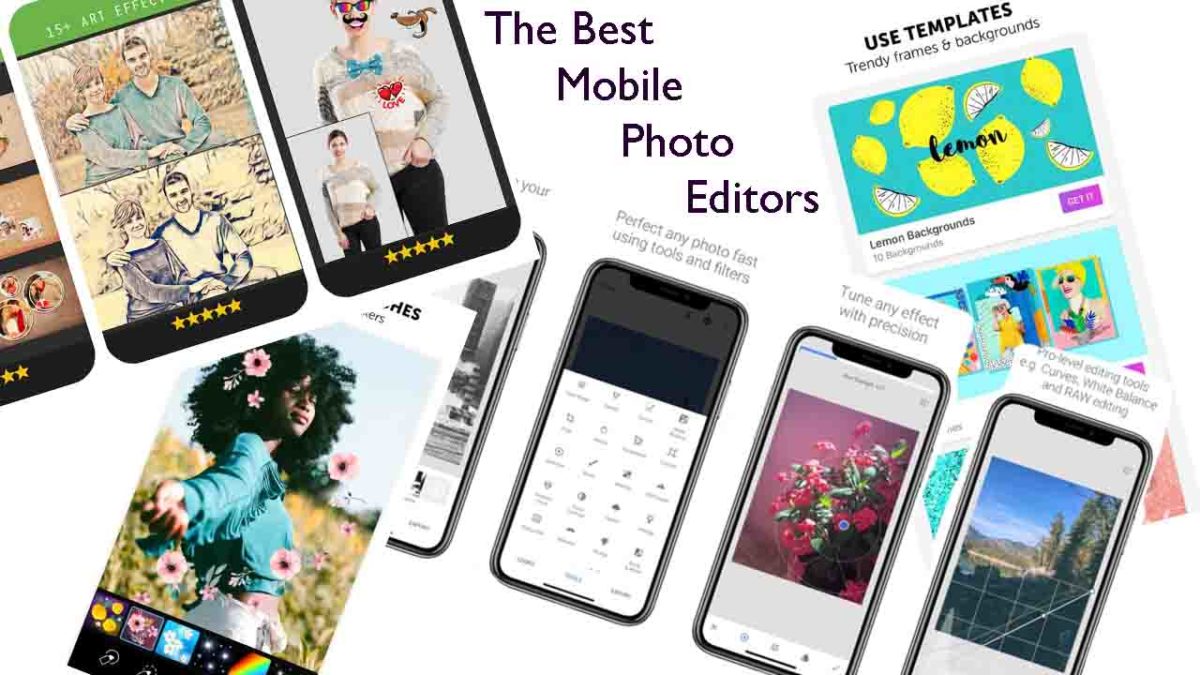
The best mobile photo editors

These days the camera on your smartphone is one of its most important features. Phone manufacturers have been falling over themselves for years now to bring us the best cameras with the most impressive bells and whistles. We’ve seen Google pumping crazy AI features into its Pixel phones and Huawei adding privacy-busting 50X zoom to its P30 Pro. Most phones now, even budget offerings, have two or sometimes even three lens camera app systems as well as a separate front-facing camera for selfies and video calls.

It isn’t just about taking photos though, oh no. These days, if you want your photos to stand out on social media, you need to optimize your photos once you’ve snapped them. That means editing them to make sure they look as good as they possibly can. Fortunately, however, just as the hardware manufacturers have been working overtime on their cameras, software developers have been working hard on photo-editing apps.

Let’s look at the best photo editing apps available for Android on the Google Play Store and iPhone on the Apple App Store.

Best photo editor apps

PIXLR
Pixlr

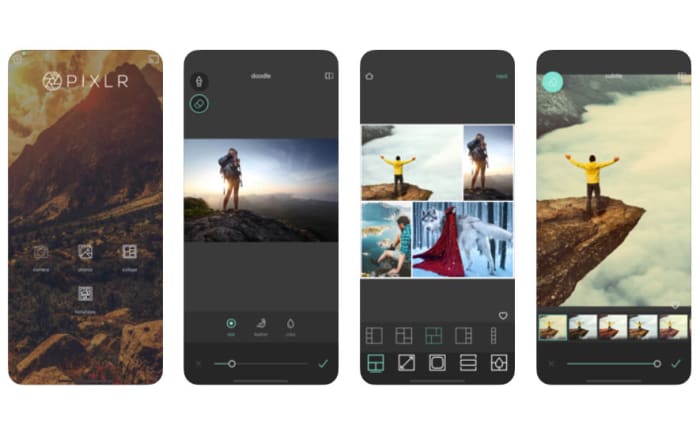
Pixlr is a very well-regarded browser-based photo editor that you can use on Linux, Windows, or Apple Mac via a modern browser like Google Chrome or Mozilla Firefox. Pixlr also has rather impressive mobile apps for Android devices and iOS iPhones and iPads. The mobile photo apps are designed for quick edits and retouching and make it very easy for users to get great results. There are plenty of filters and features here for you to play around with and once you’re done, the Pixlr apps make it really easy to share your creations via integrated social network connectivity.

If you try out the Pixlr mobile apps and like them, you should definitely try the browser-based app, which actually offers a fairly decent and free alternative to Adobe Photoshop.

PIXLR Download now
8

PicsArt Photo Studio

PicsArt

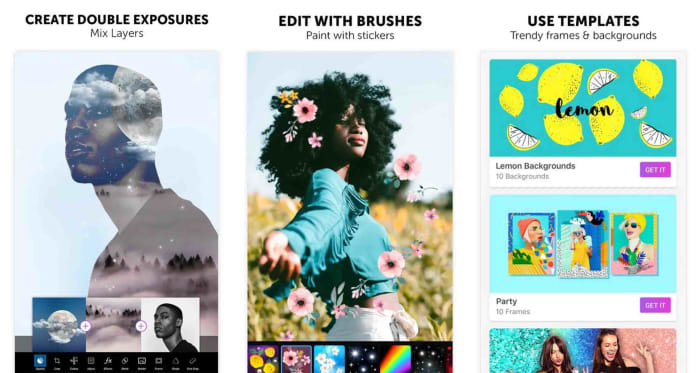
PicsArt has a really wide feature set that offers plenty for any budding amateur snapper and social sharer looking to edit photos. PicsArt makes it really easy to put together collages, add cool stickers to your photos, and add all manner of filters and text as well as optimizing your photos with improved lighting and color balancing tools.

The broad appeal of PicsArt is that it is a great tool for people looking to perform serious edits but also works well for those simply looking for a laugh by putting together a meme or creating an entertaining GIF. Interestingly, PicsArt also has a collaboration feature that allows you to submit work to the PicsArt community so that people can make their own edits.

PicsArt - Photo Studio Download now
8

Fotor Photo Editor

Fotor

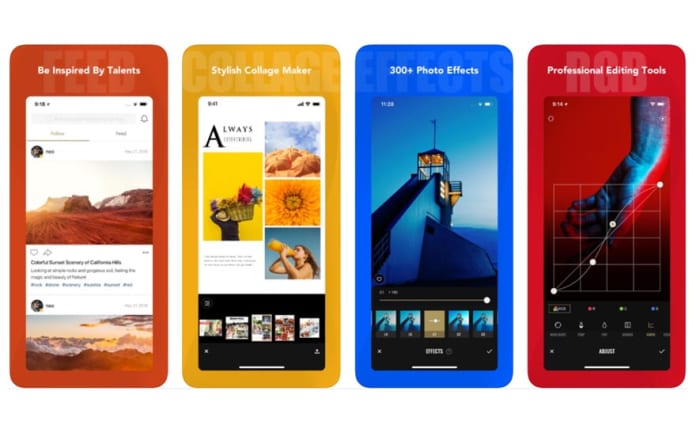
Another excellent mobile photo editing app is Fotor. Fotor gives any budding photographer the tools they need to make a wide variety of professional-looking edits to their photos. The app has over 1,000 filters and includes other more regular features like vignettes, highlights, image temperature and saturation tweaks, exposure control, and more basic editing features like cropping, rotating and brightness and contrast control.

Although you can download a free version, Fotor includes in-app purchases and requires users to log in to use it. The app, however, also includes a very handy one-tap auto improvement feature. A simple click will put Fotor to work editing your photo, which if it doesn’t end up as exactly what you’re after, often provides a great starting point for further edits.

Fotor Photo Editor Download now
8

Snapseed

Snapseed

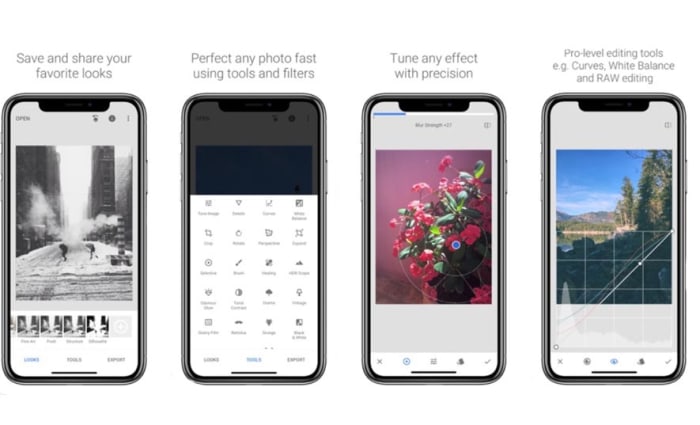
Although Snapseed is Google’s own photo editor, it is an excellent choice for anybody looking to edit the photos they take on their camera. You can add filters, edit the lighting effects on your photos, and also add interesting features like lens bokeh, which is the blurring effect that you get around the subject that is the focus of your image.

The best thing about Snapseed is that it is free and gives you access to almost all the editing features you’ll find in any mobile photo editing app. That being said, it can come off as a little intimidating, if you’re only looking to make simple edits.

9

Google Photos

Google Photos, formerly Picassa, is an incredible mobile app. Google Photos will automatically back up your photos to the cloud and then prompt you to clear space on your device. You can then view your photos using your internet connection whenever you want. This way you can have pretty much every photo you’ve ever taken in your smartphone’s photo gallery forever. Furthermore, Google’s AI will automatically organize your photos into easily searchable tag groupings and albums.

On top of that rather ridiculously well-executed feature, Google Photos also offers some pretty decent photo editing capabilities.  As well as filter options, contrast and saturation editing, and other basic features like cropping and rotating, Photos also has interesting AI-enabled features like auto-cropping of documents.

Google Photos Download Google Photos
7

Photos Effects Pro

Photos Effects Pro

We’re finishing our look at some of the best mobile photo editing apps with a fun entry to the list. Although Photos Effects Pro sounds like something you’d expect your photo enthusiast uncle to have on his ten-year-old MacBook, it is actually much more suited to a younger Instagram or Snapchat user.

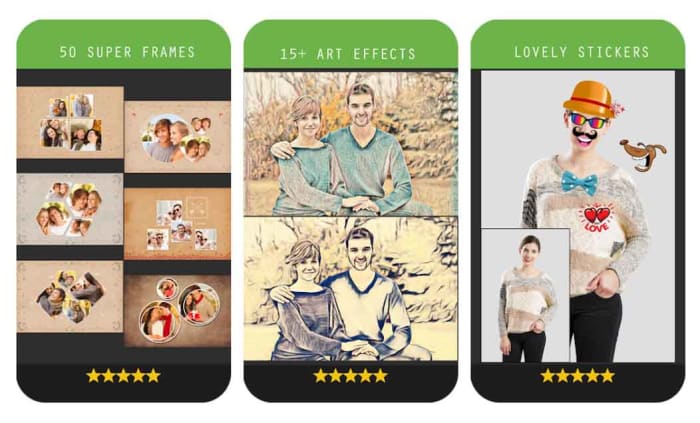
Like most mobile photo editors, Photos Effects Pros has filters and effects, but it stands out for its fun stickers that’ll take your photos and turn them into something truly comical. You can also use your finger to paint on top of your photos and add AI-infused edits like turning your photos into painted or hand-drawn scenes. Outside of these effects’ features, Photos Effects Pro only has a few rudimentary editing tools but it is completely free to use, which means it is definitely worth a download.

Photo Effect Pro Download Free ►
8
Wrapping up

Mobile photo editors are a little different from their full-size desktop companions in that they simply can’t offer the complete editing suites your PC or Mac can. Sure, expensive subscription-based apps like Adobe Lightroom CC can give you a real taste of what your PC can do, complete with RAW file editing, but editing photos is much more difficult to do on a smartphone screen of five or six inches than it is on a 15 inch laptop or a computer with a much bigger monitor. You can still do a lot, however, with filters, basic editing techniques, effects, and stickers, which is why we’ve been able to bring you six excellent photo editing apps. Another good mobile photo editing tool worth checking out on your Android phone is VSCO.


Keep your messages private for free with Signal

Concerned about data privacy? Signal is the messaging app you’ve been looking for.

Hesitant to share your personal information over messaging or texting? You’re not paranoid – you’re probably right to be cautious. Privacy is a thing of the past. One of the best tools to keep your conversations private is a free little app called Signal.

7

What is Signal?

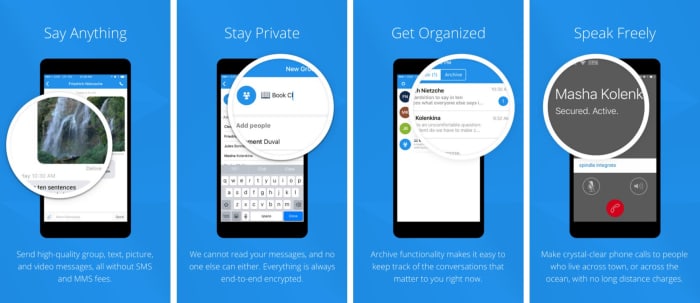
Signal is designed specifically for mobile devices and allows for free, worldwide, encrypted calls for your smartphone. It does so by using ZRTP for secure voice communication.

Signal helps you dodge those pesky SMS fees while communicating, and lets you share media and files as normal, and chat with groups in real-time. It requires no password, uses your existing phone number, and never accesses any of your conversations or stores any of your personal data.

Signal app functions privacy

“Long before we knew that it would be called Signal, we knew what we wanted it to be,” said the company on their blog page. “Instead of teaching the rest of the world cryptography, we wanted to see if we could develop cryptography that worked for the rest of the world. We started Signal with the idea that private communication could be simple.”

As far as simplicity goes, using the app couldn’t be any easier: Installation is free, and the download time is quick. Once it’s done, you’re in the clear. The app’s Contact Discovery immediately displays which of your contacts are reachable with Signal, so you can carry on your conversations in private.

Why you need it

“As more and more of our lives happen online, data protection and privacy are critical,” explains the company’s Executive Chairman Brian Acton. “This isn’t just important for select people in select countries. It’s important for people from all walks of life in every part of the world. Everyone deserves to be protected. We created the Signal Foundation in response to this global need. Our plan is to pioneer a new model of technology nonprofit focused on privacy and data protection for everyone, everywhere.”

True to their word, the company has kept Signal free and open source. It’s the only app of its kind, and even goes as far as sending optional push notifications to conserve your battery life and still stay responsive.

“The best way to continue to ensure the universal availability of high-security and low-cost communications services like Signal is to do so through a foundation structure that is free of the inherent limitations of a for-profit company,” says Acton. “We’ve built a service used by millions, and software used by billions.”

The latest versions of Signal are available on Android, iOS, and Desktop. It also has an integrated link preview function and browser extensions for the Desktop client. Get it free today and let us know how it helps you manage your conversations. Stick with Softonic for more tips and tricks to keep your data private and secure!

5 best investment apps

Do you want to get in the investment game, but you don’t know where to start? We’ve got the apps for you.

Investing on mobile

You used to actually have to know about the stock market to become an investor. Or, you’d have to employ an in-person financial manager to do the work for you.

Today, you can download an app on your phone and start making moves. Mobile trading is appealing in several ways. The most obvious is the convenience factor.

The other key benefit is that many of the apps out there don’t require a ton of personal capital to get started. Many popular investing apps allow you to open an account for $5, so investing is accessible even if you’re on a budget.

The downside is, you’re more or less on your own when it comes to making decisions. That means it’s easy to get caught up in a risky decision or enrolling in an account that doesn’t make sense for your financial goals.

If jumping into the investing game interests you, we picked some of our favorite apps to get you started.

5 best mobile investment apps

TD Ameritrade

TD Ameritrade mobile trading app

TD Ameritrade is one of the biggest names in the financial sector. They’ve got name recognition even among those who have no clue what a brokerage account does.

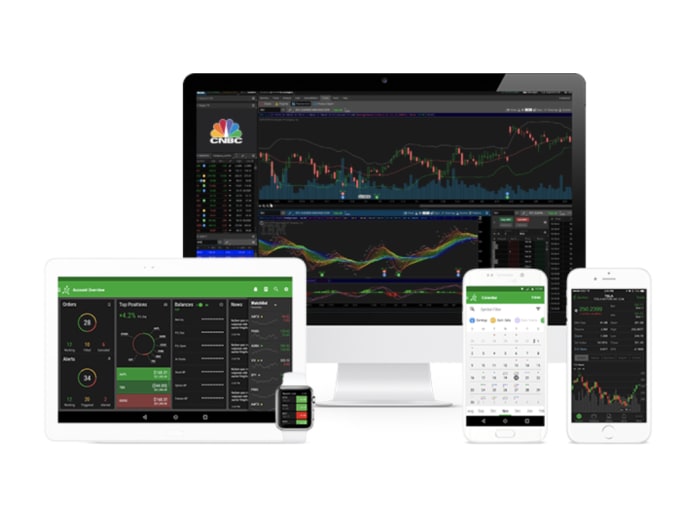
The TD Ameritrade app is free to download, and there’s no account minimum needed to get started.  This app is unique in that it’s easy for beginners to get started, yet still brings the options and features that advanced traders have come to need.

Where TD Ameritrade falls short is, it doesn’t necessarily offer the lowest trading costs. You’ll pay a $6.95 flat rate commission on all equity trades.

However, you do get a lot of bang for your buck — access to third-party market research that allows you to plan your trading strategy. You’ll also get access to 24/7 phone support and access to a wide range of investment options.

TD Ameritrade Download Free ►
7

E-Trade

etrade mobile investing app

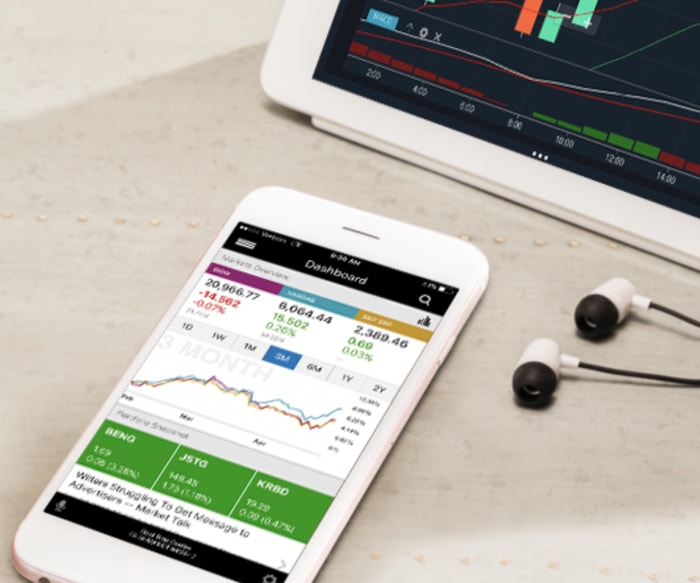
E-Trade is another popular option in the digital investing game. The platform works across all devices from iPhones to Androids, to your desktop computer. What’s nice is they offer a ton of educational materials. You can arm yourself with the knowledge needed to customize your investment portfolio.

For the set-it-and-forget-it types, you can go ahead and sign up for an E-Trade Core Portfolio. It is managed by a robot-advisor at a 0.30% rate. To enroll in this program, you’ll need to invest $5,000 — which of course, may be a barrier for some would-be investors.

Some of the rates seem a little high, especially for infrequent traders. Fidelity and Charles Schwab provide a similar service and portfolio lineup. They only charge $4.95 commissions, while E-Trade charges $6.95.

8

Acorns

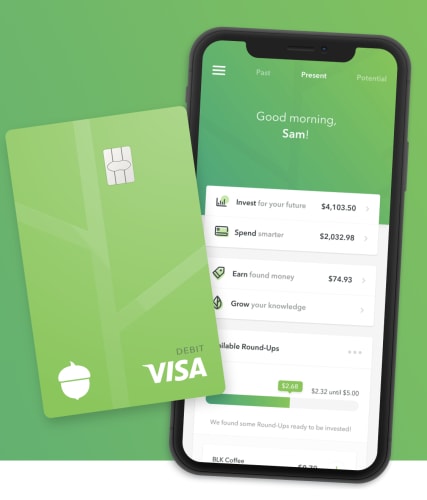
acorns easy investing appAcorns is an investment app perfect for beginners. To get started, you’ll need to transfer just $5 and select a portfolio type. Portfolios range from conservative to aggressive, and the account management fees are a whopping $1 a month.
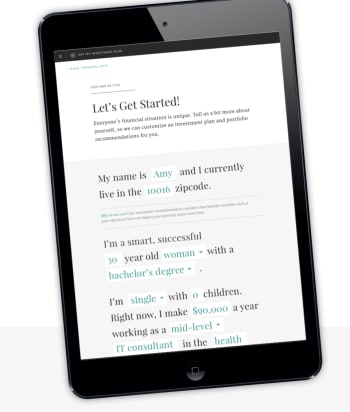
Where Acorns really shines is in its ability to help you save money without thinking about it. Hook up your debit and credit cards to your account and the roundups will round purchases up to the nearest dollar. You can add a multiplier to increase the automated transfer amount. Additionally, you can make lump sum transfers on a weekly, monthly, whatever basis.

Acorns isn’t necessarily the best app for those looking to make the most out of their money. Its hands-off approach works for saving some spare change outside of an account where you might otherwise be tempted to spend that money. We should also mention that the portfolio is quite small, made up of low-cost Vanguard and iShare exchange-traded funds.

Ellevest

ellevest getting started

Ellevest operates on an interesting concept. Founded by veteran finance leader Sallie Krawchek, Ellevest is an investing app that targets women. The idea is that traditional investing tools have long left women out of the equation. They use sports terminology and other types of gendered language to talk about financial products.

Ellevest is easy to use, and you don’t have to be a woman to invest. What we like about it is their fiduciaries, meaning, the advice offered in the app is legally obligated to have your best interests at heart. It forecasts even for things like taxes and downturns. You’ll have a realistic picture of what’s in store for your money.

Inside the app, you can easily set goals and plan for the long-term. Set up recurring deposits or make one-time contributions as you work toward your investment goal. You can update your deposits, timeline, recurring contributions, and targets. There are no minimum balance or withdrawal penalties.

Ellevest: Invest Like a Woman Download now ►
7

Robinhood

Robinhood app

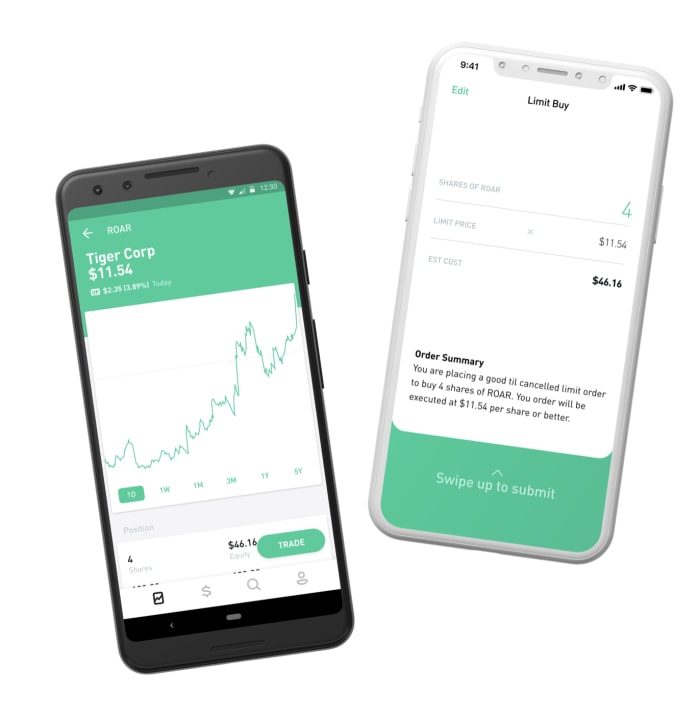
Named after the famed character known for stealing from the rich and giving to the poor, Robinhood is a favorite among Robotraders. Robinhood is a web app that aims to make playing the stock market accessible for people from all income levels and experience.

The main selling point with Robinhood is the app is no frills.  By frills, we mean, they’ve done away with a lot of the fees associated with investing. There are no account minimums, stock trading is free, and you’ll have your pick of over 2,000 ETFs. Robinhood presents an opportunity to dabble in crypto-trading without having to deal with the ins and outs of sites like Coinbase.

The downside is that Robinhood does not offer access to mutual funds or bonds. Your only account option is an individual taxable account, also known as a brokerage account.

Robinhood Download Free ►
7

Moving forward

The best advice we can give for getting into investing is to start slow and work your way up. (And, statistically, you’re better off with a low-cost index fund, rather than individual stocks.) You don’t need to invest a large amount of capital in order to enter this field. Also, you should not invest a large amount of capital until you know what you’re doing. 

7 best wedding planning apps and websites

Planning a wedding can be scary and expensive! Try these apps to make the process smooth.

Putting a wedding together can be scary. There are hundreds of factors to consider, and it’s often on a time crunch. It’s suppose to be the most important day of our lives, yet the planning alone can make the whole experience a nightmare. Thankfully, there are some apps out there that can really take away the stress of planning a wedding, and help you to enjoy the build up to your special day. Here are some of the apps you can use so you have a stress-free wedding.

Best wedding planning apps and websites

wedding

Put A Ring On It

If you haven’t bought your wedding bands yet, or maybe even your engagement ring, Put A Ring On It is a great app for helping you decide what to get. The app lets you virtually try on different rings so you can see which one looks the best on you. It’ll digitally insert the ring onto a photo of you, making the entire experience much easier. This can save you a lot of money and frustration in the long run.

Put A Ring On It DOWNLOAD FREE ►
7

Azazie

There aren’t as many websites dedicated to wedding outfits as one may think. Finding the best wedding dress out there can take weeks, but this app really takes all concerns out of the equation. Not only does it help you find wedding dresses, but you can also use it to find bridesmaid and flower girl dresses as well.

Pinterest

The only social media site specifically designed for brainstorming ideas, Pinterest is the perfect place for wedding inspiration. It doesn’t matter what aspect of the wedding you are struggling with, someone has created a useful pinboard for you to check out. Dresses, venues, floor plans, etc, Pinterest has it all.

Pinterest Download free ►
8

Zola Registry

Probably the most popular wedding registry, Zola’s app is a great way to add things to your wedding registry on the go. This can make the experience quick and easy, and also turn it into a leisure activity, instead of forcing yourself to sit down and go through everything you may want. It can turn a somewhat stressful activity that involves money, into the exciting experience it’s supposed to be.

wedding

Wedding Spot

The ideal website for finding your perfect wedding venue. The Wedding Spot features thousands of venues across the U.S., with pictures and prices for all of them. You can filter your search settings to find a place that fits your exact needs. You can even use the site to contact venues, so you don’t have to do any external research. Whether you want a small wedding in a park, or an extravagant castle, Wedding Spot features a venue for anything you could imagine.

Wedding Planner by The Knot

This is probably the first app you’ll find if you search “Wedding Planner” in the app store, and for good reason. While the primary use for this app is to create a well-organized checklist for your wedding, the app is able to help you take care of some stuff on that list all by itself. For example, you can create a guest list, budget, and even create registries for various wedding sites through the app. It really is the closest thing you can get to an all-in-one app for your special day. And TheKnot.com is one of the biggest names in weddings, so it’s a reliable source of information.

Wedding Planner by The Knot Download Free ►
8

Appy Couple

Similar to the Wedding Planner app, Appy Couple is useful for a variety of things. It is best used for creating designs for your wedding. Whether that be the invitations or the floor plan, anything visual can be put together with this app. Along with this, it can help you get connections with photographers, designers, and even other useful sites and registries. This is a great app to check out for the creative types who want intricate designs for their wedding.

Appy Couple download free ►
8

For more wedding apps, you may want to check out our Softonic Solutions page. You can even suggest your own wedding apps there, if you feel we left any out.

Guide to Polysphere

This free game is great for relaxing.

Have you ever stared at the sky and try to pick out shapes in the clouds? That’s basically Polysphere in a nutshell. And just like staring at clouds, the game is simple, relaxing, meditative – and now it’s right in your pocket for free.

What is Polysphere?

Polysphere ad; find perspective to solve and create masterpieces

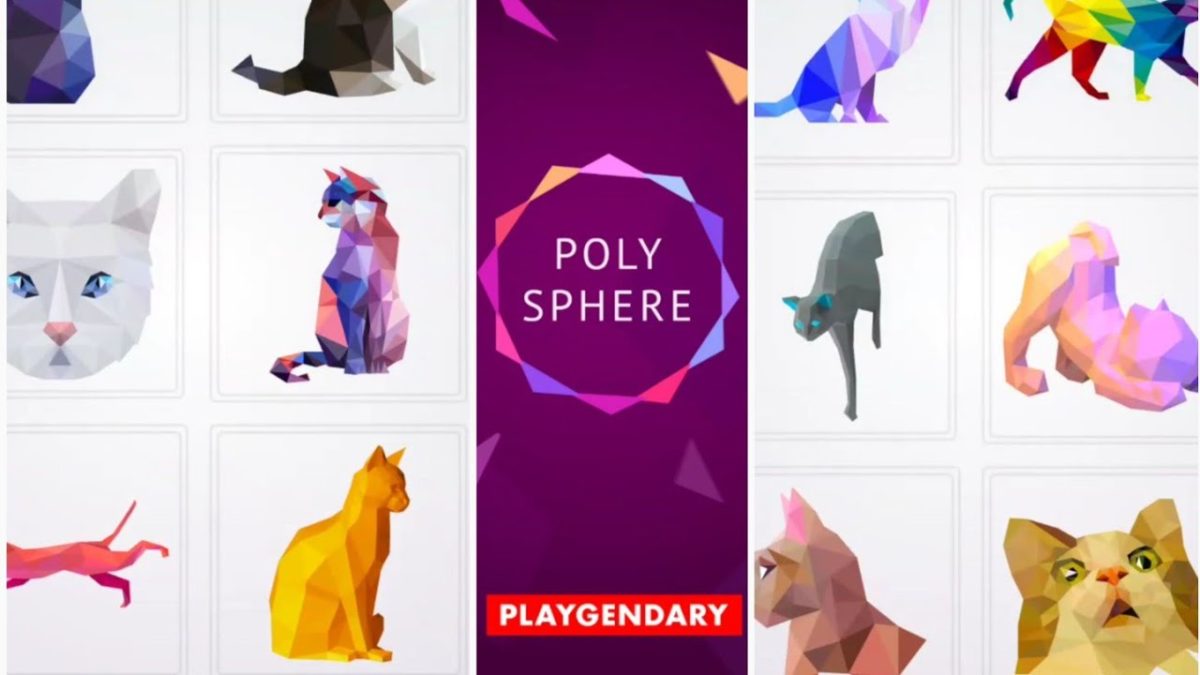
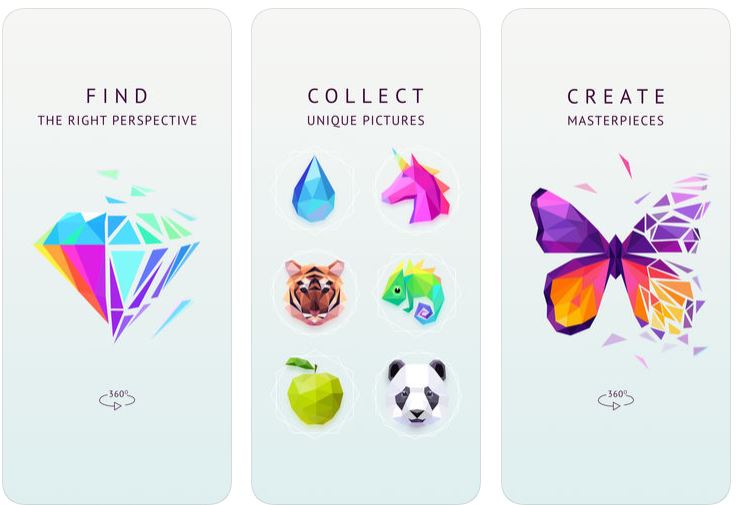
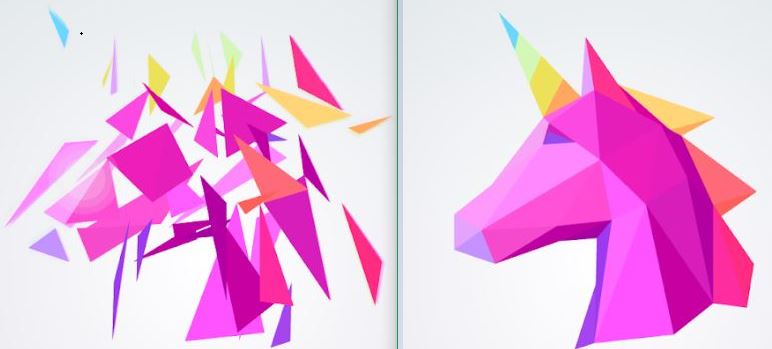
Polysphere is a mobile game from German developer Playgendary, and at its heart is a simple 3D puzzle experience. Available for free on Google Play and in the App Store, the game is a series of ‘puzzles,’ that are all fragmented images. What you’ll see on-screen is a series of colored shapes that stationary. Your job is to drag and spin the cloud of 3D pieces around until you angle it just right and the picture becomes apparent.

Tips

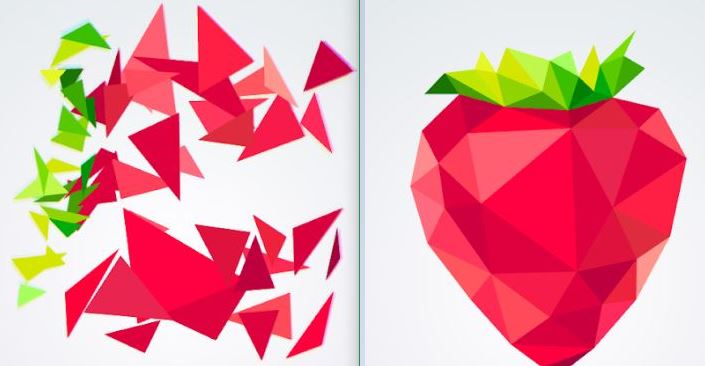
The best strategy to solving the puzzle is to start by matching the colors. This is especially useful with images that only use one two or three colors. If you start by matching them together, the image will quickly become more apparent. When you’re dealing with a smattering of green and a whole sea of red, clumping the green together makes the strawberry a lot easier to visualize. Another good tip is to remember to swipe up and down, too; not just left and right. All the puzzles are 3D, so depth is just as much of a factor as width and angle.

Polysphere strawberry puzzle
Pro tip: Match the colors together, then slowly rotate the image.

Once in a while, you’ll figure out what the image is, but things aren’t lining up quite right anyway. That usually means you’ve got the image backward. Try spinning the puzzle 180 degrees to reverse it, and it’ll probably match up right to the solution.

Unwind and decompress with Polysphere

Sure there are a couple of tips to mastering the game, but for the most part, this is not a difficult game; that wasn’t Playgendary’s goal. The game’s simplistic charm and intuitive controls are the real selling point, and for the price of “free,” you can see why the game has over 10 million installs.

“It doesn’t really have an objective,” wrote one 5-star reviewer. “Tranquil music plays while I spin the fragments round and round in space. There’s no pressure to achieve anything. I don’t have to slay dragons [or] play like I’m some kind of sharp shooter. With this game, I don’t have to be anything, just have fun. This is a great game for relieving stress, and just relaxing.”

Polysphere unicorn puzzle
After a busy day, chilling with Polysphere is very therapeutic

Polysphere takes up 54M of space and is available for free right now. Grab it today and enjoy!

Polysphere for Android Free Download ►
10