
How to play Words Story

Ready to try Words Story?

Words Story

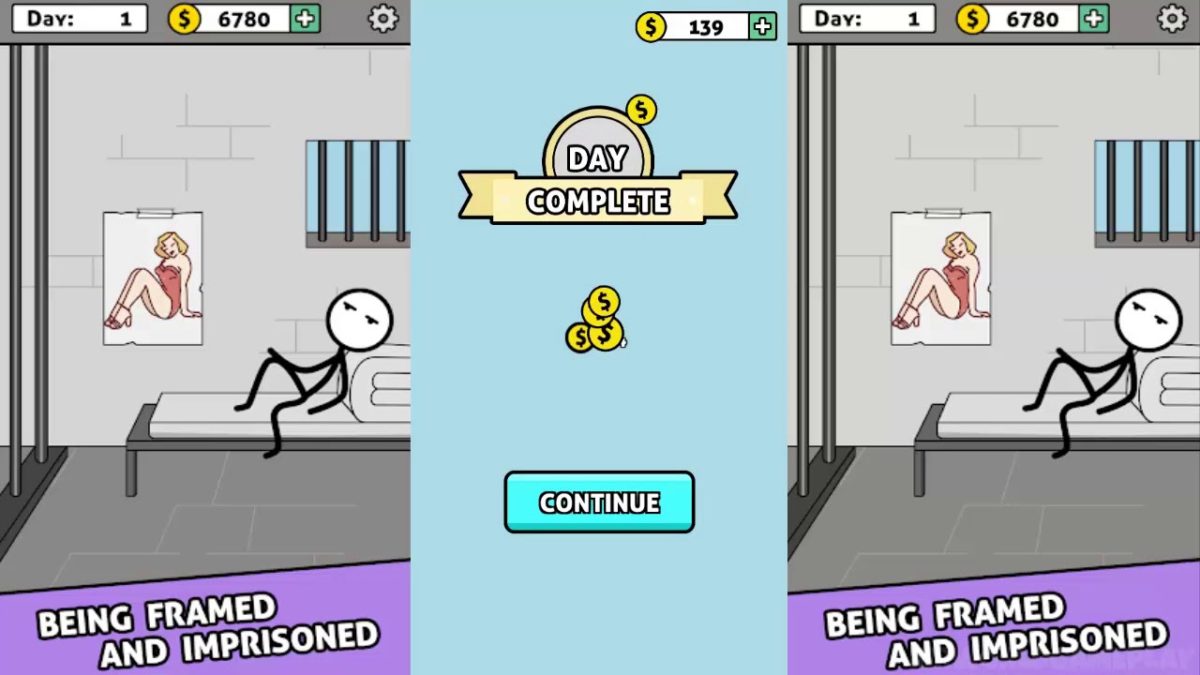
Words Story is an unusual take on the mobile word game in that it’s part clever word game and part narrative. While the narrative itself isn’t the most compelling, it’s still neat to be given an actual storyline in a free mobile game. The story follows the plight of a crafty but determined prisoner as he attempts to “Shawshank Redemption” his way to freedom.

The game takes place over the course of 200 days of digging, waiting, scheming, and bribing the guards as you dream of sweet freedom beyond the brick walls and steel bars. Get through those 200 days, though, and you’ll reach the liberating embrace of the ocean.
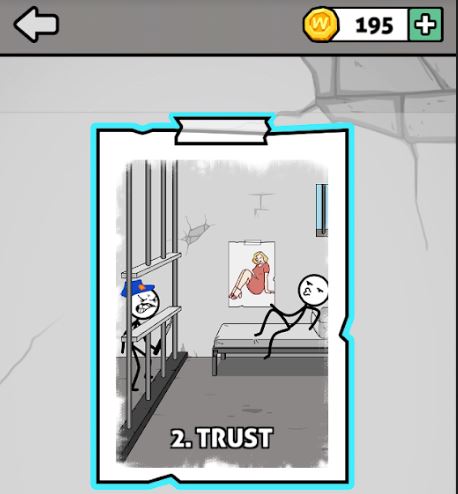
Words Story chapter 2 Trust
The story spans 200 days in prison, divided into multiple ‘chapters.’

How do you play?

At its core, Words Story is a simple word unscrambling game. Each ‘day’ you’re presented with a new set of letters, the goal is to find the correct word hidden among them. Of course, there will be other words you’ll find that are not the correct one, and should you find them, the game rewards you with extra coins (just click the chest to accept them).
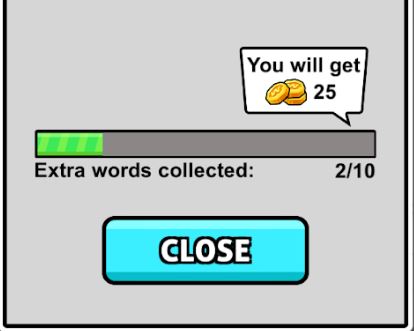
Words Story extra words collected for coins
Find extra hidden words and you’ll get to collect extra coins.

Many of the words you’ll unscramble are irrelevant to the plot, such as “hate,” “cat,” “pink,” or “meat.” The game does try to fit in as many related words as possible, so those should be your first guess. These are words like “map,” “beat,” “dig,” “file,” or “bag.” Typically you’ll get a relevant word every two or three ‘days’ of the game, after which you’ll be rewarded a short cutscene and your overall escape progress.
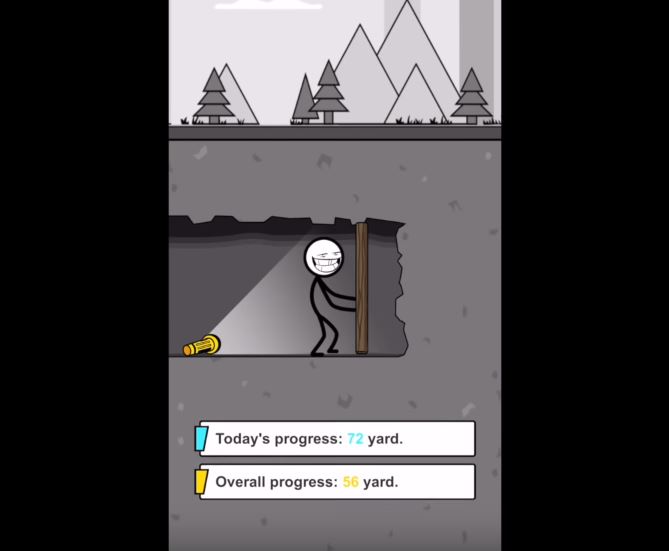
Words Story progress digging to freedom
Dig your way closer to freedom – day by day, inch by inch.

When you’re unscrambling words, there will also be a couple of tools to help you. One trick is to deliberately submit a word that’s not correct. Doing so will eliminate any letters you used for that word that are not in the solution. Also pay attention to the color of the letters after you place them: Blue means correct letter in the correct spot, while yellow means right letter, wrong placement.
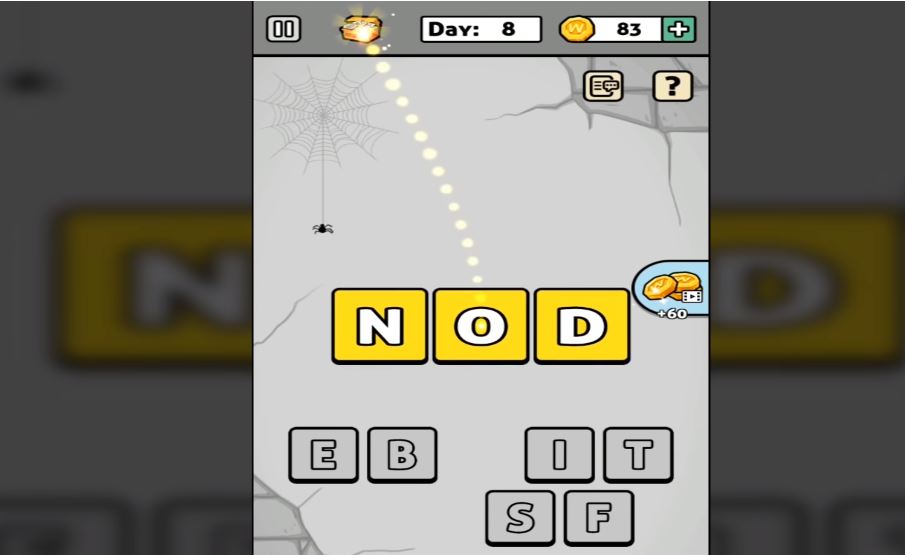
Words Story wrong letters earn coins
Find hidden words to earn extra coin and eliminate variables

On the bottom left, there’s also an option to re-scramble the letter pool, which can help if you’re having a hard time visualizing the solution. On the bottom right there’s a bomb, which removes several incorrect letters from the pool immediately. You have unlimited uses for the bomb, but it does have a cooldown you have to wait for.

If you’re trying to get the most coins, you probably won’t be using the bomb much; it just eliminates letters you could otherwise use for extra words.
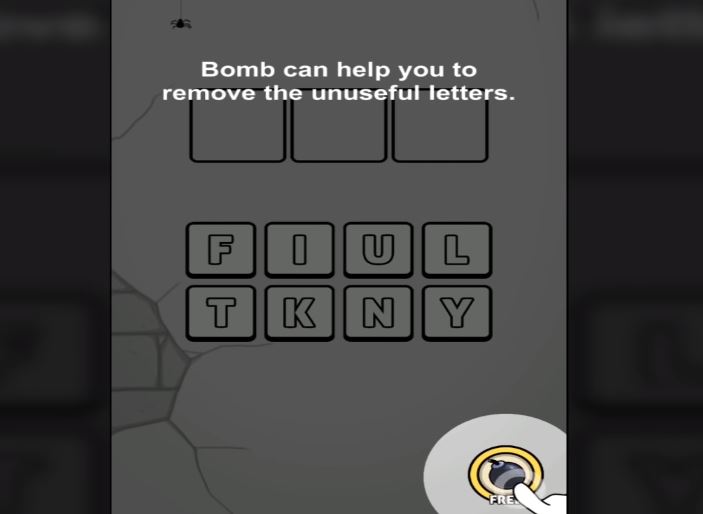
Words Story bomb remove letters
Remove multiple variables at once with a powerful bomb

How difficult is the game?

While typically word games will grow in difficulty by asking for longer words, Words Story does not do this. All the mystery words in the game typically vary between 3-6 letters, the tough part is that there are so many letters to choose from.

What starts as four possible letters to pick from turns into 15 by day 160. Additionally, since the mystery words are not always relevant to the prison escape story, it can get pretty hard to guess what random word the game wants.
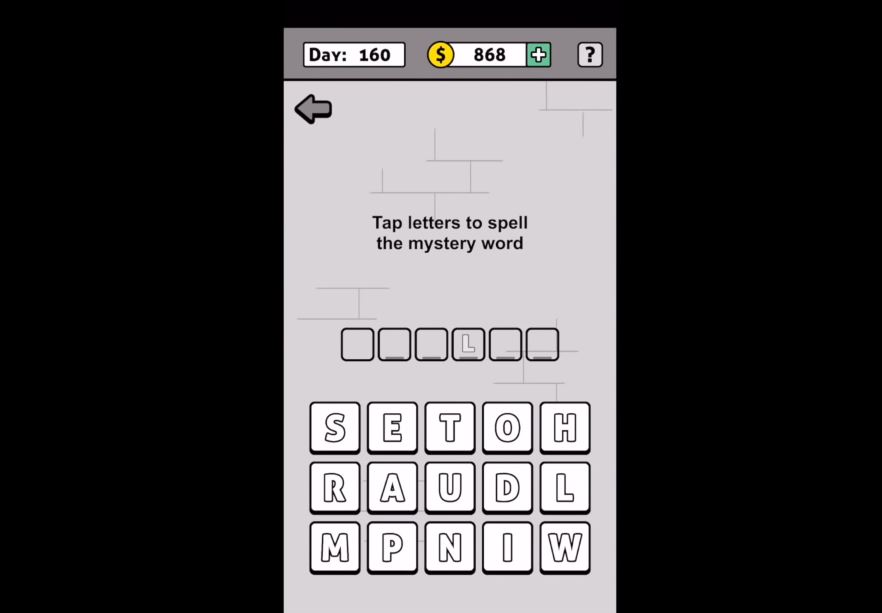
Words Story tap letters to spell mystery word
More and more letters are added as you progress further

That said, the game is not too tough. There’s no time restriction and there’s no punishment for incorrect guesses, which means it’s just a matter of time before you get the right one.

If you find the game too difficult, there are plenty of online walkthroughs to help you out:

Is the game free?

All levels in Words Story are free, as are the hints. You can choose to buy coins, but there’s really no point to doing so; you have nothing in the game to purchase.
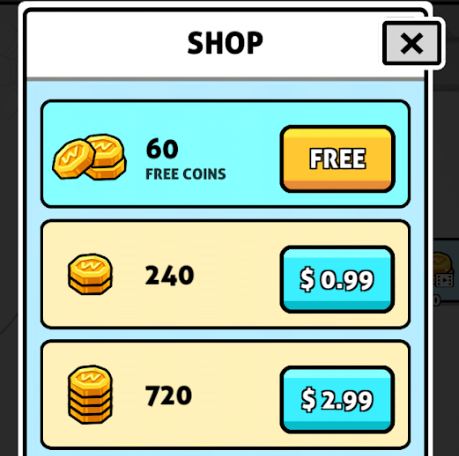
Words Story in-game purchases, coin shop
Words Story has microtransactions, but coins in-game don’t serve any purpose.

Can you remove the ads?

Yes. Ads in this game another way you can earn in-game coins. As we said earlier though, coins in this game don’t actually serve any purpose, so there’s no incentive to watch ads. The good news is that Words Story lacks any online features other than the ads so if they’re bothering you all you need to do is turn off your internet connection or cellular and you’ll no longer be bothered by them.

Words Story Free Download
8

All in all, Words Story is an easy word unscrambling game for all ages that serves to pass the time and test your vocabulary a bit. For a free game, it definitely accomplishes what it sets out to do. Enjoy the game, and if you get stuck check out this video that takes you from day 1 to 200. Until then, feel free to check out Words Story along with Zhou Jiaping’s other work right here.
Dr. Mario World gives a good dose of puzzle fun

Dr. Mario World mobile game is just what the doctor ordered!

Dr. Mario World

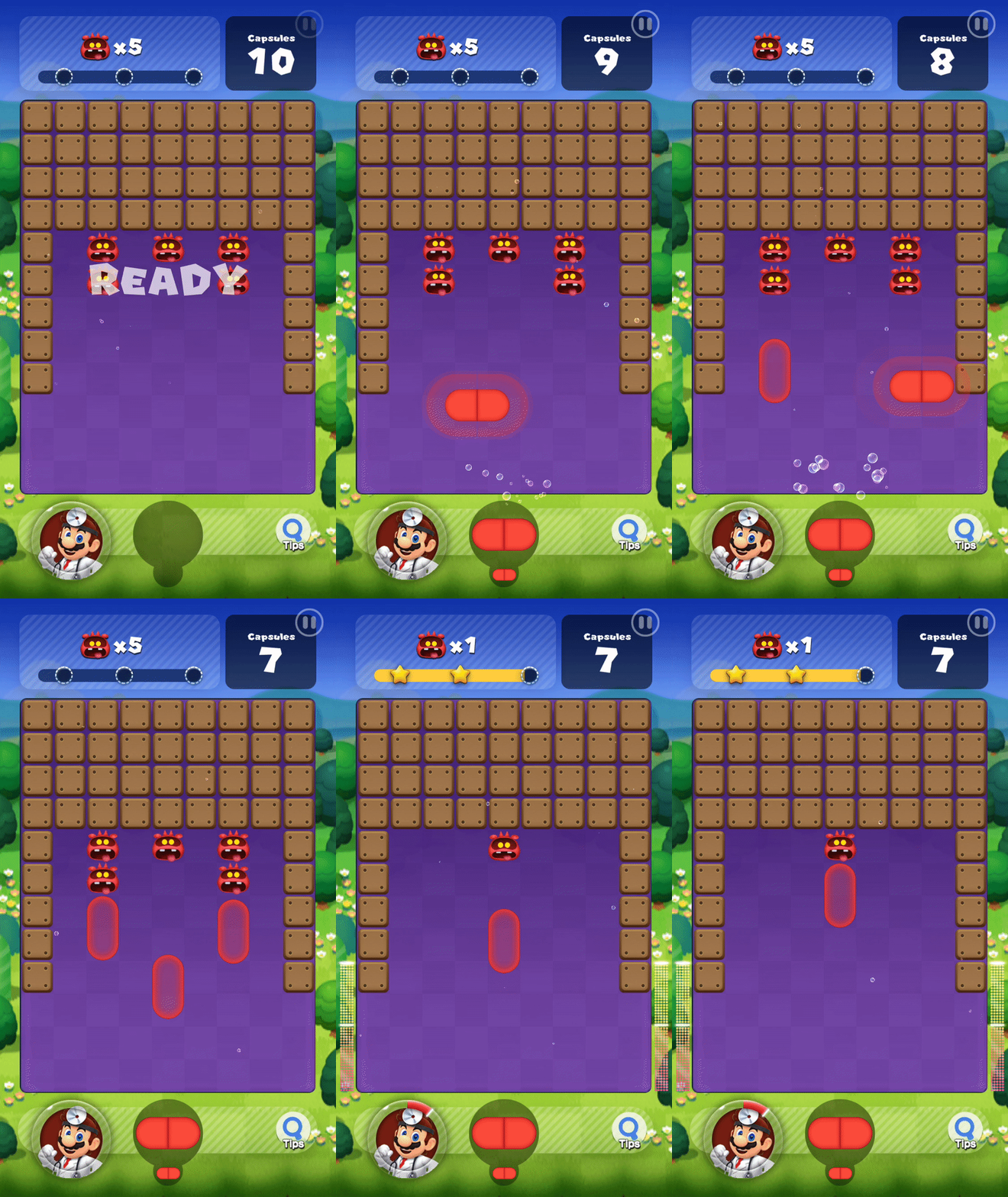
For the first time in years, Mario has put down his plumbing tools and has donned the white coat and stethoscope in another Dr. Mario adventure. This time, Mario brings his medical knowledge to the world of mobile gaming in Dr. Mario World. 

If you played Dr. Mario for the NES or Gameboy, you probably are familiar with the capsule stacking gameplay where you simply align four colors in a row.

This game is a little different from the original. Instead, capsules you throw float up to the surface where they take out viruses. If you were hoping to bring the original classic game to your smartphone, you’re out of luck. This game looks and feels way different. Luckily, the insanely catchy Dr. Mario theme is still there.

Dr. Mario World

However, even though it is different from the classic Dr. Mario, there are still a lot of fun new additions. For example, you can play as other characters including Bowser, Peach, Yoshi, and Toad! 

There are also power-ups you can add use such as bombs and shells. Each playable character also has a unique ability to help you in each level.

Dr. Mario World Download now ►
10

Because it’s a free mobile game, there are some annoying things in the game to help it make money. There’s in-game currency you can buy with real-world money. The in-game currency can buy things like power-ups and extra lives. You absolutely do not have to buy in-game currency in order to play the game.

The game is very easy.  All of the difficulty from the original is gone. You’ll play through at least a dozen levels before you play one with any real challenge. If you were looking for something with old-school Nintendo difficulty, this is not for you. If you’re looking for something that will keep you mildly entertained for a few minutes, this will suffice.

Insight Timer is the best app to manage your stress

Could one app help manage your stress forever?

Two months ago HCA Healthcare called stress the “health epidemic of the 21st century” and frankly we’re not surprised. Last year 6,700 Americans nationwide between the ages of 18 and 64 were surveyed about how stressful their lives were, and health experts were genuinely surprised at the resulting harm brought about by chronic stress and the general apathy towards doing anything to curb it.

Mental health stress kitchen breakdown

Whether you’re a college student up to your eyeballs in exams, a millennial managing multiple jobs, a homeowner struggling to balance kids on one hand and a checkbook on the other, or a company manager trying to corral employees, it’s the same old cyclical issue: Your hectic life makes you stressed, and when you approach life from a stressed mental state everything gets harder.

We’re not going to preach life advice to you; no two people are the same, and what works to simplify and organize one person might have little effect on someone else. So instead we’ll point you towards one handy app that’s worked wonders:

Insight Timer

Insight Timer is a free app for Android and iOS that lets you escape the chaos and anxiety of the world for a period of time (which you can custom set), meditate (if you’re into that kind of thing), and come back stronger and more level-headed. Insight Timer won Apps of the Year in both TIME magazine and Women’s Health, and more time is spent on it than on any other meditation app.

Insight Timer Free Download ►
9

What does the app do?

At its core, Insight Timer is a free meditation app, but it also helps novices (which most of us are) learn how to meditate to the best effect. The app features guided meditations and talks led by the world’s mindfulness experts, teachers, neuroscientists, and psychologists from Harvard, Oxford, and Stanford who will coach you in achieving inner peace. Not only that, they’ll teach you how to achieve it at home, at work, or on the go.

Office meditation
Use Insight Timer to take five minutes at work to center your thoughts and get back in the ring.

Insight Timer also has thousands of discussion groups, forums, and community features, as well as stats and milestones to help you track your progress and manage how often you take the time to use the app, and helping you to build a simple daily health habit.

Get started in minutes

Here’s how easy it is to use Insight Timer:

1. Download the app

Insight Timer is free and can be downloaded right here.

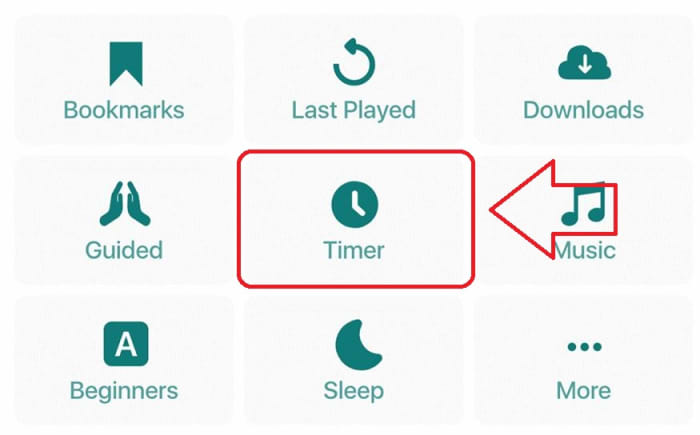
2. Select Timer

The “Timer” function is right on the app’s home page. When you’re ready to zen out, click right on it.

Insight Timer home page

3. (Optional) Choose your settings

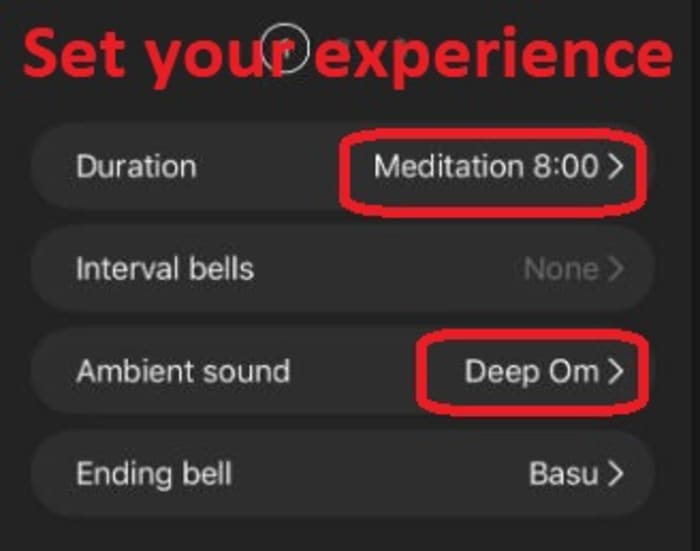
Under “Timer” you’re given a few simple customization options for duration and sound effects. We found that even five or 10 minutes was sufficient to clear our head and get us back in the zone. You can also choose from a variety of cool background tracks and bell sounds to play. Check out their catalog!

Insight Timer settings

4. Press “start”

Your chosen bell will ring, and your chosen background SFX will start up immediately. We recommend cranking the volume up so it really feels like you’re awash in the atmosphere. Close your eyes, get comfortable, and let the app work its magic.

How will Insight Timer help me?

Insight Timer doesn’t remove all the problems and everyday stresses of your life. Weave it into your daily life and it goes one step better: The app centers and strengthens you to face these problems with renewed energy and patience. If you let it do its job, Insight Timer is proven to reduce anxiety, calm the mind, manage stress, and even help battle insomnia (try putting it on for a few minutes while you’re trying to fall asleep)!

If any irksome, nagging responsibilities creep into your mind, acknowledge them, mentally partition them, and have the willpower not to tend to them until your timer rings. Insight Timer is like taking a deep breath before diving back into the ocean of stress.

Let us know in the comments below whether you’ll be giving Insight Timer a try. We hope it helps you experience the same rejuvenation that we found. Inhale deeply and feel the renewal!

Notre Dame fire: The apps that could help rebuild Paris’ historic cathedral

Need to rebuild an iconic landmark that’s been struck by tragedy? Don’t worry, there could be an app for that.

As the dust begins to settle on the frenzied and emotional days that followed the tragic fire that struck the Notre Dame cathedral in Paris, a plan of action is beginning to emerge. With hundreds of millions of dollars already raised to aid Notre Dame’s resurgence, and an architectural competition launched to redesign the Cathedral’s lost spire, it is clear that Notre Dame will rise from the ashes of the fire that claimed it. Will it be the same though, or is a lot of the Cathedral’s historical significance lost forever?

Well, there are apps for this exact kind of thing. Over the last few years, a number of conservation projects have been established, designed to digitally capture sites of historical importance so that they can be kept for posterity’s sake. Let’s take a look at a few of these in greater detail and see just how they could help restore Notre Dame to its former glory.

Need to rebuild an iconic landmark that’s been struck by tragedy? Don’t worry; there could be an app for that

digital and virtual representations of Notre Dame

Last year, we first reported on the Open Heritage Project, which is a partnership between Google and the non-profit organization CyArk. The Open Heritage Project uses 3D laser scanners and drone-mounted DSLR cameras to capture areas of cultural and historical significance around the world that could be in danger due to political or geographical instability. Think about the destruction of Palmyra and Aleppo in Syria and you’ll have a good idea about the types of locations the Open Heritage Project is looking to digitally preserve.

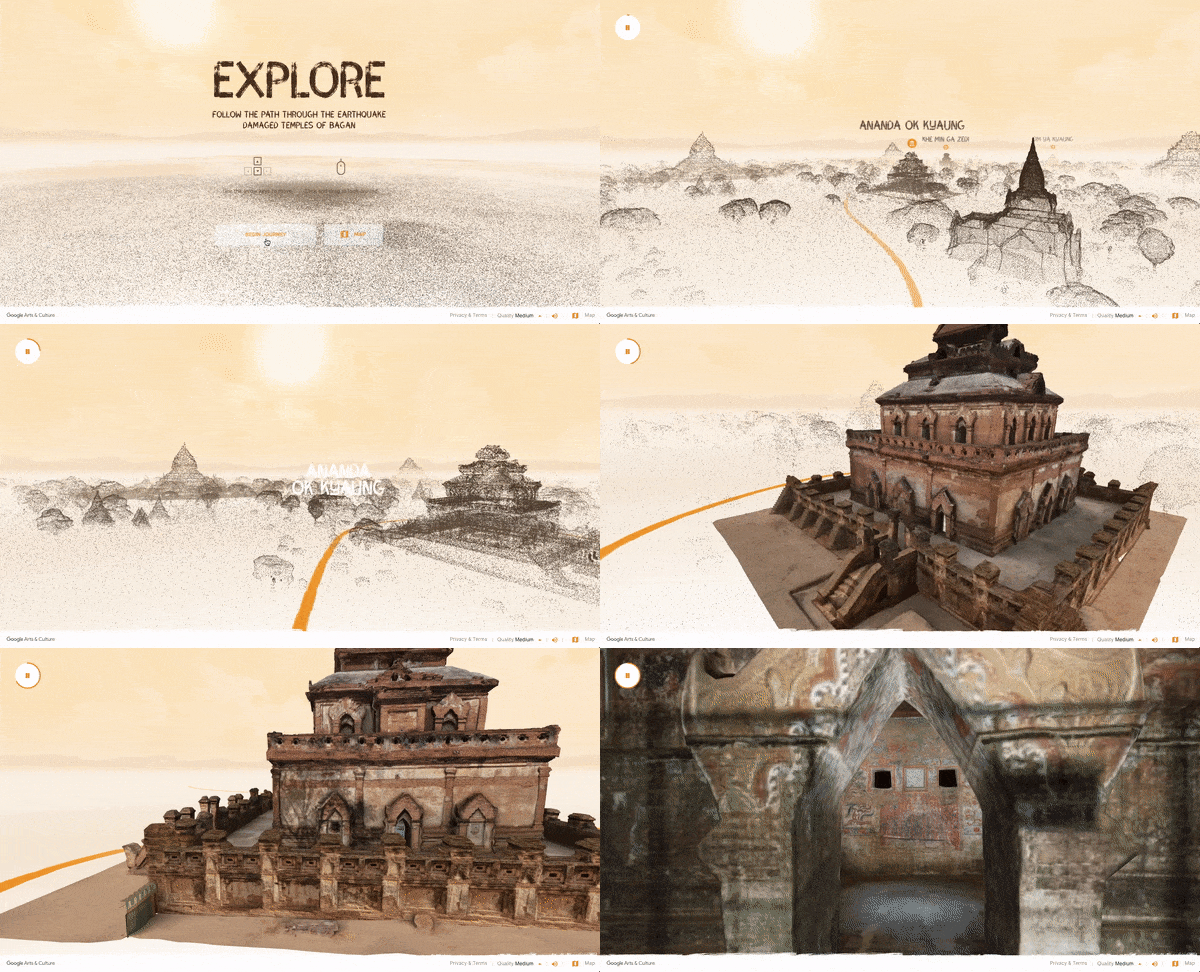
The cool thing about the Open Heritage Project is that it has digitally recreated many of the landmarks it has scanned. These can be viewed from your desktop and in some cases even walked around and explored via virtual reality technology. To give this a go, you can visit the Open Heritage Project website or download the Google Arts and Culture app.

Google Arts & Culture Download Now
8

Unfortunately, and rather ironically, a Parisienne Cathedral wasn’t considered sufficiently at risk for the Open Heritage Project to scan. The good news, however, is that they’re not the only gunslinger in town. An organization called Mapping Gothic has also been using digital scanning technology to preserve the Gothic architectural wonders of France and they have complete digital scans of Notre Dame, which they took back in 2015.

Digital representation of scanning data taken at Notre Dame
Image via: Extreme Tech

According to Extreme Tech, the Mapping Gothic team, led by art historian Andrew Tallon, used a similar digital laser scanner and high-resolution photography method to the one described above to capture an impressive digital recreation of the iconic French Cathedral.

“The actual laser modeling is done by mounting a laser from a tripod and shooting the gallery, taking time to measure the distance between the scanner and every point it hits. Each one of these points represents a distance — by mapping millions of points from a single location, historians can measure how the building expands and contracts during the day, as well as how it shifts over longer periods of time. By combining the point cloud data generated by the laser scanner with on-site photographs taken at the same time, Tallon has created extremely accurate models of the underlying structure and design of the cathedral, and identified points where the cathedral’s masons either deviated from the original plan or paused work to allow the ground to settle.”

National Geographic did a great video on Tallon’s methods when he captured the National Cathedral in Washington:

There is no news yet about whether the Mapping Gothic scans will be used to help rebuild Notre Dame, but they are there should they be needed. Interestingly enough, however, those scans are not the only recreation of Notre Dame out there. In fact, another one allows you to walk through the historic cathedral just like you can with some of the Open Heritage Project scans. Furthermore, this other recreation even allows you to climb all over the magnificent building. We’re talking here about Assassin’s Creed: Unity.

The thing about Assassin’s Creed: Unity is that it did a great job of recreating Paris at the time of the Revolution. The game looks great and a lot of work was put into making the virtual Paris look exactly like the real one back in the day. All except for one detail. At the time the game is set, Notre Dame’s famous Spires still hadn’t been added to the Cathedral. When making Unity, however, Ubisoft decided that it was too integral to the essence of the Notre Dame everybody knows and loves today so they put them in the game anyway. This makes the Unity recreation of Notre Dame complete, in the modern sense.

Notre Dame cathedral in Assassin's Creed
Image via: Ubisoft

To build Notre Dame in the game, one particular member of the Assassin’s Creed: Unity team, Caroline Miousse, spent two years modeling the real thing. In all, it took up about 80% of the work she did on the game. According to The Verge, Miousse spent years fussing over every tiny detail, including the texture and placement of every brick, and even which paintings were on which walls. The results are quite spectacular and should be seen to be believed.

A view of Notre Dame cathedral from ACU

France wants to rebuild Notre Dame in time for the Paris Olympics in 2024. This is a very short period of time to rebuild a Gothic masterpiece and will be a tough task. As we’ve seen though, there is plenty of information available to whomever gets the job and should they wish, they’ll have all the data they need to rebuild Notre Dame exactly as it once stood, in all its former glory. On top of that, we already have both digital and virtual recreations and we can still get up close and personal to the famous French Cathedral even as investigators still try to figure out what actually caused the fire.

Top 6 self-help apps

Improve your life with these great apps.

self-help

It can be hard to manage your entire life on your own. Things can easily start to pile up and overwhelm you, especially if you don’t have any help. That’s what self-help books were originally created for: helping people help themselves. This typically means helping them solve the problem, but also helping them get to a better mental state. This genre of books has become increasingly popular over the past decade. As such, many app developers have taken the time to develop these helpful guides into handy little apps to help you through your everyday life. Here are just a few of the most useful ones you can find:

Top 6 self-help apps

Worry Watch

The perfect app for those who are known to bottle things up, Worry Watch is a stress journal app that you can use to log your frustrations as they happen. This can both help you process through these frustrations, while also preventing them from being held in for too long. It can also help you discover important anxiety patterns that you can make note of to prevent them in the future.

Worry Watch - Anxiety Journal Download Now ►
8

Headspace

Headspace

Meditation can help clear your mind and help with a variety of mental struggles such as stress, depression, and even insomnia. However, getting into a good headspace for meditation can be a difficult task, especially for anyone new to the practice. That’s where the Headspace app comes in. It teaches you step-by-step how to develop meditation skills and put yourself into the headspace you need to be to relax. It helps you go from a beginner to an expert in meditation.

Headspace Download free ►
10

Make Me Better

Make Me Better

The main focuses of this app are personality development and motivation. While a self-help book may help with these features, Make Me Better holds you accountable to develop them. If you have negative personality habits or motivation issues, then this is a great app to use to change these things about yourself. It has daily reminders to work on your habits, as well as daily motivational quotes.

Make Me Better Download Free ►
10

Emotional Intelligence

Emotional Intelligence

This app helps you learn about the psychology of empathy and body language. Understanding these fields and developing skills around them is an incredibly helpful tool when working on your social skills. Social anxiety can be a crippling experience, so having an app to turn to when dealing with it can be extremely helpful. Not only that, but it can also teach you how to approach a friend who may be struggling in a helpful and approachable way. It’s not only an app for helping you help yourself, but also one that allows you to help others, too.

Emotional Intelligence Download Free ►
7

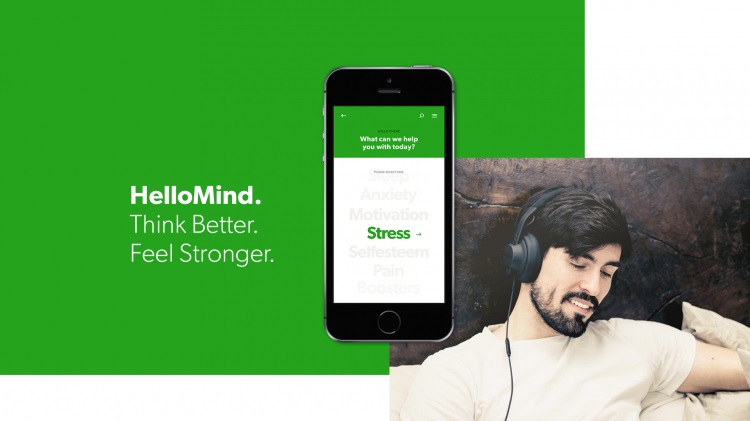
HelloMind

HelloMind

A cheap and effective habit-breaking app that helps you to replace negative habits with positive ones. HelloMind is led by a team of expert psychologists, which means you know you’re getting good advice. You can look up all their qualifications directly on their website. Together, they’ve created a handy little app that can pick you up whenever you are down, by teaching you different ways to develop healthy behaviors. It can really bring you out of any stressful mental state you may be in.

HelloMind: Meditation Relaxation and Mindfulness Download Free ►
8

What’s Up?

What's Up

An app made for picking people up once they’ve hit rock bottom. It deals with everything from anger issues to financial and emotional stresses that have caused someone to feel utterly helpless and lost. With expert articles, this app will help you learn how others have dealt with similar situations. It can not only help you get out of whatever predicament you are in, but also learn how to cope with your stress in a healthy and proper way, both for you and those around you.

What's Up? Download Free ►
8

Each of these apps helps to improve your abilities and mental state in their own unique ways. Most of them work really well in conjunction with each other, so be sure to find the right combination that’ll help you improve the most. Additionally, you’ll want to check out our Softonic Solutions page where we’ve listed a few extra apps to help you improve your mental state. Be sure to share your favorites!

Best apps for teens and new drivers

Looking to help your teen become a safer driver? These apps will do the trick!

teen driver

It can be difficult getting your license if you don’t go to a driving school beforehand. Some teens don’t even have family members that they can practice with regularly before their test.

The past decade has helped with this a lot, though. There are now so many more resources for new drivers, including online state permit tests, and even websites dedicated to helping you past the regulations of your state’s driving test. Along with these are apps that provide similar information that can help you gain the abilities and confidence to successfully become a good driver. Many of these apps can also help parents learn about what they should be teaching their teen about the road. Here are some of the best apps for this:

Best apps for new drivers

8. Waze

Considered by many to be the best navigation app, you may not be using it much before you actually obtain your license, but once you have, it can become an essential part of your driving experience. Other GPS apps are considered somewhat inferior to the traffic tracking abilities of Waze. It is worth adjusting to this style of GPS use as early as possible.

7. Drivers Ed App

If you don’t plan on taking a Drivers Ed class, then this is your next best chance at preparing yourself for a road test. It takes everything you would learn in a class and reorganizes it into an easy-to-read mobile app. This makes it useful for teens who are struggling with only a specific part of driving. You won’t have to go through everything in Drivers Ed, and instead and just focus on the subjects you are having a hard time with.

6. DriveSafe.ly Pro

Unlike most helpful apps of this nature, DriveSafe.ly actually does cost a monthly fee. However, if you’re someone who needs to text/call and drive, then this app is a far easier and safer application for it than Siri or Google Assistant. It minimizes phone interaction, while still letting you text hands-free. While you shouldn’t make a habit of doing this, it can be useful in emergency situations.

DriveSafe.ly Download Free ►
8

5. TrueMotion Family

Formerly known as Canary, this app is definitely more for the parents of a new driver than the driver itself. It’s helpful if you don’t think your teen will be able to limit cell phone use or stick to the speed limit when you’re not in the car with them. This app is mostly dedicated for parents with children who have already obtained their license but may be unsure of how well they plan to use it. TrueMotion Family will alert you how often your teen is distracted while behind the wheel.

TrueMotion Family Safe Driving download free ►
9

4. DMV Genie Permit Practice Test

If you don’t have your permit yet in a state that needs one, then this is the perfect app for getting you started. It uses your specific state’s permit questions as a basis for the questions it uses. It is the best way to learn about your state’s road laws and get you on the right track to getting your permit.

DMV Genie Practice Test: Permit & Driver's License download free ►
6

3. DMV Practice Test 2019

Similar to the previous app, this practice test app focuses on preparing you for written exams, as well as the actual road test you will be taking in order to get your license. No matter what state you live in, it will provide detailed information on everything you need to know to pass your test so you can get your license with worry. This works especially well in conjunction with Drivers Ed.

DMV Practice Test download free ►
7

2. Do Not Disturb

In Europe, Toyota has released a special Do Not Disturb app for driving called Safe & Sound. Until this app is brought to America, however, you can use the regular Do Not Disturb app to schedule your driving time and prevent you from using your phone while you’re driving without having to mess with the actual settings in your phone. This is good if you often forget to put your phone on silent when you’re at driver’s ed.

DoNotDisturb download free ►
6

1. DriveSmart

This app will give you a detailed analysis of how well you are driving. It records data as you drive, keeping track of your speed and braking skills to give you a report on how well you are doing. It can also keep you less distracted by alerting you to various changes in your surroundings, such as speed limit changes.

DriveSmart download free ►
8

Once you’ve succeeded in becoming a better driver with the help of these apps, you’ll surely want to check out our Softonic Solutions page where we’ve listed the best apps for car management. These apps can help you find your car in a parking lot, and even navigate you through city traffic. Definitely worth checking out for both new and experienced drivers.

How to use LetGo to sell or buy used stuff

Want to get rid of your stuff or buy something used on the cheap? You need to try LetGo.

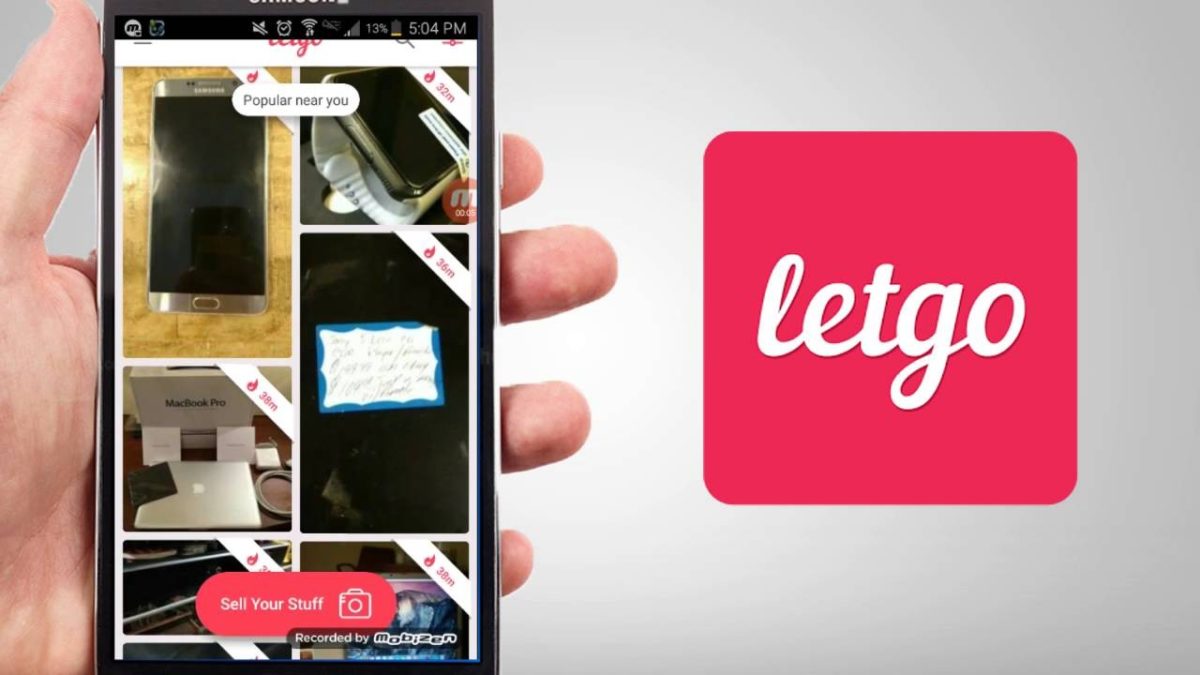
LetGo

“The stuff we have isn’t always the right stuff,” laments LetGo on their site. It’s totally true; as we enter new phases of our lives – new job, kids growing up, getting that new house, inheriting gifts from family – the only way to make room for the new is to get rid of the old. If that sounds like an angry sentiment reminiscent of Kylo Ren, that’s not really what we’re getting at. It’s more like getting rid of that bookshelf that can’t hold enough books, or selling that pair of shoes that you outgrew last year.

In fact, with LetGo you might even get paid to do your spring cleaning.

What is LetGo?

Founded in 2015 by entrepreneur Alec Oxenford, LetGo is a website and app that lets users buy and sell their stuff within a configurable radius.

That’s right – LetGo is preset to your location, meaning you won’t have to pay or wait for shipping, talk to people across the country, or drive out someplace far away to pick up the package.

LetGo is the largest and fastest growing app for local buying and selling, and it’s got everything from clothes to cars to action figures. Within the first two years, the app saw 3 billion messages – which averages out to around 9 million a day – and that number has only grown. Whether you’re in Denver, San Diego, Chicago, Las Vegas, Orlando, Houston… or practically anywhere in the U.S., you’ll find deals and people willing to scoop up your old stuff.

What kind of products are on LetGo?

It’s pretty much all there, you just have to search for it! The most popular searches on LetGo are used smartphones, clothing, electronics, old furniture, vehicles, and even real estate. Just keep scrolling until you find something worth getting. Or put something up on offer yourself if you’ve got needless clutter that you won’t miss. See it magically poof into money.

Products on LetGo search
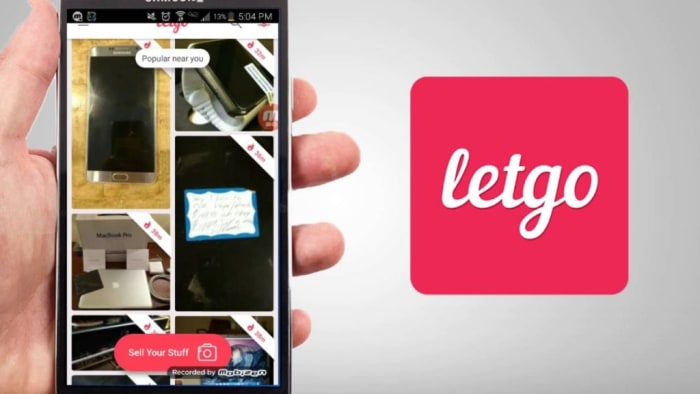
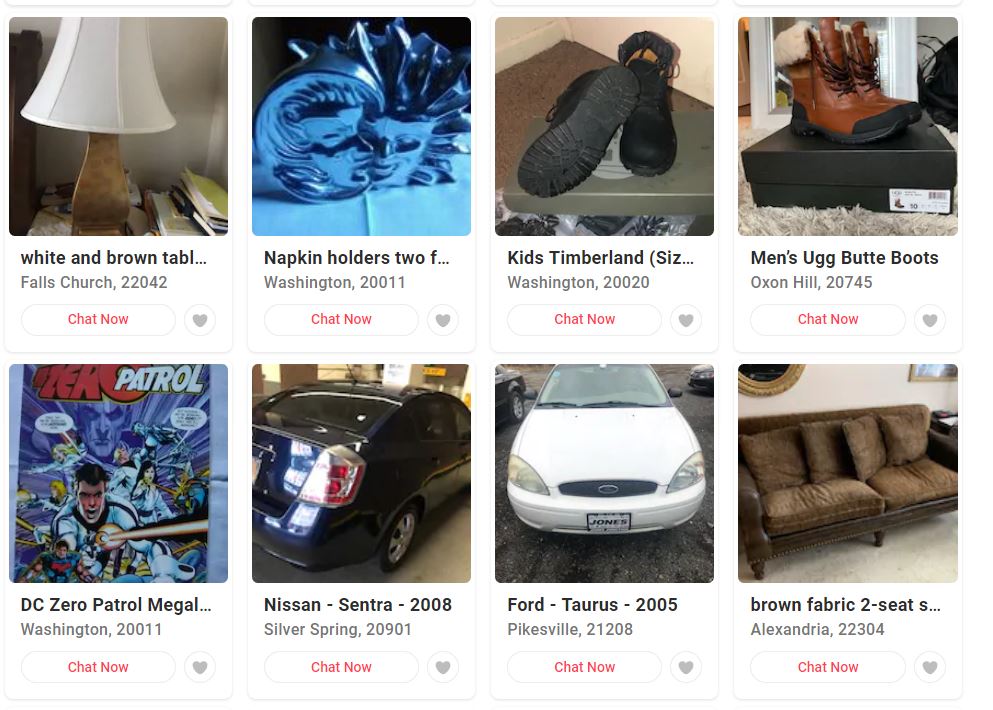
LetGo has everything from shoes to cars to comics. All local.

LetGo has competitive deals on it all, be it a used PlayStation, your dad’s unused record collection, someone’s unwanted Samsung Galaxy, or a beat-up old board game. The app is essentially a constantly-refreshed garage sale on your phone.

How do you buy something on LetGo?

“There’s a secret economy right in your neighborhood,” says LetGo, “and we’re your ticket in.” The beauty of the app is that all its products are displayed based on the geo-location closest to the buyer, and there’s no log in required. The app is integrated with instant chats to make your experience as streamlined and simple as can be.

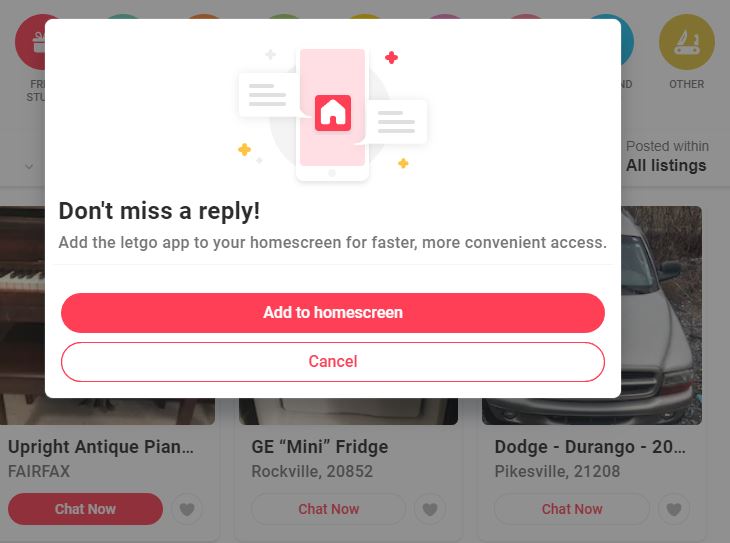
LetGo app pop-up
Get notifications when someone’s interested in your stuff.

LetGo was designed with the mobile user in mind, so the marketplace interface is primarily optimized for smartphones, featuring large photos of products for sale that users can scroll through as long as they wish. You can rifle around for stuff on sale nearby, or you can look up something specific if you’ve got something in mind – like a more compact, community-oriented Amazon, eBay, or Craigslist. You can swipe between other users’ profiles, ratings, and reviews, too, if you want some idea on what else they might have for sale.

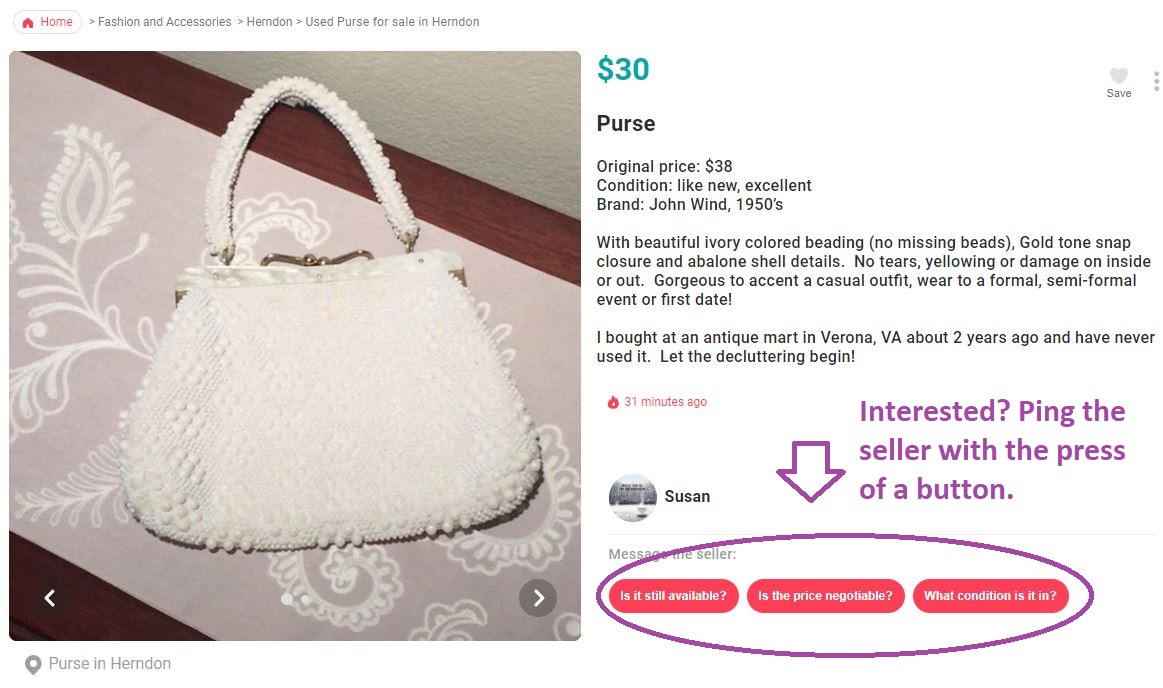
Buyers on LetGo can easily nudge the sellers, with auto-fill button prompts like “is this item still available?”, “what condition is this in?”, or “is the price negotiable?” to initiate a conversation with them.

Ping the seller of this purse on LetGo

After you’ve bought something on the app, you can choose to rate your experience and the seller, or leave a comment. Just like on Yelp, that rating will then show up in their profile on the app.

How do you sell on LetGo?

Selling on LetGo is even easier than buying. All you have to do is take a picture of what you’re looking to sell, upload the image photo to LetGo (either on mobile or desktop) and the website will take care of the rest. Once it generates interest, LetGo will notify you of any messages or comments your post has gotten. You can also use Featured Listing to make sure your product remains a priority:

LetGo is the only buying and selling app that automatically titles and categorizes your listing – no matter what it is! It does this by using image recognition to scan the product, build the listing, and even siphon it into the right category so any prospective buyers can find it easily.

Is LetGo safe?

Yep. Tens of millions of people use the service, so LetGo stamps all its verified user profiles with reviews and ratings, giving you the general consensus on the seller and providing you an opportunity for a dialogue with them. Since LetGo can be integrated via instant messaging, all buyers and sellers can chat with each other without even having to leave the app. You won’t even need to give out your email address or phone number! Instead, you can directly negotiate your price or find a time to meet in person.

You also cannot use LetGo to send or receive money, so there’s another element making this safer than eBay, less dangerous than Craigslist, and less corporate than Amazon.

Make cash, post in seconds, sell by chat with LetGo
Buy and sell privately with LetGo.

For more information on LetGo’s safety, you can check out their privacy policy here and their community guidelines here. LetGo has over 75 million downloads and 200 million listings, so download the app today for free and see what you can offer, and what it can offer you!
Best online tools for helping you move

Moving to a new home? These apps will make your move far less stressful.

moving into a new home

Moving can be really stressful. It often requires intense planning that can be overwhelming, even for the most skilled planners. But times are changing, and with new advancements every day, moving has become much simpler than it used to be. All that stress can be taken away by that little device you carry every single day. Here are the best online tools to help me you move, stress-free.

Best apps and websites to help you move

Nextdoor

This app is particularly useful when moving to a new neighborhood. It’s a social media app that groups you together with your neighbors. This makes it easy to contact them and get to know them a little better. It can also be useful for asking for help if you haven’t received your neighbor’s numbers yet.

Nextdoor Free Download
7

MagicPlan 

With a simple picture, you can redesign your entire living space. This app helps you plan out your interior design ideas without actually needing to move stuff around yourself, which can really help cut down on the heavy lifting. You can digitally move furniture however you want within the app. You never have to worry about needing to move something a second time because you didn’t like where it was after the initial move.

MagicPlan Free Download ►
7

OfferUp

An excellent app for getting rid of old furniture, or looking for something new, OfferUp provides a community for anyone looking to sell their old possessions. If you’re trying to find a couch for your new home, or trying to sell your old one, you’ll have tons of people to help you do just that.

6

Alternatively, Facebook Marketplace can be a good option for finding cheap or free furniture, or getting rid of your own. Since Facebook has such a large community, things can often be sold on the same day they are posted.

Sortly

Despite being primarily made for businesses, Sortly can be perfect for helping you move. Sortly keeps track of all your possessions so nothing gets lost in the move. It can also make unpacking much easier. It organizes your belongings with pictures, and puts them into categories based on how you decide to pack them. This means you’ll know exactly what is in each box while you’re unpacking, and you’ll have a checklist to go through and make sure all your belongings have made it to their new home safely. 

Sortly inventory app for business home inventory Free Download ►
7

KeyMe

No more keys under the welcome mat! KeyMe’s app scans your keys to be reprinted at any KeyMe kiosk. This is great for moving into a new home, since it lets you avoid the hassle of getting extra copies of your key made. And if you ever get locked out of your home, you have an easy solution, so you never have to stress out if it happens.

Unpakt

An all-in-one website for any moving needs you might have. You can compare moving company rates, create a detailed inventory of your furniture, and find useful advice on how to properly keep your stuff while in storage. Anything you might need help with while moving can be found on this site.

Hopefull,y these apps can help your moving experience be less stressful than it normally would. Of course, these apps are dedicated to helping you through the actual moving process itself. If you’re still trying to find a new home, then you may want to check out our list of apps for helping you find one.

4 free apps for editing photos on your smartphone

Ready to upload that photo to Instagram? Run it through these free apps to make your picture look its best!

camera phone photo

Photoshop is an expensive and complex photo editing software, but thanks to the advancing technology of mobile apps, there are far easier options. Here are four great photo editing apps available for free on most smartphones.

4 free apps for editing photos on your smartphone

Pixlr allows you to select images from your camera roll or take new pictures within the app and edit them in a hurry. One of the best features of Pixlr is that you can place two or more photographs on top of each other, adjusting for opacity and size. In addition to the usual editing tools, there are plenty of effects and borders to choose from, and you can add text to your images as well. These features make Pixlr the closest mobile app to Photoshop.
PicsArt - Photo Studio Download Free ►
8
PicsArt is an excellent photo-editing app, and has more than 500 million installs. It lets you zoom in on a particular part of the photo while using any of the tools within the app. The menu at the bottom allows you to choose different effects such as lens flare, drawing implements, and masks. You can also choose from millions of stickers created by PicsArt users and use their collage maker to really make your photos stand out.
9
Developed by Google, Snapseed is a very user-friendly app. Most of the features are accessible through swiping. Along with the typical editing features, unique filters are also available within the app that don't require any manual editing. You can compare the original photograph with the edited version by holding down the photo, just like in Instagram’s editing tool. This app is great to use if you want to quickly edit a photo and get results that look professional.
Photo Grid Download Free ►
7
With more than 100 million installs, Photo Grid is a must-have app for anyone who wants to edit photos and videos on their phone. But it does more than that: You can also collage photos and videos, create memes and GIFs, edit photos specifically for Instagram, and include AR filters, stickers, slideshows, and more. If you want a photo-editing app that can do it all, Photo Grid is your best option.

Guide to Polysphere

This free game is great for relaxing.

Have you ever stared at the sky and try to pick out shapes in the clouds? That’s basically Polysphere in a nutshell. And just like staring at clouds, the game is simple, relaxing, meditative – and now it’s right in your pocket for free.

What is Polysphere?

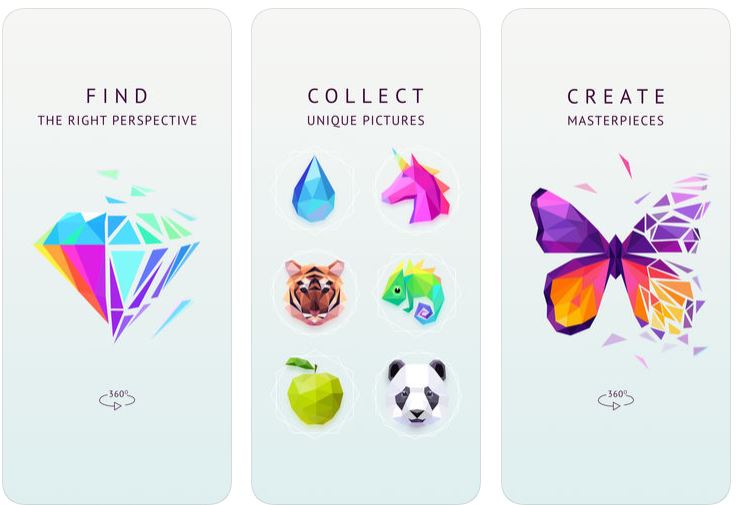
Polysphere ad; find perspective to solve and create masterpieces

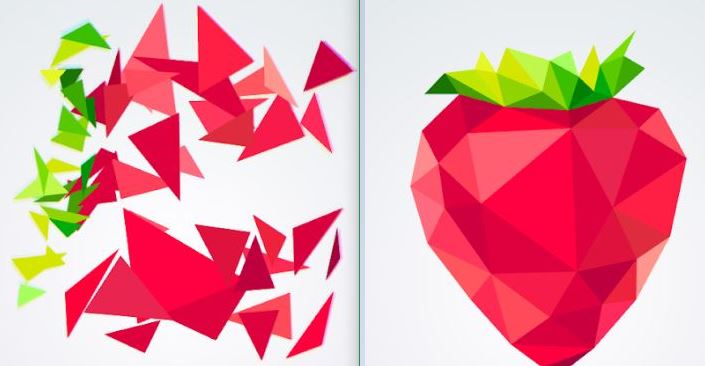
Polysphere is a mobile game from German developer Playgendary, and at its heart is a simple 3D puzzle experience. Available for free on Google Play and in the App Store, the game is a series of ‘puzzles,’ that are all fragmented images. What you’ll see on-screen is a series of colored shapes that stationary. Your job is to drag and spin the cloud of 3D pieces around until you angle it just right and the picture becomes apparent.

Tips

The best strategy to solving the puzzle is to start by matching the colors. This is especially useful with images that only use one two or three colors. If you start by matching them together, the image will quickly become more apparent. When you’re dealing with a smattering of green and a whole sea of red, clumping the green together makes the strawberry a lot easier to visualize. Another good tip is to remember to swipe up and down, too; not just left and right. All the puzzles are 3D, so depth is just as much of a factor as width and angle.

Polysphere strawberry puzzle
Pro tip: Match the colors together, then slowly rotate the image.

Once in a while, you’ll figure out what the image is, but things aren’t lining up quite right anyway. That usually means you’ve got the image backward. Try spinning the puzzle 180 degrees to reverse it, and it’ll probably match up right to the solution.

Unwind and decompress with Polysphere

Sure there are a couple of tips to mastering the game, but for the most part, this is not a difficult game; that wasn’t Playgendary’s goal. The game’s simplistic charm and intuitive controls are the real selling point, and for the price of “free,” you can see why the game has over 10 million installs.

“It doesn’t really have an objective,” wrote one 5-star reviewer. “Tranquil music plays while I spin the fragments round and round in space. There’s no pressure to achieve anything. I don’t have to slay dragons [or] play like I’m some kind of sharp shooter. With this game, I don’t have to be anything, just have fun. This is a great game for relieving stress, and just relaxing.”

Polysphere unicorn puzzle
After a busy day, chilling with Polysphere is very therapeutic

Polysphere takes up 54M of space and is available for free right now. Grab it today and enjoy!

Polysphere for Android Free Download ►
10