MEGA launches iOS cloud storage app

MEGA, the cloud storage service with 50GB of free space now has an iOS companion app.

MEGA for iOS lets you see what you have in your MEGA folder, share links to your files, view photos, read your MEGA messages and talk to your MEGA contacts.

In Settings, you can choose to store up to 1GB of your MEGA files on your device locally. A simple slider lets you set the maximum space you want to allocate for MEGA files. If you click on one of your files, MEGA will download it to local storage – you can then access the file on a computer by connecting to iTunes and viewing the File Sharing menu in Apps. This option is not available in Dropbox, but of course you can access any of your files from either app by using the standard sharing links.

Kim Dotcom announced the release on Twitter, saying only ‘OMG!!! #Mega’. He later teased the upcoming release of a Mega Sync client for Windows, Mac and Linux, that he claims will take down Dropbox.

RELATED STORIES

[Source: Twitter]

Angry Birds Go released in New Zealand, microtransactions revealed

Rovio has ‘soft launched’ its upcoming karting game Angry Birds Go! in the New Zealand App Store. It’s due for worldwide release on December 11th, but we now know more about the gameplay and microtransactions.

According to PocketGamer, Angry Birds Go! has simple and fun gameplay but its free-to-play model spoils the fun. As this is a soft release, we could see changes to the system once the game is released worldwide next month, but for now, the microtransactions in Angry Birds Go! seem anything but micro. Soft releases are when an app is released in a small market for testing purposes.

Like most free to play games, you get in-game currency by competing in events, but you can buy more to speed your progress. Pocketgamer reports that in Angry Birds Go! it’s very difficult to compete without spending real money. You currently need to repeat events multiple times to get enough currency to upgrade your cart, and this is limited. Eventually you’ll need to buy a new kart, which can cost anything up to $100!

You can also buy a new game mode – Jenga Mode, and your birds get tired after 5 races. You either have to wait or pay to get your racers back on the track.

While the free to play model in Angry Birds Go! seems excessive, it worked very well for Real Racing 3. That game was heavily criticized for a microtransaction model that really got in the way of enjoying the game, but millions of players disagreed with the critics, making it a huge success for Electronic Arts.

We hope to play Angry Birds Go! soon, and we’ll have more coverage in the run up to its release on December 11th.

RELATED STORIES

[Source: PocketGamer]

Microsoft Research releases GIF-like video loop maker

Microsoft Research has released a video maker called ‘Automated video looping with progressive dynamism‘. It’s designed to make 5 second loops from video, but is not a GIF maker.

Unlike most generated GIFs, which are simple loops of video, the Automated video looping with progressive dynamism app allows you to choose which areas of the video you want to animate, and which you want to keep still. At least, that’s what Microsoft Research’s program promises. The download comes with two apps, a viewer and creator. You can view sample videos easily with the VideoLoopView app, but we couldn’t get the VideoLoopCreate app to run (other sources have reported the same).

Microsoft released a video showing off what VideoLoopCreate and View can do, and how the results are better than typical looping GIFs, that you can see below.

Default player


brightcove.createExperiences();

Microsoft Research, as its title suggests, is the research lab of Microsoft charged with developing ideas for future Microsoft products. Among other things, Microsoft Research is responsible for the bizarre Songsmith app, which automatically generates music to accompany your voice.

Automated video looping with progressive dynamism is an interesting idea, but as version 1.0 doesn’t seem to run on most Windows PCs, we’ll have to wait and see if it develops into a useful app.

Download the app from Microsoft Research.

RELATED STORIES

[Source: Microsoft Research]

Google Voice Search extension for Chrome out now (video)

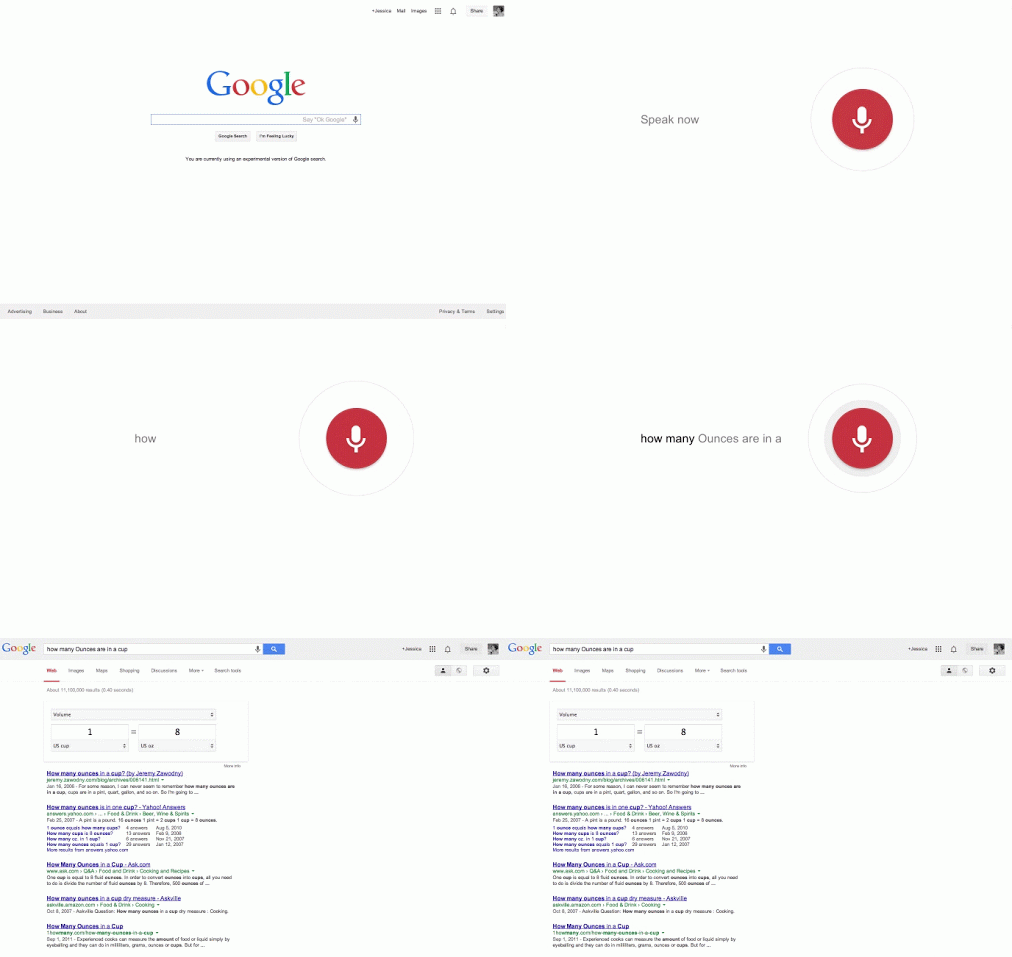
If you want to use voice commands with your computer, now you can. Google has released their Google Voice Search extension for Chrome, which allows users to dictate Google searches and commands.

Android and Google Search for iOS both have this functionality for smartphones but now it’s finally available for your computer. The extension uses your microphone to detect the hotword, “OK Google,” to perform searches and other commands. The hotword is only detected if you’re at Chrome’s new tab page or on the Google Search site. If you don’t want to say, “OK Google,” you can just click on the microphone icon to activate Voice Search.

The extension is in beta, as it doesn’t have all the functionality that Google Now provides. For example, you cannot yet dictate an email and have it sent using the Google Voice Search extension. However, things like reminders do work and are pushed to Google Now on your device.

To give the Google Voice Search extension beta a try, click on the download link below. The extension will only work with Chrome so make sure you have it installed first.

Download Google Voice Search beta for Chrome

Source: Google (Google+)

RELATED STORIES

Minecraft 1.7.3 with Twitch.tv released next week

Mojang is preparing to release Minecraft 1.7.3 next week, which brings Twitch TV integration to the game.

Minecraft 1.7.3 is not as big as the last update (1.7.2: The Update That Changed The World). It’s mostly bug fixes, as well as the Twitch TV feature, which will allow you to easily broadcast your Minecraft games. Other changes are a new Mojang logo on launch, new ‘Notch’ shader added to ‘super secret settings’ and better fullscreen support on Mac.

If you own Minecraft and can’t wait for the official release, you can try out the pre-release ‘snapshot’, which has all the new features and bug fixes. Download the current Minecraft snapshot from Mojang. The game launcher allows you to switch between the current version and snapshop when you’ve downloaded it.

Download Minecraft for Windows/Mac

RELATED STORIES

Minecraft Pocket Edition for Android launches beta program

Minecraft developer, Mojang, is launching a beta program for the Android version of its game. Anyone who purchased Minecraft Pocket Edition for Android is eligible to partake in the beta program. All you have to do is join the their beta testing group on Google+. Once you’ve joined, you will receive instructions on how to install the latest beta build of Minecraft Pocket Edition.

Those who want a stable gaming experience shouldn’t install the Pocket Edition beta as any maps you create with it may be corrupted when trying to downgrade to a stable version. The beta versions will be updated to stable ones once they’re ready and your maps will migrate to the newer version just fine.

Mojang is hoping to get version 0.8.0 out before Christmas. They also note that they may have to limit the amount of beta testers if demand is too high.

RELATED STORIES

Source: Mojang

Google Translate for Android update improves conversation mode

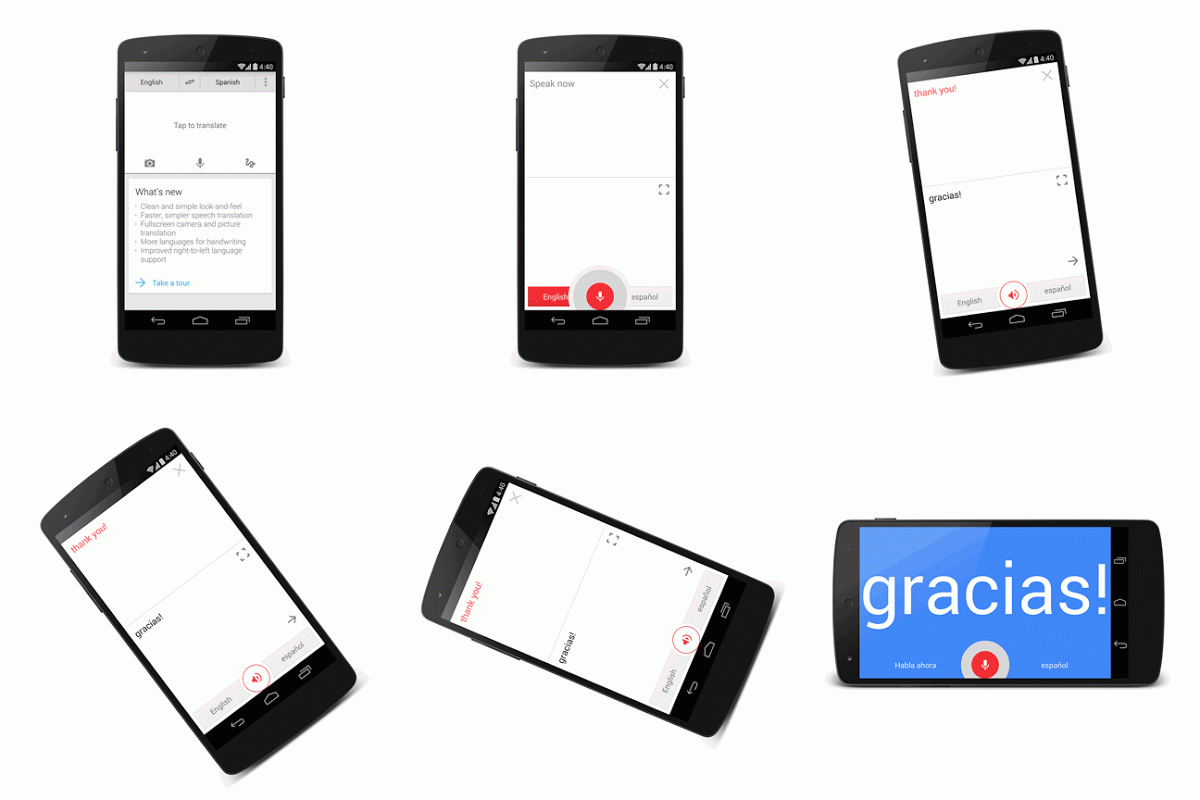
Google Translate for Android has been updated with an improved conversation mode, allowing users to easily translate back and forth. The app has also been updated to support more languages, including Hebrew, Greek, Javanese, and Esperanto.

Google wants to make your travels to foreign countries a breeze with Google Translate for Android. The app supports downloading languages so it won’t require an internet connection abroad to translate. The app even supports handwriting recognition.

Translate - Android

The updated conversation mode makes conversations much simpler: simply press the microphone icon and speak. Your sentence will be translated and read aloud. Your partner can then tap the microphone icon again to translate his or her language.

The update is available in the Google Play Store today.

Download Google Translate for Android

RELATED STORIES

Source: Google Translate Blog

Minecraft launches Twitch.tv broadcasting beta

Mojang, the developers of Minecraft, have teamed up with Twitch.tv to integrate gameplay broadcasting in the latest Minecraft beta. The company originally announced their partnership with Twitch at MineCon 2013 in Orlando, Florida. After a short wait, the first publicly testable version of Minecraft with Twitch.tv broadcasting is now available.

Before Minecraft players can begin broadcasting, they need to head over to their Mojang account settings to link their Twitch account with their Mojang account. After that, players can adjust broadcasting settings in the options. To start broadcasting your livestream to Twitch, hit F6, which is the default broadcasting key but you can change it to a different key in the settings.

Since this build of Minecraft (Snapshot 13w47c) is in beta, there will be plenty of bugs. Mojang encourages testers to submit bug reports at this site.

If you want to check out this beta version of Minecraft, make sure you have a PC with Windows XP and up or a Mac with OS X Lion (10.7) and up.

RELATED STORIES

Source: Mojang

Waze released on Windows Phone

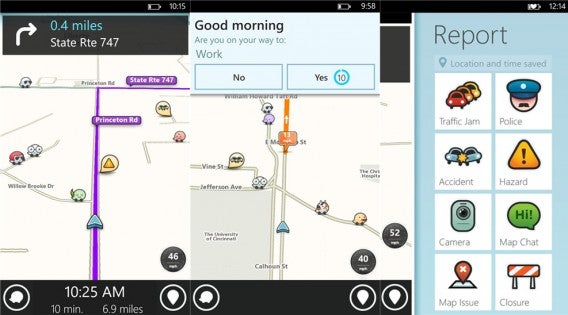
Windows Phone has been getting a ton of popular apps lately and today, the social mapping app Waze joins Microsoft’s growing library of apps. Waze will live alongside Google Maps, the company’s other mapping app.

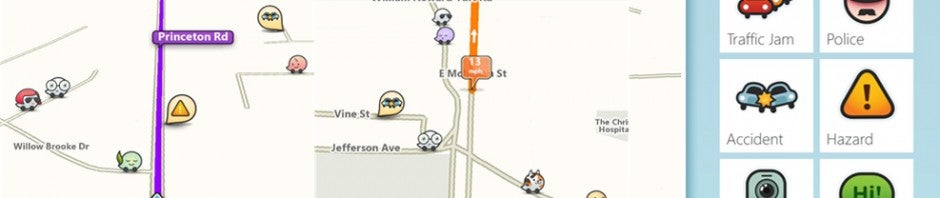
Waze for Windows Phone screenshots

While Maps is a perfectly adequate mapping solution for Windows Phone users, Waze offers excellent crowd-sourced traffic reports and clever social features. You can earn points for driving and reporting on traffic conditions. Other Waze users show up on your map as you’re driving so you can view their status and points, while you’re stopped, of course.

Waze has over 50 million users around the world and has remained autonomous after the company was acquired by Google. Google is working to integrate Waze’s features into Google Maps over time but has no plans to discontinue Waze.

Download Waze for Windows Phone 8

RELATED STORIES

Source: Waze (Windows Phone Store)

Google Play Newsstand combines Magazines and Currents apps

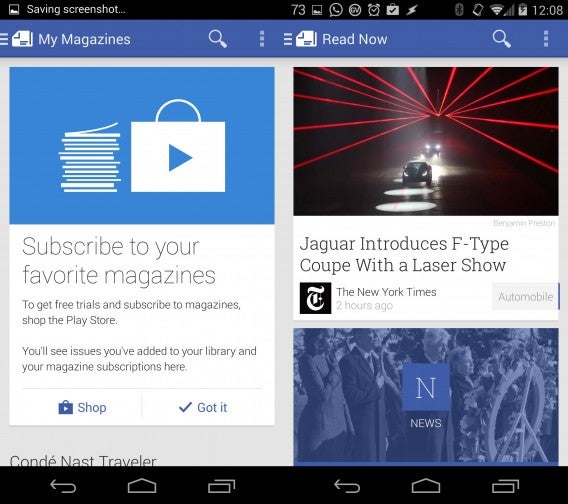
Google has released its new Google Play Newsstand app, which combines both Play Magazines and Google Currents apps. The new app rolls in the magazine purchasing ability of Play Magazines with the news feed features of Currents.

The app feels like a hybrid between Apple’s Newsstand app and Flipboard. There’s no flipping animation like in Flipboard but users can scroll through a long list of stories. Tapping on a story opens it up within the app and the story will be grayed out once you jump back into the main feed, signifying that it has been read.

Play Newsstand main feed

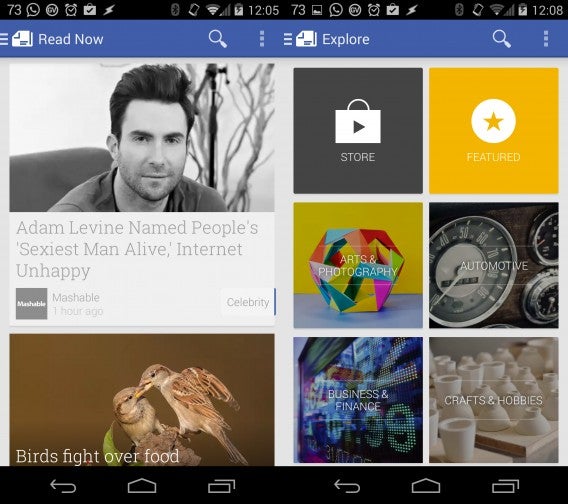
There are tons of new sources to choose from to consolidate into a feed, which resembles Google+‘s card-like layout. You can add more sources by navigating to the source list and tapping on the “+” button next to the source you want to add. Popular newspapers like The New York Times, Los Angeles Times, and Wall Street Journal are all in the app. Want something more in depth? You can purchase individual issues or subscriptions of magazines from within the app.

Play Newsstand discovery

Google Currents will still exist alongside Google Play Newsstand for the time being, but will redirect Android users to the new Newsstand app instead. It’s only a matter of time before Currents is discontinued.

Google plans on bringing Google Play Newsstand to iOS in the future but it’s uncertain if Apple will allow a competitor to its Newsstand app onto its operating system.

Download Google Play Newsstand for Android

RELATED STORIES

Source: Google Play Newsstand (Google Play)