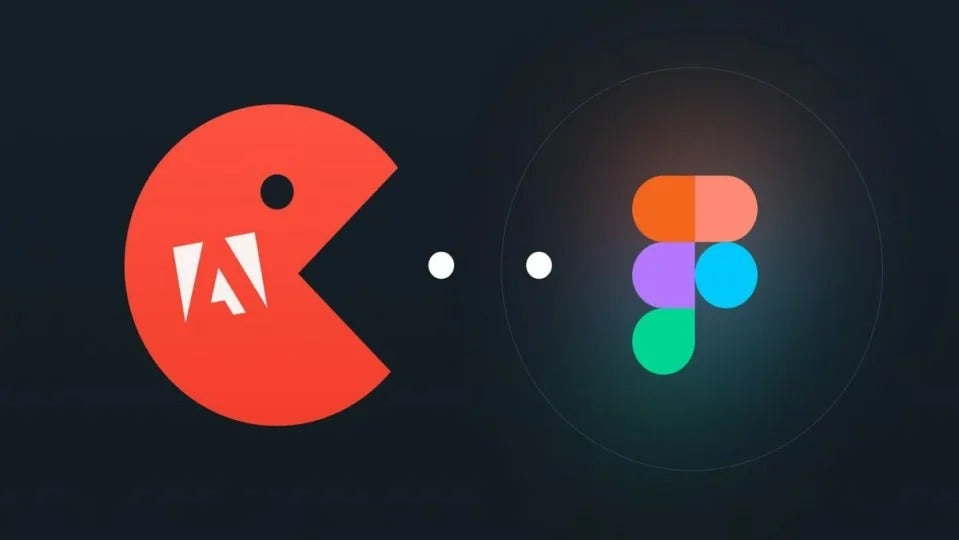
In a statement, the two companies said that “there is no clear path to obtain the necessary regulatory approvals from the European Commission and the Competition and Markets Authority of the United Kingdom”.
“Adobe and Figma strongly disagree with the recent regulatory findings, but we believe that it is in the best interest of our respective companies to move forward independently,” wrote Shantanu Narayen, CEO of Adobe, in a statement.
Adobe and Figma announced we have entered into a mutual agreement to terminate our previously announced merger agreement. We thank our communities for the support. As we turn our sights to 2024 and beyond, we’re excited to build on the incredible innovation we delivered in 2023.…
Adobe first announced that it would acquire Figma in September 2020in a cash and stock deal worth about $20 billion.
The news caused Adobe’s stocks to plummet, but the company reiterated that the acquisition would be a natural complement to Adobe’s portfolio, writing in the original announcement that “the combination of Adobe and Figma will mark the beginning of a new era of collaborative creativity.”
And worst of all, Adobe will pay Figma a breakup fee of $1 billion. The news represents a sudden turn from Narayen’s recent statements, who on Wednesday told CNBC that the company believed in the acquisition and its benefits for consumers.
“We will continue to look for ways to partner with Figma to meet our common customers’ needs,” wrote David Wadhwani, Senior Vice President of Adobe, in another blog post.
Welcome to the captivating universe of Project Primrose, a groundbreaking fusion of fashion and technology that transcends the ordinary and ushers in a new era of innovation.
Imagine a world where the clothes you wear are not just garments but portals to your creativity, where your attire transforms into a programmable canvas, and your every step becomes a mesmerizing work of art.
Project Primrose: Reflective Light-Diffuser Modules for Non-Emissive Flexible Display Systemspic.twitter.com/85lRpKiRhJ
Step into a world where clothing becomes an expression of your unique style and a testament to the boundless potential of wearable tech.
Beyond fashion: Adobe’s Project Primrose
Project Primrose is an innovative venture that explores the possibilities of “flexible textile displays” and their application in the world of fashion and wearable technology. The project showcases the development of clothing made from a unique fabric capable of functioning as a programmable display. Unlike traditional clothing, Project Primrose garments can transform the wearer’s body into a canvas for dynamic patterns and images, essentially turning the clothing into a screen.
At the heart of Project Primrose is the use of reflective light-diffuser modules that have a polymer-dispersed liquid crystal (PDLC) on the back that is reflective. This electroactive material, often used in smart window applications, allows for low-power, non-emissive displays that can be cut into various shapes and can dynamically diffuse light to create striking visual effects. In the context of fashion, this means that a dress or other clothing items made using this technology can change their appearance, showcasing different designs and patterns as desired by the wearer.
While Project Primrose’s most prominent showcase is a dress, it has also been applied to other items, such as a small handbag and flat canvas, illustrating the versatility of this flexible textile display technology. Project Primrose essentially merges the realms of fashion and technology, offering a glimpse of a future where clothing can be a medium for personal expression and artistic creativity.
In essence, Project Primrose is an exploration of the potential of flexible displays in the world of fashion, pushing the boundaries of what we traditionally consider clothing. It serves as a testament to the evolving relationship between technology and style, demonstrating how the mundane can be transformed into the extraordinary and how our clothing can become both a form of art and a platform for innovation.
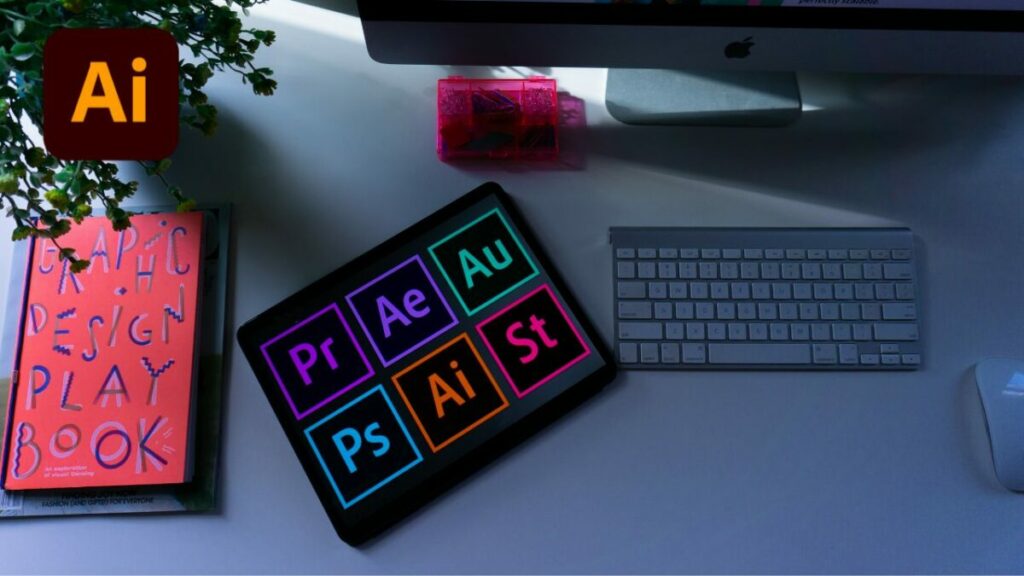
Adobe Creative Cloud (CC) is a dream come true for any graphic designer. This powerful suite includes more than 20 programs built for photo and video editing as well as creating digital illustrations. Among them, you’ll find popular and award-winning tools such as Photoshop, Illustrator, and Lightroom. With this amazing collection of software, it’s clear why Creative Cloud is the first choice of professional developers and designers around the world.
With Black Friday around the corner, why don’t you take this chance to get a subscription to Creative Cloud? If you’re still unsure about it, keep reading because today we’ll share with you 20 great things that you can do with Adobe CC.
Offer available from November 15th until December 2nd, 2021
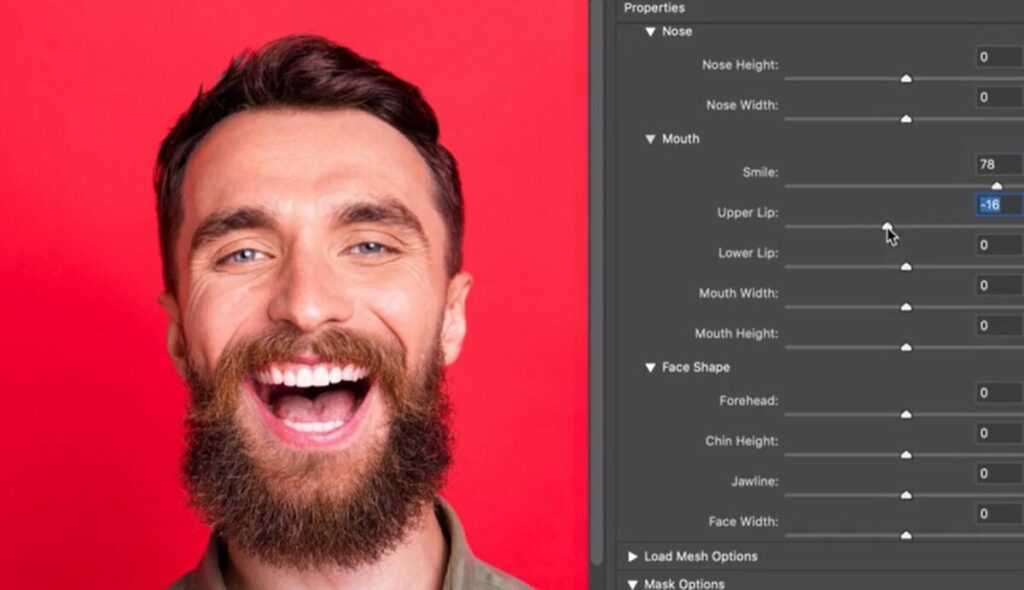
Change facial expressions from any photo
Adobe Photoshop CC lets you scan the facial features of any picture and easily enhance them with its Face-Aware Liquify tool. You’ll also be able to change the expression of your model just by moving a few sliders, making it very easy to get the perfect portrait.
Fix blurry pictures
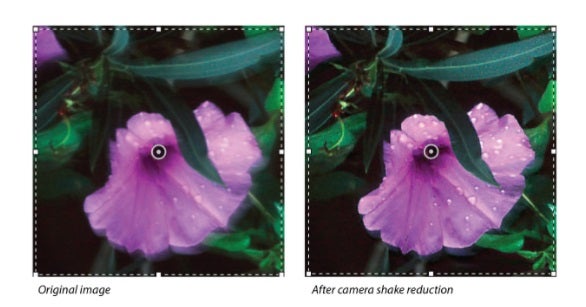
There are few things as frustrating as taking a great photo and then realizing it’s blurry. Thanks to the Shake Reduction tool from Photoshop you’ll be able to sharpen your picture in just a few clicks.
Add dummy text
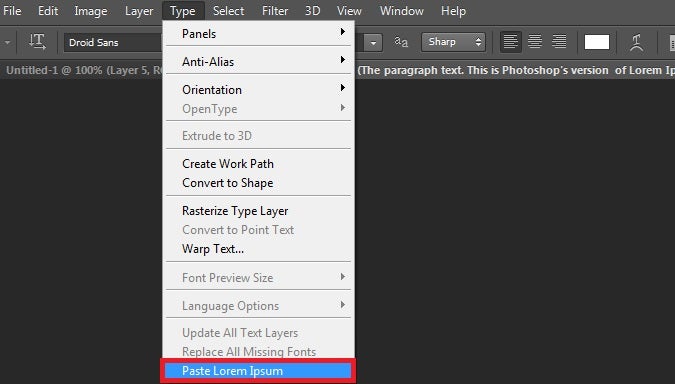
When testing the layout of text content in a picture, one will typically turn to the well-known Lorem Ipsum placeholder text. Adobe Photoshop CC will save you precious minutes thanks to its tool to automatically add this dummy text into your projects.
Edit your pictures from your mobile
Android and iOS users are able to easily import and edit any picture stored in the cloud with the help of their smartphone thanks to the Adobe Photoshop Fix app.
Identify any font from a photo
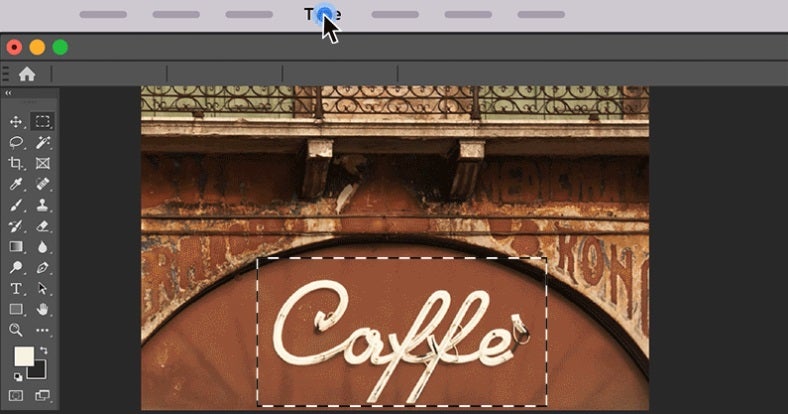
Photoshop can help you identify any font you find in a picture thanks to its Match Font tool. After uploading the photo, let the software do its magic and compare the mystery font with the ones installed on your computer as well as the Adobe Fonts catalog.
Export and share your assets
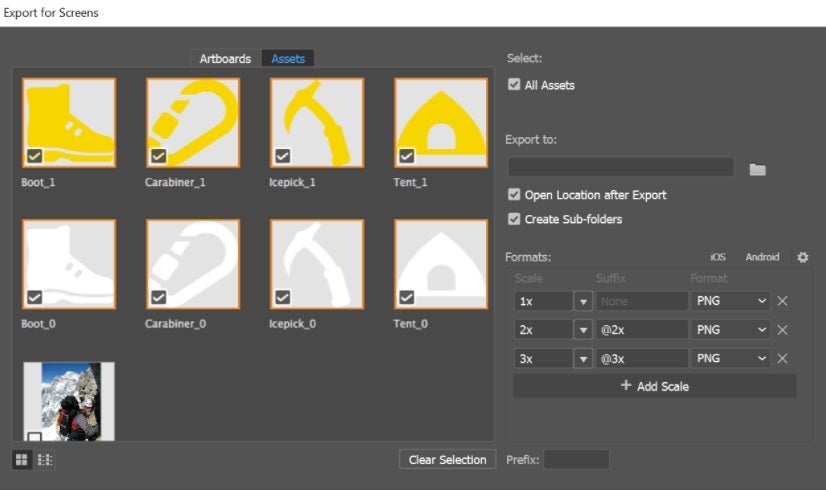
If you’re a graphic designer, you’re probably losing a lot of precious time exporting files to share with your clients. Adobe Illustrator CC can help you increase your productivity thanks to its helpful tool to export all your assets in seconds.
Make perfect shapes
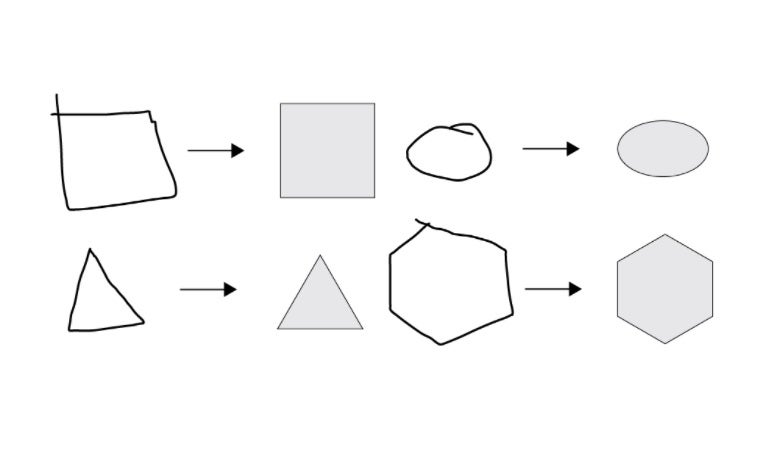
Being able to draw symmetrical shapes is vital for any designer, though it’s not always an easy task. Adobe Illustrator includes a useful tool that will turn any poorly hand-drawn shape into perfect geometric vector art.
Design your own fonts
Thanks to Illustrator, you’ll be able to quickly design and create fonts that will give identity to your brand or project. Starting from a sketch, just follow Adobe’s step-by-step process and surprise everyone with your personalized fonts.
Add color and edit your strokes
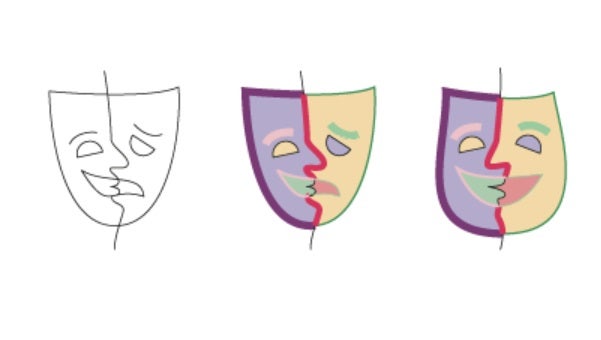
The Live Paint tool in Illustrator will let you draw and paint like you would on a canvas and then turn every single stroke into a vector. This way you’ll be able to freely turn your ideas into color and then easily edit them with just a few clicks.
Draw and design from your mobile
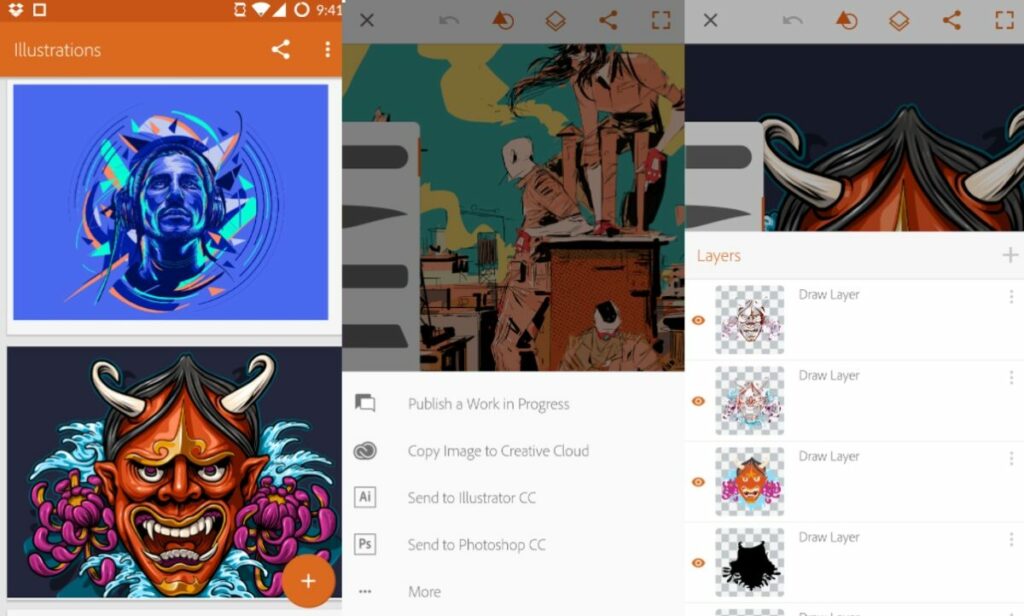
With Adobe Illustrator Draw (Android/iOS) you’ll be able to draw, design, and send your projects to Photoshop and Illustrator right from the screen of your smartphone or tablet.
Keep your text’s original formatting
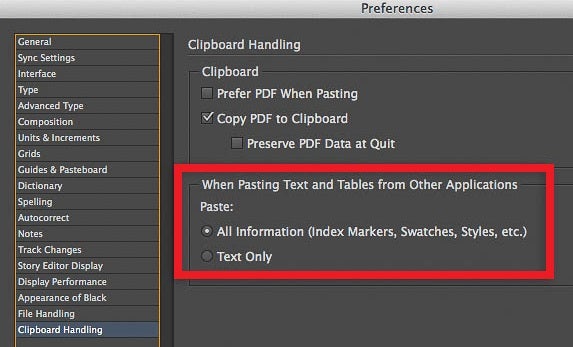
When you copy and paste some text from Word to any Adobe app, it will typically lose its formatting. Using InDesign there’s a workaround to this setback thanks to its option to keep the formatting of all your documents.
Create HDR panoramas
Do you want to surprise everyone with a picture of a breathtaking landscape? Adobe Lightroom includes a tool that will let you merge a large number of photos into a single one, creating amazing HDR panoramas.
Correct the alignment of your pictures
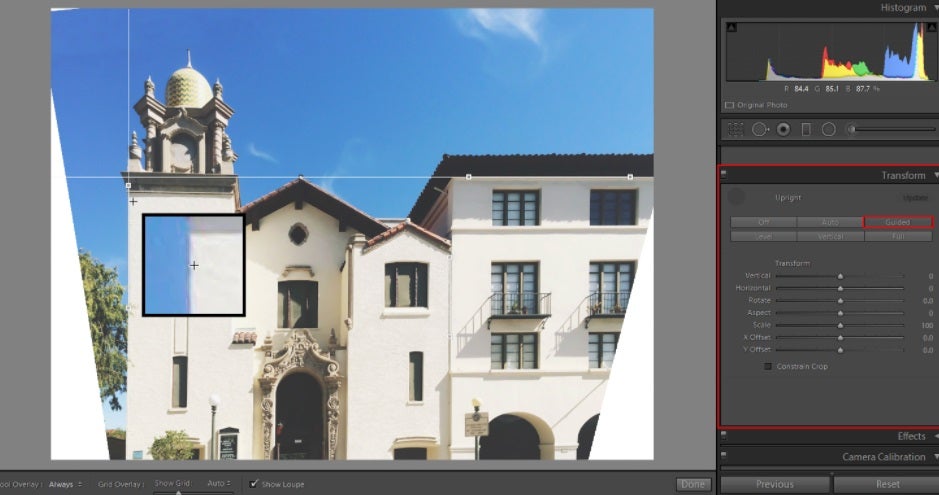
Thanks to Lightroom’s Upright Guided feature you’ll be able to correct the perspective of any picture in just a few seconds.
Create a responsive web design
As a web designer, you already know how important it is that your site is responsive. Sometimes this is easier said than done, but don’t worry. Dreamweaver can help you create attractive and responsive websites in record time.
Edit CSS in a visual editor
Dreamweaver includes a CSS Designer Panel that will let you add and edit your site’s CSS as well as see all the changes in real-time.
Design and integrate animations
With Adobe Animate you can design and create interactive animations for videogames, tv shows, and websites. You can also make dynamic avatars and doodles, as well as breath life into all of your infographics.
Auto-generate captions
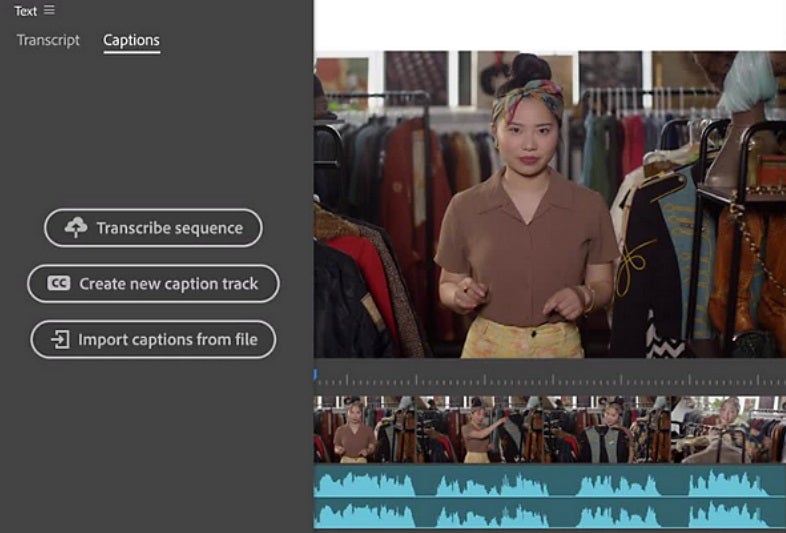
Need subtitles for your videos? Adobe Premiere Pro can auto-generate captions for all your videos with its improved transcription and caption tools.
Color matching made easy
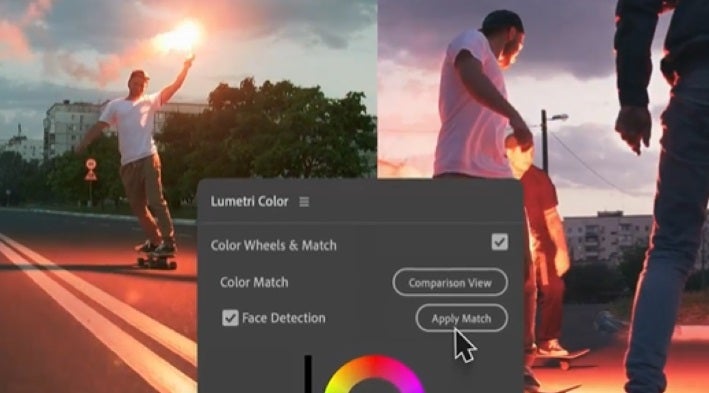
Thanks to Adobe Sensei’s AI and the Lumetri Color panel, you’ll be able to easily adjust and edit the color of your videos with Adobe Premiere Pro.
Find perfect images for all your projects
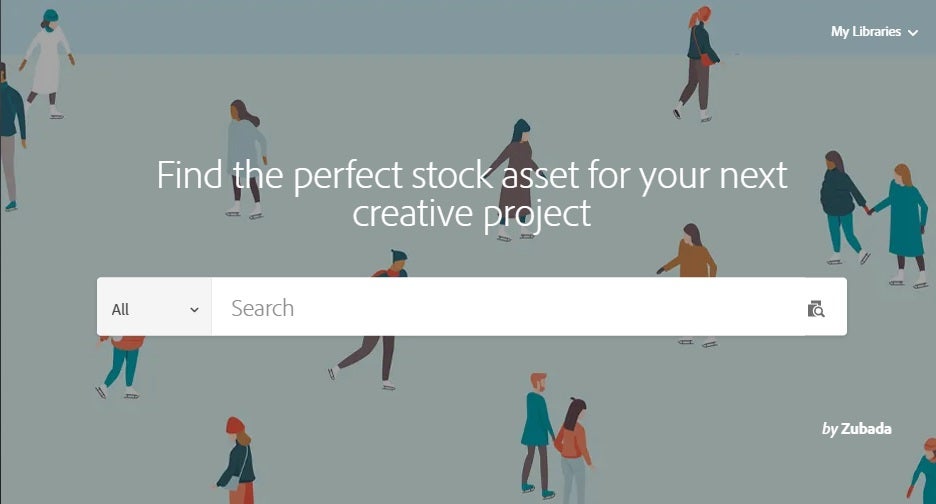
Download stock images and photos, videos, audio footage, royalty-free templates, and vector illustrations suitable for any project with the help of Adobe Stock’s catalog.
Easily sync with all Adobe apps
Thanks to the cloud, you’ll be able to seamlessly create, edit and synchronize all your projects with the entire Adobe CC suite.
Unleash your creative power
Adobe Creative Cloud is a powerful suite that will help you create anything you can imagine, always with professional results. What are you waiting for?
BLACK FRIDAY OFFER: 40% off all Creative Cloud apps Subscribe now
Offer available from November 15th until December 2nd, 2021
When it comes to Adobe Creative Cloud, there are plenty of apps integrated with it that you can use. You can use them for videos, photo editing, web, UX, design, and so much more! There’s a massive community that you can join to learn how to become an impressive creator.
Adobe is known for bringing the latest and greatest in digital artwork technology. Their Creative Cloud suite is no exception, bringing together some of the best Adobe desktop apps in one big cloud that syncs seamlessly across your devices.
Here are the top five Adobe Creative Cloud desktop apps(please note that Adobe Acrobat is not mentioned here because it is a part of the Adobe Document Cloud suite).
Photoshop
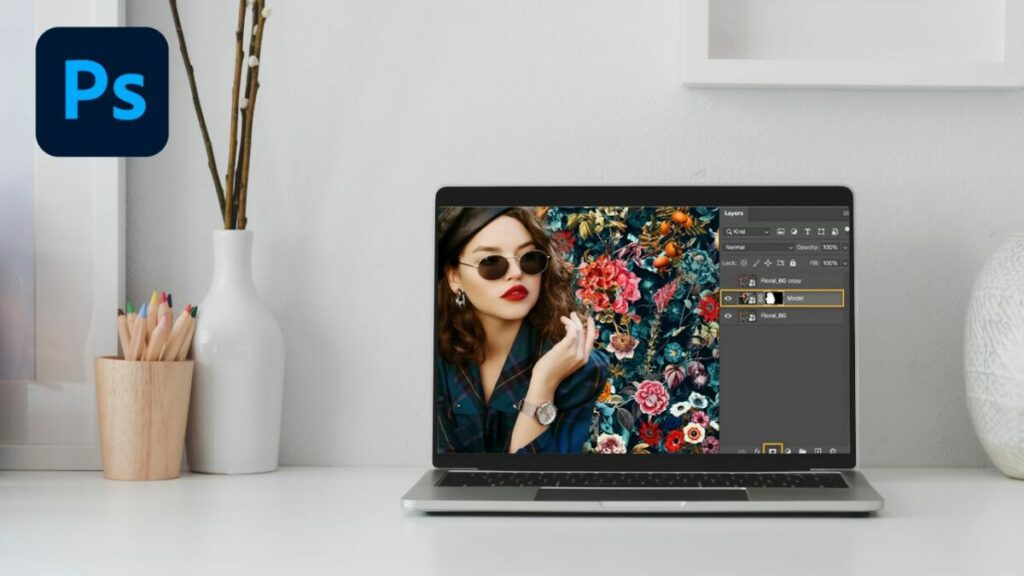
Adobe Photoshop is the industry standard for digital graphics and image editing and is, by far, the most popular Adobe Creative Cloud desktop app. With capabilities that extend beyond images to include web and graphics design, it’s no wonder that it’s been the go-to software for generations of artists and designers.
It’s worth noting that Photoshop is a raster-based program; it does not export vector files. That said, it can be used to create vector files. Plus, it has a “create vector mask” feature that you can use to vectorize raster images. In both cases, you can save the work as EPS files, which you can then open up in…
Illustrator
The vector-based counterpart to raster-based Photoshop, Adobe Illustrator still reigns supreme as a versatile tool to create any kind of 2D graphics from print material to infographics for the web. With amazing native features such as symbols, image trace, the ability to open and work with AI files, and even converting text into curves — as well as features that Photoshop does not have, like layer comps and an artboard tool — Illustrator is a powerhouse for creators of all levels. It also offers the best third-party support. Just check out their plug-in page to see what we’re talking about.
InDesign
Adobe’s go-to for social media content is now InDesign. It’s the ideal tool for social media content creators. With its easy-to-use drag and drop interface, exporting assets for social media has never been easier. Also, with built-in features like creating animated GIFs and QR codes, you can create engaging and interactive content that will stand out from the rest. InDesign is perfect for creating digital or print publications, presentations, and even simple flyers and posters as well.
Dreamweaver
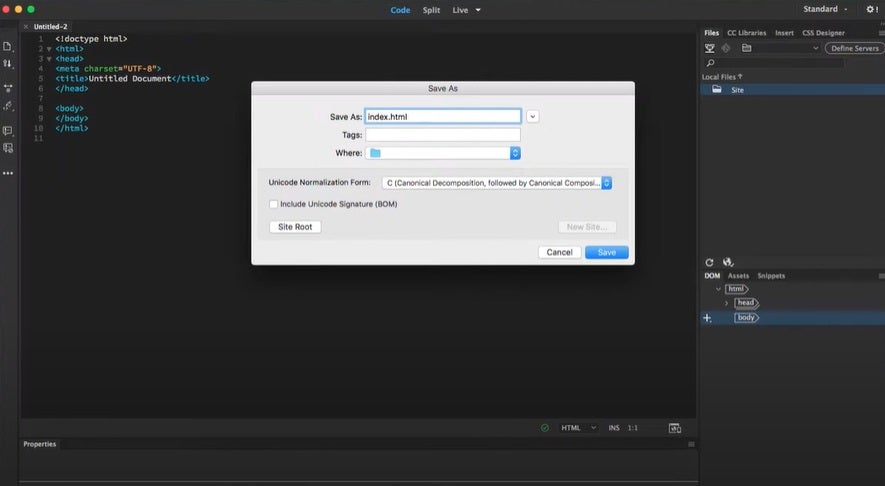
One of the oldest Adobe desktop apps, Dreamweaver has been a mainstay in web design and development for over two decades. While it may be somewhat complicated to get started with, if you’re looking for a powerful WYSIWYG editor with incredible control and customization options, it’s the way to go. The latest release of Dreamweaver takes it even further with modern code editing tools that aren’t too different from a desktop text editor, plus some very helpful new features for coding.
Even if you’re not a web developer but you want to learn how to build websites, you can use Dreamweaver to see your code side by side with your design work.
Portfolio
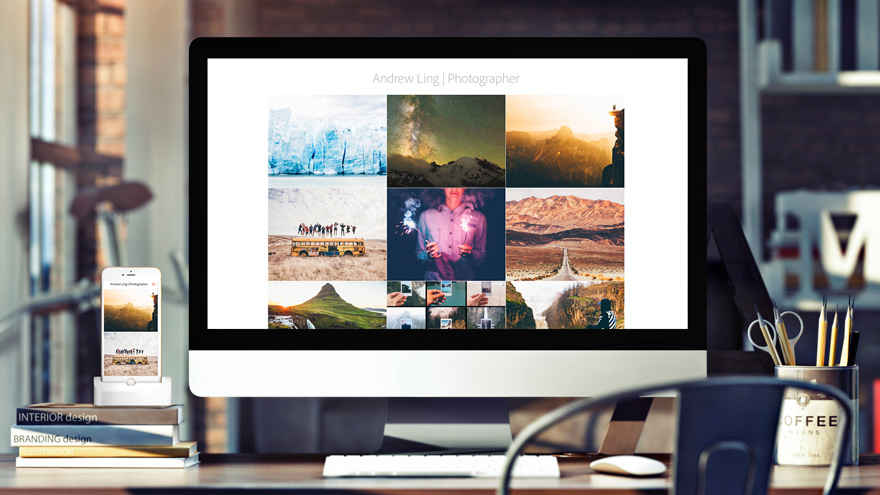
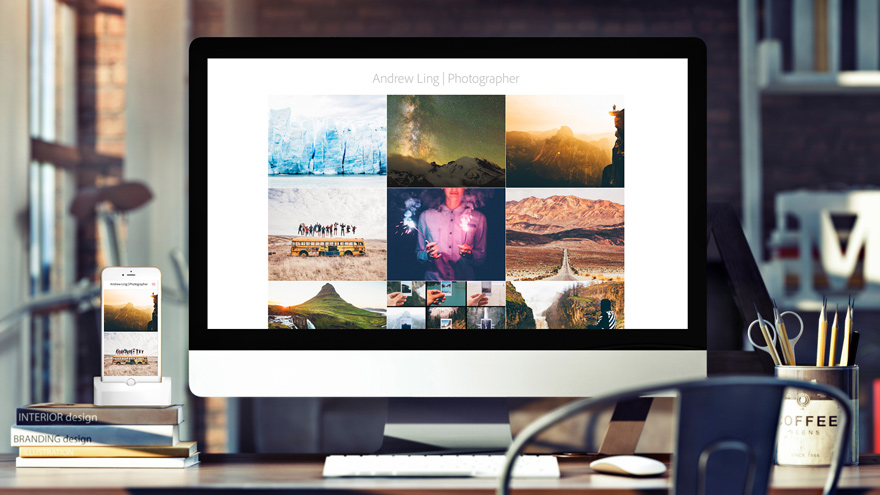
Now that you’ve used Photoshop, InDesign, Dreamweaver, and Illustrator to create beautiful work, where are you going to organize and store it all? With Adobe Portfolio, of course! Built into the Adobe Creative Cloud, Portfolio is a quick and easy way to create a portfolio website that will house your best work, with the option to share it on social media. Portfolio is an all-in-one solution for showcasing designs, writing, videos, and more. You can even connect it to your Behance account to get extra exposure.
Check out the Creative Cloud All Apps plan
With the top five Adobe Creative Cloud desktop apps, you have everything you could ever need to be a creative genius. Whether you’re looking for an industry-standard image editor, a top-of-the-line web development tool, or a no-fuss way to share your best work with others, Adobe Creative Cloud has you covered.
These are just five of the apps offered in Adobe’s Creative Cloud suite. If you want even more designing capabilities, look at the Creative Cloud All Apps plan, which provides licensing for all 20-plus Creative Cloud apps.
Grab your GIANT savings this Cyber Monday on Adobe’s Creative Cloud – a collection of 30 apps that will up your design & editing skills across all digital mediums. Great discounts on Abobe Creative Cloud apps.
When you think about Cyber Monday deals, you’re more likely to think about getting great bargains on physical products like TVs, smartphones and computers. While those deals will be plentiful on the day after Thanksgiving, Cyber Monday is also a great time to take advantage of amazing prices on software – especially on two Creative Cloud packages from software giant Adobe.
From today until December 5th, you’ll be able to snag Creative Cloud for just $29.99 per month – a 40% discount off the standard rate of $52.99 per month.
Cyber Monday Special: Get over 30 creative apps at 40% off!
Plus, Adobe has long made Creative Cloud available to students and teachers for the even steeper discounted price of $19.99 per month. But on Cyber Monday, that price plummets even more thanks to an extra 20% discount that will bring the cost down to just $15.99 per month – for a total discount of 70% off! (Rates apply to USA, EMEA and Latin America; UK prices will be slightly different so check the website for your country to confirm pricing.)
Students & Teachers: Save 70% on Creative Cloud for Cyber Monday
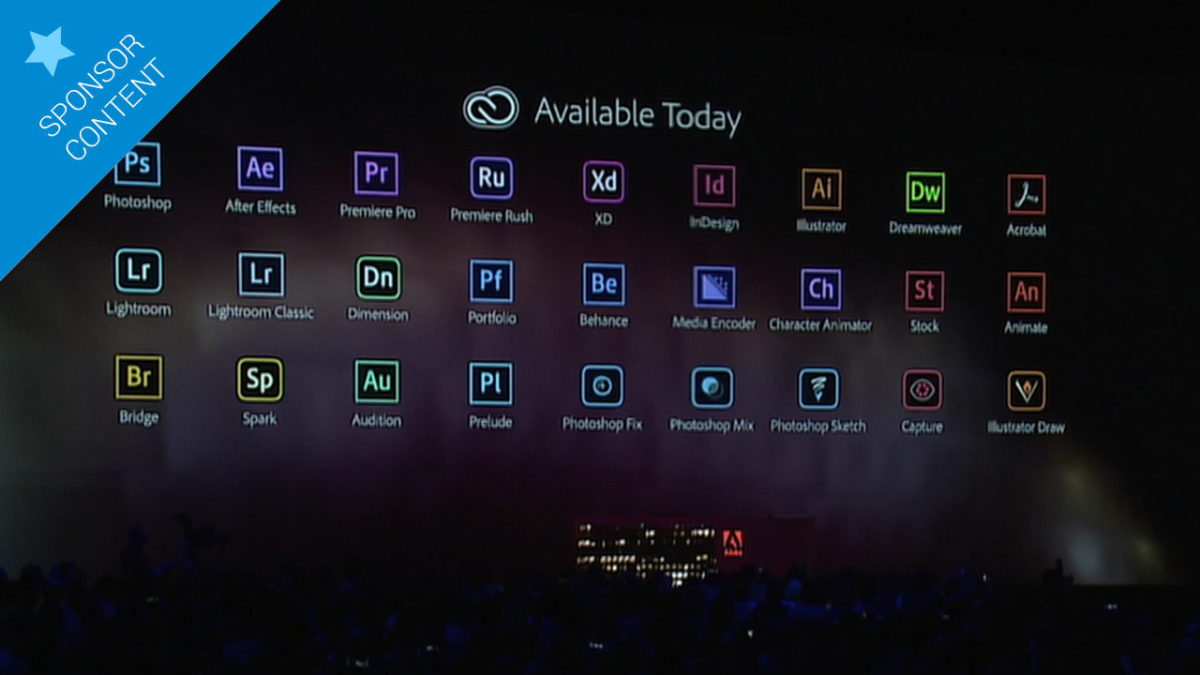
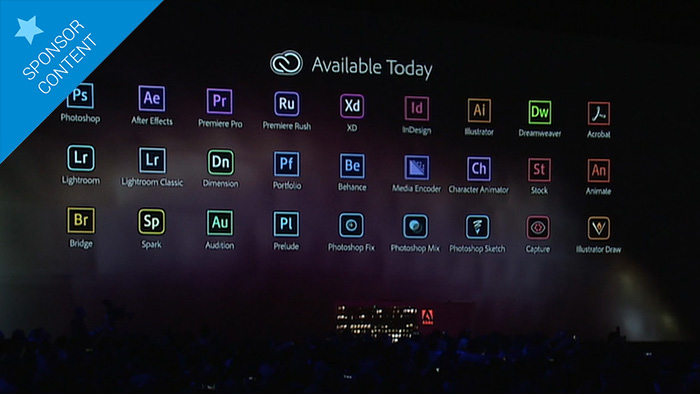
In case you’re unfamiliar with Creative Cloud, it consists of a powerhouse collection of more than 30 apps that arm you with everything you could possibly need to create and edit videos, photographs, websites, graphics and more.
For example, Adobe InDesign is a best-in-class page layout tool used by publications around the world to create print and digital magazines, newspapers and newsletters. Dreamweaver provides anyone the ability to create professional websites – even if they’ve never coded before. Adobe’s well-known Photoshop app, which lets you do pretty much anything you want with digital images, as well as the company’s Acrobat Pro app, which lets you create, edit and annotate PDF files, are also included in Creative Cloud.
Additionally, joining Creative Cloud gives you access to dozens of other Adobe-only benefits including access to royalty-free images from Adobe Stock, hundreds of typefaces from Adobe Fonts, and ready-made color palettes from Adobe Color. And to top it all off, you also get 100 GB of cloud storage at no extra charge.
Even without a discount, Creative Cloud provides an amazing value by bundling some of the most powerful software programs on the market into one affordable package. But the special Cyber Monday rates – just $29.99 a month for the standard suite and only $15.99 for the student and teacher rate – make the purchase nearly irresistible.
It’s getting harder and harder to find even one application per month for these prices, let alone over 30. Throw in the free storage and use the font and image libraries and the deal is almost too good to be true. But it’s not, so be sure to lock in these astounding rates that will only be available until Cyber Monday… and a few days more.
Grab your GIANT savings this Black Friday on Adobe’s Creative Cloud – a collection of 30 apps that will up your design & editing skills across all digital mediums. Great discounts on Abobe Creative Cloud apps.
When you think about Black Friday deals, you’re more likely to think about getting great bargains on physical products like TVs, smartphones and computers. While those deals will be plentiful on the day after Thanksgiving, Black Friday is also a great time to take advantage of amazing prices on software – especially on two Creative Cloud packages from software giant Adobe.
From today until Black Friday, you’ll be able to snag Creative Cloud for just $29.99 per month – a 40% discount off the standard rate of $52.99 per month.
Black Friday Special: Get over 30 creative apps at 40% off!
Plus, Adobe has long made Creative Cloud available to students and teachers for the even steeper discounted price of $19.99 per month. But on Black Friday, that price plummets even more thanks to an extra 20% discount that will bring the cost down to just $15.99 per month – for a total discount of 70% off! (Rates apply to USA, EMEA and Latin America; UK prices will be slightly different so check the website for your country to confirm pricing.)
Students & Teachers: Save 70% on Creative Cloud for Black Friday
In case you’re unfamiliar with Creative Cloud, it consists of a powerhouse collection of more than 30 apps that arm you with everything you could possibly need to create and edit videos, photographs, websites, graphics and more.
For example, Adobe InDesign is a best-in-class page layout tool used by publications around the world to create print and digital magazines, newspapers and newsletters. Dreamweaver provides anyone the ability to create professional websites – even if they’ve never coded before. Adobe’s well-known Photoshop app, which lets you do pretty much anything you want with digital images, as well as the company’s Acrobat Pro app, which lets you create, edit and annotate PDF files, are also included in Creative Cloud.
Additionally, joining Creative Cloud gives you access to dozens of other Adobe-only benefits including access to royalty-free images from Adobe Stock, hundreds of typefaces from Adobe Fonts, and ready-made color palettes from Adobe Color. And to top it all off, you also get 100 GB of cloud storage at no extra charge.
Even without a discount, Creative Cloud provides an amazing value by bundling some of the most powerful software programs on the market into one affordable package. But the special Black Friday rates – just $29.99 a month for the standard suite and only $15.99 for the student and teacher rate – make the purchase nearly irresistible.
It’s getting harder and harder to find even one application per month for these prices, let alone over 30. Throw in the free storage and use the font and image libraries and the deal is almost too good to be true. But it’s not, so be sure to lock in these astounding rates that will only be available until Black Friday.
Adobe Creative Cloud is getting a massive overhaul with new tools and a major mobile push.
At today’s Adobe Max event, the company behind some of our favorite apps announced a massive push to mobile, bringing desktop aces to our handheld devices. Among the biggest bombshells: a full version of Photoshop for the iPad in 2019.
Inspiration you capture, assets you create and images you need - always at your fingertips.
The Adobe team emphasized that the iPad Photoshop is not some scaled-down version: it’s the full suite of all the traditional Photoshop tools, just made friendly for the tablet.
Another big announcement was the creation of Adobe Premiere Rush, a mobile video editing tool.
Premiere Rush will allow you to edit video and audio on the go, even adding titles to your project. Adobe emphasizes that the app was created with flexibility in mind, so you might start your project on your phone, make more edits on your iPad, and finish it on your desktop. (Or reverse the whole process if it suits you.)
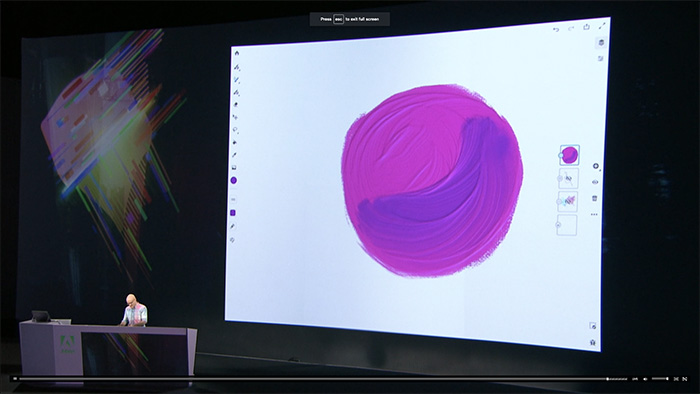
Starting next year, you’ll also be able to get your hands on Project Gemini, a drawing and painting app that literally caused the Max audience to gasp. As demonstrated, you can use lots of different brushes that appear to lay down real paint. It even smudges as you push the brush around.
Unlike real paint, Project Gemini paint stays “wet” until you command it to “dry.” And yes, you can do watercolor, too.
The new Adobe Illustrator brings all kinds of cool features, including some sweet freeform gradients to make your artwork even smoother.
Adobe is also hyped about augmented reality, so they’re rolling out Project Aero, a way for creators to bring their AR ideas to life.
For app creators, Adobe is excited about the enhancements to its XD app. If you plan on developing apps or mobile websites, XD will make it easier. You can even add voice commands, which is how we know we’re living in the future.
Over two and a half hours at the Adobe Max keynote, we were treated to excellent enhancements to existing desktop Creative Cloud favorites, sweet-looking mobile versions of those classics, and exciting new tools for the media of the future. There’s never been a better time to be a creator.
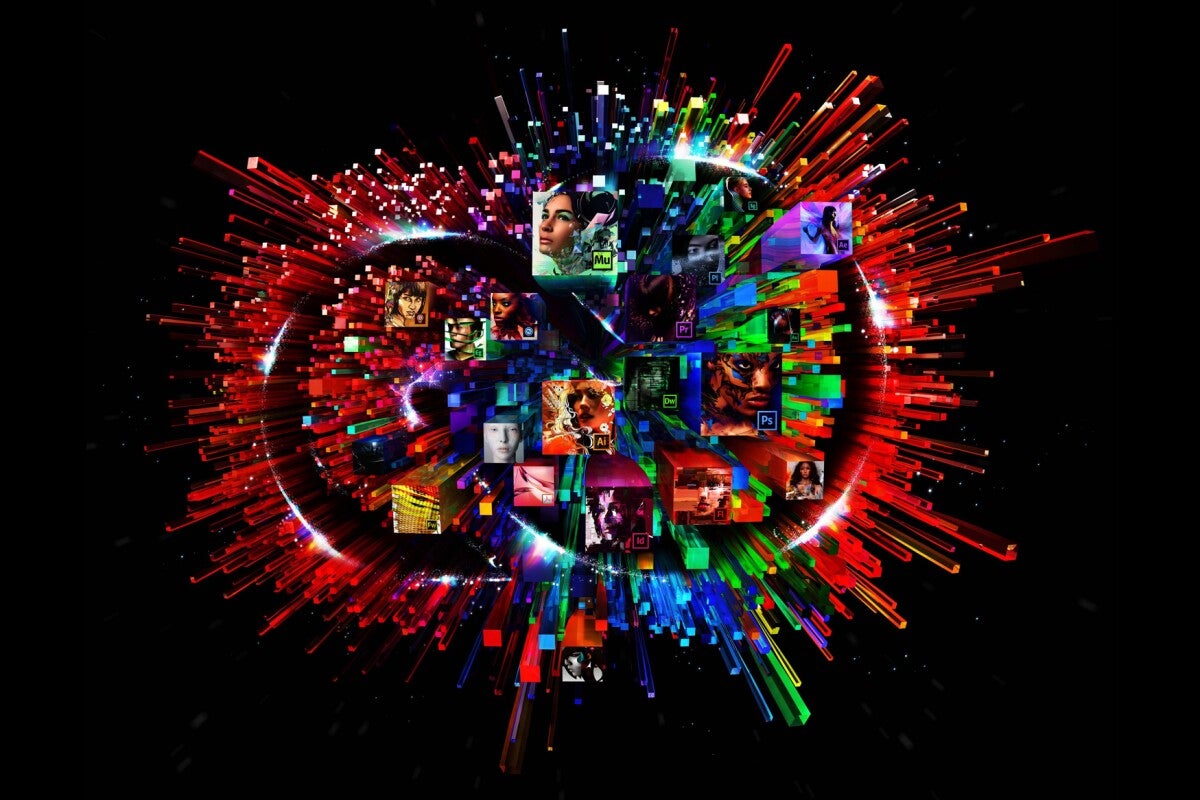
For years now, the Adobe design suite has been the industry standard when it comes to digital design software. When Adobe consolidated all of their design programs, in 2013, into the subscription-based Creative Cloud they promised users that they’d always receive updates to the programs that’d keep them at the forefront of their respective design industry. Graphic design, video, photo editing, and more were brought under the Creative Cloud umbrella and subsequently received systemic updates over time.
Some updates, however, should be seen as more than a mere evolution and that is exactly what Adobe wants us to think about the latest version of the Creative Cloud. At the recent Adobe conference, Adobe Max, which was held in Las Vegas on October 18th rather than just unveiling the next version, Adobe told us they were unveiling the next generation of Creative Cloud.
“Adobe continues to lead the creative revolution, driving modernization and innovation that will accelerate the creative process across all platforms and devices,”
– Bryan Lamkin, executive vice president and general manager,
Digital Media at Adobe.
So what is it then that makes Adobe believe that the Creative Cloud has made such a huge leap forward? Why all the bells and whistles? In short, what is so special about the latest Adobe Creative Cloud update? Well, quite a few things actually, the new generation of the Creative Cloud covers a wide spectrum of capabilities and provides tools that will enable creative professionals and enthusiasts to express themselves and reach their full creative potential anytime, anywhere, and on any device.
Some updates to established programs, like Lightroom, are so distinctive that they almost create brand new programs. On top of this, Adobe XD CC gets its first full 1.0 version to provide the quickest ever user-experience design software and the new Adobe Dimension allows users to create photo-realistic 3D models that can easily incorporate older 2D designs and logos.
As well as new features, tools, and programs, Adobe is also continuing to embed artificial intelligence capabilities across all of their applications through Adobe Sensei. By bringing the power of advanced technology and deep learning to the creative cloud, Sensei enables creators to go from concept to completion much faster.
There really is a lot going on then, with the Adobe Creative Cloud, so we should probably take a look at some of the biggest updates and additions in greater detail.
Adobe XD CC
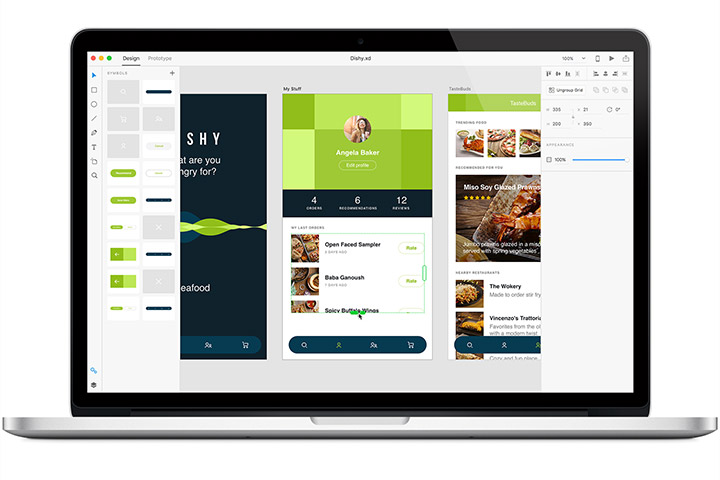
After an extensive beta testing period and constant communication with the testing community, Adobe has finally released version 1.0 of Adobe XD CC that works on both macOS and Windows 10 machines. With XD CC, Adobe is bringing to market the quickest user-experience design software available. The speed allows designers to include users themselves into the design process and then quickly integrate the insights they provide into the working design.
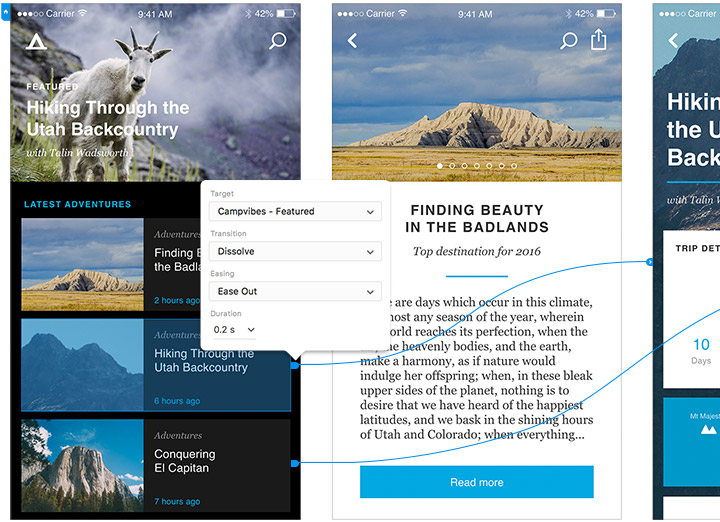
A whole raft of XD CC features, including navigation flows, transitions, color management, styles and repeating elements have been redesigned to create a much more modern and intuitive workflow. This is all so that Adobe XD CC can claim both speed and stability to be key features that it offers designers. XD CC launches almost instantaneously and offers lightning fast zooming and panning no matter how many artboards are being worked on per project.
Adobe Dimension CC
Adobe Dimension gives designers the power to design in 3D. Dimension can create photo-realistic models for anything including product shots, branding concepts and even packaging. Dimension offers designers realistic lighting and shadows and also textures that respect contours, angles, and perspectives.
The added design dimension comes without any extra, complicated tools or the need to learn new skills, and it is a simple process to add previously designed 2D logos to new 3D models. What Dimension does come with, however, is a marketplace of models, lights, and materials from Adobe Stock that can be used to create 3D scenes.
Lightroom CC
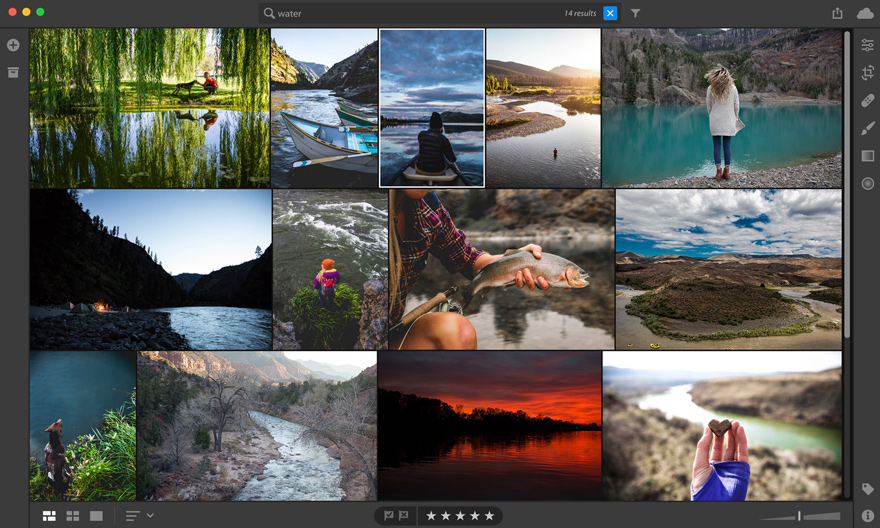
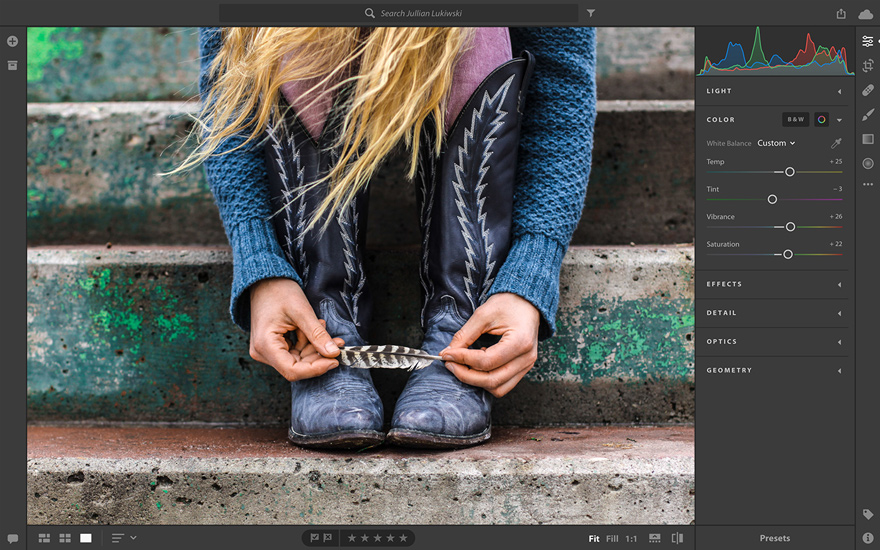
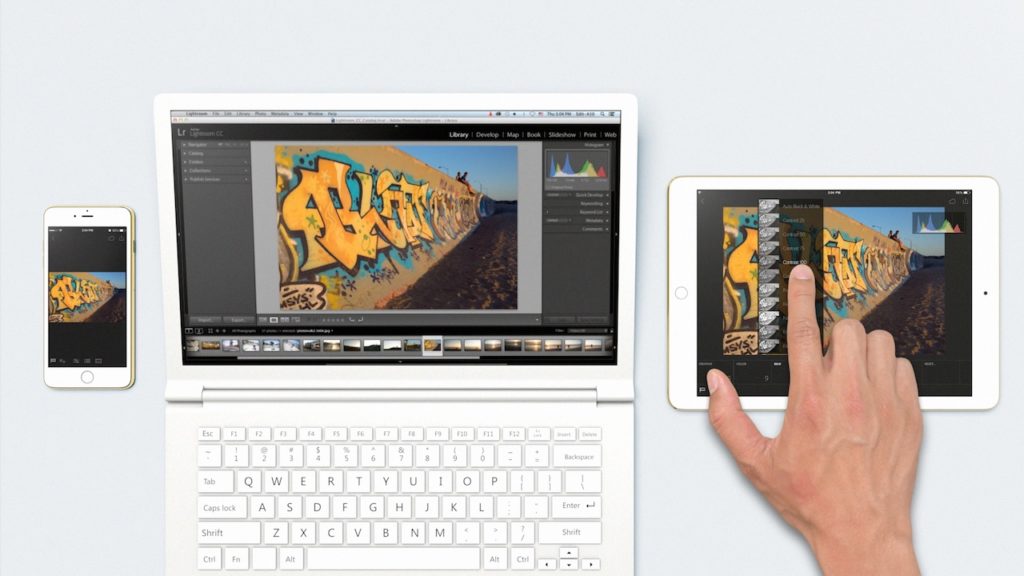
Lightroom CC is a completely new Adobe product that is a cloud-based ecosystem of apps that are deeply integrated and work together seamlessly across desktop, mobile, and web. Even if photographers don’t have their laptop, mobile or tablet with them they can still edit their photographs by logging on to the Adobe cloud website and then later continue with their work when they get back to their devices.
Designers used to the original Adobe Lightroom and worried about the editing capabilities possible on a mobile device need not fear. The original Lightroom is now known as Lightroom Classic CC and is designed for desktop-based digital photography workflows. In line with the wishes of the community of Lightroom users, Adobe has added a number of improvements to Lightroom Classic. These include:
Optimized import and editing workflows.
Improved application launch time.
Standard, 1:1 and Minimal preview generation.
Responsive Brushing
–
With so much going on beneath the Creative Cloud Umbrella and with modern new features like artificial intelligence and 3D modeling it is fair to describe the latest update as the next generation of design software. There really has been a leap in the capability that the Creative Cloud offers its users and so much more is now possible for Creative Cloud subscribers.
Before signing off, however, it is definitely worth pointing out that although this latest update is enough to set the newest generation of the Creative Cloud apart from the versions that came before it, it does not mean the Cloud won’t continue to evolve and be the subject of constant updates from Adobe. Particularly with the likes of XD CC, Dimension, and Lightroom CC, Adobe is committed to adding new features to these new programs as and when they’re developed.
The latest generation of the Creative Cloud has a lot to offer all-digital design professionals and enthusiasts alike. For anybody yet to use the Creative Cloud there is definitely a lot of new stuff here to take note of and for long time subscribers, there is a lot to celebrate.
We’re happy to announce a new giveaway! This time to a 1-year Adobe Creative Cloud subscription! To those of you not familiar with this subscription, it is Adobe’s flagship offering for creatives. We could easily say that almost every visual artist dreams to have these tools at hand.
Adobe CC gives you the entire collection of Adobe desktop and mobile apps, from essentials like Photoshop, Adobe Premiere Pro, Illustrator to innovative new tools like Adobe XD. On top of that if you are a beginner this package includes also hundreds of step-by-step tutorials, so you can get up and running fast. Last but not least 20 GB of cloud storage for file sharing and premium fonts from Typekit are included too.
With these tools at hand, you can make just about anything you want, right? So what are you waiting for? Winning is simple!
Leave a comment on this post telling us why you want to win this subscription.
Share this post
It’s that simple. The competition will run until 23:59 (GMT) on Thursday, 31 August 2017. Once the competition is closed, we’ll select 1 winner at random from all of the qualifying entries and notify them via Facebook. They’ll be announced on Facebook the following week.
Adobe Creative Cloud Photography plan provides you access to a suite of Adobe’s renowned desktop and mobile apps. The package ensures that you have the tools you need to make a brilliant picture perfect. It is the ideal package for photographers of all levels, allowing you to get the most from every holiday snap and pet picture, without the need to spend hours editing.
Best of all, Adobe is offering 20% OFF this superb software suite to Softonic readers.
Photography has always relied as much on technical prowess as it has on an eye for a good picture composition. Be it playing around with the exposure during your shoot, or overdeveloping the colors in the dark room, the art of taking a great photo has always demanded a diverse skill set.
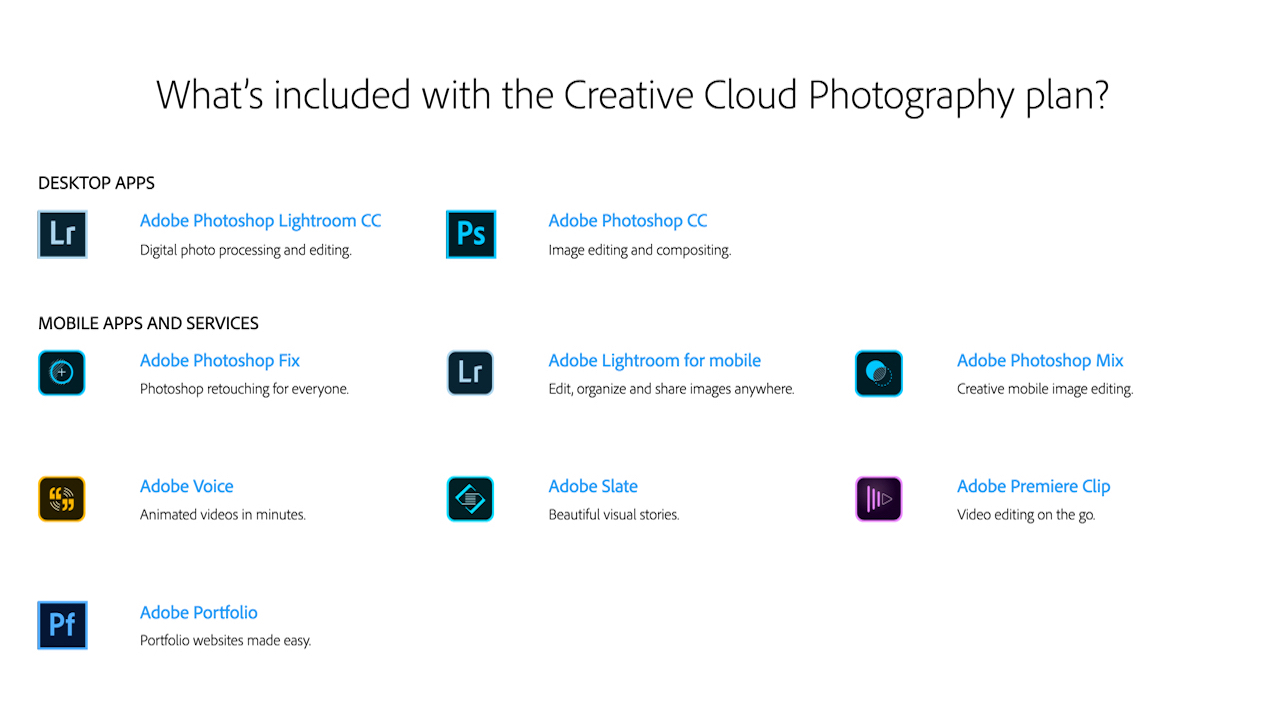
Today it is easier than ever to produce photographic perfection, thanks to the Adobe Creative Cloud Photography plan, a suite stuffed with nine amazing tools to get the most out of every image.
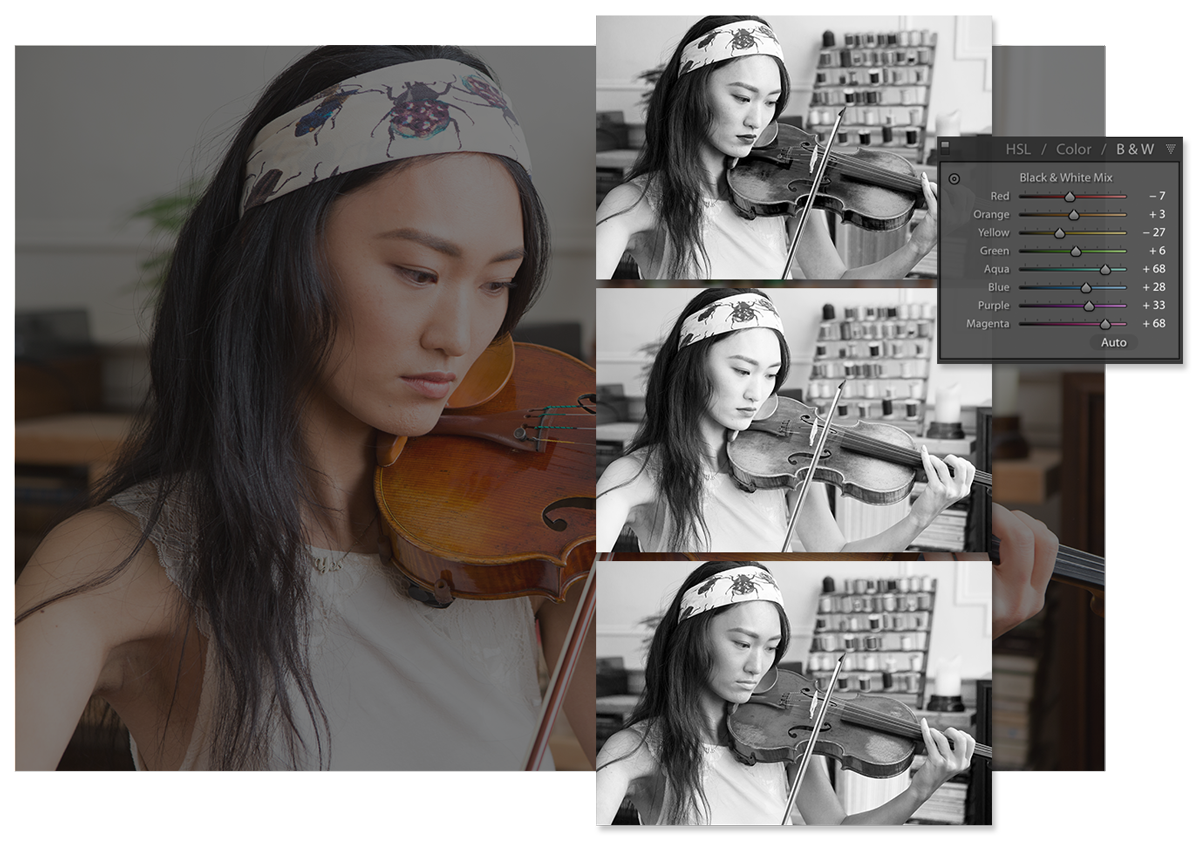
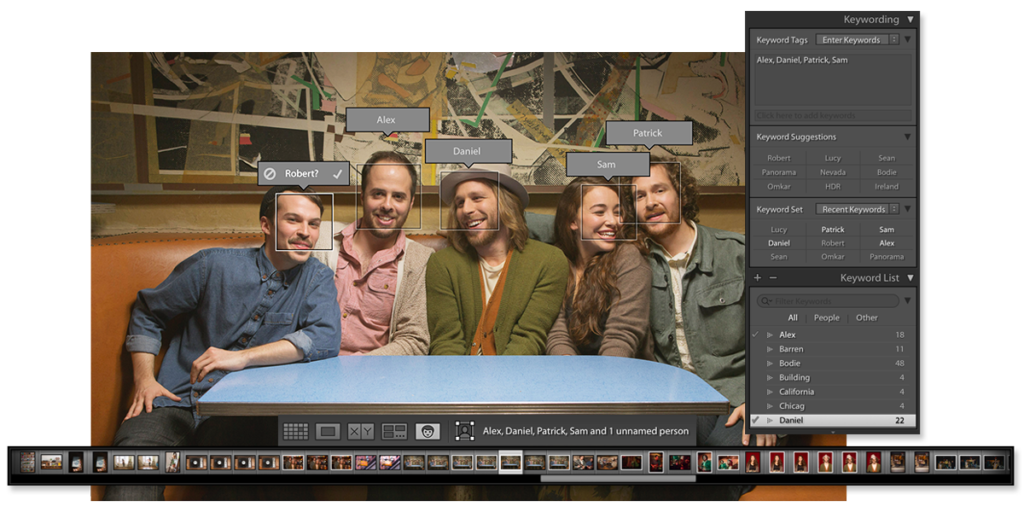
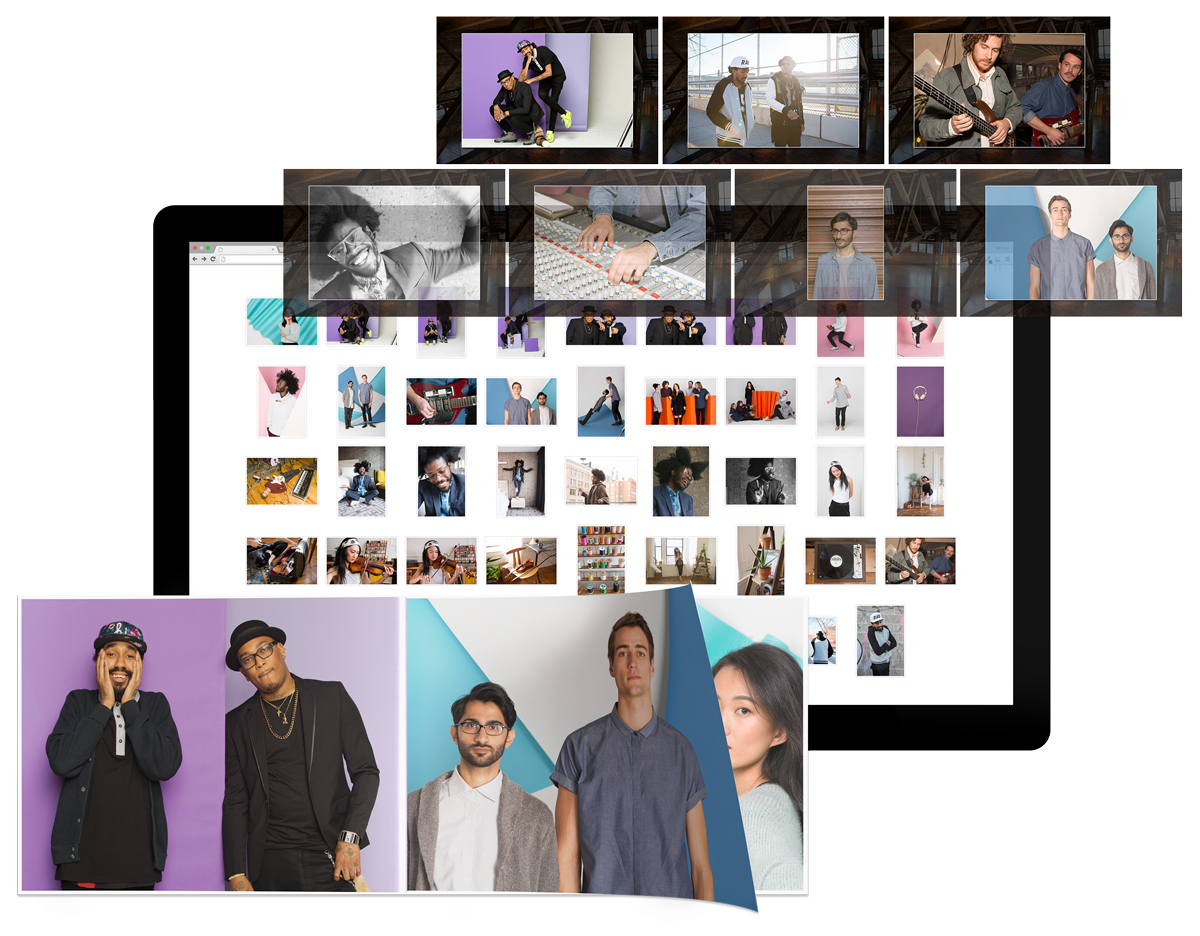
With Lightroom, your photography goes where you go. Organise, edit and share your photos from anywhere – your computer, the web, your iPad and your iPhone or Android devices. All your photography in one place.
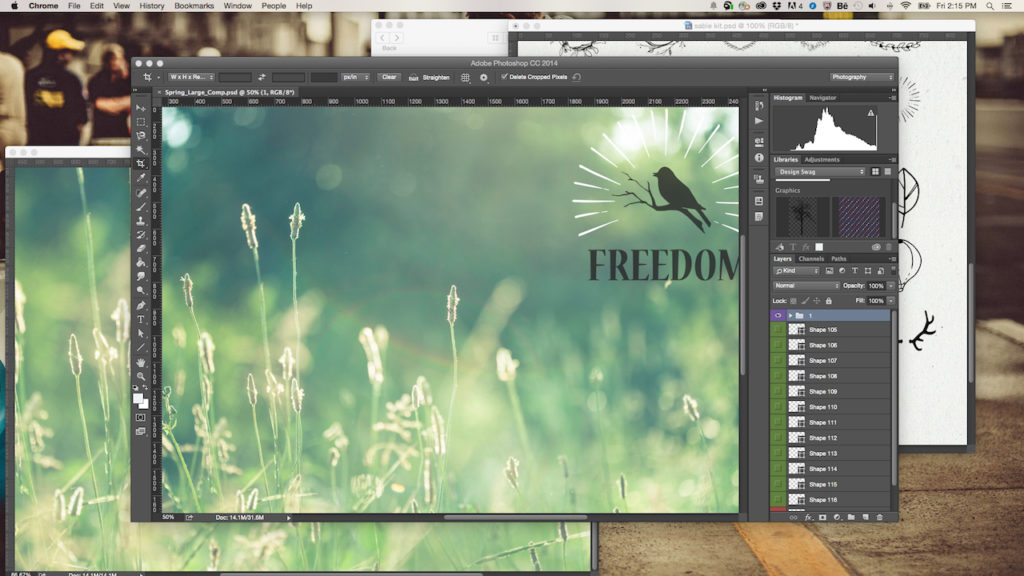
The most famous element of the suite is Adobe’s Photoshop CC. This powerful desktop software offers all the tools you could possibly need make your masterpiece. Letting you combine, retouch, resize, layer, and more, Photoshop has long been an industry standard for both professionals and enthusiasts. Best of all, it is included as part of the Adobe Creative Cloud Photography plan, making it an absolute bargain.
The double package of Photoshop Mix and Photoshop Fix provides a streamlined mobile version of the desktop app for editing on the go – cut, combine, and retouch from anywhere.
If you want to extend your photos beyond still images, then the Adobe Voice, Adobe Slate, and Premier Clip apps are perfect for you. With Adobe Voice you can quickly turn your images into an incredible animated video. Slate allows you to easily make compelling visual documents that combine words and images to fantastic effect. Finally, Premier Clip can produce high-quality videos that can be shared with ease.
Furthermore, you can quickly and simply showcase your creativity with Adobe Portfolio, giving you access to Typekit’s library fonts, live editing, plus much more.
If all of that isn’t enough, the updater makes sure you always have the newest version of the software and a training option allows you to get in-app tips and tutorials to get the most from every part of the Adobe Creative Cloud Photography plan.
All you have to do to get this amazing 20% off deal, is to click on the button below and subscribe to Adobe Creative Cloud Photography plan for one year. The package includes 2 desktop apps and 7 mobile apps and services, and provides incredible value to photographers of all levels – from beginners to professionals.