The European Union is creating obstacles for Adobe’s multimillion-dollar offer to acquire Figma

Adobe won’t find it easy to finalize the purchase of Figma for $20 billion. The European Union, committed to maintaining a healthy market economy free from monopoly risks, has presented Adobe with a list of objections that it must address if it wants the EU’s approval.

This isn’t a surprise as Europe first expressed concerns about this acquisition last summer, firmly establishing its stance on safeguarding the market against potential monopolistic practices. Therefore, Adobe will be compelled to consider the European conditions if it intends to continue operating its products and services in the countries that make up the European Union.

Figma DOWNLOAD

A controversial purchase for Europe

Since August 7th, the European Union has been observing Adobe’s purchase of Figma with concern, as they believe it “drastically reduces competition,” significantly escalating the risk of a monopoly in an already limited-competitor sector. That’s why the solidified list of objections must be reviewed by Adobe and Figma, and responses need to be provided by February 5th.

Both Adobe and Figma will have these months to assess the objections outlined by the European Union and explicitly argue why these objections might be unfounded. This is a long legal battle, and these actions can extend for years if they end up going to court, similar to the recent Microsoft purchase of Activision to expand the Xbox ecosystem, a deal that took two years to finalize.

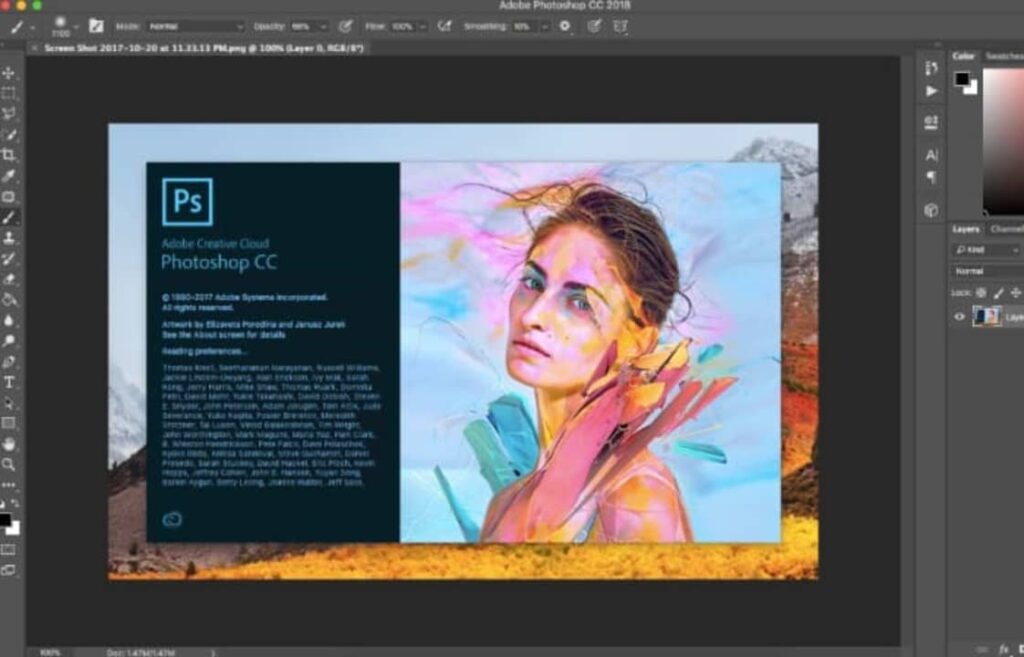
Adobe Photoshop is one of the most widely used digital tools in the world for photo retouching.

Figma, the competition aiming to absorb Adobe

Figma, a vector editing platform, offers a very useful and valued service as an alternative to Adobe Illustrator. However, if Adobe’s acquisition for $20 billion goes through, everything would remain within the same house. Yet, considering it’s an acquisition within the competition itself, it’s entirely natural for Europe to activate anti-monopoly mechanisms.

Adobe has been on computers around the world for decades. With multiple services surrounding it and iconic applications like Illustrator, Photoshop, Premiere, or Audition, among others, the digital work sector largely evolved due to the existence of these types of tools.

Figma DOWNLOAD

A dress that changes design in real time? An Adobe scientist shows us

Have you ever fantasized about how convenient it would be to have your clothes change at the touch of a button? We have good news for you: a group of Adobe researchers has managed to do it.

Have you ever fantasized about how convenient it would be if your clothes could change with just the touch of a button? We have good news for you: a group of researchers at Adobe has managed to achieve this through a dress capable of changing patterns in real time.

Adobe Photoshop CC DOWNLOAD

This interactive dress is part of Project Primrose, an intelligent material developed by a group of scientists at Adobe. It is composed of reflective light-diffusing modules that can turn entire surfaces into content screens. The material can be used in all kinds of garments and accessories such as bags, or even furniture. Moreover, it is a non-emissive technology with very low power consumption.

Christine Dierk, a research scientist at Adobe, was the one who showcased the smart dress during the Adobe MAX 2023 conference, held last week in Los Angeles. The Primrose Project dress was one of the most applauded and captivating products of the event.

With just a press of a button, Dierk changed the design of her dress four times in less than a minute. The modular fabric incorporates sensors that respond to movement, and as Dierk spun, the design spread across the scales of the dress.

The so-called next-generation fabrics like those in the Primrose Project can do practically everything: change color, adjust to temperature, and more. Not long ago, during Paris Fashion Week, we saw model Bella Hadid being covered with a white spray that later transformed into a white midi dress.

Although these advancements are currently confined to labs and runways, they also give us a glimpse of a future where clothing becomes another technological product. Would you be willing to wear this kind of clothing in your everyday life?

Adobe Photoshop CC DOWNLOAD

How To Add A Signature To PDF

If you’ve ever had to sign contracts or documents in the ‘90s, you’re sure to remember the burden of having to wait for a fax-line to open up, printing out docs, signing and re-faxing it back to the recipient. It was a paper-trail nightmare, and the wait was rather frustrating. 

It was soon replaced with scanners, a considerable step up from faxing, but you still needed a printer and paper. Fortunately, PDF documents with e-signatures are now widely accepted and deemed legal and binding. All it takes is a few quick clicks of a button, and your contract or document is legit.

What is a PDF document?

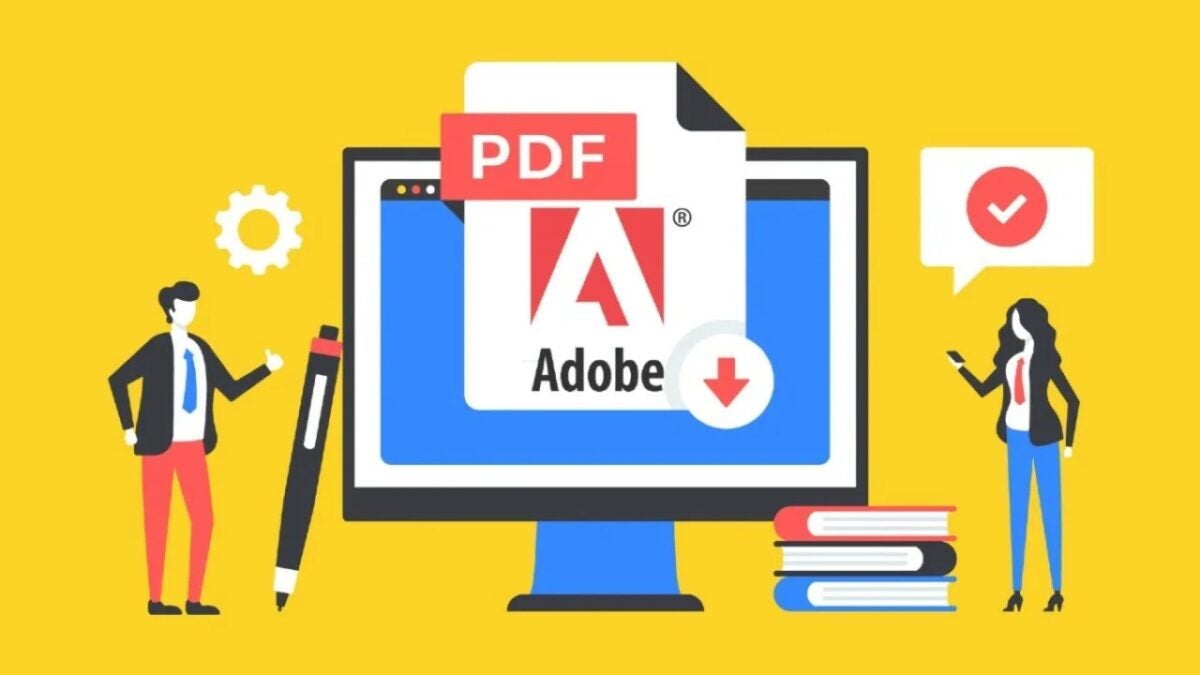
Portable Document Format files, or in short PDF, is a file format used to send printable documents on the web securely. Once you’ve formatted a document into a PDF file, only the file creator can make changes to it, making it a secure method of sending confidential information via email. You’ll recognize it by the .pdf at the end of a file name. 

How to add a signature to PDF

If you need to place a signature on a PDF document, here’s the process:

  1. Go to Adobe Acrobat Reader on your device and open it.
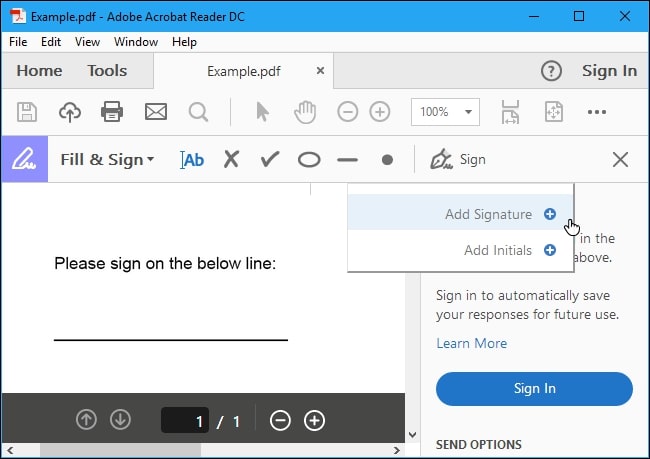
  2. From the ‘Tools’ option, choose the ‘Fill and Sign’ icon. 
  3. Click on the ‘Sign’ icon and then choose ‘Add Signature.’
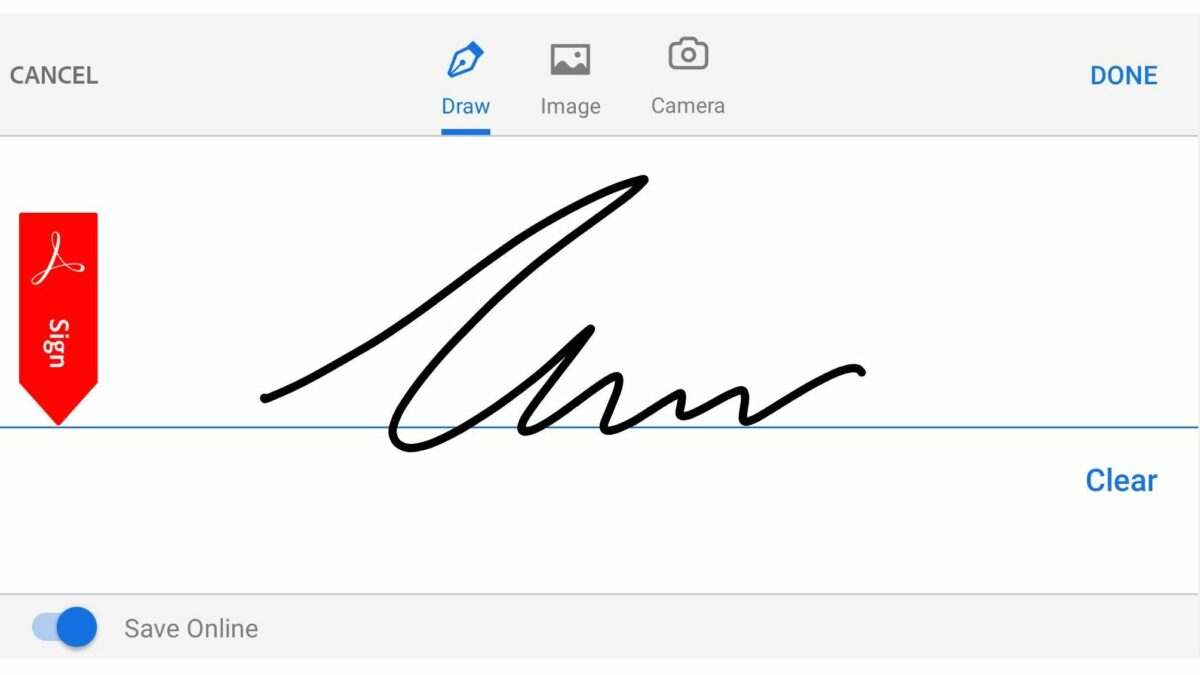
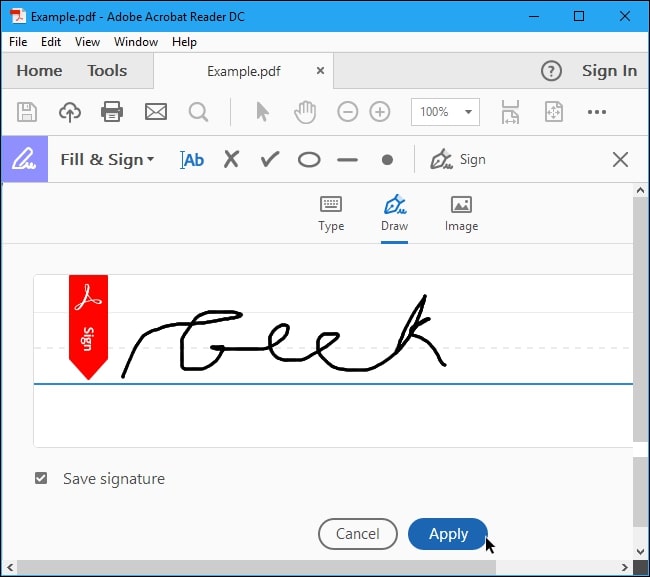
  4. You’ll see a popup on your screen with three options: ‘Type,’ ‘Draw,’ and ‘Image.’ Choose a method and add your signature. Then press the ‘Apply’ icon.
  5. You can drag, position, and resize the signature on your PDF file.

Adobe Reader DOWNLOAD
8

Why can’t I open any PDF files?

If your PC or laptop is running on Windows 7 or earlier programs, you’ll need to manually download a PDF reader program such as Adobe Reader to access PDF files. You can also try Foxit PDF or Javelin PDF. Using PDF is free, fast, and safe.

Foxit PDF DOWNLOAD
7

The million-dollar signature

Signing documents electronically makes life and work so much easier for everyone involved. It has the most extensive benefit when team members work together across the world, or you’re unable to attend a significant meeting. Do you often add a signature to PDFs for your projects? Feel free to let us know.

Adobe Spark: Finally! An easy-to-use powerful graphics program

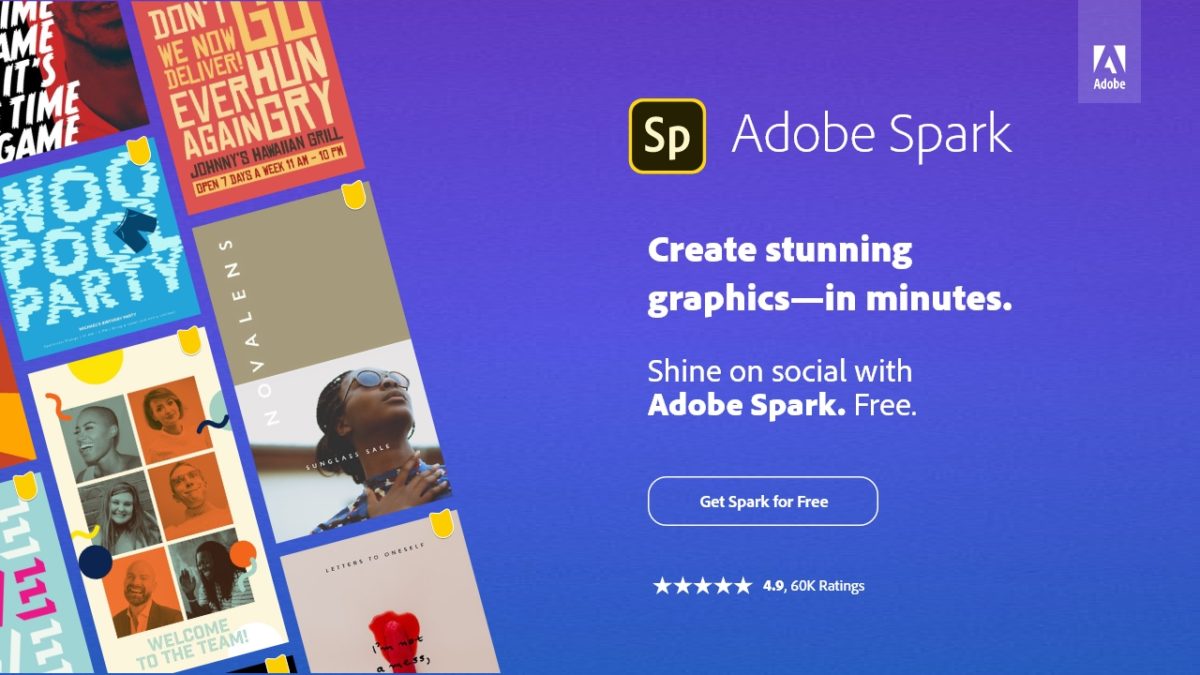
If you’ve ever tried to work your way through creating a graphic in Adobe Photoshop, you know how complicated it can be. Without spending hours learning the program, you really can’t get very far. Perhaps sensing this, Adobe has now released an amazingly robust graphics program called Spark – and it can be yours to use for two months completely free. 

On your desktop AND in your pocket 

The program is available in both a desktop and mobile version, so you can have access to the tools and graphics you need when and where you need them.

Spark’s desktop site lets you create graphic content across three different verticals: web pages using Spark Page; videos using Spark Video; and graphics using Spark Post

Creation is a true pleasure, thanks to Spark’s bright, user-friendly interface with simple navigation tools. To add something to a page, for example, you simply click the “+” button and choose what it is you want to add: video, text, graphics, etc. Easy, right? Even the video creation tool is a cinch to use. The templates let you simply add some text and photos and the program whips it all up into a professional-looking clip in seconds.

Screenshot


Once your Adobe Spark account is created, you can access your projects on your mobile device as well. (Right now, Adobe Post is available for both Android and iOS, while Video and Page are only available for iPhones and iPads.) 

ScreenshotSpark Free

You can toy around with both the desktop and mobile versions of Spark free of charge and see just how easy it is to create professional graphics, posts, web pages and videos with a super-simple interface loaded with impressive tools. The thing is, what you can accomplish will be extremely limited as access to all of Adobe’s glorious templates, graphics and fonts will be restricted. Plus, anything you create will have the Spark logo embedded. Still, it’s a good way to see just how easy and intuitive the software is. 

More than likely though, you’ll want to upgrade to the Premium version.

Spark Premium

When you sign up for the Premium level of the software suite, the brakes come off and you’ll be able to create practically any creative project you want simply, quickly and professionally. Plus, thanks to Adobe’s special Launch Promotion, you can get Adobe Spark to use absolutely free for two months!

Screenshot

Doing so will unlock a treasure trove of templates, graphics and fonts. Here’s what you get by upgrading:

  • Create, add to, manage, and share your assets with CC Libraries in Spark
  • Invite others to work on your branded projects and easily tag-team edits
  • Create from branded templates and themes made just for you
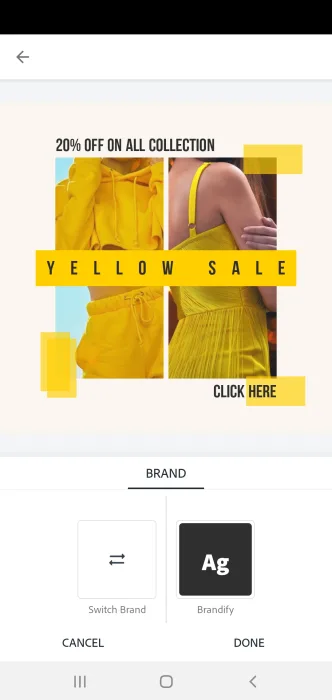
  • Easily switch between brands while editing your project to boost your productivity
  • Remove the Adobe Spark watermark from all your projects—forever
  • Access the complete library of beautiful Adobe Fonts and premium templates

There’s really no reason not to give the whole, beautiful, unrestricted software suite a spin. Then, if you decide you don’t need all it offers, it’s simple to cancel and owe nothing further.

Spark is also available in a team version that provides extra licenses and 24/7 tech support via phone, email and chat. See here for more details.

Adobe launches Spark, offers US customers big savings

Let’s face it: creating social media posts, web pages and video clips is hard work. And, if you’re a new brand, a freelancer or a small company struggling to turn a profit, it’s extra tough to focus on this critical part of your marketing program – yet hiring a firm to take care of your branding and graphics can cost a small fortune. Enter Adobe Spark, an all-in-one software suite that arms you with everything you need to create professional graphics, posts, web pages and videos with a super-simple interface loaded with impressive tools. The program is available in both a desktop and mobile version, so you can have access to the tools and graphics you need when and where you need them.

While you can play around with both the mobile and desktop versions of Adobe Spark for free, taking advantage of all the software offers requires a subscription. Fortunately, Adobe is offering new US subscribers the chance to try out an Individual premium subscription with a 20% discount on your monthly subscription.

Adobe Spark Desktop

Visit Spark’s desktop site and you’ll be given the option to create graphic content across three different verticals: web pages using Spark Page; videos using Spark Video; and graphics using Spark Post. Each category then offers a range of templates to help get you started. Choose “Graphics,” for example, and you’ll be presented with a range of options for Facebook, Twitter and Instagram posts and ads, as well as templates for print applications. 

Creation is a true pleasure, thanks to Spark’s bright, user-friendly interface with simple navigation tools. To add something to a page, for example, you simply click the “+” button and choose what it is you want to add: video, text, graphics, etc. Easy, right? Even the video creation tool is a cinch to use. The templates let you simply add some text and photos and the program whips it all up into a professional-looking clip in seconds.

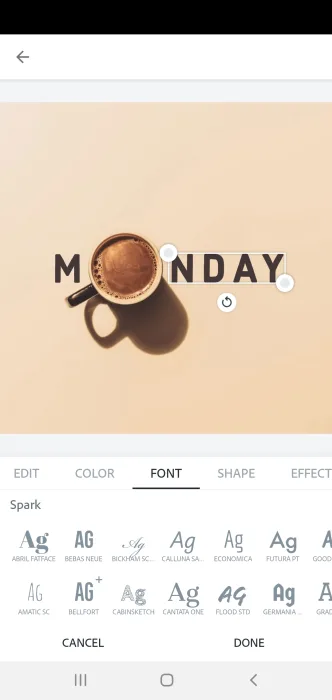
What’s more, Adobe Post doesn’t stop at just helping you create logos and static posts. Once again, through some template wizardry, it’s easy to choose posts that move subtly, with text that materializes out of thin air or graphics that zoom into view in a way that is sure to catch the eye of any scroll jockey. And speaking of graphics and text, the software offers you a dizzying (in a good way) assortment of fonts, images, vector graphics, backgrounds and much, much more.


Spark Mobile

Once your Adobe Spark account is created, you can access your projects on your mobile device as well. Right now, Adobe Post is available for both Android and iOS, while Video and Page are only available for iPhones and iPads

Screenshot

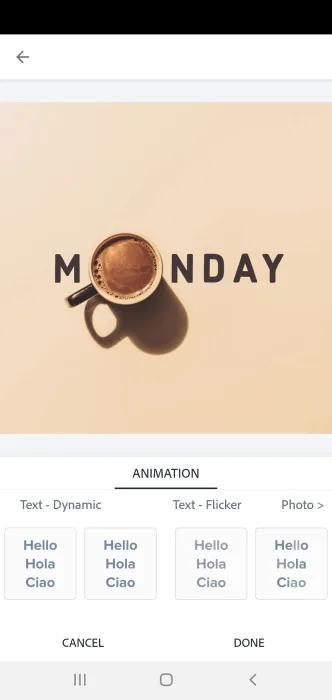
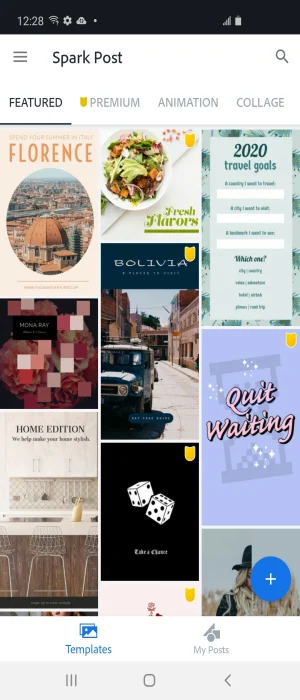
In all cases, the same ease of use carries through. Launch Adobe Post, for example, and you can sort your templates by categories including collages, animations, seasonal, lifestyle, business and more. Tap into a template, tap “Remix this template”, and you can make it your own in a few minutes, changing photos, colors, text, adding animations, dropping in your logo, and more. 

Screenshot

Pricing and features

As we mentioned, it’s possible to use Adobe Spark at no charge, but your access will be limited to just a few basic templates, and the work you create will have the Adobe Spark logo embedded in them. We think the much better deal is to try out an Individual subscription, which the company is offering free for two months. Doing so will unlock a treasure trove of templates, graphics and fonts. Here’s what you get by upgrading:

  • Create, add to, manage, and share your assets with CC Libraries in Spark
  • Invite others to work on your branded projects and easily tag-team edits
  • Create from branded templates and themes made just for you
  • Easily switch between brands while editing your project to boost your productivity
  • Remove the Adobe Spark watermark from all your projects—forever
  • Access the complete library of beautiful Adobe Fonts and premium templates