How to make a presentation on Apple Keynote

Apple Keynote is a presentation tool that comes with all iOS devices like Macs, iPads and iPhones. It’s not available for PCs, where PowerPoint and Google Slides, among other programs, are mostly used to make presentations. But you can save Keynote documents as PowerPoint files or import and edit PowerPoint documents in Keynote. This can be very helpful, for instance, if you want to collaborate on a presentation with someone using a different operating system.

Among Keynote’s advantages are how easily you can incorporate charts and graphics into your presentations. They are easily accessible in the toolbar. Here’s a quick guide to making presentations on Apple Keynote.

Getting started with Apple Keynote presentations

Keynote has at least 30 templates to use when you’re determining the design of your presentation. They will give whatever you do a professional look that will have our viewers sitting up and taking notice. You can also download themes if you think they will show off your presentation’s personality and style better.

With Keynote, similar to PC presentation tools, you also build your presentation using slides. But Keynote goes a step further with a touch interface that allows you to draw and sketch on your slides. To make your presentations pop, you can also add elements like text, images, video, and animations, including 2D, 3D, and interactive options. Our step-by-step guide will help you quickly create a Keynote presentation.

  1. Choose a theme

    How to make a presentation on Apple Keynote

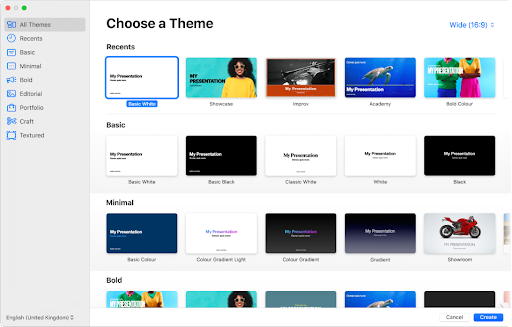
    Keynote offers layouts for slides grouped into themes. You can use them to give your presentation an overall cohesion in its design. Each slide layout includes images and text that you replace with your own content as you go along. To get to the themes, open Keynote, then go to the theme chooser. You can look at themes you might want to use by category or open All Themes and double-click the one you want to open.

  2. Choose a slide layout

    How to make a presentation on Apple Keynote

    To choose a layout for the first slide of your presentation, click the Slide Layout button in the Format sidebar. Each layout has its own unique design containing placeholder images and text. The idea is for you to replace it with your own content of text and images as you create the slides for your presentation. You can add a slide, replace or delete one at any stage.

  3. Add your own content

    How to make a presentation on Apple Keynote

    To add text, you have to double-click the placeholder text in the slide layout design, then type or copy and paste your own text in its place.

    To add an image, drag one onto a placeholder image in the slide layout design to replace it with your own image.

  4. Save your presentation

    How to make a presentation on Apple Keynote

    When you have finished adding your own content to as many slides as you have decided to use in your presentation, you should save it. Then you’ll be able to access your presentation easily when you want to show it to others. If you have iCloud set up on your device, Keynote will automatically save your presentation there.

  5. Play the presentation

    How to make a presentation on Apple Keynote

    In the toolbar, you will find a big Arrow sign. Click on it to play your presentation. To look at each slide in turn, press the arrow key once to look at each slide in turn. Have a good look at your presentation to ensure you’re satisfied with how it looks before you show it to other people

  6. Finish and close the presentation

    How to make a presentation on Apple Keynote

    To indicate that you have finished your presentation, press the Escape key. 

    If you want to close your new presentation, click on the red Close button. And you’re done! You have made your first professional-looking presentation on Keynote and are ready to show it to your clients or colleagues!

It’s fun with serious intent

It’s enjoyable to play around with Keynote, trying out different designs for your slides and learning how to quickly and easily replace the placeholder images and text with your own. Doing so will ensure that you are totally familiar with the software. This will give you confidence in your ability to use it to create brilliant presentations.

Remember, though, that the core of this software has very serious intent. It’s a sleek Apple product with all that implies: excellent design at your fingertips using remarkably easy tools to locate and use. But you don’t have to spend a considerable amount of time looking for clever new ways to incorporate what you want to show off in your Keynote presentations.

Everything you need has been arranged in the software to find exactly what you need with very little effort. It will seem much easier than you ever anticipated to make your presentation pop than with any other software out there designed for you to use for making presentations. So, get ready to enjoy the process!
Everything Apple unveiled at today’s keynote

Can Apple overthrow Netflix, Visa, and the digital news ecosystem?

Today was “Show Time” at the Steve Jobs Theater in Cupertino, and the company proudly announced four new innovations they’re bringing to the public – some won’t be here until Fall 2019, others you can get right now. Take a look:

Apple News+

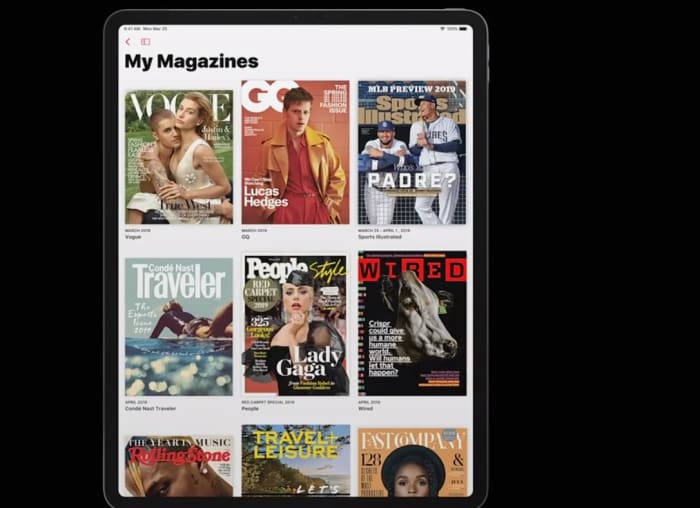
Tim Cook announced at today’s keynote that Apple News has become the leading news app on mobile devices, with over 5 billion articles read per month. Now the company is aiming to widen the news net by adding a subscription service that also includes popular magazines and digital media. Cook praised “the power of journalism and the impact it can have on our lives,” and the new Apple News+ service adds big names like Time, Vogue, People, National Geographic, Popular Science, Billboard, The New Yorker, Sports Illustrated, and Fortune.

Apple News+ magazines
You can now access your favorite magazines on your phone

The service covers “over 300 magazines across all sorts of topics,” said Apple’s Vice President of Applications, Roger Rosner, “all in a single package. Once you’re in the tab, all you have to is tap on a cover and you’ll be brought to the table of contents. Some articles may even have moving images like in Harry Potter, or animated headers or cross-outs, and there will also be a section specifically tailored to your preferences and previous viewings.

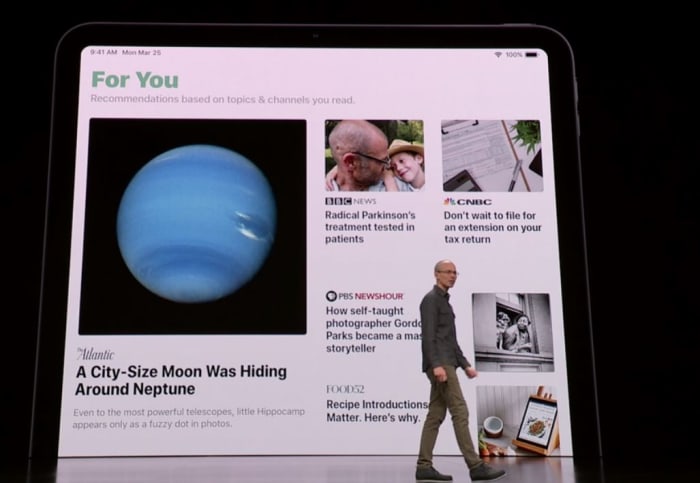
Apple News+ For You
See your recommended articles and publishers all in one place

Subscribing to this many magazines would take over $8,000 a year, but through Apple, it’s all available to you for a monthly fee of $9.99. The first month of the service is free, and it’s available in the U.S. and Canada right now. Apple News+ will reach Australia and the UK later on this year.

Apple Card

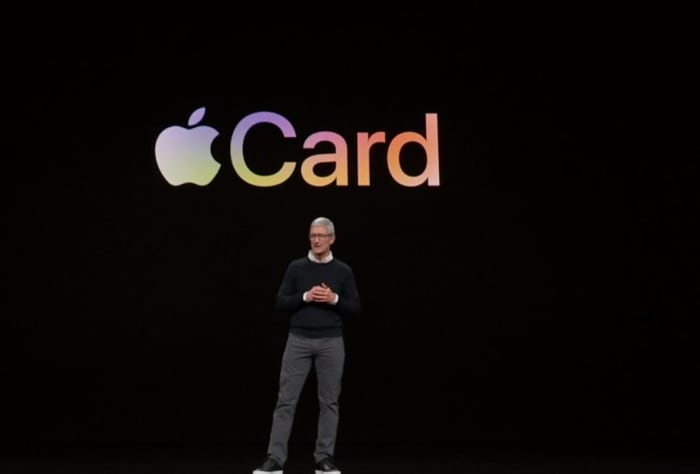
Apple Card announcement
Apple cuts out the middle man, offering their own new credit card

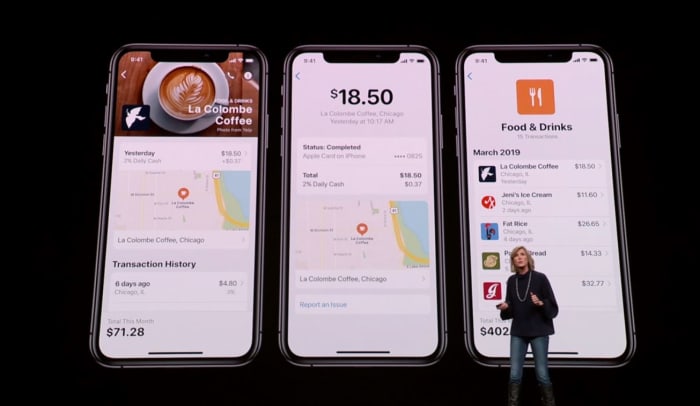
Cook said Apple Pay is the “simplest, most secure, and private way to pay.” The service has seen a great response since its launch. According to Cook, it will soon pass 10 billion transactions in over 40 countries. To take its success to the next level, Jennifer Bailey, the VP of Apple Pay, announced that Apple has “completely rethought the credit card [to encourage] a healthier financial life.”

Jennifer Bailey Apple presentation Apple Card
Track and manage your spending easier than with Apple Pay’s new update.

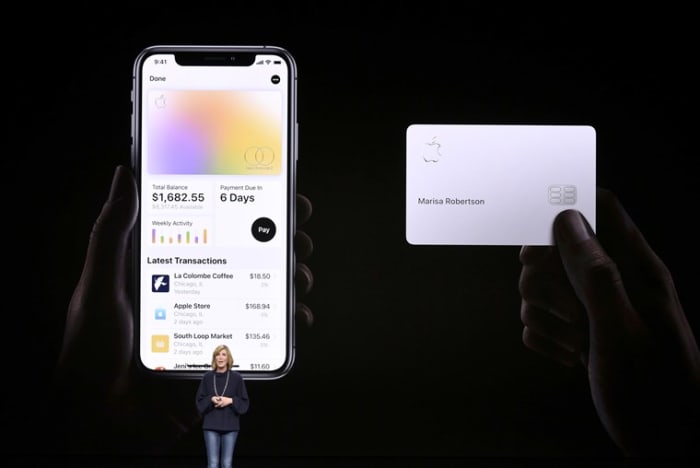
This innovation comes in the form of the Apple Card, a new credit card that’s the result of Apple’s new partnership with Goldman Sachs and MasterCard. The new card comes with a unique number stored in a security chip, and can only be verified through touch or face ID any time you use it to make a purchase. The card also focuses on user privacy, and Apple guarantees they have no way to track what you bought with the card, how much you paid, or when the transaction was done. The Apple Card doesn’t even have any numbers or cvc; all that information is in the wallet app.

Apple Card
The new Apple card is sleek, safe, and secure.

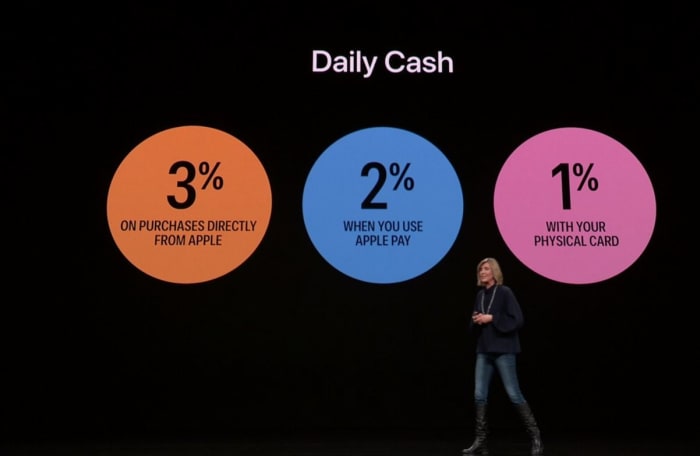
The Apple Card was made to help users avoid high interest rates and to help keep better tabs on payments. The new Daily Cash feature also allows users to receive 2% daily cash any time you use Apple Pay, 1% any time you use the Apple Card, and 3% any time you purchase directly from Apple.

Apple Card Daily Cash percentages
Enjoy immediate cashback with every purchase you make with Apple Card

The amount of Daily Cash you can receive is unlimited, and the Apple Card will be located in the wallet app starting this summer.

Apple Arcade

Apple Arcade announcement
The upcoming Apple Arcade service offers over 100 unique games to subscribers.

Apple’s App Store is now visited by half a billion people each week, and the most popular category is games. According to Tim Cook, iOS is now the largest gaming platform in the world, and over a billion people have downloaded games from the app store: a collection of over 300,000 games, both free and paid.

Apple Arcade creator collaboration announcement
Apple is directly collaborating with game creators to bring this collection to subscribers.

Apple Arcade aims to shine the spotlight on the paid games, which are often overlooked and overshadowed by the more enticingly-priced free games. These are “games that redefine games, both curated and backed by Apple” says the company, and Apple Arcade will offer over 100 games when you subscribe – games that are not available anywhere else, and new titles will be added frequently. Even better news is that all the games can be played on or offline, and will never have ads, additional purchases, or track or mine any of your user data.

Apple Arcade affiliates
Apple is proud to have teamed up with these companies and more to make Arcade possible

Apple Arcade will be available in over 150 countries around the world this Fall, though Apple did not yet specify pricing.

Apple TV+

Apple TV+ announcement
Apple TV+ is an upcoming subscription that adds both unique and simplified content to your home.

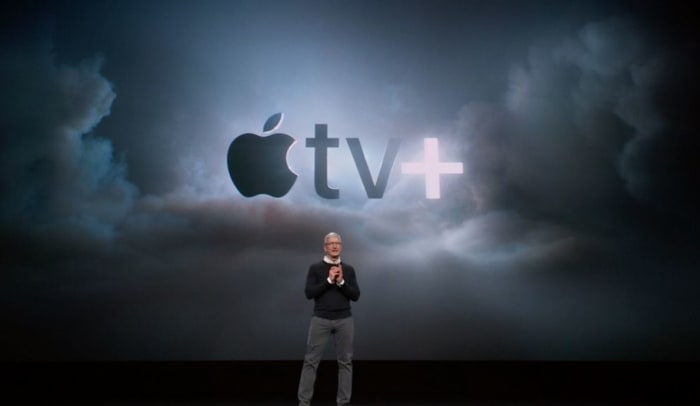
Lastly, Tim Cook introduced a new paid subscription service to Apple TV: Apple TV+. Like Netflix, this lets users “pay for only the channels they want – all in one app with the password you already have.” It enables you to “watch everything on-demand and add-free, online or offline” with a subscription that also allows for family sharing.

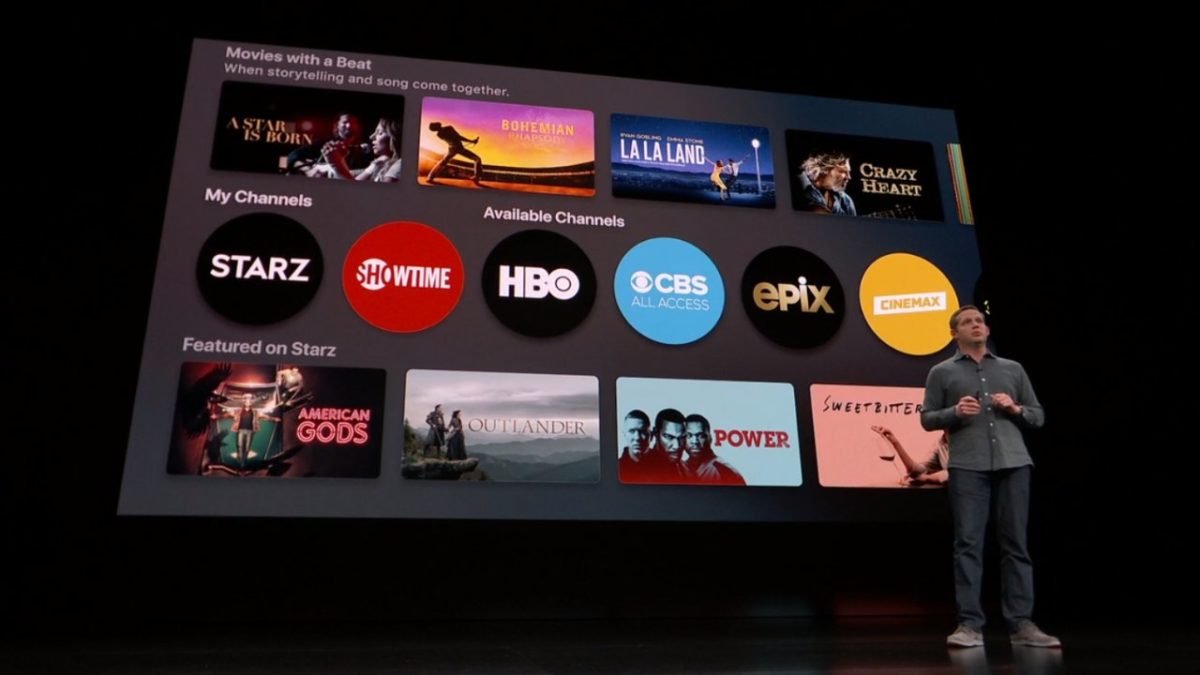
Apple TV tabs
Apple’s tv streaming platform is about to become much more user-friendly and accessible

Apple TV+ has redesigned the app so that it’s both easier to use, and also offers exclusive content that’s both recommended to you and that’s completely fresh and new. It’s got movies, sports, news, network tv, HBO, Showtime, and even a kids mode that makes Apple TV+ “a safe place to explore together.”

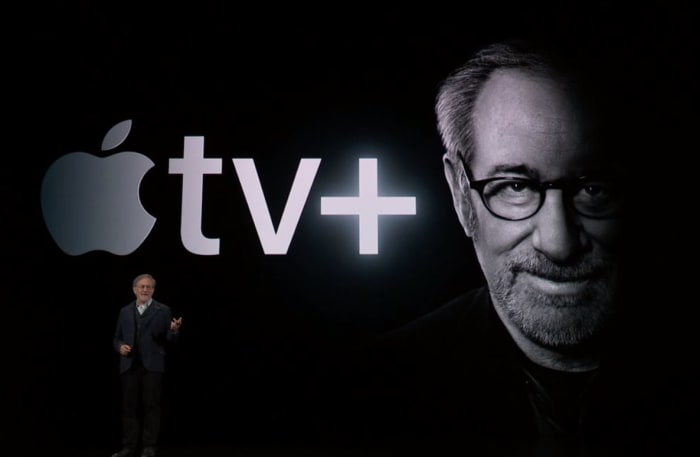
A number of guest celebrities greeted the audience at today’s event, including Oprah Winfrey, who’s bringing a new book club to Apple. And Steven Spielberg is partnering with Apple to revive the “Amazing Stories” series he produced in the mid-80s.

Apple TV+ Steven Spielburg
Steven Spielberg made a surprise appearance, championing Apple TV+ and introducing his new show.

The ad-free subscription service will be available across 100 countries starting this fall, with “commitment to quality story-telling” that can be watched on all devices both on and offline. This also includes series such as “Little Voice,” “The Morning Show,” “Sea,” “Little America,” and the Sesame Street spinoff “Helpsters” for kids.

Apple TV+ Helpsters
Apple TV+ will also feature “Helpsters” among other programs for children.

We’ll also get the general software update that will bring Apple TV to all devices this May. For the first time, this software will also be usable on Mac (but that will be later this year). Apple has also partnered with leading Smart TV partners in hopes of integrating Apple TV and Apple TV+ with this growing market as well. Again, no prices were given yet, though a family plan was mentioned.

Apple TV+ Smart TV partnership
Apple teams up with big names in Smart TVs with Apple TV+

This announcement marks an exciting new series of innovations from Apple, with the general theme of a safer, more private experience between the company and user, while simultaneously attempting to bolster the community’s internal networking and the sharing of culture to a medium that’s (as Winfrey put it) “in a billion pockets.”

Will you be subscribing to any of these new products? Let us know in the comments below which you’ve got your eye on, and stay tuned for more news as it’s made available.

iOS 7: What can we expect from Apple’s September 10th keynote?

It’s (almost) iOS 7 time! The Apple keynote is September 10th (that’s tomorrow!) and it’s one of the most highly anticipated Apple events yet. Naturally, everyone is making assumptions about what will be revealed.

Apple events always trigger this sort of bookmaker fever. Journalists, developers and enthusiasts are always speculating, imagining, and betting on what Cupertino has in store for the World. And this time is no exception.

What everyone already assumes will be the heart of the event is the announcement of iOS 7 (which we tested for you immediately after the WWDC in July.) iOS 7 could be made ​​available for download at the same time as the event or, more likely, next week.

ios7_homescreen

Home screen of the new iOS 7

There’s a remote possibility that the version of iOS 7 for iPad will launch after the iPhone version, seeing as the new iOS beta has shown greater stability on the smartphone than on the Apple tablet.

One new element we expect to see at the event is the fingerprint reader, which will be integrated into mobile devices. It seems that, for the moment, it will only serve to unlock the screen, but it would be very convenient if it also became the central function for managing the new iCloud Keychain.

Some updates to OS X 10.9 Mavericks might also sneak their way into the keynote on Tuesday. We’ve already talked at length about the changes introduced in the new operating system for Mac, but this time an official release date will be announced, which could be in the very near future. There might even be a few other surprises.

The other major software news will cover the iWork ecosystem. The beta of iWork for iCloud has been available to developers since June, and in a few weeks everyone with an Apple ID will be able to try it out. It’s likely, therefore, that September 10th will be the official final launch.

iWork for iCloud

And that’s not all. 9to5mac.com suggests that the iWork suite for Apple’s iOS will be made free. The proof? A screenshot taken on an iPhone with iOS 7 beta 3, which shows iWork listed in the category of recommended free apps from the App Store. This would be a very interesting step for Cupertino in the battle against Microsoft and Google on the wide range of office suites.

If we add to this juicy software news the notion that the Keynote is likely to present the new iPhone (the 5S and probably the 5C, the first plastic Apple smartphone), then you have more than enough reasons for tuning into the Keynote.

Follow all the action from the Apple keynote on our News section.

Live: GSMA keynote – Moving towards an open mobile ecosystem

worlg.jpgWe’re live at the GSMA World Mobile Congress where we’re about to see what Microsoft CEO Steve Ballmer and Nokia chief Olli-Pekka Kallasvuo have to say about the future of mobile development. President of AT&T Ralph de la Vega will also be speaking at the event, which will examine how the World’s most advanced companies can open up the mobile ecosystem.

12:30 – Again Steve talks about Windows as an open platform, highlighting the fact that the company has needed to create many partnerships to address the issues of security, usability and interoperability. He sites the current example of the new Windows Mobile 6.5 and Windows Phones that were announced yesterday as an example of how Microsoft is working with devices and operators to achieve innovation. He concludes by reassuring the congress that “no matter what goes on with the global economy, technology is on a forward, upward, and exciting curve.”

12:23 – Steve echoes Olli-Pekka’s comment that no single company can create everything that’s needed to achieve mobile innovation. He stresses the need for tech companies to work together to assemble powerful solutions for customers. The companies that succeed will be open companies, whether that’s in terms of open source, open platform or open standards. Steve’s really keen to make Microsoft sound open. He points out that MS has benefitted 100,000s of companies in the software and hardware world. According to him, for every dollar that Microsoft makes, other tech companies will make $18 as a direct result.

12:15 – According tio Steve consumers now want their work lives and their home lives to be converged. PCs, phones and TVs will be the key factors in ensuring that users are always in touch with all their data. We’re seeing the development of more natural user interfaces and technologies such as touchscreen, speech recognition and handwriting input. Pretty soon the need for a personal secretary will go, and you PC or mobile device will be able to respond to your voice commands and take care of all your tasks and schedules for you.

12:13 – Steve says that “optimism should not be scaled back” despite the global financial downturn. He believes that the power of ideas and innovation should be used to drive the industry forward. More than 3 billion people now use a mobile phone and the number of these people who are using smartphones will increase drastically in the coming years.

12:10 – Steve Ballmer is up now and the tension hots up. Ballmer begins by charting the incredible changes that have happened in technology in the last 25 years and how PCs, the Internet and phones have changed the way people do things. He brings up the subject of the financial crisis, which he calls the ‘economic reset’. He says that this must not, and will not stop the growth of innovation, and that openness is needed in order to deliver greater value to customers in these times.

12:08 – The Nokia chief admits that times will be tough during the current financial climate, but that the mobile industry is in a strong position. He points to mobility as a “positive factor for change in people’s lives”. He calls on the mobile community to nurture an ecosystem that will be long and prosperous, pointing out that no one company is big enough to do this on its own. Partnering will be crucial and companies must have the courage to break from convention. Continue reading “Live: GSMA keynote – Moving towards an open mobile ecosystem”

Why Keynote is better than PowerPoint

Keynote logoWhen it comes to presentations, most people use Microsoft PowerPoint but for me, Apple Keynote beats it hands down everytime. PowerPoint isn’t a bad application (it’s one of Microsoft’s better efforts in my opinion) but it does not produce the slick, polished results you get in Keynote and putting it together simply isn’t as much fun. It says something that Al Gore’s award winning Inconvenient Truth presentation/documentary was produced using Keynote.

Apple’s flagship presentation program is easy to use yet generates drop-dead stunning presentations from photography portfolios to business presentations.

Keynote Screenshot 1

The final result you get with Keynote is something akin to a cinematic presentation rather than the rather stale efforts you get with PowerPoint. The reason is that PowerPoint is optimised for Windows but Keynote is optimised for Macs and where anything that’s design orientated has been optimised for Macs, there can be few arguments which is going to be better.

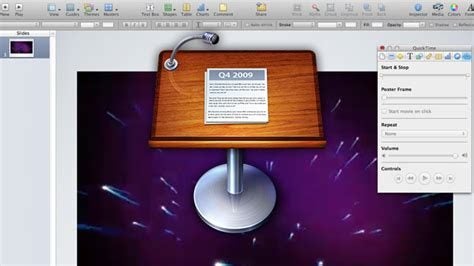
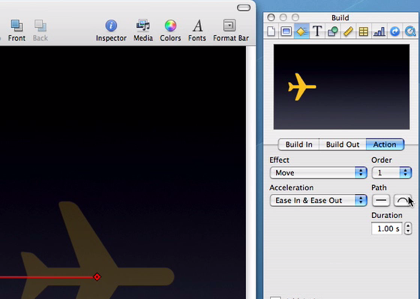
In keynote, you can add slick transitions and effects that are simply not possible with PowerPoint, including animated moving objects. Adding and removing backgrounds is simply a drag and drop process with Instant Alpha and there are some stunning themes to choose from. Photo presentations are particularly easy – you only have to drag and drop photos and Keynote does the rest including choosing the transitions and even the backing music.

Keynote Screenshot 2

The typography, as in all Mac applications, is naturally better in Keynote. And importantly, Keynote allows you to export to several different formats including QuickTime, PDF, JPG, Flash and PPT so that PowerPoint users can at least still view what you’ve produced, even if they can’t edit the presentations in Keynote – more’s the pity for them.