The new Outlook, the redesign of the Microsoft messaging application, is about to receive important improvements that will greatly enhance the usability of this email service. The reason, once again, is Copilot, whose functions based on Artificial Intelligence will result in an increase in the services that Outlook will offer in its new application, both in its web version and in its desktop application version.
Outlook, within the Microsoft work ecosystem, is one of the most important applications, since, despite the evolution of digital environments, email messaging continues to be a fundamental part of all types of businesses. Therefore, this improvement, which will bring AI functions to Outlook, will have great value for those who use this platform daily.
As Neowin highlights, Microsoft Copilot continues to advance within the company’s productivity ecosystem to provide all kinds of services. Thus, when the new Outlook has Copilot integrated into its system, it will have very useful functionalities similar to those found in services like Teams, with flagship tools that allow summarizing messages thanks to Copilot’s ability to extract key ideas from all kinds of texts.
Microsoft 365 Copilot
The Co-pilot Career
Microsoft Copilot, whose features are now being implemented in the new Outlook, has been since 2023 one of Microsoft’s biggest weapons to implement improvements in many of its services and applications. In fact, there have been countless updates to its services, where these AI-based improvements have served to showcase a new portfolio of services, as can be seen in applications like Edge, Teams, Work, Excel, and many others.
However, it is not something unique in the technology industry, since in addition to Microsoft with Copilot, there are many brands that are making a great push in Artificial Intelligence to offer new services and more attractive functionalities for users and consumers. An example of this would be Samsung’s Galaxy AI in its flagship mobiles such as the Samsung Galaxy S24 or S23, in Grok, Elon Musk’s AI that works both on X (Twitter) and in his Tesla vehicles, or even Microsoft’s own competition, Google, with systems like Google Gemini to enhance its own workspace.
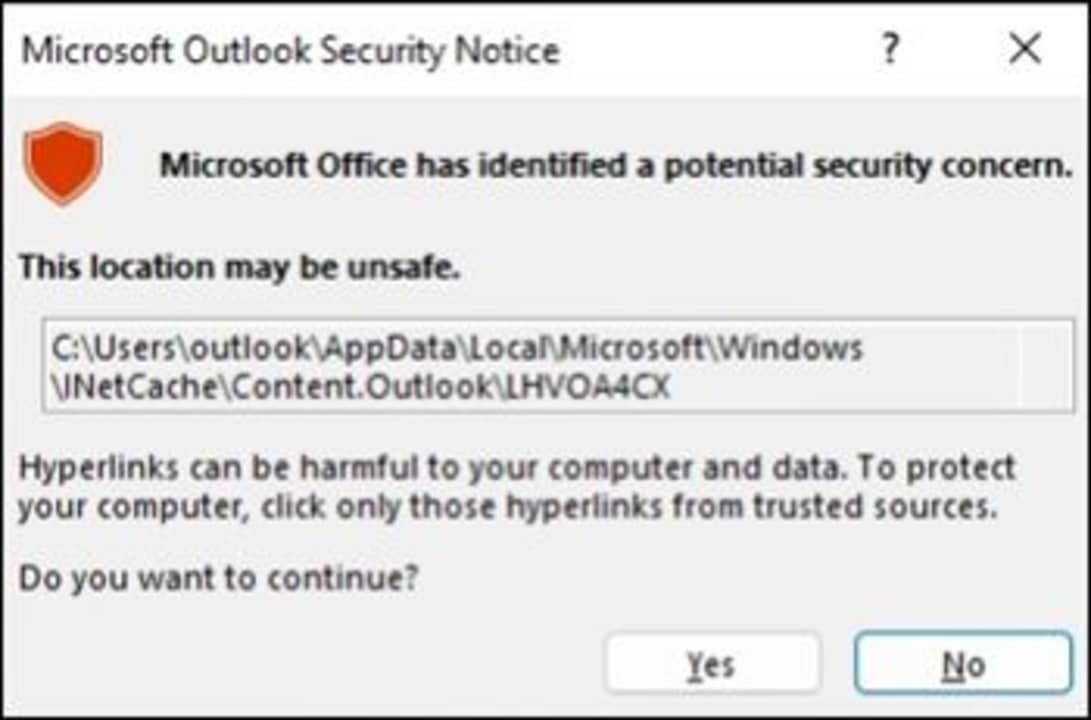
Microsoft has reported a security advisory in Outlook that occurs after installing the security updates released in December. Known as CVE-2023-35636, this issue is classified as important and could allow the disclosure of NTLM hashes (which store passwords on devices), although its exploitation by cybercriminals is unlikely.
According to Windows Report, the error occurs when clicking on a .ICS file, displaying the following message: “Microsoft Office has identified a potential security concern. This location may not be safe.” However, the security warning or vulnerability itself does not pose a threat unless you open a specific file from an attacker.
Microsoft has also published a recommendation on how to stop receiving this message by changing a registry key. To do this, users must open the Registry Editor (by searching for it in the search bar) and go to the following path (without the quotes): “HKEY_CURRENT_USERsoftwarepoliciesmicrosoftoffice16.0commonsecurity”. Once there, we must look for the DWORD “DisableHyperlinkWarning” and change its value to 1.
However, it should be noted that by changing this DWORD in the registry, all security warnings from Microsoft Office will be disabled, not just those for .ICS files. Microsoft is aware of this issue and claims that it will be fixed in a future update.
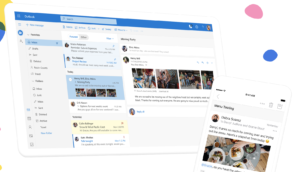
Outlook, the email service owned by Microsoft, is undergoing significant changes in its new service, which continues with a very clear goal of placing the user at the center of the equation. For this reason, a new update with numerous improvements and changes will allow all users to enjoy a much smoother and satisfying experience.
Microsoft is constantly working to improve the quality of its services and to promptly address any issues that may arise. This new Outlook update, outlined in the company’s roadmap, is the latest step in ensuring that Microsoft 365 users have a system in the best possible conditions.
As Microsoft explains in the update notes, numerous changes have been made in the Microsoft Outlook application with this new patch. The most notable changes and implemented features include:
Support for ICS files.
Improvements in message list selection.
Quick actions.
Subject-based message searches.
Scheduling hours in different time zones.
Enhancements in folder list experience.
Folder searches.
Reminder window.
Searching for messages related to specific content.
Additionally, they outline their future plans for Outlook:
The definitive integration of Copilot.
Dictation.
Keeping rejected meetings without deleting them.
MSG file support.
POP3 account support.
Sharing local files.
Integrated Teams search tab.
Sharing calendar notifications for work events.
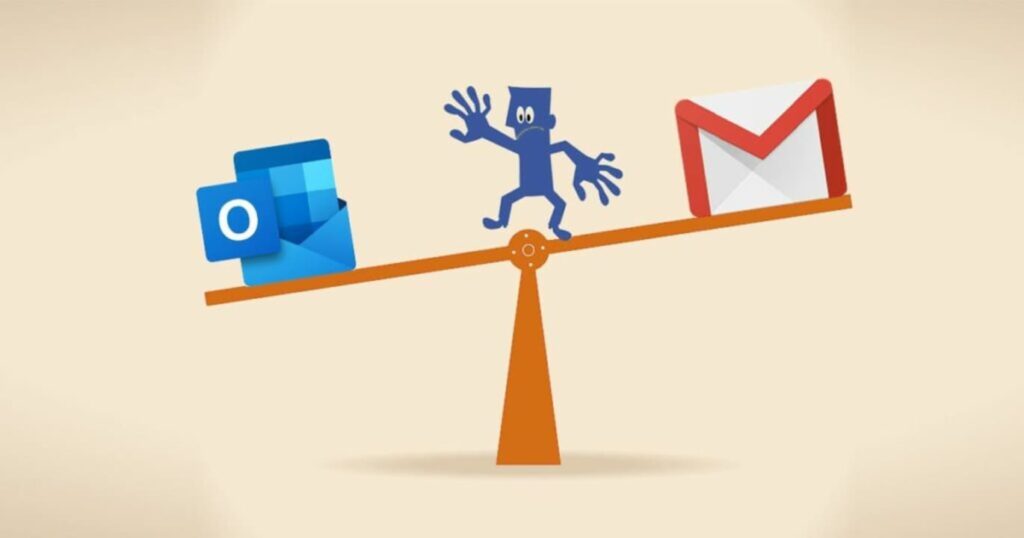
Outlook and Gmail are two services that continuously work to enhance our productivity with new additions.
One of the main messaging networks
Outlook, under the Microsoft umbrella, has long been one of the major messaging brands on the internet. Gmail claimed the throne in this market through its development on Android smartphones, but even long before that, Outlook was already a prominent brand in this segment.
To continue maintaining its position as a powerhouse in messaging, Outlook has, in recent months, undergone significant announced changes, such as its completely revamped interface and the integration of Copilot into its system. This integration allows for assistance tasks that enhance the user experience in every possible aspect.
Gmail is one of the world’s most popular email services. A sleek, user-friendly interface and seamless integration with the rest of Google’s products are its top strengths. But if you use Gmail for work or have concerns about your privacy and personal data security, you might be considering a more secure alternative.
If you’re reading this article, you’re probably looking for a new email service to replace the “Big G.” But it’s not easy to find a platform that can stand toe to toe with Gmail in terms of services while protecting your privacy.
To lend you a hand, we have a roundup of what we consider to be the best email platforms of 2020. They’re easy to use and secure, so you’ll have total peace of mind about your data. We hope you find it helpful!
Why should I use an alternative to Gmail?
Every day, millions of users trust in Gmail as their means of communication with the rest of the world. If you have a Gmail account, you’re probably well aware of the ease and countless advantages of this platform. However, although Gmail seems like the perfect email service, it has an Achilles heel: the privacy of your personal data.
As you may recall, back in 2018, Gmail faced one of its biggest privacy scandals. News outlets such as the prestigious Wall Street Journal reported Gmail’s practice of scanning your inbox to collect information about your tastes in order to display relevant ads. What’s more, Gmail allowed app developers to sift through youremail so they could offer you a variety of deals. After this controversy, many Gmail users understandably lost all faith in Google and decided to switch services, choosing platforms that were more secure and respectful of their data.
But dubious privacy isn’t the only problem with your Gmail account. In terms of security, Gmail is not end-to-end encrypted, and this could be dangerous because third parties could get their hands on your emails. Finally, the platform only provides 10 GB of storage space for your email. That isn’t much, considering that you have to share it with the rest of Google’s services (Drive, Photos, etc.).
What features should I look for in a good email service?
Before we get to our favorite Gmail alternatives, let’s talk about what makes a good email service. Below are the key features that you should look for.
It should have end-to-end encryption- If you’re worried about security, make sure that all the messages you send are end-to-end encrypted. In other words, your intended recipient should be the only one who can read your message, and it shouldn’t be stored on any sort of external server. This is the same technology used by messaging services like WhatsApp.
It shouldn’t require you to provide personal data to open an account- Many email services are truly impressive but ask for an absurd amount of personal data when you try to open an account. If you value your privacy, think twice about providing all of the personal data that these online services request.
It shouldn’t have ads- Many free email services rely on ads for revenue. While they may seem harmless at first, they can become intrusive and annoying in the long run. What’s more, your email service probably shares your personal info, similar to Gmail, to tailor those ads to you.
The best Gmail Alternatives of 2020
1. ProtonMail
Let’s start our list with ProtonMail, one of the best Gmail alternatives out there. As the website boasts, it’s one of the world’s most secure email services, as all of its servers are in Switzerland.
To start using ProtonMail, you just have to create an account on the website (click here). You don’t need to provide a lot of personal information, nor do you have to download anything to use it on your PC, because you can check your inbox directly from the website.
As for privacy, all emails on ProtonMail are end-to-end encrypted to protect their content. That said, keep in mind that the “Subject” line of your emails isn’t encrypted, so never write any compromising information there.
Finally, it’s important to mention that ProtonMail’s interface is clean and intuitive, making it a perfect option for IT geeks and newbies alike.
ProtonMail can be used on the websiteor the apps for Android and iOS, which you can download below.
Tutanota is another great alternative to Gmail, especially if you’re concerned about keeping your data safe. You may not be aware of it, but Tutanota was the service that pioneered email with end-to-end encryption. With millions of happy users around the world, this service is worth keeping in mind.
Not surprisingly, one of Tutanota’s main strengths is its end-to-end encryption system. With years of experience in the sector, it works incredibly well. Tutanota protects all of the data in your emails, and unlike ProtonMail, it can even encrypt your “Subject” line. But that’s not all: even your calendar is end-to-end encrypted!
Another advantage of Tutanota is that you won’t have to deal with annoying ads. This email service is fully funded by donations and premium subscriptions, so you can write emails to your heart’s content without unnecessary distractions.
Get your free Tutanota account on the website by clicking here.
3. GMX
GMX (Global Mail Exchange) is an email platform that may seem a bit basic at first glance, but this excellent service has no reason to envy the greats in the sector. It provides a truly secure email service, a spam filter, antivirus software and even a calendar.
Once you open your account with GMX (click here to do that), you’ll get a total of 65 GB of storage space to use however you want. If that isn’t enough for you, don’t worry, because the service allows each user to create up to 10 different accounts.
Another of GMX’s strengths is that it includes a cloud storage service. You can use it to save all of your files and photos, which you can even access from your phone. To do that, you’ll need the app for Android or iOS:
Although GMX has a somewhat dated interface, it’s perfect if you’re looking for a secure email service that offers a lot of storage space. You can download its application for Windows below.
No self-respecting list of Gmail alternatives would be complete without mentioning its age-old rival, Outlook. Microsoft’s email service has more than 400 million users around the world, and in addition to being quite secure, it’s seamlessly integrated with the rest of the company’s products.
Analyzing Outlook, we can see that it’s very similarto Gmail. Featuring an attractive, user-friendly interface and multiple tools to improve your productivity (a calendar, notepad, a contact list, etc.), it’s designed for all Windows 10 users.
In short, if you use Microsoft’s operating system, you can’t go wrong with Outlook. Providing 5 GB of space for your email, it can be integrated with products such as Skype or OneDrive. Click here to register your Outlook account and download the app below.
To wrap up our list, Zoho Mail is an email service designed especially for companies and business, although it can also be used for personal email.
Zoho Mail’s excellent security features include end-to-end encryption and S/MIME message encryption. What’s more, as the website boasts, it’s a highly reliable service with a 99.9% uptime. That means you’ll never have to deal with your email server crashing again.
In short, Zoho Mail is a fast, user-friendly service. We highly recommend it if you have a business and are looking for an easy way to have an email address with your own domain.
You can visit the official website for Zoho Mail by clicking here and download the app for Android below.
We hope our roundup of alternatives to Gmail has been helpful to you. Do you know of any that we didn’t include on this list? Tell us about them in the comments section!
Considering a new email address? Maybe Gmail isn’t the way to go.
Chances are, you and all of your friends have a Gmail account. With a whopping 1.5 billion users, there’s a clear market preference.
Outliers seem to be limited almost exclusively to business emails, which, chances are, are linked to a Gmail inbox. Or, of course, the biggest competitor, Outlook.
But, it got us thinking, is Gmail better than anything else, or is the ubiquity chalked up to branding and aesthetics, in the same way that Apple has the market cornered on phones?
Gmail, of course, comes with a long list of benefits. They’ve added some welcome changes like predictive email text, which learns from your communication habits over time.
And there’s the fact that the platform is one piece of the Google suite — access your documents, plug into your browser, and you’ve got this interconnected system of tools. Pretty useful, right?
Anyway, Google has long had an impressive cloud-based AI built into their solution — this is how they identify spam, tag your senders, and keep unwanted addresses from making their way into your priority inbox.
But, it’s worth pointing out that some of the competitors out there have pretty solid solutions themselves. Here’s a look at some of the competing tools.
Best Gmail alternatives
Zoho Mail
Zoho, maker of a ton of free and affordable business tools has provided free hosted email for over a decade. G Suite’s professional Gmail accounts are $5 and $10 per user per month, so small businesses might like the fact that Zoho’s solution allows you to have a professional email for free.
Some key features include integrations with Zoho’s tools, like the CRM, Office features, and cloud-based collaboration. The collaboration features might work better for companies that do most of their collaboration internally, as this is basically an alternative to Google Docs — which most people have.
That said, some users have mentioned that this isn’t necessary as reliable as Google, especially in a business context. Zoho comes with a lot of features and it could help you become more efficient over time.
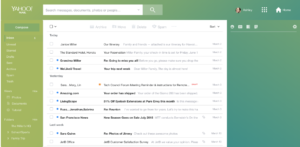
Yahoo Mail has been around for a long time. We’d even venture to guess that you used this tool before switching over to Gmail.
After a 2013 data breach, Yahoo Mail added extra security and new features. It’s had trouble shaking its old-school reputation, but the new Yahoo Mail is actually pretty good.
Like Gmail, Yahoo offers three different inbox layouts and you can customize spacing, color scheme, and so on.
Compared to Gmail, Yahoo’s organization process is a little different. Where Gmail allows you to set up tabs — Primary, Social, Promotions (customizable) Yahoo opts to sort emails by photos, documents, coupons, travels, and tutorials. (Which is a little strange, but you do you, Yahoo.)
Yahoo also provides some decent filtering options, but Gmail is ultimately more useful — allowing for more filtering criteria.
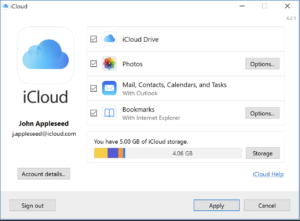
Apple’s email is free to anyone who signs up for an Apple ID. The iCloud mail has its fair share of fans, as its clean and simple, just like your iPhone and Mac.
Pros include 5GB of free online storage which spans calendars, backups, and documents: this includes everything — from photos to your email activity. You do have the option to buy more space, if needed. The app is ad-free, which could be a selling point in and of itself.
Unfortunately, iCloud Mail does not come with labels and search folders.
So this is not the best option for the Inbox Zero-obsessed users who file emails away as they work through the inbox. You also can’t access multiple email accounts from the web app, and mail is not accessible via POP.
Compared to Gmail, iCloud mail is pared down, ad-free, and feels like its designed for the no-frills user. iCloud won’t cut it for business — there just aren’t enough features. But, it’s a solid option for those who aren’t email power users.
Outlook
Microsoft’s Outlook is part of a suite of applications that allows you to stores emails, attachments, and organize your activities within your inbox.
Compared to Gmail, Outlook is the strongest competitor in the space. Microsoft offers integrations with the Office Suite, cloud storage, and an Immersive reader.
You can also open photos in the integrated photo viewer and save them to your OneNote Account. The platform integrates with Box, Google Drive, and Dropbox, and they turn blocking unwanted emails into an art form.
Both Gmail and Outlook offer 15 GB of storage free, however, Office 365 accounts offer 50 GB of storage. Labels and folders come down to a matter of preference. Outlook’s approach allows you to have labels and folders within the same system. Gmail’s labels are a way to sort emails into folders.
How to use Mailtrack to see when someone opens your email
Interestingly, AOL is trying to work it’s way back on your radar—just in time for Web 3.0.
We recently came across a HubSpot article that mentioned AOL’s email offering has unlimited storage. Still, we wonder whether it matters that AOL isn’t exactly fashionable in this day and age. Honestly, the internet hasn’t been around long enough for us to know whether it’s possible for a former titan to reclaim its crown.
Final thoughts
In the end, we don’t know if Gmail is the best email hands down. But things like the organizational tools, spam filters, and all-around reliability make us unlikely to forego our existing addresses for an iCloud inbox or looking back at AOL.
It is clear that because we’re all so used to using Google’s tools for much of our internet activity, that it makes sense to want to maintain that seamless experience.
It’ll be interesting to see which email providers stick around and whether we’ll make space for anything new. Newcomers have an uphill battle ahead, to be sure.
Lots of us use Outlook as a program to check our email. But did you know you can also use this software to read Gmail messages? It’s true! Today we’ll show you how to set up your Gmail in Outlook.
Enable Gmail
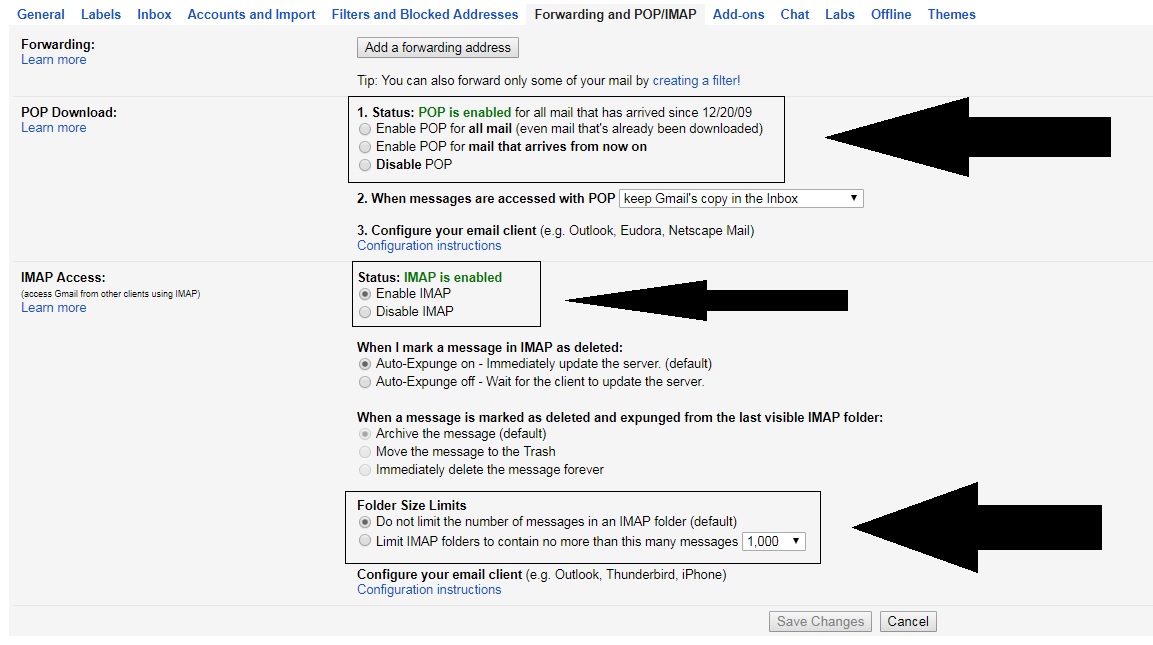
First of all, you must see if your Gmail account is enabled to send and receive email from other platforms. To do this, go to “Settings” and click on the field “Forwarding andPOP / IMAP” (depending on the version of Gmail you have, it can change names). Once inside, check three areas specifically:
“POP Download” is enabled.
“IMAP Access” is enabled.
The size limit of folders has no limits .
That done, let’s hop over to Outlook.
Quick and easy
Once you have Outlook open, it’s as quick and easy as clicking on the icon of three lines at the top and going to the “Information” section. Here, look for the first option that appears: “Add account.”
If you click on it, a pop-up window will appear where you can add your email address and password. After enabling everything in the previous step, the approval will take only a few minutes (and shouldn’t give you any trouble).
Congratulations! Now your email can find you wherever you go!