GTA San Andreas coming to iOS, Android and Windows Phone this December

Following GTA III and Vice City, Grand Theft Auto: San Andreas is coming to iOS, Android and Windows Phone this December.

Rockstar’s 2004 open world epic has always been a fan favorite. With it’s extensive car and character customization, huge map (for the time) and three very different cities to explore, San Andreas is a game you can truly get lost in. Much of the criticism of GTA IV came from disappointment that features in San Andreas were missing from Niko Bellic’s adventure’s in Liberty City.

Next month you’ll be able to return to CJ and San Andreas on touchscreen devices. Rockstar has optimized the game, giving it remastered graphics with better, more dynamic shadows and a longer ‘draw distance’ – so you’ll be able to see further into the distance.

More importantly Rockstar claims the touchscreen controls in GTA: San Andreas will be much better. Originally designed around gamepad controls, translating that to touch screens has been awkward in the past. GTA III and Vice City both suffered from fiddly controls, so we hope San Andreas improves things. The game will also have full controller support, so you should be able to play the game as originally intended if you have the right hardware.

RELATED STORIES

Minecraft 1.7.3 with Twitch.tv released next week

Mojang is preparing to release Minecraft 1.7.3 next week, which brings Twitch TV integration to the game.

Minecraft 1.7.3 is not as big as the last update (1.7.2: The Update That Changed The World). It’s mostly bug fixes, as well as the Twitch TV feature, which will allow you to easily broadcast your Minecraft games. Other changes are a new Mojang logo on launch, new ‘Notch’ shader added to ‘super secret settings’ and better fullscreen support on Mac.

If you own Minecraft and can’t wait for the official release, you can try out the pre-release ‘snapshot’, which has all the new features and bug fixes. Download the current Minecraft snapshot from Mojang. The game launcher allows you to switch between the current version and snapshop when you’ve downloaded it.

Download Minecraft for Windows/Mac

RELATED STORIES

Fans ask AOL to make Winamp open source so it can live on

Winamp is due to be shut down on December 20th, but it has legions of fans, and they don’t want to see the end of their favorite media player.

A website, Save Winamp has been set up, linking to an online petition which so far has around 20,000 signatures. The organisers are asking AOL to make Winamp open source, so it can be further developed by the community who love it.

The Save Winamp website features two videos, from YouTuber Jonathan Paula explaining why it’s so great, and a brief history of the app. The Brief History of Winamp is interesting, as it concludes the app has become bloated, meaning many people look elsewhere for a lightweight media player.

Making Winamp open source would mean premium features could be opened up for free. Currently you can upgrade Winamp for $19.95, which gives you unrestricted CD burning, MP3 encoding and native video support for popular formats including H.264 encoded video. Despite premium features, and not being as nimble or simple as it once was, Winamp is still hugely popular. It’s consistently in the top 10 most downloaded audio apps on Softonic.

AOL are not saying what, if anything, they plan to od with Winamp after December 20th. There are rumors that it could be sold to Microsoft, but it would be an unusual move, as Microsoft already have their own Windows Media Player. AOL wouldn’t gain anything from allowing Winamp to go open source, but it would generate a lot of goodwill.

Sign the Save Winamp petition.

RELATED STORIES

Grand Theft Auto V: Cheat Codes for PS3 and Xbox 360

Here are some of the cheat codes for Grand Theft Auto V, the amazing game from Rockstar. Get vehicles,gameplay help and more using the list below.

Unlike GTA IVGTA V doesn’t use the phone to enter the codes. You enter them directly into the game using button combinations. To get these items and upgrades, simply enter the button sequences in the order indicated and don’t pause the game.

List of GTA V Cheat Codes for Xbox 360

Changes in gameplay

God Mode (5 minutes of invincibility): RIGHT, A RIGHT, LEFT, RIGHT, RB, RIGHT, LEFT, A, Y

Bang Bang (Explosive Bullets): RIGHT, X, A, LEFT, RB, RT, LEFT, RIGHT, RIGHT, LB, LB, LB

Explosive Melee Attacks: RIGHT, LEFT, A, Y, RB, B, B, B, LT

Drunk Mode: Y, RIGHT, RIGHT, LEFT, RIGHT, X, B, LEFT (if you want to disable this mode again, enter the same code)

Recharge Ability: A, A, X, RB, LB, A, RIGHT, LEFT, A

Fast Run: Y, LEFT, RIGHT, RIGHT, LT, LB, X

Give Parachute: LEFT, RIGHT, LB, LT, RB, RT, RT, LEFT, LEFT, RIGHT, LB

Raise Wanted Level: RB, RB, B, RT, LEFT, RIGHT, LEFT, RIGHT, LEFT, RIGHT

Lower Wanted Level: RB, RB, B, RT, RIGHT, LEFT, RIGHT, LEFT, RIGHT, LEFT

Slidey Cars: Y, RB, RB, LEFT, RB, LB, RT, LB

Slow Motion: Y, LEFT, RIGHT, RIGHT, X, RT, RB (enter this code again to get to level 2, and a third time to get to level 3; if you want to disable this feature, introduce code a fourth time)

Get instant vehicles

Spawn Stunt Plane: B, RIGHT, LB, LT, LEFT, RB, LB, LB, LEFT, LEFT, A, Y

Spawn Duster: RIGHT, LEFT, RB, RB, RB, LEFT, Y, Y, A, B, LB, LB

Spawn Buzzard Attack Helicopter: B, B, LB, B, B, B, LB, LT, RB, Y, B, Y

Spawn Comet: RB, B, RT, RIGHT, LB, LT, A, A, X, RB

Spawn Rapid GT: RT, LT, B, RIGHT, LB, RB, LEFT, RIGHT, B, RT

Spawn Sanchez: B, A, LB B, B, LB, B, RB, RT, LT, LB, LB

Spawn Trashmaster: B, RB, B, RB, LEFT, LEFT, RB, LB, B, RIGHT

Spawn Limo: RT, RIGHT, LT, LEFT, LEFT, RB, LB, B, RIGHT

Spawn Caddy: B, LB, LEFT, RB, LT, A, RB, LB, B, A

Change Weather

RT, A, LB, LB, LT, LT, LT, X

(With this code, the weather will change cyclically, starting with a sunny day and ending with snow)

List of GTA V cheat codes for PS3

Changes in gameplay

Bang Bang (Explosive Bullets): RIGHT, Square, X, LEFT, R1, R2, LEFT, RIGHT, RIGHT, L1, L1, L1

Explosive Melee Attacks: RIGHT, LEFT, X, TRIANGLE, R1, CIRCLE, CIRCLE, CIRCLE, L2

Drunk Mode: TRIANGLE, RIGHT, RIGHT, LEFT, RIGHT, SQUARE, CIRCLE, LEFT (if you want to disable this mode, re-enter the same code)

Recharge Ability: X, X, SQUARE, R1, L1, X, RIGHT, LEFT, X

Fast Run: TRIANGLE, LEFT, RIGHT, RIGHT, L2, L1, SQUARE

Give Parachute: LEFT, RIGHT, L1, L2, R1, R2, R2, LEFT, LEFT, RIGHT, L1

Raise Wanted Level: R1, R1, CIRCLE, R2, LEFT, RIGHT, LEFT, RIGHT, LEFT, RIGHT

Lower Wanted Level: R1, R1, CIRCLE, R2, RIGHT, LEFT, RIGHT, LEFT, RIGHT, LEFT

Slidey Cars: TRIANGLE, R1, R1, LEFT, R1, L1, R2, L1

Slow Motion: TRIANGLE, LEFT, RIGHT, RIGHT, SQUARE, R2, R1 (enter this code again to get to level 2, and a third time to get  to level 3; if you want to disable this feature, introduce code a fourth time)

Get instant vehicles

Spawn Stunt Plane: CIRCLE, RIGHT, L1, L2, LEFT, R1, L1, L1, LEFT, LEFT, X, TRIANGLE

Spawn Duster: RIGHT, LEFT, R1, R1, R1, LEFT, TRIANGLE, TRIANGLE, X, CIRCLE, L1, L1

Spawn Buzzard Attack Helicopter: CIRCLE, CIRCLE, L1, CIRCLE, CIRCLE, CIRCLE, L1, L2, R1, TRIANGLE, CIRCLE, TRIANGLE

Spawn Comet: R1, CIRCLE, R2, RIGHT, L1, L2, X, X, SQUARE, R1

Spawn Rapid GT: R2, L2, CIRCLE, RIGHT, L1, R1, RIGHT, LEFT, CIRCLE, R2

Spawn Sanchez: CIRCLE, X, L1, CIRCLE, CIRCLE, L1, CIRCLE, R1, R2, L2, L1, L1

Spawn Trashmaster: CIRCLE, R1, CIRCLE, R1, LEFT, LEFT, R1, L1, CIRCLE, RIGHT

Spawn Limo: R2, RIGHT, L2, LEFT, LEFT, R1, L1, CIRCLE, RIGHT

Spawn Caddy: CIRCLE, L1, LEFT, R1, L2, X, R1, L1, CIRCLE, X

Change weather

R2, X, L1, L1, L2, L2, L2, SQUARE

(This code cycles through weather, starting with a sunny day and ending with snow)

[Original article written by Maria Baeta published on Softonic ES]

MORE GTA V

Get Infinity Blade free this week

Infinity Blade, the iOS hack and slash RPG, is free this week for Thanksgiving. Released two years ago, it was one of the most graphically impressive mobile games of its time, and still looks good today.

Using Epic’s Unreal Engine, which also powers titles like Bioshock Infinite and Mass Effect, Infinity Blade was possibly the first iOS game that looked like it could compete with console gaming. It has excellent touch controls, perfectly designed for phones and tablets instead of awkwardly trying to copy gamepad controls as many games attempted.

Infinity Blade runs on anything above iOS 3.2 – it’s surprising how far iOS has come in only two years! That means it’ll run on the iPhone 3GS and later models.

Infinity Blade sees you battling a series of titans in epic sword fights, eventually taking on the God King. As you beat titans, you’ll gain experience points which can get you better skills, armor and swords. It’s all portrayed in excellent, detailed graphics and is very addictive to play.

Infinity Blade is free this week, but parents be aware there are in-game purchases, which can be switched off in iOS settings.

RELATED STORIES

Can you order Thanksgiving dinner through apps?

Thanksgiving can be a hectic time for families. Traveling cross-country, or even cross-continent to get home, it’s a time of the year when people eat, drink, and generally catch up on life. Surely the holiday is too short to waste by losing hours in the grocery store?

Going shopping for Thanksgiving food once required a trip to the grocery store. As big retailers introduced grocery into stores like Walmart and Target, it made one-stop shopping truly possible.

Now stores have started online delivery, some with same-day or scheduled deliveries. Shopping through apps could greatly reduce trips to get supplies to host the perfect day, leaving you with more time to spend with your loved ones. So I took it upon myself to find out: can you really order your Thanksgiving meal through an app?

The list of ingredients will be:

  • Turkey
  • Stuffing
  • Gravy
  • Mashed potatoes
  • Cranberry sauce
  • Green bean casserole
  • Sweet potato casserole
  • Biscuits
  • Apple Pie
  • Wine

The apps that will be used are Google Shopping Express (also iOS) and Safeway Delivery (also iOS). Google Shopping Express is Google’s shopping partnership with some big-box retailers in the San Francisco Bay Area. Even though Google has partnered with brands like Target, Costco, and Walgreens, the stores do not carry entire inventory but a small selection that can be bought and shipped same-day if you meet the deadline. Safeway Delivery is a grocery app for Safeway, one of the largest supermarket chains in the United States.

While using an app may be convenient, when it comes to food you need to invest significant trust in the retailer that you’re going to get exactly what you ordered. Consumables can be effected by the weather and heat and being stuck in a delivery vehicle could result in some food being damaged. Also, you can’t ensure that the produce meets your own, perhaps exacting, standards. But if you are looking for extra supplies, then it could be a good option.

Ingredients

Turkey

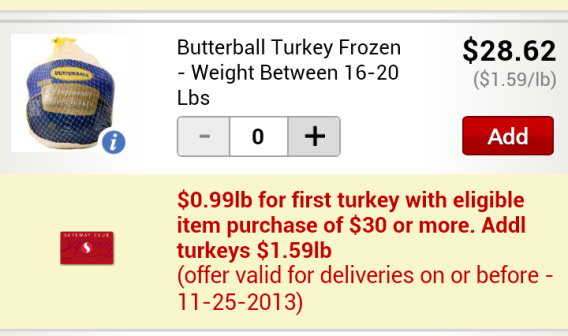
Safeway Delivery will deliver a turkey. Price varies depending on brand and weight.

Since Safeway is a big retailer, there are usually a lot of weekly deals for items. Since Thanksgiving is a big food holiday, Safeway is offering deals on a lot of its Thanksgiving-related food.

Stuffing

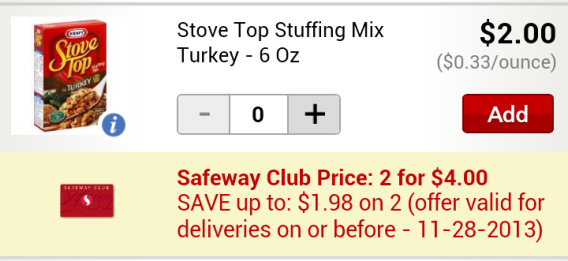
I don’t know how to prepare stuffing from scratch so I’d likely go for the boxed solution. Again Safeway Delivery offers lots of different mixes from different brands.

Of course, stuffing made from scratch will likely taste better than boxed stuffing, but if you don’t have a choice or aren’t too confident in the kitchen, then this is a good option.

Gravy

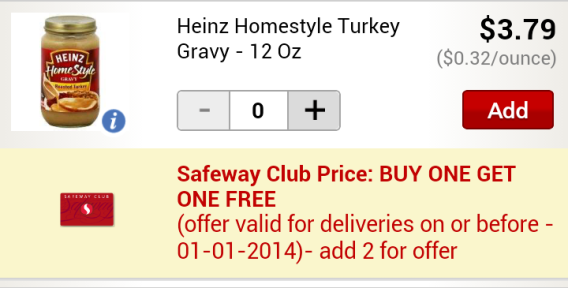
Safeway seems to have all the store-bought options for Thanksgiving and offers a lot of gravy options.

Mashed potatoes

If you’re going to serve mashed potatoes, you should make them from scratch. There’s a big difference in taste between instant and the stuff made from actual potatoes. But if you don’t agree, again, Safeway has you covered.

Cranberry sauce

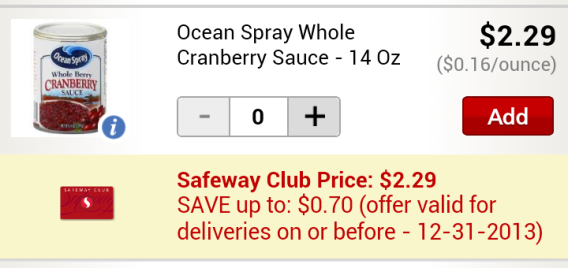
I’ve only ever seen cranberry sauce from the can, but I’m sure it probably tastes better homemade. Safeway’s got you covered here too.

Green bean/sweet potato casserole

Both casseroles are two things I couldn’t find. There are a lot of recipes that you can find online and you can order some pre-packaged vegetables, but you probably won’t be able to order exactly everything and may have to head to an actual grocery store.

Biscuits

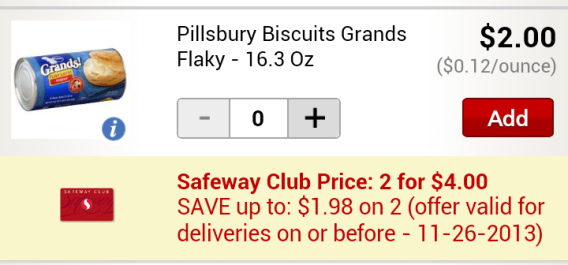
Pillsbury have great biscuits and you can order them through Safeway Delivery. Granted, scratch-made biscuits are probably better, but these biscuits are my personal preference. Like other available items, Safeway does have a decent selection of different bake-ready biscuits.

Apple Pie

The type of pie you want doesn’t actually matter – these apps will have most options covered. I chose apple pie because it starts with “A.” I found that Safeway does have pre-made apple pies that you cook in a conventional oven.

Of course, you might be better off convincing your grandma to make a homemade pie rather than one bought from the store.

Wine

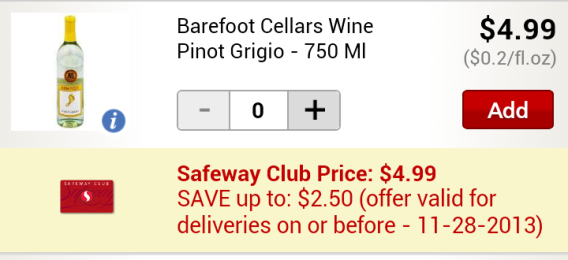
I don’t drink wine, but my family does during Thanksgiving. Also as someone who has no idea about wine pairing, I simply looked to see if ordering wine was possible.

You can. I’m assuming that $4.99 wine isn’t the best quality, but at least you can buy in bulk!

Safeway Delivery has more selection than Google Shopping Express

When searching through Safeway Deliver and Google Shopping Express, it’s apparent that Google Shopping Express’ lack of inventory won’t let you order enough products to make it worth ordering Thanksgiving or some other major celebration supplies through the app. Safeway Delivery carries the majority of ready-made products with the only missing items being pre-made casseroles.

So the answer is yes, you can order a ready-made Thanksgiving meal through a mobile app and have it delivered before Thanksgiving. That said, I think you could probably do better by rounding up your friends and family and persuading them to take part in a potluck or semi-homemade meal. Not convinced? Well, at the very least, pick up a bottle of wine, but try to do better than my $4.99 Pinot Grigio.

GTA V: 10 tips to complete missions

GTA V heists are high-tension missions worthy of major Hollywood blockbusters. These extraordinary robberies require extensive preparation and ultra-precise execution to avoid failing dismally. By following these 10 tips, you’ll increase you chances of surviving GTA V heists!

1. Use the approach that suits your style of play

You can choose between attacking with force, or using finesse.
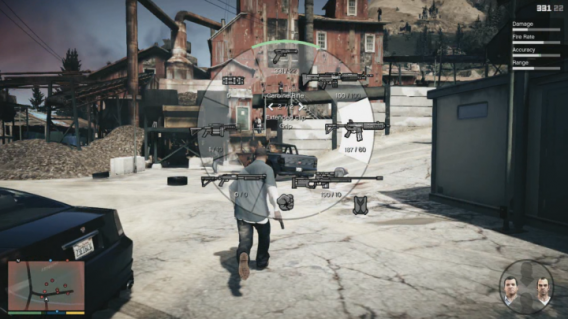

GTA V lets you choose your team’s approach for various heists, either attacking with force or using finesse. Choose the approach that best suits your style of play in order to minimize surprises. If you’re heavy on the trigger, for example, go for frontal attacks; otherwise, choose a stealth approach.

2. Be careful who you hang out with

GTA V lets you choose which teammates will accompany the heroes on each heist. Note that the more experienced teammates will expect you to pay them a larger share of the spoils. Whatever you do, give yourself a fighting chance and don’t skimp on good teammates. A novice can derail a prefectly planned heist, so make sure to replace your less experienced accomplices with professionals to put the odds on your side.

3. Train yourself!

You’ll have the opportunity to increase Franklyn, Trevor, and Michael’s statistics by having them perform auxiliary tasks. Driving through the streets of Los Santos will increase your driving, running, and cycling skills and improve your endurance, while flying lessons will turn your heros into flying aces. Sessions at the shooting gallery will improve each character’s handling of different weapons. As icing on the cake, you can increase your level of discretion by walking regularly in stealth mode and surprising passersby. All these skills will prove crucial in the most complex game missions!

4. Arm yourself!

Make sure your characters are properly equipped…

We can’t say enough about the importance of preparation for the success of heists! Before starting the main missions of the game, make sure that your characters are properly equipped by visiting one of the numerous Ammunation shops. Among the essentials are the bullet-proof vest, the shotgun for close combat, the sniper rifle, and the sub-machine gun, which your characters can use while driving.

5. Learn to fight

The gameplay of GTA shootouts is unique, and you’ll have to master the subtleties to overcome the toughest missions. Assisted power mode, for example, lets you move from one target to another in the middle of a shootout with the flick of the right stick. GTA V fights are among the most demanding of their kind, and this additional assistance could make all the difference in desperate situations.

6. Never lose concentration

Don’t count your chickens before they’ve hatched! GTA V missions are full of twists and turns. In other words, even if your plan seems to be going smoothly, you’ll never be safe from the unexpected, such as an accomplice with all the loot getting caught by the police! Stay alert and keep your cool until the end of the mission.

7. Don’t play the hero

In GTA V heists, your main goal is to come away with the loot, not to grandstand. Use the most effective solutions when things go sour, like headshots or heavy weapons. Better yet, avoid systematically fighting the police and hide when possible. Simply stay out of sight of your pursuers or hide if you nee d to!

8. Master character changes

Alternating between the three main characters in GTA V is the key to success.

Alternating between the three main characters in GTA V is the key to success for most heists. Franklyn, Trevor and Michael each have special abilities, and you’ll have to switch from one to another very regularly to carry out special tasks. Fortunately, a system of flashes of color will give you critical information about the status of each character. When a character has to be selected, the picture flashes white. A red flashing light indicates that the character is damaged and needs you to help him. Finally, a translucent portrait indicates that the character is not available.

9. Remember each character’s special skills

In the heat of battle, it’s easy to forget the special skills of each character. These benefits, however, can often make the difference between a mission accomplished with finesse and a dismal failure. For the record, Franklyn will slow down when he’s weaving a car through traffic to evade the police. Trevor becomes almost invincible for a short period of time and can do some pretty serious damage, very useful when you find yourself surrounded. Finally, Michael will slow down time during shootouts to aim better and carefully align his targets.

10. And if that doesn’t work, cheat!

If you’re a true gangster and would rather die than follow the rules, GTA V understands you! In it’s infinite kindness, the game gives you the ability to use cheat codes to unlock weapons, vehicles and other bonuses! To activate a secret code, simply enter the keystrokes in the order shown, without pausing the game. Warning: Once entered, these codes automatically disable trophies and achievements.

Original article written by Samuel Marc published on Softonic FR.

MORE GTA V…

Waze debuts celebrity voices (video)

Waze has partnered with Universal Pictures to bring the first celebrity voices for the social mapping app. Today, you’ll be able to use actor/comedian Kevin Hart’s voice as your personal navigator.

Earlier this year, Google purchased Waze for $1.3 billion and has left it alone as a separate mapping app from the company’s flagship Google Maps. Google has integrated Waze traffic alerts into Google Maps for Android and the web but hasn’t added any of Waze’s social features.

Waze is free and is supported by advertising for local businesses. This deal with Universal is another avenue for revenue for the mapping app. Kevin Hart is obviously promoting his movie, Ride Along, with a huge banner ad in the app.

To use hear Hart’s quips while you drive, head over to your Waze settings, tap on “Sound” and select “English – Ride Along” as your language.

Download Waze: Android | iOS | Windows Phone

Source: VentureBeat

RELATED STORIES

Microsoft promises to fix Skype

Microsoft’s transition from Windows Live Messenger to Skype has been rough; just look at the comments on our site about the subject. In an interview with The Verge, Skype product manager Jeff Kunins promises the company is working to fix Skype’s myriad of issues.

One of the biggest issues Skype is trying to tackle is how the messaging service works across multiple devices since there are apps for Windows, Mac, Android, iOS, and Windows Phone. Messages are often out of sync, not marking messages as read when a user has read it on another device. Users have also faced issues where notifications would be pushed to every device with the Skype app installed instead of sending the alert only to the active device. Kunins promises a fix in the near future.

“It’s one of those [bugs] that seems like it should be trivial, but it’s actually quite hard.”

Another frustrating issue with Skype sync is that a phone call will continue ringing on other devices even after you’ve picked up. “That’s just a fun bug we’re working on. It’s one of those that seems like it should be trivial, but it’s actually quite hard, especially on some platforms like Windows 8 or on the web,” says Kunins. The Skype team is still working on this bug and it will not be rolled out at the same time as the fix for messaging.

Kunins also reassures Windows Phone users that Windows Phone 8.1 will include a bunch of performance and bug fixes for Skype. The Skype team is working closely with the Windows Phone team to make sure the user experience is better.

Finally, Kunins addressed the issues Skype had after it was acquired by Microsoft. Video Messaging debuted on the iOS and Android apps, forcing Windows Phone users to wait a couple of months before it was rolled out. “It was just completely honest coincidence based on the fact that historically that sequence didn’t matter at all. On things like that, we’ll just do a better job at when we start things,” says Kunins.

Source: The Verge

RELATED STORIES

Steam Reviews beta begins, lets users rate games and software

Gamers who use Steam will finally get their chance to weigh in on their favorite games and software. Today, Valve is launching Steam Reviews in beta, allowing gamers to review any game or software they have purchased or registered using Steam.

This is a historic moment for Steam as this is the first time the service has allowed user reviews. Previously, Steam only showed the Metacritic reviews for games, which are combined scores from around the web.

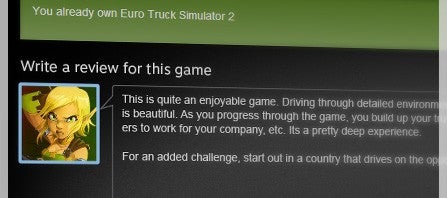
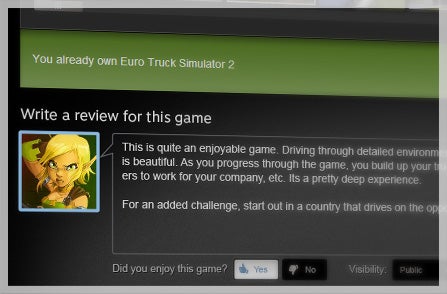
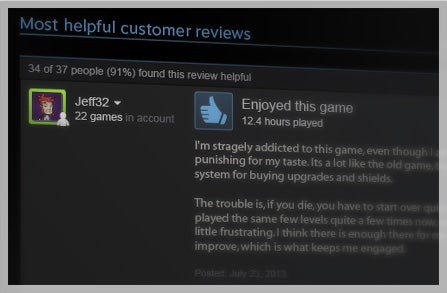
Steam Reviews review sample

To make Steam Reviews truly useful to users, Valve requires someone to have purchased or registered a game or piece of software before reviewing it, though Steam will allow reviews of games that made available during a “Free Weekend.” Steam will also show the amount of time a user has played a game or spent within an app so readers can know if a user gave the app or game a chance. User submitted scores can be marked as being helpful (or not), bringing more relevant reviews to the top, similar to what Amazon does with its product reviews.

This early beta won’t show an averaged user score, though Valve says they are “looking to add that during the beta.” Metacritic scores will still love on as a separate scoring system from user reviews so users have more info to make an informed decision.

Valve wants to make sure developers have an avenue to reach out to users who give negative reviews so they’ve built into a comment system for reviews. Developers cannot, however, delete negative reviews but can request a take down if a review is abusive or spam. Most recent reviews are also prioritized, giving users the most relevant information about how the game is now and not how it was at launch.

Download Steam for Mac and Windows

Source: Valve

RELATED STORIES