Winamp selling its OG skin as an NFT

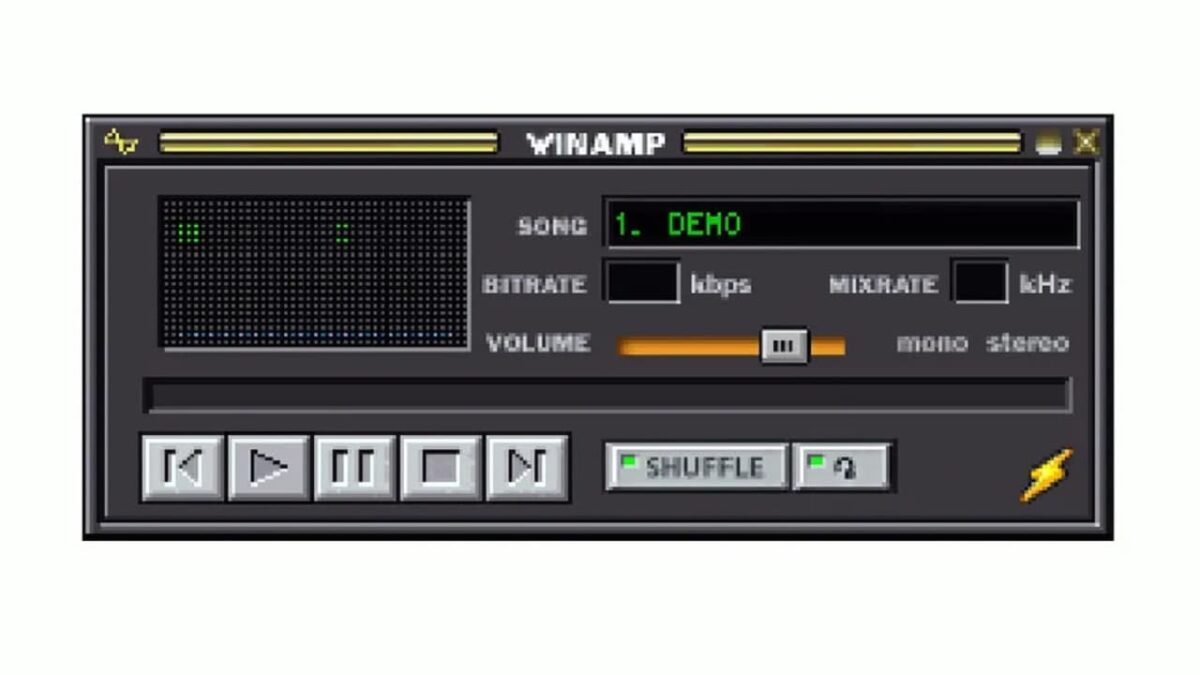
Winamp is all set to put its media player’s original 90s skin back on the map as a highly collectible non-fungible token. This catapults the company to the top of a list of other corporations turning their nostalgic brand experiences into modern art in the form of NFTs. But while most of these NFTs exist to line pockets and strengthen bottom lines by leveraging the public’s obsession with 90s nostalgia and collectibles, Winamp seems to be taking a more nonprofit approach to its NFTs.

The auction is set to take place between May 16th and 22nd through OpenSea, with all the proceeds going to Winamp Foundation. From there, Winamp has promised to donate the proceeds to various charity projects, kicking off with a generous donation to the Belgian nonprofit Music Fund. After the auction, Winamp will facilitate a separate sale of exactly 1997 NFTs based on 20 independent artworks taking inspiration from Winamp’s original user interface. 

To this end, Winamp has urged artists to submit their Winamp-based artworks for consideration as part of the publicity-cum-fundraising move. Submissions are valid between now and April 15th in preparation for the May auction and sale. In an attempt to sweeten the deal, Winamp is giving each accepted artist 20 percent of the proceeds derived from the sale of their images as NFTs. 19 of the 20 pieces will be sold in editions consisting of 100 copies each, and the remaining piece will have only 97. This clever nod to the 1997 era of Winamp’s music player means one of the 20 pieces will carry a higher numismatic value than the rest. 

The pieces are set to go on sale for 0.08 Ethereum, which converts to around $200 at the current exchange rates. A pretty penny to pay for a piece of digital history. 

The auction and subsequent sale, while excellent examples of corporate charitability, also serve a greater purpose within the structure of the company itself. The publicity from the NFTs could make a strong case for the success of Winamp’s return as a mobile audio app, staying true to its original purpose, although now owned by Radionomy after purchase from AOL in 1999. 

Stick with us if you’d like to learn more about how it’s poised to take the music sphere by storm with Winamp’s new beta relaunch. We also have a guide to the best Winamp skins.

Winamp new beta version for the relaunch of app

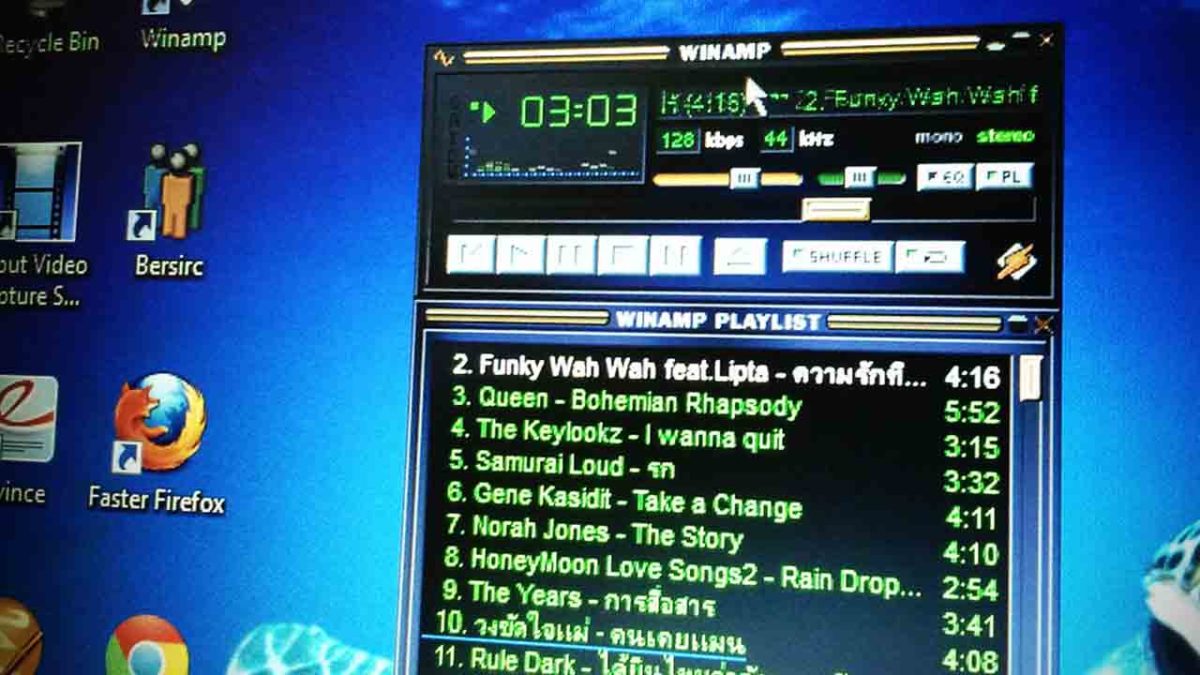
Do you remember Winamp that we used to use for playing MP3 songs on Windows computers? We haven’t seen many updates since 2013, but all of that is about to change. The music platform is about to receive a massive facelift, and the Winamp beta version will let you test the new upcoming features.

How to sign up for the Winamp beta testing

If you want to sign up for the Winamp beta version, you need to visit the official site, which will take you to the testing area. The latter will ask you for your name and email address, after which you’ll receive an email about your interest. As soon as the beta is available, you’ll be able to test the key features. 

Winamp new beta version

Regular updates about Winamp expected

It looks like the days are over for not receiving regular updates on this platform. There was a leak in 2018 about a new version, but nothing really came of it back then. Well, if you look at the new and upgraded Winamp site, it’s clear that they’re serious about it now.

Jeremy Scheppers, the head of product development for Winamp, indicated the excitement of the team for the release. They’re eager to see what feedback they get and how they can improve the app further.

Something musical this way comes

We didn’t think we’d hear about Winamp again, but it seems the development team is gearing up to show us something new. There’s no clear indication of which features will make an appearance, but we can’t wait to test it ourselves. We’ll update you as soon as we have more news.

Best Winamp skins

These are the best Winamp Skins
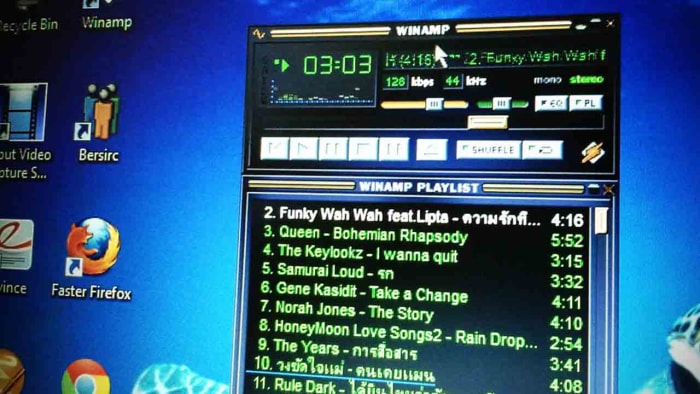
All the best Winamp skins

Nullsoft’s Winamp has been around forever. Back when you started downloading songs from Napster, Winamp was the best program to listen to them with. As other programs have come and gone, and the likes of the iPod, iPhone, and now Spotify have revolutionized the way we listen to music, it bears remembering that Winamp is still here and it is still going strong.

As well as Winamp’s ability to play many different types of audio files like MS-Audio, WAV, MP3, and AAC, one of the big stand out features for Winamp has always been its skins. Winamp skins have long given users a fun way to make their digital music player their own. Through the years there has been all manner of Winamp skin landing on the internet from classic Winamp 2 and Winamp 5 skins to skins of your favorite movies and shows. Let’s have a look then at some of the best Winamp skins you can download right now.

Winamp skins collection
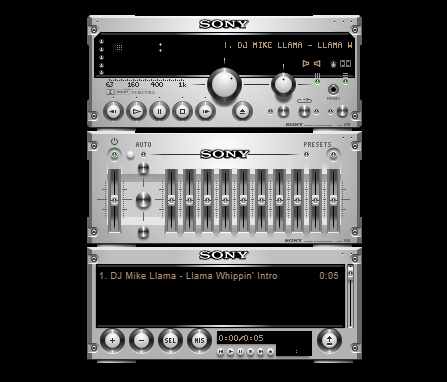
Expensive Hi Fi Skin

Expensive Hi Fi

Although a modern skin, the Expensive Hi-Fi Skin is an absolute classic for Winamp. The premise is simple, you make Winamp look a high-end separates stereo with each part of the Winamp console, including the main window and the playlist section, being a separate stereo module. There are lots of these to choose from. But this one stood out for us as the equalizer looks so good.
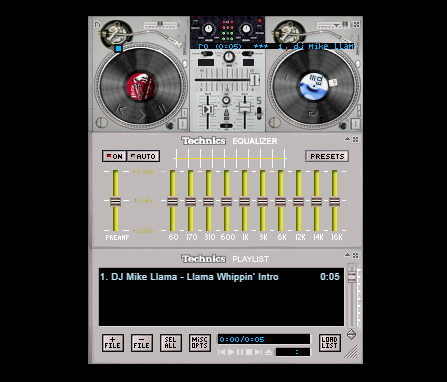
Technics 1210 Skin

Technics 1210

Most DJs simply mix with their laptops these days, but any DJ worth their salt learned their trade on a pair of Technics 1210s. These things were built like tanks and this skin does a fairly good job of recreating the old beasts with a decent mixer and equalizer to go with them too.
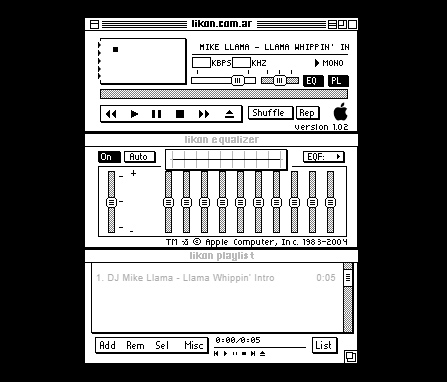
Old Mac OS Skin

Old MacOS

These days Winamp has quite a bit of nostalgic value to it. Like we’ve already said, there are now many other options out there for listening to music in many different formats. We don’t even have to download music onto our devices anymore. We still use Winamp though, for one reason or the other, with it definitely having a nostalgic feeling to add to it too. Well, how about this black and white original Mac-style Winamp skin to add to that nostalgic feeling?

Anime Winamp Skin

There are a lot of different Anime themed Winamp skins out there. This one from the classic movie Spirited Away. It is sleek and simple with a bold red on a black color scheme and a cool image to go with it.
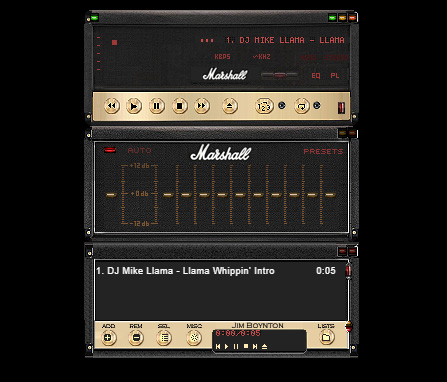
Marshall Skin

Marshall skin

This Winamp skin is so cool. It basically turns your Winamp controller into an epic Marshall amp, just like you’ve seen on stage at some of the world’s biggest rock concerts. If you’re listening to anything with a guitar solo of more than a minute, this is the skin you need.
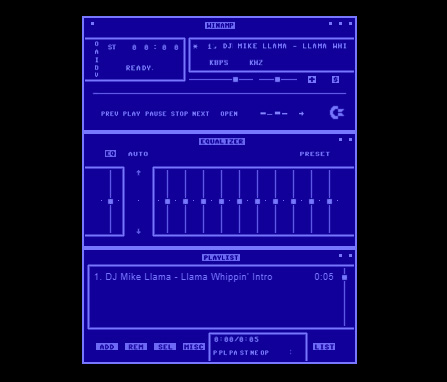
Commodore 64 Skin

Commodore 64 skin

This 64-bit skin is one of our favorites. It takes us back to the days when video games came on cassette tapes and you’d have to turn the tape over halfway through a load screen. This is nostalgic to the max and, with cyberpunk minimalism being very much on-trend, it looks great too and will definitely get people’s attention.

The Hustler Skin

The Hustler

This Winamp skin is just funny. It takes that classic image of the dog’s playing pool and turns it into a Winamp skin complete with pool balls as equalizer knobs so you can rearrange how the game is going by playing with the levels.

Wonder Woman Skin

Wonder Woman

Some people turn Winamp into what is essentially a poster that plays music. There are plenty of movie posters out there that people have turned into Winamp skins, but we’ve seen more Wonder Woman skins than any other movie. This is our favorite.

Super Mario Land Skin

Super Mario Land

This Super Mario Land skin is very cool indeed and is more than just a flat image. It depicts a number of different game worlds and houses the control buttons in the question mark chance cubes you find all over Super Mario World. The coolest bit, however, is the equalizer, which is series of Mario’s famous pipes with Piranha Plants sticking out. You mess around with them to change the levels of your music. It looks great.

Spiderman Skin

Spiderman skin

Another poster skin here. Although this is a basic skin with only minor button design, a main image, and a color scheme we still love it. The Spiderman image is as cool as they come. It’s almost like Winamp keeps pulling you back in with Spidey’s web. Just listen to one more tune…
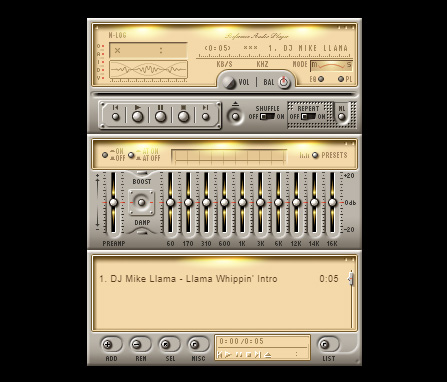
Nucleo Skin

Nucleo Skin

If you’ve ever seen or used an old school HAM radio, you’ll be familiar with the retro stylings of the Nucleo Winamp skin. Waveforms, KHZ, and analog buttons really make this skin stand out as a sleek and light offering.
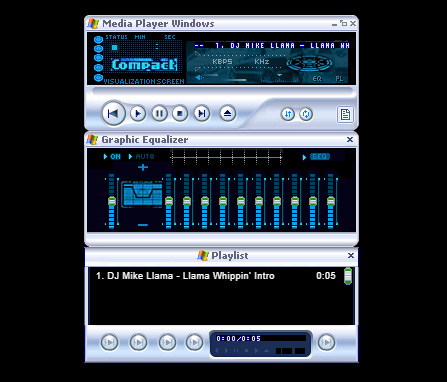
Windows Media Player Skin

Windows Media Player skin

The old Windows Media Player was likely what you used to listen to your tunes on before you downloaded Winamp, which was able to play a lot more file types than Windows Media Player could handle. If the old girl had a style you liked though, don’t worry. You can simply download this skin, which will make Winamp look like Windows Media Player.
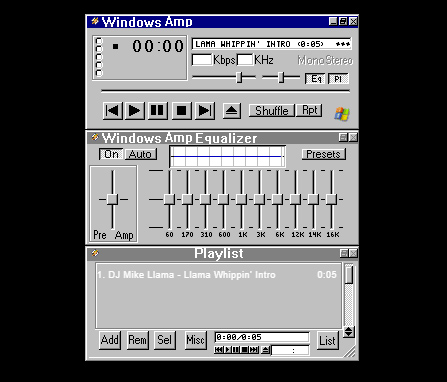
Windows Classic Skin

Windows Classic skin

You wouldn’t believe how popular Windows 95 was. Back when Minesweeper and Solitaire were the only games you had on your PC was a happier time for many people as Windows 95 nostalgia is a real thing. This Winamp skin looks like a classic Windows from back in the day, complete with the solid greys and blues that made Windows 95 what it was.
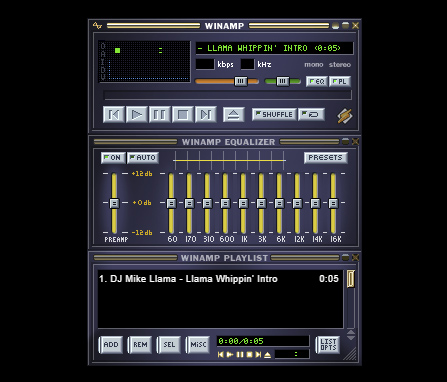
Winamp Classic Skin

Winamp classic

Why mess with perfection? The classic Winamp skin is pretty good, which means there isn’t really any need to change it in the first place. This is all about personal choice and tastes so have at it, if you wish.

Best Winamp Plugins

All the best Winamp plugins

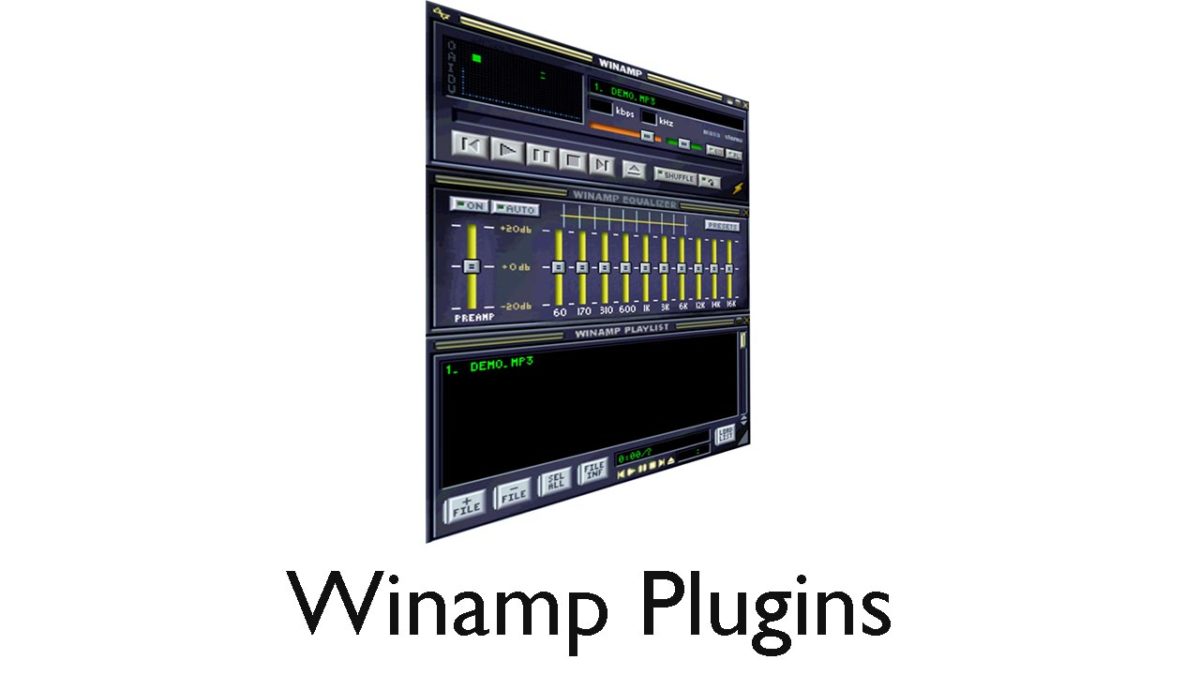
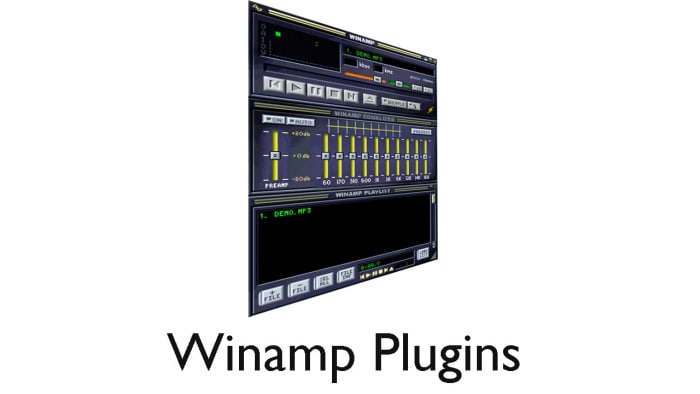
Winamp Plugins

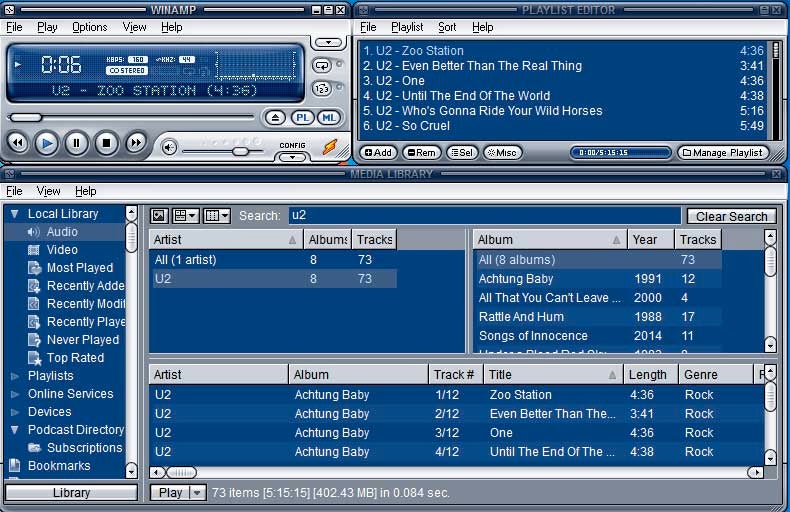
At over 20 years old, the Winamp media player is a bit of a Windows institution. Famous for its scrolling text display, audio file versatility, retro visuals, customizable skins, and just being better than Windows Media Player; Winamp still has a lot to offer users even today. One of the reasons Winamp has been able to keep going through the decades is because of plugins. Winamp plugins allow you to add new features to your standard Winamp console.

As it’s been around for so long, understandably, there are a lot of Winamp skins to choose from offering all manner of new feature or tool to add to your Winamp setup. Let’s go though some of the best Winamp plugins then, so you don’t have to endlessly search on Google.

Winamp Download now
8

Free Winamp Plugins

Playlist File Remover

This a simple plugin that will automatically delete tracks from your playlists. Building your media library playlists can be a painstaking task and it can really drag you down, if it is a painstaking task also removing tracks you no longer want in your playlist. This plugin solves that problem.

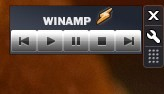
Winamp Desktop Control Gadget

Winamp Desktop Control

Another simple yet effective Winamp plugin here. Basically, this adds a Winamp control widget to your desktop. This means you play, pause, stop, and skip your tracks without having to maximize the Winamp window. This will free up your screen’s real estate for whatever else you might be doing at the time.

EQ Hotkeys

This is a great plugin that will make it much easier to play with the equalizer levers when you’re listening to music. With this plugin installed, you’ll be able to set hotkeys for the Winamp equalizer meaning you’ll be able to make adjustments simply by pressing certain buttons on your keyboard. Much easier and less fiddly than having to do it with your mouse.

Close to Notification Area

This plugin will close Winamp Audio Player to your Windows notification tray when you hit the close button. Normally, hitting close will shut down Winamp altogether so this plugin gives you an extra way of minimizing Winamp and even hiding it from the taskbar while still active.

Winamp Remote Control Gadget

Winamp Remote Control

This Winamp plugin is similar to the one above. The difference is that it also offers the scrolling text bar that Winamp is famous for. This means you’ll be able to see the name of the song and artist whenever you’re using it.

Vocal Remover Plugin

Go on, you know you want to. This plugin removes vocals from songs so that you and you alone can take center stage. Remove the vocals from your favorite songs and turn into the karaoke star you always knew you could be, at least while you’re at home anyway. This plugin isn’t flawless, however, and often you might still hear the vocals in the background, just very low, or other instruments might be taken out too.

Radionomy buys Winamp and Shoutcast for $5-10 million

At the beginning of January, we reported that AOL had sold Winamp and Shoutcast to the Bellgium-based internet radio aggregator, Radionomy. Today, TechCrunch is revealing more details about the purchase, which commanded between $5 and 10 million. This is a far cry from the $80 million AOL paid for Nullsoft in 1999, the previous owner of Winamp and Shoutcast.

In addition to handing over Winamp and Shoutcast, AOL is taking a 12% stake in Radionomy, which will be financial and not strategic, meaning Radionomy should operate independently from AOL’s business influence.

“We want to rebuild the story for Winamp. We think the future can be great because the strategy is not just desktop but mobile and cars and so much more.”

For now, Winamp is safe from the axe as Radionomy intends to keep the media player available to download. Winamp could serve as a platform for Radionomy’s 60,000+ stations in the future.

“We want to rebuild the story for Winamp. We think the future can be great because the strategy is not just desktop but mobile and cars and so much more,” says Alexandre Saboundjian, CEO at Radionomy.

Curiously, the Winamp site still displays a warning that the media player will not be available after December 20th, 2013.

Source: TechCrunch

RELATED STORIES

Winamp sold to Radionomy

When AOL announced it would be shuttering its Winamp music player, fans were disappointed and quickly gathered to persuade AOL to open source its code to keep it alive. Today, TechCrunch reports that AOL (its parent company) is selling Winamp and Shoutcast to internet radio aggregator, Radionomy. A forum member was first to notice that Winamp’s nameservers were being to transferred to Radionomy.

Radionomy currently has 6,000 internet radio channels and could be looking to bolster its catalog with Shoutcast’s 50,000 plus catalog of radio stations. TechCrunch also speculates that Winamp could help Radionomy with playback and other additional services.

Although Winamp stated it would shut down Winamp’s services and remove downloads for Winamp on December 20th, users are still able to download the media player from the company’s site. It’s unclear what Radionomy will do with Winamp so now is a good time to download a copy of Winamp before it’s no longer available.

Download Winamp for Windows

Source: TechCrunch

RELATED STORIES

Winamp is dead: 5 things we miss already

Winamp media player is no more after AOL decided to close the company on December 20, 2013, saying goodbye to 15 years of good and loyal service to the public.

For the millions of people who used this player, whose glory days were in the 90s, it’s time for some meditation. Before finally drawing a line through Winamp, here are 5 things that only true fans of Winamp will understand.

The questionable skins

Personalizing the audio player with customizable skins was, on paper, an excellent idea, and the creativity of Winamp community members knew no bounds.

In the late 1990s, download sites even provided special sections dedicated to the NullSoft audio player. From football teams to race cars, landscapes to futuristic imagery, the choices were endless.

Here’s a small selection of “skins” from the past that you’ve probably already seen online.

Winamp for Windows

99% of Winamp skins looked…questionable

Psychedelic view modes

There’s no doubt that the “View” mode was the first thing that all Winamp fans proudly showed their friends and relatives, back in the days when animations moving in time to the music was kind of a big deal. 

Like all other Winamp users, there’s a good chance that you stayed glued to your screen at least once, trying to guess what the psychedelic sound waves would do next.

Winamp for Windows

Trippy…

The miniature player

Winamp was the mark of the MSN generation, who spent ages configuring eMule and Kazaa to settle down for hours in chat rooms, playing Minesweeper, and listening to their favorite radio station on Winamp. These people will always remember the Winamp “mini-player”, the tiny bar that controlled the majority of the music player’s options. We also remember that the “Minimize,” “Reduce,” and “Maximize” Winamp buttons were anything but clear.

Winamp for Windows

One wrong click and the mini-player wasn’t so mini

Featherweight player

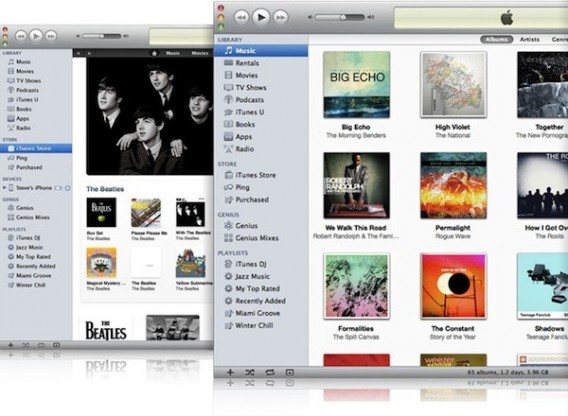
Some faithful Winamp users unwisely decided to download the first versions of iTunes to try. They quickly discovered that iTunes cost patience as well as money. To download iTunes using a 56K connection, it took at least thirty minutes, time which, in those days, would be deducted from your 20-hour monthly package.

Many users can testify that opening iTunes for the first time was a shock in more ways than one. It was significantly slower than the very light Winamp, and iTunes quickly ended up in the trash. The most savvy Winamp users always maintained an aversion to iTunes. Now that Winamp’s on the way out, the most similar replacements would probably be AIMP or foobar2000.

The legendary jingle

“Winamp: it really whips the llama’s ass”. Sound familiar?!? This jingle was the catchphrase of a generation. How many of us have joyfully repeated the jingle, despite not being sure what it really meant! If you’re interested, the llama is the mascot of Winamp’s original developer, Nullsoft.

Despite the closure, all is not lost for fans of Winamp- you can still install the media player until 20 December. After this date, no updates will be released but users can keep Winamp as the default media player on their PC.

What’s the first thing that comes to mind when you think of Winamp?

You may also be interested in:

Winamp is dead, but does anyone really care?

Winamp is dead. The famous audio player from Nullsoft won’t be available after December 20, 2013, much to the dismay of people who love skins of questionable taste and psychedelic visualizations.

Personally, it’s been years since I’ve used Winamp, and its disappearance is almost a non-event for me. I’ll tell you how I buried the Nullsoft llama and why you might want to do the same.

Winamp for Mac…too little, too late

I’ve long been a defender of the hopeless Winamp. Early on, the ease of use of this audio player, its versatility and lightweight operation captivated  my pimply teenaged self. It was simple, and it worked smoothly on my entry-level computer, which was an accomplishment in itself!

Winamp classic

On-the-fly playlists were a major draw…

Winamp would also let me edit playlists on the fly via a simple drag and drop, while other plugins and skins gave the possibility to customize it to my liking. Both of those were major points in its favor.

But everything changed when I left my old PC for a Mac in the mid-2000s. Winamp hadn’t made ​​the leap and was only available on Windows. Such betrayal! Annoyed, I had to move over to the great Cog, a minimalist audio player of the same ilk that was available for Mac.

iTunes, the sworn enemy

One thing led to another, and I fell for the iPhone shortly after my move to Mac OS. At the time, these products couldn’t survive very long if they weren’t regularly connected to iTunes, Apple’s famous audio player.

iTunes for Mac 2011

At first, I hated iTunes

At first, I couldn’t bear iTunes. Its complicated menus gave me a headache and its tendency to take control of my music didn’t impress me either. After a few months of forced use, I gradually learned to appreciate its management functions and integration with Mac OS. Probably Stockholm syndrome, right?

And so, the damage was done. I took a deep breath, turned the page and bid farewell to Winamp.  Then, Winamp landed on Mac in October 2011. As you can imagine, it came as a bit of a shock.

A revamp for Apple

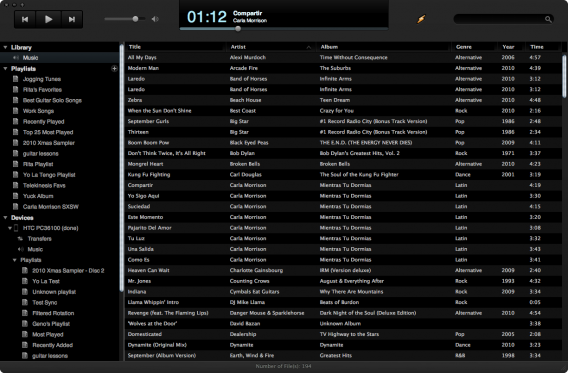
When Winamp finally arrived on Mac, it was nothing like the lean, agile software I had known with Windows. Like most audio players of the time, Winamp became an iTunes clone, designed more for managing and synchronizing music libraries than listening to audio files. It was the last straw! I had to face the truth – it was the end of an era.

Winamp for Mac

Winamp becomes an iTunes clone

The end of an era

Today, I no longer use audio players at all. Music has changed completely and, most of the time, I listen to my music via streaming services like Spotify or SoundCloud.

Spotify Samsung TV App

These days, it’s all about the streaming

To me, Winamp is a relic of the golden age of illegal downloading that simply hasn’t been able to change with the times. It’s a fossil of a bygone era.

What about you? Do you miss Winamp already, or are you happy to bid the llama farewell?

RELATED ARTICLES:

Fans ask AOL to make Winamp open source so it can live on

Winamp is due to be shut down on December 20th, but it has legions of fans, and they don’t want to see the end of their favorite media player.

A website, Save Winamp has been set up, linking to an online petition which so far has around 20,000 signatures. The organisers are asking AOL to make Winamp open source, so it can be further developed by the community who love it.

The Save Winamp website features two videos, from YouTuber Jonathan Paula explaining why it’s so great, and a brief history of the app. The Brief History of Winamp is interesting, as it concludes the app has become bloated, meaning many people look elsewhere for a lightweight media player.

Making Winamp open source would mean premium features could be opened up for free. Currently you can upgrade Winamp for $19.95, which gives you unrestricted CD burning, MP3 encoding and native video support for popular formats including H.264 encoded video. Despite premium features, and not being as nimble or simple as it once was, Winamp is still hugely popular. It’s consistently in the top 10 most downloaded audio apps on Softonic.

AOL are not saying what, if anything, they plan to od with Winamp after December 20th. There are rumors that it could be sold to Microsoft, but it would be an unusual move, as Microsoft already have their own Windows Media Player. AOL wouldn’t gain anything from allowing Winamp to go open source, but it would generate a lot of goodwill.

Sign the Save Winamp petition.

RELATED STORIES

Rumor: AOL in talks to sell Winamp to Microsoft

We reported yesterday that Winamp is going to shut down operations on December 20th of this year but the media player could potentially live on. TechCrunch is reporting that AOL, who owns Winamp developer Nullsoft, is in talks with Microsoft to sell the media player and its Shoutcast internet radio service. Their sources say the two companies are currently in talks.

There is some doubt to the validity of this rumor, since Microsoft has its own media player and streaming media services. Windows Media Player is still bundled with Windows 7 and up but it’s quickly losing popularity to music streaming apps and services like Spotify or the company’s own Xbox Music.

It’s not surprising that AOL is trying to sell off Winamp and Shoutcast as the company tries to refocus as a media advertising network. AOL owns plenty of popular blogs like TechCrunch, Huffington Post, and Engadget. The question is if Microsoft needs Winamp or Shoutcast.

RELATED STORIES

Source: TechCrunch