Dropbox 3.0 gets an iOS 7 makeover

Dropbox 3.0 is out now for iOS. The cloud storage app has been given a full iOS 7 makeover, an improved iPad experience and new features.

The new Dropbox for iOS has much simpler sharing and exporting tools, so you can open your files in other apps where possible. It also brings AirDrop support, so sharing between Apple devices is much improved. Videos in your Dropbox folder can be saved directly to your iOS video library, which is neat.

Dropbox also claims the new app is faster and smoother to use, and says there are now ‘oodles of PDF viewing updates.’

Dropbox allows you to store files in the cloud. There are apps for most platforms, and the web, meaning you can access files you store in Dropbox pretty much anywhere. It’s one of the easiest to use cloud storage solutions, and you can get 2GB of free storage (going up to 16 GB if you refer friends to the service).

Download Dropbox 3.0 for iOS

How to speed up iOS 7 on older devices

If you’ve recently updated an older iOS device to iOS 7, you might find that its performance is struggling with all the new, fancy graphics. That’s because your old phone’s small memory and graphics card aren’t properly equipped for the task. Luckily for you, with one of the improvements in iOS 7.0.3, you’ll now be able to use a simple trick to speed things up.

Whether you’re using an iPhone, iPad or iPod Touch, you’ll be able to nix the parallax effect introduced in iOS 7. The parallax effect uses your phone’s built-in accelerometer to give the icons a 2D impression of depth. If you disable this effect, you’ll put less stress on your phone’s already maxed-out resources, helping it run more smoothly.

To disable parallax:

  1. Open Settings and navigate to the General section.
  2. Scroll down to Accessibility and find the Reduce Motion option.
  3. Once you find the option, enable it, thus shutting off the movement

Watch the video below to see these steps in action:

Default player


brightcove.createExperiences();

It’s a very simple tip, but one that might just take your iOS 7 experience from frustrating, to smooth as silk!

Do you know any other tips to speed up iOS 7 on older phones?

Rumor: Telltale games developing a Game of Thrones title

Telltale Games, developers of The Walking Dead games, is rumored to be making a Game of Thrones title.

The rumor comes via games site IGN, who says multiple sources have confirmed the story. The series of books by George R.R. Martin is called A Song of Ice and Fire – the first book is names Game of Thrones, as is the HBO series. Whether Telltale is developing a game based on the books, or closer to the series is unknown.

Telltale officially has no comment, but haven’t denied the rumors so far. Game of Thrones certainly deserves better than what it has got so far in gaming. There are currently three games based on the series, and none are better than mediocre. There’s the real time strategy of A Game of Thrones: Genesis, an upcoming MMORPG Game of Thrones Seven Kingdoms which isn’t looking too promising, and 2012’s buggy, uninspiring adventure from Atlus.

Telltale would be an ideal developer to make an interactive version of Game of Thrones. Having almost single handedly rescued the point and click adventure genre, their excellent adaption of The Walking Dead was many people’s game of 2012. Telltale currently has The Walking Dead Season 2 and The Wolf Among us in development, but haven’t made any official announcement about future titles.

We’ll definitely keep an eye out for any confirmation of a Telltale Game of Thrones adaption.

[Source: IGN]

Google Translate for Android update improves conversation mode

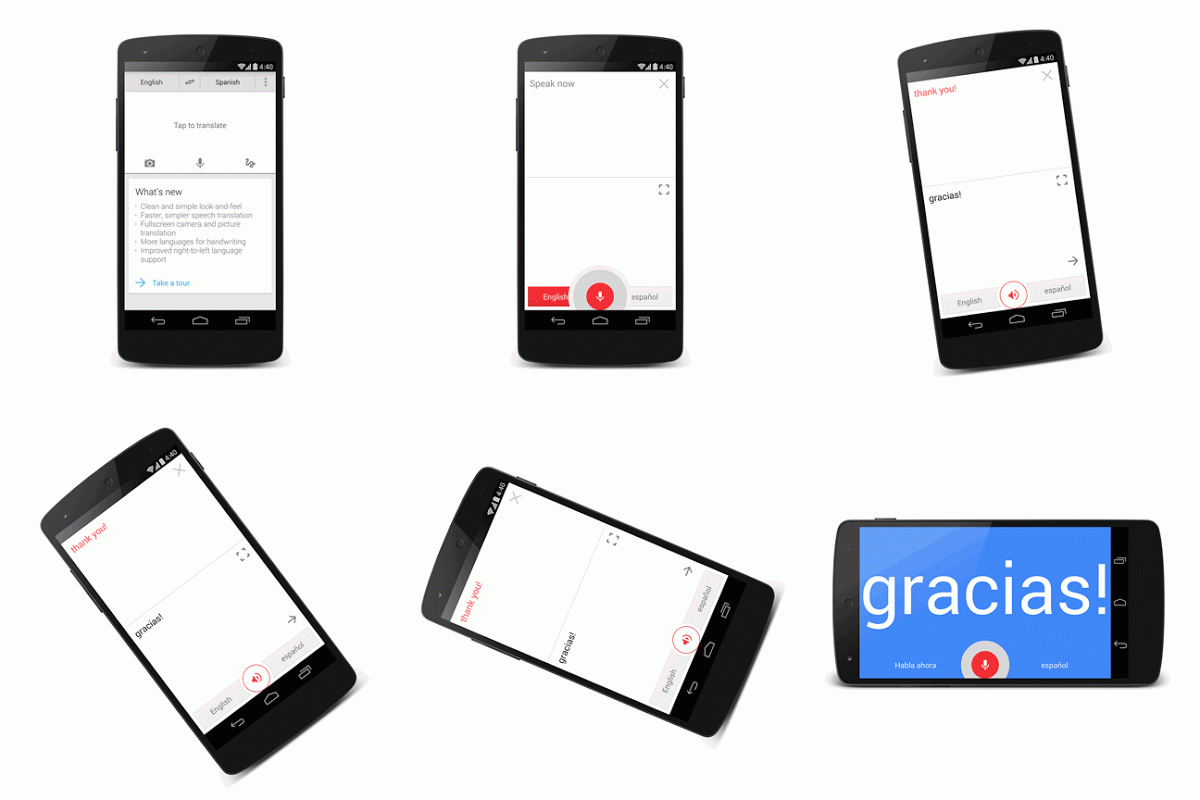
Google Translate for Android has been updated with an improved conversation mode, allowing users to easily translate back and forth. The app has also been updated to support more languages, including Hebrew, Greek, Javanese, and Esperanto.

Google wants to make your travels to foreign countries a breeze with Google Translate for Android. The app supports downloading languages so it won’t require an internet connection abroad to translate. The app even supports handwriting recognition.

Translate - Android

The updated conversation mode makes conversations much simpler: simply press the microphone icon and speak. Your sentence will be translated and read aloud. Your partner can then tap the microphone icon again to translate his or her language.

The update is available in the Google Play Store today.

Download Google Translate for Android

RELATED STORIES

Source: Google Translate Blog

Battlefield 4 Commander app lets you give orders to your team

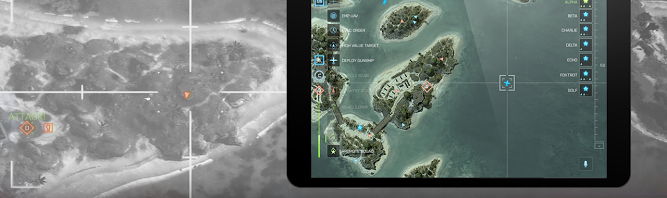
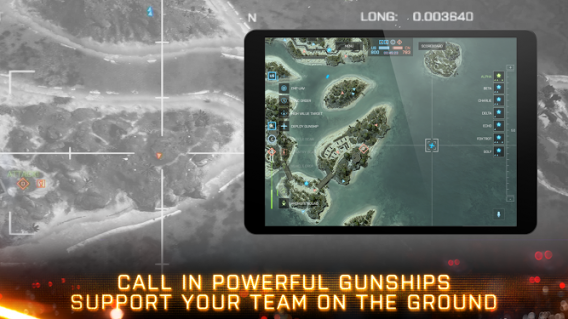
Just about every game launches with a companion app to keep you interested in the game while you’re on the go. Battlefield 4 Commander is also a companion app for the Battlefield 4 game but it does more than just show your stats. with Battlefield 4 Commander, you will be able to access Commander mode from the game on your tablet. Players can send UAVs to scout the area or launch attacks. Commanders can also give orders to teammates using VOIP in the app.

BF4 Commander gunships

All these features sound great but you have to earn them. Before you gain access to Commander mode in the app, you have to reach level 10 in any version of Battlefield 4.

Reviews in the Google Play Store have largely been negative, citing app crashes, incompatibility, and an intuitive interface. Battlefield 4 Commander has an average score of 2.2 out of 5 in the Play Store from 727 reviews. Let’s hope EA can sort out the issues and make the app something integral in Battlefield 4‘s gameplay.

Download Battlefield 4 Tablet Commander: Android | iOS

RELATED STORIES

Via: Android Police

Rumor: AOL in talks to sell Winamp to Microsoft

We reported yesterday that Winamp is going to shut down operations on December 20th of this year but the media player could potentially live on. TechCrunch is reporting that AOL, who owns Winamp developer Nullsoft, is in talks with Microsoft to sell the media player and its Shoutcast internet radio service. Their sources say the two companies are currently in talks.

There is some doubt to the validity of this rumor, since Microsoft has its own media player and streaming media services. Windows Media Player is still bundled with Windows 7 and up but it’s quickly losing popularity to music streaming apps and services like Spotify or the company’s own Xbox Music.

It’s not surprising that AOL is trying to sell off Winamp and Shoutcast as the company tries to refocus as a media advertising network. AOL owns plenty of popular blogs like TechCrunch, Huffington Post, and Engadget. The question is if Microsoft needs Winamp or Shoutcast.

RELATED STORIES

Source: TechCrunch

Minecraft launches Twitch.tv broadcasting beta

Mojang, the developers of Minecraft, have teamed up with Twitch.tv to integrate gameplay broadcasting in the latest Minecraft beta. The company originally announced their partnership with Twitch at MineCon 2013 in Orlando, Florida. After a short wait, the first publicly testable version of Minecraft with Twitch.tv broadcasting is now available.

Before Minecraft players can begin broadcasting, they need to head over to their Mojang account settings to link their Twitch account with their Mojang account. After that, players can adjust broadcasting settings in the options. To start broadcasting your livestream to Twitch, hit F6, which is the default broadcasting key but you can change it to a different key in the settings.

Since this build of Minecraft (Snapshot 13w47c) is in beta, there will be plenty of bugs. Mojang encourages testers to submit bug reports at this site.

If you want to check out this beta version of Minecraft, make sure you have a PC with Windows XP and up or a Mac with OS X Lion (10.7) and up.

RELATED STORIES

Source: Mojang

PlayStation App: a portal into PlayStation Network

Sony recently released its PlayStation App in North America, three days before the US launch of its new console, PlayStation 4. Having previously mentioned that the app and console would be released around the same time, the arrival of the PlayStation App came as no huge surprise.

Unlike Xbox SmartGlass, the PlayStation App is less of a secondary controller app and more of an access point to everything in the PlayStation Network. In its current state after the North American launch of PlayStation 4, the PlayStation App displays a lot of potential. That potential will likely be unlocked when PlayStation 4’s more impressive features are updated with the app.

If you own a PlayStation 4, the PlayStation App is definitely a worthwhile download. As more features become available, the connection between the PlayStation App, PlayStation 4, and PlayStation Network will improve substantially. Below is my first experience of using the PlayStation App.

All features of the app were tested on an Android device, but the app should be identical on iOS.

PlayStation Network account required

A few days before the launch, I browsed the various sections of the app including the profile, trophies, and PlayStation Store. Profiles in the app sync with your account on PlayStation Network, so it doesn’t matter if you have a PS4, an older PlayStation 3, or PlayStation Vita: your account data should sync without problem.

Of course, the PlayStation Network hadn’t officially launched with support for PS4 yet when I tested it out, so the app had connectivity issues like the ones I intermittently experienced days before the launch.
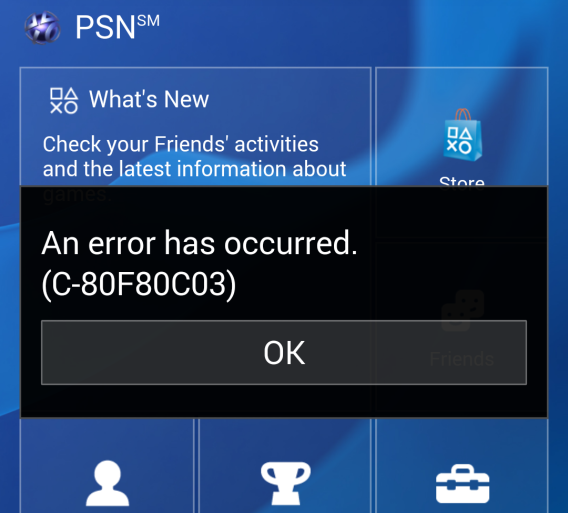
Trophies synced with my profile without issue, and I was able to read information in the Links area. Right before launch, the PlayStation App was a window into some of the social features for PlayStation Network.

PlayStation Network is taken offline

Sony informed users that PS4 would require a Day 1 patch to enable a lot of features. It also recommended that users download and install the update using a USB rather than through the PlayStation Network. When PS4 launched, it was flooded with users updating the firmware, downloading digital games, and using the PlayStation 4’s different media streaming apps. That same day, Sony took PlayStation Network offline for maintenance. This disconnected the PlayStation App’s ability to sync with PlayStation Network, making it virtually unusable.

Certain parts of the app still worked, like Messages and the Store, but the aggregated social feed “What’s New” was unable to populate any content.

Sony’s maintenance of PlayStation Network was done relatively quickly, and by November 16, 2013, there weren’t any significant problems with PlayStation Network or the PlayStation App.

‘What’s New’ connected to PlayStation 4

The PlayStation App is designed for use with the PlayStation 4. While it connects to PlayStation Network to let you chat with friends, the expanded social feature is almost identical to the PlayStation 4’s ‘What’s New’ interface.

‘What’s New’ is both a positive and negative feature, depending on how many of your friends have PlayStation 4. The feed integrates all activities performed using PlayStation 4, from playing a game, to earning Trophies, to uploading screenshots and video. I imagine that in the coming months, as other territories launch PS4 and friends start playing games, the feed may become flooded with updates that aren’t necessarily relevant.
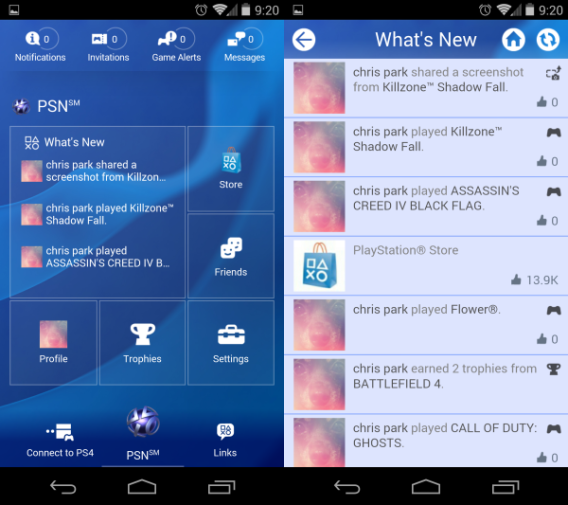
It was smart of Sony to include news in the mobile feed because it gives more visibility for information from Sony. In the future, there may be deals displayed in the feed or updates straight from PlayStation Network. It could also become a feed of spam message. The early state of PS4 adoption shows both the positive and negative aspects of What’s New.

When more users start broadcasting using Twitch and Ustream, and as more friends start to utilize the ‘What’s New’ feature, the feed could become more interesting. ‘What’s New’ information will also be more relevant when friends request help in co-op games.

As an information portal, ‘What’s New’ is dependent on the number of friends using the system, as well as updating missing features in the PS4 operating system.

Synced profiles

PlayStation users have one account that’s used across all current and next generation hardware, and the profile page in the PlayStation App is included. User profiles on PS4 allow you to display both your real name and your PlayStation Network account name, an option that can be activated during the initial setup.

It took a couple days for my activity on PS4 to start aggregating into ‘What’s New’, and the user profile is a good tool to see what your friends are currently doing. I only have a limited number of PlayStation Network friends, so it was difficult to tell how much information is actually pulled from PSN.
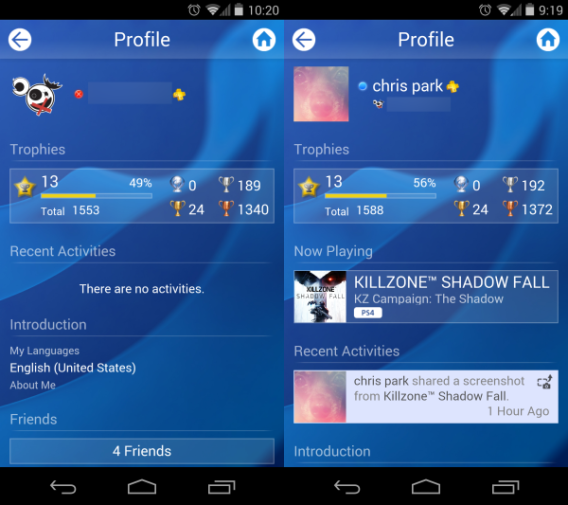
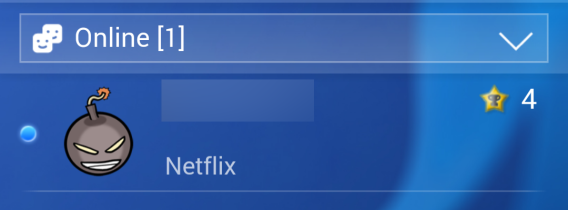
Through my PS4 and in the app, however, I could see that my brother was watching Netflix on his PlayStation 3.
The PlayStation App displays which games your friends are currently playing, as well as their recent activities. This may not be the most relevant section unless you’re fighting for Trophy counts with friends, but that section will display all actions if enabled in your system settings.

The profile section is essentially the same as what’s displayed on consoles, although the expanded information on PS4 is more informative than just plain text of actions.

Notifications, Invitations, Game Alerts

The top header of the app shows four possible notifications.

Notifications are overall activities on PS4, the center of all actions that happen on the console. On the PS4, this section updates with game installs, game updates, messages, and uploads. On the app, it shows new messages, friend requests, and name requests.

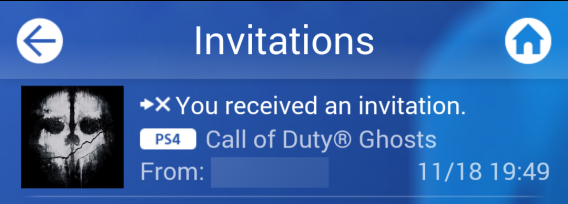
Invitations are game invites for multiplayer or co-op games. You can also receive party chat requests through the app. When playing Call of Duty: Ghosts, for example, I received a notification to join an online multiplayer party.
Game Alerts is another section that will show game specific notifications. This will likely expand as more games support the feature.

Messages

Using Messages on PS3 was a tedious experience, mainly because it took too much time to type out messages with the on-screen keyboard. It’s much faster using the app, and syncing  between the app and the console is done in real time.
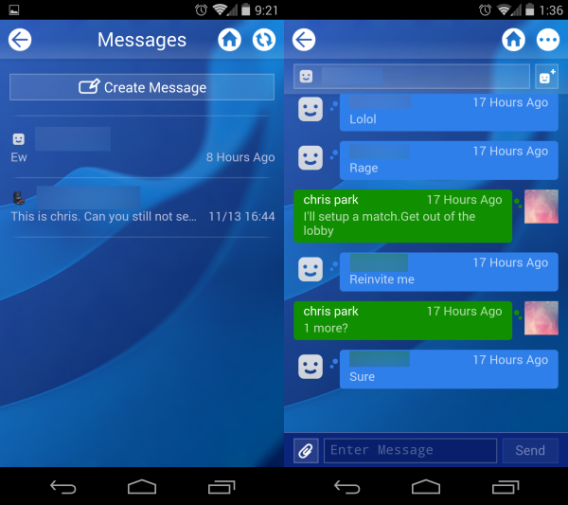
The Messages section will continue to keep track of all your current messages, as well as syncing previous messages, like it did for ones I had previously sent using PS3. Overall, the app is a great replacement for communicating with friends on PlayStation Network because you no longer have to use the on-screen keyboard.

Friends

The friends section is simple and to the point, collating all of the sections found in PlayStation Network into a simple drop-down menu.
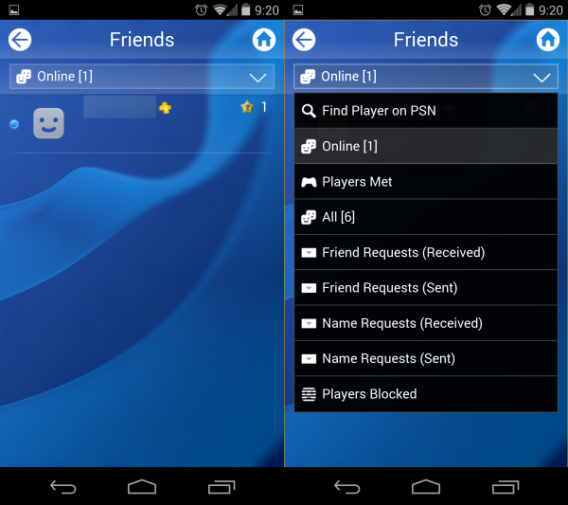
These sections include:

  • Find Player on PSN – search for users
  • Online – current friends online
  • Players Met – other users seen online
  • All – entire list of friends
  • Friend Requests (Received) – requests from PSN users
  • Friend Requests (Sent) – requests to PSN users
  • Name Requests (Received) – requests from friends to show real name
  • Name Requests (Sent) – requests to friends to show real name
  • Players Blocked – banned PSN users

As mentioned, these are the exact same options available on PS3 and PS4, only integrated into the app. It will also display whether or not a friend is online through the friends section using an icon on their profile pages.

Connect to PS4

You can connect a device to a PS4 by using PS4’s Settings menu. Right now, however, there aren’t many devices that will connect to a PS4.
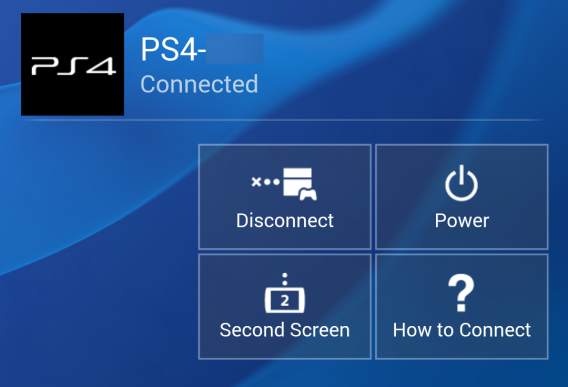
The most interesting function is the ability to use a device as a second screen. I was hoping that I’d be able to use it as a replacement keyboard, but the option isn’t currently supported. I’m sure the second screen function will expand as the console and app update in the future.

Sony Entertainment Network

One of PS4’s new upcoming features lets you purchase games, movies, and TV shows online with the option of having the console automatically turn on to download the content, and then turn off once the download is complete. Sadly, this feature isn’t available on the console right now; your only option is to queue the purchase in your account and wait until you turn on the PS4  to download it, much like the feature on PlayStation 3.

When the feature does activate, it’ll be a great option for users who want to play a game as soon as they get home. The app uses a mobile web version of the Sony Entertainment Network store so that you can purchase items and queue for specific devices using the app. It authenticates your account information and loads the site, letting you browse content across all platforms, a nice addition so that you aren’t stuck browsing only PS4 content.
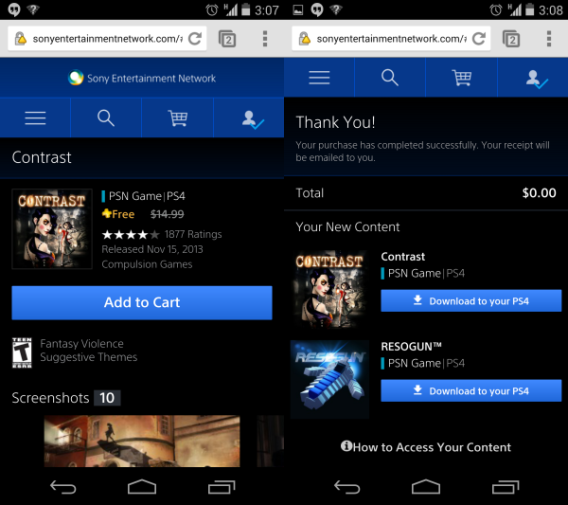
Purchasing items is easy as well, and works the same as the website: add the item to your cart, check out, and then queue it for download. After the purchase, the app gives the option to “Download to your PS4” but currently, it’s only able to add it to the download queue. I’m sure once the automatic download feature is available, purchasing and downloading games will be a much more seamless experience.

Rich features that can improve

Sony’s companion app for PlayStation users, specifically targeting PS4 owners, is a solid start. There are hints of greater connectivity, but they’re hindered by missing features of the PlayStation 4. Obviously, owning a PS4 will give you access to all the features in the app, but owners of PS3 and PS Vita can still use the app to communicate with friends outside of PSN.
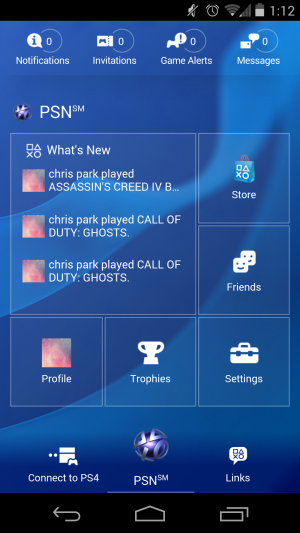
In its early stages, the PlayStation App works with minimal problems for the features that are available. In fact, it’s the PlayStation 4 that’s holding the app back. When the firmware of the system supports all the announced features, the PlayStation App will be a much more powerful companion.

Would it be possible to mirror the PS4 on the device and use some of the media app through Remote Play or second screen? While possible, it’s not likely, but that’s potential that the PlayStation App has.

Adobe offers a cheap Photoshop and Lightroom bundle before December 2nd

Adobe is offering two of its Creative Cloud apps, Photoshop CC and Lightroom 5 for $9.99 per month if you sign up for a year, before December 2nd 2013. Normally a single app from the suite would cost $19.99 per month.

This Photoshop photography offer is ideal for people who are mainly interested in manipulating photos. Lightroom alone isn’t such a big deal – it’s a great starting point for polishing photos, but you could use Photoshop without ever needing Lightroom.

Since June this year, new versions of apps from the old Creative Suite are only available as subscriptions through Creative Cloud. This has the advantage of being easier to afford in the short term, as Adobe apps were always famously expensive, but an annual subscription is still a lot for non-professional users.

This hasn’t been an easy few months for Adobe. The move to a subscription model was controversial, as some people complained it means you never truly own Adobe software any more. Then, in October this year Adobe was the victim of a hacking attack that resulted in the loss of 2.9 million users’ data. That included customer names, encrypted credit or debit card numbers, expiration dates, and other information relating to customer orders. The number later increased to an impressive 38 million accounts.

RELATED STORIES

Is Fallout 4 about to be announced?

Is Fallout 4 being teased? A site called thesurvivor299.com has appeared, featuring a countdown, Morse-code signal and official Vault-Tec logo suggests there will be a Fallout announcement soon.

Fans on Reddit have already decoded the Morse code: CQ CQ CQ DE OZ PSE AS. This means ‘Calling any station, calling any station, calling any station, this is/from Oscar Zulu Please Stand by.’ There’s a station in Fallout 3 called Oscar Zulu, but no-one knows if it is related so far.

Some redditors think that the site has credibility as no-one has taken it down. If it was fake, developers Bethesda would likely take it down as copyright infringment. Also, it emerged over the weekend that Fallout 4 had been trademarked in Europe, although this isn’t always a reliable signal.

It’s possible the site is an elaborate hoax, but it seems to have been registered by Zenimax Media, which owns Fallout 3 developers Bethesda. It is widely expected that the Bethesda would move on to Fallout 4 after development of The Elder Scrolls V: Skyrim was completed.

The Fallout is a post-apocalyptic open world role playing series. The first game was released in 1997, with the last game, Fallout: New Vegas coming out in 2010.

[Source: Reddit]