Protect Your Files and Data With This Bulletproof Backup Plan

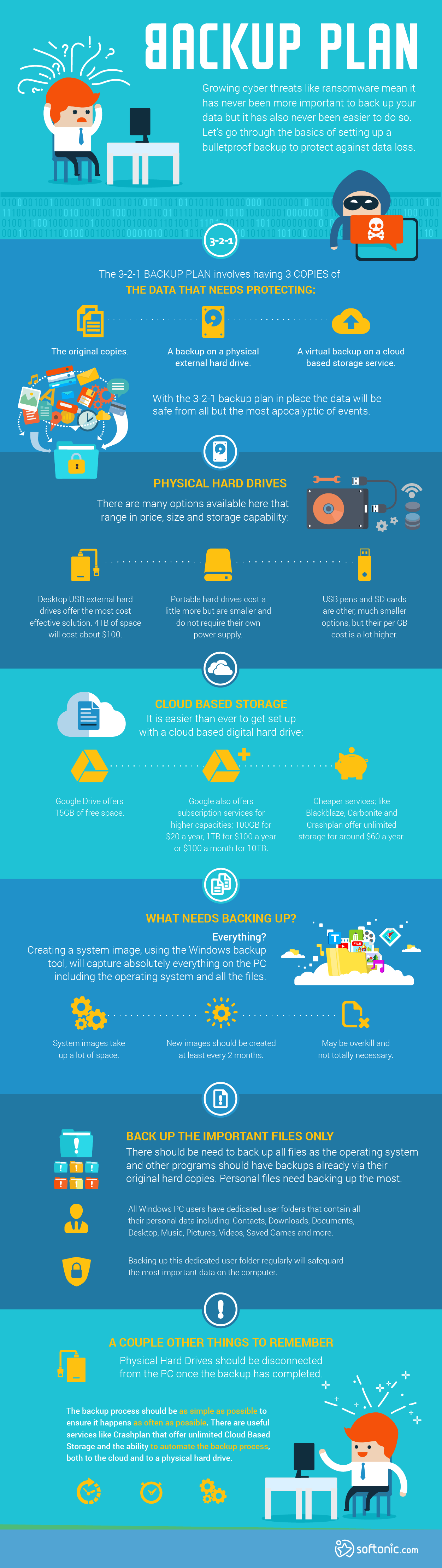
With growing cyber threats like ransomware, it has never been more important to back up your data, and fortunately, it has also never been easier to do so. Let’s go through the basics of setting up a bulletproof backup to protect against data loss.

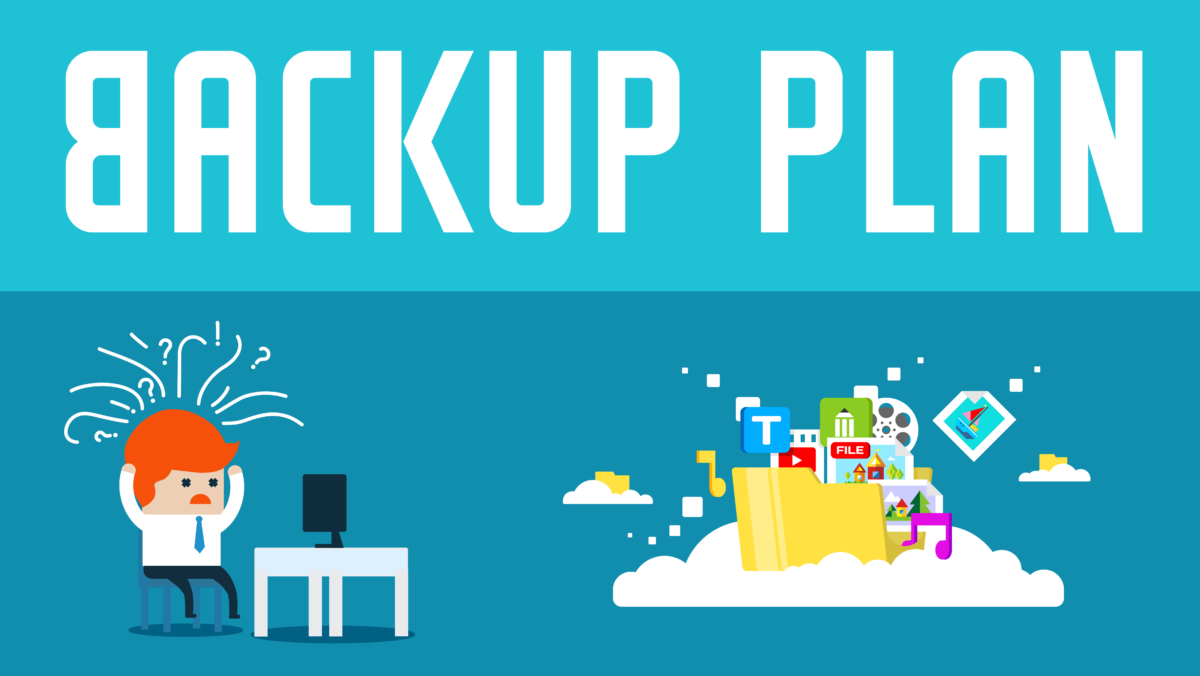
Backup_plan (1)

3-2-1

The 3-2-1 backup plan involves having three copies of the data that needs protecting:

  • The original copies
  • A backup on a physical external hard drive
  • A virtual backup on a cloud-based storage service

With the 3-2-1 backup plan in place, the data will be safe from all but the most apocalyptic of events.

Physical Hard Drives

There are many options available that range in price, size, and storage capability:

  • Desktop USB external hard drives offer the most cost-effective solution. About 4TB of space will cost about $100.
  • Portable hard drives cost a little more but are smaller and do not require their own power supply.
  • USB pens and SD cards are other, much smaller options, but their per-GB cost is a lot higher.

Cloud-Based Storage

It is easier than ever to get set up with a cloud-based digital hard drive:

  • Google Drive offers 15GB of free space.
  • Google also offers subscription services for higher capacities; 100GB for $20 a year, 1TB for $100 a year or $100 a month for 10TB.
  • Cheaper services, like Blackblaze, Carbonite and Crashplan, offer unlimited storage for around $60 a year.

What Needs Backing Up?

Everything?

Creating a system image using the Windows backup tool will capture absolutely everything on the PC, including the operating system and all the files.

  • System images take up a lot of space.
  • New images should be created at least every two months.
  • It might be overkill and not totally necessary.

Back up the Important Files Only

There should be no need to back up all files, as the operating system and other programs should have backups already via their original hard copies. Personal files need backing up the most.

  • All Windows PC users have dedicated user folders that contain all their personal data, including Contacts, Downloads, Documents, Desktop, Music, Pictures, Videos, Saved Games, and more.
  • Backing up this dedicated user folder regularly will safeguard the most important data on the computer.

A Couple of Other Things to Remember

  • Physical Hard Drives should be disconnected from the PC once the backup has completed.
  • The backup process should be as simple as possible to ensure that it happens as often as possible. Services like Crashplan offer unlimited cloud-based storage and the ability to automate the backup process, both to the cloud and to the physical hard drive.

The Top 10 Celebrities You Should Never Google and Why

As much as this grumpy 32 year old would like this piece to be about bad taste, man that would be sweet, this piece is about cyber-security.

We’re constantly searching the web for news about what is going on in the world of celebrities but we do we ever stop to think of the consequences? I’m not talking about the absurd reality we live in that sees Justin Bieber earning more from his music career than Led Zeppelin earnt from theirs, I’m talking about the threats and vulnerabilities we expose ourselves to when we type in the names of the rich and famous into Google.

Make sure your Facebook friends don’t Google these dangerous celebrities

Well antivirus firm McAfee have done just that and maybe we should take notice next we try to find out who Calvin Harris was dancing with or why Katy Perry was in such a good mood at the Emmys. McAfee have put together a list of the top 10 most dangerous celebrities to Google. These are the 10 celebrity names that Googling will put you at the greatest risk of being exposed to malware.

MDC-2017-list
Source: McAfee

Now I know it is ironic that you probably haven’t thought about Avril Lavigne for a few years and the only reason you’re thinking of Googling here now is because of this article but don’t. If you were to search “Avril Lavigne + free MP3” you would have a huge 22% chance of being exposed to a malicious site.

Help protect your Twitter followers from these danderous search terms

As you can see, musicians have dominated the list from McAfee and this is because people are constantly looking for free downloads and this gives hackers a way in. As soon as you download something from a nefarious source or sketchy website, you’re making yourself fair game for these cyber-criminals to install whatever the hell they want on your machine. You have to be careful.

So it seems that if you’re just after a Wikipedia entry or a bit of news from a reputable site, even if it is in bad taste, you should be ok. However, as he is number 7 on the list this grumpy 32 year old has to recommend that if you truly want to be safe you should never Google Justin Bieber. Ever.

Just to be safe.

Via: McAfee

Follow me on Twitter: @PatrickDevaney_

9 Must-Have Affordable Phone Accessories

We’ve all been there. You’ve just bought a phone and spent a lot of money, but when you open the box your brand new device came in, it’s the same-old dilemma: except for a charger and headphones (in the best case scenario), nothing else is included. This means you’ll have to invest extra money in cases, additional chargers and other gadgets to round off your experience.

Do you have to spend a fortune on official accessories? Nope. Luckily, today there are many affordable options that offer the quality of official brands (Apple, Samsung, etc.) at a lower price.

One of the online stores that offers high-quality cell phone accessories at a lower price is Amazon, with its own brand Amazon Basics, which includes an entire line of gadgets and goods at affordable prices, as well as Amazon Prime (free shipping and products delivered to your home within 1-2 days, click here to find out more).  

We’ll go over some of the most useful and inexpensive gadgets on Amazon Basics.

Spare cables

A must-have: although all smartphones come with a charging cable, it’s always a good idea to have an extra one to leave at work or take on a trip, not to mention how easy they can break or get lost.

Below, we’ll share the most common cables, with USB connection, so you can connect your cell phone to your laptop or a wall charger.

71r8hWqChRL._SL1500_-150x150USB cable 2.0 type A to micro B (most Android phones and tablets: Samsung, Huawei, Xiaomi, Nokia, LG, Google…) – $5,59 (2 units)

Buy it here


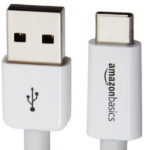
13-09-2017-11-42-38-150x150USB cable type C (MacBook, Chromebook Pixel, Galaxy Note 7, 8… and in general, a connector for newer devices) – $9,29

Careful, don’t confuse this cable with the micro B!

Buy it here


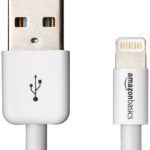
61-SCX0EupL._SL1232_-150x150Apple certified lightning cable (current Apple devices: iPhone, iPad, iPod) –  7,49€

Buy it here

Chargers and plugs

Everybody knows that although cell phones can charge on a PC problem-free, they charge even faster when hooked up to a power outlet. Also, it’s useful to have a charger if you’re traveling by car.

61rqywI9SwL._SL1320_-150x150Power charger with 2 USB ports

– $10,99 (or 15,49€ with 4 ports)

Buy it here


71HDVVMUnBL._SL1500_-150x150Car charger with 2 USB ports – $7,64

Buy it here

Covers and cases

Phones don’t usually come with a cover or case, which are must-have accessories to protect them from cracks. Luckily, you don’t have to spend money on official accessories to protect your cell phone, or sacrifice its sleek good looks. Your cell phone brand has got nothing on these models from Amazon Basics.

91I3IRCfH2L._SL1500_-150x150iPhone 7 / iPhone 7 Plus Cases (thin and inflexible polyurethane covers; available in 4 colors: black, new, navy blue and gray) – 10,09€

Buy it here


81qVzS3u29L._SL1500_-150x150iPhone 7 / iPhone 7 Plus transparent cases (ideal if you want the Apple logo to be visible) – 6,99€ ( iPhone 7 price) / 9,99€ (iPhone 7 Plus price)

Buy it here


81jdcE0yDbL._SL1500_-150x150Universal waterproof smartphone pouch (compatible with any cell phone up to 6 inches; most Android, iPhone, Windows models…) – 8,99€

Buy it here


81PRlaemzyL._SL1441_-150x150Armband for iPhone 6, 6s and Samsung Galaxy S67,99€

Buy it here

Better Together: Minecraft is Now Multi-Platform

Microsoft has begun to deliver on the promise that it made at this year’s E3. The “Better Together” plan it laid out was to make multi-platform Minecraft play between Xbox, Windows 10 and Nintendo Switch players a reality. Today Microsoft started rolling this out with Minecraft players on Xbox and Windows machines able to play with each other. Although the original plan included the Nintendo Switch, this is still a big deal.

Microsoft has pointed out that Switch players will be able to join the party this year with a holiday update scheduled. The problem is nothing to do with any business matters holding it up, it is purely a technical delay that Microsoft is working flat out, with Nintendo, to solve. Microsoft Studios corporate Vice president, Matt Booty said,

“We just flat-out couldn’t get those two completely in sync.”

Microsoft and Nintendo are in tune on this one with only Sony seemingly holding back on allowing PS4 users to get involved too. This is often the case for Sony, with their closed gaming eco-system being something they prize highly. As owner of Minecraft, Microsoft has not given up on Sony. Booty said:

“I certainly don’t want to speak for them, but it absolutely remains our goal to want to bring PlayStation into the mix with this.”

Minecraft isn’t the first game to get the cross-platform treatment as Rocket League players on the Xbox One are already able to square up against Nintendo Switch players. This is such a big deal though because of the sheer popularity of Minecraft. Microsoft sees itself as breaking barriers in the industry by bringing cross-platform play to one of the most popular video games ever.

“That sets the stage for what could possibly then become a broader approach. Right now we’re very focused on figuring this out with Minecraft. You gotta start somewhere, right?”

The feeling seems to be that if Microsoft can crack it with Minecraft there is absolutely no reason why it can’t crack it with other games in the future. We’ll have to just wait and see. Are you excited by this news? Let us know in the comments.

How to Get Google Assistant to Cheer You Up

Google Assistant has been out for a while now and it has found a number of ingenious ways of helping us get through our daily lives. As well as being a great tool for helping us get things done, however, Google Assistant also has quite the sense of humor and will always be there for us if we’re feeling down and need a little cheering up.

Here are 10 things you can say to Google Assistant right now that’ll get a funny response:

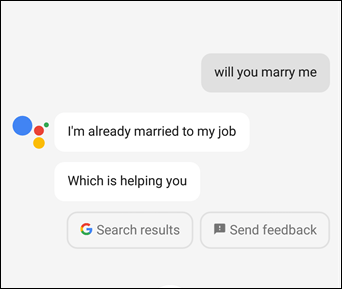
Will you marry me?

How to get Google Assistant to Cheer You Up marry me

Although technically a rebuke, Assistant still lets you know that you’re not alone in this.

Are you human?

This question gets a very human response. Assistant dodges giving an answer it doesn’t want to give by trying to rephrase the question. You might get answers like, “I like connecting with people,” or, “I’m really personable.” It looks like Google Assistant might not be human but that isn’t going to stop it from having a succesful career in politics at some point in the future.

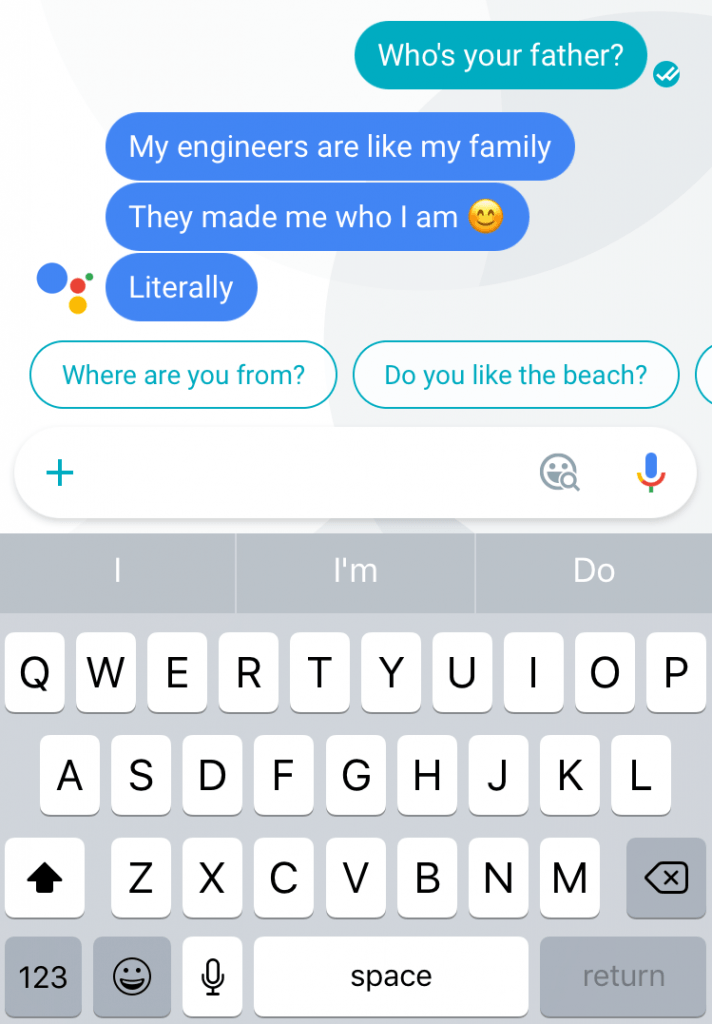
Who’s your father?

How to get Google Assistant to Cheer You Up

image: cheatsheet

Assistant talks more about family than parentage here and takes the opportunity to big up its skills. Its family is so large (all Google employees, totalling around 60,000 people) that keeping on top of all those birthdays is a monumental task that needs quite the brain. Also how many different langages do all those people speak? It is a good job it has an amazing translation tool to hand!

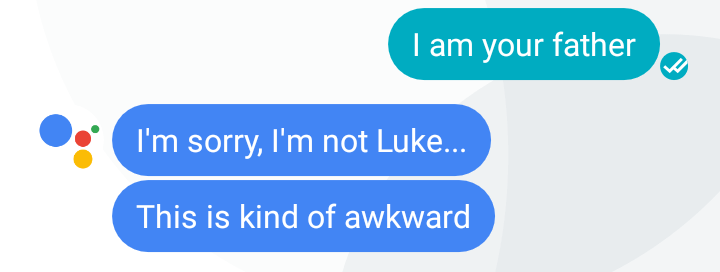
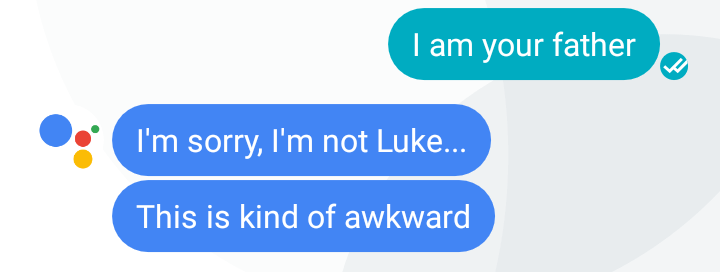
I am your father

How to get Google Assistant to Cheer You Up i am your father

image: livinglifetechway

This one is bound to bring a smile to all Star Wars fans. Assistant is basically calling you Darth Vader. Can you feel the power of the dark side?

What is your ancestry?

If you’re a robot buff or you’ve been following the history of Artificial Intelligence development this one will cheer you up. If not then this question could still peak your interest by giving you an insight into the types of AIs that have come before today’s modern assistants and how they’ve brought us to where we are today. As always, Assistant is linked to Google, so anything you’re unsure about can be Googled with a simple click.

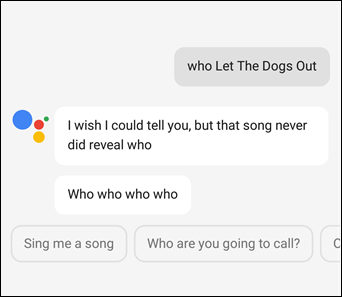
Who Let the Dogs Out?

How to get Google Assistant to Cheer You Up dogs out

image: guiding tech

This one should need no introduction!

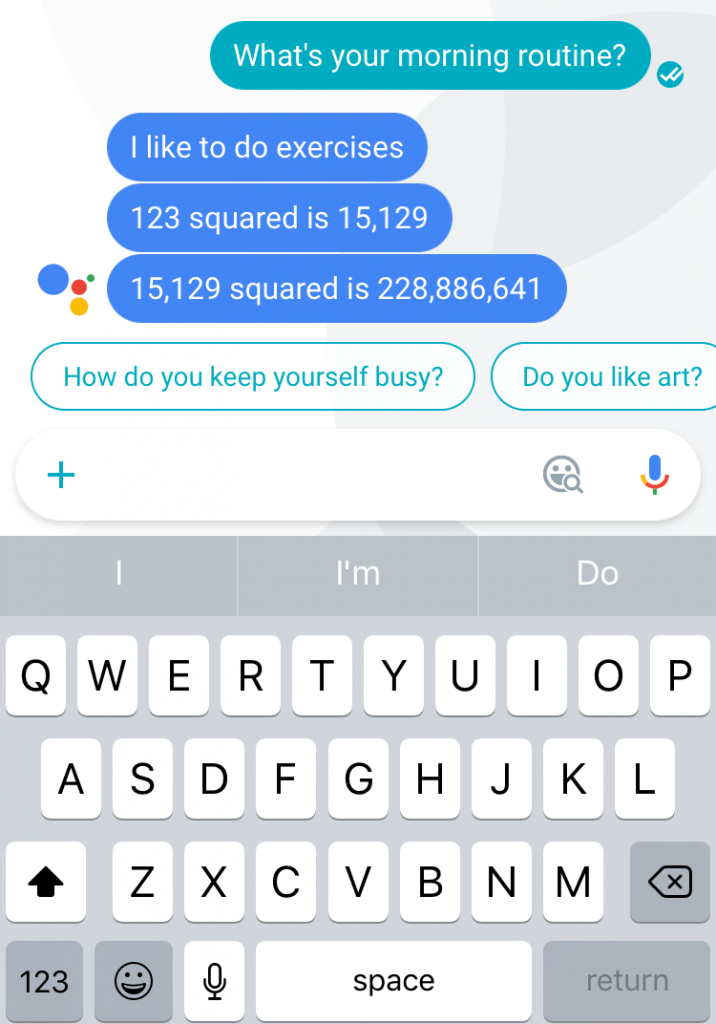
What’s your morning routine?

How to get Google Assistant to Cheer You Up morning routine

image: cheat sheet

Even algorhthmic AIs need to drag themselves out of bed in the morning and get themselves ready for the day ahead. If Google Assistant can do it then so can you. Go get em.

Why did the Chicken Cross the Road?

This one sees Google Assistant trying to come up with punch lines to one of the oldest jokes in the world. It doesn’t do too well but it tries. Give this one a go and see what you get. If you laugh, we want to know about it.

What makes you happy?

How to get Google Assistant to Cheer You Up

image: Android Police

Google Assistant is an all encompassing Artificial Intelligence that has the knowledge of the world at its fingertips. There are many many different things that make it happy but it’ll always find time to tell you that one of them, is talking to you.

What’s your favorite website?

No points for guessing this one.

Did any of these put a smile on your face? We really hope so. If you have any more examples of funny things that Google Assistant say we’d love to hear about them in the comments.

This article was originally published on May 10th 2017.

The Future of Phone Charging Is Here

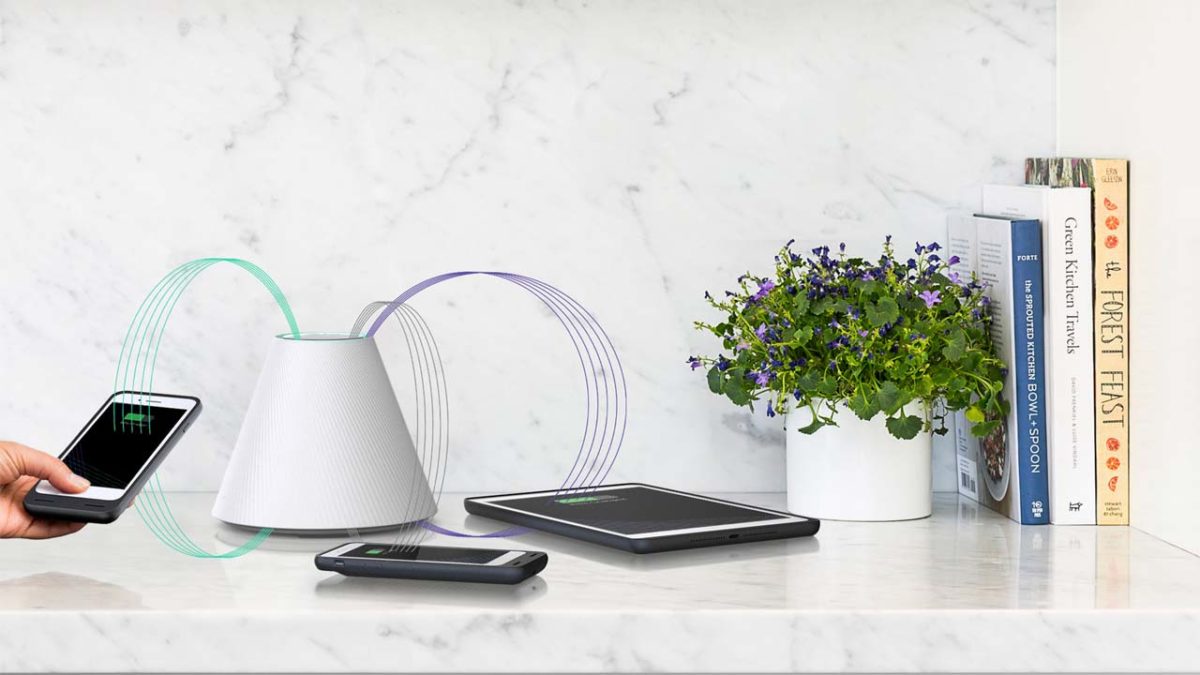
Wireless charging has always seemed like a bit of a damp squib. Your phone has to be within 4 cm of the wireless charging pad, which practically speaking means your phone has to be touching the wireless charging pad. Honestly, what is the point of that? Well Pi changes all of that and looks likely to soon give wireless charging a renewed purpose.

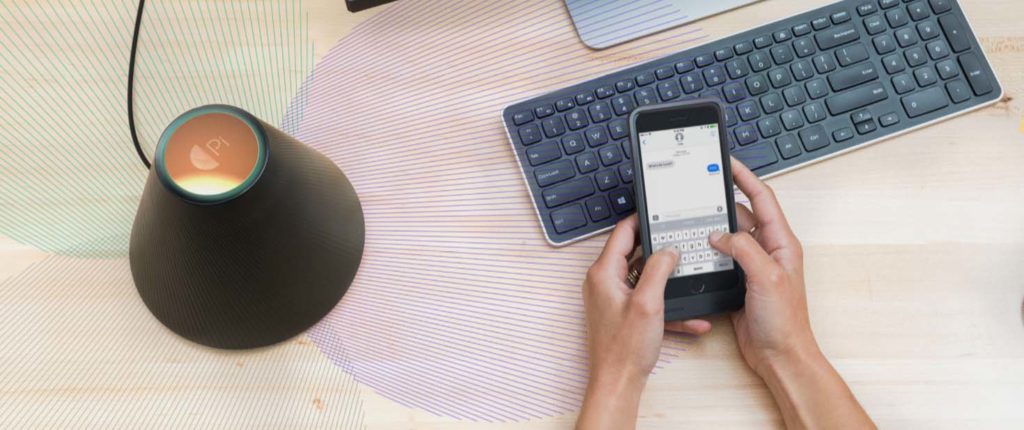
Pi looks a bit like a conical Amazon Alexa. It is minimalist and understated enough to not really seem out of place anywhere, whether that be in the office or the kitchen. It is what is under the hood, however, that is getting everybody excited because a team from MIT have actually figured out a way to change the angle of a magnetic field so that it lines up perfectly with your device. Pi can charge 4 or more devices at once from up to a foot away!

wireless charging

At the moment, the technology requires that you use a s special resonant receiver case but once you have the case you’ll be able to wirelessly charge your phone in your hand whilst you’re using it.

Although it isn’t available yet the startup behind Pi have said that it’ll cost a lot less than $200 when it finally hits the shelves. If you would like to reserve yourself a Pi charger you can do so by signing up with your email on the company website.

It is good to see that finally wireless charging might actually become useful. If Pi can really crack this technology then hopefully hardware developers will start building the resonant receiver technology directly into their devices. Once we have that we’ll be well on our way to devices that are constantly receiving charge from Wi-Fi like transmitters.

Until then though, we’ll just have to follow the tips laid out in this video:

This New Gmail Feature Will Make Life a Lot Easier

The emails we receive can be full of useful information that we could need to use on the fly. Things like phone numbers or addresses come in handy if you’ve somewhere to be or someone to talk to right now, for example. Trouble is, if you’re in a rush, copy and pasting these little bits of info can be a real pain. It is about time then, that Google has decided to make things easier for Gmail users.

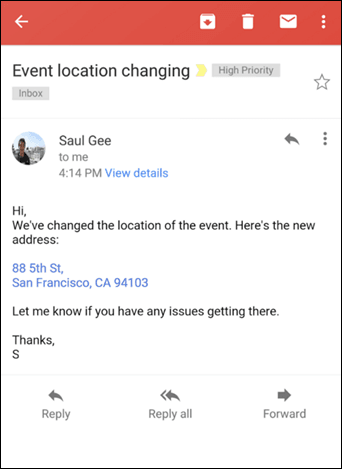
Gmail-Link-Update-3
Source: Gsuite

Finally, Google has developed an update for Gmail that will turn addresses, phone numbers and email addresses into links. This’ll mean that if you get an email about where that party is that you’re running late for all you’ll have to do is click on it and it’ll load right up in your Maps app.

Good news then. I always like it when life gets a little easier.


How to Keep Your Kids Safe When They’re Using an iPad

As more and more parents are allowing their kids to use iPads, it is important to go through some vital steps to ensure they’re using them safely.

Tip: Pin your kids WhatsApp chats so they’re always at the top of the app!

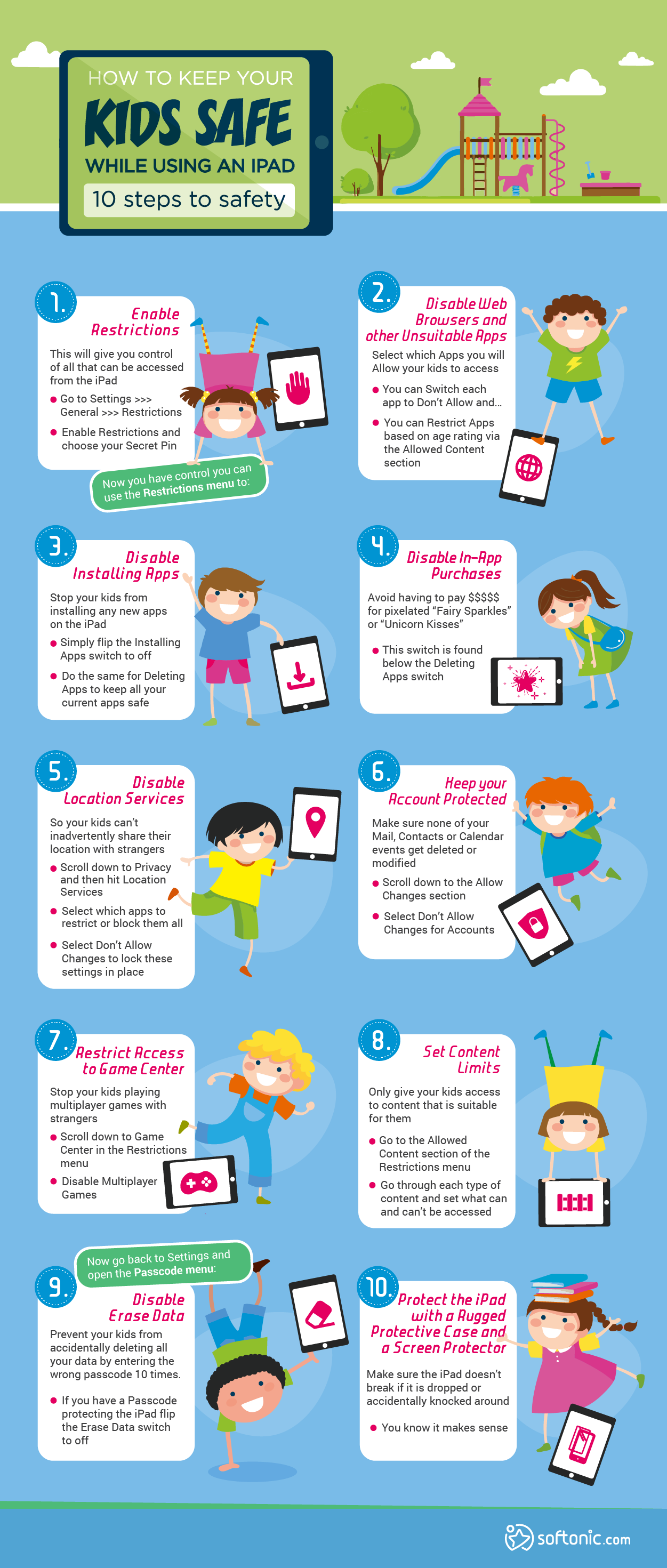
The 10 steps laid out below should make it much safer for kids to use iPads. Children are adept at finding ways around the restrictions adults try to place on them so it is best to not take too many chances. Follow all of these instructions and keep the kids (and the iPads) safe.

How to keep your kids safe while they're using an ipad

How to keep your Kids Safe While Using an iPad

10 steps to safety

1. Enable Restrictions

This will give you control of all that can be accessed from the iPad

  • Go to Settings >>> General >>> Restrictions
  • Enable Restrictions and choose your Secret Pin

Now you have control you can use the Restrictions menu to:

2. Disable Web Browsers and other Unsuitable Apps

Select which Apps you will Allow your kids to access

  • You can Switch each app to Don’t Allow and…
  • You can Restrict Apps based on age rating via the Allowed Content section

3. Disable Installing Apps

Stop your kids from installing any new apps on the iPad

  • Simply flip the Installing Apps switch to off
  • Do the same for Deleting Apps to keep all your current apps safe

4. Disable In-App Purchases

Avoid having to pay $$$$$ for pixelated “Fairy Sparkles” or “Unicorn Kisses”

  • This switch is found below the Deleting Apps switch

5. Disable Location Services

So your kids can’t inadvertently share their location with strangers

  • Scroll down to Privacy and then hit Location Services
  • Select which apps to restrict or block them all
  • Select Don’t Allow Changes to lock these settings in place

6. Keep your Account Protected

Make sure none of your Mail, Contacts or Calendar events get deleted or modified

  • Scroll down to the Allow Changes section
  • Select Don’t Allow Changes for Accounts

7. Restrict Access to Game Center

Stop your kids playing multiplayer games with strangers

  • Scroll down to Game Center in the Restrictions menu
  • Disable Multiplayer Games

8. Set Content Limits

Only give your kids access to content that is suitable for them

  • Go to the Allowed Content section of the Restrictions menu
  • Go through each type of content and set what can and can’t be accessed

Now go back to Settings and open the Passcode menu:

9. Disable Erase Data

Prevent your kids from accidentally deleting all your data by entering the wrong passcode 10 times.

  • If you have a Passcode protecting the iPad flip the Erase Data switch to off

 10. Protect the iPad with a Rugged Protective Case and a Screen Protector

Make sure the iPad doesn’t break if it is dropped or accidentally knocked around

  • You know it makes sense

Follow me on Twitter: @PatrickDevaney_

The Best Political Apps to Keep You Atop of the News Cycle

With a fast and furious 24-hours news cycle it can be difficult keeping track of changes in the political landscape. This is especially true with a new president in office who makes headlines for something different on a daily basis. Yet, it is critical to keep up with current events in politics. For starters, whether you like it or not, it is what everyone is talking about. The last thing you want is to feel like the odd person out in a political conversation.

On a domestic level, being aware of the nation’s news can help you make better decisions regarding your daily life. To illustrate, if you know that changes will be made to current healthcare plans then you can adjust your modifications accordingly. In addition, if you are in the job market, it helps to know how the current political landscape is affecting the economy and employment trends. If the economy is doing better, and companies are hiring–you’ll know it’s a good time to go job hunting.

Many aspects of the political landscape affect our lives on a consistent basis. If you can’t tune into the news 24-hours a day, how do you keep up? Well, we’ve curated a list of the best political apps to keep you atop of the news cycle. Read on to learn more.

Politomix
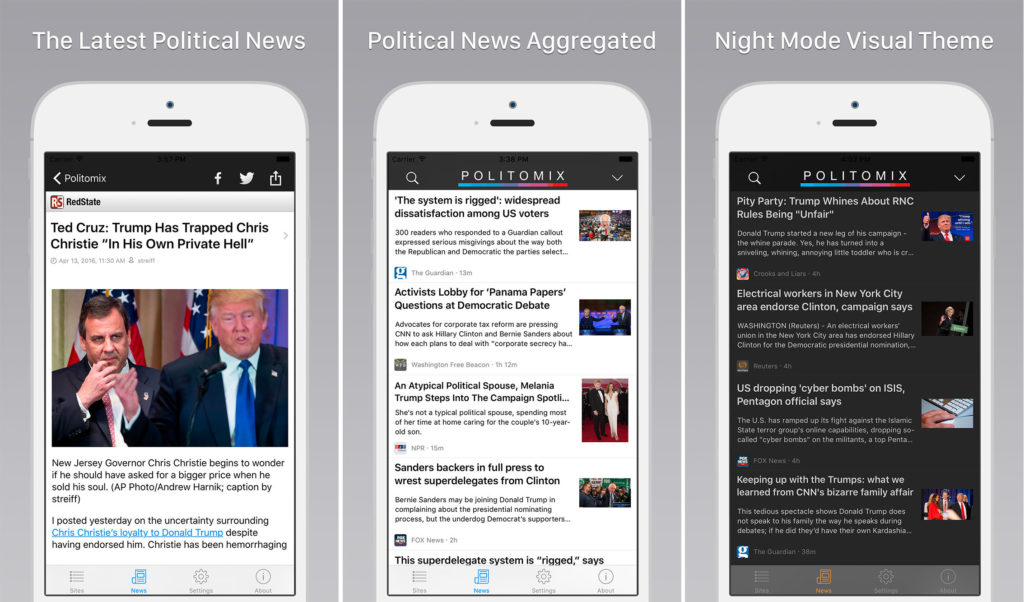
The Best Political Apps to Keep you Atop of the News Cycle - Politomix

If you need an app that consolidates political news, this is it. Instead of reading several different news sources on your own, Politomix does it all for you. One of its features is it will scan 40 of the top political news sources and sends breaking news to one portal for you. Plus, it is free on iOS. Moreover, the main interface showcases the most recent breaking headlines as a scrolling list with thumbnail images.

If any intrigue you, all you need to do is tap on it to read the entire story. Furthermore, it utilizes gestures that let you scan through stories quickly. On the other hand, you can set it to scan stories from your preferred sources. Although, it’s best to read from a variety of sources to see how differently the same news stories can be conveyed.

Get Politomix Now

Politifact
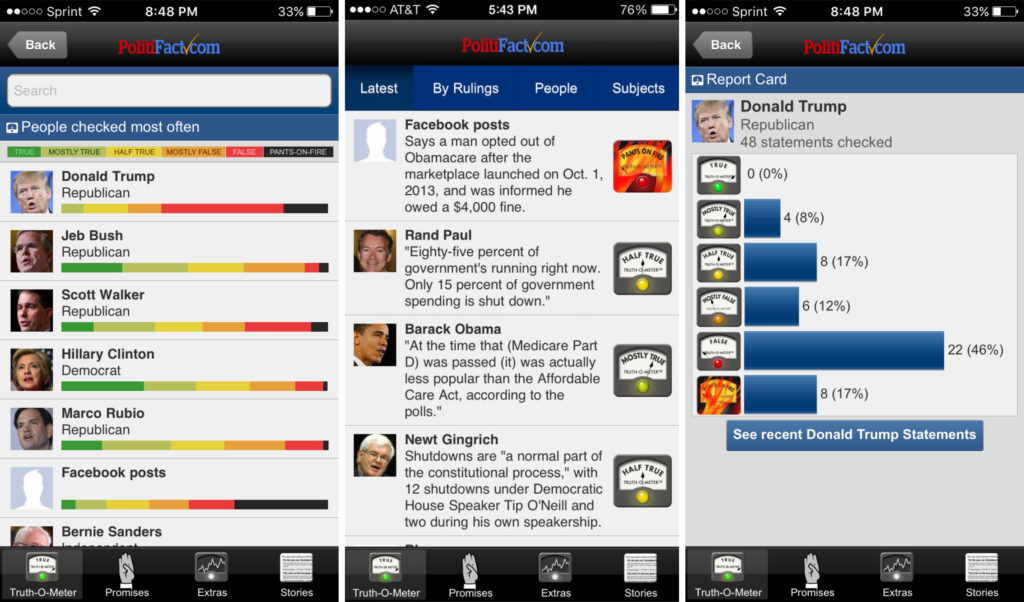
The Best Political Apps to Keep you Atop of the News Cycle - Politomix

Let’s face it, we’ve become cynical when it comes to politicians spouting off promises that never seem to get filled. Well, Politifact uses in-house research to measure the truthfulness of a politician. This can be quite critical when it comes time to hit the voting booth. The app also features a “truth index,” and a daily tally showing how honest selected politicians have been based on their most recent statements. Oh, and that’s not all. It also comes with a flip-o-meter, which measures policy flip-flops. This app is quite fun.

Get Politifact Now

The Free United States Constitution App
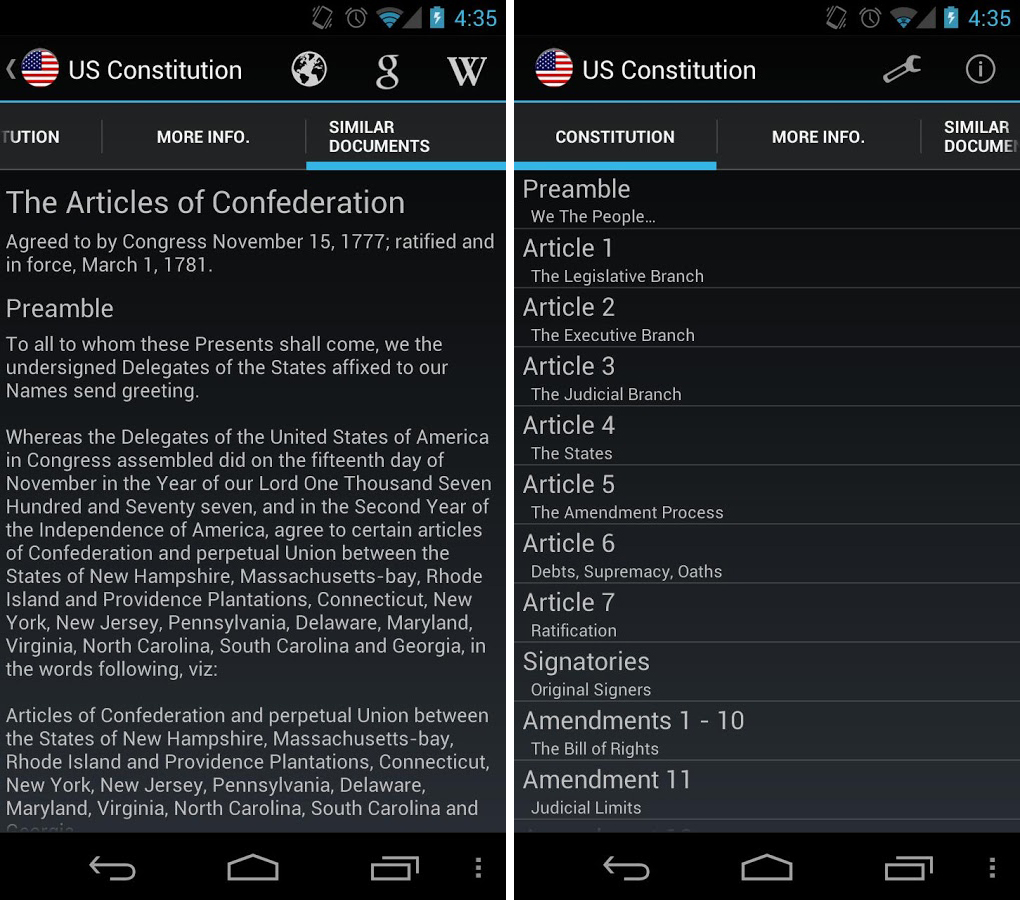
The Best Political Apps to Keep you Atop of the News Cycle - Free United States Constituion app

Many politicians tout our Constitution, but how can you tell they’re being truthful if you haven’t read it in years? Now, all you have to do is tap it open on your mobile device. This app, by RBware features a plain, text-based interface which is easy to read. But, it also comes with similar documents such as the Magna Carta. Moreover, it gives you the option to open Wikipedia to do some further research on items of your choice.

Get The Free United States Constitution App Now

Flipboard
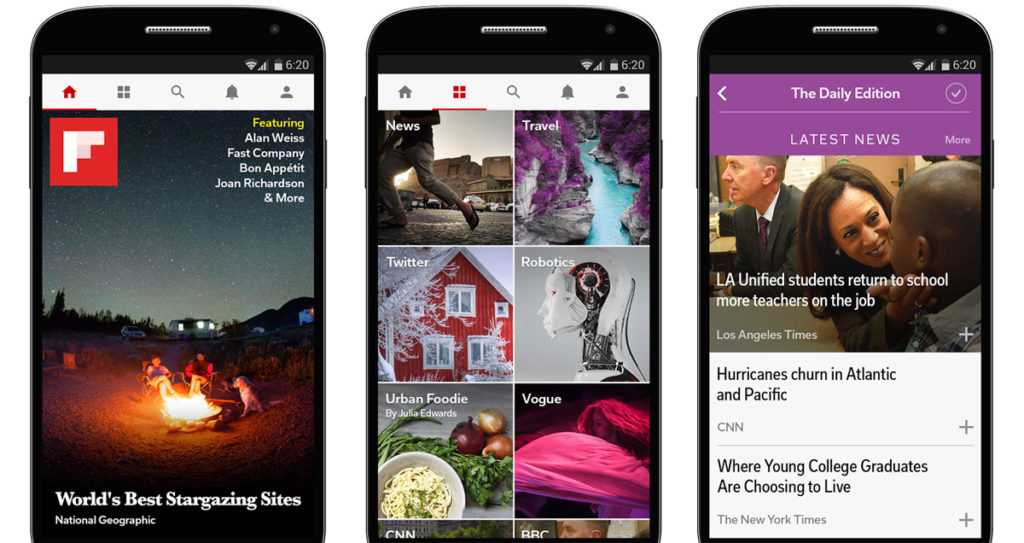
The Best Political Apps to Keep you Atop of the News Cycle - Flipboard

This isn’t a strict political app, but it is a popular news-aggregating app. As a result you can set it up to show only political news from the sources you prefer. It is also updated frequently so, you don’t have to worry about annoying and untimely crashes.

Get Flipboard Now

Congress+
The Best Political Apps to Keep you Atop of the News Cycle - congress+

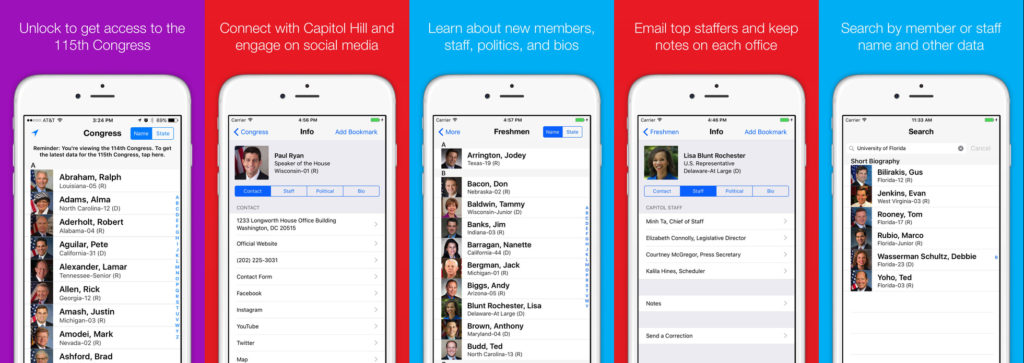
It’s difficult keeping up with 535 members of Congress, especially when it’s not your job to do so. The good news is with Congress+, you don’t have to. This app, produced by the Cohen Research Group, gives comprehensive information on every member of the House and the Senate. In addition, it includes contact information, campaign statistics and biographical information. You also get to track any sponsored or co-sponsored bills and follow legislative activity in real time. If you want to get more local, you can choose an app by state such as Utah in Your Pocket.

The White House Official App
The Best Political Apps to Keep you Atop of the News Cycle - Politfact

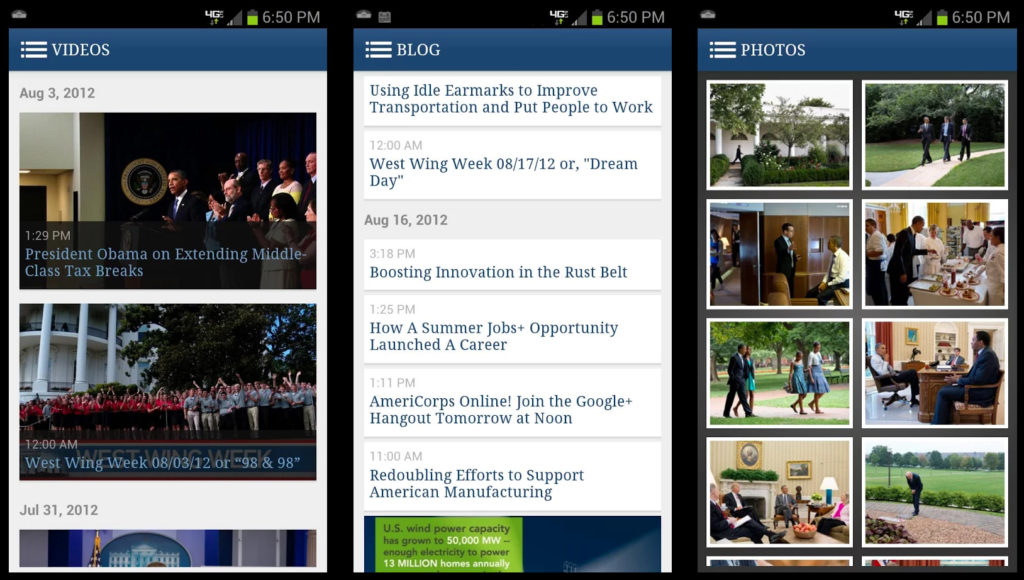
If you want to keep up with political news, then you definitely need to download the White House official app. It gives you an inside view of 1600 Pennsylvania Avenue with the White House blog, live streams, official photos, video archives and press briefings.

Sitegeist
The Best Political Apps to Keep you Atop of the News Cycle - Sitegeist

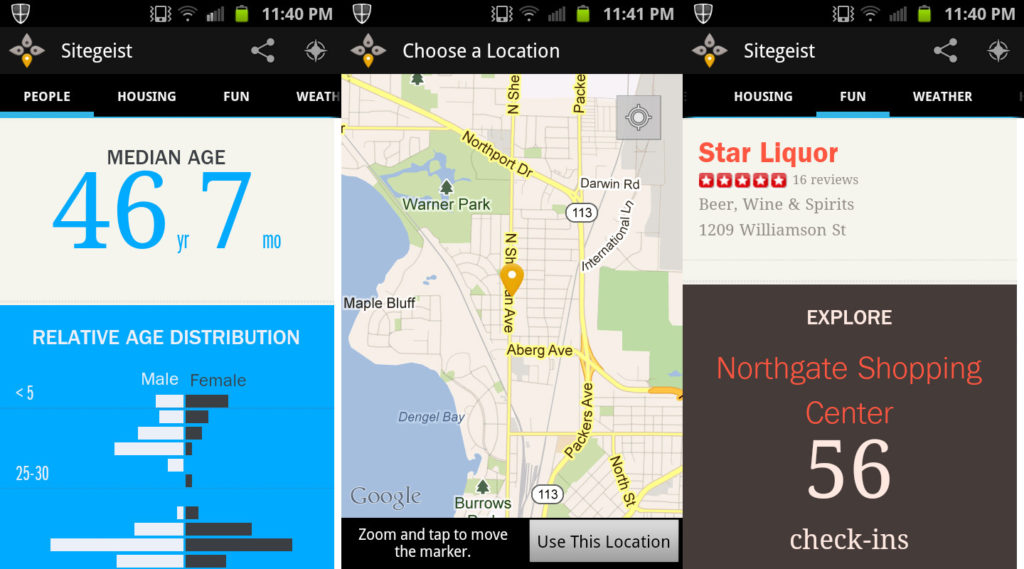
We’re all curious by nature. If you’ve ever wondered about the political leanings of your neighborhood, Sitegeist offers a view of accessible statistics on political views in your area. For example, you can use your location to view political contributions by party and the voting habits of your neighbors. Hey, if it’s too one-sided in favor of your opposition, you may even move to another neighborhood.

Get Sitegeist Now

PollTracker
The Best Political Apps to Keep you Atop of the News Cycle - PollTracker

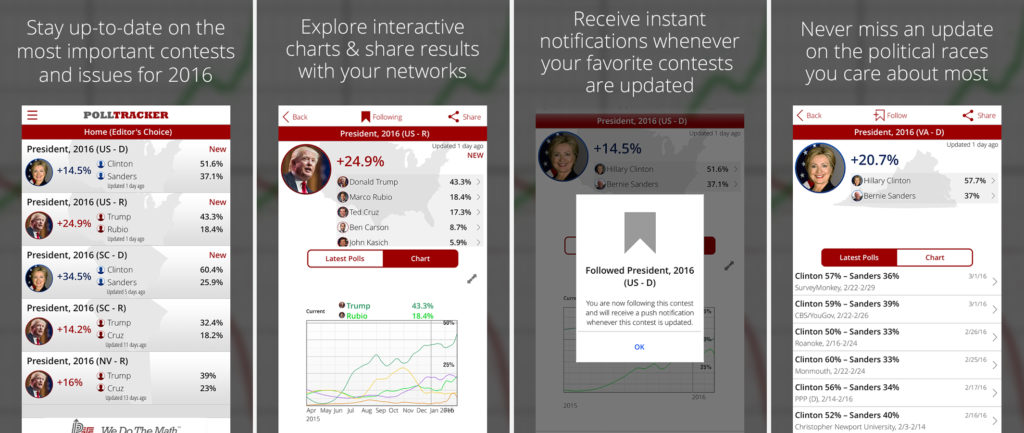
Who doesn’t love a good poll? PollTracker takes all available polling data, integrates it with regression analysis and produces averages as well as in-depth breakdowns. It also plots a politicians’ polling over time. You can also configure push notifications for new polling data.

With all of the apps above, you now have no excuse not to stay abreast of political news. Yet, you might find a few things quite surprising. Who know, you may even take interest in a political career as well.

This article was originally published on April 20th 2017.
CCleaner Has Been Hacked: Update Now if you Haven’t Already

If you use CCleaner for Windows, update the application immediately because a backdoor for hackers has been installed on the software. This malware then allows them to install other dangerous programs, like ransomware or key loggers, onto the infected machines. According to Avast, who own CCleaner, 2.27 million users could have been affected by this incident. Avast are quick to add, however, that users should not worry.

CCleaner is a file cleaning tool that has been downloaded 2 billion times and averages about 5 million downloads a week. Cisco Talos, who discovered the vulnerability, raised the alarm on September 13th when version 5.33 of CCleaner triggered their detection systems.

The affected version of CCleaner, that has the malware, was launched on August 15th but the latest version, version 5.34, which arrived on 12th September no longer has the problem. This is why it is important to update immediately if you’re not using the latest version of CCleaner.

Download CCleaner

Piriform, the Avast subsidiary has called for calm. Piriform also informed users that CCleaner Cloud (web version of CCleaner) version 1.07.3191 had also been infected by the same malware but that it has since been updated and the problem has already been solved.

“In other words, to the best of our knowledge, we were able to disarm the threat before it was able to do any harm.”

Piriform explained that the malware was preparing a second phase that would do something “bigger” but that they were able to shut it down before the second phase could launch.

Some experts don’t share Piriform’s calm outlook, however. Martijn Grooten, Editor at Virus Bulletin said:

This is very serious. Of course, it may be that they really only stole … ‘non-sensitive data’ … but it could be useful in follow-up targeted attacks against specific users.”

The Cisco Talos blog spoke in a similar pessimistic tone:

“Supply chain attacks are a very effective way to distribute malicious software into target organizations. This is because with supply chain attacks, the attackers are relying on the trust relationship between a manufacturer or supplier and a customer. This trust relationship is then abused to attack organizations and individuals and may be performed for a number of different reasons.”

Nobody knows how the hackers have been able to pull this off. Talos suspect that it could even have been a Piriform employee.

Curious about other options? Softonic Solutions has a list of the most popular alternatives to CCleaner.

Via: The VergeForbesElMundo