It is no secret that Netflix is going through hard times at the minute. Lots of subscribers are abandoning the streaming platform and the Netflix share price has been plummeting. The company is already reacting to this, not least with its plans to introduce a lower-priced Netflix subscription plan. If you were worried, however, that Netflix would also rush to cut off your access to a friend or family member’s Netflix account, there is some good news. For now, at least.
Netflix has been saying for a long time now that it would be cracking down on accounts that are shared across multiple households. Recently, this rhetoric was stepped up a notch with Netflix saying that in Peru, Chile, and Costa Rica it was testing a new plan to add a $2.99 surcharge to accounts that would allow them to share their login details to another account. Now, Tech Radar is reporting that Netflix has said this test won’t be extended to other regions any time soon.
This kind of makes sense too. In our recent report on the ad-supported lower-priced tier that Netflix is looking to introduce we speculated that the time of its release would be the perfect time to start cracking down on password sharers. This would be because all of these people who would be losing access to the streaming platform would have a new and more affordable way to maintain access.
The new surcharge will offer Netflix a way to monetize password sharing but not everybody will want to pay extra for other people to watch their Netflix and requiring another household to send over money to the subscriber each month is a bit of a messy solution.
We try to keep you updated on all major cyber security issues here at Softonic as we know that there are many modern threats out there trying to catch us with our guard down. The name of this new and growing threat, ChromeLoader illustrates the nature of these attempts well. It sounds innocuous and just like a legitimate file you may have to download if you want to install and run Google Chrome on your device. We’ll look into this threat further below, but we would just like to remind you that you should only download files and apps from sources you can trust, like Softonic.
According to malware detection and response specialists, Red Canary, who have been investigating the threat, it is targeting macOS and Windows users. They also say that they have been following the ChromeLoader since February and that its threat level has risen significantly over the last few months.
The scam involves placing the ChromeLoader malware inside fake torrent files that are advertised as containing cracks and cheats for software and games. They are even using fake social media accounts to push the fake torrent links. Red Canary also states that are QR codes doing the rounds that will take people to sites that are riddled with the malware.
Once it makes its way onto a victim’s machine, the ChromeLoader malware will pull an archive from a server and install it as a Chrome extension. It will then delete that task so that there is no record of its existence. Once there, the malware can actually alter the browser settings and cause fake search results to show that will send the victim to all manner of infected sites and pages, such as fake giveaways or dating sites.
As always with these types of malware, the best line of defense is to prevent them from ever getting onto your machine in the first place. For this, we strongly recommend you check out our infographic that will teach you how to detect phishing scams.
The web version of Microsoft Word is impressive for the breadth of features it offers users looking for a word processing app to use in a web browser. It is no secret, however, that the web app is short of quite a few features you find on the full app that you download and install on your computer. It now looks like this is about to change for one popular feature at least, which Word for Web is due to receive.
In a new entry on the Microsoft 365 roadmap site, which the software giant uses to layout upcoming changes to apps and programs, Microsoft has unveiled plans for a Word: Dark Mode.
“Dark Mode in Word for Web will provide a modern look for documents while giving users the ability to reduce eye strain and accommodate light sensitivity from long hours at a computer screen.”
Dark modes have been incorporated into pretty much all major apps over the last few years for a variety of reasons. Displaying dark colors actually uses less power than displaying light colors, when the display device is using an OLED screen. This means dark modes can actually save battery life when used on mobile devices as well as being.
Another key benefit, as Microsoft laid out, is that enabling a Dark mode will make Word much easier on the eye. Adding a Dark mode to Word for Web essentially makes it easier for users to work for longer without having problems.
Updating features on the web versions of Microsoft 365 programs enables users to take advantage of their Microsoft 365 subscriptions while on the go. Users can effectively log into their accounts on any device and get to work but if the web versions don’t have all the features, then obviously there will be barriers for some users trying to perform certain tasks.
Microsoft says that the Dark Mode in Word for Web will be generally available in May 2022, but confusingly also says that the feature is still in development. That just means that we will have to keep our eyes peeled for the new feature and hope it arrives sooner rather than later. In the meantime, why not check out our Microsoft Word review to see exactly what the word processor is capable of.
Respawn Entertainment has just announced the next chapter in the Star Wars Jedi story; Survivor. The reveal formed part of the past week’s Star Wars Celebrations which have seen numerous other exciting reveals since Star Wars Day officially kicked off. Star Wars Jedi: Survivor is set to be released in 2023. We expect to see protagonist Cal Kestis back in full force for the sequel, although it’s been five years since the first game was released.
True to the usual form that early game announcements follow, Star Wars Jedi: Survivor was announced with a cinematic trailer. We, therefore, have no idea what the actual gameplay could be like. Although it would make sense that the gameplay follows a similar style to the first game. In all likelihood, the new game will be no more than an expanded version of the last one. One interesting fact we do have is that the Grand Inquisitor makes an appearance within the cinematic trailer. This same Grand Inquisitor has also just been featured in Obi-Wan Kenobi, the Disney+ show.
The presence of the Grand Inquisitor may reveal even more crossovers in the future, as it confirms that Obi-Wan Kenobi and Star Wars Jedi: Survivor take place during the same time period. This tantalizing titbit has led some fans to believe that we might see Cal make a cameo appearance in the show in the near future.
In the trailer, we also see Cal facing off with what looks like a Sith, given that the figure was wielding a red lightsaber. It’s also pertinent to mention that Cal wasn’t exactly doing well in the fight. The trailer concludes with Cal staring at a long-haired figure in a water tank much like those in which Darth Vader has been seen in the cinematic universe. We don’t get any details as to who the figure is, but they’ll probably be important in the game.
Respawn says Survivor will be new-gen only. This means only PS5, Xbox Series X|S, and PC players will be able to play it. Also in the works over at Respawn Entertainment HQ are two other titles within the Star Wars franchise. The first will be a strategy game, and the other likely a first-person shooter.
Before you go, check out details of the hit Disney+ show Obi-Wan Kenobi that was released last week!
The Force awakens as Obi-Wan Kenobi releasesDOWNLOAD
One of the best things about modern web browsers is the ability to set up multiple profiles so that you can more easily segment your web experience and stay much more organized. One of the main ways people use this feature is to have a personal profile for home browsing and a work profile for whenever you are using the internet professionally. In this regard, Microsoft has announced an interesting update that is coming to its Edge browser.
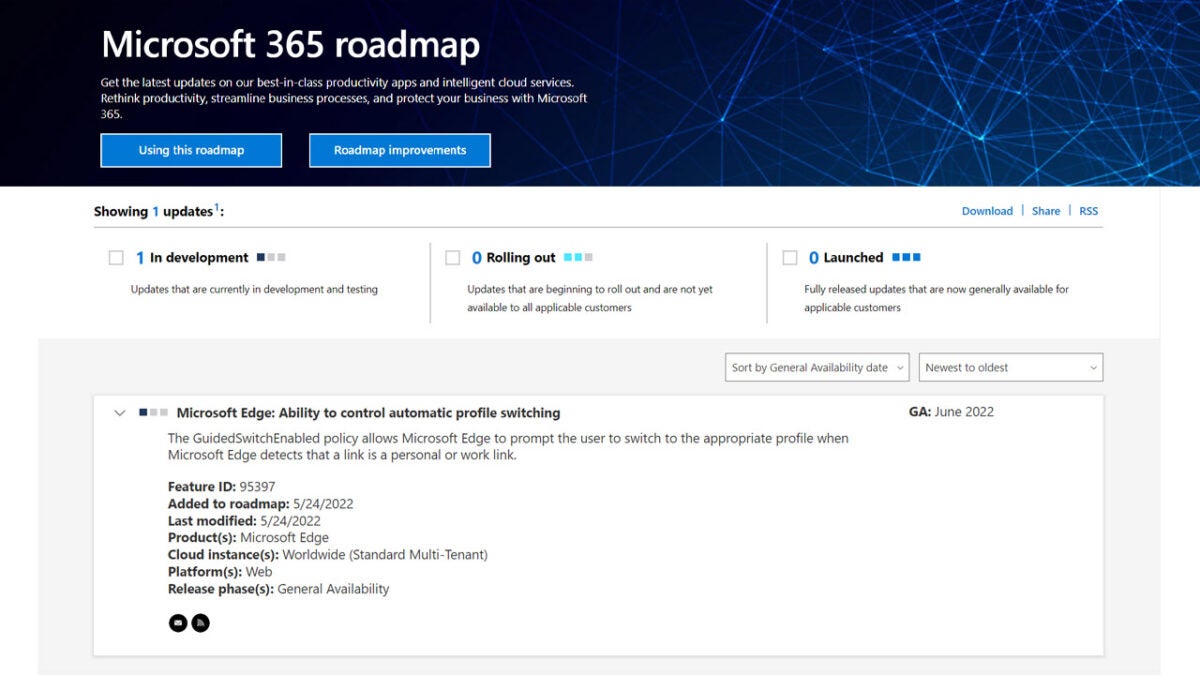
In the Microsoft 365 Roadmap Microsoft has included a small entry that is called the GuidedSwitchEnabled policy. The entry doesn’t say too much but it does lay out an interesting update for anybody who uses their computer for both work and personal web browsing.
The new feature revolves around links. Basically, depending on the particular profiles you are currently surfing the web on, Microsoft Edge will prompt you to change to a different profile depending on the type of link you have clicked. For example, if you are working and you click on a link to a sports magazine or maybe try to find a recipe to cook for your dinner, Edge will prompt you to change over to your personal profile when you click the link.
The roadmap states that this new feature is in development and should roll out for general availability in June 2022. That is it though, there is no information about how Edge will no if a link relates to personal or professional browsing and doesn’t mention how Edge will know which profile is which. The only information we have is that the feature will be available soon.
This means if you use Edge as your work browser you may soon start receiving prompts whenever you click on certain types of links. Another thing you may be interested in if you use Edge for work is how to activate Microsoft Edge’s Super Duper Secure Mode.
CD Projekt Red, the developers of the popular gaming franchise has recently announced that the newest installment, The Witcher 4, has entered pre-production. As exciting as this news is for fans of The Witcher games, there is still a lot for fans to speculate about.
In an official blog post, developers CD Projekt Red confirmed that they were looking back over the progress made in the first quarter of 2022 and also announced that the research phase of The Witcher 4 (as we have no official title yet) is completed. The project is moving to the next stage, which is pre-production.
As the game only just moved to pre-production, it could still be a few years before we see the release. This explains why we haven’t received much information about the game yet, such as a title, who the main character will be, and much more. The developers did share one teaser image. This teaser has sparked quite a bit of speculation from fans.
The teaser image included in the developer’s recent update video depicts a Witcher Medallion buried in the snow. Many fans believe this medallion is linked to a major character, Ciri, from The Witcher 3: Wild Hunt. The developers have already announced that Geralt’s journey has come to an end. This means we’ll be seeing a new main character in The Witcher 4. Due to the teaser image, fans are wondering if the new main character will be Ciri?
Regarding the teaser image, CD Projekt Red confirmed it’s of a lynx. This would appear to be a new Witcher school introduced in the new game. So far, we’re very excited to see what they would look like since the developers partner with Epic Games and are building The Witcher 4 in Unreal Engine 5.
In other CD Project Red news, don’t miss how Cyberpunk 2077 expansion files have leaked.
Cyberpunk 2077 expansion files have leakedREAD MORE
Windows 11 has been out since October last year and since then it has received a number of small updates. As we’ve reported, these updates have not always gone to plan, however, with some Windows 11 updates having to be recalled. This has not deterred Microsoft with the software giant working away diligently on the first major Windows 11 update, which is rumored to be called Sun Valley 2. It now looks like that update is ready, so let’s take a look at some details.
Microsoft has announced in a blog post that Windows 11 version 22H2 has been developed to the extent that PC manufacturers can start installing it onto new machines that will ship later this year. This doesn’t give away too much, but Tech Radar has taken a guess that this could mean the update could possibly roll out in October, sometime around the anniversary of Windows 11’s original release.
These major updates differ from the much smaller updates that roll out on a regular basis as they often bring major changes to the Windows ecosystem and app upgrades as well as the little tweaks and security updates that come with their smaller siblings.
There are lots of things on the horizon too for Windows 11, which we’ve already reported on. Microsoft has been busy developing its partnership both Amazon and with Android and soon it will be easier than ever to use Android apps on Windows 11. Microsoft has also been developing the Microsoft Store on Windows 11 and there has even been a new Microsoft Designer app spotted in the wild. If all of these are included in the Sun Valley 2 update, then it will offer substantive changes to the Windows 11 experience.
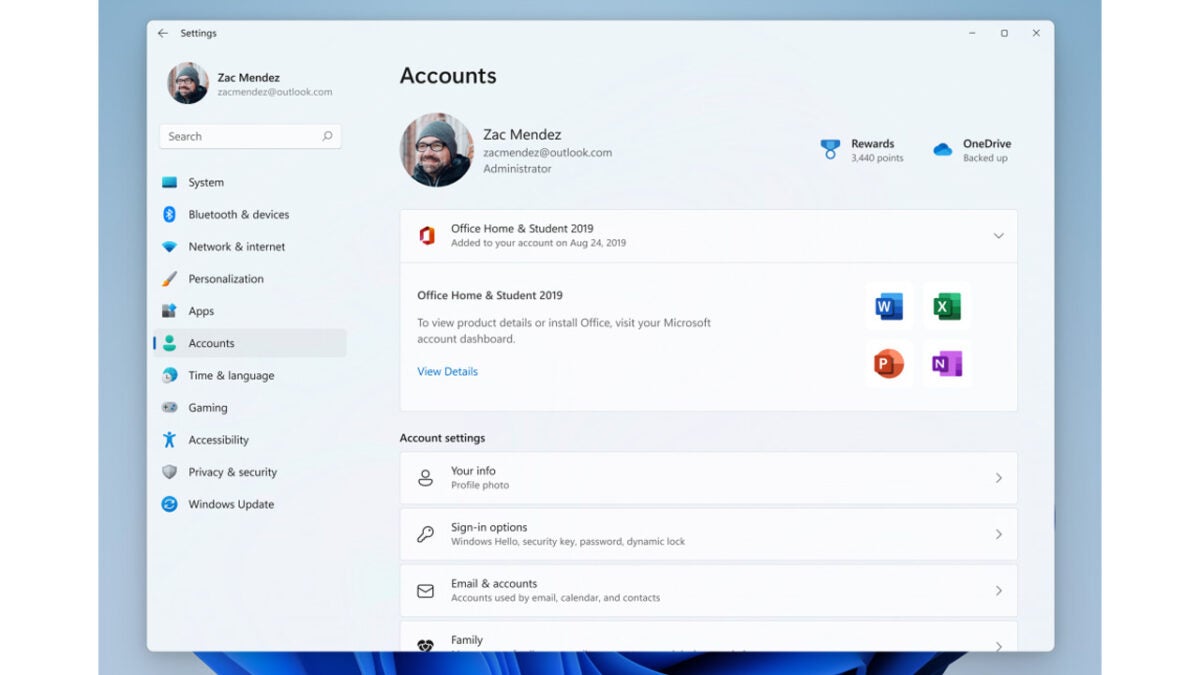
Another update, announced yesterday on the Windows Insider blog shows a new Accounts tab in the Windows 11 Settings menu, which will show you the status of your Office 365 subscription. It will even give you the opportunity to install any of the programs you don’t already have installed on your machine.
There is a lot coming then for Windows 11 and with this latest update from Microsoft, we can start to think about when we might expect to see it all arrive. If this all sounds like good news to you then you might be happy to learn that Microsoft’s staggered rollout period is now over and Windows 11 is now fully available to everyone who wants it.
The internet as we know it is built on the ability of mega tech corporations to collect as much data about us as possible so that they can monetize our time using their sites and services. Once they know as much about us as they possibly can, they can sell the data to advertisers or use it to target us with new products based on our deepest desires. There are alternatives to this model, however, and one of the big players in the privacy-first market, ProtonMail is updating its brand as it looks to the future.
ProtonMail is restructuring and rebranding all of its privacy-focused products into a single service, with the new name: Proton. This means that the company’s email, VPN, cloud storage, and calendar will now all come bundled together as a single $9.99 a month subscription. Proton is now offering a comparable service to Google’s One subscription model, which bundles in a variety of services. Included in the monthly subscription fee is 500GB of encrypted cloud storage space, which is a big increase in the space available on older plans. It is worth noting that with Google One, you only get access to the company’s VPN service if you go for the 2TB of storage and above services.
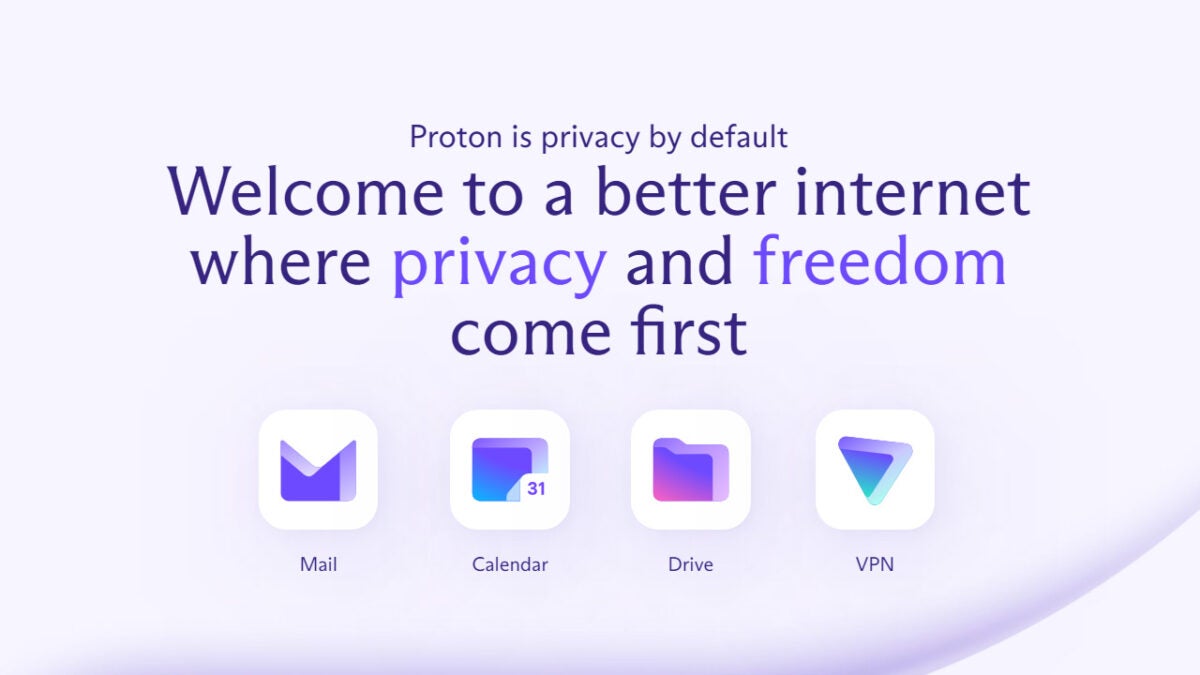
Proton offers users what it calls a better internet where privacy and freedom come first. The company does not collect your data and uses encryption to ensure that it stays secure. The move to unify all of Proton’s different services to offer a full suite of what now could be called the basic necessities for daily internet use offers users a chance to fully protect themselves and their data when online. This service offers users a genuine alternative to the practices described above.
As well as packaging all these services together, Proton is overhauling the visual identity of its brand with the new logos (as shown above) offering a softer and sleeker tone than the original grey padlock icon that formed the old ProtonMail logo.
The price of this new bundled subscription does mean that you are paying a premium to access these types of services, but this is a price that may are willing to pay. If you are interested in protecting your data, this type of deal may be for you. Another thing that could interest you is our guide to help you delete everything Google knows about you.
The internet has just been blessed with a massive new Cyberpunk 2077 expansion leak. VGC is one of the few platforms that has seen the actual leaked files, and according to them, it exposes the majority of the new expansion to the post-apocalyptic sci-fi action title.
According to VGC, within the leaked expansion files are hundreds of lines of dialogue that spell out the events of the expansion and even the characters involved in them. The dialogue points most interestingly to a new character known only as Songbird being the primary focus of the soon-to-be-released DLC.
Cyberpunk 2077 is set in Night City, and anyone who has played the game will know that there are two zones that are inaccessible to the player; the combat zone and the sports dome. According to the dialogue within the leaked files, these two locations may together be the setting of the new expansion.
Another significant change spotted within the game files is that Johnny Silverhand, a piece of artificial intelligence played by Keanu Reeves, may have a much smaller role in the expansion. VGC says that while most of the side missions still largely contain placeholder text, there’s enough dialogue that shows Silverhand in a more diminished role.
Reeves’ inclusion in the project was one of the chief selling points of Cyberpunk 2077, so giving him a diminished role doesn’t seem to make much fiscal sense. He is also one of the players’ favorite characters, so this smaller part he’ll play in the expansion may come as a shock to many.
The developer and publisher of Cyberpunk 2077, CD Projekt Red, has confirmed that the new expansion will be available in 2023. Leaks can be exciting. But in this case, where a leak all but confirms the slow replacement of a fan favorite with an unknown character, the game’s popularity stands the chance of losing momentum before it’s even released.
We can only hope the developers manage to keep some of the game files a secret so that there’s still a little bit of anticipation left by the time 2023 comes. Feel free to read about the previous Cyberpunk 2077 expansion and DLC news so you can compare the notes.
New details on Cyberpunk 2077 expansions and DLCDOWNLOAD
There’s a reason Google Chrome is the world’s most popular internet browser. Using it ensures you can do anything you need to efficiently. Among its best features is managing and organizing tabs, and there are many apps that offer specific ways to do so.
Using these top Chrome extensions for tab management will help increase focus and improve productivity. You’ll know where everything is, and you can organize them in different ways.
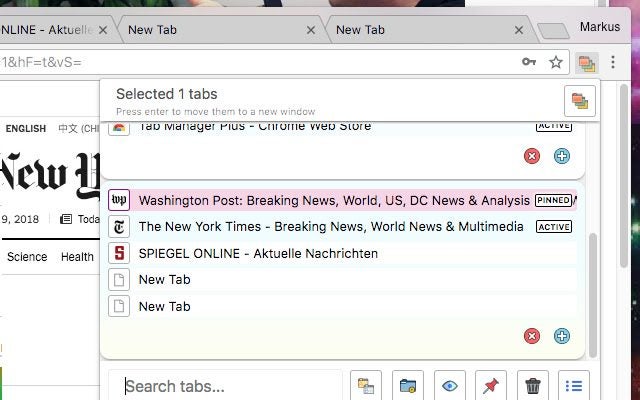
Considered by some to be the best tab manager out there, Tab Manager Plus for Chrome allows you to create new tabs and windows. You can also find open tabs quickly, find duplicates and limit the number of tabs per window that you can see at once.
This is a helpful app to keep tabs organized by filtering, moving and re-arranging them, and switching between them with the main focus on speed. It also supports incognito mode if you decide that you want to enable it.
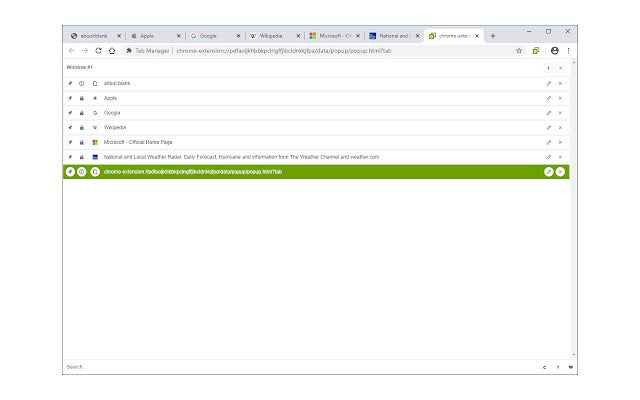
This extension organizes tabs from your toolbar pop-up. You can also open the UI for the extension in a standalone pop-up window or a new tab. Tab Manager supports multi-window and incognito mode.
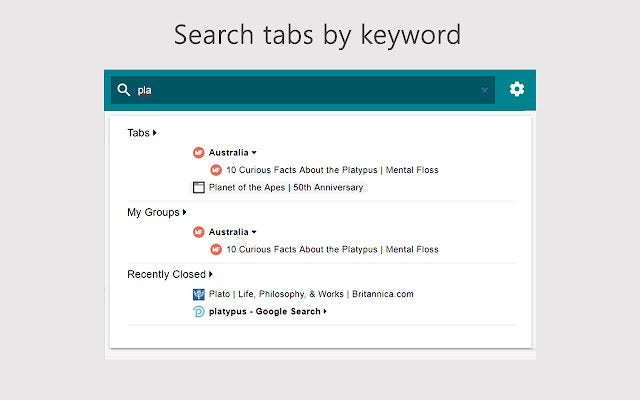
To use this add-on, open the UI and manage your tabs. You’ll see a search bar and a list of open tabs. There are two buttons on the right for editing or removing the current item. In the UI, you can drag all tab items. Once you drag one, it will re-positioned the tab.
The Tab Organizer is an app that allows you to find and organize all your tabs quickly. It makes it easy to find and manage all your tabs. Just click on the icon at the top right to open a pop-up that lists all your windows and tabs.
Then you can choose and close tabs. You can drag tabs in the window or move them to another window. Power users can make tedious tasks like moving or closing tabs much easier by using macros.
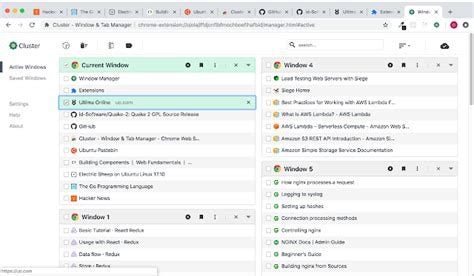
Cluster helps you manage multiple open tabs and windows using very few system resources. It also has tools to navigate windows and tabs quickly and a tab project manager to save windows and tabs as working projects you can return to.
You can undo tabs or windows you have removed, launch the manager using a keyboard shortcut, easily move tabs between windows, etc. Cluster is fast and simple to use.
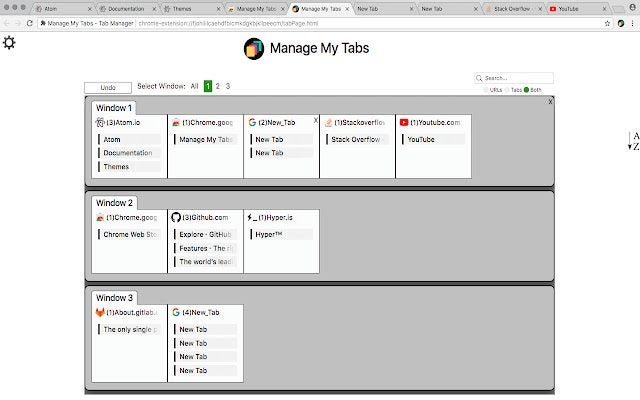
Manage My Tabs gives you a simple way to manage tabs. It groups tabs by website name that you can search for and customize. It lists tabs and tab groups numerically or alphabetically. You can close tabs individually or by group and easily navigate to tabs.
It updates when tabs are opened or closed. In your settings, you can alter the number of columns, get tabs from all windows, and search for tabs by website name.
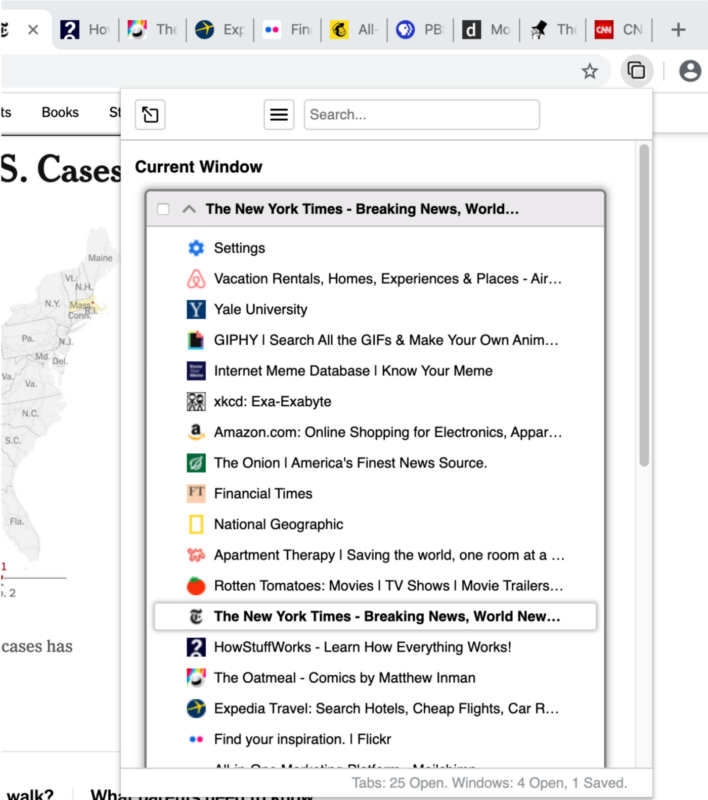
Tabli is an easy-to-use but powerful tab manager. It provides quick switching between windows and tabs and allows you to save and restore them. Tabli runs as an extension in Google Chrome. It does not send any data to any extension, cloud service or external application.
Tabli makes it easy to see open windows and tabs and switch between them. Saved tabs in Tabli are similar to bookmarks. But they’re easier to organize, find, and maintain. The add-on is free.
ProTABS is an intelligent tab manager that’s especially useful when you’re dealing with large numbers of tabs. It will allow you to browse and work much more efficiently. It enables many powerful workflows such as:
Pinning your frequently used tabs (like email!) so you can see notifications at a glance. Creating groups from tabs and windows and arranging them by topic. Saving tabs or groups of tabs so that you can find them later.
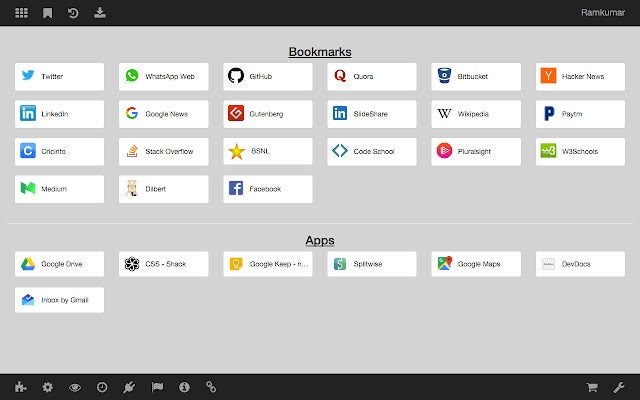
This extension replaces Chrome’s New Tab page with a minimalist version that shows a blank white page and an imitation of the Bookmarks Bar. Bookmarks are the most important things in your browser apart from passwords. View them on your New Tab page instead of searching for them in the super small bookmark bar.
The page increases your productivity and customizes your browser. You can customize your name displayed on the page, change your background and add or delete files.
The Close all Tabs extension adds an option to your Chrome browser that closes all the open tabs in the active window. It allows you to close all open tabs, including pinned tabs and incognito tabs, using the toolbar button, keyboard command (alt + w) or the context menu options.
You can change the default setting for the toolbar button and open a particular URL after closing all the tabs.
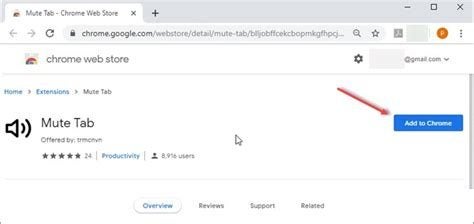
Google Chrome 71 removed the option to enable audio muting per tab. The Mute Tab extension helps you quickly mute all tabs with just one button. Or you can do it by using the extension icon.
The toolbar button behaves like an ON|OFF switch. If you press it, the icon will change color and shape. If you want to unmute a single tab, right-click on a tab and click Unmute Tab. Please visit the options page if you want to mute all the tabs except the active one.
Tab Auto Refresh is a Chrome browser extension that helps you reload (refresh) the tabs of your choice. To use it, you have to open the toolbar pop-up UI while visiting a website. There you set a time interval in seconds (like 100 sec). The tab will reload at the time interval you have set.
To stop the reload, press the stop button on the top left of your toolbar pop-up UI. Or you can press reset (top right, which will clear the reloading task for all tabs.
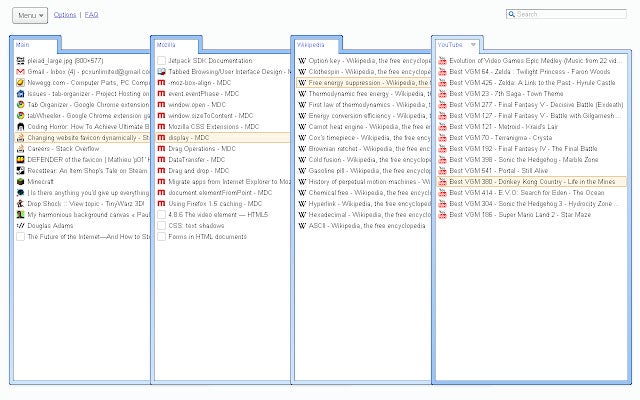
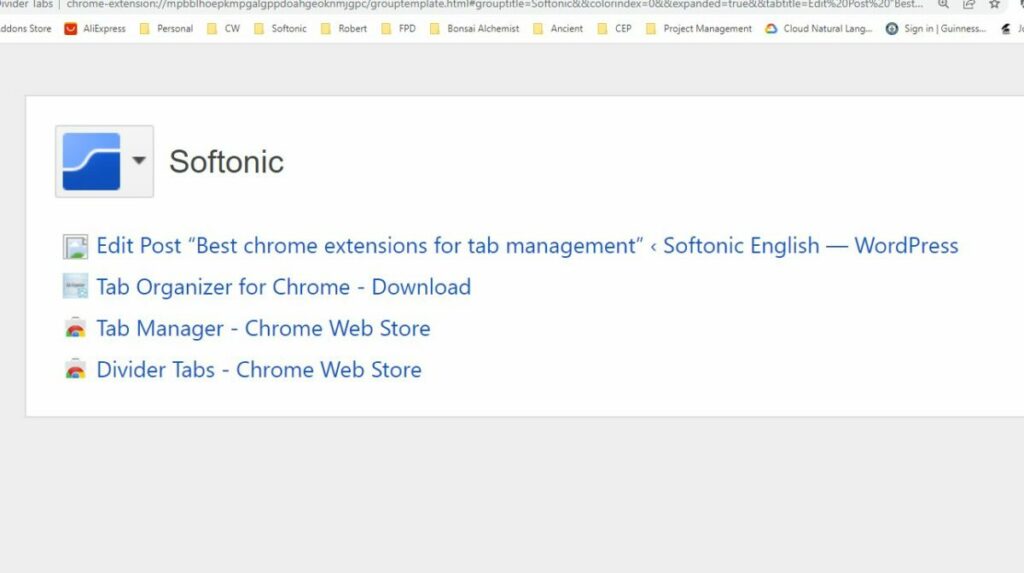
Divider Tabs is a Google Chrome extension that allows you to manage a lot of tabs by using what is modelled on a 3-ring binder: To work it, you click the Divider Tabs icon next to the address bar to insert a named, color-coded Divider Tab to separate groups of related tabs.
The extension contains an index of all the tabs in that group. You click the colored chip on a Divider Tab to close all tabs in the group. And you click again to restore them.
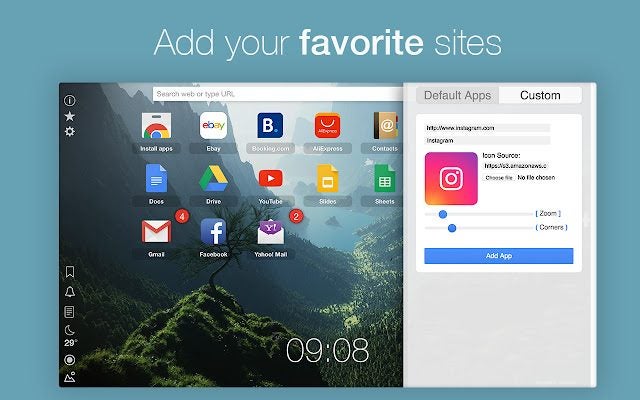
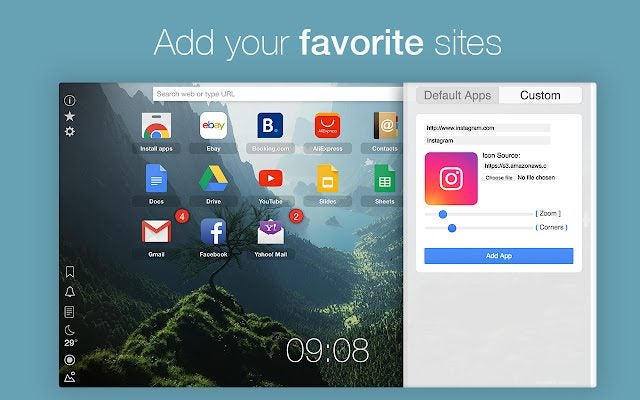
This Google Chrome extension replaces your New Tab page with a customized dashboard. You will love this page! Your beautiful new Home will show notifications, badges, closed tabs, notes, a calendar and favorite sites, weather and more.
You can make it personal and get inspired with improved speed and the ability to hide elements you don’t want to see. It has a beautiful built-in background gallery that you can customize.
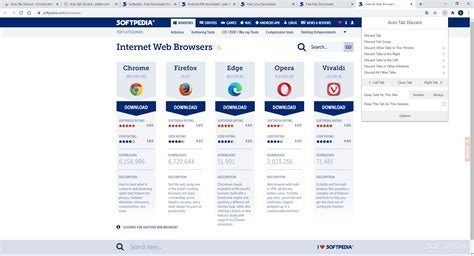
Auto Tab Discard is a lightweight Chrome browser addition that reduces the memory load of inactive but open tabs. This also helps to save battery life on portable devices.
It speeds up your browser and allows you to discard tabs you no longer need. The extension lets you list tabs you don’t want to discard. You can also reinstate discarded tabs with all their information remaining. This information can include the scroll position or content of the text in the tab.