Gacha Club Review: A creative outlet for gamers

Gacha Club is the sequel to 2020’s Gacha Life by Lunime Inc. While Gacha Club shares many similar elements to its predecessor, the focus on single-player content and RPG elements gives the title a distinct feel. Players will create their own characters and play mini-games with them. There is also a new battle feature that gives you more ways to interact with your roster of avatars.

You can play Gacha Club for free on either your PC or mobile device. Like with many modern titles, cross-progression is enabled so you can continue your adventure on either platform as the situations warrant.

Gacha Club Edition DOWNLOAD

Customization adds to gameplay loop

Gacha Club is all about creating your own experience. You create all of your characters and design many of the scenes they find themselves in. There are numerous customization options that help you make the game your own. In addition to the scenes you create, your characters can also be used to partake in various mini-games created by the developers.

The main addition to Gacha Club is the numerous RPG elements. The first thing you will notice is the story mode. While the narrative is not very deep, the mode is the perfect spot to level up your characters and obtain new items. The structured levels provide a reliable way to keep progressing your collection. You will engage in turn-based battles as the primary means of strengthening your characters.

The turn-based battles offer a fair degree of strategy thanks to the numerous options for character development at your disposal. It is similar to a card game in how you must balance the various resources in your inventory during each conflict. Half of your success is contingent upon the plan you devise before each battle even begins.

If you prefer to battle without the rest of the story mode weighing you down, there is a standalone battle mode in the options. You can play a quick bout during moments of downtime throughout the day. There is also a tower mode for longer play sessions. This endless mode tasks you with winning as many battles as possible before your team is wiped out. This serves as the ultimate test of your inventory and training.

Created scene to put your character in

Graphics, art style, and presentation

Gacha Club opts for the chibi anime style employed by the previous game in the series. The hand-drawn animation format allows the title to run on mobile devices and computers with minimal hardware specs. Having distinct lines around each character help make the art style memorable and impactful.

The true key to this impact is the creation and customization element. As long as you enjoy the base art style, you can find customization options that will suit your personal taste. A roster of your own unique characters enhances the presentation of story mode immensely. While the narrative is not fleshed out, there is reason to feel attached because it is your creations enduring the fray.
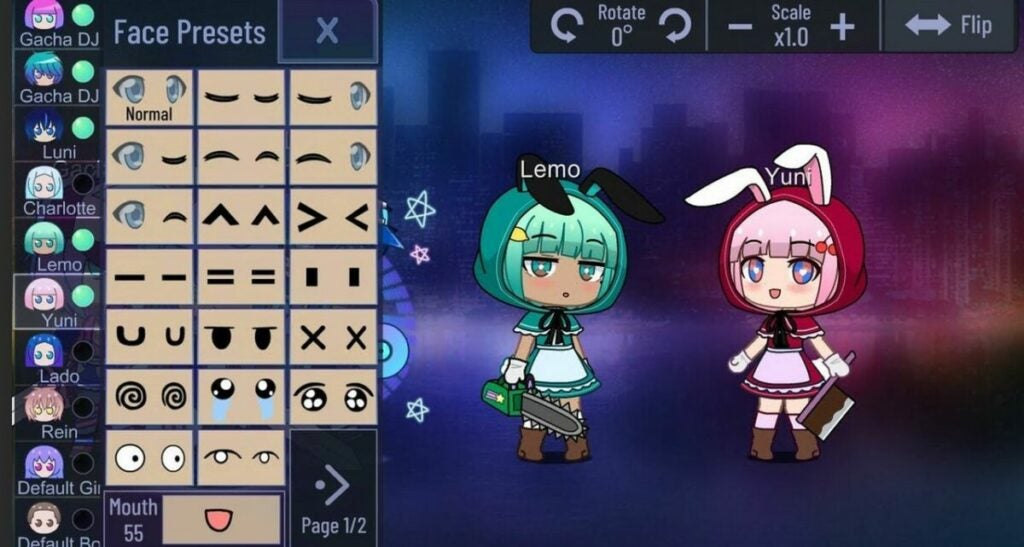
Character customization menu

Does Gacha Club offer a new narrative?

Gacha Club’s main mode does not offer much in the way of traditional storytelling. The base campaign is mostly there to give players inspiration. The community generates the real narrative backbone of the title itself. The ability to create custom characters, scenes, and dialogue facilitates the development of fan stories and projects.

Interestingly enough, the user-generated content is not viewable within the game launcher itself. Instead, fan productions are given life on video-sharing platforms such as YouTube. There are sizeable and dedicated communities uploading Gacha Club content on a consistent basis. You can choose to join the creation process yourself, or just view what others create on your favorite social media sites.

It is worth noting that some user-generated content is not suitable for minors. The base Gacha Club game is safe and reasonable for everyone to play. However, the developers cannot dictate the subject matter of content released outside the game they created. Parents should take this into account when allowing their children to browse the litany of Gacha Club video stories available online.
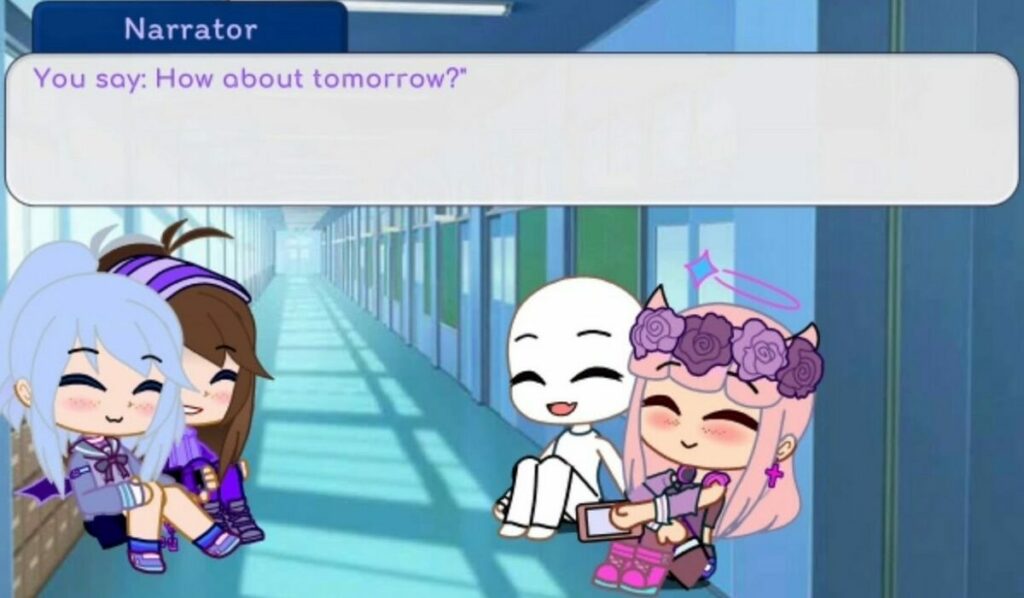
Cutscene presentation

The Gacha progression system

As the name implies, you will progress through the game via Gacha collection mechanics. Gacha-style games involve trading currency for randomized loot drops. The gacha idea was transferred from Japanese coin machines to the digital space as a means of keeping players hooked. By making each reward random, players are encouraged to keep hitting that lever until they receive the exact item they are looking for. In the case of collectors, the goal is to collect a full set of items.

Gacha Club employs this mechanic to determine which playable characters are unlocked for use and customization. Unlocking new characters is crucial to doing well in battles in addition to enhancing the customization options of your inventory. You can exchange both gems and bytes to roll for new Gacha rewards. Gems are completely free to farm through battles and mini-games. On the other hand, bytes must be purchased with real money.

The game provides reasonable value for free-to-play gamers. Gems are easy enough to obtain so you get a constant drip of character rewards. Getting a complete set or your desired collection of items is another story. Since you cannot buy specific items outright, there is no guarantee you can unlock everything you desire in a measurable timeframe. While there is no need to spend any real dollars, the temptation mounts the longer you play without getting the drops you want.
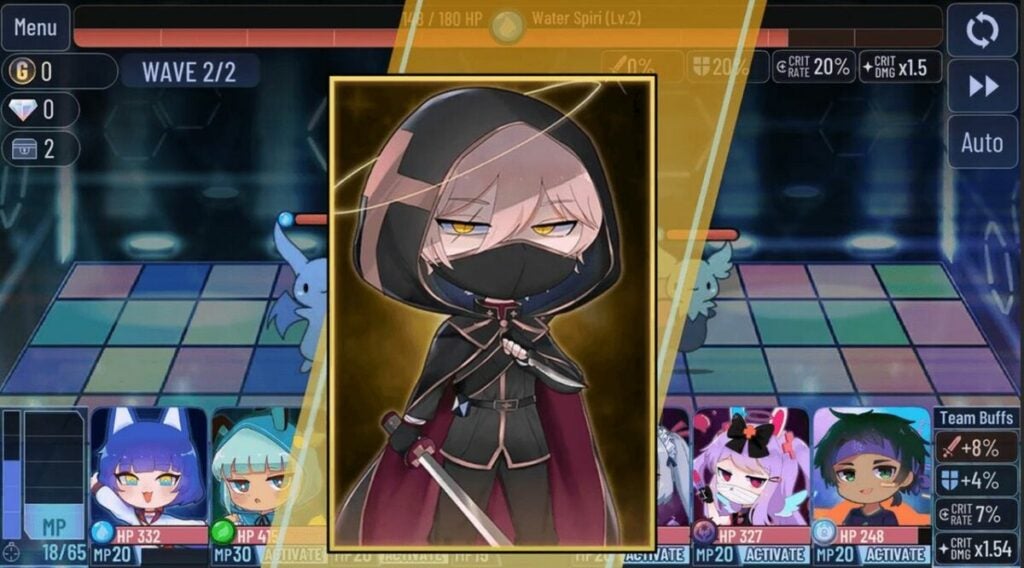
Demo of unlockable characters

Cheery music matches the gameplay

Gacha Club is filled with cheery sound effects and songs designed to enhance your mood. The upbeat pop music suits the visuals well and can hype you up if you enjoy that genre of tunes. The soundtrack does the job for numerous play sessions. Depending on how much you grind, you may eventually turn the music off to avoid repetition. This is not a knock on the songs themselves, as even the best music grows tiresome when played too often.

The user-generated emphasis extends to music and audio as well. A huge portion of the content on sites like YouTube is music videos. The community can add any sound effect or song to the video stories being made. Both Android and Windows platforms give players tons of flexibility in modding external audio into Gacha Club projects. This provides much-needed longevity for the overall audio presentation.

Music videos are plentiful

Game modes offer replay value

Gacha Club has a substantial volume of content to go through. The multiple game modes give you numerous reasons to keep coming back. Rotating between story mode, single battles, and the tower will keep you the most invested in the Gacha progression system. With that in mind, your total playtime is heavily based on a random number generator.

Some players will get everything they want in just a few weeks. If the randomized rewards are not in your favor, you could play for months without completing your intended objective. Subjectively, this could be perceived as positive or negative depending on what type of gamer you are. The title will resonate most with people who enjoy long grinds and RPG mechanics.

The final verdict

Overall, Gacha Club is well worth the download if you are the least bit interested. The free-to-play price point and low minimum hardware spec requirements make it easy for anyone to jump in and start collecting. The gem economy allows you to play for hours without spending any real cash. There is enough fun here to serve as a conducive distraction when you have a few minutes of downtime. If you like chibi anime and collecting items, then check out Gacha Club right away. Here’s an explainer on how to download Gacha Club.

Pros

  • Multiple game modes keep the action fresh
  • A massive roster of 100 characters and over 180 battle units to collect
  • Deep levels of customization are available on all items you earn

Cons

  • A lack of ways for players to connect in-game

14 Best Chrome extensions for Netflix

Netflix is an incredible entertainment experience that hosts plenty of movies, series, and games. While it’s available as various apps for PCs and mobile devices, you can also watch it directly on your Chrome browser. You’ll find a variety of extensions to install to enhance your experience.

Netflix DOWNLOAD

Our list of the 14 best Chrome extensions for Netflix has add-ons for different purposes. A few of them may serve the same function, so you’ll need to see which one works best for you. Some add tools that aren’t available on the original application.

Netflix Gift Cards online Buy Now
Netflix Gift Cards online

Top Netflix extensions for Chrome

Custom profile picture for Netflix™

You can set a profile on Netflix so that anyone else watching on your account won’t mess with what you’ve watched so far. There’s an option to select a profile picture, but it’s limited to the shows on the entertainment platform. Custom profile picture for Netflix lets you take any image that you love and turn it into a profile photo.

It also lets you randomize an image based on shows you’re already seen. However, it only works on Chrome. If you change the Netflix profile photo using the extension, it won’t apply to other devices, such as smartphones, gaming consoles, or televisions.

Custom profile picture for Netflix™ DOWNLOAD
15 Best Chrome extensions for Netflix

Watch Netflix Together on Chrome

This Chrome extension for Netflix is similar to Teleparty. You and your friend can watch Netflix shows and movies at the same time as long as you both have accounts. If you want to discuss what’s happening, there’s a chat section with emojis included.

Sometimes, Netflix updates may cause issues with the Chrome extension, but the developer is constantly updating Watch Netflix Together to fix the issue. There are also other customization options, such as changing your name in the chat or setting dark mode. 

Watch Netflix Together DOWNLOAD
15 Best Chrome extensions for Netflix

Netflix Plus

There are nights when it can be challenging to decide what you want to watch. You scroll through the short plotlines, but there are no trailers, and you’re not sure if you’ll enjoy the movie. Netflix Plus adds an IMDB rating and trailer previews so it’s easier for you to choose.

The Chrome extension for Netflix is ideal for people who spend too much time heading to IMDB to see what the score is. It appears as a panel under the name of the show next to the play button.

Netflix Plus DOWNLOAD
15 Best Chrome extensions for Netflix

Chrome Language Reactor

Whether you’re learning a new language or watching a movie in a different one, it helps to have subtitles to understand what’s happening. Language Reactor is a Chrome extension that works with most video platforms. More specifically, it adds new functions to Netflix movies and shows.

Not only can you see subtitles in a different language, but you can activate dual sets at the bottom. There’s also a pop-up function to let you see the meaning of words or phrases. 

Language Reactor DOWNLOAD
15 Best Chrome extensions for Netflix

Netflix Sync Party

Here’s another Netflix Chrome extension that lets you and your friends watch shows together. It adds the benefit of scheduling a time to join, but you’ll need to make sure everyone has the same time on their PCs. They won’t need to log in after you send the link. It’s as easy as joining your session.

One of the issues is that it lacks a chat mechanism. You’ll have to discuss the show with your friends on your phone or on a different Windows app. As per the developer, it was avoided so that you don’t experience any lag when using the Netflix Sync Party extension.

Netflix Sync Party DOWNLOAD
15 Best Chrome extensions for Netflix

Netflix Go

Have you ever watched a series on Netflix for so long that the platform asks you if you want to continue watching? It can be annoying when you’re cuddling a blanket and don’t want to stand up to go to your computer. Netflix Go is a Chrome extension that removes that message completely, letting you binge for as long as you want.

It also adds the ability to skip the credits that appear after an episode for 15 minutes before Netflix automatically moves to the next one for you. There aren’t many features, so it’s simply a matter of convenience.

Netflix Go DOWNLOAD
15 Best Chrome extensions for Netflix

Netflix Party

Don’t confuse this Netflix Party Chrome extension with the official Teleparty. It’s a different one altogether, but it offers slightly different features. For one, those joining your party won’t need to sign in to their accounts. You also have more control over the chats.

You’ll be able to see the timeline or duration of watching the show by the user names. Everyone can create avatars or profiles with unique names so you can identify who’s chatting. 

Netflix Party DOWNLOAD
15 Best Chrome extensions for Netflix

Netflix 1080p

You may have noticed that watching Netflix on a Smart TV delivers a better sound and HD video quality than on a computer. The reason is that your PC may not have the required codecs or system tools to fun that quality. Netflix 1080p boosts your Chrome browser to force the video platform to play in 1080p with 5.1 audio sound.

You’ll find customization tools on the extension if you’re watching on an older PC with outdated drivers. With the recommended settings provided by Netflix 1080p, it automatically adjusts the visual options for your operating system.

Netflix 1080p DOWNLOAD
15 Best Chrome extensions for Netflix

Netflix GIFs

It’s fun sharing hilarious GIFs from your favorite shows in chats with your friends at the right moment. Netflix GIFs is a Chrome extension that lets you capture moments during an episode or movie that you think is suitable. All you need to do is press the G button on your keyboard, and the add-on will do the rest.

Once you’re done recording your GIF, it saves to the cloud and then downloads to your desktop. You’ll need to check to which folder it goes so you can share it at a later stage.

Netflix GIFs DOWNLOAD
15 Best Chrome extensions for Netflix

Custom Profile Photo for Netflix™

Here’s another Chrome extension that lets you change your Netflix profile photo to a custom image. When you enable it, a window appears so you can see the various alignment settings. You can upload any image you’d like, which will then save to your account on your computer.

Unfortunately, this extension suffers the same restrictions with syncing to your actual Netflix account. You’ll only see the custom profile photo on your computer, and it won’t be visible on your other devices.

Custom Profile Photo for Netflix™ DOWNLOAD
15 Best Chrome extensions for Netflix

Language Learning with Netflix & YouTube™

This extension is helpful when learning a new language while watching movies on Netflix. It provides dual subtitles, namely, the original language and another of your choice. When you click on words you don’t understand, a small dictionary pop-up will appear to explain them.

Language Learning with Netflix & YouTube also has several keyboard shortcuts to assist you with checking words and changing the playback. You can repeat phrases, go back to a previous one, or skip ahead.

Language Learning with Netflix & YT™ DOWNLOAD

Flickcall: Netflix Party with Video Call

Are you tired of watching Netflix shows with others in a Chrome extension party while trying to follow text chats? Flickcall: Netflix Party with Video Call provides the normal service of a watch party, but it introduces video calls. You’ll see everyone’s webcam videos appear as blocks in the chat section on the side of the movie.

Besides Netflix, it also works with other streaming services, such as Disney+ and Hotstar. It’s enjoyable when you want to pause and discuss the episodes, but it may become annoying if someone keeps talking over the show.

Flickcall: Netflix Party with Video Call DOWNLOAD

Netflix™ Extended

If you’re looking for a few more functions on the streaming platform, try adding Netflix Extended for Chrome. It lets you skip any show recaps automatically, end the closing credits faster, and provide movie ratings. There’s also an option to hide the preview text for an episode while it’s loading so you don’t see any spoilers. 

The Chrome extension is flexible, meaning that you can customize many of the settings. It may not work in the original Netflix tab you open, so you might need to open a new one or refresh it to get it to work.

Netflix™ Extended DOWNLOAD
15 Best Chrome extensions for Netflix

NETFLIX picture-in-picture control button

Would you like to watch a movie while working? While it may not be a productive solution, the NETFLIX picture-in-picture control button extension lets you pop the Netflix panel into a window that hovers over other windows. You can choose where you want it on your screen while working.

You’ll see a new icon in the bottom right corner of the Netflix video that activates the pop-up panel. From there, you can simply have the show playing in the foreground.

NETFLIX picture-in-picture control button DOWNLOAD
15 Best Chrome extensions for Netflix

15 Best PDF Chrome extensions

Working with PDFs on the Chrome browser can be challenging at times. For the most part, you can usually only view and save documents. Sometimes, you can also sign or print documents. There’s a limit to how much you can actually do, leading to saving the file and opening it on Adobe Acrobat. 

Google Chrome DOWNLOAD

Fortunately, we have the 15 best PDF extensions for Chrome that will add more functionality to your online documents. Using some of them will increase productivity so you don’t need to work across several apps. Others insert more tools so you can do more.

Top PDF extensions for Chrome

PDF Editor for Chrome: Edit, Fill, Sign, Print

When you want to do more than just view a PDF online, try installing the PDF Editor for Chrome: Edit, Fill, Sign, Print extension. You can open any document in your browser, edit, and make changes as you wish. The drawing and annotation tools also work, and it will feel like you’re working on a PDF editor.

There’s a 30-day free trial so you can see if it works and meets your needs. Once the period runs out, you’ll need to purchase one of the plans to continue using it.

PDF Editor for Chrome: Edit, Fill, Sign, Print DOWNLOAD

PDF Editor for Docs: Edit, Fill, Sign, Print

This PDF extension is made by the same people as the previous one with the same functions and features. The primary difference is that it synchronizes with documents you have saved on your Google Drive. It’s especially useful when you’re working with Google Docs and you need to convert from or to PDF.

You can still work directly on PDF documents with this extension as before. There’s also a 30-day trial for this package, so you’ll have time to test its functionality first.

PDF Editor for Docs: Edit, Fill, Sign, Print DOWNLOAD
15 Best PDF Chrome extensions

PDF Viewer

If you don’t like the default document viewer on the browser, you can install this PDF Viewer extension for Chrome. It provides the same functionality, but you may feel a slight improvement in performance when scrolling, highlighting and reading. The chief difference is that you can view PDF.js files.

You’re also able to upload any PDF files to your Chrome browser if you don’t have Adobe Acrobat or any other app installed on your Windows device. If the doc allows you to sign, there should be no issue completing the fields.

PDF Viewer DOWNLOAD
15 Best PDF Chrome extensions

Weava Highlighter – PDF & Web

Studying for exams or performing intense research can be stressful. The last thing you want to do is keep notes of your sources or important sections and then waste time arranging them later. Weava Highlighter – PDF & Web helps increase productivity by letting you highlight sections in PDF documents and organizing them into categories.

The free version has plenty of features to help you with highlighting notes in documents displayed on Chrome. However, you may want to check out the Premium for advanced tools, such as saving and customizing colors and folders.

Weava Highlighter - PDF & Web DOWNLOAD

PDF editor online

Looking for a complete PDF solution for Chrome? The PDF editor online extension provides plenty of tools to create and edit documents online without needing to download anything. It works off the same functionality as the LibreOffice Draw Desktop Linux app, but you’ll find a few extra features.

You’ll be able to convert formats to and from PDF, and you can manipulate color, fonts, and images in documents. The drawing feature is also available, but feel free to easily add images to enhance the content.

PDF editor online DOWNLOAD

Smallpdf – Edit, Compress and Convert PDF

When working with huge PDF files that take up lots of storage space, Smallpdf – Edit, Compress and Convert PDF helps you to reduce the size. It makes it easier to share with others if there’s a file-size limit. There’s also a feature for converting formats to and from PDF, while you can also work with various image and document file types.

While there are plenty of PDF editing tools you can use in this Chrome extension, they’re limited to the free version. You’ll need to upgrade to Pro if you want more advanced features, such as batch file processing and modifying workflows.

Smallpdf DOWNLOAD
15 Best PDF Chrome extensions

Save as PDF

You might find interesting websites or pages you want to save for offline reading or research. While you can save the page to your PC in the standard webpage format, the Save as PDF Chrome extension lets you download it as a PDF document. You’ll need a separate app if you want to edit or make changes, though.

There are a few limitations. If a site needs login details to access content, Save as PDF won’t work. The same applies to any sites that have security measures in place to prevent saving online content. You’ll also need to create an account on pdfcrowd.com.

Save as PDF DOWNLOAD
15 Best PDF Chrome extensions

PDF Mergy – Merge PDF files

Merging PDF files into one can be a time-consuming process. You could be doing so much more with that time. PDF Mergy – Merge PDF files adds easy functionality as a Chrome extension to merge the documents for you, letting you continue in your strive to be productive. All you need to do is provide the PDF files in the right order, and it will do the rest.

It sends the documents to a secure server, where it begins the merging process. Depending on how many files you send, it may take some time before you see the download appear. You can continue with your work in the meantime.

PDF Mergy - Merge PDF files DOWNLOAD

PDF Reader

If you’ve worked with PDF documents on Firefox before, you may be familiar with Mozilla’s pdf.js library. It provides additional tools when viewing the files online. The PDF Reader extension for Chrome brings the same features across,  giving you access to other ways to read your document.

There are different themes, with the main ones being Light and Dark Modes. You’ll also have access to various rendering options, improving how text and images look on your PC. It helps when you have trouble viewing signatures.

PDF Reader DOWNLOAD
15 Best PDF Chrome extensions

Web Page to PDF Converter

Here’s another Chrome extension that lets you save PDF documents from websites. Not only can you do so directly from the site, but you can also enter a URL. Additional functionality includes sharing the file with others via Google Drive or email.

Of course, some content may not be available for saving due to security reasons. For example, you might not be able to save your online banking screen or a WordPress admin page that needs a password.

Web Page to PDF Converter DOWNLOAD
15 Best PDF Chrome extensions

Open in PDF Viewer

Anyone that opens PDF links on Chrome should know that the browser uses a default viewer to see the contents. If you want to use a local PDF reader on your computer, you need to download it first and then open it. Open in PDF Viewer saves you time, letting you right-click and select “Open in PDF Viewer”. You’ll immediately see the file in the app you use on your PC.

There’s an initial setup that takes place to show the Chrome extension where your local app is saved so it can use it. For it to work properly, you’ll need to connect it to the app you want to use, such as Adobe Acrobat.

Open in PDF Viewer DOWNLOAD
15 Best PDF Chrome extensions

HTML to PDF Converter

There’s a site called Online Converter FreePDFsolutions that lets you convert several formats to PDF, such as DOC, PNG, and JPG. It even compresses and splits PDF documents. The developers of this site created the HTML to PDF Converter Chrome extension, converting HTML files to PDF.

It has a simple user interface where you can upload the HTML file you want to convert. Once done, it’s as easy as waiting for the PDF link to appear as an email. Sadly, it doesn’t download directly.

HTML to PDF Converter DOWNLOAD
15 Best PDF Chrome extensions

Open in PDF Reader

Not satisfied with Open in PDF Viewer? Then try Open in PDF Reader. The Chrome extension works the same way, adding a button when you right-click to send the file to your default PDF viewer on your PC. One extra feature it has is placing an icon when you already have the document open on your browser so you can send it directly.

As usual, you’ll need to tell Windows what you want the default PDF viewer to be. Adobe Acrobat is the standard one used on the operating system, but you may have something else installed that you would prefer to use.

Open in PDF Reader DOWNLOAD

Website to PDF

An ambitious Chrome extension is Website to PDF. It lets you convert or save an entire website into a single PDF document. The only catch is that it’s limited to 39 pages, so it’s only useful for small sites.

You’ll generally use this if you want to save info from an old site that you want to replicate on another. When inserting the URL information, you’ll need to indicate the various partitions.

Website to PDF DOWNLOAD
15 Best PDF Chrome extensions

Docs Online Viewer

There are still many people that prefer working on local apps instead of on browsers or in the cloud. When you receive documents you need to open and view but don’t have the app, you can use Docs Online Viewer to open it in your Chrome browser.

It uses similar functions to Google Docs when uploading documents in different formats. Basically, the Chrome extension saves you time by simply displaying the PDF file as a tab on your browser.

Docs Online Viewer DOWNLOAD
15 Best PDF Chrome extensions

The small Google Docs update that should make a big difference

The battle between Microsoft and Google to capture the increasing work from home productivity market has been heating up recently. Google has been constantly updating Google Workspace so that it can better compete with Office 365, even pumping AI-powered features into Google Docs. We now have news of another small update to Google Docs that should make a big difference for people using it.

Google Docs Download Now

It has to be said that this update simply marks another way that Google is playing catch up with Microsoft as it is a simple feature that has been available to Microsoft Word users for a long time.

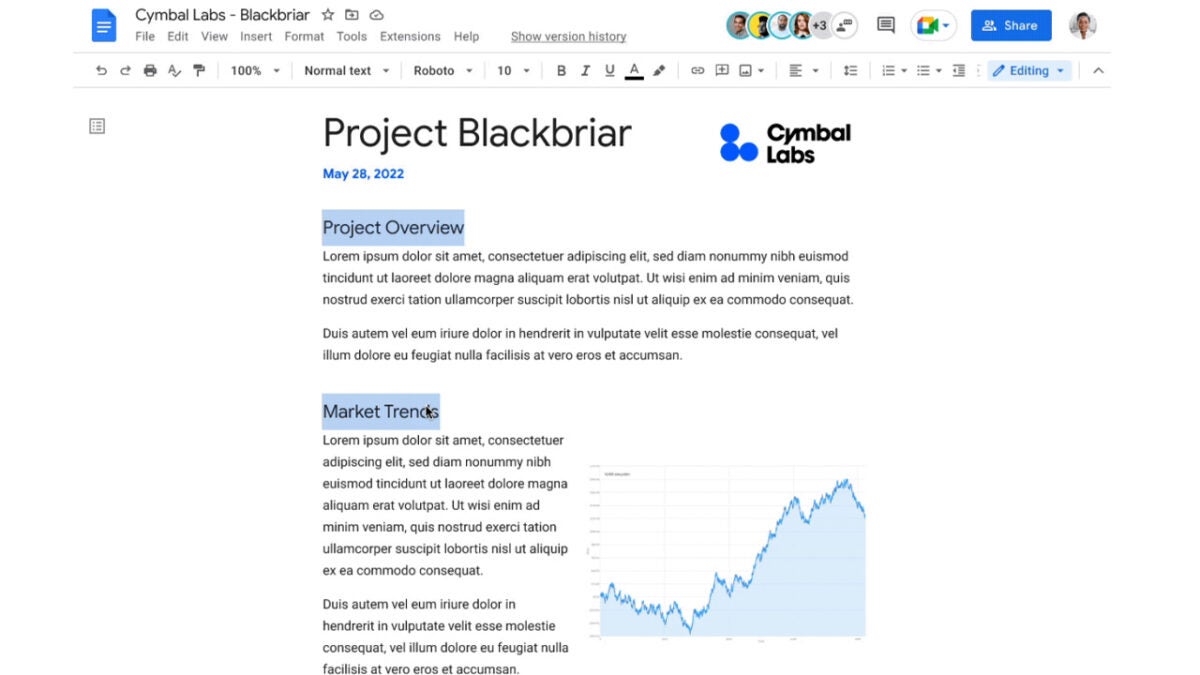
The update will allow users to select multiple parts of a document at once and reformat them with a single command. For example, you could select all of the opening words of a series of bullet points at once and then make them all bold at the same time with a single click. Incredibly, until now it hasn’t been possible to select multiple areas of a document at the same time, never mind format them.

The feature is going to roll out to all Google Workspace users meaning it should become available on enterprise versions of Google Docs and Google Sheets soon. When it does land on your version of the app you will be able to find suitable keyboard shortcuts here. If, however, you can’t be bothered finding them there, we’ve laid them out for you below:

For Windows and ChromeOS : Ctrl + Alt + Shift + Left/right arrow

For Mac: Ctrl + ⌘ + Shift + Left/right arrow

So, there you have it. Google is adding a small but useful update to Google Docs that brings the Google word processing app a baby step closer to Microsoft word. For more news on Google Docs updates read our report on these new team-focused features.

The Microsoft Store on Windows 11 will soon be more useful

Ever since the Apple app store burst onto the scene, all the tech giants have looked to set up their own versions of these ecosystem squeezing environments. Two examples of these are Google’s Play Store and since the launch of the operating system back in October 2021, Windows 11’s Microsoft store. Unlike Softonic which is the ultimate app store that covers all apps, these try to capture all the apps that are available in their own specific ecosystem. However, as well as the apps available on them, these stores have features themselves and the Windows 11 Microsoft Store has been badly lacking some of the most basic features these stores need, that is at least until now.

Windows 11 Download Now

Microsoft has announced several new features for the Microsoft Store in a Windows Developer Blog post. The updated features will bring some rather basic yet totally necessary features to the Store as well as some interesting cross-platform tools too.

The first feature the Microsoft Store is getting is a Restore All button. This isn’t groundbreaking at all, but it will make a huge difference for any Windows users upgrading their machines. Basically, the feature will a Microsoft user to log into their account on a new machine and then restore all the apps they have previously purchased from the Microsoft Store onto the new machine. Yes, it is a bit crazy that this feature wasn’t always there but then there you go.

Another interesting feature that actually innovates a little bit is an update of the Windows Search feature. This will see the Microsoft Store integrated into the Windows Search tool so that you can download new apps without even having to open the Store in the first place. All you will have to do is search for the app and then if it is available on the Microsoft Store you will see the Get from Store option right there in the search tool itself.

In terms of inter-platform interoperability, Microsoft is continuing to work with the Amazon app store to help bring the Android apps listed there to more Microsoft users. According to Microsoft, “The Amazon Appstore preview is currently available in the U.S., and it will expand to five additional countries, including France, Germany, Italy, Japan, and the United Kingdom, by the end of this year.”

So, there you have it. The Microsoft Store is going to be more like a proper app store very soon and Android apps will also be much easier to use on Windows very soon. If you are intrigued about Android apps coming to Windows, read our report on it now.

Image via: Microsoft

This WhatsApp update may confuse you, but it will make sense in the end…

We’ve been tracking the work WhatsApp has been doing to its disappearing messages feature for a while now including making the new WhatsApp feature easier to use. We now see that WhatsApp is working on an update for the feature that will confuse most people. Let’s get into it and then let’s dig a little deeper beneath the surface to see what is really going on and why WhatsApp is looking to make this change.

WhatsApp Download Now

In the latest beta versions of both WhatsApp for Android and WhatsApp for iOS, a new “Keep message” tool has been spotted in the disappearing messages feature. Yes, that is right, WhatsApp is working on a feature that will allow you to keep the messages that you tell it to make disappear.

So, you are probably thinking that to achieve this all you need to do is turn off the disappearing messages feature in the first place, and you’d be right to think that. You can keep all your messages by turning off the disappearing messages feature altogether. However, WhatsApp has a specific use case in mind here and it actually makes sense.

Imagine you have a chat with a friend that is set to make all the messages you send disappear for one reason or the other. What if you want to share with this friend some important information such as where and when you are going to meet or information about a project you are working on together. Even though you want all of your usual messages to disappear, you may want these important messages that contain useful information to stay visible in the chat so that you can refer back to them when you need to remind yourself about the important information they contain. That is what this new feature is all about.

As you can see in the screenshot above, the Contact Info and Group Info pages will be getting a new Kept Messages section where you can refer back to all the messages you’ve decided to keep that would normally disappear.

As always, there is no news yet about when this feature will roll out to all users but if you stick with us at Softonic we will always keep you up to date with the latest WhatsApp News, so you won’t miss a thing.

Image via: WABetaInfo

The 10 best expansion packs for The Sims 4

The Sims 4 is easily the most intuitive and interactive game in The Sims franchise. This game has changed a lot of core concepts from the original trilogy if you will. However, the expansions themselves are different. When I was still hooked on The Sims 3, I’d have said that you can play just as meaningful a game without any expansions as you could with them. I didn’t need stuff packs because I had The Sims Resource and custom content.

The Sims 4 DOWNLOAD

But the expansion packs for The Sims 4 hit differently. Now, we have entire cultures, new experiences, and all-new interactions and gameplay options like laundry that actually gets dirty and a full-on town mystery to solve interactively. Sims 4 is so much more of a holistic and well-rounded experience with expansion packs, and below, we’re going to break down the 10 best packs to invest your hard-earned money in.

The Sims 4: Seasons

It’s pointless leaving the absolute best for last when anyone who has ever played any era of the Sims franchise knows that The Sims isn’t The Sims without Seasons. Seasons is an absolute must-have expansion pack and is well worth the price tag it carries. 

You’ll experience near-realistic weather conditions specific to current in-game seasons and neighborhood climates and see how the varied temperatures impact your Sims. Pick a season to start your game in and watch as the world around your Sim gradually changes from picturesque green gardens to snowy driveways and bracing breezes. 

The Sims 4: Seasons DOWNLOAD
The 10 best expansion packs for The Sims 4

TS4: Discover University

The Sims 4 Discover University takes your Sims back to the glory days of university. Remember those base game jobs your Sims never qualified for but somehow ended up being able to pursue? Now your Sims can earn their titles through hard work and perseverance. 

Settle into college life in brand-new Britechester. Choose the historical landmark, University of Britechester or enroll at the modern Foxbury Institute and explore campus life to the fullest. Dorm rooms? Yes Please! Spend time getting to know fellow students in the common areas, or break away to the privacy of your very own shared dorm room for a few hours of studying. 

The Sims 4: Discover University DOWNLOAD
The 10 best expansion packs for The Sims 4

The Sims 4: Eco Lifestyle

Eco Lifestyle adds all sorts of gameplay aspects relating to sustainable living. Whoever said it’s not cool to be green clearly hasn’t watched a neighborhood become eco-friendly in front of their eyes and seen how it benefits the community. 

Evergreen Harbour, the city that ships with this pack, needs your help. Make sustainable choices and vote on Neighborhood Action Plans to take the city from grunge and grime to solar panels and sustainable living. 

The 10 best expansion packs for The Sims 4

TS4: Island Living

This may be a polarizing pack, but stunning views of white sandy beaches abound in this new island-themed world. Sit back and relax in the beautiful new world of Sulani. Here you can do all sorts of leisurely things like sailing over glistening waters and swimming with mermaids! If the water doesn’t appeal to you, sit on the beach and build a sandcastle, or relax in a lounger with a refreshing drink. 

Why just sit on the beaches when you can help clean them up? Similar to Eco Lifestyle, Island Living gives you the opportunity to take an active role in conservation and sustainability. Watch how the world changes around you when you pitch in and help out. 

The 10 best expansion packs for The Sims 4

The Sims 4: Cottage Living

One of the most highly-anticipated packs prior to its release, Cottage Living delivers a new way of life, beautiful scenery, and immersive local stories from across the pond. Experience the all-new lot of challenges that make life in the countryside even more exciting and eventful. The new world, Henford-on-Bagley, is inspired by the English countryside and steeped in lore.

This pack adds a completely new village lifestyle that’s much more slow-paced and rustic than we’ve come to expect from The Sims 4. Immerse yourself in a town where everyone knows everyone and discover all the secrets the village and its surroundings have to offer. 

The 10 best expansion packs for The Sims 4

TS4: City Living

There are a lot of ‘living’ packs out by now, but each of them expands on the various kinds of lifestyles your Sims can lead. Why not immerse yourself in a life in the big city? Nowhere is this statement more true than in the titular city, San Myshuno. 

No authentic city experience would be complete without occasional drama at the hands of the neighbors down the hall. Make new best friends or gripe about the noisy parties and occasionally rowdy citizens of this unique new world. 

The Sims 4: City Living DOWNLOAD
The 10 best expansion packs for The Sims 4

The Sims 4: Cats and Dogs

Did someone say pets? Well, no, not exactly as we remember it from The Sims 3 Pets. But at least with this pack, you can add a furry friend to your Sim’s household. Use the new life state in CAS to create, color, and customize your perfect pet. Alternatively, head to the phone or the nearest computer and adopt a pet in need of a loving home. 

There’s nothing nobler than dedicating your Sim’s life to creatures in need. Work as a vet or take on the responsibility of running a pet clinic and become the town’s favorite animal doctor. Do everything from major canine or feline surgery to removing the odd tick. 

The Sims 3: Pets DOWNLOAD
The 10 best expansion packs for The Sims 4

TS4: Snowy Escape

Whether you choose this pack for the Japanese-inspired culture or the beauty of the snowy Mt. Komorebi, Snowy Escape is bound to impress. Give your Sims the ultimate adventure holiday in this stunning new world and its snowy slopes. 

If you’re missing the clearly established lore of previous Sims games, this pack is for you. The families of Mt. Komorebi have more to them than meets the eye. Discover family secrets and old flames, or create your own stories with new CAS items and gameplay interactions. 

The 10 best expansion packs for The Sims 4

The Sims 4: Get Together

In the mood for clubbing? Whether you want to hit the clubs or simply join a group of like-minded individuals, Get Together is a pack that redefines socialization in The Sims 4. Start a club of your own or join the ranks of an existing new social hierarchy. Unseat the club’s leadership and redefine group activities. Your club will do whatever you decide is the inthing. 

From the Fyres to the Bjergsens, Windenburg is full of exciting new characters to meet. Its scenic neighborhoods are inspired by the hottest spots in Europe and offer unique experiences for new connections. 

The Sims 4: Get Together DOWNLOAD
The 10 best expansion packs for The Sims 4

TS4: Get Famous

Del Sol Valley is inspired by Los Angeles, and it truly is the pinnacle of entertainment and celebrity. Rise through the ranks of the new celebrity system in The Sims 4 to become the most famous or infamous Sim in history. You control your reputation. You know what they say, all publicity is good publicity. And all publicity is a sure way to get a diamond in your Sim’s name on the legendary Starlight Boulevard.

Whether you embark on a new path in the entertainment industry or simply live it up in one of the opulent mansions in the most desirable part of town, the Pinnacles, your destiny is yours to create. Surround yourself with finery befitting your newfound social standing and celebrate your very own golden age.

The 10 best expansion packs for The Sims 4

Are you ready to join the Call of Duty: Warzone 100km virtual run?

Call of Duty is breaking the mold of the concept of a charity race. As announced only hours ago, Call of Duty is hosting the first-ever digital charity race run completely within a video game. Players are invited to run 100 virtual in-game kilometers in Call of Duty: Warzone Pacific to support the Call of Duty Endowment Fund.

Call of Duty: Warzone DOWNLOAD

The race, taking place between the 26th of May and the 3rd of June 2022, is being organized in support of veteran employment, and Activision Blizzard, the company behind Call of Duty, has pledged $1 per kilometer for every player who takes part, adding up to $10 per player. This is part of an incredible $1 million donation to the aforementioned Call of Duty Endowment Fund. 

This won’t just be a charity event, though; Call of Duty and Activision Blizzard have ensured there are sufficient incentives for players to join the landmark event. Players will have the chance to rack up an incredible 10 in-game kilometers in Call of Duty: Warzone Pacific and, in doing so, win a spot on the event’s leaderboard. Players will also be able to snap up reward-based incentives for competing in the event and reaching various milestones. Among these are a bronze calling card for running 25 kilometers, a silver calling card for running 50 kilometers, and a gold calling card for running 100 kilometers in the game. 

In a recent statement, Fernando Machado, Activision Blizzard’s Chief Marketing Officer, had the following to say: ‘Endowment allows us to give our fans the opportunity to do something that is both fun and impactful. This is an event we are all excited for, and we can’t wait to see the enthusiasm in the community as they race to hit the top of the leaderboards for a great cause.’ 

Unlike physical marathons, a smartwatch or step counter won’t be much use to you during the event. However, if you tweet @CallofDuty with your Activision ID and add in the event hashtag #CODVeteruns100K, you’ll receive your event stats as well as the total amount of money that will be donated to the Endowment Fund on your behalf. 

In other exciting Call of Duty news, we’ve finally got the release date for Call of Duty Modern Warfare II! Stay tuned for all the latest news surrounding the release.

Upcoming Call of Duty Modern Warfare 2 READ MORE

Niantic moves forward with the new exhilarating Lightship AR platform

Niantic is aiming higher than just producing games. While Pokemon GO remains one of the most popular games and is financially rewarding for the developers, they aim to expand beyond the world of just gaming. Niantic is now aiming to become a platform from which other developers can build location-aware apps.

Pokemon Go DOWNLOAD

This is not news, as Niantic has actively worked on this platform since 2018. But it’s taking a major leap forward this week as their location mapping software for AR is released. This Visual Positioning System or VPS software enables AR experiences to be grounded to a physical location. This means no more random floating AR elements.

VPS will form part of Niantic’s Lightship SDK, which will let multiple devices access a shared AR experience in the future. Can you imagine a 3D multiplayer AR experience? Niantic is releasing VPS for free for a few months in an initial beta period. Afterward, they plan on introducing a tiered billing system based on the number of monthly users on the app.

This isn’t the only new app being launched by Niantic this week. They will also release Campfire this week. Campfire is a location-based social media platform that also integrates with Niantic’s games and future Lightship apps. The goal with Campfire is to make games like Pokemon GO more social but also create a way for other Lightship developers to get their apps seen by the millions of users already on the platform, thanks to Pokemon GO.

Currently, Niantic has crowdsourced millions of phone camera scans through Ingress and Pokemon GO players. This data has enabled them 30 000 VPS-activated locations throughout the world. These locations include San Francisco, London, Tokyo, Los Angeles, New York, and Seattle. More locations are being added to the AR platform all the time.

There are many more developments regarding these new platforms from Niantic. Still, their ultimate goal is to provide a platform where developers can build apps that run cross-platform but that those developers still own. With all the new developments, Pokemon GO hasn’t been neglected, and the company even teased the possible introduction of Gen 7 Ultra Beasts to the game.

Pokemon GO teases the possible addition of Ultra Beasts READ MORE

The top tactics for the world of Clash Mini

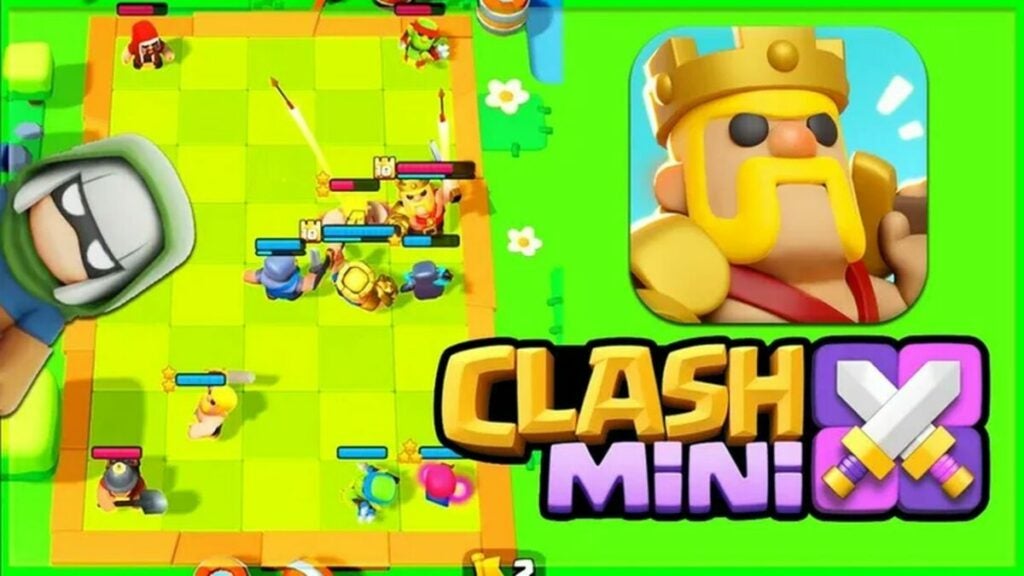
Clash Mini is a virtual board game/strategy game from developers Supercell, the makers of the battle royale release Clash of Clans. In this game set in the Clash Universe, your mission is to control an army of Minis that you can upgrade and swap through during the game. Clash Mini features two modes: Duel, which is a best-of-three mode, and Rumble, which is a tournament-style mode with up to 10 players.

Whether you’re participating in free play or trying to become a ranked player, you’ll need to use some Clash Mini tactics and strategies. Formation and leveling up your abilities are important tools to win this game.

Clash of Clans APK Download

Read and analyze your units in Clash Mini

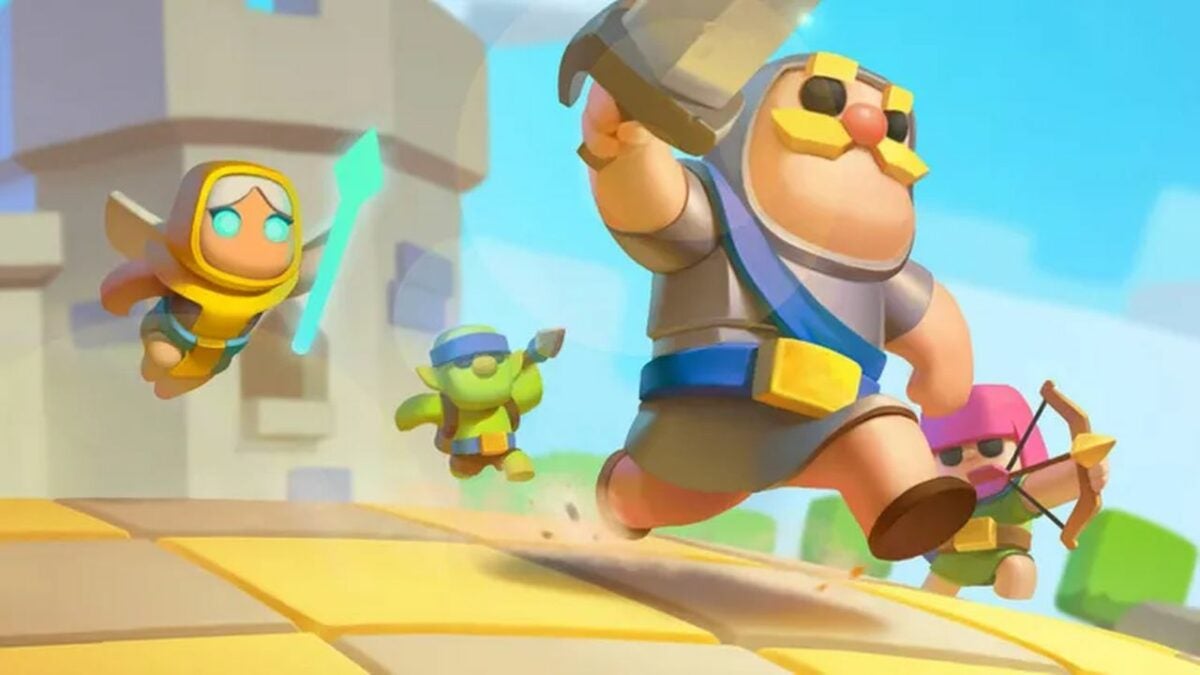
The units, or Mini heroes, each come with special spells and abilities. It’s important to read and understand the spells before choosing minis to form a unit. Spells have bonus abilities on both allies and enemies to make your army stronger.

After creating your unit, you will need to analyze them fully for the best competitive gameplay. To have the most effective gameplay, you’ll want to position your minis and figure out the best attacks before you start. Your opponents will also be using the same strategies, so choose wisely and think of defense moves.

Heroes in Clash Mini

Play quests within the Clash Mini game

You can gain rewards through special quests within Clash Mini. Quests can bring you gold to buy upgrades or items in the in-game store; however, the latter isn’t worth it as you can also get weapons and items for free by completing battle attacks. Save your gold for a really rare purchase that you can’t pick up during your game.

There is also an option for in-game purchases that seems tempting if you’re struggling with specific battle rounds. By beating easy quests, you can save your real-life currency and obtain abilities and items without breaking the bank.

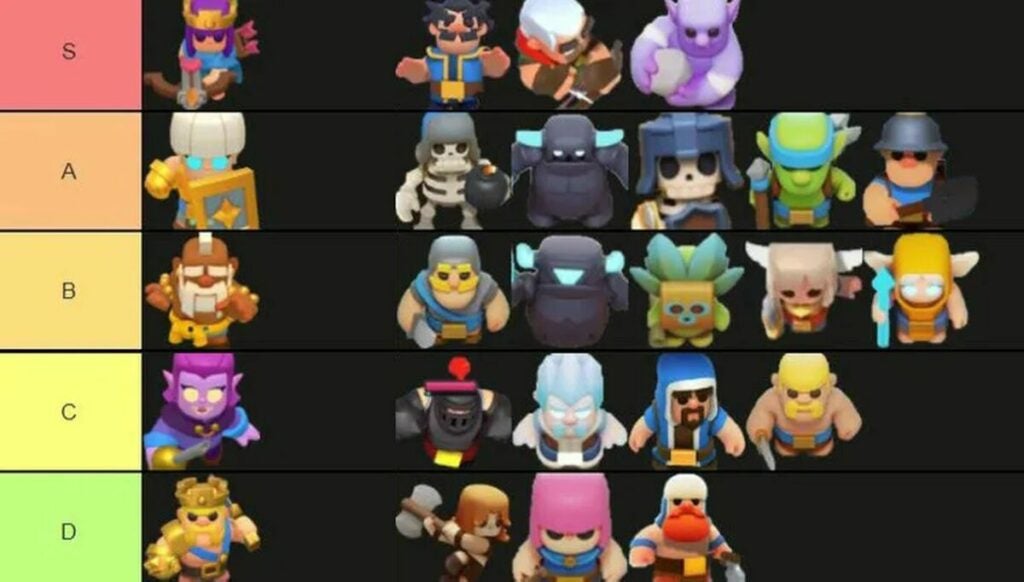
All the heroes ranked by tier

Don’t forget about setting up equipment as well as Minis

Clash Mini comes complete with tanks and melee hand-to-hand combat moves that you’ll place around the board before taking your turn. These should be taken into consideration as much as the placement of your Minis. The role of your characters comes into importance with your choice of personalities such as magic archers and wizards.

Fans of Clash Heroes will love the option to choose classic characters from the original game, including Pekka, the Archer Queen, Shield Maiden, and the Barbarian King. Remember that you can switch between Minis to advance your game strategy and gain new abilities with each battle you win.

A battle in Clash Mini

Do not choose Rumble mode if you’re looking to increase stats in Clash Mini

Rumble mode is basically a free for all system where you can battle other players. However, this casual gameplay does not increase your stats in the Clash Mini game. Regular gameplay in the player vs player Duel mode allows you to obtain rewards and abilities. You do need to keep in mind that your opponents may have stronger units, which you may not be able to see before the battle begins!

A great tool is to pick Minis such as healers and harvesters to combat your enemies. Try to stick to tried and true Minis, and keep in mind that your opponents can use the same tactics. It’s fine to take risks in this game as you can swap out your units when you don’t find them as effective as others.

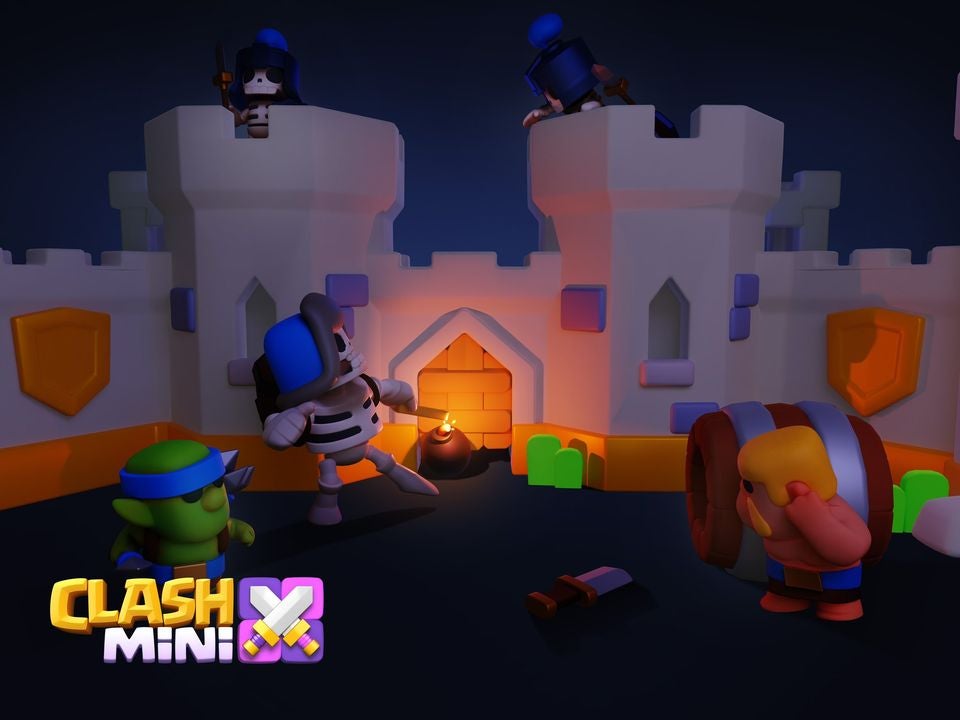
Clash Mini animation

Play Clash Mini for an exciting virtual chess game

Clash Mini is an auto-chess board game with action gameplay for fans of strategy programs. While luck is a factor, the virtual game is a real-time battle that requires you to plan ahead before playing moves. Clash Mini is a game of wits and formation. You can progress further for extra special skins with these tips and tricks explained throughout this article.

Clash Mini is like a virtual chess game

Please feel free to leave your own comments on how to succeed with Clash Mini. Need more help on the gameplay basics? Check out our guide on how to play Clash Mini.